TPB2507 - Hedge trimmers Anova - Free user manual and instructions
Find the device manual for free TPB2507 Anova in PDF.


| Product Type | Battery-powered electric pruner (pruning shears) |
| Brand | Anova |
| Model | TPB2507 |
| Weight | 0.9 kg |
| Power Source | Lithium-ion battery 16.8 V, 2 Ah |
| Charger | AC charger 110-240 V, charging time 1-1.5 h |
| Battery Life | 3-4 h (intermittent work) |
| Max Cutting Diameter | 28 mm (recommended 25 mm) |
| Working Temperature | -10°C to 65°C |
| Main Functions | Cutting fruit tree branches, pruning orchards, vines |
| Startup | Install battery, press and hold ON/OFF button for 3 seconds, beep; press the trigger twice to open the blade |
| Usage Tips | Cut 8 mm from the bud; do not cut multiple branches at once; keep hands away from blades |
| Battery Charging | Insert battery into charger, plug in; green light = full charge; recharge every 3 months if unused |
| Blade Maintenance | Clean after use, lubricate with motor oil; sharpen with a whetstone; replace if worn |
| Blade Replacement | Remove battery, unscrew cover, remove screws, nut, pin; replace fixed and moving blades; add oil |
| Battery Maintenance | Do not expose to water, fire, extreme temperatures; use original charger; store charged |
| Safety | Read the manual; wear gloves and goggles; work in a dry place; do not touch moving blades |
| Spare Parts | Cutting blade, fixed blade, battery, charger, lubrication kit available |
| Warranty | 24 months from date of purchase, covers material/manufacturing defects, excludes wear parts |
| Box Contents | Pruner, lithium battery, charger, tools, lubrication kit, carrying case |
Frequently Asked Questions - TPB2507 Anova
User questions about TPB2507 Anova
0 question about this device. Answer the ones you know or ask your own.
Ask a new question about this device
Download the instructions for your Hedge trimmers in PDF format for free! Find your manual TPB2507 - Anova and take your electronic device back in hand. On this page are published all the documents necessary for the use of your device. TPB2507 by Anova.
USER MANUAL TPB2507 Anova
natural_image
White handheld hair gun with mechanical gear and control buttons (no visible text or symbols)ANOVA®
natural_image
Two black electrical connectors with visible internal components and wiring, no text or symbols present.natural_image
Close-up of hands interacting with a small object, possibly a robotic arm or tool, with a 23° angle indicator (no text or symbols on the object itself)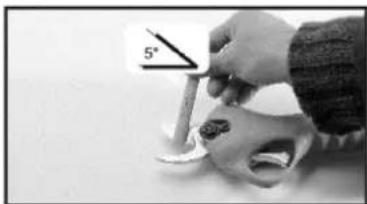
natural_image
Close-up of a hand using a tool to apply material to a skull model, with a 5° angle marker visible (no text or symbols on the object itself)natural_image
Close-up of a hand using a tool to cut or apply a metallic tool into a curved mechanical part (no text or symbols visible)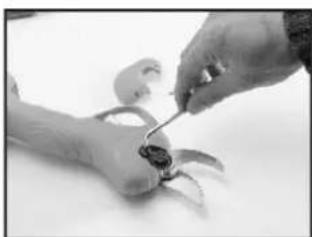
natural_image
Close-up of hands using a tool to adjust or repair a small object (no visible text or symbols)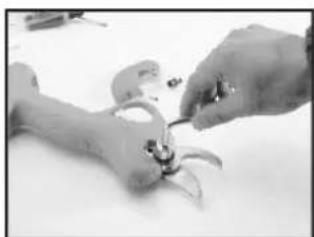
natural_image
Close-up of hands assembling a small mechanical component (no visible text or symbols)natural_image
Close-up of hands assembling a mechanical component with a curved tool (no visible text or symbols)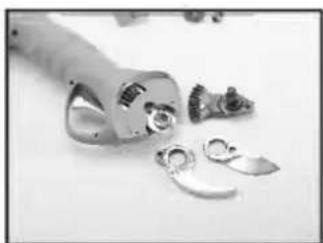
natural_image
Close-up of mechanical components and disassembled parts on a plain surface (no text or symbols visible)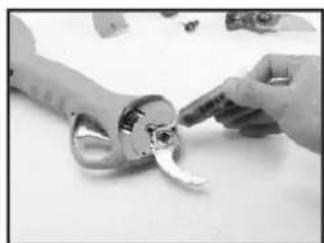
natural_image
Close-up of hands holding a small mechanical component with a curved handle (no visible text or symbols)natural_image
Close-up of hands assembling a decorative object with a black-and-white pattern (no visible text or symbols)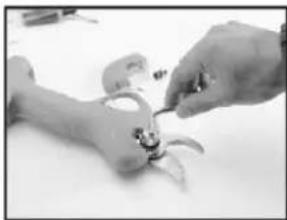
natural_image
Close-up of hands assembling small mechanical parts (no visible text or symbols)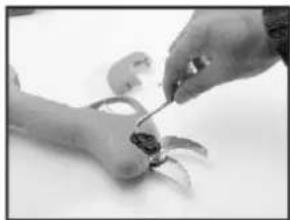
natural_image
Close-up of hands using a tool to apply material to a small object (no visible text or symbols)- Reemplace la cuchilla
- Inserte la tuerca
- Instale la tuerca de cierre

natural_image
Black-and-white photo of a handheld mechanical tool with black straps and metal end caps (no text or symbols visible)ANOVA®
1. INTRODUCCION
natural_image
Close-up of a mechanical component with multiple metal fasteners and a hook, no visible text or symbols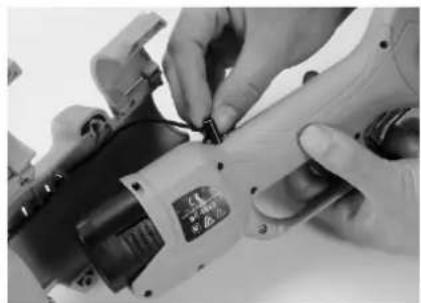
natural_image
Close-up of hands operating a mechanical power tool with a small component (no visible text or symbols)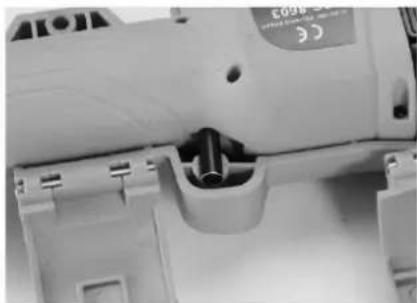
natural_image
Close-up of a mechanical device with internal components and mounting holes (no visible text or symbols)natural_image
Close-up of a white manual power tool with a circular component inserted, no visible text or symbols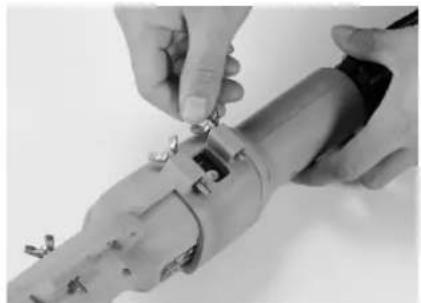
natural_image
Close-up of hands installing or adjusting a mechanical component with screws (no visible text or symbols)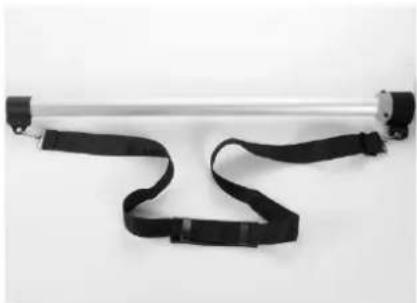
natural_image
Exterior view of a metallic cylindrical device with black straps and connectors (no text or symbols visible)natural_image
Close-up of hands holding a mechanical tool with a magnified inset showing a wire (no text or symbols visible)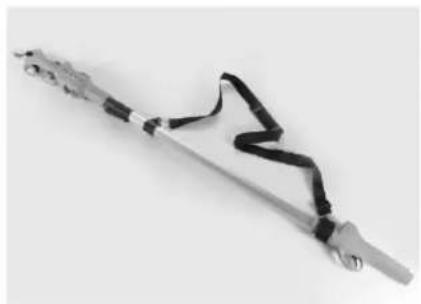
natural_image
Close-up of a mechanical tool with black straps and metal components (no visible text or symbols)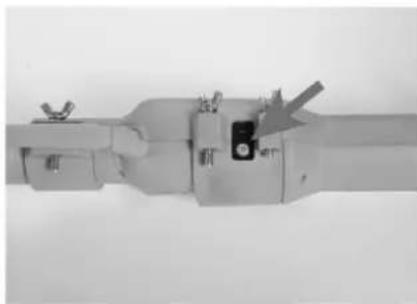
natural_image
Close-up of a mechanical device with a small component and a gray arrow pointing to it (no visible text or symbols)IMPORTANTE:
natural_image
Close-up of a white handheld hair gun with mechanical components (no visible text or symbols)ANOVA®
Millasur, SL.
Rúa Eduardo Pondal, nº 23 - Pol. Ind. Sigüeiro
15688 - Oroso - A Coruña 981 696465 www.millasur.com
PT
CE
natural_image
Two black electrical components with visible internal wiring and a small circular component, no text or symbols present.natural_image
Close-up of a hand holding a small object with an arrow indicating 23° angle (no text or symbols on the object itself)
natural_image
Close-up of a hand holding a small object with a 5° angle indicator (no text or symbols on the object itself)natural_image
Close-up of a hand holding a tool near a small metallic object (no visible text or symbols)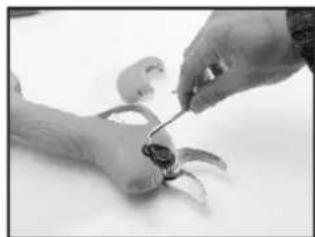
natural_image
Close-up of hands using a tool to adjust or install a small mechanical component (no visible text or symbols)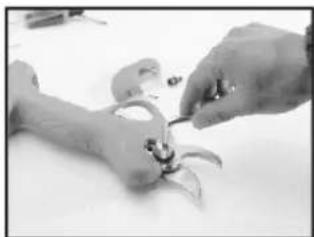
natural_image
Close-up of hands assembling a small mechanical component (no visible text or symbols)natural_image
Close-up of hands assembling a mechanical component (no visible text or symbols)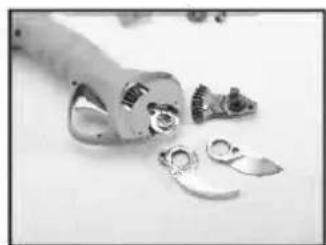
natural_image
Close-up of mechanical components and tools on a plain surface (no visible text or symbols)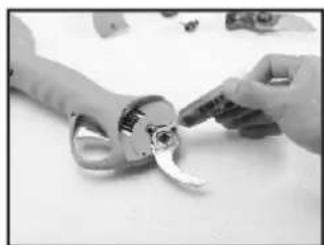
natural_image
Close-up of hands assembling a mechanical component with a curved part (no visible text or symbols)natural_image
Close-up of hands holding a handmade craft piece with a small white object (no visible text or symbols)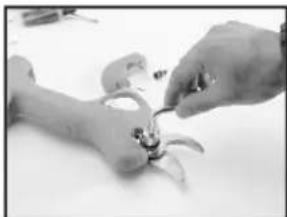
natural_image
Close-up of hands assembling a small mechanical component (no visible text or symbols)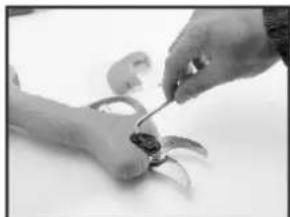
natural_image
Close-up of hands using a tool to cut or apply small objects (no visible text or symbols)- Substitua o blade8. Insira a porca 9. Instale a porca de bloqueio

natural_image
Black and white photo of a handheld tool with black straps and metal grip, isolated on white background (no text or symbols)ANOVA®
1. INTRODUÇÃO
natural_image
Close-up of a mechanical component with disassembled parts and a tool inserted (no visible text or symbols)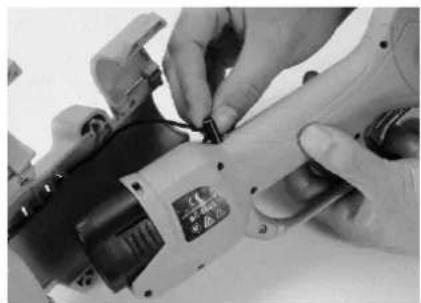
natural_image
Close-up of hands operating a mechanical power tool with a small component (no visible text or symbols)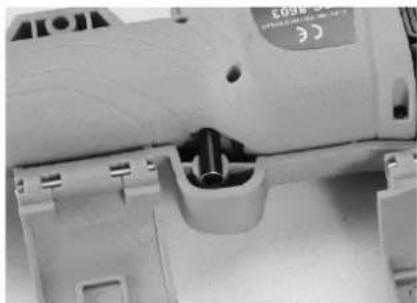
natural_image
Close-up of a mechanical component with internal slots and mounting holes (no visible text or symbols)natural_image
Close-up of a power tool with visible wiring and mounting bracket (no text or symbols)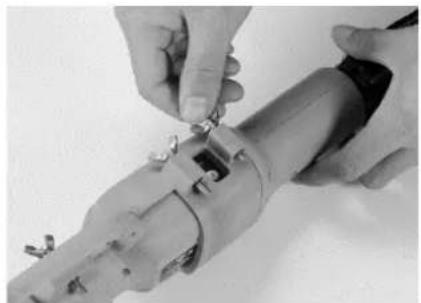
natural_image
Close-up of hands installing or adjusting a mechanical component with metal fasteners (no visible text or symbols)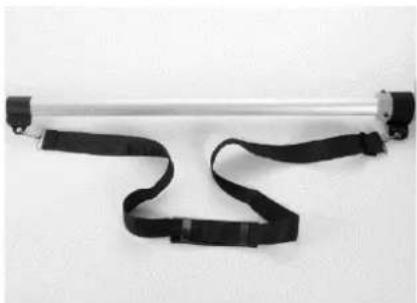
natural_image
Exterior view of a metallic cylindrical device with black straps and connectors (no text or symbols visible)natural_image
Close-up of hands using a tool to apply a cable or wire component (no visible text or symbols)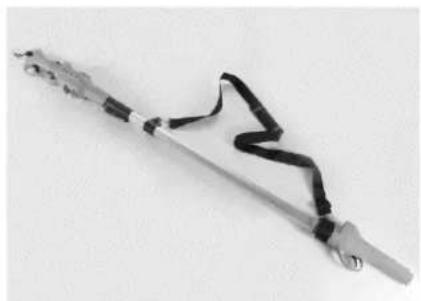
natural_image
Close-up of a metallic tool with black straps and metal contacts, no visible text or symbols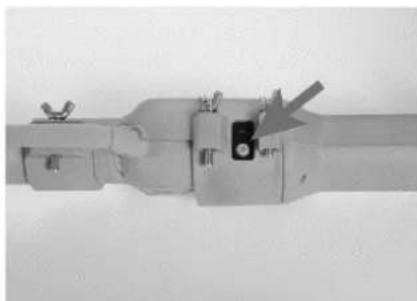
natural_image
Close-up of a mechanical component with no visible text or symbolsIMPORTANTE:
natural_image
Close-up of a white handheld hair gun with mechanical components (no visible text or symbols)ANOVA®
Millasur, SL.
Rúa Eduardo Pondal, nº 23 - Ind. Pol. Sigüeiro
15688 - Oroso - La Corogne 981 696465 www.millasur.com
IL
CE
INFORMATIONS SUR CE MANUEL
natural_image
Two black electrical connectors with visible internal components and wiring (no text or symbols)natural_image
Close-up of a hand holding a small object with a 23° angle indicator (no text or symbols on the object itself)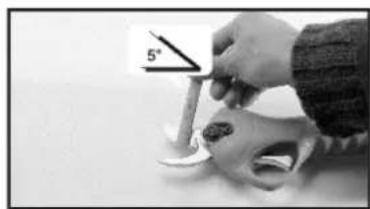
natural_image
Close-up of a hand holding a small object with a 5° angle indicator (no text or symbols on the object itself)3.6 Remplacement de la lame
natural_image
Close-up of a hand using a screwdriver to cut a small metallic object (no text or symbols visible)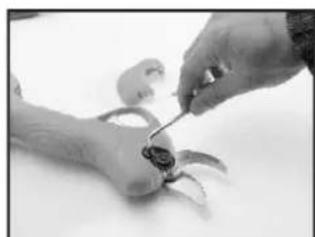
natural_image
Close-up of hands using a tool to adjust or repair a small object on a surface (no visible text or symbols)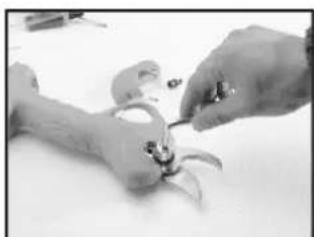
natural_image
Close-up of hands assembling a small mechanical component (no visible text or symbols)natural_image
Close-up of hands assembling a mechanical component (no visible text or symbols)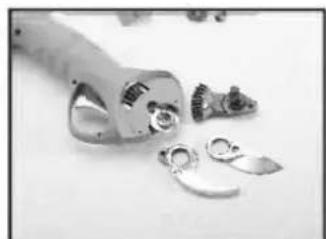
natural_image
Close-up of metallic mechanical components and fragments on a plain surface (no visible text or symbols)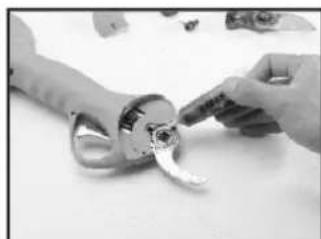
natural_image
Close-up of hands holding a mechanical tool with a curved handle (no visible text or symbols)natural_image
Close-up of hands holding a handmade craft piece with a small white object (no visible text or symbols)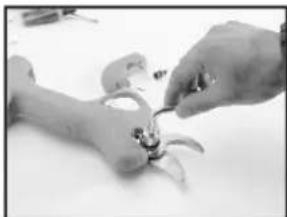
natural_image
Close-up of hands assembling a small mechanical component (no visible text or symbols)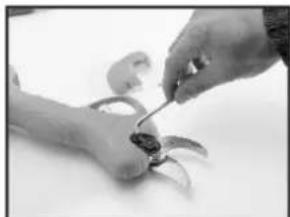
natural_image
Close-up of hands using a tool to cut or apply small objects (no visible text or symbols)DÉCLARATION DE CONFORMITÉ CE
natural_image
Black and white photo of a metal tool with black straps and a curved handle, isolated on white background (no text or symbols)ANOVA®
Millasur, SL.
Rúa Eduardo Pondal, nº 23 - Ind. Pol. Sigüeiro
15688 - Oroso - La Corogne 981 696465 www.millasur.com
CE
1. INTRODUCTION
natural_image
Close-up of a mechanical component with disassembled parts and a tool inserted (no visible text or symbols)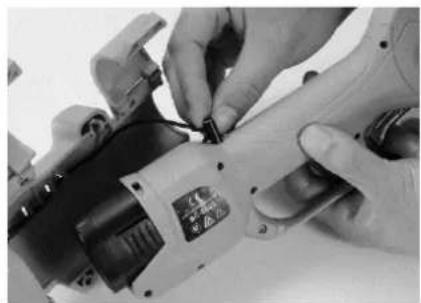
natural_image
Close-up of hands operating a small electric shaver with a power strip (no visible text or symbols)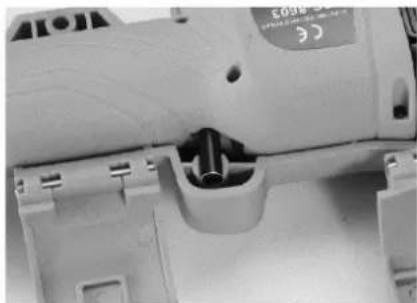
natural_image
Close-up of a mechanical component with internal slots and mounting holes (no visible text or symbols)natural_image
Close-up of a power tool with visible wiring and mounting bracket (no text or symbols)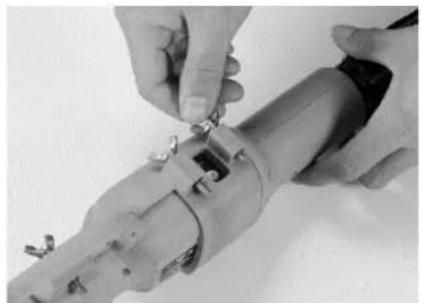
natural_image
Close-up of hands installing or adjusting a mechanical component with metal fasteners (no visible text or symbols)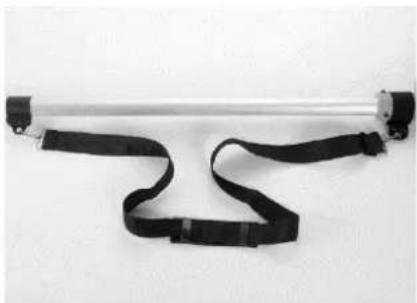
natural_image
Exterior view of a metallic cylindrical device with black straps and connectors (no text or symbols visible)natural_image
Close-up of hands using a tool to apply a cable or wire component (no visible text or symbols)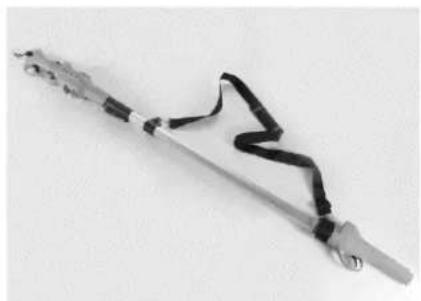
natural_image
Close-up of a metallic tool with black straps and metal contacts, no visible text or symbols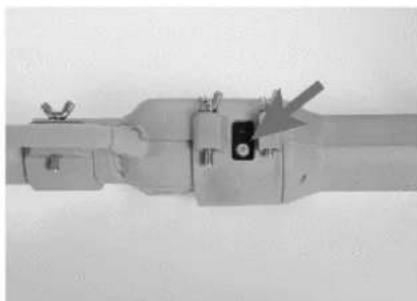
natural_image
Close-up of a mechanical component with no visible text or symbolsIMPORTANT:
natural_image
Close-up of a white handheld device with mechanical components and a small display (no visible text or symbols)ANOVA®
natural_image
Two black electrical connectors with visible internal components and wiring, no text or symbols present.natural_image
Close-up of a hand holding a small object with an arrow indicating 23° angle (no text or symbols on the object itself)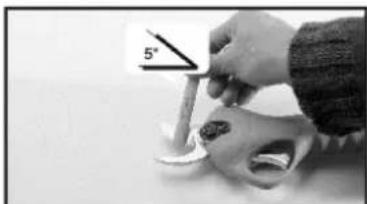
natural_image
Close-up of a hand holding a tool near a skull with a 5° angle indicator (no text or symbols on the object itself)natural_image
Close-up of a hand using a tool to cut or apply a small object, no visible text or symbols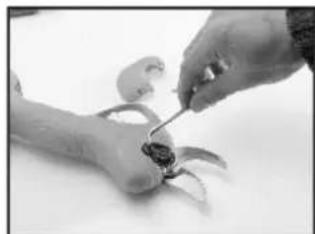
natural_image
Close-up of hands using a tool to apply material to a small object (no visible text or symbols)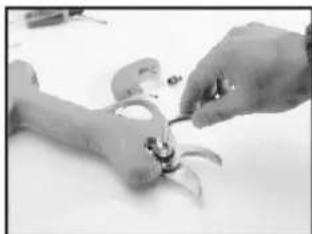
natural_image
Close-up of hands assembling a small mechanical component (no visible text or symbols)natural_image
Close-up of hands assembling a mechanical component with a curved tool (no visible text or symbols)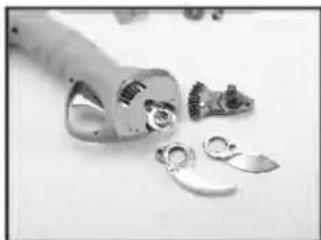
natural_image
Close-up of mechanical components including a cylindrical tool and multiple metallic parts, arranged on a plain surface (no text or symbols visible)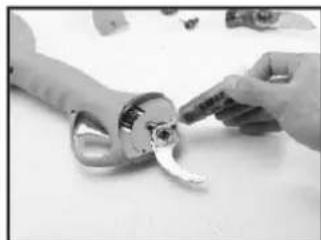
natural_image
Close-up of hands holding a mechanical component with a curved handle (no visible text or symbols)natural_image
Close-up of hands holding a handmade craft piece with a small white object (no visible text or symbols)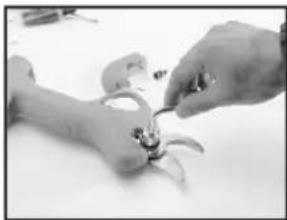
natural_image
Close-up of hands assembling a small mechanical component (no visible text or symbols)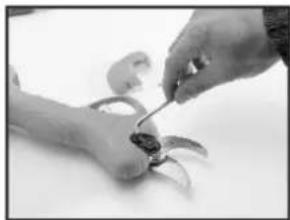
natural_image
Close-up of hands using a tool to apply small mechanical parts (no visible text or symbols)natural_image
Black-and-white photo of a handheld tool with black straps and metal grip, isolated on white background (no text or symbols)ANOVA®
1. INTRODUZIONE
natural_image
Close-up of a mechanical component with disassembled parts and a tool inserted (no visible text or symbols)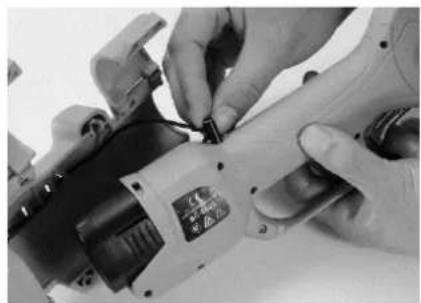
natural_image
Close-up of hands operating a mechanical power tool with a small component (no visible text or symbols)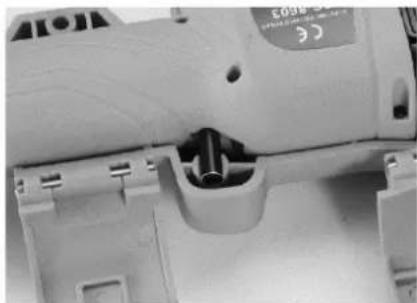
natural_image
Close-up of a mechanical component with internal slots and mounting holes (no visible text or symbols)natural_image
Close-up of a power tool with visible wiring and mounting bracket (no text or symbols)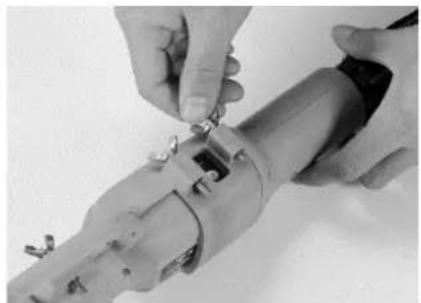
natural_image
Close-up of hands installing or adjusting a mechanical component with metal fasteners (no visible text or symbols)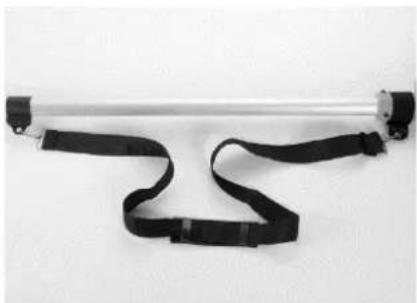
natural_image
Exterior view of a metallic cylindrical device with black straps and connectors (no text or symbols visible)natural_image
Close-up of hands using a tool to apply a cable or wire on a metal rod (no text or symbols visible)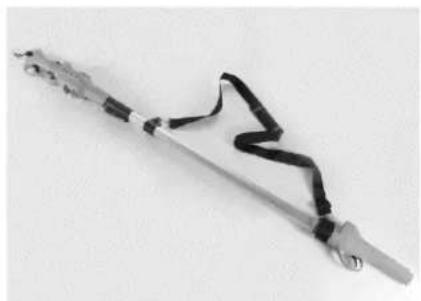
natural_image
Close-up of a metallic tool with black straps and metal contacts, no visible text or symbols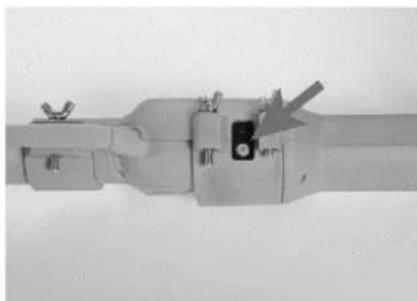
natural_image
Close-up of a mechanical component with no visible text or symbolsIMPORTANTE:
Instructions - User Manual
BATTERY PRUNING SCISSORS
TPB2507
natural_image
White handheld hair gun with mechanical gear and control buttons (no visible text or symbols)ANOVA®
ANOVA thanks you for choosing one of our products and guarantees you the assistance and cooperation that has always distinguished our brand over time.
This machine is designed to last for many years and to be very useful if used in accordance with the instructions contained in the user manual. We therefore recommend that you read this instruction manual carefully and follow all our recommendations.
For more information or questions, you can contact us through our web supports such as www.anovama Maquinaria.com.
INFORMATION ABOUT THIS MANUAL
Please pay attention to the information provided in this manual and on the appliance for your safety and that of others.
- This manual contains instructions for use and maintenance.
• Take this manual with you when you go to work with the machine. - Contents are correct at time of printing.
- The rights to make alterations are reserved at any time without affecting our legal responsibilities.
- This manual is considered an integral part of the product and should remain with it in the event of loan or resale.
- Ask your dealer for a new manual in case of loss or damage.
READ THIS MANUAL CAREFULLY BEFORE USING THE MACHINE

To ensure that your machine provides the best results, please read the usage and safety guidelines carefully before using it.
OTHER WARNINGS:
Incorrect use could cause damage to the machine or other objects.
Adapting the machine to new technical requirements could cause differences between the content of this manual and the product purchased.
Read and follow all instructions in this manual. Failure to follow these instructions could result in personal injury.
Contents
- Items in the box
- Product description
2.1 General instructions
2.2 Intended use
2.3 Technical data
2.4 Identification of parts
- Use and maintenance
3.1 Commissioning
3.2 Tips for use
3.3 Battery charging
3.4 Special attention
3.5 Sharpening the blade
3.6 Blade replacement
- Maintenance
4.1 Scissor maintenance
4.2 Battery maintenance
- Safety instructions
- Recycling and the environment
- Warranty
- CE certificate
1. Items in the box
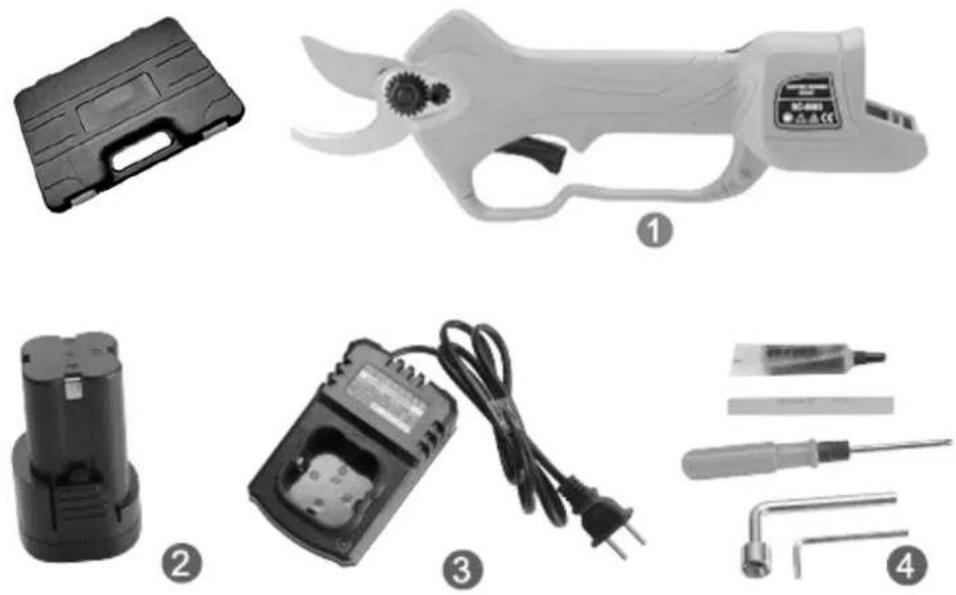
The tool includes the following components in the supplied carrying case.
- Electric pruning shears
- Lithium batteries
- Charger
- Tools and lubrication kit
2. Product description
2.1 General instructions



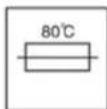
- Read the instructions in their entirety.
- Battery charging should only be done in protected indoor locations.
- As it is double insulated, no ground connection is necessary when handling this tool.
- It is distributed with a safety load transformer.
- If overheating occurs in the battery charge, the charging process will be automatically cut off.
- Do not dispose of chargers in your household garbage.
- Do not dispose of exhausted or damaged batteries in household waste.
2.2 Intended use
The pruning shears with the bead is a power tool and consists of a fixed blade, a movable cutting blade, a lithium battery, adapted charger, connection cable, tool bag and carrying case. The charging voltage ranges from 110V-240V AC.
The main application of this scissors is for the pruning of branches in fruit trees, treatment and maintenance of orchard or fruit plants such as vineyards or similar. This tool achieves great work efficiency and saves a lot of time and effort compared to traditional manual pruning with mechanical scissors. Its efficiency is established between 8 and 10 times higher than manual pruning. The quality of the cut and its speed is also significantly superior to the traditional manual pruning.
2.3 Technical data
| BASIC INFORMATION ABOUT PRUNING SCISSORS | |
| Working voltage | DC 16.8V |
| Weight | 0.9 Kg |
| Battery | Lithium Ion 16.8V 2Ah |
| Charging voltage | AC 110V - 240V |
| Battery charging time | 1 - 1.5 h |
| Working time | 3 - 4 h (discontinuous work) |
| CUTTING RANGES | |
| Cut diameter | 28 mm |
| Working temperatures | -10°C -65°C |

Read all the safety instructions carefully. You may get electric shock, fire, or burns if you don't follow the safety instructions.

Do not use or directly expose pruning shears to rain.

While working with the pruning shears, do not close or manipulate the cutting blades with your hands. Take special care to bring any part of your body close to sharp moving parts.
2.4 Identification of parts
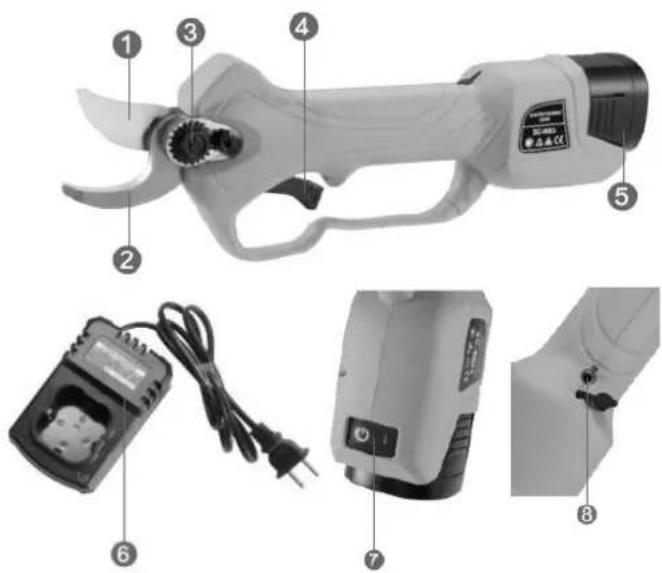
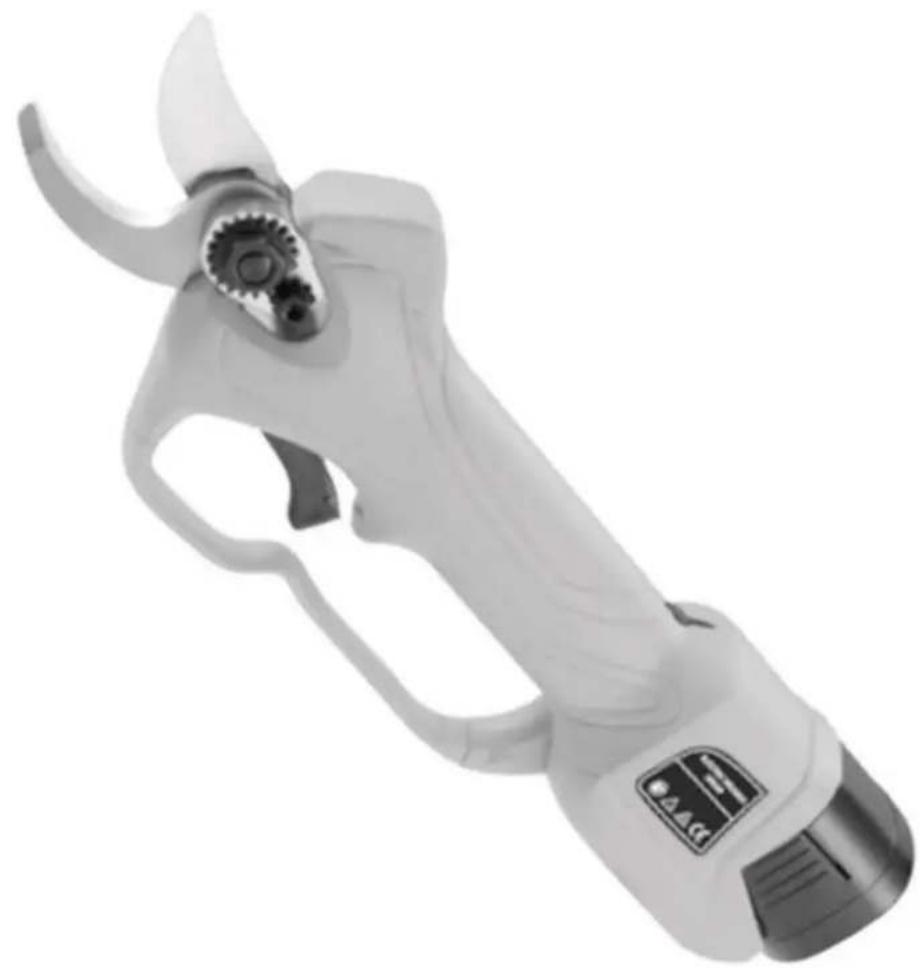
- Cutting blade
- Cutting blade support
- Gear
- Trigger actuation
- Lithium battery
- Battery charger
- On / off switch
- Jack connection for extension
3. Use and maintenance
3.1 Commissioning
- Remove the machine from the packaging. Install the lithium battery, press and hold the power switch for three seconds, and then release it. You should hear the sound of two beeps; this means that the battery is normally charged.
- Continuously and quickly press the trigger twice to automatically open the blade.
- Before starting work, press the trigger to operate the blade several times and listen for unusual noises or too fast or too slow working speed. If everything is normal, you can start working.
- Off: Press the trigger and release it after hearing a beep twice. The blade will close automatically.
3.2 Tips for use

Note: (1) The machine may overheat after a long time of use, this is a normal phenomenon. Let the machine cool down for a while and you can use it again when the temperature drops.
(2) After completing the pruning work, at the end of the season, or when you replace the blade, and need to remove the blade, add lubricating oil for the maintenance of the blade and the cutting system.
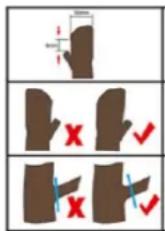
While pruning, start pruning about 8mm from the bud; the maximum cutting diameter is 25mm.
Prune in the part furthest from the bud to avoid loss of sap in the plant.
Do not prune the branches too far away from the tree, as it will reduce the health of the plant. Leave a small section of the branch to avoid stress on the plant.
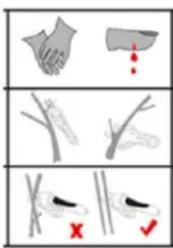
While working with the scissors, keep your hands away from the cutting blades and equip suitable gloves and protective equipment.
Remove diseased shoots and remove dry branches on the plant.
When pruning a tree, prune each branch separately and do not cut multiple branches at once.
3.3 Battery charging
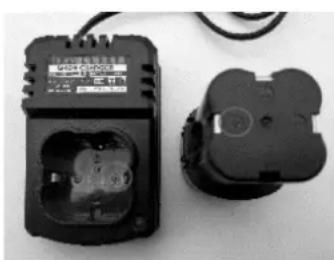
The battery in a new machine is not fully charged. Before charging, insert the battery into the charger and insert the charger plug into the outlet. The "+" of the battery should be inserted into the "+" of the charger, as shown in the image to the right. The charger indicator light will turn green once fully charged. Always use the battery after full charges.
natural_image
Two black electrical fuse holders with visible internal components and wiring (no text or symbols)3.4 Special attention
- Before charging, turn off the switch; During charging, it is normal to have a slightly warm charger and batteries.
- If the batteries are not used for a long time, they should be recharged every 3 months to increase the service life;
- New batteries or batteries not used for a long time will reach the maximum capacity after 5 times of charge-discharge cycles;
-
Do not charge the batteries repeatedly after several minutes of operation, this may reduce the working time and the effectiveness of the batteries.
-
Do not use damaged batteries or disassemble the charger or batteries.
- Batteries can explode in fire. Never burn the batteries.
- Do not charge the batteries in an outdoor or humid environment.
- With the gradual decrease of the electric quantity of the battery, it is normal to reduce the capacity of the cutting diameter.
- During the charging process, do not use electric pruning shears.
3.5 Sharpening the blade
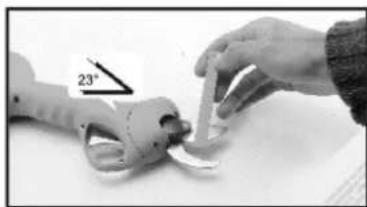
- Turn the scissor off with the blade open and remove the battery.2. Both sides of the movable knife are sharpened using sharpening stone forming the section angle with the knife; 3. After sharpening the blade, clean it, connect and turn on scissors, test that it moves properly, and close the blade for future work.
natural_image
Close-up of a hand holding a small object next to a mechanical component, with a 23° angle indicator (no text or symbols on the object itself)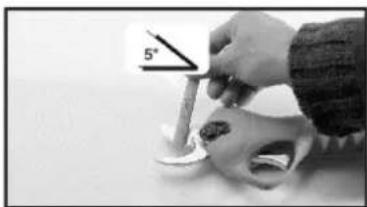
natural_image
Close-up of a hand holding a small object with a 5° angle indicator (no text or symbols on the object itself)3.6 Blade replacement
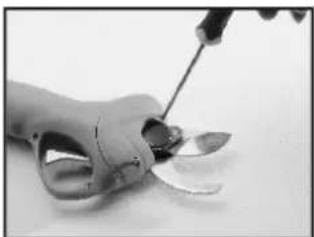
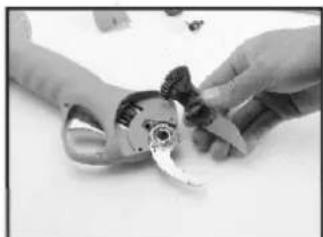
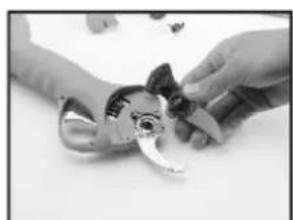
- To ensure your safety, remove the battery before handling the blade.2. Step by step, as shown below, replace the blade. 3. After replacement, clean the blade, turn on the scissors and test to see that everything is correct.
natural_image
Close-up of a hand holding a tool near a small metallic object (no visible text or symbols)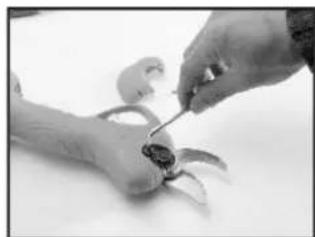
natural_image
Close-up of hands using a tool to adjust or install a small object (no visible text or symbols)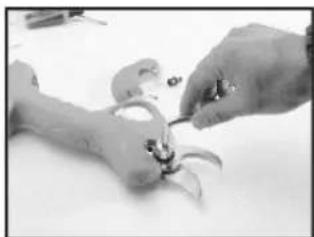
natural_image
Close-up of hands assembling a small mechanical component (no visible text or symbols)-
Remove the screws with a screwdriver and open the cover.2. Remove the screws from the blade nut retainer (this step is important)
-
Remove the blade nut
natural_image
Close-up of hands assembling a mechanical component (no visible text or symbols)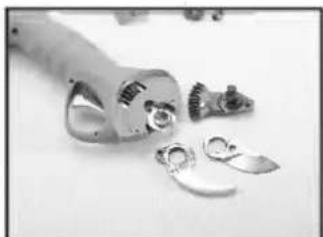
natural_image
Black-and-white photo of a hand holding a small object with metallic bands, alongside scattered fragments (no visible text or symbols)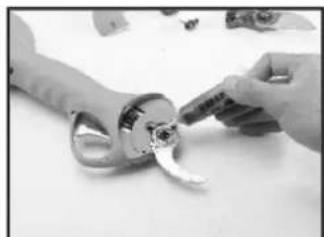
natural_image
Close-up of hands holding a small metallic object with a curved handle, no visible text or symbols- Remove the pin and remove the movable knife5. Remove the fixed knife. 6. When replacing the blades, lubricating oil should be added between the blades
natural_image
Close-up of hands assembling a mechanical component (no visible text or symbols)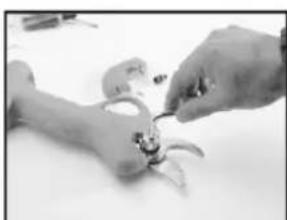
natural_image
Close-up of hands assembling a small mechanical component (no visible text or symbols)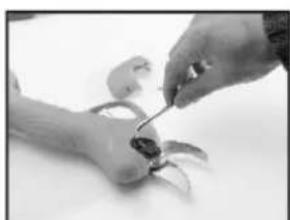
natural_image
Close-up of hands using a tool to adjust or repair a small object (no visible text or symbols)- Replace blade8. Insert nut 9. Install the lock nut
Support blade and movable blade can be replaced independently; As a replacement, don't worry about too small a blade opening; After recovering the electricity from the scissor, the normal opening size will automatically recover.
4. Maintenance
4.1 Scissor maintenance
- Do not cut branches outside the cutting range; do not cut non-plant materials, such as metals and stones, etc. do not use clamps or the like to hold the scissors; Always replace the cutting blade, if it is worn or damaged.
- Keep the cutting equipment clean, wipe the scissors, batteries, and charger with a clean cloth (do not use corrosive detergents!) And a soft brush or dry cloth to remove dust from the upper scissors.
-
Do not immerse the scissors, batteries, and charger in water or other liquids;
-
Use the equipment correctly; stop using it when there is damage to the scissors, batteries and / or chargers.
-
If the switch cannot turn the scissors on or off, do not use the scissors. It will be dangerous to control the scissor without the switch properly. Replace and repair the switch in this case always before using the scissors again.
-
Make sure the switch keeps the shears off when replacing accessories or storing the pruning shears. Such a preventive measure will reduce the risk of accidentally activating the scissors and injuring the user.
-
Turn off the pruning shears if you are not going to use it and store it out of the reach of children. It is dangerous to allow inexperienced persons and untrained users to operate the pruning shears.
-
When using pruning shears, respect the tool and the specific use for which it was designed. Consider the work environment and the tasks to be performed; You can cause risk and damage by using pruning shears that are not working properly.
-
After use, remove the dirt from the movable knife and supporting knife, add lubricating oil or motor oil on the contact part, keep the knife in good sharpening condition to extend its service life and to upcoming uses.
4.2 Battery maintenance
- Use the battery as the only valid power source for your electric pruning shears. Do not use the battery as a power source for any other power tool not listed.
- Do not charge the battery in temperatures below 0^ C or above 45^ C; this can damage the battery and charger.
- Make sure the battery switch is off before connecting the power cord; if it is open it can create a problem when connecting to the scissors.
- Use only the charger assigned by the manufacturer to charge the battery; You can cause a battery fire or explosion if you use chargers with inadequate power.
- When the battery is not in use, be sure to keep it away from metal objects such as paper clips, coins, keys, screws, etc. that can shorten the battery charge or cause unintentional discharge or fire hazard.
- Do not disassemble or rebuild the battery.
- Do not use damaged or short-circuited batteries.
- Do not place the battery on hot surfaces or sources of heat; do not expose it directly to the sun.
-
Do not place the battery near fire or in contact with water.
-
Do not charge the battery near fire or in direct sunlight.
-
Do not drive nails or other objects into the battery; do not hit it with hammers or trample on it, and do not throw the battery on the ground hastily.
-
Do not use damaged or deformed batteries.
-
Do not solder batteries directly.
-
Do not charge the batteries in reverse; do not use them in an anti-polar way or discharge them excessively.
-
Do not connect the battery to recharging sockets or car cigarette lighter sockets.
-
Do not use the battery in unsuitable or approved equipment.
-
Do not connect several batteries in the network.
-
Do not connect the battery with other lithium batteries directly.
-
Do not put the battery in containers with high temperature or high pressure, such as microwave, etc.
-
Do not use batteries that are leaking.
-
Do not allow children access to the battery.
-
Do not use or place the battery directly under the influence of the sun (or in cars under direct sunlight); It may cause overheating and cause a fire in the battery; or shorten its life cycle without further ado.
-
Do not use the battery in places with the influence of static energy (+ 64V)
-
When using the battery for the first time, do not continue to use it and return it to your sales center if: there is some kind of corrosion, unpleasant odors or some other strange phenomenon occurs.
-
If there is any leakage of the internal battery fluid on your skin or clothing, wash it off immediately with plenty of water.
-
If the scissors are to be stored for a long time, fully charge the battery before storing.
5. Safety instructions
ATTENTION- Please read these instructions carefully to avoid damage such as electric shock, fire, or other serious damage.
Location:
-
Work in clean, uncluttered areas. Work in bright areas. Dark or cluttered workplaces can cause accidents.
-
Do not use the scissors in places with risk of fire, explosives or humid.
-
Avoid distractions at work and invite any children or passersby to leave the work area to avoid being entertained.
Electricity:
-
The electrical plug of the battery and that of the scissors should be easily coupled; do not connect any other plug in its place.
-
Do not expose the scissors or battery to rain or very humid environment. Water or other liquids can increase the risk of electric shock or damage to other electrical appliances.
-
Do not force the connection cables; do not use the power cords as ropes or points from which to drag the tool or hold it directly. Do not pull on the cord to unplug the connections. Keep the scissors and its cables away from heat sources, oils, sharp edges, or moving parts. Do not use the charger if the power cord or plug is damaged.
Personal:
-
Stay alert: while using the scissors, be aware of the elements that may exist in your task area; do not use the scissors if you are tired, or under the influence of medications or drugs that affect your abilities. Any distraction can seriously harm you.
-
Always wear protective gear and wear protective glasses, a dust mask, anti-slip footwear and a safety helmet. Use each item under its proper conditions of use to reduce the risk of accidents.
-
Before connecting the pruning shears, remove any tools you may have used for adjustment or maintenance. Avoid contact of the scissors with parts that could cause accidents.
-
While you are working, do not overstretch your arms and work in a stable and comfortable position; do not handle the lighted scissors directly with your hands. Make sure that the work area does not have other materials that could be damaged while pruning, such as power cables, wires, etc.; and maintain a balanced
position to ensure a good reaction in the event of an accident or fall.
- Dress appropriately for the job to be performed: do not wear clothing that is too loose or at risk of being caught in the scissors or other trees for your discomfort or insecurity; keep hair, clothing, and sleeves away from the scissor cutting area.
general:
- When there are no branches to be cut by the scissors, release the trigger and hold the scissors in its open position.
- When the branches are very hard, release the trigger and the blade will return to the open position to remove and attempt the cut in another area.
- If the battery does not charge normally, first check whether the charger is appropriate for the battery, and then check whether the charging voltage is appropriate with that of the battery.
- If there is any electrical or mechanical damage, turn off the battery immediately.
- If the battery is leaking; do not touch the liquid under any circumstances; if you come into contact with the liquid, wash it off immediately with plenty of water; If the liquid gets into your eyes, see a doctor immediately and wash it off with plenty of water.
6. Recycling and the environment
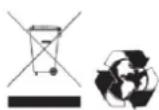
If your machine needs to be replaced after prolonged use, do not put it in the household garbage, dispose of it in an environmentally safe way and in accordance with the legal provisions in this regard in your locality.
7. Warranty
This product is guaranteed in accordance with legal regulations for a period of 24 months from the date of purchase by the first user.
This warranty covers all material or production failures, does not include defects in normal wear parts, such as bearings, brushes, cables, plugs or other accessories such as drills, bits, saw blades, etc., damage or defects resulting from abuse, accidents or alterations in the product; nor the costs of transport to technical service, if applicable.
We reserve the right to reject any claim where the purchase cannot be verified or when it is clear that the product was not properly maintained. (Clean ventilation slots, regularly maintained carbon brushes, sharpening of cutting blades, state of cleanliness and lubrication, etc.)
Your purchase invoice must be kept as proof of the purchase date and application of the corresponding guarantee.
Your tool must be returned without disassembling to your dealer in an acceptable and clean condition, in its original molded box, if applicable to the unit, accompanied by your proof of purchase for any type of claim or incident.
DISTRIBUTION COMPANY
MILLASUR, SL
CE DECLARATION OF CONFORMITY
In compliance with the different CE directives, it is hereby confirmed that, due to its design and construction, and according to the CE mark printed by the manufacturer on it, the machine identified in this document complies with the relevant and fundamental requirements in health and safety. of the aforementioned CE directives. This declaration validates the product to display the CE symbol.
In the event that the machine is modified and this modification is not approved by the manufacturer and communicated to the distributor, this declaration will lose its value and validity.
Machine name: BATTERY PRUNING SCISSOR
Model: TPB2507
Recognized and approved standard to which it conforms:
Directive 2006/42 / CE / Directive 2014/30 / EU / Directive 2014/35 / EU
Tested according to:
EN 60745-1: 2009+ A11: 2010
EN 55014-1: 2017 / EN 55014-2: 2015
IN IEC 61000-3-2: 2019 / EN 61000-3-3: 2013
Company seal
MILLASUR, S.L.U.
Rúa Eduardo Pondal,23 · Pol.Emp..Sigüeiro
15688-Oroso-A Coruña
Tel.(+34) 981 69 64 65 - Fax (+34) 981 69 08 61
e-mail: millasur@millasur.com
CIF: B-15 749 922
10/08/2021
Assembly instructions
POLE - EXTENSION
TPB2507-50
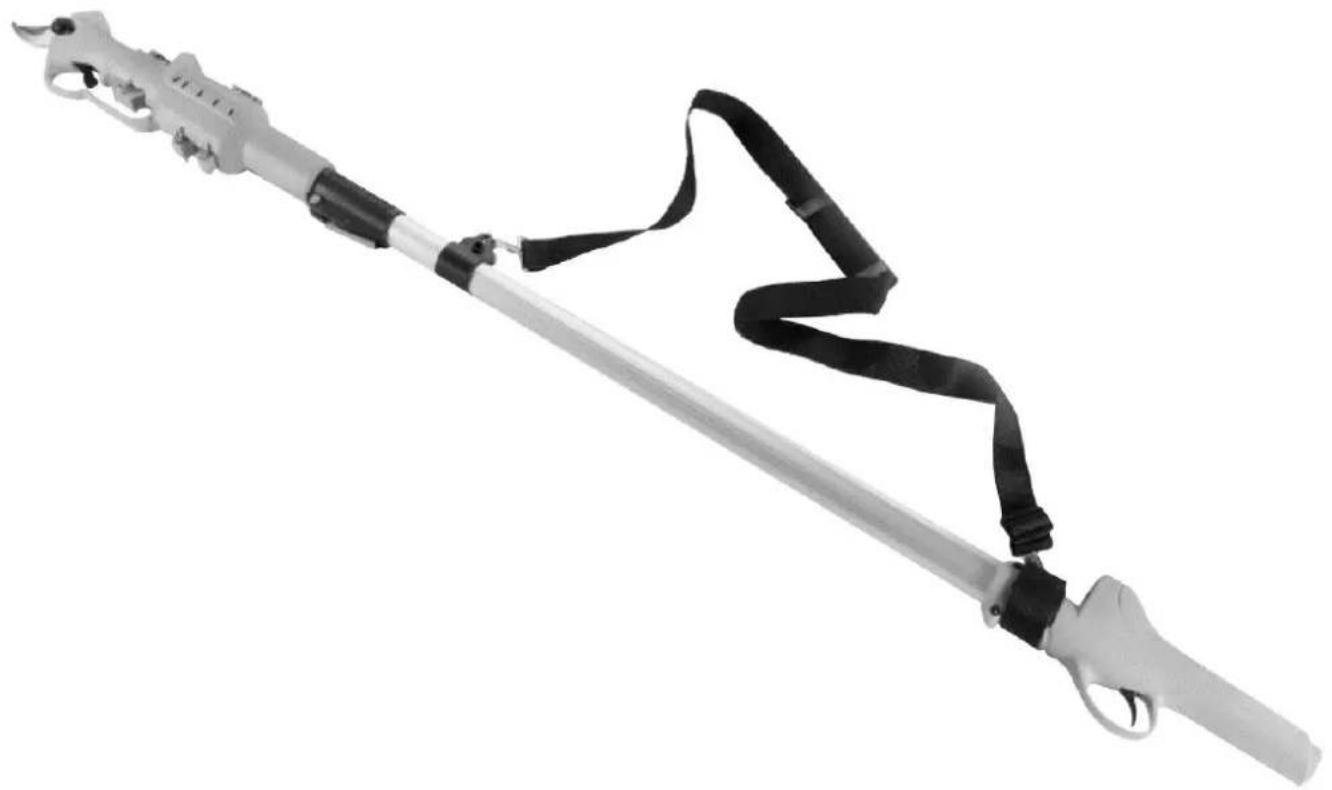
natural_image
Black and white photo of a long, articulated tool with black straps and a metallic handle (no text or symbols visible)ANOVA®
Millasur, SL.
Rúa Eduardo Pondal, nº 23 - Pol. Ind. Sigüeiro
15688 - Oroso - A Coruña 981 696465 www.millasur.com
CE
1. INTRODUCTION
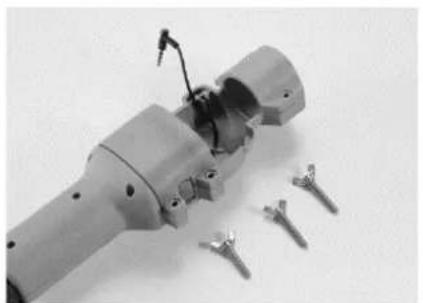
- Loosen the 3 head screws.
- Connect the cable to the body of the scissors using the indicated jack plug.
- Place the scissors in the housing socket and take care to position the cable outlet in the indicated position.
natural_image
Close-up of a mechanical component with disassembled parts and a tool inserted (no visible text or symbols)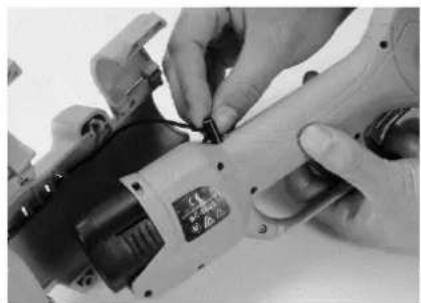
natural_image
Close-up of hands using a power tool to adjust or install a component (no visible text or symbols)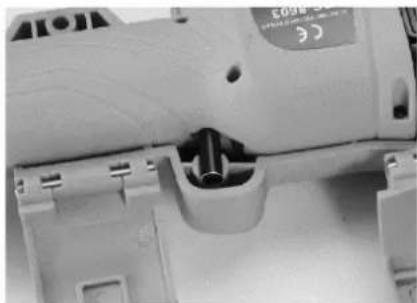
natural_image
Close-up of a mechanical device with internal components and mounting holes (no visible text or symbols)-
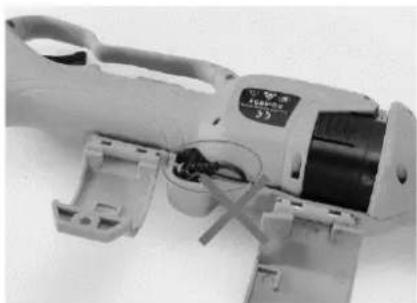
Incorrect cable position.
-
Retighten the housing screws.
-
Assemble the harness as shown.
natural_image
Close-up of a white power tool with visible wiring and mounting bracket (no text or symbols)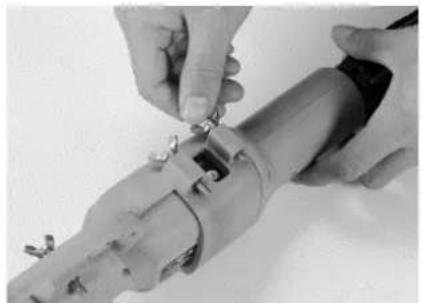
natural_image
Close-up of hands installing or adjusting a mechanical component with metal pins (no visible text or symbols)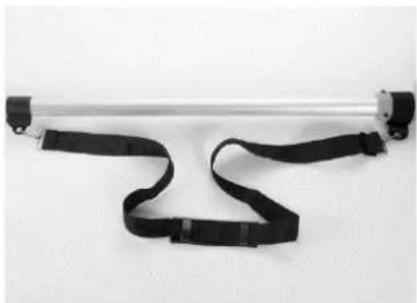
natural_image
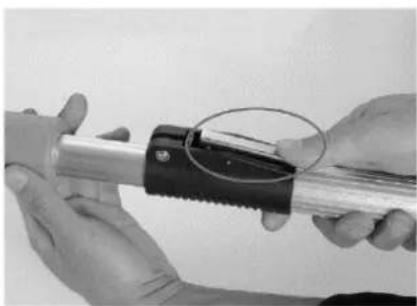
Exterior view of a metallic cylindrical device with black straps and connectors (no text or symbols visible)- Press the adjusting button on the pole and you can lengthen or retract the length as needed.
- Complete assembly of the scissor set and its pole.
- Turn on the machine, attach the scissor opening extension, and begin the task to be performed.
natural_image
Close-up of hands holding a metallic tool with a black clip and serrated grip, no visible text or symbols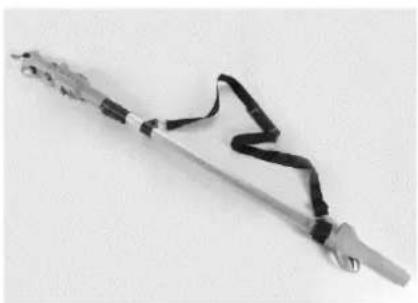
natural_image
Close-up of a metallic tool with black straps and a wavy grip, isolated on white background (no text or symbols)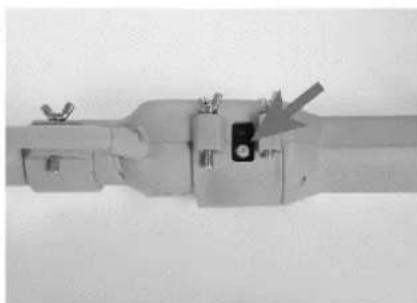
natural_image
Mechanical component with a central square and arrow indicator (no visible text or symbols)IMPORTANT:
- The scissors must be completely switched off before each maintenance or assembly.
- Make sure all components are properly installed before using the scissors and turning it on. Read the scissor instructions for any adjustments or maintenance.