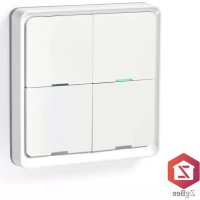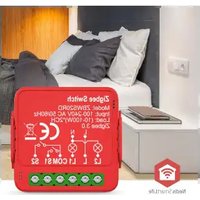
ZBWS20RD - Switch NEDIS - Free user manual and instructions
Find the device manual for free ZBWS20RD NEDIS in PDF.


| Brand | Nedis |
| Model | ZBWS20RD |
| Product type | Zigbee 2-channel smart switch module |
| Intended use | Wireless control of lighting and devices |
| Connectivity | Zigbee (requires Nedis ZBxxx gateway) |
| App | Nedis SmartLife |
| Power supply | 230 V AC |
| Number of channels | 2 |
| Operating frequency | 2.4 GHz |
| Estimated range | Up to 30 m (indoor) |
| Dimensions (approx.) | 45 x 45 x 20 mm |
| Weight (approx.) | 50 g |
| Installation | Indoors only, away from water |
| Maintenance | Clean with a dry cloth, no chemicals |
| Safety | Do not open, disconnect before intervention |
| Repairability | No user-serviceable parts |
| Certification | CE, RED 2014/53/EU |
| Warranty | Refer to user manual |
Frequently Asked Questions - ZBWS20RD NEDIS
User questions about ZBWS20RD NEDIS
0 question about this device. Answer the ones you know or ask your own.
Ask a new question about this device
Download the instructions for your Switch in PDF format for free! Find your manual ZBWS20RD - NEDIS and take your electronic device back in hand. On this page are published all the documents necessary for the use of your device. ZBWS20RD by NEDIS.
USER MANUAL ZBWS20RD NEDIS
Zigbee 2 Channel Smart Switch Module
Safety instructions
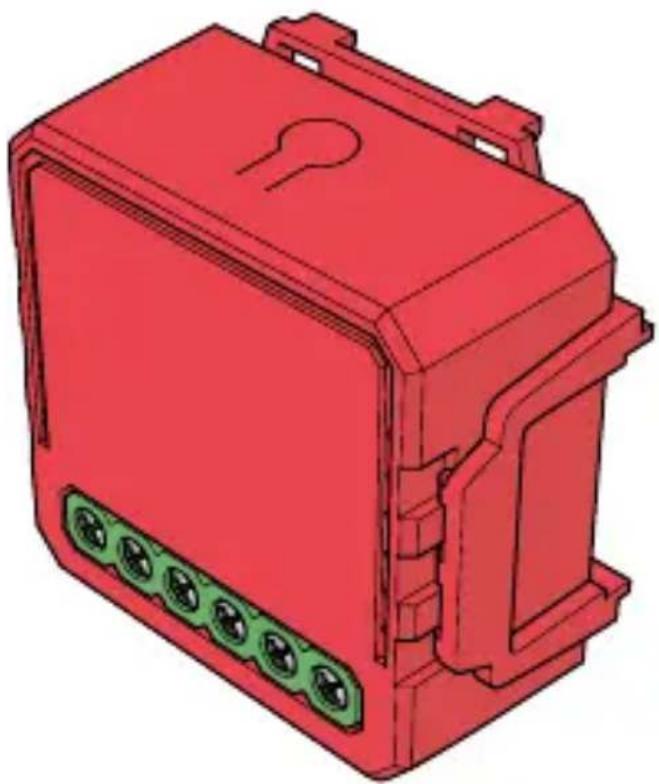
ZBWS20RD
EN Safety instructions 3
DE Sicherheitshinweise 6
FR Consignes de sécurité 11
NL Veiligheidsvoorschriften 15
IT Istruzioni di sicurezza 19
ES Instrucciones de seguridad 23
PT Instruções de segurança 27
SV Sakerhetsanvisningar 31
F1 Turvallisuusohjeet 35
NO Sikkerhetsinstruktjoner 39
DA Sikkerhedsinstruktioner 42
HU Biztonságiutasítások 46
PL Instrukcje bezpiecznych 50
EL O8nyiec aOgpaIaIac 55
SK Bezpečnostné poukyny 59
CS Bezpečnostní poukyny 63
RO Instruktiuni de siguranță 67
Zigbee 2 Channel Smart Switch Module
ZBWS20RD
For more information see the extended manual online:ned.is/zbws20rd
Aboutthisdocument
This document is the user manual and contains all the information for correct, efficient, and safe use of the product.
Ensure you have fully read and understood the instructions in this document before you install or use the product. Keep the packaging and this document for future reference.
Symbolsused
| WARNING! | Signal word used to indicate a potentially hazardous situation which, if not avoided, could result in death or serious injury. |
| NOTICE | Signal word used to address practices not related to physical injury. |
Intendeduse
This product is intended as a smart switch that enables you to wirelessly switch your appliances and lights on/off.
This product requires the Nedis Zigbee Gateway WIFIZBxxx to use the product wirelessly.
This product is intended to be used with the Nedis SmartLife app.
This product is intended for indoor use only.
Only use the product as described in this user manual.
Any modification of the product may have consequences for safety, warranty and proper functioning.
Safetyinstructions
Ensure you have fully read and understood the instructions in this document before you install or use the product. Keep the packaging and this document for future reference.
WARNING!
Electricalhazard:
- Do not open the product. There are no user serviceable parts inside.
- Do not immerse the product in water or other liquids.
-
Do not expose the product to water, rain, moisture, or high humidity.
-
Disconnect the product from the power source before service.
Firehazard:
- Do not use the product if a part is damaged or defective. Always replace a damaged or defective product immediately.
Healthhazard:
- Some wireless products may interfere with implantable medical devices and other medical equipment, such as pacemakers, cochlear implants, and hearing aids. Consult the manufacturer of your medical equipment for more information.
NOTICE
Risk of improper functionality of the product:
- Install the product away from strong signal sources that may cause signal interruptions, resulting in abnormal functioning of the product.
Risk of damaging the product:
-
Do not drop the product and avoid bumping.
-
Do not use aggressive chemical cleaning agents when cleaning the product.
Disposal
The product is designated for separate collection at an appropriate collection point. Do not dispose of the product with household waste. For more information, contact the retailer or the local authority responsible for the waste management.
DeclarationofConformity
We, Nedis B.V. declare as manufacturer that the product ZBWS20RD from our brand Nedis®, produced in China, has been tested according to all relevant CE standards and regulations and that all tests have been passed successfully. This includes, but is not limited to the RED 2014/53/EU regulation.
The complete Declaration of Conformity (and the safety datasheet if applicable) can be found and downloaded via: nedis.com/ZBWS20RD#support

Zigbee 2 Kanal Smart Switch Modul
ZBWS20RD

m = 311 ;