RS One - Microphone Majority - Free user manual and instructions
Find the device manual for free RS One Majority in PDF.


| Brand | Majority |
| Model | RS One |
| Product type | USB Microphone |
| Polar pattern | Cardioid |
| Frequency response | 30 - 18 000 Hz |
| Sensitivity | -36 dB ±2 dB (0 dB = 1 V/Pa @ 1 kHz) |
| Maximum SPL | 138 dB |
| Sampling rate | 16 bits / 48 kHz |
| Connection | USB 3.0 - USB-C |
| Power supply | Via computer USB port |
| Net weight | 230 g |
| Dimensions | 8.4 x 11 x 9.8 cm |
| Box contents | RS1 Microphone, table tripod, USB cable |
| Compatibility | Windows, Mac, Linux (Plug and Play) |
| Warranty | 12 months standard, extendable free to 24 months upon registration |
| Care and cleaning | Clean with a soft dry cloth. Avoid water and liquids. |
| Safety instructions | Do not expose to water, excessive heat, or flames. Unplug during storms. |
| Device | Audio input microphone for computer |
Frequently Asked Questions - RS One Majority
User questions about RS One Majority
0 question about this device. Answer the ones you know or ask your own.
Ask a new question about this device
Download the instructions for your Microphone in PDF format for free! Find your manual RS One - Majority and take your electronic device back in hand. On this page are published all the documents necessary for the use of your device. RS One by Majority.
USER MANUAL RS One Majority
Contents 2
Box Contents 3
Getting started with your Microphone 4
Specification 5
Support & Warranty 6
Safety Information 7
WHAT'S IN THE BOX
- Majority RS1 Microphone
- Tripod stand
- USB cable
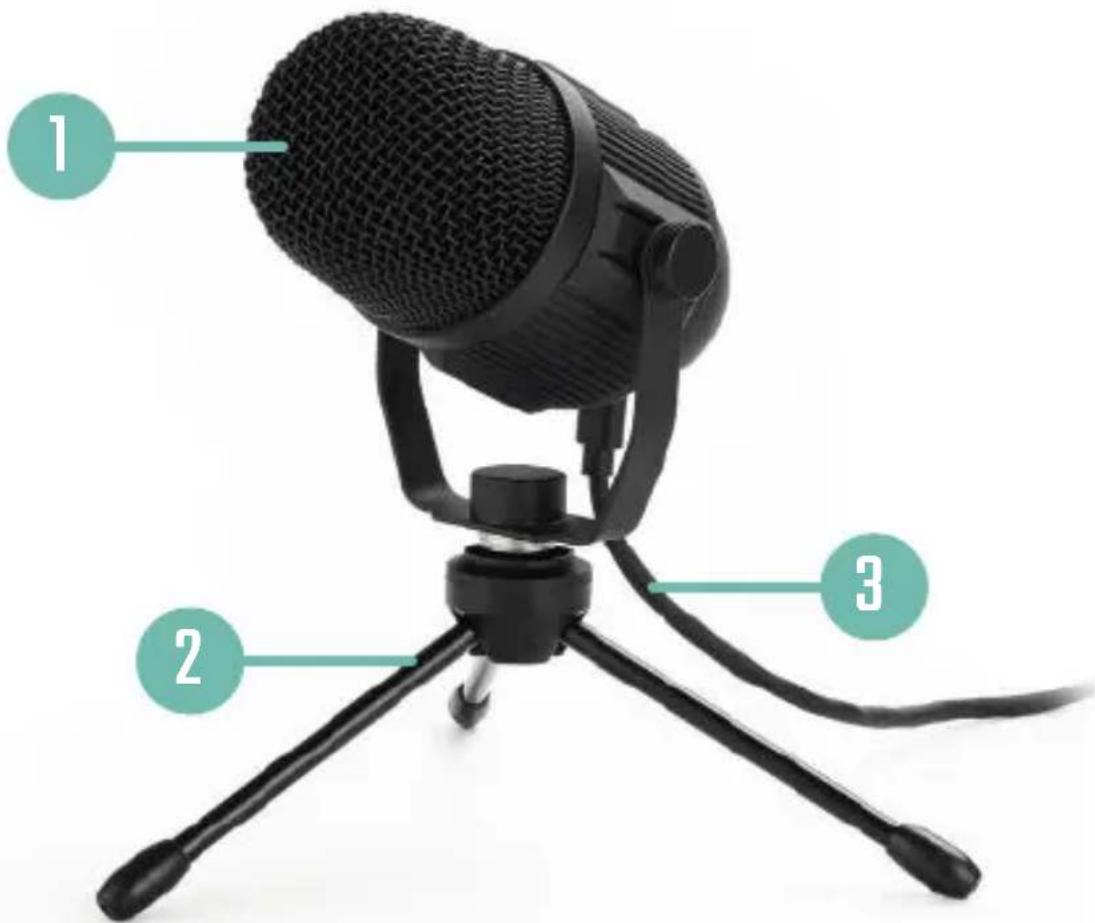
Unfold the tripod (Ref.2) to the desired position and ensure it is securely placed on your desktop or table.
Carefully attach the microphone (Ref.1) to the tripod base (Ref.2) by screwing the holder into the base.
Connect the USB cable to the USB-C connection on the back of the microphone (Ref.3).
Connect the other end of the USB cable to your computer. The microphone indicator lights will switch on and display a green light.
Wait for your computer to automatically detect the microphone and install the necessary drivers.
The microphone will now be functional and you can use it as an audio input device.
For certain applications, it may be necessary to change your settings to connect to the Majority RS1 microphone as an audio device instead of your computer microphone.
| Polar/Pickup Pattern | Cardioid |
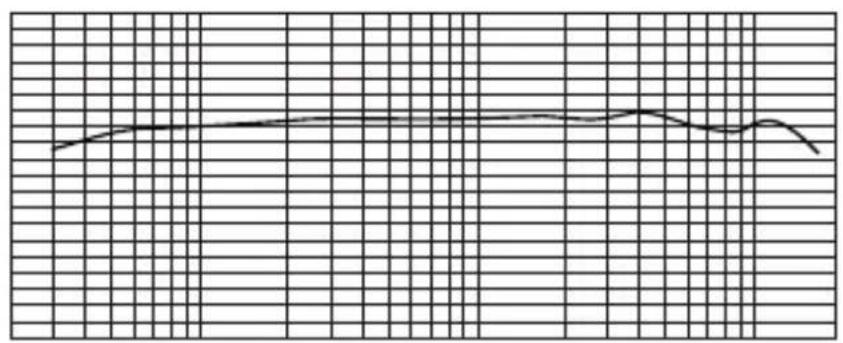
| Frequency Response | 30-18,000Hz |
| Sensitivity | -36dB +/- 2dB (odB = 1 V/Pa at 1KHz) |
| Max SPL | 138dB |
| Sampling Rate 16bit/48KHz | |
| Connection USB 3.0 - USB C | |
| Net Weight 230g | |
| Dimensions 8.4 x 11 x 9.8 cm |
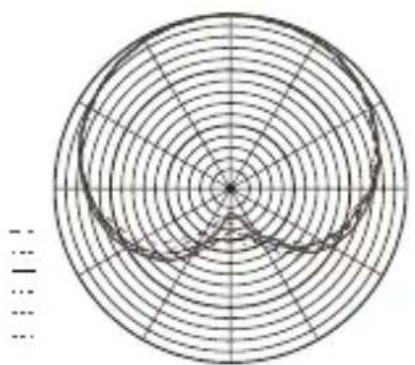
Cardioid pickup pattern
The cardioid pickup pattern means that the microphone is most sensitive at the front, less sensitive to unwanted ambient noise, and more resistant to audio feedback.
SUPPORT
If you require further assistance with your new microphone, please contact our support team on the Majority website: www.majority.co.uk/support
WARRANTY
All products come with a standard 12 month warranty. All items must be registered on www.majority.co.uk for the warranty to be valid. Once on the web page, use the menu to find "Register Your Product". You will also be given the chance to extend your warranty for an additional 24 months, free of charge.
- Read these instructions.
- Keep these instructions. Instructions are also available for download at www.majority.co.uk
- Heed allWarnings
- Follow all instructions
- Do not clean the apparatus near or with water
- Do not block any ventilation openings. Install in accordance with the manufacturer's instructions
- Do not install near any heat sources such as radiators, heat registers, stoves, or other apparatus (including amplifiers) that produce heat.
- Protect the power from being walked on or pinched particularly at plugs, convenience receptacles, and the point where they exit from the apparatus.
- Only use attachments/accessories specified by the manufacturer.
- Unplug this apparatus during light storms or when unused for long periods of time.
- Refer all servicing to qualified service personnel. Servicing is required when the apparatus has been damaged in a way, such as power-supply cord or plug is damaged, liquid has been spilled or objects have fallen into the apparatus, the apparatus has been exposed to the rain or moisture, does not operate normally or has been dropped.
- No naked flame sources, such as lit candles, should be placed on the apparatus.
- Dispose of used electrical products and batteries safely according to your local authority and regulations.
ADDITIONAL WARNINGS
The apparatus shall not be exposed to dripping or splashing and no objects filled with liquid, such as vases, shall be places on the apparatus.
Main plug is used to disconnect device and it should remain readily operable during intended use. In order to disconnect the apparatus from the main mains completely, the mains plug should be disconnected from the main socket outlet completely.
Battery shall not be exposed to excessive heat such as sunshine, fire or the like.
RECYCLING ELECTRICAL PRODUCTS
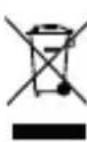
You should now recycle your waste electrical goods and in doing so help the environment. This symbol means an electrical product should not be disposed of with normal household waste.
Please ensure it is taken to a suitable facility for disposal when finished with.
IMPORTANT: Please read all instructions carefully before use and keep for future reference.

Risk of electric shock. Do not open

Read all instructions carefully before use and keep for future reference

When servicing, use only identical replacement parts
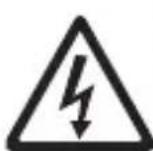
CAUTION
RISK OF ELECTRIC SHOCK DO NOT OPEN


ATTENTION
RISQUE D'ELECTROCUTION NE PAS OUVRIR


IMPORTANT: Please read all instructions carefully before use and keep for future reference
RISQUE D'ELECTROCUTION NE PAS OUVRIR


Brand : Majority
Model : RS One
Category : Microphone