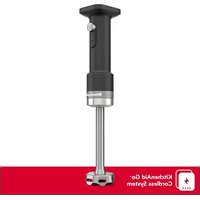
KHBRV00 - Blender KITCHENAID - Free user manual and instructions
Find the device manual for free KHBRV00 KITCHENAID in PDF.


| Brand | KitchenAid |
| Model | KHBRV00 |
| Product Type | Cordless Hand Blender |
| Power Supply | Lithium-ion battery 12 V DC (model KRB12), USB adapter 100-240 V~ 50-60 Hz 0.5 A, output 5 V DC 2 A |
| Charging Time | Approximately 3 hours |
| Battery Life | Not specified, but LED indicator with 4 levels |
| Speeds | Variable (variable speed control) |
| Main Functions | Blend, mix, chop, emulsify |
| Included Accessories | Blending arm, mixing rod, protective cover, USB adapter, USB cable, battery |
| Optional Accessories | Docking station |
| Spare Parts | Battery KRB12, USB adapter, USB cable, mixing rod, protective cover, blender jar |
| Care and Cleaning | Protective cover, jar and lid are dishwasher safe (top rack). Mixing rod wash with warm soapy water. Motor body wipe with a damp cloth. |
| Safety | Do not immerse motor. Sharp blades, handle with care. Avoid contact with moving parts. Unplug before cleaning. |
| Charging Temperature | 5 to 40 °C |
| Storage Temperature | 10 to 40 °C |
| Use | Household use only |
| Warranty | Limited 1 year (hassle-free replacement in USA and Canada) |
Frequently Asked Questions - KHBRV00 KITCHENAID
User questions about KHBRV00 KITCHENAID
0 question about this device. Answer the ones you know or ask your own.
Ask a new question about this device
Download the instructions for your Blender in PDF format for free! Find your manual KHBRV00 - KITCHENAID and take your electronic device back in hand. On this page are published all the documents necessary for the use of your device. KHBRV00 by KITCHENAID.
USER MANUAL KHBRV00 KITCHENAID
When using electrical appliances, basic safety precautions should always be followed, including the following:
- Read all safety warnings and instructions. Failure to follow warnings and instructions may result in fire and/or serious injury.
- To protect against risk of electrical shock, do not put the Body of appliance, USB Adapter, USB Cable or Battery in water or other liquid.
- This appliance is not intended for use by children or by p with reduced physical, sensory, or mental capabilities, or la of experience and knowledge. Close supervision is necessary when any appliance is used near children. Children should supervised to ensure that they do not play with the applia
- Remove the Battery before assembling or disassembling and before cleaning. To unplug the adapter, grasp the plug and from the outlet. Never pull from the power cord.
- Avoid contacting moving parts.
- Do not modify or attempt to repair the appliance or the Ba
- Do not operate any appliance or USB Adapter with a dam cord or plug or after the appliance malfunctions, or is drop or damaged in any manner. Contact KitchenAid at their customer service telephone number for information on examination, repair, or adjustment. This will ensure that the safety of the appliance and accessories is maintained.
- The use of accessories/attachments not recommended or so by KitchenAid may cause fire, electric shock, or injury to persons.
- Do not let cord hang over edge of table or counter.
- Do not let cord contact hot surfaces, including the stove.
- Keeps hands and utensils out of the container while blend prevent the possibility of severe injury to persons or damage the unit. A scraper may be used but must be used only in the unit is not running.
- Blades are sharp. Handle Carefully.
-
When mixing liquids, especially hot liquids, use a tall control or make small quantities at a time to reduce spillage.
-
To reduce the risk of injury, never place cutting blade without first putting bowl properly in place.
-
Be certain cover is securely locked in place before open the appliance.
-
Do not use an extension cord. Plug the adapter directly i power source.
-
Use only with the adapter provided with the appliance. Do attempt to use this adapter with any other product. Likewise, not attempt to charge this appliance with any other adapter
-
Do not incinerate this appliance even if it is severely dan The batteries can explode in a fire.
-
Keep hands and utensils away from the cutting blade which chopping food to reduce the risk of severe injury to person damage to the appliance. A scraper may be used, but only when the appliance is not running.
-
Allow the appliance to cool completely before putting on or taking off parts, and before cleaning the appliance.
-
Refer to the "Care and Cleaning" section for instructions (cleaning the surfaces in contact with food.
-
When mixing liquids, especially hot liquids, use a tall control or make small quantities at a time to reduce spillage.
-
Disconnect the Battery from the appliance before making a adjustments, changing accessories, or storing appliance. Such preventive safety measures reduce the risk of starting the appliance accidentally.
-
Prevent unintentional starting. Ensure the switch is in the off-position before connecting to the Battery, picking up or carrying the appliance. Carrying the appliance with your finger on the switch or energizing appliance that have the switch invites accidents.
-
Recharge only with the adapter specified by the manufacture. The adapter that is suitable for one type of Battery may be a risk of fire when used with another Battery.
-
Use appliances only with KitchenAid 12 V Battery. Use of other batteries may create a risk of injury and fire.
-
When Battery is not in use, keep it away from other metal objects, like paper clips, coins, keys, nails, screws or other small metal objects, that can make a connection from one terminal to another. Shorting the Battery terminals together may cause burns or a fire.
-
Under abusive conditions, liquid may be ejected from the Battery; avoid contact. If contact accidentally occurs, flush water. If liquid contacts eyes, additionally seek medical help. Liquid ejected from the Battery may cause irritation or burn
- Do not use a Battery or appliance that is damaged or m Damaged or modified batteries may exhibit unpredictable behavior resulting in fire, explosion or risk of injury.
- Do not expose a Battery or appliance to fire or excessive temperature. Exposure to fire or temperature above 265^ F cause explosion.
- Follow all charging instructions and do not charge the Battery or appliance outside of the temperature range specified in instructions. Charging improperly or at temperatures outside the specified range may damage the Battery and increase risk of fire.
- Use only UL listed ITE/Class 2 USB source to charge this device. Use of any non-UL listed USB sources may create risk of fire.
- Never service damaged batteries. Service of batteries should only be performed by the manufacturer or authorized service providers.
- Do not use the appliance in rain or wet condition. Do no expose to rain — store indoors.
- Do not use the appliance for other than intended use.
SAVE THESE INSTRUCTIONS
This product is designed for household use only.
ELECTRICAL REQUIREMENTS
USB Adapter:
Input: 100–240 V\~, 50–60 Hz, 0.5 A
USB Output: 5 VDC, 2 A
Recommended ambient charging temperature: 41-104°F
External Battery (Lithium-ion): KRB12
Nominal Voltage: 10.8 VDC
Maximum Voltage: 12 VDC
NOTE: If the adapter does not fit in the power source, contact a qualified electrician. I modify the adapter in any way.
Do not use, store, or charge Battery or products in locations where the temperature is 50^ F or more than 104^ F.
LITHIUM-ION BATTERY OPERATED PRODUCT DISPOSAL
Always dispose the Battery operated products according to federal, state, and local regulations. Contact a recycling agency in your area for recycling locations.
GETTING STARTED
BEFORE FIRST USE
- Charge the Battery until it is fully charged.
- Clean all the parts and accessories (see "Care and Cleaning" section).
- Remove all packaging materials, if present.
NOTE: Some dust may be on the product. This is due to the recycled materials used packaging. This can be cleaned with a soft towel.
BATTERY CHARGING
USING THE USB CABLE
- Attach the USB Cable to the adapter. Connect the other end of the USB Cable to Battery.
- Plug the adapter into a power source.
USING THE DOCKING STATION (OPTIONAL)
- Attach the USB Cable to the adapter.
- Plug the adapter into a power source.
- Turn the Battery upside down and slide the Battery onto the dock. Then press down the latch will snap into place.
- Upon initial plugging in the Battery into the charger, the Battery LEDs will alternate for a few seconds as it performs a self-diagnostic of the Battery status.
- After diagnostic is complete, the Battery will begin charging with a single LED flashing. LEDs will become solid in color as charging progresses. Battery is fully charged when LEDs are solid.
NOTE: If initial alternating light pattern continue for more than 10 seconds, the Battery may be too warm or too cold to charge. Unplug Battery and allow it to stabilize to a normal temperature and try charging again. If Battery still not charge after this, unplug Battery contact customer service.
BATTERY STATUS
| LED INDICATION BATTERY LEVEL | |
| ○○○○ 75-100% | |
| ○○○● 50-75% | |
| ○○●● 25-50% | |
| ○●●● < 25% | |
| ☀●●● | When Battery has only 10% Battery level, 1 LED start to flash at rate of 1 second ON / 1 second (0.5 Hz). |
LED Legend Indication:
O = ON
● = OFF
☀ = FLASH
NOTE: When the Battery is installed or when the appliance is operated, the Battery ch status LEDs will display for 5 seconds and then turn off. If the Battery charge is 10% the indication light will continue to flash until the unit is no longer in use or Battery is
Full Charge: The Battery will be fully charged in around 3 hours.
NOTE: It is best to store the Cordless Hand Blender at room temperature.
PRODUCT USAGE
NOTE: Do not place the adapter in an area of extreme heat or cold. It will work best room temperature.
IMPORTANT: Make sure that the Variable Speed Controller is not pressed and the Bat removed before attaching or removing parts or accessories.
- Insert the Battery on the Battery slot located at the top of the appliance, make sure it is aligned. The LED will light and display the Battery level for five seconds, then turn
-
If using a Pan Guard, place it on a flat surface. To insert the Pan Guard, angle the Blending Arm to one side of the mounting clip. Then, gently pull the other mounting outward and push down the Blending Arm. Ensure the Mounting Clips are secured place.
-
Insert the Blending Arm into the handle and twist to lock. Press and hold the Unlock Button first, then the Variable Speed Controller to start. Use your free hand to cover the t Blender Jar for better stability and to avoid splashing. The LED will light and display Battery level for five seconds, then turn off.
NOTE: Do not immerse Motor Body into liquids or other mixtures.
- Use the draw up motion with the Cordless Hand Blender to move the ingredients w Jar. Slowly draw it upwards against the side of the Jar. Repeat the process until the ingredients are at the desired consistency.
CARE AND CLEANING
IMPORTANT: Allow the appliance to cool completely before putting on or taking off par before cleaning the appliance. Make sure that the Variable Speed Controller is not pres and the Battery is removed before attaching or removing parts or accessories.
- Remove the Blending Arm or Pan Guard before cleaning.
- Dishwasher-safe parts — top rack only: Pan Guard, Blender Jar, and Lid.
Wash Blender Arm in hot, soapy water. - Wipe the Motor Body with a damp cloth. Mild dish soap may be used, but do not abrasive cleansers.
For detailed information on the Cordless Hand Blender:
Visit www.kitchenaid.com/quickstart for additional instructions with videos, inspiring recip and tips on how to use and clean your Cordless Hand Blender.
LIMITED WARRANTY AND SERVICE
KITCHENAID® PRODUCT WARRANTY FOR THE 50 UNITED STATES, THE DISTRICT OF COLUMBIA, PUERTO RICO, AND CANADA
This limited warranty extends to the original purchaser and any succeeding owner for the product operated in the 50 United States, the District of Columbia, Puerto Rico, and Canada.
Length of Warranty: One Year Limited Warranty from date of delivery.
- KitchenAid Will Pay for Your Choice of:

Hassle-Free Replacement of your product. See the "Arranging for Service" section in this warranty for details on how to arrange for service, or call the Customer eXperience Center toll-free at 1-800-541-6390.
OR
The replacement parts and repair labor costs to correct defects in materials and workmanship that existed at the time this product was purchased. Service will be provided by an Authorized KitchenAid Service Center.
- KitchenAid Will Not Pay for (What is Not Covered By This Limited Warranty):
a) Commercial, non-residential, or multiple family use or use inconsistent with product instructions and manuals.
b) Defects or damage resulting from accident, alteration, misuse, abuse, fire flood, or acts of God.
c) Any shipping or handling costs to deliver your product to an Authorized Service Center.
d) Replacement parts or repair labor costs for the product operated outside the 50 United States, District of Columbia, Puerto Rico, and Canada.
e) Damages, defects, or repairs caused by unauthorized servicers or use of non-genuine or third-party parts; however, use of unauthorized service providers or non-genuine or third-party parts will not void this warranty.
f) Cosmetic damage (e.g., scratches, dents, chips, and other damage to finishes), unless damage results from defects in materials and workmanship and is reported to KitchenAid within 30 days from date of delivery.
g) Discoloration, rust or oxidation of surfaces resulting from caustic or corrosive environments (e.g., high salt concentrations, high moisture or humidity or exposure to chemicals).
h) Products with original, factory-installed model/serial numbers removed, altered or not easily determined.
i) Incidental or consequential damages resulting from product failure.
j) Consumable parts or accessories.
- DISCLAIMER OF IMPLIED WARRANTIES
Implied warranties, including any implied warranty of merchantability or implied warranty of fitness for a particular purpose, are limited to ten years or the shortest period allowed by law. Some states and provinces do not allow limitations on the duration of implied warranties of merchantability or fitness, so this limitation may not apply to you.
- HOW STATE LAW APPLIES
This warranty gives you specific legal rights, and you may also have other rights that vary from state to state or province to province. Some states and provinces, such as California, do not allow for limitations on the date your warranty coverage begins, so this limitation may not apply to you.
HASSLE-FREE REPLACEMENT WARRANTY - 50 UNITED STATES, DISTRICT OF COLUMBIA, AND PUERTO RICO
We're so confident the quality of our products meets the exacting standards of KitchenAid that, if your product should fail within the first year of ownership due to defects in materials or workmanship, KitchenAid will arrange to deliver an identical or comparable replacement to your door free of charge and arrange to have your original product returned to us. Your replacement unit will also be covered by our one year limited warranty. Please follow these instructions to receive this quality service. If your product should fail within the first year of ownership, simply call our toll-free Customer eXperience Center at 1-800-541-6390 Monday through Friday. Please have your original sales receipt available when you call. Proof of purchase will be required to initiate the claim. Give the consultant your complete shipping address (no P.O. Box numbers, please). When you receive your replacement product, use the carton and packing materials to pack up your original product.
HASSLE-FREE REPLACEMENT WARRANTY - CANADA
We're so confident the quality of our products meets the exacting standards of the KitchenAid brand that, if your product should fail within the first year of ownership, KitchenAid Canada will replace your product with an identical or comparable replacement. Your replacement unit will also be covered by our one year limited warranty. Please follow these instructions to receive this quality service. If your product should fail within the first year of ownership, take the product or ship collect to an Authorized KitchenAid Service Center. In the carton include your name and complete shipping address along with a copy of the proof of purchase (register receipt, credit card slip, etc.). Your replacement product will be returned prepaid and insured. If you are unable to obtain satisfactory service in this manner call our toll-free Customer eXperience Center at 1-800-807-6777.
Or write to us at:
Customer eXperience Center
KitchenAid Canada
200-6750 Century Ave
Mississauga, ON L5N 0B7
ARRANGING FOR SERVICE AFTER THE WARRANTY EXPIRES, OR ORDERING ACCESSORIES AND REPLACEMENT PARTS
In the United States and Puerto Rico:
For service information, or to order accessories or replacement parts, call toll-free at 1-800-541-6390 or write to:
Customer eXperience Center, KitchenAid Small Appliances, P.O. Box 218, St. Joseph, MI 49085-0218
Outside the United States and Puerto Rico:
Consult your local KitchenAid dealer or the store where you purchased the product for information on how to obtain service.
For service information in Canada:
Call toll-free 1-800-807-6777.
Or write to:
Customer eXperience Center
KitchenAid Canada
200 - 6750 Century Ave.
Mississauga, ON L5N 0B7
IMPORTANTES MESURES DE PROTECTION
FR
Customer eXperience Center, KitchenAid Small Appliances, P.O. Box 218, St. Joseph, MI 49085-0218
Customer eXperience Center, KitchenAid Small Appliances, P.O. Box 218, St. Joseph, MI 49085-0218
*/TM ©2023 KitchenAid. All rights reserved. Used under license in Canada.

- SAVE THESE INSTRUCTIONS
- LITHIUM-ION BATTERY OPERATED PRODUCT DISPOSAL
- GETTING STARTED
- BEFORE FIRST USE
- BATTERY CHARGING
- USING THE USB CABLE
- USING THE DOCKING STATION (OPTIONAL)
- BATTERY STATUS
- PRODUCT USAGE
- CARE AND CLEANING
- LIMITED WARRANTY AND SERVICE
- HASSLE-FREE REPLACEMENT WARRANTY - 50 UNITED STATES, DISTRICT OF COLUMBIA, AND PUERTO RICO
- HASSLE-FREE REPLACEMENT WARRANTY - CANADA
- ARRANGING FOR SERVICE AFTER THE WARRANTY EXPIRES, OR ORDERING ACCESSORIES AND REPLACEMENT PARTS
- IMPORTANTES MESURES DE PROTECTION
Brand : KITCHENAID
Model : KHBRV00
Category : Blender