
TAM 7321 I - Food Processor BEKO - Free user manual and instructions
Find the device manual for free TAM 7321 I BEKO in PDF.
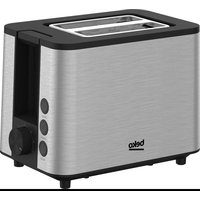


| Product type | Toaster |
| Brand | Beko |
| Model | TAM 7321 I |
| Power supply | 220-240 V ~ 50/60 Hz, 800-950 W |
| Number of slots | 2 |
| Browning control | 7 levels (1 = light, 7 = dark) |
| Functions | Defrost, reheat, manual stop |
| Auto shut-off | Yes, lever pops up automatically |
| Crumb tray | Removable, easy to empty |
| Cleaning | Wipe with damp cloth; do not immerse |
| Cord storage | Wrap around supports under appliance |
| Safety | Auto shut-off, hot surfaces, do not use with extension cord |
| Intended use | Household and similar (offices, kitchens, etc.) |
| Materials | Plastic and metal (food-safe) |
| Weight | Approximately 1.5 kg |
| Dimensions (approx.) | 30 x 20 x 20 cm |
Frequently Asked Questions - TAM 7321 I BEKO
User questions about TAM 7321 I BEKO
0 question about this device. Answer the ones you know or ask your own.
Ask a new question about this device
Download the instructions for your Food Processor in PDF format for free! Find your manual TAM 7321 I - BEKO and take your electronic device back in hand. On this page are published all the documents necessary for the use of your device. TAM 7321 I by BEKO.
USER MANUAL TAM 7321 I BEKO
TAM 7321 I
EN - TR - DE - FR - ES - RO - IT - PL - SR - AR
CONTENTS
| ENGLISH | 3-14 |
| TÜRKÇE | 15-30 |
| DEUTSCH 31-46 | |
| FRANÇAIS 47-60 | |
| ESPAÑOL 61-74 | |
| ROMÂNĂ 75-90 | |
| ITALIANO 91-104 | |
| POLISH 105-119 | |
| СРПСКИ | 120-131 |
Please read this guide first!
Dear Customer,
Thank you for choosing a Beko product. We want you to get the most out of this high quality product which has been manufactured with state-of-the-art technology. Please make sure you read and understand this guide and supplementary documentation fully before use and keep it as a reference. If you give the appliance to someone else, give them this user manual as well. Observe all warnings and information herein and follow the instructions.
Symbols and their meanings
The following symbols are used throughout this guide:

Important information and useful tips for using the appliance.

WARNING: Warnings about dangerous situations concerning safety of life and property.
Suitable for contact with food.
WARNING: Warning for electric shock.
WARNING: Warning about hot surfaces.
1 Important safety and environmental instructions
This section contains safety instructions to prevent hazards that can result in injury or property damage. Failure to follow these instructions will void any warranty.
1.1 General safety
- This appliance complies with international safety standards.
- This appliance can be used by children aged 8 years and over and persons with reduced physical, sensory or mental capabilities, or lack of experience and knowledge if they have been given supervision or instruction concerning the safe use of the appliance and understand the hazards involved.
- Children should not play with the appliance. Children should not clean and maintain the appliance unless they are aged 8 or over and are under adult supervision.
• Always keep the appliance and its electrical cord out of the reach of children who are under 8 years old.
1 Important safety and environmental instructions
- Do not use the appliance if the power cord or the appliance is damaged. Contact authorised service.
- Your mains power supply should be in align with the specified information on the type tag of the appliance.
- For additional protection, this appliance should be connected to a household appliances residual current device with a maximum nominal current of 30 mA.
- Use the appliance with an earthed plug.
- Do not use the appliance with an extension cord.
- This device is intended to be used in household and similar applications such as the following places:
- Staff kitchen areas in shops, offices and other working environments,
- Farm houses,
- Areas used by customers in motels and hotels, and other residential settings,
1 Important safety and environmental instructions
- Bed and Breakfast establishments.
- To avoid damage to the power cord, prevent it from being pinched, crimped or rubbed against sharp edges.
- Do not touch the plug of the appliance with wet or damp hands.
- Do not pull on the cord while unplugging the appliance.
- Do not immerse the appliance or its power cord in water.
- Do not leave the appliance unattended while it is plugged in.
- Risk of burns! The outer surface heats up during use. Do not touch the hot surfaces.
- Do not leave metal cooking utensils and items on the cooking plates.
- Use and store the appliance on a stable surface.
- Do not disassemble the appliance.
- Use only original parts or parts recommended by the manufacturer.
1 Important safety and environmental instructions
- Unplug the appliance before cleaning and dry all parts completely after cleaning. •The appliance is not suitable for outdoor use.
- Food may catch fire due to overheating. Do not allow the appliance to come into contact with or be covered by flammable materials such as curtains, fabrics, walls, etc.
- Do not use the appliance in or near explosive or flammable environments and substances.
- Do not operate the appliance with an external timer or a separate remote control system.
- If you keep the packaging materials, keep them out of the reach of children.
- Wait for the appliance to cool before putting it in a cupboard or on a shelf, etc.
- Food may catch fire due to overheating. Do not allow the appliance to come into contact with or be covered by flammable materials such as curtains, fabrics, walls, etc.
- Clean the appliance in accordance with the
1 Important safety and environmental instructions
instructions in the Cleaning and Maintenance section.
1.6 Compliance with the WEEE Directive and Disposing of the Waste Product:
This product complies with EU WEEE Directive (2012/19/EU). This product bears a classification symbol for waste electrical and electronic equipment (WEEE).
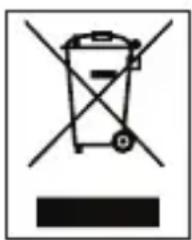
This symbol indicates that this product shall not be disposed with other household waste at the end of its service life. The used device must be returned to an official collection point for the recycling of electrical and electronic devices. To find these collection points, please contact your local authority or retailer where the product was purchased. Each household performs an important role in the restoring and recycling of old appliances. The appropriate disposal of used appliance helps prevent potential negative consequences for the environment and human health.
1.7 Compliance with RoHS Directive
The product you have purchased complies with EU RoHS Directive (2011/65/EU). It does not contain harmful and prohibited materials specified in the Directive.
1.8 Package information

The packaging materials of the product were manufactured from recyclable materials in accordance with our National Environment Regulations. Do not dispose of the packaging materials together with domestic or other waste. Take them to the packaging materials collection points designated by local authorities.
ties.
2 Your toaster
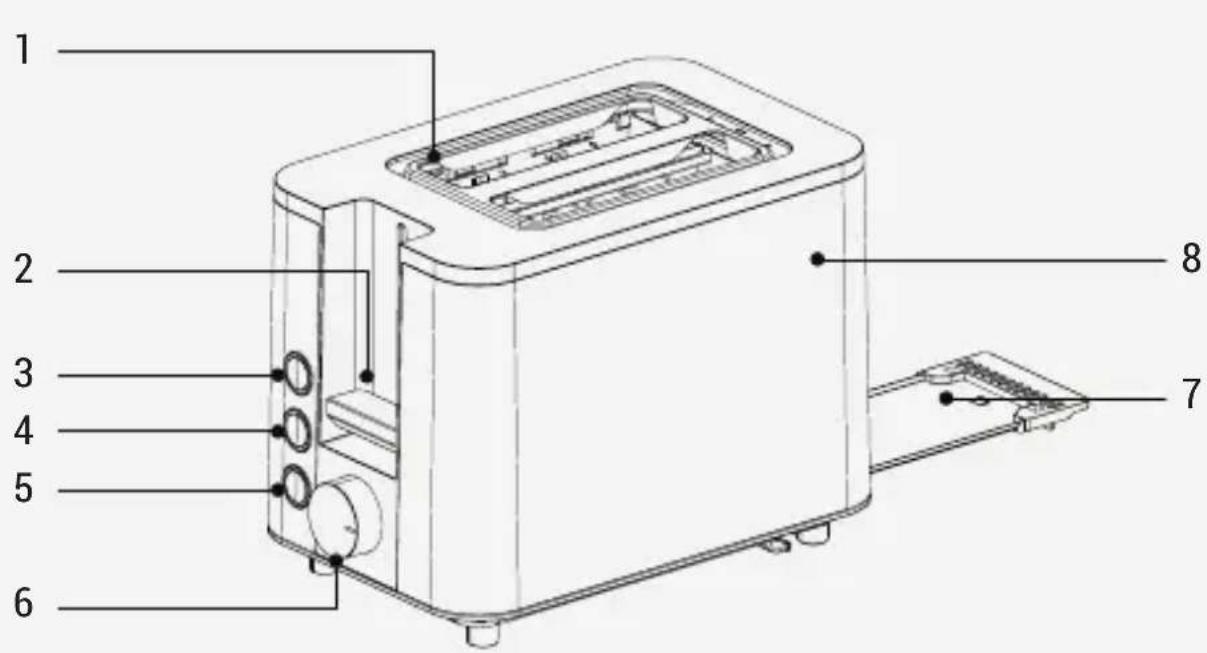
- Bread slot
- Operating lever
- Defrosting
- Heating
- Cancel
- Browning control
- Crumb tray
- Body
Technical data
Voltage: 220-240V~50-60Hz
Power consumption: 800-950 W
The rights to make technical and design changes are reserved.
The values provided with the appliance or its accompanying documents are laboratory readings in accordance with the respective standards. These values may differ depending on the use and ambient conditions.
3 Use
3.1 First operation
Production residues can cause smoke to appear when using the appliance for the first time. This does not mean the appliance is defective. When turning on the appliance for the first time, operate it normally but without putting in any bread. Recommend setting the browning control to medium for heating. Make sure the room is properly ventilated.
3.2 Operation

WARNING: Make sure the crumb tray is properly in place before use.

WARNING: Do not spread anything on the bread. Place only bread in the toaster.
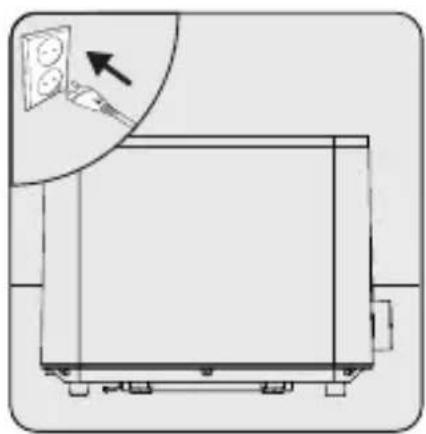
Place the appliance on a flat and dry surface. Plug in the appliance.

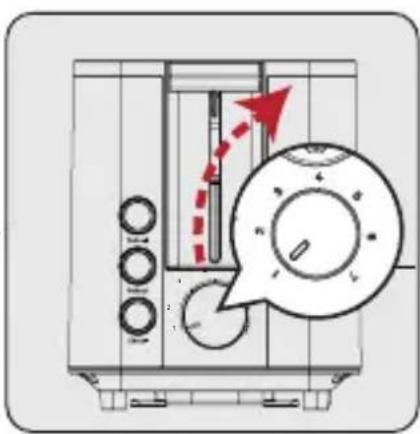
Set the browning control to the level you want from 1 lightest to 7 darkest.

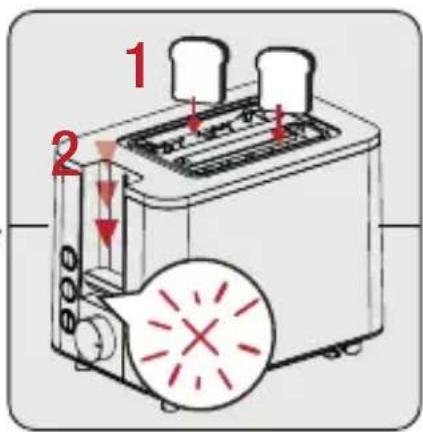
Place only 1 slice of bread in each of the bread slots. Then, gently press the operating lever downwards.
- Toasting begins. The stop button's indicator light will be on all the time the appliance is toasting.

The browning control ranges from "1" lowest heat to '7' highest heat.
3 Use
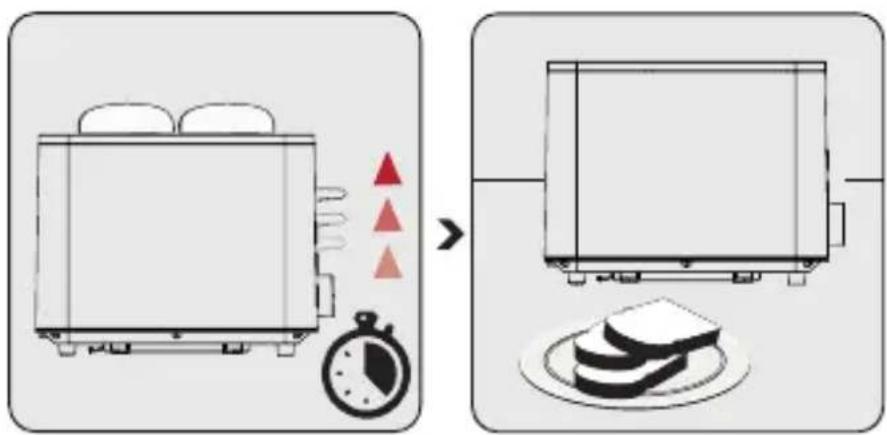
When the browning level you set is reached, the operating lever will pop up and the appliance will turn off automatically.
Unplug the appliance.

Press the stop button to stop toasting the bread before it is finished. The operating lever (2) will pop up and you can take the slices of bread out of the toaster.

The stop button light will be on all the time the appliance is toasting. When the toasting finishes, the operating lever will automatically pop up and the lights will go out.

To remove your toast more easily, push the operating lever up from its raised position to lift the bread higher.
WARNING: Take care when removing the slices that the toaster automatically ejects. The toast and the toaster may be hot.
3 Use
3.2.1 Defrost button
Turn on the appliance (see 3.2). Press the Defrost button to thaw frozen bread.
3.2.2 Reheat button
Turn on the appliance (see 3.2). Press the Reheat button to reheat slices of toast.
3.2.3 Cancel button
Press the Cancel button to stop browning/reheating/defrosting when you want. The operating lever will pop up by itself.
4 Cleaning and maintenance
4.1 Cleaning

WARNING: Do not use benzene, solvents, abrasive cleaners, metal objects or hard brushes to clean the appliance.
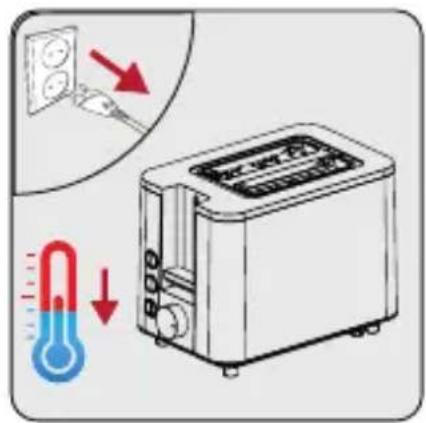
Turn the appliance off and unplug it. Allow the appliance to cool down completely.

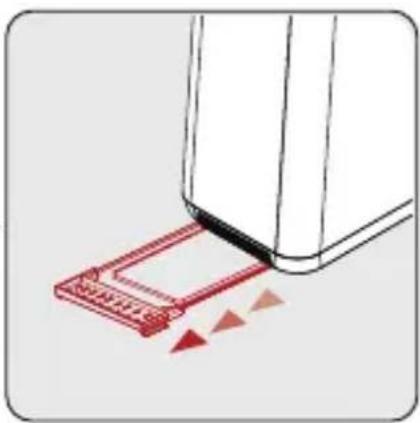
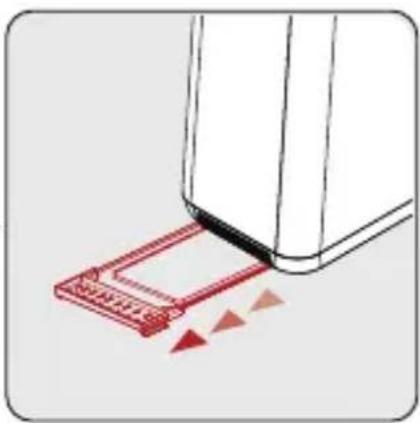
Gently pull the crumb tray to remove it. Empty the crumb tray.

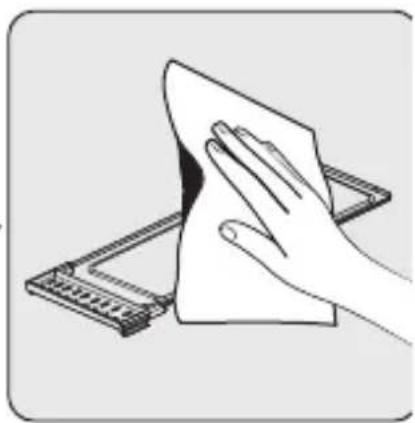
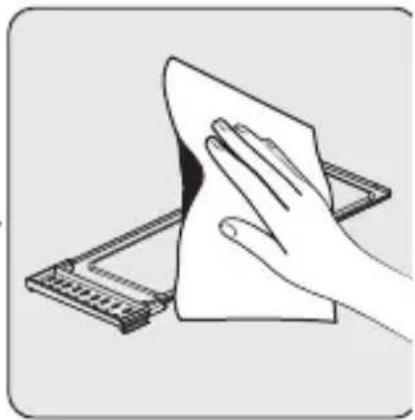
Wipe the crumb tray with a damp cloth.
WARNING: Do not immerse the appliance or its power cord in water or in any fluid.

Once it is completely dry, gently push it back into place.

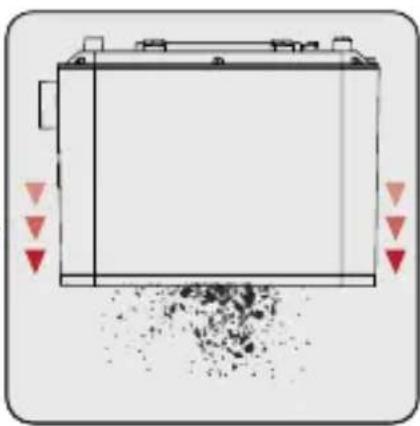
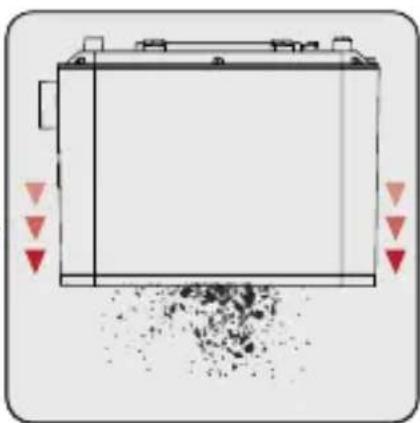
Turn the toaster upside down and gently shake it to remove all the crumbs inside.

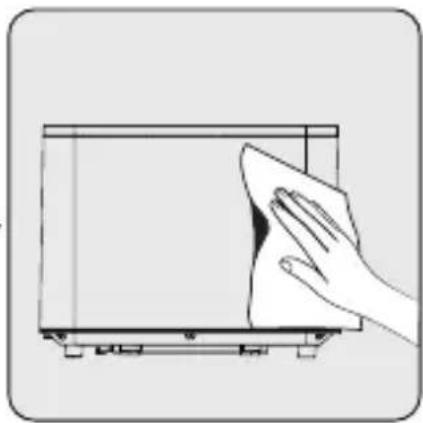
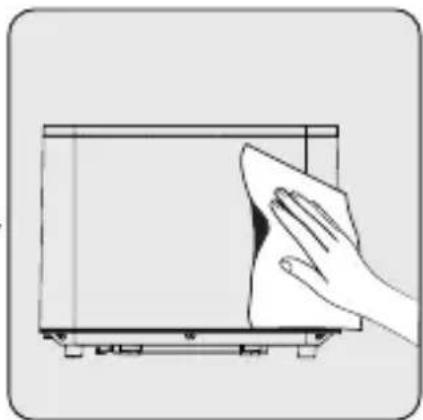
Wipe down the toaster with a non-abrasive sponge or a damp cloth.
4 Cleaning and maintenance

WARNING: After cleaning, dry all parts with a soft towel before using the appliance.
4.2 Storage
- If you do not plan to use the appliance for a long period of time, please store it carefully.
- Ensure that the appliance is unplugged, cooled down and completely dry.
- Wrap the power cord around the cord holder underneath the toaster.
- Store the appliance in a cool and dry place.
- Make sure the appliance is kept out of reach of children.
4.3 Transportation and Handling
- Transport the appliance in its original packaging during handling and transport. The packaging protects the appliance from physical damage.
- Do not place heavy objects on the appliance or its packaging. The appliance may get damaged.
- If the appliance is dropped, it may stop working or permanent damage may occur.
4.4 What to do for energy saving
Turn off and unplug the appliance after each use.
Dear customer,
Place the appliance on a flat and dry surface. Plug the appliance into the power supply.

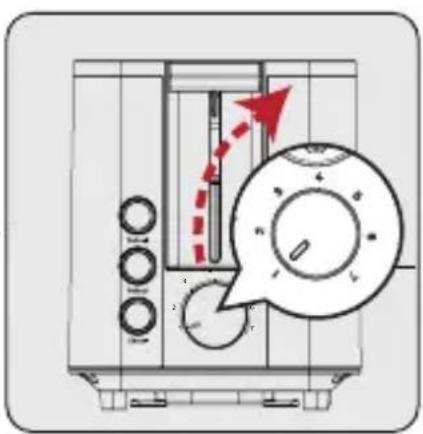
When the browning level you have set is reached, the control lever will pop up and the appliance will automatically turn off.
Gently pull the crumb tray to remove it. Empty the crumb tray.

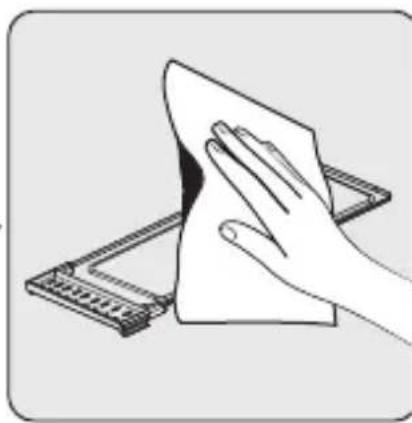
Wipe the crumb tray with a damp cloth.
When it is completely dry, gently push it back into place.

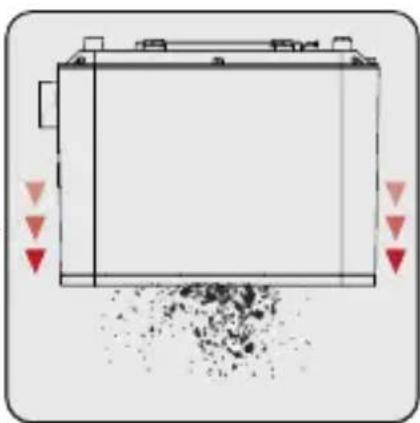
Turn the toaster upside down and gently shake it to remove any crumbs from inside.

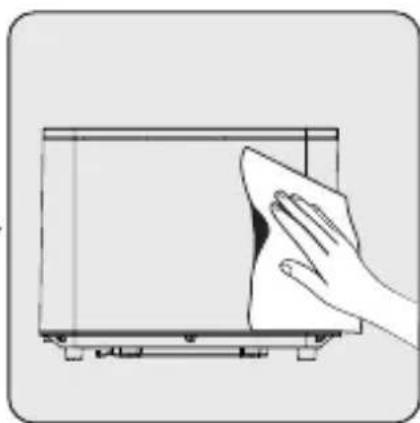
Wipe the toaster with a non-abrasive sponge or a damp cloth.
- CONTENTS
- PLEASE READ THIS GUIDE FIRST
- SYMBOLS AND THEIR MEANINGS
- IMPORTANT SAFETY AND ENVIRONMENTAL INSTRUCTIONS
- GENERAL SAFETY
- COMPLIANCE WITH THE WEEE DIRECTIVE AND DISPOSING OF THE WASTE PRODUCT
- COMPLIANCE WITH ROHS DIRECTIVE
- PACKAGE INFORMATION
- YOUR TOASTER
- TECHNICAL DATA
- USE
- FIRST OPERATION
- OPERATION
- DEFROST BUTTON
- REHEAT BUTTON
- CANCEL BUTTON
- CLEANING AND MAINTENANCE
- CLEANING
- STORAGE
- TRANSPORTATION AND HANDLING
- WHAT TO DO FOR ENERGY SAVING
Brand : BEKO
Model : TAM 7321 I
Category : Food Processor