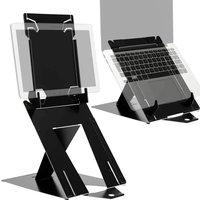
Riser Attachable - Laptop cooling system R-Go Tools - Free user manual and instructions
Find the device manual for free Riser Attachable R-Go Tools in PDF.


| Product type | Laptop cooling stand |
| Brand | R-Go Tools |
| Model | Riser Attachable |
| Main material | ABS plastic with non-slip rubber caps |
| Approximate dimensions | 250 x 200 x 20 mm |
| Approximate weight | 200 g |
| Color | Black (standard) |
| Tilt angle | Fixed ergonomic angle (approx. 15°) |
| Compatibility | Laptops from 13 to 17 inches |
| Attachment | 3M Dual Lock adhesive and foam, removable and repositionable |
| Package contents | 1 stand, 4 Dual Lock stickers, 4 square foam stickers, 1 round foam sticker, 2 oval foam stickers, 4 non-slip caps |
| Main function | Improves airflow under the laptop to reduce temperature |
| Ergonomics | Raises the screen to eye level for a more comfortable posture |
| Cleaning | Wipe with a slightly damp soft cloth; do not use abrasive products |
| Maintenance | Regularly check the adhesion of the stickers; replace if necessary |
| Repairability | Spare parts available (stickers, caps); stand is non-disassemblable |
| Warranty | 2 years |
| Country of origin | Netherlands |
| Certifications | Compliant with European standards |
Frequently Asked Questions - Riser Attachable R-Go Tools
User questions about Riser Attachable R-Go Tools
0 question about this device. Answer the ones you know or ask your own.
Ask a new question about this device
Download the instructions for your Laptop cooling system in PDF format for free! Find your manual Riser Attachable - R-Go Tools and take your electronic device back in hand. On this page are published all the documents necessary for the use of your device. Riser Attachable by R-Go Tools.
USER MANUAL Riser Attachable R-Go Tools
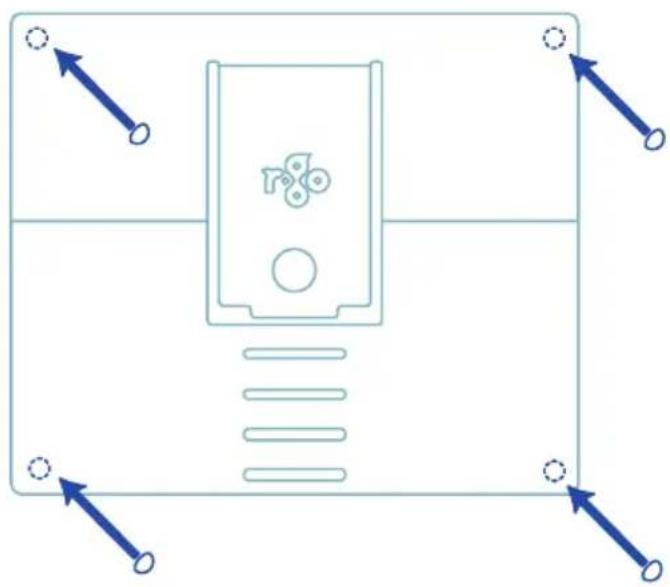
Place the rubber antislip caps on the corners of the logo side of the laptop stand.

Step B
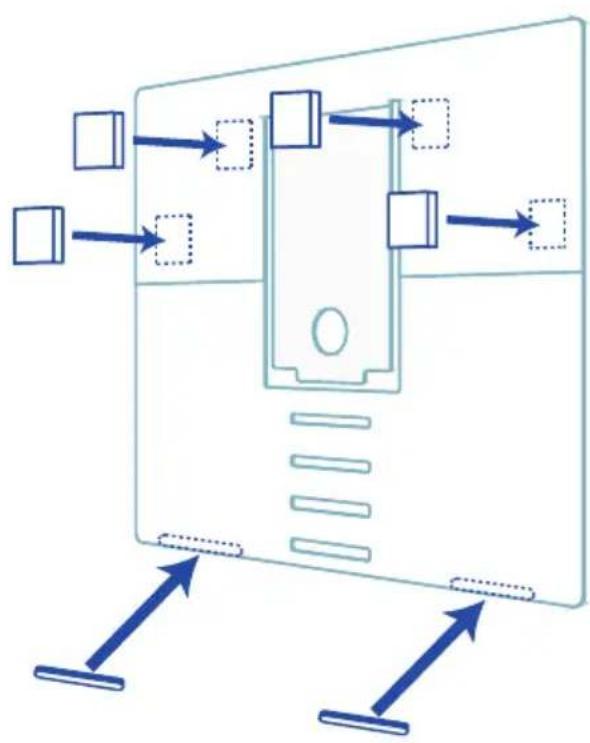
Turn the stand, and place the 3M Dual Lock stickers and rectangular foam stickers on the indicated places on the stand.
Step C
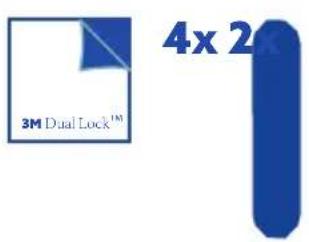
Peel off the protection layer of the 3M Dual Lock stickers.
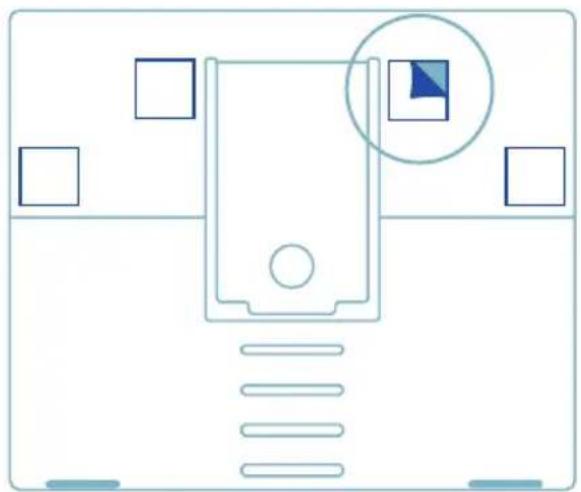
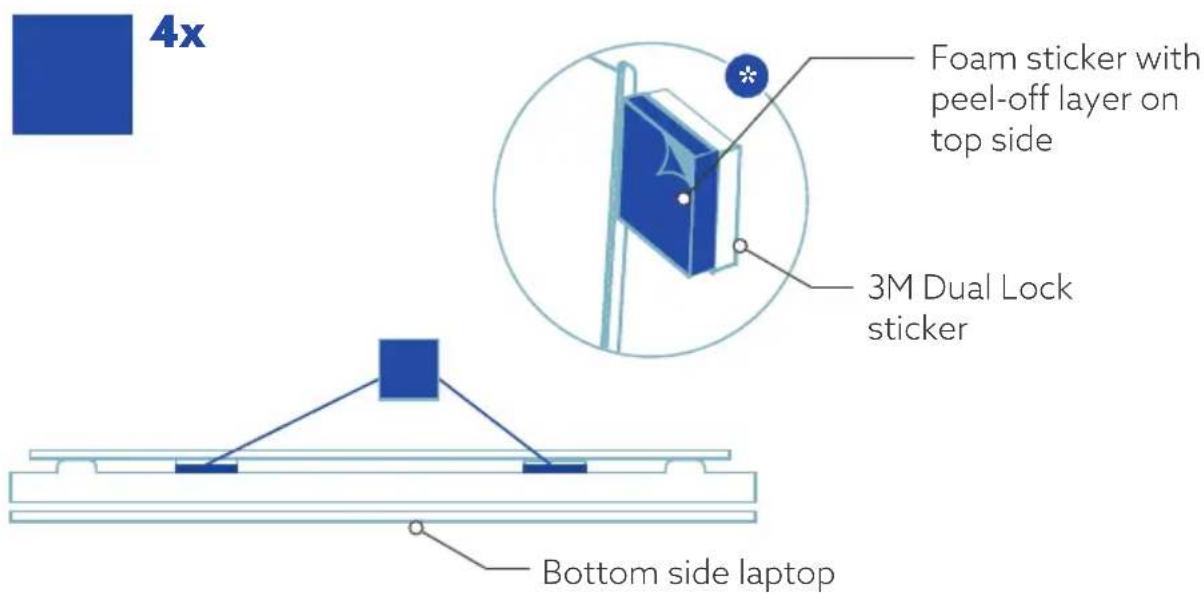
Optional If your laptop has large anti-slip pads sticking out, you can add extra square foam stickers to fill up the excessive space. Place the foam stickers on top of the 3M Dual Lock stickers. Caution: place the foam stickers on the 3M Dual Lock stickers in such a way that the peel-off layer is on the top side, see below*.
Step D
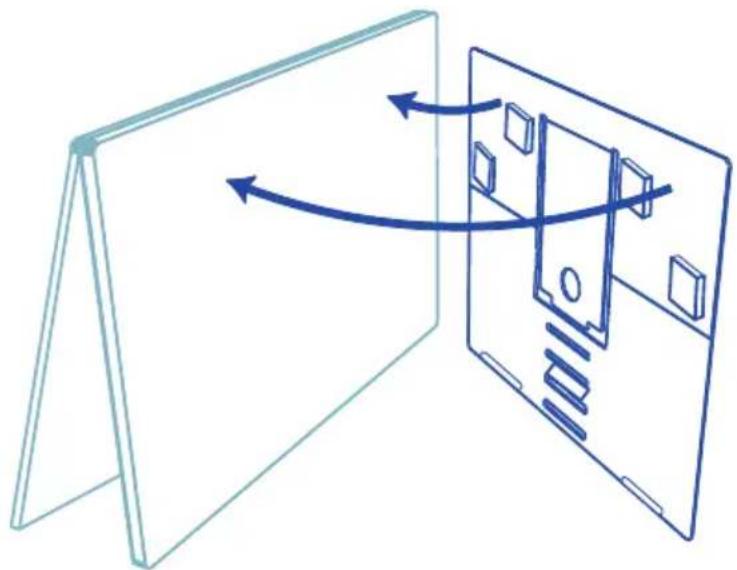
Place the laptop stand on the bottom side of your laptop.
Step E
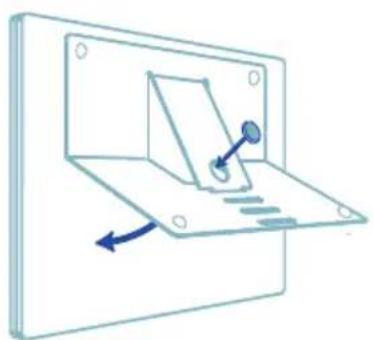
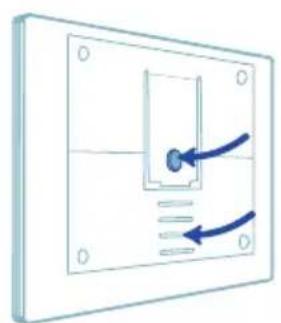
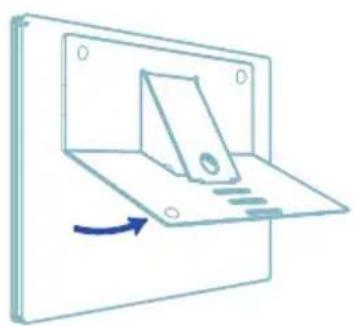
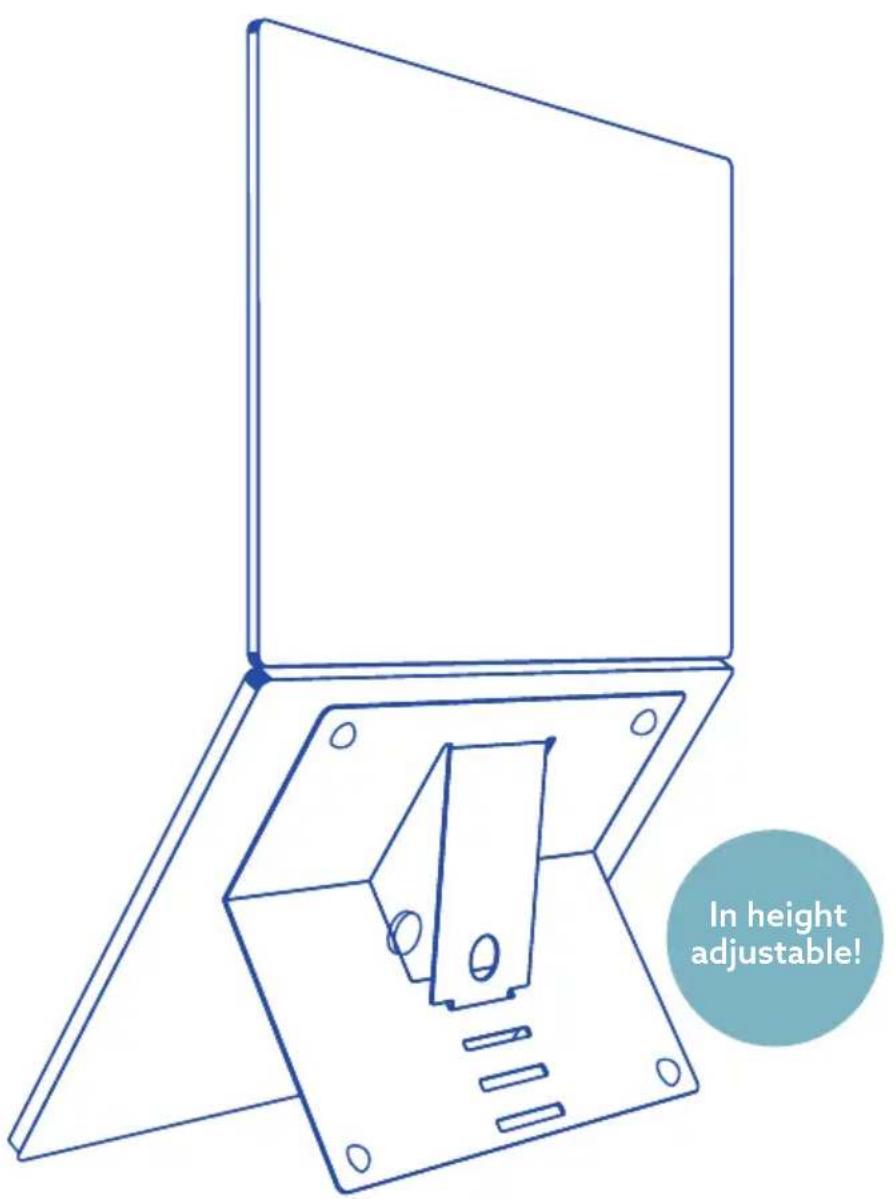
Place the blue round foam sticker in the hole of the laptop stand with protection layer removed. Press down the laptop stand, making sure that the sticker stays properly on the bottom of the laptop. You can open the laptop stand again. It is now ready for use!

4x

For more information
about this product,
scan the QR code!
https://r-go.tools/riatt_web_en

https://r-go.tools/riatt_web_ct