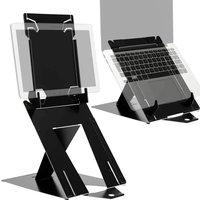
Riser Duo - Laptop cooling system R-Go Tools - Free user manual and instructions
Find the device manual for free Riser Duo R-Go Tools in PDF.


| Product Type | Adjustable ergonomic laptop and tablet stand |
| Brand | R-Go Tools |
| Model | Riser Duo |
| Main Material | Aluminum |
| Dimensions (approx.) | 35 x 25 x 5 cm (unfolded) |
| Weight (approx.) | 1 kg |
| Power | None (passive) |
| Adjustable Height | Yes, multiple positions |
| Tilt Angle | Variable depending on chosen height |
| Compatibility | Laptops and tablets up to 15-17 inches |
| Main Functions | Posture improvement, passive cooling, tablet support |
| Installation | Simple, no tools required (unfolding and manual adjustment) |
| Care and Cleaning | Clean with a soft, dry cloth |
| Safety | Stable surface, check lock before use |
| Spare Parts | Contact R-Go Tools customer service |
| Warranty | 2 years |
| Package Contents | Riser Duo stand, user manual |
Frequently Asked Questions - Riser Duo R-Go Tools
User questions about Riser Duo R-Go Tools
0 question about this device. Answer the ones you know or ask your own.
Ask a new question about this device
Download the instructions for your Laptop cooling system in PDF format for free! Find your manual Riser Duo - R-Go Tools and take your electronic device back in hand. On this page are published all the documents necessary for the use of your device. Riser Duo by R-Go Tools.
USER MANUAL Riser Duo R-Go Tools
ergonomic laptop- and tablet stand
R-Go Riser Duo
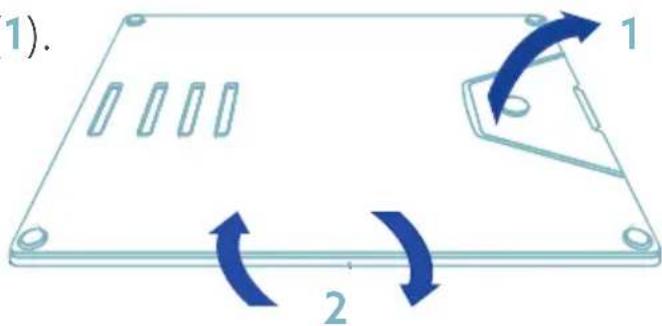
Step A
Open the document holder (1).
Turn the whole stand upside down (2).
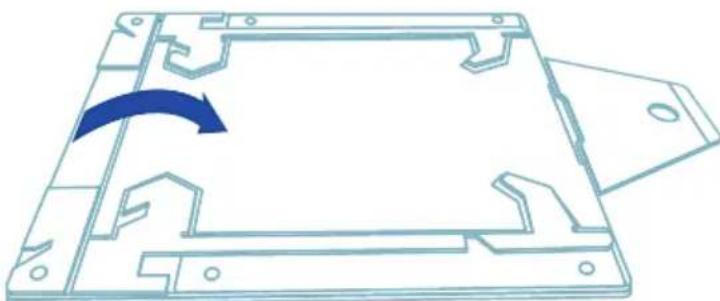
Step B
Grab the top and middle plate of the stand and leave the bottom on the table to open the stand.
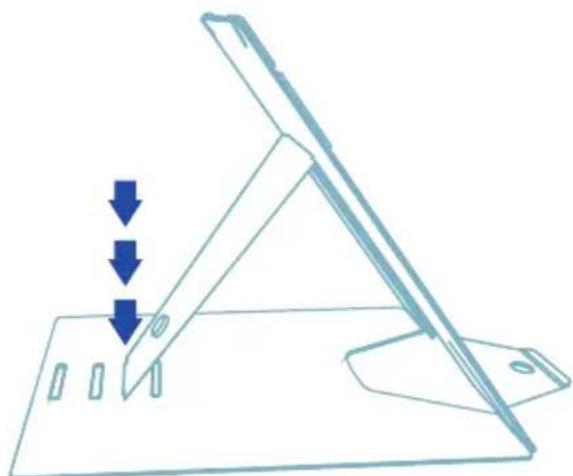
Step C
Put the stand in the desired slot of your height.
Step D
Lift the top plate of the stand (5). Turn both laptop supports (6). Make sure that both laptop supports are in a 90° angle to the top plate. Lower the top plate and make sure that both laptop supports go into the laptop slot (7).

Turn the page for instructions on how to set up as a tablet stand.

To set up the tablet stand, first follow steps A, B and C on page 2.
Step A
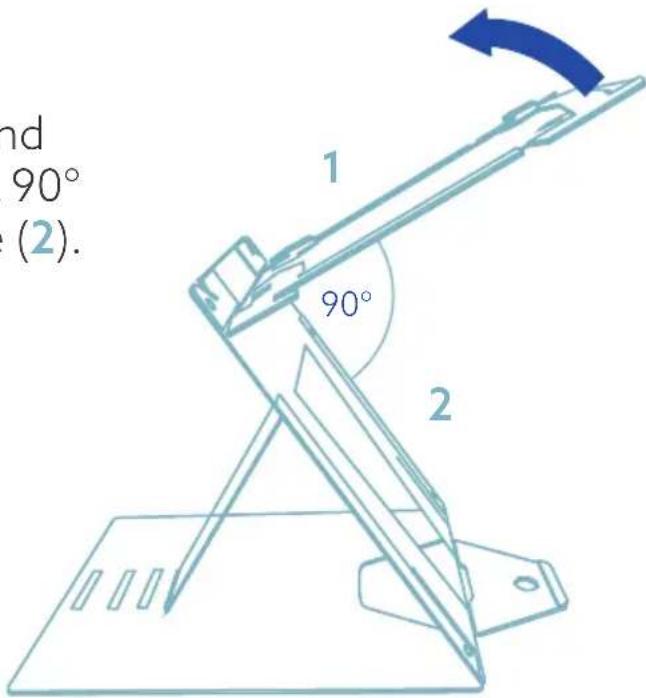
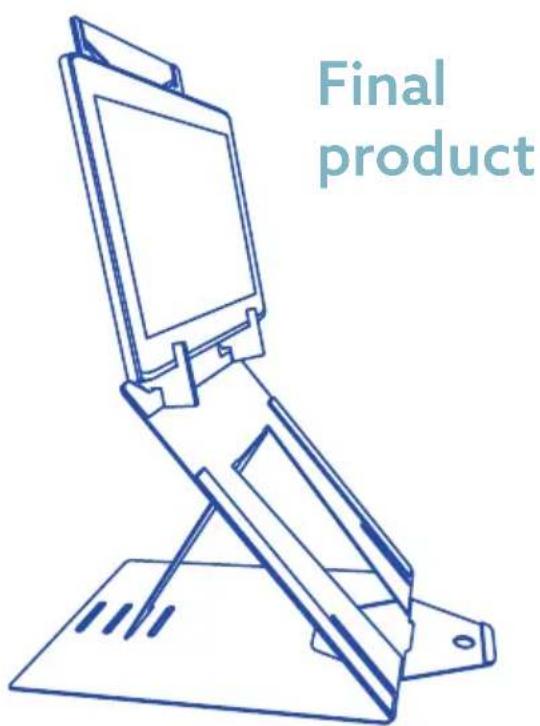
Lift the top plate of the stand until the top plate (1) is in a 90° angle with the middle plate (2).
Step B
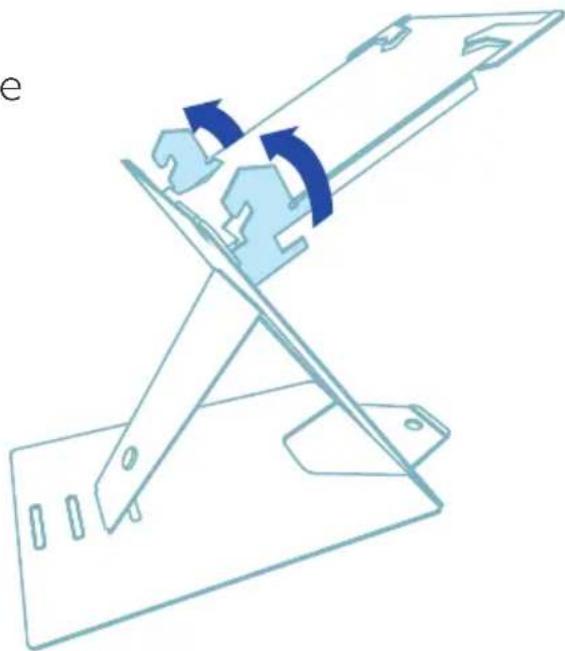
Turn both tablet supports at the same time (use both hands).
Step C
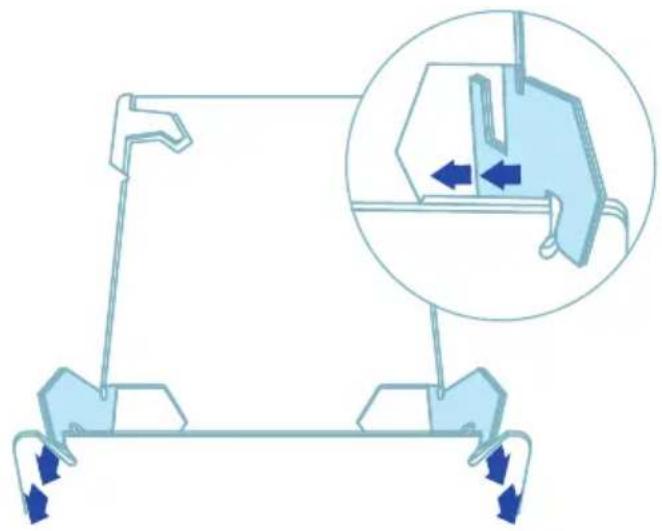
Place the tablet supports in the tablet slots.
Step D
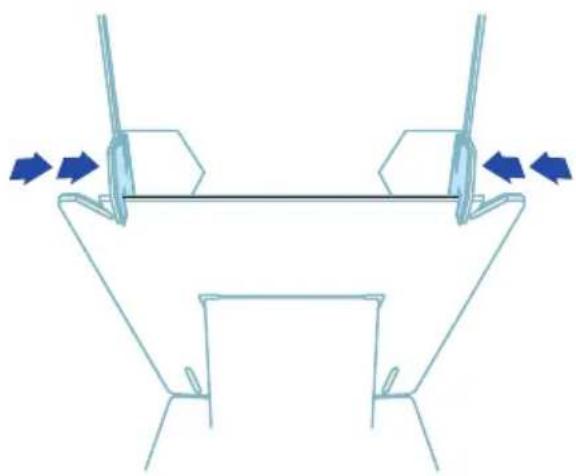
Move the tablet supports so that they are clamped around the middle plate. Your tablet stand is ready for use!
For more information about this product, scan the QR code! https://r-go.tools/riduo_web_en

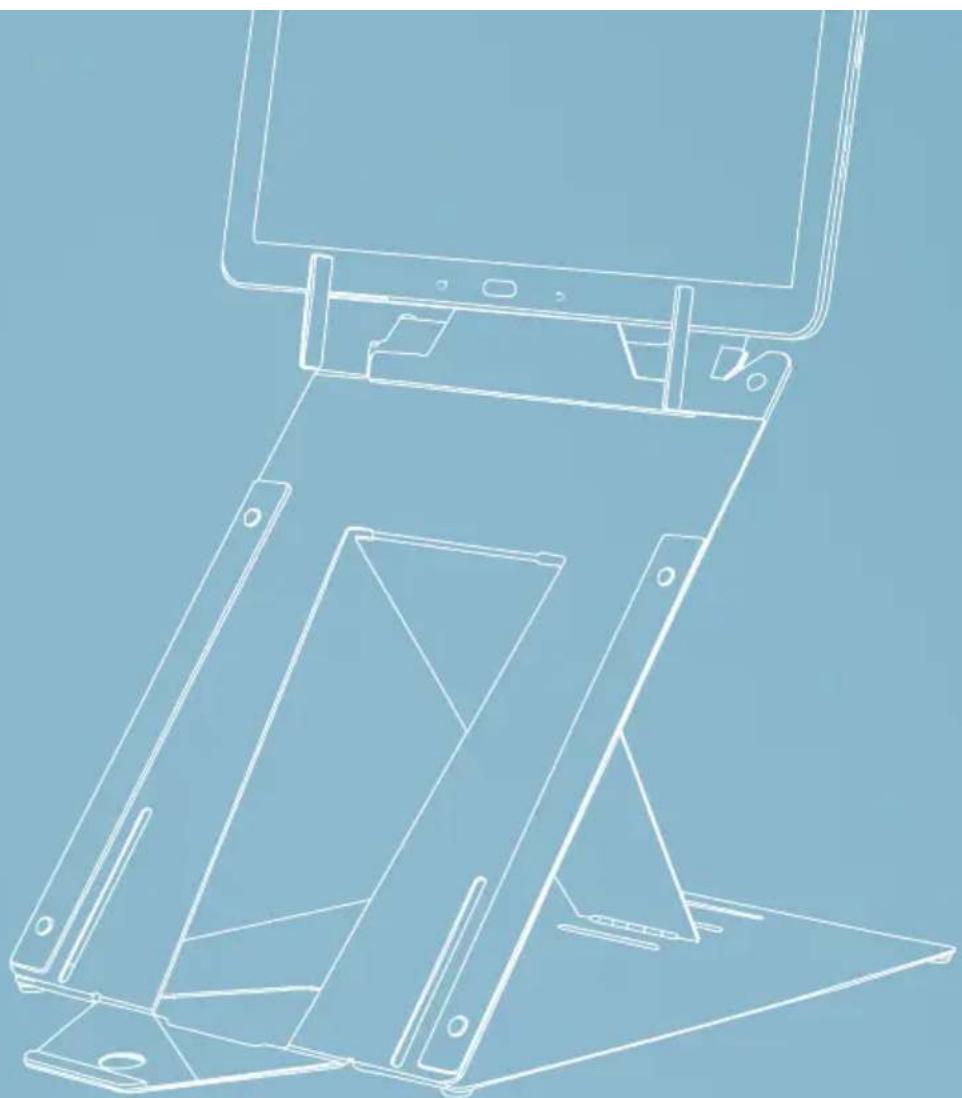



Brand : R-Go Tools
Model : Riser Duo
Category : Laptop cooling system