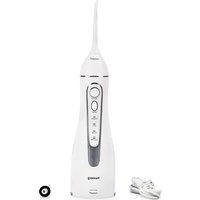
AL-050231 - Interdental brush Huslog - Free user manual and instructions
Find the device manual for free AL-050231 Huslog in PDF.


| Product type | Oral irrigator (dental flosser) |
| Brand | Huslog |
| Model | AL-050231 |
| Lot number | 613103 |
| Power supply | 5 V ⎓ 1 A via USB cable (adapter not included) |
| Built-in battery | Li-ion 3.7 V, 1400 mAh (5.18 Wh) |
| Protection rating | IPX7 (waterproof up to 1 m for 30 min) |
| Operating modes | 4 modes: Normal, Soft, Pulse, Custom/CH (adjustable pressure from 10 to 90 psi) |
| Tank capacity | Not specified |
| Package contents | Oral irrigator, 2 interchangeable nozzles, charging cable, user manual |
| Material | Plastic |
| Cleaning and maintenance | Clean with running water, use mild detergents if necessary. Periodically descale the tank. Do not wash in dishwasher. Do not immerse more than 1 m/30 min. |
| Safety | Use by children over 8 years old under supervision. Do not use if damaged. Do not expose to temperatures below 0°C or above 40°C. Do not modify the device. |
| Spare parts | Interchangeable nozzles (ref. not specified). Battery not user-replaceable. Charging cable not replaceable (device unusable if damaged). |
| Repairability | Repair by specialist or return to place of purchase. Manufacturer: mPTech Sp. z o.o. |
| Warranty | 2 years from date of purchase |
| Manufacturer | mPTech Sp. z o.o., ul. Nowogrodzka 31, 00-511 Warsaw, Poland |
| Website | huslog.eu |
| Customer service | Helpline: (+48 71) 71 77 400, Email: pomoc@mptech.eu |
| Country of design | Poland |
| Country of manufacture | China |
Frequently Asked Questions - AL-050231 Huslog
User questions about AL-050231 Huslog
0 question about this device. Answer the ones you know or ask your own.
Ask a new question about this device
Download the instructions for your Interdental brush in PDF format for free! Find your manual AL-050231 - Huslog and take your electronic device back in hand. On this page are published all the documents necessary for the use of your device. AL-050231 by Huslog.
USER MANUAL AL-050231 Huslog
Equipment Delivery Point:
mPTech Sp. z o.o.
Krakowska 119
50-428 Wrocław
Poland
Designed in Poland
Made In China
Manufacturer:
mPTech Sp. z o.o.
Nowogrodzka 31
00-511 Warsaw
Poland
Helpline: (+48 71) 71 77 400
Email: pomoc@mptech.eu
Website: huslog.eu
TABLE OF CONTENTS
- Safety of use .... 10
- Specification....12
2.1 Technical data.... 12
2.2 Contents 12
-
Structure of the device .... 13
-
Use of the device....13
- Troubleshooting....15
- Cleaning and maintenance of the device....15
- Explanation of symbols ...... 16
- Use of the manual....17
- Warranty and Service 17
- Declaration of conformity with EU directives .... 17
1. Safety of use
Please read the instructions provided here carefully. Failure to follow these instructions may be unsafe or illegal.

This appliance can be used by children aged from 8 years and above and persons with reduced physical and mental capabilities and lack of experience and knowledge of the appliance if supervision or instruction concerning use of the
appliance is provided in a safe manner and the hazards involved are clearly understood.

Children without supervision should not clean or carry on maintenance of the device.
Children should not play with the device.
The device is intended for use only with the charging cable included.
The non-removable power cord cannot be replaced. If the cable is damaged, the equipment becomes unusable.
- Only use this appliance when it is properly assembled.
- Only use the device as described in this user manual!
- Do not use damaged device In case of damage, do not repair it yourself. Return the device for repair to a specialist or deliver it to the place of purchase.
- Do not use the device in areas where the use of electrical equipment is prohibited and where it may cause interference or other hazards.
- Do not switch on or use the appliance near flammable materials.
- Do not misuse the appliance.
- Keep out of reach of children.
- The manufacturer is not responsible for any problems caused by self-modifications of the device.
- When using the device, make sure that there are no objects that can be damaged, broken or overturned near the place where the brush will be placed. The power base cable should be routed so that it does not come into contact with objects that generate high temperature, nor should it be exposed to crushing, pulling or other damage. The charging base cable should not interfere with the movement of persons and pets, as this may lead to tripping, tipping over or injury to the body.
- Avoid exposing the appliance to very low or very high temperatures (below 0° C/ 32° F or above 40° C/ 104° F). Components made of plastic may deform, which may affect the operation of the device or lead to its complete deterioration.
- Do not expose the charging cable to water and other liquids. This may adversely affect the operation and service life of the device components or cause a short circuit or even an electric shock. Do not immerse the
EN © 2023. huslog All rights reserved.
Irrigator
toothbrush in water to a depth of more than 1 m and for more than 30 minutes.
- Avoid exposing the built-in battery to very low or very high temperatures (below 0° C / 32° F or above 45° C / 113° F). Extreme temperatures can affect their life span. Avoid contact of the battery with fluids and metal objects, they may lead to their complete or partial damage. Do not disassemble, modify, short circuit or throw the battery into a fire – this may cause an explosion and fire. Put the used/damaged battery in a special container. The battery in the device is non-replaceable by the user.
2. Specification
2.1 Technical data
| Irrigator | |
| Model | AL-050231 |
| Batch number | 613103 |
| Power supply | 5V == 1A |
| Built-in battery | Li-ion 3.7V == .1400mAh, 5.18 Wh |
| IP protection class | IPX7 |
2.2 Contents
- Irrigator
○ Charging cable
○ Interchangeable nozzles (2 pcs)
○ User Manual

If any of the above items are missing or damaged, please contact your dealer.

We recommend to keep the packaging in case of any complaint.
It is possible to download the electronic version of the user manual from the following Internet address:
https://huslog.eu/
Or by scanning the QR code:
3. Structure of the device
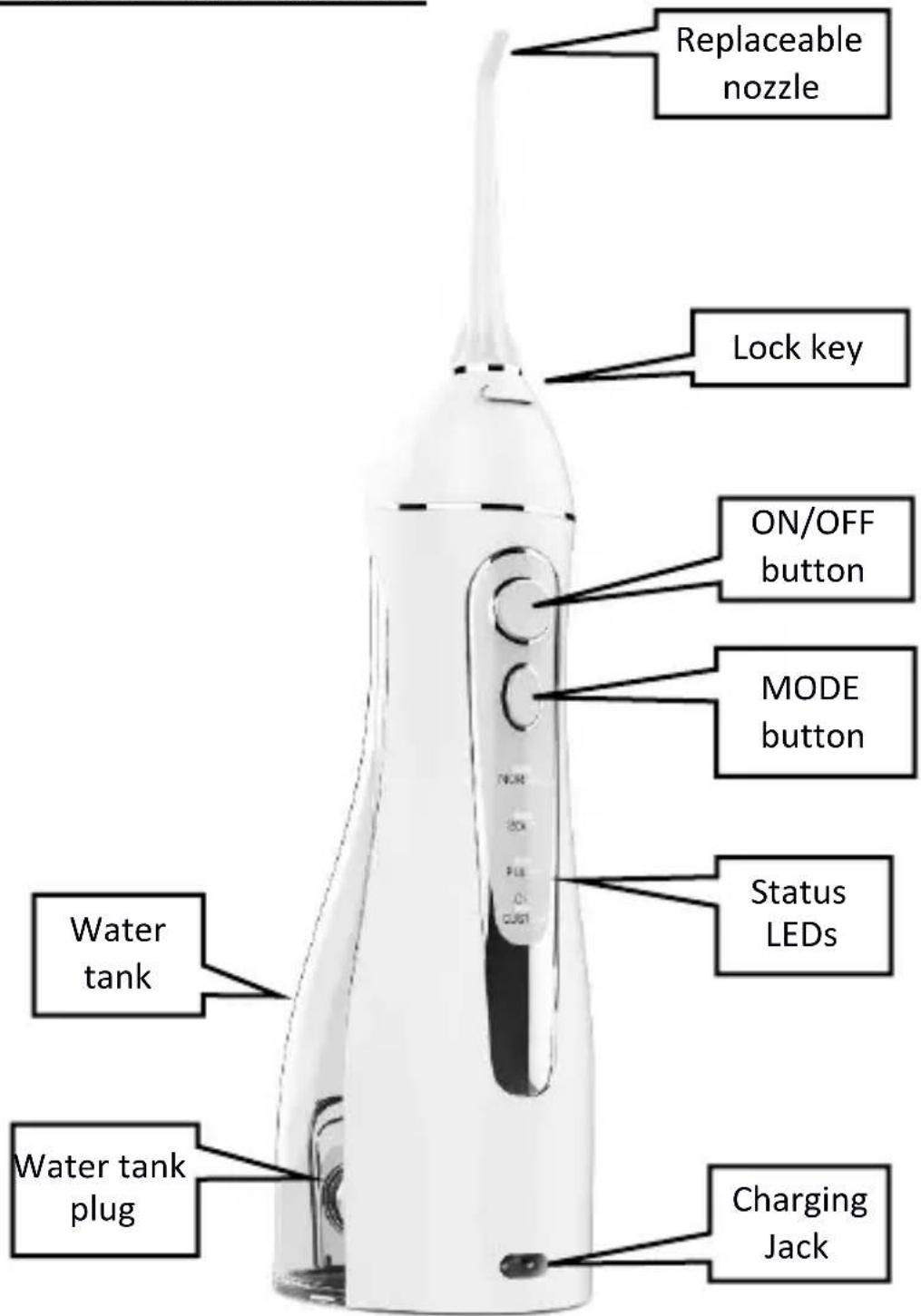
4. Use of the device

Before starting the operation of the device, as well as after its completion, check each of the components for damage. Damaged components cannot be as this may cause personal injury to the user.
ASSEMBLING AND DISASSEMBLING REPLACEABLE NOZZLES
Remove the irrigator and one of the nozzles from the package. Insert the nozzle into the hole at the top of the unit and press gently. The nozzle lock button should click. Ensure that the nozzle is installed correctly and does not disconnect from the irrigator automatically.
To remove the nozzle, press the nozzle lock button and gently pull the nozzle up.
CHARGING THE BATTERY

Before operating the charging base and charging the batteries on the device, make sure that your hands are dry.

Do not charge or store the device below 0° C, or above 40° C, otherwise the battery durability and charging duration may be affected.

The device may get a little hot during charging, this is completely normal phenomenon.

Try not to discharge the battery completely, as this can lead to permanent damage to the battery and the toothbrush holder.

The built-in battery is not suitable for replacement by the user. To replace the battery, contact the manufacturer's service.
Connect the USB plug of the included charging cable to a powered USB adapter (not included) with outputs of 5V = 1A or greater current. Connect the other end of the cable to the charging connector on the front of the irrigator. If the wire does not fit the connector, rotate the plug 180°.
When charging starts, the custom/CH led will start flashing. When the charging is finished, the LED will turn off.
OPERATING MODE
The irrigator offers four modes of operation:
Normal – normal pressure mode
Soft – gentle pressure mode
○ Pulse – pulse mode
Custom/CH – adjustable pressure mode
The device turns on and off with the ON/OFF button. Subsequent presses of the MODE button after switching on the device cause switching between subsequent operating modes. With the currently selected operating mode, the status LED will illuminate.
In Custom/CH mode, holding the MODE button for a long time turns on the ability to adjust the pressure. Adjustment is made in the range of 10-90 psi (pound per square inch) by briefly pressing the MODE button. The selection confirms another long hold of the MODE button.
USING THE IRRIGATOR
Make sure the product is switched off, then open the water tank cap on the back of
the appliance. Position the appliance horizontally with the open water inlet upwards. Fill the tank with water, preferably filtered, and close the water tank cap.

We do not recommend filling the water tank with liquids other than water, especially oral hygiene liquids, baking soda solutions, herbal infusions. This can lead to deposits, impurities and discoloration. In extreme cases, this can lead to damage to the device.
Turn on the irrigator and select the operating mode. Insert the nozzle into your mouth and aim the jet of water at the spaces between your teeth and along the gum line. Open your mouth gently so that the water can flow freely.
After the irrigation is completed, turn off the device with the ON/OFF button. Pull out the water container by pulling it gently down and pour out the remaining water. Leaving water in the device may promote the multiplication of bacteria. After drying the water tank, slide it back into place.
5. Troubleshooting
In case of problems with the device, please refer to the following tips.
| The device does not power on | Check that the battery is charged.The battery life may have come to an end – contact the manufacturer's service. |
| Irrigator water pressure is poor | Check that the nozzle you are using is not damaged or cloggedCheck that the water container is clean. The deposits accumulating inside the device may affect its work. |
| Device does not charge | Check that the charging cable has been properly connected and is not damaged.Check that the power supply to which the charging cable is connected is OK.The battery life may have come to an end – contact the manufacturer's service. |
| If the problem has not been resolved, please contact the manufacturer's service. | |
6. Cleaning and maintenance of the device

Regular and properly carried out cleaning and maintenance will ensure long service life of the equipment and its trouble-free operation.

Cleaning and maintenance can only be carried out when the machine is switched off.

It is not allowed to clean any part of the brush in the dishwasher.

Do not immerse the toothbrush in water to a depth of more than 1 m and for more than 30 minutes.
The components of the device can be cleaned under low-pressure running water in the case of strong dirt, it is possible to use mild detergents, e.g. unconcentrated dishwashing liquids. Then thoroughly dry the surfaces of the device components with a paper or textile towel and leave to dry completely in a ventilated place. The tips should be washed under running water and then allowed to dry.
Periodically clean the water tank from accumulating sediments and scale. For this purpose, use appropriate means to remove scale deposits. These occur in the form of powder or liquid. Follow the instructions for use that come with them. After using the product, rinse the inside of the tank thoroughly and allow it to dry.
7. Explanation of symbols

The packaging of the device can be recycled according to local requirements.
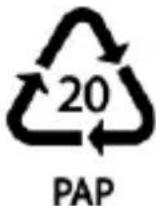
Symbol indicating corrugated board (packaging mat.).

The symbol indicates that the package contains a user manual which must be read before use.
IPX7
Degree of protection IPX7, according to which the device is waterproof to a maximum immersion depth of 1 m for no more than 30 minutes (applies to the lowest part of the device).

The mark placed on the product means that this product complies with the basic requirements and other provisions of the so-called “New Approach” of the European Union.
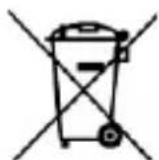
In accordance with Directive 2013/56/EU on the disposal of batteries and accumulators, this product is marked with the symbol of a crossed-out waste bin. The symbol indicates that the batteries and accumulators used in this product should not be disposed of together with normal household waste, but treated in accordance with the directive and local regulations. Do not dispose of batteries and accumulators with unsorted municipal waste. Users of batteries and accumulators must make use of the available take-back network for these items, which allows them to be returned, recycled and disposed of. In the EU, the collection and recycling of batteries and accumulators is subject to separate procedures. To learn more about existing recycling procedures for batteries and accumulators in your area,
contact your city, waste management institution, or landfill.
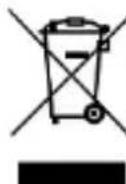
The device is marked with the symbol of a crossed-out garbage container, in accordance with the European Directive 2012/19/EU on waste electrical and electronic equipment (WEEE). Products marked with this symbol should not be disposed of or disposed of with other household waste after their time of use. The user is obliged to dispose of waste electrical and electronic equipment by delivering it to the designated point at which such hazardous waste is recycled. The accumulation of this type of waste in indicated places and the proper process of its recovery contribute to the protection of natural resources. Proper recycling of waste electrical and electronic equipment has a beneficial effect on human health and the environment. For information on where and how to dispose of waste electrical and electronic equipment in an environmentally safe manner, the user should contact the relevant local authority, waste collection point or point of sale where he purchased the equipment.
8. Use of the manual
Without the prior written consent of the manufacturer, no part of this manual may be reproduced, distributed, translated or transmitted in any form or by any electronic or mechanical means, including by photocopying, recording or storing in any storage and information-sharing systems.
The illustrations of the device in this user manual may differ from the actual product.
All brands and product names are trademarks or registered trademarks of the respective companies.
9. Warranty and Service
The product has a 2-year warranty, starting from the date of sale of the product. In the event of a defect, the product should be returned to the store where it was purchased, remembering the need to present proof of purchase. The product should be complete and preferably placed in its original packaging.
10. Declaration of conformity with EU directives

Hereby mPTech Sp. z o.o. declares that this product complies with the basic requirements and other provisions of the Directives of the so-called “New Approach” of the European Union.
BEDIENUNGSANLEITUNG
Munddusche
Chargennummer: 613103


- EQUIPMENT DELIVERY POINT
- MANUFACTURER
- TABLE OF CONTENTS
- SAFETY OF USE
- APPLIANCE IS PROVIDED IN A SAFE MANNER AND THE HAZARDS INVOLVED ARE CLEARLY UNDERSTOOD
- SPECIFICATION
- 2.1 TECHNICAL DATA
- 2.2 CONTENTS
- STRUCTURE OF THE DEVICE
- USE OF THE DEVICE
- ASSEMBLING AND DISASSEMBLING REPLACEABLE NOZZLES
- CHARGING THE BATTERY
- OPERATING MODE
- USING THE IRRIGATOR
- TROUBLESHOOTING
- CLEANING AND MAINTENANCE OF THE DEVICE
- EXPLANATION OF SYMBOLS
- IPX7
- USE OF THE MANUAL
- WARRANTY AND SERVICE
- DECLARATION OF CONFORMITY WITH EU DIRECTIVES
- BEDIENUNGSANLEITUNG
- MUNDDUSCHE
Brand : Huslog
Model : AL-050231
Category : Interdental brush