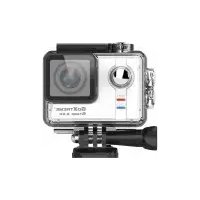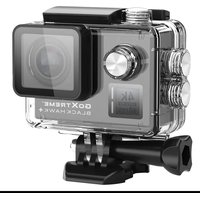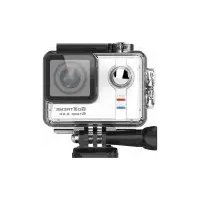
Stage 2.5K - Camcorder GoXtreme - Free user manual and instructions
Find the device manual for free Stage 2.5K GoXtreme in PDF.


User questions about Stage 2.5K GoXtreme
0 question about this device. Answer the ones you know or ask your own.
Ask a new question about this device
Download the instructions for your Camcorder in PDF format for free! Find your manual Stage 2.5K - GoXtreme and take your electronic device back in hand. On this page are published all the documents necessary for the use of your device. Stage 2.5K by GoXtreme.
USER MANUAL Stage 2.5K GoXtreme
text_image
GOXTREME® ACTION CAMS- Always take the appropriate steps to protect your camera from falls, shock or impact.
- Ensure a suitable distance is kept from any objects with strong magnetic interference such as electrical machinery in order to avoid strong radio waves that may be damaging to the product and affect the sound or image quality.
- Never expose the product directly to high temperatures and prolonged strong sunlight.
- We recommend using high quality, class10 or above Micro SD Card for the best results.
- To avoid potential data error, avoid placing your Micro SD card near strong magnetic objects.
- In the unlikely event of overheating, unwanted smoke or unpleasant smell from the device, unplug it immediately from the power outlet to prevent hazardous fire.
- Keep the device out of reach of children while charging.
- The device should be stored in a dry and dust free location at normal room temperature and out of direct sunlight.
-
The product should only be charged via laptop or computer USB port.
-
Recording times are depending on resolution.
-
Battery life time - depending on settings and outdoor temperature - up to 90 min. under optimal conditions.
-
After reaching a max. video recording time of 29 minutes the camera will automatically stop. It can only be restarted manually.
GoXtreme Stage 2.5k
Every performance is a unique experience made to be captured and shared with bandmates, friends, family...the world..!
The GoXtreme 'Stage' is a compact, portable video and still image camera with class leading features including video recording in stunning 2.5k ultra high definition at up to 30 frames per second or Full HD (up to 60fps) and still image resolution up to 16MP.
The 170^ ultra wide viewing angle ensures your complete stage is captured while the built-in dual microphones record your performance in full stereo, just like you hear it.
The built in LCD screen and various accessories included right out of the box allow you to set up the perfect view, giving you unlimited mounting options to capture your best performances from every angle while the built-in WiFi gives you the freedom of complete remote control of your camera.
Once your performance is captured simply use the camera's WiFi function to download your videos to your smartphone or tablet and instantly share your talent.
Features
• Built-in full colour 2.0"/5cm display
- Dual built-in microphones for stereo recording
- Support of external microphones when used with 2.5mm to 3.5mm mic-in adaptor
- Ambarella A7LS75 chipset
• Video recording formats: 2.5K, 1080P, 720P, WVGA
- 170^ ultra wide-angle lens
- Up to 16MP photo resolution
• Built-in WiFi to download, view and share recorded images and photos and control camera remotely
- HDMI output
- Supports Micro SD (not included) up to 64GB maximum (class10 minimum recommended)
Camera
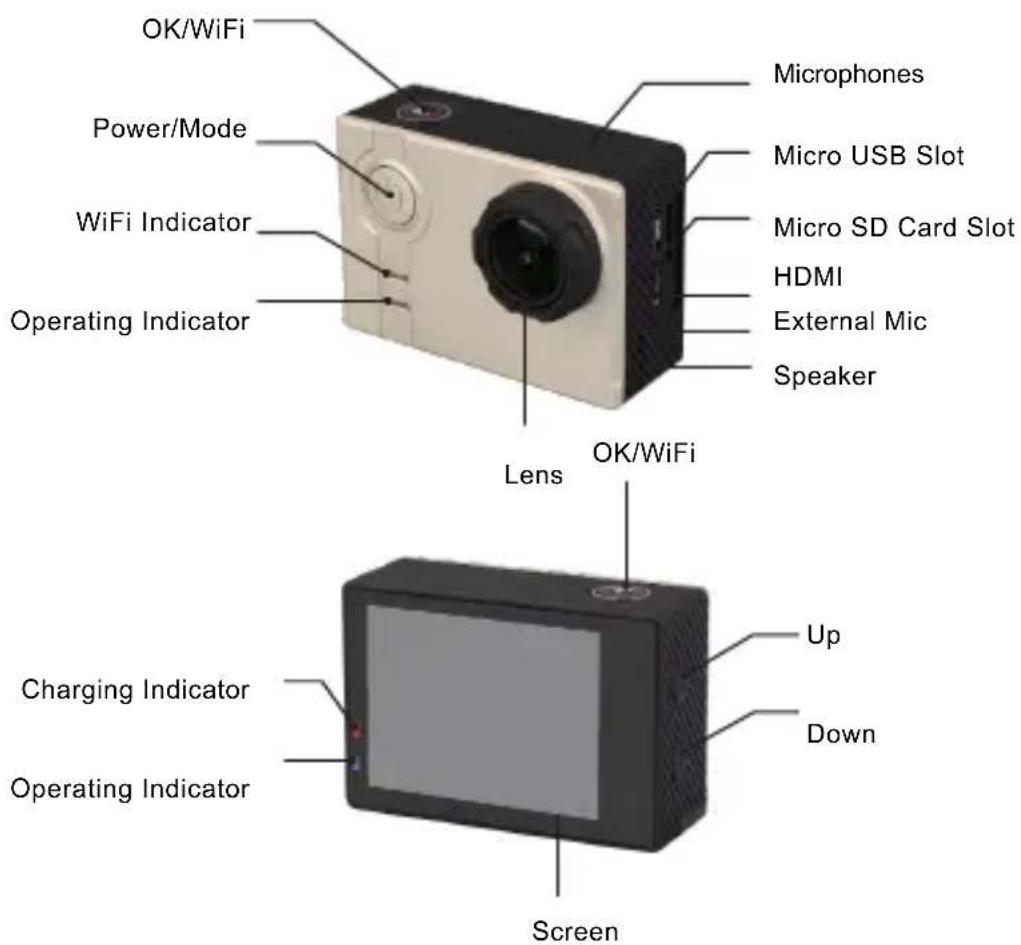
text_image
OK/WiFi Power/Mode WiFi Indicator Operating Indicator Microphones Micro USB Slot Micro SD Card Slot HDMI External Mic Speaker Lens OK/WiFi Charging Indicator Operating Indicator Up Down Screen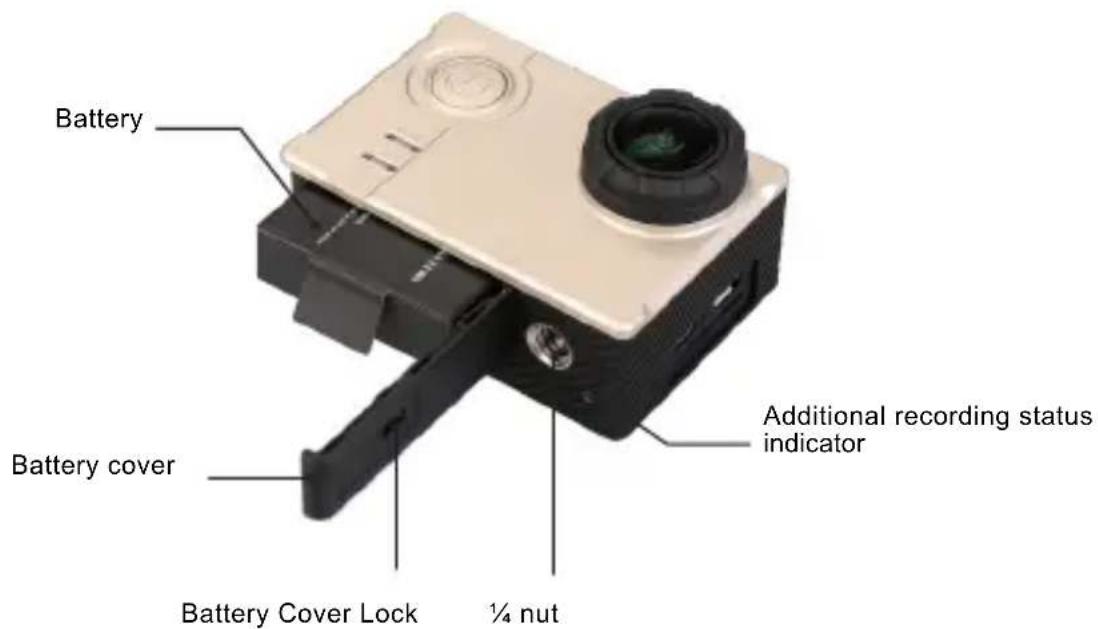
text_image
Battery Battery cover Battery Cover Lock 1/4 nut Additional recording status indicatorOperation
1. Insert a Micro SD Card - up to 64GB maximum (class10 minimum)
If your memory card is new or has been used previously it may need to be formatted before use.
This operation can be performed in the settings menu of the camera or on your computer.
2. Installing and removing battery
- The battery door is locked when the lock catch is in the "LOCK" position. To open the battery compartment, push the lock catch to ↓, and then to ▶
- Please ensure the battery in correctly installed into the battery compartment as indicated by +/- symbols and any indicators marked on the battery.
- Battery power indicator:
Full power mode

Low power mode

- Removing the battery: Open the battery cap and take battery out. Note: Please push the lock catch to the position of "LOCK" to ensure the battery is secure before using the device
3. Battery Charging
- It is recommend that the camera is charged using the USB connection on your laptop or desktop computer.
- The camera can record video while charging.
- The camera will also charge when powered off.
4. Turning your camera on and off
Press and hold the power button for 3-5 seconds to switch the camera on/off.
5. Mode Switching
Switch between video recording, photo shooting, playback, menu by pressing "Power /Mode" button.
6. WiFi
To use the WiFi function for remote control of your camera or to download and view recorded video and images, please install the "GoAction" app to your smart phone or tablet PC.
This app is available in the iOS App Store and Google Play store.
Connection steps:
- After switching the camera on, press the WiFi button for 2 seconds to enable the WiFi function.
(The WiFi icon will be displayed on the top right of the screen.)
After turning on the WiFi function, the camera will reset.
When the WiFi activation is complete (5 secs approx.) the WiFi icon will display as a green colour icon to confirm that the camera is now ready to be paired with your smart device.
- Open the WiFi settings screen on your smart device to search for the camera
Select "GoXtreme Stage" from the available wireless networks and enter the password "1234567890"
- Once your smart device has confirmed the connection open the “GoAction” app where a live view from your camera will be displayed.
7. Video Recording
Quick press the 'Power/Mode' button to select video recording mode.
Video recording mode is confirmed by a video recorder icon ( ) in the upper left corner of the screen.
Press OK to start recording – recording is confirmed by a flashing ‘ icon.
Press "OK" again if you to stop the video recording.
8. Photo Shooting
Quick press the "Power/Mode" to select "Photo shooting mode",
Photo mode is confirmed by a camera icon (☐) in the upper left corner of display screen.
Press "OK" to take photos.
9. Burst Mode
Using the 'Power/Mode' button, select "Photo shooting mode" until the burst photo mode indicator (☐) is displayed in the upper left corner of the display.
Press "OK" to take photos.
10. File Storage & Playback
Using the 'Power/Mode' botton select "Playback Mode" –
For video playback a 📄 icon is displayed in the top left corner of the display.
For video preview mode a is shown on the top left corner of the display.
Select files to view or play using the UP and DOWN arrows,
then play and stop video or view your photos by pressing the 'OK' button.
You can also view and play your files when connected to your camera via the mobile app.
NOTE:
The original specification may vary from time to time without prior notification due to product upgrading and updating.
Please use Micro SD cards up to 64GB, minimum Class10 (not included).
Recording times are dependent on resolution settings.
Battery life time - depending on settings and outdoor temperature - up to 90 min. under optimal conditions.
| Audio | Built in Stereo MicPCM 48KHZ 16bit2.5K (2304x1296) 30fps (16:9)2.5K (2560x1080) 30fps (21:9) |
| Video Resolution | 1080p (1920x1080) 60/30fps (16:9)720p (1280x720) 120/60fps (16:9)480p (848x480) 240/120fps (16:9) |
| Video Quality | Super Fine, Fine, Normal |
| Time Lapse | Off, 1 sec, 2 sec, 5 sec, 10 sec, 30 sec, 60 sec |
| Date Stamp | Off, Date, Time, Dt_Tm |
| Motion Detection | Off, Low, Medium, High |
| Mic Volume | Off, 50%, 60%, 70%, 80%, 90%, 100%16M (4608x3456 4:3)14M (4254x3264 4:3)12M (4000x3000 4:3) |
| Still Image Size | 8M (3264x2448 4:3)5M (2560x1920 4:3)4M (2688x1512 4:3)3M (2048x1536 4:3)2M (1920x1080 16:9) |
| Sensor | 4MP High Light Sensor |
| Chipset | Ambarella A7 |
| Photo Quality | Super Fine, Fine, Normal |
| Self Timer | Off, 3 sec, 5 sec, 10 sec, 30 sec, 60 sec |
| Continuous Shot | Off, every 3 sec, every 5 sec, every 10 sec, every 30 sec, every 60 sec Off, 3p/s, 5p/s, 10p/s, 20p/s |
| Burst Rate | sec Off, 3p/s, 5p/s, 10p/s, 20p/s |
| LCD Display | 2.0" /5cm |
| Focusing | Fixed |
Lens f= 2.5mm, 170° wide angle
Control: Programmed AE
Compensation: ±2EV (0.33 EV steps)
Exposure EV-2.0, EV-1.7, EV-1.3, EV-1.0, EV-0.7, EV-0.3, EV 0.0,
EV +0.3, EV+0.7, EV+1.0, EV+1.3, EV+1.7, EV
+2.0 ISO Auto, 100, 200, 400, 800, 1600
Operation Temperature -10^ 45^
Storage Temperature -20°C \~ 65°C
Relative humidity 90% max.
White Balance Auto / Cloudy / Daylight / Incandescent
Screen Off Off, 30 sec, 1 min, 3 min, 5 min
Auto Shutdown Off, 3 min, 5 min, 10 min
Light Frequency 50HZ/60HZ
External memory Micro SDHC Cards up to 64GB (Class10 minimum)
Battery 1050mAh (exchangable)
Dimensions 61x42x32.5mm
Weight 74g
Minimum Pentium 4 3.2GHz processor
Windows XP (Service Pack 2) or later
Minimum 1GB System RAM
System requirements Minimum 1GB System RAM Minimum 256MB RAM Video Card USB port 1024x768 pixels, 32-bit color display monitor
DECLARATION OF CONFORMITY
Easypix hereby declares that the product GoXtreme Stage is in conformity to all the essential requirements of Directive 1999/5/EC. The declaration of conformity can be downloaded here:
http://www.easypix.info/download/pdf/doc_goxtreme_stage.pdf
For technical help please visit our support area on www.easypix.eu.

Only EU
easypix®
LIFESTYLE ELECTRONICS
Hinweise
Serie Off, 3p/s, 5p/s, 10p/s, 20p/s
Skärm (LCD) cm 2.0" /5
Fokus Fixed
| Lins | f= 2.5mm, lins med bred vinkel 170°Control: Programmed AECompensation: ±2EV (0.33 EV steps) |
| Exponering | EV-2.0, EV-1.7, EV-1.3, EV -1.0, EV-0.7, EV-0.3, EV 0.0,EV +0.3, EV+0.7, EV+1.0, EV+1.3, EV+1.7, EV+2.0ISO Auto, 100, 200, 400, 800, 1600 |
| Temperatur för drift | -10°C ~ 45°C |
| Temperatur för lagring | -20°C ~ 65°C |
| Relativ fuktighet | 90% max. |
| Vitbalans | Auto / Cloudy / Daylight / Incandescent |
| Screensaver | Off, 30Sec, 1Min, 3Min, 5Min |
| Automatisk avstängning | Off, 3Min, 5Min, 10Min |
| Frekvens av optisk källa | 50HZ/60HZ |
| Förvaring | Mikro-SD upp till 64GB klass 10 eller senare |
| Batteri | 1050mAh |
| Mått | 61x42x32.5mm |
| Vikt | 74g |
| Operativsystem | Minimum Pentium 4 3.2GHzWindows XP (Service pack 2) eller senareMinimum 1GB System RAMMinimum 256MB RAM Video CardUSB port1024x768 pixels, 32-bit Color Display |
FÖRSÄKRAN OM ÖVERENSSTÄMMELSE
DECLARATION OF CONFORMITY
Easypix hereby declares that the product GoXtreme Stage is in conformity to all the essential requirements of
Directive 1999/5/EC. The declaration of conformity can be downloaded here:
http://www.easypix.info/download/pdf/doc_goxtreme_stage.pdf
For technical help please visit our support area on www.easypix.eu.

Only EU
easypix®
LIFESTYLE ELECTRONICS