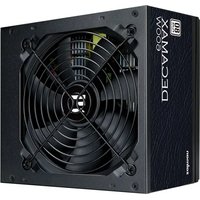
Decamax ZM600-LX3 - PC Power Supply ZALMAN - Free user manual and instructions
Find the device manual for free Decamax ZM600-LX3 ZALMAN in PDF.


| Product type | PC Power Supply |
| Brand | Zalman |
| Model | Decamax ZM600-LX3 |
| Rated power | 600 W |
| Form factor | ATX |
| Dimensions (W x D x H) | 150 x 140 x 86 mm |
| Weight | 2.1 kg |
| Input voltage | 100-240 V AC, 50-60 Hz |
| Input current | 10 A |
| Main outputs | +3.3 V (20 A), +5 V (20 A), +12 V (45 A), -12 V (0.5 A), +5 Vsb (2.5 A) |
| Combined +12V power | 540 W |
| Fan | 120 mm |
| Motherboard connector | 20+4 pins |
| CPU connector | 4+4 pins |
| PCIe connectors | 2 x 6+2 pins |
| SATA connectors | 4 |
| Molex connectors | 3 |
| Protections | OVP, OCP, OPP, SCP, UVP |
| Certifications | CE, RoHS |
| Manual available in | French, English |
Frequently Asked Questions - Decamax ZM600-LX3 ZALMAN
User questions about Decamax ZM600-LX3 ZALMAN
0 question about this device. Answer the ones you know or ask your own.
Ask a new question about this device
Download the instructions for your PC Power Supply in PDF format for free! Find your manual Decamax ZM600-LX3 - ZALMAN and take your electronic device back in hand. On this page are published all the documents necessary for the use of your device. Decamax ZM600-LX3 by ZALMAN.
USER MANUAL Decamax ZM600-LX3 ZALMAN
Warnings and Safety Precautions
Neglecting the following may cause serious injury or death.
- Opening the cover of the product while the power cord is plugged into an outlet may cause electrocution or critical damage to the product.
- Handling the power cord with wet hands may cause electrocution.
- Inserting fingers or metallic objects into the cooling fan may cause injury or electrocution.

Neglecting the following may cause minor injuries, degrade product conditions or cause malfunction.
- Operating the product in an extremely cold or hot environment can degrade product performance and lifespan.
- Exposure to liquids may cause malfunction.
▶ Operation in a humid or non-ventilated environment may reduce product lifespan. - Plugging the main power connector P1 into the motherboard while the product is connected to the AC power source may cause damage to the motherboard.
▶ Make sure that the connectors are connected to their designated locations, and that the connectors are not oriented in the wrong direction when connecting the DC output connectors.
▶ Please use gloves to prevent injuries during installation. - Product designs and specifications may be revised without prior notification to improve quality and performance.
WARNING
This product is designed for computer use only, such as offices, multimedia, the Internet and games. Using this product in any other application will void the warranty. The power supply unit(PSU) is for integration into a computer system and not intended for external or outdoor usage. Please note that Full Modular PSU's warranty is applicable to the power supply unit ONLY and does not include accessories such as, power cable, connector and etc. Non-Modular warranty is applicable to PSU and its power cables. If you have any questions, please ask a specialist for help.
DISCLAIMER
Zalman Tech Co., Ltd. is not responsible for any damages due to external causes, including but not limited to, improper use, problems with electrical power, accident, neglect, alteration, repair, improper installation, or improper testing.
Cable Ties x5Screws x4Power
User's ManualAC Power Cord
2. ZM500-LX3 Specifications
1) Electrical & Physical Specifications
| AC Input Range | Voltage 200-240V~ | Vout | Output Load Rating | Combined Power | ||||||
| Frequency 50Hz-60Hz I | min | Imax | Ipeax | |||||||
| AC Input Current 240VAC 5A | +3.3V 0.1A 18A | 100W | 500W | |||||||
| +5V 0.2A 18A | ||||||||||
| PFC Type Active PFC +12V 0.3A 38A 456W | ||||||||||
| Power Factor Correction Max 99% -12V 0.05A 0.3A 3.6W | ||||||||||
| Inrush Current Limit (@ Cold Start at 25°C) | 240VAC Max 100A | +5VSB 0A 3A 15W | ||||||||
| Ambient Temperature | ||||||||||
| Efficiency | Max 85% @ 230VAC, Typical load | Operation | 0 ~ +40°C | |||||||
| DC Output Voltage Regulation | Vout | Regulation Range | At Full Load | Storage | -20 ~ +70°C | |||||
| +3.3VDC | ±5% | +3.14 ~ +3.47V | Ambient Humidity | |||||||
| +5VDC | ±5% | +4.75 ~ +5.25V | Operation | 5% ~ 85% RH | ||||||
| +12VDC | ±5% | +11.4 ~ +12.6V | Storage | 5% ~ 95% RH | ||||||
| -12VDC | ±10% | -10.8 ~ -13.2V | Dimensions | 140(L) X 150(W) X 86(H) mm | ||||||
| +5VSB | ±5% | +4.75 ~ +5.25V | Weight | 1.35Kg | ||||||
| DC Output Ripple & Noise | Vout | Standard Range | At Full Load | Protection Funtions | ||||||
| +3.3VDC | 50mV | Over-Voltage Protection (OVP) | ||||||||
| +5VDC | 50mV | Over-Power Protection (OPP) | ||||||||
| +12VDC 120mV | Under-Voltage Protection (UVP) | |||||||||
| -12VDC | 120mV | hort-Circuit Protection (SCP) | ||||||||
| +5VSB | 50mV | |||||||||
2) Cable Specifications
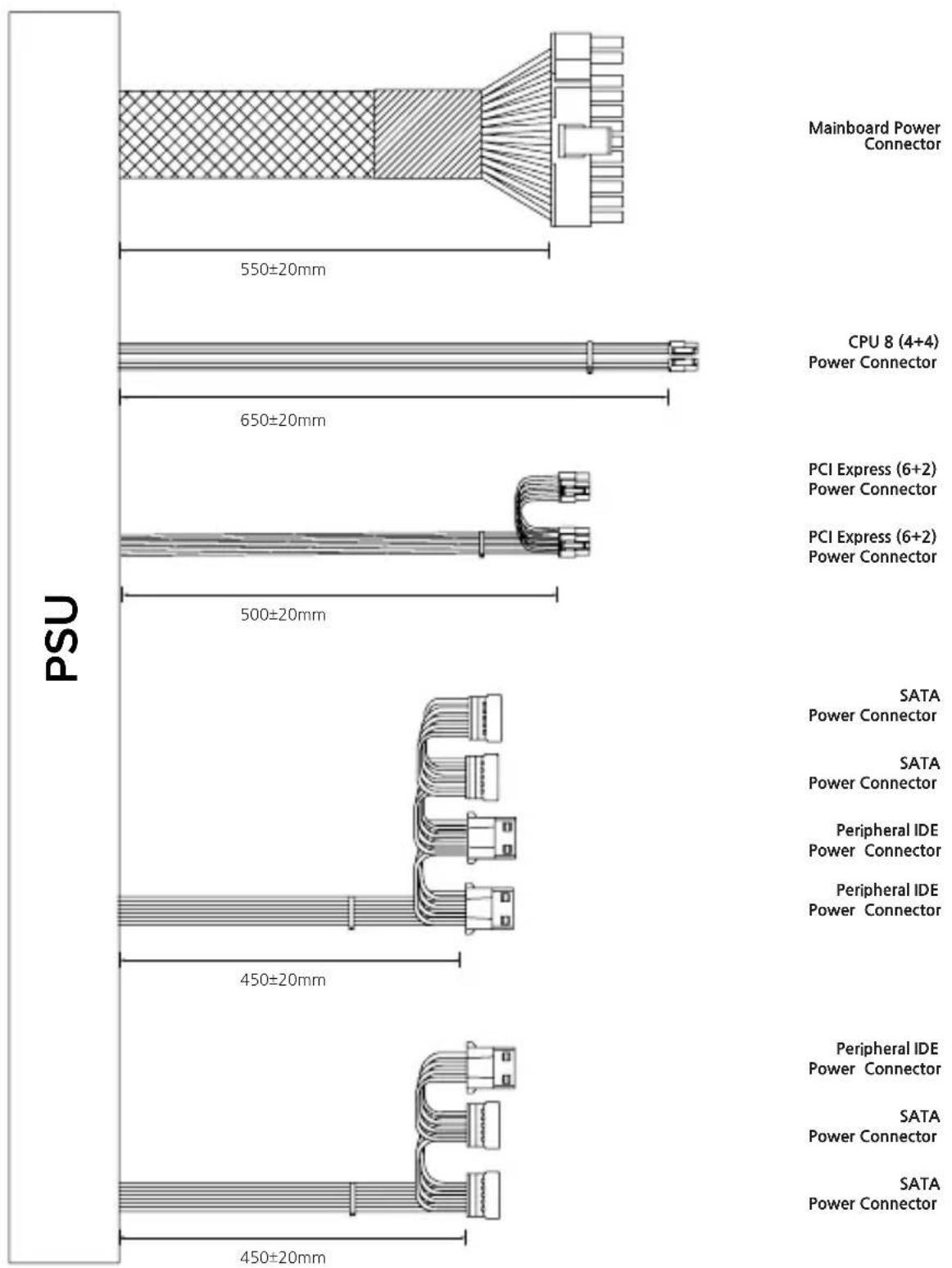
other
| Power Connector Type | Range (mm) | | --- | --- | | Mainboard Power Connector | 550±20 | | CPU 8 (4+4) Power Connector | 650±20 | | PCI Express (6+2) Power Connector | 500±20 | | SATA Power Connector | 450±20 | | Peripheral IDE Power Connector | 450±20 | | SATA Power Connector | 450±20 |2. ZM600-LX3 Specifications
1) Electrical & Physical Specifications
| AC Input Range | Voltage 200-240V~ | Vout | Output Load Rating | Combined Power | |||||
| Frequency 50Hz-60Hz I | min | Imax | Ipeak | ||||||
| AC Input Current 240VAC 5A | +3.3V 0.1A 18A | 100W | 600W | ||||||
| +5V 0.2A 18A | |||||||||
| PFC Type Active PFC +12V 0.3A 46A 552W | |||||||||
| Power Factor Correction Max 99% -12V 0.05A 0.3A 3.6W | |||||||||
| Inrush Current Limit (@ Cold Start at 25°C) | 240VAC Max 100A | +5VSB 0A 3A 15W | |||||||
| Ambient Temperature | |||||||||
| Efficiency | Max 85% @ 230VAC, Typical load | Operation | 0 ~ +40°C | ||||||
| DC Output Voltage Regulation | Vout | Regulation Range | At Full Load | Storage | -20 ~ +70°C | ||||
| +3.3VDC | ±5% | +3.14 ~ +3.47V | Ambient Humidity | ||||||
| +5VDC | ±5% | +4.75 ~ +5.25V | Operation | 5% ~ 85% RH | |||||
| +12VDC | ±5% | +11.4 ~ +12.6V | Storage | 5% ~ 95% RH | |||||
| -12VDC | ±10% | -10.8 ~ -13.2V | Dimensions | 140(L) X 150(W) X 86(H) mm | |||||
| +5VSB | ±5% | +4.75 ~ +5.25V | Weight | 1.5Kg | |||||
| DC Output Ripple & Noise | Vout | Standard Range | At Full Load | Protection Funtions | |||||
| +3.3VDC | 50mV | Over-Voltage Protection (OVP) | |||||||
| +5VDC | 50mV | Over-Power Protection (OPP) | |||||||
| +12VDC 120mV | Under-Voltage Protection (UVP) | ||||||||
| -12VDC | 120mV | Short-Circuit Protection (SCP) | |||||||
| +5VSB | 50mV | ||||||||
2) Cable Specifications
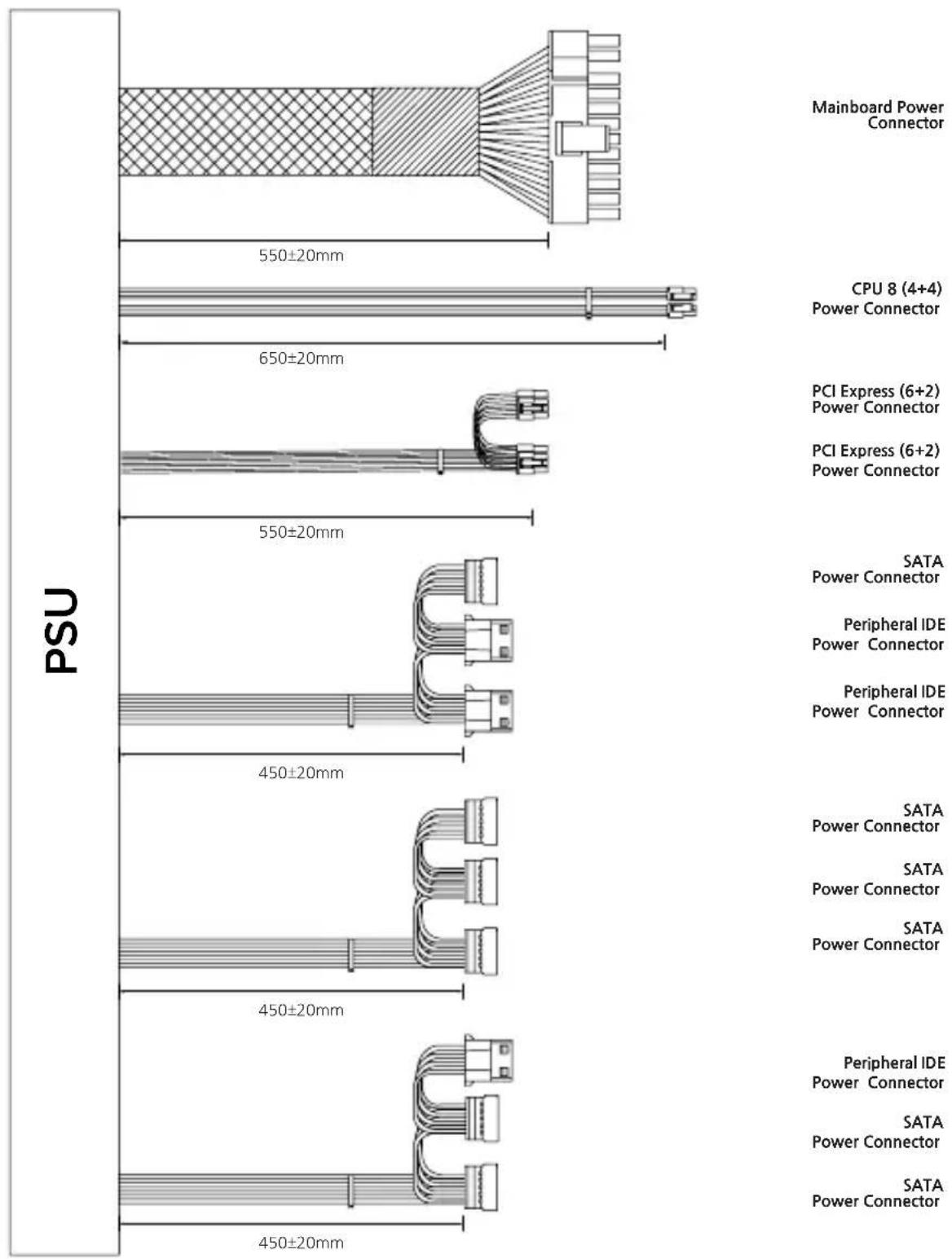
other
| Power Connector | Connection Width (mm) | | --- | --- | | Mainboard Power Connector | 550±20 | | CPU 8 (4+4) Power Connector | 650±20 | | PCI Express (6+2) Power Connector | 550±20 | | SATA Power Connector | 450±20 | | Peripheral IDE Power Connector | 450±20 | | Peripheral IDE Power Connector | 650±20 | | SATA Power Connector | 450±20 | | Peripheral IDE Power Connector | 650±20 | | SATA Power Connector | 450±20 |3. ZM700-LX3 Specifications
1) Electrical & Physical Specifications
| AC Input Range | Voltage 200-240V~ | Vout | Output Load Rating | Combined Power | ||||||
| Frequency 50Hz-60Hz I | min | Imax | Ipeax | |||||||
| AC Input Current 240VAC 5A | +3.3V 0.1A 20A | 120W | 700W | |||||||
| +5V 0.2A 20A | ||||||||||
| PFC Type Active PFC +12V 0.3A 54A 648W | ||||||||||
| Power Factor Correction Max 99% -12V 0.05A 0.3A 3.6W | ||||||||||
| Inrush Current Limit (@ Cold Start at 25°C) | 240VAC Max 100A | +5VSB 0A 3A 15W | ||||||||
| Ambient Temperature | ||||||||||
| Efficiency | Max 85% @ 230VAC, Typical load | Operation | 0 ~ +40°C | |||||||
| DC Output Voltage Regulation | Vout | Regulation Range | At Full Load | Storage | -20 ~ +70°C | |||||
| +3.3VDC | ±5% | +3.14 ~ +3.47V | Ambient Humidity | |||||||
| +5VDC | ±5% | +4.75 ~ +5.25V | Operation | 5% ~ 85% RH | ||||||
| +12VDC | ±5% | +11.4 ~ +12.6V | Storage | 5% ~ 95% RH | ||||||
| -12VDC | ±10% | -10.8 ~ -13.2V | Dimensions | 140(L) X 150(W) X 86(H) mm | ||||||
| +5VSB | ±5% | +4.75 ~ +5.25V | Weight | 1.6Kg | ||||||
| DC Output Ripple & Noise | Vout | Standard Range | At Full Load | Protection Funtions | ||||||
| +3.3VDC | 50mV | Over-Voltage Protection (OVP) | ||||||||
| +5VDC | 50mV | Over-Power Protection (OPP) | ||||||||
| +12VDC 120mV | Under-Voltage Protection (UVP) | |||||||||
| -12VDC | 120mV | Short-Circuit Protection (SCP) | ||||||||
| +5VSB | 50mV | |||||||||
2) Cable Specifications
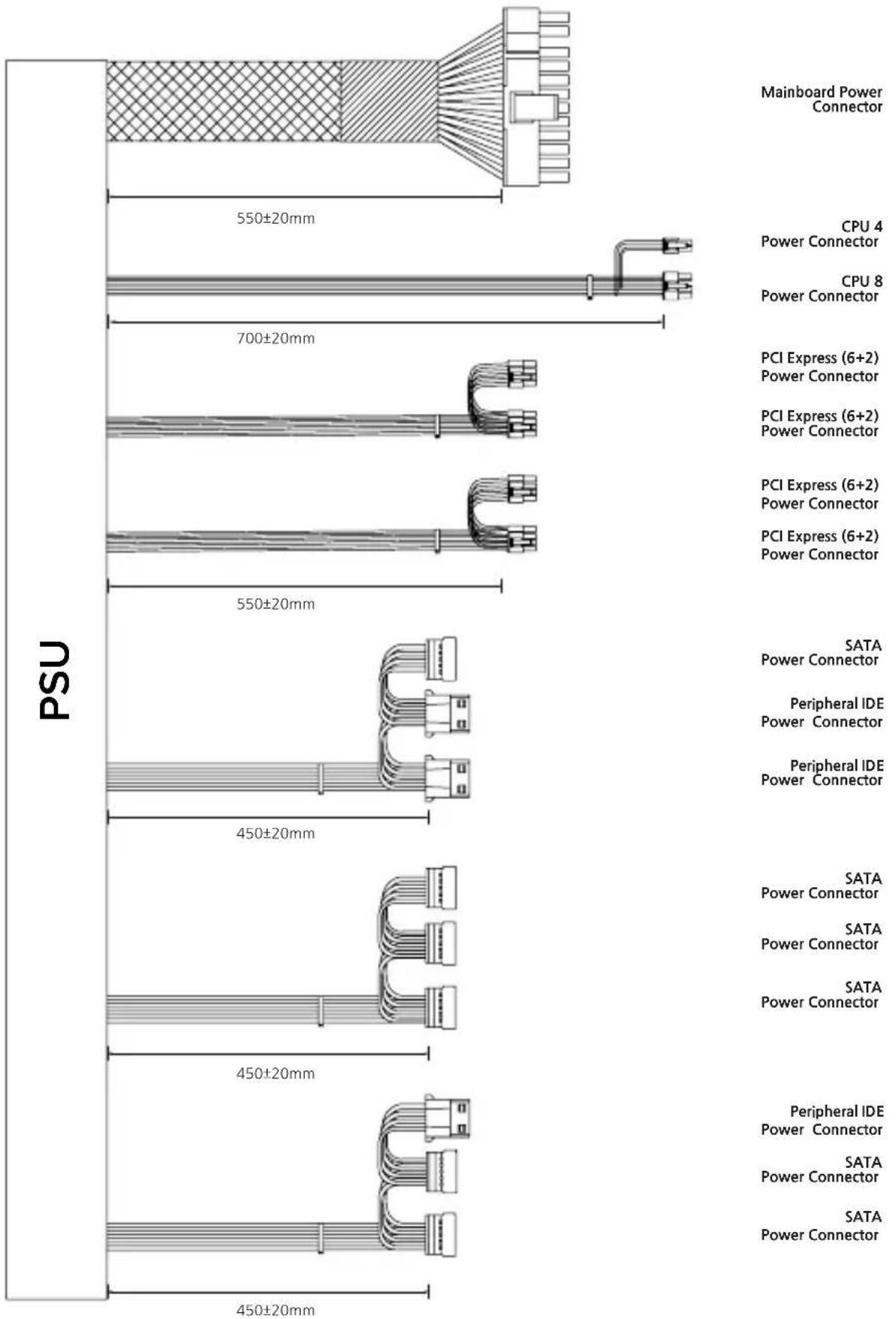
bar
| Power Connector / Connector | PSU Value | | --------------------------- | --------- | | Mainboard Power Connector | 550±20mm | | CPU 4 Power Connector | 700±20mm | | CPU 8 Power Connector | 700±20mm | | PCI Express (6+2) Power Connector | 550±20mm | | PCI Express (6+2) Power Connector | 550±20mm | | SATA Power Connector | 450±20mm | | Peripheral IDE Power Connector | 450±20mm | | Peripheral IDE Power Connector | 450±20mm | | SATA Power Connector | 450±20mm | | Peripheral IDE Power Connector | 450±20mm | | SATA Power Connector | 450±20mm |MEMO
제품 보증서
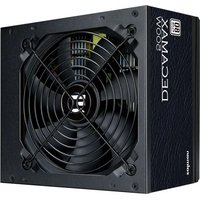
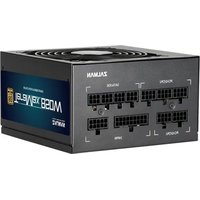
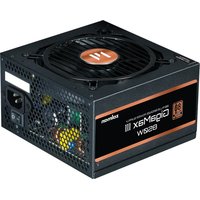
Brand : ZALMAN
Model : Decamax ZM600-LX3
Category : PC Power Supply