SereneLife SLPAC905W - Air Conditioning

SLPAC905W - Air Conditioning SereneLife - Free user manual and instructions

Find the device manual for free SLPAC905W SereneLife in PDF.

📄 287 pages English EN Download 💬 AI Question
Notice SereneLife SLPAC905W - page 1
Pick your language and provide your email: we'll send you a specifically translated version.

User questions about SLPAC905W SereneLife

0 question about this device. Answer the ones you know or ask your own.

Ask a new question about this device

The email remains private: it is only used to notify you if someone responds to your question.

No questions yet. Be the first to ask one.

Download the instructions for your Air Conditioning in PDF format for free! Find your manual SLPAC905W - SereneLife and take your electronic device back in hand. On this page are published all the documents necessary for the use of your device. SLPAC905W by SereneLife.

USER MANUAL SLPAC905W SereneLife

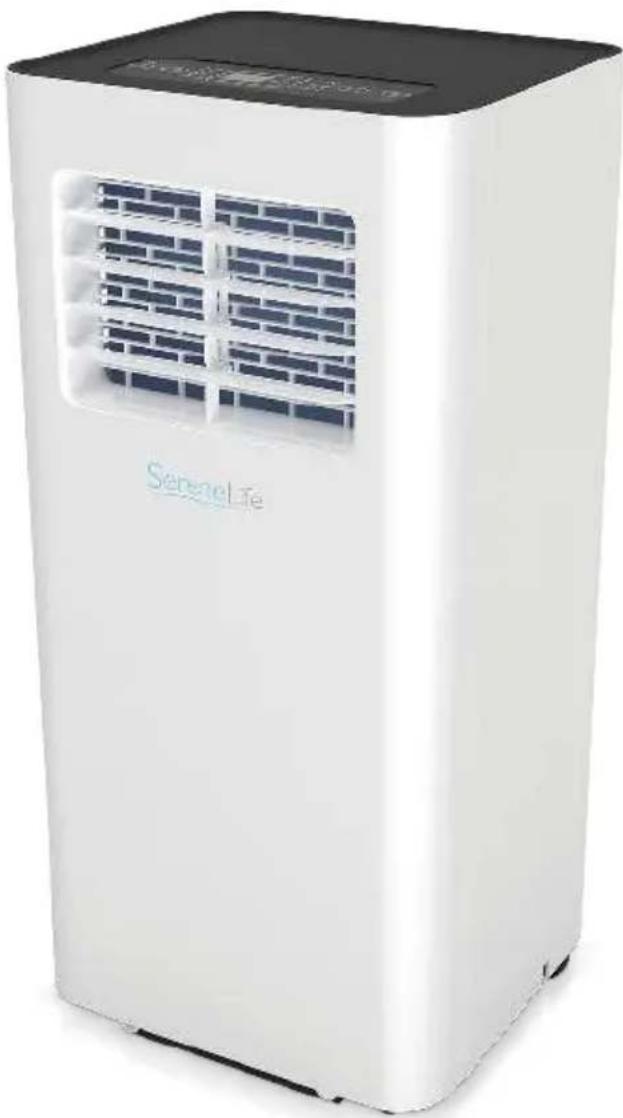
natural_image White Serenel-Life air conditioner unit with blue vented airflow and black top cover (no visible text or symbols on device body)

SLPAC905WEU- SLPAC905WUK

Portable Air Conditioner

Compact Home A/C Cooling Unit with Built-in Dehumidifier& Fan Modes, Includes Window Mount Kit (9,000 BTU)

SLPAC105WEU- SLPAC105WUK

Portable Air Conditioner

Compact Home A/C Cooling Unit with Built-in Dehumidifier& Fan Modes, Includes Window Mount Kit (10,000 BTU)

USER MANUAL

SAFETY INSTRUCTIONS

IMPORTANT!

AIR CONDITIONERS MUST ALWAYS BE STORED AND TRANSPORTED UPRIGHT, OTHERWISE IRREPARABLE DAMAGE MAY BE CAUSED TO THE COMPRESSOR; IF IN DOUBT WE SUGGEST WAITING AT LEAST 24 HOURS FOLLOWING INSTALLTION BEFORE STARTING THE UNI

SereneLife SLPAC905W - IMPORTANT! - 1

natural_image Simple line drawing of an open book with no text or symbols visible
  • Carefully read the instructions before installing and/or operating the unit.
    • This appliance is for indoor use only.
    • This unit must be only connected to a 220-240 V / 50 Hz earthed outlet.
    • Installation must be in accordance with regulations of the country where the unit is used.
  • If you are in any doubt about the suitability of your electrical supply have it checked and, if necessary, modified by a qualified electrician.
  • This air conditioner has been tested and is safe to use. However, as with any electrical appliance - use it with care.
  • Disconnect the power from the appliance before dismantling, assembling or cleaning.
  • Avoid touching any moving parts of the appliance.
  • Never insert fingers, pencils or any other objects though the guard.
  • This appliance is not intended for use by persons (including children) with reduce physical, sensory or mental capabilities. It is also not intended for use by those with a lack of experience and knowledge, unless they have been given supervision or instruction concerning the use of the appliance by a person responsible for their safety.
  • Do not leave children unsupervised with this appliance.
  • Do not clean the unit by spraying it or immersing it in water.
  • Never connect the unit to an electrical outlet using an extension cord. If an outlet is not available, one should be installed by a qualified electrician.
  • Do not operate the unit unless it has been fully installed following the guidance provided within this manual.

  • Never operate this appliance if the cord or plug is damaged. Ensure the power cord is not stretched or exposed to sharp objects/edges.

  • A damaged supply cord should be replaced by the manufacturer or a qualified electrician in order to avoid a hazard.
  • Any service other than regular cleaning or filter replacement should be performed by an authorized service representative. Failure to comply could result in a voided warranty.
  • Do not use the appliance for any purpose other than its intended use.
  • Avoid restarting the air conditioner unless 3 minutes have passed since being turned off. This prevents damage to the compressor.
  • Never use the main plug as a switch to start and turn off the air conditioner. Use the provided ON/OFF button located on the control panel.
  • The appliance should not be installed in laundry or wet rooms.
  • The appliance must be installed in a room without sources of ignition (for example: open flames, an operating gas appliance or an operating electric heater).
  • The unit must be installed on a solid vertical wall by a competent person. The electricity supply must only be connected after installation is complete.
    • R290 refrigerant gas complies with European environmental directives.
    • R290 has a low GWP (Global Warming Potential) of 3.
  • The air conditioner contains about 245g of R290 refrigerant gas.
  • Do not install or store in an unventilated space with an area smaller than 12m^2 per unit. The room must be such as to prevent stagnation of possible leaks of refrigerant gas as there could be a danger of fire or explosion hazard should the refrigerant come into contact with electric heaters, stoves or other sources of ignition.
  • If the appliance is installed, used or stored in an unventilated room, the room must be such as to prevent stagnation of possible leaks or refrigerant gas as there could be a danger of fire or explosion should the refrigerant come into contact with electric heaters, stoves or other sources of ignition.
    • Refrigerant gas may be odourless.
  • Do not use the product and contact he retailer for advice, if damage has occurred to the unit which may have compromised the refrigerant system.

  • Any repairs or maintenance must only be carried out on the unit by a suitably qualified engineer. Before opening and servicing the unit the authorized engineer must be in possession of a copy of the manufacturer's service manual and must follow the safety information contained within it to ensure all hazards are minimized.
    • The refrigerant system should not be perforated or punctured.

NOTE: Some pictures and information may vary from the final product. This is due to continual product improvement.

CONTENTS

User Tips

Precautions 6

Safety Warnings 8

Tips 11

Product Overview

Main Components 12

Control Panel and Remote Control 13

Operation

Place and Install 14

How to Operate 18

Clean and Maintenance

Drainage 19

Body Clean 19

Common Failures and Diagnosis

Intelligent Error Detection 21

Troubleshooting 22

Features and Technical Specs 23

Wifi Operation Instruction 25

Amazon Echo Operation Instruction 35

USER TIPS

SereneLife SLPAC905W - USER TIPS - 1

Please avoid such operations, in case of any safety and health risks.

SereneLife SLPAC905W - USER TIPS - 2

Such instructions are to be followed, for safety and health concerns.

PRECAUTION

SereneLife SLPAC905W - PRECAUTION - 1

text_image Illustration showing a distressed refrigerator with a warning sign and a crossed-out symbol, indicating food safety or disinfection.

For household use only

SereneLife SLPAC905W - PRECAUTION - 2

natural_image Cartoon illustration of a server unit character with arms and legs, pointing at a window (no text or symbols)

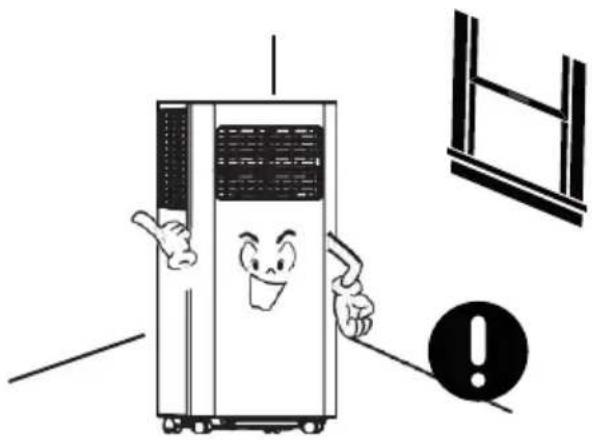
For indoor use only; please place the A/C in a dry environment.
SereneLife SLPAC905W - PRECAUTION - 3

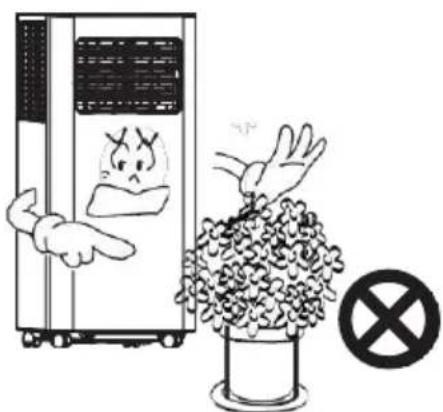
natural_image Cartoon illustration of a server unit with a sad face pointing at a potted plant, no text or symbols present

In case of a blocked air exchange, never stack any items around the machine.
SereneLife SLPAC905W - PRECAUTION - 4

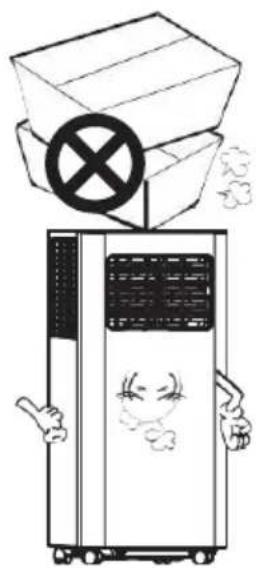
natural_image Cartoon illustration of a refrigerator with a box and a crossed-out box, no text or symbols present

To avoid damages, never place any heavy items on the machine.
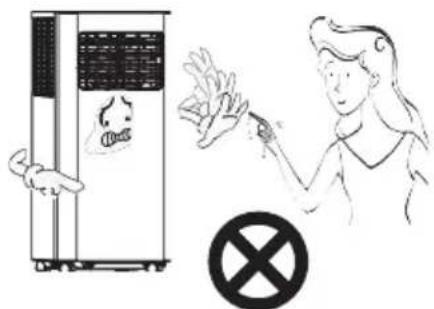
SereneLife SLPAC905W - PRECAUTION - 5

text_image Illustration showing a hand holding a toilet next to a stopper and a person holding a cigarette with a stop sign.

Do not operate the machine with wet hands or in a humid environment.
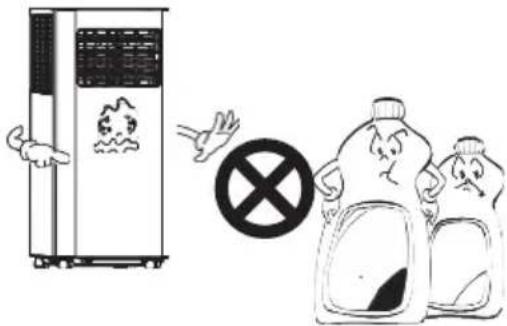
SereneLife SLPAC905W - PRECAUTION - 6

text_image Illustration showing a chemical reactor emitting smoke with a prohibition symbol, and two cartoon characters reacting to environmental pollution.

Please wipe the machine with a soft cloth, instead of wax, diluent or irritant detergent.
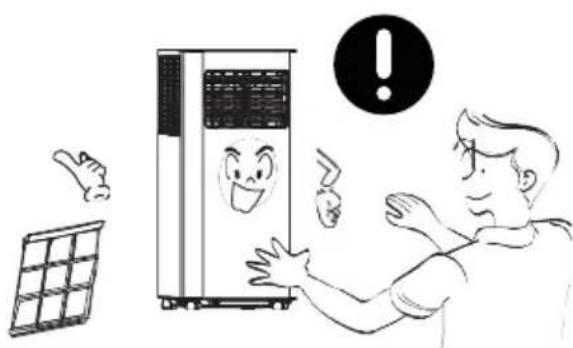
SereneLife SLPAC905W - PRECAUTION - 7

natural_image Illustration of a person reacting to a wall-mounted air conditioner unit with a warning symbol (no text or labels)

Clean the filter once every two weeks
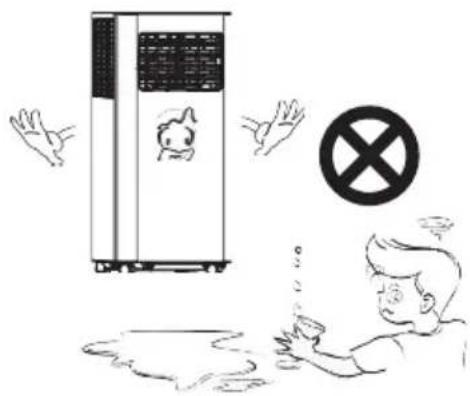
SereneLife SLPAC905W - PRECAUTION - 8

text_image Illustration showing a person reacting to a device with a 'No' symbol, while another hand gestures and holds up the phone.

For your health, never drink condensed water discharged from the machine.
SereneLife SLPAC905W - PRECAUTION - 9

text_image Illustration showing a refrigerator with a hand pointing to its side, accompanied by a warning symbol and a person carrying a backpack.

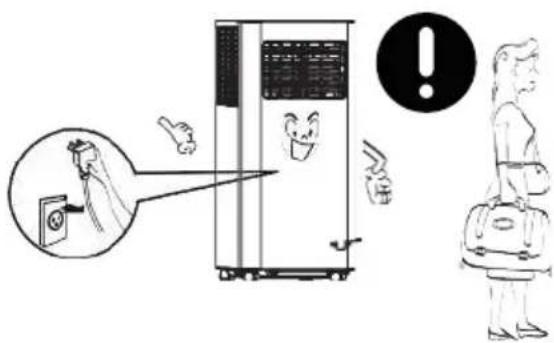
Please unplug the power cord, if the machine will not be used for a long time.
SereneLife SLPAC905W - PRECAUTION - 10

natural_image Illustration of a person using a smartphone to stop a refrigerator with a 'no' symbol (no text or labels)

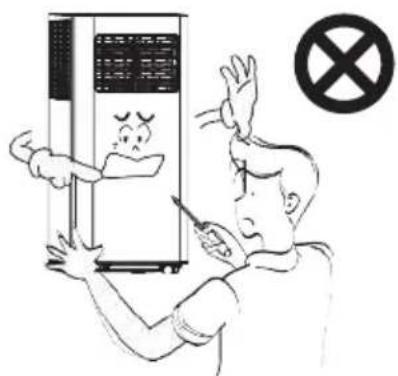
Non-professionals are not allowed to dismantle or repair the machine.

SAFETY WARNINGS
SereneLife SLPAC905W - SAFETY WARNINGS - 1

natural_image Cartoon illustration of a phone emitting an electric plug with a crossed-out symbol (no text or labels)

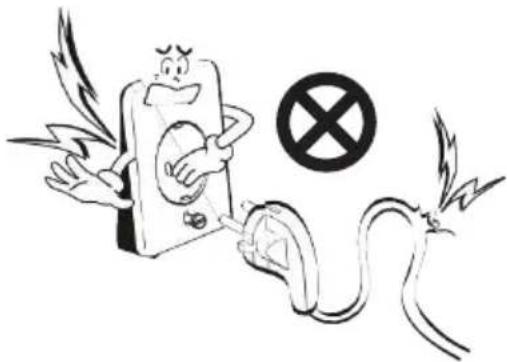
Damaged power cord or plug shall not be used. Never plug to a loose socket.
SereneLife SLPAC905W - SAFETY WARNINGS - 2

text_image Illustration showing two crossed-out circles with '×' symbols above, flanked by hands and a small robot, possibly representing environmental or safety concepts.

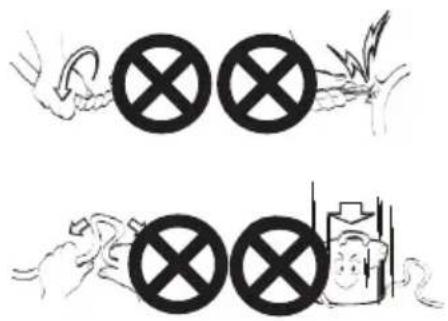
Never damage the power cord, or use unlicensed power cord. Make sure voltage is right.
SereneLife SLPAC905W - SAFETY WARNINGS - 3

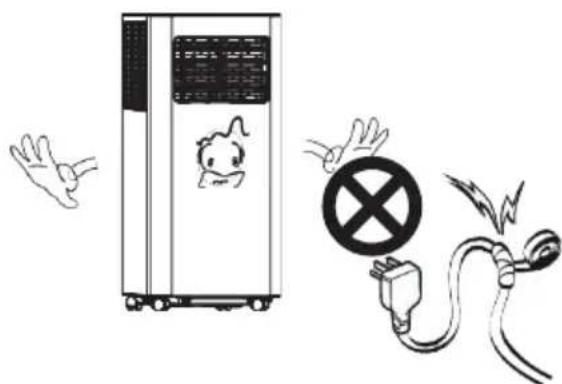
natural_image Illustration of a portable air conditioner unit with a cartoon character, a warning symbol, and an electrical plug (no text or labels)

Do not modify or extend the power cord.
SereneLife SLPAC905W - SAFETY WARNINGS - 4

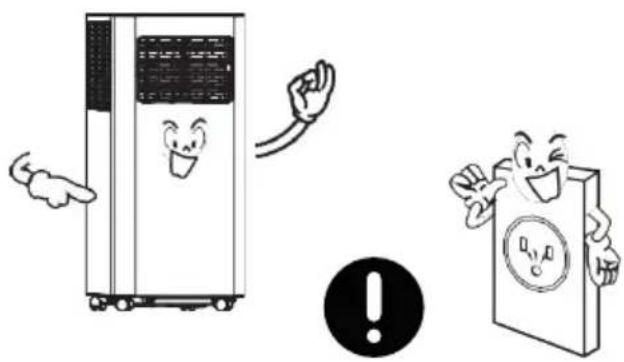
natural_image Illustration of a refrigerator, a warning sign, and a book character (no text or symbols present)

A grounded outlet is suggested for the machine.
SereneLife SLPAC905W - SAFETY WARNINGS - 5

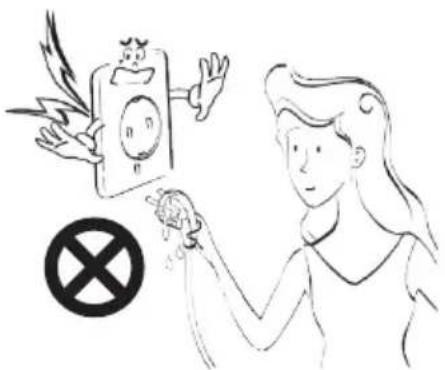
natural_image Illustration of a woman holding a hand with a prohibition symbol (no text or labels)

In case of electric shock, never plug/unplug with wet hands.
SereneLife SLPAC905W - SAFETY WARNINGS - 6

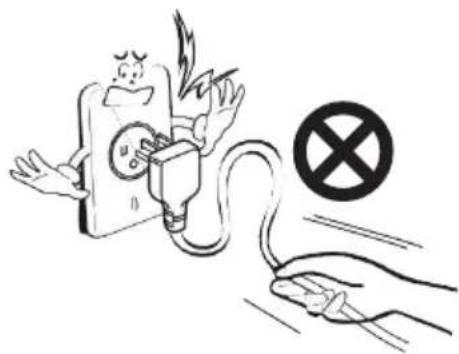
natural_image Illustration of an electric plug plugged into a fuse with a hand holding a switch, no text or symbols present

To unplug, pull the plug end instead of wires.
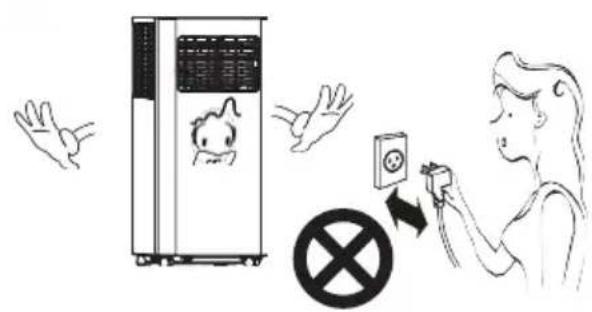
SereneLife SLPAC905W - SAFETY WARNINGS - 7

text_image Illustration showing a baby washing machine with a child, accompanied by a person using a device to stop a prohibition symbol.

Never control on/off status by directly plugging/unplugging.
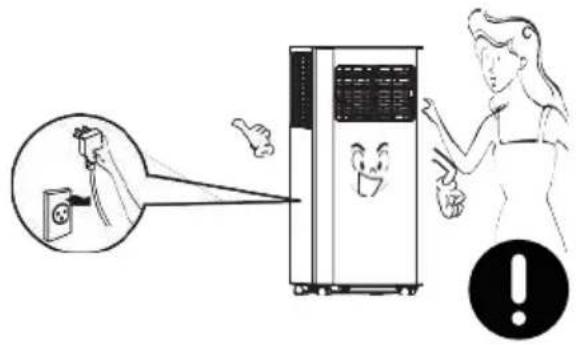
SereneLife SLPAC905W - SAFETY WARNINGS - 8

text_image Illustration showing a person using a facial recognition device to observe a clean air conditioner, with an inset image of a washing machine emitting exhaust.

Please turn off the machine before unplugging.
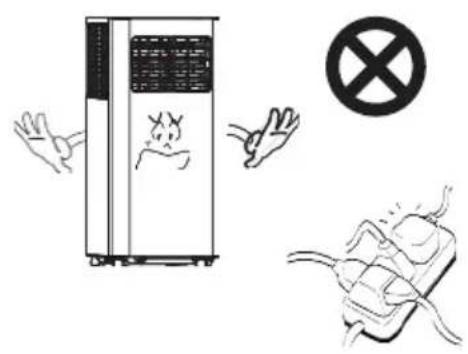
SereneLife SLPAC905W - SAFETY WARNINGS - 9

text_image Safety warning illustration showing a device emitting exhaust smoke, a hand holding a 'no exhaust' symbol, and another hand holding a plug with a fuse.

Never overload the socket.

SereneLife SLPAC905W - SAFETY WARNINGS - 10

text_image Diagram illustrating a fire resistance system with labeled components including a refrigerator, warning symbol, and electrical outlet.

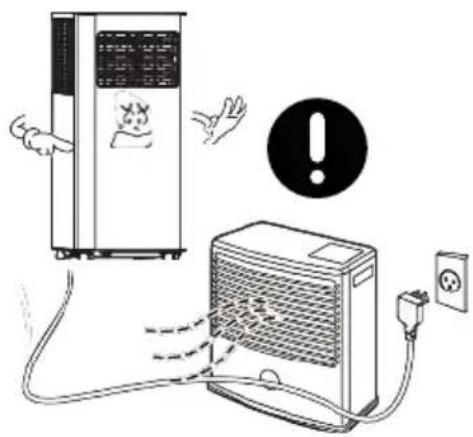
Keep away from heat sources or direct sunlight exposure.
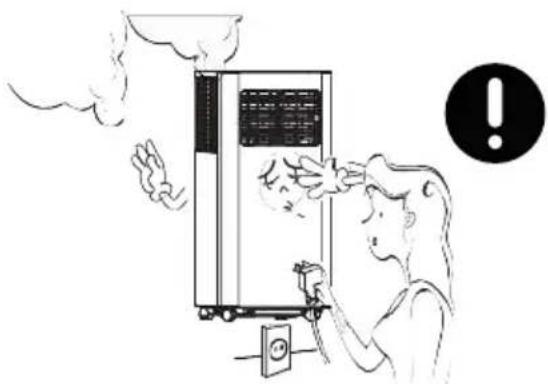
SereneLife SLPAC905W - SAFETY WARNINGS - 11

natural_image Illustration of a person using a fire extinguisher to clean the air from a portable air conditioner unit, with an exclamation mark (no text or symbols on the diagram itself)

If there is any actue noise, smell or smoke, turn off and unplug for diagnosis.
SereneLife SLPAC905W - SAFETY WARNINGS - 12

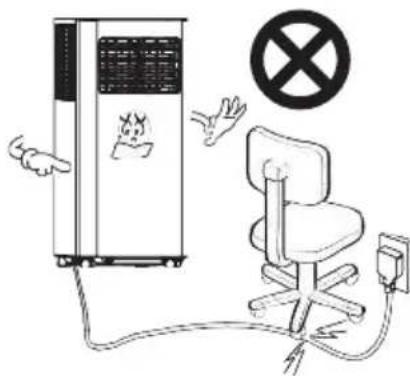
text_image Safety warning illustration showing a device emitting exhaust smoke, a chair with a fuse, and a no-smoking symbol.

In case of electric shock, never damage the power cord by placing heavy objects on it.
SereneLife SLPAC905W - SAFETY WARNINGS - 13

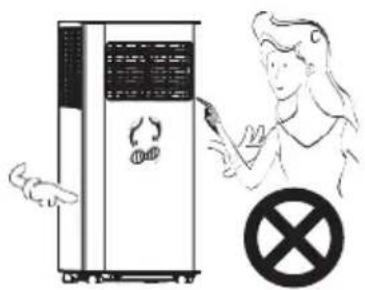
text_image Illustration showing a person pointing at a device with a crossed-out prohibition symbol nearby

Never insert fingers or any hard objects into the louver.
SereneLife SLPAC905W - SAFETY WARNINGS - 14

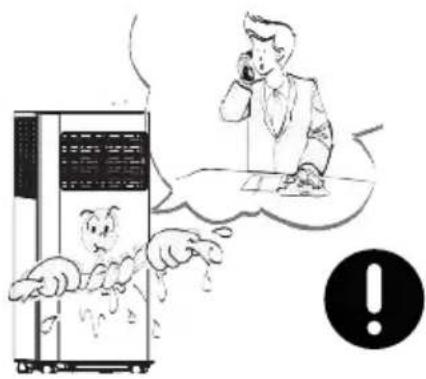
text_image Cartoon illustration showing a person talking on a phone while a character with a monster is behind a server, with an exclamation mark in the corner.

If water enters, turn off and unplug in time; and call for check and repair from a professional.
SereneLife SLPAC905W - SAFETY WARNINGS - 15

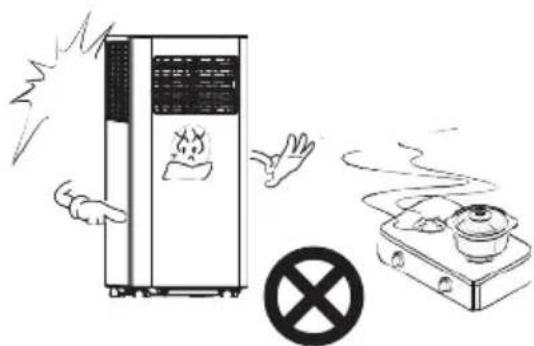
text_image Safety warning illustration showing a fire extinguisher emitting exhaust smoke next to a gas stove with a crossed-out symbol.

If gas leakage happens, open the window for ventilation before plugging the machine.
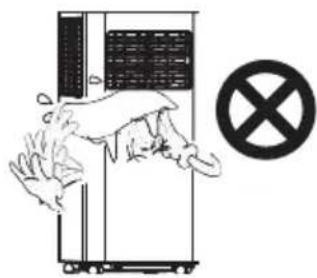
SereneLife SLPAC905W - SAFETY WARNINGS - 16

natural_image Illustration of a hand washing a refrigerator with a crossed-out prohibition symbol (no text or labels)

Keep electrical parts away from water.
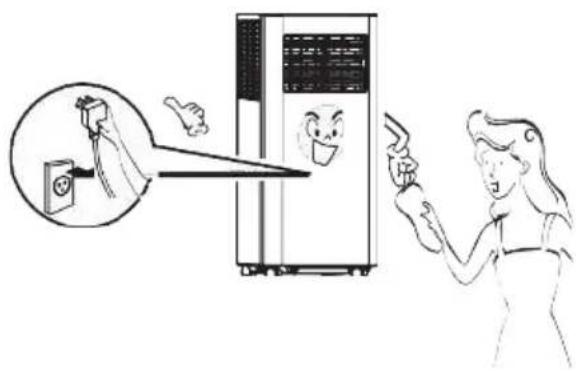
SereneLife SLPAC905W - SAFETY WARNINGS - 17

natural_image Illustration of a person using a device to interact with a server rack, showing hand gestures and a magnified view of the screen (no text or symbols present)

Please turn off and unplug before wiping, cleaning or replacing components.
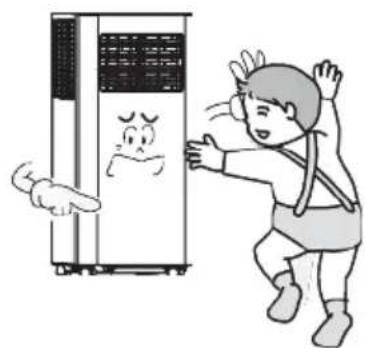
SereneLife SLPAC905W - SAFETY WARNINGS - 18

natural_image Cartoon illustration of a person reacting to a distressed refrigerator with a surprised face (no text or symbols)

The appliance can be used by children of or above 8 years old and persons with reduced physical, sensory or phycological capabilities, if they have been given supervision and instruction concerning proper use and hazards of the appliance.

TIPS
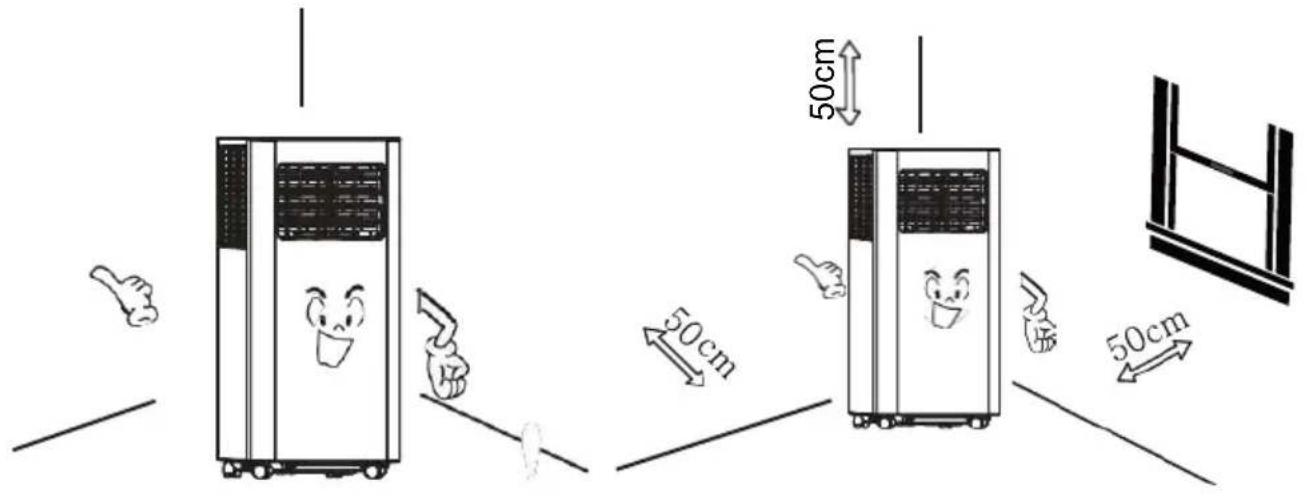
SereneLife SLPAC905W - TIPS - 1

text_image 50cm 50cm 50cm

For a proper work of compressor, place the machine vertically on an even ground.

For a proper ventilation, keep the machine at least 50cm from objects nearby.
SereneLife SLPAC905W - TIPS - 2

natural_image Illustration of a desktop air conditioner unit with a cartoon face, accompanied by hands and two containers (no text or symbols)

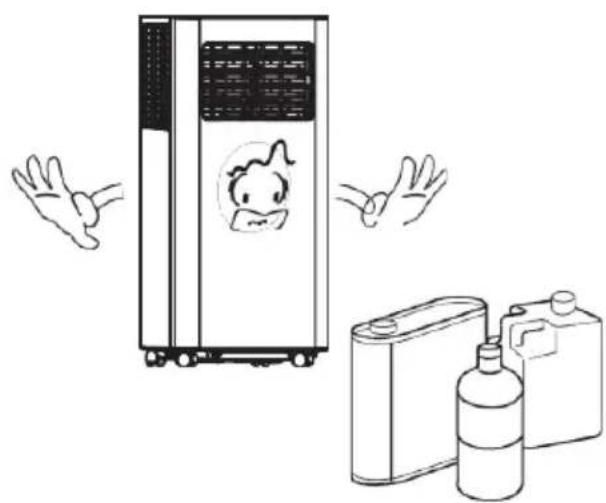
Never use the appliance near gasoline or other flammable objects.
SereneLife SLPAC905W - TIPS - 3

natural_image Illustration of a person spraying disinfectant from a server unit (no text or symbols present)

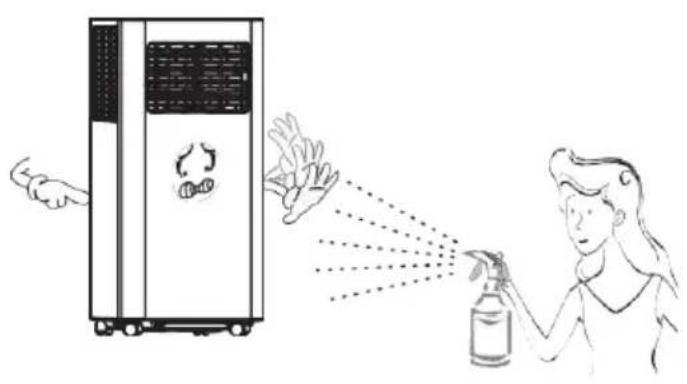
Keep the appliance from spraying

deform and electrical parts may even be damaged.

PRODUCT OVERVIEW

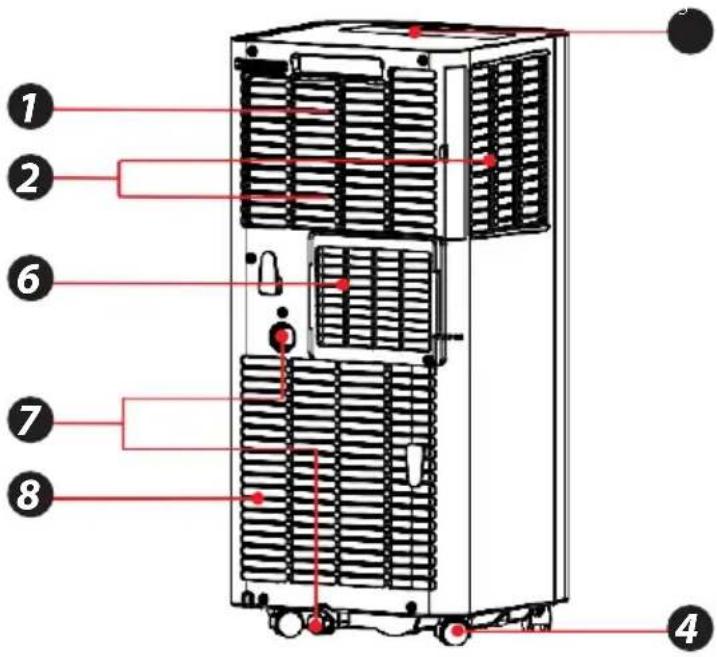
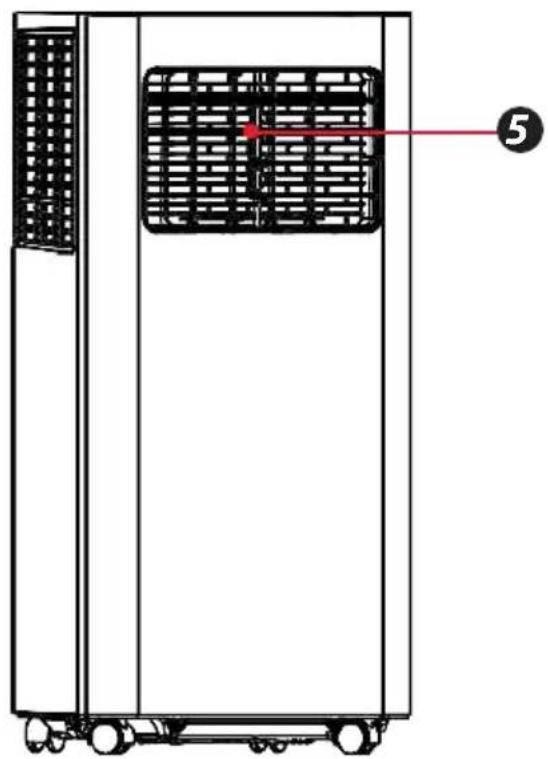
Main Components

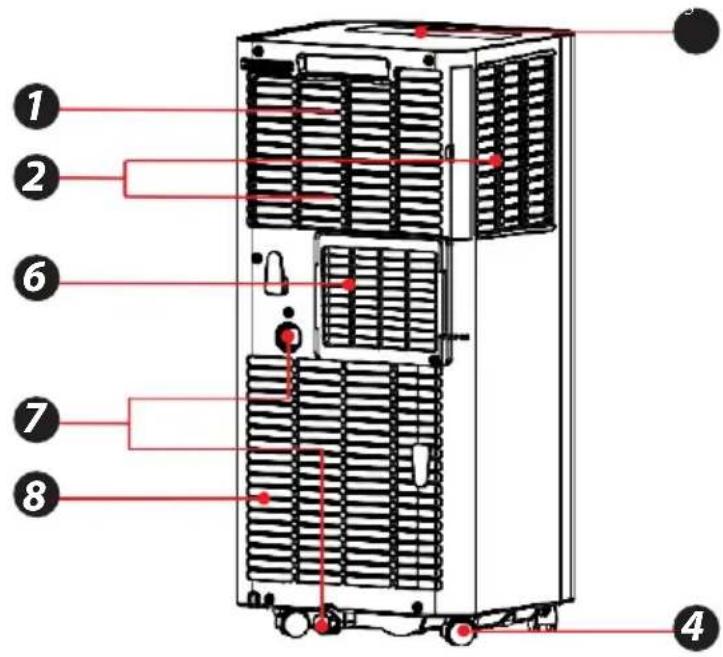
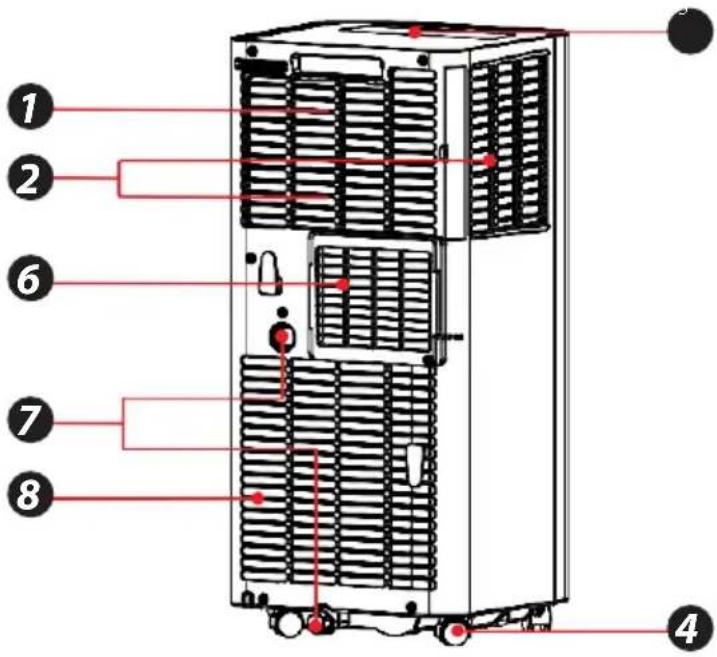
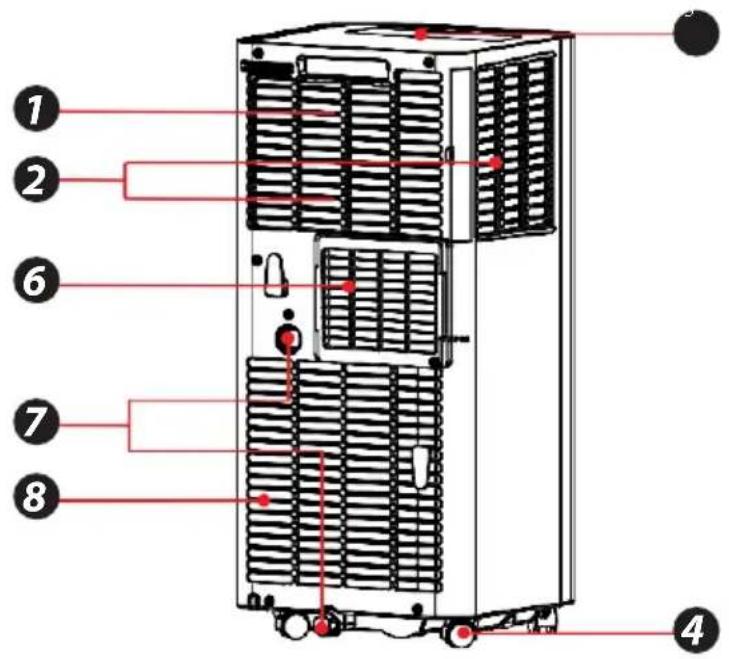
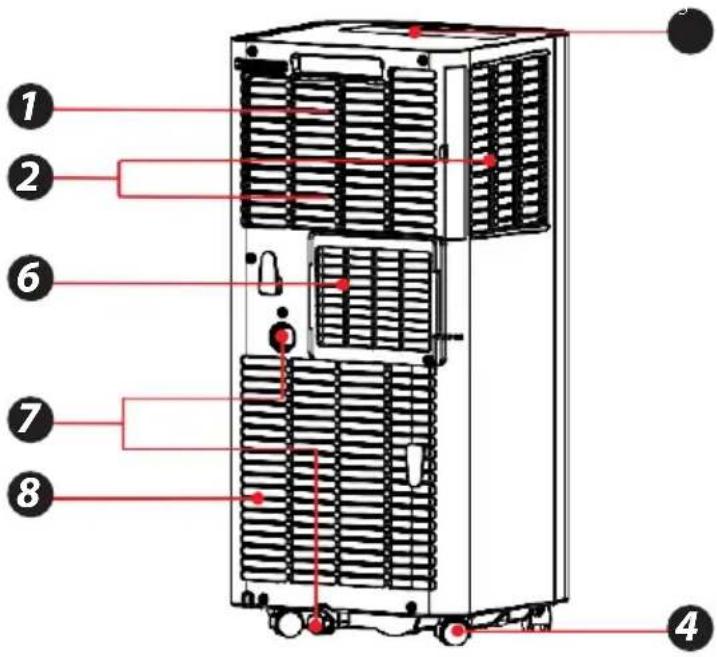
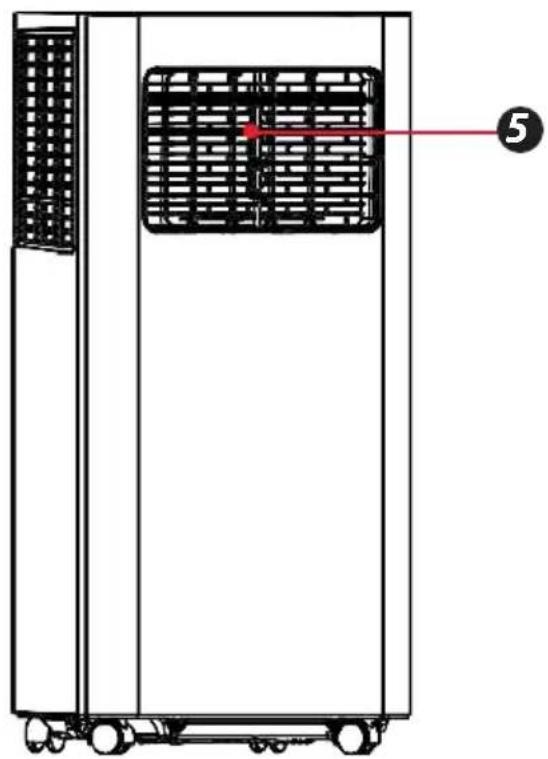
  1. Handle
  2. Air Inlet Grille (Up)
  3. Control Panel
  4. Casters
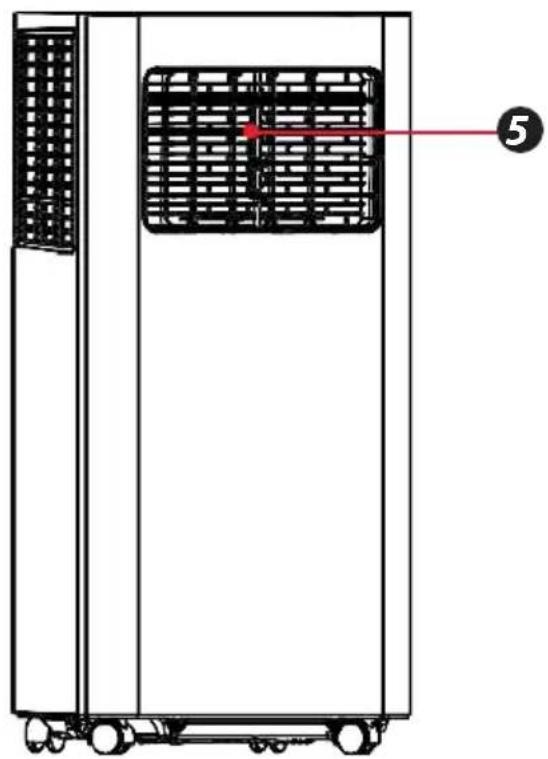
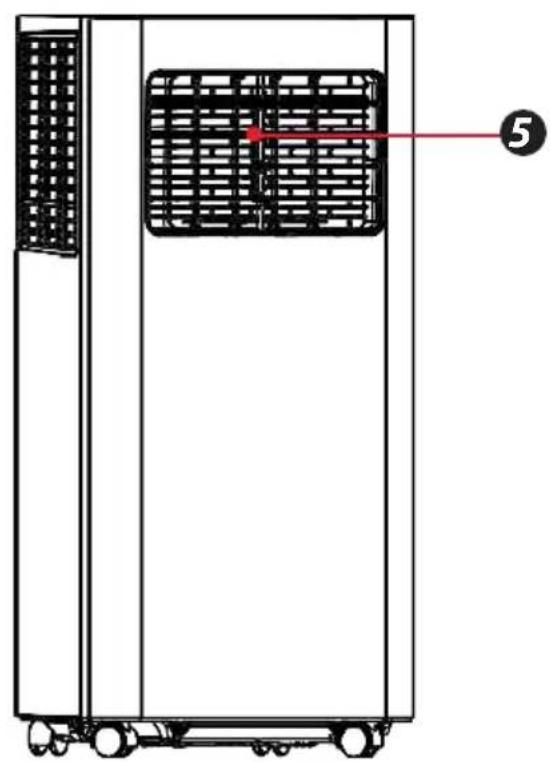
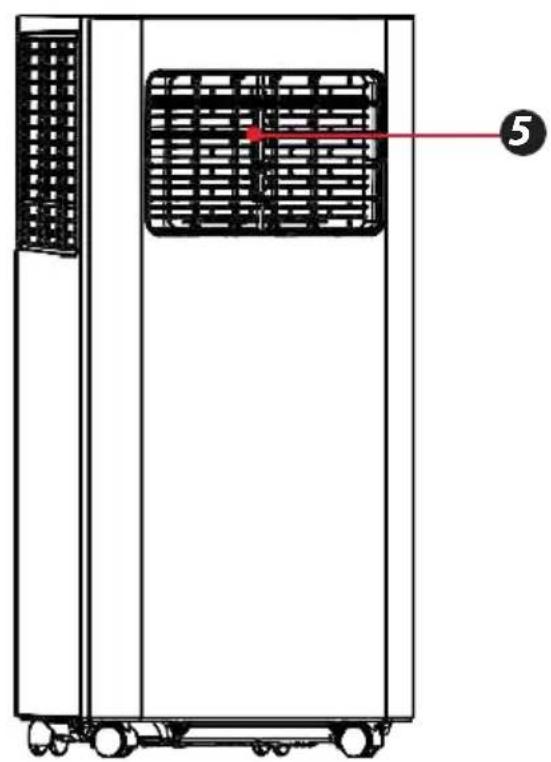
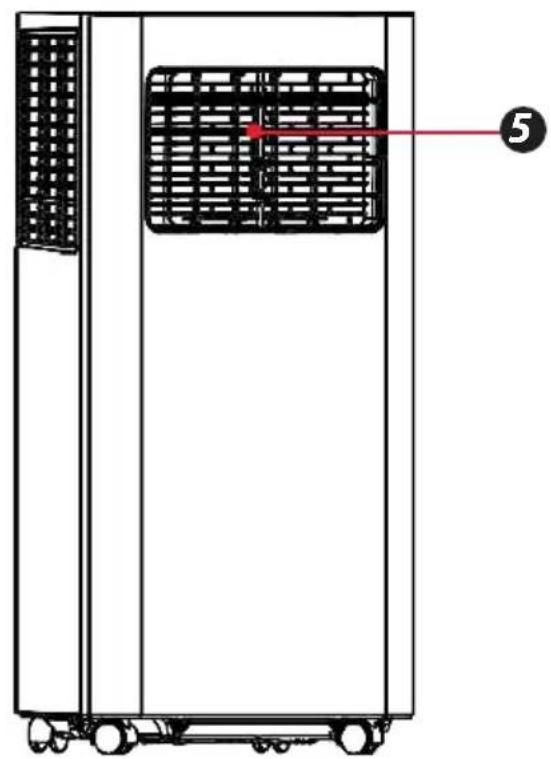
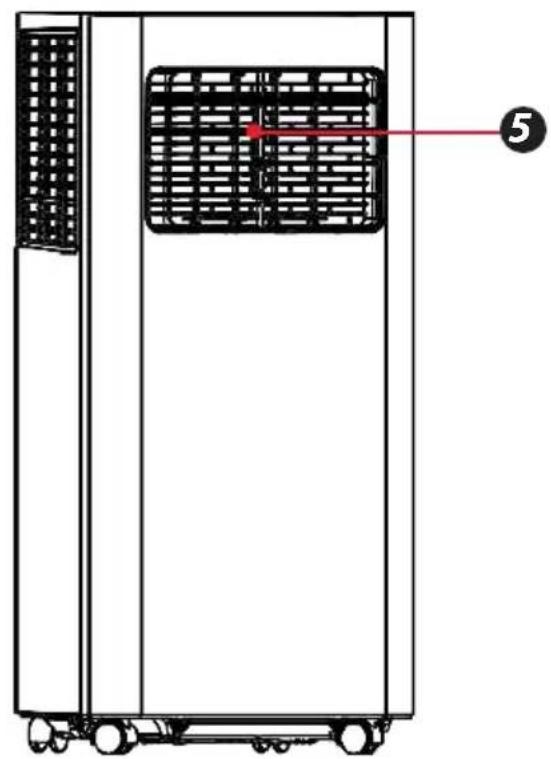
  5. Louver
  6. Air Outlet Grille
  7. Drainage Hole
  8. Air Inlet Grille (Down)
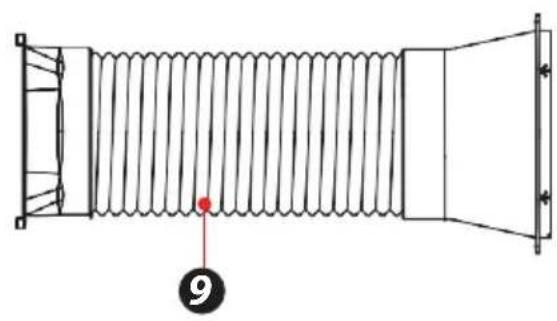
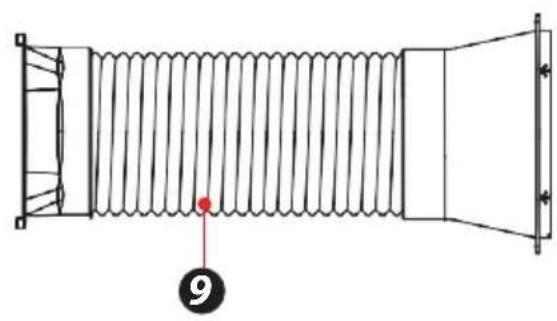
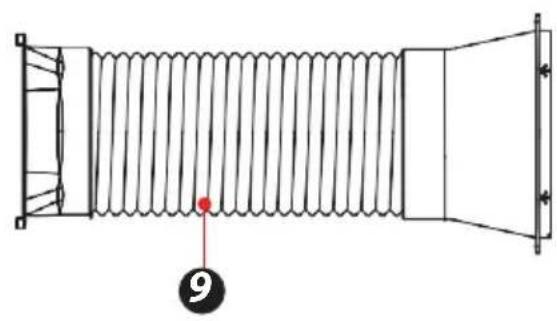
  9. Window Sealing Kit

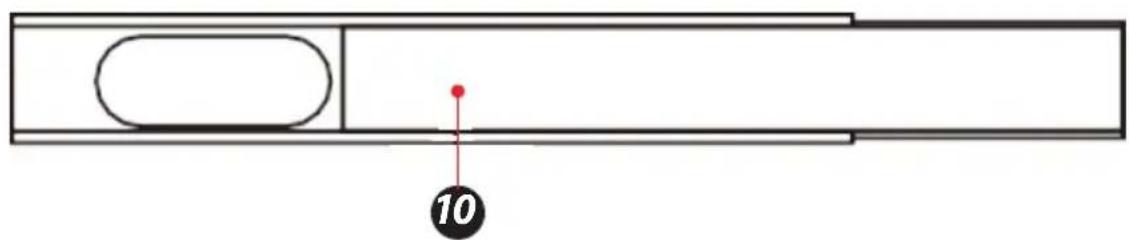
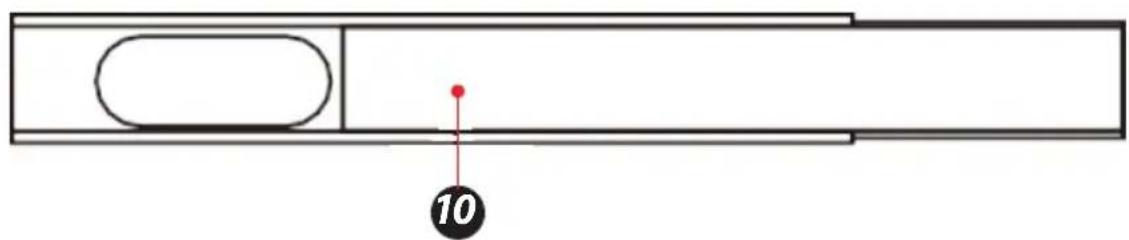
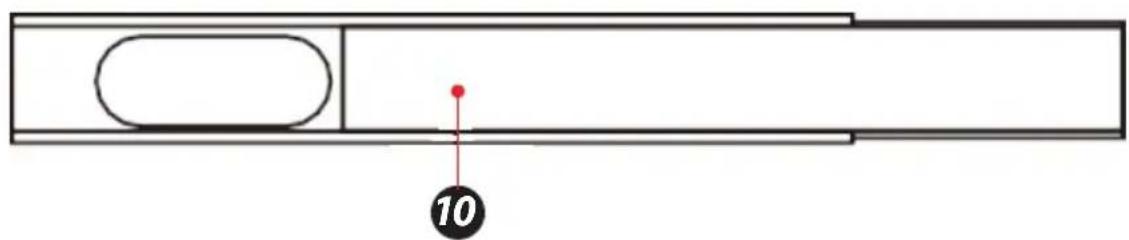
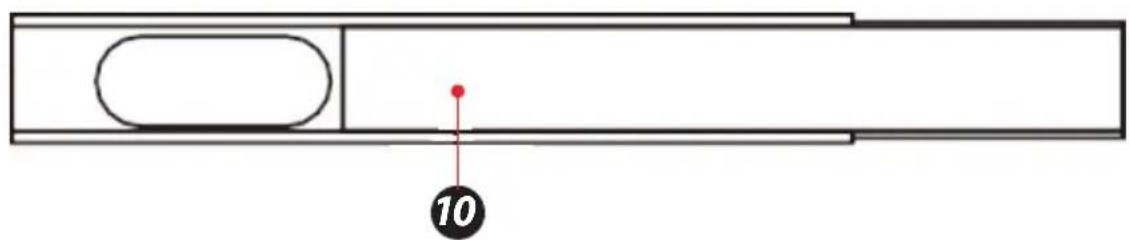
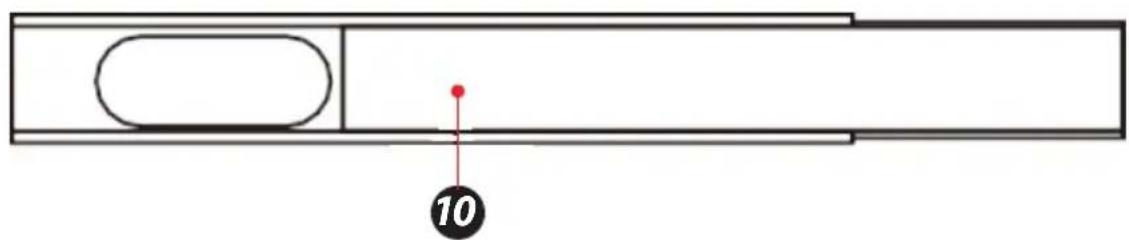
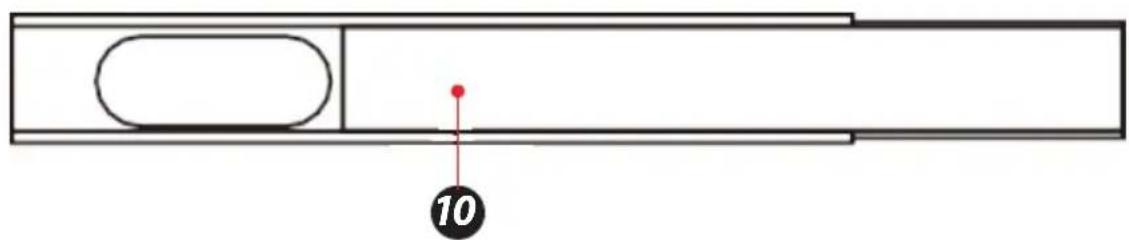
  10. Air Exhaust Duct Assembly

SereneLife SLPAC905W - Main Components - 1

text_image Diagram of an air conditioning unit with numbered components and labeled parts

SereneLife SLPAC905W - Main Components - 2

natural_image Technical line drawing of a coiled spring component with no text or symbols
SereneLife SLPAC905W - Main Components - 3

natural_image Technical line drawing of a vertical industrial machine with internal grid structure and labeled component (no text or symbols beyond label)
SereneLife SLPAC905W - Main Components - 4

text_image 10

CONTROL PANEL AND REMOTE CONTROL

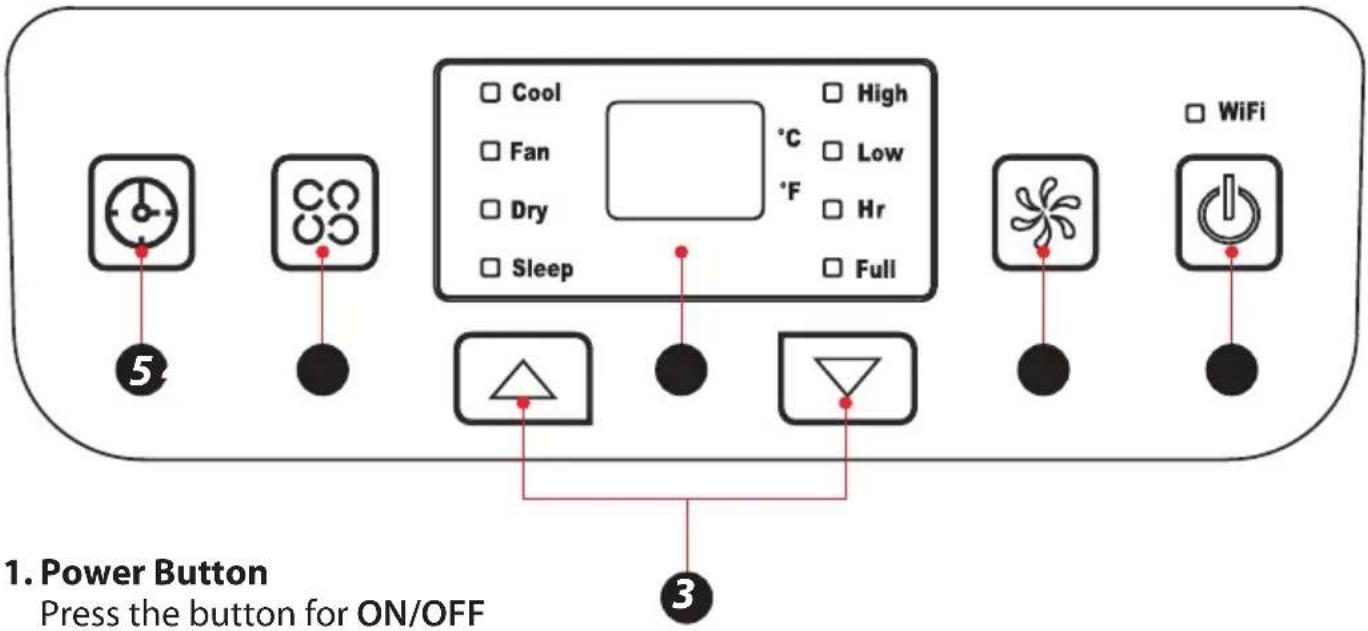
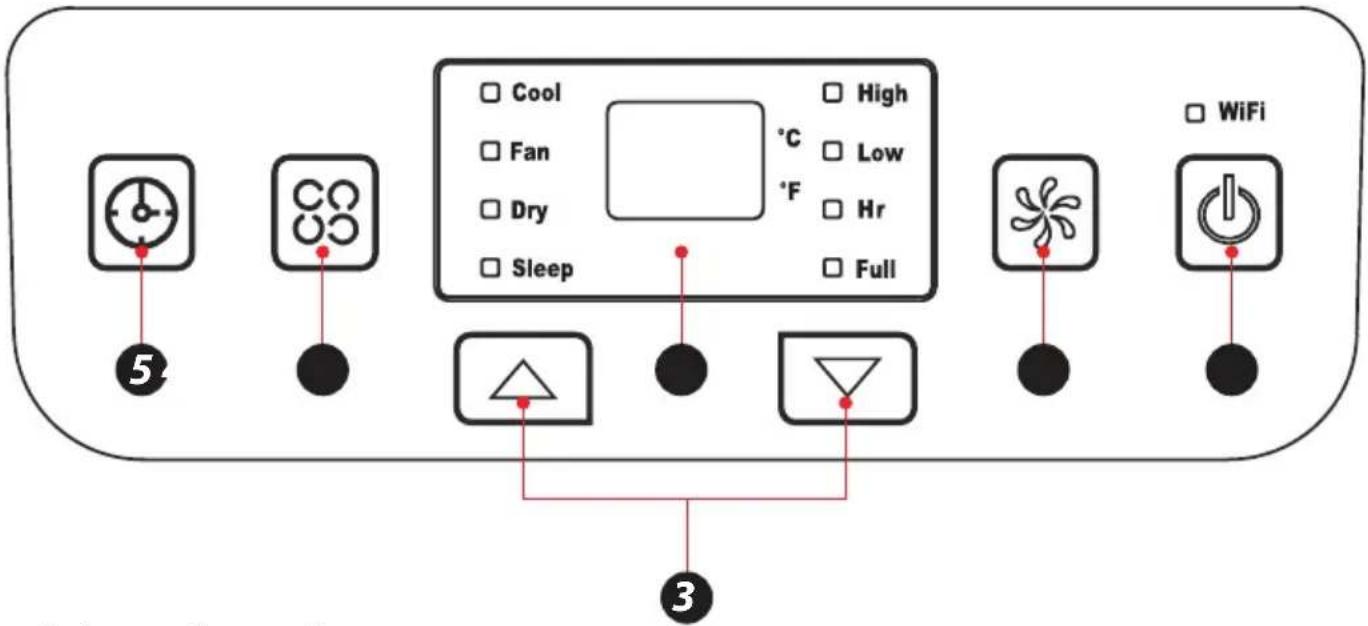
SereneLife SLPAC905W - CONTROL PANEL AND REMOTE CONTROL - 1

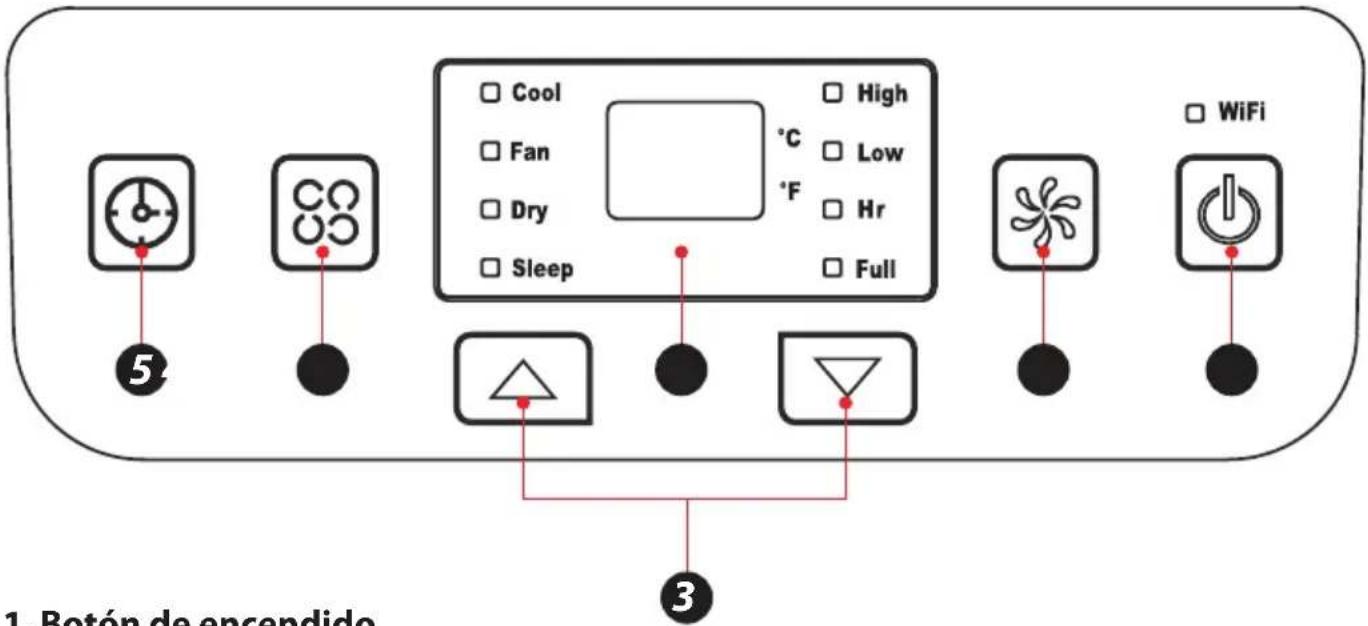
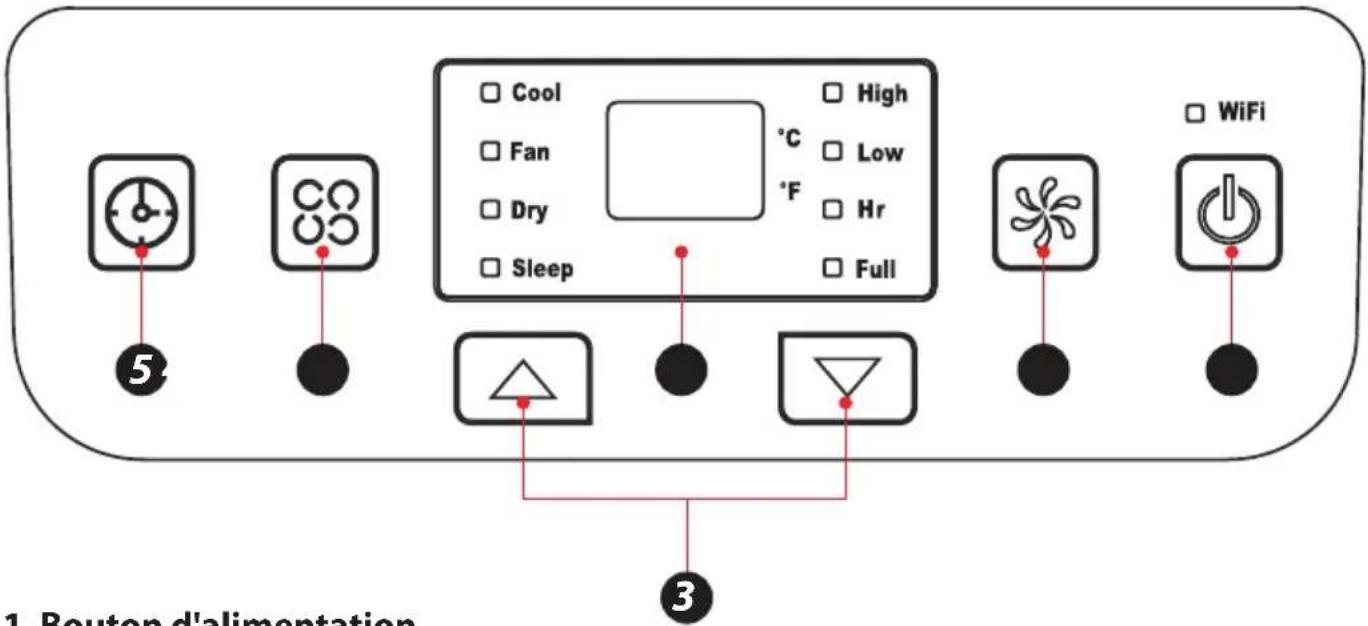
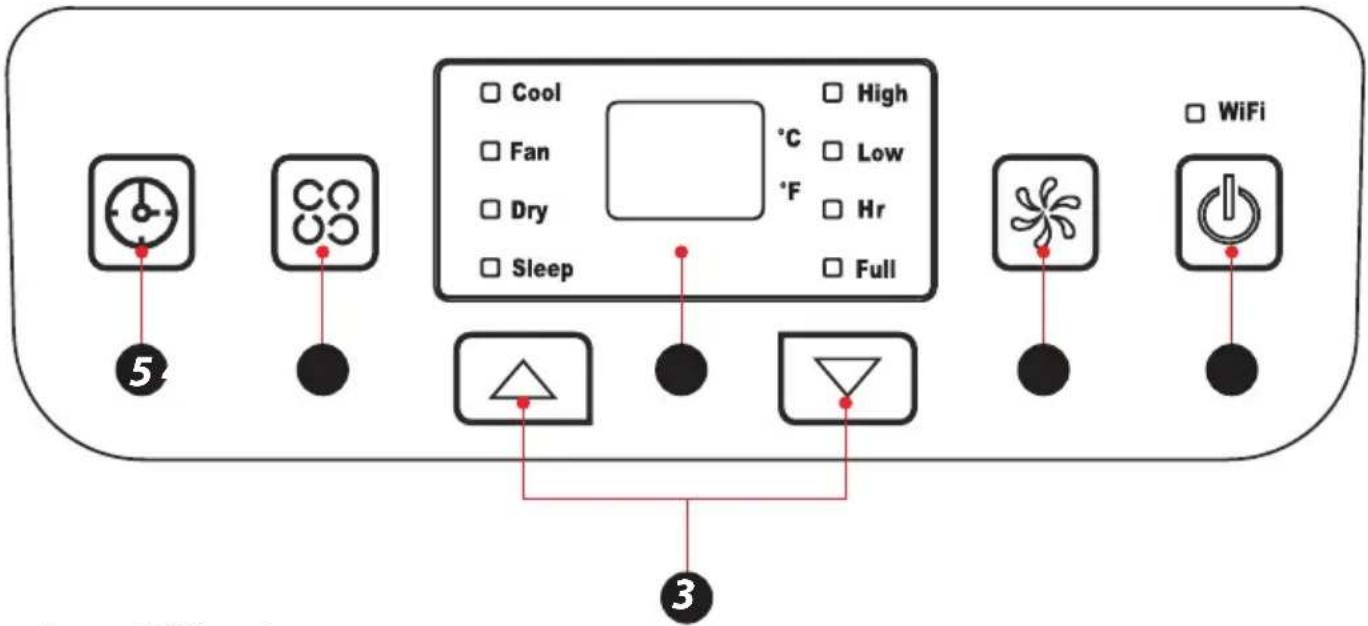
text_image 1. Power Button Press the button for ON/OFF

2. Fan Speed Button

Press the key to choose high/low speed to active the wifi in standby mode, press this key for 3s paring function.

3. UP/Down Button for Temperature and Timer

Under cooling mode, press the keys could increase or decrease setting temperature; In timer mode, press the keys could set time to turn on. By pressing the keys together, switch between °C and °F can be made.

4. Mode Button

Press the key to choose cooling, fan, dry.

5. Timer Button

Press the key at stand by mode would set ON time. Press the key at ON mode would set OFF time.

6. Temperature and Timer Display

The window will indicate temperature and time.

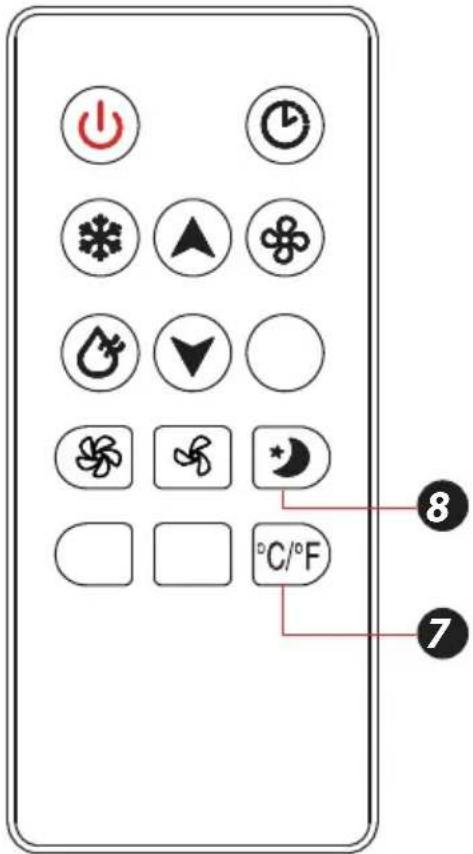
7. Temperature Switch Button

The button is to switch between ^ C and ^ F.

8. Sleep button

The button is to choose sleep mode.

SereneLife SLPAC905W - Sleep button - 1

text_image Diagram of a remote control panel with labeled icons and temperature/°F settings

OPERATION

Place & Install

Place

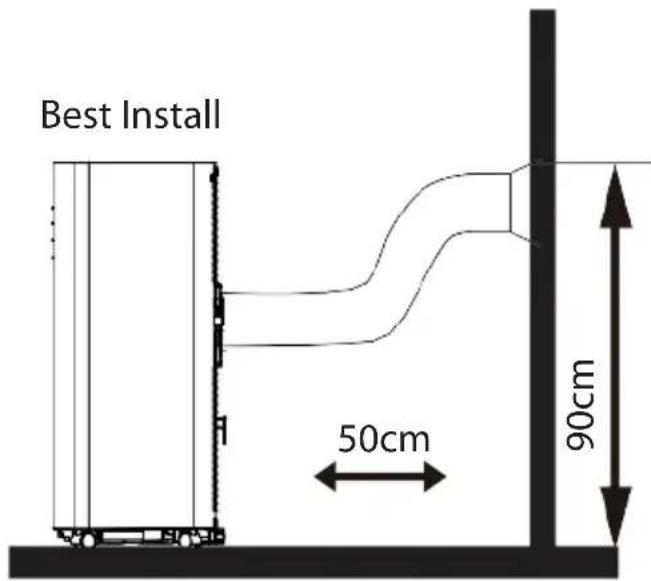
  • Place the machine on the horizontal floor near the window.
  • For proper ventilation and best machineperformance, keep the appliance at least 50cm from objects nearby.
SereneLife SLPAC905W - Place - 1

text_image Best Install 50cm 90cm

Install

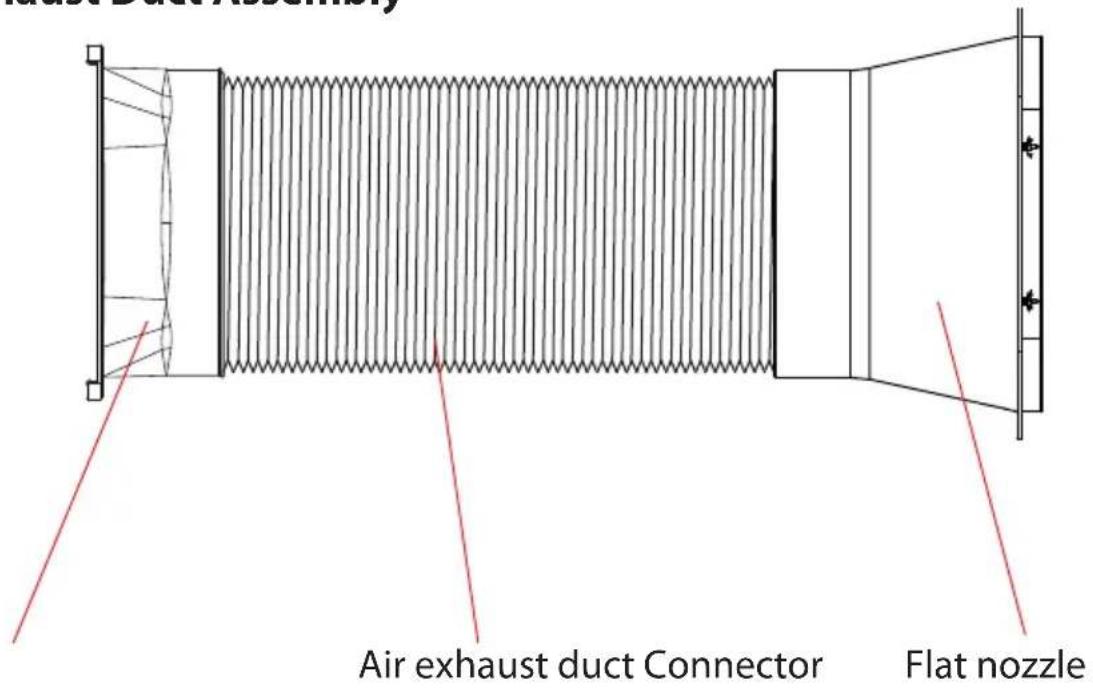
Air Exhaust Duct Assembly
SereneLife SLPAC905W - Install - 1

text_image Air exhaust duct Connector Flat nozzle

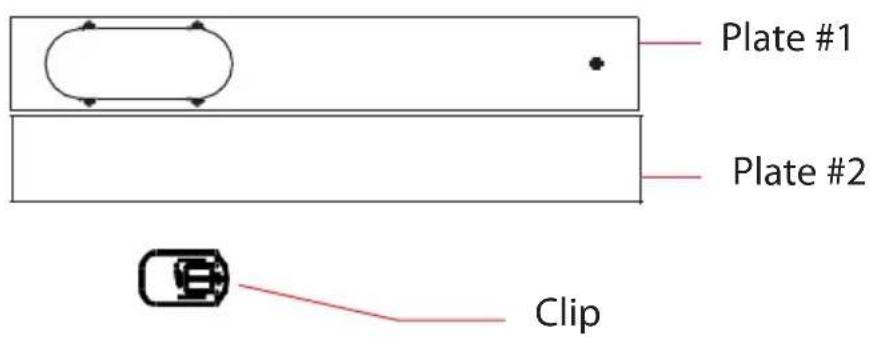
Clip-fixture Type
SereneLife SLPAC905W - Install - 2

text_image Plate #1 Plate #2 Clip

Step 1:

Clip-fixture Type

  1. Measure window size;
  2. Adjust Length of the plate according to window size;
  3. Lock the plate

SereneLife SLPAC905W - Clip-fixture Type - 1

natural_image Simple line drawing of a rectangular container with horizontal lines and small car icons on top (no text or symbols)

Step 2:

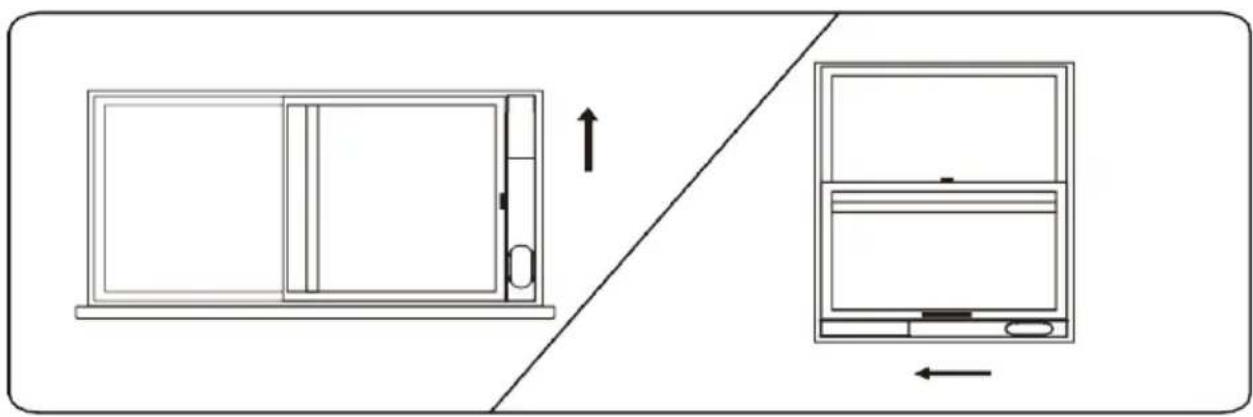
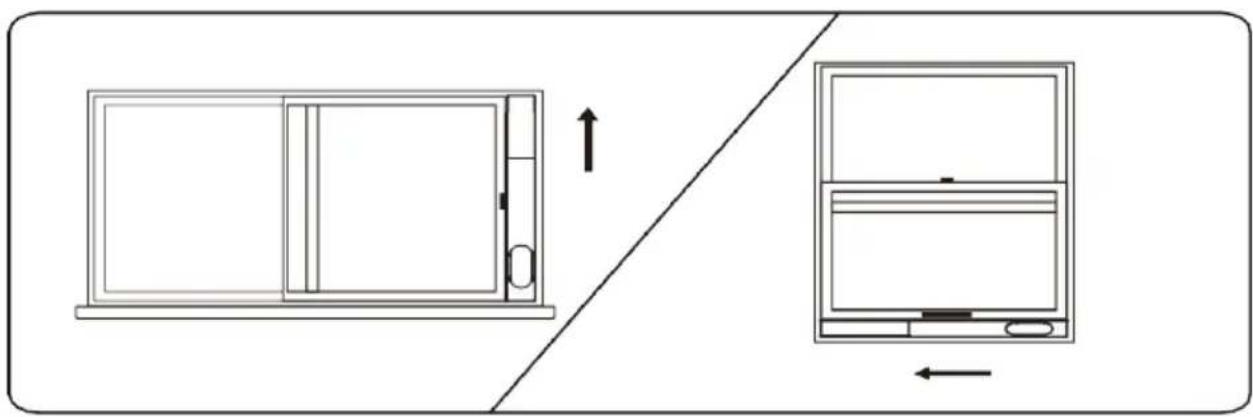
Fix the plate to window
SereneLife SLPAC905W - Fix the plate to window - 1

natural_image Diagram showing a door frame with an arrow indicating upward motion, and a separate view of a monitor with an arrow (no text or symbols)

Step 3:

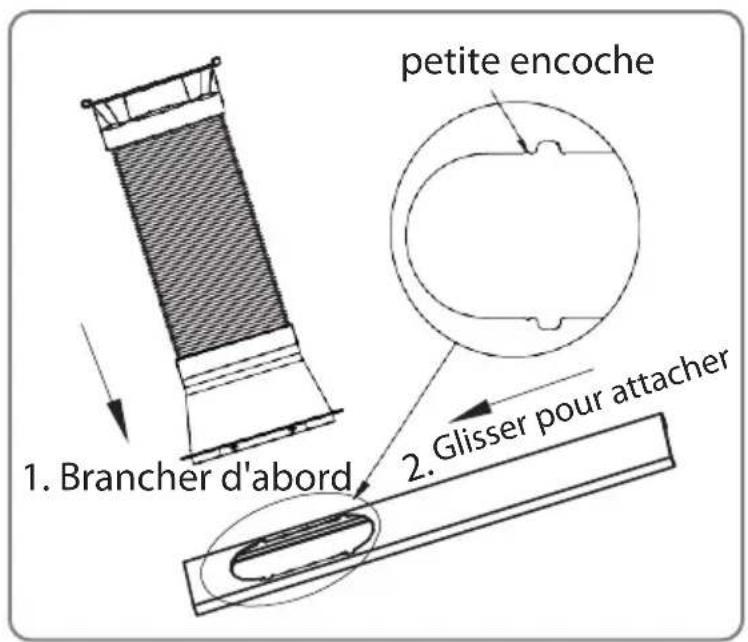
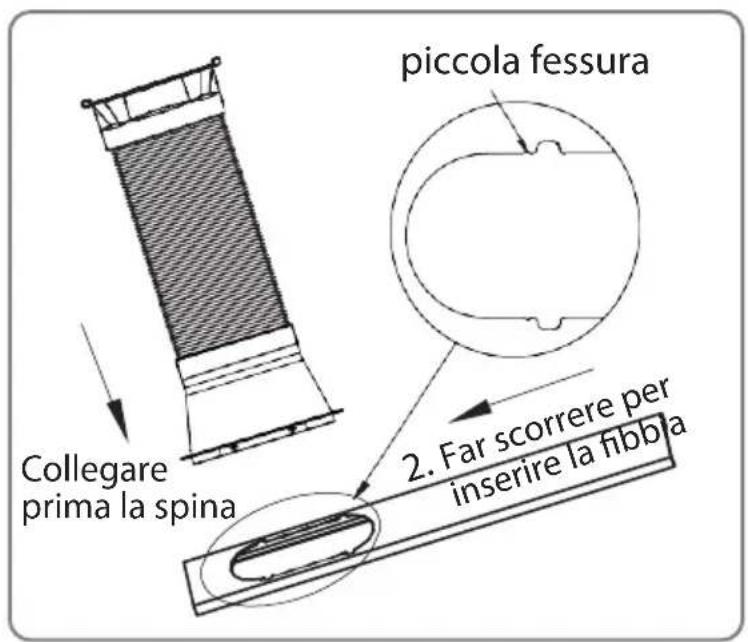
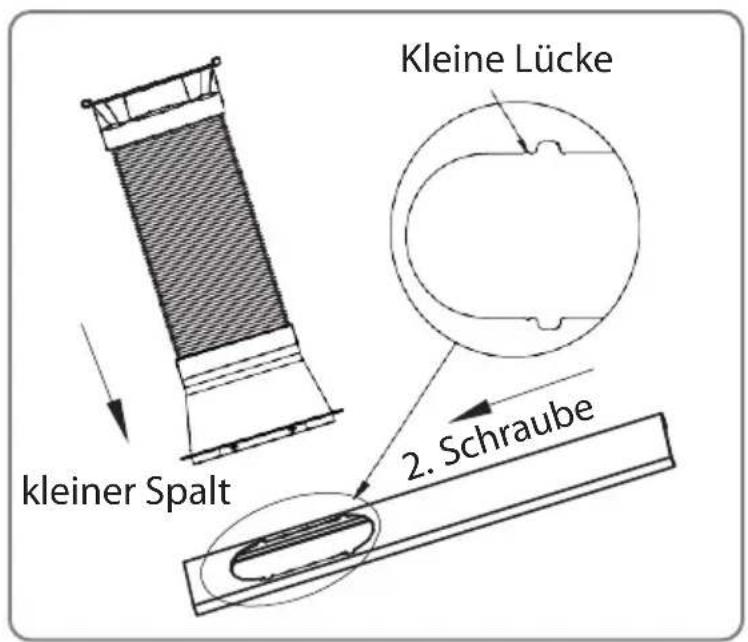
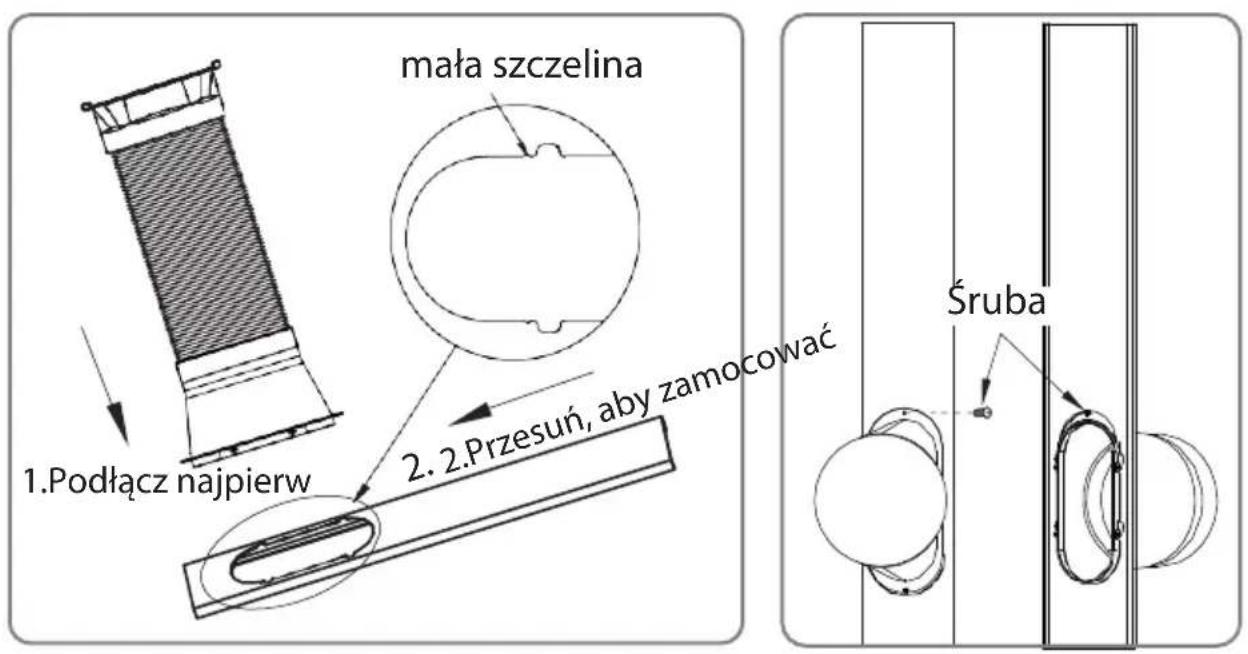
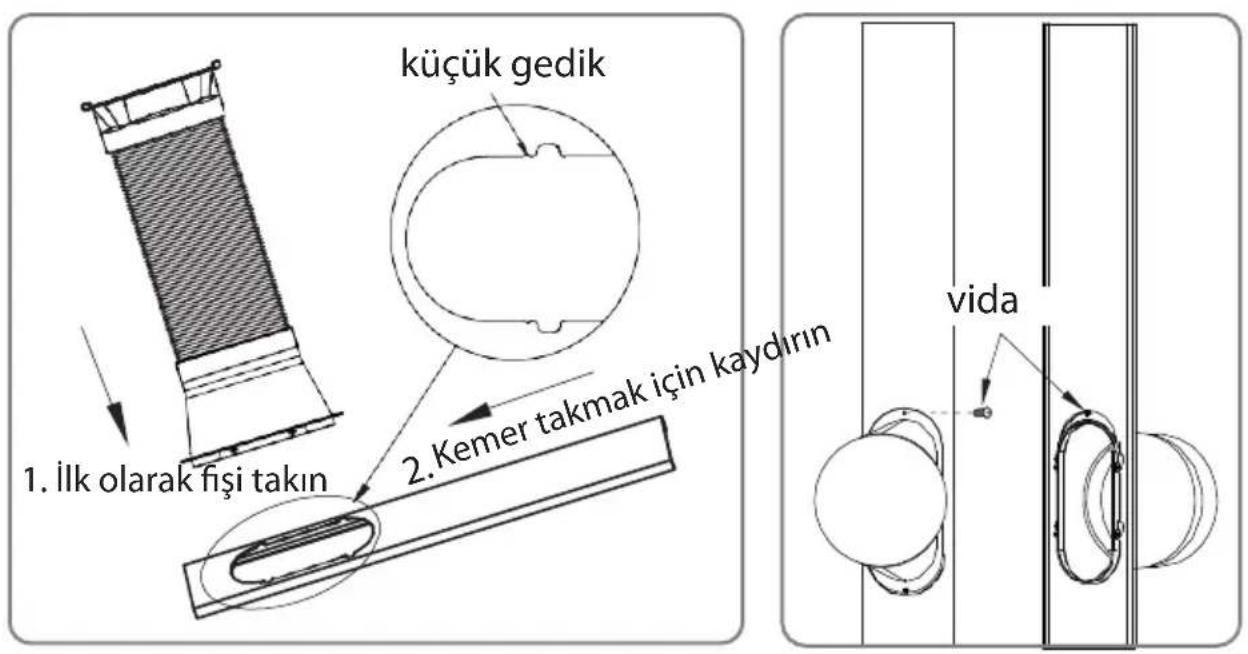
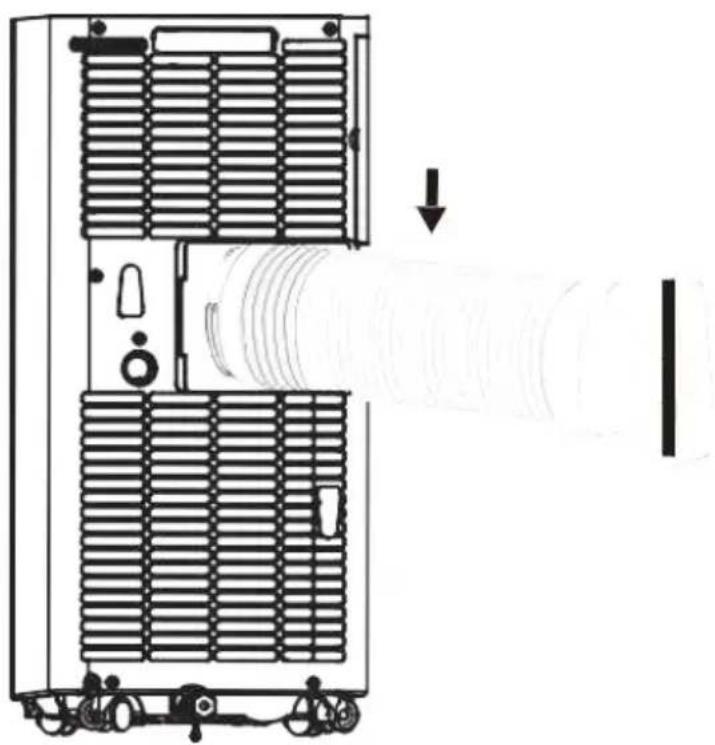
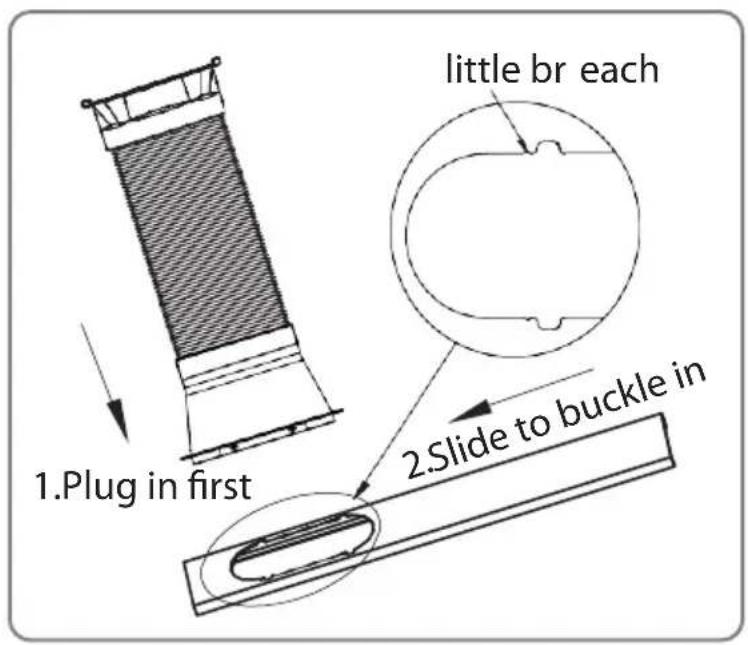
Swirl the exhaust pipe assembly (exhaust fitting end) into the rear panel outlet (counterclockwise).
SereneLife SLPAC905W - Step 3: - 1

natural_image Technical line drawing of a mechanical device with internal components and a directional arrow indicating flow or movement (no text or symbols)
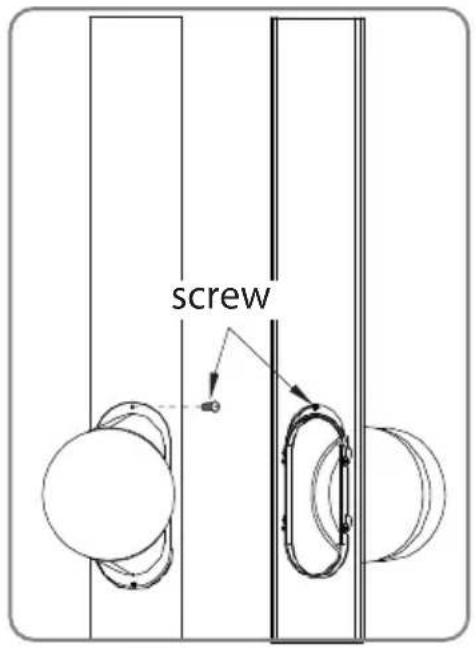
SereneLife SLPAC905W - Step 3: - 2

text_image 1.Plug in first little br each 2.Slide to buckle in

SereneLife SLPAC905W - Step 3: - 3

text_image screw

Step 4:

Insert the exhaust pipe assembly (exhaust port end) into the window seal panel assembly and screw it up.
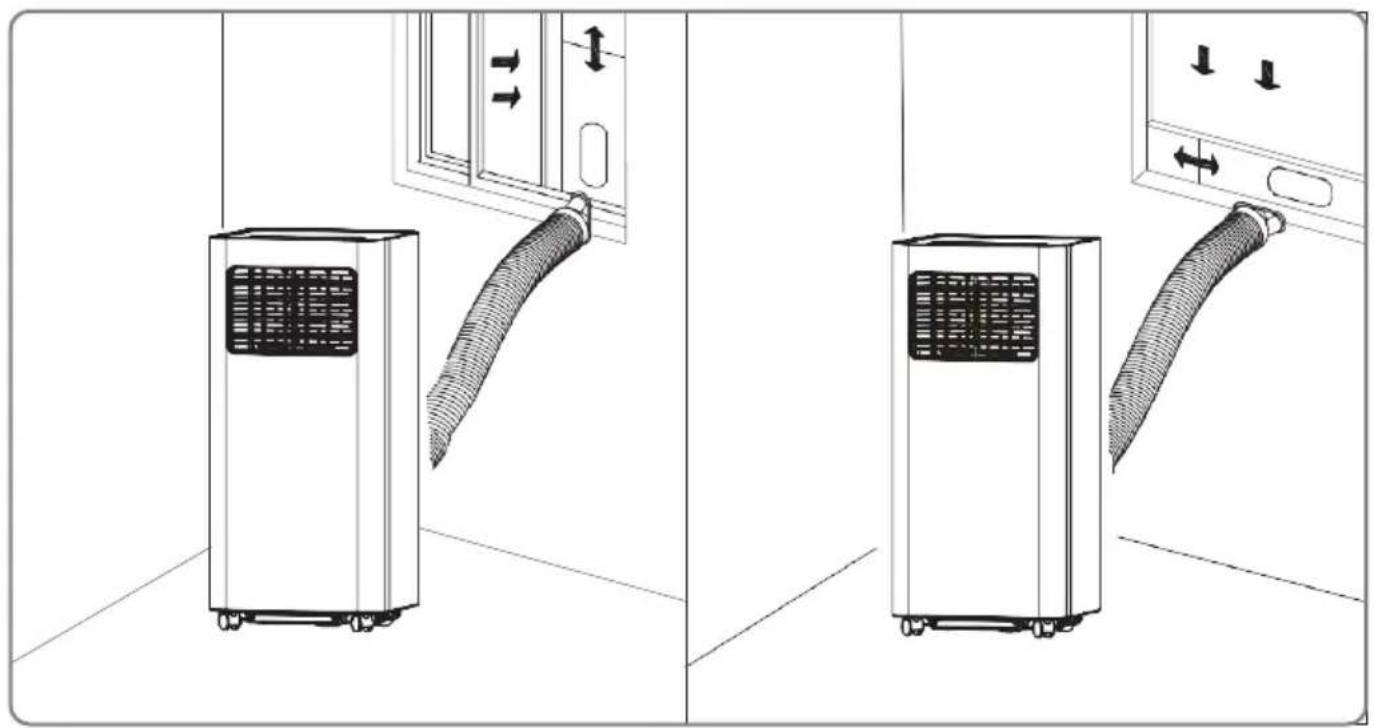
SereneLife SLPAC905W - Step 4: - 1

natural_image Diagram showing two different indoor air conditioning units connected by a coiled hose, with directional arrows indicating movement (no text or symbols present)

Impression Drawing of Completion

Incorrect installation

  • It's important to keep the exhaust duct smooth. Incorrect installation will affect work of the A/C.
  • Prevent the exhaust duct from sharp bending.
  • Ensure air can flow smoothly in the duct.

SereneLife SLPAC905W - Incorrect installation - 1

natural_image Pure electrical circuit lines without any symbols

Warning

The exhaust duct is designed especially for this model. Don't replace or lengthen it; otherwise, it will result in failure.

Notice:

The air exhaust duct can stretch up to 1500mm. To avoid bending, stretch it as short as possible

REMOTE CONTROL

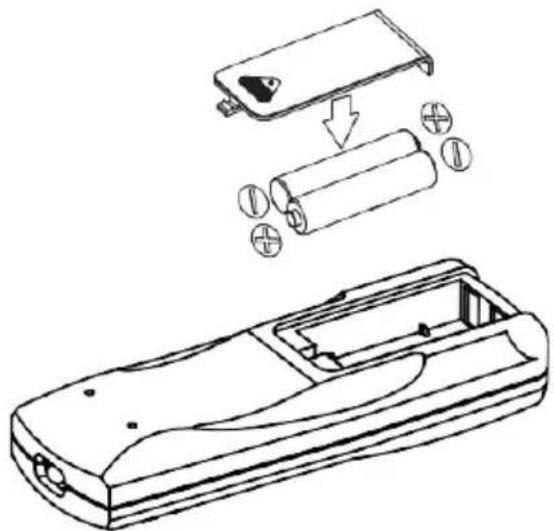
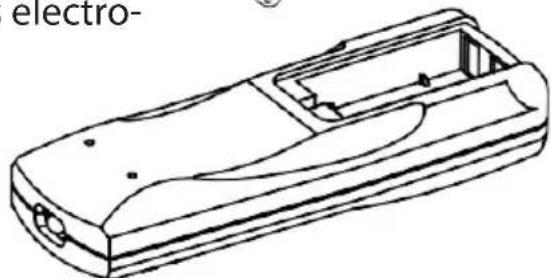
Please install the battery correctly before using the remote control. The specific steps are as follows:

  1. Slide to open the battery cover on the back;

install electrodes correctly when inserted;

  1. Fit the batteries in place.

SereneLife SLPAC905W - REMOTE CONTROL - 1

natural_image Technical line drawing of a battery casing with internal components and battery stack (no text or symbols)

Warning:

  1. Only AAA DC 1.5V batteries are allowed, never use chargeable batteries or othertypes of batteries.

  2. Replace both batteries; never mix new battery with old one.

  3. Please remove batteries if the appliance is not to be used for a long time.

Warning:

  1. Never use leaked batteries;
  2. Chemicals in batteries could result in such health-hazards as burns. If liquid in batteries splashes to skin or clothes, please wash with clean water in time. If batteries are swallowed, please rinse mouth immediately with clean water and then go to the doctor.
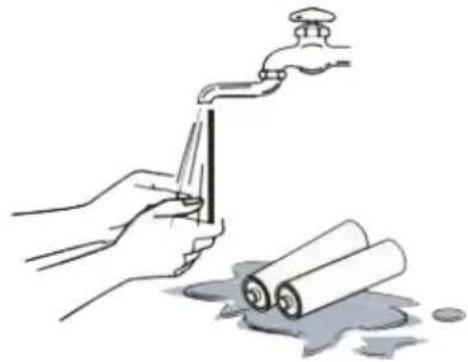
SereneLife SLPAC905W - Warning: - 1

natural_image Illustration of hands using a faucet to clean water with rolled documents nearby (no text or symbols)

HOW TO OPERATE

Cooling Mode

• Under cooling mode, cooling indicator will light on.
• Temperature Setting is from 60^ F to 86^ F.
- Press Fan Speed Button to choose from low/high fan speed.
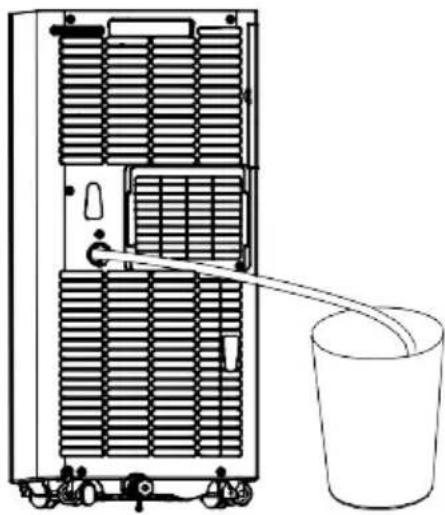
SereneLife SLPAC905W - Cooling Mode - 1

natural_image Line drawing of a multi-chamber refrigerator with a bucket inserted, showing internal ventilation and cooling system (no text or symbols)

Fan Mode

• Under Fan mode, indicator will be on.
- Press Fan Speed Button to choose from low/high fan speed.
• Temperature cannot be set under this mode.

Dry Mode

• Dry indicator will be on under this mode.
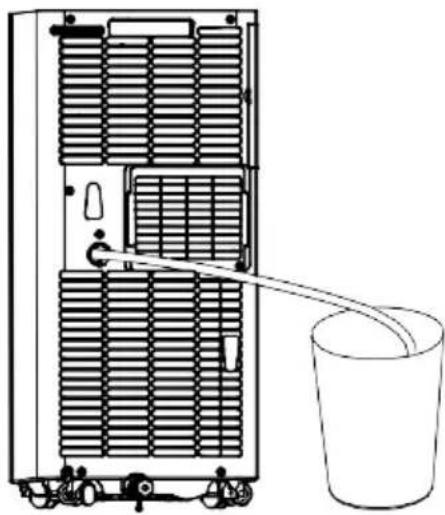
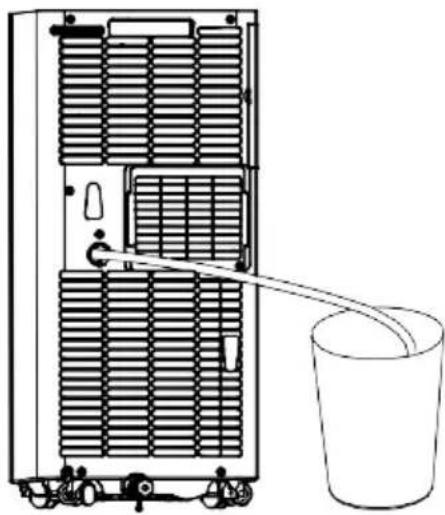
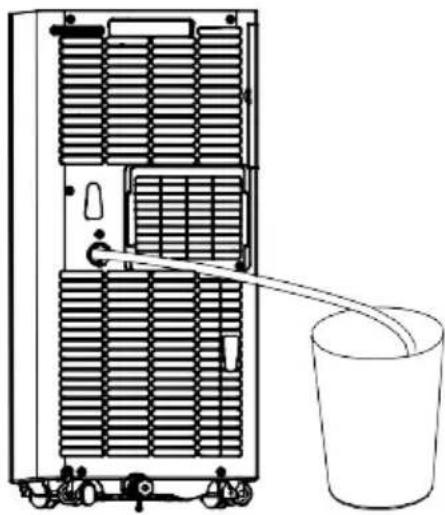
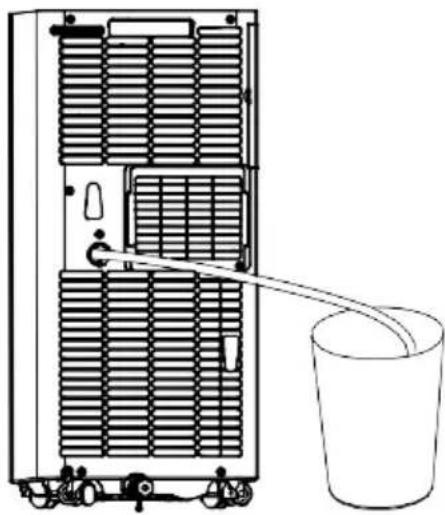
- Remove water plug (see right), insert one end of pipe to drainage hose, the other end would be in water tank or water channel.
- If ambient Temp. ≥ 17^ or 62^ compressor starts and follow below sequence:
- If ambient Temp. ≤15°C or 59°F compressor stops; when it reaches ≥17°C, compressor starts again. (There would be a 3-min delay for compressor protection)
• Fan runs with a fixed low speed.
- Temp. is fixed.

Notes: Under dry mode, please dismantle air exhaust duct or performance will be affected and water full alarm "FL" will buzz.)

Heating Mode (not available for cooling only model).

• Under this mode, heating indicator will light up.
- Press UP/DOWN button to select Temp. between 16^ C to 30^ C (60°F to 86°F)
- Press Fan Speed button to set low/high speed.

TIMER MODE

  • In standby mode, press Timer button to set ON time. A range of 0 to 24 Hours could be set with UP/DOWN button. Timer indicator will light up in this mode.
  • Under running statepress Timer button to set OFF time. A range of 0 to 24 Hours could be set with UP/DOWN button. Timer indicator will light up in this mode.

CLEAN AND MAINTENANCE

Drainage

With self-evaporating system, the appliance could perform better and save energy in a way of cooling down condensor by reusing condense water.

The appliance would display "FL" with buzz sound, if built-in water container is full. After compressor stops, please drain water as follows:

  1. Unplug and dismantle air exhaust duct;
  2. Move the appliance to a right place;
  3. Pull out the water plug, and drain all water;
  4. Re-insert the water plug;
  5. Re-install the air exhaust duct, restart the appliance.
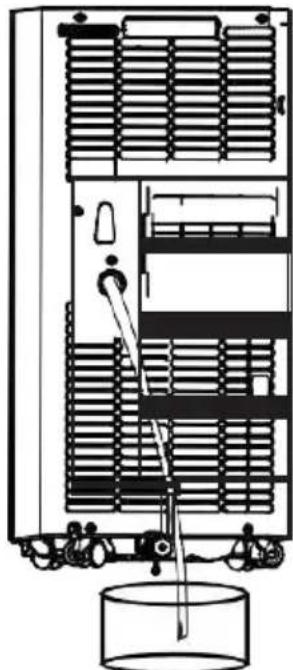
SereneLife SLPAC905W - Drainage - 1

natural_image Technical line drawing of a server rack with cooling unit and water tank (no text or symbols)

MAINTENANCE

Warning:

In case of electric shock, turn off and unplug before repair or maintenance.

Body Clean

  1. Unplug before cleaning.
  2. Clean with soft and half-wet cloth. In case of damage to appearance or the appliance, never use chemical reagent, such as benzene, alcohol and gasoline.
  3. Never let splash water enter the appliance.
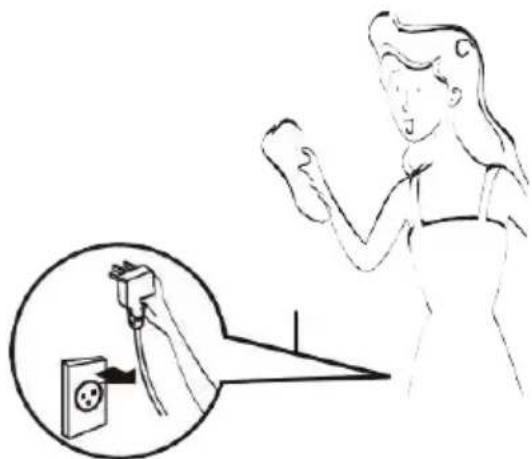
SereneLife SLPAC905W - Body Clean - 1

natural_image Illustration of a person using an electrical outlet to switch or press, with a magnified inset showing the electrical plug (no text or symbols present)

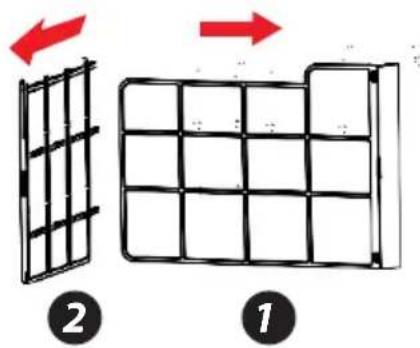
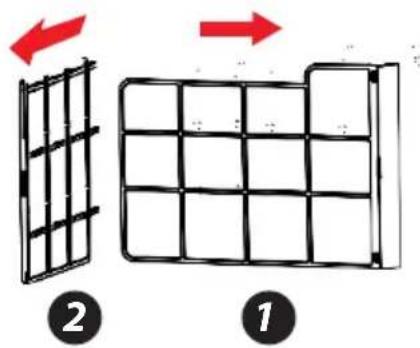
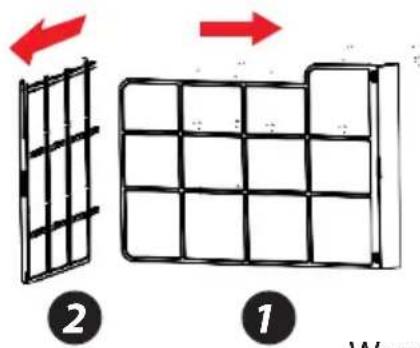
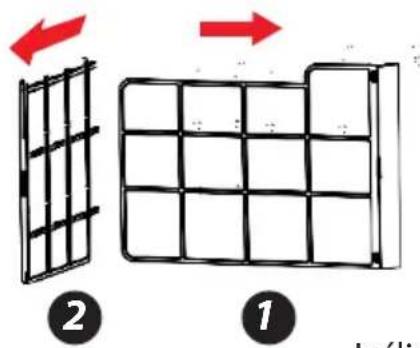
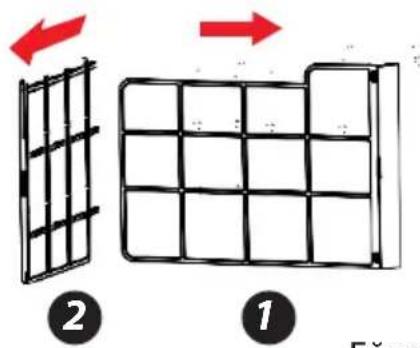
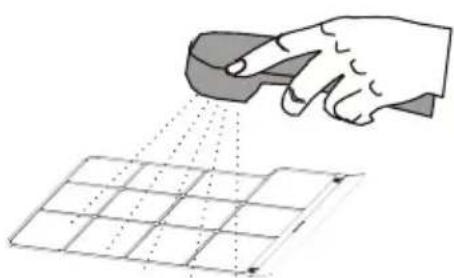
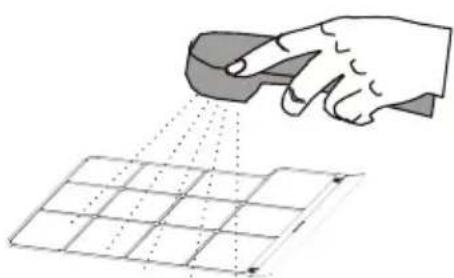
Filter is to be cleaned once every two weeks. If air quality indoor is poor, it has to be washed more often, or performance of the appliance would be lowered due to blocked filter screen. Please follow below instructions for cleaning:

Take off air-inlet grille as indicated in the photo; pull out the filters. Clean the filter in 40^ or 104^ warm water or water with neutral detergent; dry the filter in a cooling area.

Re-install the filter and grille after drying completed; restart the appliance.
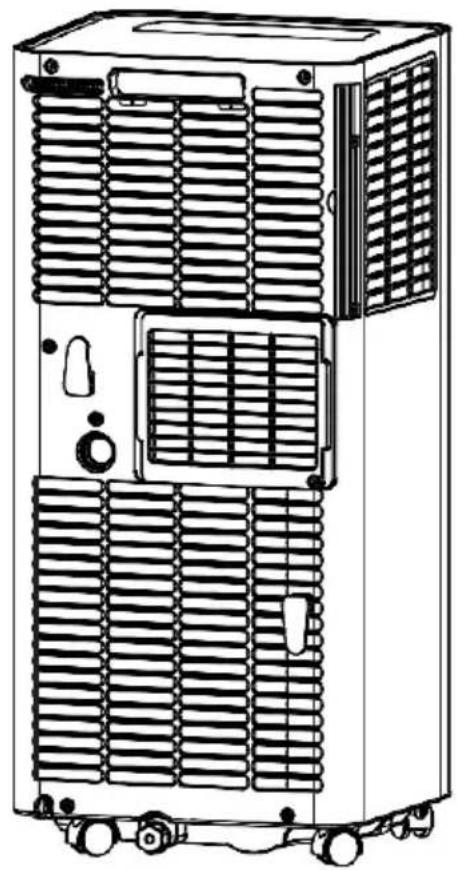
SereneLife SLPAC905W - Body Clean - 2

natural_image Line drawing of a multi-tiered industrial air conditioning unit with cooling fans and ventilation slots (no text or labels)
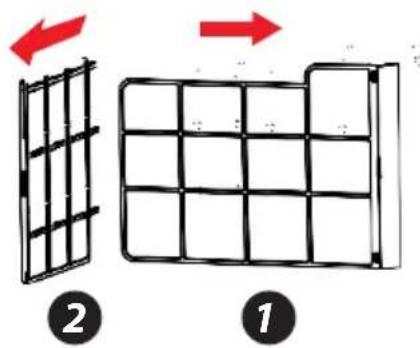
SereneLife SLPAC905W - Body Clean - 3

text_image Diagram illustrating two stages of a grid structure transformation, labeled 1 and 2 with red arrows indicating direction.

SereneLife SLPAC905W - Body Clean - 4

natural_image Illustration of a hand using a tool to spray or spray over a grid pattern (no text or symbols)

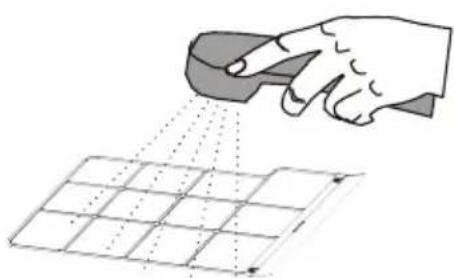
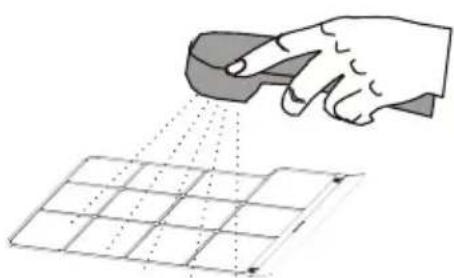
If filter is dirty, clean in 40^ C ( 104^ F) warm water or in water with neutral deterget.
SereneLife SLPAC905W - Body Clean - 5

natural_image Line drawing of a hand using a power tool to clean or brush the surface on a grid (no text or symbols)

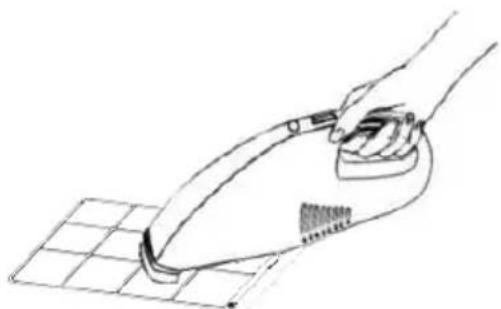
If filter is not that dirty, clean the dust with a vacuum cleaner.

Warning:

Do not wash with filter in water above 40^ C ( 104^ F) or with irritating detergent such as alcohol, gasoline and benzene. In case of deforma 9 tion, filters are to be kept away from heat sources and dried naturally in a cooling area. Never operate the appliance when filter is not installed.

Seasonal Maintenance

If the appliance will not be in use for a long time, please maintain by following below

  1. Pull out water plug for drainage.
  2. Run in Fan mode for at least 2 hours to dry internal parts.
    3.Turn off and unplug.
  3. Clean the filter and reinstall.
  4. Dismantle the air exhaust duct and keep it well.
    6.Take off batteries.
  5. Wrap the appliance in a plastic bag and
  6. keep in a dry and cooling place

If the appliance haven't been used for a long time, please pay attention to the following when to be used again:

  1. Make sure water plug and filter are installed.
  2. Never use damaged power cord; Check before use.
  3. Insert batteries.
  4. Assemble other parts according to the instruction.
SereneLife SLPAC905W - If the appliance haven't been used for a long time, please pay attention to the following when to be used again: - 1

natural_image White SereneLike air conditioner unit with blue vented airflow and black top panel (no visible text or symbols on device body)

COMMON FAILURES AND DIAGNOSIS

Intelligent Error Detection

Error-detecting codeMulti-functional defection
E1Error of the coil's temperature sensor
E2Error of indoor temperature sensor
E4Anti-freezing protection: temperature of the coil is too low and the whole A/C is off. When temperature excesses 8°C (46.4°F), the protection is released and previous working state is recovered.

TROUBLESHOOTING

The following table lists the common faults and maintenance methods of this series of portable A/C. When the machine is in abnormal operation, the following table can be used for simple diagnosis and maintenance. If it still can't be solved, please contact professional maintenance personnel.

TROUBLE CAUSESOLUTION
The A/C doesn’t workNo displayReset circuit breaker on AC cord
The display panel displays “FL”Restart the A/C after power off and draining, then it will become normal
Time OFF function is startedThe A/C can be restarted 3 minutes after being turning off
The A/C starts frequentlyDirect sunlightDraw the curtain
Doors and windows keep open; there are lots of people or heat source in roomClose doors and windows, remove heat source
Clean or replace itFilter screen is
Air inlet or air outlet is blockedRemove the stem
Loud noise on the A/CThe A/C is placed unevenlyPlace it at even and firmground, avoid shaking
The compressor doesn’t workIts delay protection startedWait for 3min, turn on after temperature decreases

very

FEATURES:

• Metal Control Box to Prevent from Fire and Exploding
- Rotary Compressor
• Universal Castors for Moving Freely
- Wifi function
• Lightweight & Portable A/C Unit
- Compact Freestanding Room Air Conditioner
• (3) Operation Modes: AC Cooling/Dehumidifier/Fan
• Hassle-Free, Quick Setup Cooling
- Simple Electric Plug-in Operation
- Convenient Wide-Area Climate Control Room AC Coverage
- Push Button Control Panel with LED Display
• Time, Temperature & Fan Speed Adjustment Settings
- Includes Universal Window Mount AC Exhaust Kit
- Removable & Washable Air Filter Screen
• Modern Style, Sleek Body Housing
• Energy Efficient: Low Power Consumption
- Low Noise Level Motor
- Rolling Wheels for Easy Portability
• Used for Home, Office, School & Business Rooms

WHAT'S IN THE BOX:

  • AC Unit
  • Exhaust Hose
  • Window Installation Plate
  • Remote Control

TECHNICAL SPECS:

• Power Supply: 220V/50Hz
• Rated Power: 960W/1120w
• Refrigerant Type: R290
• Cooling capacity (ASHRAE): 9,000/10,000 Btu/h
• Coverage Area: Cools Rooms up to 250/300 Square Feet
• Air Flow: 360 Cubic Meters / Hour
- Operating Modes: Cool / Fan / Dry (Dehumidifier)
- Moisture Removal / Dehumidifier: 0.9/1.0 Liters / Hour
- Operating Noise Level: 65 dBA
• Fan Speed Settings: Two Level, Low/High
• Temperature Unit Selectable: °C/°F (Celsius/Fahrenheit)
- Adjustable Timer Settings: Up to 24 Hours
- Battery Operated Remote Control, Requires (2) x 'AAA' Batteries, Included
• Power Cable Length: 5.6' ft.
- Product Dimension (L x W x H): 70 x 32.5 x 29.4 cm/27.6" x 12.8" x 11.6" inches

SereneLife SLPAC905W - TECHNICAL SPECS: - 1
WARNING:

This product can expose you to a chemical or group of chemicals, which may include "Acrylonitrile" which is known in the state of California to cause cancer, birth defects, or other reproductive harm. For more info, go to https://www.p65warnings.ca.gov/.

WiFi operation instruction

Download and Install APP

- Use your phone to scan the QR code below or search "Smart Life" in application market to download and install the App.

SereneLife SLPAC905W - Download and Install APP - 1

text_image QR code with a blue home icon in the center, likely linking to a digital service or app.

Registration

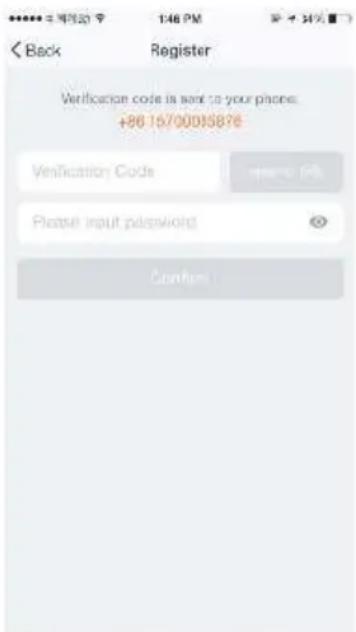
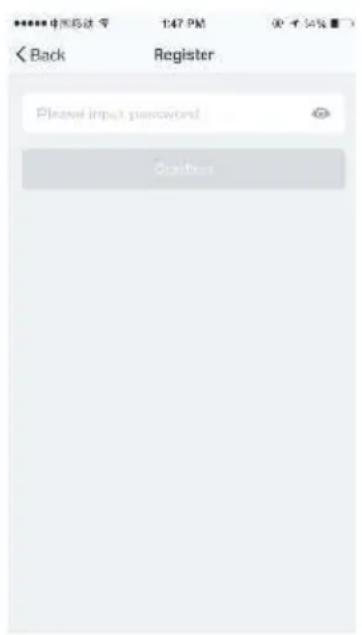
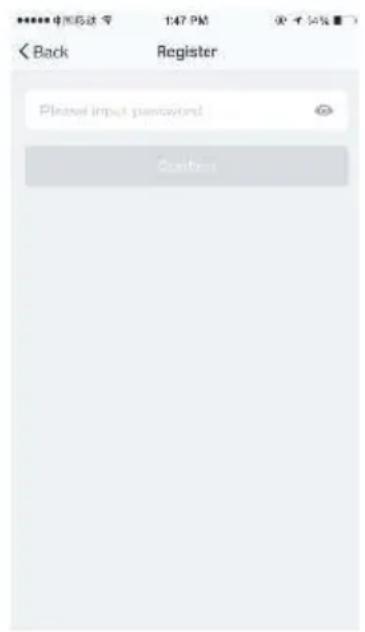
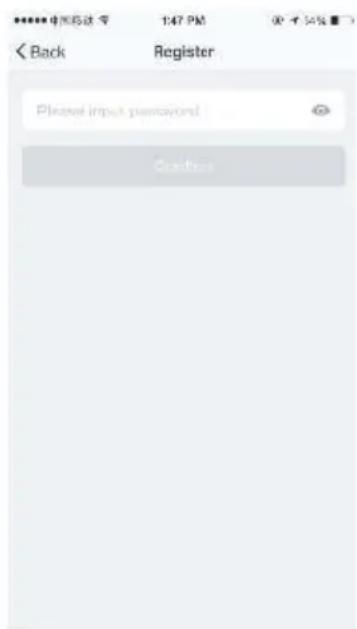
  • If you don't have an App account, register an account or sign in with verification code by SMS. This page describes the registration process.
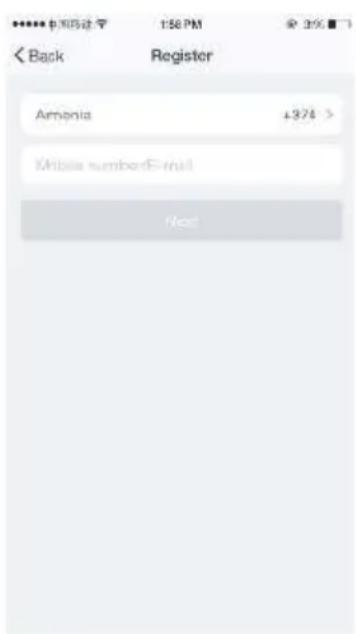
  • Tap to enter registration page
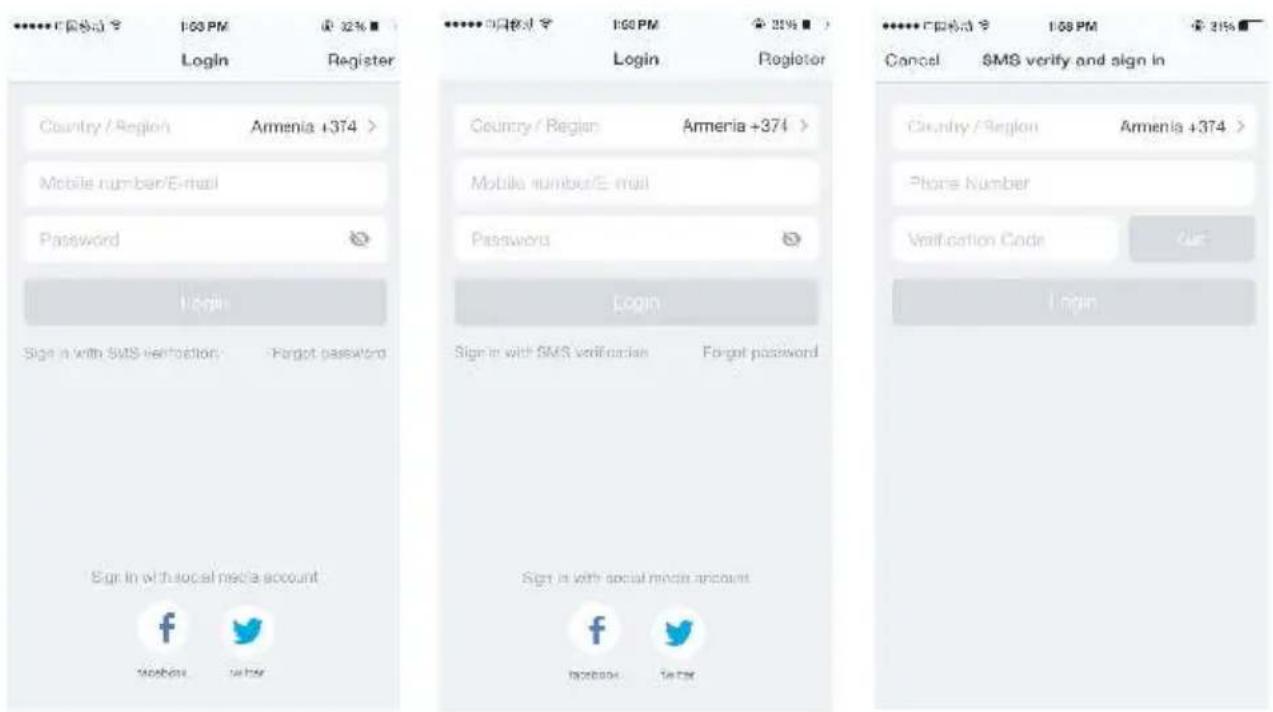
  • The system automatically recognizes your country / area. You can also select your country code. Enter the mobile number / E-mail and tap "Next", as shown in the picture 1
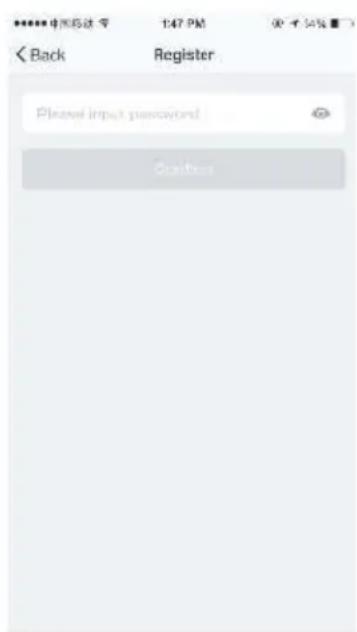
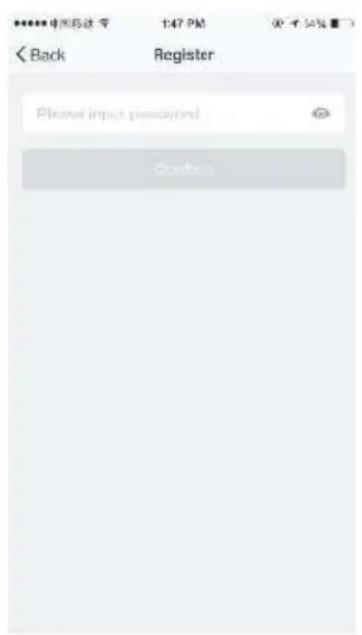
  • If you enter the mobile number, then enter the verification code in the message, as shown in the picture 2, and enter the password, tap
  • "Confirm" to finish your registration.
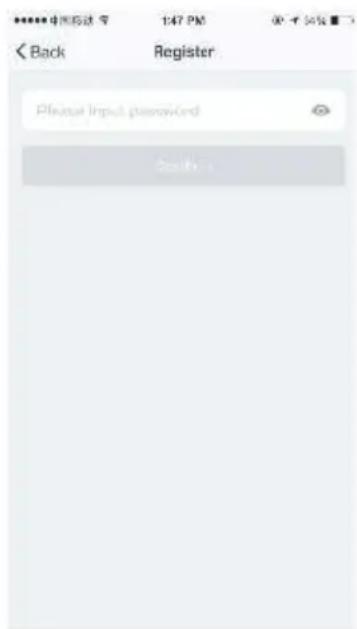
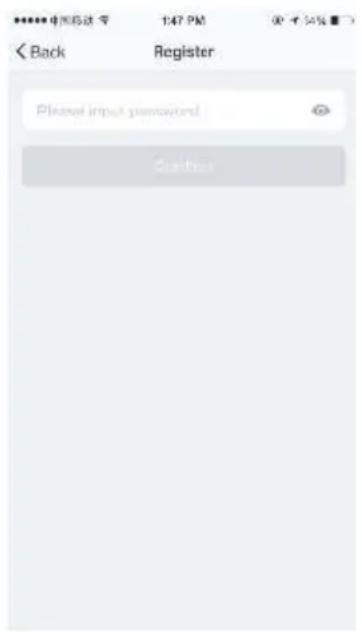
  • If you enter the E-mail, enter the password as shown in the picture 4, and tap "Confirm" to finish your registration.
SereneLife SLPAC905W - Registration - 1

text_image ****** 中国际法学 158 PM < Back Register Armenia ±374 > Mobile number!Ernll Next

Picture 1

SereneLife SLPAC905W - Registration - 2

text_image Back Register Verification code is sent to your phones: +86.15/00015876 Verification Code Please input password Confirm

Picture 2

SereneLife SLPAC905W - Registration - 3

text_image 中国移动 147 PM Back Register Please input password Stop

Picture 3

SereneLife SLPAC905W - Registration - 4

text_image C:\网络成功\ 1:00 PM Login Armenia +374 > Mobile number/E-mail Password Login Sign a with SMS verification - Forgot password Sign in with social media account. f tɕbɛsə wɛbər

SereneLife SLPAC905W - Registration - 5

text_image COUNTRY/Region Armenia +374 > Mobile number/E-mail Password Login Sign in with SMS verification Forgot password Sign in with social media account f hobens sitar

SereneLife SLPAC905W - Registration - 6

text_image Cnurty / Region Amenis +374 > Phone Number Verification Code Login

Sign in with user name and password

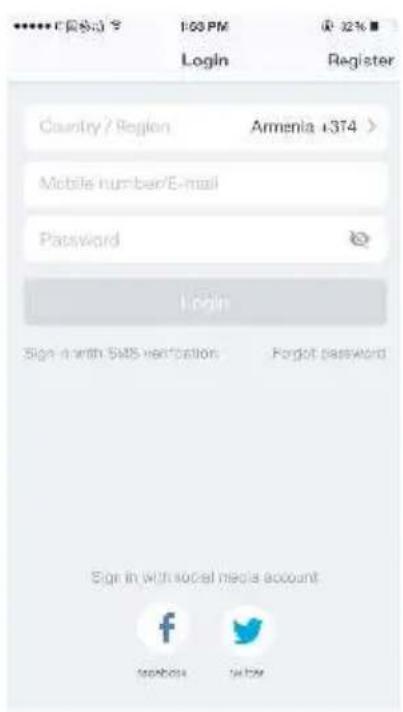
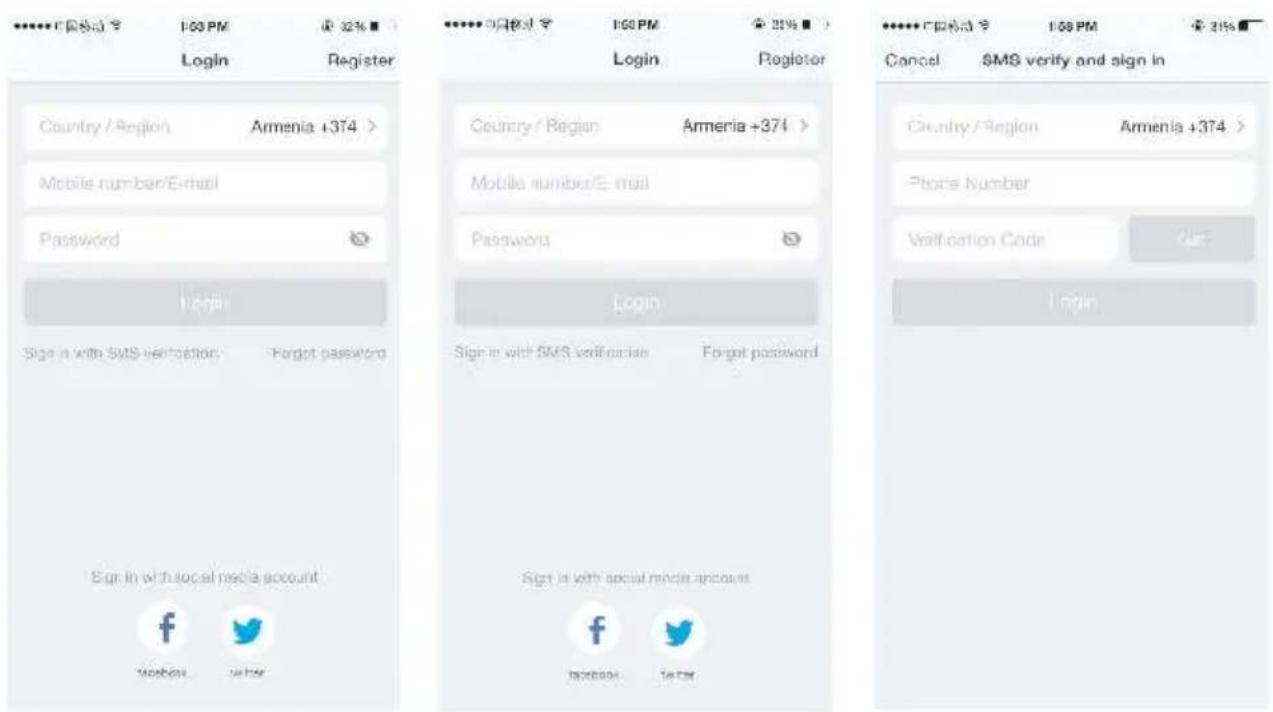
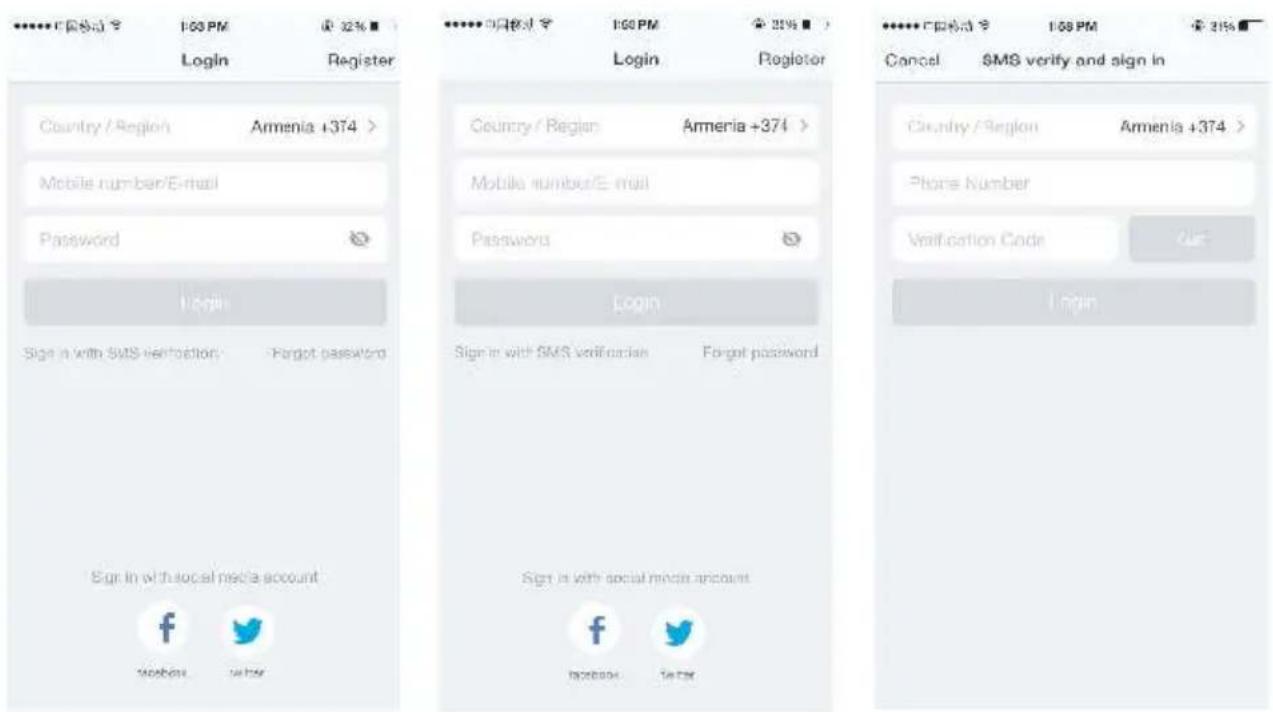
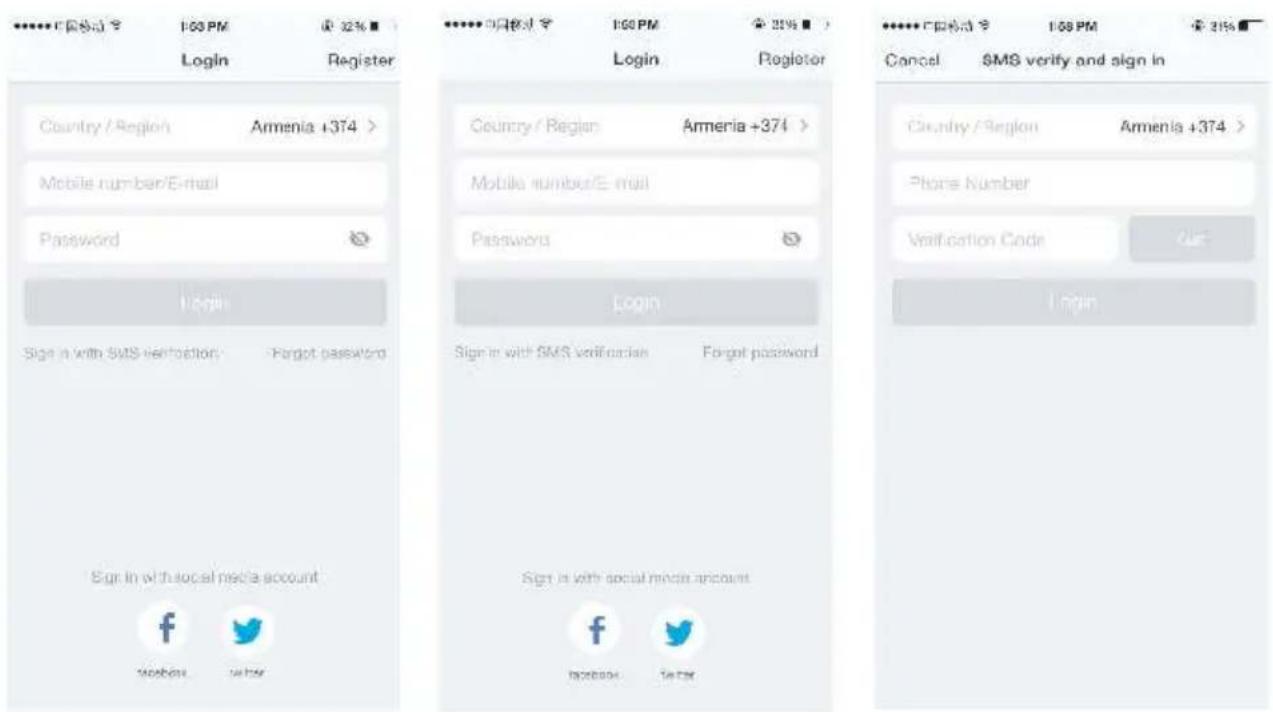
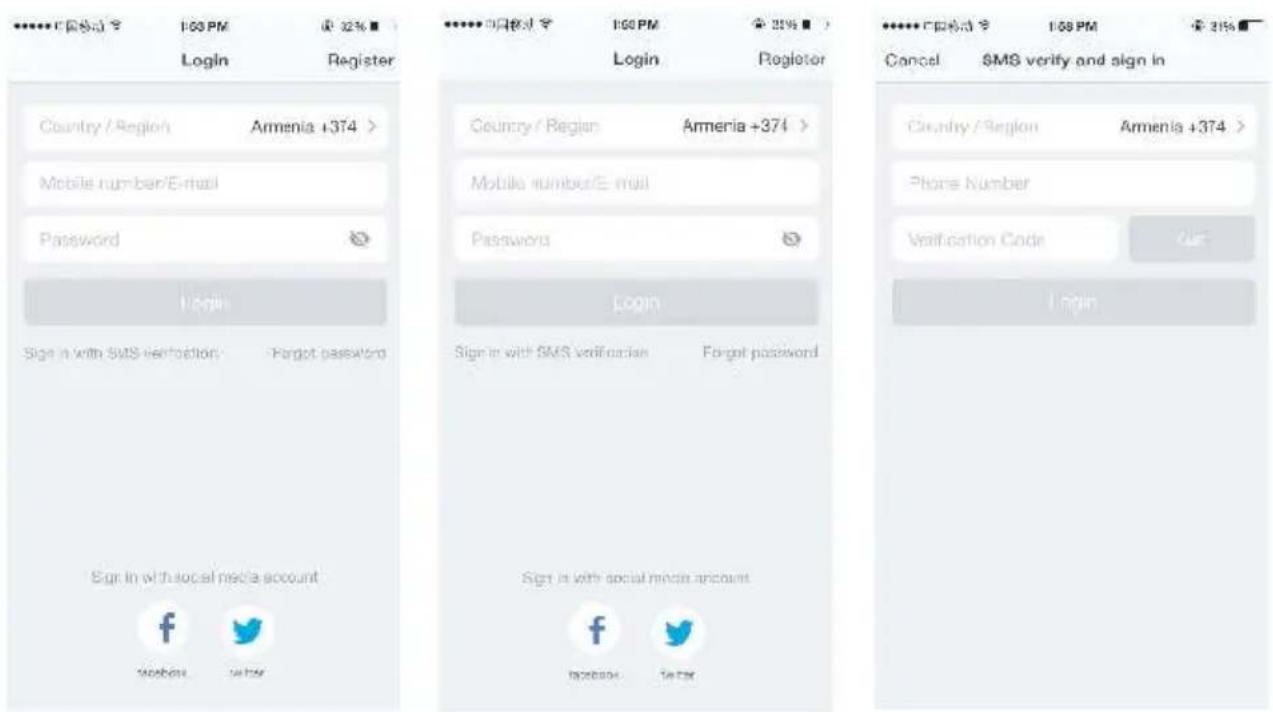
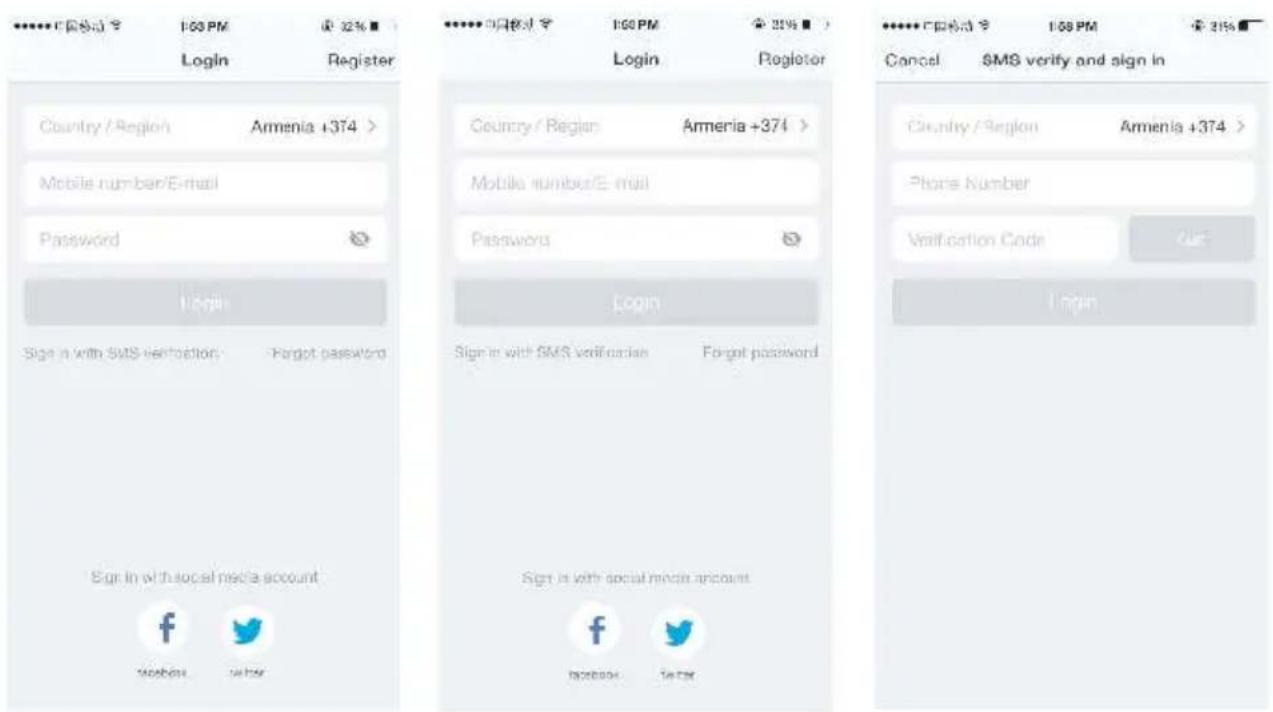
  • The system automatically recognises your country / area. You can also select your country code. Enter the mobile number/E-mail and tap "Next".
  • Enter your registered mobile number or Email, and password to login.

Sign in with social media account

If you have installed Facebook or Twitter in your smart phone, tap the corresponding icons and then sign in the App after social network authentication.

Sign in with verifica:on code via SMS

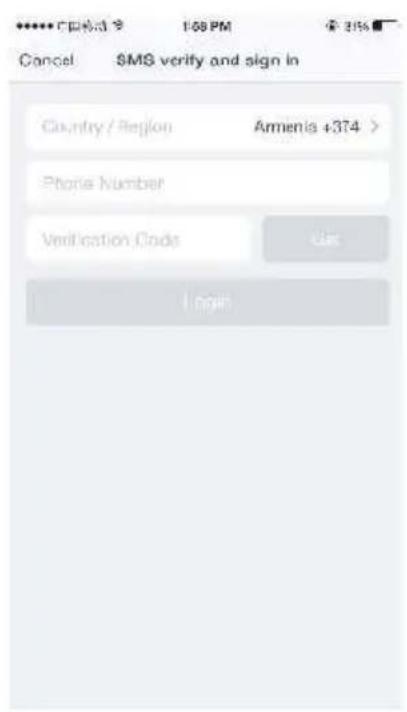
  • Tap "Sign in with SMS verification", to new page.
  • The system automatically recognises your country / area. You can also select your country code by yourself.
  • Enter the mobile number and tap "Get" to get a message.
  • Enter the verifica<on code in the message and tap "Login" to login the App.

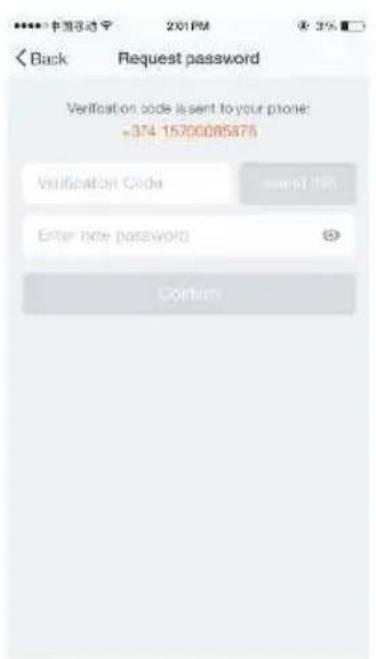
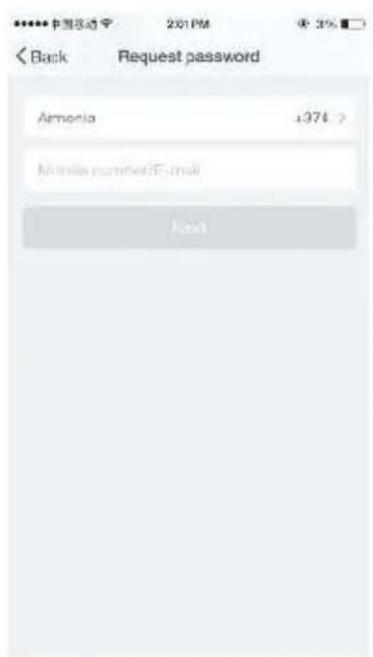
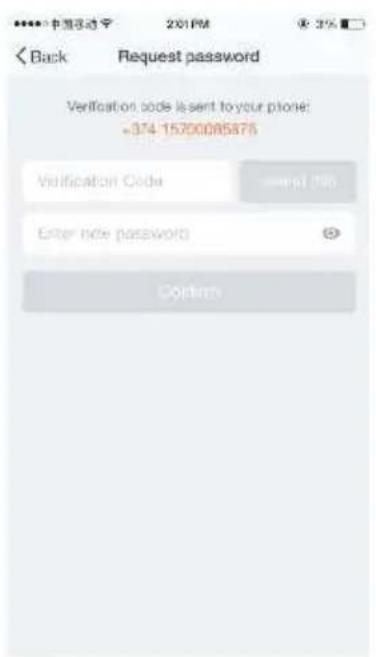
Forgot password

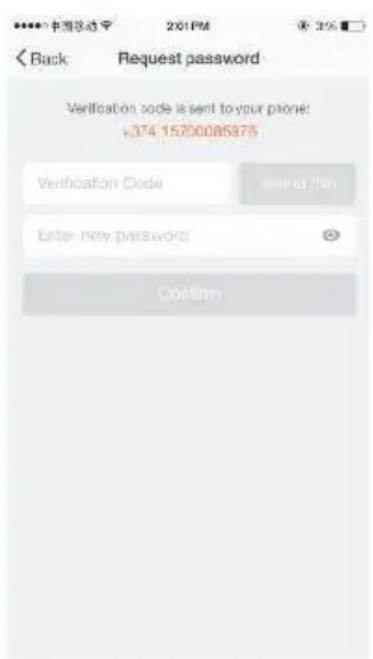
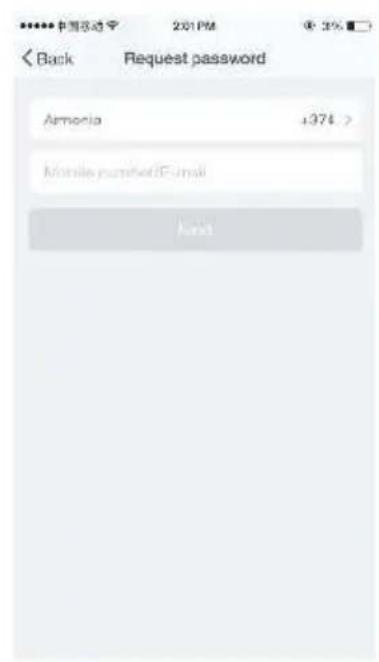
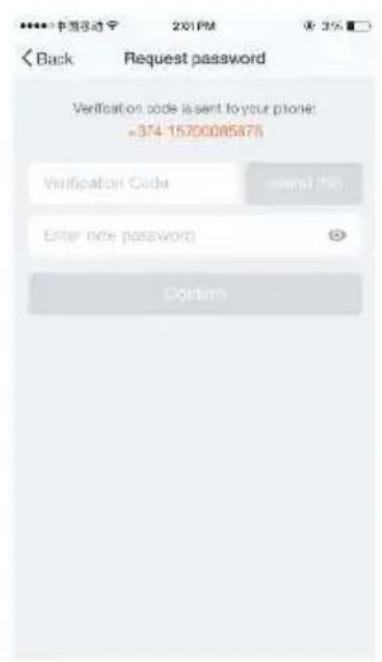
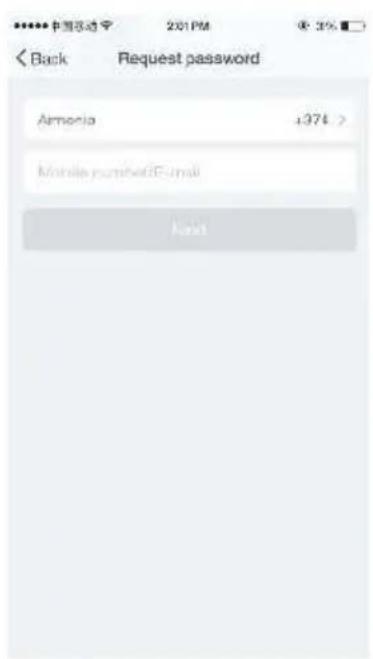
To find your password back, please follow the procedures:

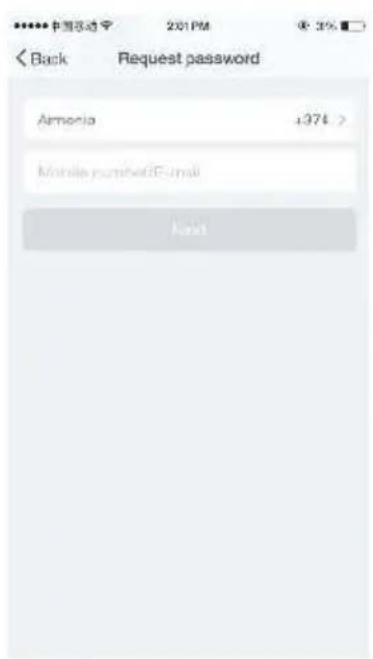
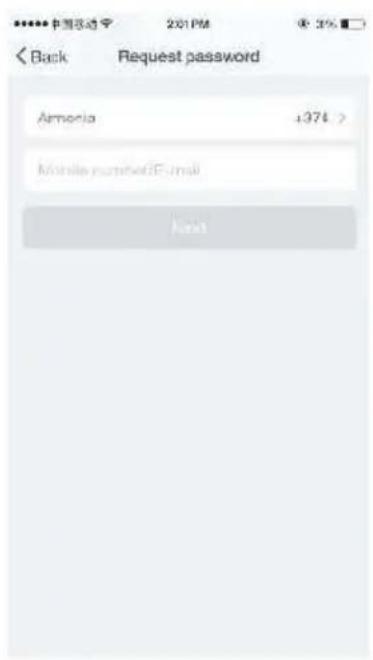
  1. Tap "Forgot password", as shown in the picture 1.
  2. The system automatically recognizes your country / area. You can also select your country code by yourself. Enter the mobile number / E-mail and tap "Next", as shown in the picture 2.
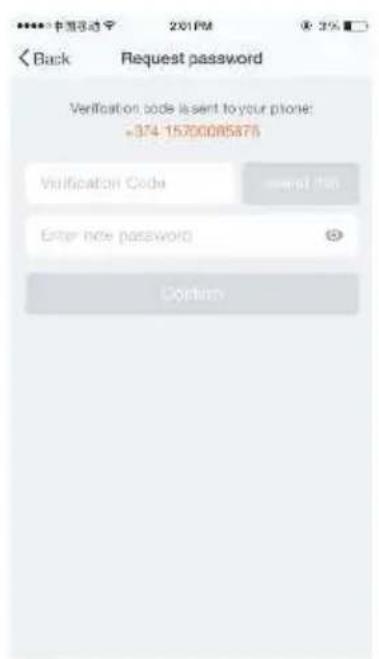
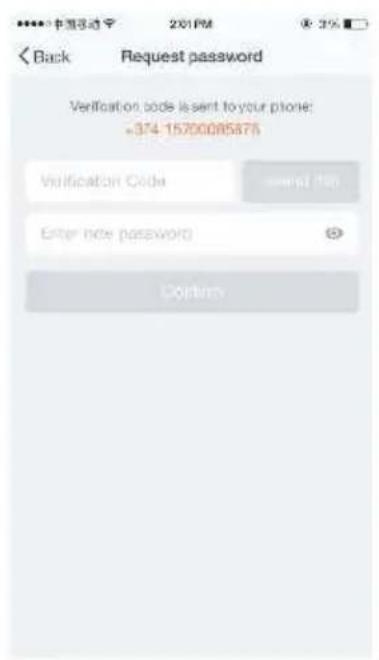
  3. Enter the verification code in the message/E-mail, as shown in the picture 3, and enter the new password, tap "Confirm" to finish.
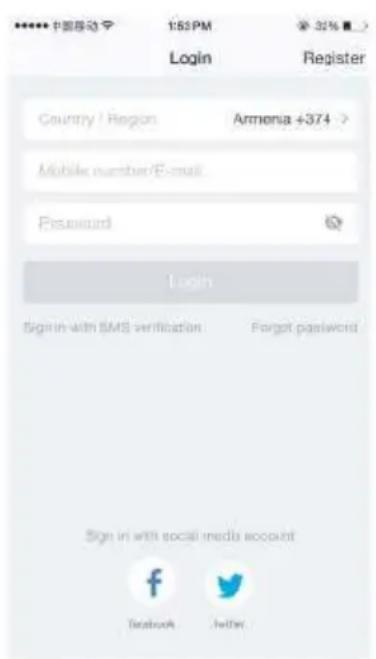
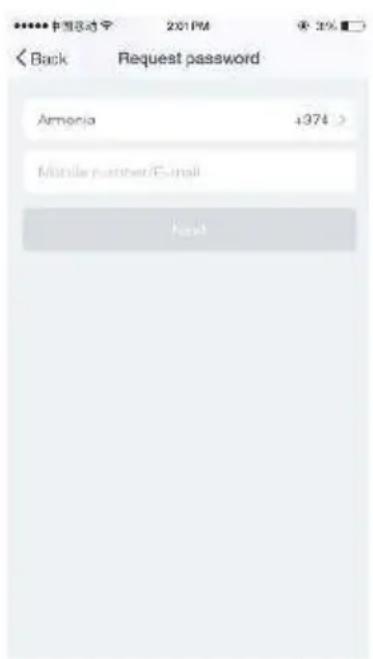
SereneLife SLPAC905W - Forgot password - 1

text_image 中国移动 1:52 PM Login Armenia +374 > Passguard Login Sign in with SMS verification Forget password Sign in with social media account Facebook Twitter

SereneLife SLPAC905W - Forgot password - 2

text_image Back Request password Amelia +374 > Mobile partner/E-mail Host

SereneLife SLPAC905W - Forgot password - 3

text_image Back Request password Verification code is sent to your phone: +374 15200085875 Verification Code Enter new password Confirm

Picture 1 Picture 2 Picture 3

Connect device

  1. Plug the PAC, the PAC will be in stand by mode. (Do not turn on the unit until the wifi connection is successful.)
  2. Press the SPEED button for 3 seconds to enter wifi connect mode. (Also use SPEED as reset button)
  3. Enter the App, tap“+”in the upper right of the page to enter network connection page, as shown in the picture
  4. There are two network connection methods (Normal mode and AP mode). Normal mode is default. Users could tap the upper right corner to switch the connection method to AP mode.

Notes: How to set indicator light as rapid flashing (normal mode) or slowly flashing (AP mode).

Step 1 Plug the unit
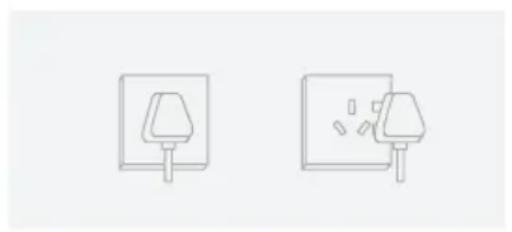
SereneLife SLPAC905W - Connect device - 1

natural_image Two simple line drawings of electrical outlets or switches, one with a lamp and the other with a bulb (no text or symbols)

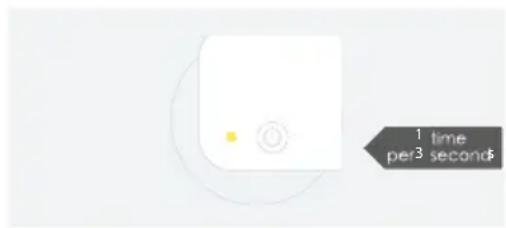
Step 2 Hold the reset button for 5s.

SereneLife SLPAC905W - Connect device - 2

natural_image Simple icon of a white electronic device with a power button and circular outline (no text or symbols)

Step 3 Confirm indicator light is now rapidly flashing
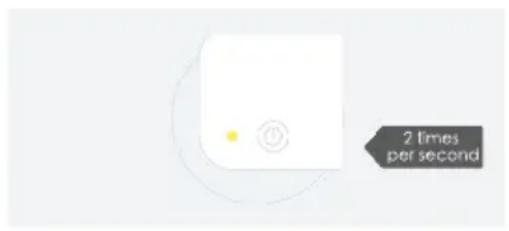
SereneLife SLPAC905W - Connect device - 3

text_image 2 times per second

Step 4 Hold reset button for 5s until indicator light is slowly flashing
SereneLife SLPAC905W - Connect device - 4

text_image 1 time per 3 seconds

For normal mode

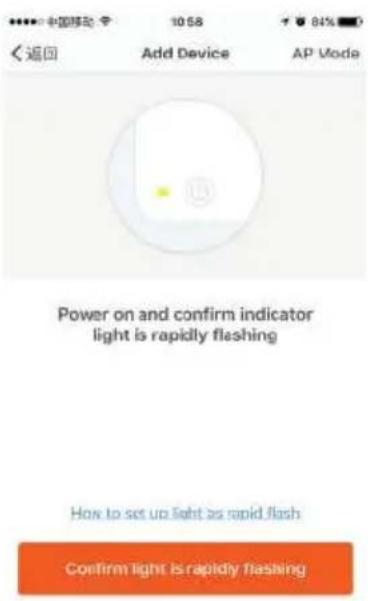
  1. Please make sure the device's indicator light rapidly flashes (2 times per second), tap to go on to the next step (picture 1).
  2. If indicator light is not rapidly flashing, tap "how to set indicator light as rapid flashes" to view operation processes.
SereneLife SLPAC905W - For normal mode - 1

text_image 中国移动 10:58 84% 返回 Add Device AP Mode Power on and confirm indicator light is rapidly flashing How to set up light as rapid flash Confirm light is rapidly flashing

picture 1

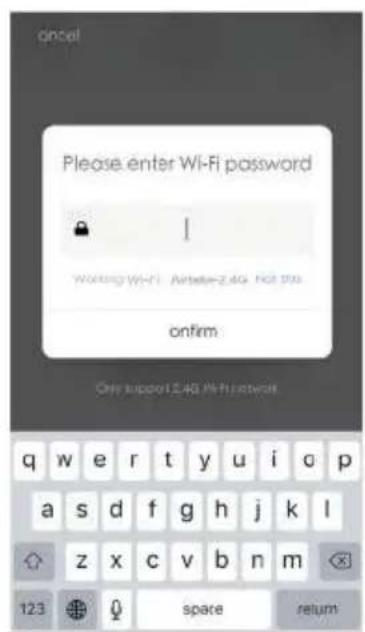
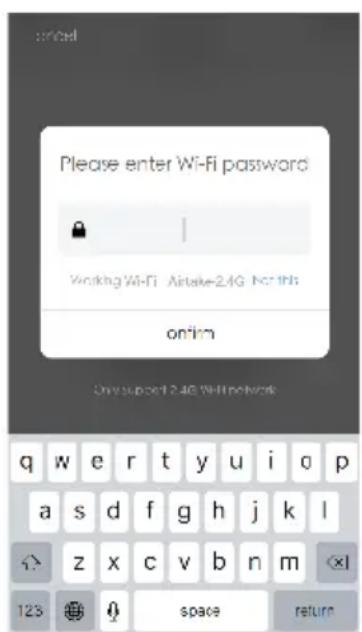
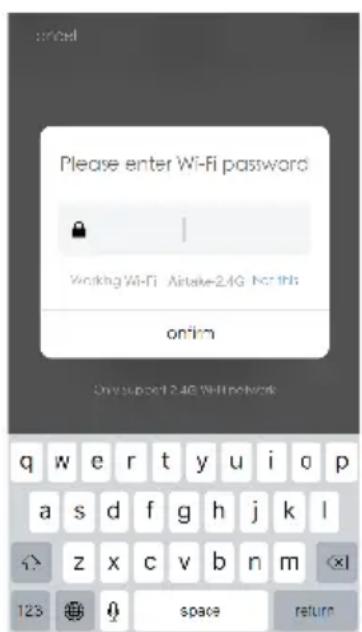
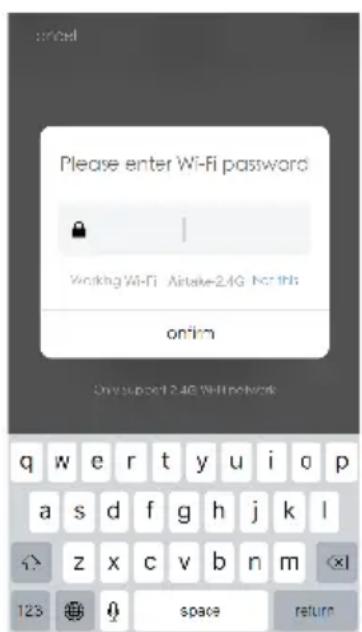
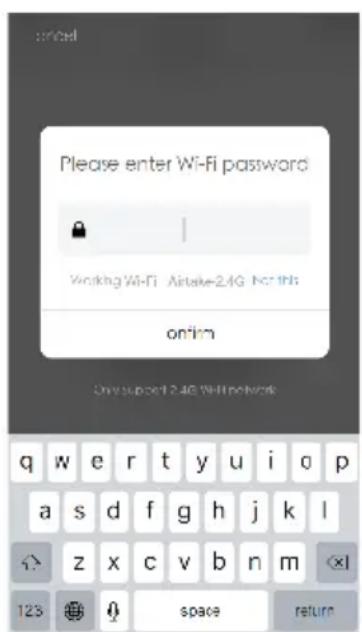
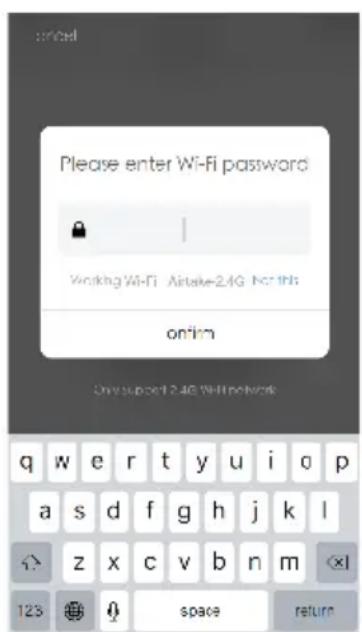
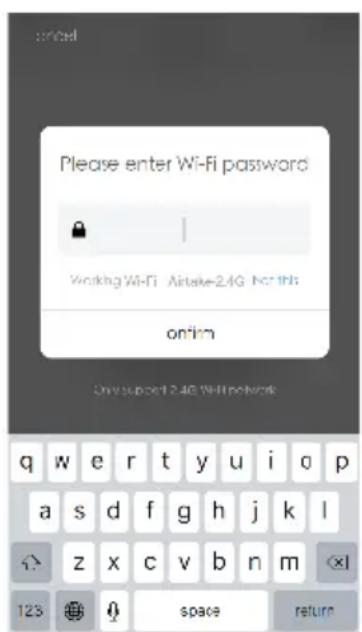
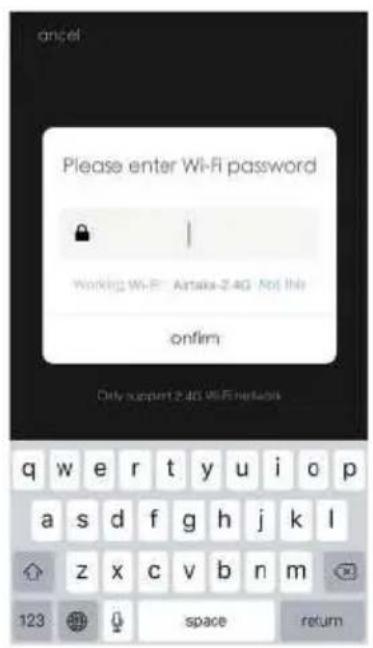
  1. Select the Wi-Fi under which device is working, enter password and tap "Confirm" to enter network connection process, as shown in the picture below (picture 2).
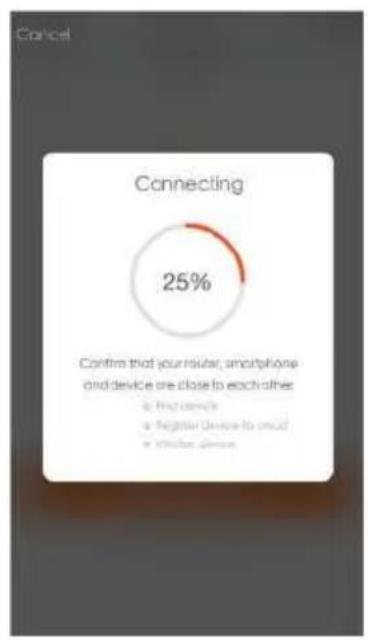
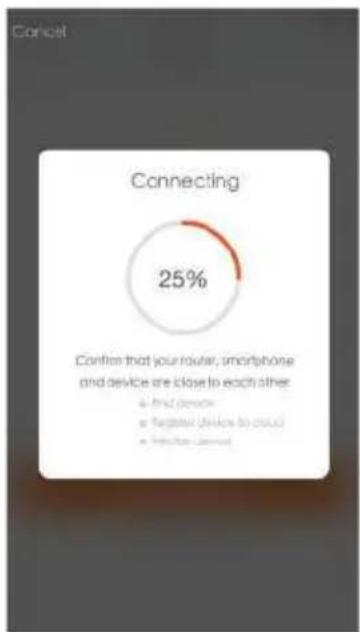
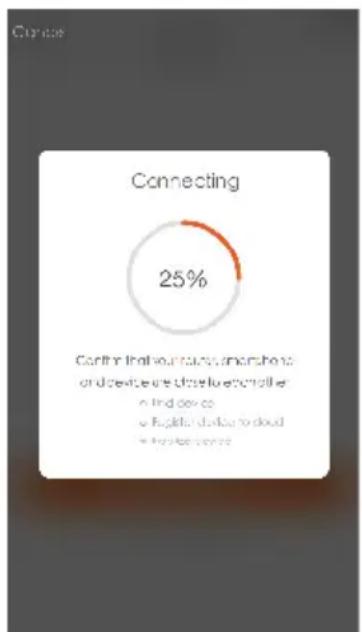
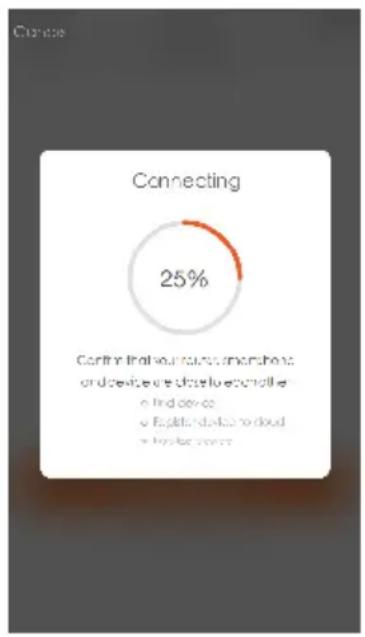
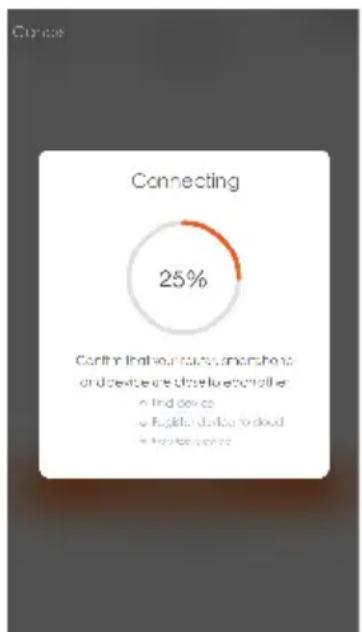
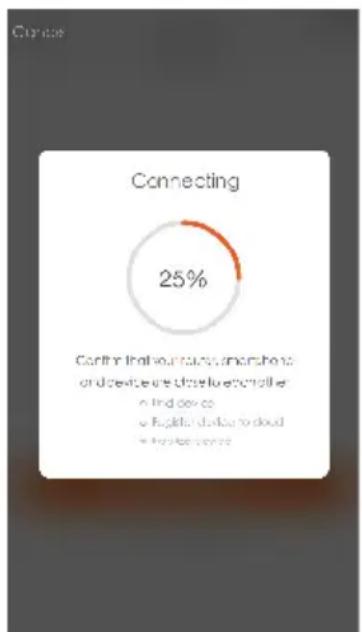
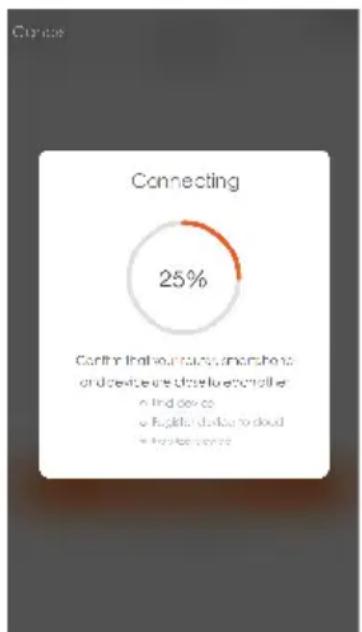
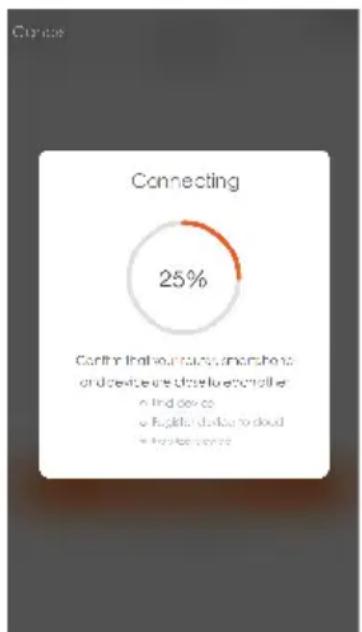
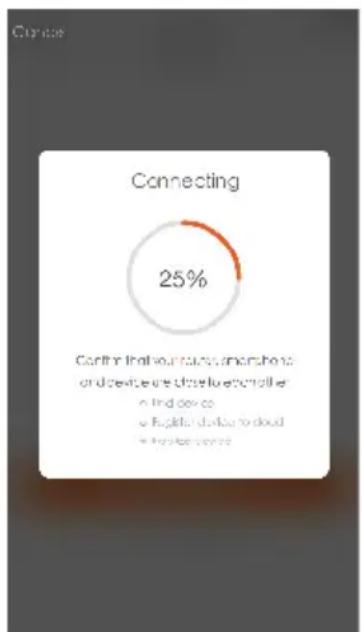
  2. If you select normal mode to connect device to the network, the App goes through the processes as shown in the picture 3.
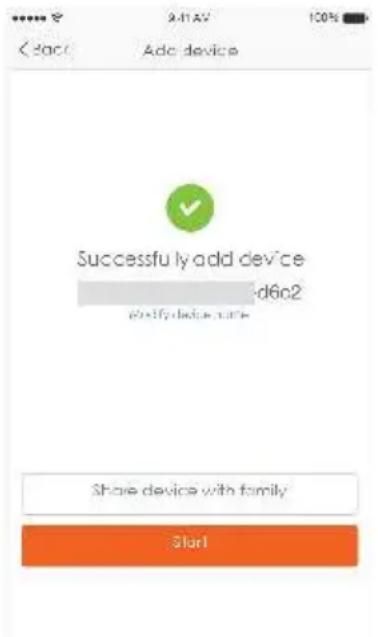
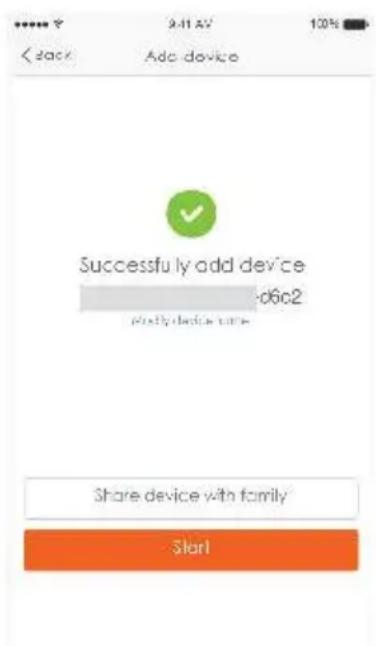
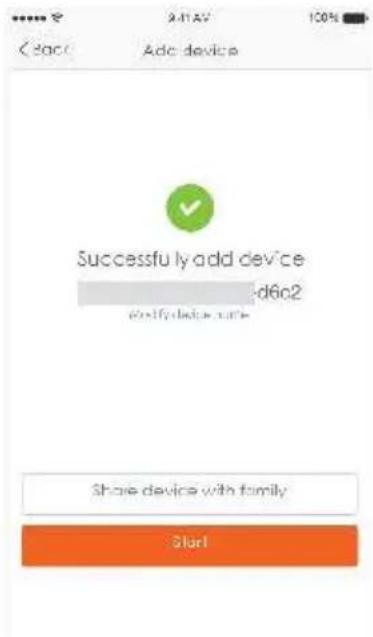
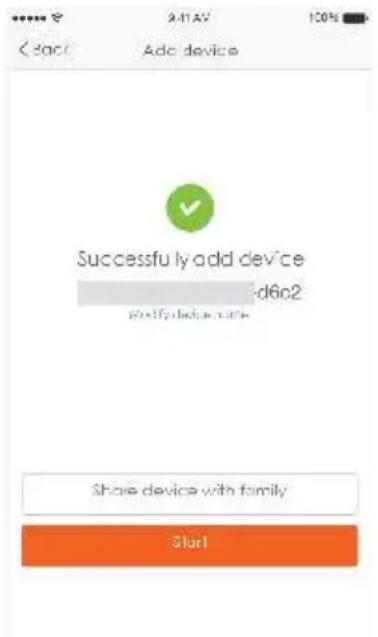
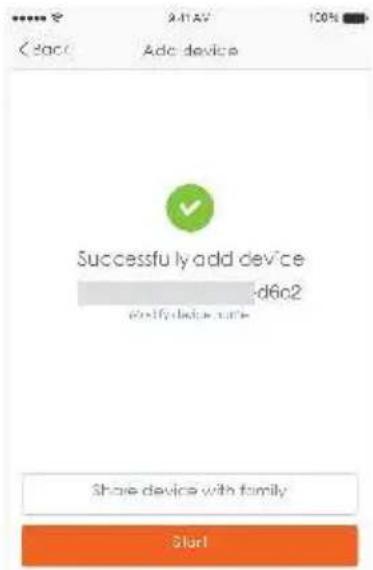
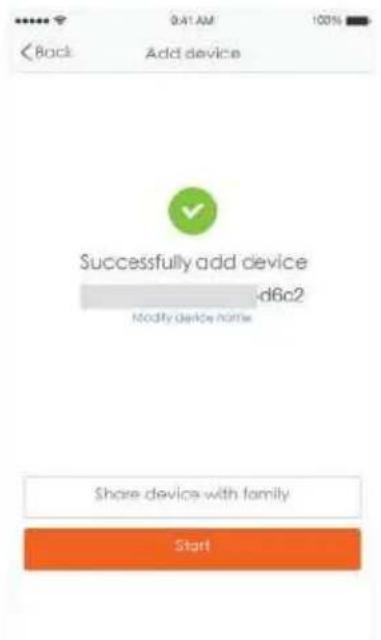
  3. After the network connection is successfully, the App page will be shown in the picture 4
SereneLife SLPAC905W - For normal mode - 2

text_image ancel Please enter Wi-Fi password Working Wi-Fi: Amate-2.4G Not the onfilm Only support 2.4G WiFi networks q w e r t y u i o p a s d f g h j k l z x c v b n m 123 space return

picture 2 picture 3 picture 4

SereneLife SLPAC905W - For normal mode - 3

pie Connecting | Category | Value (%) | |---|---| | Confirm that your reader, smartphone and device are close to each other | # Find Device | # Register Device to use it | # Other Device
SereneLife SLPAC905W - For normal mode - 4

text_image Back Add device Successfully add device -d6c2 Modify device home Share device with family Start

For AP mode

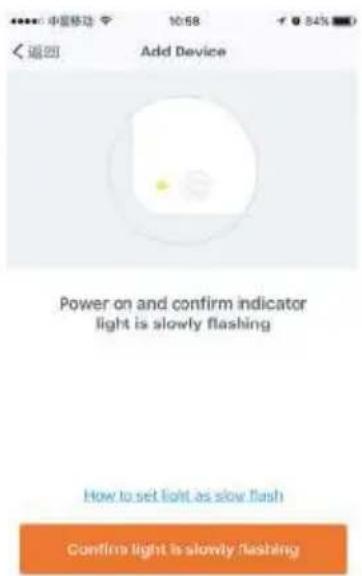
  1. Please make sure the device's indicator light slowly flashes (1 time every 3 seconds), tap to go on to the next step.
  2. If indicator light is slowly flashing, tap "how to set indicator light as slow flashes" to view operation processes.
  3. Select the Wi-Fi under which device is working, enter password and tap "Confirm" to enter network connection process, as shown in the picture 2.
  4. After connecting with the hotspot, back to the network connection page to enter network connection process. The App goes through as shown in the picture 3.
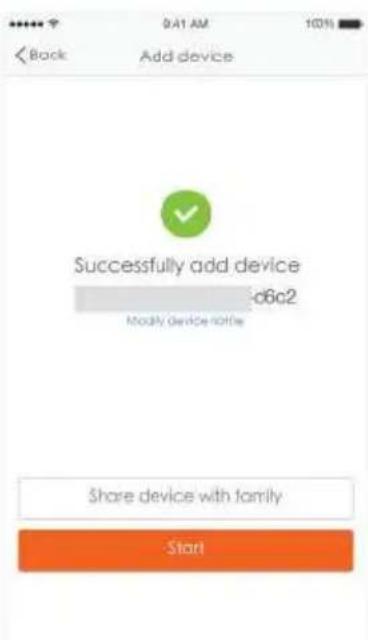
    5.Picture 4 shows the App page when the network connection is successful.
SereneLife SLPAC905W - For AP mode - 1

text_image 中星移动 10:58 Add Device Power on and confirm indicator light is slowly flashing How to set light as slow flash Confirm light is slowly flashing

SereneLife SLPAC905W - For AP mode - 2

text_image please enter Wi-Fi password Wolting Wi-Fi Available for this onfirm Only support 1240 Wi-Fi network q w e r t y u i o p a s d f g h j k l z x c v b n m 123 space return

SereneLife SLPAC905W - For AP mode - 3

pie Connecting | Category | Value (%) | |---|---| | Connecting | 25 | Confirm that your router, smartphone and device are close to each other a) Find remote b) Targeted devices to cloud c) Refuse/Unread

picture 1 picture 2 picture 3
SereneLife SLPAC905W - For AP mode - 4

text_image Back 9:41 AM 100% Add device Successfully add device c6a2 Modify device note Share device with family Start

SereneLife SLPAC905W - For AP mode - 5

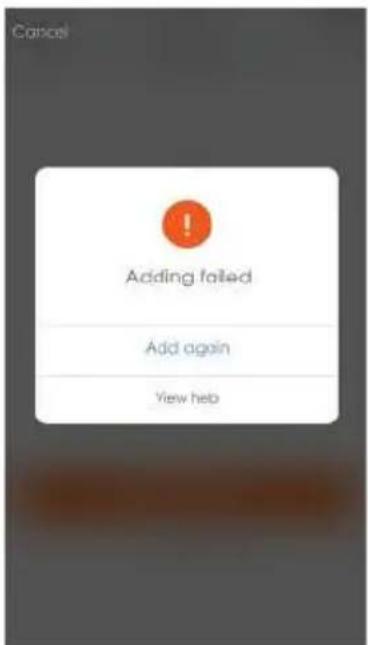
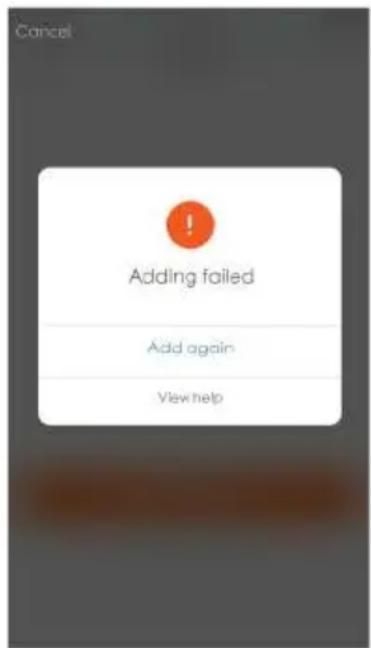
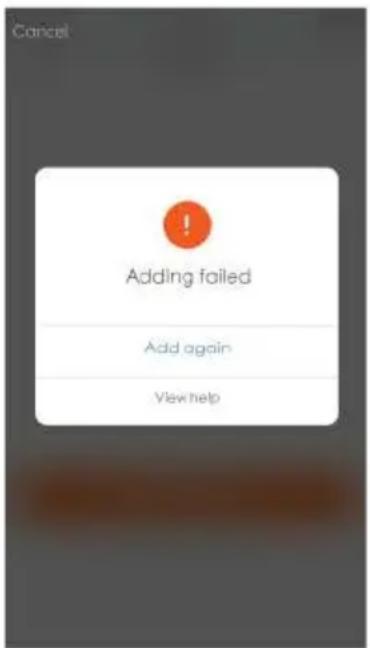
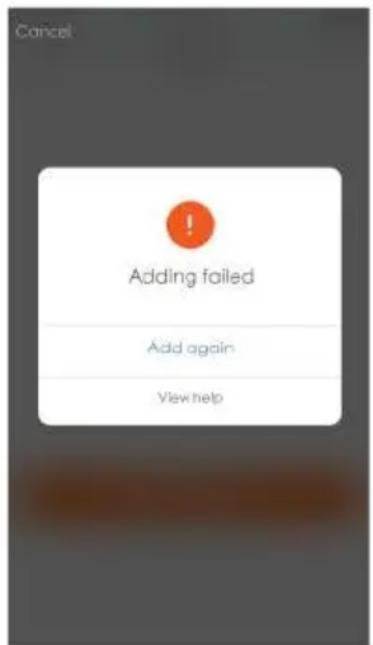
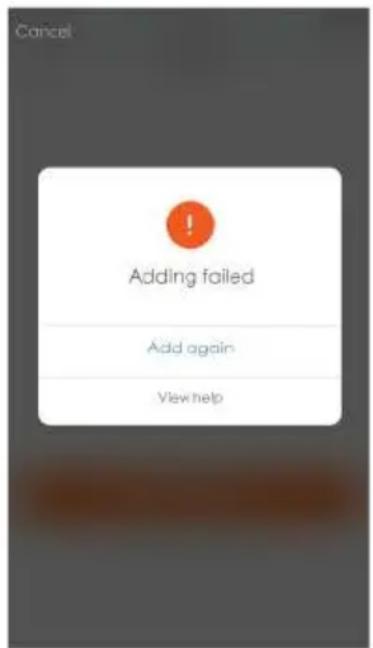
text_image Cancel Adding failed Add again View help

picture 5picture 4

Note:

If your App interface is shown as picture 5, it means that the network connection failed. You could try by connecting again or view help.
SereneLife SLPAC905W - Note: - 1

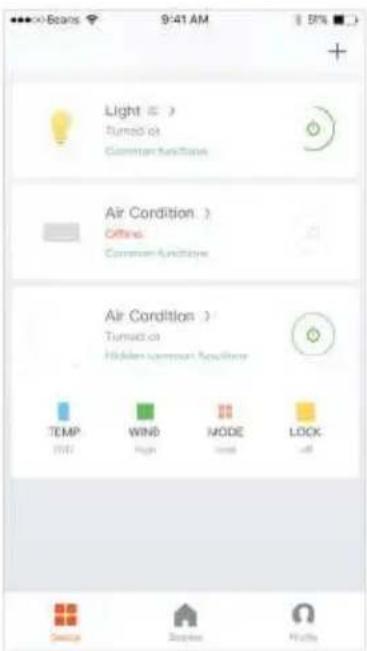
text_image Light Turned at Common Air Condition Air Condition Offline Common Air Condition Air Condition Turned at Hidden common Air Condition TEMP WIND MODE LOCK UST High Low all Service Display Help

1. Control device

After successfully configuring the devices, the smart device will be shown on the home page. Tap to enter its control page

Note:

  1. When device is online, it support short-cut operations
  2. When device is offline, it displays "Offline" and can be controlled.

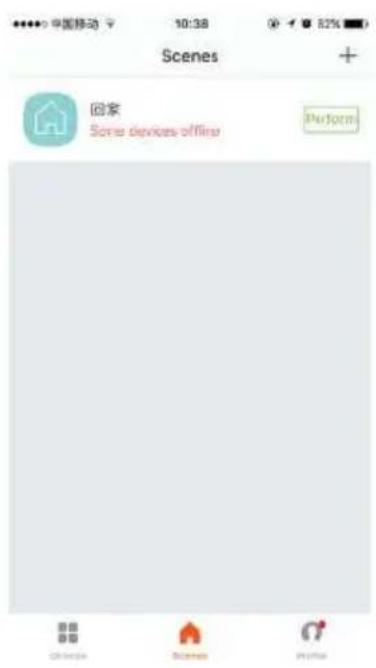
2. Smart life scenario

Smart life scenario supports that devices perform corresponding actions under various conditions.

The main conditions include:

  1. Temperature
    2.Humidity
    3.Weather
    4.PM2.5
  2. Air quality
  3. Sunrise & sunset time
    7.Device's actions (such as turn on/off)
SereneLife SLPAC905W - Smart life scenario - 1

text_image 中国移动 10:38 Scenes + 回家 Some devices offline Perform

SereneLife SLPAC905W - Smart life scenario - 2

text_image 中国移动 14:23 返回 Profile Settings Tap to set your name: 86-16761142566 Scones > Device Sharing > Message Center > Use Echo > Experience Center > Scan QR Code > FAQ > Feedback > About > ReactNative Debug >

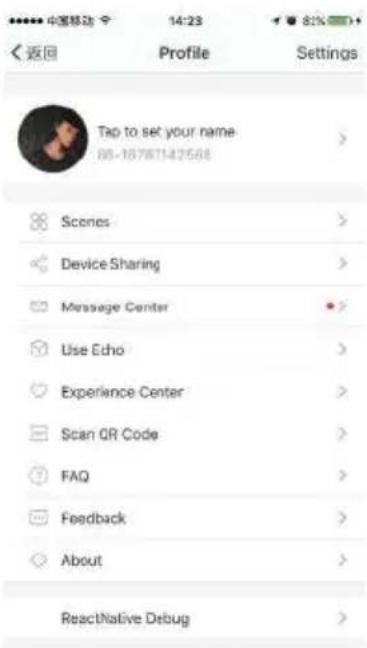
Personal Profile

"Profile" page is where users could manage personal information. The key information is as follows:

Personal information

  1. Smart life scenario

devices

  1. Message center
    4.F.A.Q
  2. Entry to submit feedback
    6.About

SereneLife SLPAC905W - Personal Profile - 1

text_image 中国移动 2:40 PM Profile Back Picture Nickname Tap to set your name > Phone Number 56-15700085876 Change login password > Pattern unlock Change pattern password > Logout

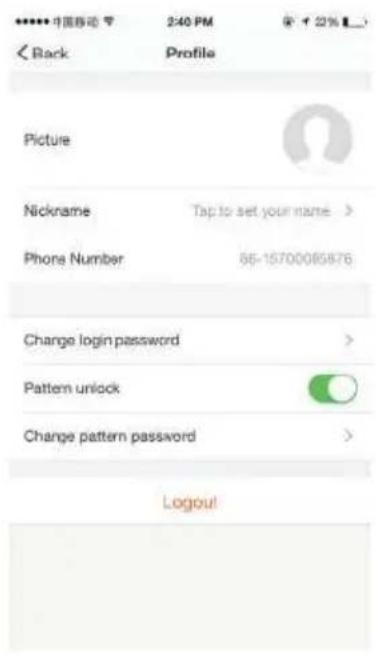
Profile

"Profile" page is for displaying personal account information. You can change login password, binding mobile number, set pattern unlock on this page.

Profile-Pattern Unlock

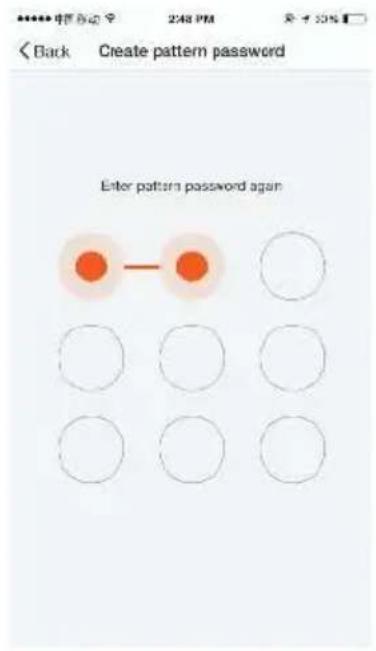
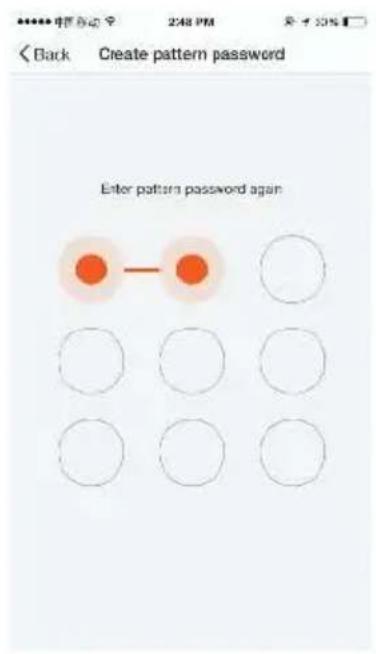
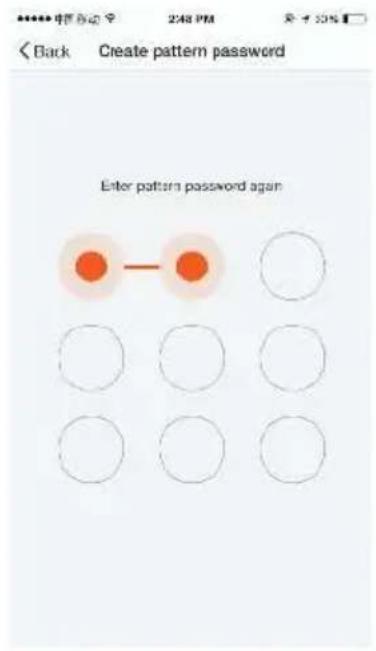
Profile-Pattern Unlock Tap "Pattern unlock" to set your pattern. After setup, you have to enter your pattern to use the App.
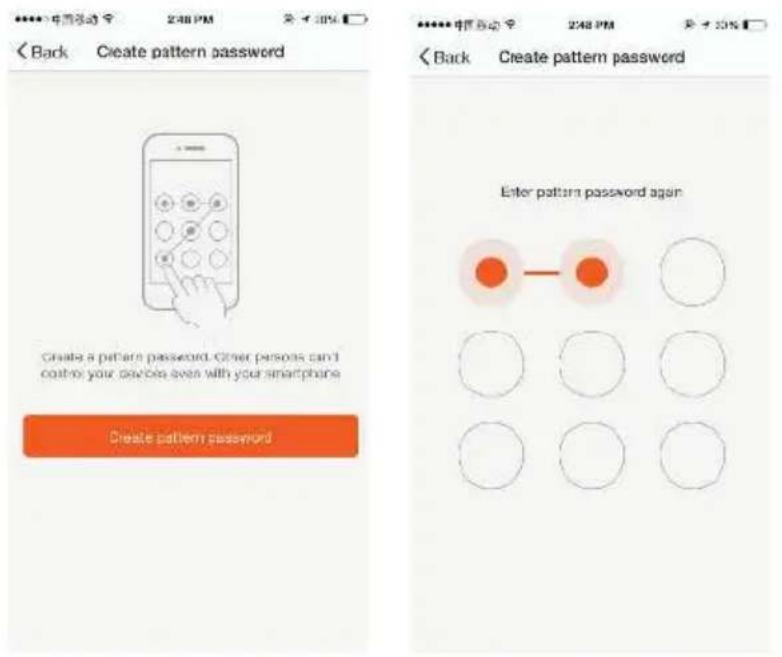
SereneLife SLPAC905W - Profile-Pattern Unlock - 1

text_image Back Create pattern password Create a pattern password. Other persons can't control your devices even with your smartphone Create pattern password Enter pattern password again

Profile-Device Sharing

SereneLife SLPAC905W - Profile-Device Sharing - 1

text_image 中国移动 2:44 PM Cancel Add Sharing Add new menu to use smart device China +86 Enter mobile number's mail Confirm

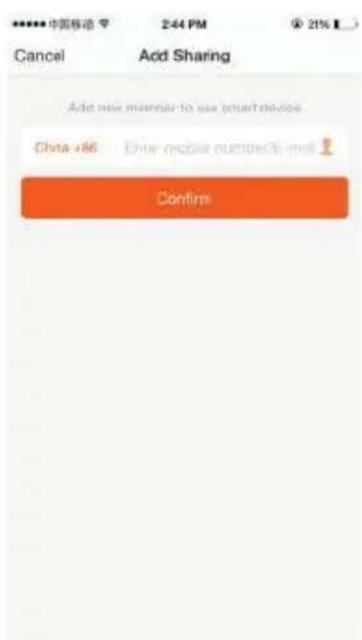
Add sharing:

As shown in the left picture, users could input a new member's mobile number and share the device with him. The new member could then control the shared device.

Sharing sent list:

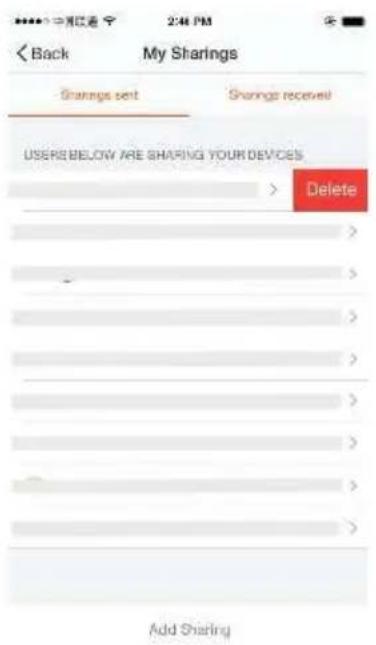
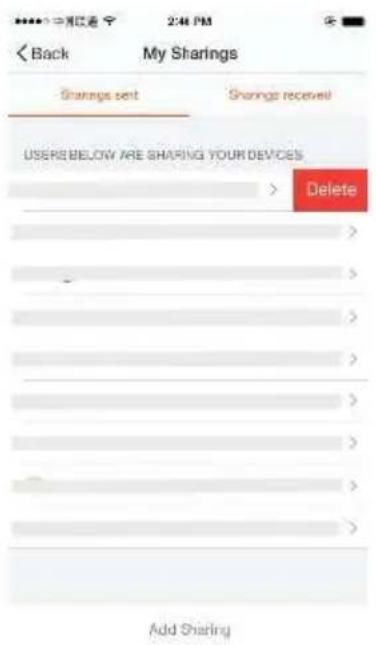
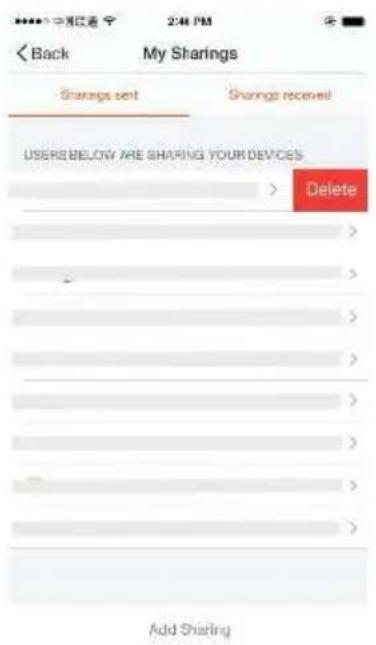
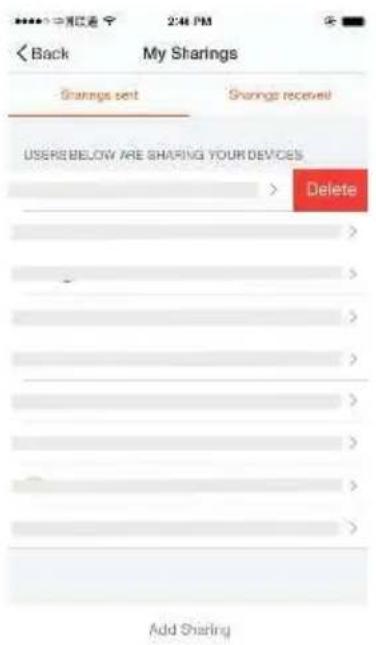
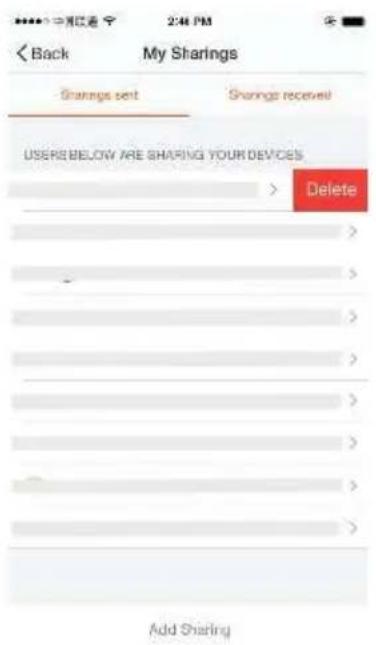
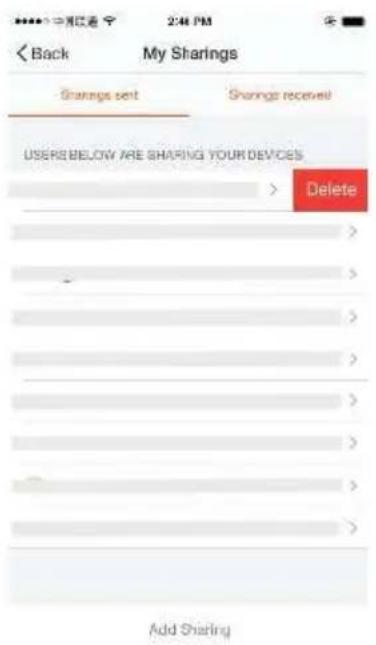
The list shows all members who are added by your account. You can delete the member and delete the sharing by swiping left.
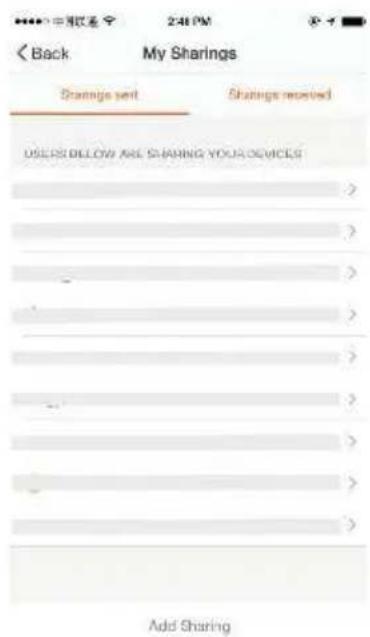
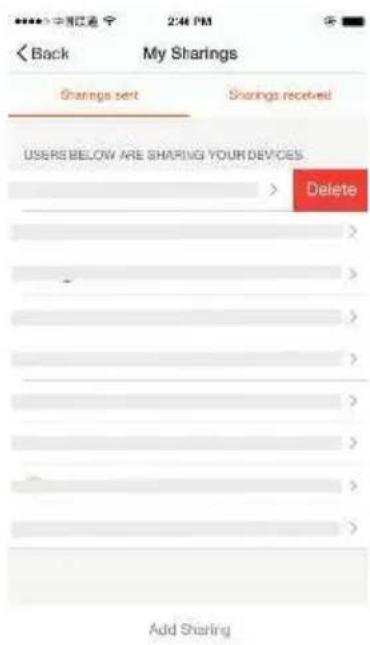
SereneLife SLPAC905W - Sharing sent list: - 1

text_image Back My Sharings Sharings sent Sharings received USERS BELOW ARE SHARING YOUR DEVICES Add Sharing

SereneLife SLPAC905W - Sharing sent list: - 2

text_image Back My Sharings Sharings set Sharings received USERS BELOW ARE SHARING YOUR DEVICES Delete Add Sharing

Sharing received:

The list shows all devices that your account has received. You can delete the sharing by swiping left.

SereneLife SLPAC905W - Sharing received: - 1

text_image 中国移动 2:50 PM < Back Message Center Nursue language

Message center:

Including notifications of new device and new sharing.

Feedback:

Entry where users could submit their feedback.
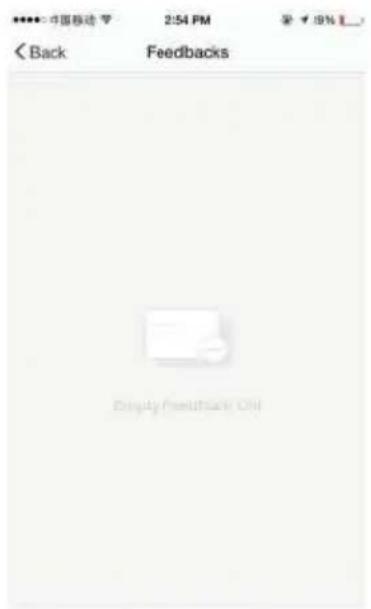
SereneLife SLPAC905W - Feedback: - 1

text_image 中国移动 2:54 PM Back Feedbacks Empty Feedback Only

New Feedback

SereneLife SLPAC905W - Feedback: - 2

text_image 中国移动 4G 11:18 ↑ 78% > < Back About Rate us > Current version 1.0.0
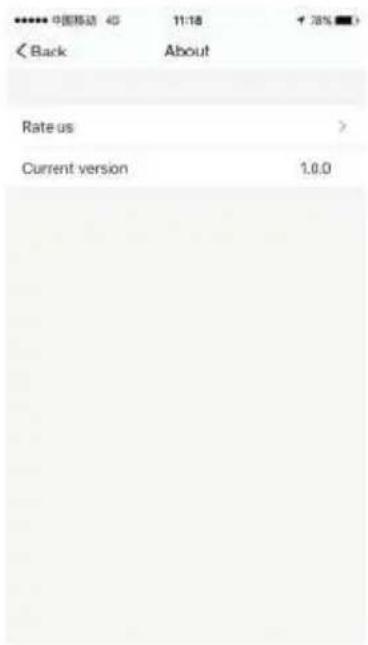
  1. Tap on "rate us", App will be redirected to a corresponding App market, where you could rate us.
    2.Show App version number

Remark :

  1. The pictures used in this wifi section are iOS app interface, Android version is a bit different.
  2. Product and software update periodically, the number and app interface in this manual are only for example. No extra notification on further changes.

Amazon Echo Operation Instruction

1. What you need to get started

Before using Echo to control your smart devices, make sure you meet the following conditions

  1. Stable Wi-Fi network which could access to Amazon server.
  2. An Echo device, including Echo, Echo Tap, or Echo Dot.
  3. An Amazon account.
  4. Smart Life app and a related account.
  5. Smart devices.

2. Add devices in Smart Life app (Refer to App Instruction)

You can skip this part if you've already add some devices to your Smart Life account, and in the meantime the devices' name are easily recognized. 2.1 Download Smart Life app (Refer to App Instruction)

You can scan the QR code below to download the Smart Life app:

SereneLife SLPAC905W - Add devices in Smart Life app (Refer to App Instruction) - 1

text_image QR code with a blue home icon in the center, likely linking to a smart home application.

You can also search "Smart Life" in either App Store or Google Play to install the App.

2.2 Register a Smart life account and sign in the app (Refer to App Instruction)

Open the Smart Life App, tap "Register" to register an account, then sign in the App.

2.3 Add device and change device's name (Refer to App Instruction) Sign in with the Smart Life account, add the device, then change device name to a easily recognized word or phrase, like "bedroom air conditioner".

3. Set up Amazon Echo and enable Smart Life Skill

User can configure Echo through web or Alexa app.

Web configuration link: http://alexa.amazon.com/spa/index.html Search "Amazon Alexa" in App Store or Google Play to install the app. We take app configuration as an example. Configuration through
SereneLife SLPAC905W - Set up Amazon Echo and enable Smart Life Skill - 1

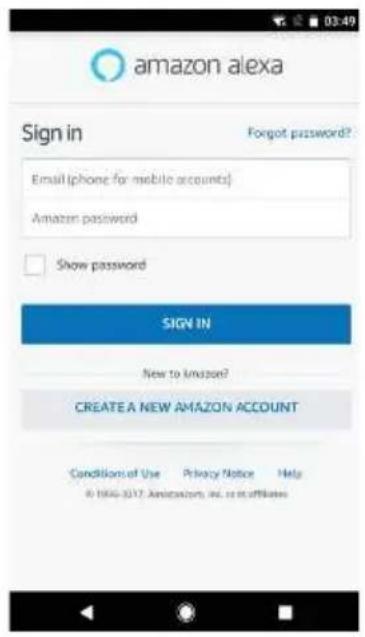
text_image amazon alexa Sign in Forgot password? Email (phone for mobile accounts) Amazon password Show password SIGN IN New to amazon? CREATE A NEW AMAZON ACCOUNT Conditions of Use Privacy Notice Help © 1994-3217 Amazon.com, Inc. or its affiliates

3.1 Set up Echo with Alexa app

You can skip this part if your Echo is already set up

  1. Make sure your Echo device is energized.
  2. Open the Alexa app by tapping the app icon on your mobile device.
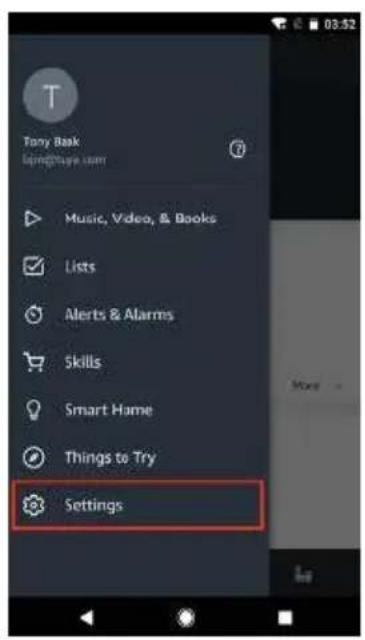
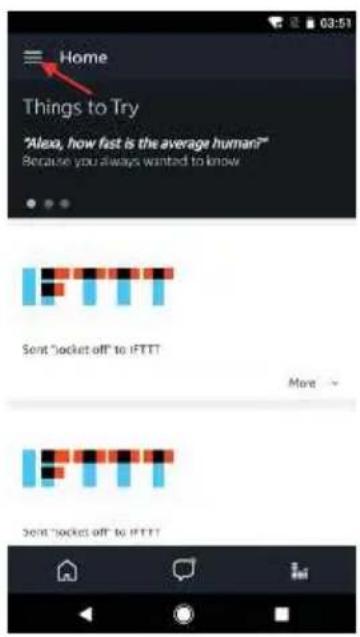
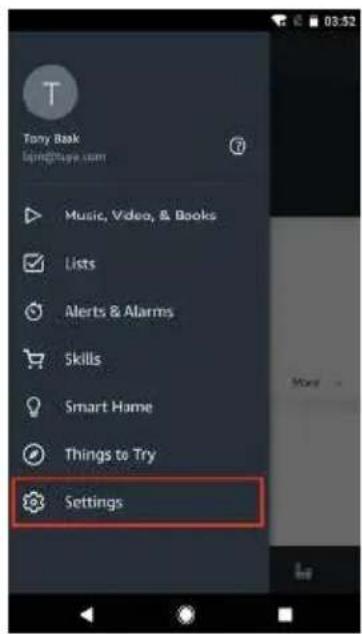
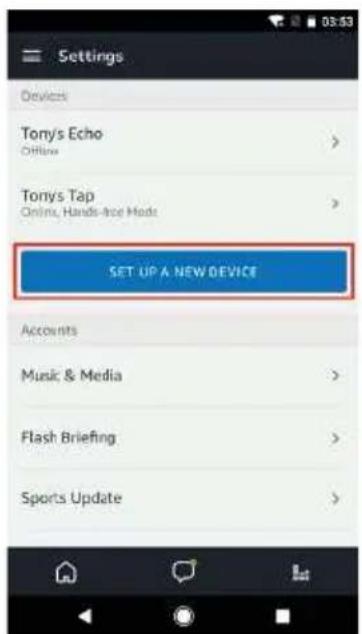
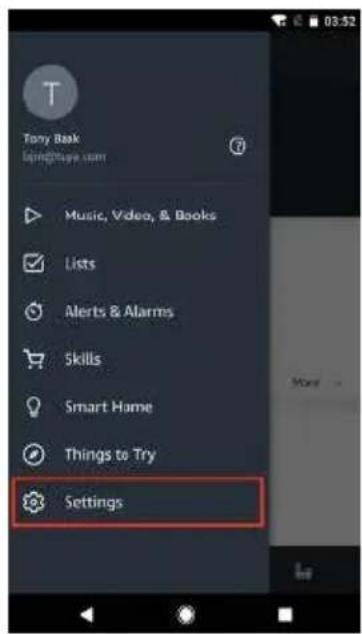
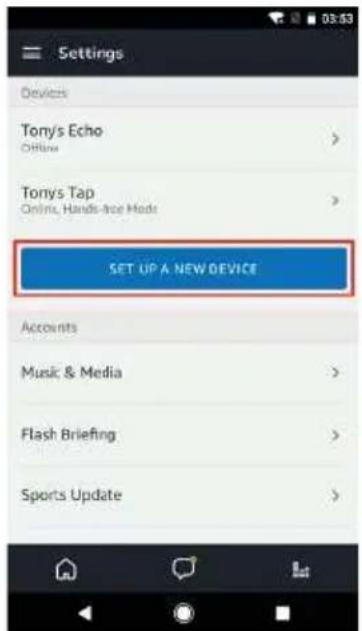
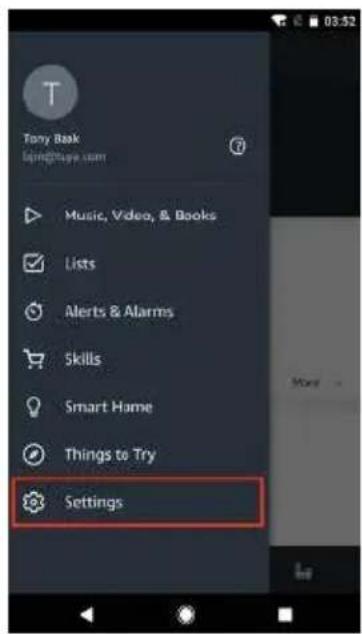
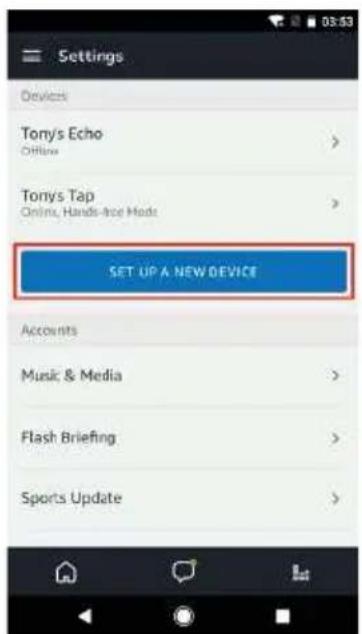
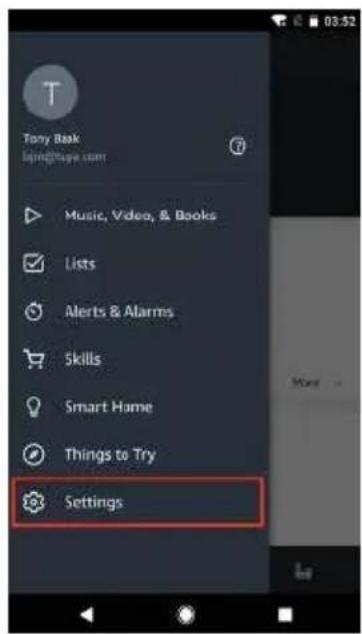
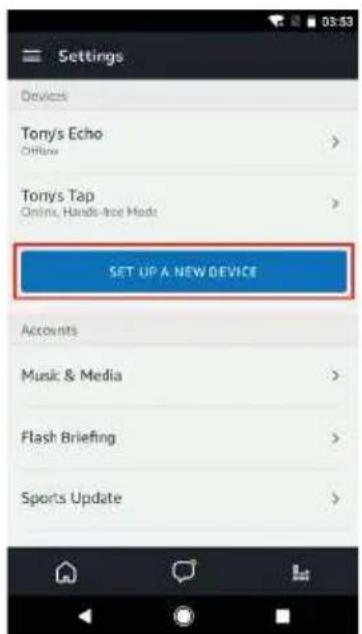
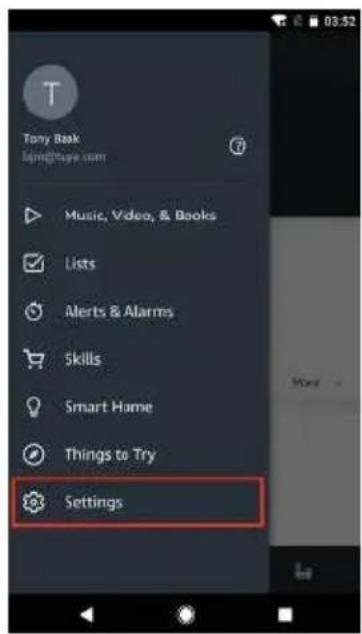
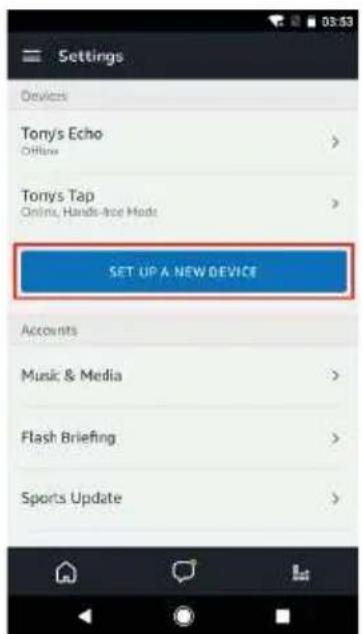
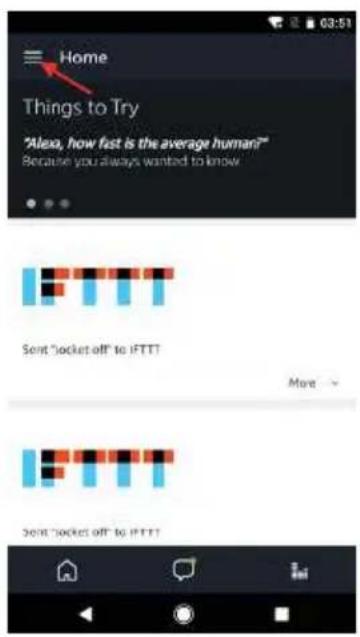
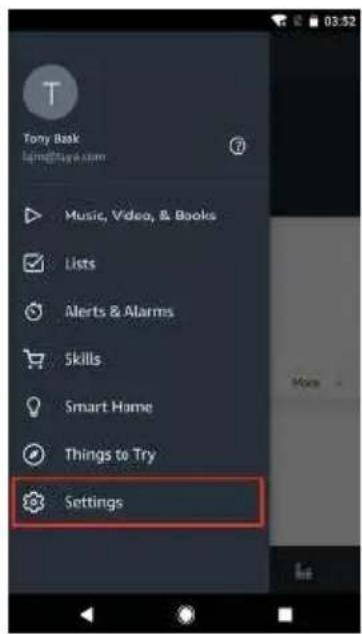
  3. Type in your Amazon account and password, then tap "SIGN IN".4. Tap the hamburger menu on the top left corner, select "Settings", then tap "SET UP A NEW DEVICE".
SereneLife SLPAC905W - Set up Echo with Alexa app - 1

text_image Home Things to Try "Alexa, how fast is the average human!" Because you always wanted to know Send "socket off" to iFTTT More Send "socket off" to iFTTT

SereneLife SLPAC905W - Set up Echo with Alexa app - 2

text_image Tony Book layng@taya.com Music, Video, & Books Lists Alerts & Alarms Skills Smart Home Things to Try Settings

SereneLife SLPAC905W - Set up Echo with Alexa app - 3

text_image Settings Devices Tony's Echo Offline > Tony's Tap Online, Hands-free Mode > SET UP A NEW DEVICE Accounts Music & Media > Flash Briefing > Sports Update >
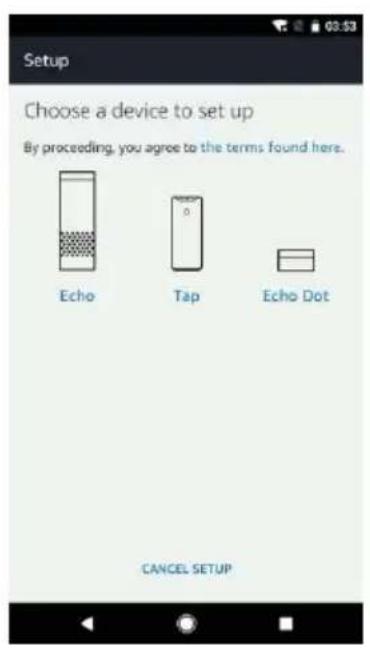
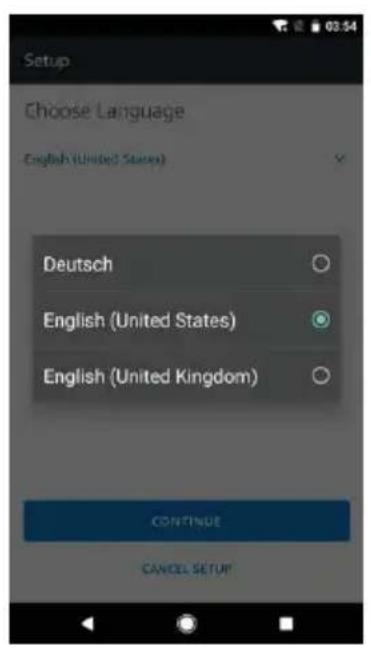
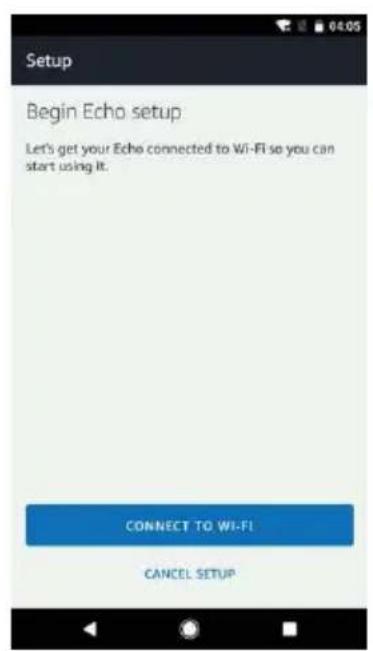
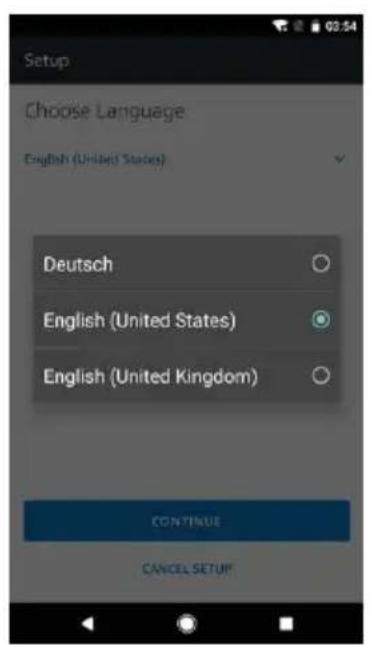
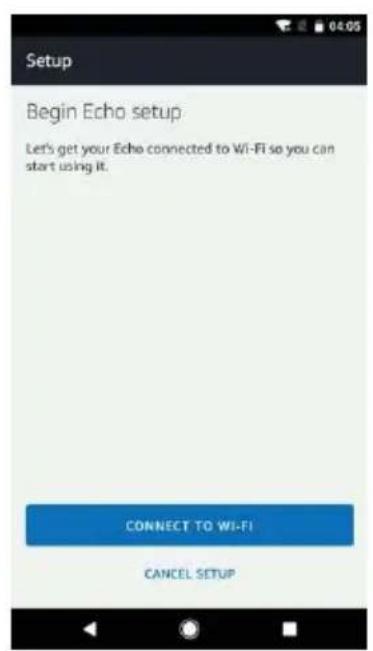
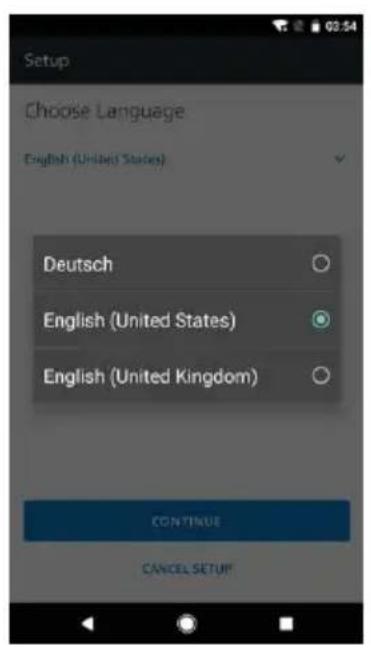
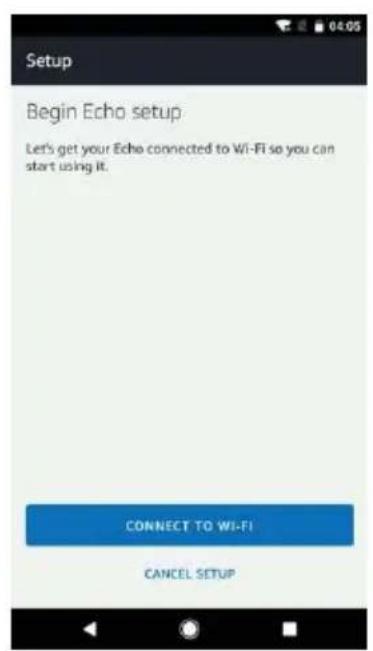
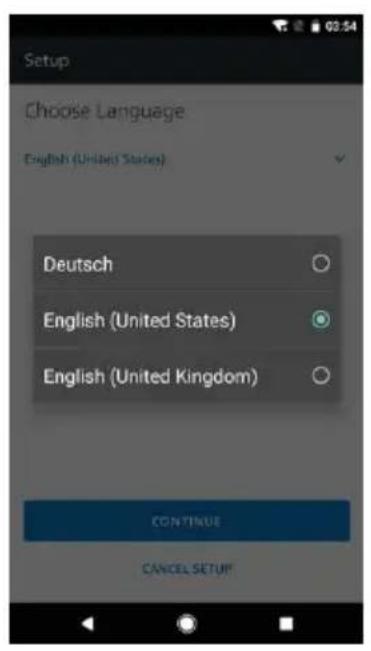
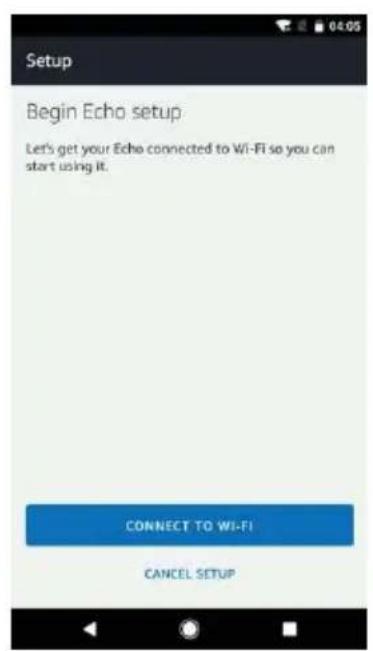
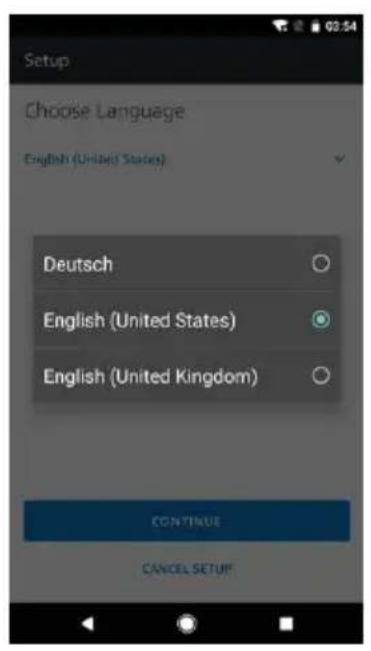
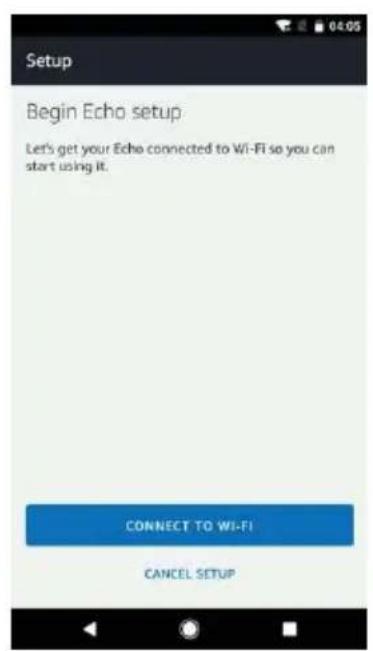
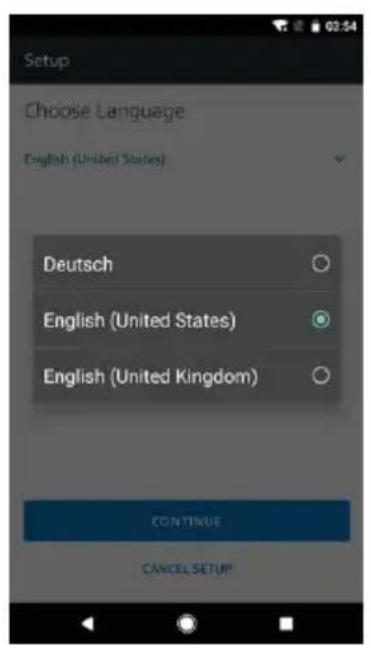
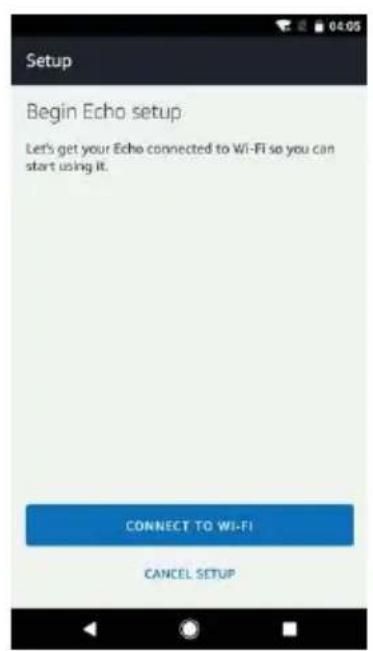
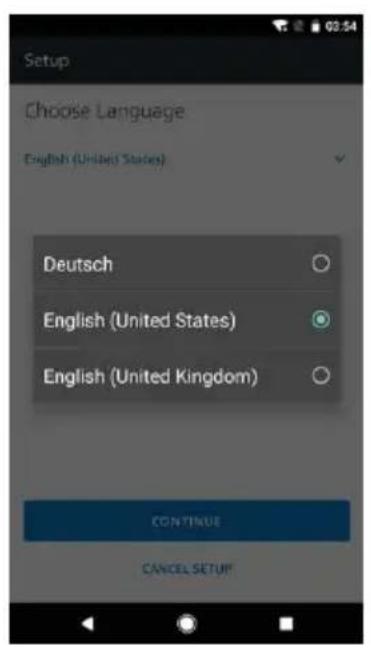
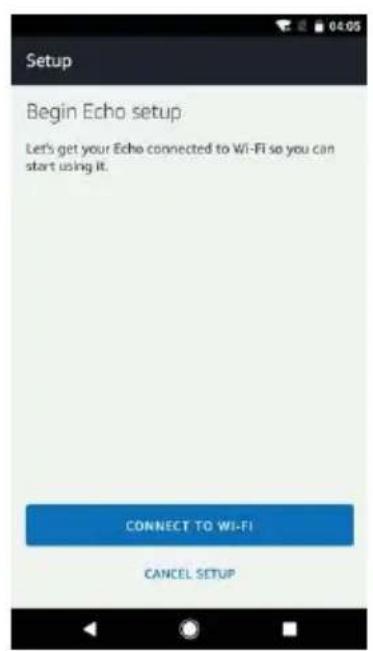
  1. Select your Echo model, choose a proper language, then tap "CONNECT TO WI-FI".

SereneLife SLPAC905W - Set up Echo with Alexa app - 4

text_image Setup Choose a device to set up By proceeding, you agree to the terms found here. Echo Tap Echo Dot CANCEL SETUP

SereneLife SLPAC905W - Set up Echo with Alexa app - 5

text_image Setup Choose Language English (United States) Deutsch English (United States) English (United Kingdom) CONTINUE CANCEL SETUP

SereneLife SLPAC905W - Set up Echo with Alexa app - 6

text_image Setup Begin Echo setup Let's get your Echo connected to Wi-Fi so you can start using it. CONNECT TO WI-FI CANCEL SETUP
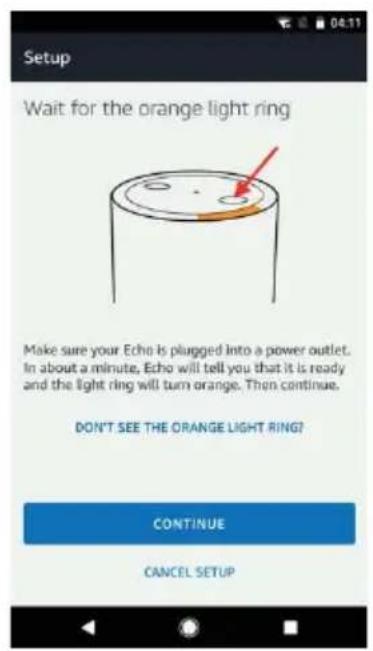
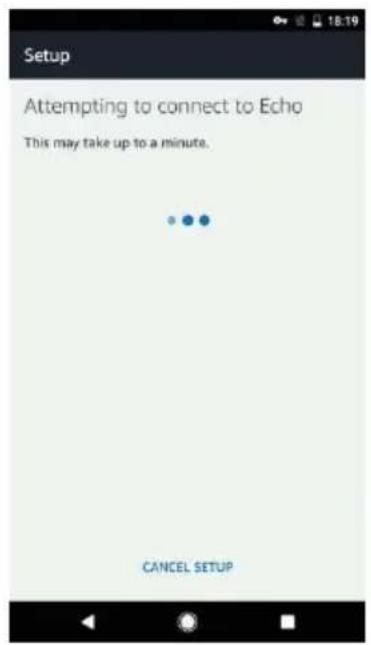
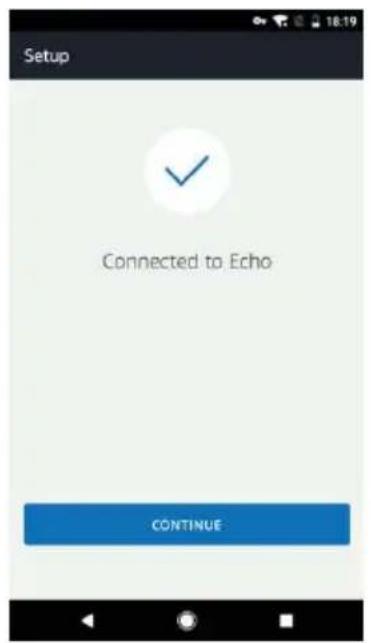
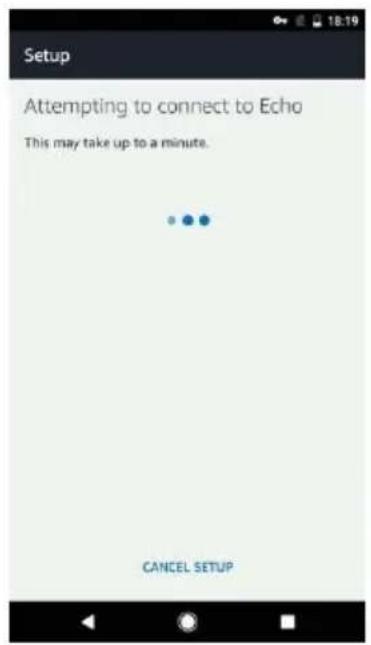
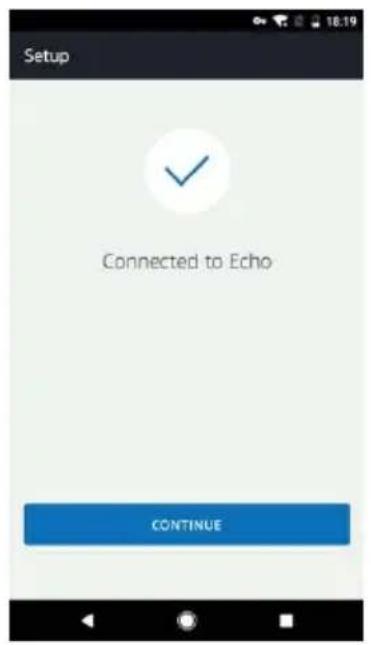
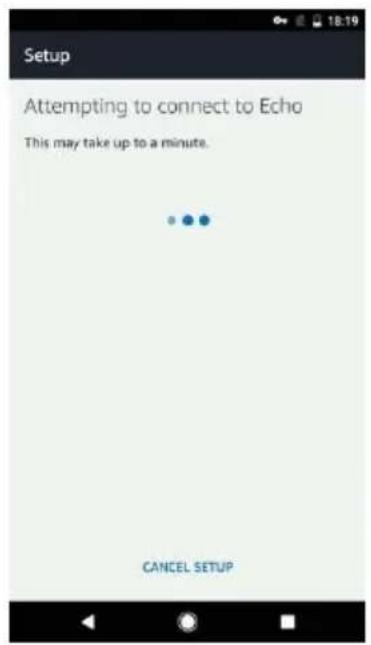
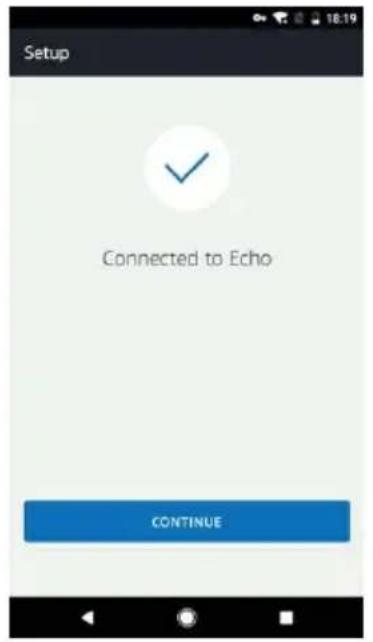
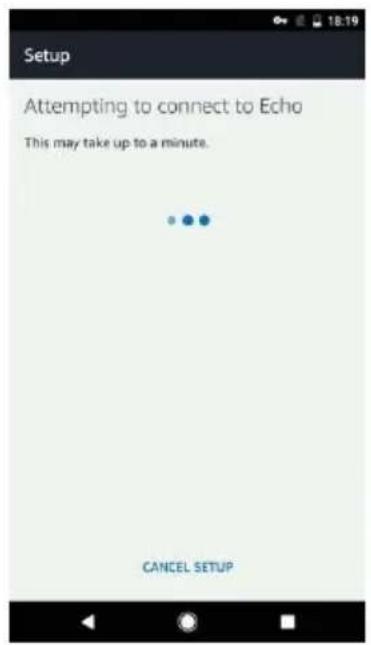
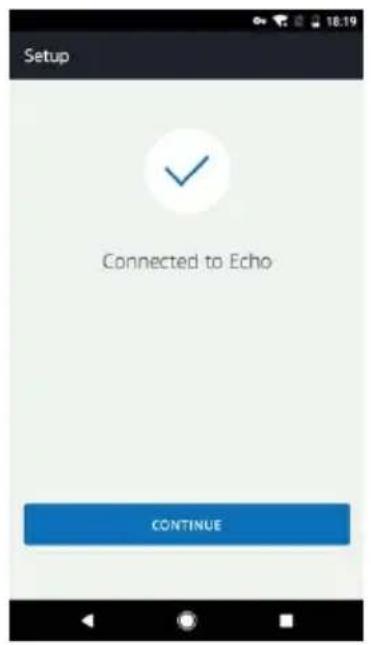
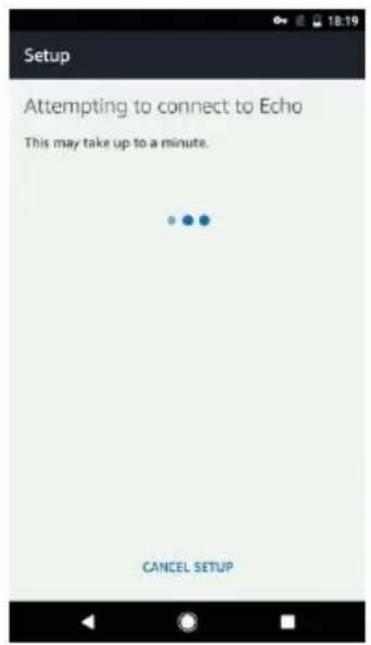
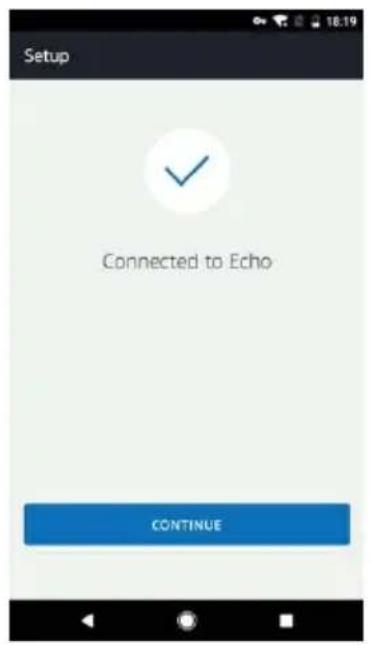
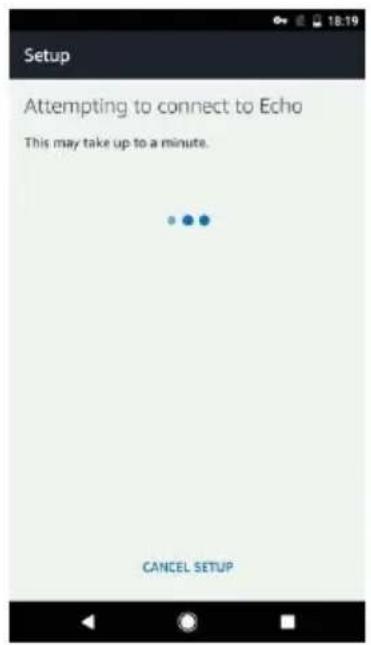
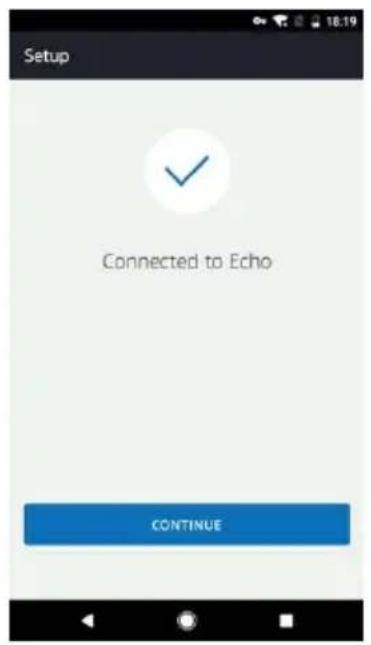
  1. Long press the dot button on the top of your Echo device until the orange light shows up, then tap "CONTINUE". When your phone is connected to Echo, tap "CONTINUE".

SereneLife SLPAC905W - Set up Echo with Alexa app - 7

text_image Setup Wait for the orange light ring Make sure your Echo is plugged into a power outlet. In about a minute, Echo will tell you that it is ready and the light ring will turn orange. Then continue. DON'T SEE THE ORANGE LIGHT RING? CONTINUE CANCEL SETUP

SereneLife SLPAC905W - Set up Echo with Alexa app - 8

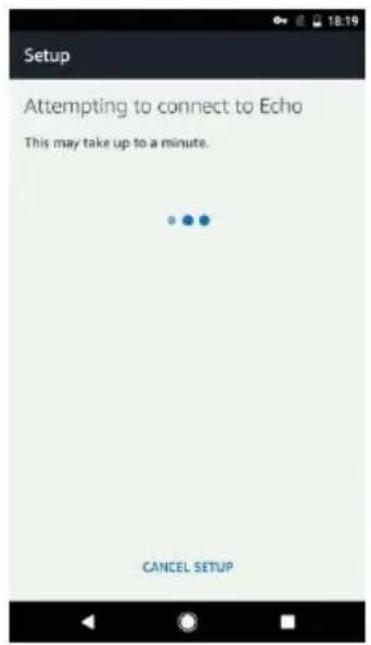
text_image Setup Attempting to connect to Echo This may take up to a minute. CANCEL SETUP

SereneLife SLPAC905W - Set up Echo with Alexa app - 9

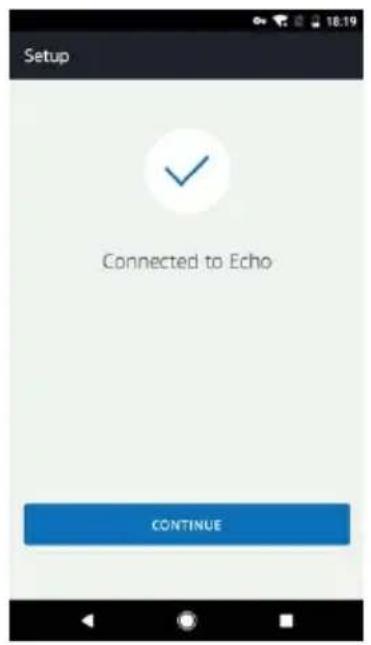
text_image Setup Connected to Echo CONTINUE
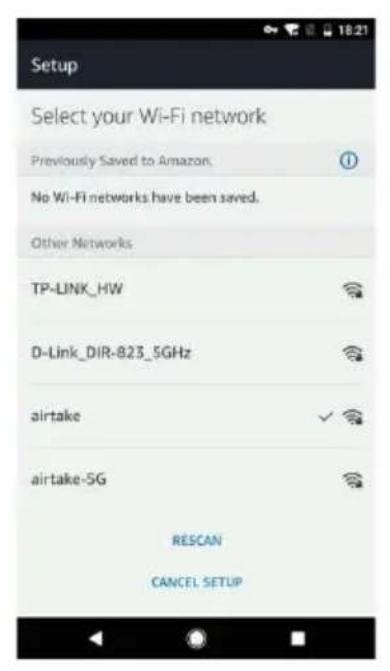
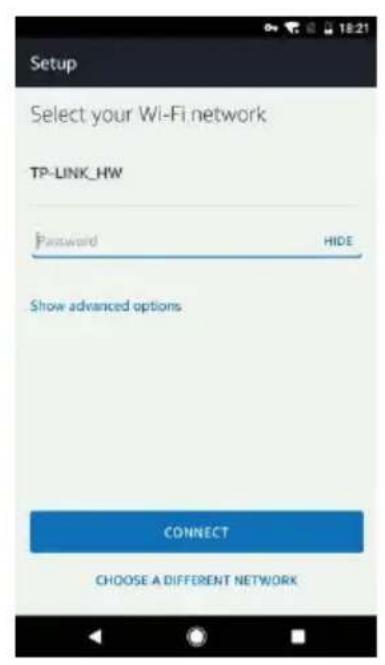
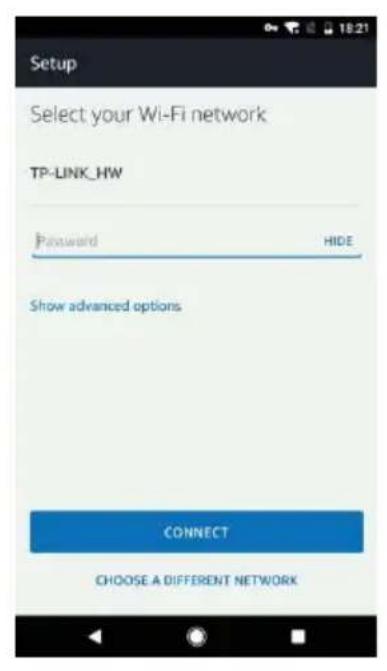
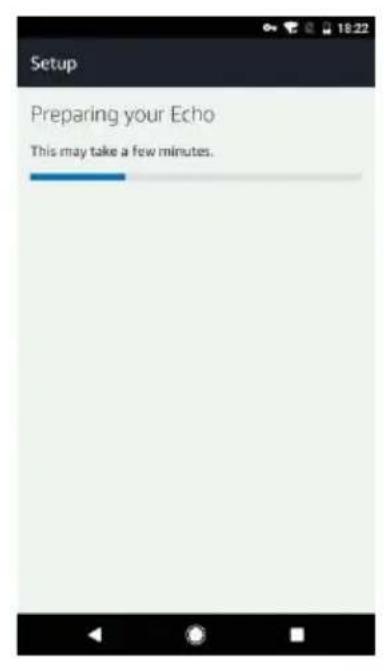
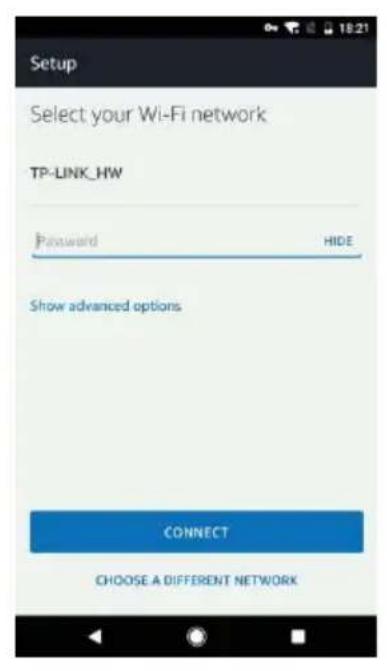
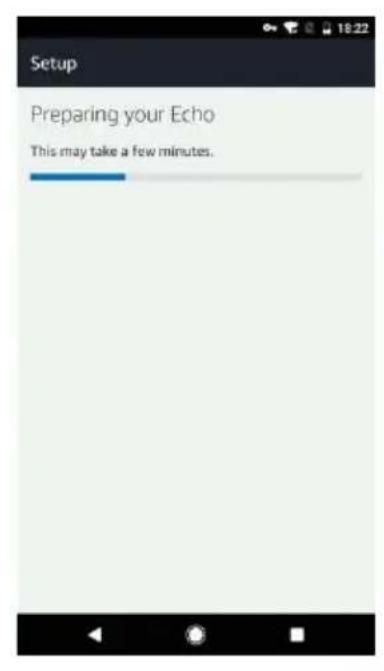
  1. Select a Wi-Fi to let Echo have the access to the internet. Type in the Wi-Fi password, then tap "CONNECT". Echo may take several minutes to connect the network.

SereneLife SLPAC905W - Set up Echo with Alexa app - 10

text_image Setup Select your Wi-Fi network Previously Saved to Amazon. No Wi-Fi networks have been saved. Other Networks TP-LINK_HW D-Link_DIR-823_5GHz airtake airtake-5G RESCAN CANCEL SETUP

SereneLife SLPAC905W - Set up Echo with Alexa app - 11

text_image Setup Select your Wi-Fi network TP-LINK_HW Password HIDE Show advanced options CONNECT CHOOSE A DIFFERENT NETWORK

SereneLife SLPAC905W - Set up Echo with Alexa app - 12

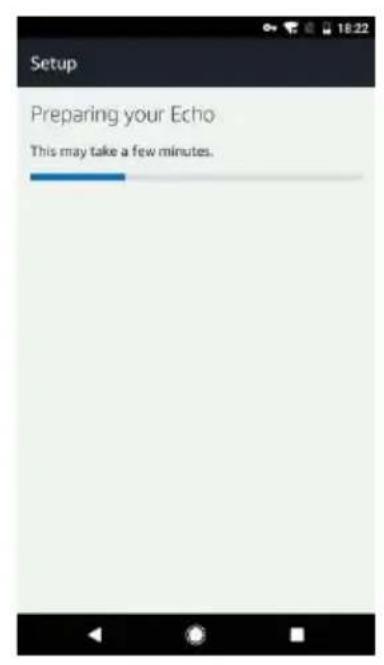
text_image Setup Preparing your Echo This may take a few minutes.
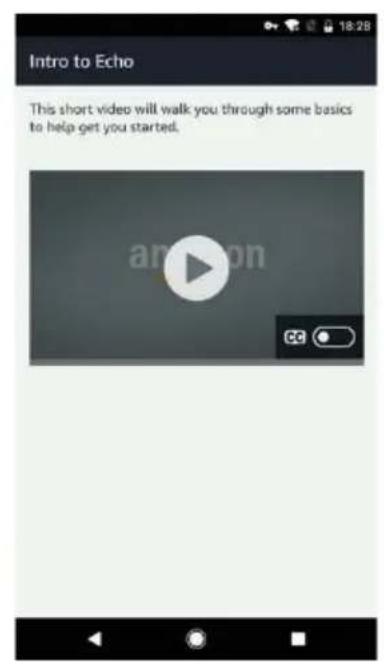
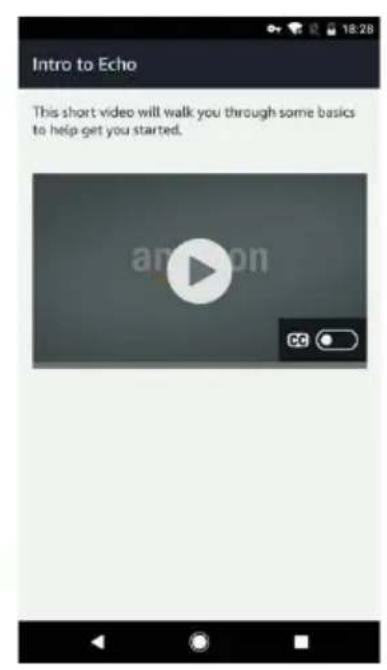
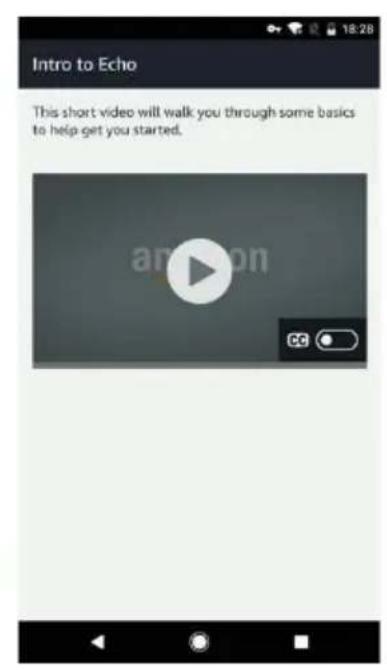
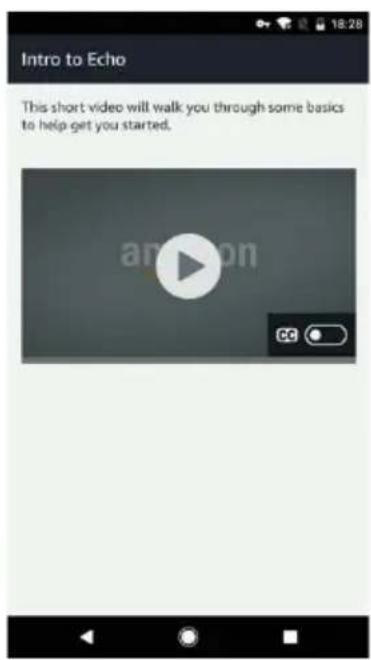
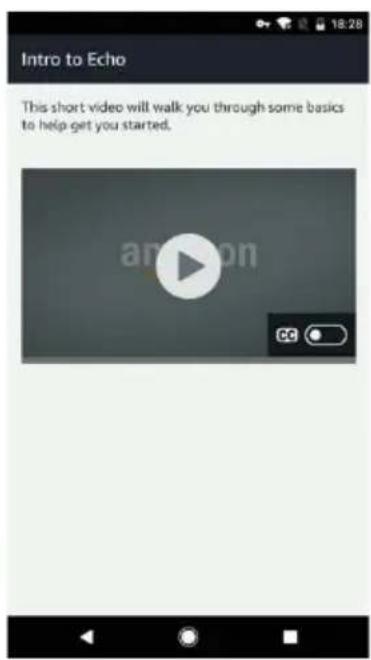
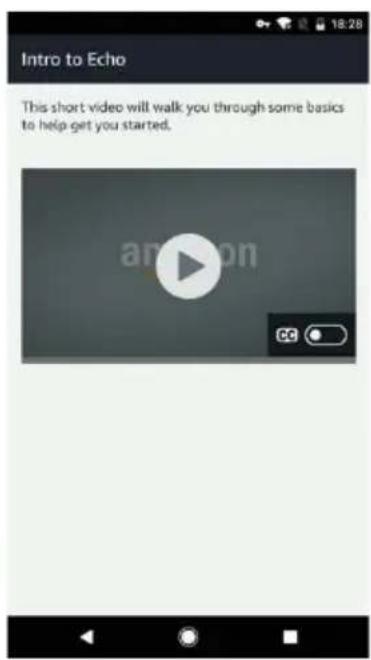
  1. Tap "CONTINUE" when Echo is connected to the network. After an introduction video, tap "CONTINUE" to finish the setup.

SereneLife SLPAC905W - Set up Echo with Alexa app - 13

text_image Setup Setup Complete Echo is now connected to WI-FL CONTINUE

SereneLife SLPAC905W - Set up Echo with Alexa app - 14

text_image Intro to Echo This short video will walk you through some basics to help get you started. anpon CC
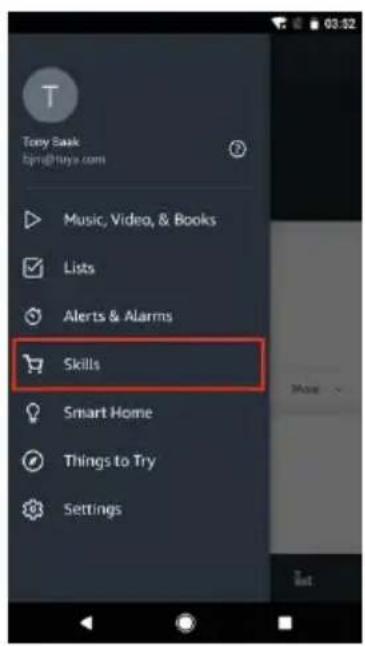
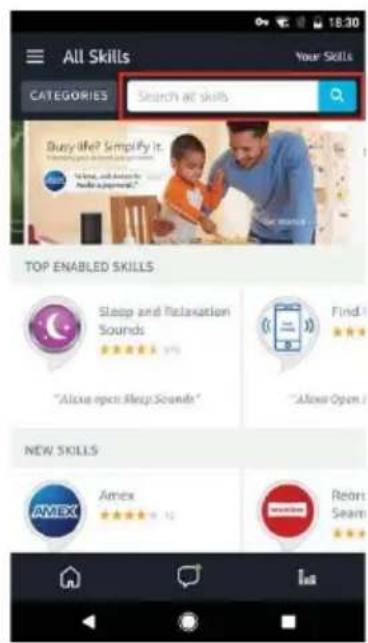
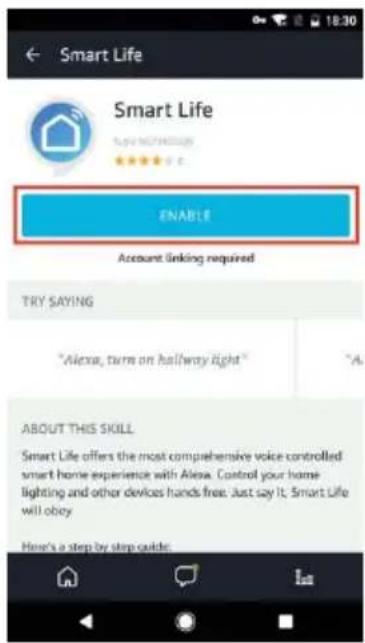
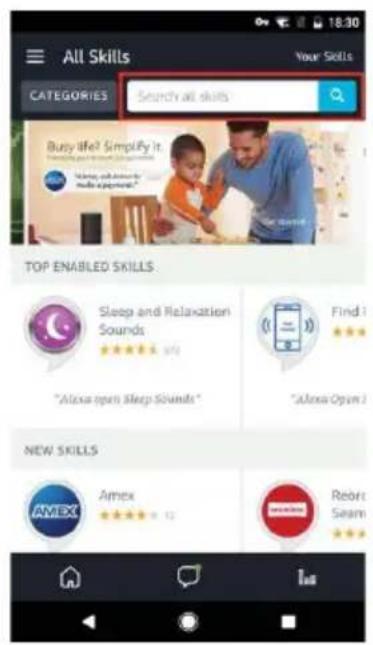
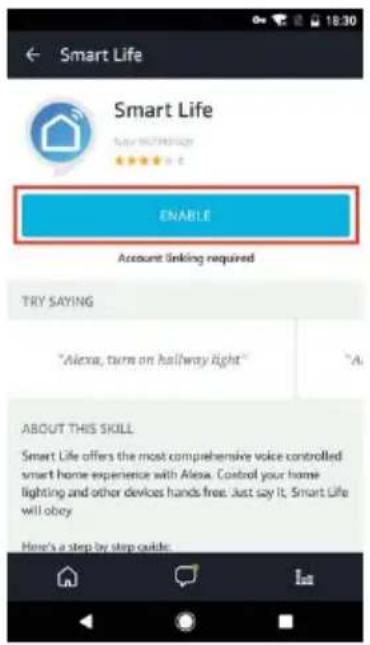
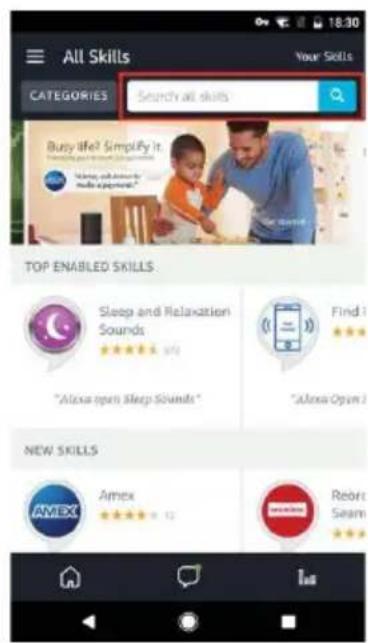
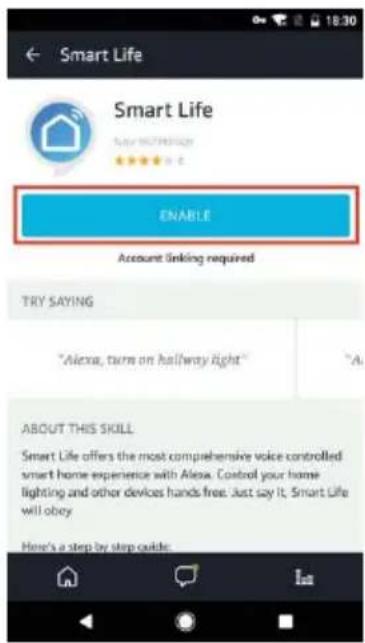
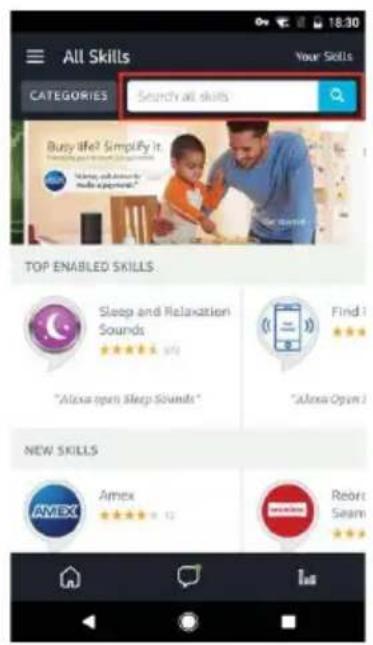
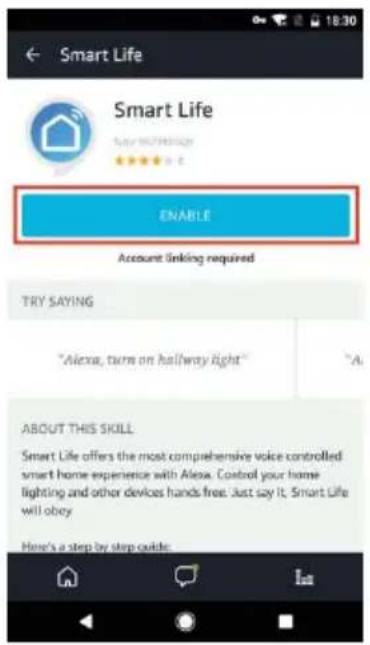
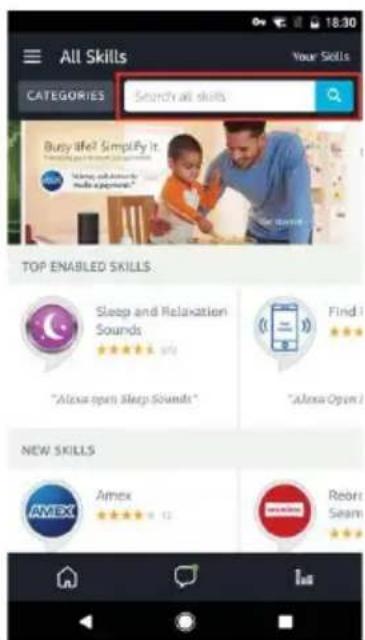
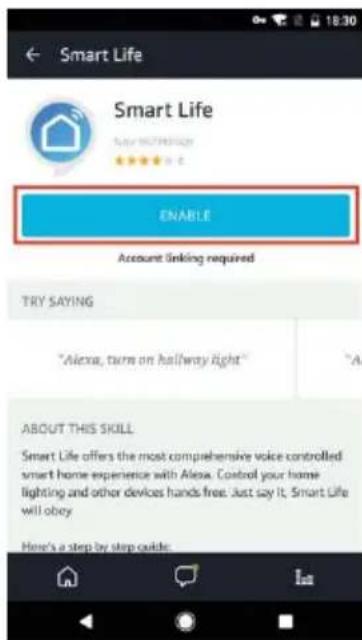
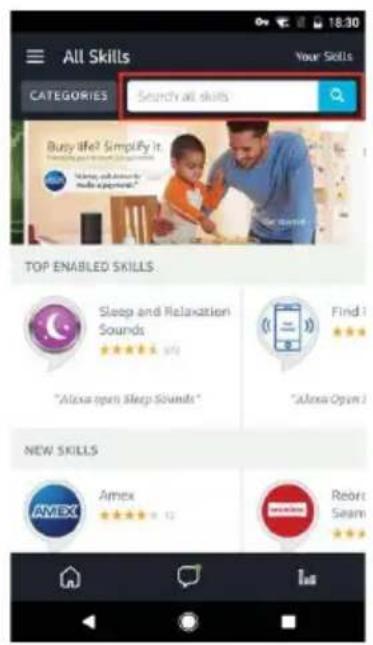
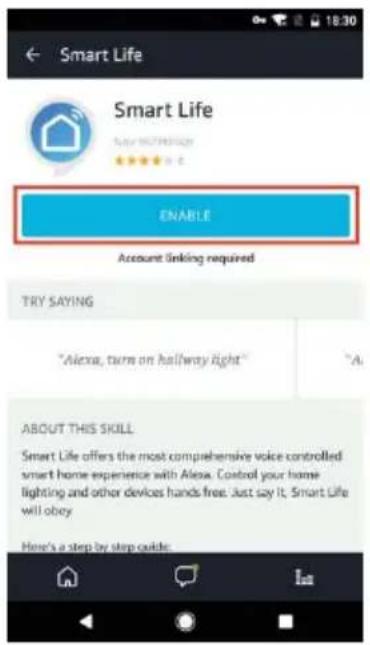
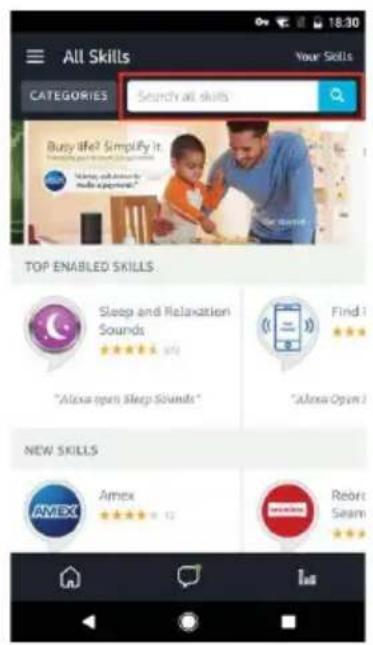
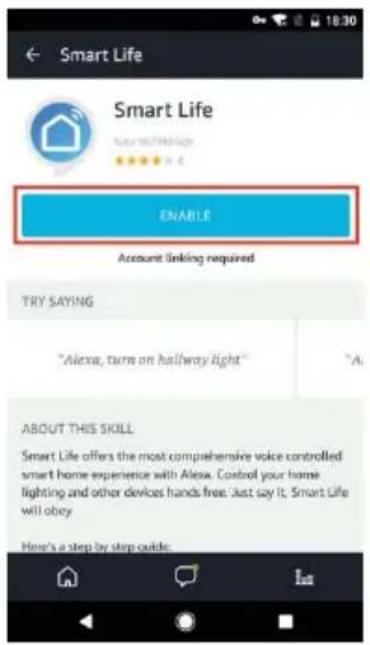
  1. Tap "Skills" in the hamburger menu, then search "Smart Life". Select "Smart Life" and tap "ENABLE" to enable the Skill.

SereneLife SLPAC905W - Link Smart Life account to Alexa - 1

text_image Tony Book bjrg@hoya.com Music, Video, & Books Lists Alerts & Alarms Skills Smart Home Things to Try Settings

SereneLife SLPAC905W - Link Smart Life account to Alexa - 2

text_image All Skills CATEGORIES Search at skills Busy life? Simplify it. "Alxue open Sleep Sounds" "Alxue Open" NEW SKILLS AMEX Amex Rebrn Seam

SereneLife SLPAC905W - Link Smart Life account to Alexa - 3

text_image Smart Life Smart Life ENABLE Account linking required TRY SAYING "Alexa, turn on hallway light" ABOUT THIS SKILL Smart Life offers the most comprehensive voice controlled smart home experience with Alexa. Control your home lighting and other devices hands free. Just say it. Smart Life will obey Here's a step by step guide.
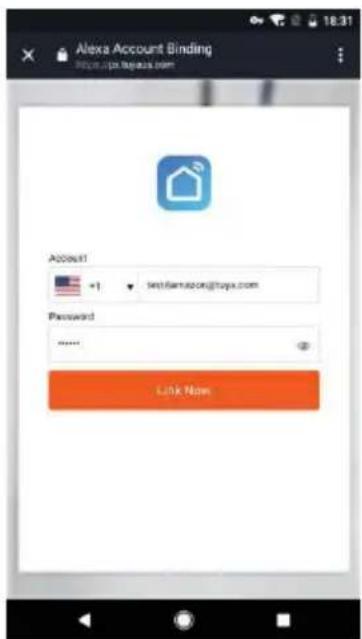
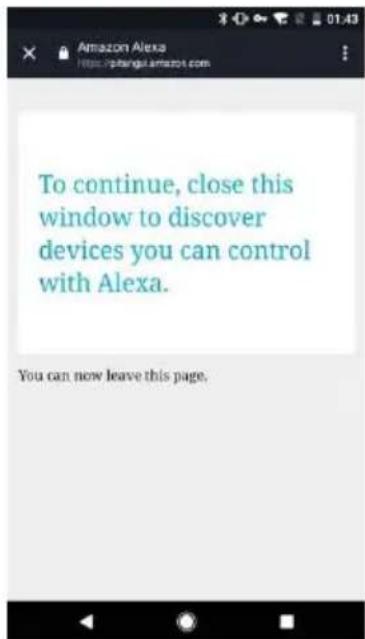
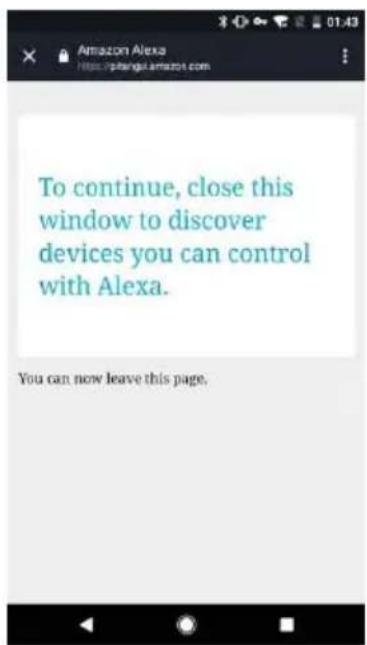
  1. You will be redirected to the account link page. Type in your Smart Life account and password, don't forget to select the country/region where your account belongs to. Then tap "Link Now" to link your Smart Life account. The country/region, the account, and the password must match with the exact content in Step 2.2.

SereneLife SLPAC905W - Link Smart Life account to Alexa - 4

text_image Alexa Account Binding https://px.legeux.com Account +1 leti@farnscon@tuyx.com Password **** Link Now

SereneLife SLPAC905W - Link Smart Life account to Alexa - 5

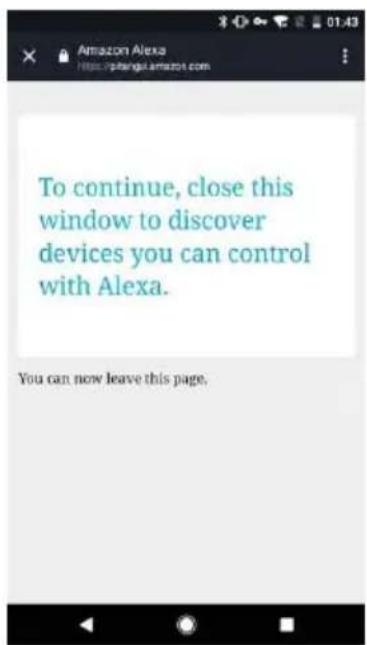
text_image To continue, close this window to discover devices you can control with Alexa. You can now leave this page.

4. Control your smart devices through Echo

4.1 Discover devices

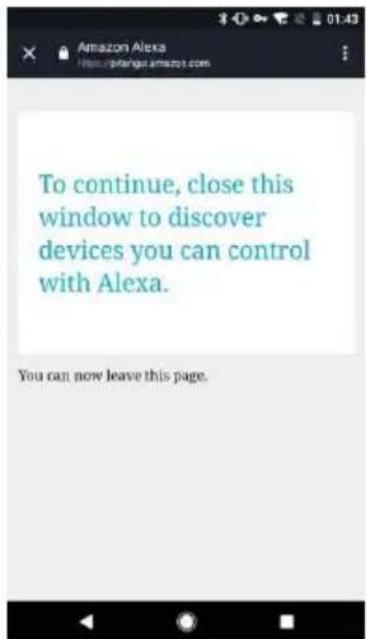
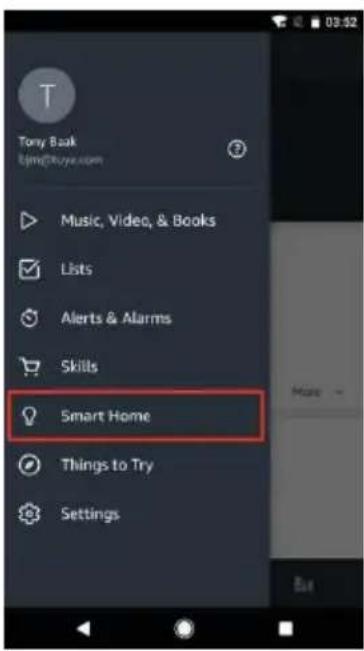
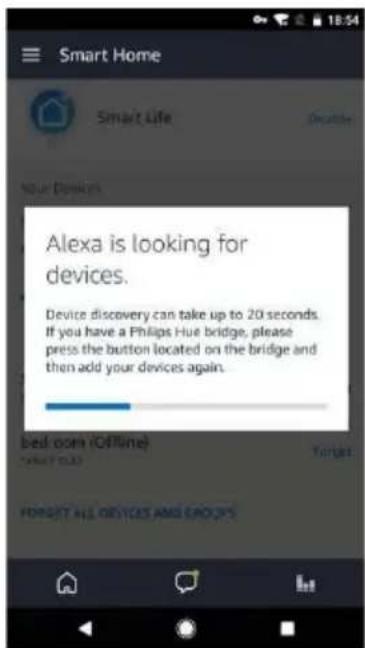
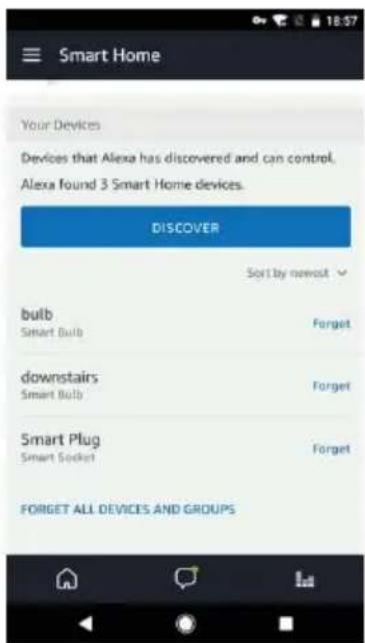
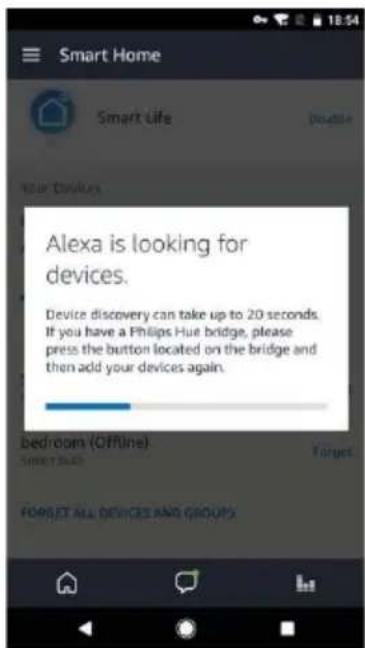
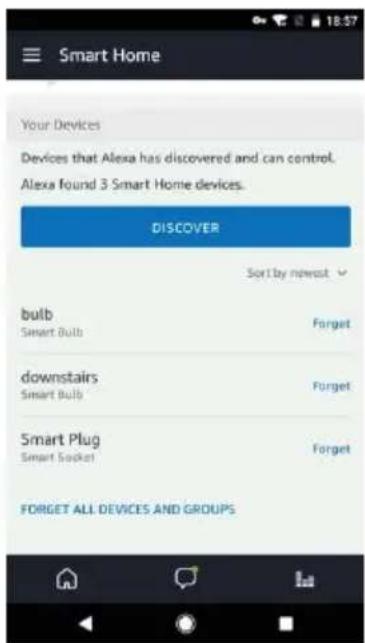
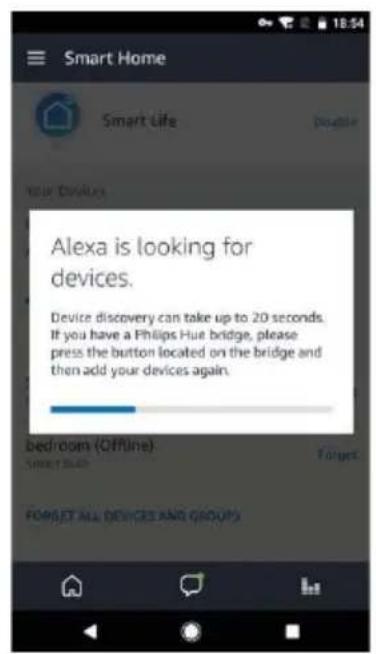
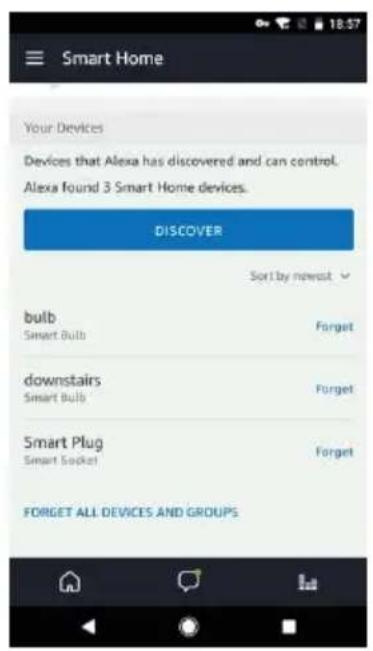
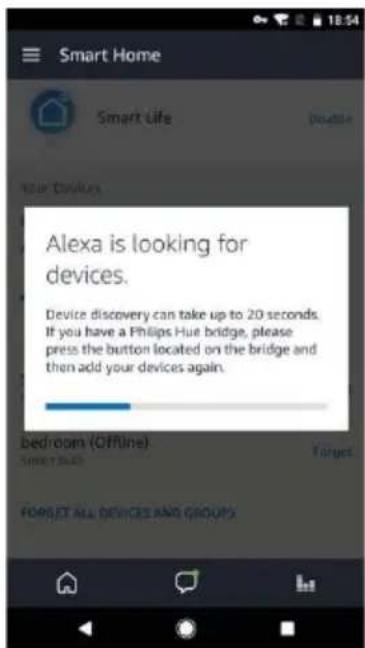
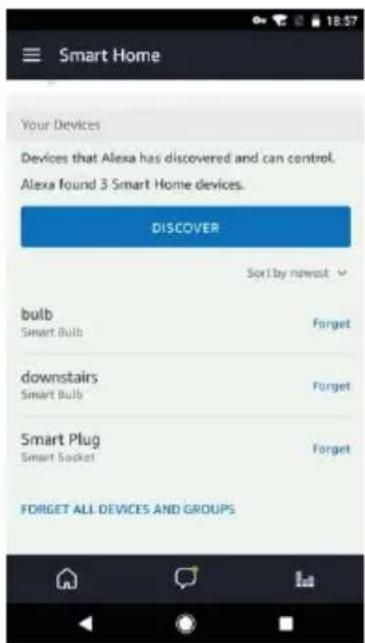
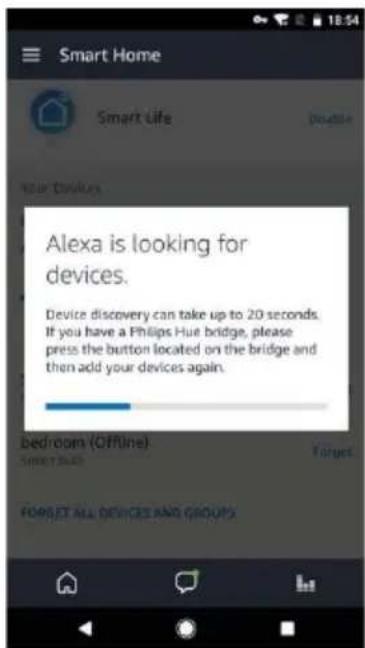
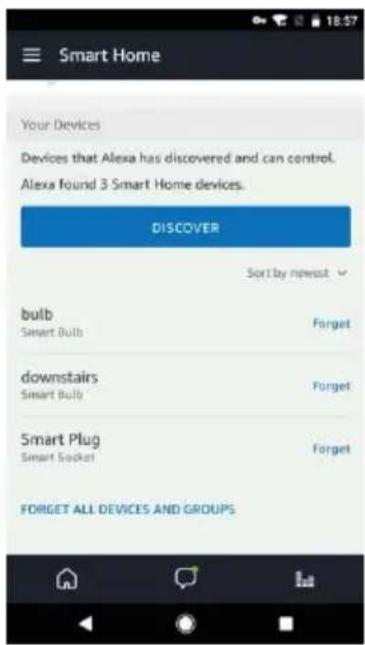
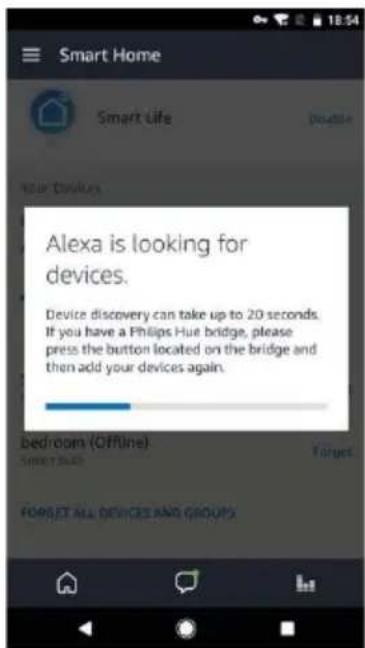
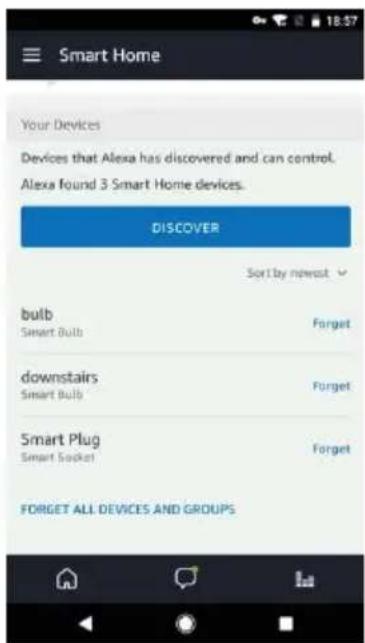
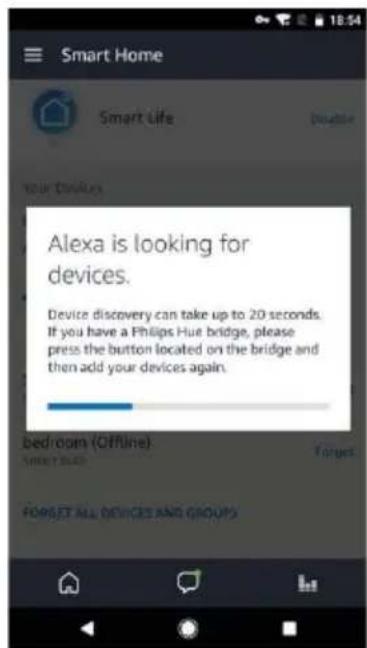
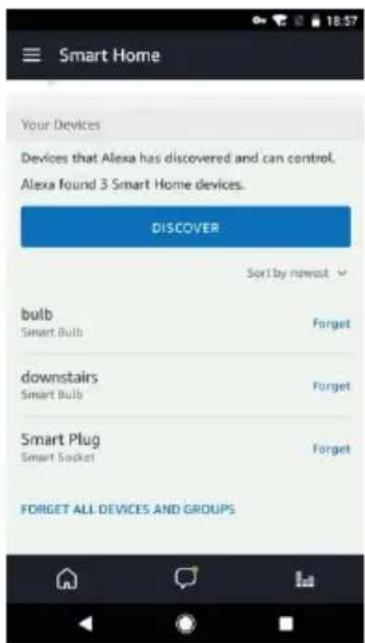
Echo needs to discover your smart devices before it controls them. You can say "Alexa, discover devices" to Echo. Echo will discover devices which have already been added in the Smart Life app. You can also tap "DISCOVER" to discover the smart devices. Discovered devices will be shown in the list.

SereneLife SLPAC905W - Discover devices - 1

text_image Tony Baak Tjmg@buya.com Music, Video, & Books Lists Alerts & Alarms Skills Smart Home Things to Try Settings

SereneLife SLPAC905W - Discover devices - 2

text_image Smart Home Smart Life Your Devices Alexa is looking for devices. Device discovery can take up to 20 seconds. If you have a Philips Hue bridge, please press the button located on the bridge and then add your devices again. Bed room (Offline) Tunerat FORGET ALL DEVICES AND GROUPS

SereneLife SLPAC905W - Discover devices - 3

text_image Smart Home Your Devices Devices that Alexa has discovered and can control. Alexa found 3 Smart Home devices. DISCOVER Sort by newest bulb Smart Bulb Forget downstairs Smart Bulb Forget Smart Plug Smart Socket Forget FORGET ALL DEVICES AND GROUPS

Note: every time you change the device's name on Smart Life app, Echo must re-discover before you control them.

4.2 Control devices by voice commands

Now you can control your smart devices through Echo. You can use the following commands to control your devices (e.g., bedroom air conditioner):

∅ Alexa, turn on/off bedroom air conditioner.
∅ Alexa, set bedroom air conditioner to 70F
∅ Alexa, increase/decrease the temperature.

serenelife™

serenelife™

SereneLife SLPAC905W - serenelife™ - 1

SereneLife SLPAC905W - serenelife™ - 2

natural_image White portable air conditioner unit with blue vented panels and a black cover (no visible text or symbols on the device body)

SLPAC905WEU- SLPAC905WUK

SLPAC105WEU- SLPAC105WUK

natural_image Simple line drawing of an open book with no text or symbols visible
text_image Illustration showing a distressed refrigerator with a warning sign and a crossed-out symbol, indicating food safety or disinfection.
natural_image Cartoon illustration of a server unit character with arms and legs, pointing at a window (no text or symbols)
natural_image Cartoon illustration of a server unit with a sad face pointing at a potted plant and a crossed-out prohibition symbol (no text or labels)
natural_image Cartoon illustration of a refrigerator with a box and a crossed-out box, no text or symbols present
text_image Illustration showing a hand holding a toilet next to a stopper and a person holding a cigarette with a stop sign.
text_image Illustration showing a chemical reactor emitting smoke and a prohibition symbol with two cartoon characters below.
natural_image Illustration of a person reacting to a wall-mounted air conditioner unit with a warning symbol (no text or labels)
natural_image Illustration of a person reacting to a device with a 'No' symbol, no text or labels present
text_image Illustration showing a refrigerator with facial expressions and a person walking, accompanied by warning symbols.
natural_image Illustration of a person using a device to clean or stop, with a no-smoking symbol nearby (no text or labels)
natural_image Cartoon illustration of a phone emitting a plug with a crossed-out prohibition symbol (no text or labels)
text_image Illustration showing two crossed-out circles with '×' symbols above, above and below, possibly indicating environmental or safety measures.
natural_image Illustration of a portable air conditioner unit with a cartoon character, a prohibition symbol, and an electric plug (no text or labels)
natural_image Illustration of a refrigerator with a smiling face and two cartoon characters waving, next to a document with an exclamation mark (no text or symbols on the main subjects)
natural_image Illustration of a person holding a device with a prohibition symbol nearby (no text or labels)
natural_image Illustration of an electric plug plugged into a fuse with a hand holding a switch, no text or symbols present
text_image Illustration showing a baby washing machine with a child, accompanied by a person holding a device and a prohibition symbol.
text_image Safety warning illustration showing a device with a broken open box and a hand holding a broken glove, alongside another device with a broken plug.
natural_image Illustration of a person cleaning a large air conditioner unit with smoke and steam, no text or symbols present
text_image Illustration showing a person using a device to observe a washing machine, with an inset image of a washing machine emitting a cup.
text_image Diagram illustrating a cooling system with an air conditioner unit, warning symbols, and power outlet connections.
text_image Safety warning illustration showing a device emitting exhaust smoke, a chair with a fuse, and a no-smoking symbol.
text_image Illustration showing a person pointing at a device with a crossed-out prohibition symbol nearby
natural_image Illustration of a hand washing a refrigerator with a crossed-out prohibition symbol (no text or labels)
text_image Cartoon illustration showing a person talking on a phone while a character with a monster is behind a server, with an exclamation mark in the corner.
natural_image Illustration of a person using a device to interact with a server rack, showing hand gestures and a magnified view of the screen (no text or symbols present)
text_image Safety warning illustration showing a fire extinguisher emitting exhaust smoke next to a gas stove with a crossed-out symbol.
natural_image Cartoon illustration of a person reacting to a distressed refrigerator with a surprised face (no text or symbols)
natural_image Illustration of a baby washing machine with two hands and a bottle beside it (no text or symbols)
natural_image Illustration of a person spraying a spray bottle near a high-pressure air conditioner unit (no text or symbols)
natural_image Diagram of a coiled spring with a numbered marker (9) at the end, no text or symbols present.

SereneLife SLPAC905W - SLPAC105WEU- SLPAC105WUK - 1

text_image Diagram of an industrial air conditioner unit with numbered components and labeled parts

SereneLife SLPAC905W - SLPAC105WEU- SLPAC105WUK - 2

natural_image Technical line drawing of a vertical industrial machine with internal grid structure and labeled component (no text or symbols beyond label)

SereneLife SLPAC905W - SLPAC105WEU- SLPAC105WUK - 3

text_image 10

PANEL DE CONTROL Y CONTROL REMOTO

SereneLife SLPAC905W - PANEL DE CONTROL Y CONTROL REMOTO - 1

text_image Cool Fan Dry Sleep High Low Hr Full WiFi 5 3 1. Botón de encendido
text_image Diagram of a remote control panel with labeled icons and temperature/°F settings

FUNCIONAMIENTO

text_image Placa #1 Placa #2 Pinza

Paso 1:

Tipo de Pinza

natural_image Simple line drawing of a rectangular container with horizontal lines and small car icons on top (no text or symbols)

Paso 2 :

Fijar la placa a la ventana

SereneLife SLPAC905W - Fijar la placa a la ventana - 1

natural_image Diagram showing a door frame opening and its side view with an arrow indicating direction (no text or symbols)

Paso 3 :

natural_image Technical line drawing of a mechanical device with internal components and a directional arrow indicating flow or movement (no text or symbols)

SereneLife SLPAC905W - Paso 3 : - 1

natural_image Diagram showing two different indoor air conditioning units connected by a coiled hose, with directional arrows indicating movement (no text or symbols present)
natural_image Pure electrical circuit lines without any symbols

Advertencia

text_image Diagram showing battery charging process with capacitor and battery stack, labeled with Chinese characters for components

SereneLife SLPAC905W - Advertencia - 1

natural_image Line drawing of a rectangular electronic device casing with internal compartments and mounting points (no text or symbols)

Advertencia:

natural_image Illustration of hands using a faucet to clean water with rolled documents nearby (no text or symbols)

SereneLife SLPAC905W - Advertencia: - 1

natural_image Line drawing of a multi-chamber refrigerator with a bucket inserted, showing internal seating and ventilation system (no text or symbols)

MODO TEMPORIZADOR

natural_image Technical line drawing of a server rack with cooling fans and a cylindrical container (no text or symbols)

MANTENIMIENTO

Advertencia::

natural_image Illustration of a person using an electrical outlet to switch a wall socket (no text or symbols present)
natural_image Line drawing of a multi-tiered industrial air conditioning unit with cooling fans and ventilation slots (no text or labels)

SereneLife SLPAC905W - Advertencia:: - 1

text_image Diagram illustrating two stages of a grid structure transformation, labeled 1 and 2 with red arrows indicating direction.

SereneLife SLPAC905W - Advertencia:: - 2

natural_image Illustration of a hand using a tool to spray or scrape a grid pattern (no text or symbols)
natural_image Line drawing of a hand using a tool to clean or brush on a grid (no text or symbols)
natural_image White SereneLife air conditioner unit with blue vented glass and black top (no visible text or symbols on body)

FALLOS COMUNES Y DIAGNÓSTICO

text_image QR code with a blue home icon in the center, likely linking to a smart home or app interface.

Registro

text_image Back Register Verification code is sent to your phone: +86 1570005876 Verification Code ###: [49] Please input password Confers

Imagen 2

SereneLife SLPAC905W - Registro - 1

text_image ••••• 中国邮政 专 1:47 PM • Back Register Please input preferences! Get back

Imagen 3

SereneLife SLPAC905W - Registro - 2

text_image **********广口移动 令 1:09 PM Login Register Country / Region Armenia +374 > Mobile number/E-mail Password Login Sign in with SMS verification Forget passwords Sign in with social media account f Twitter Login Sign in with SMS verification Forget password Sign in with social media account f Twitter Login Country / Region Armenia +374 > Mobile number/E-mail Passwords Login Sign in with SMS verification Forget password Sign in with social media account
text_image 中国移动 153 PM Login Register Country / Region Armenia +374 > Mobile username/Email Password Login Sign In with SMS verification Forget password Sign In with social media account f saozhen Nishai

SereneLife SLPAC905W - Registro - 3

text_image 中国移动 201PM Back Request password Amelia +374 > Mobile.pumbred.E-mail Next

SereneLife SLPAC905W - Registro - 4

text_image Back Request password Verification code is sent to your phone: -374 15700085875 Verification Code Enter note password Confirm
natural_image Two simple line drawings of a wall-mounted lamp, one with a shade and the other with a base (no text or symbols)
natural_image Simple icon of a white computer mouse with a power button and a small yellow dot, no text or symbols present.
text_image 2 times per second
text_image 返回 Add Device AP Mode Power on and confirm indicator light is rapidly flashing How to set up light as rapid flash Confirm light is rapidly flashing

Imagen 1

text_image please enter Wi-Fi password Wang(Wi-Fi: Alaka-2.40 No llrs orlim City: wsc12.40 W- network
pie Connecting | Category | Value (%) | |---|---| | Connection | 25 | Legend: Contra that our services and services are close to e-mail to e-mail to find devices or files, add to cloud or private sources.

SereneLife SLPAC905W - Registro - 5

text_image Adc device Successfully add device -d6o2 Modify device name Share device with family Start

Para el modo AP

text_image Add Device Power on and confirm indicator light is slowly flashing How to set light as slow flash Confirm light is slowly flashing

SereneLife SLPAC905W - Para el modo AP - 1

text_image Please enter Wi-Fi password Writing Wi-Fi Altake-24G No: this onlin Only supported 2.4G WiFi network q w e r t y u i o p a s d f g h j k l z x c v b n m 123 space return

SereneLife SLPAC905W - Para el modo AP - 2

pie Connecting | Category | Percentage (%) | | :--- | :--- | | Connection | 25 | Contra-Infractions, Microphones and Devices | Close to Enrolled in Find Devices & Packaging Solutions to Cloud in Playbox Services
text_image Ado device Successfully add device -06c2 Share device with family Start

SereneLife SLPAC905W - Para el modo AP - 3

text_image Cancel Adding failed Add again View help

Nota:

text_image Light 2 > Turned off CommaTunions Air Condition > Offline CommaTunions Air Condition > Turner off Hidden common functions TEMP OFF WHIP MUD LUX 3.5 OKLA OKLA OKLA
text_image Back Create pattern password Create a pattern password. Other persons can't control your devices even with your smartphone Create pattern password

SereneLife SLPAC905W - Nota: - 1

text_image Back Create pattern password Enter pattern password again
text_image Cancel Add Sharing Add new number to use email order on Chis +66 Enter mobile number/E-mail Confirm
text_image Back My Sharings Sharings set Sharings reserved DISPST BELOW ARE SHARING YOUR DEVICES Add Sharing

SereneLife SLPAC905W - Nota: - 2

text_image Back My Sharings Sharings sent Sharings received USERS BELOW ARE SHARING YOUR DEVICES Delete Add Sharing
text_image QR code with a blue home icon containing wireless signal symbol in the center
text_image amazon alexa Sign in Forgot password? Email (phone for mobile accounts) Amazon password Show password SIGN IN New to amazon? CREATE A NEW AMAZON ACCOUNT Conditions of Use Privacy Notice Help © 1996-3517, Amazon.com, etc. or its affiliates
text_image Home Things to Try "Alexa, how fast is the average human?" Because you always wanted to know Send "socket off" to iFTTT More Send "sockets off" to iFTTT

SereneLife SLPAC905W - Nota: - 3

text_image Tony Book Tayongtuye.com Music, Video, & Books Lists Alerts & Alarms Skills Smart Home Things to Try Settings

SereneLife SLPAC905W - Nota: - 4

text_image Settings Devices Tony's Echo Offline Tony's Tap Online, Hands-free Maps SET UP A NEW DEVICE Accounts Music & Media Flash Briefing Sports Update
text_image Setup Choose a device to set up By proceeding, you agree to the terms found here. Echo Tap Echo Dot CANCEL SETUP

SereneLife SLPAC905W - Nota: - 5

text_image Setup Choose Language English (United States) Deutsch English (United States) English (United Kingdom) CONTINUE CANCEL SETUP

SereneLife SLPAC905W - Nota: - 6

text_image Setup Begin Echo setup Let's get your Echo connected to Wi-Fi so you can start using it. CONNECT TO WI-FI CANCEL SETUP
text_image Setup Wait for the orange light ring Make sure your Echo is plugged into a power outlet. In about a minute, Echo will tell you that it is ready and the light ring will turn orange. Then continue. DON'T SEE THE ORANGE LIGHT RING? CONTINUE CANCEL SETUP

SereneLife SLPAC905W - Nota: - 7

text_image Setup Attempting to connect to Echo This may take up to a minute. CANCEL SETUP

SereneLife SLPAC905W - Nota: - 8

text_image Setup Connected to Echo CONTINUE
text_image Setup Select your Wi-Fi network Previously Saved to Amazon. No Wi-Fi networks have been saved. Other Networks TP-LINK_HW D-Link_DIR-823_5GHz airtake airtake-SG RESCAN CANCEL SETUP

SereneLife SLPAC905W - Nota: - 9

text_image Setup Select your Wi-Fi network TP-LINK_HW Password HIDE Show advanced options CONNECT CHOOSE A DIFFERENT NETWORK

SereneLife SLPAC905W - Nota: - 10

text_image Setup Preparing your Echo This may take a few minutes.
text_image Setup Setup Complete Echo is now connected to Wi-Fi. CONTINUE

SereneLife SLPAC905W - Nota: - 11

text_image Intro to Echo This short video will walk you through some basics to help get you started. amazon CC
text_image Tony Baak bjrg@haya.com Music, Video, & Books Lists Alerts & Alarms Skills Smart Home Things to Try Settings

SereneLife SLPAC905W - Nota: - 12

text_image All Skills Your Skills CATEGORIES Search all skills Busy life? Simplify it "Alvex open Sleep Sounds" "Alvex Open 1" NEW SKILLS AMEX Amex Rebrt Seam

SereneLife SLPAC905W - Nota: - 13

text_image Smart Life Smart Life SAY 10/17/2024 ENABLE Account linking required TRY SAYING "Alexa, turns on halfway right" ABOUT THIS SKILL Smart Life offers the most comprehensive voice controlled smart home experience with Alexa. Control your home lighting and other devices hands free. Just say it. Smart Life will obey. Here's a step by step guide.
text_image To continue, close this window to discover devices you can control with Alexa. You can now leave this page.
text_image Tony Baak bjmg@huya.com Music, Video, & Books Lists Alerts & Alarms Skills Smart Home Things to Try Settings

SereneLife SLPAC905W - Nota: - 14

text_image Smart Home Smart Life Alexa is looking for devices. Device discovery can take up to 20 seconds. If you have a Philips Hue bridge, please press the button located on the bridge and then add your devices again. Bedroom (Offline) FORGET ALL DEVICES AND GROUPS

SereneLife SLPAC905W - Nota: - 15

text_image Smart Home Your Devices Devices that Alexa has discovered and can control. Alexa found 3 Smart Home devices. DISCOVER Sort by newest bulb Smart Bulb Forget downstairs Smart Bulb Forget Smart Plug Smart Socket Forget FORGET ALL DEVICES AND GROUPS
natural_image White Serenel-Te air conditioner unit with blue vented airflow and black top panel (no visible text or symbols on device body)

SLPAC905WEU- SLPAC905WUK

SLPAC105WEU- SLPAC105WUK

natural_image Simple line drawing of an open book with no text or symbols visible
text_image Illustration showing a distressed refrigerator with a warning sign and a crossed-out symbol, indicating food safety or disinfection.
natural_image Cartoon illustration of a smiling server unit with arms and legs, pointing at the window (no text or symbols)
natural_image Cartoon illustration of a server unit with a sad face pointing at it, and a potted plant with a crossed-out prohibition symbol nearby (no text or symbols on the main elements)
natural_image Cartoon illustration of a server unit with a box and a crossed-out 'X' symbol, no text or symbols present
text_image Illustration showing a hand holding a toilet next to a stopper and a person holding a cigarette with a stop sign.
text_image Illustration showing a chemical reactor emitting smoke and a prohibition symbol with two cartoon characters below.
natural_image Illustration of a person reacting to a wall-mounted air conditioner unit with a warning symbol (no text or labels)
text_image Illustration showing a person reacting to a device with a 'No' symbol, while another hand gestures away from it.
text_image Illustration showing a refrigerator with a hand gesture and warning symbol, alongside a person carrying bags.
natural_image Illustration of a person using a device to clean or stop, with a no-smoking symbol nearby (no text or labels)
natural_image Cartoon illustration of a smiling phone with wings and a plug, accompanied by a prohibition symbol (no text or labels)
natural_image Illustration of a portable air conditioner unit with cartoon characters and a warning symbol (no text or labels)
text_image Illustration showing two crossed-out circles with '×' symbols above and a small figure inside, surrounded by flames and smoke.
natural_image Illustration of a refrigerator with a smiling face and a speech bubble, next to a book character holding a megaphone (no text or symbols present)
natural_image Illustration of a woman holding a device with a prohibition symbol nearby (no text or labels)
natural_image Illustration of an electric plug plugged into a fuse with a hand holding a switch, no text or symbols present
text_image Illustration showing a baby washing machine with a child, accompanied by a person using a device to stop a prohibition symbol.
text_image Safety warning illustration showing a device with a broken open box and a hand holding a broken glove, alongside a broken plug and a crossed-out prohibition symbol.
natural_image Illustration of a person using a fire extinguisher to clean the air from a portable air conditioner unit, with an exclamation mark (no text or symbols on the diagram itself)
text_image Illustration showing a person reacting to a device with a magnified inset showing an electrical outlet, alongside a warning symbol.
text_image Diagram illustrating a cooling system with an air conditioner unit and its warning symbol, showing connections to a power outlet.
text_image Safety warning illustration showing a device emitting exhaust smoke, an office chair, and a prohibition symbol.
text_image Illustration showing a person pointing at a device with a crossed-out prohibition symbol nearby
text_image Cartoon illustration showing a person talking on the phone while a refrigerator with sleeping animals is confused, with an exclamation mark in the corner.
text_image Safety warning illustration showing a fire extinguisher emitting exhaust smoke, a cooking pan with a stove, and a no-smoking symbol.
natural_image Illustration of a hand washing a refrigerator with a crossed-out prohibition symbol (no text or labels)
natural_image Illustration of a person using a device to interact with a server rack, showing hand gestures and a magnified view of the screen (no text or symbols present)
natural_image Cartoon illustration of a person reacting to a distressed refrigerator with a surprised face (no text or symbols)
natural_image Illustration of a portable air conditioner unit with cartoon face and two containers, no text or symbols present
natural_image Illustration of a person spraying disinfectant from a fire extinguisher next to a high-pressure air purifier (no text or symbols)
natural_image Diagram of a coiled spring assembly with labeled component 9 (no text or symbols beyond label)

SereneLife SLPAC905W - SLPAC105WEU- SLPAC105WUK - 1

text_image Diagram of an air conditioning unit with numbered components and labeled parts

SereneLife SLPAC905W - SLPAC105WEU- SLPAC105WUK - 2

natural_image Technical line drawing of a vertical industrial machine with a grid-patterned panel and labeled component (no text or symbols beyond label)

SereneLife SLPAC905W - SLPAC105WEU- SLPAC105WUK - 3

text_image 10

PANNEAU DE CONTRÔLE ET TÉLÉCOMMANDE

SereneLife SLPAC905W - PANNEAU DE CONTRÔLE ET TÉLÉCOMMANDE - 1

text_image Cool Fan Dry Sleep High Low Hr Full WiFi 5 3 1. Bouton d'alimentation
text_image Diagram of a remote control panel with icons and temperature/°F labels, showing numbered annotations 7 and 8.

FONCTIONNEMENT

Mise en place

Lieu

text_image Plaque #1 Plaque #2 Clip

Étape 1:

natural_image Simple line drawing of a rectangular container with horizontal lines and small car icons on top (no text or symbols)

Étape 2 :

natural_image Diagram showing a door frame with an arrow indicating upward motion, and a separate view of a monitor or device (no text or symbols present)

Étape 3 :

natural_image Technical line drawing of a mechanical device with internal components and a directional arrow indicating flow or movement (no text or symbols)

SereneLife SLPAC905W - Étape 3 : - 1

natural_image Diagram showing two different indoor air conditioning units connected by a coiled hose, with directional arrows indicating movement (no text or symbols present)
natural_image Pure electrical circuit lines without any symbols

Avertissement

natural_image Illustration of hands using a faucet to clean water with rolled documents nearby (no text or symbols)

SereneLife SLPAC905W - Avertissement - 1

natural_image Line drawing of a multi-chamber refrigerator with a bucket inserted, showing internal seating and ventilation system (no text or symbols)

Mode sec

natural_image Technical line drawing of a server rack with cooling unit and water tank (no text or symbols)

ENTRETIEN

Avertissement :

natural_image Illustration of a person using an electrical outlet to secure electrical wiring (no text or symbols present)
natural_image Line drawing of a multi-tiered industrial air conditioning unit with cooling fans and ventilation slots (no text or labels)

SereneLife SLPAC905W - Avertissement : - 1

text_image Diagram illustrating two stages of a grid structure transformation, labeled 1 and 2 with red arrows indicating direction.

SereneLife SLPAC905W - Avertissement : - 2

natural_image Illustration of a hand using a tool to spray or spray over a grid pattern (no text or symbols)
natural_image Line drawing of a hand using a tool to clean or brush on a grid surface (no text or symbols)
natural_image White SereneLife air conditioner unit with blue vented glass and black top (no visible text or symbols on body)

DÉPANNAGE

https://www.p65warnings.ca.gov/.

text_image QR code with a blue home icon in the center, likely linking to a smart home or app interface.

Inscription

text_image Back Register Verification code is sent to your phone: +86 1570005876 Verification Code Please input password Confirm

Picture 2

SereneLife SLPAC905W - Inscription - 1

text_image ****** 中国邮政 147 PM < Back Register Please input password! Customs

Picture 3

SereneLife SLPAC905W - Inscription - 2

text_image **********广口移动 令 1:09 PM Login Register Country / Region Armenia +374 > Mobile number/E-mail Password Login Sign in with SMS verification Forget passwords Sign in with social media account f Twitter Login Sign in with SMS verification Forget password Sign in with social media account f Twitter Login Country / Region Armenia +374 > Mobile number/E-mail Passwords Login Sign in with SMS verification Forget password Sign in with social media account
text_image 中国移动 153 PM Login Register Country / Region Armenia +374 > Mobile username/E-mail Password LogE Sign in with SMS verification Forget password Sign in with social media account f saozqun daihui

SereneLife SLPAC905W - Inscription - 3

text_image 中国移动 2021PM Back Request password Amelia +374 > Mobile number@E-mail Next

SereneLife SLPAC905W - Inscription - 4

text_image Back Request password Verification code is sent to your phone: -374 15200085875 Verification Code email fee Enter note password OK button

Image 1 Image 2 Image 3

Connect device

text_image 返回 Add Device AP Mode Power on and confirm indicator light is rapidly flashing How to set up light as rapid flash Confirm light is rapidly flashing

Image 1

Image 2 Image 3 Image 4

SereneLife SLPAC905W - Connect device - 1

pie Connecting | Category | Value (%) | |---|---| | Connecting | 25 | Confir: To obtain a message on device to close to account for find device or E-mail device to cloud or similar service.

SereneLife SLPAC905W - Connect device - 2

text_image Adc device Successful add device -d6c2 Modify device name Share device with family Start

Pour le mode AP

text_image Add Device Power on and confirm indicator light is slowly flashing How to set light as slow flash Confirm light is slowly flashing

SereneLife SLPAC905W - Pour le mode AP - 1

text_image Please enter Wi-Fi password Writing Wi-Fi Altake-24G No: this onlin Only supported 2.4G WiFi network q w e r t y u i o p a s d f g h j k l z x c v b n m 123 space return

SereneLife SLPAC905W - Pour le mode AP - 2

pie Connecting | Category | Percentage (%) | | :--- | :--- | | Connection | 25 | Contra-Infractions, Microphones and Devices | Close to Enrolled in Find Devices & Packaging Solutions to Cloud in Playbox Services

picture 1 picture 2 picture 3
SereneLife SLPAC905W - Pour le mode AP - 3

text_image Ado device Successfully add device -06c2 Share device with family Start

SereneLife SLPAC905W - Pour le mode AP - 4

text_image Cancel Adding failed Add again View help

Remarque :

text_image Light 2 > Tanned off CommaTunions Air Condition > Offline CommaTunions Air Condition > Tanned off Hidden Air Condition TEMP OFF WHIP MUD LUX 3.5 OKLA OKLA OKLA
text_image Back Create pattern password Create a pattern password. Other persons can't control your devices even with your smartphone Create pattern password Enter pattern password again
text_image Cancel Add Sharing Add user number to use email order Chis +66 Enter mobile number/E-mail Confirm
text_image < Back My Sharings Sharings set Sharings reserved DISPST BELOW ARE SHARING YOUR DEVICES Add Sharing

SereneLife SLPAC905W - Remarque : - 1

text_image Back My Sharings Sharings sent Sharings received USERS BELOW ARE SHARING YOUR DEVICES Delete Add Sharing

Partage reçu :

text_image QR code with a blue home icon containing wireless signal symbol in the center
text_image amazon alexa Sign in Forgot password? Email (phone for mobile accounts) Amazon password Show password SIGN IN New to Amazon? CREATE A NEW AMAZON ACCOUNT Conditions of Use Privacy Notice Help © 1996-3517, Amazation, etc. or its affiliates
  1. Make sure your Echo device is energized.
  2. Open the Alexa app by tapping the app icon on your mobile device.
  3. Type in your Amazon account and password, then tap "SIGN IN".4. Tap the hamburger menu on the top left corner, select "Settings", then tap "SET UP A NEW DEVICE".
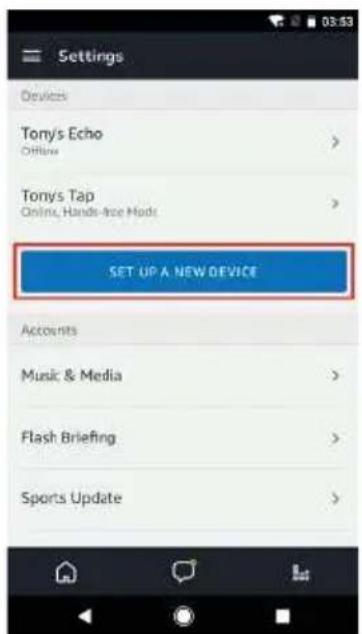
SereneLife SLPAC905W - Partage reçu : - 1

text_image Home Things to Try "Alexa, how fast is the average human!" Because you always wanted to know Send "Socket off" to iFTTT More Send "Socket off" to iFTTT

SereneLife SLPAC905W - Partage reçu : - 2

text_image Tony Bank Springgate.com Music, Video, & Books Lists Alerts & Alarms Skills Smart Home Things to Try Settings

SereneLife SLPAC905W - Partage reçu : - 3

text_image Settings Devices Tony's Echo Offline Tony's Tap Online, Hands-free Mode SET UP A NEW DEVICE Accounts Music & Media Flash Briefing Sports Update
text_image Setup Choose a device to set up By proceeding, you agree to the terms found here. Echo Tap Echo Dot CANCEL SETUP

SereneLife SLPAC905W - Partage reçu : - 4

text_image Setup Choose Language English (United States) Deutsch English (United States) English (United Kingdom) CONTINUE CANCEL SETUP

SereneLife SLPAC905W - Partage reçu : - 5

text_image Setup Begin Echo setup Let's get your Echo connected to Wi-Fi so you can start using it. CONNECT TO WI-FI CANCEL SETUP
text_image Setup Wait for the orange light ring Make sure your Echo is plugged into a power outlet. In about a minute, Echo will tell you that it is ready and the light ring will turn orange. Then continue. DON'T SEE THE ORANGE LIGHT RING? CONTINUE CANCEL SETUP

SereneLife SLPAC905W - Partage reçu : - 6

text_image Setup Attempting to connect to Echo This may take up to a minute. CANCEL SETUP

SereneLife SLPAC905W - Partage reçu : - 7

text_image Setup Connected to Echo CONTINUE
text_image Setup Select your Wi-Fi network Previously Saved to Amazon. No Wi-Fi networks have been saved. Other Networks TP-LINK_HW D-Link_DIR-823_5GHz airtake airtake-SG RESCAN CANCEL SETUP

SereneLife SLPAC905W - Partage reçu : - 8

text_image Setup Select your Wi-Fi network TP-LINK_HW Password HIDE Show advanced options CONNECT CHOOSE A DIFFERENT NETWORK

SereneLife SLPAC905W - Partage reçu : - 9

text_image Setup Preparing your Echo This may take a few minutes.
text_image Setup Setup Complete Echo is now connected to Wi-Fi. CONTINUE

SereneLife SLPAC905W - Partage reçu : - 10

text_image Intro to Echo This short video will walk you through some basics to help get you started. amazon CC
text_image Tony Baak fjrg@hoya.com Music, Video, & Books Lists Alerts & Alarms Skills Smart Home Things to Try Settings

SereneLife SLPAC905W - Partage reçu : - 11

text_image All Skills CATEGORIES Search all skills Busy life? Simplify it "Sleep and Relaxation make experience." TOP ENABLED SKILLS. Sleep and Relaxation Sounds * Alvaxa opens Sleep Sounds Find 1 * Alvaxa Open 2 NEW SKILLS AMEX Amex Rebrt Steam

SereneLife SLPAC905W - Partage reçu : - 12

text_image Smart Life Smart Life Enable Account linking required TRY SAYING "Alexa, turn on hallway light" ABOUT THIS SKILL Smart Life offers the most comprehensive voice controlled smart home experience with Alexa. Control your home lighting and other devices hands free. Just say it. Smart Life will obey Here's a step by step guide.
text_image To continue, close this window to discover devices you can control with Alexa. You can now leave this page.
text_image Tony Baak bjmg@haya.com Music, Video, & Books Lists Alerts & Alarms Skills Smart Home Things to Try Settings

SereneLife SLPAC905W - Partage reçu : - 13

text_image Smart Home Smart Life Available Your Devices Alexa is looking for devices. Device discovery can take up to 20 seconds. If you have a Philips Hue bridge, please press the button located on the bridge and then add your devices again. Bedroom (Offline) Smart Push Forget FORSET ALL DEVICES AND GROUPS

SereneLife SLPAC905W - Partage reçu : - 14

text_image Smart Home Your Devices Devices that Alexa has discovered and can control. Alexa Found 3 Smart Home devices. DISCOVER Sort by newest bulb Smart Bulb Forget downstairs Smart Bulb Forget Smart Plug Smart Socket Forget FORGET ALL DEVICES AND GROUPS

4.2 Control devices by voice commands

natural_image White portable air conditioner unit with blue vented airflow and black top panel (no visible text or symbols on body)

SLPAC905WEU- SLPAC905WUK

SLPAC105WEU- SLPAC105WUK

natural_image Simple line drawing of an open book with no text or symbols visible
text_image Illustration showing a distressed refrigerator with a warning sign and a crossed-out symbol, indicating food safety or disinfection.
natural_image Cartoon illustration of a server unit character with arms and legs, pointing to a window labeled 'H' and an exclamation mark (no text or symbols on the main figure)
natural_image Cartoon illustration of a server unit with a sad face pointing at a potted plant, no text or symbols present
natural_image Cartoon illustration of a server unit with a box and a crossed-out envelope, no text or symbols present
text_image Illustration showing a hand holding a trash bin with a smokestack and a crossed-out prohibition symbol, alongside a woman holding a hand near it.
text_image Illustration showing a chemical reactor emitting smoke and a prohibition symbol with two cartoon characters below.
natural_image Illustration of a person reacting to a wall-mounted air conditioner unit with a warning symbol (no text or labels)
text_image Illustration showing a person reacting to a device with a 'No' symbol, while another hand gestures and holds up the phone.
text_image Illustration showing a refrigerator with facial expressions and a person walking, accompanied by warning symbols.
text_image Cartoon illustration showing a person using a device to stop a 'no' symbol, with a crossed-out 'no' symbol nearby.
natural_image Cartoon illustration of a phone emitting a plug with an exclamation mark symbol (no text or labels)
text_image Illustration showing two identical 'X' symbols flanking a flame and a battery, with hands holding a tool near the battery.
natural_image Illustration of a portable air conditioner unit with a cartoon character, a prohibition symbol, and an electric plug (no text or labels)
natural_image Illustration of a refrigerator with a smiling face and a speech bubble, next to a book character holding a megaphone (no text or symbols present)
natural_image Illustration of a person holding a device with a prohibition symbol nearby (no text or labels)
natural_image Illustration of an electric plug plugged into a fuse with a hand holding a switch, no text or symbols present
text_image Illustration showing a baby washing machine with a child, accompanied by a person using a device to stop a prohibition symbol.
text_image Safety warning illustration showing a device emitting exhaust smoke, a crossed-out prohibition symbol, and an electric shock plug.
natural_image Illustration of a person using a fire extinguisher to clean the air, with smoke and warning symbol (no text or labels)
text_image Illustration showing a person using a facial recognition device to observe a clean air conditioner, with an inset image of a washing machine emitting a spray.
text_image Diagram illustrating a cooling system with an air conditioner unit and its warning symbol, showing airflow and electrical connections.
text_image Safety warning illustration showing a device emitting exhaust smoke, an office chair, and a prohibition symbol.
text_image Illustration showing a person pointing at a device with a crossed-out prohibition symbol nearby
natural_image Illustration of a hand washing a refrigerator with a crossed-out prohibition symbol (no text or labels)
text_image Cartoon illustration showing a person talking on a phone while a dog is behind a refrigerator, with an exclamation mark in the corner.
natural_image Illustration of a server rack with a smiling face and a hand holding a device, accompanied by a person interacting with it (no text or symbols present)
text_image Safety warning illustration showing a fire extinguisher emitting exhaust smoke next to a gas stove with a crossed-out symbol.
natural_image Cartoon illustration of a person reacting to a distressed refrigerator with a surprised face (no text or symbols)
natural_image Illustration of a baby washing machine with two hands and a bottle beside it (no text or symbols)
natural_image Illustration of a person spraying a spray bottle near a server rack (no text or symbols)
natural_image Technical line drawing of a coiled spring component with no text or symbols

SereneLife SLPAC905W - SLPAC105WEU- SLPAC105WUK - 1

text_image Diagram of an industrial air conditioner unit with numbered components and labeled parts

SereneLife SLPAC905W - SLPAC105WEU- SLPAC105WUK - 2

natural_image Technical line drawing of a vertical industrial machine with a grid-patterned panel and labeled component (no text or symbols beyond label)

SereneLife SLPAC905W - SLPAC105WEU- SLPAC105WUK - 3

text_image 10

PANNELLO DI CONTROLLO E TELECOMANDO

SereneLife SLPAC905W - PANNELLO DI CONTROLLO E TELECOMANDO - 1

text_image Cool Fan Dry Sleep High Low Hr Full WiFi 5 3
text_image Diagram of a remote control panel with labeled icons and temperature/°F settings

FUNZIONAMENTO

natural_image Simple line drawing of a rectangular container with horizontal lines and small car icons on top (no text or symbols)

Passo 2 :

natural_image Diagram showing a door frame with an arrow indicating upward motion, and a separate view of a monitor with an arrow (no text or symbols)

Passo 3:

natural_image Technical line drawing of a mechanical device with internal components and a directional arrow indicating flow or movement (no text or symbols)

SereneLife SLPAC905W - Passo 3: - 1

natural_image Diagram showing two different indoor air conditioning units connected by a coiled hose, with directional arrows indicating movement (no text or symbols present)
natural_image Pure electrical circuit lines without any symbols

Avvertenze

natural_image Illustration of hands using a faucet to clean water with rolled documents nearby (no text or symbols)

SereneLife SLPAC905W - Avvertenze - 1

natural_image Line drawing of a multi-chamber refrigerator with a bucket inserted, showing internal seating and ventilation system (no text or symbols)
natural_image Technical line drawing of a server rack with cooling fans and a cylindrical container (no text or symbols)

MANUTENZIONE

Attenzione:

natural_image Illustration of a person using an electrical outlet to switch a wall socket (no text or symbols present)
natural_image Line drawing of a multi-tiered industrial air conditioning unit with heat sinks and ventilation grilles (no text or labels)

SereneLife SLPAC905W - Attenzione: - 1

text_image Diagram illustrating two stages of a grid structure transformation, labeled 1 and 2 with red arrows indicating direction.

SereneLife SLPAC905W - Attenzione: - 2

natural_image Illustration of a hand using a tool to spray or spray over a grid pattern (no text or symbols)
natural_image Line drawing of a hand using a power tool to clean or brush the surface on a grid (no text or symbols)
natural_image White SereneLife air conditioner unit with blue vented glass and black top (no visible text or symbols on body)

GUASTI COMUNI E DIAGNOSI

text_image QR code with a blue home icon in the center, likely linking to a smart home or app interface.

Registrazione

text_image Back Register Verification code is sent to your phone: +80 1570005876 Verification Code please input password Control

Immagine 2

SereneLife SLPAC905W - Registrazione - 1

text_image ••••• 中国邮政 令 1:47 PM ••••• 34% • < Back Register Please input permission! Coastbox

Immagine 3

SereneLife SLPAC905W - Registrazione - 2

text_image **********广口移动 令 1:09 PM Login Register Country / Region Armenia +374 > Mobile number/E-mail Password Login Sign in with SMS verification Forget passwords Sign in with social media account f Twitter Login Facebook Armenia +374 > Mobile number/E-mail Passwords Login Sign in with SMS verification Forget password Sign in with social media account f Twitter
text_image 中国移动 153 PM Login Register Country / Region Armenia +374 > Mobile username/E-mail Password LogE Sign in with SMS verification Forget password Sign in with social media account f saozqun daihui

SereneLife SLPAC905W - Registrazione - 3

text_image ◆◆◆◆ 中国移动字 201PM ④ 3% < Back Request password America +374 > Mobile number(E-mail) Next

SereneLife SLPAC905W - Registrazione - 4

text_image ◆◆◆◆ 中国移动 201PM ← Back Request password Verification code is sent to your phone: -374-15700085876 Verification Code Enter note password Download
natural_image Two simple line drawings of electrical outlets or switches, one with a lamp and the other with a plug (no text or symbols)
natural_image Simple icon of a white electronic device with a power button and circular outline (no text or symbols)
text_image 2 times per second
text_image 中继移动 10:58 84% 返回 Add Device AP Mode Power on and confirm indicator light is rapidly flashing How to set up light as rapid flash Confirm light is rapidly flashing

Immagine 1

pie Connecting | Category | Percentage (%) | | :--- | :--- | | Connection | 25 | Legend: - Current connection (red circle) - Additional connection (white circle) - Final connection (gray circle) - Additional connection (white circle) - Final connection (gray circle) - Additional connection (white circle) - Final connection (gray circle) - Additional connection (white circle) - Final connection (gray circle) - Additional connection (white circle) - Final connection (gray circle) - Additional connection (white circle) - Final connection (gray circle) - Additional connection (white circle) - Final connection (gray circle) • Final connection (gray circle) • Additional connection (white circle) • Final connection (gray circle) • Additional connection (white circle) • Final connection (gray circle) • Additional connection (white circle) • Final connection (gray circle) • Additional connection (white circle) • Final connection (gray circle) • Additional connection (white circle) • Final connection (gray circle) • Additional connection (white circle) • Final connection (gray circle) • Additional connection (white circle) - Additional connection (gray circle) - Additional connection (white circle) - Additional connection (gray circle) - Additional connection (white circle) - Additional connection (gray circle) - Additional connection (white circle) - Additional connection (gray circle) - Additional connection (white circle) - Additional connection (gray circle) - Additional connection (white circle) - Additional connection (gray circle) - Additional connection (white circle) - Additional connection (gray circle) - Additional connection ( white circle) - Additional connection ( gray circle) - Additional connection ( white circle) - Additional connection ( gray circle) - Additional connection ( white circle) - Additional connection ( gray circle) - Additional connection ( white circle) - Additional connection ( gray circle) - Additional connection ( white circle) - Additional connection ( gray circle) - Additional connection ( white circle) - Additional connection ( gray circle) - Additional connection ( white circle) - Additional connection ( gray circle) • Additional connection (gray circle) • Additional connection (white circle) • Additional connection (gray circle) • Additional connection (white circle) • Additional connection (gray circle) • Additional connection (white circle) • Additional connection (gray circle) • Additional connection (white circle) • Additional connection (gray circle) • Additional connection (white circle) • Additional connection (gray circle) • Additional connection (white circle) • Additional connection (gray circle) • Additional connection (white circle) - Additional connection (gray circle) - Additional connection (white circle) - Additional connection (gray circle) - Additional connection (white circle) - Additional connection (gray circle) - Additional connection (white circle) - Additional connection (gray circle) - Additional connection (white circle) - Additional connection (gray circle) - Additional connection (white circle) - Additional connection (gray circles) - Additional connection (white circles) - Additional connection (gray circles) - Additional connection (white circles) - Additional connection (gray circles) - Additional connection (white circles) - Additional connection (gray circles) - Additional connection (white circles) - Additional connection (gray circles)

SereneLife SLPAC905W - Registrazione - 5

text_image Adc device Successfully add device d6o2 Show device with family Show

Per la modalità AP

text_image Add Device Power on and confirm indicator light is slowly flashing How to set light as slow flash Confirm light is slowly flashing

SereneLife SLPAC905W - Per la modalità AP - 1

text_image Please enter Wi-Fi password Writing Wi-Fi Altake-24G No: this onlin Only supported 2.4G WiFi network q w e r t y u i o p a s d f g h j k l z x c v b n m 123 space return

SereneLife SLPAC905W - Per la modalità AP - 2

pie Connecting | Category | Percentage (%) | | :--- | :--- | | Connection | 25 | Contra-Infractions, Microphones and Devices | Close to Enrolled in Find Devices & Packaging Solutions to Cloud in Playbox Services
text_image Ado device Successfully add device -06c2 Share device with family Start

SereneLife SLPAC905W - Per la modalità AP - 3

text_image Cancel Adding failed Add again View help

Nota:

text_image Light is > Turned as Cosmic functions Air Condition: ) Air Condition: Temperature Hiding circular functions TEMP JCP WIND MIX UI X Color Cosmic Grid
text_image Back Create pattern password Create a pattern password. Other persons can't control your devices even with your smartphone Create pattern password Back Create pattern password Enter pattern password again
text_image Cancel Add Sharing Add more number to use email order Chis +66 Enter mobile number/E-mail Confirm
text_image Back My Sharings Sharings set Sharings reserved DISPST BELOW ARE SHARING YOUR DEVICES Add Sharing

SereneLife SLPAC905W - Nota: - 1

text_image Back My Sharings Sharings sent Sharings received USERS BELOW ARE SHARING YOUR DEVICES Delete Add Sharing
text_image 中国移动: 4G 11:18 ↑ 78% < Back About: Rate us × Current version 1.0.0
text_image QR code with a blue home icon containing wireless signal, likely for smart home access or app linking.
text_image amazon alexa Sign in Forgot password? Email (phone for mobile accounts) Amazon password Show password SIGN IN New to Amazon? CREATE A NEW AMAZON ACCOUNT Conditions of Use Privacy Notice Help © 1996-3517, Amazon.com, net or affiliates
text_image Home Things to Try "Alexa, how fast is the average human?" Because you always wanted to know Send "Socket off" to iFTTT More Send "Socket off" to iFTTT

SereneLife SLPAC905W - Nota: - 2

text_image Tony Bask Ejminghuge.com Music, Video, & Books Lists Alerts & Alarms Skills Smart Home Things to Try Settings

SereneLife SLPAC905W - Nota: - 3

text_image Settings Devices Tony's Echo Offline Tony's Tap Online, Hands-free Media SET UP A NEW DEVICE Accounts Music & Media Flash Briefing Sports Update
text_image Setup Choose a device to set up By proceeding, you agree to the terms found here. Echo Tap Echo Dot CANCEL SETUP

SereneLife SLPAC905W - Nota: - 4

text_image Setup Choose Language English (United States) Deutsch English (United States) English (United Kingdom) CONTINUE CANCEL SETUP

SereneLife SLPAC905W - Nota: - 5

text_image Setup Begin Echo setup Let's get your Echo connected to Wi-Fi so you can start using it. CONNECT TO WI-FI CANCEL SETUP
text_image Setup Wait for the orange light ring Make sure your Echo is plugged into a power outlet. In about a minute, Echo will tell you that it is ready and the light ring will turn orange. Then continue. DON'T SEE THE ORANGE LIGHT RING? CONTINUE CANCEL SETUP

SereneLife SLPAC905W - Nota: - 6

text_image Setup Attempting to connect to Echo This may take up to a minute. CANCEL SETUP

SereneLife SLPAC905W - Nota: - 7

text_image Setup Connected to Echo CONTINUE
text_image Setup Setup Complete Echo is now connected to Wi-Fi. CONTINUE

SereneLife SLPAC905W - Nota: - 8

text_image Intro to Echo This short video will walk you through some basics to help get you started. an

3.2 Collegare l'account Smart Life ad Alexa

text_image Tony Baak bjrg@hoya.com Music, Video, & Books Lists Alerts & Alarms Skills Smart Home Things to Try Settings

SereneLife SLPAC905W - Collegare l'account Smart Life ad Alexa - 1

text_image All Skills Your Skills CATEGORIES Search all skills Busy life? Simplify it "Alvex open Sleep Sounds" "Alvex Open 1" NEW SKILLS AMEX Amex Rebrt Seam

SereneLife SLPAC905W - Collegare l'account Smart Life ad Alexa - 2

text_image Smart Life Smart Life SAY 10/17/2024 ENABLE Account linking required TRY SAYING "Alexa, turns on halfway right" ABOUT THIS SKILL Smart Life offers the most comprehensive voice controlled smart home experience with Alexa. Control your home lighting and other devices hands free. Just say it. Smart Life will obey. Here's a step by step guide.
text_image To continue, close this window to discover devices you can control with Alexa. You can now leave this page.
text_image Tony Baak bjmg@huya.com Music, Video, & Books Lists Alerts & Alarms Skills Smart Home Things to Try Settings

SereneLife SLPAC905W - Collegare l'account Smart Life ad Alexa - 3

text_image Smart Home Smart Life Alexa is looking for devices. Device discovery can take up to 20 seconds. If you have a Philips Hue bridge, please press the button located on the bridge and then add your devices again. Bedroom (Offline) FORGET ALL DEVICES AND GROUPS

SereneLife SLPAC905W - Collegare l'account Smart Life ad Alexa - 4

text_image Smart Home Your Devices Devices that Alexa has discovered and can control. Alexa found 3 Smart Home devices. DISCOVER Sort by newest bulb Smart Bulb Forget downstairs Smart Bulb Forget Smart Plug Smart Socket Forget FORGET ALL DEVICES AND GROUPS
natural_image White portable air conditioner unit with blue vented panels and a black cover (no visible text or symbols on the device body)

SLPAC905WEU- SLPAC905WUK

SLPAC105WEU- SLPAC105WUK

natural_image Simple line drawing of an open book with no text or symbols visible
text_image Illustration showing a distressed refrigerator with a warning sign and a crossed-out symbol, indicating food safety or disinfection.
natural_image Cartoon illustration of a server unit character with arms and facial features, next to a window and an exclamation mark (no text or symbols on the main image)
natural_image Cartoon illustration of a server unit with angry face and pointing hand, next to a pile of seeds and a prohibition symbol (no text or labels)
natural_image Cartoon illustration of a refrigerator with a box and a crossed-out box, no text or symbols present
text_image Illustration showing a hand holding a toilet next to a stopper and a person holding a cigarette with a stop sign.
text_image Illustration showing a chemical reactor emitting smoke and a prohibition symbol with two cartoon characters below.
natural_image Illustration of a person reacting to a wall-mounted air conditioner unit with a warning symbol (no text or labels)
text_image Illustration showing a person reacting to a device with a 'No' symbol, while another hand gestures and holds up the phone.
text_image Illustration showing a refrigerator with facial expressions and a person walking, accompanied by warning symbols.
natural_image Illustration of a person using a device to clean or stop, with a no-smoking symbol nearby (no text or labels)
natural_image Cartoon illustration of a phone emitting a plug with a fuse and a prohibition symbol (no text or labels)
text_image Illustration showing two crossed-out circles with '×' symbols above, above and below, possibly indicating environmental or safety measures.
natural_image Illustration of a portable air conditioner unit with a cartoon character, a prohibition symbol, and an electric plug (no text or labels)
natural_image Illustration of a refrigerator with a smiling face and a speech bubble, next to a book character holding a megaphone (no text or symbols present)
natural_image Illustration of a person holding a device with a prohibition symbol nearby (no text or labels)
natural_image Illustration of an electric plug plugged into a fuse with a hand holding a switch, no text or symbols present
text_image Illustration showing a baby washing machine with a child, accompanied by a person using a device to stop a prohibition symbol.
text_image Illustration showing a person using a device to interact with a server, with an inset image of a device emitting a device and warning symbols.
text_image Safety warning illustration showing a device emitting exhaust smoke, a hand holding a 'no exhaust' symbol, and another hand holding a plug with visible electrical hazard.
text_image Diagram illustrating a fire resistance system with labeled components including a refrigerator, air conditioner, and power outlet.
natural_image Illustration of a person cleaning a small appliance with smoke and a warning symbol (no text or labels)
text_image Safety warning illustration showing a device emitting exhaust smoke, an office chair, and a no-smoking symbol.
text_image Illustration showing a person pointing at a device with a crossed-out prohibition symbol nearby
natural_image Illustration of a hand washing a refrigerator with a crossed-out prohibition symbol (no text or labels)
text_image Cartoon illustration showing a person talking on a phone while a dog is behind a refrigerator, with an exclamation mark in the corner.
natural_image Illustration of a server rack with a smiling face and a hand holding a device, accompanied by a person interacting with it (no text or symbols present)
text_image Safety warning illustration showing a fire extinguisher emitting exhaust smoke, a crossed-out 'No' symbol, and a gas stove with a cooking pan.
natural_image Cartoon illustration of a person reacting to a distressed refrigerator with a surprised face (no text or symbols)
natural_image Illustration of a portable air conditioner unit with cartoon face and two containers, no text or symbols present
natural_image Illustration of a person spraying disinfectant from a server unit (no text or symbols present)
text_image Diagram of an industrial air conditioning unit with numbered components and labeled parts

SereneLife SLPAC905W - SLPAC105WEU- SLPAC105WUK - 1

natural_image Technical line drawing of a coiled spring component with no text or symbols

SereneLife SLPAC905W - SLPAC105WEU- SLPAC105WUK - 2

natural_image Technical line drawing of a vertical industrial machine with a grid-patterned panel and labeled component (no text or symbols beyond label)

SereneLife SLPAC905W - SLPAC105WEU- SLPAC105WUK - 3

text_image 10
text_image Cool Fan Dry Sleep High Low Hr Full WiFi 5 3

1. Einschalttaste

text_image Diagram of a remote control panel with labeled icons and temperature/°F settings

BETRIEB

natural_image Simple line drawing of a rectangular container with horizontal lines and small car icons on top (no text or symbols)

Schritt 2 :

natural_image Diagram showing a door frame and its side view with directional arrows, no text or symbols present.

Schritt 3 :

natural_image Technical line drawing of a mechanical device with internal components and a directional arrow indicating flow or movement (no text or symbols)

SereneLife SLPAC905W - Schritt 3 : - 1

natural_image Diagram showing two different indoor air conditioning units with a coiled hose, one emitting airflow from the other (no text or symbols present)
natural_image Pure electrical circuit lines without any symbols

Warnungen

natural_image Illustration of a hand using a faucet to clean water with rolled documents nearby (no text or symbols)

SereneLife SLPAC905W - Warnungen - 1

natural_image Line drawing of a multi-chamber refrigerator with a bucket inserted, showing internal seating and ventilation system (no text or symbols)

Entfeuchter-Modus

natural_image Technical line drawing of a server rack with cooling fans and a cylindrical container (no text or symbols)

WARTUNG

Vorsicht!

natural_image Illustration of a person using an electrical outlet to connect two wires, with a magnified inset showing the connection (no text or symbols present)
natural_image Line drawing of a multi-tiered industrial air conditioning unit with heat sinks and ventilation slots (no text or labels)

SereneLife SLPAC905W - Vorsicht! - 1

text_image Diagram illustrating two stages of a solar panel installation, labeled 1 and 2, with red arrows indicating direction.

SereneLife SLPAC905W - Vorsicht! - 2

natural_image Illustration of a hand using a tool to spray or spray over a grid pattern (no text or symbols)
natural_image Line drawing of a hand using a tool to clean or brush on a grid (no text or symbols)
natural_image White SereneLife air conditioner unit with blue vented glass and black top (no visible text or symbols on body)
text_image QR code with a blue home icon in the center, likely linking to a digital service or app.

Registrierung

text_image Back Register Verification code is sent to your phone: +90 1570005876 Verification Code please input password Control

Bild 2

SereneLife SLPAC905W - Registrierung - 1

text_image ••••• 中国邮政 令 1:47 PM ••••• 中国邮政 < Back Register Placeful input permission! Coastbox

Bild 3

SereneLife SLPAC905W - Registrierung - 2

text_image **********广口移动 令 1:09 PM Login Register Country / Region Armenia +374 > Mobile number/E-mail Password Login Sign in with SMS verification Forget passwords Sign in with social media account f Twitter Login Sign in with SMS verification Forget password Sign in with social media account f Twitter Login Country / Region Armenia +374 > Mobile number/E-mail Passwords Login Sign in with SMS verification Forget password Sign in with social media account
text_image 中国移动 153 PM Login Register Country / Region Armenia +374 > Mobile username/Email Password Login Sign in with SMS verification Forget password Sign in with social media account f saozhen Nishai
text_image Back Request password Verification code is sent to your phone: -374.15200085875 Verification Code Email (fa) Enter note password Down
natural_image Two simple line drawings of electrical outlets or switches, one with a lamp and the other with a plug (no text or symbols)
natural_image Simple icon of a white electronic device with a power button and circular outline (no text or symbols)
text_image 2 times per second
text_image 1 time per3 seconds

Für den Normalmodus

text_image 返回 Add Device AP Mode Power on and confirm indicator light is rapidly flashing How to set up light as rapid flash Confirm light is rapidly flashing

Abbildung 1

pie Connecting | Category | Percentage (%) | | :--- | :--- | | Confir: Thailand, Malaysia, and Denmark | 25 | | Find device, E-mail, double to cloud, or similar service | 10 |

SereneLife SLPAC905W - Für den Normalmodus - 1

text_image Adc device Successful add device -d6c2 Modify device name Share device with family Start

Für den AP-Modus

text_image Add Device Power on and confirm indicator light is slowly flashing How to set light as slow flash Confirm light is slowly flashing

SereneLife SLPAC905W - Für den AP-Modus - 1

text_image Please enter Wi-Fi password Writing Wi-Fi Altake-24G No: this onlin Only supported 2.4G WiFi network q w e r t y u i o p a s d f g h j k l z x c v b n m 123 space return

SereneLife SLPAC905W - Für den AP-Modus - 2

pie Connecting | Category | Percentage (%) | | :--- | :--- | | Connection | 25 | Contra-Infractions, Microphones and Devices | Close to Enrolled in Find Devices & Packaging Solutions to Cloud in Playbox Services
text_image Ado device Successfully add device -06c2 Share device with family Start

SereneLife SLPAC905W - Für den AP-Modus - 3

text_image Cancel Adding failed Add again View help

Anmerkung:

text_image Light is > Turned as Cosmic functions Air Condition : ) Air Condition : ) Temperature Hiding current functions TEMP JCI WIND MIX UI X Color Cosmic Parks

1. Gerät steuern

text_image < Back Create pattern password Create a pattern password. Other persons can't control your devices even with your smartphone Create pattern password Enter pattern password again
text_image Cancel Add Sharing Add new number to use email order on Chis +66 Enter mobile number/E-mail Confirm
text_image Back My Sharings Sharings set Sharings reserved DISPST BELOW ARE SHARING YOUR DEVICES Add Sharing

SereneLife SLPAC905W - Gerät steuern - 1

text_image Back My Sharings Sharings sent Sharings received USERS BELOW ARE SHARING YOUR DEVICES Delete Add Sharing
text_image 中国移动: 4G 11:18 ↑ 78% < Back About: Rate us × Current version 1.0.0
text_image QR code with a blue home icon containing wireless signal, likely for smart home access or app linking.
text_image amazon alexa Sign in Forgot password? Email (phone for mobile accounts) Amazon password Show password SIGN IN New to Amazon? CREATE A NEW AMAZON ACCOUNT Conditions of Use Privacy Notice Help © 1996-3517, Amazation, etc. or its affiliates
text_image Home Things to Try "Alexa, how fast is the average human!" Because you always wanted to know Send "socket off" to iFTTT More Send "socket off" to iFTTT

SereneLife SLPAC905W - Gerät steuern - 2

text_image Tony Bank Springgate.com Music, Video, & Books Lists Alerts & Alarms Skills Smart Home Things to Try Settings

SereneLife SLPAC905W - Gerät steuern - 3

text_image Settings Devices Tony's Echo Offline Tony's Tap Online, Hands-free Mode SET UP A NEW DEVICE Accounts Music & Media Flash Briefing Sports Update
text_image Setup Choose a device to set up By proceeding, you agree to the terms found here. Echo Tap Echo Dot CANCEL SETUP

SereneLife SLPAC905W - Gerät steuern - 4

text_image Setup Choose Language English (United States) Deutsch English (United States) English (United Kingdom) CONTINUE CANCEL SETUP

SereneLife SLPAC905W - Gerät steuern - 5

text_image Setup Begin Echo setup Let's get your Echo connected to Wi-Fi so you can start using it. CONNECT TO WI-FI CANCEL SETUP
text_image Setup Wait for the orange light ring Make sure your Echo is plugged into a power outlet. In about a minute, Echo will tell you that it is ready and the light ring will turn orange. Then continue. DON'T SEE THE ORANGE LIGHT RING? CONTINUE CANCEL SETUP

SereneLife SLPAC905W - Gerät steuern - 6

text_image Setup Attempting to connect to Echo This may take up to a minute. CANCEL SETUP

SereneLife SLPAC905W - Gerät steuern - 7

text_image Setup Connected to Echo CONTINUE
text_image Setup Setup Complete Echo is now connected to Wi-Fi. CONTINUE Intro to Echo This short video will walk you through some basics to help get you started. an pon
text_image Tony Baak bjrg@hya.com Music, Video, & Books Lists Alerts & Alarms Skills Smart Home Things to Try Settings

SereneLife SLPAC905W - Gerät steuern - 8

text_image All Skills CATEGORIES Search all skills Busy life? Simplify it "Alexa opens Sleep Sounds" "Alexa Open I" NEW SKILLS AMEX Amex Rebrn Seam

SereneLife SLPAC905W - Gerät steuern - 9

text_image Smart Life Smart Life Suy HATHWAY ENABLE Account Linking required TRY SAYING "Alexa, turn on hallway light" ABOUT THIS SKILL Smart Life offers the most comprehensive voice controlled smart home experience with Alexa. Control your home lighting and other devices hands free. Just say it. Smart Life will obey Here's a step by step guide.
text_image Alexa Account Binding https://jpx.hayua.com/ Account +1 testfamazong@haya.com Password ...... Link Now

SereneLife SLPAC905W - Gerät steuern - 10

text_image To continue, close this window to discover devices you can control with Alexa. You can now leave this page,
text_image Tony Baak bjmg@huya.com Music, Video, & Books Lists Alerts & Alarms Skills Smart Home Things to Try Settings

SereneLife SLPAC905W - Gerät steuern - 11

text_image Smart Home Smart Life Alexa is looking for devices. Device discovery can take up to 20 seconds. If you have a Philips Hue bridge, please press the button located on the bridge and then add your devices again. Bedroom (Offline) FORGET ALL DEVICES AND GROUPS

SereneLife SLPAC905W - Gerät steuern - 12

text_image Smart Home Your Devices Devices that Alexa has discovered and can control. Alexa found 3 Smart Home devices. DISCOVER Sort by newest bulb Smart Bulb Forget downstairs Smart Bulb Forget Smart Plug Smart Socket Forget FORGET ALL DEVICES AND GROUPS
natural_image White portable air conditioner unit with blue vented panels and black lid (no visible text or symbols on body)

SLPAC905WEU- SLPAC905WUK

SLPAC105WEU- SLPAC105WUK

natural_image Simple line drawing of an open book with no text or symbols visible
text_image Illustration showing a distressed refrigerator with a warning sign and a crossed-out symbol, indicating food safety or disinfection.
natural_image Cartoon illustration of a server unit character with arms and facial features, next to a window symbol (no text or labels)
natural_image Cartoon illustration of a server unit with a sad face pointing at a potted plant, no text or symbols present
natural_image Cartoon illustration of a server unit with a box and a crossed-out 'X' symbol, no text or symbols present
text_image Illustration showing a hand holding a device emitting exhaust smoke next to a person holding a stopper, with a crossed-out prohibition symbol nearby.
text_image Illustration showing a chemical reactor emitting smoke with a prohibition symbol, and two cartoon characters reacting to environmental pollution.
natural_image Illustration of a person reacting to a wall-mounted air conditioner unit with a warning symbol (no text or labels)
text_image Illustration showing a person reacting to a device with a 'No' symbol, while another hand gestures and holds up the phone.
text_image Illustration showing a refrigerator with facial expressions and a person walking, accompanied by warning symbols.
natural_image Illustration of a person using a device to clean or stop, with a no-smoking symbol nearby (no text or labels)
natural_image Illustration of a cartoon character with wings and a plug connected to an electric shaper, with a prohibition symbol (no text or labels)
text_image Illustration showing two crossed-out circles with '×' symbols above and a person holding a device near the bottom, possibly indicating environmental or safety measures.
natural_image Illustration of a washing machine with a cartoon character and a prohibition symbol, accompanied by an electric plug and a hand gesture (no text or labels)
natural_image Illustration of a refrigerator and a book with a warning symbol (no text or labels)
natural_image Illustration of a person holding a device with a prohibition symbol nearby (no text or labels)
natural_image Illustration of an electric plug plugged into a fuse with a hand holding a switch, no text or symbols present
text_image Illustration showing a baby washing machine with a child, accompanied by a person holding a device and a prohibition symbol.
text_image Safety warning illustration showing a device emitting exhaust smoke, a crossed-out prohibition symbol, and a broken plug with plug.
natural_image Illustration of a person using a fire extinguisher to clean the air, with smoke and warning symbol (no text or labels)
text_image Illustration showing a person using a device to observe a washing machine, with an inset image of a washing machine emitting a cup.
text_image Diagram illustrating a fire resistance system with labeled components including an air conditioner, warning symbol, and electrical outlet.
text_image Safety warning illustration showing a device emitting exhaust smoke, an office chair, and a no-smoking symbol.
text_image Illustration showing a person pointing at a device with a crossed-out prohibition symbol nearby
natural_image Illustration of a hand washing a refrigerator with a crossed-out prohibition symbol (no text or labels)
text_image Cartoon illustration showing a person talking on a phone while a dog is behind a refrigerator, with an exclamation mark in the corner.
natural_image Illustration of a server rack with a smiling face and a hand holding a device, accompanied by a person interacting with it (no text or symbols present)
text_image Safety warning illustration showing a fire extinguisher emitting exhaust smoke, a crossed-out 'No' symbol, and a gas stove with a cooking pan.
natural_image Cartoon illustration of a person reacting to a distressed refrigerator with a surprised face (no text or symbols)
natural_image Illustration of a portable air conditioner unit with two hands and three containers (no text or symbols)
natural_image Illustration of a person spraying a spray bottle near a high-pressure air conditioner unit (no text or symbols)
natural_image Technical line drawing of a coiled spring component with no text or symbols

SereneLife SLPAC905W - SLPAC105WEU- SLPAC105WUK - 1

text_image Diagram of an industrial air conditioner unit with numbered components and labeled parts

SereneLife SLPAC905W - SLPAC105WEU- SLPAC105WUK - 2

natural_image Technical line drawing of a vertical industrial machine with a grid-patterned panel and labeled component (no text or symbols beyond label)

SereneLife SLPAC905W - SLPAC105WEU- SLPAC105WUK - 3

text_image 10
text_image Cool Fan Dry Sleep High Low Hr Full WiFi 5 3

1. Przycisk zasilania

text_image Diagram of a remote control panel with labeled icons and temperature/°F settings

OBSŁUGA

natural_image Simple line drawing of a rectangular container with horizontal lines and small car icons on top (no text or symbols)

Krok 2:

natural_image Diagram showing a door frame with an arrow indicating upward motion, and a separate view of a monitor or device (no text or symbols present)

Krok 3:

natural_image Technical line drawing of a mechanical device with internal components and a directional arrow indicating flow or movement (no text or symbols)

SereneLife SLPAC905W - Krok 3: - 1

natural_image Diagram showing two different indoor air conditioning units connected by a coiled hose, with directional arrows indicating movement (no text or symbols present)
natural_image Pure electrical circuit lines without any symbols

Ostrzeżenie

natural_image Illustration of hands using a faucet to clean water with rolled documents (no text or symbols)

DZIAŁANIE

Tryb chłodzenia

natural_image Line drawing of a multi-chamber refrigerator with a bucket inserted, showing internal seating and ventilation system (no text or symbols)

Tryb osuszania

natural_image Technical line drawing of an industrial machine with cooling fans and a cylindrical tank (no text or symbols)

KONSERWACJA

Ostrzeżenie:

natural_image Line drawing of a multi-tiered industrial air conditioning unit with heat sinks and ventilation grilles (no text or labels)

SereneLife SLPAC905W - Ostrzeżenie: - 1

text_image Diagram illustrating two stages of a grid structure transformation, labeled 1 and 2 with red arrows indicating direction.

SereneLife SLPAC905W - Ostrzeżenie: - 2

natural_image Illustration of a hand using a tool to spray or spray over a grid pattern (no text or symbols)
natural_image Line drawing of a hand using a tool to clean or brush on a grid surface (no text or symbols)
natural_image White SereneLife air conditioner unit with blue vented airflow and black top panel (no visible text or symbols on device body)
text_image QR code with a blue home icon in the center, likely linking to a smart home or app interface.

Zarejestruj się

text_image Verification code is sent to your phone: +86 1570005876 Verification Code Please input password Confers

Obraz 2

SereneLife SLPAC905W - Zarejestruj się - 1

text_image 中国移动 1:47 PM < Back Register Please import placeboard! Qualifiers

Obraz 3

SereneLife SLPAC905W - Zarejestruj się - 2

text_image **********广口移动 令 1:09 PM Login Register Country / Region Armenia +374 > Mobile number/E-mail Password Login Sign in with SMS verification Forget passwords Sign in with social media account f Twitter Login Facebook Armenia +374 > Mobile number/E-mail Passwords Login Sign in with SMS verification Forget password Sign in with social media account f Twitter
text_image 中国移动 153 PM Login Register Country / Region Armenia +374 > Mobile username/Email Password Login Sign In with SMS verification Forget password Sign In with social media account f saozhen Nishai

SereneLife SLPAC905W - Zarejestruj się - 3

text_image Back Request password Amelia +374 > Mobile.pumbred.E-mail Next

SereneLife SLPAC905W - Zarejestruj się - 4

text_image Back Request password Verification code is sent to your phone: -374 15700085875 Verification Code Enter note password Cancel
natural_image Two simple line drawings of a wall-mounted lamp, one with a shade and the other with a base (no text or symbols)
natural_image Simple icon of a white electronic device with a power button and circular outline (no text or symbols)
text_image 2 times per second
text_image Power on and confirm indicator light is rapidly flashing How to set up light as rapid flash Confirm light is rapidly flashing

Obraz 1

pie Connecting | Category | Value (%) | |---|---| | Control that your customers or devices will also be connected to the device | 25 | | Use devices to access devices to cloud | 10 | | Use devices to access devices to cloud | 10 |

SereneLife SLPAC905W - Zarejestruj się - 5

text_image Adc device Successfully add device -d6o2 Modify device name Share device with family Start

Dia trybu AP

text_image Add Device Power on and confirm indicator light is slowly flashing How to set light as slow flash Confirm light is slowly flashing

SereneLife SLPAC905W - Dia trybu AP - 1

text_image Please enter Wi-Fi password Writing Wi-Fi Altake-24G No: this onlin Only supported 2.4G WiFi network

SereneLife SLPAC905W - Dia trybu AP - 2

pie Connecting | Category | Percentage (%) | | :--- | :--- | | Connection | 25 | Contra-Infractions, Microphones and Devices | Close to Enrolled in Find Devices & Packaging Solutions to Cloud in Playbox Services
text_image Ado device Successfully add device d6c2 Share device with family Slor1

SereneLife SLPAC905W - Dia trybu AP - 3

text_image Cancel Adding failed Add again View help

Obrazek 5Obrazek 4

Uwaga:

text_image Light is > Tunied on Comma functions Air Condition: ) Ollie- Comma functions Air Condition: ) Tunied on Habits common functions TEMP JCI WIND High MIX Low LCTX UI Cinna Cinna Park
text_image Back Create pattern password Create a pattern password. Other persons can't control your devices even with your smartphone Create pattern password

SereneLife SLPAC905W - Uwaga: - 1

text_image Enter pattern password again
text_image Cancel Add Sharing Add more number to use email order Chis +66 Enter mobile number/E-mail Confirm
text_image Back My Sharings Sharings set Sharings reserved DISPST BELOW ARE SHARING YOUR DEVICES Add Sharing

SereneLife SLPAC905W - Uwaga: - 2

text_image Back My Sharings Sharings sent Sharings received USERS BELOW ARE SHARING YOUR DEVICES Delete Add Sharing
text_image 中国移动: 4G 11:18 ↑ 78% ▼ < Back About: Rate us > Current version 1.0.0
text_image QR code with a blue home icon containing wireless signal, likely for smart home access or app linking.
text_image amazon alexa Sign in Forgot password? Email (phone for mobile accounts) Amazon password Show password SIGN IN New to Amazon? CREATE A NEW AMAZON ACCOUNT Conditions of Use Privacy Notice Help © 1996-3517, Amazon.com, net or affiliates
text_image Home Things to Try "Alexa, how fast is the average human?" Because you always wanted to know Send "socket off" to iFTTT More Send "socket off" to iFTTT

SereneLife SLPAC905W - Uwaga: - 3

text_image Tony Bank Springgate.com Music, Video, & Books Lists Alerts & Alarms Skills Smart Home Things to Try Settings

SereneLife SLPAC905W - Uwaga: - 4

text_image Settings Devices Tony's Echo Offline Tony's Tap Online, Hands-free Mode SET UP A NEW DEVICE Accounts Music & Media Flash Briefing Sports Update
text_image Setup Choose a device to set up By proceeding, you agree to the terms found here. Echo Tap Echo Dot CANCEL SETUP

SereneLife SLPAC905W - Uwaga: - 5

text_image Setup Choose Language English (United States) Deutsch English (United States) English (United Kingdom) CONTINUE CANCEL SETUP

SereneLife SLPAC905W - Uwaga: - 6

text_image Setup Begin Echo setup Let's get your Echo connected to Wi-Fi so you can start using it. CONNECT TO WI-FI CANCEL SETUP
text_image Setup Wait for the orange light ring Make sure your Echo is plugged into a power outlet. In about a minute, Echo will tell you that it is ready and the light ring will turn orange. Then continue. DON'T SEE THE ORANGE LIGHT RING? CONTINUE CANCEL SETUP

SereneLife SLPAC905W - Uwaga: - 7

text_image Setup Attempting to connect to Echo This may take up to a minute. CANCEL SETUP

SereneLife SLPAC905W - Uwaga: - 8

text_image Setup Connected to Echo CONTINUE
text_image Setup Setup Complete Echo is now connected to Wi-Fi. CONTINUE

SereneLife SLPAC905W - Uwaga: - 9

text_image Intro to Echo This short video will walk you through some basics to help get you started. an
text_image Tony Baak bjrg@hoya.com Music, Video, & Books Lists Alerts & Alarms Skills Smart Home Things to Try Settings

SereneLife SLPAC905W - Uwaga: - 10

text_image All Skills Your Skills CATEGORIES Search all skills Busy life? Simplify it "Alvex open Sleep Sounds" "Alvex Open 1" NEW SKILLS AMEX Amex Rebrt Seam

SereneLife SLPAC905W - Uwaga: - 11

text_image Smart Life Smart Life SAY 10/17/2024 ENABLE Account linking required TRY SAYING "Alexa, turns on hallway right" ABOUT THIS SKILL Smart Life offers the most comprehensive voice controlled smart home experience with Alexa. Control your home lighting and other devices hands free. Just say it. Smart Life will obey. Here's a step by step guide.
text_image Alexa Account Binding http://jup.happu.com Account +1 1st famszong@jupu.com Password ...... Link Now

SereneLife SLPAC905W - Uwaga: - 12

text_image To continue, close this window to discover devices you can control with Alexa. You can now leave this page.
text_image Tony Baak bjmg@huya.com Music, Video, & Books Lists Alerts & Alarms Skills Smart Home Things to Try Settings

SereneLife SLPAC905W - Uwaga: - 13

text_image Smart Home Smart Life Alexa is looking for devices. Device discovery can take up to 20 seconds. If you have a Philips Hue bridge, please press the button located on the bridge and then add your devices again. Bedroom (Offline) FORGET ALL DEVICES AND GROUPS

SereneLife SLPAC905W - Uwaga: - 14

text_image Smart Home Your Devices Devices that Alexa has discovered and can control. Alexa found 3 Smart Home devices. DISCOVER Sort by newest bulb Smart Bulb Forget downstairs Smart Bulb Forget Smart Plug Smart Socket Forget FORGET ALL DEVICES AND GROUPS
natural_image White Serenel® air conditioner unit with blue vented airflow and black top panel (no visible text or symbols on device body)

SLPAC905WEU- SLPAC905WUK

Taşınabilir Klima

SLPAC105WEU- SLPAC105WUK

Taşınabilir Klima

natural_image Simple line drawing of an open book with no text or symbols visible
text_image Illustration showing a distressed refrigerator with a warning sign and a crossed-out symbol, indicating food safety or disinfection.
natural_image Cartoon illustration of a server unit character with arms and facial features, next to a window and an exclamation mark (no text or symbols on the main image)
natural_image Cartoon illustration of a server unit with angry face and pointing hand, next to a pile of seeds and a prohibition symbol (no text or labels)
natural_image Cartoon illustration of a refrigerator with a box and a crossed-out box, no text or symbols present
text_image Illustration showing a hand holding a device emitting exhaust smoke next to a person holding a stopper, with a crossed-out prohibition symbol nearby.
text_image Illustration showing a chemical reactor emitting smoke and a prohibition symbol with two cartoon characters below.
natural_image Illustration of a person reacting to a wall-mounted air conditioner unit with a warning symbol (no text or labels)
text_image Illustration showing a person reacting to a device with a 'No' symbol, while another hand gestures near it.
text_image Illustration showing a refrigerator with facial expressions and a person walking, accompanied by warning symbols.
natural_image Illustration of a person using a device to clean or stop, with no visible text or symbols
natural_image Cartoon illustration of a phone emitting a plug with a fuse and a prohibition symbol (no text or labels)
text_image Illustration showing two crossed-out circles with '×' symbols above, above and below, possibly indicating environmental or safety measures.
natural_image Illustration of a portable air conditioner unit with a cartoon character, a prohibition symbol, and an electric plug (no text or labels)
natural_image Illustration of a refrigerator with a smiling face and a speech bubble, next to a book character holding a megaphone (no text or symbols present)
natural_image Illustration of a person holding a device with a prohibition symbol nearby (no text or labels)
natural_image Illustration of an electric plug plugged into a fuse with a hand holding a switch, no text or symbols present
text_image Illustration showing a baby washing machine with a child, accompanied by a person using a device to stop a prohibition symbol.
text_image Illustration showing a person using a device to observe a washing machine, with an inset image of a washing machine emitting a cup.
text_image Safety warning illustration showing a device emitting exhaust smoke, a hand holding a 'no exhaust' symbol, and another plug with visible wiring.
text_image Diagram illustrating a fire resistance system with labeled components including a refrigerator, air conditioner, and power outlet.
natural_image Illustration of a person cleaning a large air conditioner unit with smoke and steam, no text or symbols present
text_image Safety warning illustration showing a device emitting exhaust smoke, an office chair, and a prohibition symbol.
text_image Illustration showing a person pointing at a device with a crossed-out prohibition symbol nearby
natural_image Illustration of a hand washing a refrigerator with a crossed-out prohibition symbol (no text or labels)
text_image Cartoon illustration showing a person talking on a phone while a dog is behind a refrigerator, with an exclamation mark in the corner.
natural_image Illustration of a server rack with a smiling face and a hand holding a device, accompanied by a person interacting with it (no text or symbols present)
text_image Safety warning illustration showing a fire extinguisher emitting exhaust smoke next to a gas stove with a crossed-out symbol.
natural_image Cartoon illustration of a person reacting to a distressed refrigerator with a surprised face (no text or symbols)
natural_image Illustration of a desktop air conditioner unit with a cartoon face, accompanied by hands and two containers (no text or symbols)
natural_image Illustration of a person spraying disinfectant from a server unit (no text or symbols present)
text_image Diagram of an industrial air conditioner unit with numbered components and labeled parts

SereneLife SLPAC905W - SLPAC105WEU- SLPAC105WUK - 1

natural_image Technical line drawing of a coiled spring component with no text or symbols

SereneLife SLPAC905W - SLPAC105WEU- SLPAC105WUK - 2

natural_image Technical line drawing of a vertical industrial machine with internal grid structure and labeled component (no text or symbols beyond label)
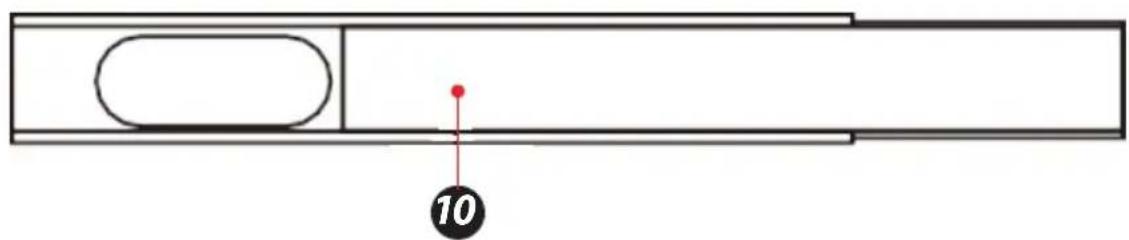
SereneLife SLPAC905W - SLPAC105WEU- SLPAC105WUK - 3

text_image 10

KONTROL PANELI VE UZAKTAN KUMANDA

SereneLife SLPAC905W - KONTROL PANELI VE UZAKTAN KUMANDA - 1

text_image Cool Fan Dry Sleep High Low Hr Full WiFi 5 3

1. Power Düğmesi

text_image Diagram of a remote control panel with labeled icons and temperature/°F settings

OPERASYON

natural_image Simple line drawing of a rectangular container with horizontal lines and small car icons on top (no text or symbols)

Adım 2:

natural_image Diagram showing a door frame opening and its side view with an arrow indicating direction (no text or symbols)

Adım 3:

natural_image Technical line drawing of a mechanical device with internal components and a directional arrow indicating flow or movement (no text or symbols)
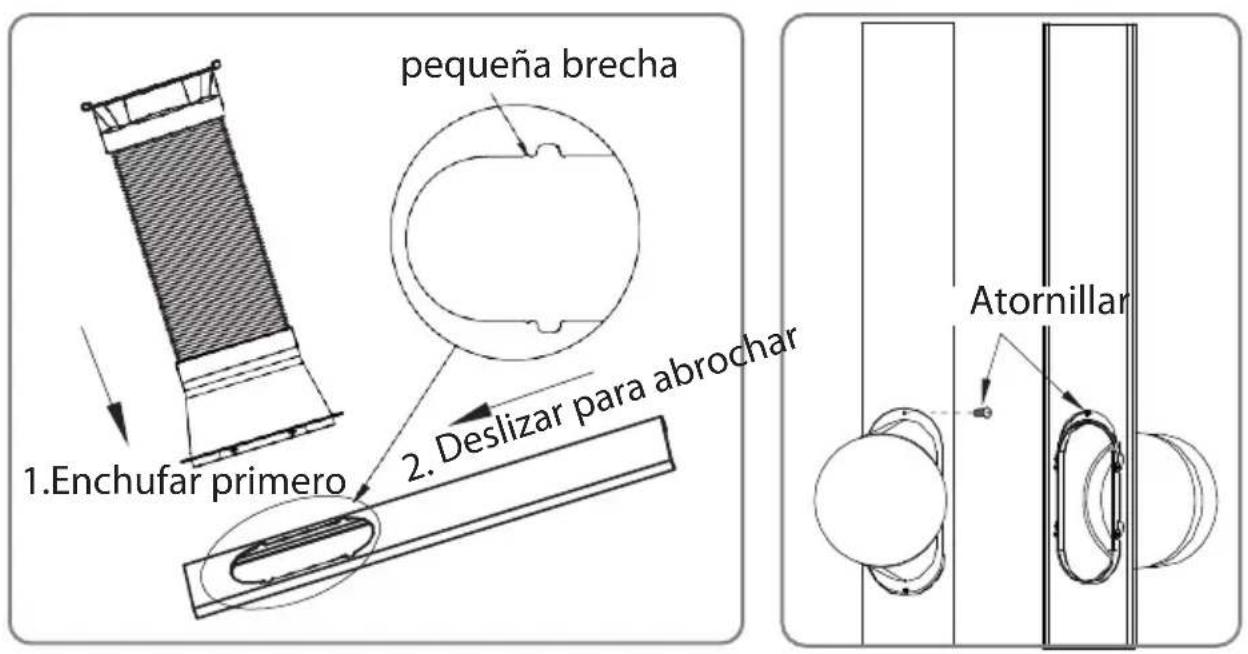
SereneLife SLPAC905W - Adım 3: - 1

natural_image Diagram showing two different indoor air conditioning units with a coiled hose, one emitting airflow from the other (no text or symbols present)
natural_image Pure electrical circuit lines without any symbols

Uyari :

natural_image Technical line drawing of a battery casing with internal components and battery stack (no text or symbols)

Uyari:

natural_image Illustration of hands using a faucet to clean water with rolled documents (no text or symbols)

NASIL ÇALIŞTIRILIR

Soğutma Modu

natural_image Line drawing of a multi-chamber refrigerator with a bucket inserted, showing internal seating and ventilation system (no text or symbols)

Kuru Mod

natural_image Technical line drawing of a server rack with cooling fans and a cylindrical container (no text or symbols)

BAKIM

Uyarı:

natural_image Line drawing of a multi-tiered industrial air conditioning unit with heat sinks and ventilation grilles (no text or labels)
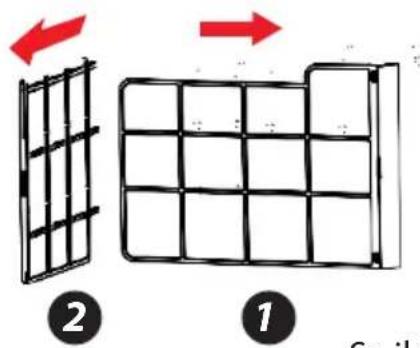
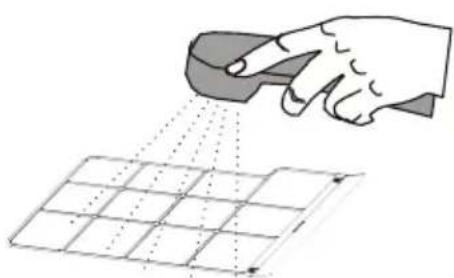
SereneLife SLPAC905W - Uyarı: - 1

text_image Diagram illustrating two stages of a grid structure transformation, labeled 1 and 2 with red arrows indicating direction.

SereneLife SLPAC905W - Uyarı: - 2

natural_image Illustration of a hand using a tool to spray or spray over a grid pattern (no text or symbols)
natural_image Line drawing of a hand using a power tool to clean or brush the surface on a grid (no text or symbols)
natural_image White SereneLife air conditioner unit with blue vented airflow and black top panel (no visible text or symbols on device body)
text_image QR code with a blue home icon in the center, likely linking to a smart home or app interface.

Kayıt

text_image Back Register Verification code is sent to your phone: +86 1570005876 Verification Code Please input password Confirm

Resim 2

SereneLife SLPAC905W - Kayıt - 1

text_image ****** 中国邮政 专 147 PM 00' + 34% ▼ < Back Register Please input password! C:\Users

Resim 3

SereneLife SLPAC905W - Kayıt - 2

text_image **********广口移动 令 1:09 PM Login Register Country / Region Armenia +374 > Mobile number/E-mail Password Login Sign in with SMS verification Forget passwords Sign in with social media account f Twitter Login Sign in with SMS verification Forget password Sign in with social media account f Twitter Login Country / Region Armenia +374 > Mobile number/E-mail Passwords Login Sign in with SMS verification Forget password Sign in with social media account
text_image 中国移动 153 PM Login Register Country / Region Armenia +374 > Mobile username/Email Password Login Sign in with SMS verification Forget password Sign in with social media account f saozhen Nishai

SereneLife SLPAC905W - Kayıt - 3

text_image 中国移动 2021PM Back Request password Amelia +374 > Mobile numberedE-mail Next

SereneLife SLPAC905W - Kayıt - 4

text_image Back Request password Verification code is sent to your phone: -374 15200085875 Verification Code Email (fa) Enter note password Down
natural_image Two simple line drawings of electrical outlets or switches, one with a lamp and the other with a bulb (no text or symbols)
natural_image Simple icon of a white electronic device with a power button and circular outline (no text or symbols)
text_image 2 times per second
text_image 中继移动 10:58 84% 返回 Add Device AP Mode Power on and confirm indicator light is rapidly flashing How to set up light as rapid flash Confirm light is rapidly flashing
pie Connecting | Category | Value (%) | |---|---| | Connection | 25 | Central that your customers or customers should be connected to online devices and devices, or registration must cloud to physical stores. |

Resim 3
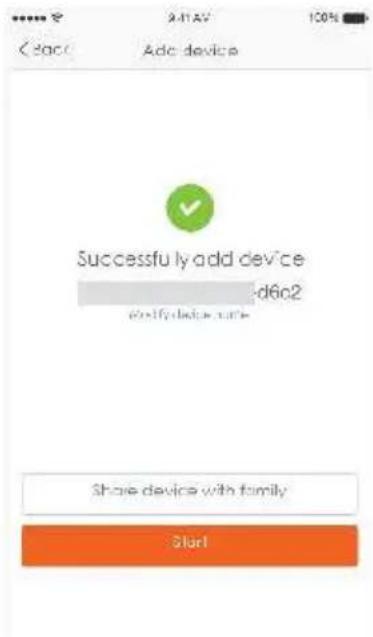
SereneLife SLPAC905W - Kayıt - 5

text_image Adc device Successfully add device d6o2 Modify device name Share device with family Start

Resim 4

AP modu için

text_image Power on and confirm indicator light is slowly flashing How to set light as slow flash Confirm light is slowly flashing

SereneLife SLPAC905W - AP modu için - 1

text_image Please enter Wi-Fi password Writing Wi-Fi Altake-24G No: this onlin Only supported 2.4G WiFi network q w e r t y u i o p a s d f g h j k l z x c v b n m 123 space return

SereneLife SLPAC905W - AP modu için - 2

pie Connecting | Category | Percentage (%) | | :--- | :--- | | Connection | 25 | Contra Intrusion, Microbalance and Device Use Close to Ensemble in Find Device, Engage, Do you cloud in Playset Service
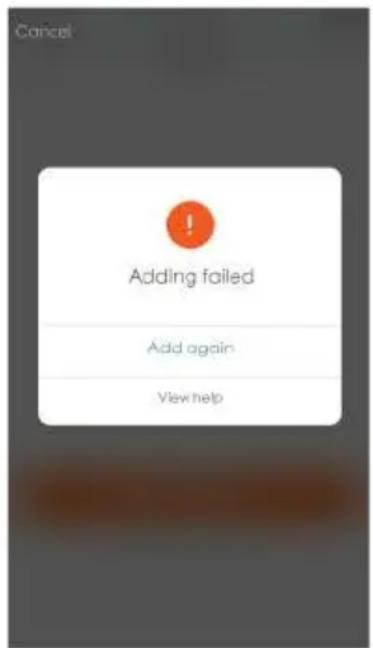
text_image Ado device Successfully add device d6c2 Share device with family Slor1

SereneLife SLPAC905W - AP modu için - 3

text_image Cancel Adding failed Add again View help

Obrazek 5Obrazek 4

Not:

text_image Light is > Turned as Cosmic functions Air Condition : ) Air Condition : ) Temperature Hiding current functions TEMP JCP WIND MIX UI X Color Cosmic Radio
text_image Back Create pattern password Create a pattern password. Other persons can't control your devices even with your smartphone Create pattern password

SereneLife SLPAC905W - Not: - 1

text_image Back Create pattern password Enter pattern password again
text_image Cancel Add Sharing Add more number to use email order Chis +66 Enter mobile number/E-mail Confirm

Paylaşım ekleyin:

text_image Back My Sharings Sharings set Sharings reserved DISPST BELOW ARE SHARING YOUR DEVICES Add Sharing

SereneLife SLPAC905W - Paylaşım ekleyin: - 1

text_image Back My Sharings Sharings sent Sharings received USERS BELOW ARE SHARING YOUR DEVICES Delete Add Sharing

Paylaşım alındı:

text_image 中国移动: 4G 11:18 ↑ 78% < Back About: Rate us × Current version 1.0.0
text_image QR code with a blue home icon in the center, likely linking to a smart home application.
text_image amazon alexa Sign in Forgot password? Email (phone for mobile accounts) Amazon password Show password SIGN IN New to Amazon? CREATE A NEW AMAZON ACCOUNT Conditions of Use Privacy Notice Help © 1996-3517, Amazon.com, net or affiliates
text_image Home Things to Try "Alexa, how fast is the average human?" Because you always wanted to know Send "socket off" to IFTTT More Send "sockets off" to IFTTT

SereneLife SLPAC905W - Paylaşım alındı: - 1

text_image Tony Bask Tjingshuge.com Music, Video, & Books Lists Alerts & Alarms Skills Smart Hame Things to Try Settings

SereneLife SLPAC905W - Paylaşım alındı: - 2

text_image Settings Devices Tony's Echo Offline Tony's Tap Online, Hands-free Mode SET UP A NEW DEVICE Accounts Music & Media Flash Briefing Sports Update
text_image Setup Choose a device to set up By proceeding, you agree to the terms found here. Echo Tap Echo Dot CANCEL SETUP

SereneLife SLPAC905W - Paylaşım alındı: - 3

text_image Setup Choose Language English (United States) Deutsch English (United States) English (United Kingdom) CONTINUE CANCEL SETUP

SereneLife SLPAC905W - Paylaşım alındı: - 4

text_image Setup Begin Echo setup Let's get your Echo connected to Wi-Fi so you can start using it. CONNECT TO WI-FI CANCEL SETUP
text_image Setup Wait for the orange light ring Make sure your Echo is plugged into a power outlet. In about a minute, Echo will tell you that it is ready and the light ring will turn orange. Then continue. DON'T SEE THE ORANGE LIGHT RING? CONTINUE CANCEL SETUP

SereneLife SLPAC905W - Paylaşım alındı: - 5

text_image Setup Attempting to connect to Echo This may take up to a minute. CANCEL SETUP

SereneLife SLPAC905W - Paylaşım alındı: - 6

text_image Setup Connected to Echo CONTINUE
text_image Setup Setup Complete Echo is now connected to Wi-Fi CONTINUE

SereneLife SLPAC905W - Paylaşım alındı: - 7

text_image Intro to Echo This short video will walk you through some basics to help get you started. an
text_image Tony Baak bjrg@hoya.com Music, Video, & Books Lists Alerts & Alarms Skills Smart Home Things to Try Settings

SereneLife SLPAC905W - Paylaşım alındı: - 8

text_image All Skills Your Skills CATEGORIES Search all skills Busy life? Simplify it "Alexa open Sleep Sounds" "Alexa Open 1" NEW SKILLS AMEX Amex Rebert Seam

SereneLife SLPAC905W - Paylaşım alındı: - 9

text_image Smart Life Smart Life SAY 10/17/2024 ENABLE Account linking required TRY SAYING "Alexa, turns on hallway right" ABOUT THIS SKILL Smart Life offers the most comprehensive voice controlled smart home experience with Alexa. Control your home lighting and other devices hands free. Just say it. Smart Life will obey. Here's a step by step guide.
text_image Alexa Account Binding http://jup.happu.com Account +1 1st famszong@jupu.com Password ...... Link Now

SereneLife SLPAC905W - Paylaşım alındı: - 10

text_image To continue, close this window to discover devices you can control with Alexa. You can now leave this page.
text_image Tony Baak bjmg@huya.com Music, Video, & Books Lists Alerts & Alarms Skills Smart Home Things to Try Settings

SereneLife SLPAC905W - Paylaşım alındı: - 11

text_image Smart Home Smart Life Your Devices Alexa is looking for devices. Device discovery can take up to 20 seconds. If you have a Philips Hue bridge, please press the button located on the bridge and then add your devices again. Bedroom (Offline) FORGET ALL DEVICES AND GROUPS

SereneLife SLPAC905W - Paylaşım alındı: - 12

text_image Smart Home Your Devices Devices that Alexa has discovered and can control. Alexa found 3 Smart Home devices. DISCOVER Sort by newest bulb Smart Bulb Forget downstairs Smart Bulb Forget Smart Plug Smart Socket Forget FORGET ALL DEVICES AND GROUPS

Questions or Comments

We are here to help!

Phone: 1.718.535.1800

Serenelifehome.com/ContactUs
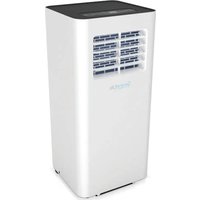
Table of contents Click a title to access it
Manual assistant
Powered by Anthropic
Waiting for your message
Product information

Brand : SereneLife

Model : SLPAC905W

Category : Air Conditioning