508995 - Switch Intellinet - Free user manual and instructions
Find the device manual for free 508995 Intellinet in PDF.

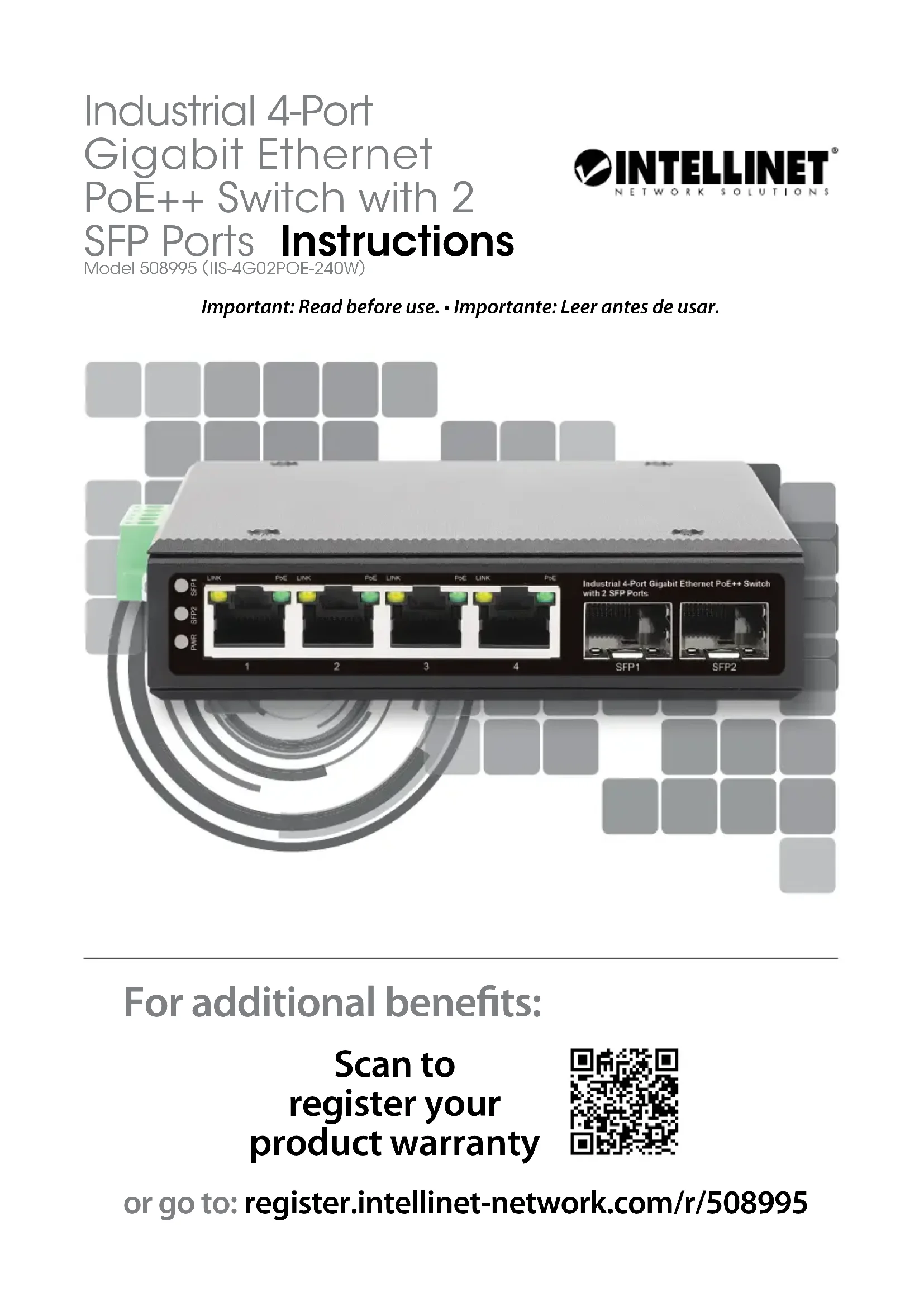

| Product Type | Industrial PoE++ Switch 4-Port Gigabit + 2 SFP |
| Brand | Intellinet |
| Model | 508995 |
| Number of Ethernet Ports | 4 RJ45 Gigabit (10/100/1000 Mbps) ports with PoE++ |
| Number of SFP Ports | 2 SFP (GBIC) slots for fiber optics |
| Power Supply | 48-57 V DC, 2 redundant inputs on terminal block, total power 240 W, up to 95 W per PoE port |
| Installation | Plug and play, on DIN rail or flat surface |
| Housing Material | Metal, IP40 protection rating |
| Operating Temperature | -20 °C to 75 °C |
| Switching Capacity (Backplane) | 12 Gbps |
| Supported PoE Protocols | IEEE 802.3bt (PoE++), 802.3at (PoE+), 802.3af (PoE) |
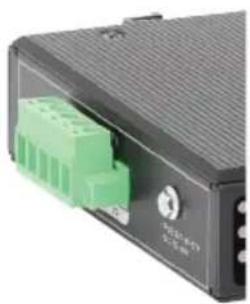
| Grounding | Via chassis screw on the right side of the power connector |
| Dimensions (approx.) | 120 x 90 x 35 mm (estimate based on slim profile) |
| Weight (approx.) | 500 g |
| Maintenance and Cleaning | Disconnect the device before cleaning; use a soft, dry cloth. Do not use solvents. |
| Safety | Grounding mandatory; use Cat5e/6/6a/8.x UTP/STP cables; do not expose to moisture. |
| Spare Parts and Repairability | Contains no user-serviceable parts. Contact authorized after-sales service. |
| Warranty | 2 years (standard) |
| General Information | Compliant with EU directives 2014/30/EU and 2014/35/EU. WEEE marking. |
Frequently Asked Questions - 508995 Intellinet
User questions about 508995 Intellinet
0 question about this device. Answer the ones you know or ask your own.
Ask a new question about this device
Download the instructions for your Switch in PDF format for free! Find your manual 508995 - Intellinet and take your electronic device back in hand. On this page are published all the documents necessary for the use of your device. 508995 by Intellinet.
USER MANUAL 508995 Intellinet
Industrial 4-Port Gigabit Ethernet PoE++ Switch with 2 SFP Ports Instructions
Model 508995 (IIS-4G02POE-240W)
Important: Read before use. • Importante: Leer antes de usar.
For additional benefits:
Scan to register your product warranty

or go to: register.intellinet-network.com/r/508995
The Intellinet Industrial 4-Port Gigabit Ethernet PoE++ Switch with 2 SFP Ports offers an array of time-saving, cost-effective features while providing superior network throughput. No configuration is required and installation is plug and play.
Features
- Provides power and data connections for up to four PoE network devices
- IP40 slim-type metal housing to withstand harsh industrial conditions
- Wide operating temperature: -20 – 75°C (4 – 167°F)
- Option for DIN-rail installation
- Two small form-factor pluggable GBIC module slots (SFP)
- Two redundant DC inputs (48 - 57 V) with I/O terminal block
With a backplane speed of 12 Gbps, plenty of performance is available for your computers, servers and other networking devices. Each of the ports automatically senses the link speed of the connected network device and adjusts to 10, 100 or 1000 Mbps for compatibility and maximum performance. This PoE switch is designed to provide compatible devices with enough power when needed. It offers up to 95 watts of power per port until its power budget of 240 watts is reached.
For specifications, visit intellinetnetwork.com. Register your product at register.intellinet-network.com/r/508995 or scan the QR code on the cover.

Placement
Desktop Installation
Prior to use, place/position the switch:
- on a level surface that can support the weight of the switch and that offers at least 25 mm (approx. 1") of clearance for ventilation;
- away from sources of electrical noise: radios, transmitters, broadband amplifiers, etc.;
- within 100 m (approx. 328') of network devices it's to be connected to.
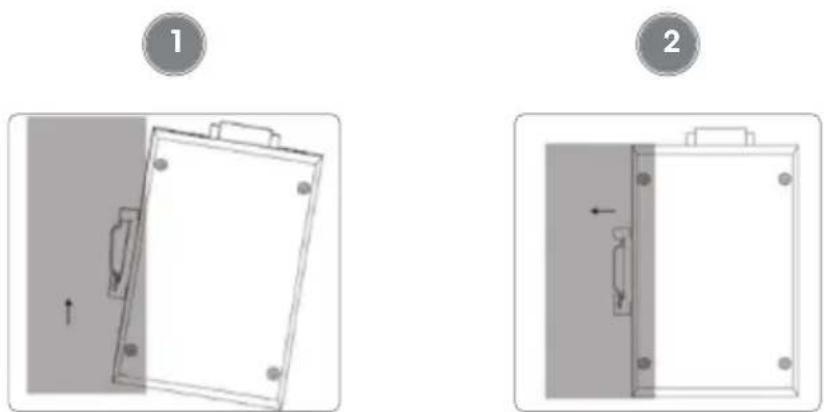
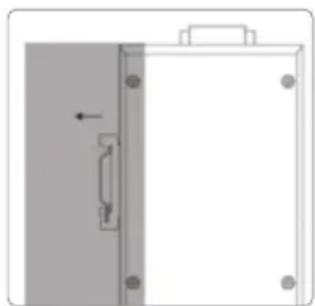
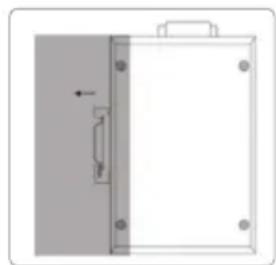
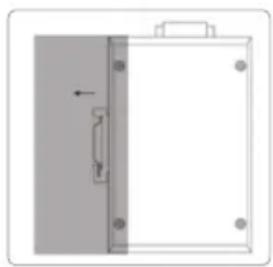
DIN-Rail Installation
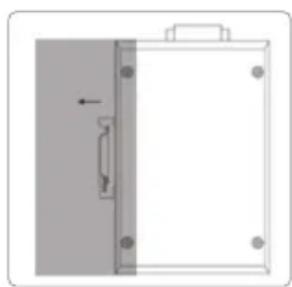
1 With DIN-rail bracket attached to device with screws, angle bracket onto DIN rail.
2 Push device in till it clicks into place.

Power
Chassis Ground Column
Located on the side of the power supply connector, a grounding terminal connector is used to provide proper grounding for your Intellinet Network Solutions switch. It should be wired to an object that provides earth ground.
Terminal Block Installation
NOTE: Ensure all power is off/disconnected before beginning!
1 Loosen appropriate screws.
2 Insert bare power-supply wires into appropriate terminals (positive wire into positive terminal; negative wire into negative terminal).
3 Tighten appropriate screws to secure wires. (If desired, repeat steps 1 – 3 on second input pair.)
4 Install block into the device and tighten screws.
natural_image
Close-up of a black electronic device with green connectors, no visible text or symbols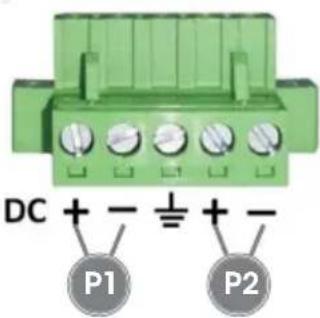

Front Panel

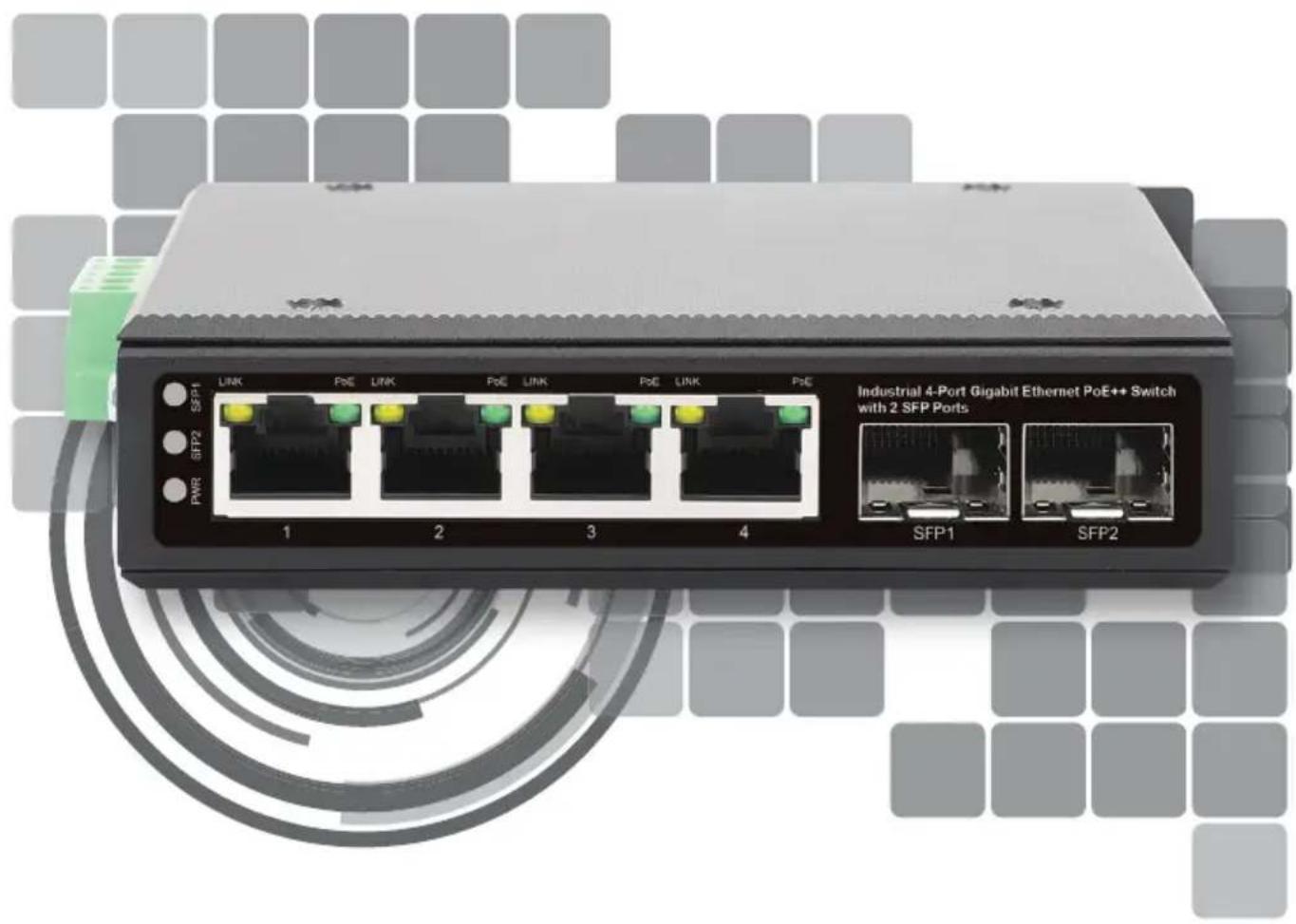
| LED Color Status Status Description | ||
| PWR Green | On Power on | |
| Off Power off | ||
| Link 1 – 4 Yellow | On Valid port connection | |
| Blinking Sending or receiving data | ||
| SFP 1 & 2 Green | Off No link established. | |
| PoE 1 – 4 Green | On The connected Powered Device (PD) is receiving power. | |
| Off No PD is linked. | ||
Cat5e/6/6a/8.x UTP/STP cables provide optimal performance; if a status LED doesn't indicate a link or activity, check the corresponding device for proper setup and operation.
natural_image
Simple line drawing of a whiteboard with a handle and corner markers, no text or symbols present2
natural_image
Diagram of a door with a handle and arrow indicating left side (no text or symbols)
Strom
natural_image
Close-up of a black electronic device with green connectors, no visible text or symbols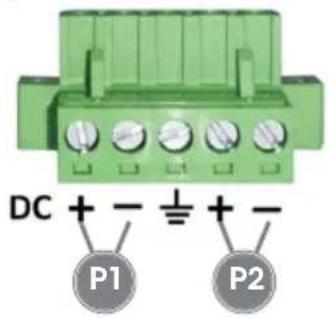

Frontblende

natural_image
Close-up of a black electronic device with green connectors and a white connector (no visible text or symbols)

Panel frontal

natural_image
Diagram of a door panel with an arrow indicating left motion (no text or symbols)2
natural_image
Pure technical diagram of a mechanical or electrical component with no text, numbers, or symbols
Alimentation
natural_image
Close-up of a black electronic device with green connectors and a small circular button (no visible text or symbols)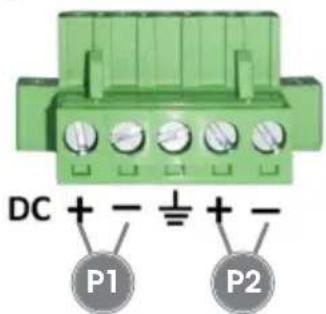

Panneau avant

natural_image
Simple line drawing of a rectangular object with mounting holes and an arrow indicating direction (no text or symbols)2
natural_image
Simple line drawing of a door panel with a handle and arrow indicating left side (no text or symbols)
Zasilanie
natural_image
Close-up of a black electronic device with a green connector, no visible text or symbols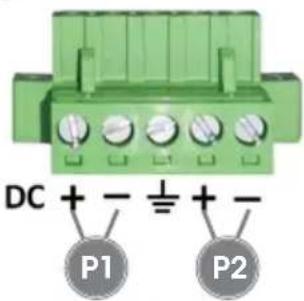

Panel przedni

natural_image
Diagram of a mechanical component with mounting holes and a directional arrow (no text or symbols)2
natural_image
Simple line drawing of a door panel with a handle and arrow, no text or symbols present
Alimentazione
natural_image
Close-up of a black electronic device with a green connector and indicator lights (no visible text or symbols)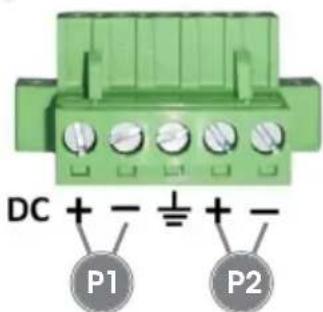

Pannello frontale

(Applicable In The European Union And Other European Countries With Separate Collection Systems)
ENGLISH: This symbol on the product or its

packaging means that this product must not be treated as unsorted household waste. In accordance with EU Directive 2012/19/EU on Waste Electrical and Electronic Equipment (WEEE), this electrical product must be disposed of in accordance with the user's local regulations for electrical or electronic waste. Please dispose of this product by returning it to your local point of sale or recycling pickup point in your municipality.
This equipment has been tested and found to comply with the limits for a Class B digital device, pursuant to Part 15 of Federal Communications Commission (FCC) Rules. These limits are designed to provide reasonable protection against harmful interference in a residential installation. This equipment generates, uses and can radiate radio frequency energy, and if not installed and used in accordance with the instructions may cause harmful interference to radio communications. However, there is no guarantee that interference will not occur in a particular installation. If this equipment does cause harmful interference to radio or television reception, which can be determined by turning the equipment off and on, the user is encouraged to try to correct the interference by one or more of the following measures: reorient or relocate the receiving antenna; increase the separation between the equipment and the receiver; connect the equipment to an outlet on a circuit different from the receiver; or consult the dealer or an experienced radio/TV technician for help.
CE
ENGLISH: This device complies with the requirements of CE 2014/30/EU and / or 2014/35/EU. The Declaration of Conformity for is available at:
support.intellinet-network.com/barcode/508995



North America
IC Intracom America
550 Commerce Blvd.
Oldsmar, FL 34677, USA
Asia & Africa
IC Intracom Asia
4-F, No. 77, Sec. 1, Xintai 5th Rd.
Xizhi Dist., New Taipei City 221, Taiwan
Europe
IC Intracom Europe
Löhbacher Str. 7, D-58553
Halver, Germany
All trademarks and trade names are the property of their respective owners.
All trademarks and trade names are the property of their respective owners.
© IC Intracom. All rights reserved. Intellinet Network Solutions is a trademark of IC Intracom, registered in the U.S. and other countries.


- Industrial 4-Port Gigabit Ethernet PoE++ Switch with 2 SFP Ports Instructions
- Features
- Placement
- Desktop Installation
- DIN-Rail Installation
- Power
- Chassis Ground Column
- Terminal Block Installation
- Front Panel
- Strom
- Frontblende
- Panel frontal
- Alimentation
- Panneau avant
- Zasilanie
- Panel przedni
- Alimentazione
- Pannello frontale
Brand : Intellinet
Model : 508995
Category : Switch