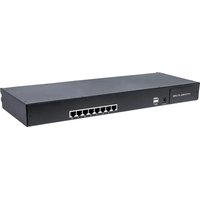
507882 - Switch Intellinet - Free user manual and instructions
Find the device manual for free 507882 Intellinet in PDF.


Pick your language and provide your email: we'll send you a specifically translated version.
| Product Type | Ethernet Switch |
| Model Number | 507882 |
| Ports | 5 x 10/100/1000 Mbps Gigabit Ethernet |
| Housing Material | Metal |
| Mounting Options | Desktop or wall-mountable |
| Power Supply | External power adapter (5V DC, 1A) |
| Dimensions (W x D x H) | 4.3 x 2.8 x 1.0 inches (109 x 71 x 25 mm) |
| Weight | 0.55 lbs (250 g) |
| LED Indicators | Power, Link/Activity per port |
| Switching Capacity | 10 Gbps |
| Forwarding Rate | 7.44 Mpps |
| MAC Address Table | 2K entries |
| Jumbo Frame Support | Up to 9K bytes |
| Standards Compliance | IEEE 802.3, 802.3u, 802.3ab, 802.3x |
| Flow Control | IEEE 802.3x full-duplex and backpressure half-duplex |
| Auto MDI/MDI-X | Supported on all ports |
| Fanless Design | Yes, silent operation |
| Operating Temperature | 0°C to 40°C (32°F to 104°F) |
| Storage Temperature | -10°C to 70°C (14°F to 158°F) |
| Humidity | 10% to 90% non-condensing |
| Electromagnetic Compliance | FCC, CE |
| Warranty | Lifetime warranty (subject to terms) |
Frequently Asked Questions - 507882 Intellinet
How do I set up the Intellinet 507882 switch?
Connect the power adapter, then connect your devices using Ethernet cables. No configuration is needed; the switch is plug-and-play.
What does the LED indicator mean?
The Power LED is solid when powered. Each port has a green LED that lights when a link is established and blinks during activity.
Can I mount the switch on a wall?
Yes, the switch has mounting slots on the bottom for wall mounting. Use appropriate screws.
Does the switch support PoE?
No, the Intellinet 507882 is a non-PoE switch. It only passes data, not power over Ethernet.
What is the maximum cable length?
For Gigabit Ethernet, the maximum cable length is 100 meters (328 feet) using Cat5e or better cable.
How do I clean the switch?
Disconnect power and use a dry, soft cloth. Do not use liquids or sprays.
Is the switch fanless?
Yes, it has a fanless design, making it silent and suitable for quiet environments.
What should I do if the switch stops working?
Check the power adapter and connections. Ensure the power outlet works. If the issue persists, contact Intellinet support.
Can I connect the switch to a router?
Yes, connect any port to a router's LAN port using an Ethernet cable. The switch will extend your network.
Does this switch have a warranty?
Intellinet offers a lifetime warranty. Register your product for full coverage.
User questions about 507882 Intellinet
0 question about this device. Answer the ones you know or ask your own.
Ask a new question about this device
No questions yet. Be the first to ask one.
Download the instructions for your Switch in PDF format for free! Find your manual 507882 - Intellinet and take your electronic device back in hand. On this page are published all the documents necessary for the use of your device. 507882 by Intellinet.
USER MANUAL 507882 Intellinet


Manual assistant
Powered by Anthropic
Waiting for your message
Product information
Brand : Intellinet
Model : 507882
Category : Switch