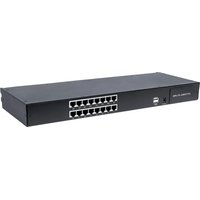
507899 - Switch Intellinet - Free user manual and instructions
Find the device manual for free 507899 Intellinet in PDF.


Pick your language and provide your email: we'll send you a specifically translated version.
| Product Type | Network Switch |
| Model | 507899 |
| Brand | Intellinet |
| Number of Ports | 24 Gigabit Ethernet Ports |
| Uplink Ports | 2 SFP Slots |
| Switching Capacity | 48 Gbps |
| Forwarding Rate | 35.7 Mpps |
| MAC Address Table | 8K Entries |
| Jumbo Frame Support | Up to 9,216 Bytes |
| Dimensions (W x D x H) | 17.3 x 7.1 x 1.7 in (440 x 180 x 44 mm) |
| Weight | 5.5 lb (2.5 kg) |
| Power Supply | 100-240V AC, 50-60 Hz, Internal |
| Power Consumption | 20W (Max) |
| Cooling | Fanless, Silent Operation |
| Mounting | 19" Rack-Mountable, Wall-Mountable |
| LED Indicators | Power, Link/Activity, Speed |
| Switching Mode | Store-and-Forward |
| Auto MDI/MDIX | Yes, on All Ports |
| Auto-Negotiation | Yes |
| Operating Temperature | 32-104°F (0-40°C) |
| Storage Temperature | -4-158°F (-20-70°C) |
| Humidity | 10-90% RH (Non-condensing) |
| Safety Certifications | FCC Class A, CE, RoHS |
| Maintenance | Clean with a soft, dry cloth. Do not use liquids or solvents. |
| Spare Parts & Repairability | No user-serviceable parts. Contact support for repairs. |
Frequently Asked Questions - 507899 Intellinet
How do I set up the Intellinet 507899 switch?
Connect the switch to power using the included AC adapter. Use Ethernet cables to connect your devices to any of the 24 Gigabit ports. The switch is plug-and-play, requiring no configuration for basic operation.
Does this switch support PoE (Power over Ethernet)?
No, the Intellinet 507899 is a non-PoE switch. It only provides data connectivity. For PoE requirements, consider a model with PoE support.
What is the maximum cable length for Ethernet ports?
The maximum cable length for Gigabit Ethernet (1000BASE-T) on Cat5e or Cat6 cables is 100 meters (328 feet).
Can I rack-mount this switch?
Yes, the switch comes with rack-mount brackets for 19-inch racks. It can also be placed on a desktop or mounted on a wall.
How many devices can I connect?
You can connect up to 24 devices via the Gigabit Ethernet ports. Additionally, you can use the SFP slots for fiber uplinks to expand the network.
Is the switch fanless?
Yes, the Intellinet 507899 is fanless, making it silent and suitable for noise-sensitive environments like offices or home networks.
What should I do if the power LED is not on?
First, ensure the power cable is securely connected to the switch and the power outlet. If still off, try a different outlet. If the issue persists, the power supply may be faulty; contact Intellinet support.
Can I use this switch with a router?
Yes, simply connect one of the switch ports to a LAN port on your router using an Ethernet cable. The switch will then provide additional ports for other devices.
Does the switch support VLANs?
No, the Intellinet 507899 is an unmanaged switch. It does not support VLAN configuration. It forwards all traffic based on MAC addresses.
How do I clean the switch?
Use a soft, dry cloth to wipe the exterior. Do not use any liquids or cleaning solvents. Ensure the switch is powered off before cleaning.
User questions about 507899 Intellinet
0 question about this device. Answer the ones you know or ask your own.
Ask a new question about this device
No questions yet. Be the first to ask one.
Download the instructions for your Switch in PDF format for free! Find your manual 507899 - Intellinet and take your electronic device back in hand. On this page are published all the documents necessary for the use of your device. 507899 by Intellinet.
USER MANUAL 507899 Intellinet


Manual assistant
Powered by Anthropic
Waiting for your message
Product information
Brand : Intellinet
Model : 507899
Category : Switch