HISENSE APC12QC - Air Conditioning

APC12QC - Air Conditioning HISENSE - Free user manual and instructions

Find the device manual for free APC12QC HISENSE in PDF.

📄 136 pages English EN Download 💬 AI Question 11 questions ⚙️ Specs
Notice HISENSE APC12QC - page 1
View the manual : Français FR English EN Español ES Italiano IT Português PT
Pick your language and provide your email: we'll send you a specifically translated version.
BrandHisense
ModelAPC12QC
Product typeMonobloc portable air conditioner
RefrigerantR290 (propane), max charge 0.3 kg
Power supply220-240 V ~ 50 Hz, 16 A
Cooling powerApproximately 3.5 kW (12000 BTU/h)
Heating powerOptional (heat pump)
Dimensions (approx.)70 × 38 × 50 cm
Weight (approx.)28 kg
Operating modesCooling, Dehumidification, Fan, Heating (depending on model)
Fan speedsHigh, Medium, Low, Auto
Remote controlYes, with AAA batteries
Special functionsSilent Mode, SUPER, IFEEL, Timers, Swing
MaintenanceRegular cleaning of air filter; manual drainage in heating mode
SafetyFlammable refrigerant, installation and maintenance by a professional
WarrantyConsult the dealer

Frequently Asked Questions - APC12QC HISENSE

How to install the window kit for the APC12QC air conditioner?
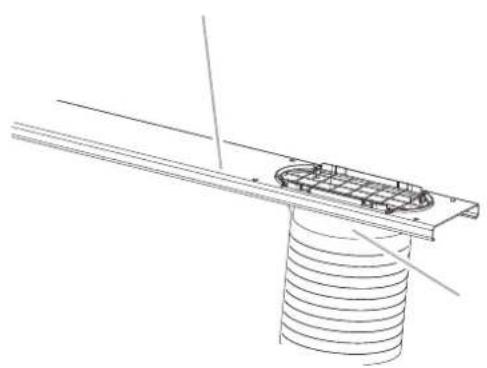
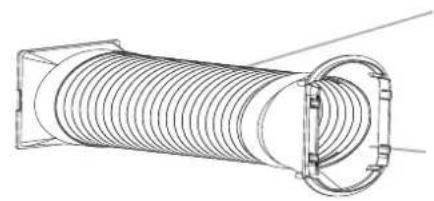
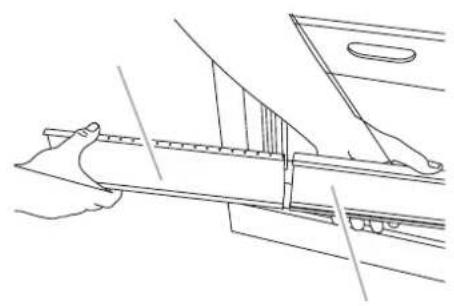
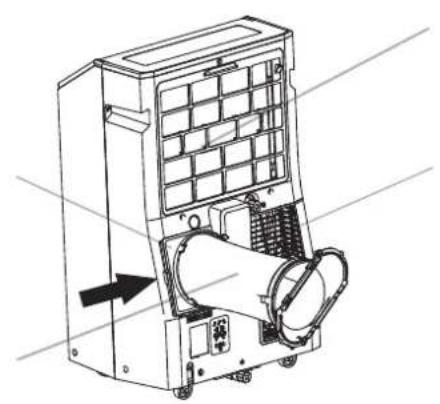
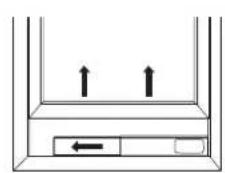
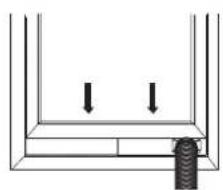
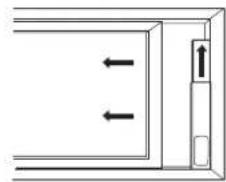
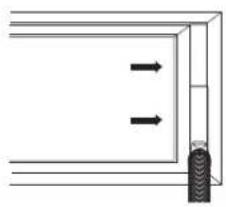
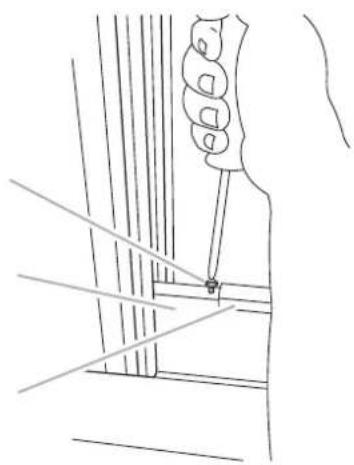
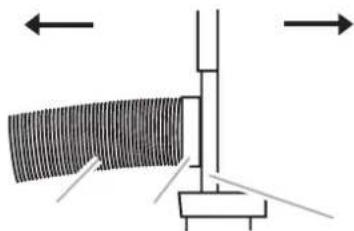
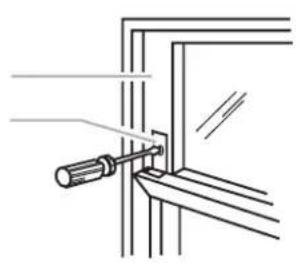
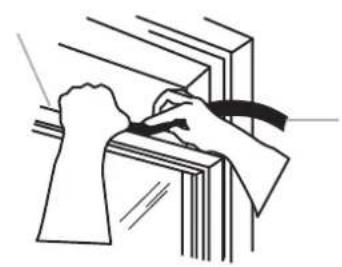
The window slider kit fits both vertical and horizontal windows. Measure the opening, cut the inner section if necessary, then slide it into the outer section. Place the kit in the window by extending to adjust the width. Secure the locking bracket with screws. Make sure the exhaust adapter is properly inserted into the kit.
How to clean the air filter of the Hisense APC12QC?
Turn off the appliance and unplug it. Open the filter panel doors at the back. Remove the filter and clean it with a vacuum cleaner or with warm water and a mild detergent. Dry completely before reinstalling. Do not use a dishwasher or chemicals.
What to do if the air conditioner shows error code E5?
Error code E5 indicates excess water in the unit. The water must be drained. Refer to the 'Drainage of the Air Conditioner' section: remove the primary drain plug, drain completely, then replace the plug. After draining, the unit can operate again.
How to use SUPER mode for rapid cooling?
Press the SUPER button on the remote control. The air conditioner automatically sets the fan speed to high and the temperature to 16°C for rapid cooling. For rapid heating (models with heating), the temperature goes to 30°C. Press any other button (except timer, clock, etc.) to exit SUPER mode.
Why is the air conditioner not cooling enough?
Check that the air filter is not dirty: clean it. Make sure the air outlet is not obstructed. Check that the set temperature is low enough. Make sure all doors and windows are closed. If the problem persists, the unit may be undersized for the room.
How to drain water in heating mode?
In heating mode, water accumulates. Remove the primary drain cover, attach the provided drain hose to the outlet. Place the other end into a drain. Ensure the hose is flat and the outlet end is lower than the end connected to the unit. Check for leaks.
Are the sounds from the air conditioner normal or abnormal?
Normal sounds include air movement, thermostat clicks, construction vibrations, and compressor hum. If the noise is excessive, check that the unit is level and the windows are properly installed. Do not confuse with a malfunction.
What to do in case of power outage?
In case of power outage, when power is restored, the air conditioner will operate with the previous settings. If the unit does not restart, wait 3 minutes before turning it on again. Check that the circuit breaker has not tripped.
The remote control no longer works, what to do?
Check the batteries: replace them with new AAA batteries of the same type. Point the remote at the receiver from a maximum distance of 7 m. If the problem persists, remove the batteries for 30 seconds then reinsert. If still not working, contact customer service.
What safety precautions regarding R290 refrigerant?
R290 is a flammable refrigerant. Do not puncture or burn the appliance. Store in a well-ventilated area away from ignition sources (open flame, gas appliance, electric heater). Installation and maintenance must be carried out by a certified professional. In case of leakage, evacuate the area and ventilate.

User questions about APC12QC HISENSE

1 question about this device. Answer the ones you know or ask your own.

Ask a new question about this device

The email remains private: it is only used to notify you if someone responds to your question.

How to activate the cooling mode on the HISENSE APC12QC air conditioner?
Frequently Asked Questions - 9 j
Response Notice-Facile

To activate the cooling mode on your HISENSE APC12QC air conditioner, use the remote control by following these steps:

  • Press the MODE button several times until you see the cooling symbol flashing on the indoor unit's screen.
  • Select the Cooling mode from the available modes: Cooling, Dry, Fan Only, or Heating.
  • Set the temperature between 16°C and 30°C by pressing the UP (increase) or DOWN (decrease) buttons. You increase or decrease the temperature by 1°C with each press.
  • Adjust the fan speed by pressing the FAN button to choose between Auto, High, Mid, or Low. The Auto speed automatically adjusts the fan according to the ambient temperature.

Important: Do not confuse Cooling mode with Dry mode. Dry mode dehumidifies the air but does not cool the room. Cooling works optimally when the ambient temperature is between 21°C and 35°C.

Quick cooling: For immediate intensive cooling, press the SUPER button. The unit automatically sets the fan speed to high and the temperature to 16°C. To exit SUPER mode, press any button on the remote control except Timer On, Timer Off, Clock, Dimmer, Ifeel, and Swing.

Note: When changing modes, the air conditioner may not respond immediately. Wait 3 minutes before restarting the unit. Once the desired temperature is reached, the unit automatically adjusts its operation to maintain this setting.

Respond (be the first)

Download the instructions for your Air Conditioning in PDF format for free! Find your manual APC12QC - HISENSE and take your electronic device back in hand. On this page are published all the documents necessary for the use of your device. APC12QC by HISENSE.

USER MANUAL APC12QC HISENSE

USE AND INSTALLATION INSTRUCTIONS

APC12QB

APH12QB

APC12QC

APH12QC

HISENSE APC12QC - USE AND INSTALLATION INSTRUCTIONS - 1

HISENSE APC12QC - USE AND INSTALLATION INSTRUCTIONS - 2

HISENSE APC12QC - USE AND INSTALLATION INSTRUCTIONS - 3

HISENSE APC12QC - USE AND INSTALLATION INSTRUCTIONS - 4

HISENSE APC12QC - USE AND INSTALLATION INSTRUCTIONS - 5

HISENSE APC12QC - USE AND INSTALLATION INSTRUCTIONS - 6

HISENSE APC12QC - USE AND INSTALLATION INSTRUCTIONS - 7

Caution, risk of fire

IDENTIFICATION OF PARTS

HISENSE APC12QC - IDENTIFICATION OF PARTS - 1
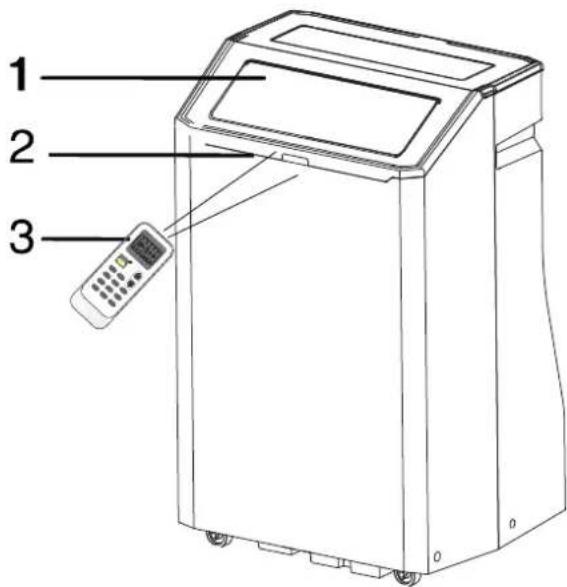
- Front

HISENSE APC12QC - IDENTIFICATION OF PARTS - 2
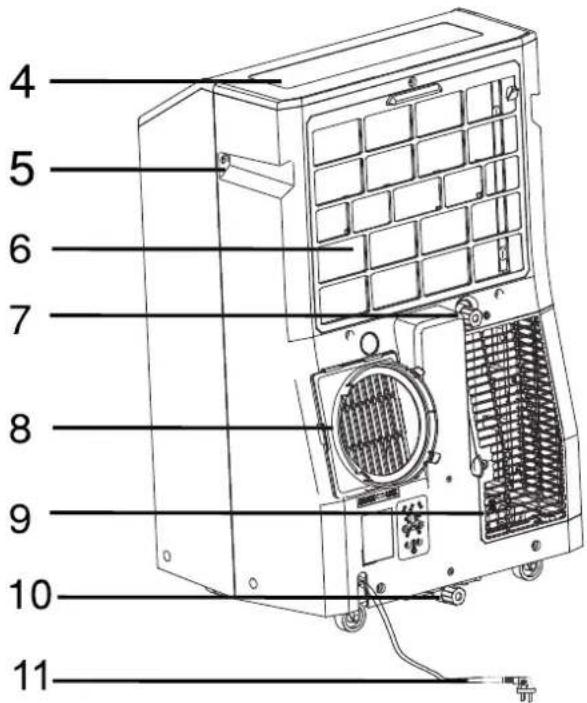
Back

HISENSE APC12QC - IDENTIFICATION OF PARTS - 3

Cool air outlet

HISENSE APC12QC - IDENTIFICATION OF PARTS - 4

Signal receptor

HISENSE APC12QC - IDENTIFICATION OF PARTS - 5

Remote control

HISENSE APC12QC - IDENTIFICATION OF PARTS - 6

Control panel

HISENSE APC12QC - IDENTIFICATION OF PARTS - 7

Transport handle

HISENSE APC12QC - IDENTIFICATION OF PARTS - 8

Evaporator air intake

HISENSE APC12QC - IDENTIFICATION OF PARTS - 9

Secondary drain port

HISENSE APC12QC - IDENTIFICATION OF PARTS - 10

Air outlet hose coupling

HISENSE APC12QC - IDENTIFICATION OF PARTS - 11

Condenser air intake

HISENSE APC12QC - IDENTIFICATION OF PARTS - 12

Primary drain port

HISENSE APC12QC - IDENTIFICATION OF PARTS - 13

Power cord (May differ from the one shown)

HISENSE APC12QC - IDENTIFICATION OF PARTS - 14

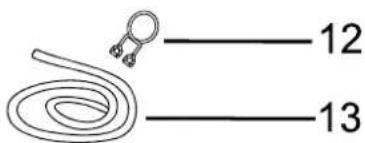
Drain hose clip (Heat pump models)

HISENSE APC12QC - IDENTIFICATION OF PARTS - 15

Drain hose (Heat pump models)

HISENSE APC12QC - IDENTIFICATION OF PARTS - 16

HISENSE APC12QC - IDENTIFICATION OF PARTS - 17

The figures in this manual are based on the external view of a standard model.

They may differ from that of the air conditioner you have selected.

HISENSE APC12QC - IDENTIFICATION OF PARTS - 18
A

HISENSE APC12QC - IDENTIFICATION OF PARTS - 19

HISENSE APC12QC - IDENTIFICATION OF PARTS - 20

HISENSE APC12QC - IDENTIFICATION OF PARTS - 21

HISENSE APC12QC - IDENTIFICATION OF PARTS - 22

HISENSE APC12QC - IDENTIFICATION OF PARTS - 23

HISENSE APC12QC - IDENTIFICATION OF PARTS - 24

HISENSE APC12QC - IDENTIFICATION OF PARTS - 25

HISENSE APC12QC - IDENTIFICATION OF PARTS - 26

Before throwing the device, it is necessary to pull back the battery cells and get rid of them safety for recycling reasons.
■When you need to dispose of the unit consult our dealer. If pipes are removed incorrectly, refrigerant may blow out and come into contact with your skin, causing injury. Releasing refrigerant into the atmosphere also damages the environments. please recycle or dispose of the packaging material for product in an environmentally responsible manner.
■ Never store or ship the air conditioner upside down or sideways to avoid damage to the compressor .
The appliance is not intended for use by young children or infirm persons without supervision. Young children should be supervised to ensure that they do not play with the appliance.

INSTALLATION REQUIREMENTS

Tools and Parts

Gather the required tools and parts before starting installation. Read and follow the instructions provided with any tools listed here.

Tools needed

Phillips screwdriver

Scissors

Pencil

Cordless drill and 18" bit

Parts supplied

The following parts are supplied with the portable Air conditioner.

PartDescriptionQuantity
A. Foam seal1 pc
B. Coupling1 pc
C. Flexible exhaust hose1 pc
D. Window exhaust adapter1 pc
E. Rivets4 pc
F. Screws4 pc
G. Window-lock bracket2 pc
H. Outer slider section with vent1 pc
I. Inner slider section-short1 pc
J. inner slider section1 pc
K. Outer slider section1 pc
L. Foam seal-long2 pc
M. Foam seal-short2 pc
N. Drain hose (Heat pump models)1 pc
O. Drain hose clip (Heat pump models)1 pc
P. Remote control1 pc
Q. Standard AAA (1.5 volts) batteries2 pc

Note

MERCURY FREE SUPER HEAVY DUTY R03 UM-4 SIZE AAA 1.5V BEST USED BEFORE DATE CODE (MONTH-YEAR) ON THE BOTTOM

Caution for ingestion

The battery may cause suffocation if swallowed by children

Do Not Mix Old And New Batteries. Do Not Mix Alkaline, Standard (Carbon - Zinc), Or Rechargeable (Nickel - Cadmium) Batteries

Non-rechargeable batteries are not to be recharged

Exhausted batteries are to be removed from the product

DO NOT DISPOSE OF BATTERIES IN FIRE. BATTERIES MAY EXPLODE OR LEAK.
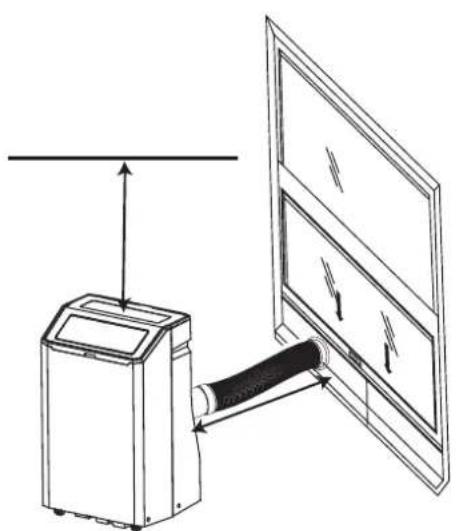
HISENSE APC12QC - Note - 1

HISENSE APC12QC - Note - 2

HISENSE APC12QC - Note - 3

HISENSE APC12QC - Note - 4

HISENSE APC12QC - Note - 5

HISENSE APC12QC - Note - 6

HISENSE APC12QC - Note - 7

HISENSE APC12QC - Note - 8

HISENSE APC12QC - Note - 9

HISENSE APC12QC - Note - 10

HISENSE APC12QC - Note - 11

HISENSE APC12QC - Note - 12

HISENSE APC12QC - Note - 13

HISENSE APC12QC - Note - 14

HISENSE APC12QC - Note - 15

HISENSE APC12QC - Note - 16

HISENSE APC12QC - Note - 17

HISENSE APC12QC - Note - 18

If changing modes while the air conditioner is running,

Control panel

HISENSE APC12QC - Control panel - 1

NOTE:The symbols may be different from these models, but the functions are similar.

Power On or Off
○ POWER

NOTE: Keep upright at least 2 hours before use to prevent damaging the compressor.

At the first time when the air conditioner is plugged in and turned on after your purchase, it will be set in Cool Mode. When the air conditioner is turned on at all other times, it will run according to the previous setting.

Mode
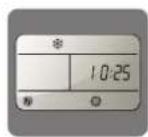
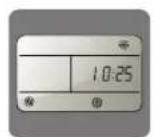
  1. Press and release MODE until you see the symbol for the desired setting.

Operating modes:

HISENSE APC12QC - NOTE: Keep upright at least 2 hours before use to prevent damaging the compressor. - 1

  1. Choose Cool, Dry, Fan or Heat.

Cool-Cools the room. Press FAN to select High, Mid or Low speeds. Press the Plus or Minus button to adjust the temperature.

HISENSE APC12QC - NOTE: Keep upright at least 2 hours before use to prevent damaging the compressor. - 2

Dry-Dries the room. The air conditioner automatically selects the temperature. The fan runs on Low speed only. Dehumidification ranges between 2 to 3 pints per hour, by model.

NOTE: Dry mode should not be used to cool the room.

DRY

Fan Only mode. Press FAN to select High, Mid or Low.

FAN

Heat-heats the room. Press FAN to select high, Mid or Low speeds. Press the PLUS or MINUS button to adjust the temperature.

NOTE: Heating is NOT available for cooling only models.

HEAT (Optional)

WIFI control is available for connected models with this logo on control panel.

WiFi

WiFi (Optional)

Fan Speed

  1. Press and release FAN to choose the desired fan speed.

HISENSE APC12QC - Fan Speed - 1

  1. Choose High, Mid or Low.

High-for maximum fan speed

HIGH

HISENSE APC12QC - Fan Speed - 2

Mid-for normal fan speed

MED

HISENSE APC12QC - Fan Speed - 3

Low-for minimum fan speed

LOW

Temperature

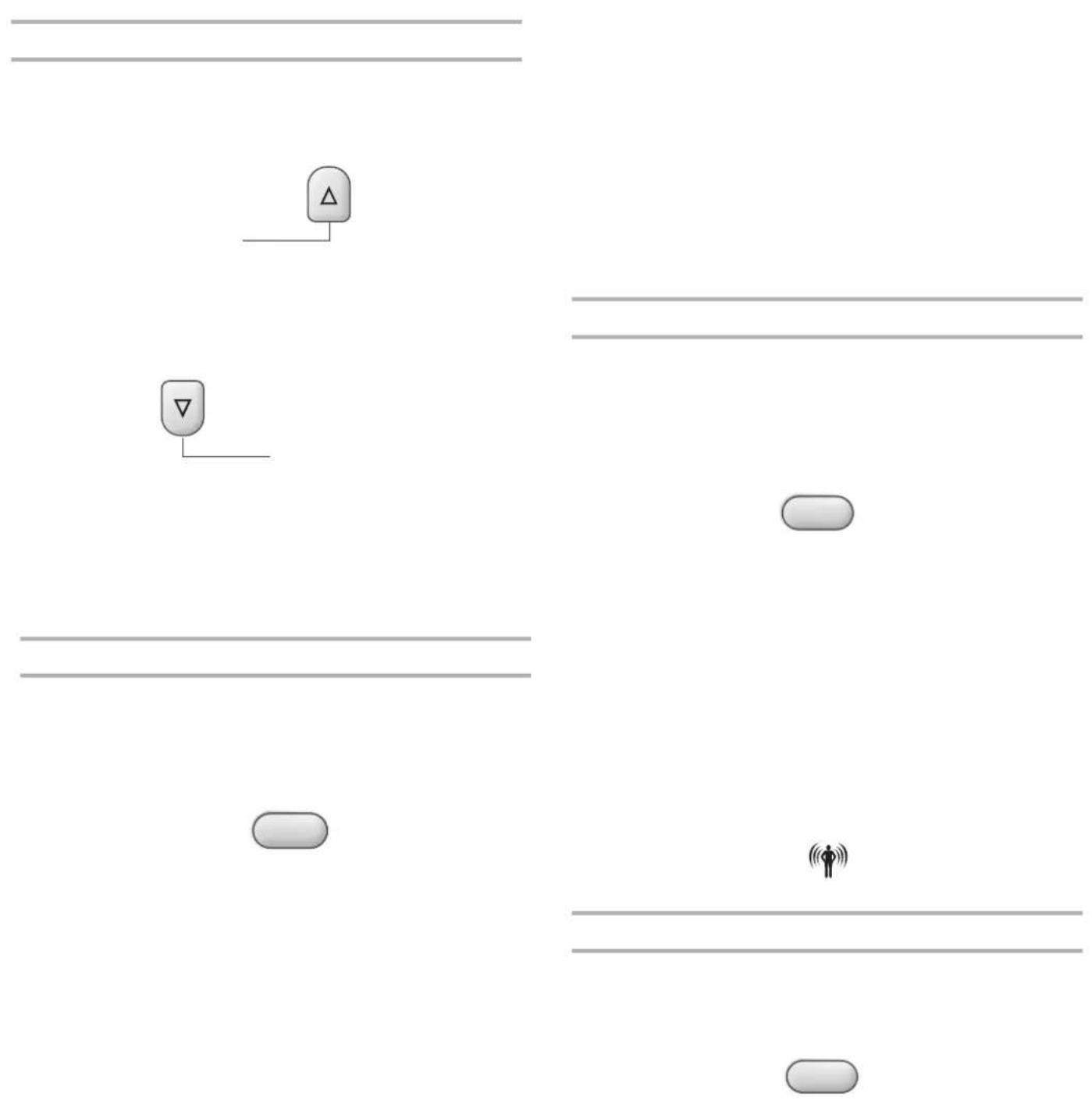
Press the button to raise the temperature. Press the button once to increase the set temperature by 1^ ( 1^ ).

HISENSE APC12QC - Temperature - 1

Press the button to lower the temperature. Press the button once to decrease the set temperature by 1^ ( 1^ ).

HISENSE APC12QC - Temperature - 2

NOTE:

In the Cooling mode, the temperature can be set between 61^ and 86^ (16°C and 30°C).
In Fan Only mode, the temperature can not be set.
The unit LED shows the target temperature for 5 seconds and then displays the room temperature.

Change display between ^ F and ^ C

To change the temperature display between ^ F and ^ C press both the and Adjust buttons at the same time.

TEMP

SILENT

Press the SILENTbutton to enter quiet mode.

HISENSE APC12QC - SILENT - 1

SILENT

Using the Remote Control

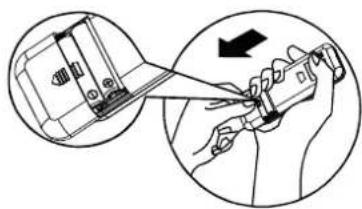
Insert the Batteries

  1. Remove the battery cover along the arrowed direction.

HISENSE APC12QC - Insert the Batteries - 1

HISENSE APC12QC - Insert the Batteries - 2

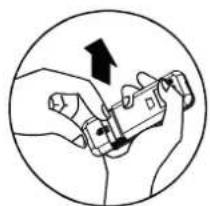
  1. Insert new batteries making sure that the (+) and (-) of battery are matched correctly.
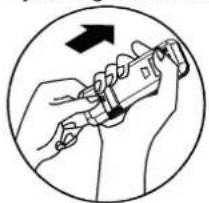
  2. Re-attach the cover by sliding it back into position.

HISENSE APC12QC - Insert the Batteries - 3

NOTE:

  • Use 2 standard AAA(1.5volt) batteries. Do not use rechargeable batteries.
  • Replace batteries with new ones of the same type when the display becomes dim, or after 6 months.
  • When replacing batteries, always replace both batteries with new batteries. Do not mix old and new batteries. Do not mix alkaline, standard (carbon-zinc), or rechargeable (ni-cd, ni-mh, etc) batteries.
    If the air conditioner will not be used for an extended period of time, remove the batteries from the remote.

CAUTION

  • Do not use the remote if the batteries have leaked.
    The chemicals in batteries could cause burns or other health hazards.
    DO NOT DISPOSE OF BATTERIES IN FIRE. BATTERIES MAY EXPLODE OR LEAK.
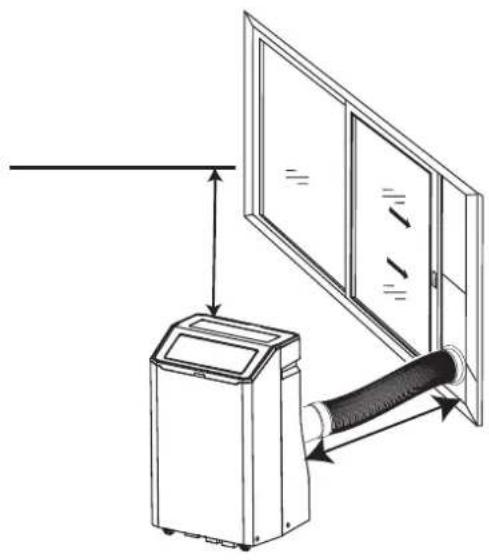
Storage Tip

The holder on the back of the unit can be used to store the remote control.
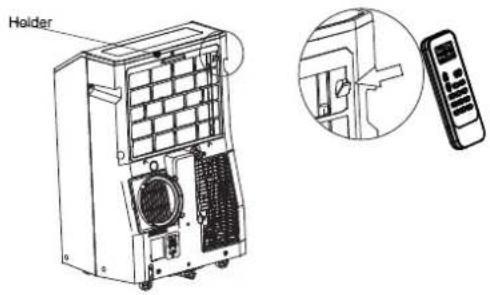
HISENSE APC12QC - Storage Tip - 1

How to Use

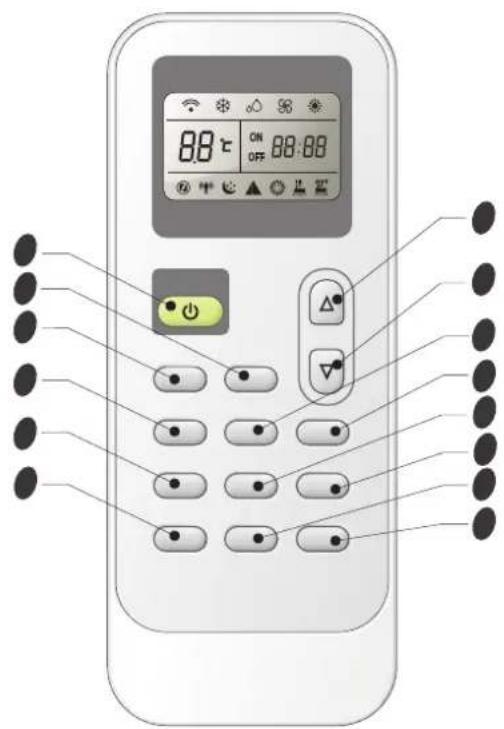
To operate the room air conditioner, aim the remote control at the signal receptor. The remote control will operate the air conditioner at a distance of up to 23^(7m) when pointing at signal receptor of the air conditioner.
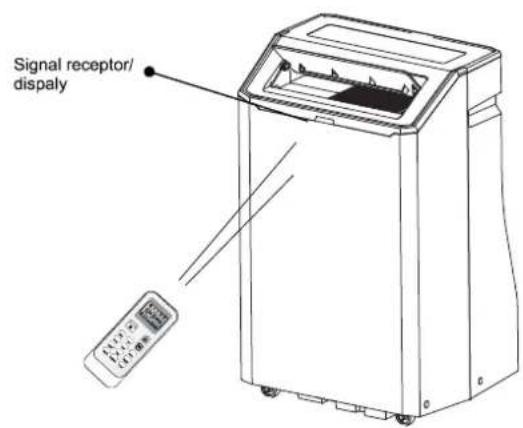
HISENSE APC12QC - How to Use - 1

HISENSE APC12QC - How to Use - 2

18
29
310
411
512
613
714

Indication symbols on LCD:

Cooling indicatorAuto fan speed
Dry indicatorHigh fan speed
Fan only indicatorMedium fan speed
Heating indicatorLow fan speed
▲ Smart indicatorSignal transmit.
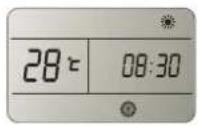
Sleep indicatorON OFF 88:88 Display set timer Display current time
Super indicator88℃ Display set temperature

HISENSE APC12QC - How to Use - 3

HISENSE APC12QC - How to Use - 4

HISENSE APC12QC - How to Use - 5

HISENSE APC12QC - How to Use - 6

HISENSE APC12QC - How to Use - 7

HISENSE APC12QC - How to Use - 8

HISENSE APC12QC - How to Use - 9

HISENSE APC12QC - How to Use - 10

HISENSE APC12QC - How to Use - 11

HISENSE APC12QC - How to Use - 12

Indoor temperatureOperation modeTarget temperature
or belowHEATING
FAN ONLY
DRY
OverCOOLING

HISENSE APC12QC - How to Use - 13

Indoor temperatureOperation modeTarget temperature
FAN ONLY
DRY
OverCOOLING

HISENSE APC12QC - How to Use - 14

HISENSE APC12QC - How to Use - 15

HISENSE APC12QC - How to Use - 16

HISENSE APC12QC - How to Use - 17

What you can do in mode
Your feeling
Uncomfortable because of unsuitable air flow volume.
Uncomfortable because of unsuitable flow direction.Press it once, the louver swings to change airflow direction. Press it again, swings stops.

HISENSE APC12QC - How to Use - 18

HISENSE APC12QC - How to Use - 19

HISENSE APC12QC - How to Use - 20

HISENSE APC12QC - How to Use - 21

HISENSE APC12QC - How to Use - 22

HISENSE APC12QC - How to Use - 23

HISENSE APC12QC - How to Use - 1

HISENSE APC12QC - How to Use - 2
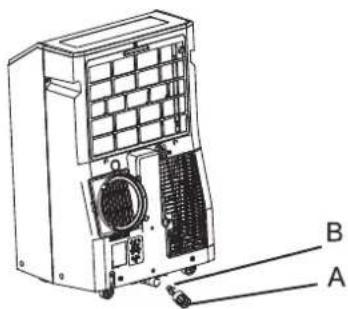
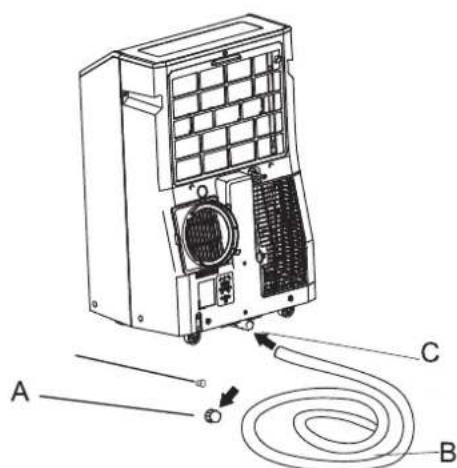
A.Primary drain cover B.Primary drain plug

WARNING

Excessive Weight Hazard

Use two or more people to move and install the air conditioner.

Failure to do so can result in back or other injury.

  1. Unplug the air conditioner or disconnect power.
  2. Move the air conditioner to a drain location or outside.

NOTE: To avoid leaking water from the unit, move the air conditioner slowly and keep it level.

  1. Remove the primary drain cover and plug.
  2. Drain water completely through the drain hole.

  3. Reinstall the drain plug to the primary drain hole.

  4. Reinstall the primary drain cover to the drain hole.
  5. Reposition the air conditioner.
  6. Plug in the air conditioner or reconnect power.
HISENSE APC12QC - WARNING - 1

A.Primary drain port
B.Drain hose
C.Primary drain hole
HISENSE APC12QC - WARNING - 2
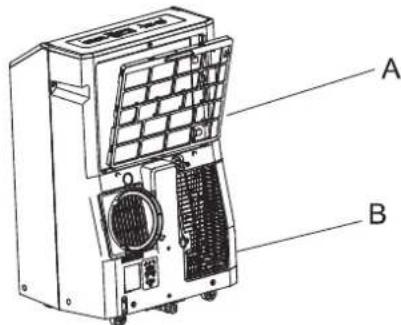
Cleaning the Air Filter

A.Evaporator air intake filter panel door B. Condenser air intake filter panel door

  1. Press ON/OFF to turn off the air conditioner.
  2. Open the filter panel door on the back of the air conditioner and remove.
  3. Remove the tapping screw from the condenser air intake filter panel door and remove.
  4. Use a vacuum cleaner to clean the filter. If the filter is very dirty, wash the filter in warm water with a mild detergent.

  5. Air dry the filter completely before replacing to ensure maximum efficiency.

  6. Reattach the air filter to the filter panel door.
  7. Reinstall the filter panel door and tapping screw
  8. Press ON/OFF to start the air conditioner.

Storing After Use

1.

  1. Run the air conditioner set to Fan Only for approximately 12 hours to dry the air conditioner.
  2. Unplug the air conditioner.

HISENSE APC12QC - Storing After Use - 1

Hisense (Guangdong) Air Conditioning Co., Ltd.

No.8 Hisense Road, Advanced Manufacturing Jiangsha Demonstration Park, Jiangmen City, province di Guangdong, R.P.C. Cina

SOMMARIO

  1. Scegliere Cool, Dry, Fan o Heat.

Hisense (Guangdong) Air Conditioning Co., Ltd.

  1. Elija Cool, Dry, Fan o Heat.

Hisense (Guangdong) Air Conditioning Co., Ltd.

No.8 Hisense Road, Advanced Manufacturing Jiangsha

Demonstration Park, Jiangmen City, Guangdong Province, P.R. China

INDICE

PRECAUÇÖES DE SEGURANÇA 2

IDENTIFICACAO DAS PEÇAS. 10

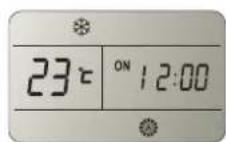
  1. Pressione TIMER ON, deposit "On 12:00" pisca no LCD.

HISENSE APC12QC - INDICE - 1

Hisense (Guangdong) Air Conditioning Co., Ltd.
Manual assistant
Powered by Anthropic
Waiting for your message
Product information

Brand : HISENSE

Model : APC12QC

Category : Air Conditioning