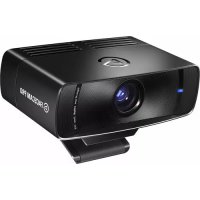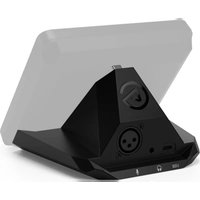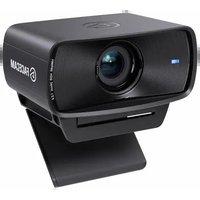
Facecam MK2 - Webcam ELGATO - Free user manual and instructions
Find the device manual for free Facecam MK2 ELGATO in PDF.


User questions about Facecam MK2 ELGATO
0 question about this device. Answer the ones you know or ask your own.
Ask a new question about this device
Download the instructions for your Webcam in PDF format for free! Find your manual Facecam MK2 - ELGATO and take your electronic device back in hand. On this page are published all the documents necessary for the use of your device. Facecam MK2 by ELGATO.
USER MANUAL Facecam MK2 ELGATO
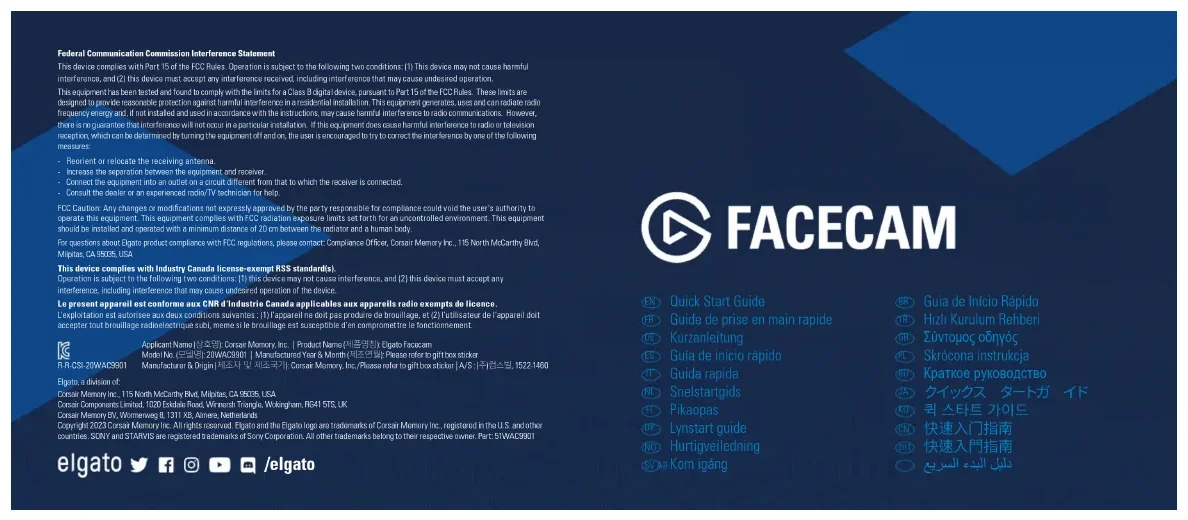
Federal Communication Commission Interference Statement
This device complies with Part 15 of the FCC Rules. Operation is subject to the following two conditions: (1) This device may not cause harmful interference, and (2) this device must accept any interference received, including interference that may cause undesired operation.
This equipment has been tested and found to comply with the limits for a Class B platform device, pursuant to Part of the FCP Rules. These items are designed to provide reasonable information against harmful interference in the decision line alignment. If equipment generates, acts and can't also brake frequency energy and if not installed and use in accordance with the instructions, may cause harmful interference to radio communications. However, there is no guarantee that interference will not occur in the particular installation. If this equipment does cause harmful interference to radio or television inscription, which can be determined by turning the equipment of another, the user is encouraged to try to correct the information by one of the following measures:
- Recipient or relocate the receiving antenna.
Increase the separation between the equipment and sensors
Correct the equipment into an outlet on a circuit different from that to which the receiver is connected.
Dorsall the dealer or an experimental radio TV technician for help
FCC Action: Any changes or modifications not expressly observed by the party responsible for compliance could void the user's authority to operate this equipment. This equipment complies with FCC radiation exposure limits set forth for an uncontrolled environment. This equipment should be installed and operated with a minimum distance of 20 cm between the radiator and a human body
For questions about Elastic product compliance with FCC regulations, please contact Compliance Officer, Censin Memory Inc., 115 North McCar by Red, Mipitas, CA 9506, USA.
This device complies with Industry Canada license-exempt RSS standard(s).
Operation is subject to the following two conditions: [1] this device may not cause interference, and [2] this device must accept any
interference, including interference that may cause undesired operation of the device.
Le present appareil est conforme aux CNR d'Industrie Canada applicables aux appareils radio exempts de licence.
Model No. 10000120WAC9301 Manufactured Year & Month 100001 Please refer to gift box socket
Manufacturer & Origin|제조지 및 계조 |가|:Consain Memory, Inc./Please refer to gift box sticker|A/S:140-22,1522-MCO
Eigin, a division of
Cossin Marcey Inc. 115 North McCully Blvd, Minitas, CA 65025 USA
Cesair Democrats Limited 1020 Eskdale Road, Wirnesh Tranche, Winknayam, RG415TS, UK
Cresu Mancu BV, Wannapacil 1301 XB, Alvesa Netherlands
Copyright 2023 Corsair Memory Inc. All rights reserved. Eligato and the Eligato logo are trademarks of Corsair Memory Inc., registered in the U.S. and other countries. SONY and STARVIS are registered trademarks of Sony Corporation. All other trademarks belong to their respective owners. Part 51WAC9901
elgato /elgato

FACECAM
Quick Start Guide
Guide de prise en main rapide
JE Kurzanleitung
Installation Installation
1.3. Download and install the Elgato camera app.

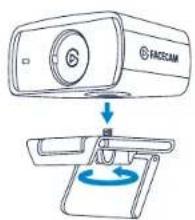
- Mount Facecam on your monitor.
text_image
FAE5CAM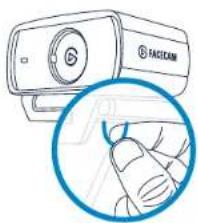
natural_image
Illustration of a FACICAM camera with a magnified inset showing the hand interacting with it (no text or symbols present)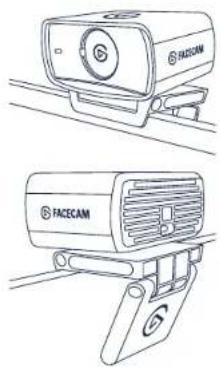
natural_image
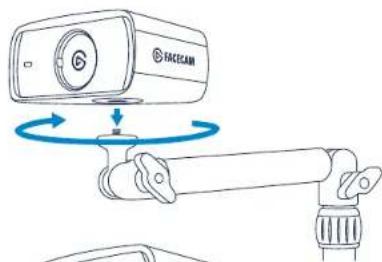
Line drawings of two facecam cameras with no visible text or symbolsAlternatively, secure Facecam to your Elgate Multi Mount system via the 1/4-inch thread.
text_image
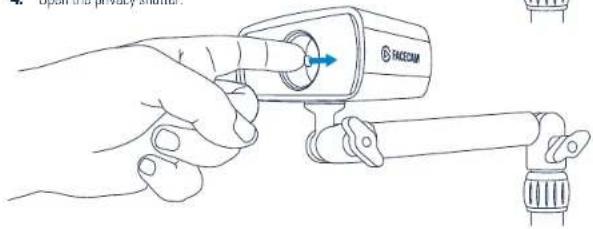
FACECAM- Open the privacy shutter.
text_image
TACCHAMEnjoyInstallation
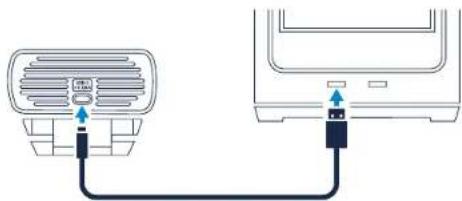
- Connect Facecam directly to a USB 3.0 (or better) port on your PC or Mac – do not use a USB hub.
Only use the supplied USB 3.0 cable (or equivalent/better).
natural_image
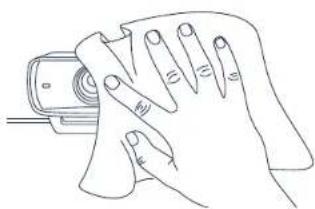
Diagram showing connection between a car air conditioner and a TV heater via cable (no text or symbols)- Clean the lens with a microfiber cloth. Do not use paper towels or detergents.
natural_image
Line drawing of a hand cleaning a surface with a tool (no text or symbols)- Enjoy using Facecam with your favorite streaming and video conferencing apps:
Zoom Skype MS Teams Slack OBS
Google Meet FaceTime
or any other application supporting the UVC standard.
Technical specifications
• Supported Resolutions (uncompressed): SDR & HDR: 1080p60, 1080p30, 720p60, 720p30, 540p60, 540p30
- Optics: Elgato Prime Lens
• Focus Range: 30 - 120 cm | 11.8 - 47.2 in
- Aperture: f/2.4
• Focal Length: 24 mm (full-frame equivalent)
• Field of View: 84° (diagonal)
• Sensor Sony ^™ STARVIS ^™ CMOS
- Connection: USB 3.0 (or better), Type C
• Dimensions: W 84 x H 38 x D 61 mm | 3.3 x 1.5 x 2.4 in (without mount)
• Weight: 90 g | 0.2 lb (without mount)
FR
cameresovellus algato.com/download
- Synfelt: 94° (diagonalt)
- Sensor: SONY® STARVIS® UMUS - Tilkobling: USB 3.0 (teller before), type C
• Vict: 90 g [utan still]
BR
用:elgatn.com/download