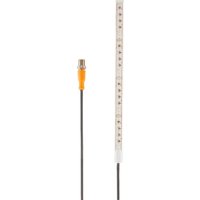
DV1100 - LED Lighting IFM - Free user manual and instructions
Find the device manual for free DV1100 IFM in PDF.


User questions about DV1100 IFM
0 question about this device. Answer the ones you know or ask your own.
Ask a new question about this device
Download the instructions for your LED Lighting in PDF format for free! Find your manual DV1100 - IFM and take your electronic device back in hand. On this page are published all the documents necessary for the use of your device. DV1100 by IFM.
USER MANUAL DV1100 IFM
Operating instructions
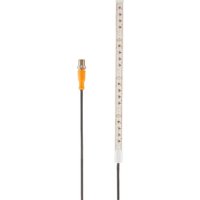
RGBW LED strip
DV1100
Contents
1 Preliminary note 3
1.1 Symbols used 3
1.2 Warnings.... 3
2 Safety instructions.... 4
3 Intended use.... 5
4 Installation.... 6
5 Electrical connection.... 7
5.1 Pin assignment 7
6 Operation 8
7 Maintenance, repair and disposal 9
1 Preliminary note
You will find instructions, technical data, approvals and further information using the QR code on the unit / packaging or at documentation.ifm.com.
1.1 Symbols used
√ Requirement
Instructions
Reaction, result
[...] Designation of keys, buttons or indications
→ Cross-reference

Important note
Non-compliance may result in malfunction or interference.

Information
Supplementary note
1.2 Warnings
Warnings indicate the possibility of personal injury and damage to property. This enables safe product handling. Warnings are graded as follows:

WARNING
Warning of serious personal injury
▷ If the warning is not observed, fatal and serious injuries are possible.

CAUTION
Warning of minor to moderate personal injury
▷ If the warning is not observed, minor to moderate injuries are possible.
ATTENTION
Warning of damage to property
▷ If the warning is not observed, damage to property is possible.
2 Safety instructions
- The unit described is a subcomponent for integration into a system.
- The system architect is responsible for the safety of the system.
-
The system architect undertakes to perform a risk assessment and to create documentation in accordance with legal and normative requirements to be provided to the operator and user of the system. This documentation must contain all necessary information and safety instructions for the operator, the user and, if applicable, for any service personnel authorised by the architect of the system.
-
Read this document before setting up the product and keep it during the entire service life.
- The product must be suitable for the corresponding applications and environmental conditions without any restrictions.
- Only use the product for its intended purpose (→ Intended use).
- If the operating instructions or the technical data are not adhered to, personal injury and/or damage to property may occur.
- The manufacturer assumes no liability or warranty for any consequences caused by tampering with the product or incorrect use by the operator.
- Installation, electrical connection, set-up, programming, configuration, operation and maintenance of the product must be carried out by personnel qualified and authorised for the respective activity.
- Protect units and cables against damage.
- Replace damaged units, otherwise the technical data and safety will be impaired.
- Observe applicable documents.

CAUTION
Eye damage
▷ In case of prolonged exposure, radiation can damage the eyes.
▶ Do not look into the light beam for a prolonged period of time!
3 Intended use
The device is used for the visualisation and optical display of machine conditions. It also enables operator guidance based on optical signals.
The device must not be used in the food and beverage industry (use of cleaning agents under high pressure and at high temperatures).

The device is intended for indoor use only.
▶ Observe the operating conditions ( → Technical data at www.ifm.com).

The unit is not approved for safety-related tasks in the field of operator protection.
4 Installation

▶ Disconnect the power of the machine before installation.

Dissipate the generated heat as follows:
▶ Mounting on a cooling surface.

▶ Observe the minimum bending radii. Flat side bending radius: ≥ 50 mm Narrow side bending radius: ≥ 200 mm
▶ Do not bend or twist the LED strip.

Ensure heat convection.
The higher the temperature, the greater the degree of ageing.
▶ Do not cover the lighting.
▶ Switch off the lighting when not in use for longer periods.

Heavy soiling prevents light emission and increases heat generation.
▶ Clean the device regularly.
▶ Provide all outgoing cables with a strain relief 200 mm behind the cable entry.

1 = 62,5 mm

Special accessories are available for fixed mounting.

Information about available accessories at documentation.ifm.com.
5 Electrical connection

The unit must be connected by a qualified electrician.
Observe the national and international regulations for the installation of electrical equipment.
Voltage supply according to SELV, PELV.
▶ Disconnect power.
▶ Connect the cable with the M12 connector of the device.
Tightening torque max. 0.6 Nm.

Observe the maximum tightening torque of the connection cable.
5.1 Pin assignment

1: LED-a (RGB red)
2: LED-b (RGB green)
3: GND
4: LED-d (RGB white)
5: LED-c (RGB blue)
6 Operation
The device has four digital inputs. The colour of the LED strip can be set individually using the digital inputs.
The following properties are assigned to the four digital inputs:
- Input a - red
- Input b - green
- Input c - blue
- Input d - white
By triggering the four inputs correspondingly, the user can determine the colour of the LED strip.
| Input d (white) | Input c (blue) | Input b (green) | Input a (red) | Colour |
| 0 | 0 | 0 | 0 | off |
| 0 | 0 | 0 | 1 | red |
| 0 | 0 | 1 | 0 | green |
| 0 | 0 | 1 | 1 | orange |
| 0 | 1 | 0 | 0 | blue |
| 0 | 1 | 0 | 1 | violet |
| 0 | 1 | 1 | 0 | turquoise |
| 0 | 1 | 1 | 1 | white (RGB mix) |
| 1 | 0 | 0 | 0 | white (dedicated white channel, lower current consumption) |
7 Maintenance, repair and disposal
The unit is maintenance-free.
▶ After use, dispose of the unit in an environmentally friendly way in accordance with the applicable national regulations.
Cleaning the unit:
▶ Disconnect the unit from the voltage supply.
▶ Clean the unit from dirt using a soft, chemically untreated and dry micro-fibre cloth.
▶ In case of heavy soiling use a cloth moistened with water.
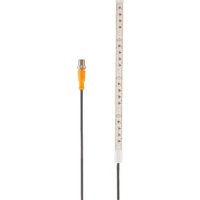
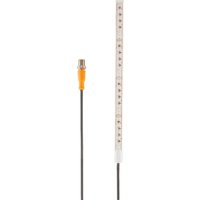
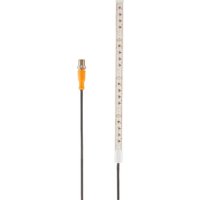
Brand : IFM
Model : DV1100
Category : LED Lighting