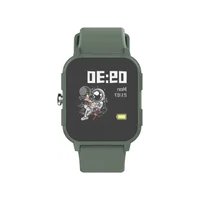
Smartwatch Junior/Teens - Smartwatch DCU - Free user manual and instructions
Find the device manual for free Smartwatch Junior/Teens DCU in PDF.


User questions about Smartwatch Junior/Teens DCU
0 question about this device. Answer the ones you know or ask your own.
Ask a new question about this device
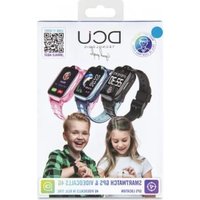
Download the instructions for your Smartwatch in PDF format for free! Find your manual Smartwatch Junior/Teens - DCU and take your electronic device back in hand. On this page are published all the documents necessary for the use of your device. Smartwatch Junior/Teens by DCU.
USER MANUAL Smartwatch Junior/Teens DCU
natural_image
Five colorful smartwatches with app icons and clock displays, arranged in a circular layout (no readable text or symbols)Smartwatch Junior/Teens
IOS - ANDROID
34158010-15-20-25
Manual de usuario 3
User manual 13
Manual d'usuari 23
Mode d'emploi 33
natural_image
Technical line drawing of a mechanical device with no visible text or symbolstext_image
Quick release4. Accesos rápidos
4.1 Accesos rápidos
text_image
Game 08:30 2048 Candy Crush Fly a plane THU 02 30/08 36 68 30 Home AM 09:30 Sally activity Sports Game Alarms4.2 Dial
natural_image
Orange square icon with a white stylized lightning bolt symbol (no text or numbers)
text_image
Download on the App Store
text_image
GETTON Google Playtext_image
Heart rate AM 19:30 86 Last recordESP

5.3.6 Sueño
Designed in BCN / Made in PRC / B55166847
Please read the manual before use.
The watch should be charging 3 hours at least before use.
Thank you very much for purchasing this watch, the DCU team has been working hard to offer you a comfortable, beautiful and functional watch.
If you have any questions that this manual cannot solve, we will be happy to assist you, you can write to info@dcutec.com and in less than 24 hours we will answer you.
We wish you enjoy it!
If you want to know a little more, go to www.dcutec.com or visit our Instagram profile @dcutecnologic. Sometimes we do raffles.
1. Caution:
1.1 Waterproof and dustproof
The watch supports waterproof and dustproof. Please follow below guidelines to maintain the waterproof and dustproof function. Otherwise your device might be damaged.
- Do not use watch under the strong pressure water.
- Do not use watch when diving, snorkeling or other sports in turbulent water.
- Please dry your hands or watch fully before operating.
- If the watch is exposed to water, please dry it fully with soft cloth. If it is exposed to other liquids (such as salt water, pool water, soapy water, oil, perfume, sunscreen, hand sanitizer) or chemicals (such as cosmetics), please wash it with clean water and dry it fully with soft cloth. Do not follow these instructions may damage its performance and appearance.
- If the watch is dropped or hit, the waterproof and dustproof function may be damaged.
- Do not disassemble your watch. The waterproof and dustproof function may be damaged.
- Do not use watch in extremely high or low temperature environments.
- Do not use blowers and other heated equipment to dry the watch.
- In sauna room, the waterproof function may be damaged.
1.2 Cleaning and management
Follow the below points to ensure that the smartwatch is operating normally and looks good. Otherwise, maybe the smartwatch can be damage and cause skin irritation.
- Protect watch from dust, sweat, ink, oil and chemical products (such as cosmetics, antibacterial sprays, hand sanitizers, detergents, and insecticides). Otherwise, the internal and external parts may be damaged or causes performance degradation. If the smartwatch is stained with above substances, please clean it with lint-free soft cloth.
- When cleaning the smartwatch, do not use soap, detergent, abrasive materials, compressed air, ultrasonic waves or external heat sources. Otherwise, the smartwatch may be damaged. Soap, detergent, hand sanitizer, or detergent residue may cause skin irritation.
- After exercising or sweating, please clean your wrist and strap. Use water to clean the smartwatch and dip a small amount of alcohol to wipe, then dry it thoroughly.
- If the smartwatch is stained or infiltrated with other objects, please use wet soft toothbrush to clean it.
1.3 If you are allergic to material on the smartwatch, please pay attention when using
- Manufacturer conducted testing about hazardous materials on the smartwatch by internal and external certification agency, including testing of all materials contact skin, skin toxicity testing, and wearing testing.
- the smartwatch contains nickel. If your skin is very sensitive or you are allergic to the materials on the smartwatch, please take necessary precautions.
- Nickel: the smartwatch contains a small amount of nickel. The content is lower than the reference value of European REACH regulations. You will not be exposed to the nickel in the smartwatch and our device has passed the international certification test. However, if you are allergic to nickel, please use the smartwatch with caution.
- All materials used on the smartwatch comply with relevant inspection standards such as REACH and RoHS.
2. Product specification
| Model | 34158010-15-20-25 |
| CPU | RTL8762C |
| ARM | Cortex-MO 53MHz |
| Memory | RAM 128KB + ROM 64Mb |
| Capacitive touch screen | 1.4” IPS - 240*240 |
| Bluetooth version | 5.0 |
| Battery | Lithium-ion 3.7V/180mAh |
| Function | IP68 waterproof, Games, Heart Rate, Sleep, Daily activity, Sports, Stylish Dials Push, DIY favorite dial customized, Notification (Ins/Facebook/Sky-pe/WhatsApp) |
| Other features | Timer, Do not disturb mode, Child lock, Alarms, multi-Languages supported, changeable strap |
3. Product details
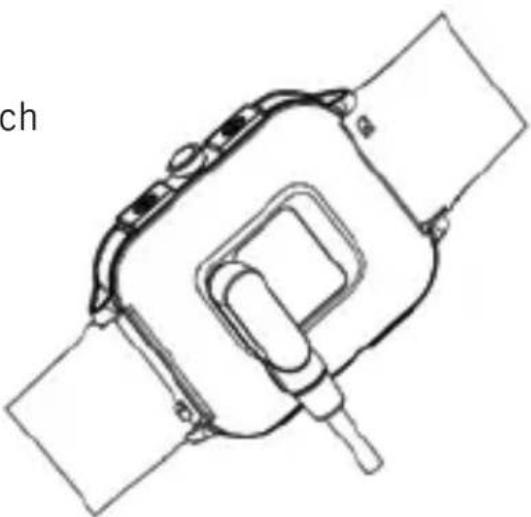
3.1 Charge your watch
Connect and charge the watch according to the picture
natural_image
Technical line drawing of a smartwatch with attached components (no text or symbols)Before using the smartwatch for the first time, you need to fully charge the battery, use the magnetic charging cable provided to connect the metal charging contacts on the back of the watch, connect the other end of the charging cable to an USB charger or an USB computer interface that provides a minimum of 5V/1A and a maximum of 5V/2A.
ENG
The estimated time for a full charge is between 2-3 hours. To extend battery life, never let it discharge to 100% and charge it regularly, even if you are not going to use it.
3.2 Operate your watch
(1) Encendido: (1) Power on: When the watch is Off status, press and hold the power button for 5 seconds to turn it on. The home screen of the watch will be displayed after booting.
(2) Touch screen operation: From the home screen, swipe to the left to the menu screen, then tap the function icon to enter the corresponding sub-menu. Swipe to the right to the games list menu, then choose one to play.
(3) Wake up screen: When the watch screen is Off status, you can press the power button to wake up the screen. If the Gesture control button is turned on in the APP, you can also wake up the screen by turning the wrist.
(4) Shutdown: Click the Setting icon, click System - Shut down, click to shut down.
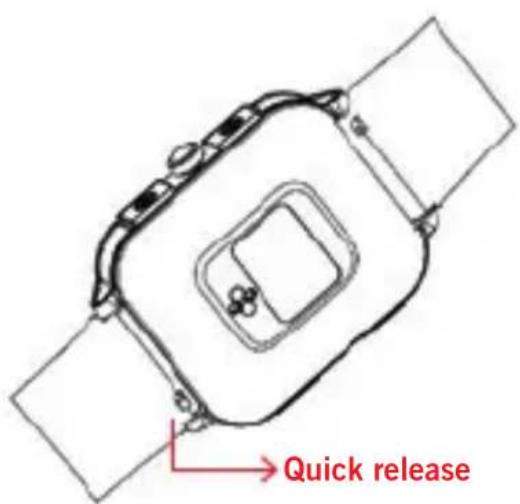
3.3 Replace the strap
Remove the strap from the watch by sliding the quick release on the strap.
text_image
Quick release4. Products quick into
4.1 Products quick into
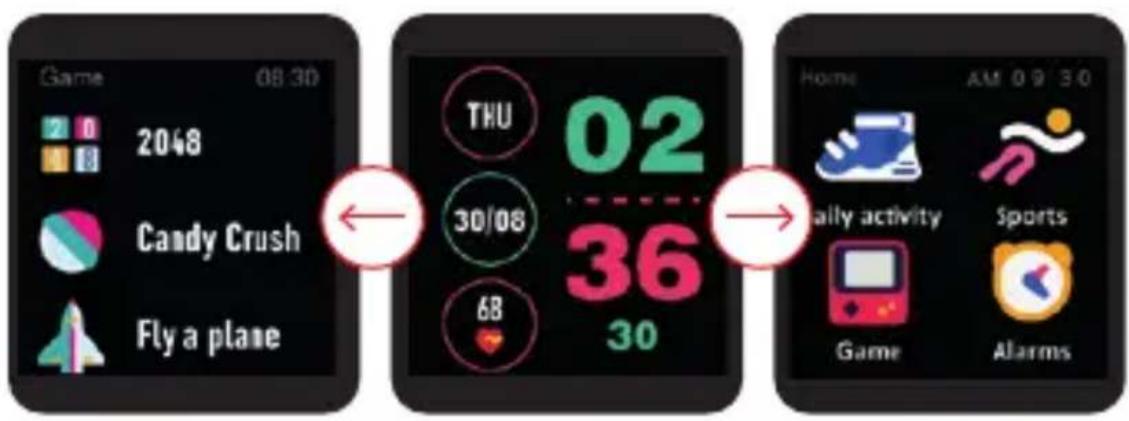
(1) Long press the main interface to enter the home page thumbnail. You can view it left and right, click touch to switch the home page.
(2) Swipe to the right: Display the games list -> 2048, Candy Crush, Fly a plane, Basketball.
(3) Swipe down: Display Battery, Bluetooth, Date, Brightness, Sports, Alarms, Setting.
(4) Swipe up: Storage information, Heart rate monitoring, Daily activity.
(5) Swipe to the left: Display the static icon list -> Daily activity, Sports, Heart rate, Alarms, Sleep, Message, Timer, Setting, click to enter the corresponding function, right stroke to return to the previous level.
text_image
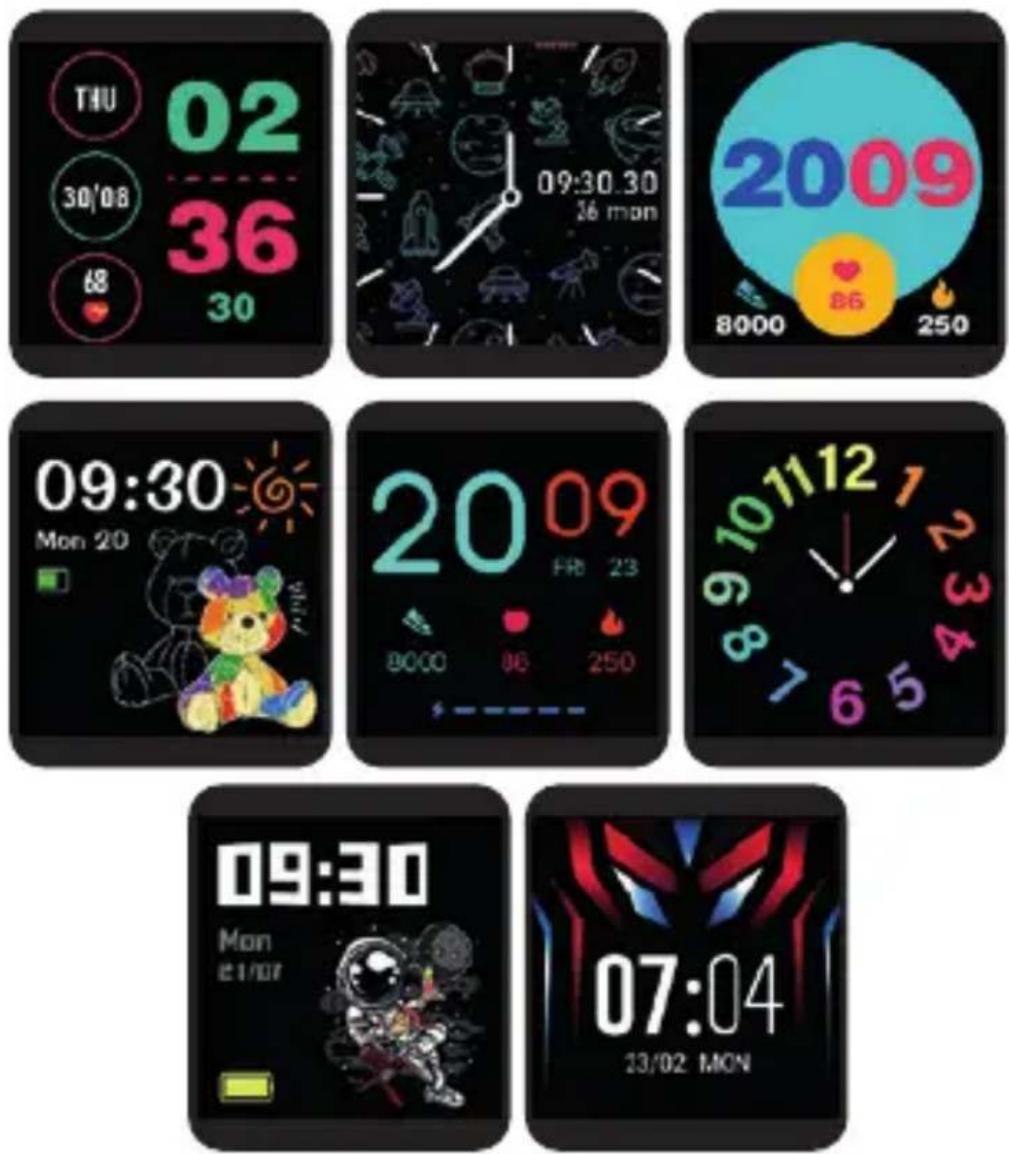
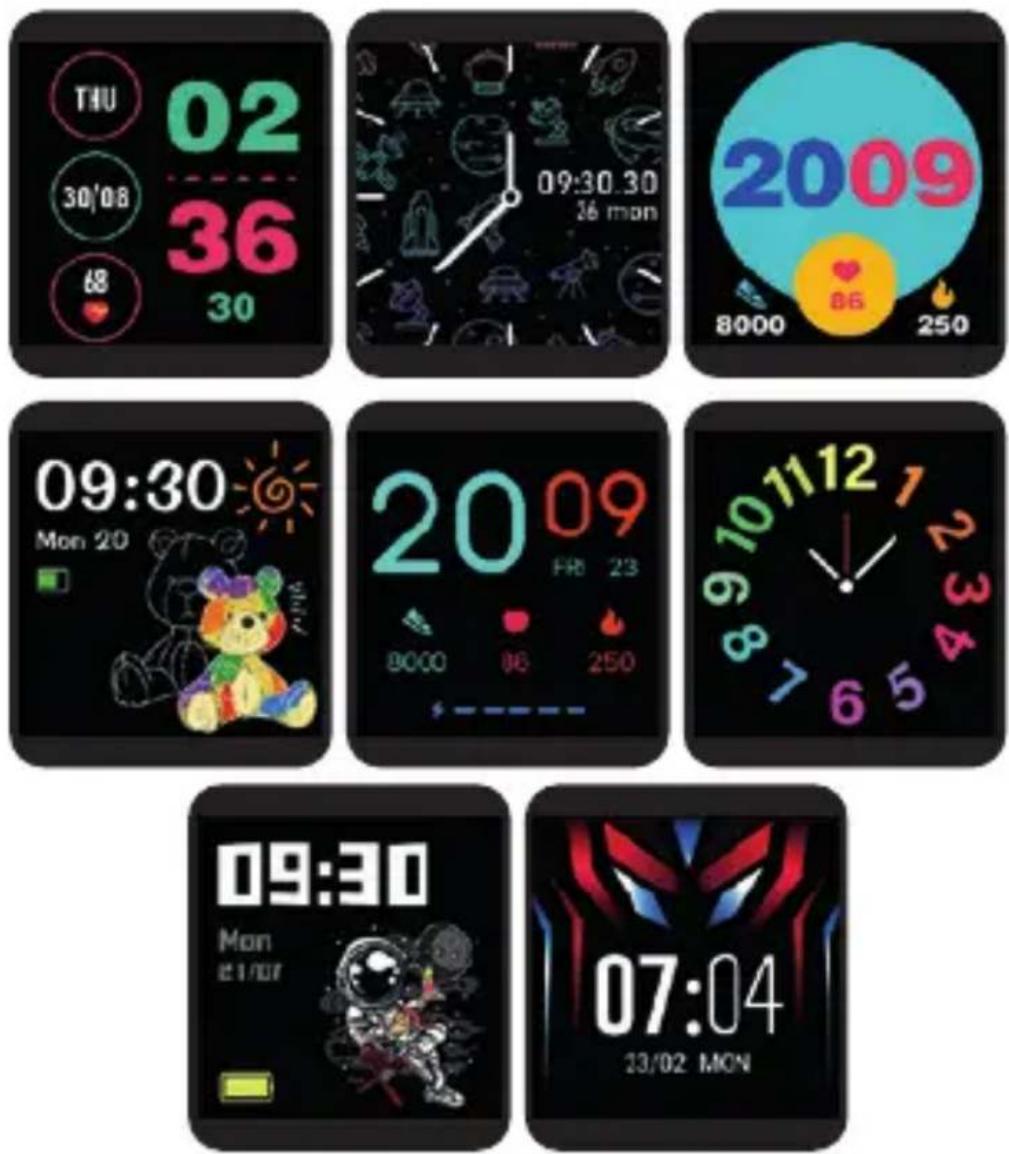
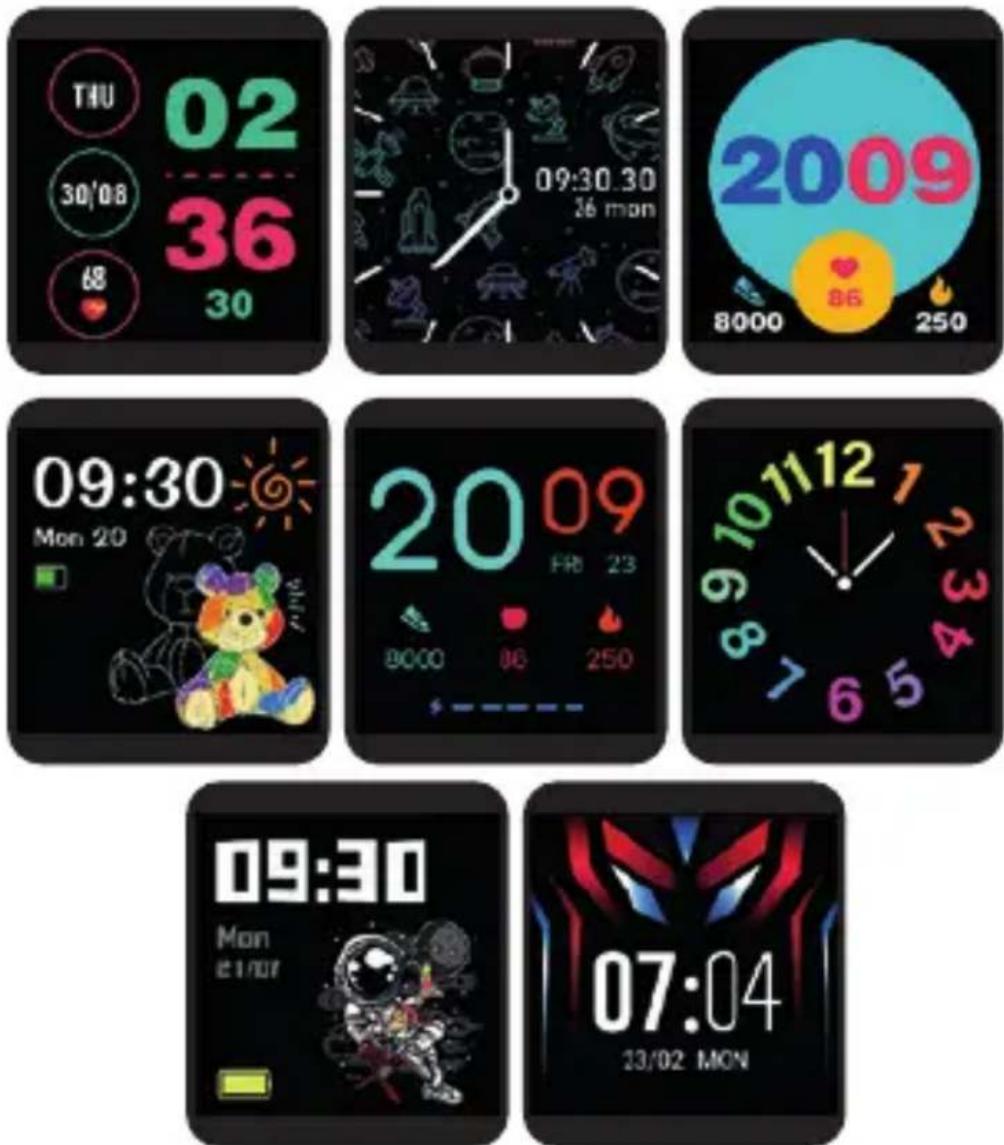
Game 08:30 2048 Candy Crush Fly a plane THU 02 30/08 36 68 30 Home AM 09:30 Sally activity Sports Game Alarms4.2 Clock Display
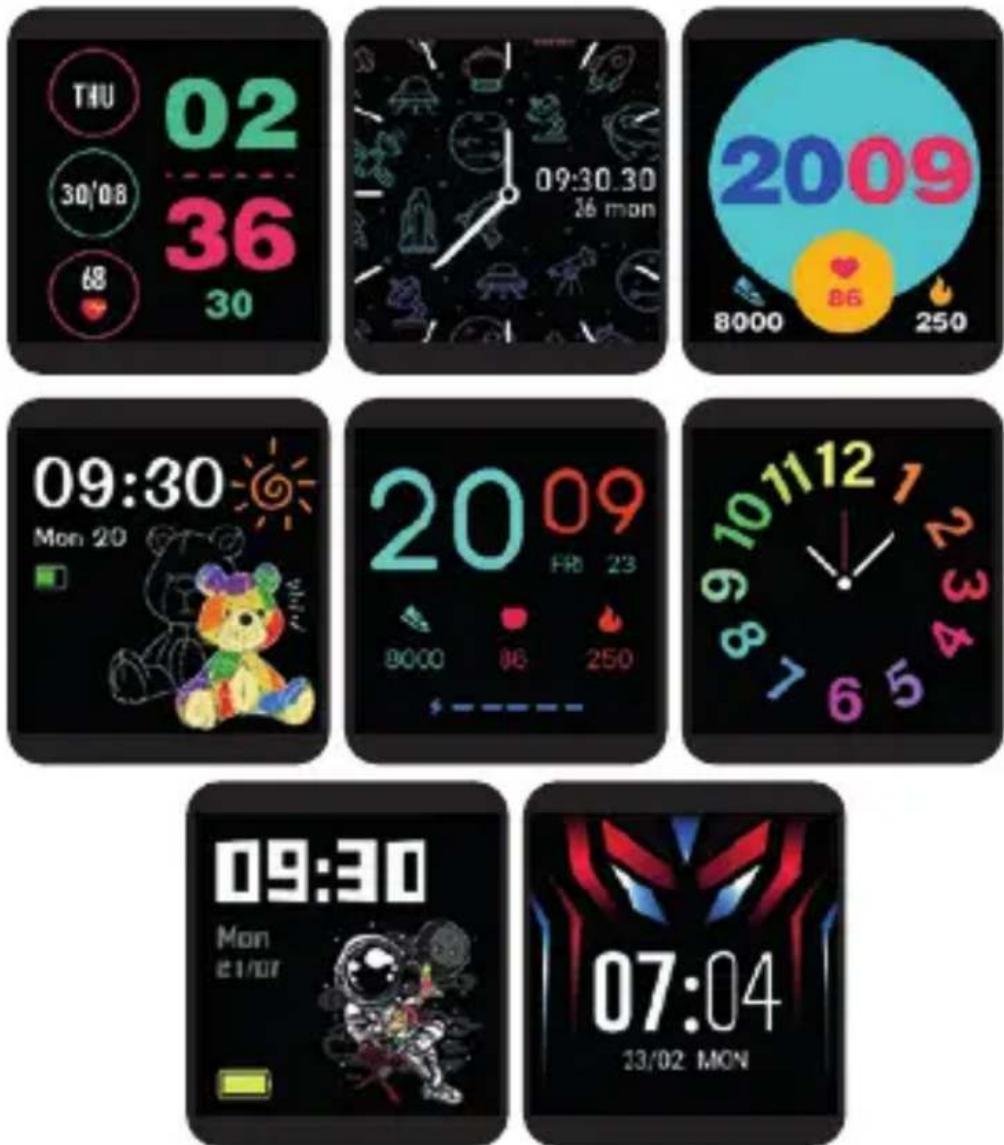
Setting method:
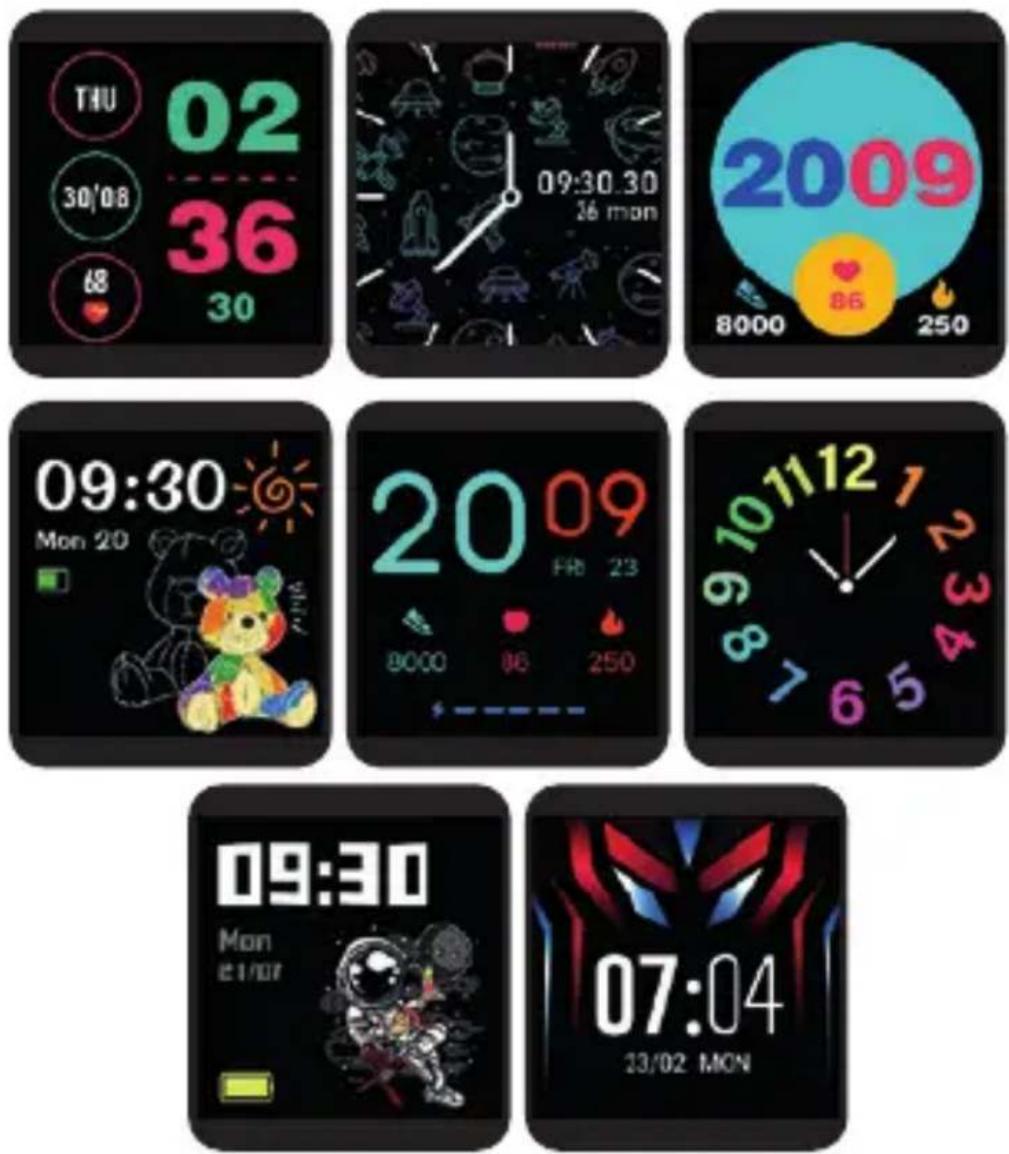
When the watch in clock mode, please long press on the middle screen and set different clock interfaces if you like.
4.3 Child lock
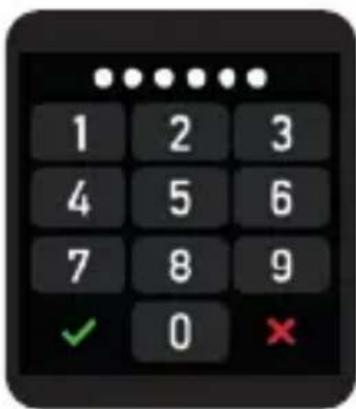
Setting path: in the APP function list menu, "Device" - "Child lock". You can turn on the Child lock after setting a password to prevent your children from overusing. If the Child lock is turned on, a password is required when using the watch.
text_image
1 2 3 4 5 6 7 8 9 ✓ 0 ✗5. Product quick use
5.1 Download and install App
You can set up the watch through the "HitFit Pro" App for iOS or Android devices. You need download and install the "HitFit Pro" App from APP Store or Google Play Store.
natural_image
Orange square icon with a white stylized lightning bolt symbol (no text or numbers)
text_image
Download on the App Store
text_image
GETTON Google Play5.2 Bluetooth Connection
Turn on the Bluetooth and GPS on your mobile phone. Turn on your watch, in the app, search the device, select the Bluetooth name "DCU_junior" to bind.
After connected successfully, shown as the icon in the watch status bar:

Notice:
* During the process of opening the APP or binding the watch, please agree to all the permission prompt. During binding process, "Hitfit Pro" will prompt you to enable GPS and Bluetooth, and authorize "Hitfit Pro" to get access to the GPS on your mobile phone. If your phone is iOS system, you need agree to pair with your phone and display your iPhone notifications.
* Pair the watch directly with the Bluetooth in your mobile phone's settings is a wrong operation.
* Please don't shut the Bluetooth notify service when you are clearing software by background or close background application software. It will affect the sync function between watch and phone if shut it.
* If you want your watch to receive third-party notifications, you need to turn on the notification permissions.
5.3 Basic functions
5.3.1 Daily activity
The watch will display the user's total number of steps on the day, walking distance, calories burned on the same day, and the data will be cleared at 0 o'clock (midnight) every day.

5.3.2 Sports
In sports mode: the single-point function icon allows you to enter sports modes such as Walking, Running, Climbing, Cycling and Free sports.
5.3.3 Game
There are many interesting games on the watch, including 2048, Candy crush, Fly a plane and Basketball, you can choose one to play.
5.3.4 Alarms
You can set alarms in the APP, the watch will show the alarms information, when the alarm time is up, the watch will pop up a reminder icon. In the APP alarms setting, if you allow to operate the alarms On/Off in watch, you can also open or close it in the watch.
5.3.5 Heart rate
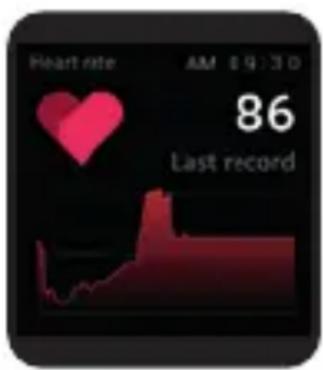
(1) Function introduction: The watch will measure the user's heart rate under the heart rate measurement interface. After the test is completed, the vibration will display the result. After no operation, the screen will automatically go out. (2) Operating instructions: Swipe to the left on the main interface and click the heart rate static icon to switch to the
heart rate measurement interface.
Once the interface is entered, the measurement will start. During the measurement, the interface value will be zero. After the measurement is completed, the value will be displayed.
text_image
Heart rate AM 09:30 86 Last recordENG
5.3.6 Sleep
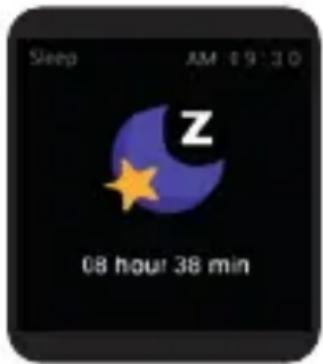
(1) Function introduction: The watch will display the user's sleep time the night before. (Sleep measurement time 21:30 - 12:00 next day)
(2) Operation instructions: Swipe the main interface left and right, click sleep to switch to the sleep interface, you can view the sleep time of the previous day.
text_image
Sleep AM 19:30 Z 08 hour 38 min
5.3.7 Date & time
You can set the time, set the date, choose the time display mode.
5.3.8 Timer
Swipe left on the main page and click the stop icon static icon to switch to the stopwatch interface. Click to start timing. During the timing, you can pause/start switching with a single touch. Swipe the stopwatch function to the right of the stopwatch interface and return to the static function page.
5.3.9 Message
When connected to Bluetooth, notifications from your phone will be sent to your watch. (You need to open the push switch in the app in advance)
5.3.10 Setting

Language: Including different languages you can choose.

Screen display: Including Change dial, Brightness, Screen time, Turn wrist wake setting.

Do not disturb: Set enter or exit do not disturb mode.

Vibration: Set vibration intensity.

System: Including System version, Shutdown, Reset settings.
6. Warning:
This product is not a medical device. The Smartwatch and their applications should not be used for the diagnosis, treatment or prevention of diseases or ailments. To change your exercise and sleep habits, be sure to consult a qualified medical professional to avoid serious damages.
Our company reserves the right to modify and improve any of the functions described in this manual without prior notice. At the same time, the company reserves the right to update the contents of the product. All contents are subject to the real product.
7. Warranty
- The warranty covers quality problems caused by manufacturing, materials or design within the first year of purchase and battery and charger problems within the first 6 months.
- About the fault caused by the user's personal reasons, we don't offer free warranty, as follows:
1). Disassemble or refit the product.
2). Caused by immodesty drop
3). All artificial damage or misuse (such as: make water into the host, the external force shatter, scratch damage of peripheral components, etc.), all these are beyond the scope of the warranty.
- When ask for free warranty, you must provide a receipt of purchase.
- If you met problems during use, please contact the shop customer service which you bought from.
www.dcutec.com
Designed in BCN / Made in PRC / B55166847
natural_image
Line drawing of a smartwatch with attached components (no text or symbols)text_image
Game 08:30 2048 Candy Crush Fly a plane THU 02 30/08 36 68 30 Home AM 09:30 Sally activity Sports Game Alarms4.2 Dial
natural_image
Orange square icon with a white stylized lightning bolt symbol (no text or numbers)
text_image
Download on the App Store
text_image
GETTON Google Playtext_image
Heart rate AM 19:30 86 Last record
5.3.6 Son
Designed in BCN / Made in PRC / B55166847
natural_image
Line drawing of a smartwatch with integrated components (no text or symbols)FRA
text_image
Quick release4. Accès rapide
4.1 Accès rapide
text_image
Game 08:30 2048 Candy Crush Fly a plane THU 02 30/08 36 68 30 Home AM 09:30 Sally activity Sports Game Alarms4.2 Changer le design
natural_image
Orange square icon with a white stylized lightning bolt symbol (no text or numbers)
text_image
Download on the App Store
text_image
GETTON Google Play5.2 Connexion Bluetooth
text_image
Heart rate AM 19:30 86 Last recordFRA

5.3.6 Sommeil
Designed in BCN / Made in PRC / B55166847
PORT
natural_image
Technical line drawing of a smartwatch with attached components (no text or symbols)PORT
text_image
Quick release4. Acesso rápido
4.1 Acesso rápido
text_image
Game 08:30 2048 Candy Crush Fly a plane THU 02 30/08 36 68 30 Home AM 09:30 Sally activity Sports Game Alarms4.2 Tela
natural_image
Orange square icon with a white stylized lightning bolt symbol (no text or numbers)
text_image
Download on the App Store
text_image
GETTON Google Playtext_image
Heart rate AM 19:30 86 Last recordPORT
5.3.6 Dormir
Designed in BCN / Made in PRC / B55166847