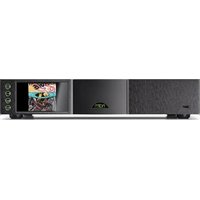
NDX 2 - Music receiver NAIM - Free user manual and instructions
Find the device manual for free NDX 2 NAIM in PDF.


| Product Type | Music Receiver |
| Brand | Naim |
| Model | NDX 2 |
| Network Connectivity | Ethernet, dual-antenna Wi-Fi, Bluetooth |
| Streaming Services | Spotify Connect, Internet radio, music server |
| Digital Inputs | 4 S/PDIF inputs (up to 24-bit/192 kHz) |
| Audio Output | 5-pin DIN (to preamplifier) |
| Power Supply | Mains (optional external power supply CD555 PS, XPS, XP5 XS) |
| Remote Control | Included, requires pairing (home button + play key) |
| Dedicated App | Naim App (iOS and Android) |
| Supplied Antennas | 2 Wi-Fi antennas, 1 Bluetooth antenna |
| Included Accessories | Power cable, 5-pin DIN cable, Burndy jumper, BNC-RCA adapter, cleaning cloth, 4 AAA batteries |
| Dimensions (approx.) | Not specified |
| Weight (approx.) | Not specified |
| Maintenance | Use the supplied soft cloth to clean the device |
| Safety | Disconnect the device before connecting an external power supply |
| Repairability | Not specified |
| Phone Support | +44 (0) 333 321 9923 (UK) / +1 800 961 5681 (US/Canada) |
Frequently Asked Questions - NDX 2 NAIM
User questions about NDX 2 NAIM
0 question about this device. Answer the ones you know or ask your own.
Ask a new question about this device
Download the instructions for your Music receiver in PDF format for free! Find your manual NDX 2 - NAIM and take your electronic device back in hand. On this page are published all the documents necessary for the use of your device. NDX 2 by NAIM.
USER MANUAL NDX 2 NAIM

Cleaning cloth (NDX 2 only)
1x
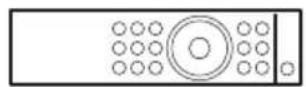
Remote handset (NDX 2 only)

AAA batteries (NDX 2 only)
1x
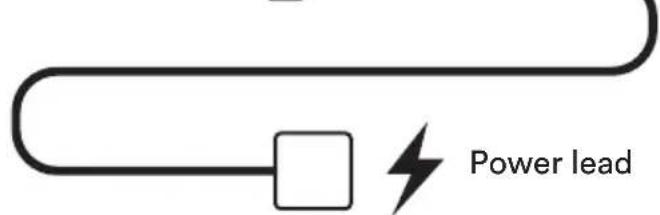
Power lead
1x

Burndy link plug (NDX 2 only)
1x

BNC to RCA adaptor
1x
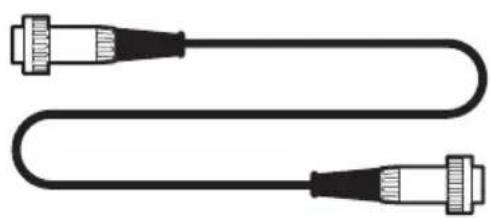
Interconnect lead (5-5pin DIN)
1x
Bluetooth antenna
2x
Wi-Fi antenna

These front and back diagrams show the operational features and sockets of your new ND5 XS 2.
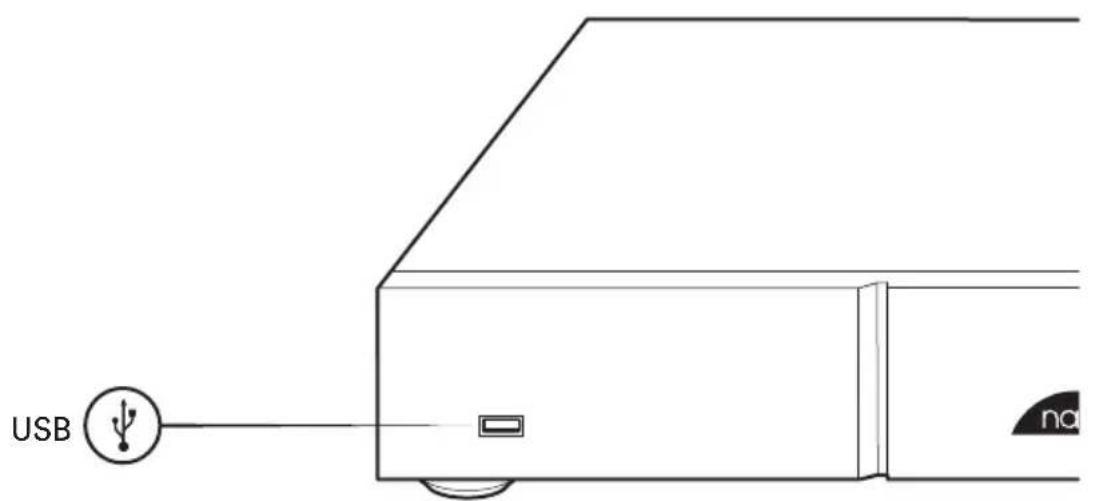
Front
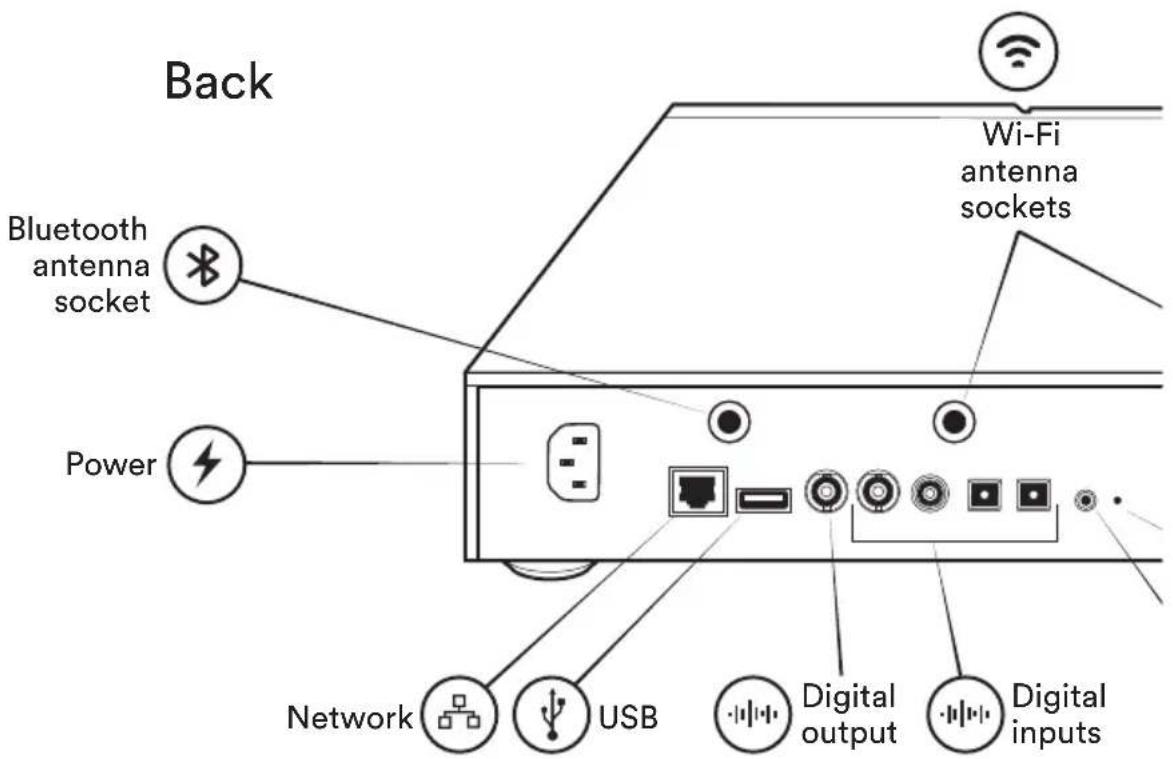

2
Get to know your NDX 2
These front and back diagrams show the operational features and sockets of your new NDX 2.
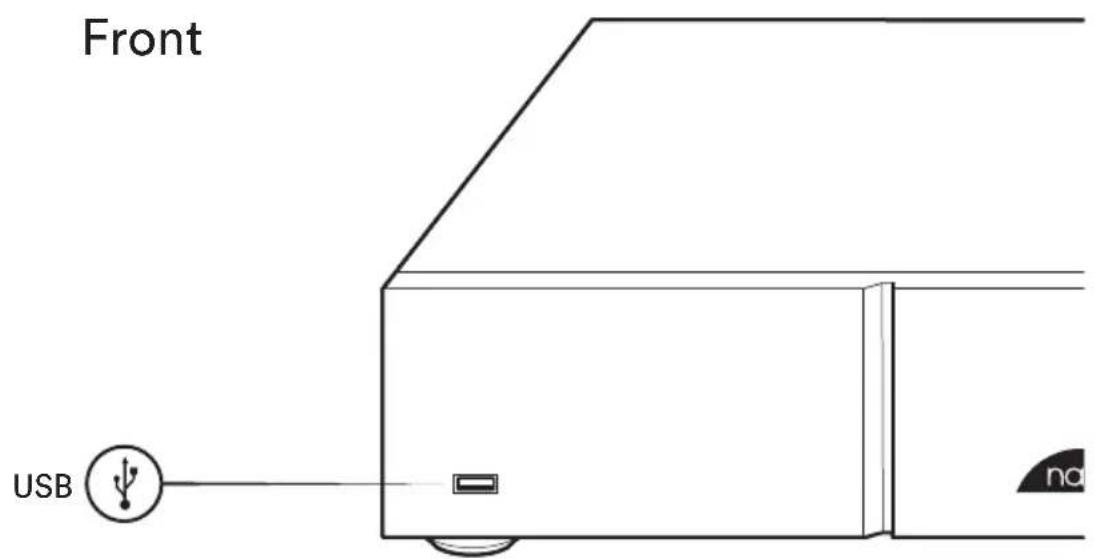
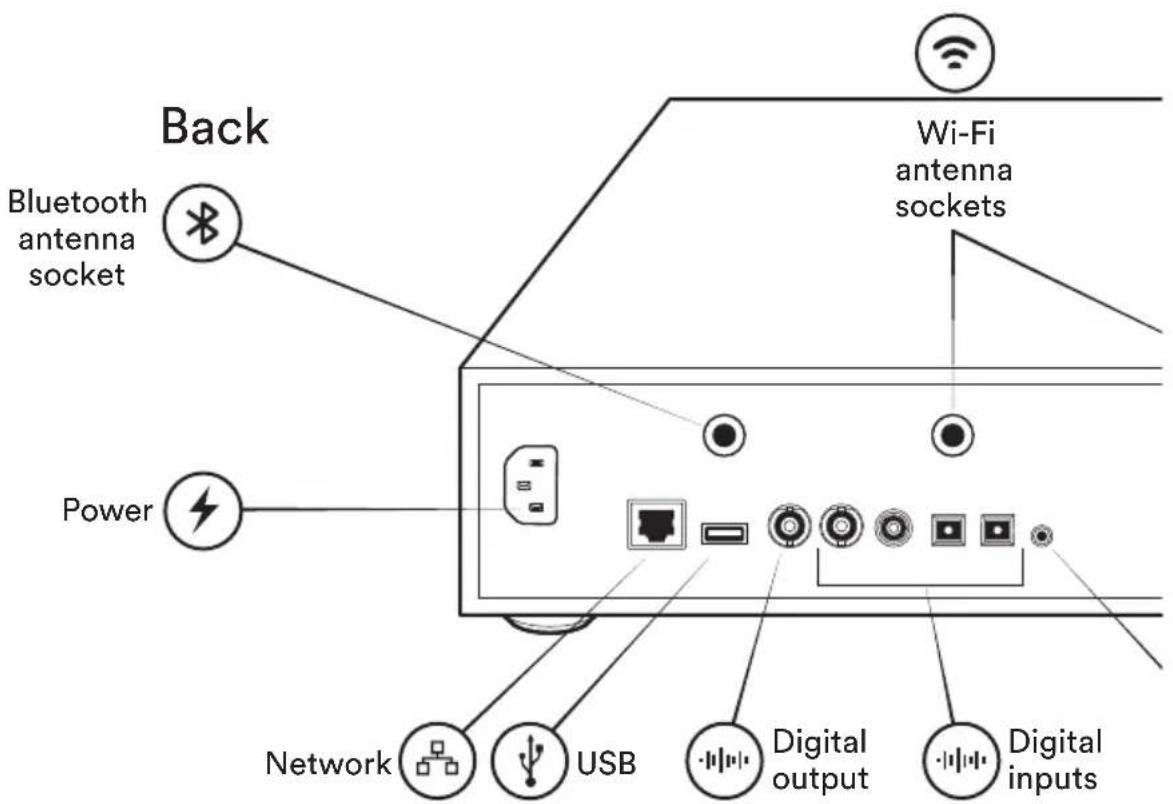
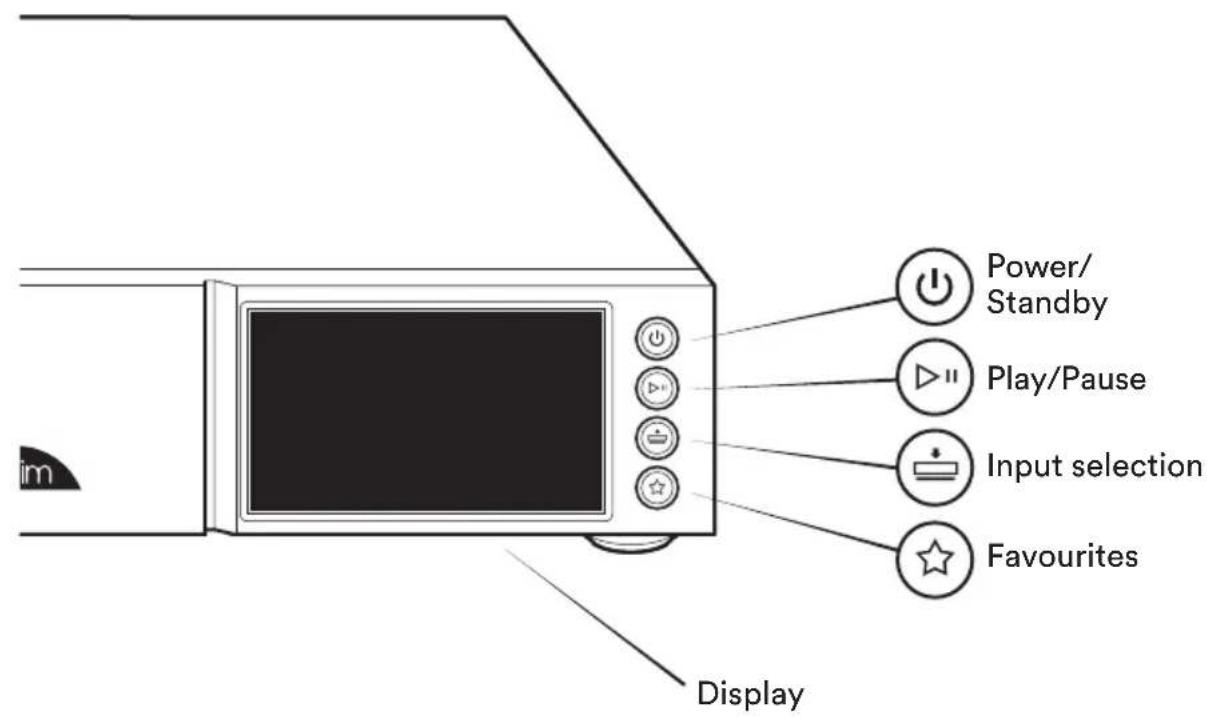
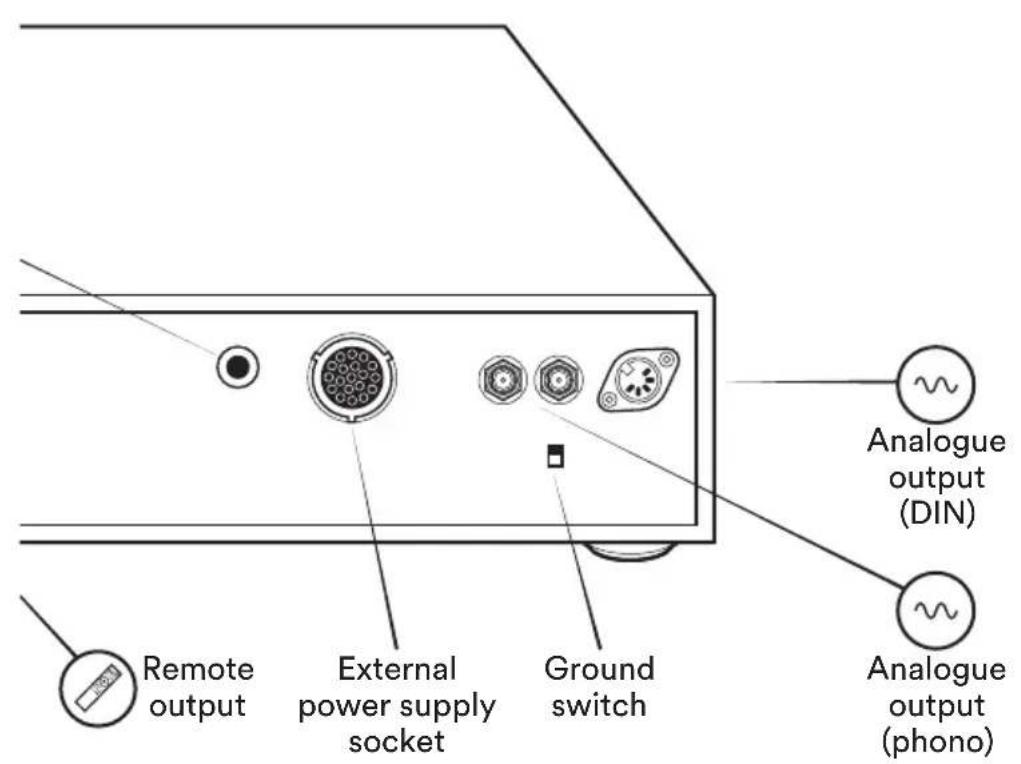
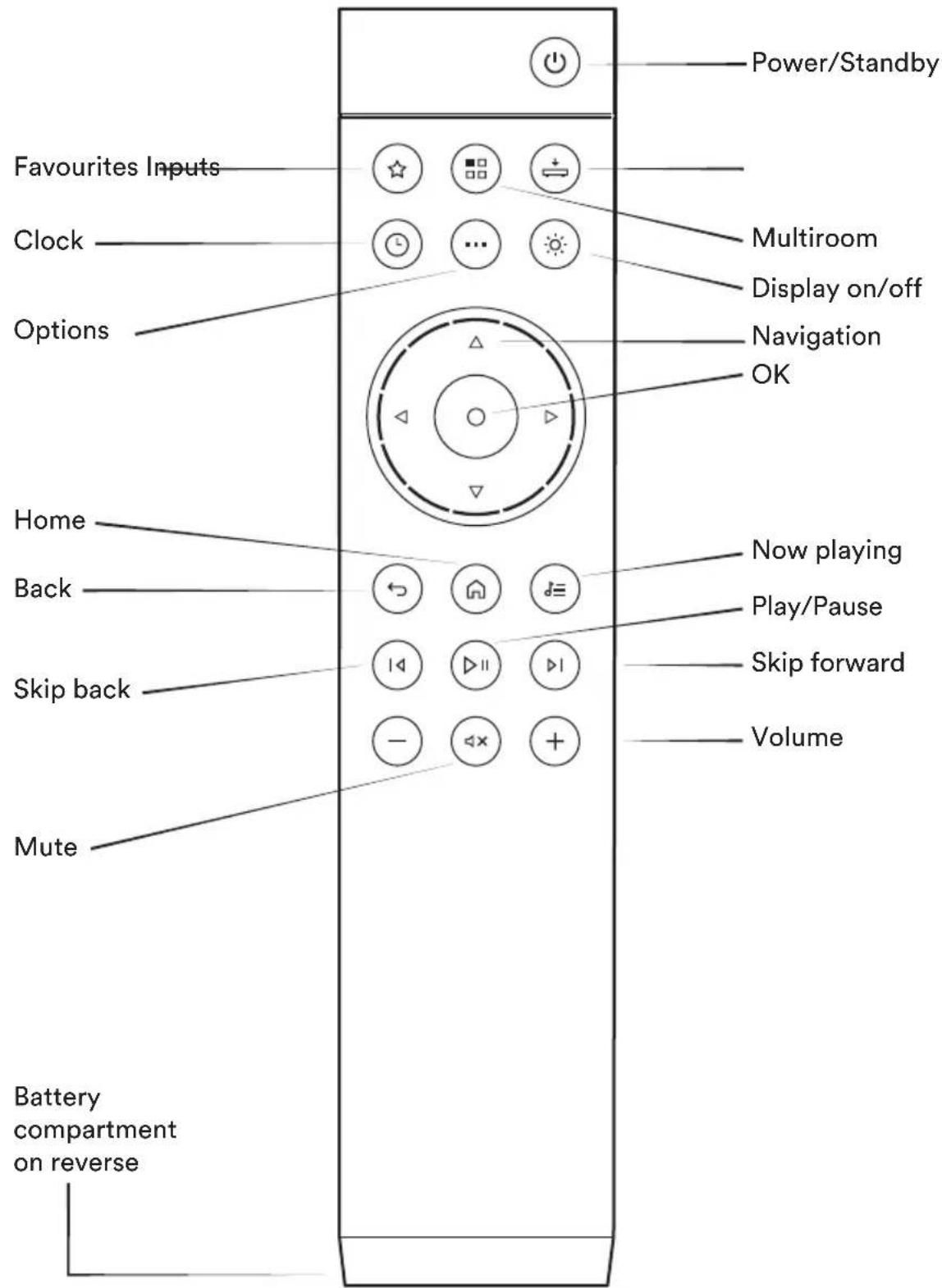
Simple set up
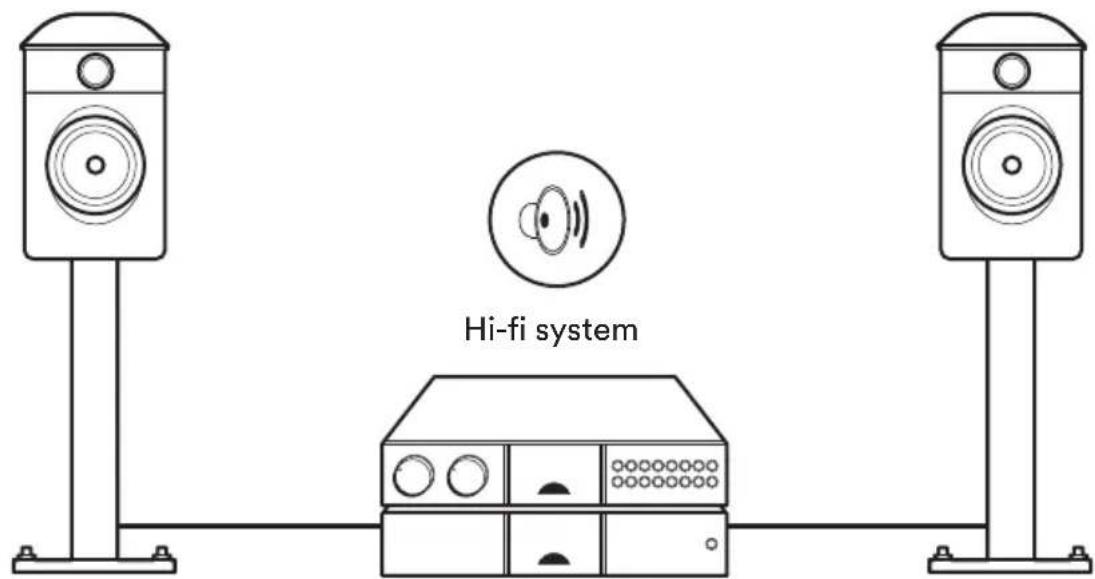
You will need a hi-fi system, a network cable, a router with Wi-Fi connected to the internet and a smart phone or tablet.

Network cable
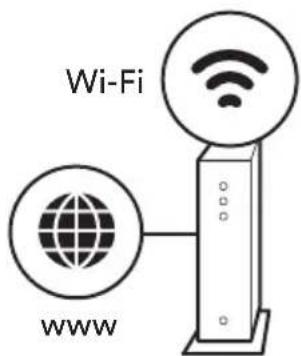
Router
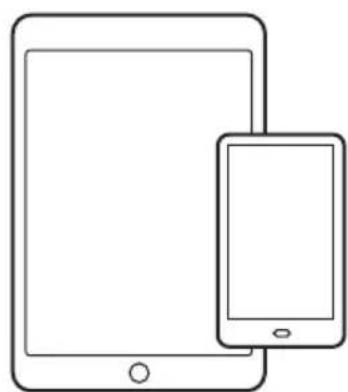
Tablet or smart phone
5
ND5 XS 2 Connection and power
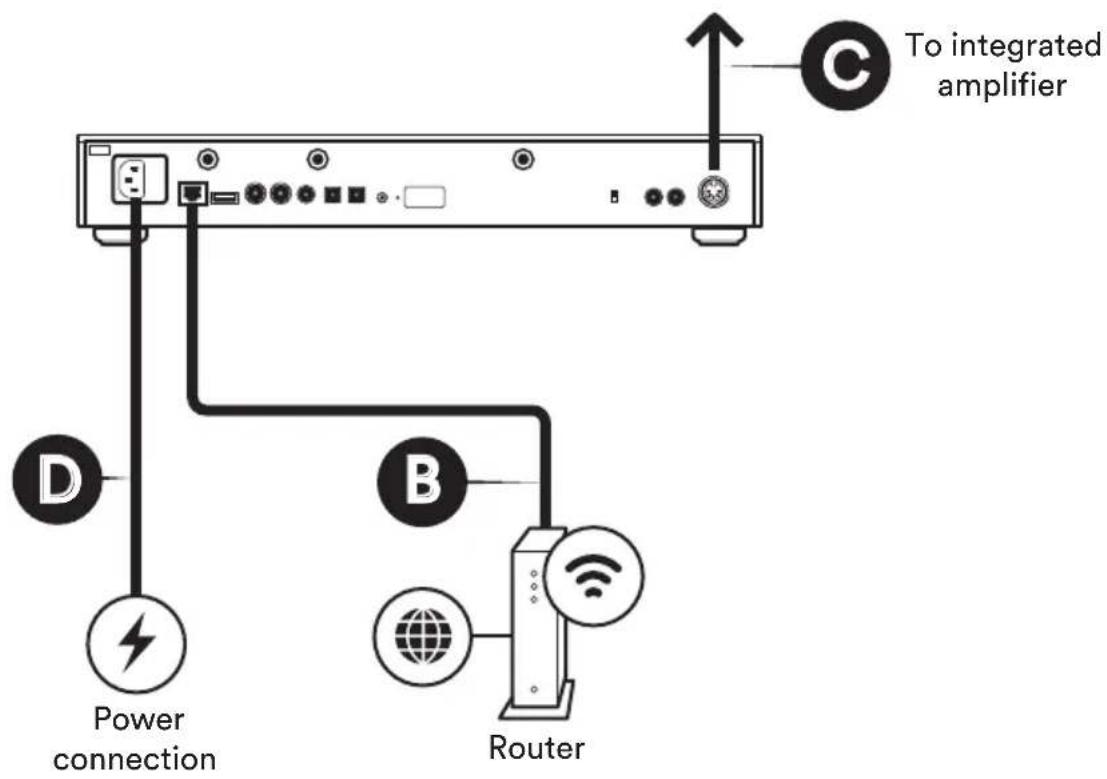
(A) Firstly turn off your hi-fi system. (B) Connect the Ethernet network cable from router to streamer (if unavailable connect 2 × Wi-Fi antennae instead) and 1 × Bluetooth antenna to the rear of the unit. (C) Use the interconnect lead (5-5pin DIN) to connect to the integrated amplifier of your Hi-fi system.
(D) connect the power lead to the unit's power socket and to the mains.
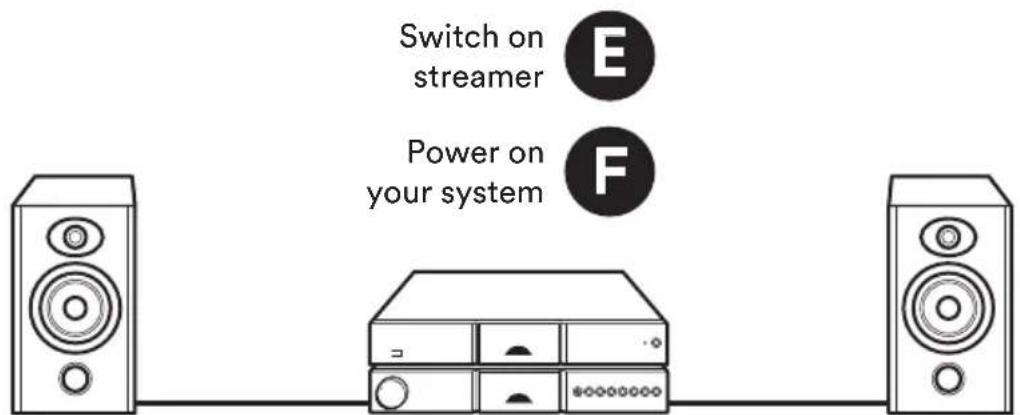
(E) Then switch on the streamer by pressing the front power button.
(F) Turn your hi-fi system back on.

Power off your hi-fi system
5
NDX2 Connection and power
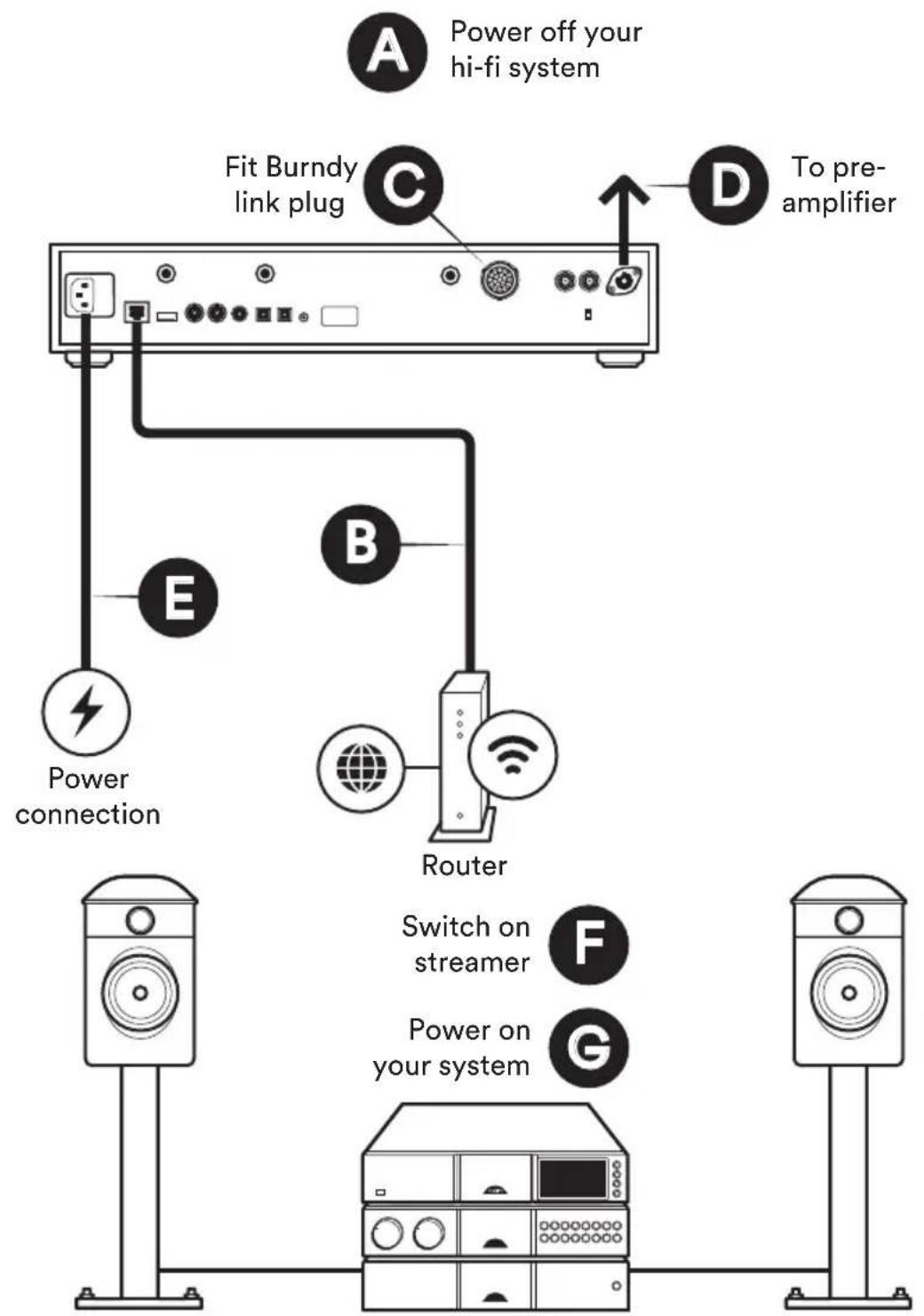
(A) Firstly turn off your hi-fi system. (B) Connect the ethernet network cable from router to streamer (if unavailable connect 2 × Wi-Fi antennae instead) and 1 × Bluetooth antenna to the rear of the unit. (C) Connect the Burndy link plug to the back of the unit. (D) Use the interconnect lead (5-5pin DIN) to connect to the pre-amplifier of your hi-fi system. (E) Connect the power lead to the unit's power socket and to the mains. (F) Then switch on the streamer by pressing the front power button.
(G) Turn your hi-fi system back on.
NDX 2 Connection: using an external power supply
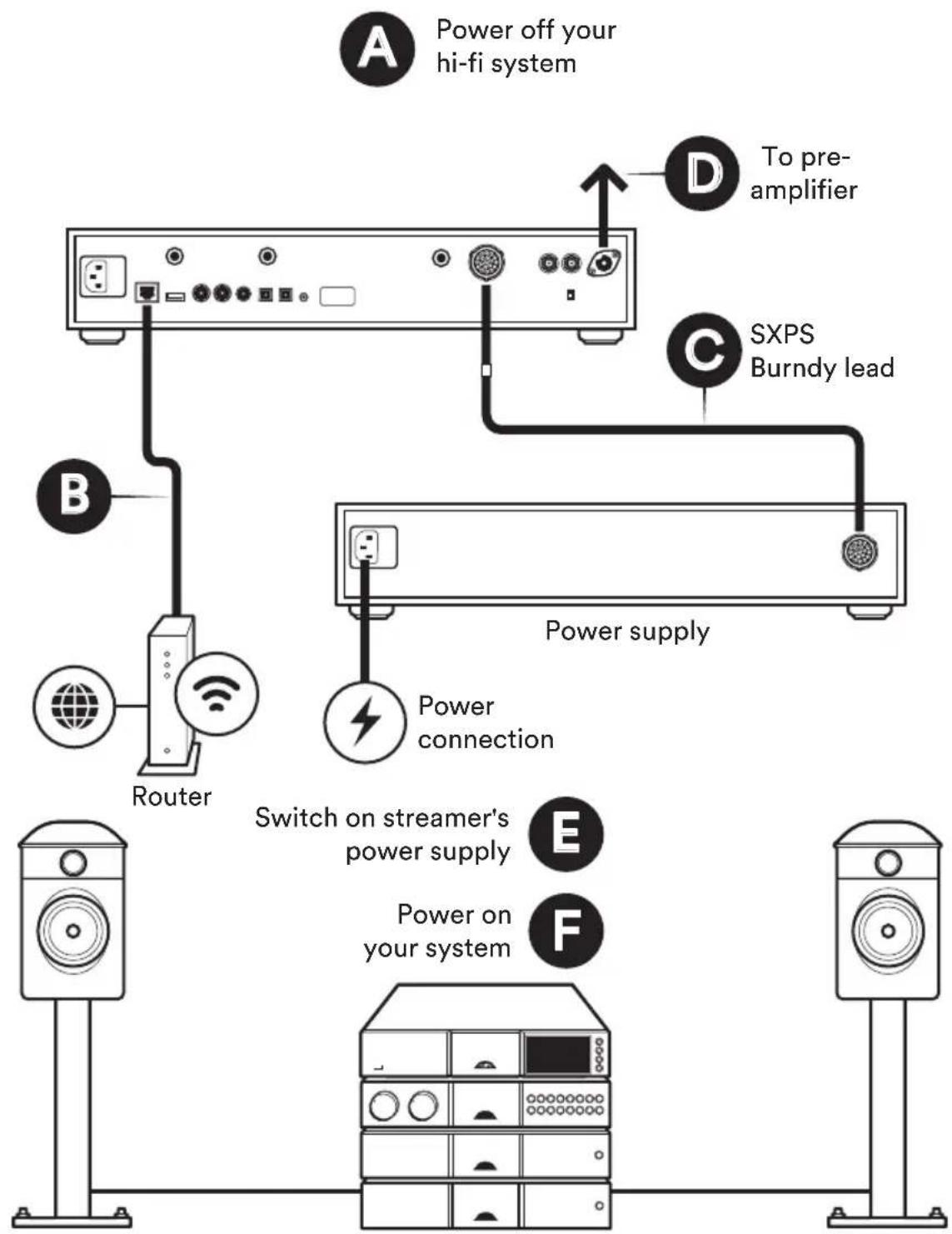
The NDX 2 is easily upgradable via the addition of an external power supply to provide a substantial improvement in sound quality. CD555 PS, XPS or XP5 XS power supply can be connected to the NDX 2 using an SXPS Burndy cable. When used with an external power supply the NDX 2 must be disconnected from the mains. Disconnect the streamer from the mains before connecting the external power supply.
6
Pairing the remote
NDX 2 only)
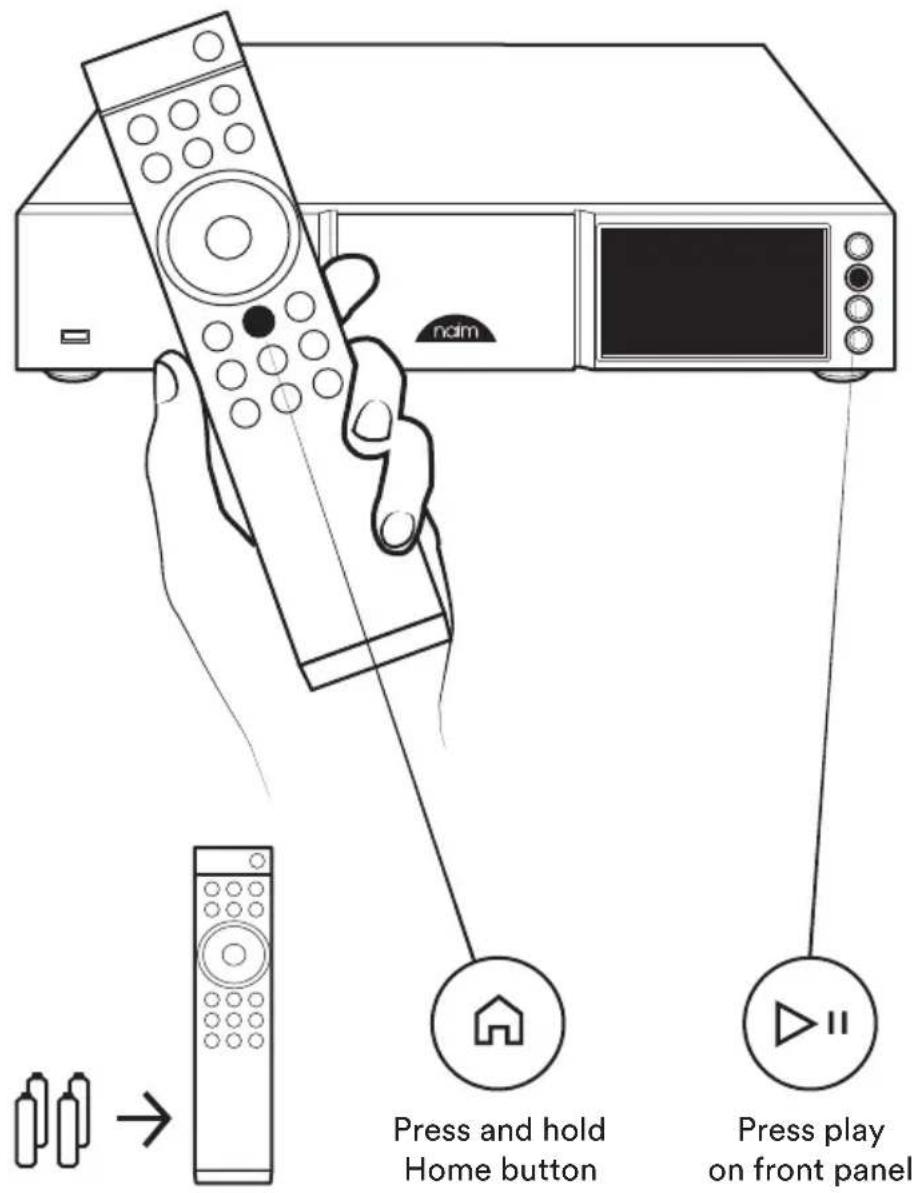
Once your unit is powered and on, you will need to pair the remote. To do this, press the play button on the front panel, then press and hold the remote control home button for 3 seconds. The remote is now paired to the unit and ready to use.
7
Download Naim app
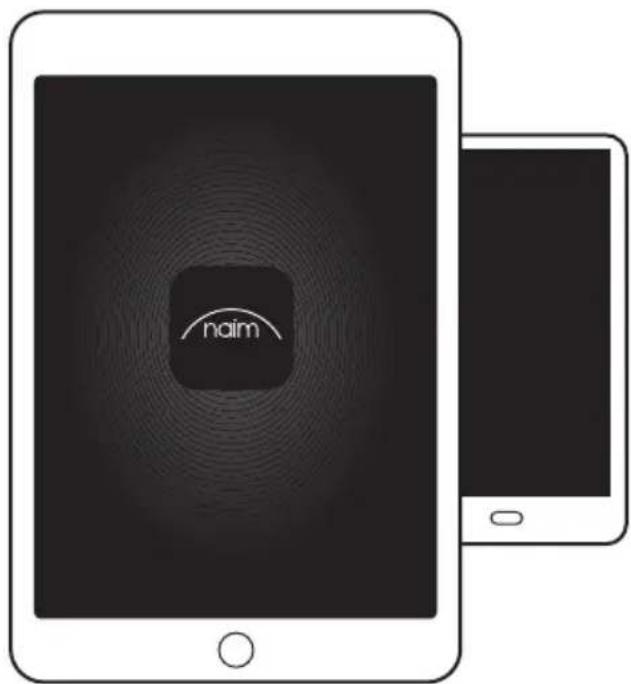
Download and install the Naim app for your iOS or Android device.
Launch the Naim app and follow the setup instructions to configure the product.

Download on the App Store

GET IT ON Google Play


Playing music
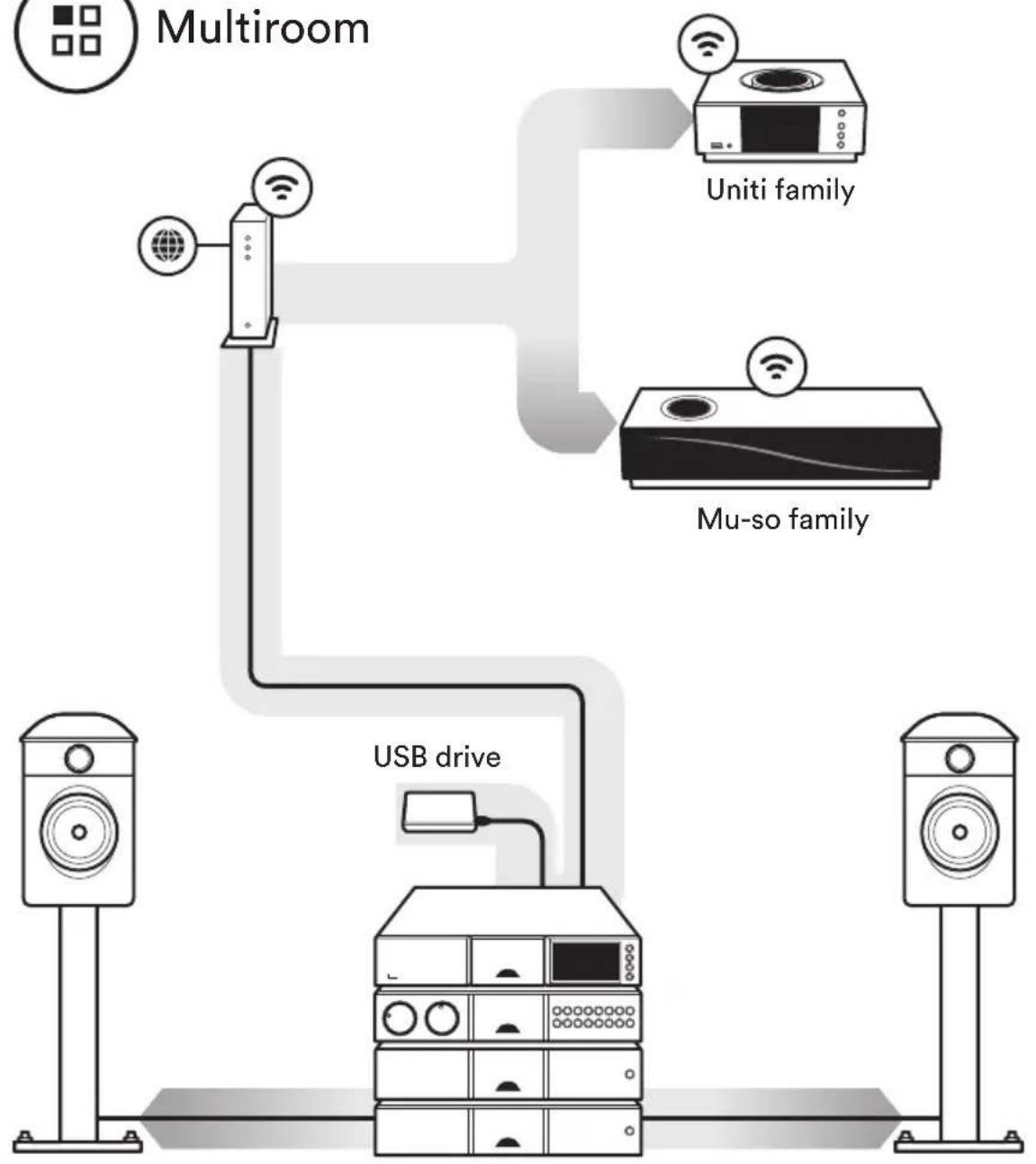
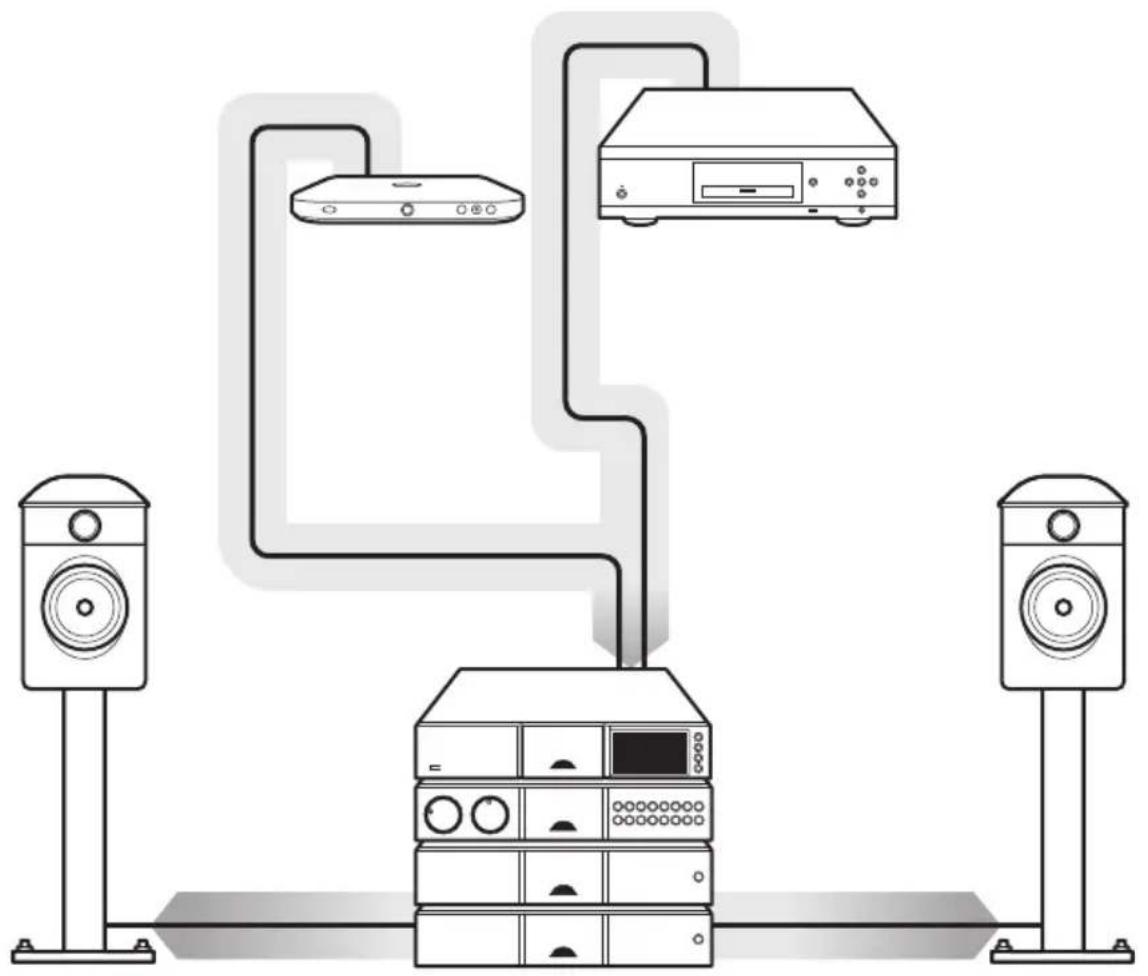
Access your favourite streaming services and Internet radio stations, play your stored music from a Naim server (such as a Uniti Core) and be the source for your multiroom system. Your streamer unit also includes digital connections so you can connect your external sources.

Online streaming services
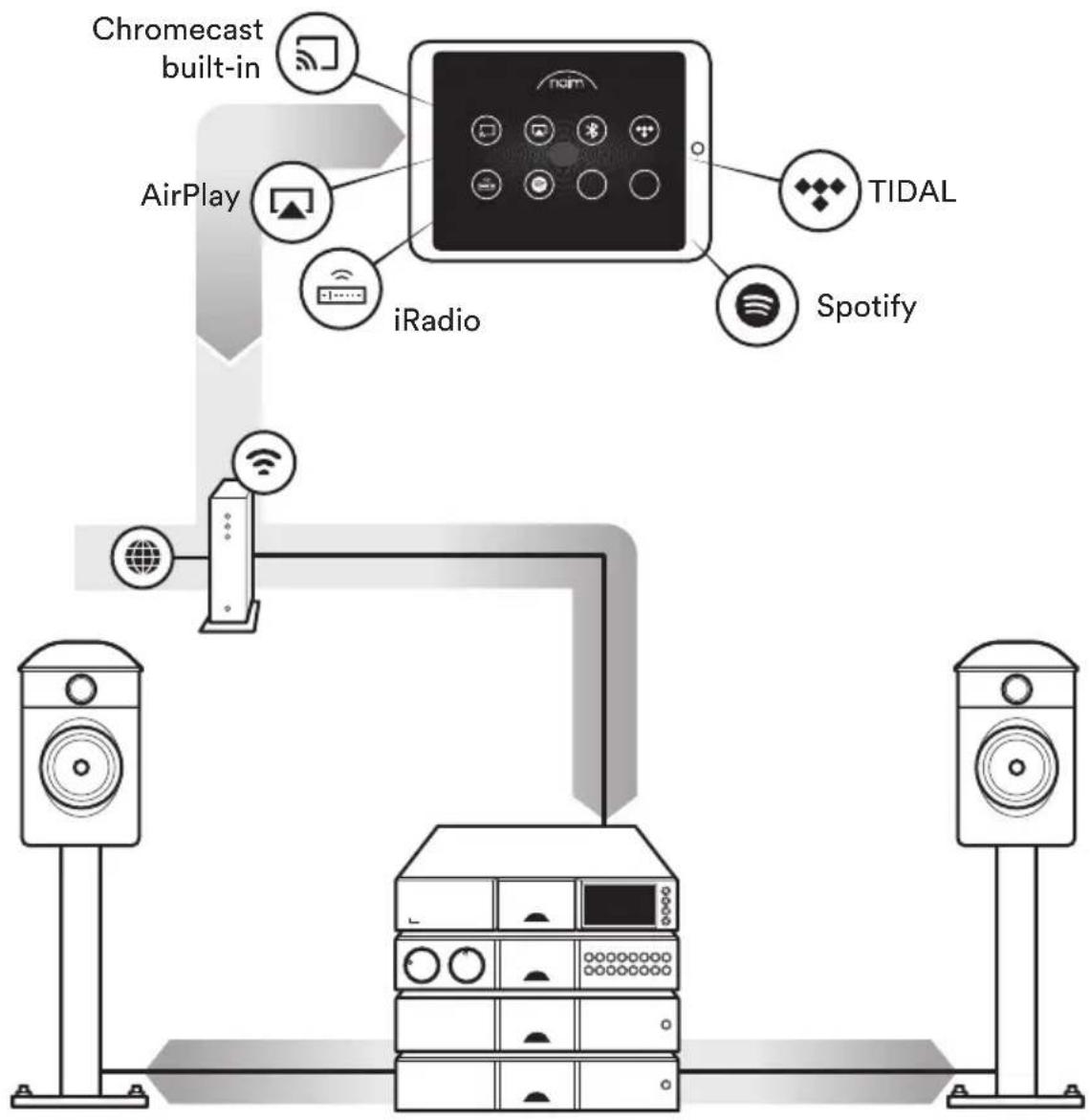
Listen out loud with Spotify Connect
(1) Connect your partner device to your wifi network.
(2) Open up the Spotify app on your phone, tablet or laptop using the same wifi network.
(3) Play a song and select Devices Available.
(4) Select your partner device and start listening.

Streaming from a music server

Servers
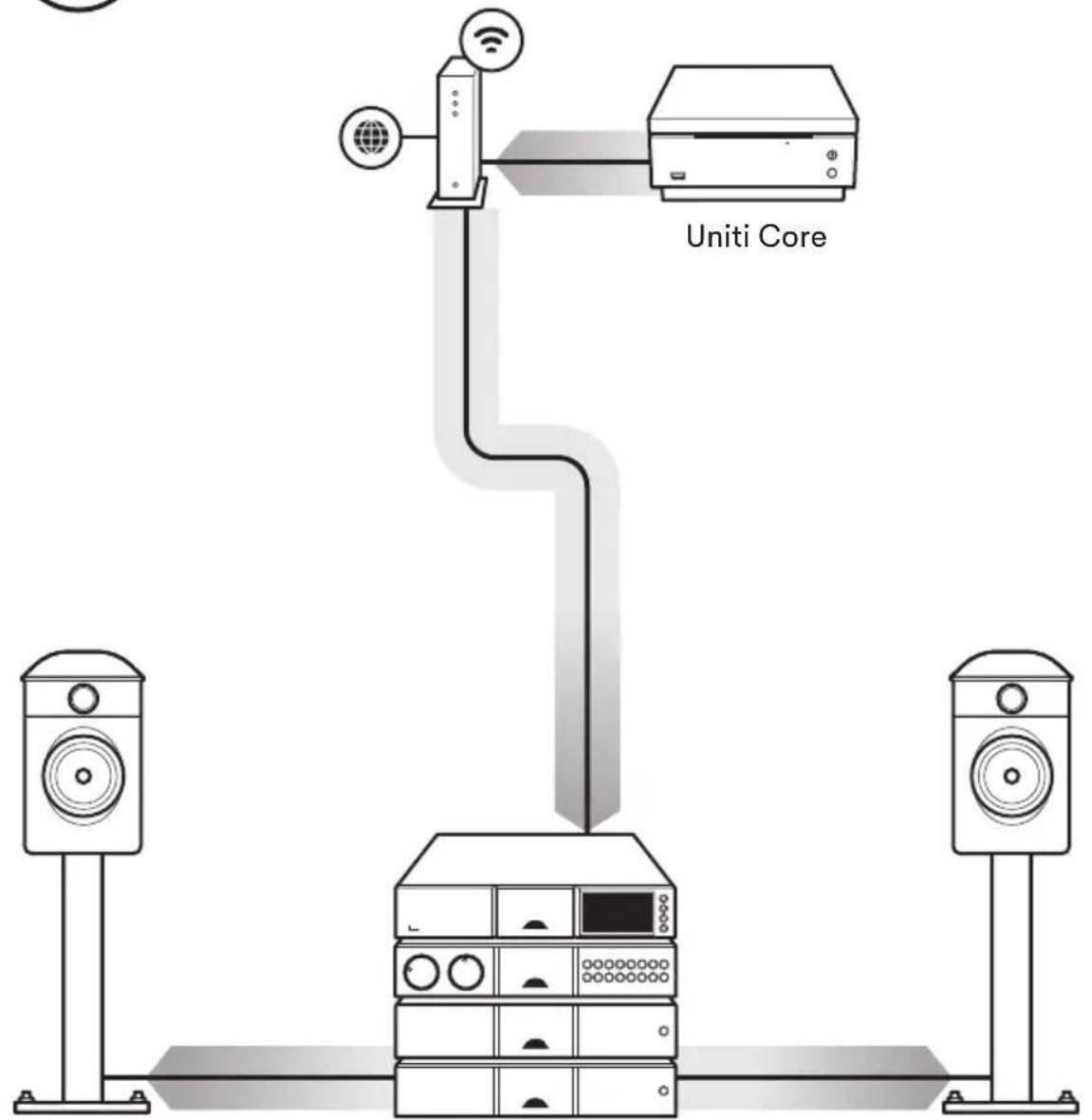

Music Server for Multiroom Streaming

Multiroom

Playing external sources

Digital inputs
Four 24bit/192kHz capable digital inputs (S/PDIF) to support optimum connection to external sources
Visit the Naim website for further support, and interactive setup and support guides.
www.naimaudio.com/customer-support

Contact
streamer-support@naimaudio.com
Support helpline: +44 (0) 333 321 9923 (UK) +1800 9615681 (USA and Canada)
Acknowledgements
Made for
iPod iPhone iPad
Made for iPhone 7 Plus, iPhone 7, iPhone SE, iPhone 6s Plus, iPhone 6s, iPhone 6, iPhone 5s, iPhone 5c, iPhone 5, iPhone 4s, iPad Pro (12.9-inch), iPad Pro (9.7-inch), iPad Air 2, iPad Air, iPad mini 4, iPad mini 3, iPad mini 2, iPad mini, iPad (3rd generation), iPad (4th generation), iPad 2, iPod touch (5th generation), iPod touch (6th generation).

AirPlay works with iPhone, iPad, and iPod touch with iOS 4.3.3 or later, Mac with OS X Mountain Lion, and Mac and PC with iTunes 10.2.2 or later.
Chromecast built-in
Stream the entertainment you love from your phone, tablet or laptop to your TV. Chromecast is a trademark of Google Inc.

The Spotify software is subject to third party licenses found here: www.spotify.com/connect/third-party-licenses.
TIDAL HIGH FIDELITY MUSIC STREAMING
Bluetooth
The Bluetooth® word mark and logos are registered trademarks owned by Bluetooth SIG, Inc. and any use of such marks by Naim Audio Ltd. is under licence. Other trademarks and trade names are those of their respective owners.
Qualcomm aptX
Qualcomm is a trademark of Qualcomm Incorporated, registered in the United States and other countries, used with permission. aptX is a trademark of Qualcomm Technologies International, Ltd., registered in the United States and other countries, used with permission. Qualcomm aptX is a product of Qualcomm Technologies International, Ltd.
UPnP
UPnP ^TM is a trademark of the UPnP ^TM Forum.
WiFi CERTIFIED
Wi-Fi® logo is a registered trademark of Wi-Fi Alliance.
中文
1盒子里有什么
www.haiaudio.com/customer-support
联系方式
streamer-support@naimaudio.com
支持热线:
streamer-support@naimaudio.com
Hilfe per Telefon:
www.namaudio.com/customer-support
Contacto
streamer-support@naimaudio.com
www.naimaudio.com/customer-support
Contact
streamer-support@naimaudio.com
streamer-support@naimaudio.com
我問合omega先streamer-support@naimaudio.com
萨卜一HULRAIN:
www.haimaudio.com/customer-support
streamer-support@naimaudio.com
刘钊 刘静:
+44(0)3333219923(
+18009615681(川贝
Nederlands
7 Naim-app downloads
www.haiaudio.com/customer-support
Contactgegevens
streamer-support@naimaudio.com
Hulplijn:
+44 (0) 333 321 9923 (VK)
+18009615681(VS en Canada)
Polski
www.naimaudio.com/customer-support
Kontakt
streamer-support@naimaudio.com
streamer support@naimaudio.com
Linha de apoio:
(C)IcnoB3yIte coeHHTeHbHk6eJIb (5-5-KoHTaKTHbDIN) nJnOKnIOUeHn HHTerpnpoBaHHoro yCunTEnCnCTEmbl hi-fi.
(D) BCTaBbTe npoBOD nHTaHnB pa3bEm nHTaHnHa yCTpoCTBe N NOkNIOHTe K IcTOHnky nHTaHn.
(E) 3aTeM BKNHOnHTe CTPmEp, HaxKaB KHOnKy Ha nepeDHei NaHEn.
(F) BknoHTe cncTeMy hi-fi.
5NDX2IopKJIIOUeHneNnITaHne
(A) Ipejke BCero oTKIOHHTe CNTemy hi-fi.
(B)Поdkночte ceteBoi Ka6eB Ethernet ot MapuPyTu3aTopa KNDX2 (ecn HeT Bo3MOxHocTn, nOdkNCHTe 2 x aHTeHHBi Wi-Fi) n 1 x aHTeHHy Bluetooth K 3aHei naHei NDX 2.
(C)ПОДКПIOUHTe coeMHINTeNBbIu WTEkep Burndy K3aHHeN nAHeJIy yCTpoIcTBA.
(D)IcnoB3yTe coeINHTeNBbKabeB (5-5-KoHTaKTbDIN) dna noDKIOUeHn npeducNTenCNCTeMb hi-fi.
(E) BCTaBbTe npOBoNnTaNHnB pa3bEm nTaNHnHa yctpoCTBe NIOKnIOHTe K NcTOHNKy nTaNHn.
(F) 3aTeM BKNHOnHTe CTpIMep, HauKaB KhoNky Ha nepeDHe nHaHn.
(G) Bkniouite cncTeMy hi-fi.
5 NpoknueHne NDX 2 c nomoob BheHero 6Noka nTaHn
NDX 2 MOKHO JERKO MOINHUIPOBAtb c NOMOUBIO DOnONHITeJIbHO BHEUHrero 6NOKa NITAHnRA, KOTOpBI N03BOJAEET 3aHuNTeJIbHO UyUHHTb KaHeCTBO 3Byka. NCTOuHNKINATAHNA CD555 PS, XPS ININ XP5 XS MOrYT 6bITb NOkHIOUeHbIK NDX 2 C NOMOUBHO Ka6eJIa Burndy SXPS. PIn NcNOJB3OBAHm C BHeUHM NCTOuHKOM NITAHNA NDX 2 DOJIXeH 6bITb OTKIOUeH ot CETn. OTKIOUHTe CTpIMep ot CETn nepeI NOkHIOUeHnEM BHEUHrero NCTOuHKa NITAHNA.
6 ConprrkHeHne c nyIbTOM (ToIbKO NDX 2)
Pocne noKIOHcHnnaNTAHnN BKNIOUeHnna YcTPOINCTBa Heo6XoIMMo BbINONHTb cOpJxKeHnC nYbTom. JIra 3TOr HaxMITE KHOKNy BOCpOIN3BeHnHa NpeDHei NaHEIn, 3aTEM HaxMITE uYdePKBaTe KHOKNy «TNaBHnA» Ha npIbTe DvBteHnE 3cekyHd.Tenepb nyblc CONpJxEH C yCTPOINCTBOM I rTOB K UcNOb3OBaHnIO.
7 3arpyka npuiokeHn Naim
3aRpy3nTe n yctaHOBnTe npnIOxKeHne Naim Ha BaWem yCTpoiCTBe C onepaunOHHO CNCTeMOI iOS nn Android. 3aNycTe npnIOxKeHne Naim n cNeDuYte INcTpyKmM dJa HacTpoKn yCTpoiCTBa.
8 Bocnppon3BedeHne My3bIKN
CnyuataeIIO6MbIecePBCbInotOKOBORo
BueaHnINHTepHet-paNIOCTAHUN,
BOcPon3BODInTeCOxpaHeHHyOMy3bIKyCcePBepa
Naim(HanpIMep,UnitiCore)nnncnoNb3yTe
yCTPOINCTBOKAKNTOCHNKMy3bIKnDN
MHORO3OHHOICTeMbl.BaIcTpIMepTaKKe IMMeET
UΦpoBBieCoeHNHeHnDNIOKNIOUHeHn
BHEWHNXNCTOCHNKOB.
A. OHnaiH-cepBncbI NOTOKOBORO BEEaHINr Spotify Connect
(1)ПОДКЛIOHITe COBMEcTUMOE yCTPOIcTBOK cETN Wifl.
(2) OTKpoTe npnIOxHne SpOtfy Ha TenefoHe, nlaHwTe Nn HooTyB KToJ Xe CetN WifI.
(3) BbIbePte neChIO IINB OBCpON3BeHnI IN HaxMNTe 《OCTynHbIyCtpoiCTBa》.
(4) Bb6epnte COBmecTUMoe yCTpOHTBO n CnywaTe My3bIKy.
B.ПOTOKOBoe BeuaHne C My3bikaNbHoro cepBepa
C. My3bikaihBn cepBep DnMHO03OHOROTOKOBOROBEUHNA
D. Bocnpoun3BeJeHne My3bIKn C BHeJHHN NCTOCHKOB
LHPOBbI BxOJI
YeIbe uΦpoBbIX BxOa 24 6nt/192 KΓu (S/PDIF) oBeCneuBaHOT ONTmAbJbHoe NOKJIIOUeHHe K BHeUHM NCTOCHKAM.
9 DOnONHnTeIbHaI NnΦopMaunu Nacto 3aDaBaEmble BOnpOcbI
IOnoJIHnTeIbHaI INHOpMaun, a TaKKe INHTepaKTINBHeIe pyKOBOIDCTBa No HAcTpoKe I NOdEppKe IpeDctTabneHbI Ha Be6-caTe Naim.
www.naimaudio.com/customer-support
KohtakTbistreamer-support@naimaudio.com
Cnyk6a noDaeppKn:
+44 (0) 333 321 9923 (BéniKo6pntaHnIa)
+1 800 961 5681 (CUSA n KaHaJa)

- Get to know your NDX 2
- Simple set up
- 5
- ND5 XS 2 Connection and power
- NDX2 Connection and power
- NDX 2 Connection: using an external power supply
- Pairing the remote
- Download Naim app
- Playing music
- Online streaming services
- Listen out loud with Spotify Connect
- Music Server for Multiroom Streaming
- Multiroom
- Playing external sources
- Digital inputs
- Contact
- Acknowledgements
- Chromecast built-in
- Bluetooth
- Qualcomm aptX
- UPnP
- WiFi CERTIFIED
- 中文
- 1盒子里有什么
- 联系方式
- 支持热线:
- Hilfe per Telefon:
- Contacto
- 我問合omega先streamer-support@naimaudio.com
- 刘钊 刘静:
- Nederlands
- Naim-app downloads
- Contactgegevens
- Hulplijn:
- Polski
- Kontakt
- Linha de apoio:
- 5NDX2IopKJIIOUeHneNnITaHne
- NpoknueHne NDX 2 c nomoob BheHero 6Noka nTaHn
- ConprrkHeHne c nyIbTOM (ToIbKO NDX 2)
- 3arpyka npuiokeHn Naim
- Bocnppon3BedeHne My3bIKN
- OHnaiH-cepBncbI NOTOKOBORO BEEaHINr Spotify Connect
- LHPOBbI BxOJI
- DOnONHnTeIbHaI NnΦopMaunu Nacto 3aDaBaEmble BOnpOcbI
- Cnyk6a noDaeppKn:
Brand : NAIM
Model : NDX 2
Category : Music receiver