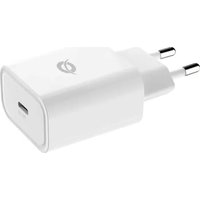
ALTHEA10W - Phone charger CONCEPTRONIC - Free user manual and instructions
Find the device manual for free ALTHEA10W CONCEPTRONIC in PDF.


| Product type | Mobile phone charger |
| Brand | Conceptronic |
| Model | ALTHEA10W |
| Power supply | Mains 100-240 V, 50/60 Hz |
| Output voltage | 5 V DC |
| Output current | 2 A |
| Power | 10 W |
| Number of USB ports | 1 |
| USB port type | USB-A |
| Compatibility | USB devices (smartphones, tablets, etc.) |
| Protection | Against overvoltage and overcurrent |
| Material | ABS plastic |
| Color | White |
| Dimensions (approx.) | 5 x 4 x 3 cm |
| Weight (approx.) | 50 g |
| Operating temperature | 0 °C to 40 °C |
| Operating humidity | 20 % to 80 % |
| Certifications | CE |
| Warranty | 2 years |
| Maintenance | Unplug before cleaning; use a dry cloth |
| Installation instructions | Plug into a wall outlet, connect the USB device |
| Package contents | Charger, user manual |
| Manufacturer | Conceptronic |
| Technical support | www.conceptronic.net |
Frequently Asked Questions - ALTHEA10W CONCEPTRONIC
User questions about ALTHEA10W CONCEPTRONIC
0 question about this device. Answer the ones you know or ask your own.
Ask a new question about this device
Download the instructions for your Phone charger in PDF format for free! Find your manual ALTHEA10W - CONCEPTRONIC and take your electronic device back in hand. On this page are published all the documents necessary for the use of your device. ALTHEA10W by CONCEPTRONIC.
USER MANUAL ALTHEA10W CONCEPTRONIC
PRODUCT INSTALLATION
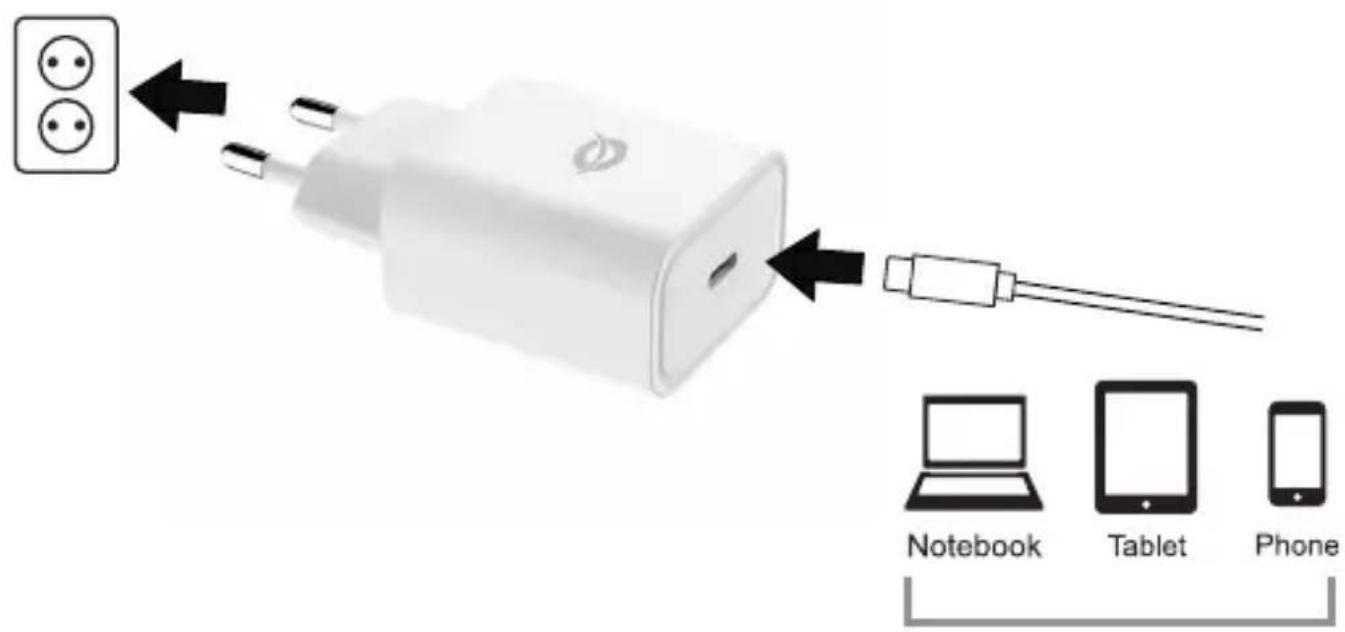
USB-C devices
SPECIFICATIONS
AC Input
100.0-240.0V, 0.6A max, 50/60Hz
DC Output
3.3-5.9V/3.0A, 3.3-11.0V/2.75A
(PPS); 5.0V/3.0A, 9.0V/2.77A,
12.0V/2.1A (PD)
No Load Power Consumption
≤0.1W
Average Active Efficiency
81.75% for 3.3V/3.0A
85.20% for 5.0V/3.0A
88.68% for 11.0V/2.27A
88.61% for 12.0V/2.1A
Efficiency at load 10%
75.38% for 3.3V/3.0A
76.80% for 5.0V/3.0A
77.09% for 11.0V/2.27A
79.25% for 12.0V/2.1A
Protection
Short Circuit Protection
Over Current Protection
Over Voltage Protection
Operating temperature
0^ C 40^ C
Storage temperature
-20°C \~ 80°C
Operating Humidity
10% \~ 80%
Storage Humidity
5% \~ 95%
Dimensions (W x D x H)
40.3 × 43.2 × 25.2 mm
Weight
54g
English
Congratulations on the purchase of your Conceptronic ALTHEA10W.
When problems occur, we advise you to visit our support site (go to www.conceptronic.net and click on 'Support'). If you have other questions about your product and cannot find it on our website, please contact us at: support@concepttronic.net.
For more information about Conceptronic products, please visit the
Concepttronic website: www.conceptronic.net.
Installation & usage
■ Plug the USB charger in a free wall outlet.
■ Connect your USB device to the USB charger.
Your USB device will now be charged.
Safety & Warnings instructions
Read the operating instructions carefully and especially observe the safety information. If you do not follow the safety instructions and information on proper handling in this manual, we assume no liability for any resulting personal injury or damage to property. Such cases will invalidate the warranty/guarantee.
- Keep the device away from water, humidity, fire or hot environments.
■ Avoid dropping, throwing or crushing the device.
■ Do not open, change or damage the device.
■ Confirm that the wall outlet provides the same type of power indicated on the device (both Voltage [V] and frequency [Hz]).
■ Before use, verify that the device, the attached cable and the wall outlet are not damaged in any way.
■ Disconnect the product from the mains before cleaning.

Disposal of waste electrical equipment: Dispose of the product at a recycling point. Do not dispose of together with household waste. Incorrect storage/disposal can harm the environment and/or cause injury.

CE marking: Conceptronic declares that this product complies with the directives listed in the section 'Declaration of Conformity'.
Deutsch
Digital Data Communications GmbH - Im Defdahl 10 F, 44141 Dortmund, Germany CONCEPTRONIC® is a registered trademark of Digital Data Communications GmbH © Copyright Digital Data Communications GmbH. All Rights Reserved.
- PRODUCT INSTALLATION
- SPECIFICATIONS
- AC Input
- DC Output
- No Load Power Consumption
- Average Active Efficiency
- Efficiency at load 10%
- Protection
- Operating temperature
- Storage temperature
- Operating Humidity
- Storage Humidity
- Dimensions (W x D x H)
- Weight
- English
- Installation & usage
- Safety & Warnings instructions
- Deutsch
Brand : CONCEPTRONIC
Model : ALTHEA10W
Category : Phone charger