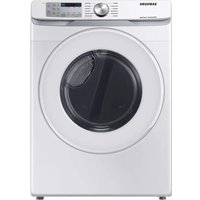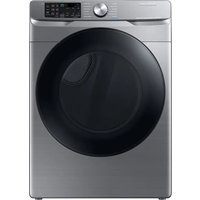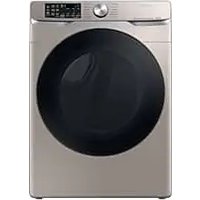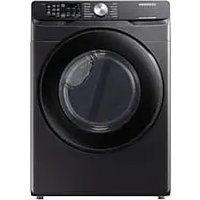
DVE51CG8005V - Dryer SAMSUNG - Free user manual and instructions
Find the device manual for free DVE51CG8005V SAMSUNG in PDF.


User questions about DVE51CG8005V SAMSUNG
0 question about this device. Answer the ones you know or ask your own.
Ask a new question about this device
Download the instructions for your Dryer in PDF format for free! Find your manual DVE51CG8005V - SAMSUNG and take your electronic device back in hand. On this page are published all the documents necessary for the use of your device. DVE51CG8005V by SAMSUNG.
USER MANUAL DVE51CG8005V SAMSUNG
- Product dimensions are specified in the label attached to the product.
- This manual covers all models in the US and Canada.
- For more detailed instructions, visit the Samsung website (http://www.samsung.com), go to the Support section, and then search for your model name.
text_image
SAMSUNGSAMSUNG
Safety information
Congratulations on your new Samsung dryer. This manual contains important information on the installation, use and care of your appliance. Please take some time to read this manual to take full advantage of your dryer's many benefits and features.
NOTE
• This manual covers all models in the US and Canada.
- For more detailed instructions, visit the Samsung website (http://www.samsung.com), go to the Support section, and then search for your model name.
What you need to know about the safety instructions
Please read this manual thoroughly to ensure that you know how to safely and efficiently operate the extensive features and functions of your new appliance. Please store the manual in a safe location close to the appliance for future reference. Use this appliance only for its intended purpose as described in this instruction manual.
Warnings and Important Safety Instructions in this manual do not cover all possible conditions and situations that may occur. It is your responsibility to use common sense, caution and care when installing, maintaining and operating your dryer.
Because the following operating instructions cover various models, the characteristics of your dryer may differ slightly from those described in this manual and not all warning signs may be applicable. If you have any questions or concerns, contact your nearest service center or find help and information online at www.samsung.com.
Important safety symbols
What the icons and signs in this user manual mean:
WARNING
Hazards or unsafe practices that may result in severe personal injury, death and/or property damage.
CAUTION
Hazards or unsafe practices that may result in personal injury and/or property damage.
NOTE
Indicates that a risk of personal injury or material damage exists.
These warning signs are here to prevent injury to yourself and others.
Please follow them explicitly.
After reading this manual, store it in a safe place for future reference.
Read all instructions before using the appliance.
As with any equipment that uses electricity and moving parts, potential hazards exist. To safely operate this appliance, familiarize yourself with its operation and exercise care when using it.
SAVE THESE INSTRUCTIONS
English2

WARNING
Risk of Fire
- Clothes dryer installation must be performed by a qualified installer.
- Install the clothes dryer according to the manufacturer's instructions and local codes.
- Do not install a clothes dryer with flexible plastic venting materials. If flexible metal (foil type) duct is installed, it must be of a specific type identified by the appliance manufacturer as suitable for use with clothes dryers. Flexible venting materials are known to collapse, be easily crushed, and trap lint. These conditions will obstruct clothes dryer airflow and increase the risk of fire.
- Do not install a booster fan in the exhaust duct.
- To reduce the risk of severe injury or death, follow all installation instructions.
- Save these instructions.
SAVE THESE INSTRUCTIONS
English
Safety information

WARNING
To reduce the risk of fire or explosion
- Do not dry items that have been previously cleaned, washed, soaked, or spotted with gasoline, dry cleaning solvents, or other flammable or explosive substances. They emit vapors that could ignite or explode. Any material that has been in contact with a cleaning solvent or flammable liquids or solids should not be placed in the dryer until all traces of these flammable liquids or solids and their fumes have been removed. There are many highly flammable items used in homes, such as acetone, denatured alcohol, gasoline, kerosene, some liquid household cleaners, some spot removers, turpentine, waxes, and wax removers.
- Items containing foam rubber (which may be labeled latex foam) or similarly textured rubberlike materials must not be dried on a heat setting. Heated foam rubber materials can, under certain circumstances, ignite spontaneously.
SAVE THESE INSTRUCTIONS
English4

WARNING
Fire Hazard
- Failure to follow safety warnings exactly could result in serious injury, death or property damage.
- Do not install a booster fan in the exhaust duct.
- Install all clothes dryers in accordance with the installation instructions of the manufacturer of the dryer.

WARNING
FIRE OR EXPLOSION HAZARD
Failure to follow safety warnings exactly could result in serious injury, death or property damage.
- Do not store or use gasoline or other flammable vapors and liquids in the vicinity of this or any other appliance.
• WHAT TO DO IF YOU SMELL GAS
- Do not try to light any appliance.
- Do not touch any electrical switch; do not use any phone in your building.
–Clear the room, building or area of all occupants.
- Immediately call your gas supplier from a neighbor's phone.
Follow the gas supplier's instructions.
- If you cannot reach your gas supplier, call the fire department.
- Installation and service must be performed by a qualified installer, service agency or the gas supplier.
SAVE THESE INSTRUCTIONS
English
Safety information
CALIFORNIA PROPOSITION 65 WARNING

WARNING
Cancer and Reproductive Harm - www.P65Warnings.ca.gov.
IMPORTANT SAFETY INSTRUCTIONS

WARNING
To reduce the risk of fire, electric shock, or injury to persons when using your appliance, follow basic precautions, including the following:
- Read all instructions before using this appliance.
- Do not dry articles that have been previously cleaned in, washed in, soaked in, or spotted with gasoline, dry-cleaning solvents, or other flammable or explosive substances, as they give off vapours that could ignite or explode.
- Risk of Suffocation and Injury from Entrapment: Do not allow children to play on or in the appliance. Close supervision of children is necessary when the appliance is used near children.
- Before the appliance is removed from service or discarded, remove the door to the drying compartment.
- Do not reach into the appliance if the drum is moving.
- Do not install or store this appliance where it will be exposed to the weather.
- Do not tamper with controls.
- Do not repair or replace any part of the appliance or attempt any servicing unless specifically recommended in the user-maintenance instructions or in published user-repair instructions that you understand and have the skills to carry out.
- Do not use fabric softeners or products to eliminate static unless recommended by the manufacturer of the fabric softener or product.
- Do not use heat to dry articles containing foam rubber or similarly textured rubber-like materials.
- Clean lint screen before or after each load.
- Keep area around the exhaust opening and adjacent surrounding areas free from the accumulation of lint, dust, and dirt.
- The interior of the appliance and exhaust duct should be cleaned periodically by qualified service personnel.
- Do not place items exposed to cooking oils in your dryer. Items contaminated with cooking oils may contribute to a chemical reaction that could cause a load to catch fire. To reduce the risk of fire due to contaminated loads, the final part of a tumble dryer cycle occurs without heat (cool down period). Avoid stopping a tumble dryer before the end of the drying cycle unless all items are quickly removed and spread out so that the heat is dissipated.
- Do not use replacement parts that have not been recommended by the manufacturer (e.g. parts made at home using a 3D printer).
SAVE THESE INSTRUCTIONS
English6
- (For Heat pump Clothes dryer) Sharp Edges – to reduce the risk of injury, use care when cleaning the condenser or evaporator coil fins
Warnings

WARNING
- Ensure pockets are free of small, irregularly shaped hard objects and foreign material, i.e. coins, knives, pins, etc. These objects could damage your dryer.
- Gas leaks may occur in your system, resulting in a dangerous situation.
- Do not turn on the appliance.
- Do not use the dryer to dry clothes which have traces of any flammable substance, such as vegetable oil, cooking oil, machine oil, flammable chemicals, paint thinner, etc., or anything containing wax or chemicals, such as mops and cleaning cloths. Flammable substances may cause the fabric to catch fire by itself.
- Do not store or use gasoline or other flammable vapors and liquids near this or any other appliance.
- This appliance must be grounded. See "Electrical requirements" and "Grounding" in "Installation" section.
- Do not insert your hand under the dryer.- This may result in injury.
Take care that children's fingers are not caught in the door when closing it.- This may result in injury. - The control board and inlet valve are intentionally not grounded and may present a risk of electric shock only during servicing.- Do not contact these parts while the appliance is energized.
SAVE THESE INSTRUCTIONS
English
Safety information
Cautions

CAUTION
- Do not allow children or pets to play on, in, or in front of the appliance. Close supervision is necessary when the appliance is used near children and pets.
- Before discarding or removing your dryer from service, remove the door to the drying compartment to prevent children or animals from becoming trapped inside.
- Do not reach into the appliance when the drum is moving.
- Do not install or store this appliance where it will be exposed to the weather.
- Do not tamper with the controls.
- Do not repair, replace, or attempt to service any part of the appliance unless specifically instructed to in the user-repair instructions and you have the understanding and skills to carry out the procedure.
- Do not use fabric softeners or products to eliminate static unless the softener or product is recommended for dryer use by the manufacturer of the fabric softener or product.
- Clean the lint screen before or after each load.
- Keep the area around the exhaust opening and surrounding areas free from lint, dust, and dirt.
- The interior of the dryer and exhaust duct should be cleaned periodically by qualified service personnel.
- This appliance must be properly grounded. Never plug the power cord into a receptacle that is not grounded adequately or not in accordance with local and national codes. See the installation instructions for information about grounding this appliance.
- Do not sit on top of the dryer.
- Do not dry clothing with large buckles, buttons, or other heavy metal or solid objects.
• Gas leaks may not be detected by smell alone. - Gas suppliers recommend you purchase and install a UL-approved gas detector.
- Install and use in accordance with the manufacturer's instructions.
- Do not place items in your dryer that have been spotted or soaked with vegetable oil or cooking oil. Even after being washed, these items may contain significant amounts of these oils.
- Residual oil on clothing can ignite spontaneously. The potential for spontaneous combustion increases when items containing vegetable oil or cooking oil are exposed to heat. Heat sources such as your dryer can warm these items, allowing an oxidation reaction in the oil to occur. Oxidation creates heat. If this heat cannot escape, the items can become hot enough to catch fire. Piling, stacking, or storing these kinds of items may prevent heat from escaping and can create a fire hazard.
- All washed and unwashed fabrics that contain vegetable oil or cooking oil can be dangerous. Washing these items in hot water with extra detergent will reduce, but not eliminate, the hazard. Always use the Cool Down cycle for these items to reduce their temperature. Never remove these items from the dryer hot or interrupt the drying cycle until the items have run through the Cool Down cycle. Never pile or stack these items when they are hot.
SAVE THESE INSTRUCTIONS
English8
Regulatory notice
You may find the Open Source Announce information in the User Manual registered in the Samsung website.
FCC Notice (Wi-Fi models only)
CAUTION
Any changes or modifications not expressly approved by the party responsible for compliance could void the user's authority to operate the equipment.
This device complies with Part 15 of FCC Rules. Operation is Subject to following two conditions:
- This device may not cause harmful interference, and
- This device must accept any interference received including interference that cause undesired operation.
For products sold in the US and Canadian markets, only channels 1–11 are available. You cannot select any other channels.
FCC STATEMENT:
This equipment has been tested and found to comply within the limits for a Class B digital device, pursuant to part 15 of the FCC Rules. These limits are designed to provide reasonable protection against harmful interference in a residential installation.
This equipment generates, uses, and can radiate radio frequency energy and, if not installed and used in accordance with the instructions, may cause harmful interference to radio communications. However, there is no guarantee that interference will not occur in a particular installation. If this equipment does cause harmful interference to radio or television reception, which can be determined by turning the equipment off and on, the user is encouraged to try to correct the interference by one or more of the following measures:
- Reorienting or relocating the receiving antenna
- Increasing the separation between the equipment and receiver
- Connecting the equipment to an outlet that is on a different circuit than the radio or TV.
- Consulting the dealer or an experienced radio/TV technician for help.
FCC RADIATION EXPOSURE STATEMENT:
This equipment complies with FCC radiation exposure limits set forth for an uncontrolled environment. This equipment should be installed and operated so there is at least 8 inches (20 cm) between the radiator and your body. This device and its antenna(s) must not be colocated or operated in conjunction with any other antenna or transmitter.
SAVE THESE INSTRUCTIONS
English
Regulatory notice
IC Notice (Wi-Fi models only)
The term "IC" before the radio certification number only signifies that Industry Canada technical specifications were met. Operation is subject to the following two conditions:
- This device may not cause interference, and
- This device must accept any interference, including interference that may cause undesired operation of the device.
This Class B digital apparatus complies with Canadian ICES-003.
For products sold in the US and Canadian markets, only channels 1–11 are available. You cannot select any other channels.
IC RADIATION EXPOSURE STATEMENT:
This equipment complies with IC RSS-102 radiation exposure limits set forth for an uncontrolled environment. This equipment should be installed and operated so there is at least 8 inches (20 cm) between the radiator and your body. This device and its antenna(s) must not be colocated or operated in conjunction with any other antenna or transmitter.
SAVE THESE INSTRUCTIONS
English10
Installation requirements
Read through the following instructions before installing the dryer and keep this manual for future reference.

WARNING
Certain internal parts are intentionally not grounded and may present a risk of electric shock only during servicing.
Service Personnel - Do not contact the following parts while the appliance is energized: Control board and inlet valve.
Key installation requirements
• A grounded electrical outlet.
- A power cord for electric dryers (except in Canada).
- Gas lines (for gas models) that must meet national and local regulations.
- An exhaust system made of rigid metal or flexible stiff-walled metal exhaust ducting. (Not applicable to ventless (heat pump) models)

WARNING
Remove the door from all discarded appliances to prevent a child from suffocating.
Location considerations
The dryer should be located where there is enough space at the front for loading the dryer, and enough space behind for the exhaust system. This dryer is factory-ready for the rear exhaust option. To exhaust out the bottom, right or the left, use the accessory exhaust kit. Instructions are included with the kit. Make sure the room in which the dryer is located has enough fresh air. The dryer must be located where there are no air-flow obstructions. For gas dryers, adequate clearance must be maintained as noted on the data plate to ensure adequate air for combustion and the proper dryer operation.
The dryer must not be installed or stored in an area where it will be exposed to water and/or weather. The dryer area must be kept clear of combustible materials, gasoline, and other flammable vapors and liquids. A dryer produces combustible lint. The area around the dryer should be kept lint-free.
Clearance requirement
This clearance requirement is applicable for dryers only.

NOTE
- For washer's clearance requirement, see the washer's user manual.
- If the washer and dryer have different clearance requirements, use the one with the larger value.
Installation requirements
Alcove or closet installations

WARNING
- The dryer must be exhausted to the outside to reduce the risk of fire when installed in an alcove or closet.
- No other fuel-burning appliance should be installed in the same closet as the dryer.
- Place the dryer at least 18 in. (460 mm) above the floor for garage installation.
Minimum clearance for stable operation:
| MODEL | SIDES(in. (mm)) | TOP(in. (mm)) | REAR(in. (mm)) | CLOSET FRONT(in. (mm)) |
| Flex Dry 1 (25) 21 (525) 4 (102) 2 (50) | ||||
| Front Loading Pair Dryer except others | 1 (25) 1 (25) | Vented dryers (Standard size): 4 (102)Vented dryers (Compact size): 3 (75)Ventless dryers (Heatpump & Standard/Compact size): 2 (50) | 1 (25) | |
| Top Loading Pair Dryer except others | 1 (25) 17 (425) | 4 (102) 1 | (25) | |
| Others (DV**J/H*, DV***K/M/N*) | 1 (25) 17 (425) | 4 (102) 2 | (50) |
If both the washer and a dryer are installed in the same location, the front of the alcove or closet must have two unobstructed air openings for a combined minimum total area of 72 in? (465 cm ^2 ).
English12
Ducting requirements (Not applicable to ventless (heat pump) models)
| Recommended Use only for short-run installation | ||||
| Weather hood type | 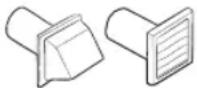 4" (10.2 cm) 2.5" (6.4 cm) 4" (10.2 cm) 2.5" (6.4 cm) | 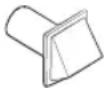 | ||
| Standard size(4.4 cu.ft. or greater) | Compact size (less than 4.4 cu.ft.) | Standard size(4.4 cu.ft. or greater) | Compact size (less than 4.4 cu.ft.) | |
| No. of 90° elbows Rigid Rigid | ||||
| 0 80 ft. (24.4 m) 80 ft. (24.4 m) 74 ft. (22.6 m) 60 ft. (28.3 m) | ||||
| 1 68 ft. (20.7 m) 60 ft. (28.3 m) 62 ft. (18.9 m) 45 ft. (13.7 m) | ||||
| 2 | 57 ft. (17.4 m) | 45 ft. (13.7 m) | 51 ft. (15.5 m) | 35 ft. (10.7 m) |
| 3 47 ft. (14.3 m) 35 ft. (10.7 m) 41 ft. (12.5 m) 25 ft. (7.6 m) | ||||
NOTE
* Use a 4-inch (10.2 cm) diameter rigid aluminum or galvanized steel duct.
If you integrate the dryer's vent system with an existing exhaust system, make sure:
- The exhaust system meets all applicable local, state, and national regulations.
• Not to use a flexible plastic duct.
• To regularly check and clean all lint buildup from inside the existing ducts.
• The duct is not kinked or crushed.
• The exhaust hood damper opens and closes freely.
Manometer measurements
The static pressure in any exhaust system must not exceed 0.83 inches of water column or be less than 0. Note that these values are measured with the dryer running with a manometer presented to the exhaust duct that connects to the dryer. The dryer tumbler must be empty and lint filter clean.
Installation requirements
Exhausting requirements (Not applicable to ventless (heat pump) models)
The dryer must not be exhausted into a chimney, a wall, a ceiling, an attic, a crawl space, or a concealed space of a building. Exhausting the dryer to the outside will prevent large amounts of lint and moisture from being blown into the room.
In the United States and Canada
- All dryers must be exhausted to the outside.
- The required exhaust duct is 4 inches (10.2 cm) in diameter.
- See "Ducting requirements (Not applicable to ventless (heat pump) models)" for the maximum duct length and number of bends that can be used.
- The total length of flexible metal duct must not exceed 7' 10 1/2" (2.4 m).
- Do not assemble the duct with screws or other fastener means that extend into the duct and catch lint.
- For the United States only: Use only those foil-type flexible ducts, if any, specifically identified for use with the appliance by the manufacturer and that comply with the Outline for Clothes Dryer Transition Duct. Use Subject 2158A.
Outside the United States and Canada
• Refer to the local codes.
WARNING
- You must exhaust the dryer to the outside to reduce the risk of fire when you install the dryer in an alcove or closet.
- Do not use a plastic or non-metal flexible duct.
- If your existing ductwork is plastic, non-metal, or combustible, replace it with metal.
- Use only a metal exhaust duct that is non-flammable to ensure containment of exhaust air, heat, and lint.
English14
Gas requirements (Not applicable to ventless (heat pump) models)
WARNING
- Use only natural or LP (liquid propane) gases.
- The installation must be conformed with local codes, or in the absence of local codes, with the national fuel gas code, ANSI Z223.1/NFPA 54, latest revision (for the UNITED STATES), or with the natural gas and propane installation code, CSA B149.1 (for Canada).
- Gas dryers are equipped with a burner vent for use with natural gas. If you plan to use your dryer with LP (liquid propane) gas, it must be converted for safe and proper performance by a qualified service technician. (LNG models only)
You must check the burner of your model and use the proper LP Kit accordingly. To check the detail information of the burner, open the door and check the rating label location on the door frame.
- 20,000 BTU: LPKIT-4/XAA (DC98-04114A)
- 22,000 BTU: LPKIT-3/XAA (DC99-00792A)
- A 1/2" (1.27 cm) gas supply line is recommended and must be reduced to connect to the 3/8" (1 cm) gas line on your dryer. The National Fuel Gas Code requires that an accessible, approved manual gas shut-off valve be installed within 6" of your dryer.
- Gas dryers installed in residential garages must be raised 18 inches (46 cm) above the floor.
- Additionally, a 1/8" (0.3 cm) N.P.T. (National Pipe Thread) plugged tapping, accessible for test gauge connection, must be installed immediately upstream of your dryer's gas supply connection.
- Your dryer must be disconnected from the gas supply pipe system during any pressure testing of the system.
- Do not reuse old flexible stainless steel or metal gas line. Use only a new flexible stainless steel or metal gas line.
- Flexible gas lines must be certified by the American Gas Association (AGA/CSA certified, ANSI Z21.24/CSA 6.10)
NOTE
- Your dryer uses an automatic ignition system to ignite the burner. There is no constant burning pilot.
- Any pipe joint compound used must be resistant to the action of any liquefied petroleum gas.
- As a courtesy, most local gas utilities will inspect a gas appliance installation.
Commonwealth of Massachusetts installation instructions
Your dryer must be installed by a licensed plumber or gas fitter. A "T" handle manual gas valve must be installed in the gas supply line to your dryer. If a flexible gas connector is used to install your dryer, the connector can be no longer than 3' (36").
WARNING
- Gas leaks may occur in your system, creating a dangerous situation.
• Gas leaks may not be detected by smell alone. - Gas suppliers recommend you purchase and install a UL-approved gas detector.
- Install and use in accordance with the manufacturer's instructions.
Installation requirements
Electrical requirements
The wiring diagram is located on the plate under the control panel or rear frame.
WARNING
- Improperly connecting the equipment grounding conductor can result in a risk of electric shock. Check with a qualified electrician or serviceman if you are in doubt as to whether your dryer is properly grounded. Do not modify the plug provided with your dryer – if it doesn't fit the outlet, have a proper outlet installed by a qualified electrician.
- To prevent unnecessary risk of fire, electrical shock, or personal injury, all wiring and grounding must be done in accordance with local codes, or in the absence of local codes, in accordance with the National Electrical Code, ANSI/NFPA No. 70-Latest Revision (for the U.S.) or the Canadian Electrical Code CSA C22.1 – Latest Revisions and local codes and ordinances. It is your responsibility to provide adequate electrical service for your dryer.
- All gas installations must be done in accordance with the national Fuel Code ANSI Z223.1 – Latest Revision (for the U.S.) or CSA B149.1 Installation Codes – Latest Revision (for Canada) and local codes and ordinances.
Grounding
This dryer must be grounded. In the event of malfunction or breakdown, the ground will reduce the risk of electrical shock by providing a path of least resistance for the electrical current.
Gas models
WARNING
- Your dryer has a cord with an equipment-grounding conductor and a grounding plug. The plug must be plugged into an appropriate outlet that is properly installed and grounded in accordance with all local codes and ordinances.
- Do not modify the plug provided with your dryer – if it doesn't fit the outlet, have a proper outlet installed by a qualified electrician.
- Do not connect the ground wire to plastic plumbing lines, gas lines, or hot water pipes.
Electric models
WARNING
- Your dryer has an optional cord with an equipment-grounding conductor and a grounding plug. This cord is sold separately.
- The plug must be plugged into an appropriate outlet that is properly installed and grounded in accordance with all local codes and ordinances.
- Do not modify the plug provided with your dryer – if it doesn't fit the outlet, have a proper outlet installed by a qualified electrician.
- If a power cord is not used and the electric dryer is to be permanently wired, the dryer must be connected to a permanently grounded metal wiring system, or an equipment grounding conductor must be run with the circuit conductors and connected to the equipment grounding terminal or lead on the dryer.
English16
Electrical connections
Before operating or testing, follow all grounding instructions in the "Grounding" section. An individual branch (or separate) circuit serving only your dryer is recommended.
Do not use an extension cord.
Gas models – U.S. and Canada
A 120 volt, 60 Hz AC approved electrical service with a 15-ampere fuse or circuit breaker is required.
Electric models – U.S. only
Most U.S. dryers require a 120 / 240 volt, 60 Hz AC approved electrical service. Some require 120 / 208 volt, 60 Hz approved electrical service. The electric service requirements can be found on the data label located behind the door. A 30-ampere fuse or circuit breaker on both sides of the line is required.
- If a power cord is used, the cord should be plugged into a 30-ampere receptacle.
- The power cord is not provided with U.S. electric model dryers. This cord is sold separately.
WARNING
Risk of Electric Shock
When local codes allow, you can connect the dryer's electrical supply with a new power supply cord kit, marked for use with a dryer, that is U.L. listed and rated at a minimum of 120 / 240 volts, 30-amperes with three No. 10 copper wire conductors terminated with closed loop terminals, open-end spade lugs with turned up ends, or with tinned leads.
- Do not reuse a power supply cord from an old dryer. The power cord electric supply wiring must be supported at the dryer cabinet by a suitable UL-listed strain relief.
- Grounding through the neutral conductor is prohibited for (1) new branch-circuit installations, (2) mobile homes, (3) recreational vehicles, and (4) areas where local codes prohibit grounding through the neutral conductor. (Use a 4-prong plug for a 4 wire receptacle, NEMA type 14-30R.)
Electric models – Canada Only
A 120 / 240 volt, 60 Hz AC approved electrical service fused through a 30-ampere fuse or circuit breaker on both sides of the line is required.
NOTE
All Canadian models are shipped with the power cord attached. The power cord should be plugged into a 30-ampere receptacle. In Canada, you may convert a dryer to 120 / 208 volts.
Operations

WARNING
To reduce the risk of fire, electric shock, or injury, read the "Safety information" before operating this appliance.
Simple steps to start
- Press Power to turn the dryer on.
- Turn the Cycle Selector to select a cycle.
- Change the cycle settings (Dryness, Temp., and Time) as necessary.
- Select desired options as necessary.
- Press and hold Start/Pause (Hold to Start).
To change the cycle during operation
- Press Start/Pause (Hold to Start) to stop operation.
- Select a different cycle, and repeat steps 2-4 above if necessary.
- Press and hold Start/Pause (Hold to Start) again to start the new cycle.
English18
Control panel
NOTE
Available cycles can vary depending on the models. For the detailed information, refer to the user manual on the Samsung website (http://www.samsung.com).
- Visit the Samsung website, go to the Support section, and then search for your model name.
| Cycle Selector | Turn the Cycle Selector to select a desired cycle. When a cycle is selected, the cycle indicator lights up. |
| Digital Graphic Display | Displays all cycle information, including the cycle time, information code, and operating status. |
| Dryness | Press to select a dry level. Please refer to following recommendations to select the appropriate dryness.For larger or bulkier loads, select More for complete dryness.For items that needs to lay flat or hang to dry, use Less to partially dry items. |
| Temp. | Temperature can be adjusted in some manual dry cycles.Press to change the temperature of the current cycle. Please select the appropriate temperature depending on the items in the load.High: For sturdy cottons or those labeled Tumble Dry.Medium: For permanent press, synthetics, lightweight cottons, or items labeled Tumble Dry Medium.Low: For heat sensitive items labeled Tumble Dry Low or Tumble Dry Warm. Provides the lowest heated drying temperature possible. |
| Time | Press to adjust the drying time for the Manual Dry cycles. This is not available with the Sensor Dry cycles because the dryer determines the drying time by sensing the current moisture level of the load. |
| Wrinkle Prevent | Wrinkle Prevent provides of intermittent tumbling in unheated air at the end of the cycle to reduce wrinkling. Press Wrinkle Prevent to activate this feature. The load is dry, and can be removed at any time during the Wrinkle Prevent cycle. |
| Damp Alert | This alert is available for Sensor Dry cycles. (Available except for the lowest dry level)If a load contains mixed fabrics, the Damp Alert indicator blinks when average dryness of the items in the load is 80 % dry. This lets you take items that you don't want fully dried or that dry quickly out of the dryer early while letting others continue to dry. |
| Drum Light | Press to turn the interior lamp on or off. The lamp stays lit for 2 minutes after it has turned on, regardless of whether the power is on or off or the door is open or closed, and then turns off automatically. |
Operations
| Adjust Time | You can change the set time in the Manual Dry cycles. To change the cycle time, press or until the desired time is displayed. |
| Smart Control / Smart Monitor / Smart Care | This function enables you to check the status of the dryer using a smartphone. |
| Power Press to turn on/turn off the dryer. | |
| Start/Pause (Hold to Start) | Press to start or stop operation. |
NOTE
Do not take extremely tangled items from your washer and put them into the dryer. They can degrade the drying efficiency of the dryer or cause the door to open. We recommend that you untangle the items before putting them into the dryer. Also, do not put objects on the dryer, especially on the control panel.
CAUTION
Do not spray water directly onto the control panel. This may cause a system failure.
English20
Maintenance
Keep the dryer clean for best performance and to lengthen its life cycle.
NOTE
• This manual covers all models in the US and Canada.
- For more detailed instructions, visit the Samsung website (http://www.samsung.com), go to the Support section, and then search for your model name.
WARNING
Certain internal parts are intentionally not grounded and may present a risk of electric shock only during servicing.
Service Personnel - Do not contact the following parts while the appliance is energized: Control board and inlet valve.
Cleaning
Control panel
- Clean with a soft, damp cloth. Do not use abrasive substances.
- Do not spray liquid cleaning agents directly onto the dryer display.
- Some laundry pre-treatment soil and stain removers may damage the control panel.
- When using liquid cleaning agents, apply them to the cleaning cloth. Do not apply them directly to the dryer. Wipe up any spills or overspray immediately.
Drum
- Remove any stains from the drum with an all-purpose cleaner.
- Tumble old towels or rags to remove any remaining stains or cleaning substances. Stains may still be visible, but will not affect subsequent loads.
Powder coated drum
To clean the powder coated drum, use a damp cloth with a mild, non-abrasive cleaner suitable for easily marred surfaces.
Remove cleaner residue and dry with a clean cloth.
Dryer exterior
- Clean with a soft, damp cloth. Do not use abrasive substances.
- Protect the surface from sharp objects.
- Do not place any heavy or sharp objects or a detergent container on the dryer. They can scratch or damage the top cover of the dryer.
- The dryer has a high-gloss finish on the entire surface. Be careful not to scratch or damage the surface.
Exhaust system
- Check and clean the exhaust system on a regular basis to maintain optimum performance.
- The external exhaust hood must be cleaned frequently to ensure proper air flow.
Troubleshooting
Checkpoints
If the dryer operates abnormally, first check the list of problems in the table below and try the suggested actions.
| Problem Action | |
| Does not run. | Make sure the door is latched shut.Make sure the power cord is plugged into a live electrical outlet.Check your home's circuit breakers or fuses.Press or tap Start/Pause (Hold to Start) again if the door was opened during a cycle.Clean the lint filter. |
| Does not heat. | Check your home's circuit breakers or fuses.Some cycles do not require heat. Check the selected cycle again.For a gas dryer, make sure the gas supply is on.Clean the lint filter and exhaust duct.The dryer may have moved into the cool-down phase of the cycle.Turn off the Eco Dry option for the NORMAL or TIME DRY cycles. When the Eco Dry option is on, the dryer performs an air dry process in the beginning of the cycle to reduce energy consumption. The air dry process does not use heated air, so you may feel that the dryer is not being heated, but this is normal. |
| Does not dry. | Check all of the above, plus...Make sure the exhaust hood outside your home can open and close freely.Check the exhaust system for lint buildup. Ducting should be inspected and cleaned annually.Use a 4" rigid metal exhaust duct.Do not overload. 1 wash load = 1 dryer load.Dry heavy items and light weight items separately.Large, bulky items, such as blankets or comforters, may require repositioning to ensure even drying.Make sure that your washer is draining properly and extracting adequate water from the load.The load may be too small to tumble properly. Add a few towels and restart the dryer.The load may be too large to tumble properly. Remove some items and restart the dryer.Clean the lint filter. |
| Is noisy. | Check the load for objects such as coins, loose buttons, nails, etc. Remove promptly.It is normal to hear the dryer gas valve or heating element cycle on and off during the drying cycle.Make sure the dryer is leveled properly as outlined in the installation instructions.It is normal for the dryer to hum due to the high velocity of air moving through the dryer drum, fan, or exhaust system. |
English22
| Problem Action | |
| Dries unevenly. | Seams, pockets, and other similarly heavy areas may not be completely dry when the rest of the load has reached the selected dryness level. This is normal. You can choose a higher dryness level or a cycle that involves a higher dryness level.If one heavy item is dried with a light weight load, such as one towel with sheets, it is possible that the heavy item will not be completely dry when the rest of the load has reached the selected dryness level.For the best drying results, dry heavy items and light weight items separately. |
| Has odors. | Household odors from paint, varnish, strong cleaners, etc. may enter the dryer with the surrounding room air. This is normal as the dryer draws the air from the room, heats it, pulls it through the tumbler, and exhausts it outside.When these odors linger in the air, completely ventilate the room before using the dryer.Use the REFRESH cycle. If odors persist, wash and dry the items again. |
| Lint on clothes. | Make sure the lint filter is cleaned before every load. For clothes that naturally build up lint, clean the filter during the cycle.Some fabrics are lint producers (for example, a fuzzy white cotton towel) and they must be dried separately from clothes that are lint trappers (for example, a pair of black linen pants).Divide larger loads into smaller loads for drying.Check pockets thoroughly before drying, then dry clothes.Remove lint inside the drum before drying a load. |
| Items still wrinkled after Wrinkle Prevent (Wrinkle Away, Wrinkle Release). | Small loads of 1 to 4 items work best.Load fewer items. Load similar-type items.Take out the items immediately after drying is complete. |
| Water drips from the nozzle when the Steam cycles starts. | This is steam condensation. The dripping water will stop after a short time. |
| Sprayed water is not visible during Steam cycles. | Sprayed water is difficult to see when the door is closed. |
| Extended time. | Sensor Dry automatically senses the moisture in the load and shuts the dryer off when the selected dryness level is reached. The drying time can change according to the type and amount of laundry. See the cycle chart for reference. |
If a problem persists, contact a local Samsung service center.
LIMITED WARRANTY (U.S.A.)
SAMSUNG DRYER
LIMITED WARRANTY TO ORIGINAL CONSUMER PURCHASER WITH PROOF OF PURCHASE AND/OR PROOF OF DELIVERY
This SAMSUNG brand product, as supplied and distributed by SAMSUNG ELECTRONICS AMERICA, INC. (SAMSUNG) and delivered new, in the original carton to the original consumer purchaser, is warranted by SAMSUNG against manufacturing defects in materials or workmanship for the following limited warranty periods, starting on the date of delivery to the original consumer purchaser:
One (1) Year All Parts and Labor
This limited warranty is valid only on products purchased and used in the United States that have been installed, operated, and maintained according to the instructions attached to or furnished with the product. To receive warranty service, the purchaser must contact SAMSUNG at the address or phone number provided below for problem determination and service procedures. Warranty service can only be performed by a SAMSUNG authorized service center. The original dated bill of sale and/or proof of delivery must be presented upon request to SAMSUNG or SAMSUNG's authorized service center to receive warranty service.
SAMSUNG will provide in-home service within the contiguous United States during the warranty period at no charge, subject to availability of SAMSUNG authorized servicers within the customer's geographic area. If in-home service is not available, SAMSUNG may elect, at its option, to provide transportation of the product to and from an authorized service center. If the product is located in an area where service by a SAMSUNG authorized servicer is not available, you may be responsible for a trip charge or required to bring the product to a SAMSUNG authorized service center for service.
To receive in-home service, product must be unobstructed and accessible to the service agent.
During the applicable warranty period, a product will be repaired, replaced, or the purchase price refunded, at the sole option of SAMSUNG. SAMSUNG may use new or reconditioned parts in repairing a product, or replace the product with a new or reconditioned product. Replacement parts and products are warranted for the remaining portion of the original product's warranty or ninety (90) days, whichever is longer. All replaced parts and products are the property of SAMSUNG and you must return them to SAMSUNG.
This limited warranty covers manufacturing defects in materials or workmanship encountered in normal household, noncommercial use of this product and shall not cover the following: damage that occurs in shipment, delivery, installation, and uses for which this product was not intended; damage caused by unauthorized modification or alteration of the product; product where the original factory serial numbers have been removed, defaced, changed in any way, or cannot be readily determined; cosmetic damage including scratches, dents, chips, and other damage to the product's finishes; damage caused by abuse, misuse, pest infestations, accident, fire, floods, or other acts of nature or God; damage caused by use of equipment, utilities, services, parts, supplies, accessories, applications, installations, repairs, external wiring or connectors not supplied or authorized by SAMSUNG; damage caused by incorrect electrical line current, voltage, fluctuations and surges; damage caused by failure to operate and maintain the product according to instructions; in-home instruction on how to use your product; and service to correct installation not in accordance with electrical or plumbing codes or correction of household electrical or plumbing (i.e., house wiring, fuses, or water inlet hoses). The cost of repair or replacement under these excluded circumstances shall be the customer's responsibility.
English24
Visits by an authorized servicer to explain product functions, maintenance or installation are not covered by this limited warranty. Please contact SAMSUNG at the number below for assistance with any of these issues.
EXCLUSION OF IMPLIED WARRANTIES
IMPLIED WARRANTIES, INCLUDING THE IMPLIED WARRANTIES OF MERCHANTABILITY OR FITNESS FOR A PARTICULAR PURPOSE, ARE LIMITED TO ONE YEAR OR THE SHORTEST PERIOD ALLOWED BY LAW. Some states do not allow limitations on how long an implied warranty lasts, so the above limitations or exclusions may not apply to you. This warranty gives you specific rights, and you may also have other rights, which vary from state to state.
LIMITATION OF REMEDIES
YOUR SOLE AND EXCLUSIVE REMEDY IS PRODUCT REPAIR, PRODUCT REPLACEMENT, OR REFUND OF THE PURCHASE PRICE AT SAMSUNG'S OPTION, AS PROVIDED IN THIS LIMITED WARRANTY. SAMSUNG SHALL NOT BE LIABLE FOR SPECIAL, INCIDENTAL OR CONSEQUENTIAL DAMAGES, INCLUDING BUT NOT LIMITED TO TIME AWAY FROM WORK, HOTELS AND/OR RESTAURANT MEALS, REMODELING EXPENSES, LOSS OF REVENUE OR PROFITS, FAILURE TO REALIZE SAVINGS OR OTHER BENEFITS REGARDLESS OF THE LEGAL THEORY ON WHICH THE CLAIM IS BASED, AND EVEN IF SAMSUNG HAS BEEN ADVISED OF THE POSSIBILITY OF SUCH DAMAGES. Some states do not allow exclusion or limitation of incidental or consequential damages, so the above limitations or exclusions may not apply to you. This warranty gives you specific rights, and you may also have other rights, which vary from state to state.
SAMSUNG does not warrant uninterrupted or error-free operation of the product. No warranty or guarantee given by any other person, firm, or corporation with respect to this product shall be binding on SAMSUNG.
To obtain warranty service, please contact SAMSUNG at:
Samsung Electronics America, Inc.
85 Challenger Road
Ridgefield Park, NJ 07660
This SAMSUNG brand product, as supplied and distributed by SAMSUNG ELECTRONICS CANADA, INC. (SAMSUNG) and delivered new, in the original carton to the original consumer purchaser, is warranted by SAMSUNG against manufacturing defects in materials and workmanship for a limited warranty period of: One (1) year part and labor
This limited warranty begins on the original date of purchase, and is valid only on products purchased and used in the Canada.
To receive warranty service, the purchaser must contact SAMSUNG for problem determination and service procedures.
Warranty service can only be performed by a SAMSUNG authorized service center.
The original dated bill of sale must be presented upon request as proof of purchase to SAMSUNG or SAMSUNG's authorized service center.
SAMSUNG will provide in-home service during the warranty period at no charge, subject to availability within the Canada.
In-home service is not available in all areas.
To receive in-home service, product must be unobstructed and accessible to the service agent.
If service is not available, SAMSUNG may elect to provide transportation of the product to and from an authorized service center.
SAMSUNG will repair, replace, or refund this product at our option and at no charge as stipulated herein, with new or reconditioned parts or products if found to be defective during the limited warranty period specified above.
All replaced parts and products become the property of SAMSUNG and must be returned to SAMSUNG.
Replacement parts and products assume the remaining original warranty, or ninety (90) days, whichever is longer.
This limited warranty covers manufacturing defects in materials and workmanship encountered in normal, noncommercial use of this product and shall not apply to the following: damage that occurs in shipment; delivery and installation; applications and uses for which this product was not intended; altered product or serial numbers; cosmetic damage or exterior finish; accidents, abuse, neglect, fire, water, lightning, or other acts of nature or God; use of products, equipment, systems, utilities, services, parts, supplies, accessories, applications, installations, repairs, external wiring or connectors not supplied or authorized by SAMSUNG that damage this product or result in service problems; incorrect electrical line voltage, fluctuations and surges; customer adjustments and failure to follow operating instructions, maintenance and environmental instructions that are covered and prescribed in the instruction book; product removal and reinstallation; problems caused by pest infestations.
This limited warranty does not cover problems resulting from incorrect electric current, voltage or supply, light bulbs, house fuses, house wiring, cost of a service call for instructions, or fixing installation errors. SAMSUNG does not warrant uninterrupted or error-free operation of the product.
English26
EXCEPT AS SET FORTH HEREIN, THERE ARE NO WARRANTIES ON THIS PRODUCT EITHER EXPRESS OR IMPLIED, AND SAMSUNG DISCLAIMS ALL WARRANTIES INCLUDING, BUT NOT LIMITED TO, ANY IMPLIED WARRANTIES OF MERCHANTABILITY, INFRINGEMENT OR FITNESS FOR A PARTICULAR PURPOSE.
NO WARRANTY OR GUARANTEE GIVEN BY ANY PERSON, FIRM, OR CORPORATION WITH RESPECT TO THIS PRODUCT SHALL BE BINDING ON SAMSUNG.
SAMSUNG SHALL NOT BE LIABLE FOR LOSS OF REVENUE OR PROFITS, FAILURE TO REALIZE SAVINGS OR OTHER BENEFITS, OR ANY OTHER SPECIAL, INCIDENTAL OR CONSEQUENTIAL DAMAGES CAUSED BY THE USE, MISUSE, OR INABILITY TO USE THIS PRODUCT, REGARDLESS OF THE LEGAL THEORY ON WHICH THE CLAIM IS BASED, AND EVEN IF SAMSUNG HAS BEEN ADVISED OF THE POSSIBILITY OF SUCH DAMAGES. NOR SHALL RECOVERY OF ANY KIND AGAINST SAMSUNG BE GREATER IN AMOUNT THAN THE PURCHASE PRICE OF THE PRODUCT SOLD BY SAMSUNG AND CAUSING THE ALLEGED DAMAGE.
WITHOUT LIMITING THE FOREGOING, PURCHASER ASSUMES ALL RISK AND LIABILITY FOR LOSS, DAMAGE, OR INJURY TO PURCHASER AND PURCHASER'S PROPERTY AND TO OTHERS AND THEIR PROPERTY ARISING OUT OF THE USE, MISUSE, OR INABILITY TO USE THIS PRODUCT.
THIS LIMITED WARRANTY SHALL NOT EXTEND TO ANYONE OTHER THAN THE ORIGINAL PURCHASER OF THIS PRODUCT, IS NONTRANSFERABLE AND STATES YOUR EXCLUSIVE REMEDY.
Some provinces do not allow limitations on how long an implied warranty lasts, or the exclusion or limitation of incidental or consequential damages, so the above limitations or exclusions may not apply to you.
This warranty gives you specific rights, and you may also have other rights, which vary from province to province.
To obtain warranty service, please contact SAMSUNG at:
Samsung Electronics Canada Inc.
2050 Derry Road West,
Mississauga, Ontario L5N 0B9 Canada
www.samsung.com/ca/support (English)
www.samsung.com/ca_fr/support (French)
Visits by a Service Engineer to explain functions, maintenance, or installation is not covered by warranty. Please contact the Samsung call center at the number above for help with any of these issues.

text_image
QR code image containing encoded data, no visible human-readable textScan the QR code* or visit
www.samsung.com/spsn
to view our helpful
How-to Videos and Live Shows
*Requires reader to be installed on your smartphone
Scan this with your smartphone

To find out if your model is ENERGY STAR certified, go to www.energystar.gov.
ENERGY STAR certified models qualify in these factory default setting:
Vented dryers (Standard size): "Normal + Eco dry"
Ventless dryers (Heatpump & Standard/Compact size): "Normal"
If you change the factory default setting or enable other features, power
consumption could increase and exceed the limits qualified for ENERGY STAR.
QUESTIONS OR COMMENTS?
| COUNTRY CALL OR VISIT US ONLINE AT | |
| U.S.A 1-800-SAMSUNG (726-7864) www.samsung.com/us/support | |
| CANADA 1-800-SAMSUNG (726-7864) | www.samsung.com/ca/support (English)www.samsung.com/ca_fr/support (French) |

DC68-04394A-01
Sèche-linge
Ridgefield Park, NJ 07660
Samsung Electronics Canada Inc.
2050 Derry Road West,
Mississauga, Ontario L5N 0B9 Canada
www.samsung.com/ca/support (English)
www.samsung.com/ca_fr/support (French)
text_image
QR code image containing encoded data, no visible human-readable textScan the QR code* or visit
www.samsung.com/spsn
to view our helpful
How-to Videos and Live Shows
*Requires reader to be installed on your smartphone
Scan this with your smartphone

ENERGY STAR
Ridgefield Park, NJ 07660
Samsung Electronics Canada Inc.
2050 Derry Road West,
Mississauga, Ontario L5N 0B9 Canada
www.samsung.com/ca/support (English)
www.samsung.com/ca_fr/support (French)
text_image
QR code image containing encoded data, no visible human-readable textScan the QR code* or visit
www.samsung.com/spsn
to view our helpful
How-to Videos and Live Shows
*Requires reader to be installed on your smartphone
Scan this with your smartphone