imageRUNNER ADVANCE C475iZ III - Printer CANON - Free user manual and instructions
Find the device manual for free imageRUNNER ADVANCE C475iZ III CANON in PDF.


User questions about imageRUNNER ADVANCE C475iZ III CANON
0 question about this device. Answer the ones you know or ask your own.
Ask a new question about this device
Download the instructions for your Printer in PDF format for free! Find your manual imageRUNNER ADVANCE C475iZ III - CANON and take your electronic device back in hand. On this page are published all the documents necessary for the use of your device. imageRUNNER ADVANCE C475iZ III by CANON.
USER MANUAL imageRUNNER ADVANCE C475iZ III CANON
text_image
Quick Operation Guide| English 3 |
| Français 15 |
| Deutsch 27 |
| Italiano 39 |
| Español 51 |
Quick
Operation Guide
Learning How to Use Your Machine 4
Tips for Copying 6
Tips for Printing 7
Tips for Faxing 8
Tips for Scanning 9
Tips for Registering Destinations 10


You can access canon.com/oip-manual to read the User's Guide that describes all functions of this machine.
Store this guide in a safe place for future reference.
Some functions may not be available, depending on the model of the machine you are using.
The information in this document is subject to change without notice.
If your machine is of the model dedicated to printing only
The machine dedicated to printing only cannot be used for any other functions than printing. Although this Guide contains the descriptions of the functions and operations for copying, faxing, and scanning as well as printing, please read only the necessary descriptions to use your machine.

natural_image
Silhouette of a person in profile against a red dotted background (no text or symbols)Learning How to Use Your Machin
This section contains a brief overview of the basic operations of your machine.
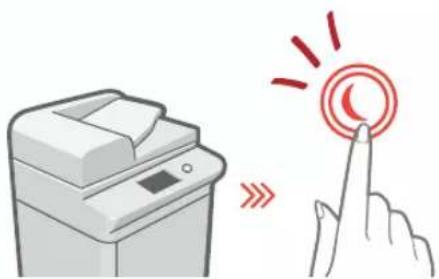
Turning On the Display
natural_image
Illustration of a printer and a hand interacting with a circular button (no text or symbols)When the display is turned off, press the Ⓞ button on the control panel to exit the Sleep mode and turn it back on.
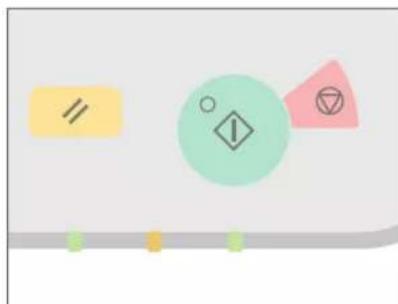
The Main Buttons for Operations
natural_image
Abstract diagram with geometric shapes and colored circles (no text or symbols)Press to execute functions, to cancel operations, and to clear the current settings.
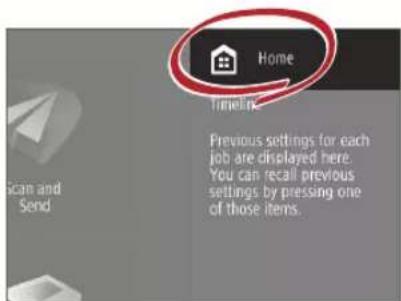
- Accessing the Home Screen
text_image
Home Timeline Previous settings for each job are displayed here. You can recall previous settings by pressing one of those items.Perform a wide variety of operations from the Home screen, displayed from any screen by pressing 🔒.
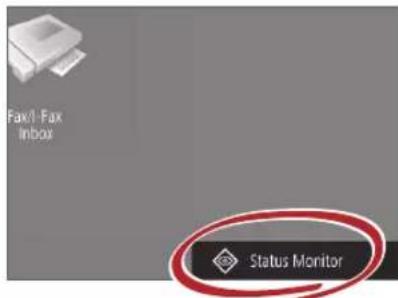
- Quickly Checking the Status of Machine
text_image
Fax/1-Fax Inbox Status MonitorAll you need to do to check the machine's status is press Status Monitor

See "Control Panel" in the User's Guide.
natural_image
Red line drawing of a computer with control panel and buttons (no text or symbols)Two Methods for Setting Original Documents
Placing Original Documents Correctly
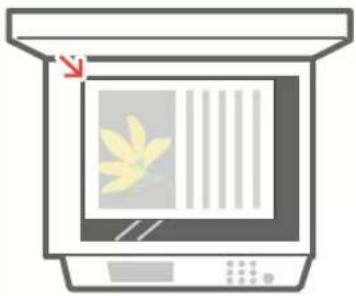
Placing Original Documents on the Platen Glass
- Place the side to scan face down.
- Place the original documents so that it fits in the back left corner.
natural_image
Illustration of a kitchen appliance with a window and fan (no text or symbols)Compatible Types of Original Documents
Books, magazines

Business cards

Newspaper clippings
Placing Original Documents in the Feeder
- Place the side to scan face up.
- Adjust the slide guide.
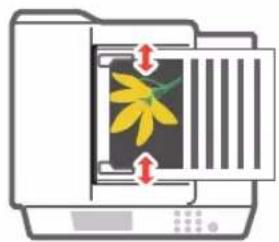
natural_image
Illustration of a printer with a yellow flower inside, showing paper feed and alignment arrows (no text or symbols)- Compatible Types of Original Documents
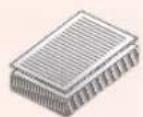
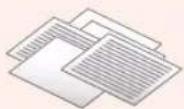
Documents with many pages, quotations, etc.

natural_image
Silhouette of a person in profile against a dotted background (no text or symbols)Tips for Copying
Use helpful functions, such as two-sided printing and N on 1 feature, to make your copies look better while using paper efficiently.
Basic Copy Flow
1 | Set the document.
2 | Press [Copy].
3 | Enter the number of copies.
4 | Set your preferred setting.
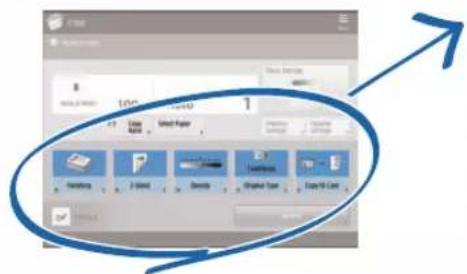
text_image
8 100 1 File Selection 1 View Close View View View View View View View View View View View View View View View View View View View View View View View View View View View View View View View View View View View View View View View View View View View View View View View View View View 100 100 100 100 100 100 100 100 100 100 100 100 100 100 100 100 100 100 100 100 100 100 100 100 100 105 105 105 105 105 105 105 105 105 105 105 105 105 105 105 105 105 105 105 105 105 105 105 105 1055 | Press (Start).
Non 1
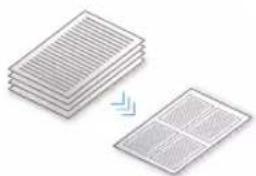
The N on 1 feature helps you save paper by combining multiple pages onto one single sheet of paper.
natural_image
Stacked sheets of paper with a separate grid-patterned sheet, no text or symbols presentDensity
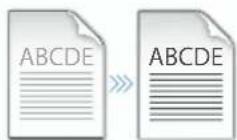
Adjust the text density to make hard to read documents (such as something written in pencil) easier to read.
Recommended Settings
2-Sided
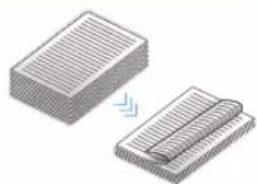
Halve the amount of paper you use by printing on both sides of copied paper.
natural_image
Two 3D isometric diagrams showing a rectangular block and a folded paper or sheet with a lightning bolt (no text or symbols)Copy Ratio
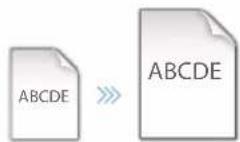
Use "Copy Ratio" when copying to magnify small text for easy reading.
Finishing (Collate)
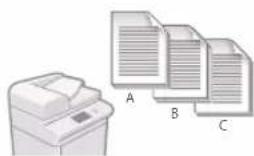
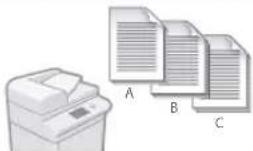
Output original documents in sets with the Collate mode, convenient for organizing big copy jobs.
natural_image
Illustration of a printer next to three stacked documents labeled A, B, and C (no text or symbols on the devices themselves)Original Type
Pick one of a variety of different original types when copying to optimize the settings for that original document.

natural_image
Illustration of an open book, a photo collage, and a magazine with city skyline (no text or symbols visible)For further information about the functions, see "A Variety of Features," on p.12.
Tips for Printing
Don't bother getting up! Specify print settings directly from your computer.

To print from a computer, first install the printer driver. For instructions on installing printer drivers, see the Printer Driver Installation Guide.

natural_image
Silhouette of a seated woman holding an object, against a solid pink background (no text or symbols)Basic Print Flow
1 | Select the print function from the application menu.
2 | Select the machine from [Select Printer].
3 | Select the paper source.
4 | Set your preferred setting.
text_image
New Delete Paste Delete Sub Paste Paste Copy Paste Copy Paste Copy Copy Paste Copy Copy Paste Copy Copy Paste Copy Copy Paste Copy Copy Paste Copy Copy Paste Copy Copy Paste Copy Copy Paste Copy Copy Paste Copy Copy Paste Copy Copy Paste Copy Copy Paste Copy Copy Paste Copy Copy Paste Copy Copy Paste Copy Copy Paste Copy Copy Paste Copy Copy Paste Copy Copy Paste Copy Copy Paste Copy Copy Paste Copy Copy Paste Copy Copy Paste Copy Copy Paste Copy Copy Paste copy copy copy copy copy copy copy copy copy copy copy copy copy copy copy copy copy copy copy copy copy copy copy copy copy copy copy copy copy copy copy copy copy copy copy copy copy copy copy copy copy copy copy copy copy copy copy copy copy copy copy copy copy copy copy copy copy copy copy copy copy copy copy copy copy copy copy copy copy copy copy copy copy copy copy copy copy copy copy copy copy copy copy copy copy copy copy copy copy copy copy copy copy copy copy copy copy copy copy copy New Delete Substack Copy Copy Delete Substack Copy Delete Substack Copy Delete Substack Copy Delete Substack Copy Delete Substack Copy Delete Substack Copy Delete Substack Copy Delete Substack Copy Delete Substack Copy Delete Substack Copy Delete Substack Copy Delete Substack Copy Delete Substack Copy Delete Substack Copy Delete Substack Copy Delete Substack Copy Delete Substack Copy Delete Substack Copy Delete Substack Copy Delete Substack Copy Delete SubStack Copy Delete SubStack Copy Delete SubStack Copy Delete SubStack Copy Delete SubStack Copy Delete SubStack Copy Delete SubStack Copy Delete SubStack Copy Delete SubStack Copy Delete SubStack Copy Delete SubStack Copy Delete SubStack Copy Delete SubStack Copy Delete SubStack Copy Delete SubStack Copy Delete SubStack Copy Delete SubStack Copy Delete SubStack Copy Delete SubStack Copy Delete SubStack Copy Delete Substack Copy Delete Substack Copy Delete Substack Copy Delete Substack Copy Delete Substack Copy Delete Substack Copy Delete Substack Copy Delete Substack Copy Delete Substack Copy Delete Substack Copy Delete Substack Copy Delete Substack Copy Delete Substack Copy Delete Substack Copy Delete Substack Copy Delete Substack Copy Delete Substack Copy Delete Substack Copy Delete Substack Copy Delete Subsumy Copy Delete Subsumy Copy Delete Subsumy Copy Delete Subsumy Copy Delete Subsumy Copy Delete Subsumy Copy Delete Subsumy Copy5 | Enter the number of copies, and press [Print].
Recommended Settings
2-Sided
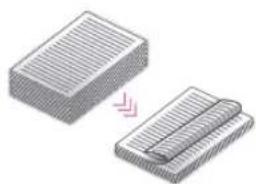
Two-sided printing can save paper, especially for those big copy jobs!
natural_image
Illustration of two stacked rectangular blocks with a pink arrow indicating transformation (no text or symbols)Page Layout
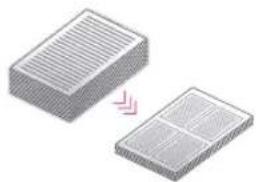
Significantly decrease the amount of paper you use by printing a total of four pages on a single sheet of paper.
natural_image
Two 3D rectangular blocks with internal patterns, one showing a pink arrow indicating transformation or alignment (no text or symbols)Finishing (Collate)
Use [Collate] when printing a large number of copies to sort them for easy distribution.
For further information about the functions, see "A Variety of Features," on p.12.
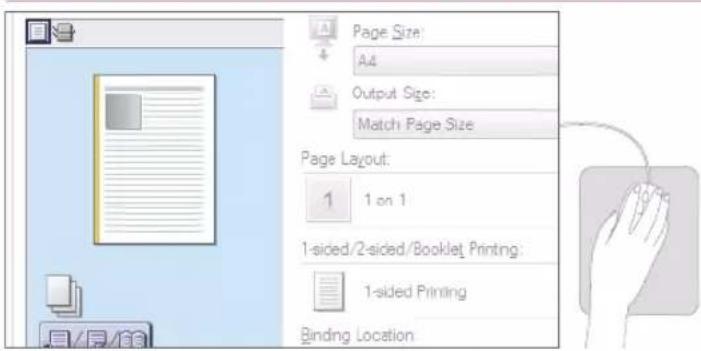
Change Print Settings with Just One Easy Click!
text_image
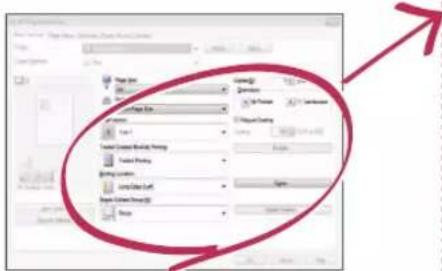
Page Size: A4 Output Size: Match Page Size Page Layout: 1 1 on 1 1-sided/2-sided/Booklet Printing: 1-sided Printing Binding LocationChange print settings, such as the page layout, by simply clicking the icon on the printer driver screen. The icon changes as you adjust the settings, so you can easily see your changes taking effect.

natural_image
Silhouette of a person standing against a green dotted background (no text or symbols)Tips for Faxing
Faxing is easy with these simple steps! Improve the clarity of your faxes by adjusting settings, such as density or resolution.
Basic Fax Flow
1 | Set the document.
2 | Press [Fax].
3 | Enter the fax number and press [OK].
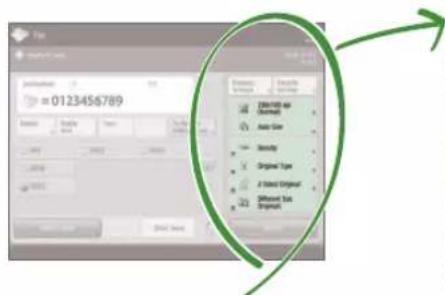
To send a fax to a registered address, press Address Book
4 | Set your preferred setting.
text_image
0123456789 Auto Size Auto Size Auto Size Auto Size Auto Size Auto Size Auto Size Auto Size Auto Size Auto Size Auto Size Auto Size Auto Size Auto Size Auto Size Auto Size Auto Size Auto Size Auto Size Auto Size Auto Size Auto Size Auto Size Auto Size Auto Size Auto Size Auto Size Auto Size Auto Size Auto Size Auto Size Auto Size Auto Size Auto Size5 | Press (Start) and once scanning is complete, press [Start Sending].
Recommended Settings
Resolution
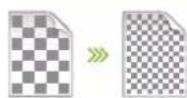
Improve text clarity by increasing the resolution of a document, when sending documents with small text.
Density

Increase the density of thin text when sending (such as text written in pencil) to make it easier to read.
Original Type
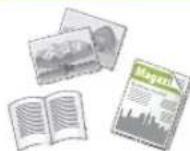
Pick one of a variety of different original types when faxing to optimize the settings for that original document.
For further information about the functions, see "A Variety of Features," on p.12.
Press the Button to Adjust the Fax Volume
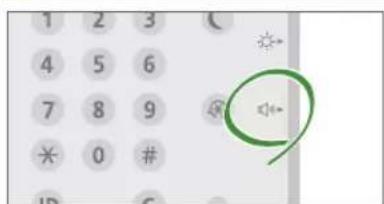
text_image
1 2 3 4 5 6 7 8 9 * 0 # ID CAdjust the volume when sending and receiving faxes by pressing on the control panel.
Previewing Received Faxes Before Printing
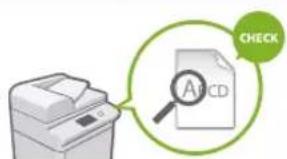
text_image
CHECK A1CDCheck received faxes before printing, letting you select which to print while saving paper.

See "Saving Received Documents in the Machine (Memory Reception)" in the User's Guide.
Tips for Scanning
Not enough space for storing mountains of paperwork? You can scan and store them as data on your computer.

natural_image
Silhouette of a person standing against a patterned background (no text or symbols)Basic Scan Flow
1 | Set the document.
2 | Press [Scan and Send].
3 | Press [New Destination] and enter the destination address.
To scan and send to a registered destination, press .
4 | Set your preferred setting.
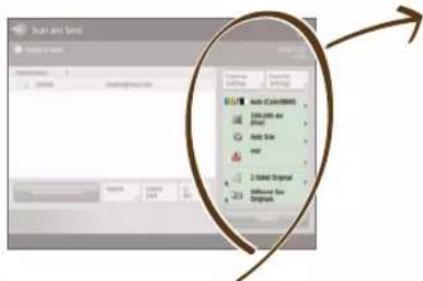
text_image
Scale and Sums Sums in 3x30s Auto Size Auto Size Auto Size Auto Size Auto Size Auto Size Auto Size Auto Size Auto Size Auto Size Auto Size Auto Size Auto Size Auto Size Auto Size Auto Size Auto Size Auto Size Auto Size Auto Size Auto Size Auto Size Auto Size Auto Size Auto Size Auto Size Auto Size Auto Size Auto Size Auto Size Auto Size Auto Size Auto Size Auto Size5 | Press (Start).
Recommended Settings
Resolution
You can adjust the resolution when scanning a magazine or picture to make the image more vivid and clear.
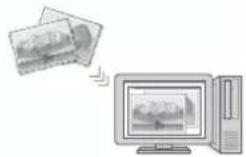
File Format
Save a scanned original document in the format that best suits your needs, such as contracts as PDFs or presentation materials as PowerPoint documents.
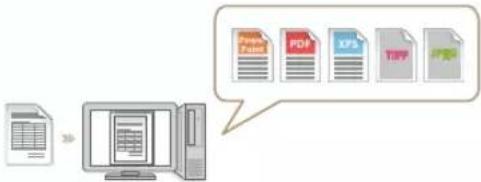
flowchart
graph LR
    A["File"] --> B["Computer"]
    B --> C["Output"]
    D["PDF Format"] --> E["PDF"]
    F["XPS"] --> G["XPS"]
    H["PDF"] --> I["PDF"]
For further information about the functions, see "A Variety of Features," on p.12.
Digitize Stacks of Paper Documents to Save Office Space
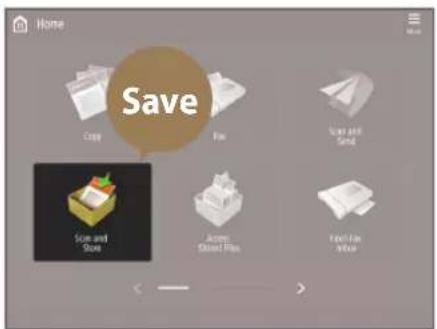
text_image
Home Save Copy File Size and Size Access Store Files Film View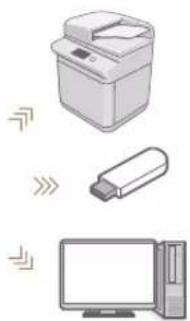
natural_image
Illustration of a printer, USB flash unit, and desktop computer (no text or symbols)Digitize your paper documents by selecting [Scan and Store] when scanning an original document. You can even choose a variety of different destinations to save the data, such as the machine or a file server.

See "Basic Operations for Scanning Originals" in the User's Guide.

natural_image
Silhouette of a walking person against a teal background (no text or symbols)Tips for Registering Destinations
Register destinations in the address book to make sending operation simple. Increase efficiency by using One-Touch Buttons for frequently used destinations!
Basic Flow for Registering Destinations
1 | Press [Dest./Fwd. Settings].
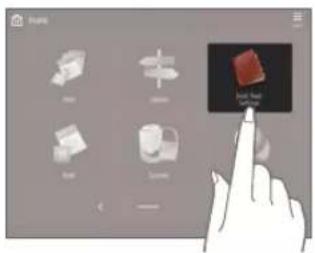
text_image
Screenshot of a 3D modeling software interface showing tool icons and a finger pointing to a red cube labeled 'Image Top'.2 | Press [Register Destinations].
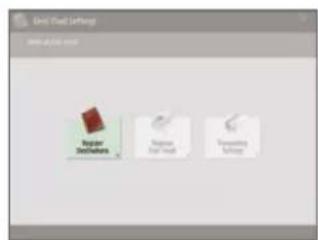
text_image
Grid Head Settings USE ACCESS URL Topset Definitions Regular Data Pack Previewing Software3 | Press [Register New Dest.].
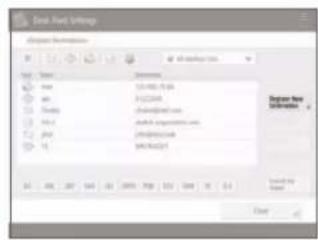
text_image
Send New Settings Options Settings File Edit View Insert Options Name: 12.000.00 Size: 3.000.00 Date: 2019-06-27 Date: 2019-06-27 Date: 2019-06-27 Date: 2019-06-27 Date: 2019-06-27 Date: 2019-06-27 Date: 2019-06-27 Date: 2019-06-27 Dated by Name: C#e4 | Select the type of destination.
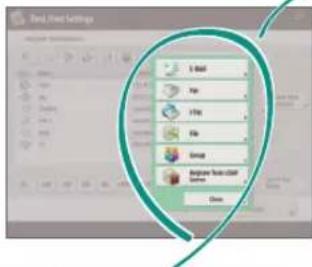
text_image
Send, New Settings X Mail Up Up File Group Beginner Touch Cutoff System Close5 | Enter the address and press [OK].
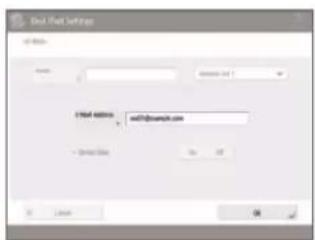
text_image
Del Mail Settings Name: Email: 1954-0888 mail@com.cn + Contact Site: No: 07 OK
natural_image
Illustration of a hand pointing at a control panel (no text or symbols)Select the Destination Type
Register e-mail addresses, fax numbers, even servers as destinations! Pick the destination type that is right for you.

E mail

Fax I-Fax



LDAP Server GroupFile


See "Registering Destinations" in the User's Guide.
Using [Group]
You can register multiple destinations to a single group.
![CANON imageRUNNER ADVANCE C475iZ III - Using [Group] - 1](/content/2026/04/666713/images/a654393f814aae8d452da2ab66f991837bf165b7280a98d862d994fbf4dca337.jpg)
text_image
Send documents to everyone in a meeting at once!Send Documents Easily With One-touch Buttons
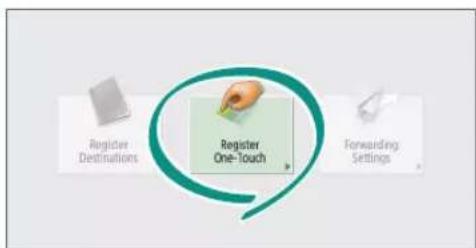
flowchart
graph TD
    A["Register Destinations"] --> B["Register One-Touch"]
    C["Forwarding Settings"] --> B
    B --> D["Next Step"]
Register an often used destination to a one-touch button with [Register One-Touch], and save time!
Easy Address Editing from Your Computer
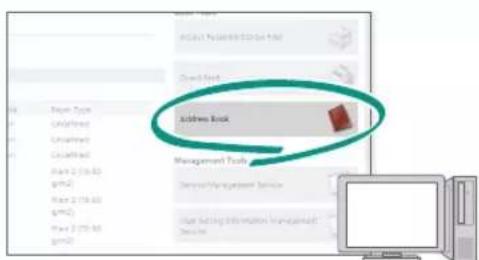
text_image
Address Book Management Tools User Setting Information Management ToolsYou can access the machine from your computer with the Remote UI, enabling you to edit addresses easily with the keyboard.

See "Registering Destinations" in the User's Guide.

See "Managing the Machine from a Computer (Remote UI)" in the User's Guide.

natural_image
Silhouette of a person in motion against a solid orange background (no text or symbols)And More! A Variety of Features
There are many more helpful features that are not mentioned in this guide. For details, see the User's Guide.
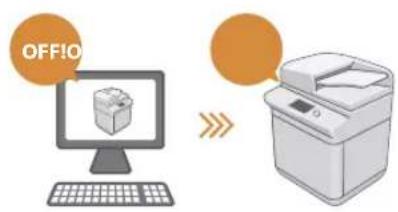
Change Machine Settings Remotely from Your Computer
text_image
OFFIOUse the "Remote UI" function to edit the address book, check consumable status, and more from your computer.

See "Managing the Machine from a Computer (Remote UI)" in the User's Guide.
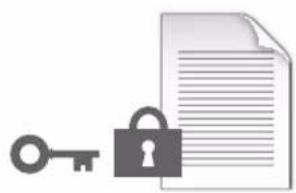
- Prevent Security Leaks with Document Security
natural_image
Illustration of a key, padlock, and document (no text or symbols)Password your documents with the Encrypted Secure Print mode. This feature is perfect for protecting important documents.

See "Advanced Functions for Printing" in the User's Guide.
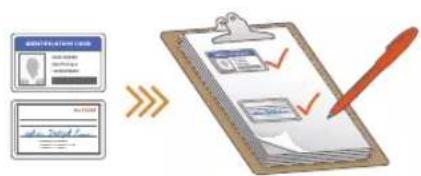
Print Two-Sided ID Cards on One Side of Paper
flowchart
graph LR
    A["Document Receipt"] --> B{Approval}
    B -->|Yes| C["Document Review"]
    B -->|No| D["Document Exit"]
    C --> E["Document Approval"]
    E --> F["Document Revision"]
    F --> G["Document Exit"]
    G --> H["Document Review"]
    H --> I["Document Review"]
    I --> J["Document Review"]
    J --> K["Document Review"]
    K --> L["Document Review"]
    L --> M["Document Review"]
    M --> N["Document Review"]
    N --> O["Document Review"]
    O --> P["Document Review"]
    P --> Q["Document Review"]
    Q --> R["Document Review"]
    R --> S["Document Review"]
    S --> T["Document Review"]
    T --> U["Document Review"]
    U --> V["Document Review"]
    V --> W["Document Review"]
    W --> X["Document Review"]
    X --> Y["Document Review"]
    Y --> Z["Document Review"]
Check IDs easily by copying both sides of an ID and printing them to a single piece of paper with [Copy ID Card].

See "Making ID Card Copies" in the User's Guide.
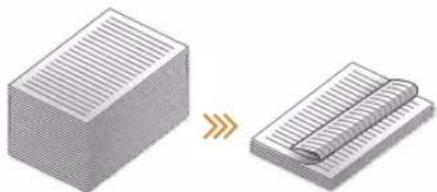
Advanced Paper Saving Options
natural_image
Two 3D diagrams showing a block being twisted and then curled, with no text or symbols present.Print up to an incredible 8 pages of original documents on a single sheet of paper with [2-Sided] and [N on 1].

See "Copying" in the User's Guide.
natural_image
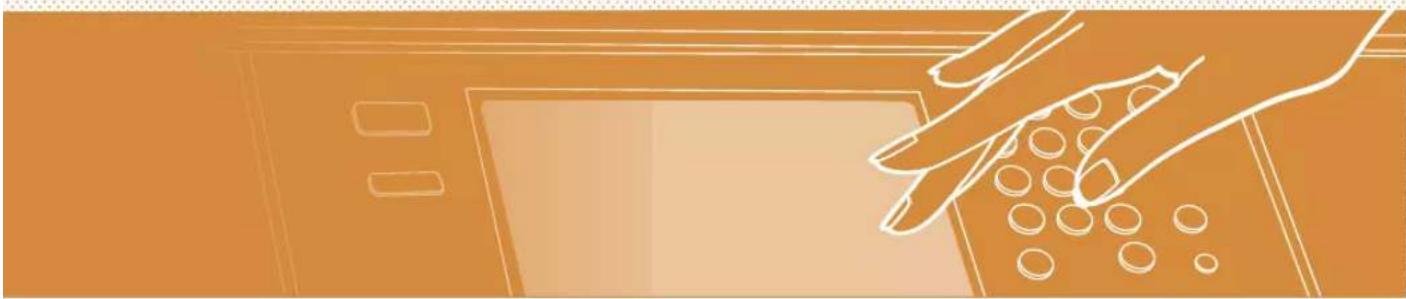
Illustration of a hand pressing down on a device with circular holes (no text or symbols)One-touch Settings
flowchart
graph TD
    A["Receipt"] --> B["Printer"]
    B --> C["PDF"]
    C --> D["e-mail"]
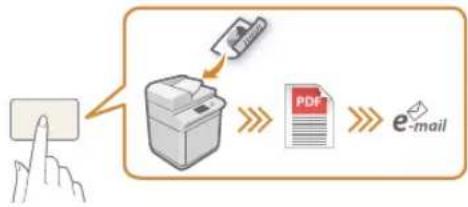
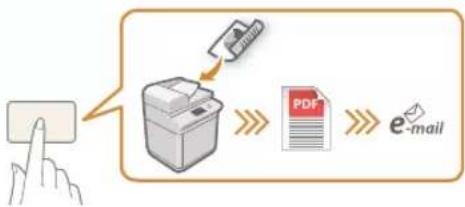
Register often used combinations of settings to "Quick Menu" to efficiently use them with a single button.

See "Customizing the Touch Panel Display" in the User's Guide.
Guide
natural_image
Silhouette of a person in profile against a dotted background (no text or symbols)natural_image
Illustration of a printer and a hand interacting with a circular button (no text or symbols)natural_image
Abstract diagram with geometric shapes and colored circles (no text or symbols)natural_image
Red line drawing of a computer with control panel and buttons (no text or symbols)natural_image
Illustration of a kitchen appliance with a window and leaf design (no text or symbols)Types de documents originaux compatibles
Livres, magazines

Cartes
de visite

Coupures
de presse
natural_image
Illustration of a printer with a yellow flower inside, showing paper barcode and alignment arrows (no text or symbols)Types de documents originaux compatibles
natural_image
Silhouette of a person in profile against a dotted background (no text or symbols)Astuces pour copier
text_image
Screenshot of a legacy software interface showing a toolbar with icons and a blue upward arrow, likely indicating a search or navigation section.natural_image
Stacked sheets of paper with a separate grid-like structure, no text or symbols presentDensité
natural_image
Illustration of two stacked rectangular sheets with striped patterns, one being folded and the other tilted (no text or symbols)natural_image
Illustration of a printer and three stacked documents labeled A, B, C (no text or symbols on the devices themselves)Type d'original
natural_image
Illustration of three open and two photographs, one open and one with a city skyline, next to a Magazik newspaper (no text or symbols on the covers)natural_image
Silhouette of a seated woman holding an object, against a pink dotted background (no text or symbols)natural_image
Illustration of two stacked rectangular blocks with striped patterns, one being cut with a pink arrow (no text or symbols)Mise en page
natural_image
Two 3D rectangular blocks with internal grid patterns, one with a pink arrow indicating transformation (no text or symbols)natural_image
Illustration of a printer and three stacked documents labeled A, B, C (no text or symbols on the devices themselves)
natural_image
Silhouette of a person standing against a green dotted background (no text or symbols)Astuces pour le fax
text_image
0123456789 [SWED] bus [Swed] [Swed] [Swed] [Swed] [Swed] [Swed] [Swed] [Swed] [Swed] [Swed] [Swed] [Swed] [Swed] [Swed] [Swed] [Swed] [Swed] [Swed] [Swed] [Swed] [Swed] [Swed] [Swed] [Swed] [Swed] [Swed]natural_image
Silhouette of a person standing against a patterned background (no text or symbols)text_image
Add Delete Formed Auto Add Delete Formed Auto Add Delete Formed Autonatural_image
Illustration of three electronic devices: a printer, a USB flash unit, and a desktop computer (no text or symbols)natural_image
Silhouette of a walking human figure against a teal background (no text or symbols)text_image
Screenshot of a software interface showing a hand interacting with a 3D object labeled 'BUTTER' and a black square icon.text_image
Independent Friend Name: Independent & Copy Member for Redbubble Remove 1 Store Save As Opentext_image
Engagement Head X-648 File Watch Settings Settings Object system LRF Detailsnatural_image
Illustration of a hand pressing a button on a device (no text or symbols visible)
natural_image
Silhouette of a person standing against a solid orange background (no text or symbols)text_image
HDRS TENSION L HORS TENSION Lnatural_image
Illustration of a key, lock, and document (no text or symbols)text_image
Diagram illustrating document processing workflow with clipboard, checklist, and signature checkmarknatural_image
Diagram showing a 3D block being converted to a rolled-up sheet of paper (no text or symbols present)natural_image
Illustration of a hand pressing down on a device with circular holes (no text or symbols)Réglages 1 touche
flowchart
graph LR
    A["Receipt"] --> B["Printer"]
    B --> C["PDF"]
    C --> D["e-mail"]
natural_image
Silhouette of a person in profile against a dotted background (no text or symbols)natural_image
Illustration of a printer and a hand interacting with a circular button (no text or symbols)natural_image
Abstract geometric shapes including a yellow rectangle, a green circle with a warning symbol, and a pink triangle (no text or labels)natural_image
Red line drawing of a computer with control panel and buttons (no text or symbols)natural_image
Illustration of a kitchen appliance with a window and fan (no text or symbols)natural_image
Illustration of a printer with a yellow flower inside, showing paper cutting through it (no text or symbols)Kompatible
Originaldokumenttypen
natural_image
Silhouette of a person in profile against a dotted background (no text or symbols)natural_image
Two stacked document sheets with a blue arrow indicating transformation or alignment (no text or symbols)Dichte
natural_image
Illustration of two stacked documents with a magnified view of the next document (no text or symbols visible)Kopierfaktor
Verwenden Sie beim
Kopieren den
"Kopierfaktor", um
kleinen Text zwecks
natural_image
Illustration of a printer and three overlapping document sheets labeled A, B, C (no text or symbols on the devices themselves)Originaltyp
natural_image
Illustration of three open and two photographs, one showing a photo and another with a city skyline, both without any visible text or symbols.natural_image
Silhouette of a person sitting on a chair, holding an object, against a pink background (no text or symbols)text_image
Import Export Export to Export Export to Export Export to Export Export to Export Export to Export Export to Export Export to Export Export to Export Export to Export Export to Export Export to Export Export to Export Export to Export Export to Export Export to Export Export to Export Export to Export Export to Export Export to Export Export to Export Export to Export Export to Export Export to Export Export to Export Export to Export Export to Transport Export to Transport Export to Transport Export to Transport Export to Transport Export to Transport Export to Transport Export to Transport Export to Transport Export to Transport Export to Transport Export to Transport Export to Transport Export to Transport Export to Transport Export to Transport Export to Transport Export to Transport Export to Transport Export to Transport Export to Transport Export to Transport Export to Transport Export to Transport Export to Transport Export to Transportation Export to Transport Export to Transport Export to Transport Export to Transport Export to Transport Export to Transport Export to Transport Export to Transport Export to Transport Export to Transport Export to Transport Export to Transport Export to Transport Export to Transport Export to Transport Export to Transport Export to Transport Export to Transport Export to Transport Export to Transport Export to Transport Export to Transport Export to Transport Export to Transport Export to Productnatural_image
Illustration of two 3D rectangular blocks with striped patterns, one being cut with a pink arrow (no text or symbols)Seitenlayout
natural_image
Two 3D rectangular blocks with internal grating, one with a pink arrow indicating transformation (no text or symbols)natural_image
Silhouette of a person standing against a green dotted background (no text or symbols)Tipps für das Faxen
natural_image
Silhouette of a person standing against a dotted background (no text or symbols)text_image
Summer and winter Add Channels Add 200 Age Add Portal Add Supporting Global Online Book Global Addnatural_image
Illustration of three electronic devices: printer, USB flash unit, and desktop computer (no text or symbols)natural_image
Silhouette of a walking person against a teal background (no text or symbols)text_image
Screenshot of a software interface showing 3D modeling icons with a hand pointing to a highlighted red cube, likely indicating a feature or action.text_image
Endogenous software Existing software Existing software New Buildingtext_image
Unabhängige World Global currency Index Value Currency Currency Currency Currency Currency Currency Currency Currency Currency Currency Currency Currency Currency Currency Currency Currency Currency Currency Currency Currency Currency Currency Currency Currency Currency Currency Currency Currency Currency Currency Currency Currency Currency Currency Currency Currency Currency Currency Currency Currency Currency Currency Currency Currency Currency Currency Currency Currency Currency Currency Currencynatural_image
Illustration of a hand pointing at a computer monitor (no text or symbols visible)natural_image
Silhouette of a person in motion against a solid orange background (no text or symbols)natural_image
Illustration of a key, padlock, and document (no text or symbols)natural_image
Two 3D diagrams showing a rectangular block and a folded paper sheet, with no text or symbols present.natural_image
Illustration of a hand pressing down on a device with circular components (no text or symbols)natural_image
Silhouette of a person standing against a red background with dotted pattern (no text or symbols)natural_image
Illustration of a printer and a hand interacting with a circular button (no text or symbols)natural_image
Abstract diagram with geometric shapes and colors (no text or symbols)natural_image
Red line drawing of a computer with control panel and buttons (no text or symbols)natural_image
Illustration of a kitchen appliance with a window and fan (no text or symbols)natural_image
Illustration of a printer with a yellow flower inside, showing paper barcode and alignment arrows (no text or symbols)natural_image
Silhouette of a person in profile against a blue dotted background (no text or symbols)natural_image
Stacked document sheets and a separate open book with a blue arrow indicating transformation (no text or symbols)Densità
natural_image
Illustration of two stacked documents with a folded paper, no text or symbols presentnatural_image
Illustration of a printer and three stacked documents labeled A, B, C (no text or symbols on the devices themselves)Tipo di originale
natural_image
Illustration of a newspaper with magazines and photos (no visible text or symbols)natural_image
Silhouette of a person sitting in a chair, holding an object (no text or symbols visible)natural_image
Silhouette of a person standing against a green dotted background (no text or symbols)Consigli per il fax
natural_image
Silhouette of a person standing against a dotted background (no text or symbols)text_image
Sapiere x Info Options Save As/Down Add As/Down Delete As/Down Add As/Down Delete As/Down Add As/Down Delete As/Down Add As/Downnatural_image
Illustration of a printer, USB flash unit, and desktop computer (no text or symbols)natural_image
Silhouette of a walking person against a solid teal background (no text or symbols)text_image
Expression Expression Expression copy additionaltext_image
Test Improve results Name: Test Improve Results File Edit View Insert Tools Help View View Insert Tools Help View View Insert Tools Help Sub-name Update 1 Sub-name Update 2 Sub-name Update 3 Sub-name Update 4 Sub-name Update 5 Sub-name Update 6 Sub-name Update 7 Sub-name Update 8 Sub-name Update 9 Sub-name Update 10 Sub-name Update 11 Sub-name Update 12 Sub-name Update 13 Sub-name Update 14 Sub-name Update 15 Sub-name Update 16 Sub-name Update 17 Sub-name Update 18 Sub-name Update 19 Sub-name Update 20 Sub-name Update 21 Sub-name Update 22 Sub-name Update 23 Sub-name Update 24 Sub-name Update 25 Sub-name Update 26 Sub-name Update 27 Sub-name Update 28 Sub-name Update 29 Sub-name Update 30 Sub-name Update 31 Sub-name Update 32 Sub-name Update 33 Sub-name Update 34 Sub-name Update 35 Sub-name Update 36 Sub-name Update 37 Sub-name Update 38 Sub-name Update 39 Sub-name Update 40 Sub-name Update 41 Sub-name Update 42 Sub-name Update 43 Sub-name Update 44 Sub-name Update 45 Sub-name Update 46 Sub-name Update 47 Sub-name Update 48 Sub-name Update 49 Sub-name Update 50 Sub-name Update 51 Sub-name Update 52 Sub-name Update 53 Sub-name Update 54 Sub-name Update 55 Sub-name Update 56 Sub-name Update 57 Sub-name Update 58 Sub-name Update 59 Sub-name Update 60 Sub-name Update 61 Sub-name Update 62 Sub-name Update 63 Sub-name Update 64 Sub-name Update 65 Sub-name Update 66 Sub-name Update 67 Sub-name Update 68 Sub-name Update 69 Sub-name Update 70 Sub-name Update 71 Sub-name Update 72 Sub-name Update 73 Sub-name Update 74 Sub-name Update 75 Sub-name Update 76 Sub-name Update 77 Sub-name Update 78 Sub-name Update 79 Sub-name Update 80 Sub-name Update 81 Sub-name Update 82 Sub-name Update 83 Sub-name Update 84 Sub-name Update 85 Sub-name Update 86 Sub-name Update 87 Sub-name Update 88 Sub-name Update 89 Sub-name Update 90 Sub-name Update 91 Sub-name Update 92 Sub-name Update 93 Sub-name Update 94 Sub-name Update 95 Sub-name Update 96 Sub-name Update 97 Sub-name Update 98 Sub-name Update 99 Sub-name Update 100text_image
Text Version author Name: Add to: Add to: Add to: Add to: Add to: Add to: Add to: Add to: Add to: Add to: Add to: Add to: Add to: Add to: Add to: Add to: Add to: Add to: Add to: Add to: Add to: Add to: Add to: Add to: Add to: Add to: Add to: Edit Add to: Add to: Add to: Add to: Add to: Add to: Add to: Add to: Add to: Add to: Add to: Add to: Add to: Add to: Add to: Add to: Add to: Add to: Add to: Add to: Add to: Add to: Add to: Add to: Add to: Add to: Add to: Add to: Add to: Add to: Add to: Add to: Add to: Add to: All 确定 取消
natural_image
Illustration of a hand pointing at a computer monitor (no text or symbols visible)text_image
Subsea Microsoft of porters Software Management Service User listing information managers Databasenatural_image
Silhouette of a person standing against a solid orange background (no text or symbols)E altro ancora!
natural_image
Illustration of a key, lock, and document (no text or symbols)natural_image
Two 3D block diagrams showing a striped surface and a rolled-up sheet, with no text or symbols present.natural_image
Illustration of a hand pressing down on a device with circular components (no text or symbols)natural_image
Silhouette of a person in profile against a red dotted background (no text or symbols)Cómo usar el equipo
natural_image
Illustration of a printer and a hand interacting with a circular button (no text or symbols)natural_image
Abstract diagram with geometric shapes and colored circles (no text or symbols)natural_image
Red line drawing of a computer with control panel and buttons (no text or symbols)Dos métodos para colocar documentos originales
natural_image
Illustration of a kitchen appliance with a window and leaf design (no text or symbols)natural_image
Illustration of a printer with a yellow flower inside and a barcode on top (no text or symbols)natural_image
Silhouette of a person in profile against a blue dotted background (no text or symbols)natural_image
Two stacked document sheets with a blue arrow indicating a transformation or alignment (no text or symbols present)Densidad
natural_image
Illustration of two stacked rectangular sheets with horizontal lines, one with a curved arrow indicating rotation (no text or symbols)Escala de copia
natural_image
Illustration of a printer and three stacked documents labeled A, B, C (no text or symbols on the devices themselves)Tipo original
natural_image
Illustration of an open book, a photo collage, and a magazine with city skyline (no text or symbols visible)natural_image
Silhouette of a person sitting on a chair, holding an object (no text or symbols visible)text_image
Delete Add Delete Add Delete Delete Delete Delete Delete Delete Delete Delete Delete Delete Delete Delete Delete Delete Delete Delete Delete Delete Delete Delete Delete Delete Delete Delete Delete Delete Delete Delete Delete Delete Delete Delete Delete Delete Delete Delete Delete Delete Delete Delete Delete Delete Delete Delete Delete Delete Delete Delete Delete Delete Decrease Decrease Decrease Decrease Decrease Decrease Decrease Decrease Decrease Decrease Decrease Decrease Decrease Decrease Decrease Decrease Decrease Decreasenatural_image
Illustration of two stacked paper sheets with a pink arrow indicating transformation (no text or symbols)Diseño de página
natural_image
Two 3D rectangular blocks with internal patterns, one showing a pink arrow indicating transformation (no text or symbols)Acabado (Clasificar)
natural_image
Illustration of a printer and three stacked documents labeled A, B, C (no text or symbols on the devices themselves)natural_image
Silhouette of a person standing against a green dotted background (no text or symbols)text_image
Tax 0123456789 Income Revenue Sales EBITDA EBITDA per share (USD/Share) Earnings per share Download Pay to share Income Original tax Other tax Other income Other income per share (£0.0000)text_image
REVISAR AICDnatural_image
Silhouette of a person standing against a textured background (no text or symbols)natural_image
Illustration of a printer, USB flash unit, and desktop computer (no text or symbols)natural_image
Silhouette of a walking person against a teal background (no text or symbols)text_image
Solder Egypt Solder Egypt - Egypt Solder Egypt - Egypt3 | Pulse [Guardar nuevo dest.].
text_image
Socamidus.com Normal Edition File Edit View Help Name: Normal File Edit View Help Name: Normal File Edit View Help Name: Normal File Edit View Help Name: Normal File Edit View Help Name: Normal File Edit View Help Name: Normal File Edit View Help Name: Normal File Edit View Help Name: Normal File Edit View Help Name: Normal File Edit View Help Name: Normal File Edit View Help Name: Normal File Edit View Help Name: Normaltext_image
Microsoft Teams File File Action Delete the Service (1) Closetext_image
Downloaded Name File name: Name: http://www.123.com Send to: + Download Cancel Analog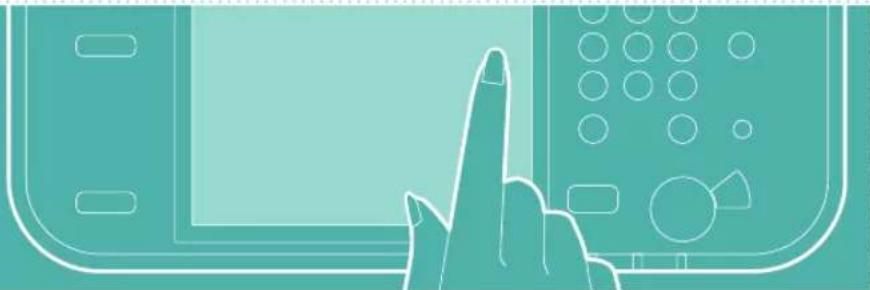
natural_image
Illustration of a hand pointing at a computer monitor (no text or symbols visible)
natural_image
Silhouette of a person in motion against a solid orange background (no text or symbols)¡Y mucho más!
natural_image
Illustration of a key, lock, and document (no text or symbols)natural_image
Diagram showing a 3D block being converted into a rolled-up sheet (no text or symbols present)natural_image
Illustration of a hand pressing down on a device with circular components (no text or symbols)30-2, Shimomaruko 3-chome, Ohta-ku, Tokyo 146-8501, Japan
CANON U.S.A., INC.
One Canon Park, Melville, NY 11747, U.S.A.
CANON CANADA INC.
8000 Mississauga Road Brampton ON L6Y 5Z7, Canada
CANON EUROPA N.V.
Bovenkerkerweg 59, 1185 XB Amstelveen, The Netherlands
(See http://www.canon-europe.com/ for details on your regional dealer)
CANON AUSTRALIA PTY. LTD
Building A, The Park Estate, 5 Talavera Road, Macquarie Park, NSW 2113, Australia
CANON CHINA CO., LTD
2F Jinbao Building No.89 Jinbao Street, Dongcheng District, Beijing 100005, China
CANON SINGAPORE PTE. LTD.
1 Fusionopolis Place, #15-10, Galaxis, Singapore 138522
