imageRUNNER ADVANCE C7570i - Printer CANON - Free user manual and instructions
Find the device manual for free imageRUNNER ADVANCE C7570i CANON in PDF.


User questions about imageRUNNER ADVANCE C7570i CANON
0 question about this device. Answer the ones you know or ask your own.
Ask a new question about this device
Download the instructions for your Printer in PDF format for free! Find your manual imageRUNNER ADVANCE C7570i - CANON and take your electronic device back in hand. On this page are published all the documents necessary for the use of your device. imageRUNNER ADVANCE C7570i by CANON.
USER MANUAL imageRUNNER ADVANCE C7570i CANON
text_image
Quick Operation Guide| English 3 |
| Français 15 |
| Deutsch 27 |
| Italiano 39 |
| Español 51 |
Quick
Operation Guide
Learning How to Use Your Machine 4
Tips for Copying 6
Tips for Printing 7
Tips for Faxing 8
Tips for Scanning 9
Tips for Registering Destinations 10


You can access canon.com/oip-manual to read the User's Guide that describes all functions of this machine.
Store this guide in a safe place for future reference.
Some functions may not be available, depending on the model of the machine you are using.
The information in this document is subject to change without notice.
If your machine is of the model dedicated to printing only
The machine dedicated to printing only cannot be used for any other functions than printing. Although this Guide contains the descriptions of the functions and operations for copying, faxing, and scanning as well as printing, please read only the necessary descriptions to use your machine.
natural_image
Silhouette of a person in profile with red outline, no text or symbols visibleLearning How to Use Your Machin
This section contains a brief overview of the basic operations of your machine.
Turning On the Display
natural_image
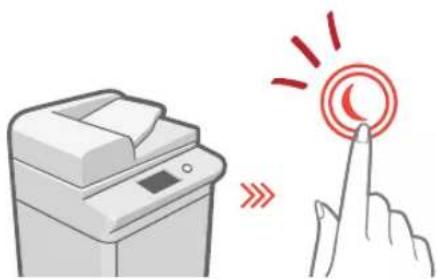
Illustration of a printer emitting a circular button with red arrows, next to a hand pointing at it (no text or symbols present)When the display is turned off, press the Ⓞ button on the control panel to exit the Sleep mode and turn it back on.
The Main Buttons for Operations
natural_image
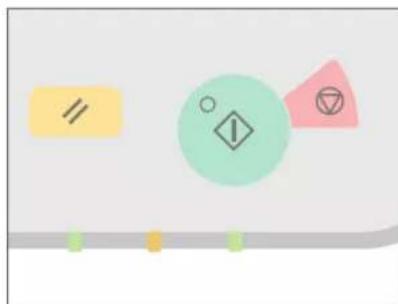
Abstract geometric shapes including a yellow rectangle, a green circle with an exclamation mark, and a pink triangle with a symbol (no text or labels)Press ☐ execute functions, to ▶ cancel operations, and ☐ to clear the current settings.
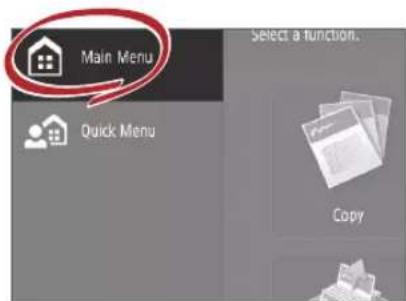
- Accessing the Main Menu
text_image
Main Menu Quick Menu Select a function. CopyPerform a wide variety of operations from the Main Menu, displayed from any screen by pressing 📄
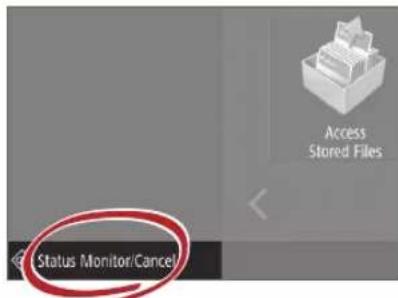
- Quickly Checking the Status of Machine
text_image
Access Stored Files Status Monitor/CancelAll you need to do to check the machine's status is press Status Monitor/Canal

See "Control Panel" in the User's Guide.

natural_image
Red line drawing of a stylized electronic device with buttons and a screen (no text or symbols)Two Methods for Setting Original Documents
Placing Original Documents Correctly
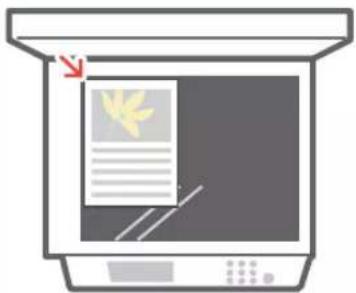
Placing Original Documents on the Platen Glass
- Place the side to scan face down.
- Place the original documents so that it fits in the back left corner.
natural_image
Illustration of a computer monitor with a paper feed and a yellow leaf icon, no text or symbols presentCompatible Types of Original Documents
Books, magazines
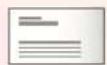
Business cards

Newspaper clippings
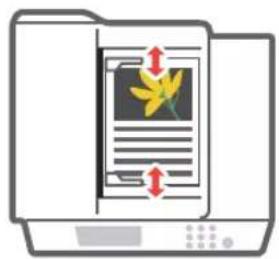
Placing Original Documents in the Feeder
- Place the side to scan face up.
- Adjust the slide guide.
text_image
Diagram showing a folder with a document and a flower graphic, indicating file orientation or text orientation.Compatible Types of Original Documents
Documents with many pages, quotations, etc.

natural_image
Silhouette of a person in profile, no text or symbols visibleTips for Copying
Use helpful functions, such as two-sided printing and N on 1 feature, to make your copies look better while using paper efficiently.
Basic Copy Flow
1 | Set the document.
2 | Press [Copy].
3 | Enter the number of copies.
4 | Set your preferred setting.
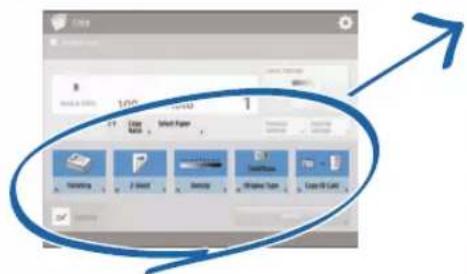
text_image
Screenshot of a software interface showing a toolbar with icons and a blue upward arrow, likely indicating a process or progress.5 | Press (Start).
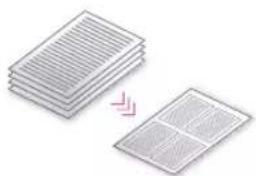
Non 1
The N on 1 feature helps you save paper by combining multiple pages onto one single sheet of paper.
natural_image
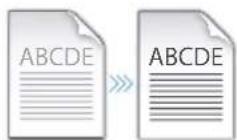
Stacked sheets of paper with a magnified inset showing two different patterns (no text or symbols)Density
Adjust the text density to make hard to read documents (such as something written in pencil) easier to read.
Recommended Settings
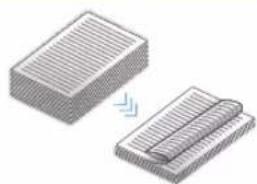
2-Sided
Halve the amount of paper you use by printing on both sides of copied paper.
natural_image
Two 3D isometric diagrams showing a rectangular block and a folded paper or sheet with a lightning bolt (no text or symbols)Copy Ratio
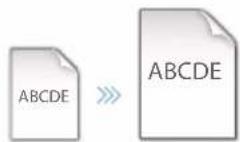
Use "Copy Ratio" when copying to magnify small text for easy reading.
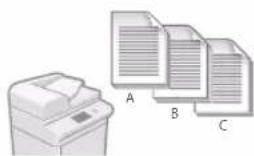
Finishing (Collate)
Output original documents in sets with the Collate mode, convenient for organizing big copy jobs.
natural_image
Illustration of a printer and three document sheets labeled A, B, C (no text or symbols on the devices themselves)Original Type
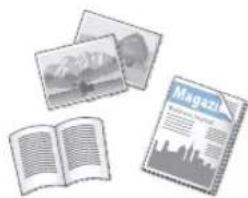
Pick one of a variety of different original types when copying to optimize the settings for that original document.
natural_image
Illustration of three open books and a magazine with city skyline (no text or symbols visible)For further information about the functions, see "A Variety of Features," on p.12.
Tips for Printing
Don't bother getting up! Specify print settings directly from your computer.

To print from a computer, first install the printer driver. For instructions on installing printer drivers, see the Printer Driver Installation Guide.

natural_image
Silhouette of a seated person reading a book, rendered in white on pink background (no text or symbols)Basic Print Flow
1 | Select the print function from the application menu.
2 | Select the machine from [Select Printer].
3 | Select the paper source.
4 | Set your preferred setting.
text_image
Map Size Source Image Source Image Map Source Image Source Image Source Image Source Image Source Image Source Image Source Image Source Image Source Image Source Image Source Image Source Image Source Image Source Image Source Image Source Image Source Image Source Image Source Image Source Image Source Image Source Image Source Image Source Image Source Image Source Image Source Image Source Image Source Image Source Image Source Image Source Image Source Image Source Image5 | Enter the number of copies, and press [Print].
Recommended Settings
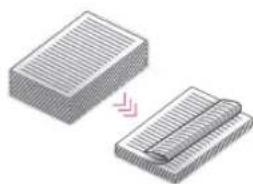
2-Sided
Two-sided printing can save paper, especially for those big copy jobs!
natural_image
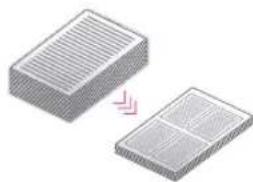
Illustration of two stacked documents with a pink arrow indicating transformation (no text or symbols)Page Layout
Significantly decrease the amount of paper you use by printing a total of four pages on a single sheet of paper.
natural_image
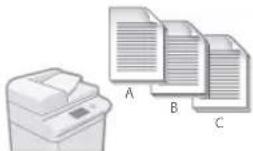
Two 3D rectangular blocks with internal patterns, one showing a pink arrow indicating transformation or alignment (no text or symbols)Finishing (Collate)
Use [Collate] when printing a large number of copies to sort them for easy distribution.
For further information about the functions, see "A Variety of Features," on p.12.
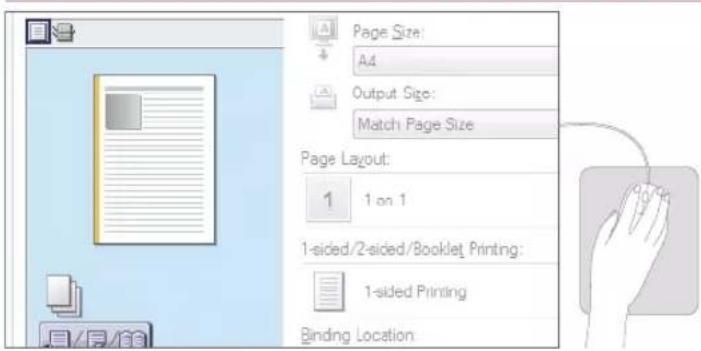
Change Print Settings with Just One Easy Click!
text_image
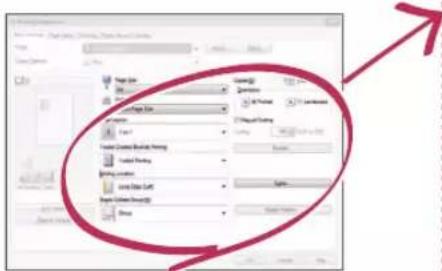
Page Size: A4 Output Size: Match Page Size Page Layout: 1 1 on 1 1-sided/2-sided/Booklet Printing: 1-sided Printing Binding LocationChange print settings, such as the page layout, by simply clicking the icon on the printer driver screen. The icon changes as you adjust the settings, so you can easily see your changes taking effect.

natural_image
Silhouette of a person standing against a green background (no text or symbols)Tips for Faxing
Faxing is easy with these simple steps! Improve the clarity of your faxes by adjusting settings, such as density or resolution.
Basic Fax Flow
1 | Set the document.
2 | Press [Fax].
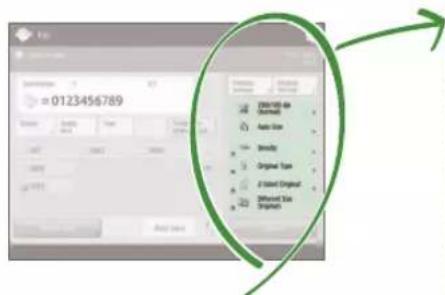
3 | Enter the fax number and press [OK].
To send a fax to a registered address, press Address Book
4 | Set your preferred setting.
text_image
0123456789 DINJET DE Oursuit Auto Size Brandy Original Type E-Object Object Different Use Object5 | Press (Start) and once scanning is complete, press [Start Sending].
Recommended Settings
Resolution
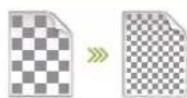
Improve text clarity by increasing the resolution of a document, when sending documents with small text.
Density

Increase the density of thin text when sending (such as text written in pencil) to make it easier to read.
Original Type
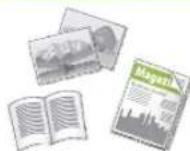
Pick one of a variety of different original types when faxing to optimize the settings for that original document.
For further information about the functions, see "A Variety of Features," on p.12.
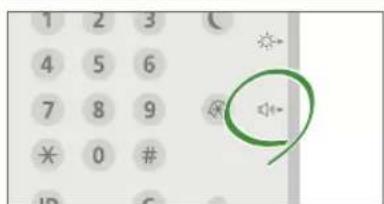
Press the Button to Adjust the Fax Volume
text_image
1 2 3 4 5 6 7 8 9 * 0 # ID CAdjust the volume when sending and receiving faxes by pressing on the control panel.
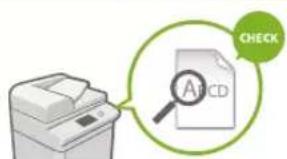
Previewing Received Faxes Before Printing
text_image
CHECK A1CDCheck received faxes before printing, letting you select which to print while saving paper.

See "Saving Received Documents in the Machine (Memory Reception)" in the User's Guide.
Tips for Scanning
Not enough space for storing mountains of paperwork? You can scan and store them as data on your computer.

natural_image
Silhouette of a person standing with hands on hips, wearing a brown top (no text or symbols)Basic Scan Flow
1 | Set the document.
2 | Press [Scan and Send].
3 | Press [New Destination] and enter the destination address.
To scan and send to a registered destination, press .
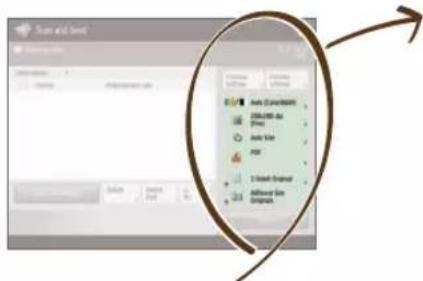
4 | Set your preferred setting.
text_image
Start and end Auto (Current) Auto Type Adder Size Adder Type Adder Size Adder Type Adder Size Adder Type Adder Size Adder Type Adder Size Adder Type Adder Size Adder Type Adder Size Adder Type Adder Size Adder Type Adder Size Adder Type Adder Size Adder Type Adder Size Adder Type Adder Size Adder Type Adder Size Adder Type Adden Size Adden Size Adden Size Adden Size Adden Size Adden Size Adden Size Adden Size Adden Size Adden Size Adden Size Adden Size Adden Size Adden Size Adden Size Adden Size Adden Size Adden Size Adden Size Adden Size Adden Size Adden Size Adden Size Adden Size Adden Size Adden Sides Adden Sides Adden Sides Adden Sides Adden Sides Adden Sides Adden Sides Adden Sides Adden Sides Adden Sides Adden Sides Adden Sides Adden Sides Adden Sides Adden Sides Adden Sides Adden Sides Adden Sides Adden Sides Adden Sides Adden Siles Adden Siles Adden Siles Adden Siles Adden Siles Adden Siles Adden Siles Adden Siles Adden Siles Adden Siles Adden Siles Adden Siles Adden Siles Adden Siles Adden Siles Adden Siles Adden Siles Adden Siles Adden Siles Adden Siles Adden Sile Adden Sile Adden Sile Adden Sile Adden Sile Adden Sile Adden Sile Adden Sile Adden Sile Adden Sile Adden Sile5 | Press (Start).
Recommended Settings
Resolution
You can adjust the resolution when scanning a magazine or picture to make the image more vivid and clear.
Different Size Originals
Scan a variety of different document sizes in one simple operation.
File Format
Save a scanned original document in the format that best suits your needs, such as contracts as PDFs or presentation materials as PowerPoint documents.

flowchart
graph LR
    A["Input Document"] --> B["Processing"]
    B --> C["Output Text"]
    C --> D["Print Copy"]
    C --> E["PDF"]
    C --> F["XPS"]
    C --> G["TMP"]
    C --> H["GPS"]
For further information about the functions, see "A Variety of Features," on p.12.
Digitize Stacks of Paper Documents to Save Office Space
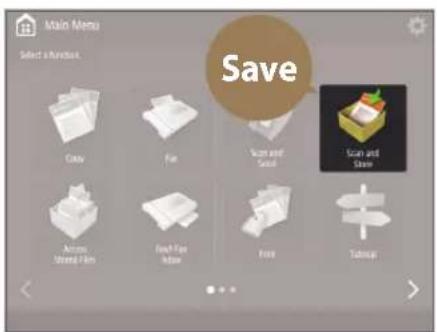
text_image
Main Menu Select a function. Save Cable Fiat Scan and Save Scan and Save Across United Film Face Fox Inside Free Tobacco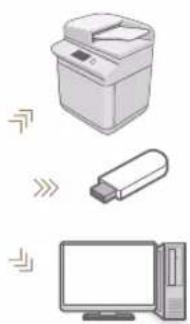
natural_image
Illustration of a printer, USB flash unit, and desktop computer (no text or symbols)Digitize your paper documents by selecting [Scan and Store] when scanning an original document. You can even choose a variety of different destinations to save the data, such as the machine or a file server.

See "Basic Operations for Scanning Originals" in the User's Guide.

natural_image
Silhouette of a human figure in walking pose against a teal background (no text or symbols)Tips for Registering Destinations
Register destinations in the address book to make sending operation simple. Increase efficiency by using One-Touch Buttons for frequently used destinations!
Basic Flow for Registering Destinations
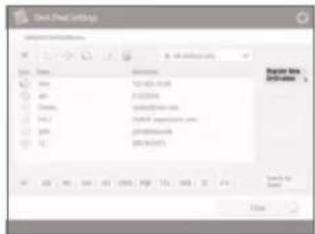
1 | Press [Dest./Fwd. Settings].
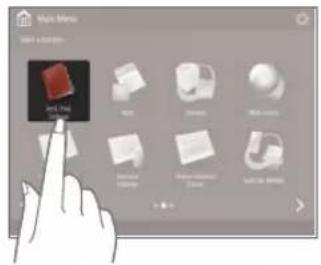
text_image
Main Menu ALL THE WORLD2 | Press [Register Destinations].
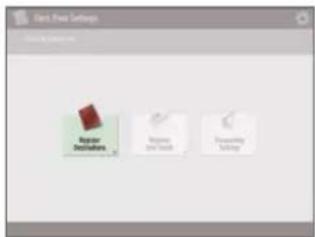
text_image
Start New Settings Regular Settings Regular Order Forming Settings3 | Press [Register New Dest.].
text_image
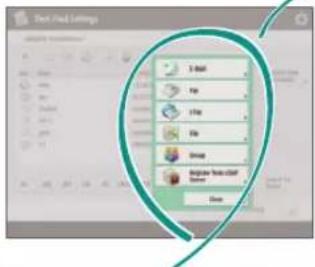
Disk Drive Settings File Edit View Help Name: Size: 124.03-15.08 Address: 2122044 Device: 124.03-15.08 Type: 124.03-15.08 URL: 124.03-15.08 System: 124.03-15.08 Network: 124.03-15.08 Storage: 124.03-15.08 Browse from Dialysis4 | Select the type of destination.
text_image
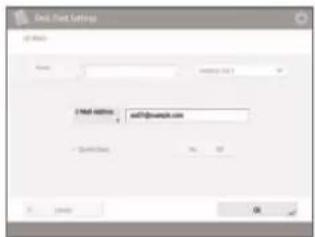
Diet Field Settings File Edit View Help File Edit View Help Paste View Help Delete View Help Save5 | Enter the address and press [OK].
text_image
Email: Email Settings Name: mail:PPT-102 mail:PPT-102 mail:PPT-102 mail:PPT-102 mail:PPT-102 mail:PPT-102 mail:PPT-102 mail:PPT-102 mail:PPT-102 mail:PPT-102 mail:PPT-102 mail:PPT-102 mail:PPT-102 mail:PPT- mail:PPT-102 mail:PPT-102 mail:PPT-102 mail:PPT-102 mail:PPT-102 mail:PPT-102 mail:PPT-102 mail:PPT-102 mail:PPT-102 mail:PPT-102 mail:PPT-102 mail:PPT-102 mail:PPT mail:PPT-102 mail:PPT-102 mail:PPT-102 mail:PPT-102 mail:PPT-102 mail:PPT-102 mail:PPT-102 mail:PPT-102 mail:PPT-102 mail:PPT-102 mail:PPT-102 mail:PPT-102 mail:PUT-102 mail:PUT-102 mail:PUT-102 mail:PUT-102 mail:PUT-102 mail:PUT-102 mail:PUT-102 mail:PUT-102 mail:PUT-102 mail:PUT-102 mail:PUT-102 mail:PUT-102 mail:PUT-103 mail:PUT-103 mail:PUT-103 mail:PUT-103 mail:PUT-103 mail:PUT-103 mail:PUT-103 mail:PUT-103 mail:PUT-103 mail:PUT-103 mail:PUT-103 mail:PUT-103 mail:PUT-103 mail:POT-103 mail:POT-103 mail:POT-103 mail:POT-103 mail:POT-103 mail:POT-103 mail:POT-103 mail:POT-103 mail:POT-103 mail:POT-103 mail:POT-103 mail:POT-103 mail:POT-104 mail:POT-104 mail:POT-104 mail:POT-104 mail:POT-104 mail:POT-104 mail:POT-104 mail:POT-104 mail:POT-104 mail:POT-104 mail:POT-104 mail:POT-104 mail:POT-104 mail:PPT-104 mail:PPT-104 mail:PPT-104 mail:PPT-104 mail:PPT-104 mail:PPT-104 mail:PPT-104 mail:PPT-104
natural_image
Illustration of a hand pointing at a computer monitor (no text or symbols visible)Select the Destination Type
Register e-mail addresses, fax numbers, even servers as destinations! Pick the destination type that is right for you.

E mail

Fax I-Fax


LDAP Server GroupFile


See "Registering Destinations" in the User's Guide.
Using [Group]
You can register multiple destinations to a single group.
![CANON imageRUNNER ADVANCE C7570i - Using [Group] - 1](/content/2026/04/666689/images/32a643b4e2c260e1c179fbfbc111864fb9098618b6e9368e55fbeeaae7752f85.jpg)
text_image
Send documents to everyone in a meeting at once!Send Documents Easily With One-touch Buttons
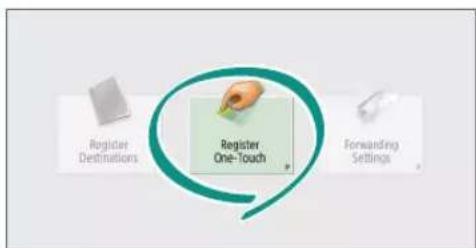
flowchart
graph TD
    A["Register Destinations"] --> B["Register One-Touch"]
    C["Forwarding Settings"] --> B
    B --> D["Next Step"]
Register an often used destination to a one-touch button with [Register One-Touch], and save time!
Easy Address Editing from Your Computer
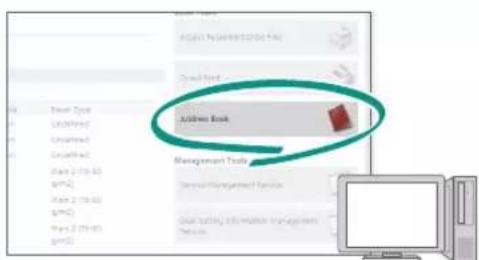
text_image
Address Book Management ToolsYou can access the machine from your computer with the Remote UI, enabling you to edit addresses easily with the keyboard.

See "Registering Destinations" in the User's Guide.

See "Managing the Machine from a Computer (Remote UI)" in the User's Guide.

natural_image
Silhouette of a person in motion against a solid orange background (no text or symbols)And More! A Variety of Features
There are many more helpful features that are not mentioned in this guide. For details, see the User's Guide.
Change Machine Settings Remotely from Your Computer
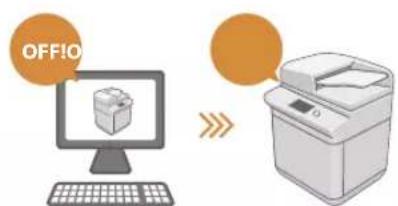
text_image
OFF!OUse the "Remote UI" function to edit the address book, check consumable status, and more from your computer.

See "Managing the Machine from a Computer (Remote UI)" in the User's Guide.
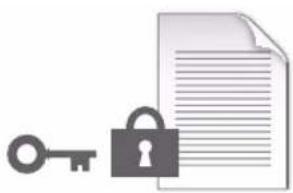
- Prevent Security Leaks with Document Security
natural_image
Illustration of a key, lock, and document (no text or symbols)Password your documents with the Encrypted Secure Print mode. This feature is perfect for protecting important documents.

See "Advanced Functions for Printing" in the User's Guide.
☐ Professional Documents with Booklet Printing

text_image
Diagram showing document and open book with a double arrow indicating equivalence or transformationMaking booklets is easy with the [Booklet] option. Use staple finishing to give it an even more professional feel.

See "Making Booklets" in the User's Guide.
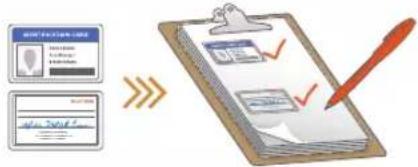
Print Two-Sided ID Cards on One Side of Paper
text_image
Diagram illustrating document review process with clipboard, checklist, and red pen, showing approval steps and text input fields.Check IDs easily by copying both sides of an ID and printing them to a single piece of paper with [Copy ID Card].

See "Making ID Card Copies" in the User's Guide.
natural_image
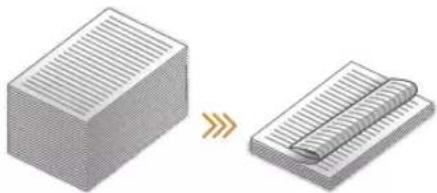
Illustration of a hand pressing down on a device with circular components (no text or symbols)Advanced Paper Saving Options
natural_image
Diagram showing a 3D block being converted to a 2D grid notebook (no text or symbols present)Print up to an incredible 16 pages of original documents on a single sheet of paper with [2-Sided] and [N on 1].

See "Copying" in the User's Guide.
☐ Go Green with Staple-Free Binding
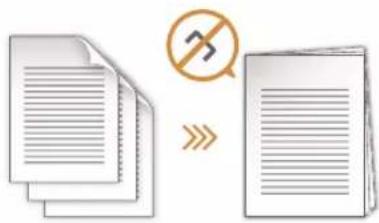
text_image
Diagram showing document processing steps with a crossed-out document and no text symbolBind paper without using metal staples with the Eco (Staple-Free) mode. Help the environment, and shred documents without a fuss.

See "Optional Equipment" in the User's Guide.
Reorganizing Documents with Staples
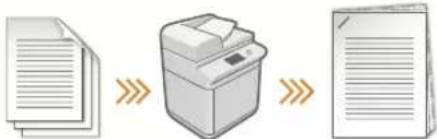
flowchart
graph LR
    A["Document"] --> B["Printer"]
    B --> C["Document"]
Just set "Manual Staple" and pass unstapled original documents through the feeder to staple them. Great for re-stapling!

See "Finishing with the Stapler" in the User's Guide
One-touch Settings
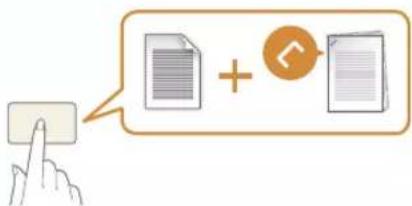
text_image
Illustration showing a hand pressing a button next to two document icons with an '+' button, suggesting a link or interaction.Register often used combinations of settings to "Quick Menu" to efficiently use them with a single button.

See "Customizing the Touch Panel Display" in the User's Guide.
Guide
natural_image
Silhouette of a person in profile against a dotted background (no text or symbols)natural_image
Illustration of a printer emitting a circular button with red arrows, next to a hand pointing at it (no text or symbols present)natural_image
Abstract geometric shapes including a yellow rectangle, a green circle with an exclamation mark, and a pink triangle with a symbol (no text or labels)natural_image
Red line drawing of a stylized electronic device with buttons and a screen (no text or symbols)natural_image
Illustration of a computer monitor with a paper feed and a yellow leaf icon, no text or symbols presentTypes de documents originaux compatibles
Livres, magazines

Cartes
de visite

Coupures
de presse
natural_image
Illustration of a file folder with a document and a flower icon, no text or symbols presentTypes de documents originaux compatibles
natural_image
Silhouette of a person in profile, no text or symbols visibleAstuces pour copier
text_image
Screenshot of a mobile app interface showing a list of file types with icons and a blue upward arrow indicating growth or progress.natural_image
Stacked sheets of paper with a small grid pattern on the right side, no text or symbols present.Densité
natural_image
Illustration of two stacked rectangular sheets with a blue arrow indicating transformation or alignment (no text or symbols)natural_image
Illustration of a printer and three overlapping documents labeled A, B, C (no text or symbols on the devices themselves)Type d'original
natural_image
Illustration of an open book, a photo collage, and a magazine with city skyline (no text or symbols visible)natural_image
Silhouette of a person sitting in a chair, holding an object (no text or symbols visible)text_image
Properties Name Description Description Description Description Description Description Description Description Description Description Description Description Description Description Description Description Description Description Description Description Description Description Description Description Description Description Description Description Description Description Description Description Description Description Description Description Description Description Description Description Description Description Description Description Description Description Description Description Description Description Explanation Explanation Explanation Explanation Explanation Explanation Explanation Explanation Explanation Explanation Explanation Explanation Explanation Explanation Explanation Explanation Explanation Explanation Explanation Explanation Explanation Explanation Explanation Explanation Explanation Explanation Explanation Explanation Explanation Explanation Explanation Explanation Explanation Explanation Explanation Explanation Explanation Explanation Explanation Explanation Explanation Explanation Explanation Explanation Explanation Explanation Explanation Explanation Explanation Explanation Extralons/Extralons/Extralons/Extralons/Extralons/Extralons/Extralons/Extralons/Extralons/Extralons/Extralons/Extralons/Extralons/Extralons/Extralons/Extralons/Extralons/Extralons/Extralons/Extralons/Extralons 100% Extralons/Extralons/Extralons/Extralons/Extralons/Extralons/Extralons/Extralons/Extralons/Extralons/Extralons/Extralons/Extralons/Extralons/Extralons/Extralons/Extralons/Extralons/Extralons/Extralonsnatural_image
Illustration of two stacked rectangular sheets with striped patterns, one being folded and the other partially filled (no text or symbols)Mise en page
natural_image
Two 3D rectangular blocks with striped surfaces, one showing a pink arrow indicating transformation or alignment (no text or symbols)natural_image
Illustration of a printer next to three stacked documents labeled A, B, and C (no text or symbols on the devices themselves)
natural_image
Silhouette of a person standing against a green background (no text or symbols)Astuces pour le fax
text_image
=0123456789 D:\DATA\boxplus\ (Shrmed) Animal acts Device Text Displaced Engine Web wins Matterer Displacednatural_image
Silhouette of a person standing with one hand raised, against a dotted background (no text or symbols)text_image
Add Add (Add/Add) Delete Formal acti Add Delete Formal acti Formal acti Formal acti Formal acti Formal acti Formal acti Formal acti Formal acti Formal acti Formal acti Formal acti Formal acti Formal acti Formal acti Formal acti Formal acti Formal acti Formal acti Formal acti Formal acti Formal act itext_image
Menu principal Enregistrer Cone Fas Line of insgnol Line of insgnol Ame Rix engrages Belle Low a Blue Impression Distressed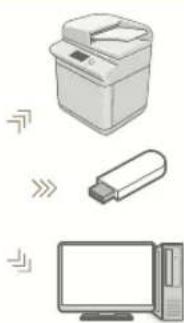
natural_image
Illustration of a printer, USB flash unit, and desktop computer (no text or symbols)natural_image
Silhouette of a human figure in profile, walking against a dotted background (no text or symbols)text_image
B-1000 File Edit View Insert Add to New... Add to Add to Add to Add to Add to Add to Add to Add to Add to Add to Add to Add to Add to Add to Add to Add to Add to Add to Add to Add to Add to Add to Add to Add to Add to Add to Add to Add to Add to Add to Add to Add to Add to Add to Edit Edit Edit Edit Edit Edit Edit Edit Edit Edit Edit Edit Edit Edit Edit Edit Edit Edit Edit Edit Edit Edit Edit Edit Edit Edit Edit Edit Edittext_image
Member for Investmentstext_image
Unspecified Event File Map Map Action Groups Microsoft Office server LSP Form1natural_image
Illustration of a hand pointing at a control panel (no text or symbols)
text_image
Cancel ad instances Quota de question Cancel ad instances Cancel ad instances Cancel ad instances Cancel ad instances Cancel ad instances Cancel ad instances Cancel ad instances Cancel ad instances Cancel ad instances Cancel ad instances Cancel ad instances Cancel ad instances Cancel ad instances Cancel ad instances Cancel ad instances Cancel ad instances Cancel ad instances Cancel ad instances Cancel ad instances Cancel ad instances Cancel ad instances Cancel ad instances Cancel ad instances Cancel ad instances Cancel ad instances Cancel ad instancenatural_image
Silhouette of a person standing against a solid orange background (no text or symbols)text_image
HDRS TENSION L HORS TENSION Lnatural_image
Illustration of a key, lock, and document (no text or symbols)text_image
Diagram showing document and open book with a double arrow indicating equivalence or transformationnatural_image
Illustration of a hand pressing down on a device with circular components (no text or symbols)natural_image
Two 3D block diagrams showing a striped surface and a rolled-up sheet, with no text or symbols present.text_image
Diagram showing document processing steps with a crossed-out document and a no-smoking symboltext_image
Diagram showing a hand pressing a button next to two document icons, one with an arrow indicating interaction or update.natural_image
Silhouette of a person in red and white, no text or symbols visiblenatural_image
Illustration of a printer and a hand interacting with a circular button, no text or symbols present.natural_image
Abstract geometric shapes including a red circle with a white diamond, yellow rectangle, and pink triangle on a light background (no text or symbols)natural_image
Red line drawing of a stylized electronic device with buttons and a screen (no text or symbols)natural_image
Illustration of a kitchen appliance with a paper feed and a leaf symbol on the screen (no text or symbols)text_image
Diagram showing a file folder with a document and directional arrows indicating flow or movement, likely representing a file or document processing interface.Kompatible
Originaldokumenttypen
natural_image
Silhouette of a person in profile, no text or symbols visibletext_image
Auto 1 Global Software Accuracy Name Database Share Businessnatural_image
Stacked sheets of paper with a magnified inset showing two different panels (no text or symbols)Dichte
natural_image
Two 3D-rendered rectangular blocks with horizontal lines, one partially overlapping the other, showing a small arrow (no text or symbols)Kopierfaktor
Verwenden Sie beim
Kopieren den
"Kopierfaktor", um
kleinen Text zwecks
natural_image
Illustration of a printer and three document sheets labeled A, B, C (no text or symbols on the devices themselves)Originaltyp
natural_image
Illustration of an open book, a photo album, and a magazine with city skyline (no text or symbols visible)natural_image
Silhouette of a person sitting in a chair, holding an object (no text or symbols visible)text_image
Import Export Export to Export Export to Export Export to Export Export to Export Export to Export Export to Export Export to Export Export to Export Export to Export Export to Export Export to Export Export to Export Export to Export Export to Export Export to Export Export to Export Export to Export Export to Export Export to Export Export to Export Export to Export Export to Export Export to Export Export to Export Export to Export Export to Transport Export to Transport Export to Transport Export to Transport Export to Transport Export to Transport Export to Transport Export to Transport Export to Transport Export to Transport Export to Transport Export to Transport Export to Transport Export to Transport Export to Transport Export to Transport Export to Transport Export to Transport Export to Transport Export to Transport Export to Transport Export to Transport Export to Transport Export to Transport Export to Transport Export to Transportation Export to Transport Export to Transport Export to Transport Export to Transport Export to Transport Export to Transport Export to Transport Export to Transport Export to Transport Export to Transport Export to Transport Export to Transport Export to Transport Export to Transport Export to Transport Export to Transport Export to Transport Export to Transport Export to Transport Export to Transport Export to Transport Export to Transport Export to Transport Export to Transport Export to Product Export to Product Export to Product Export to Product Export to Product Export to Product Export to Product Export to Product Export to Product Export to Product Export to Product Export to Product Export to Product Export to Product Export to Product Export to Product Export to Product Export to Product Export to Product Export to Product Export to Product Export to Product Export to Product Export to Product Export to Product Export to Outputnatural_image
Two 3D rectangular blocks with striped patterns, one partially submerged and the other partially submerged (no text or symbols)Seitenlayout
natural_image
Two 3D rectangular blocks with internal grating, one with a pink arrow indicating transformation (no text or symbols)natural_image
Silhouette of a person standing against a green background (no text or symbols)Tipps für das Faxen
natural_image
Silhouette of a person standing against a dotted background (no text or symbols)text_image
Business and Services Add Vertical Bars Add Vertical Bar Add Vertical Bar Add Vertical Bar Add Vertical Bar Add Vertical Bar Add Vertical Bar Add Vertical Bar Add Vertical Bar Add Vertical Bar Add Vertical Bar Add Vertical Bar Add Vertical Bar Add Vertical Bar Add Vertical Bar Add Vertical Bar Add Vertical Bar Add Vertical Bar Add Vertical Bar Add Vertical Bar Add Vertical Bar Add Vertical Bar Add Vertical Bar Add Vertical Bar Add Vertical Bar Add Vertical Bar Add Vertical Bars Add Vertical Bars Add Vertical Bars Add Vertical Bars Add Vertical Bars Add Vertical Bars Add Vertical Bars Add Vertical Bars Add Vertical Bars Add Vertical Bars Add Vertical Bars Add Vertical Bars Add Vertical Bars Add Vertical Bars Add Vertical Bars Add Vertical Bars Add Vertical Bars Add Vertical Bars Add Vertical Bars Add Vertical Bars Add Vertical Bars Add Vertical Bars Add Vertical Bars Add Vertical Bars Add Vertical Bars Add Vertical Barnatural_image
Illustration of a printer, USB flash unit, and desktop computer (no text or symbols)natural_image
Silhouette of a walking human figure against a teal background (no text or symbols)text_image
Screenshot of a software interface showing a hand interacting with a 3D object, likely from a presentation or editing tool.text_image
Simulinkrui/Intel Start to create new Employee and/or Create process Create process submissiontext_image
Screenshot of a software interface showing a list of categories with numerical values and a 'Add Applicable' button.natural_image
Illustration of a hand pointing at a computer monitor (no text or symbols visible)natural_image
Silhouette of a person in motion against a solid orange background (no text or symbols)natural_image
Illustration of a key, padlock, and document (no text or symbols)text_image
Diagram showing document and open book with a double arrow indicating equivalence or transformationtext_image
Diagram illustrating document review process with clipboard, checklist, and red pen, showing approval steps and feedback loopnatural_image
Illustration of a hand pressing down on a device with circular components (no text or symbols)natural_image
Two 3D block diagrams showing a striped surface and a rolled-up rectangular object, with no text or symbols present.text_image
Diagram showing document processing steps with a crossed-out document and a no-smoking symboltext_image
Illustration showing a hand pressing a button next to two document icons, one with a plus sign and the other with a circular arrow.natural_image
Silhouette of a person in profile against a red dotted background (no text or symbols)natural_image
Illustration of a printer and a hand interacting with a circular button (no text or symbols)natural_image
Abstract geometric shapes including a yellow rectangle, a green circle with an exclamation mark, and a pink triangle with a symbol (no text or labels)natural_image
Red line drawing of a stylized electronic device with buttons and a screen (no text or symbols)natural_image
Illustration of a computer monitor with a paper feed and a yellow leaf icon, no text or symbols presenttext_image
Icon depicting a document with a flower graphic and directional arrows, likely indicating file orientation or text flow.natural_image
Silhouette of a person in profile against a blue dotted background (no text or symbols)natural_image
Stacked sheets of paper with a magnified inset showing a grid pattern (no text or symbols)Densità
natural_image
Illustration of two stacked documents with a folded paper, showing structural differences (no text or symbols)natural_image
Illustration of a printer and three document sheets labeled A, B, C (no text or symbols on the devices themselves)Tipo di originale
natural_image
Illustration of a newspaper with photos and an open book, no visible text or symbolsnatural_image
Silhouette of a person sitting on a chair, holding an object (no text or symbols visible)text_image
User History User History User History User History User History User History User History User History User History User History User History User History User History User History User History User History User History User History User History User History User History User History User History User History User History User History User History User History User History User History User History User History User History User History Othernatural_image
Silhouette of a person standing against a green background (no text or symbols)Consigli per il fax
natural_image
Silhouette of a person standing against a textured background (no text or symbols)text_image
Software + Web Parameters File Edit View Insert Edit Add View Insert Delete Add View Insert Delete Add View Insert Delete Add View Insertnatural_image
Illustration of three electronic devices: a printer, a USB flash unit, and a desktop computer (no text or symbols)natural_image
Silhouette of a human figure in motion against a dotted background (no text or symbols)text_image
Text Impedance writer Reprovement Software Software Manager Software Managertext_image
Email: mail@email.com - Email client to: OK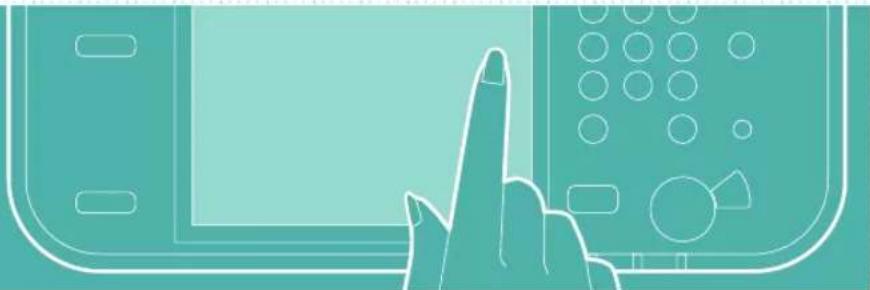
natural_image
Illustration of a hand pointing at a computer monitor (no text or symbols visible)text_image
Edit Edit Off Edit Off Edit Off Edit Off Edit Off Edit Off Edit Off Edit Off Edit Off Edit Off Edit Off Edit Off Edit Off Edit Off Edit Off Edit Off Edit Off Edit Off Edit Off Edit Off Edit Off Edit Off Edit Off Edit Off Edit Off Edit Off Edit Off Edit Off Edit Off Edit Off Edit Off Edit Off Edit Off Edit Offnatural_image
Silhouette of a person standing against an orange background (no text or symbols)E altro ancora!
natural_image
Illustration of a key, lock, and document (no text or symbols)text_image
Diagram showing document and open book with a double arrow indicating equivalence or transformationtext_image
Diagram illustrating document review process with clipboard, checklist, and red pen, showing approval steps and feedback loopnatural_image
Illustration of a hand pressing down on a device with circular components (no text or symbols)natural_image
Two 3D block diagrams showing a striped material on the left and a rolled-up rectangular object on the right, with no text or symbols present.text_image
Diagram showing document processing steps with a crossed-out document and no text symboltext_image
Illustration showing a hand pressing a button next to two documents with an icon, indicating a processing or update process.natural_image
Silhouette of a person in profile against a dotted background (no text or symbols)Cómo usar el equipo
natural_image
Illustration of a printer emitting a circular icon with red arrows, next to a hand pointing at it (no text or symbols present)natural_image
Abstract diagram with geometric shapes and colored circles (no text or symbols)natural_image
Red line drawing of a computer with control panel and buttons (no text or symbols)Dos métodos para colocar documentos originales
natural_image
Illustration of a kitchen appliance with a window, drawer, and paper feed (no text or symbols)text_image
Icon depicting a document with a flower graphic and bidirectional arrows, likely indicating file orientation or text flow.natural_image
Silhouette of a person in profile against a blue dotted background (no text or symbols)natural_image
Two stacked sheets of paper with a pink arrow indicating transformation or alignment (no text or symbols)Densidad
natural_image
Two 3D isometric diagrams showing a rectangular block and a folded paper or sheet with a lightning bolt symbol (no text or labels)Escala de copia
natural_image
Illustration of a printer and three sheet documents labeled A, B, C (no text or symbols on the devices themselves)Tipo original
natural_image
Illustration of an open book, a photo collage, and a magazine with city skyline (no text or symbols visible)natural_image
Silhouette of a seated woman holding a book, against a pink background (no text or symbols)text_image
Delete Delete Delete Delete Delete Delete Delete Delete Delete Delete Delete Delete Delete Delete Delete Delete Delete Delete Delete Delete Delete Delete Delete Delete Delete Delete Delete Delete Delete Delete Delete Delete Delete Delete Delete Delete Delete Delete Delete Delete Delete Delete Delete Delete Delete Delete Delete Delete Delete Delete Deletenatural_image
Illustration of two stacked rectangular blocks with a pink arrow indicating transformation or alignment (no text or symbols)Diseño de página
natural_image
Two 3D rectangular blocks with horizontal grooves, one being cut with arrows (no text or symbols)Acabado (Clasificar)
natural_image
Illustration of a printer and three stacked documents labeled A, B, C (no text or symbols on the devices themselves)natural_image
Silhouette of a person standing against a green dotted background (no text or symbols)text_image
=0123456789 Data List Data List Data List Data List Data List Data List Data List Data List Data List Data List Data List Data List Data List Data List Data List Data List Data List Data List Data List Data List Data List Data List Data List Data List Data List Data List Data List Data List Data List Data List Data List Data List Data List Data Listnatural_image
Silhouette of a person standing against a textured background (no text or symbols)natural_image
Silhouette of a human figure in profile view against a dotted background (no text or symbols)text_image
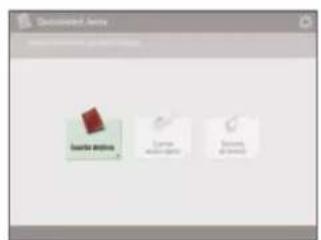
Screenshot of a software interface showing a hand interacting with a 3D object, surrounded by image thumbnails and text labels.2 | Pulse [Guardar destinos].
text_image
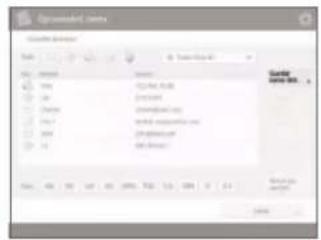
Development Area Data area Large area Small area3 | Pulse [Guardar nuevo dest.].
text_image
Created Date File Edit View Insert Help Date: 01/04/2007 Date: 01/04/2007 Date: 01/04/2007 Date: 01/04/2007 Date: 01/04/2007 Date: 01/04/2007 Date: 01/04/2007 Date: 01/04/2007 Name: 01/04/2007 Date: 01/04/2007 Date: 01/04/2007 Date: 01/04/2007 Date: 01/04/2007 Date: 01/04/2007 Date: 01/04/2007 Date: -1998-12-2007 Date: 12-2007 Date: 12-2007 Date: 12-2007 Date: 12-2007 Date: 12-2007 Date: 12-2007 Date: 12-2007 Date: 12-2007 Date: 12-2007 Date: 31/15/2007 Date: 31/15/2007 Date: 31/15/2007 Date: 31/15/2007 Date: 31/15/2007 Date: 31/15/2007 Date: 31/15/2007 Date: 31/15/2natural_image
Illustration of a hand pointing at a computer monitor (no text or symbols visible)natural_image
Silhouette of a person in motion against a solid orange background (no text or symbols)¡Y mucho más!
natural_image
Illustration of a key, padlock, and document (no text or symbols)text_image
Diagram showing a document transforming into an open book, with a double arrow symbol indicating equivalence.text_image
Diagram illustrating document processing workflow with clipboard, checklist, and signature checkmarknatural_image
Illustration of a hand holding a tablet with circular buttons, against an orange background (no text or symbols)natural_image
Diagram showing a 3D block being converted into a coiled spring (no text or symbols present)text_image
Diagram showing document processing steps with a crossed-out document and a no-smoking symboltext_image
Illustration showing a hand pressing a button next to two document icons, one with a plus arrow and another with a document icon.30-2, Shimomaruko 3-chome, Ohta-ku, Tokyo 146-8501, Japan
CANON U.S.A., INC.
One Canon Park, Melville, NY 11747, U.S.A.
CANON CANADA INC.
8000 Mississauga Road Brampton ON L6Y 5Z7, Canada
CANON EUROPA N.V.
Bovenkerkerweg 59, 1185 XB Amstelveen, The Netherlands
(See http://www.canon-europe.com/ for details on your regional dealer)
CANON AUSTRALIA PTY. LTD
Building A, The Park Estate, 5 Talavera Road, Macquarie Park, NSW 2113, Australia
CANON CHINA CO., LTD
2F Jinbao Building No.89 Jinbao Street, Dongcheng District, Beijing 100005, China
CANON SINGAPORE PTE. LTD.
1 Fusionopolis Place, #15-10, Galaxis, Singapore 138522
