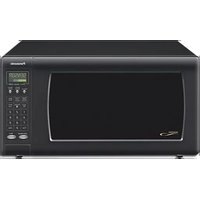
NN-H765 - Oven PANASONIC - Free user manual and instructions
Find the device manual for free NN-H765 PANASONIC in PDF.


User questions about NN-H765 PANASONIC
0 question about this device. Answer the ones you know or ask your own.
Ask a new question about this device
Download the instructions for your Oven in PDF format for free! Find your manual NN-H765 - PANASONIC and take your electronic device back in hand. On this page are published all the documents necessary for the use of your device. NN-H765 by PANASONIC.
USER MANUAL NN-H765 PANASONIC
Operating Instructions Microwave Oven
Models: NN-H765/H965

natural_image
Line drawing of a microwave oven with open door and two circular dish units inside (no text or symbols)
Panasonic Canada Inc.
5770 Ambler Drive
Mississauga, Ontario
L4W 2T3
Tel: (905) 624-5010
www.panasonic.ca
F00037C50CP
FLE0305-0
Printed in China
Table of Contents
Safety Information
Precautions....1
Important Safety Instructions....2-4
Installation and Grounding Instructions 4-5
Safety Precautions....6-7
Operation
Control Panel....11
Starting to Use Your Oven 12
Setting the Clock....12
Function Features....12-13
Selecting Power & Cook Time 14
Quick Min Feature....14
Keep Warm Feature....14
Popcorn Feature ....15
More/Less Feature....15
Inverter Turbo Defrost Feature....16
Defrosting Tips & Techniques 16-17
Sensor Reheat Feature....18
Sensor Cook Feature....18
Sensor Cook Chart ....19
Microwave Recipes....20
Timer Feature (Kitchen Timer/Stand Time/Delay Start)....21
Microwave Shortcuts....22-23
Food Characteristics 24
Cooking Techniques....24-25
Quick Guide to Operation 28
Maintenance
Care and Cleaning of Your Microwave Oven....9
Before Requesting Service 26
Warranty and Service....27
General Information
Cookware Guide 8
Oven Components Diagram ....10
Specifications 29
User's Record 29
Notes 30
Microwave Oven Safety
Your safety and the safety of others are very important.
We have provided important safety messages in this manual and on your appliance. Always read and obey all safety messages.

This is the safety alert symbol. It is used to alert you to potential hazards that can kill or hurt you and others.
All safety messages will follow the safety alert symbol and either the word “DANGER”, “WARNING” or “CAUTION”. These words mean:
! DANGER
You can be killed or seriously injured if you don't immediately follow instructions.
! WARNING
You can be killed or seriously injured if you don't follow instructions.
CAUTION
CAUTION indicates a potentially hazardous situation which, if not avoided, may result in minor or moderate injury.
All safety messages will tell you what the potential hazard is, tell you how to reduce the chance of injury, and tell you what can happen if the instructions are not followed.
PRECAUTIONS TO AVOID POSSIBLE EXPOSURE TO
EXCESSIVE MICROWAVE ENERGY
(a) Do not attempt to operate this oven with the door open since open-door operation can result in harmful exposure to microwave energy. It is important not to defeat or tamper with the safety interlocks.
(b) Do not place any object between the oven front face and the door or allow soil or cleaner residue to accumulate on sealing surfaces.
(c) Do not operate the oven if it is damaged. It is particularly important that the oven door close properly and that there is no damage to the:
(1) door (bent),
(2) hinges and latches (broken or loosened),
(3) door seals and sealing surfaces.
(d) The oven should not be adjusted or repaired by anyone except properly qualified service personnel.
Thank you for purchasing a Panasonic Microwave Oven.
Your microwave oven is a cooking appliance and you should use as much care as you use with a stove or any other cooking appliance. When using this electric appliance, basic safety precautions should be followed, including the following:

IMPORTANT SAFETY INSTRUCTIONS
! WARNING
—To reduce the risk of burns, electric
shock, fire, injury to persons, or exposure to excessive microwave energy:
- Read all instructions before using this appliance.
- Read and follow the specific "PRECAUTIONS TO AVOID POSSIBLE EXPOSURE TO EXCESSIVE MICROWAVE ENERGY," found on page 1.
- This appliance must be grounded. Connect only to a properly grounded outlet. See "GROUNDING INSTRUCTIONS" found on page 5.
- As with any cooking appliance, DO NOT leave oven unattended while in use.
- Install or locate this appliance only in accordance with the installation instructions found on page 4.
- DO NOT cover or block any openings on this appliance.
- DO NOT store this appliance outdoors. DO NOT use this product near water—for example, near a kitchen sink, in a wet basement, or near a swimming pool or similar locations.
- Use this appliance only for its intended use as described in this manual. DO NOT use corrosive chemicals, vapors, or non-food products in this appliance. This type of oven is specifically designed to heat, or cook food. It is not designed for industrial or laboratory use. The use of corrosive chemicals in heating or cleaning will damage the appliance and may result in radiation leaks.
- When cleaning surfaces of the door and oven that come together upon closing the door, use only mild, non-abrasive soaps or detergents applied with a sponge or soft cloth.
- DO NOT allow children to use this appliance, unless closely supervised by an adult. DO NOT assume that because a child has mastered one cooking skill he/she can cook everything.
- DO NOT operate this appliance if it has a damaged cord or plug, if it is not working properly, or if it has been damaged or dropped.
- DO NOT immerse cord or plug in water.
- Keep cord away from heated surfaces.
- DO NOT let cord hang over edge of a table or counter.
- This appliance should be serviced only by qualified service personnel. Contact the nearest authorized service center for examination, repair or adjustment.
- Some products such as whole eggs with or without shell, narrow neck bottles and sealed containers—for example, closed glass jars—may explode and should not be heated in this oven.
- To reduce the risk of fire in the oven cavity:
(a) Do not overcook food. Carefully attend appliance when paper, plastic, or other combustible materials are placed inside the oven to facilitate cooking.
(b) Remove wire twist-ties from paper or plastic bags before placing bag in oven.
(c) If material inside the oven ignites, keep oven door closed, turn oven off, and disconnect the power cord, or shut off power at the fuse or circuit breaker panel.
(d) DO NOT use the cavity for storage purposes. DO NOT leave paper products, cooking utensils or food in the cavity when not in use.

IMPORTANT SAFETY INSTRUCTIONS
(continued)
- Liquids, such as water, coffee, or tea are able to be overheated beyond the boiling point without appearing to be boiling. Visible bubbling when the container is removed from the microwave oven is not always present. THIS COULD RESULT IN VERY HOT LIQUIDS SUDDENLY BOILING OVER WHEN THE CONTAINER IS DISTURBED OR A UTENSIL IS INSERTED INTO THE LIQUID.
To reduce the risk of injury to persons:
(a) STIR THE LIQUID BOTH BEFORE AND HALFWAY THROUGH HEATING IT.
(b) Do not heat water and oil, or fats together. The film of oil will trap steam, and may cause a violent eruption.
(c) Do not use straight-sided containers with narrow necks.
(d) After heating, allow the container to stand in the microwave oven for a short time before removing the container.
- DO NOT cook directly on the turntable. It can crack, cause injury or damage to the oven.
! WARNING
TO AVOID THE RISK OF SHOCK:
DO NOT remove outer panel from oven. Repairs must be done only by a qualified service person.
TO REDUCE THE RISK OF EXPOSURE TO MICROWAVE ENERGY:
DO NOT tamper with, or make any adjustments or repairs to Door, Control Panel Frame, Safety Interlock Switches, or any other part of oven. Microwave leakage may result.
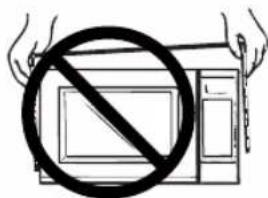
text_image
Diagram showing a hand holding a device with a prohibition symbol crossed out, indicating no prohibition or prohibition.TO AVOID THE RISK OF FIRE:
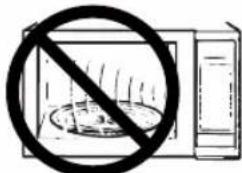
text_image
Warning symbol showing a microwave oven without a prohibition sign- DO NOT operate the oven empty. The microwave energy will reflect continuously throughout the oven causing overheating and damage, if food or water is not present to absorb energy.
- DO NOT store flammable materials next to, on top of, or in the oven.
- DO NOT dry clothes, newspapers or other materials in the oven, or use newspaper or paper bags for cooking.
- DO NOT hit or strike Control Panel. Damage to controls may occur.
- DO NOT use recycled paper products unless the paper product is labeled as safe for microwave oven use. Recycled paper products may contain impurities which may cause sparking.
TO AVOID THE RISK OF SCALDING:
POT HOLDERS should always be used when removing items from the oven. Heat is transferred from the HOT food to the cooking container and from the container to the Glass Tray. The Glass Tray can also be very HOT after removing the cooking container from the oven.
SAVE THESE INSTRUCTIONS
For proper use of your oven read remaining safety cautions and operating instructions.

IMPORTANT SAFETY INSTRUCTIONS
(continued)
Glass Tray
- DO NOT operate the oven without the Roller Ring and the Glass Tray in place.
- DO NOT operate the oven without the Glass Tray fully engaged on the drive hub. Improper cooking or damage to the oven could result. Verify that the Glass Tray is properly engaged and rotating by observing its rotation when you press Start. Note: The Glass Tray can turn in either direction.
- Use only the Glass Tray specifically designed for this oven. DO NOT substitute any other glass tray.
- If the Glass Tray is hot, allow to cool before cleaning or placing in water.
- DO NOT cook directly on the Glass Tray. Always place food in a microwave safe dish, or on a rack set in a microwave safe dish.
- If food or utensils on the Glass Tray touch oven walls, causing the tray to stop moving, the tray will automatically rotate in the opposite direction.
Roller Ring
- The Roller Ring and oven floor should be cleaned frequently to prevent excessive noise.
- Always replace the Roller Ring and the Glass Tray in their proper positions.
- The Roller Ring must always be used for cooking along with the Glass Tray.

INSTALLATION AND GROUNDING INSTRUCTIONS
Examine Your Oven
Unpack oven, remove all packing material and examine the oven for any damage such as dents, broken door latches or cracks in the door. Notify dealer immediately if oven is damaged. DO NOT install if oven is damaged.
Placement of Oven
-
The oven must be placed on a flat, stable surface. Place the front surface of the door 7.6cm (3-inches) or more from the counter top edge to avoid accidental tipping of the microwave oven during normal use. For proper operation, the oven must have sufficient air flow. Allow 7.6 cm (3-inches) of space on both sides of the oven and 2.5 cm (1-inch) of space on top of the oven.
(a) DO NOT block air vents. If they are blocked during operation, the oven may overheat and be damaged.
(b) DO NOT place oven near a hot, damp surface such as a gas or electric range, or dishwasher.
(c) DO NOT operate oven when room humidity is excessive. -
This oven is manufactured for household use only. It is not approved or tested for mobile vehicle, marine, or commercial use.
Installation
-
DO NOT block air vents. If they are blocked during operation, the oven may overheat. If the oven overheats, a thermal safety device will turn the oven off. The oven will remain inoperable until it has cooled.
-
If the oven is designed for installation into a wall cabinet, use the proper trim kit available from a local Panasonic dealer. Follow all instructions packed with the kit.

INSTALLATION AND GROUNDING INSTRUCTIONS (continued)
! WARNING
-IMPROPER USE OF THE GROUNDING PLUG
CAN RESULT IN A RISK OF ELECTRIC SHOCK.
Consult a qualified electrician or service person if the grounding instructions are not completely understood, or if doubt exists as to whether the appliance is properly grounded. If it is necessary to use an extension cord, use only a three wire extension cord that has a three prong polarized grounding plug, and a three slot receptacle that will accept the plug on the appliance. The marked rating of the extension cord should be equal to or greater than the electrical rating of the appliance.
Grounding Instructions
THIS APPLIANCE MUST BE GROUNDED. In the event of an electrical short circuit, grounding reduces the risk of electric shock by providing an escape wire for the electric current. This appliance is equipped with a cord having a grounding wire with a grounding plug. The plug must be plugged into an outlet that is properly installed and grounded.
- Plug into properly installed and grounded 3 prong outlet.
• DO NOT remove ground prong.
• DO NOT use an adapter.
Power Supply
- A short power-supply cord is provided to reduce the risks resulting from becoming entangled in or tripping over a longer cord.
- Longer cord sets or extension cords are available and may be used if care is exercised in their use. Do not let cord hang over edge of a table or counter.
- If a long cord or extension cord is used,
- The marked electrical rating of the cord set or extension cord should be at least as great as the electrical rating of the appliance.
- The extension cord must be a grounding-type 3-wire cord.
- The longer cord should be arranged so that it will not drape over the counter top or tabletop where it can be pulled on by children or tripped over accidentally.
Wiring Requirements
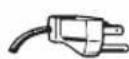

- The oven must be operated on a SEPARATE CIRCUIT. No other appliance should share the circuit with the microwave oven. If it does, the branch circuit fuse may blow or the circuit breaker may trip.
- The oven must be plugged into at least a 15 AMP, 120 VOLT, 60 Hz GROUNDED OUTLET. Where a standard two-prong outlet is encountered, it is the personal responsibility and obligation of the consumer to have it replaced with a properly grounded three-prong outlet.
- The VOLTAGE used must be the same as specified on this microwave oven (120 V, 60 Hz). Using a higher voltage is dangerous and may result in a fire or oven damage. Using a lower voltage will cause slow cooking. Panasonic is NOT responsible for any damages resulting from the use of the oven with any voltage other than specified.
TV / Radio Interference
- Operation of the microwave oven may cause interference to your radio, TV or similar equipment.
- When there is interference, it may be reduced or eliminated by taking the following measures:
(a) Place the radio, TV, etc. away from the microwave oven as far as possible.
(b) Use a properly installed antenna to obtain stronger signal reception.
(c) Clean door and sealing surfaces of the oven. (See Care and Cleaning of Your Microwave Oven)

Safety Precautions
Follow These Safety Precautions When Cooking in Your Oven.
IMPORTANT
Proper cooking depends upon the power, the time setting and quantity of food. If you use a smaller portion than recommended but cook at the time for the recommended portion, fire could result.
1) HOME CANNING / STERILIZING / DRYING FOODS / SMALL QUANTITIES OF FOODS
- DO NOT use your oven for home canning. Your oven cannot maintain the food at the proper canning temperature. The food may be contaminated and then spoil.
- DO NOT use the microwave oven to sterilize objects (baby bottles, etc.). It is difficult to keep the oven at the high temperature needed for sterilization.
- DO NOT dry meats, herbs, fruits or vegetables in your oven. Small quantities of food or foods with low moisture content can dry out, scorch or catch on fire if overheated.
2) POPCORN
Popcorn may be popped in a microwave oven corn popper. Microwave popcorn which pops in its own package is also available. Follow popcorn manufacturers' directions and use a brand suitable for the cooking power of your microwave oven.
CAUTION: When using pre-packaged microwave popcorn, you can follow recommended package instructions or use the popcorn pad (refer to page 15). Otherwise, the popcorn may not pop adequately or may ignite and cause a fire. Never leave oven unattended when popping popcorn. Allow the popcorn bag to cool before opening. Always open the bag facing away from your face and body to prevent steam burns.
3) DEEP FAT FRYING
- DO NOT deep fat fry in your microwave oven. Cooking oils may burst into flames and may cause damage to the oven and perhaps result in burns. Microwave utensils may not withstand the temperature of the hot oil, and can shatter or melt.
4) FOODS WITH NONPOROUS SKINS
• DO NOT COOK/REHEAT WHOLE EGGS, WITH OR WITHOUT THE SHELL.
Steam buildup in whole eggs may cause them to explode, and possibly damage the oven or cause injury. Reheating SLICED hard-boiled eggs and cooking SCRAMBLED eggs is safe.
- Potatoes, apples, whole squash and sausages are examples of foods with nonporous skins. These types of foods must be pierced before microwave cooking to prevent them from exploding.
CAUTION: Cooking dry or old potatoes can cause fire.

Safety Precautions (continued)
- Cooking containers get hot during microwaving. Heat is transferred from the HOT food to the container and the Glass Tray. Use pot holders when removing containers from the oven or when removing lids or plastic wrap covers from cooking containers, to avoid burns.
- The Glass Tray will get hot during cooking. It should be allowed to cool before handling or before paper products, such as paper plates or microwave popcorn bags, are placed in the oven for microwave cooking.
- When using foil in the oven, allow at least 2.5 cm (1-inch) of space between foil and interior oven walls or door.
- Dishes with metallic trim should not be used, as arcing may occur.
6) PAPER TOWELS / CLOTHS
- DO NOT use paper towels or cloths which contain a synthetic fiber woven into them. The synthetic fiber may cause the towel to ignite. Use paper towels under supervision.
7) BROWNING DISHES / OVEN COOKING BAGS
- Browning dishes or grills are designed for microwave cooking only. Always follow instructions provided by the manufacturer. DO NOT preheat browning dish for longer than 6 minutes.
- If an oven cooking bag is used for microwave cooking, prepare according to package directions. DO NOT use a wire twist-tie to close bag, instead use plastic ties, cotton string or a strip cut from the open end of the bag.
8) THERMOMETERS
- DO NOT use a conventional meat thermometer in your oven. Arcing may occur. Microwave safe thermometers are available for both meat and candy.
- DO NOT heat baby formula or baby food in the microwave oven. The glass jar or surface of the food may appear warm while the interior can be so hot as to burn the infant's mouth and esophagus.
10) REHEATING PASTRY PRODUCTS
- When reheating pastry products, check temperatures of any fillings before eating. Some foods have fillings which heat faster and can be extremely hot, while the surface remains warm to the touch (e.g. jelly donuts).
11) GENERAL OVEN USAGE GUIDELINES
• DO NOT use the oven for any purpose other than the preparation of food.
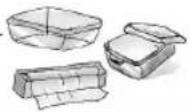
Cookware Guide
| ITEM MICROWAVE COMMENTS | ||
| Aluminum Foil Shielding | Yes for Small strips of foil can be molded around thin parts of meat or poultry to prevent overcooking. Arcing can occur only if foil is too close to oven wall or door and damage to your oven will result. | |
| Browning Dish Yes only. | Check browning | Browning dishes are designed for microwave cooking dish information for instructions and heating chart. Do not preheat for more than 6 minutes. |
| Brown paper bags No May cause a fire in the oven. | ||
| Dinnerware: Check manufacturers' use and care directions for use in Labeled Yes microwave heating. Some dinnerware may state on the "Microwave Safe" back of the dish, "Oven-Microwave Safe". | ||
| Unlabeled Dinnerware | ? | Use CONTAINER TEST below. |
| Disposable polyester Paperboard Dishes | Yes Some frozen foods are packaged in these dishes. Can be purchased in grocery stores. | |
| Fast Food Carton with Metal Handle | No Metal | handle may cause arcing. |
| Frozen Dinner Tray Metal | No Metal | can cause arcing and damage to your oven. |
| Frozen Dinner Tray Microwave safe | Yes Heat only 1 tray in the oven at one time. | |
| Glass Jars | No | Most glass jars are not heat resistant. Do not use for cooking or reheating. |
| Heat Resistant Oven Glassware & Ceramics | Yes | Ideal for microwave cooking and browning. (See CONTAINER TEST below) |
| Metal Bakeware | No | Not recommended for use in microwave ovens. Metal can cause arcing and damage to your oven. |
| Metal Twist-Ties | No May cause arcing which could cause a fire in the oven. | |
| Oven Cooking Bag | Yes | Follow manufacturers' directions. Close bag with the nylon tie provided, a strip cut from the end of the bag, or a piece of cotton string. Do not close with metal twist-tie. Make six 1 cm (1⁄2-inch) slits near the closure. |
| Paper Plates & Cups Yes | Use to warm cooked foods, and to cook foods that require short cooking times such as hot dogs. | |
| Paper Towels & Napkins | Yes | Use to warm rolls and sandwiches, only if labeled safe for microwave use. |
| Recycled Paper Towels & Napkins | No | Recycled paper products may contain impurities which may cause sparks. |
| Parchment Paper | Yes | Use as a cover to prevent spattering. Safe for use in microwave, microwave/convection and conventional ovens. |
| Plastic: Microwave Safe Cookware | Yes, use caution | Should be labeled, "Suitable for Microwave Heating." Check manufacturers' directions for recommended uses. Some microwave safe plastic containers are not suitable for cooking foods with high fat or sugar content. The heat from hot food may cause the plastic to warp. |
| Plastic, Melamine | No This material absorbs microwave energy. Dishes get HOT! | |
| Plastic Foam Cups | Yes, use caution | Plastic foam will melt if foods reach a high temperature. Use to reheat foods to a low serving temperature only. |
| Plastic Wrap | Yes prevent spattering. Should be labeled "Suitable for Microwave Heating". Check package directions. | |
| Straw, Wicker, Wood | Yes, use caution | Use only for short term reheating and to bring food to a low serving temperature. Wood may dry out & split or crack when used. |
| Thermometers- Microwave safe | Yes | Use only microwave safe meat and candy thermometers. |
| Thermometers- Conventional | No | Not suitable for use in microwave oven; will cause sparks and get hot. |
| Wax paper | Yes Use as a cover to prevent spattering and to retain moisture. | |
CONTAINER TEST
TO TEST A CONTAINER FOR SAFE MICROWAVE OVEN USE: Fill a microwave safe cup with cool water and place it in the microwave oven alongside the empty container to be tested; heat one (1) minute at P10 (HIGH). If the container is microwave oven safe (transparent to microwave energy), the empty container should remain comfortably cool and the water should be hot. If the container is hot, it has absorbed some microwave energy and should NOT be used. This test cannot be used for plastic containers.
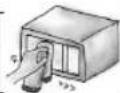
Care and Cleaning of Your Microwave Oven
BEFORE CLEANING:
Unplug oven at wall outlet. If outlet is inaccessible, leave oven door open while cleaning.
AFTER CLEANING:
Be sure to place the Roller Ring and the Glass Tray in the proper position and press Stop/Reset Pad to clear the Display.
Menu Label:
Do not remove, wipe with a damp cloth.
Glass Tray:
Remove and wash in warm soapy water or in a dishwasher.
Outside oven surfaces:
Clean with a damp cloth. To prevent damage to the operating parts inside the oven, water should not be allowed to seep into ventilation openings.
Inside of the oven:
Wipe with a damp cloth after using. Mild detergent may be used if needed. Do not use harsh detergents or abrasives.
Oven Door:
Wipe with a soft, dry-cloth when steam accumulates inside or around the outside of the oven door. During cooking, especially under high humidity conditions, steam is given off from the food. (Some steam will condense on cooler surfaces, such as the oven door. This is normal.) Inside surface is covered with a heat and vapor barrier film. Do not remove.
Roller Ring and oven cavity floor: Clean the bottom surface of the over with mild detergent water or window cleaner, and dry. Roller Ring may be washed in mild soapy water or dishwasher. These areas should be kept clean to avoid excessive noise.
Control Panel:
- Covered with a / removable protective film to prevent scratches during shipping. Small bubbles may appear under this film. (Hint - To remove film, apply masking or clear tape to an exposed corner and pull gently.)
- If the Control Panel becomes wet, clean it with a soft, dry cloth. Do not use harsh detergents or abrasives.
Do not remove waveguide cover: It is important to keep cover clean in the same manner as the inside of the oven.
IT IS IMPORTANT TO KEEP THE OVEN CLEAN AND DRY. FOOD RESIDUE AND CONDENSATION MAY CAUSE RUSTING OR ARCING AND DAMAGE TO THE OVEN. AFTER USE, WIPE DRY ALL SURFACES-INCLUDING VENT OPENINGS, OVEN SEAMS, AND UNDER GLASS TRAY.
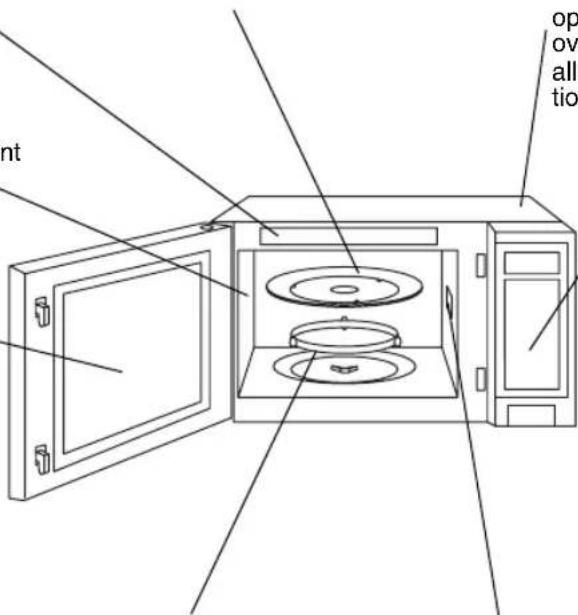
Oven Components Diagram
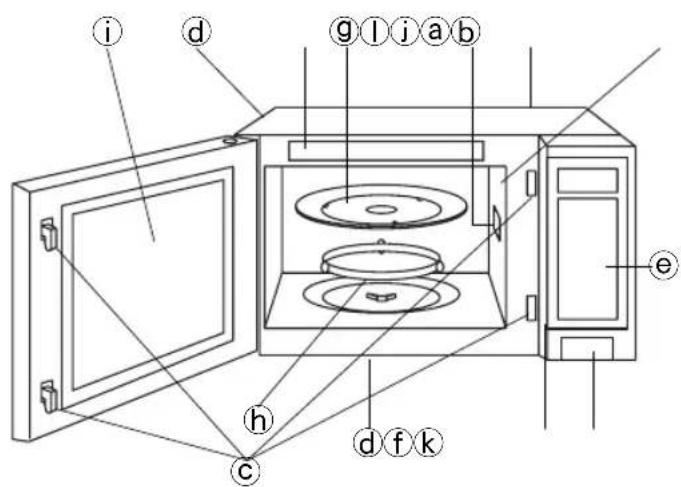
text_image
i d g l j a b e h c d f ka External Air Vent
bInternal Air Vent
©Door Safety Lock System
d Exhaust Air Vent
eControl Panel
f Identification Plate
⑨Glass Tray
hRoller Ring
i Heat/Vapor Barrier Film
(do not remove)
jWaveguide Cover (do not remove)
k Door Release Button
①Menu Label
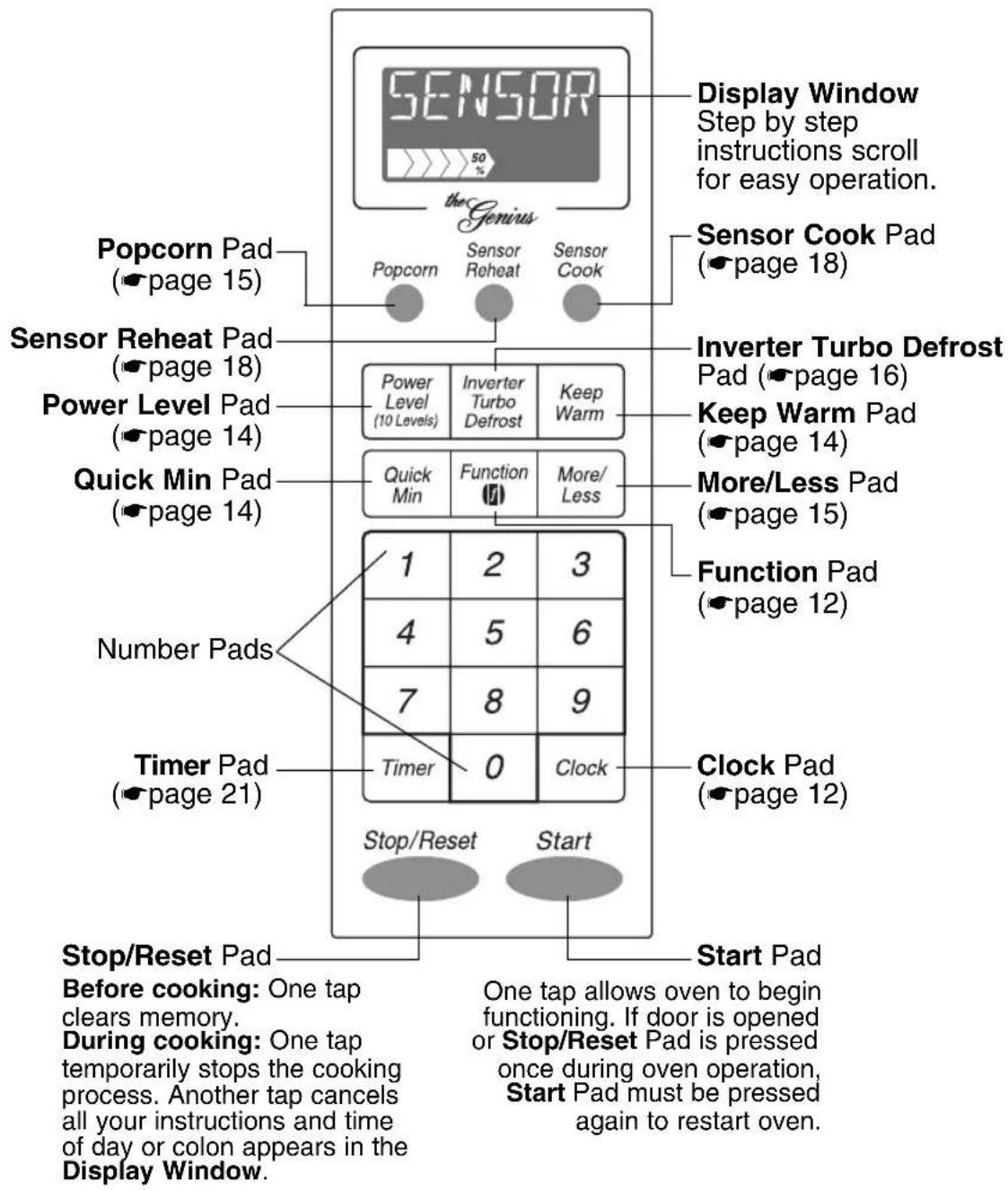
Control Panel
text_image
SENSOR the Genius Display Window Step by step instructions scroll for easy operation. Sensor Cook Pad (page 18) Popcorn Pad (page 15) Sensor Reheat Pad (page 18) Power Level Pad (page 14) Quick Min Pad (page 14) Power Level (10 Levels) Inverter Turbo Defrost Keep Warm Quick Min Function More/ Less Number Pads Timer Pad (page 21) Stop/Reset Start Stop/Reset Pad Before cooking: One tap clears memory. During cooking: One tap temporarily stops the cooking process. Another tap cancels all your instructions and time of day or colon appears in the Display Window. Inverter Turbo Defrost Pad (page 16) Keep Warm Pad (page 14) More/Less Pad (page 15) Function Pad (page 12) Clock Pad (page 12) Start Pad One tap allows oven to begin functioning. If door is opened or Stop/Reset Pad is pressed once during oven operation, Start Pad must be pressed again to restart oven.Beep Sound:
When a pad is pressed correctly, a beep will be heard.
If a pad is pressed and no beep is heard, the unit did not or cannot accept the instruction. When operating, the oven will beep twice between programmed stages. At the end of any complete program, the oven will beep 5 times.
 | tarting to UseYour Oven |
| 1. | Plug into a properly grounded electrical outlet."WELCOME TO PANASONIC...REFER TO OPERATING INSTRUCTIONS BEFORE USE" scrolls across display window. |
| 2. | The messages on the display window automatically appear in English.If you wish to use Spanish or French, use the Function pad language option.When French is selected, "BIENVENUE A PANASONIC...LIRE LE MANUEL D'UTILISATION AVANT USAGE" scrolls across the display window.If you wish to use metric measurements, use the Function pad weight option. |

Setting the Clock
| Example: To set 11:25 a.m. or p.m. | |
| 1. Clock | • PressClockonce. ▶Colon flashes. |
| 2. 1 1 2 5 | • Enter time of day using the number pads. ▶Time appears in the display window; colon continues flashing. |
| 3. Clock | • PressClock. ▶Colon stops flashing; time of day is entered. |
| Example: To set 11:25 a.m. or p.m. | |
| 1. [Clock] | • Press Clock once. ➤Colon flashes. |
| 2. [1 1 2 5] | • Enter time of day using the number pads. ➤Time appears in the display window; colon continues flashing. |
| 3. [Clock] | • Press Clock. ➤Colon stops flashing; time of day is entered. |
NOTES:
- To reset the clock, repeat step 1-3.
- The clock will retain the time of day as long as the oven is plugged in and electricity is supplied.
- Clock is a 12 hour display.
- Oven will not operate while colon is flashing.
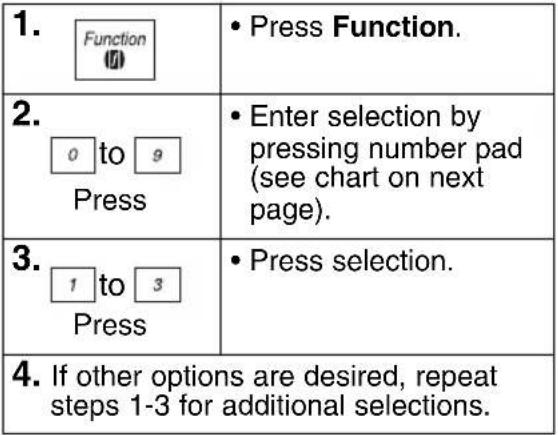
Function Features
This unique function of your PANASONIC microwave oven allows you to establish the initial non-cooking features of your oven such as CHILD LOCK, WORD SPEED, LANGUAGE CHOICE (ENG-LISH, FRENCH OR SPANISH), plus many more. See below.
 |
Function Features
Function
1 LANGUAGE CHOICE
The oven has a choice of English, French or Spanish display. The display appears in English when you plug-in.
→*1 ENGLISH ◆ Display appears in English.
2 FRANCAIS ◆ Display appears in French.
3 ESPANOL → Display appears in Spanish.
2 LB/KG CHOICE
The oven has both imperial and metric weight measurements. The oven displays the weight in imperial when you plug it in.
→*1 LB ➕ Weight can be set in oz/lb (Imperial).
→ 2 KG → Weight can be set in g/kg (Metric).
3 WORD SPEED
The speed of word scrolling on the Display Window can be sped up or slowed down.
→ 1 QUICK ➕ Words scroll quickly.
→*2 MEDIUM ↔ Scrolling speed returns to initial setting.
3 SLOW → Words scroll slowly.
4 MENU ACTION ON/OFF
MENU ACTION SCREEN helps you to program your oven by prompting the next step to be taken. When you become familiar with your oven, the prompt can be turned off.
*1 ON ➕ Prompting Guide will appear.
2 OFF ➔ Prompting Guide will not appear.
5 CHILD LOCK ON/OFF
The oven has a Child Safety Lock feature which prevents use by children. It does not lock the door.
1 ON Child Lock has been set and operation will not be accepted.
*2 OFF ◆ Child Lock has been cancelled.
6 BEEP ON/OFF
If you wish to have the oven operate with no beep, it can be eliminated.
*1 ON Beep sound will reactivate.
2 OFF ➕ Beep sound will not be heard.
7 REMINDER BEEP ON/OFF
A reminder beep works to remind you to remove the food from the oven after the completion of cooking. It will occur every 15 seconds.
1 ON ◆ Reminder beep will work.
→*2 OFF ◆ Reminder beep will not work.
1 ON ➕ Time of day will advance one hour.
2 OFF ➕ Time of day returns to original setting.
CLOCK ON/OFF
Clock display can be turned off.
*1 ON Clock display will appear on the Display Window.
2 OFF Clock display will not appear on the Display Window.
Time of day will be stored in memory while the display is off.
0 DEMO MODE ON/OFF
Demo mode is designed for retail store display. In this mode, oven operation can be demonstrated without powering the oven.
1 ON • The oven is in Demo mode.
→*2 OFF ➔ The oven is not in Demo mode.
* DEFAULT MODE
text_image
Selecting Power & Cook TimeExample: To cook at P 6 (MEDIUM) power for 1 minute 30 seconds
| 1. Power Level(10 Levels)Press 5 times. | • Press Power Level until the desired power level appears in the display window. |
| 2. 1 3 0 | • Set Cooking Time using number pads. |
3.  | • Press Start. ▶Cooking will start. The time in the display window will count down. |
| Press | Power Level |
| once | P10 (HIGH) |
| twice | P9 |
| 3 times | P8 |
| 4 times | P7 (MEDIUM-HIGH) |
| 5 times | P6 (MEDIUM) |
| 6 times | P5 |
| 7 times | P4 |
| 8 times | P3 (MEDIUM-LOW)/DEFROST |
| 9 times | P2 |
| 10 times | P1 (LOW) |
NOTES:
- For more than one stage cooking, repeat steps 1 and 2 for each stage of cooking before pressing Start Pad. The maximum number of stages for cooking is 5. When operating, two beeps will sound between each stage. Five beeps will sound at the end of the entire sequence.
- When selecting P10 (HIGH) power for the first stage, you may begin at step 2.
- When selecting P10 (HIGH) power, the maximum programmable time is 30 minutes. For other power levels, the maximum time is 99 minutes and 99 seconds.
- For reheating, use P10 (HIGH) for liquids, P7 (MEDIUM-HIGH) for most foods and P6 (MEDIUM) for dense foods.
- For defrosting, use P3 (MEDIUM-LOW).
DO NOT OVERCOOK. This oven requires less time to cook than an older unit.
Overcooking will cause food to dry out and may cause a fire. A microwave oven's cooking power tells you the amount of microwave power available for cooking.
Quick Min Feature
This feature allows you to set or add cooking time in 1 minute increments up to 10 minutes.
To Set Cooking Time:
1.  | • Press Quick Min until the desired cooking time (up to 10 min-utes) appears in the display window. Power Level is pre-set at P10. |
| [###] (###) | Press Start. Cooking begins and the time will count down. At the end of cooking, 5 beeps sound. |
NOTES:
- If desired, you can use other power levels. Select desired power level before setting cooking time.
- After setting the time by Quick Min Pad, you cannot use Number Pads.
- Quick Min Pad can be used to add more time during manual cooking.
Keep Warm Feature
This feature will keep food warm for up to 30 minutes after cooking.
| Example: To keep 2 cups of gravy warm | |
 | • Press Keep Warm. |
2. | • Set warming time, up to 30 minutes. |
 | • Press Start.▶Keep Warm will start. The time in the display window will count down. |
NOTE:
Keep Warm can be programmed as the final stage after cook time/s have been manually entered. It cannot be used in combination with sensor or auto features.
Popcorn Feature
Example: To pop 3.5 oz. (99 g) of popcorn
1. | • Press Popcorn until the desired size appears in the display window. | |
| Press | Weight | |
| once twice 3 times | 3.5 oz (99 g) 3.0 oz (85 g) 1.75 oz (50 g) | |
2. Optional Optional | (see More/Less Feature.) | |
3. | • Press Start.▶After several seconds, cooking time appears in the display window and begins to count down. | |
NOTES ON POPCORN FEATURE:
- Pop one bag at a time.
- Place bag in oven according to manufacturers' directions.
- Start with popcorn at room temperature.
- Allow popped corn to sit unopened for a few minutes.
- Open bag carefully to prevent burns, because steam will escape.
- Do not reheat unpopped kernels or reuse bag.
NOTE:
If popcorn is of a different weight than listed, follow instructions on popcorn package. Never leave the oven unattended. If popping slows to 2 to 3 seconds between pops, stop oven. Overcooking can cause fire.
REMARKS:
When popping multiple bags one right after the other, the cooking times may vary slightly. This does not affect the popcorn results.

More/Less Feature
For Popcorn:
By using the More/Less Pad, the programs can be adjusted to cook popcorn for a longer or shorter time if desired.
1 tap = Adds approx. 10 secs.
2 taps = Adds approx. 20 secs.
3 taps = Subtracts approx. 10 secs.
4 taps = Subtracts approx. 20 secs.
5 taps = Original setting
Press More/Less pad before pressing Start.
For Sensor Reheat/Cook:
Preferences for food doneness vary with each individual. After having used the
Sensor Reheat/Cook feature a few times, you may decide you would prefer your food cooked to a different doneness.
1 tap = More (Adds approx. 10% time)
2 taps = Less (Subtracts approx. 10% time)
3 taps = Original setting
Press More/Less pad before pressing Start.

Inverter Turbo Defrost Feature
This feature allows you to automatically defrost foods such as: meat, poultry and seafood simply by entering the weight.
Example: To defrost 1.5 pounds of meat
Place food on microwave safe dish.
1.  | • Press Inverter Turbo Defrost. |
2. 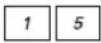 | • Enter weight of the food using the number pads. |
3.  | • Press Start. Defrosting will start. The time will count down. Larger weight foods will cause a signal midway through defrosting. If 2 beeps sound, turn over, rearrange foods or shield with aluminum foil. |
Conversion Chart:
Follow the chart to convert ounces or hundredths of a pound into tenths of a pound. To use Inverter Turbo Defrost, enter the weight of the food in lbs. (1.0) and tenths of a lb. (0.1). If a piece of meat weighs 1.95 lbs. or 1 lb. 14 oz., enter 1.9 lbs.
| Ounces | Hundredths of a Pound | Tenths of a Pound |
| 0 | .01 - .05 | 0.0 |
| 1 - 2 | .06 - .15 | 0.1 |
| 3 - 4 | .16 - .25 | 0.2 |
| 5 | .26 - .35 | 0.3 |
| 6 - 7 | .36 - .45 | 0.4 |
| 8 | .46 - .55 | 0.5 |
| 9 - 10 | .56 - .65 | 0.6 |
| 11 - 12 | .66 - .75 | 0.7 |
| 13 | .76 - .85 | 0.8 |
| 14 - 15 | .86 - .95 | 0.9 |
Note:
The maximum weight for Inverter Turbo Defrost is 3 kg (6 lb).
Defrosting Tips & Techniques
Preparation For Freezing:
- Freeze meats, poultry, and fish in packages with only 1 or 2 layers of food. Place wax paper between layers.
- Package in heavy-duty plastic wraps, bags (labeled "For Freezer"), or freezer paper.
- Remove as much air as possible.
- Seal securely, date, and label.
To Defrost:
- Remove wrapper. This helps moisture to evaporate. Juices from food can get hot and cook the food.
- Set food in microwave safe dish.
- Place roasts fat-side down. Place whole poultry breast-side down.
- Select power and minimum time so that items will be under-defrosted.
- Drain liquids during defrosting.
- Turn over (invert) items during defrosting.
- Shield edges and ends if needed. (See Cooking Techniques).
After Defrosting:
- Large items may be icy in the centre. Defrosting will complete during STANDING TIME.
- Let stand, covered, following stand time directions on page 17.
- Rinse foods as indicated in the chart.
- Items which have been layered should be rinsed separately or have a longer stand time.
Defrosting Tips & Techniques (continued)
| FOOD TIME at P3 DURING DEFROSTING(min/kg) (min/lb) | |||||
| Stand Time | Rinse | ||||
| Fish and Seafood[up to 1.4 kg (3 lbs.)]Crabmeat 12 6 Break apart/Rearrange | 5 min. YES | NO | |||
| Fish Steaks 8 to 12 4 to 6 Turn over | |||||
| Fish Fillets 8 to 12 4 to 6 Turn over/Rearrange/Shield ends | |||||
| Sea Scallops 8 to 12 4 to 6 | Break apart/Remove defrosted pieces | ||||
| Whole fish 8 to 12 4 to 6 Turn over | |||||
| MeaTurn over/Remove defrostedGround Meat 8 to 10 4 to 5 portion/Shield edges | 10 min. | ||||
| Roasts 8 to 16 4 to 8 Turn over/Shield ends and [1.1-1.8 kg ( 2^1/_2 -4 lbs.)] defrosted surface | 30 min. in refrig. | ||||
| Chops/Steak | 12 to 16 | 6 to 8 | Turn over/Rearrange/Shield ends and defrosted surface | 5 min. | |
| Ribs/T-bone | 12 to 16 | 6 to 8 | Turn over/Rearrange/Shield ends and defrosted surface | ||
| Stew Meat 8 to 16 4 to 8 Break apart/Rearrange/Remove defrosted pieces | |||||
| Liver (thinly sliced) | 8 to 12 | 4 to 6 | Drain liquid/Turn over/Separate pieces | ||
| Bacon (sliced) | 8 | 4 Turn over | ---- | ||
| PoultryChicken, Whole [up to 1.4 kg (3 lbs.)] | 8 to 12 | 4 to 6 | Turn over/Shield | 20 min. in refrig. | YES |
| Cutlets 8 to 12 4 to 6 Break apart/Turn over/Remove defrosted Pieces | 5 min. | ||||
| Pieces | 8 to 12 | 4 to 6 | Break apart/Turn over/Shield | 10 min. | |
| Cornish Hens | 12 to 16 | 6 to 8 | Turn over/Shield | ||
| Turkey Breast [2.3-2.7 kg (5-6 lbs.)] | 12 6 | Turn over/Shield | 20 min. in refrig. | ||
Automatic features are provided for your convenience. If results are not suitable to your individual preference or if serving size is other than what is listed on page 19, please refer to page 14 for manual cooking.
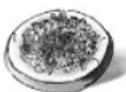
Sensor Reheat Feature
This sensor feature allows you to reheat food without setting time. The oven simplifies programming.
Example: To reheat a plate of food
1. | • Press Sensor Reheat. |
| OptionalMore/Less | (see More/Less Feature)( page 15) |
3. | • Press Start. ▶Cooking starts. |
| Cooking is complete when 5 beeps sound. (When steam is detected by the Genius Sensor and 2 beeps sound, the remaining cooking time will appear in the display window.) | |
NOTE:
Casseroles - Add 3 to 4 tablespoons of liquid, cover with lid or vented plastic wrap. Stir when time appears in the display window.
Canned foods - Empty contents into casse-role dish or serving bowl, cover dish with lid or vented plastic wrap. After reheating, let stand for a few minutes.
Plate of food - Arrange food on plate; top with butter, gravy, etc. Cover with lid or vented plastic wrap. After reheating, let stand for a few minutes.
DO NOT USE SENSOR REHEAT:
- To reheat bread and pastry products. Use manual power and time for these foods.
- For raw or uncooked foods.
- If oven cavity is warm.
- For beverages.
- For frozen foods.
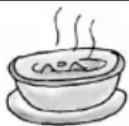
Sensor Cook Feature
This sensor feature allows you to cook food without setting time. The oven simplifies programming.
Example: To cook Frozen Entrées
1. Press 4 times Press 4 times | • Press Sensor Cook until the desired category appears on the display window. |
2. Optional Optional | (see More/Less Feature)( page 15) |
3. | • Press Start. ▶Cooking starts. |
| Cooking is complete when 5 beeps sound. (When steam is detected by the Genius Sensor and 2 beeps sound, the remaining cooking time will appear in the display window.) | |
For the best results with the GENIUS SENSOR, follow these recommendations.
BEFORE Reheating/Cooking:
- The room temperature surrounding the oven should be below 35^ C ( 95^ F).
- Food weight should exceed 110 g (4 oz.).
-
Be sure the glass tray, the outside of the cooking containers and the inside of the microwave oven are dry before placing food in the oven. Residual beads of moisture turning into steam can mislead the sensor.
-
Cover food with lid, or with vented plastic wrap. Never use tightly sealed plastic containers—they can prevent steam from escaping and cause food to overcook.
DURING Reheating/Cooking:
DO NOT open the oven door until 2 beeps sound and cooking time appears on the Display Window. Doing so will cause inaccurate cooking since the steam from food is no longer contained within the oven cavity. Once the cooking time begins to count down, the oven door may be opened to stir, turn, or rearrange foods.
AFTER Reheating/Cooking:
All foods should have a stand time.
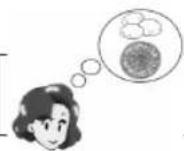
Sensor Cook Chart
| Recipe Serving | Weight Hints | |
| 1. Oatmeal 40 - 80 g Place inside a microwave (1/2 - 1 cup) cover. | safe serving bowl with no Follow manufacturers' directions for preparation. | |
| 2. Breakfast Sausage | 2 - 8 links | Follow manufacturers' directions for preparation of pre-cooked breakfast sausage. Place in a radial pattern. |
| 3. Omelet 2, 4 eggs Follow Basic Omelet recipe on page 20. | ||
| 4. Frozen Entrées | 225 - 900 g (8 - 32 oz.) After | Follow manufacturers' directions for preparation. 2 beeps, stir or rearrange. Be careful when removing the film cover after cooking. Remove facing away from you to avoid steam burns. If additional time is needed, continue to cook manually. |
| 5. Frozen Pizza 225 g (single) (8 oz.) | Follow manufacturers' directions for preparation. | |
| 6. Potatoes | 4 maximum (170 - 225 g) (6 - 8 oz. each) | Pierce each potato with a fork 6 times spacing around surface. Place potato or potatoes around the edge of paper-towel-lined glass tray (Turntable), at least 1 inch (2.5 cm) apart. Do not cover. Let stand 5 minutes to complete cooking. |
| 7. Fresh Vegetables | 110 - 450 g (4 - 16 oz.) | All pieces should be the same size. Wash thoroughly, add 1 tbsp. of water per 1/2 cup of vegetables, and cover with lid or vented plastic wrap. Do not salt/butter until after cooking. |
| 8. Frozen Vegetables | 170 - 450 g (6 - 16 oz.) | Wash thoroughly, add 1 tbsp. of water per 1/2 cup of vegetables, and cover with lid or vented plastic wrap. Do not salt/butter until after cooking. (Not suitable for vegetables in butter or sauce.) After 2 beeps, stir or rearrange. |
| 9. Pasta | 56 - 225 g (2 - 8 oz.) cassa | Place pasta with hot tap water in a microwave safe role dish. Cover with lid or vented plastic wrap. |
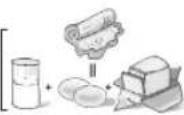
Microwave Recipes
OMELET
Basic Omelet
1 tablespoon butter or margarine
2 eggs
2 tablespoons milk
salt and ground black pepper, if desired
Heat butter in a microwave safe 22.5 cm (9-inch) pie plate, 20 seconds at P10, or until melted. Turn the plate to coat the bottom with butter. Meanwhile, combine the remaining ingredients in a separate bowl, beat together and pour into the pie plate. Cover with vented plastic wrap, use OMELET selection. Let stand 2 minutes. With a spatula, loosen the edges of the omelet from the plate, fold into thirds to serve. Always use scrambled eggs.
Yield: 1 serving
NOTE: Double ingredients for a 4 egg
Omelet. (Cook at P6 power for 5 minutes.)
CASSEROLE
Shepherd's Pie
450 g (1 pound) lean ground beef
^1/_2 cup frozen peas, thawed
^1/_4 cup chopped onion
1 tablespoon gravy powder
1 / 2 teaspoon curry powder
^1/_4 teaspoon salt
^1/_4 teaspoon ground black pepper
2 cups mashed potatoes
In a 2-Qt. casserole dish, crumble the ground beef and cook for 5-7 minutes at P6 or until the meat is cooked, stirring twice.
Add the remaining ingredients, except for potatoes. Stir well, and then spread the potatoes evenly on the top. Cover with a lid or vented plastic wrap and cook at P6 power for 16-18 minutes.
Yield: 4 servings
Macaroni and Cheese
^1/_4 cup butter
2 tablespoons chopped onion
1 clove minced garlic
^1/_4 cup all-purpose flour
1 teaspoon dry mustard
1 teaspoon salt
1/4 teaspoon ground black pepper
2 cups milk
2 cups grated cheddar cheese
225 g (8 oz.) (dry weight) macaroni, cooked and drained
1 / 3 cup bread crumbs
1 teaspoon paprika
In a 2-Qt. casserole dish, melt the butter for 40 seconds at P10. Add onion and garlic and cook for 1 minute at P10. Stir in flour, mustard, salt and pepper, and gradually add the milk. Cook for 3-4 minutes at P10 until sauce thickens, stirring once. Add the cheddar cheese, stirring thoroughly. Pour and stir the sauce into the macaroni, in a 3-Qt. casserole. Top with bread crumbs and paprika. Cover with lid or vented plastic wrap. Cook at P6 power for 16-18 minutes.
Yield: 6 servings
Beef and Macaroni Casserole
450 g (1 pound) lean ground beef
1 small onion, chopped
1 / 2 green bell pepper, chopped
1 cup chopped celery
2 430 g (15 oz.) cans tomato sauce
1^1/_4 cups water
1 cup uncooked elbow macaroni
1 teaspoon parsley
1 / 2 teaspoon salt
1 / 4 teaspoon ground black pepper
1 / 2 cup grated cheddar cheese
Crumble the ground beef in a 3-Qt. casserole. Cook for 5-7 minutes at P6 or until the meat is cooked, stirring twice. Stir in onion, peppers and celery. Cook for 3-4 minutes at P10. Stir in the remaining ingredients, except cheese. Cover with lid or vented plastic wrap. Cook at P6 power for 16-18 minutes. Sprinkle with cheese. Cover and let stand 5 minutes.
Yield: 4-6 servings
Tuna Casserole
1 170 g (6 oz.) can tuna, drained and flaked
4 cups cooked and drained noodles
1 300 g (10 ^3/_4 oz.) can condensed cream of mushroom soup
1 110 g (4 oz.) can mushroom pieces and stems, drained
1 450 g (16 oz.) package frozen peas, defrosted
3/4 cup milk
1 cup crushed potato chips
1 / 2 cup grated cheddar cheese
In a 3-Qt. casserole, combine tuna, noodles, soup, mushrooms, peas and milk; mix well. Cover with lid or vented plastic wrap. Cook at P6 power for 16-18 minutes. Top with potato chips and cheese before serving.
Yield: 4-6 servings
Timer Feature
This feature allows you to program the oven as a kitchen timer. It can also be used to program a standing time after cooking is completed and/or to program a delay start.
To Use as a Kitchen Timer:
| Example: To count down 5 minutes. | |
1. | • Press Timer. |
2. | • Set desired amount of time using number pads.(up to 99 minutes and 99 seconds) |
3. | • Press Start.▶Time will count down without oven operating. |
To Set Stand Time:
| Example: To cook at P6 power for 3 minutes, with stand time of 5 minutes. | |
1. Press 5 times Press 5 times | • Enter the desired Power Level (see page 14 for directions). |
2. | Set desired cooking time using number pads. |
3. | • Press Timer. |
4.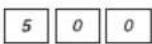 | • Set desired amount of Stand Time using number pads. (up to 99 minutes and 99 seconds) |
5. | • Press Start.▶Cooking will start. After cooking, stand time will count down without oven operating. |
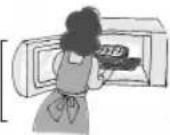
CAUTION: If oven lamp is lit while using the timer feature, the oven is incorrectly programmed. Stop oven immediately and re-read instructions.
To Set Delay Start:
| Example: To delay the start of cooking for 5 minutes, and cook at P6 power for 3 minutes. | |
1. | • Press Timer. |
2.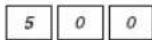 | • Enter desired amount of delay time using number pads. (up to 99 minutes and 99 seconds) |
3. Press 5 times Press 5 times | • Enter the desired Power Level (see page 14 for directions). |
4.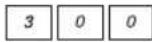 | Set desired cooking time using number pads. |
5. | • Press Start.▶Delay time will count down. Then cooking will start. |
NOTE:
- When each stage finishes, a two-beep signal sounds. At the end of the program, the oven will beep five times.
- If the oven door is opened during Stand Time, Kitchen Timer or Delay Time, the time on the display will continue to count down.
- Stand time and Delay start cannot be programmed before any automatic Function. This is to prevent the starting temperature of food from rising before defrosting or cooking begins. A change in starting temperature could cause inaccurate results.
Microwave Shortcuts
| FOOD POWER TIME DIRECTIONS (in mins.) | |||
| To separate refrigerated Bacon, safe dish. After heating, use a plastic 450 g (1 pound) spatula | P10 (High) 30 sec. Remove wrapper and place in microwave heating, use a plastic to separate slices. | ||
| To soften Brown Sugar 1 cup (250 ml) with a slice of bread. Cover with lid or plastic wrap. | P10 (High) 20 - 30 sec. Place brown sugar in microwave safe dish | ||
| To soften refrigerated Butter, 1 stick, 110 g ( ^1/_4 pound) | P3 (MED-LOW) | 1 Remove wrapper and place butter in a microwave safe dish. | |
| To melt refrigerated Butter, 1 stick, 110 g ( ^1/_4 pound) | P6 (MEDIUM) | 1^1/_2 - 2 Remove wrapper and place butter in a microwave safe dish covered with lid or vented plastic wrap. | |
| To melt Chocolate, 1 square, 28 g (1 oz.) | P6 (MEDIUM) | 1 - 1^1/_2 Remove wrapper and place chocolate in a microwave safe dish. After heating, stir until completely melted. Note: Chocolate holds its shape even when softened. | |
| To melt Chocolate, 1/_2 cup (125 ml) chips | P6 (MEDIUM) | 1 - 1^1/_2 | |
| To toast Coconut, 1/_2 cup (125 ml) | P10 (High) | 1 | Place in a microwave safe dish. Stir every 30 seconds. |
| To soften Cream Cheese, 225 g (8 oz.) | P3 (MED-LOW) | 1 - 2 | Remove wrapper and place in a microwave safe bowl. |
| To brown Ground Beef, 450 g (1 pound) set into | P10 (High) | 4 - 5 | Crumble into a microwave safe colander wrap. Stir twice. Drain grease. |
| another dish. Cover with plastic | |||
| To cook Vegetables, Fresh (225 g) ( ^1/_2lb) | P8 | 3^1/_2 - 4 All pieces should be the same size. Wash thoroughly, add 1 tbsp of water per 1/_2 cup of vegetables, and cover with lid or vented plastic wrap. Do not salt/butter until after cooking. | |
| Frozen (285 g) (10 oz) | P8 | 3^1/_2 - 4 Wash thoroughly, add 1 tbsp of water per 1/_2 cup of vegetables, and cover with lid or vented plastic wrap. Do not salt/butter until after cooking. (Not suitable for vegetables in butter or sauce.) | |
| Canned (430 g) (15 oz) | P8 | 3^1/_2 - 4 Empty contents into microwave safe serving bowl. Do not cover. | |
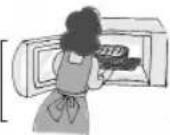
Microwave Shortcuts (continued)
| FOOD POWER TIME DIRECTIONS | (in mins.) | ||
| To cook baked Potato, (170 - 225 g) spacing around surface. Place potato or (6 - 8 oz. each) potatoes around the edge of paper-towel-1 P8 3 12 -4 lined glass tray (Turntable), at least 2.5 cm (1-inch) apart. Do not cover. Let stand 5 2 P8 6 - 7 minutes to complete cooking. | |||
| To steam Hand Towels - 4 | P10 (High) 20 | -30 sec. Soak in water, then wring out excess. Place on a microwave safe dish. Heat. Present immediately. | |
| To soften Ice Cream, 2 qt. ( 12 gallon) | P3 (MED-LOW) | 1 - 112 Check often to prevent melting. | |
| Cup of liquid To boil water, broth, etc. 1 cup, 250 ml (8 oz.) 2 cups, 500 ml (16 oz.) | P10 (High) | 112 -2 Heated liquids can erupt if not stirred. 212 -3 Do not heat liquids in microwave oven without stirring before heating. | |
| Cup of liquid To warm Beverage, 1 cup, 250 ml (8 oz.) 2 cups, 500 ml (16 oz.) | P7 (MED-HIGH) | 112 -2 212 -3 | |
| To roast Nuts, 112 cups (375 ml) | P10 (High) | 3 - 4 | Spread nuts into a 23 cm (9-inch) microwave safe pie plate. Stir occasionally. |
| To toast Sesame Seeds, 14 cup (60 ml) | P10 (High) | 2 - 212 Place in a small microwave safe bowl. Stir twice. | |
| To skin Tomatoes, (one at a time) | P10 (High) | 30 sec. | Place tomato into a microwave safe bowl containing boiling water. Rinse and peel. Repeat for each tomato. |
| To remove Cooking Odours | P10 (High) | 5 | Combine 1 to 112 cups (250 - 375 ml) water with the juice and peel of one lemon in a 2 quart microwave safe bowl. After water finishes boiling, wipe interior of oven with a cloth. |
Food Characteristics Cooking Techniques
Bone and Fat
Both bone and fat affect cooking. Bones may cause irregular cooking. Meat next to the tips of bones may overcook while meat positioned under a such as a ham bone, may be cooked. Large amounts of fat a microwave energy and the meat these areas may overcook.
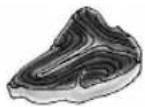
Density
Porous, airy foods such as breads, cakes or rolls take less time to cook than heavy, dense foods such as potatoes and roasts. When reheating donuts or other foods with different centres be ful. Certain foods have centr sugar, water, or fat and these attract microwaves (for exam donuts). When a jelly donut jelly can become extremely b exterior remains warm to the could result in a burn if the f allowed to cool properly in th
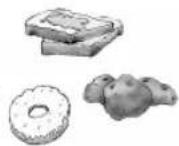
Quantity
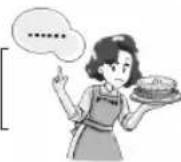
Two potatoes take longer to cook than one potato. As the quantity of the food decreases so does the cooking time. Overcooking will cause the moisture content in the food to decrease and a fire could result. Never leave microwave unattended while in use.
Shape
Uniform sizes heat more evenly. The thin end of a drumstick will cook more quickly than the meaty end. To compensate for i place thin parts toward the dish and thick pieces tow
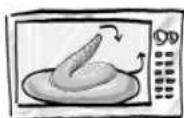
Size
Thin pieces cook more quickly than thick pieces.
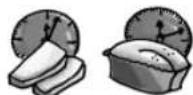
Starting Temperature
Foods that are at room temperature take less time to cook than if they are chilled, refrigerated, or frozen.
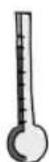
Piercing
Foods with skins or membranes must be pierced, scored or have a strip of skin peeled before cooking to allow steam to escape. Pierce clams, oysters, chicken livers, whole potatoes and whole vegetables. Whole apples or new potatoes should have a 1-inch strip of skin peeled before cooking. Score sausages and frankfurters. Do not Cook/Reheat whole eggs with or without the shell. Steam built up in whole eggs may cause them to explode, and possibly damage the oven or cause injury. Reheating SLICED hard-boiled eggs and cooking SCRAMBLED eggs is safe.
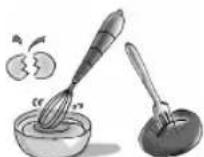
Browning
Foods will not have the same brown appearance as conventionally cooked foods or those foods which are cooked utilizing a browning feature. Meats and poultry may be coated with browning Worcestershire sauce, barbe shake-on browning sauce. The bine browning sauce with me margarine and brush on before. For quick breads or muffins, can be used in the recipe in granulated sugar, or the surf sprinkled with dark spices be
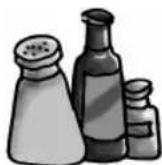
Spacing
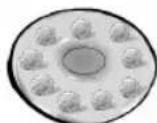
Individual foods, such as baked potatoes, cupcakes and appetizers, will cook more evenly if placed in the oven equal distances apart. When possible, arrange foods in a circular pattern.
Cooking Techniques
(continued)
Covering
As with conventional cooking, moisture evaporates during microwave cooking. Casserole lids or plastic wrap are used for a tighter seal. When using plastic wrap, vent the plastic wrap by folding back part of the plastic wrap from the edge of the dish to allow steam to escape. Loosen or remove plastic wrap as recipe directs for stand time. When removing plastic wrap covers, as well as any glass lids, be careful to remove them away from you to avoid steam burns. Various degrees of moisture retention are also obtained by using wax paper or paper towels.
Shielding
Thin areas of meat and poultry cook more quickly than meaty portions. To prevent overcooking, these thin areas can be shielded with strips of aluminum foil. Wooden toothpicks may be used to hold the foil in place.
⚠️CAUTION is to be exercised when using foil. Arcing can occur if foil is too close to oven wall or door and damage to your oven will result.
Cooking time
A range of cooking time is given in each recipe. The time range compensates for the uncontrollable differences in food shapes, starting temperature, and regional preferences. Always cook food for the minimum cooking time given in a recipe and check for doneness. If the food is undercooked, continue cooking. It is easier to add time to an undercooked product. Once the food is overcooked, nothing can be done.
Stirring
Stirring is usually necessary during microwave cooking. Always bring the cooked outside edges toward the centre and the less cooked centre portions toward the outside of the dish.
Rearranging
Rearrange small items such as chicken pieces, shrimp, hamburger patties, or pork chops. Rearrange pieces from the edge to the centre and pieces from the centre to the edge of the dish.
Turning
It is not possible to stir some foods to distribute the heat evenly. At times, microwave energy will concentrate in one area of the food. To help ensure even cooking, these foods need to be turned. Turn over large foods, such as roasts or turkeys, halfway through cooking.
Stand Time
Most foods will continue to cook by conduction after the microwave oven is turned off. In meat cookery, the internal temperature will rise 3°C to 8°C (5°F to 15°F), if allowed to stand, tented with foil, for 10 to 15 minutes. Casseroles and vegetables need a shorter amount of standing time, but this standing time is necessary to allow foods to complete cooking to the centre without over-cooking on the edges.
Test for Doneness
The same tests for doneness used in conventional cooking may be used for microwave cooking. Meat is done when fork-tender or splits at fibers. Chicken is done when juices are clear yellow and drumstick moves freely. Fish is done when it flakes and is opaque. Cake is done when a toothpick or cake tester is inserted and comes out clean.
ABOUT FOOD SAFETY AND COOKING TEMPERATURE
- Check foods to see that they are cooked at the recommended temperatures.
TEMP FDOD
71°C (160°F) ...for fresh pork, ground meat, boneless white poultry, fish, seafood, egg dishes and frozen prepared food.
74°C (165°F) ...for leftover, ready-to-reheat refrigerated, and deli and carryout "fresh" food.
77°C (170°F) ...white meat of poultry.
82°C (180°F) ...dark meat of poultry.
To test for doneness, insert a meat thermometer in a thick or dense area away from fat or bone. NEVER leave the thermometer in the food during cooking, unless it is approved for microwave oven use.
Before Requesting Service
These things are normal:
The oven causes Some radio and TV interference might occur when you cook interference with the microwave oven. This interference is similar to the my TV. interference caused by small appliances such as mixers, vacuums, blow dryers, etc. It does not indicate a problem with your oven.
Steam accumulates During cooking, steam and warm air are given off from the on the oven door and food. Most of the steam and warm air are removed from the warm air comes from oven by the air which circulates in the oven cavity. However, the oven vents. some steam will condense on cooler surfaces such as the oven door. This is normal. After use, the oven should be wiped dry (see page 9).
PROBLEM POSSIBLE CAUSE
REMEDY
| Oven will not turn on. | The oven is not plugged in Remove plug from outlet, wait securely. 10 seconds and re-insert. | |
| Circuit breaker or fuse is Reset circuit breaker or replace tripped or blown. fuse. | ||
| There is a problem with the Plug another appliance into the outlet. outlet to check if it is working. | ||
| Oven will not start cooking. | The door is not closed Close the oven door securely. completely. | |
| Start Pad was not pressed after programming. | Press Start Pad. | |
| Another program is already entered into the oven. | Press Stop/Reset Pad to cancel the previous program and enter new program. | |
| The program is not correct. | Program again according to the Operating Instructions. | |
| Stop/Reset Pad has been pressed accidentally. | Program oven again. | |
| The Glass Tray wobbles. | The Glass Tray is not positioned properly on the Ring. | Take out Glass Tray and Roller Wipe with a damp cloth and reset Roller Ring and Glass Tray properly. |
| When the oven is operating, there is noise coming from the glass tray. | The Roller Ring and oven bottom are dirty. | Clean these parts according to Care and Cleaning of your Microwave Oven (see page 9). |
| The word “LOCK” appears in the Display Window. | The CHILD LOCK was activated. | See Function Pad on page 13. |
Warranty & Service
Panasonic Canada Inc.
5770 Ambler Drive, Mississauga, Ontario L4W 2T3
PANASONIC PRODUCT – LIMITED WARRANTY
Panasonic Canada Inc. warrants this product to be free from defects in material and workmanship and agrees to remedy any such defect for a period as stated below from the date of original purchase.
Microwave Oven: Two (2) years, parts and labour (Carry-in Service).
Additional three (3) year warranty on the magnetron (parts only, labour extra).
In-home Service applies to convection, over-the-range and stainless steel ovens.
(labour to install or remove the product is not warranted)
In-home Service will be carried out only to locations accessible by roads and within 50 km of an authorized Panasonic service facility.
LIMITATIONS AND EXCLUSIONS
This warranty does not apply to products purchased outside Canada or to any product which has been improperly installed, subjected to usage for which the product was not designed, misused or abused, damaged during shipping, or which has been altered or repaired in any way that affects the reliability or detracts from the performance, nor does it cover any product which is used commercially. Dry cell batteries are also excluded from coverage under this warranty.
This warranty is extended to the original end user purchaser only. A purchase receipt or other proof of date of original purchase is required before warranty service is performed.
THIS EXPRESS, LIMITED WARRANTY IS IN LIEU OF ALL OTHER WARRANTIES, EXPRESS OR IMPLIED, INCLUDING ANY IMPLIED WARRANTIES OF MERCHANTABILITY AND FITNESS FOR A PARTICULAR PURPOSE.
IN NO EVENT WILL PANASONIC CANADA INC. BE LIABLE FOR ANY SPECIAL, INDIRECT OR CONSEQUENTIAL DAMAGES.
In certain instances, some jurisdictions do not allow the exclusion or limitation of incidental or consequential damages, or the exclusion of implied warranties, so the above limitations and exclusions may not be applicable.
WARRANTY SERVICE
For product operation and information assistance, please contact your Dealer or our Customer Care Centre at:
Telephone #: (905) 624-5505 Fax #: (905) 238-2360 Web: www.panasonic.ca
For product repairs, please contact one of the following:
- Your Dealer who will inform you of an authorized Servicentre nearest you.
- Our Customer Care Centre at (905) 624-5505 or www.panasonic.ca
• A Panasonic Factory Servicentre listed below:
| Richmond, British Columbia | Calgary, Alberta | Mississauga, Ontario | Lachine, Québec |
| Panasonic Canada Inc. | Panasonic Canada Inc. | Panasonic Canada Inc. | Panasonic Canada Inc. |
| 12111 Riverside Way | 6835-8th St. N. E. | 5770 Ambler Dr. | 3075, rue Louis A. Amos |
| Richmond, BC V6W 1K8 | Calgary, AB T2E 7H7 | Mississauga, ON L4W 2T3 | Lachine, QC H8T 1C4 |
| Tel: (604) 278-4211 | Tel: (403) 295-3955 | Tel: (905) 624-8447 | Tel: (514) 633-8684 |
| Fax: (604) 278-5627 | Fax: (403) 274-5493 | Fax: (905) 238-2418 | Fax: (514) 633-8020 |
IF YOU SHIP THE PRODUCT TO A SERVICENTRE
Carefully pack and send prepaid, adequately insured and preferably in the original carton. Include details of the defect claimed, and proof of date of original purchase.
| Feature | How to Operate |
| To setClock( page 12) |  Press once. Enter time of day. Press once. Press once. Enter time of day. Press once. |
| To setPower and Time( page 14) |  Press to select Power Level. Set cooking time. Press. Press to select Power Level. Set cooking time. Press. |
| To Use Function( page 12) |  Press. Select category. Select option. Press. Select category. Select option. |
| To cook usingPopcorn( page 15) |  Select weight. Optional. Press. Select weight. Optional. Press. |
| To cook usingQuick Min( page 14) |  (up to 10 min.) Press. (up to 10 min.) Press. |
| To reheat usingSensor Reheat( page 18) |  Press once. Optional. Press. Press once. Optional. Press. |
| To cook usingSensor Cook( page 18) | e.g.  Press to select category. Optional. Press. Press to select category. Optional. Press. |
| To defrost usingInverter TurboDefrost( page 16) |  Press once. Set weight. Press. Press once. Set weight. Press. |
| To useKeep Warm( page 14) |  Press once. Set keep warm time. (up to 30 min.) Press. Press once. Set keep warm time. (up to 30 min.) Press. |
| To use as aKitchen Timer( page 21) |  Press once. Set time. Press. Press once. Set time. Press. |
| To SetStand Time( page 21) |  In4-stag programs. Press once. Set time. Press. In4-stag programs. Press once. Set time. Press. |
| To SetDelay Start( page 21) |  TimerPress once. Set time. programs. Press. TimerPress once. Set time. programs. Press. |
Specifications
| NN-H765 NN-H965 | ||
| Power Source: | 120 V, 60 Hz | |
| Power Consumption: | 12.7 Amps, 1,460 W | |
| Cooking Power:* | 1,200 W | |
| Outside Dimensions (H x W x D): | 304 mm x 555 mm x 493 mm (11 ^15/_16" × 21 ^7/_8" × 19 ^7/_16") | 356 mm x 606 mm x 493 mm (14" × 23 ^7/_8" × 19 ^7/_16") |
| Oven Cavity Dimensions (H x W x D): | 228 mm x 418 mm x 470 mm (9" × 16 ^7/_16" × 18 ^1/_2") | 278 mm x 469 mm x 470 mm ^15/_16" × 18 ^7/_16" × 18 ^1/_2") |
| Operating Frequency: | 2,450 MHz | |
| Net Weight: | Approx. 14.3 kg (32 lbs) | Approx. 17.0 kg (37.5 lbs) |
| Trim Kit:(Outside Dimensions): | NN-TK729BAPH (Black)NN-TK729WAPH (White)685 mm x 419 mm 685 mm x 472 mm (27" × 16 ^1/_2") (27" × 16 ^9/_16") | |
| NN-TK739BAPH (Black)NN-TK739WAPH (White)762 mm x 419 mm 762 mm x 472 mm (30" × 16 ^1/_2") (30" × 16 ^9/_16") | ||
| Trim Kit Cabinet Opening: | 632 mm x 389 mm x 533.4 mm 632 mm x 441.5 mm x 533.4 mm (24 ^7/_8" × 15 ^5/_16" × 21") (24 ^7/_8" × 17 ^3/_8" × 21") | |
*IEC Test procedure Specifications subject to change without notice.
User's Record
The serial number of this product may be found on the left side of the control panel. You should note the model number and the serial number of this oven in the space provided and retain this book as a permanent record of your purchase for future reference.
Model No. ____
Serial No. ____
Date of Purchase ____
Notes
1200W
Panasonic®
natural_image
Line drawing of a microwave oven with open door and internal dish (no text or symbols)IL EST RECOMMANDÉ DE LIRE ATTENTIVEMENT LES INSTRUCTIONS AVANT D'UTILISER LE FOUR.
For English Instructions, turn over.
Panasonic Canada Inc.
5770 Ambler Drive
Mississauga, Ontario
L4W 2T3
Tél.: (905) 624-5010
www.panasonic.ca
F00037C50CP
FLE0305-0
Imprimé en Chine
Table des matières
text_image
Hand-drawn diagram showing a prohibition symbol over a device with hands holding it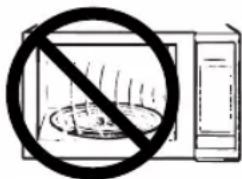
text_image
Warning symbol showing a microwave with a prohibition sign, indicating no protection or absence of food.natural_image
Line drawing of a microwave oven with lid, doors, and dish holders (no text or symbols)2 tasses (500 ml) de fromage cheddar, râpé
^1/_3 de tasse (75 ml) de chapelure
Panasonic Canada Inc.
5770 Ambler Drive, Mississauga, Ontario L4W 2T3
Panasonic Canada Inc.
12111 Riverside Way
Richmond, BC V6W 1K8
Tél. : (604) 278-4211
Panasonic Canada Inc.
6835-8th St. N.E.
Calgary, AB T2E 7H7
Tél. : (403) 295-3955
Téléc. : (403) 274-5493
Mississauga, Ontario
Panasonic Canada Inc.
5770 Ambler Dr
Mississauga, ON L4W 2T3
Tél. : (905) 624-8447
Téléc. : (905) 238-2418
Lachine, Québec
Panasonic Canada Inc.