RF-SBS-500 - Barcode scanner Renkforce - Free user manual and instructions
Find the device manual for free RF-SBS-500 Renkforce in PDF.


| Product type | Fixed omnidirectional 2D barcode scanner |
| Brand | Renkforce |
| Model | RF-SBS-500 |
| Dimensions (scanner) | 52 × 52 × 50 mm (without cable) |
| Weight (scanner with cable) | 102 g (±5 g) |
| Stand weight | 338 g (±5 g) |
| Light source | White LED |
| Reading speed | 60 frames/sec |
| Sensor type | CMOS (640 × 480 pixels) |
| Best resolution 1D | 4 mil (Code 39) |
| Field depth | Up to 280 mm (UPC-A 13 mil) |
| Supported 1D symbologies | Code 128, EAN-13, Code 39, UPC-A, UPC-E, etc. |
| Supported 2D symbologies | PDF417, QR Code, Micro QR, Data Matrix, Aztec Code |
| Print contrast | 30% |
| Operating current | 190 mA max. |
| Power supply | Via USB cable (USB HID) |
| Indicators | LED and built-in buzzer |
| Ambient light | 0 to 100,000 lux |
| Operating temperature | 0 °C to +50 °C |
| Storage temperature | -10 °C to +60 °C |
| Humidity | 5 to 95% RH (non-condensing) |
| Package contents | Scanner, stand, gooseneck with lid, quick guide, bracket, instruction manual |
| Maintenance | Disconnect before cleaning; use a dry, lint-free cloth |
| Safety | Do not look directly into the LED beam; avoid any exposure to eyes |
| Repairability | Do not open or repair yourself; entrust to a professional |
Frequently Asked Questions - RF-SBS-500 Renkforce
User questions about RF-SBS-500 Renkforce
0 question about this device. Answer the ones you know or ask your own.
Ask a new question about this device
Download the instructions for your Barcode scanner in PDF format for free! Find your manual RF-SBS-500 - Renkforce and take your electronic device back in hand. On this page are published all the documents necessary for the use of your device. RF-SBS-500 by Renkforce.
USER MANUAL RF-SBS-500 Renkforce
Interleaved 2 of 5. Industrial 2 of 5. Matrix 2 of 5.
ISBN/ISSN,Code 93GS1-128GS1 Databar,GS1
Databar Limited, GS1 Databar Expanded, EAN-8, Code 32
2D Zeichenvorrat. PDF417, QR Code, Micro QR Code, Data Matrix, Aztec
20 mil QR code: '0-240 mm
Copyright 2021 by Conrad Electronic SE. *2339784_v2_0221_02_DS_m_4L(1)

© Operating Instructions
Stationary 2D barcode scanner
Item No. 2339784
Intended use
This omnidirectional barcode scanner reads both paper and smart-device 1D/2D barcodes and features a USB HID interface and integrated read beeper and LED indicator. It comes with a stand and mounting holes, allowing it to be used hands-free in a kiosk, self-service area or as a desktop QR code reader.
The product is intended for indoor use only. Do not use it outdoors. Contact with moisture, e.g. in bathrooms, must be avoided under all circumstances.
For safety and approval purposes, you must not rebuild and/or modify this product. If you use the product for purposes other than those described, the product may be damaged. In addition, improper use can result in short circuits, fires, electric shocks or other hazards. Read the instructions carefully and store them in a safe place. Make this product available to third parties only together with its operating instructions.
This product complies with the statutory national and European requirements. All company names and product names are trademarks of their respective owners. All rights reserved.
Delivery content
- Scanner
- Stand
- Gooseneck with cover
Quick guide - Holder
- Operating instructions
Up-to-date operating instructions
Download the latest operating instructions at www.conrad.com/downloads or scan the QR code shown. Follow the instructions on the website.
Explanation of symbols

The symbol with the lightning in the triangle is used if there is a risk to your health, e.g. due to an electric shock.

The symbol with the exclamation mark in the triangle is used to indicate important information in these operating instructions. Always read this information carefully.

The arrow symbol indicates special information and advice on operation.
Safety instructions

Read the operating instructions carefully and especially observe the safety information. If you do not follow the safety instructions and information on proper handling in this manual, we assume no liability for any resulting personal injury or damage to property. Such cases will invalidate the warranty/ guarantee.
a) General information
The device is not a toy. Keep it out of the reach of children and pets.
- Do not leave the packaging material lying around carelessly. This may become dangerous playing material for children.
- Protect the appliance from extreme temperatures, direct sunlight, strong jolts, high humidity, moisture, flammable gases, steam, and solvents.
- Do not place the product under any mechanical stress.
- If it is no longer possible to operate the product safely, take it out of operation and protect it from any accidental use. Safe operation can no longer be guaranteed if the product:
- Is visibly damaged,
- Is no longer working properly,
- Has been stored for extended periods in poor ambient conditions, or
-
Has been subjected to any serious transport-related stress.
-
Please handle the product carefully. Jolts, impacts, or a fall, even from a low height, can cause damage to the product.
- Consult an expert when in doubt about the operation, safety, or connection of the appliance.
- Maintenance, modifications, and repairs must only be completed by a technician or an authorised repair centre.
- If you have questions that remain unanswered by these operating instructions, contact our technical support service or other technical personnel.
Caution:
- To avoid damaging the components, do not attempt to open or repair the product without professional guidance.

- The operating range may be affected by environmental factors and nearby sources of interference.
- Proper use helps to prolong the lifespan of the product.

b) Connected devices
- Also observe the safety and operating instructions of any other devices which are connected to the product.
c) LED light
-
Attention, LED light:
-
Do not look directly into the LED light!
- Do not look into the beam directly or with optical instruments!
Operating elements
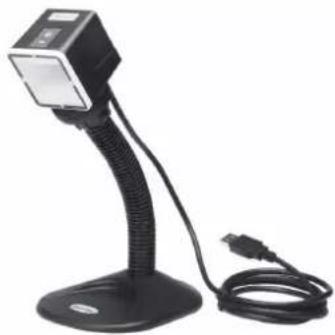
Scanner setup
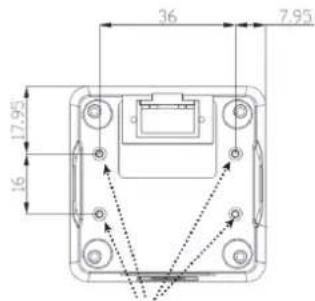
- To mount the scanner, use M2 screws that are 3 mm longer than the mounting plate thickness. For example, if the plate thickness is 4 mm, use 7 mm M2 screws. The mounting hole locations are shown below.
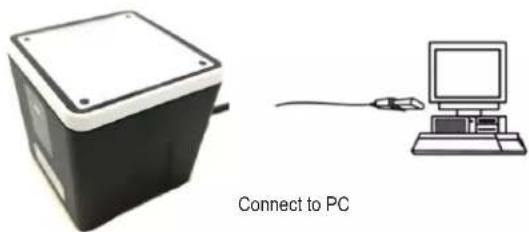
- Connect the barcode scanner to a PC with the supplied cable.
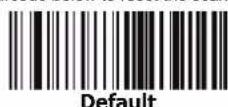
- If you are not sure how the scanner is configured or if you have scanned the incorrect codes, scan the "Default" barcode below to reset the scanner to factory defaults.
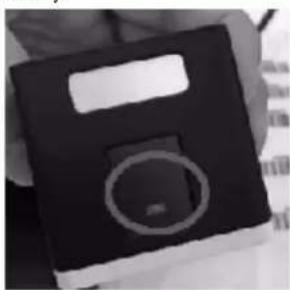
- Press the trigger button on top of the scanner to activate the scanning line, and then scan the required settings barcode. The scanner will enter presentation mode by default, where barcodes are read automatically.
Keyboard setup
To set the appropriate keyboard for your location/language, scan the appropriate country code below. The following special characters are supported but require double checking for keyboards other than the USA keyboard: @ | \$# {}[] = /`\< >~
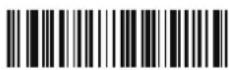
USA
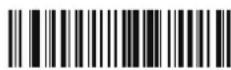
France
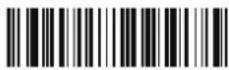
(Default setting)
Italy
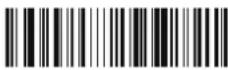
Spanish
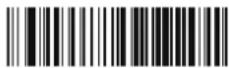
Portuguese (Brazil)
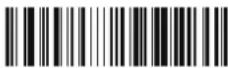
Portuguese (Portugal)
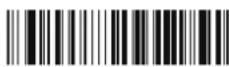
Japanese
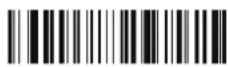
German (Germany)
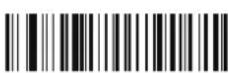
1D symbologies - 1
CODABAR
CODE 39
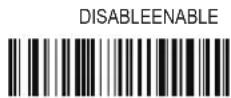
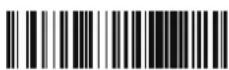
DISABLEENABLE

Interleaved 25
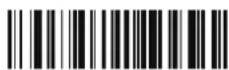
DISABLEENABLE
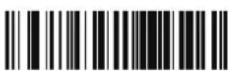
1D symbologies - 2
ENABLE
ENABLE
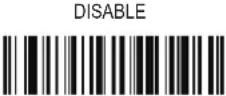
Industrial 25
DISABLE
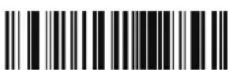
ENABLE
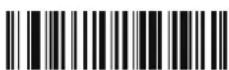
Matrix 25
DISABLE
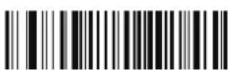
ENABLE
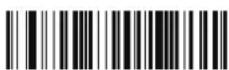
CODE 93
DISABLE
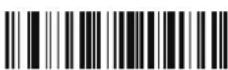
ENABLE
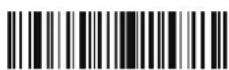
CODE 128
DISABLE
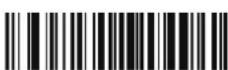
ENABLE
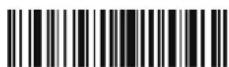
GS1-128
DISABLE
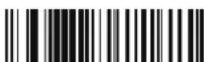
ENABLE
UPC-A
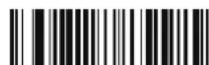
DISABLE
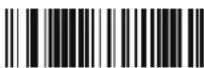
ENABLE
UPC-E

DISABLE
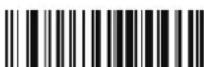
ENABLE
EAN8

DISABLE
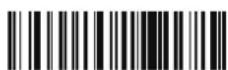
EAN 13
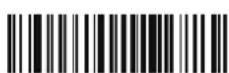
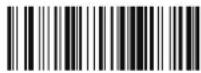
1D symbologies - 3
ENABLE DISABLE
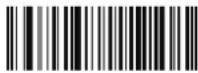
CODE 32
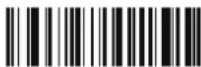
ENABLE DISABLE
ISBN
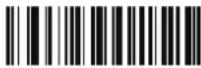
ENABLE DISABLE
ISSN
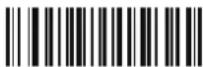
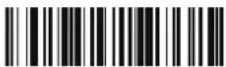
ENABLE DISABLE
GS1DataBar
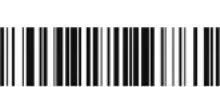
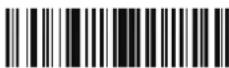
ENABLE DISABLE
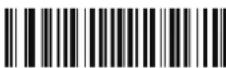
GS1DataBar
Limited
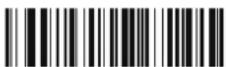
ENABLE DISABLE
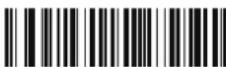
GS1DataBar
Expanded
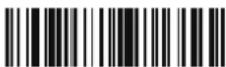
2D symbologies
ENABLE DISABLE
PDF 417
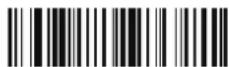
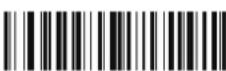
ENABLE DISABLE
QR Code
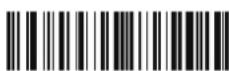
ENABLE DISABLE
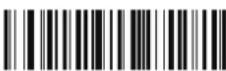
Code

Micro QR
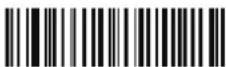
ENABLE DISABLE
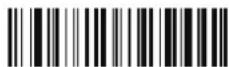
Data Matrix

ENABLE DISABLE
Aztec Code

Care and cleaning
- Disconnect the product from the mains before cleaning.
- Do not use any aggressive cleaning agents, rubbing alcohol, or other chemical solutions as they can cause damage to the housing and functioning of the product.
- Clean the product with a dry, fibre-free cloth.
Declaration of Conformity (DOC)
Conrad Electronic SE, Klaus-Conrad-Straße 1, D-92240 Hirschau hereby declares that this product conforms to the 2014/53/EU directive.

Click on the following link to read the full text of the EU declaration of conformity: www.conrad.com/downloads
Enter the product item number in the search box. You can then download the EU declaration of conformity in the available languages.
Disposal

Electronic devices are recyclable waste and must not be disposed of in household waste. At the end of its service life, dispose of the product in accordance with applicable regulatory guidelines.
You thus fulfill your statutory obligations and contribute to the protection of the environment.
Technical data
Scanner engine 2D
Light source. White LED
Scan speed. 60 frames/sec
Scanner depth of field. 13 mil UPCA: 280 mm
Sensor type CMOS (640 x 480 pixels)
Best resolution. 1D (4 mil): Code 39
Indicators.....LED,beeper
Print contrast. 30%
1D symbologies Code 128, EAN-13, Code 39, UPC-A, UPC-E, Codabar, Interleaved 2 of 5, Industrial 2 of 5, Matrix 2 of 5, ISBN/ISSN, Code 93, GS1-128, GS1 Databar, GS1 Databar Limited, GS1 Databar Expanded, EAN-8, Code 32
2D symbologies. PDF417, QR Code, Micro QR Code, Data Matrix, Aztec
Interface.. USB HID
Input voltage. 5 (±5%) V/DC
Operating current.. Max. 190 mA
Decode zone (± 1 cm tolerance) ... 4 mil Code 39: '10-90 mm
5 mil Code 39: '10-120 mm
13 mil UPC-A: '20-280 mm
10 mil Data Matrix: 10-135 mm
20 mil QR code: '0-240 mm
Ambient light. 0-100,000 lux (total darkness to bright sunlight)
Operating/storage conditions. 0 to +50^ (operating)
-10 to +60^ (storage)
5% to 95% relative humidity (non-condensing)
Dimensions. 52 x 52 x 50 mm (without cable)
Scanner weight. 102 (= -5) g (with cable, without stand)
Stand weight. 338 (± 5) g

Mode d'emploi
www.conrad.com/downloads
Codabar, Interleaved 2 of 5, Industrial 2 of 5, Matrix 2
of 5, ISBN/ISSN, Code 93, GS1-128, GS1 Databar,
GS1 Databar Limited, GS1 Databar Expanded, EAN-8, Code 32
Symboles 2D. PDF417, Code QR, Micro Code QR, Data Matrix, Aztec
Interface.. USB HID
Tension d'entree 5 (±5%) V/CC
Copyright 2021 by Conrad Electronic SE. *2339784_v2_0221_02_DS_m_4L_(1)

Gebruiksaanwijzing
Stationaire 2D-streepjescodescanner
Bestelnr.2339784
Beoogd gebruik
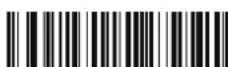
Limited
GS1DataBar
Expanded
2D symbologieen
INSCHAKELEN UITSCHAKELEN
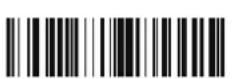
PDF 417
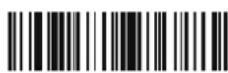
INSCHAKELEN UITSCHAKELEN
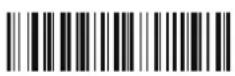
QR code
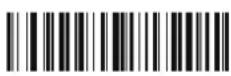
INSCHAKELEN UITSCHAKELEN
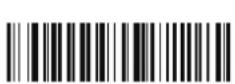
Micro QR
code
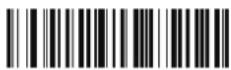
INSCHAKELEN LITSCHAKELEN
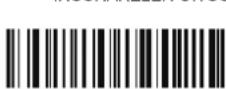
Datamatrix
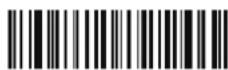
INSCHAKELEN UITSCHAKELEN
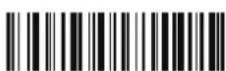
Aztec code

Technische gegevens
Scannermotor. 2D
Lichtbron... .Witte led
20 mil QR code: '0-240 mm
Omgevingslicht. 0-100.000 lux (totale duisternis tot fel zonlicht)
Copyright 2021 by Conrad Electronic SE. *2339784_v2_0221_02_DS_m_4L(1)



- © Operating Instructions
- Stationary 2D barcode scanner
- Intended use
- Delivery content
- Up-to-date operating instructions
- Explanation of symbols
- Safety instructions
- a) General information
- b) Connected devices
- c) LED light
- Operating elements
- Scanner setup
- Keyboard setup
- Care and cleaning
- Declaration of Conformity (DOC)
- Disposal
- Technical data
- Mode d'emploi
- Gebruiksaanwijzing
- Stationaire 2D-streepjescodescanner
- Beoogd gebruik
- Technische gegevens
Brand : Renkforce
Model : RF-SBS-500
Category : Barcode scanner