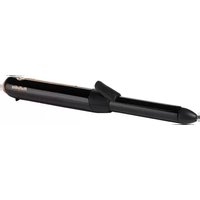
9002U - Curling iron BABYLISS - Free user manual and instructions
Find the device manual for free 9002U BABYLISS in PDF.


User questions about 9002U BABYLISS
0 question about this device. Answer the ones you know or ask your own.
Ask a new question about this device
Download the instructions for your Curling iron in PDF format for free! Find your manual 9002U - BABYLISS and take your electronic device back in hand. On this page are published all the documents necessary for the use of your device. 9002U by BABYLISS.
USER MANUAL 9002U BABYLISS
The Conair Group Ltd
Unit 4, Revolution Park Buckshaw Avenue - PR7 7DW
BaByliss SARL,
How to use your 9000
- This appliance should only be used as describe within this instruction book. Please retain for reference.
IMPORTANT SAFETY
- WARNING: Do not use this appliance near water contained in basins, bathtubs or other vessels.

- This appliance can be used by children aged from 8 years and above and persons with reduced physical, sensory or mental capabilities or lack of experience and knowledge if they have been given supervision or instruction concerning use of the appliance in a safe way and understand the hazards involved. Children shall not play with the appliance. Cleaning and user maintenance shall not be made by children without supervision.
- When the appliance is used in a bathroom, unplug it after charge since the proximity of water presents a hazard even when the appliance is switched off.
- For additional protection, the installation of a residual current device (RCD) having a rated residual operating current not exceeding 30mA is advisable in the electrical circuit supplying the bathroom.
Ask your installer for advice.
- This appliance contains rechargeable batteries that must be removed before discarding the appliance. Unplug the appliance before removing the batteries. Battery is be disposed of safely. For further information on removing the batteries, the Conair Customer Care Line (refer to After Sales Service section for further information).
- WARNING: For the purposes of recharging the battery, only use the detachable supply unit provided with this appliance (CA86 adaptor).
- If the external flexible cable or cord of this transformer is damaged, it shall be replaced by the manufacturer or their service agent or a similarly qualified person in order to avoid a hazard.
• Always place the appliance on a flat, stable and heat-resistant surface. - Burn hazard. Keep appliance out of reach from young children, particularly during use and cool down.
- This appliance contains batteries that cannot be replaced.
- At the end of its life, the unit should be disposed of at a recycling centre to safeguard the environment. If the battery leaks, avoid touching it and dispose of it at a recycling centre.
READ THE SAFETY INSTRUCTIONS FIRST.
HOW TO USE
Warning: hot surface! When in use, the appliance must never come into contact with the scalp, face, ears and neck.
CHARGING YOUR BABYLISS 9000 CORDLESS CURLING TONG
natural_image
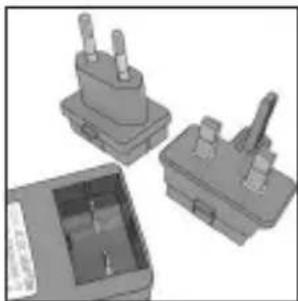
3D renderings of three electronic components with no visible text or symbolsFirst select the correct adaptor pins for your mains outlet.
natural_image
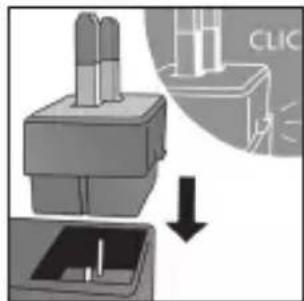
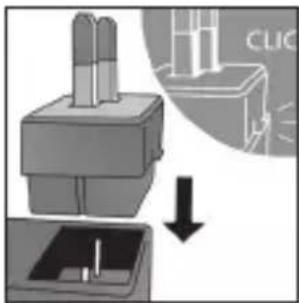
Diagram showing a device with a base and top component, connected to a bottom panel with a directional arrow (no text or symbols)Fix to the adaptor.
natural_image
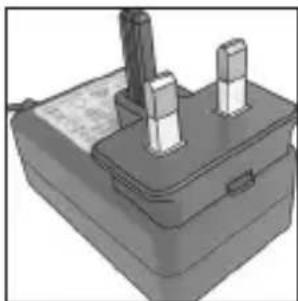
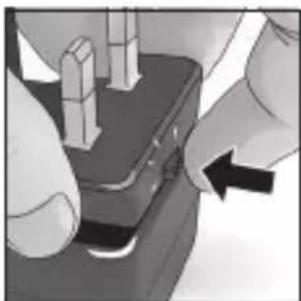
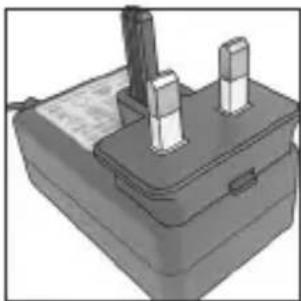
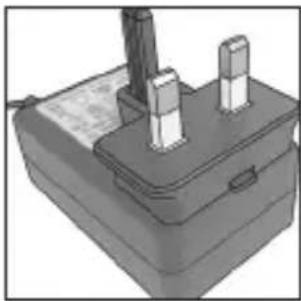
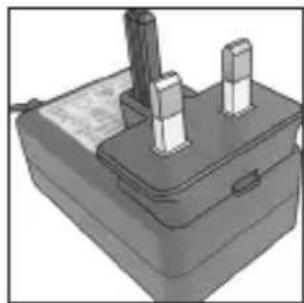
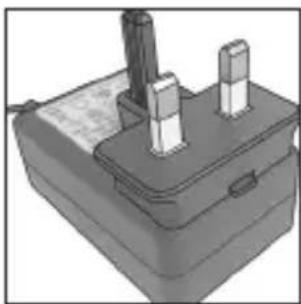
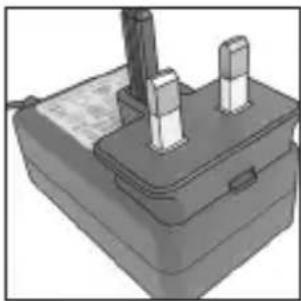
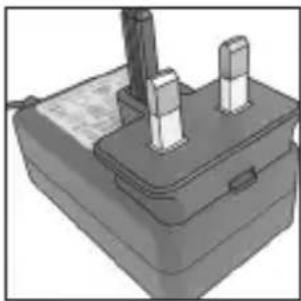
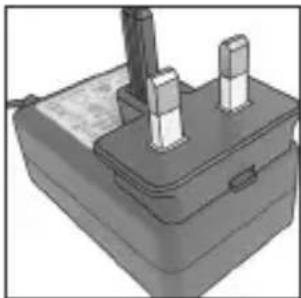
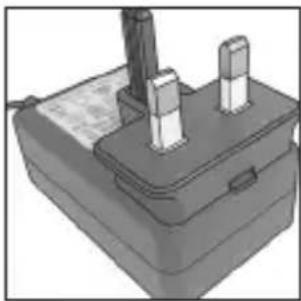
3D rendering of a mechanical device with two vertical pins and a base (no visible text or symbols)Plug in to the mains. Press on the lock to release.
natural_image
Close-up of hands operating a mechanical device with a black button and a black arrow pointing to it (no visible text or symbols)This BaByliss 9000 cordless curling tong very easy to use but before you do anything you must take your time to charge it for 3 hours before the first use. A 3 hour charge will give you approximately 40 minutes use and charging your styler for 5 hours will give you a full battery charge.
Please note your stylister will not function while charging.
Whilst your stylist is charging, the LED charging light will flash slowly and continuously with the colour indicating the level of battery charge.
Flashing red
= below 30% battery charge
Flashing yellow
= 30% - 69% battery charge
Flashing green
= 70% - 94% battery charge
Solid green
= 95% - 100% battery charge
WARNING: If the charging light suddenly starts to flash rapidly then the appliance is faulty. If this happens, please stop charging and remove the adaptor from the mains and contact our Customer Care Centre for further advice.
INSTRUCTIONS FOR USE
natural_image
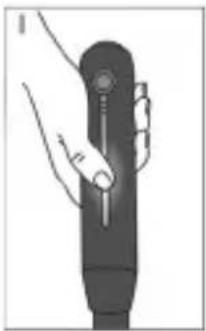
Illustration of a hand holding a cylindrical device with a knob (no text or symbols visible)Please make sure you touch and hold the rose gold panel.
natural_image
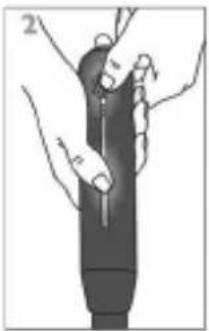
Illustration of a hand holding a pen-like object with a pointed tip, no text or symbols presentWhilst still touching the rose gold panel with one hand, use your other hand to press and hold the on button for 2 seconds.
natural_image
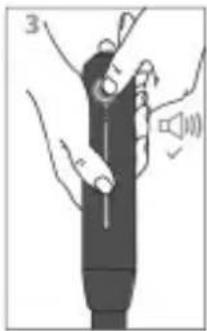
Illustration of a hand holding a device with a speaker symbol nearby (no text or labels)The gentle sound notification indicates your styler is switched on.
- Once the styler is switched on it will automatically start heating up to 160°C.
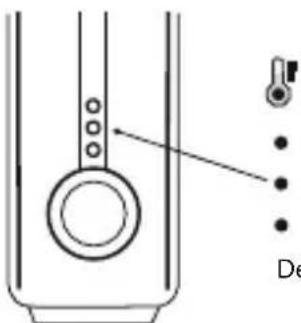
- There are 3 temperature settings 160^ C, 170^ C and 180^ C which are indicated by the LEDs as shown below.
- To select the temperature setting press the on/off button once, twice or three times.
natural_image
Pure diagram of a mechanical component with no text, numbers, or symbolsTemperature select
- High (180° C)
Medium (170°C)
Low (160°C)
Default temperature : 160°C
- The LEDs will flash when your stylist is heating up and will stop flashing once the target temperature is reached and it is ready to use.
- If you have delicate, fine, bleached or coloured hair, use the lower heat setting. For thicker hair, use the higher heat setting. We suggest when using for the first time you test the heat
settings to ensure you've got the correct temperature for your hair type. Start on the lowest setting and increase the temperature as necessary.
- Ensure your hair is dry and combed through.
• Divide hair into sections. - Please note: Before styling make sure the universal heat glove is worn on the hand handling the hair around the barrel.
- Pressing the lever, place the appliance midway up a section of hair and spread hair evenly between the lever and barrel.
- Once hair is in place carefully let go of the lever so the hair is held securely between lever and barrel. Gently slide the appliance down to the hair ends.
- Wind the hair around the barrel at a slight angle, so the hair wraps around the barrel in a spiral motion. As you wind the hair around the barrel, ensure the hair is distributed evenly so the entire section is touching the barrel, try not to overlay the hair
- Hold the end of the hair in place for 5-8 seconds, depending on your hair type. Then press the lever to release the section of hair and pull the appliance away.
- Repeat as necessary.
- Allow hair to cool before combing through.
- To switch off your stylister please press and hold the on/off button for 2 seconds. The gentle notification sound indicates the stylister has switched off.
- Allow to cool before storing away.
BATTERY STATUS INDICATOR
- The battery status indicator LED will change colour depending on the amount of battery charge.
- Green = 100%-70%
- Yellow = 69%-30%
- Red = Below 30%
- No light with audio indicator = 0%
SLEEP MODE
- If your styler has not been used for 5 minutes then it will automatically enter sleep mode where the temperature will lower to 120^ .
- The stylist will automatically turn off after being in sleep mode for 5 minutes.
- To exit sleep mode press the on/off button once.
AIR TRAVEL
Please note that the BaByliss 9000 contains rechargeable Lithium Ion batteries and can be carried as part of your carry-on baggage.
This is subject to the individual airline's discretion. We advise to check directly with the airline before you travel.
HEAT MAT
- Your cordless styler comes with a heat mat for use during and after styling.
- During use, do not place your styler on any heat sensitive surface, even when using the heat mat.
HEAT GLOVE
- Your cordless styler comes with a heat glove to help protect your hand from temporary contact with the barrel when handling the hair around the appliance. The heat protective glove is only designed to give initial contact protection. Discomfort will be caused with prolonged contact with the hot surface.
STORAGE CASE
- Your stylist comes with a storage case.
- Once your stylist is switched off and cooled, it can be stored away in the storage case.
UK GUARANTEE
This BaByliss appliance is guaranteed for consumer use for 2 years and is only valid within the United Kingdom.
This guarantee covers consumer use only i.e. defects occurring under normal use within the home from date of purchase or date of delivery, whichever is later.
If the product develops a fault due to defects in materials or manufacture within the guarantee period, Conair UK After Sales Service will repair or replace the product.
EXCLUSIONS
This guarantee will no longer be valid meaning that The Conair Group Ltd will not be liable to repair or replace your product where:
1.) The appliance has been used on a voltage supply other than that which is marked on the product
2.) The appliance is used for professional / non domestic usage
3.) Repairs or alterations have been attempted by unauthorised persons
4.) The failure of the appliance is a direct result of misuse
5.) The failure is a result of not following the instructions for use
This guarantee does not cover any cosmetic damage due to misuse of the product nor any damage to persons or property that occurs because of product misuse.
Guarantees on replacement products run from the original purchase date or date of delivery, whichever is later, and not from the date of replacement.
This guarantee is an additional benefit and does not affect your statutory rights as a consumer.
If you have any queries regarding this guarantee please contact the Conair Customer Care Line on 03705 133 191 (09:00 to 17:00 Monday to Friday) or e-mail ukinfo@conair.com
UK AFTER SALES SERVICE
For further advice on using your BaByliss 9000 cordless curling tong or should you need to return it, please contact the Conair Customer Care Line on 03705 133 191 (09:00 to 17:00 Monday to Friday) or e-mail your enquiry to ukinfo@conair.com
RETURN ADDRESS:
Customer Care Centre
Conair Logistics, Unit 4, Revolution Park,
Buckshaw Avenue, Buckshaw Village, Chorley. PR7 7DW
Please enclose your returns number, name and address details, together with a copy of proof of purchase and details of the fault.
natural_image
Illustration of a flying phoenix with outstretched wings (no text or symbols)natural_image
3D rendered mechanical components including a housing, base plate, and internal casing (no visible text or symbols)natural_image
Diagram showing a mechanical component with an arrow indicating a process or transformation (no text or symbols present)natural_image
3D rendering of a mechanical component with two protruding pins (no visible text or symbols)natural_image
Close-up of hands using a handheld device to press or install a component, with no visible text or symbols.natural_image
Illustration of a hand holding a handheld device with a scroll wheel (no text or symbols visible)natural_image
Illustration of a hand holding a pen-like object with a pointed tip, no text or symbols presentnatural_image
Illustration of a hand holding a device with a speaker symbol and sound waves (no text or labels)natural_image
Pure technical diagram of a mechanical component with no text or symbolsnatural_image
Illustration of a mythical phoenix in flight with flowing tail feathers (no text or symbols)SICHERHEITSHINWEISE
natural_image
3D rendering of three electronic components with no visible text or symbolsAm Adapter anbringen.
natural_image
3D rendering of a mechanical device with two vertical pins and a base plate (no visible text or symbols)natural_image
Close-up of hands pressing a button on a device (no visible text or symbols)natural_image
Illustration of a hand holding a cylindrical device with a knob (no text or symbols visible)natural_image
Illustration of a hand holding a pen or stylus, with no visible text or symbolsnatural_image
Illustration of a handheld device with hands and a speaker, no visible text or symbolsnatural_image
Illustration of a mythical phoenix in flight with flowing tail feathers (no text or symbols)VEILIGHEIDS-WAARSCHUWINGEN
natural_image
3D renderings of three electronic component blocks with no visible text or symbolsnatural_image
Diagram showing a device with two pins and a downward arrow, no readable text or symbols present.natural_image
3D rendering of a mechanical device with two vertical pins and a handle (no visible text or symbols)natural_image
Close-up of hands pressing a button on a small electronic device (no visible text or symbols)natural_image
Illustration of a hand holding a cylindrical device with a knob (no text or symbols visible)natural_image
Illustration of a hand holding a pen-like object with arrows indicating movement or force (no text or symbols)natural_image
Illustration of a hand holding a device with a speaker symbol nearby (no text or labels)natural_image
Illustration of a mythical phoenix in flight with flowing tail feathers (no text or symbols)AVVISI PER LA SICUREZZA
natural_image
3D rendering of three gray electronic component blocks with no visible text or symbolsnatural_image
Diagram showing a mechanical component with an arrow indicating process (no text or symbols present)natural_image
3D rendering of a battery pack with two terminals and a central shaft (no visible text or symbols)natural_image
Close-up of hands operating a mechanical component with a black arrow indicating rotation (no text or symbols visible)natural_image
Illustration of a hand holding a handheld electronic device (no text or symbols visible)natural_image
Illustration of a hand holding a pen-like object with measurement markings (no text or symbols)natural_image
Illustration of a hand holding a device with a speaker symbol nearby (no text or labels)natural_image
Illustration of a mythical phoenix in flight with flowing tail feathers (no text or symbols)AVISO DE SEGURIDAD
natural_image
3D rendered mechanical components including a housing, base plate, and internal ports (no visible text or symbols)natural_image
Diagram showing a mechanical component with a downward arrow indicating process (no text or symbols present)Fije el adaptador.
natural_image
3D rendering of a mechanical component with two protruding pins (no visible text or symbols)natural_image
Close-up of hands operating a mechanical device with a black arrow pointing to the component (no visible text or symbols)natural_image
Illustration of a hand holding a handheld electronic device (no text or symbols visible)natural_image
Illustration of a hand holding a pen-like object with measurement markings (no text or symbols)natural_image
Illustration of a hand holding a device with a speaker symbol nearby (no text or labels)natural_image
Illustration of a mythical phoenix in flight with flowing tail feathers (no text or symbols)PRECAUÇÕES DE SEGURANÇA
natural_image
3D rendered mechanical components including a housing, base plate, and internal cavity (no text or symbols visible)natural_image
Diagram showing a mechanical component with a downward arrow indicating process (no text or symbols present)Instale no transformador
natural_image
3D rendering of a mechanical component with two vertical pins and a base plate (no visible text or symbols)natural_image
Close-up of hands using a tool to adjust or install a component, with no visible text or symbols.natural_image
Illustration of a hand holding a handheld electronic device (no text or symbols visible)natural_image
Illustration of a hand holding a pen-like object with measurement markings (no text or symbols)natural_image
Illustration of a hand holding a device with a speaker symbol nearby (no text or labels)natural_image
Pure diagram of a mechanical component with no text, numbers, or symbols
natural_image
Illustration of a mythical phoenix in flight with flowing tail feathers (no text or symbols)SIKKERHEDSFORANSTALTNINGER
natural_image
3D rendered mechanical components with no visible text or symbolsnatural_image
Diagram showing a mechanical device with a downward arrow indicating process or transformation (no text or symbols present)Klik det fast i adapteren.
natural_image
3D rendering of a mechanical component with two protruding pins (no text or symbols visible)natural_image
Close-up of hands pressing a button on a device (no visible text or symbols)natural_image
Illustration of a hand holding a cylindrical device with a knob (no text or symbols visible)natural_image
Illustration of a hand holding a pen-like object with labeled parts (no text or symbols present)natural_image
Illustration of a hand holding a device with a speaker symbol nearby (no text or labels)natural_image
Illustration of a mythical phoenix in flight with flowing tail feathers (no text or symbols)VEILIGHEIDS-WAARSCHUWINGEN
natural_image
3D rendered mechanical components including a housing, base plate, and internal cavity (no visible text or symbols)natural_image
3D rendering of a mechanical device with two vertical pins and a base (no visible text or symbols)natural_image
Close-up of hands using a handheld device to interact with a black surface (no visible text or symbols)natural_image
Illustration of a hand holding a cylindrical device with a knob (no text or symbols visible)natural_image
Illustration of a hand holding a pen-like object with measurement markings (no text or symbols)natural_image
Illustration of a hand holding a device with a speaker symbol nearby (no text or labels)natural_image
Simple line drawing of a mechanical component with a circular feature and a pointer arrow (no text or symbols)
Temperaturval
• Hög (180°C)
- Medel (170°C)
Låg (160°C)
natural_image
Illustration of a mythical phoenix in flight with flowing tail feathers (no text or symbols)SIKKERHETSADVARSLER
natural_image
3D renderings of three electronic components with no visible text or symbolsnatural_image
Diagram showing a mechanical component with an arrow indicating downward motion, no text or symbols present.Sett adapterstøpslet på adapteren.
natural_image
3D rendering of a battery pack with two terminal blocks and a cable (no text or symbols visible)natural_image
Close-up of hands using a mechanical component to adjust a part (no visible text or symbols)natural_image
Illustration of a hand holding a cylindrical device with a knob (no text or symbols visible)natural_image
Illustration of a hand holding a pen-like object with measurement markings (no text or symbols)natural_image
Illustration of a hand holding a device with a speaker symbol nearby (no text or labels)En dempet lyd varsler deg om at styleren er slått på.
natural_image
Pure technical diagram of a mechanical component with no text or symbolsTemperaturvalg
• Høy (180°C)
- Middels (170°C)
- Lav (160°C)
Standardtemperatur: 160 °C
natural_image
Illustration of a mythical phoenix in flight with flowing tail feathers (no text or symbols)TURVALLISUUTEEN LIITTYVÄ HUOMAUTUS
natural_image
3D renderings of three electronic components with no visible text or symbolsValitse ensin sopivat adaptoritapit pistorasiallesi.
natural_image
Diagram showing a mechanical component with an arrow indicating downward motion, no text or symbols present.Kiinnitä adapteri.
natural_image
3D rendering of a battery pack with two terminal blocks and a cable (no text or symbols visible)natural_image
Close-up of hands using a mechanical component to adjust a part (no visible text or symbols)natural_image
Illustration of a hand holding a handheld electronic device (no text or symbols visible)natural_image
Illustration of a hand holding a pen-like object with a ruler, no text or symbols presentnatural_image
Simple line drawing of a cylindrical object with a ring and a pointed tip, no text or symbols present.
Lämpötilan valinta
- Korkea (180°C)
- Keski (170°C)
- Matala (160°C)
natural_image
Illustration of a mythical phoenix in flight with flowing tail feathers (no text or symbols)natural_image
3D rendering of three electronic component blocks with no visible text or symbolsnatural_image
Diagram showing a mechanical component with a downward arrow indicating process (no text or symbols present)natural_image
3D rendering of a mechanical component with two protruding pins (no text or symbols visible)natural_image
Close-up of hands operating a mechanical component with a black block and directional arrow (no text or symbols visible)natural_image
Illustration of a hand holding a cylindrical device with a knob (no text or symbols visible)natural_image
Illustration of a medical or laboratory procedure showing hands holding a pen-like object (no text or symbols visible)natural_image
Pure diagram of a mechanical component with no text, numbers, or symbolsnatural_image
Illustration of a mythical phoenix in flight with flowing tail feathers (no text or symbols)ELŐVIGYÁZAT A HASZNÁLATNÁL
natural_image
3D renderings of three electronic components with no visible text or symbolsnatural_image
Diagram showing a device with three pins and a downward arrow, no readable text or symbols present.natural_image
3D rendering of a mechanical device with two protruding pins and a base plate (no visible text or symbols)natural_image
Close-up of hands using a handheld device to press or install a component, with no visible text or symbols.natural_image
Illustration of a hand holding a handheld electronic device (no text or symbols visible)natural_image
Illustration of a hand holding a pen-like object with measurement markings (no text or symbols)natural_image
Illustration of a hand holding a device with a speaker symbol nearby (no text or labels)natural_image
Illustration of a phoenix in flight with flowing tail feathers (no text or symbols)INSTRUKCJA OBSŁUGI
- This appliance should only be used as described within this instruction book. Please retain for reference.
ŚRODKI OSTROŻNOŚCI DOTYCZĄCE UŻYTKOWANIA
natural_image
3D rendering of three gray electronic components with ports and housing (no visible text or symbols)natural_image
3D rendering of a mechanical component with two protruding pins and a base plate (no text or symbols visible)natural_image
Close-up of hands operating a mechanical component with a black arrow indicating direction (no text or symbols visible)natural_image
Illustration of a hand holding a cylindrical device with a knob (no text or symbols visible)natural_image
Illustration of a hand holding a pen-like object with labeled parts (no text or symbols present)natural_image
Illustration of a handheld device with hands and speaker, no text or symbols presentnatural_image
Illustration of a mythical phoenix in flight with flowing tail feathers (no text or symbols)BEZPEČNOSTNÍ OPATŘENÍ
natural_image
3D rendering of three gray electronic components with ports and housing (no visible text or symbols)Zapojte adaptér.
natural_image
3D rendering of a mechanical component with two protruding pins and a base plate (no text or symbols visible)natural_image
Close-up of hands operating a mechanical device with a black arrow pointing to the component (no visible text or symbols)natural_image
Illustration of a hand holding a cylindrical device with a knob (no text or symbols visible)natural_image
Illustration of a hand holding a device with a speaker symbol, no text or labels presentTEPLU ODOLNÁ RUKAVICE
natural_image
Illustration of a mythical phoenix in flight with flowing tail feathers (no text or symbols)natural_image
3D rendered mechanical components including a housing, base plate, and internal cavity (no text or symbols visible)natural_image
Diagram showing a mechanical component with a downward arrow indicating process (no text or symbols present)natural_image
3D rendering of a mechanical component with two protruding pins (no visible text or symbols)natural_image
Close-up of hands using a mechanical component to press or install a block, with an arrow indicating motion (no text or symbols visible)natural_image
Illustration of a hand holding a handheld electronic device (no text or symbols visible)natural_image
Illustration of a hand holding a pen-like object with labeled parts (no text or symbols present)natural_image
Illustration of a hand holding a device with a speaker symbol (no text or labels)natural_image
Pure technical diagram of a mechanical component without any text, numbers, or symbols
natural_image
3D renderings of three electronic components with no visible text or symbolsnatural_image
Diagram showing a device with three pins and a downward arrow, no readable text or symbols present.Adaptöre sabitleyin
natural_image
3D rendering of a battery pack with two terminal blocks and a cable (no text or symbols visible)natural_image
Close-up of hands using a handheld device to press or install a component, with no visible text or symbols.natural_image
Illustration of a hand holding a handheld electronic device (no text or symbols visible)natural_image
Illustration of a hand holding a pen-like object with a ruler, no text or symbols presentnatural_image
Pure diagram of a mechanical component with no text, numbers, or symbols
Sıcaklık seçimi
