Achromic A15X - Speaker Avante - Free user manual and instructions
Find the device manual for free Achromic A15X Avante in PDF.


User questions about Achromic A15X Avante
0 question about this device. Answer the ones you know or ask your own.
Ask a new question about this device
Download the instructions for your Speaker in PDF format for free! Find your manual Achromic A15X - Avante and take your electronic device back in hand. On this page are published all the documents necessary for the use of your device. Achromic A15X by Avante.
USER MANUAL Achromic A15X Avante
©2023 Avante Audio all rights reserved. Information, specifications, diagrams, images, and instructions herein are subject to change without notice. Avante logo and identifying product names and numbers herein are trademarks of Avante Audio. Copyright protection claimed includes all forms and matters of copyrightable materials and information now allowed by statutory or judicial law or hereinafter granted. Product names used in this document may be trademarks or registered trademarks of their respective companies and are hereby acknowledged. All non-Avante brands and product names are trademarks or registered trademarks of their respective companies.
Avante Audio and all affiliated companies hereby disclaim any and all liabilities for property, equipment, building, and electrical damages, injuries to any persons, and direct or indirect economic loss associated with the use or reliance of any information contained within this document, and/or as a result of the improper, unsafe, insufficient and negligent assembly, installation, rigging, and operation of this product.
The Bluetooth® word mark and logos are registered trademarks owned by Bluetooth SIG, Inc. and any use of such marks by Avante Audio is under license. Other trademarks and trade names are those of their respective owners.
AVANTE World Headquarters USA
6122 S. Eastern Ave. I Los Angeles, CA 90040 USA
323-316-9722 | Fax: 323-582-2941 | www.avanteaudio.com | info@avanteaudio.com
AVANTE NETHERLANDS
Junostraat 2 | 6468 EW Kerkrade | Netherlands
+31 45 546 85 00 | Fax: +31 45 546 85 99 | europe@avanteaudio.com
AVANTE MEXICO
Santa Ana 30 | Parque Industrial Lerma | Lerma Mexico 52000
+52 (728) 282.7070 | ventas@avanteaudio.com
FCC STATEMENT
This device complies with Part 15 of the FCC Rules. Operation is subject to the following two conditions: (1) this device may not cause harmful interference, and (2) this device must accept any interference received, including interference that may cause undesired operation.
FCC RADIO FREQUENCY INTERFERENCE WARNINGS & INSTRUCTIONS
This product has been tested and found to comply with the limits as per Part 15 of the FCC Rules. These limits are designed to provide reasonable protection against harmful interference in a residential installation. This device uses and can radiate radio frequency energy and, if not installed and used in accordance with the included instructions, may cause harmful interference to radio communications. However, there is no guarantee that interference will not occur in a particular installation. If this device does cause harmful interference to radio or television reception, which can be deter- mined by turning the device off and on, the user is encouraged to try to correct the interference by one or more of the following methods:
- Reorient or relocate the device.
- increase the separation between the device and the receiver.
- Connect the device to an electrical outlet on a circuit different from which the radio receiver is connected.
- Consult the dealer or an experienced radio/TV technician for help.
Energy Saving Matters (EuP 2009/125/EC)
Saving electric energy is a key to help protecting the environment. Please turn off all electrical products when they are not in use. To avoid power consumption in idle mode, disconnect all electrical equipment from power when not in use. Thank you!
Document Version: An updated version of this document may be available online. Please check online at www.avante.com for the latest revision/update of this document before beginning installation and use.
| Date Document Version Notes | ||
| 06/06/2023 1.0 Initial release | ||
CONTENTS
General Information 4
Limited Warranty (USA Only) 5
Safety Guidelines 6
Overview 8
Connections & Controls 9
Installation 14
DSP Operation 15
Application Control 19
Application Diagrams 26
Frequency Charts 28
Specifications 29
Dimensional Drawings 30
Components & Accessories | FCC Statement 31
GENERAL INFORMATION
INTRODUCTION
This speaker is designed for professional use only. Please read and understand all the instructions and guidelines in this manual carefully and thoroughly before attempting to operate these speakers. These instructions contain important information regarding safety, installation, and use.
UNPACKING
Every speaker has been thoroughly tested and has been shipped in perfect operating condition. Carefully check the shipping carton for damage that may have occurred during shipping. If the carton appears to have been damaged, carefully inspect the speaker for damage and be sure all accessories necessary to install and operate the speaker have arrived intact. In the event that damage has been found or parts are missing, please contact our customer support team for further instructions. Please do not return this speaker to your dealer without first contacting customer support at the number listed below. Please do not discard the shipping carton in the trash. Please recycle whenever possible.
CUSTOMER SUPPORT
AVANTE provides a customer support line to provide set up help, assist with any questions or problems that may arise during set up or initial installation, and for any service related issues. You may also visit us on the web at www.avanteaudio.com for any comments or suggestions.
AVANTE SERVICE USA – Monday – Friday 8:00am to 4:30pm PST
Voice: 800-322-6337 Fax: 323-532-2941
support@avanteaudio.com
AVANTE SERVICE EUROPE - Monday - Friday 08:30 to 17:00 CET
Voice: +31 45 546 85 30 Fax: +31 45 546 85 96
europe@avanteaudio.com




@avanteaudio
WARRANTY REGISTRATION
Please register your product online: www.avanteaudio.com. Online product registration is required in order to activate the third year of the 3-year warranty. All returned service items, whether under warranty or not, must be freight pre-paid and accompanied by a return authorization (R.A.) number. The R.A. number must be clearly written on the outside of the return package. A brief description of the problem as well as the R.A. number must also be written down on a piece of paper and included in the shipping container. If the unit is under warranty, you must provide a copy of your proof of purchase invoice, and the unit must be registered online at www.avanteaudio.com to receive year 3 of the 3-year warranty. Items returned without an R.A. number clearly marked on the outside of the package will be refused and returned at customer's expense. You may obtain an R.A. number by contacting customer support.
LIMITED WARRANTY (USA ONLY)
- ADJ Products, LLC hereby warrants, to the original purchaser, AVANTE products to be free of manufacturing defects in material and workmanship for a prescribed period of up to 3-years (1,095 days) from the original purchase date. Product must be registered online at www.avanteaudio.com in order to activate year 3 of the 3-year warranty period. This warranty shall be valid only if the product is purchased within the United States of America, including possessions and territories. It is the owner's responsibility to establish the date and place of purchase by acceptable evidence at the time service is sought.
- For warranty service you must obtain a Return Authorization number (RA#) before sending the product back; please contact ADJ Products, LLC Service Department at 800-322-6337. Send the product only to the ADJ Products, LLC factory. All shipping charges must be pre-paid. If the requested repairs or service (including parts replacement) are within the terms of this warranty, ADJ Products, LLC will pay return shipping charges only to a designated point within the United States. If the entire instrument is sent, it must be shipped in its original package. No accessories should be shipped with the product. If any accessories are shipped with the product, ADJ Products, LLC shall incur no liability whatsoever for loss of or damage to any such accessories, or for the safe return thereof.
- This warranty is void if the serial number has been altered or removed; if the product is modified in any manner which ADJ Products, LLC concludes, after inspection, affects the reliability of the product; if the product has been repaired or serviced by anyone other than the ADJ Products, LLC factory unless prior written authorization was issued to purchaser by ADJ Products, LLC; if the product is damaged because it was not properly maintained as set forth in the instruction manual.
- This is not a service contract, and this warranty does not include maintenance, cleaning or periodic checkup. During the period specified above, ADJ Products, LLC will replace defective parts at its expense with new or refurbished parts, and will absorb all expenses for warranty service and repair labor by reason of defects in material or workmanship. The sole responsibility of ADJ Products, LLC under this warranty shall be limited to the repair of the product, or replacement thereof, including parts, at the sole discretion of ADJ Products, LLC. All products covered by this warranty were manufactured after August 15, 2012, and bear identifying marks to that effect.
- ADJ Products, LLC reserves the right to make changes in design and/or improvements upon its products without any obligation to include these changes in any products theretofore manufactured. No warranty, whether expressed or implied, is given or made with respect to any accessory supplied with products described above. Except to the extent prohibited by applicable law, all implied warranties made by ADJ Products, LLC in connection with this product, including warranties of merchantability or fitness, are limited in duration to the warranty period set forth above. And no warranties, whether expressed or implied, including warranties of merchantability or fitness, shall apply to this product after said period has expired. The consumer's and/or Dealer's sole remedy shall be such repair or replacement as is expressly provided above; and under no circumstances shall ADJ Products, LLC be liable for any loss or damage, direct or consequential, arising out of the use of, or inability to use, this product. This warranty is the only written warranty applicable to ADJ Products, LLC Products and supersedes all prior warranties and written descriptions of warranty terms and conditions heretofore published.
- Warranty Registration: Please register your product online: www.avanteaudio.com. Online product registration is required in order to activate the third year of the 3-year warranty. All returned service items, whether under warranty or not, must be freight pre-paid and accompany a return authorization (R.A.) number. The R.A. number must be clearly written on the outside of the return package. A brief description of the problem as well as the R.A. number must also be written down on a piece of paper and included in the shipping container. If the unit is under warranty, you must provide a copy of your proof of purchase invoice and the unit must be registered online at www.avanteaudio.com to receive year 3 of the 3-year warranty. Items returned without an R.A. number clearly marked on the outside of the package will be refused and returned at customer's expense. You may obtain an R.A. number by contacting customer support.
SAFETY GUIDELINES
This speaker is a sophisticated piece of electronic equipment. To guarantee a smooth operation, it is important to follow all instructions and guidelines in this manual. AVANTE is not responsible for injury and/or damages resulting from the misuse of this speaker due to the disregard of the information printed in this manual. Only qualified and/or certified personnel should perform the installation of this speaker and all included and/or optional rigging accessories. Only the original included and/or optional rigging parts and accessories for this speaker should be used for proper installation. Any modifications to the speaker, included and/or optional rigging parts and accessories will void the original manufacturer's warranty and increase the risk of damage and/or personal injury.

PROTECTION CLASS 1 – SPEAKER MUST BE PROPERLY GROUNDED

TO REDUCE RISK OF ELECTRICAL SHOCK, DO NOT REMOVE ANY COVER. THERE ARE NO USER SERVICEABLE PARTS INSIDE THIS SPEAKER. DO NOT ATTEMPT ANY REPAIRS YOURSELF, AS DOING SO WILL VOID YOUR MANUFACTURER'S WARRANTY. DAMAGES RESULTING FROM MODIFICATIONS TO THIS SPEAKER AND/OR THE DISREGARD OF SAFETY INSTRUCTIONS AND GUIDELINES IN THIS MANUAL VOID THE MANUFACTURER'S WARRANTY AND ARE NOT SUBJECT TO ANY WARRANTY CLAIMS AND/OR REPAIRS. NEVER OPEN THIS SPEAKER WHILE IN USE! UNPLUG POWER BEFORE SERVICING SPEAKER! KEEP FLAMMABLE MATERIALS AWAY FROM SPEAKER!

DRY LOCATIONS USE ONLY! DO NOT EXPOSE SPEAKER TO RAIN AND/OR MOISTURE! DO NOT SPILL WATER AND/OR LIQUIDS ON OR INTO THE SPEAKER!
This speaker is for PROFESSIONAL USE ONLY! Read all INSTRUCTIONS and follow all WARNINGS!
- DO NOT use speaker near wet and/or damp locations. Speaker must be kept away from direct contact with liquids and must not be exposed to water/liquid dripping or splashing.
- DO NOT attempt installation and/or operation without knowledge how to do so. Consult a professional sound equipment installer for proper and safe speaker installation. ONLY the original included, and/or optional rigging parts and accessories listed in this manual should be used for installation and operation.
- DO NOT expose any part of the speaker to open flame or smoke, or position speaker close to any flammable materials during operation. The speaker contains an internal power amplifier that produces heat during use. Keep speaker away from heat sources such as radiators, heat registers, stoves, or other appliances (including amplifiers) that produce heat.
- Be sure to install this speaker in an area that will allow proper ventilation. Allow approximately 6 inches (152mm) behind the speaker cabinet for proper cooling.
- DO NOT operate speaker if power cord is frayed, crimped, damaged, and/or if any of the power cord connectors are damaged and do not insert into the speaker securely with ease. NEVER force a power cord connector into the speaker. If the power cord or any of its connectors are damaged, replace it immediately with a new one of the same power rating.
- DO NOT disassemble speaker, as there are NO user serviceable parts inside. Refer all servicing to qualified service personnel. Servicing is required when the speaker has been damaged in any way, such as damage to the power-supply cord or plug, exposure to liquid, rain, or moisture, objects falling onto the speaker or dropping of the speaker itself, or any abnormal operation.
- DO NOT defeat the safety purpose of the polarized or grounding-type plug. A polarized plug has two blades with one wider than the other. A grounding type plug has two blades and a third grounding prong. The wide blade or the third prong is provided for your safety. If the provided plug does not fit into your outlet, consult an electrician for replacement of the obsolete outlet.
SAFETY GUIDELINES
- POWER SOURCES: This product must be connected to a power supply only of the type described in these operating instructions, or as marked on the unit. This product is Country Specific.
- PROTECTIVE EARTHING TERMINAL: The speaker should be connected to a mains socket outlet with a protective earth-ground/earthing connection.
- ONLY handle power cord by the plug end, never pull the plug out by tugging the wire portion of the cord.
- DO NOT use solvents or glass cleaner to clean speaker. Clean only with a dry cloth.
- ALWAYS disconnect speaker from main power source before performing any servicing or cleaning procedure.
- CAUTION: To avoid physical damage, read the installation instructions carefully before installation.
- CAUTION: Listening to speakers at high volume for extended time or within immediate proximity may damage hearing.
- CAUTION: Speakers should be installed/operated by qualified and trained professionals ONLY.
- CAUTION: Always mount speakers in a safe and stable manner.
- CAUTION: Wear appropriate safety equipment during speaker installation.
- CAUTION: Route power and audio cables so that they are NOT likely to be walked on or pinched.
- CAUTION: Unplug the speaker during lightning storms and/or when unused for long periods of time.
• ONLY use the original packaging materials and/or case to transport the speaker in for service. - PLEASE recycle shipping boxes and packaging whenever possible.
OVERVIEW
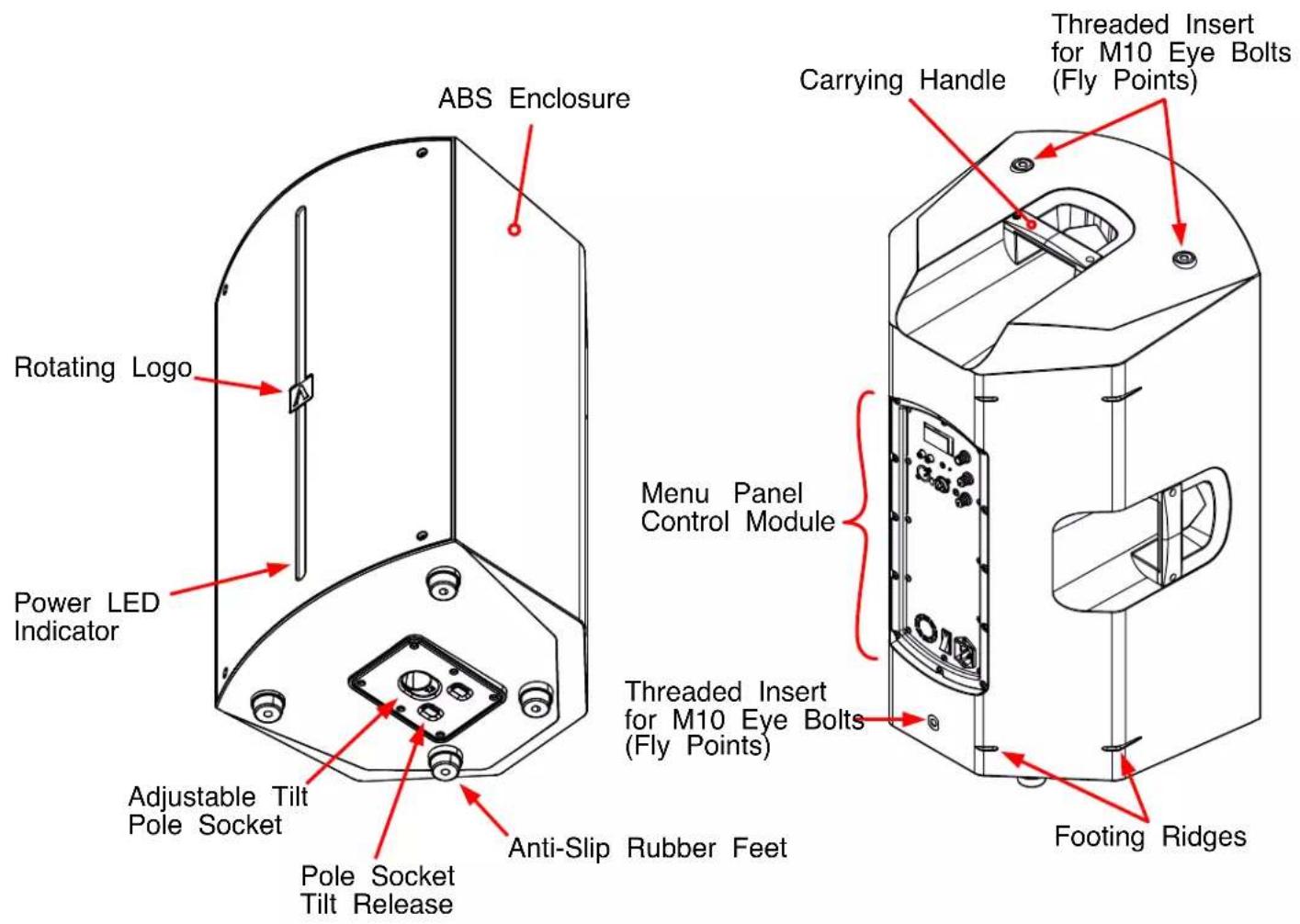
text_image
ABS Enclosure Rotating Logo Power LED Indicator Adjustable Tilt Pole Socket Pole Socket Tilt Release ABS Enclosure Carrying Handle Threaded Insert for M10 Eye Bolts (Fly Points) Menu Panel Control Module Threaded Insert for M10 Eye Bolts (Fly Points) Anti-Slip Rubber Feet Footing RidgesCONTROLS AND CONNECTIONS
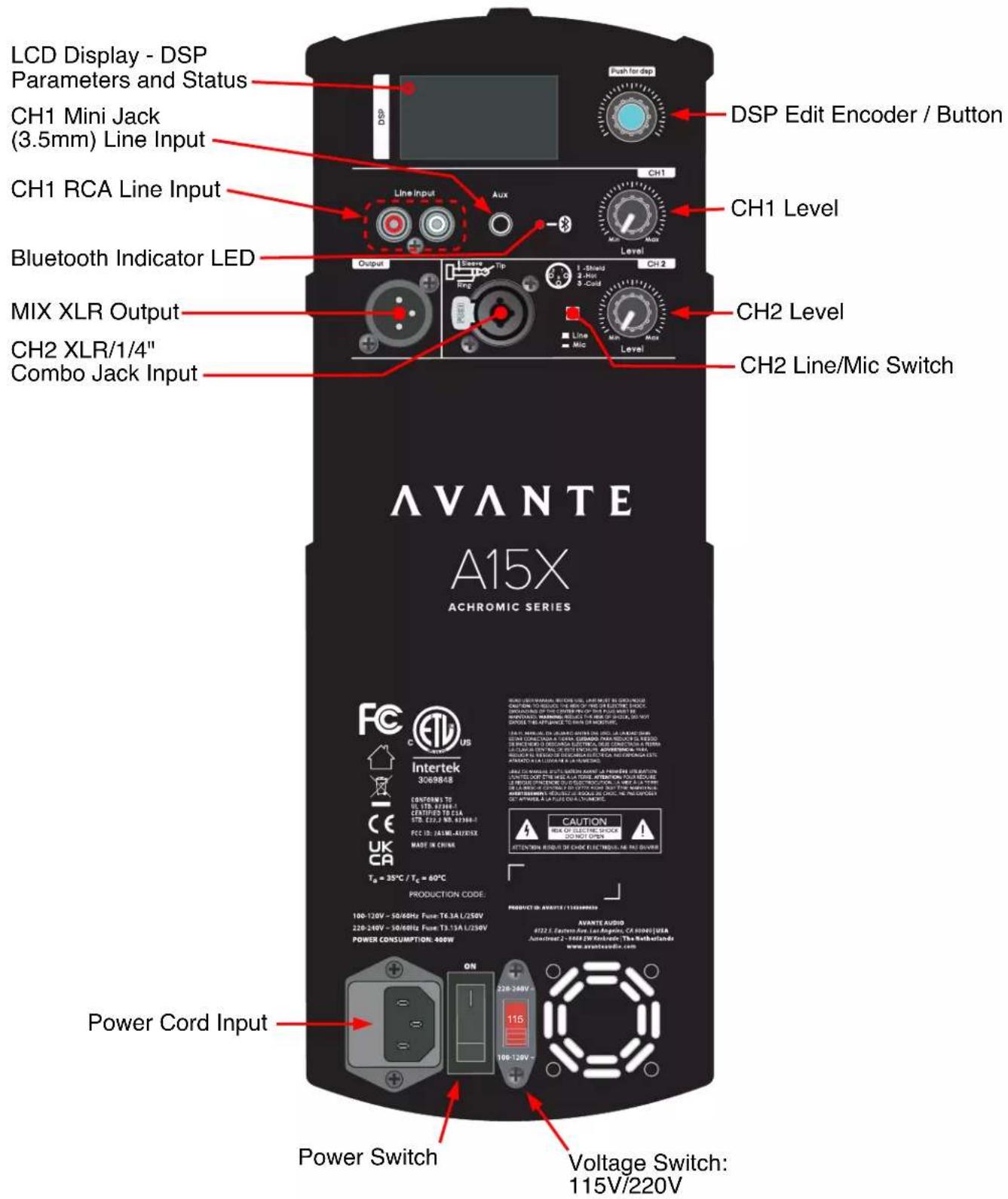
text_image
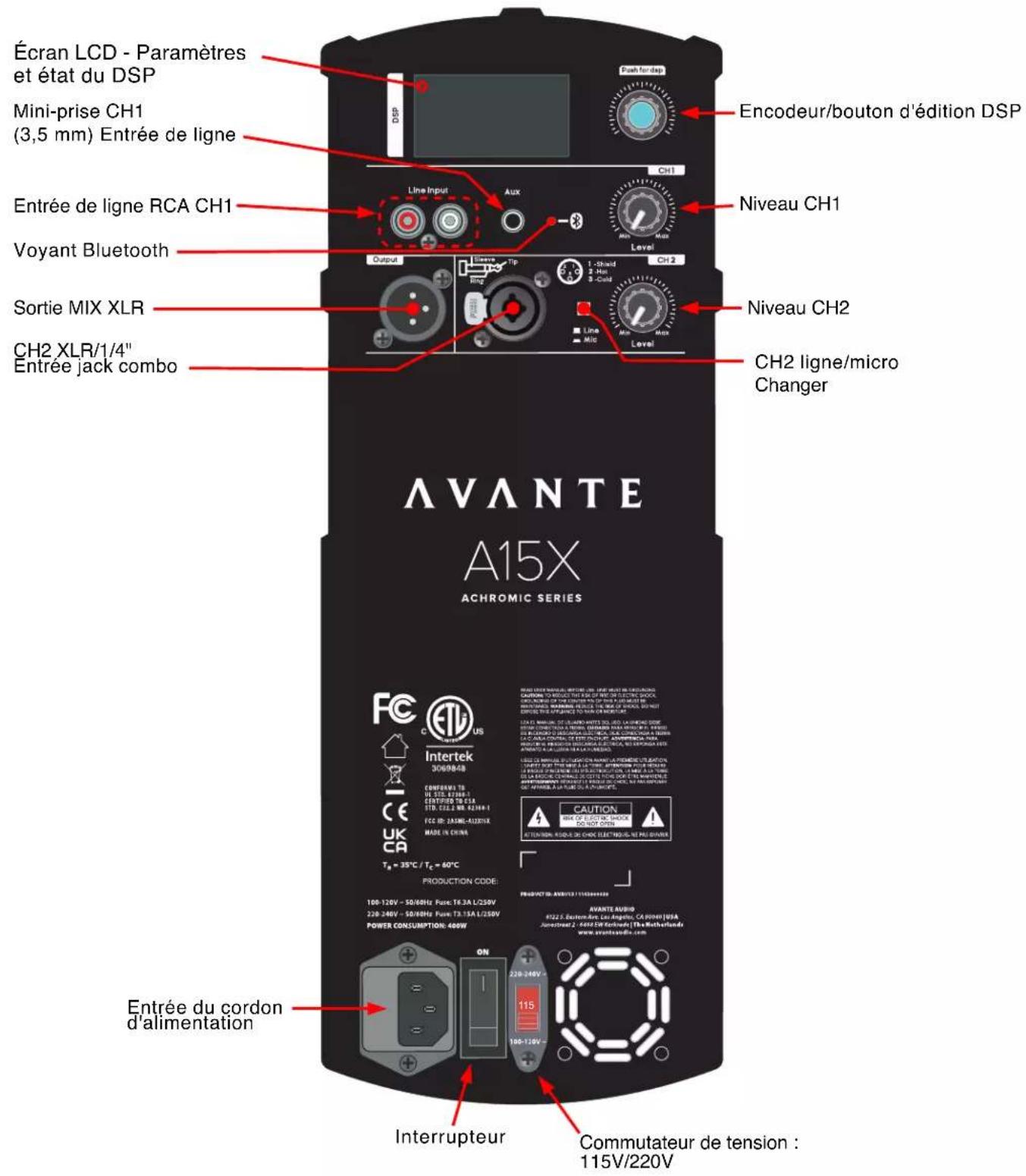
LCD Display - DSP Parameters and Status CH1 Mini Jack (3.5mm) Line Input CH1 RCA Line Input Bluetooth Indicator LED MIX XLR Output CH2 XLR/1/4" Combo Jack Input DSP Edit Encoder / Button CH1 Level CH2 Level CH2 Line/Mic Switch AVANTE A15X ACHROMIC SERIES FC C US Intertek 3069848 CE UK CA Tg = 35°C / Tc = 60°C PRODUCTION CODE: 100-120V - 50/60Hz Fuse T6.3A L/250V 220-240V - 30/60Hz Fuse T3.13A L/250V POWER CONSUMPTION: 400W Power Cord Input ON 220-240V 116 100-120V Voltage Switch: 115V/220VINSTALLATION
STANDARD SPEAKER STAND
The A15X, speakers can be pole mounted on a standard speaker stand (not included), or pole mounted on top of the A18S sub woofers using the included sub speaker poles. Additionally, the A15X speakers can be permanently installed using optional M10 Eye Bolts or optional Wall Mounts.
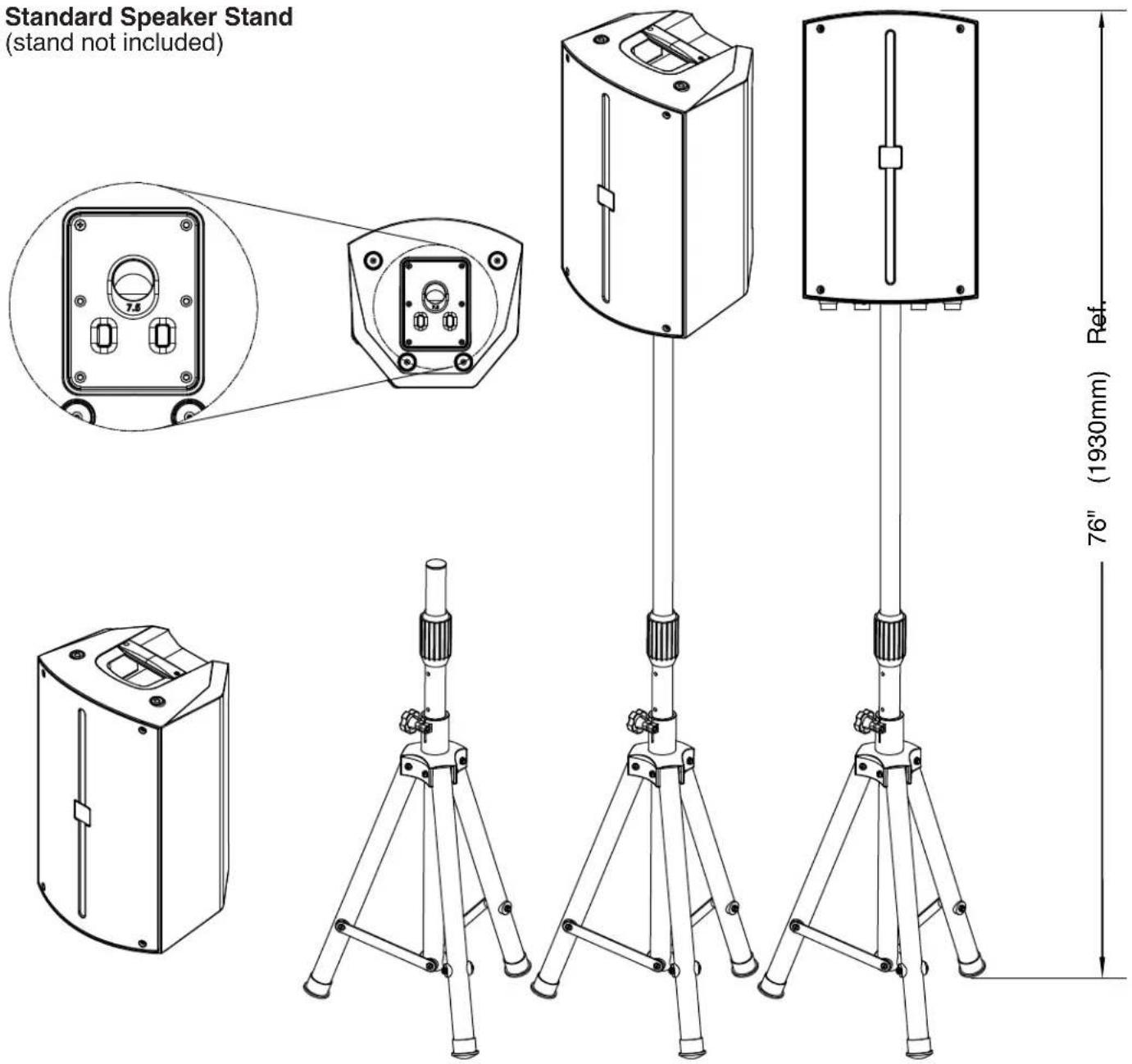
text_image
Standard Speaker Stand (stand not included) 7.5 Ref. 76" (1930mm)INSTALLATION
Floor Monitor
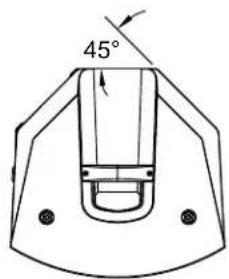
A15X speaker has an integrated 45° angle back panel for use as floor monitor.
text_image
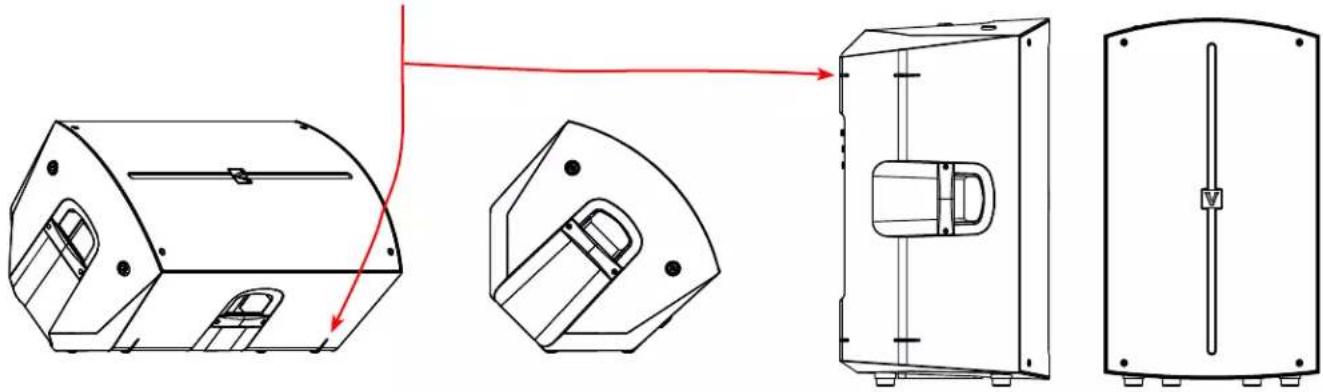
45°Note that only one angled back panel has footing ridges to stabilize the speaker when positioned as a floor monitor
natural_image
Technical line drawings of a mechanical device showing front, side, and top views with no visible text or symbolsEye-Bolt Hardware Kit (sold separately)
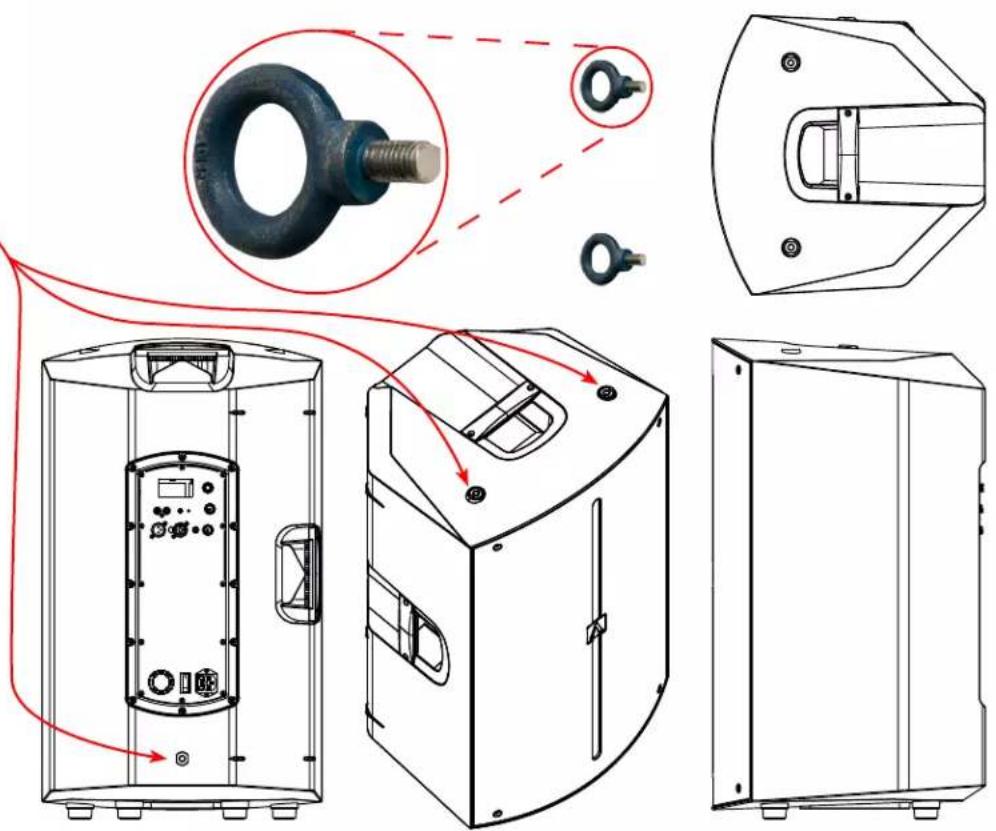
For permanent flying installations, insert optional M10 Eye Bolts into the 3 integrated threaded inserts on the speaker, two on top and one at the bottom of back panel.
CAUTION! DO NOT OVERTIGHTEN EYE BOLTS!
text_image
Technical diagram showing exploded view of a mechanical device with labeled components and red annotations indicating connection paths.INSTALLATION
Wall Mount Bracket (sold separately)
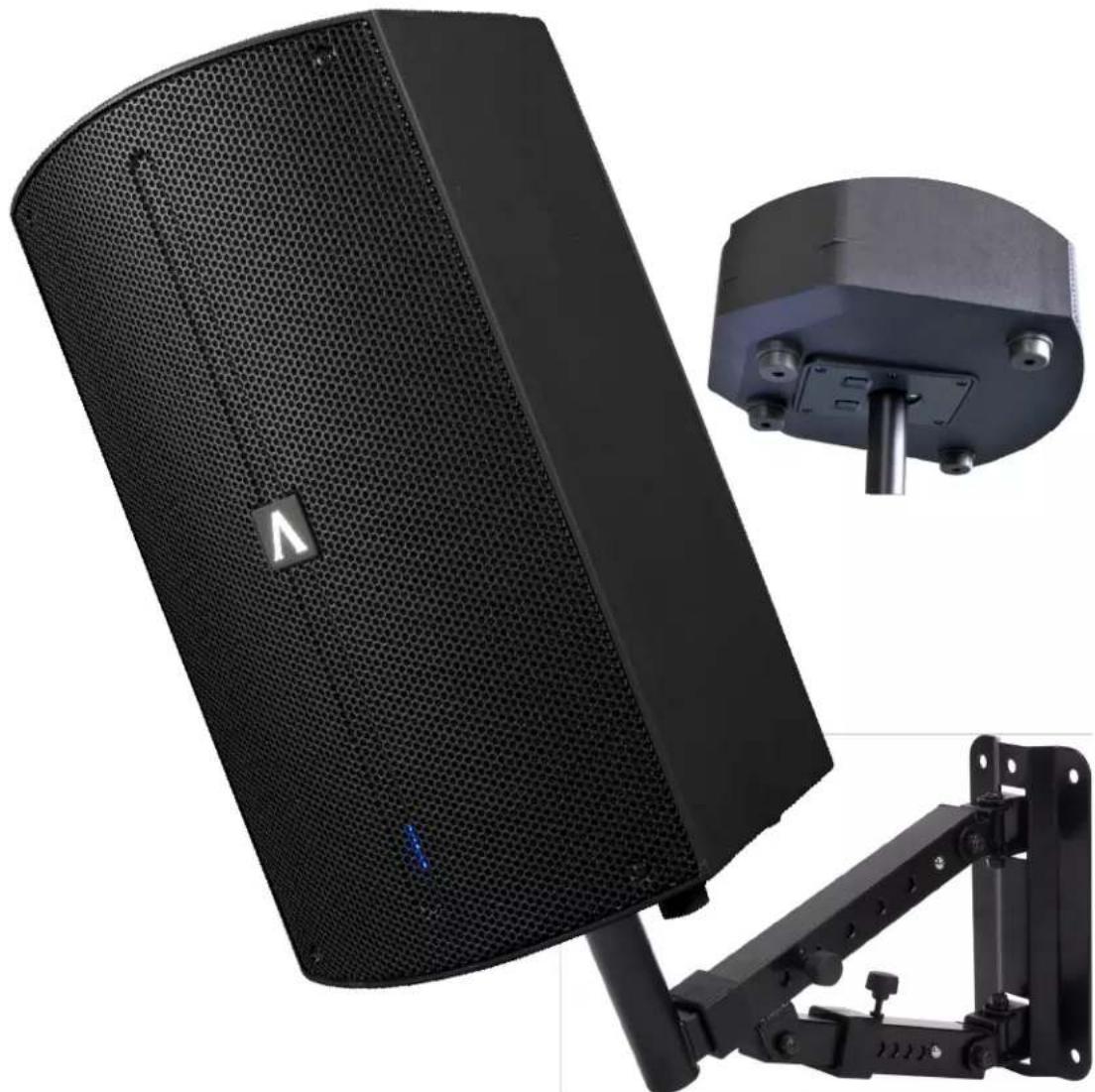
For permanent wall installations, attach the optional Wall Mount Bracket to a flat wall surface using appropriate hardware (not included).
CONSULT A PROFESSIONAL INSTALLER BEFORE ATTEMPTING TO INSTALL WALL MOUNT BRACKETS!
Place speaker onto the wall mount bracket by inserting speaker pole into the bottom mounting hole.
Adjust the speaker position accordingly.
natural_image
Black audio amplifier with mesh grille and attached mechanical bracket (no visible text or symbols)INSTALLATION
Subwoofer Pole-Mounted Speakers
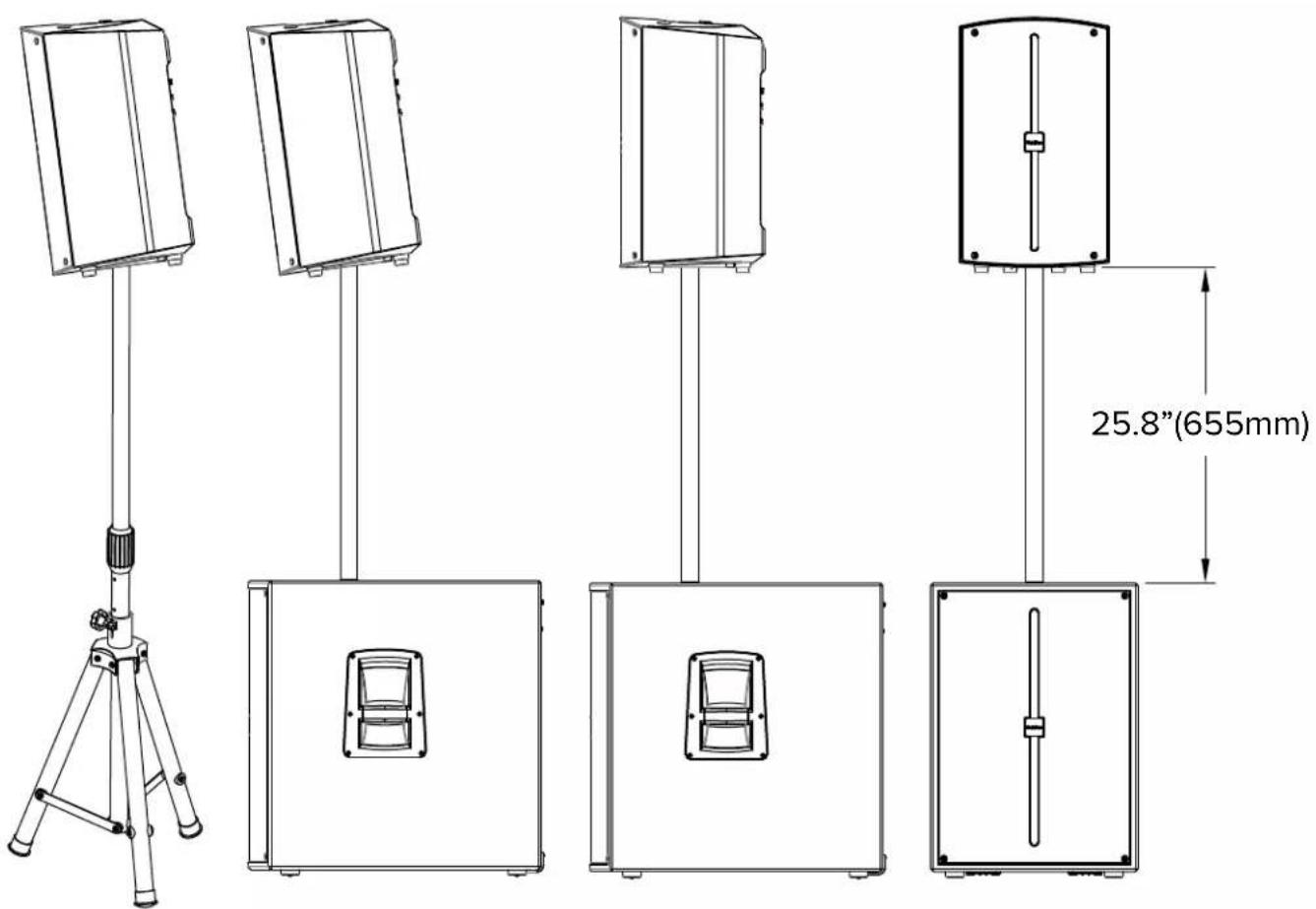
text_image
25.8"(655mm)INSTALLATION
Speakers can be tilted forward 7.5° to adjust for venue dependent acoustics.
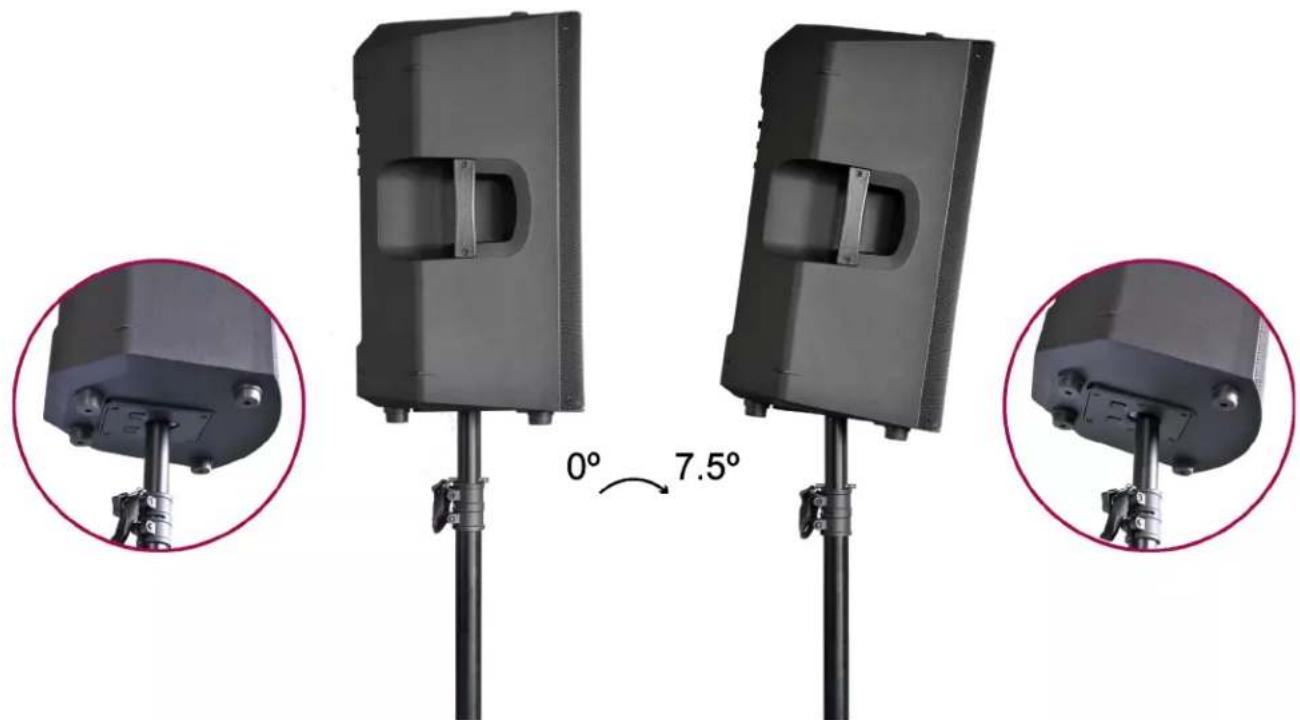
natural_image
Three views of a black rectangular device mounted on a pole, showing angular change from 0° to 7.5° (no text or symbols present)Rotating Avante Icon
Speakers can be tilted forward 7.5° to adjust for venue dependent acoustics.
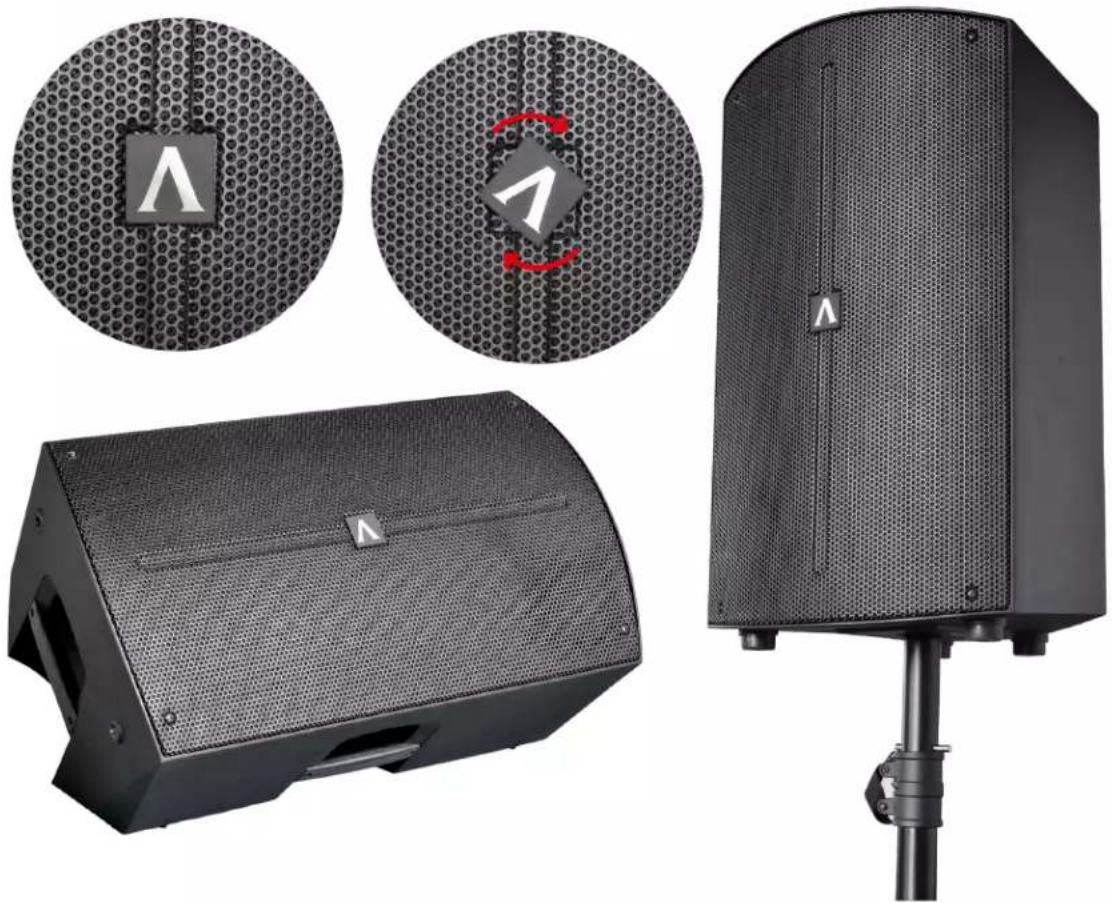
natural_image
Product display of a black audio amplifier with hexagonal mesh cover, showing front panel, side panel, and top speaker (no text or symbols visible)DSP OPERATION
- Press encoder knob to access setting menus.
- Rotate encoder knob to scroll through setting menus.
- Press encoder knob to select desired setting menu.
| Level 1 Level 2 | Level 3 | ||||||
| Channel 1 | 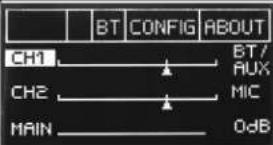 | --> | 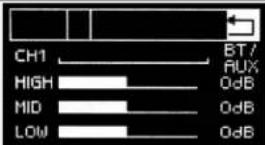 | Adjust the Sound | |||
| Channel 2 | 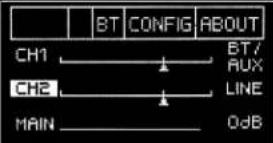 | --> | 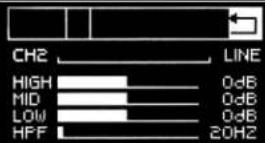 | Adjust the Sound | |||
| Main Channel | --> |  | Adjust the Sound | ||||
| --> Mode | 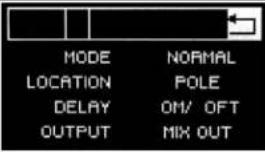 | Normal Mode | |||||
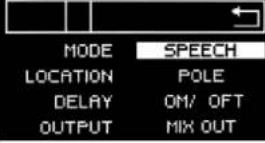 | Speech Mode | ||||||
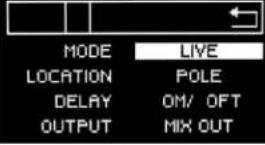 | Live Mode | ||||||
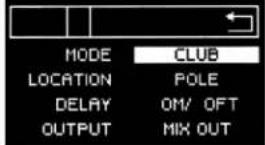 | Club Mode | ||||||
| --> Usage | 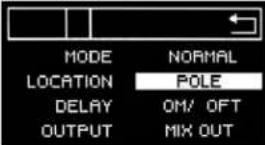 | Use Pole | |||||
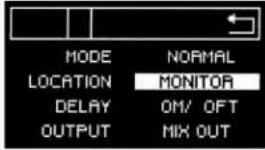 | Used As Monitor | ||||||
 | Use Bracket | ||||||
DSP OPERATION
| Level 1 Level 2 | Level 3 | ||||||
| Main Channel | No Delay | ||||||
| 1M/3ftDelay-->10M/33ftDelay | |||||||
DSP OPERATION
| Level 1 Level 2 | Level 3 | ||||||
| Main Channel | -->Output | 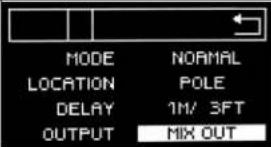 | Mix Out | ||||
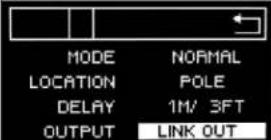 | Link Out | ||||||
| Bluetooth | -->App Control | 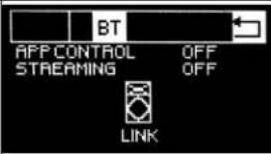 | App Control Off | ||||
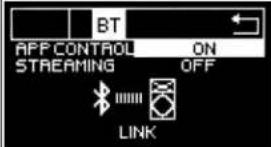 | App Control On | ||||||
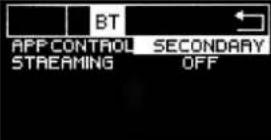 | Used as a Secondary Speaker | ||||||
| -->Streaming | 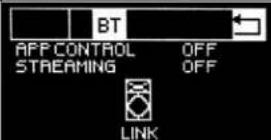 | Streaming Off | |||||
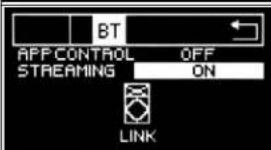 | Streaming On | ||||||
DSP OPERATION
| Level 1 Level 2 | Level 3 | ||||||
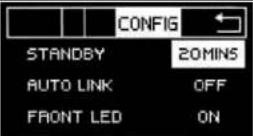
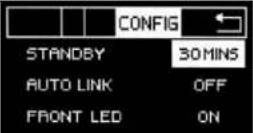
| Config | --> Standby Function | 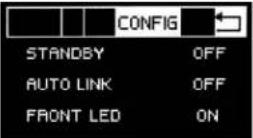 | Standby Off | ||||
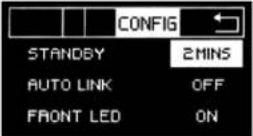 | Standby 2 Mins--> 30 Mins | ||||||
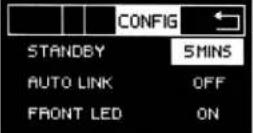 | |||||||
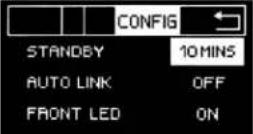 | |||||||
 | |||||||
 | |||||||
| --> Auto Link | 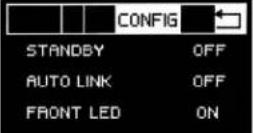 | Auto Link Off | |||||
| --> Front LED | 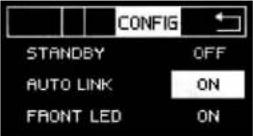 | Front LED On | |||||
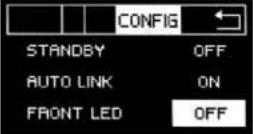 | Front LED Off | ||||||
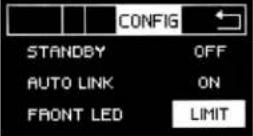 | Front LED Limit. Too Loud, Red Light. Normal Sound, White Light. | ||||||
| About | -->--> | 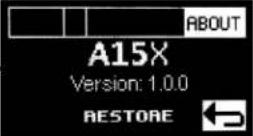 | 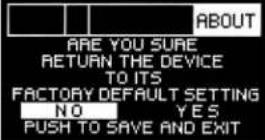 |
APPLICATION CONTROL
text_image
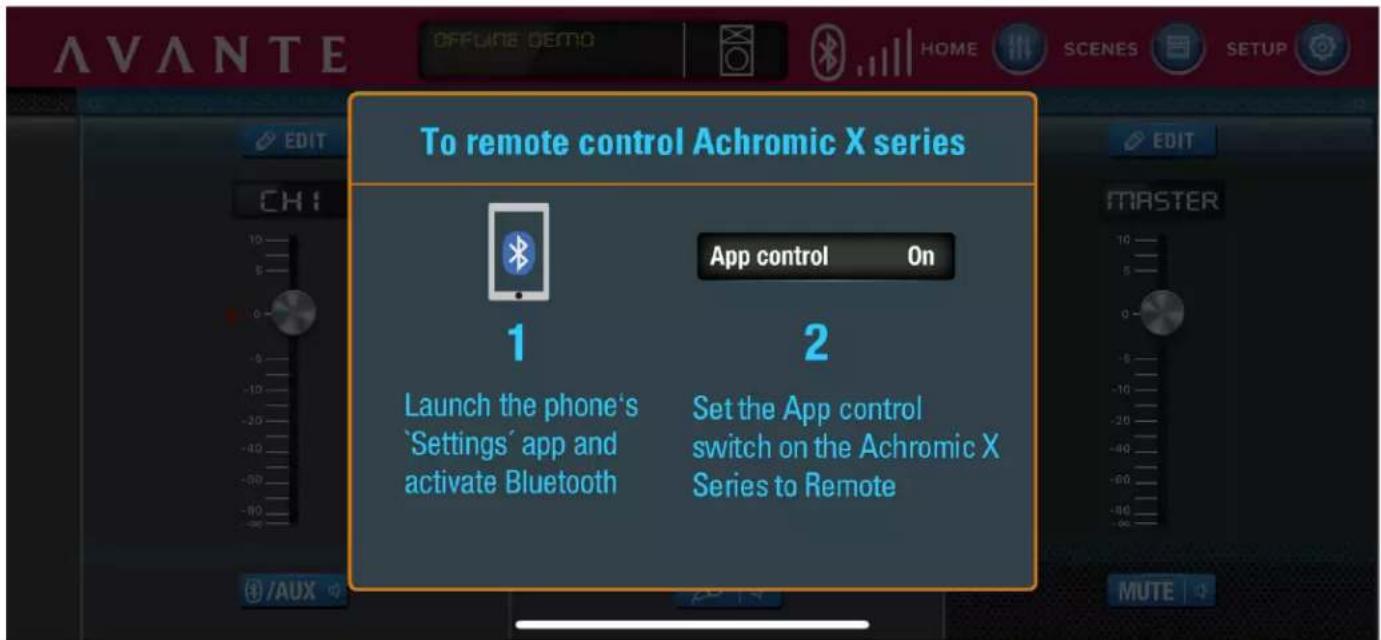
To remote control Achromic X series App control On 1 Launch the phone's 'Settings' app and activate Bluetooth 2 Set the App control switch on the Achromic X Series to RemoteEntry Page
text_image
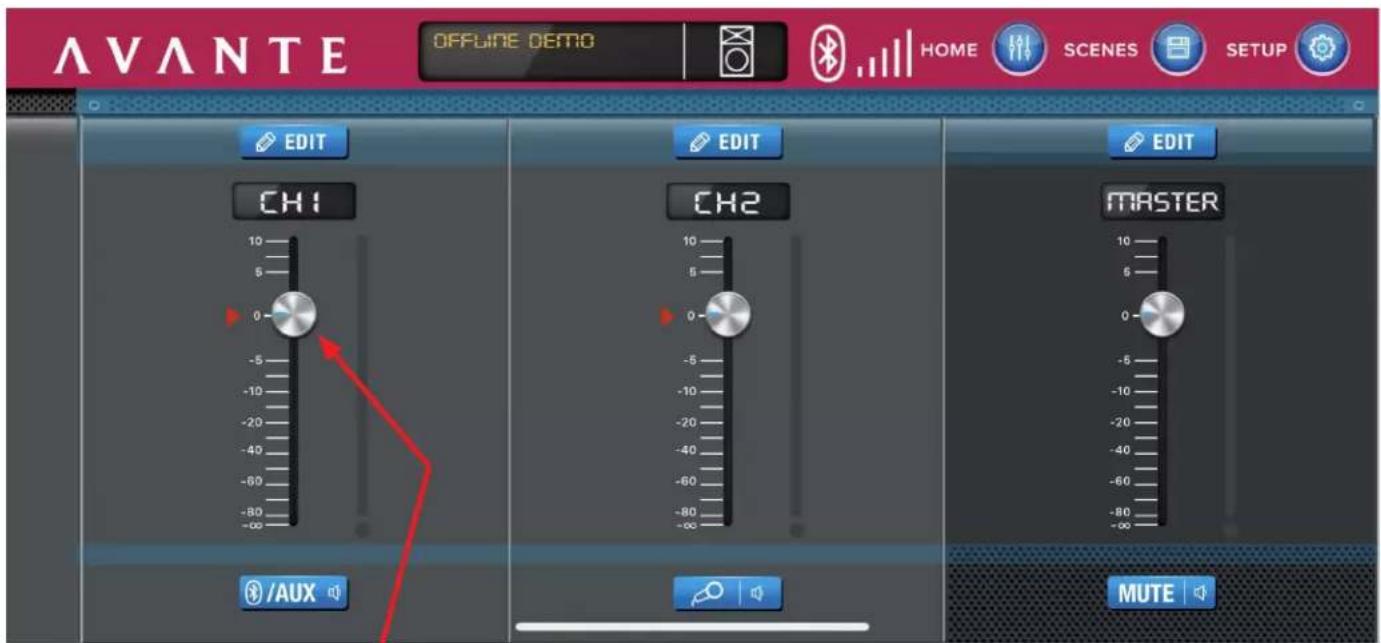
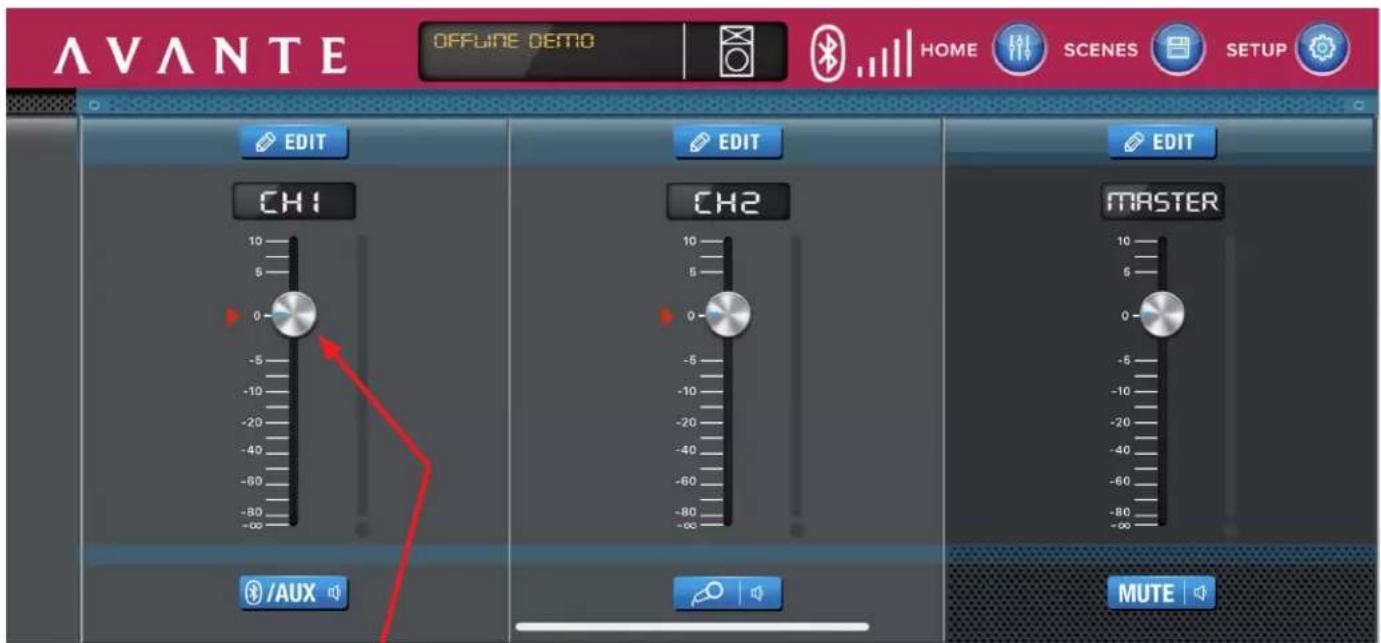
AVANTE OFFLINE DEMO HOME SCENES SETUP EDIT CH1 0 -5 -10 -20 -40 -60 -80 -90 /aux EDIT CH2 0 -5 -10 -20 -40 -60 -80 -90 EDIT MASTER MUTEMain page: adjust the volume of each Channel, or mute.
APPLICATION CONTROL
text_image
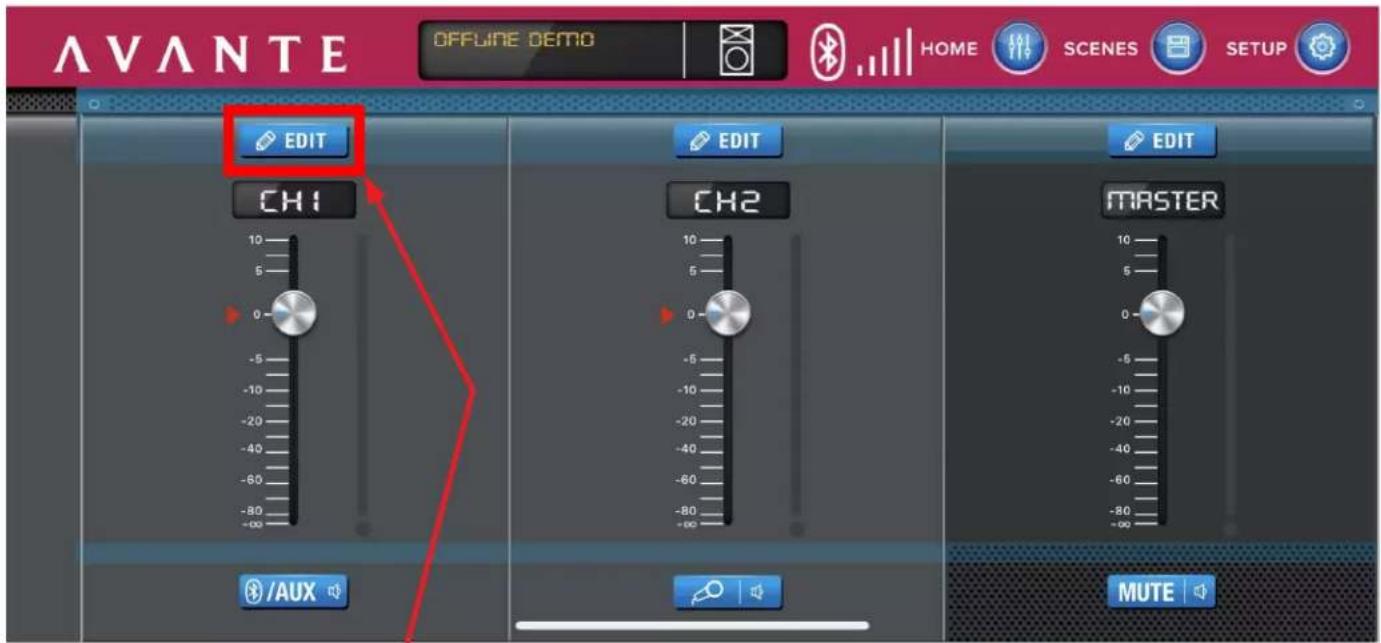
AVANTE OFFLINE DEMO HOME SCENES SETUP EDIT CH1 EDIT CH2 MASTER /AUX MUTEClick EDIT above Channel 1.
text_image
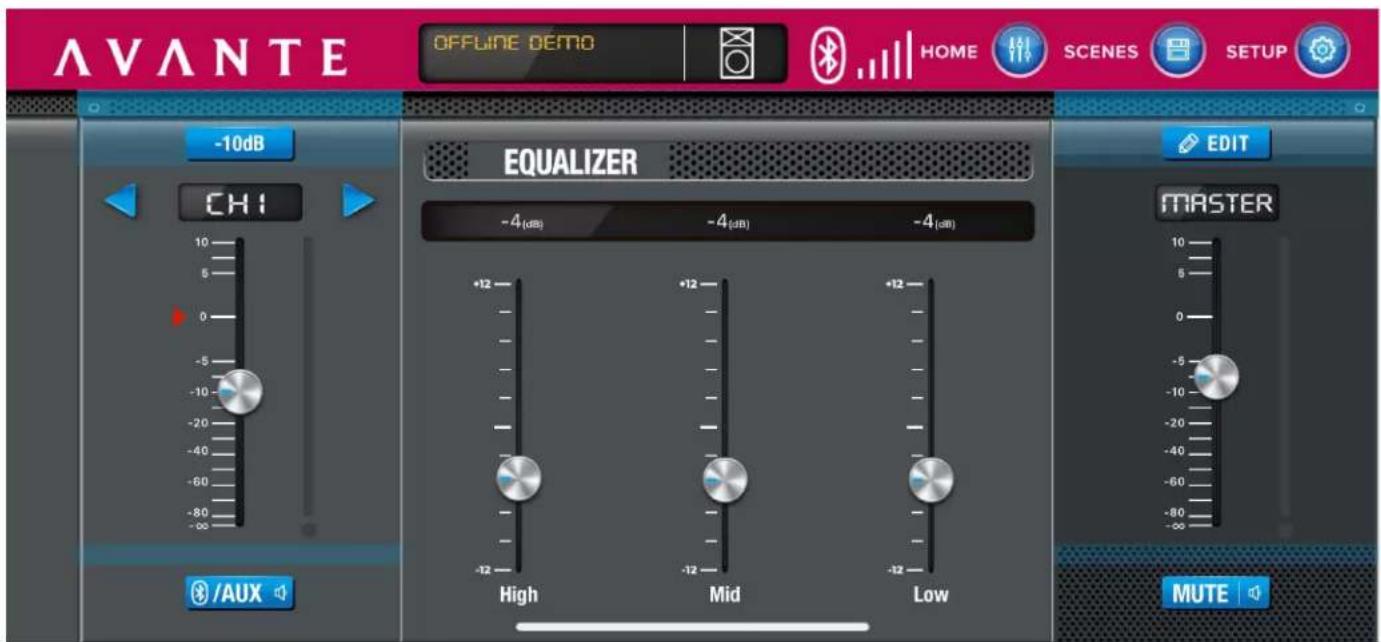
AVANTE OFFLINE DEMO HOME SCENES SETUP -10dB CHI EQUALIZER -4(dB) -4(dB) -4(dB) +12 High Mid Low EDIT MASTER MUTEChannel 1 Page: adjust the volume and EQ of Channel 1. Note that the Master Volume can also can adjusted here.
APPLICATION CONTROL
text_image
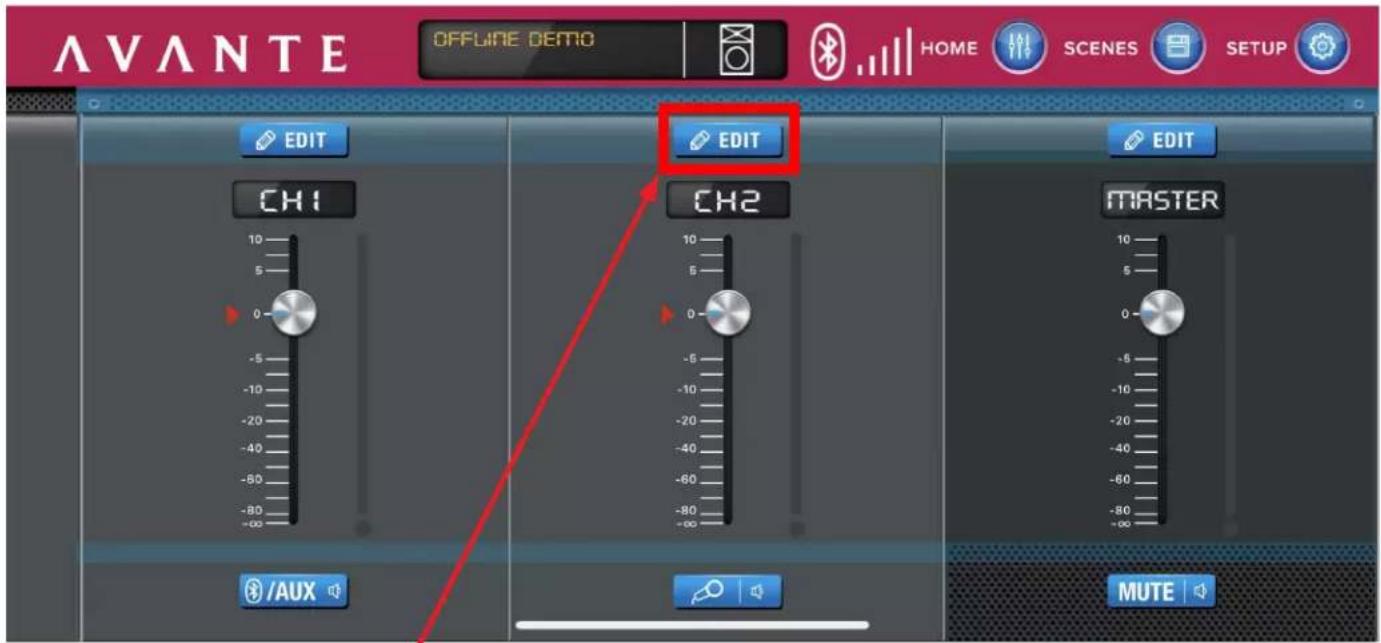
AVANTE OFFLINE DEMO HOME SCENES SETUP EDIT EDIT CH1 CH2 EDIT MASTER /AUX MUTEClick EDIT above Channel 2.
text_image
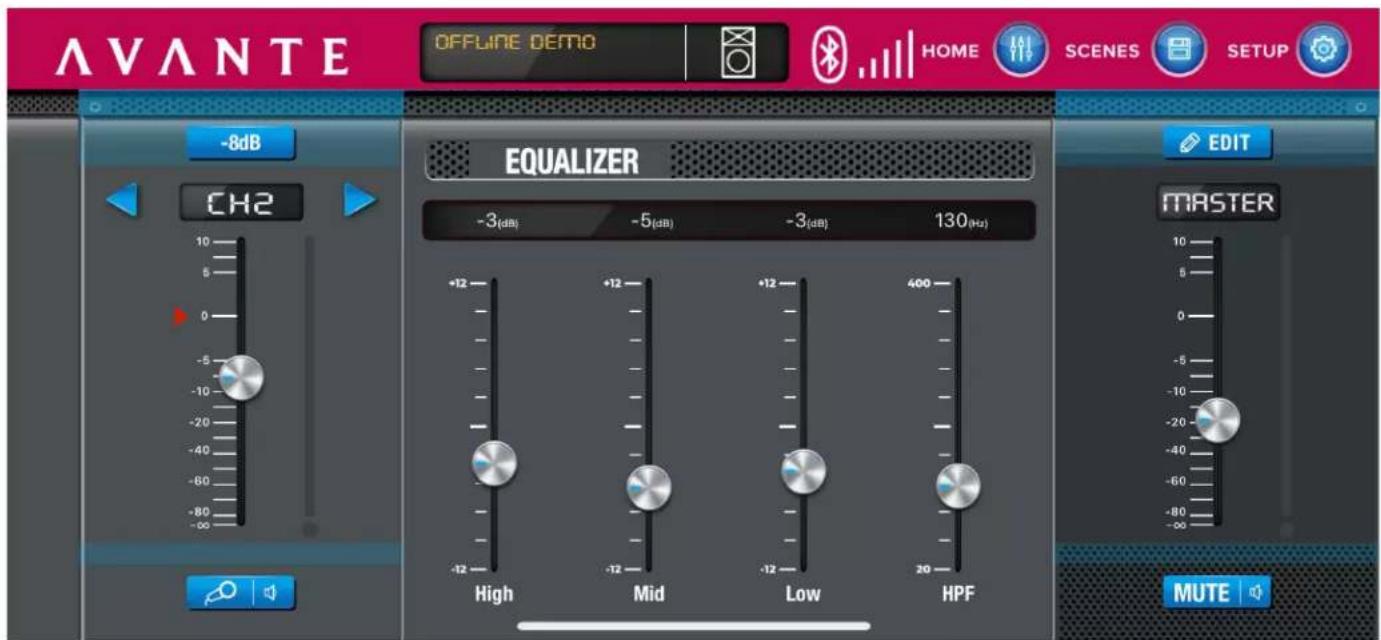
AVANTE OFFLINE DEMO HOME SCENES SETUP -8dB CH2 EQUALIZER -3(dB) -5(dB) -3(dB) 130(Hz) +12 -12 High Mid Low HPF MUTEChannel 2 Page: adjust the volume and EQ of Channel 2. Note that the Master Volume can also be adjusted here.
APPLICATION CONTROL
text_image
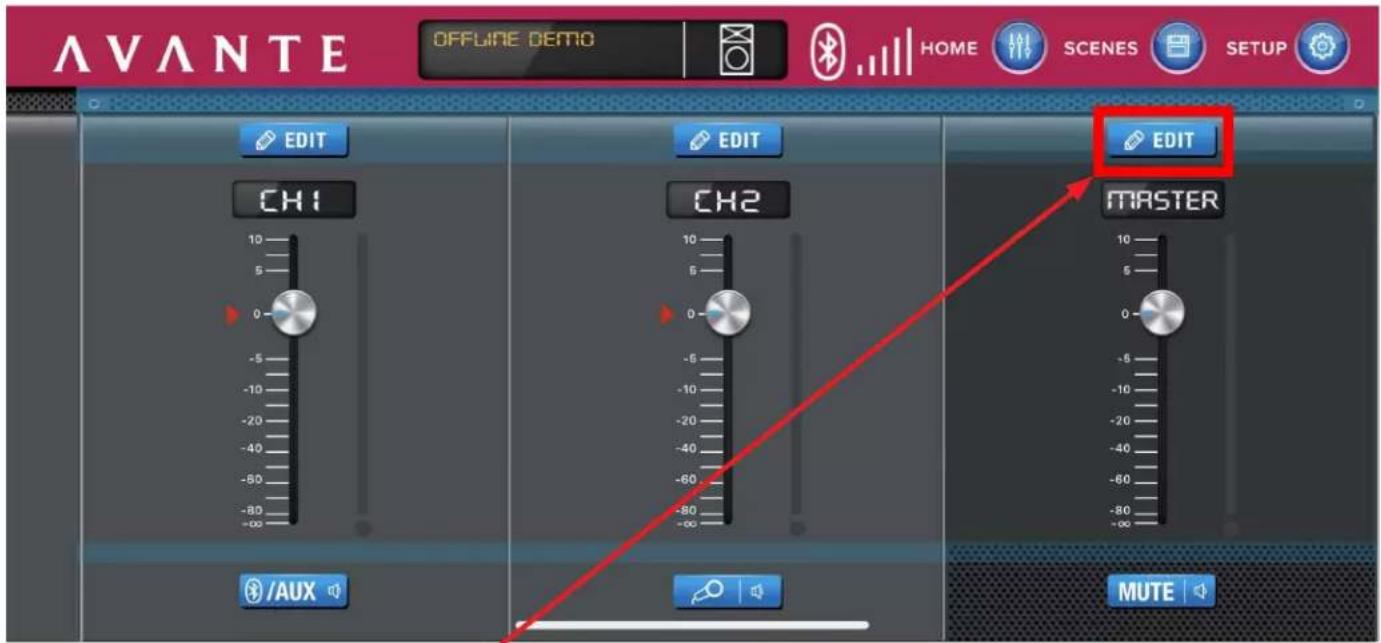
AVANTE OFFLINE DEMO HOME SCENES SETUP EDIT CH1 0 -5 -10 -20 -40 -60 -80 -100 /aux EDIT CH2 0 -5 -10 -20 -40 -60 -80 -100 EDIT MASTER MUTEClick EDIT above Master Channel
text_image
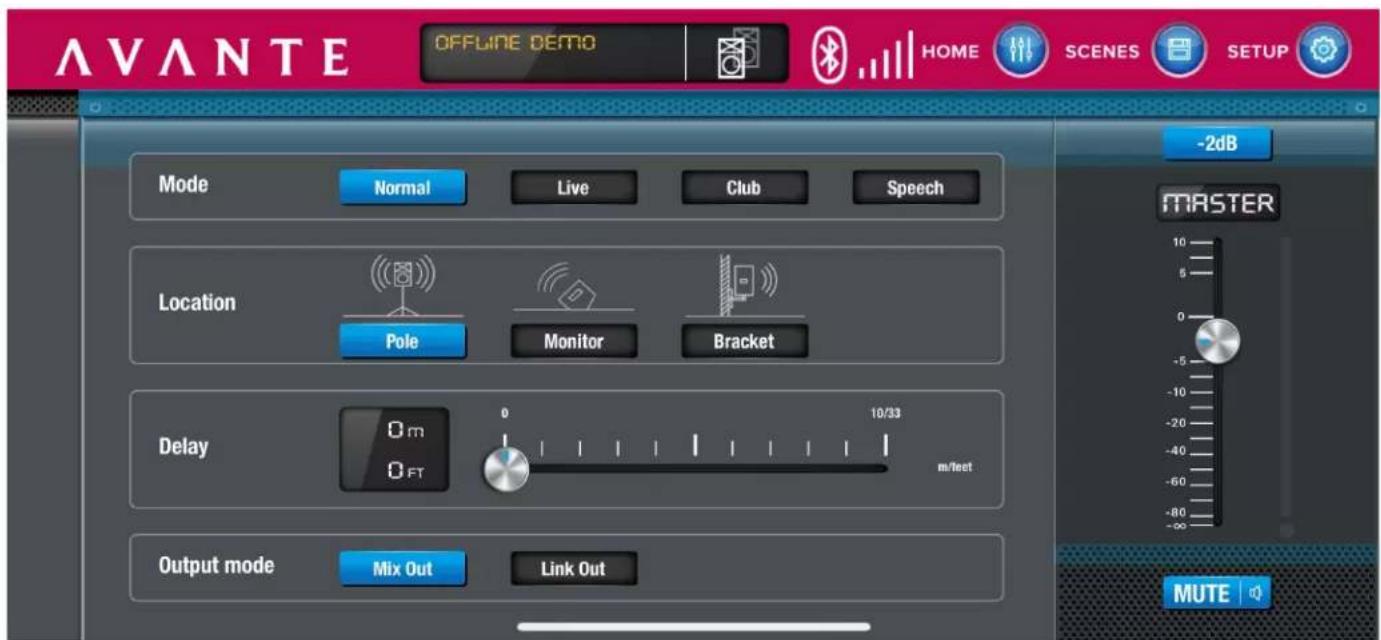
AVANTE OFFLINE DEMO HOME SCENES SETUP -2dB Mode Normal Live Club Speech Location Pole Monitor Bracket Delay 0 m 0 FT 10/33 m/feet Output mode Mix Out Link Out MASTER MUTEMaster Channel Page: adjust the volume, mode, Location, delay, and output mode of 2 channels.
APPLICATION CONTROL
text_image
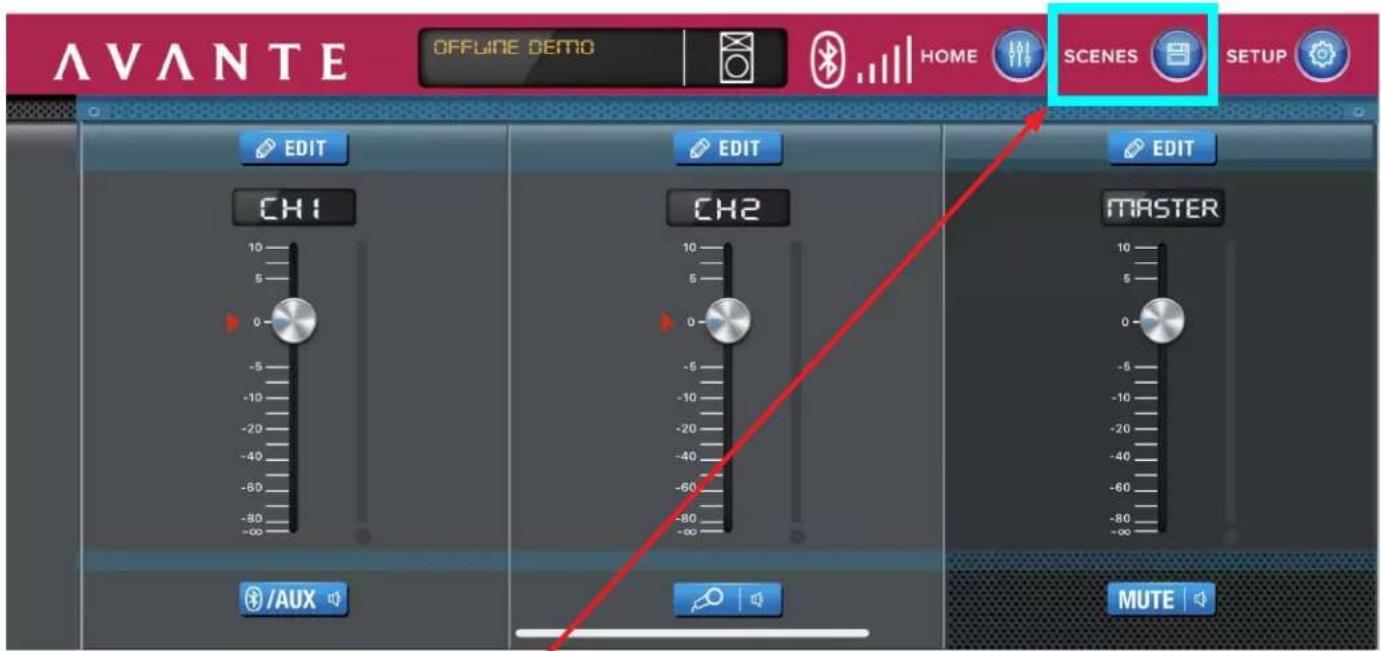
AVANTE OFFLINE DEMO HOME SCENES SETUP EDIT CH1 0 -5 -10 -20 -40 -60 -80 -100 /aux EDIT CH2 0 -5 -10 -20 -40 -60 -80 -100 EDIT MASTER MUTEClick SCENES, located overhead right.
text_image
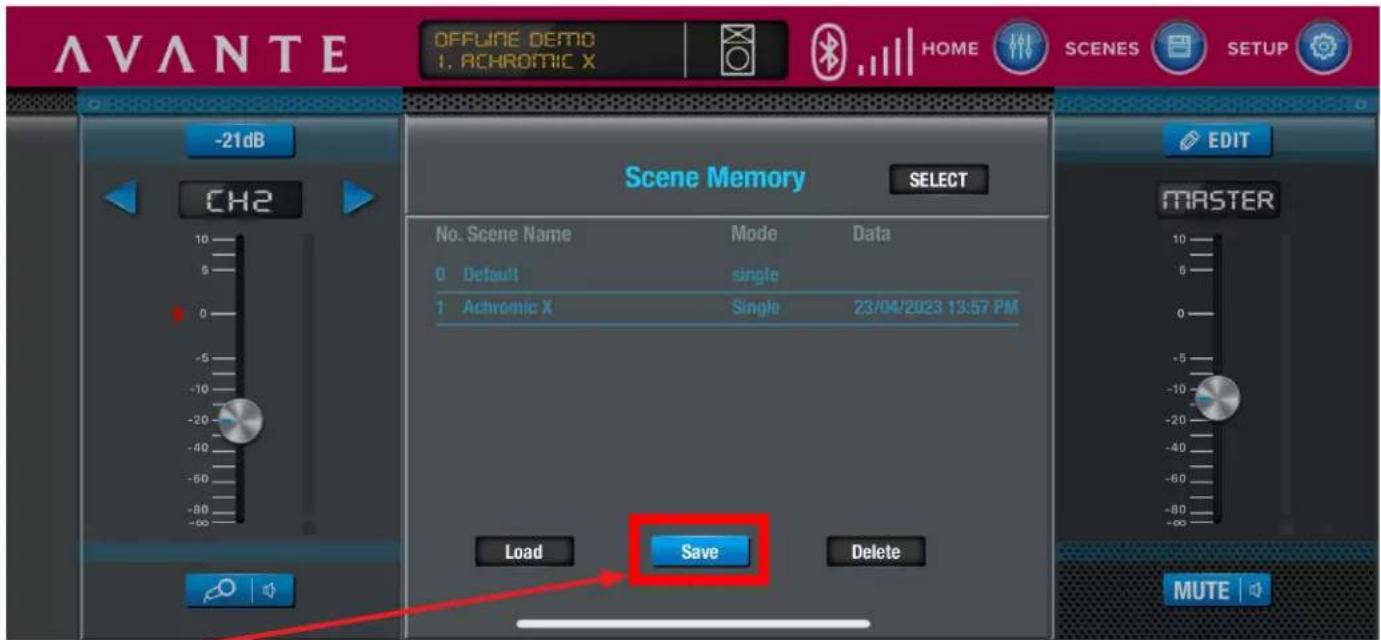
AVANTE OFFLINE DEMO 1. ACHROMIC X HOME SCENES SETUP -21dB CH2 Scene Memory SELECT No. Scene Name Mode Data 0 Default single 1 Achromic X Single 23/04/2023 13:57 PM Load Save Delete MUTE EDIT MASTERClick Save to save a new setting about the volume, EQ, and mode.
APPLICATION CONTROL
text_image
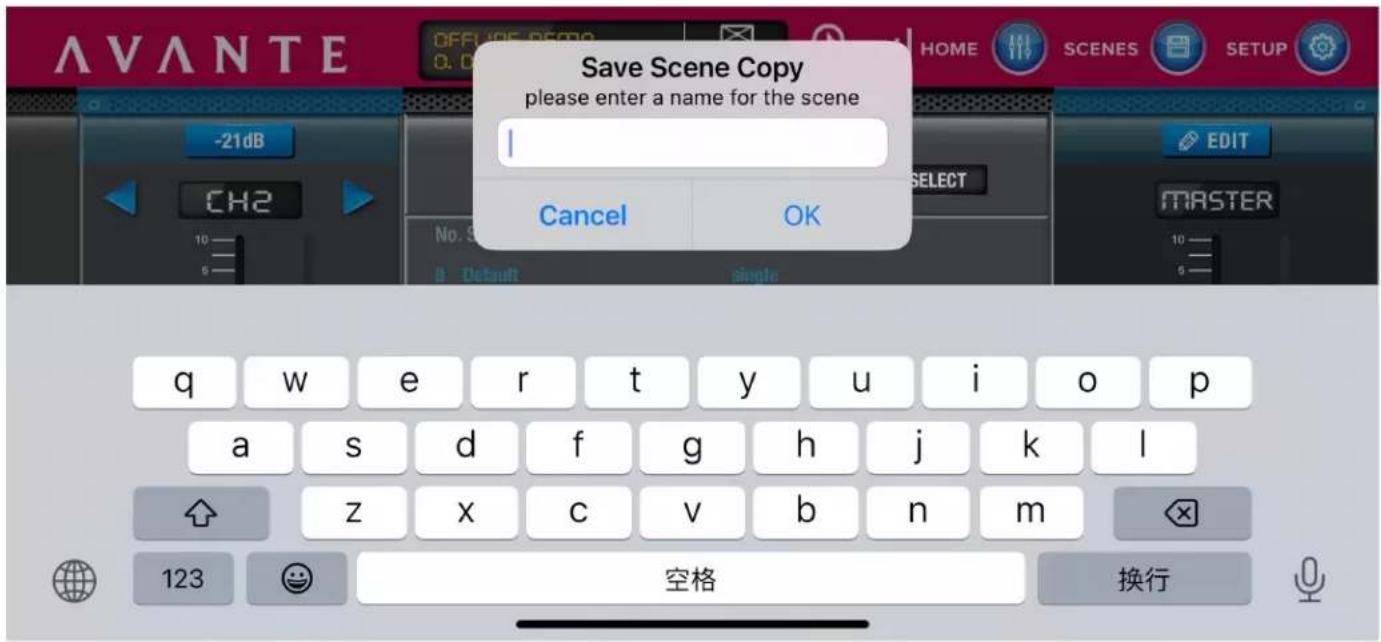
Save Scene Copy please enter a name for the scene Cancel OK q w e r t y u>i pivot a s d f g h j k l z x c v b n m 123 空格 换行Name your new setting, then click OK to save, or Cancel to cancel.
text_image
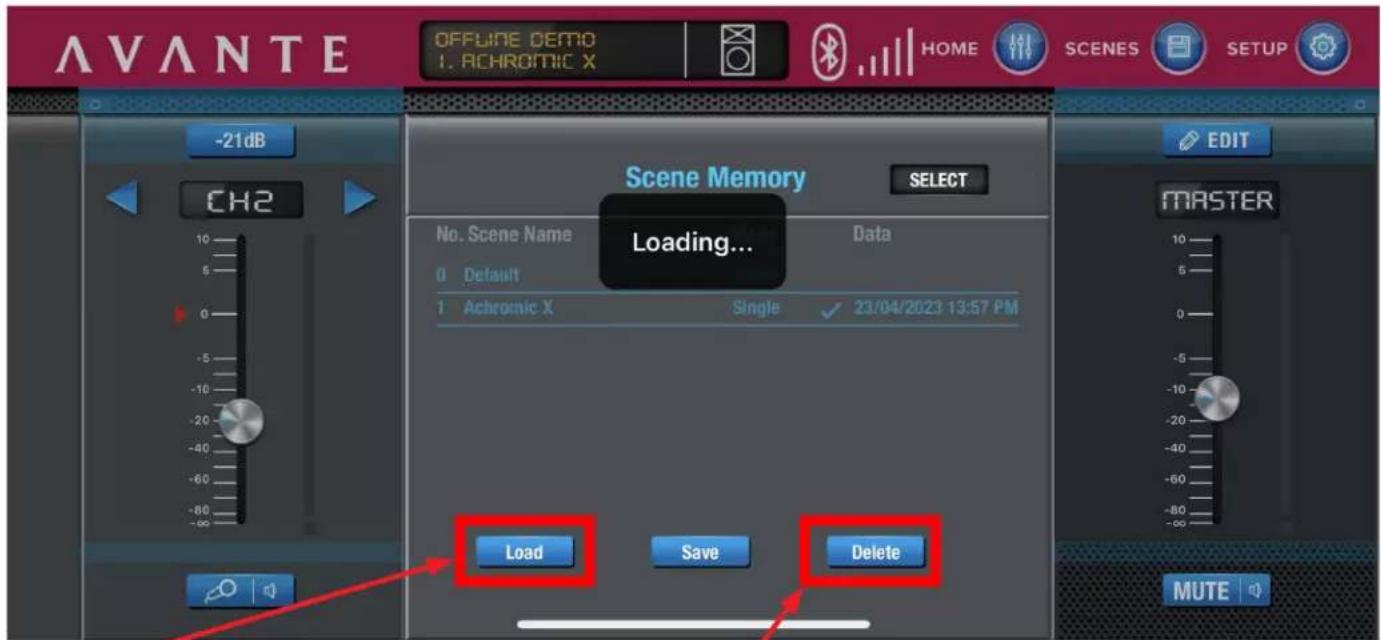
AVANTE OFFLINE DEMO 1. ACHROMIC X HOME SCENES SETUP -21dB CH2 Scene Memory SELECT Loading... No. Scene Name Default 1 Achromic X Data Single 23/04/2023 13:57 PM EDIT MASTER Load Save Delete MUTEClick Load to use the chosen saved setting, or click Delete to delete the chosen setting.
APPLICATION CONTROL
text_image
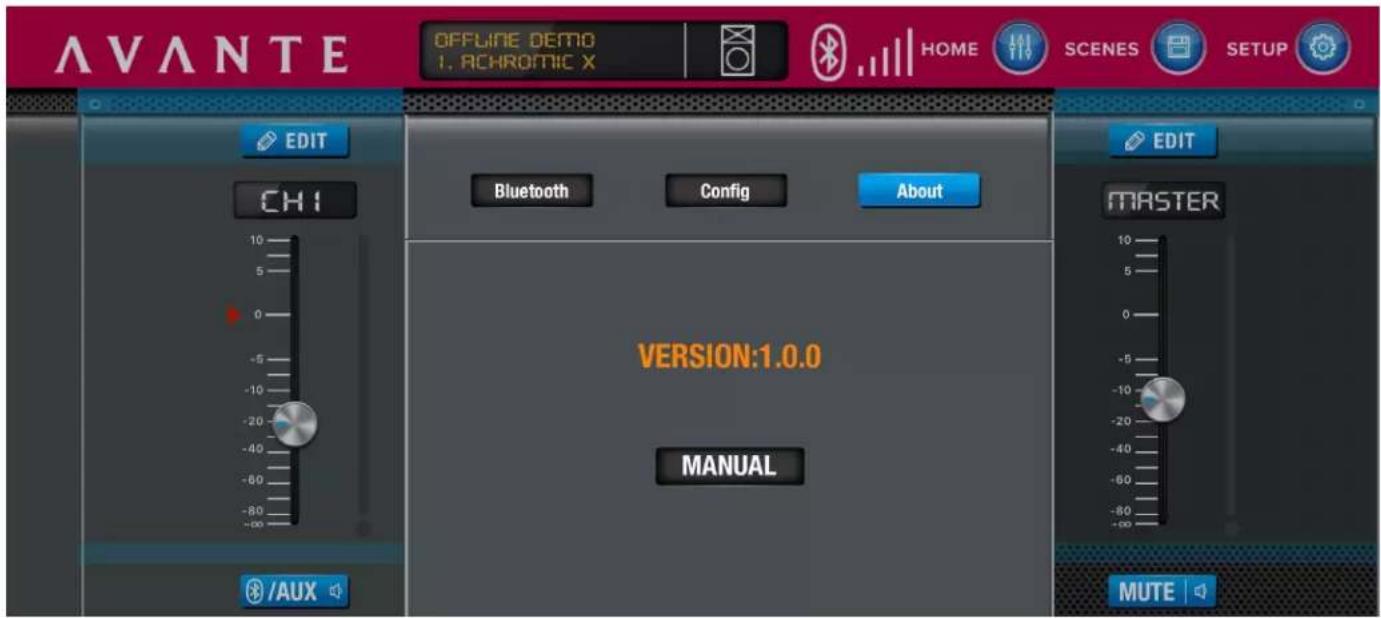
AVANTE OFFLINE DEMO 1. ACHROMIC X HOME SCENES SETUP EDIT CHI /aux Bluetooth Config About VERSION:1.0.0 MANUAL EDIT MASTER MUTEAbout page: lists current version and MANUAL.
APPLICATION DIAGRAMS
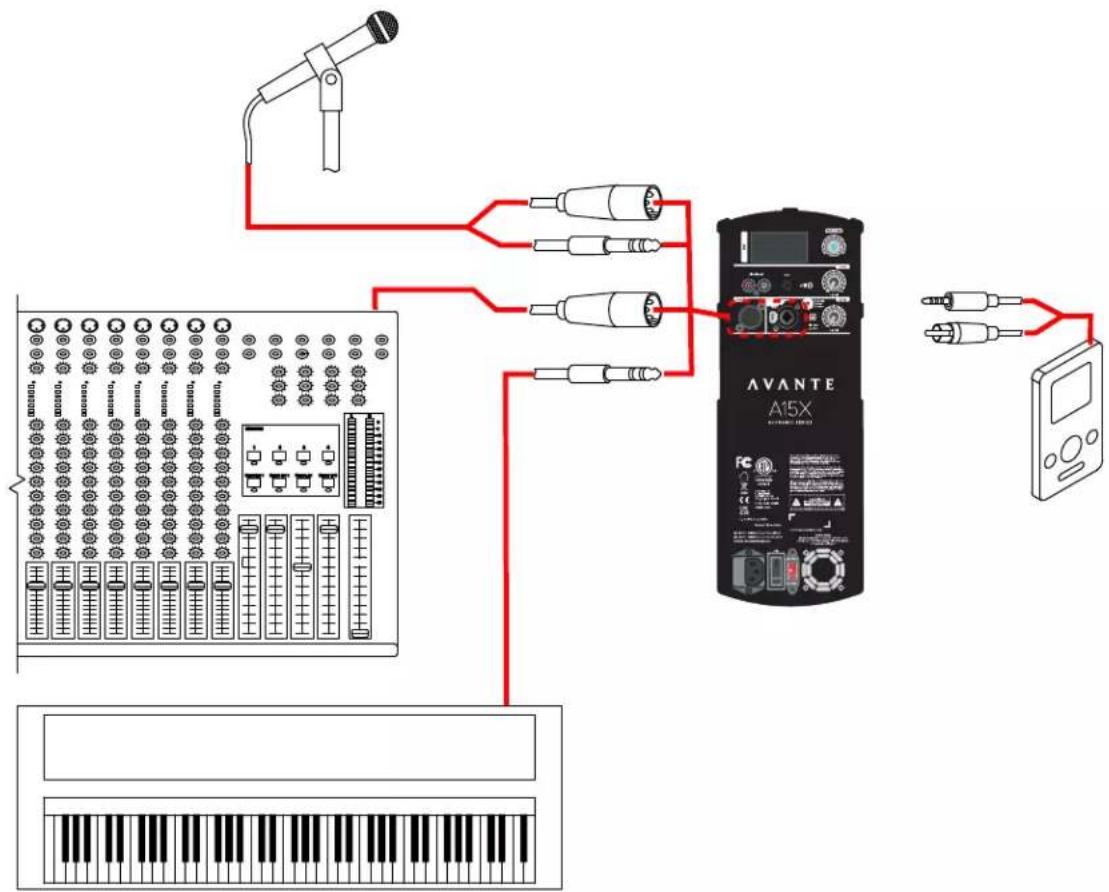
Multiple Input Options
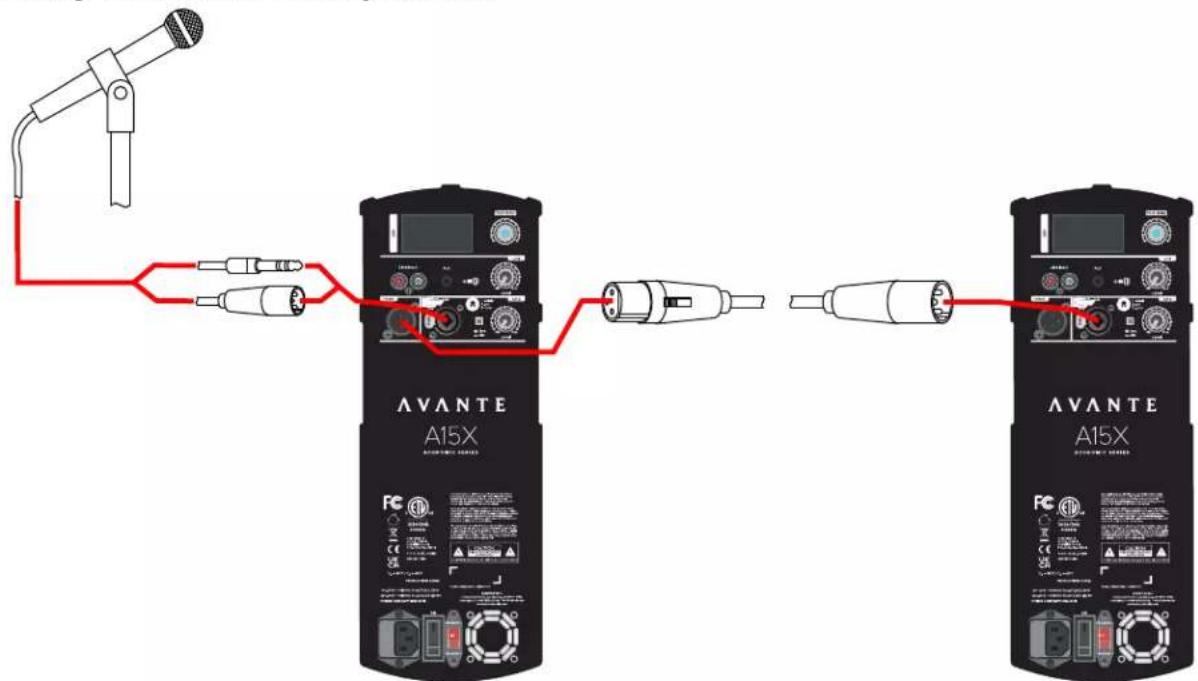
Two Daisy-Chained Loudspeakers
text_image
Diagram showing connections between two AVANTE A15X audio equipment devices via red wiring, with a microphone and connector shown.APPLICATION DIAGRAMS
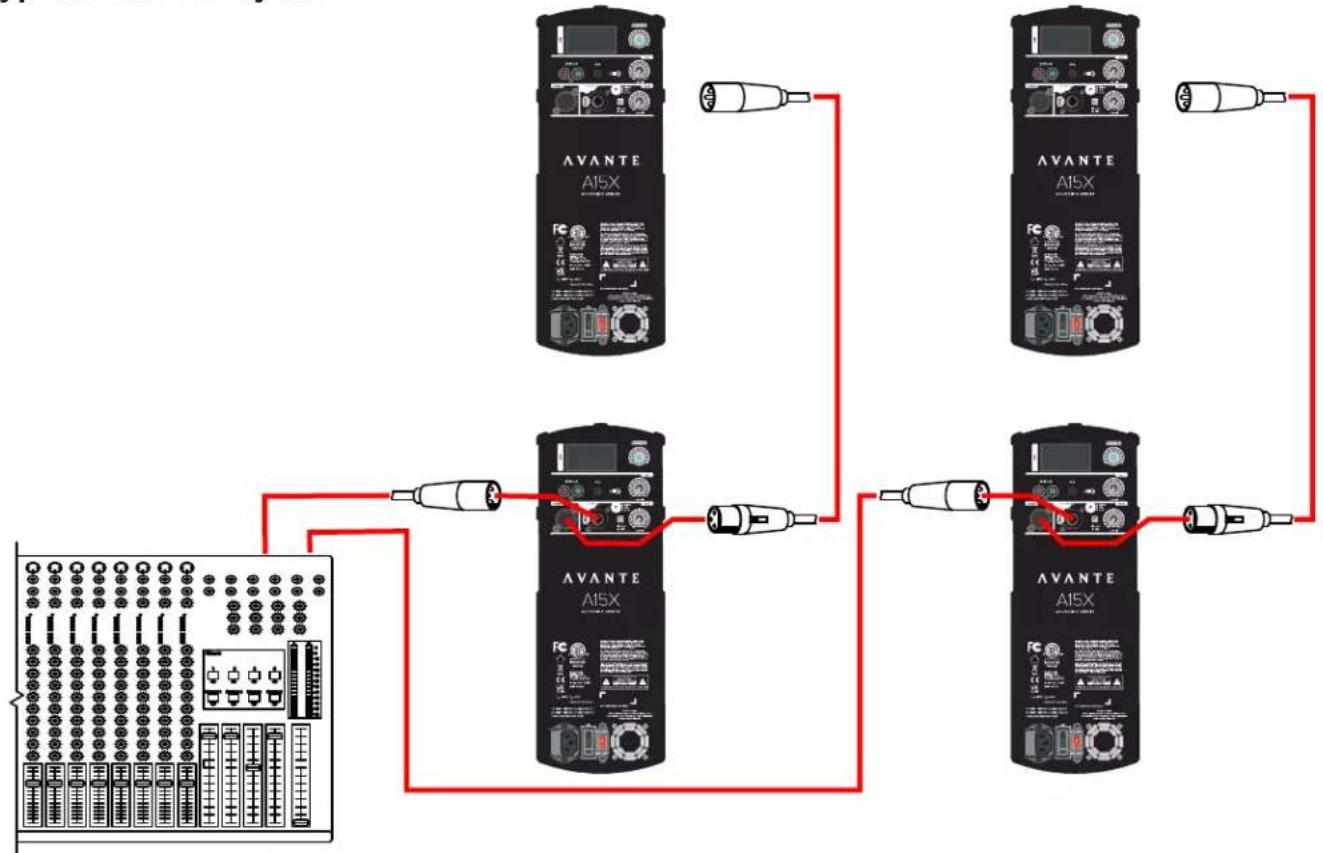
Typical Stereo System
flowchart
graph TD
    A["Control Panel"] --> B["AVANTE AI5X"]
    B --> C["Device 1"]
    B --> D["Device 2"]
    B --> E["Device 3"]
    B --> F["Device 4"]
    B --> G["Device 5"]
    C --> H["Analog Interface"]
    D --> I["Analog Interface"]
    E --> J["Analog Interface"]
    F --> K["Analog Interface"]
FREQUENCY CHARTS
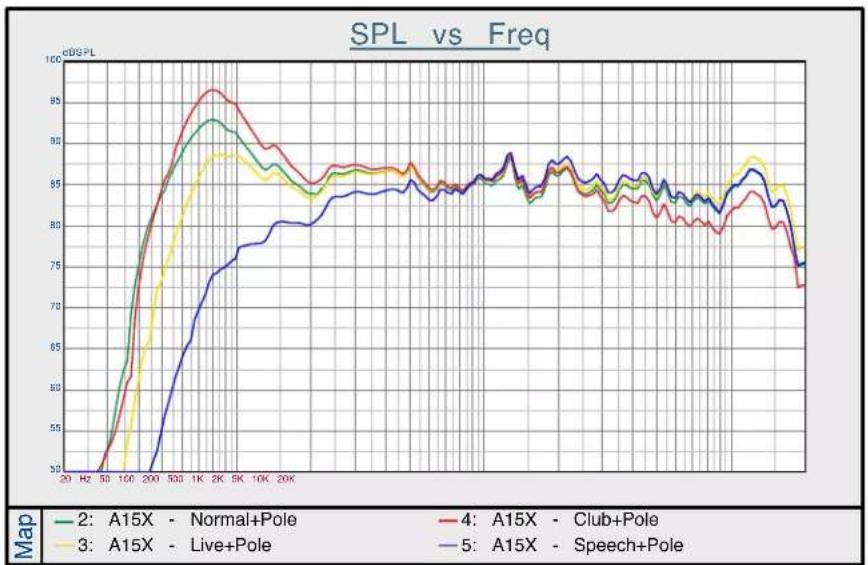
line
| Frequency | A15X - Normal+Pole | A15X - Live+Pole | A15X - Club+Pole | A15X - Speech+Pole | | --------- | ------------------ | ---------------- | ---------------- | ------------------ | | 20 | 50 | 50 | 50 | 50 | | 50 | 60 | 60 | 60 | 60 | | 100 | 70 | 70 | 70 | 70 | | 200 | 80 | 80 | 80 | 80 | | 500 | 90 | 90 | 90 | 90 | | 1K | 95 | 95 | 95 | 95 | | 2K | 93 | 93 | 93 | 93 | | 5K | 90 | 90 | 90 | 90 | | 10K | 88 | 88 | 88 | 88 | | 20K | 85 | 85 | 85 | 85 | | | | | | | | | | | | | | | | | | | | | | | | | | | | | | | | | | | | | | | | | | | | | | | | | | | | | | | | | | | | |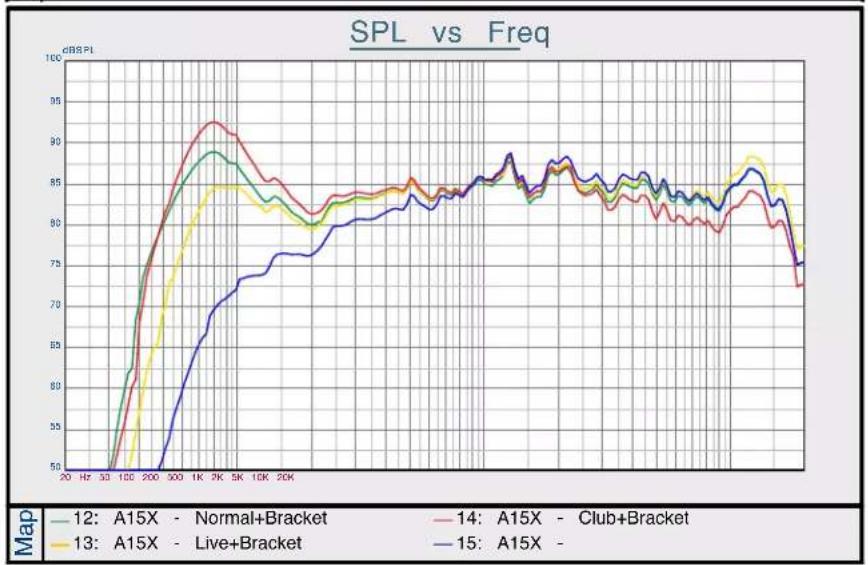
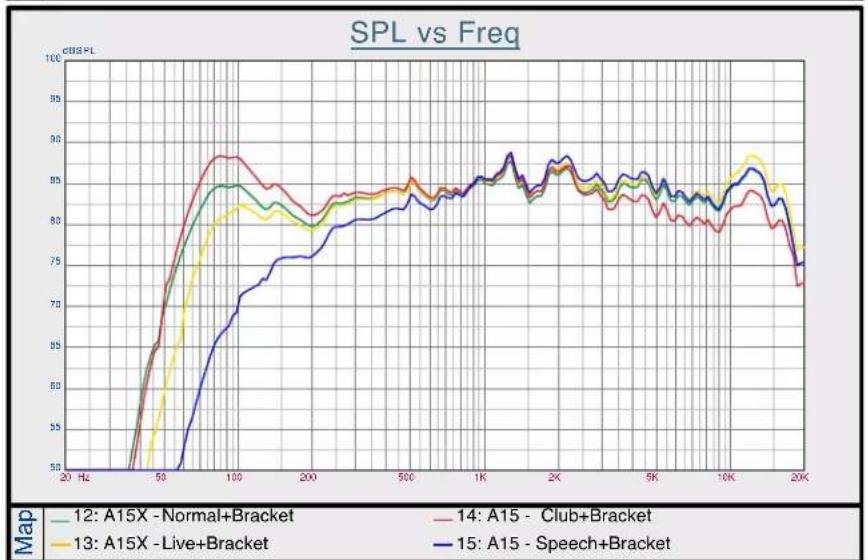
line
| Frequency | A15X - Normal+Bracket | A15X - Live+Bracket | A15 - Club+Bracket | A15 - Speech+Bracket | | --------- | --------------------- | ------------------- | ------------------ | -------------------- | | 20 Hz | 50 | 50 | 50 | 50 | | 50 | 85 | 80 | 88 | 70 | | 100 | 90 | 85 | 92 | 75 | | 200 | 88 | 83 | 89 | 78 | | 500 | 86 | 84 | 87 | 80 | | 1K | 87 | 85 | 88 | 82 | | 2K | 86 | 84 | 87 | 83 | | 5K | 85 | 83 | 86 | 84 | | 10K | 84 | 82 | 85 | 85 | | 20K | 72 | 70 | 73 | 75 |SPECIFICATIONS
- Amp Power: 1200W Peak; 350W Class D (LF) + 50W Class AB (HF) RMS
- Built-in Digital Signal Processing (DSP) with LCD screen, EQ & multiple presets. IOS AAPP for remote control of settings.
• BlueTooth 5.0+ Stereo Pairing
• Frequency Range: 45hz-20kHz
• Nominal Coverage: 90° x 60°
• Output (Peak SPL @ 1M): 124dB - Drivers: 15-inch woofer with 2.5-inch voice coil + 1.35-inch HF Compression Driver
- Inputs: Balanced Female XLR 1/4 -inch combo jack, 2x RCA (phono)
• Output: Balanced Male XLR
• Enclosures: H-PP Molded - Grill: 1.2mm Steel
- Handles: 1 on top / 1 on side
• Fly Points: 2 on top / 1 on back - Pole Mounting: Dual position 0-degrees or 7.5-degrees
• Power Input: 120V/60Hz or 240V/50Hz (country specific)
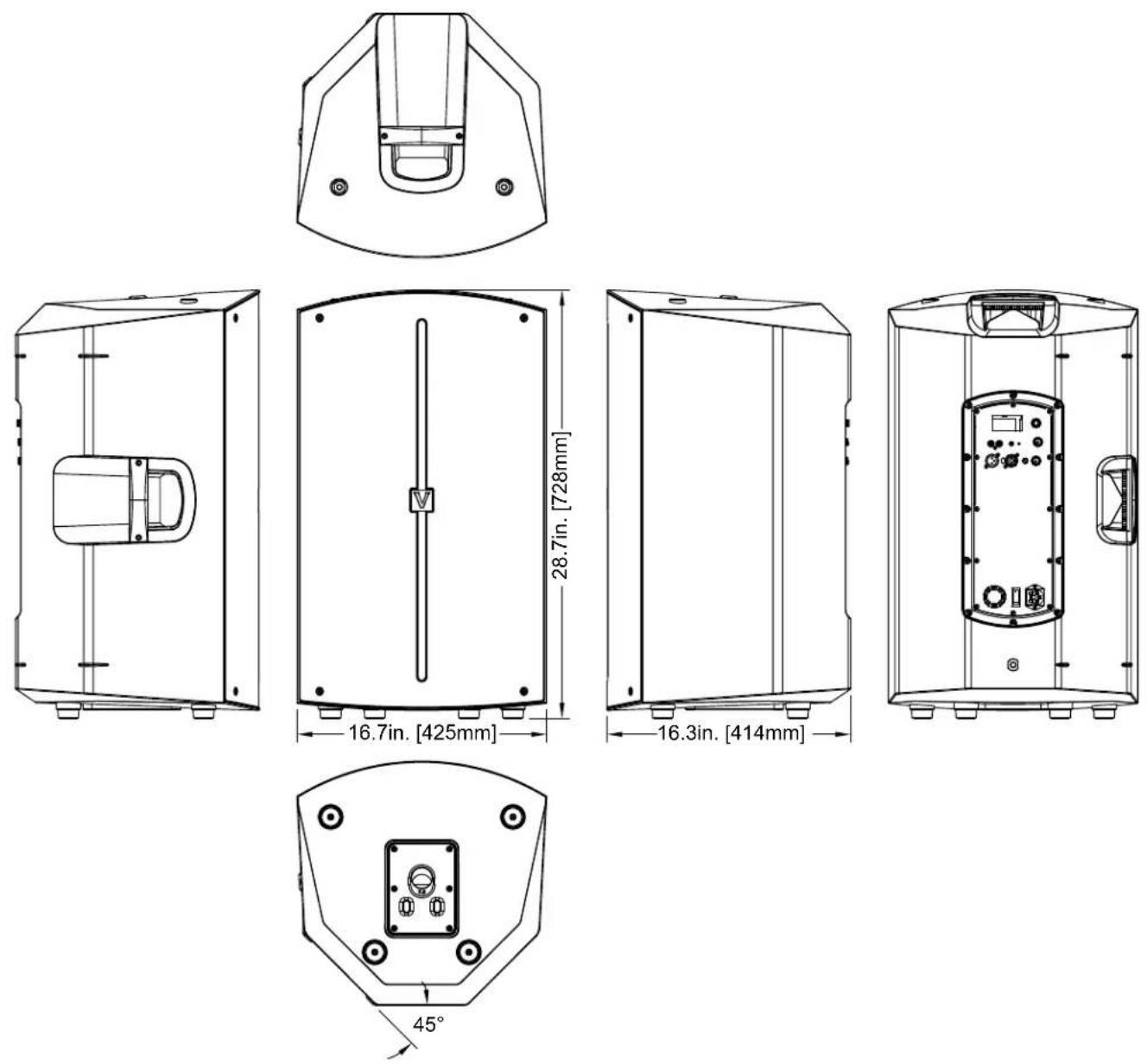
• Power Consumption: 400W - Dimensions: 28.7" [728mm] x 16.7" [425mm] x 16.3" [414mm]
• Weight: 42 lbs. / 19.1 kg.
DIMENSIONAL DRAWINGS
COMPONENTS & ACCESSORIES
| SKU DESCRIPTION | |
| A15X COVER ACHROMIC | A15 BLACK PADDED SLIP ON COVER |
| A15X-TOTE ACHROMIC A | 15 TOTE BAG |
| Z-M10-58 M10 EYE BOLT | - Single |
| Z-M10-58-3 M10 EYE BOL | TS - 3-Pack |
| WMB001 AVANTE Wall Mount Bracket (2) | |
FCC STATEMENT
This device complies with Part 15 of the FCC Rules. Operation is subject to the following two conditions: (1) this device may not cause harmful interference, and (2) this device must accept any interference received, including interference that may cause undesired operation.
FCC RADIO FREQUENCY INTERFERENCE WARNINGS & INSTRUCTIONS
This product has been tested and found to comply with the limits as per Part 15 of the FCC Rules. These limits are designed to provide reasonable protection against harmful interference in a residential installation. This device uses and can radiate radio frequency energy and, if not installed and used in accordance with the included instructions, may cause harmful interference to radio communications. However, there is no guarantee that interference will not occur in a particular installation. If this device does cause harmful interference to radio or television reception, which can be determined by turning the device off and on, the user is encouraged to try to correct the interference by one or more of the following methods:
- Reorient or relocate the device.
- Increase the separation between the device and the receiver.
- Connect the device and the radio receiver to electrical outlets on separate electrical circuits.
- Consult the dealer or an experienced radio/TV technician for help.

ΛΥΛΝΤΕ
A15X
ÉLEVEZ VOTRE SON
MANUEL UTILISATEUR
AVANTE World Headquarters USA
6122 S. Eastern Ave. I Los Angeles, CA 90040 USA
323-316-9722 | Fax: 323-582-2941 | www.avanteaudio.com | info@avanteaudio.com
AVANTE NETHERLANDS
Junostraat 2 | 6468 EW Kerkrade | Netherlands
+31 45 546 85 00 | Fax: +31 45 546 85 99 | europe@avanteaudio.com
AVANTE MEXICO
Santa Ana 30 | Parque Industrial Lerma | Lerma Mexico 52000
+52 (728) 282.7070 | ventas@avanteaudio.com
DÉCLARATION FCC
support@avanteaudio.com
CONTROLS AND CONNECTIONS
text_image
Écran LCD - Paramètres et état du DSP Mini-prise CH1 (3,5 mm) Entrée de ligne Entrée de ligne RCA CH1 Voyant Bluetooth Sortie MIX XLR CH2 XLR/1/4" Entrée jack combo Push for lap Encodeur/bouton d'édition DSP Line Input Aux Niveau CH1 Level Output Lineage Tip 1 - Shield 2 - Min 3 - Cold CH2 Niveau CH2 Level CH2 ligne/micro Changer AVANTE A15X ACHROMIC SERIES FC Intertek 3069848 COMPANYA 76. 16. STS. 87/88.1 INTERTIEN 76.00.00.00.00.00.00.00.00.00.00.00.00.00.00.00.00.00.00.00.00.00.00.00.00.00.00.00.00.00.00.00.00.00.00. Tg = 35°C / Tc = 60°C PRODUCTION CODE: 100-120V - 50/60Hz Flux: 16.3A L/250V 228-246V - 50/60Hz Flux: T3.15A L/250V POWER CONSUMPTION: 480W CAUTION MINI DE GRET DE SHOCK ELECTRUM ENERIE DE COLD ELECTRUS TO PUEUSTRATIS PRODUCTION: AVANTE 1115V/222V AVANTE AUDIO 6222. Eastern fire, Los Angeles, CA Power USA Junction 2, 4882.5K Echouw [The Netherlands] www.avanatebrite.com Entrée du cordon d'alimentation Interrupteur Commutateur de tension : 115V/220VINSTALLATION
SUPPORT D'ENCEINTE STANDARD
natural_image
Technical line drawing of a mechanical housing or enclosure with internal components and a red directional arrow (no text or symbols)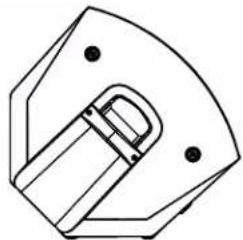
natural_image
Pure technical line drawing of a mechanical component without any text, numbers, or symbols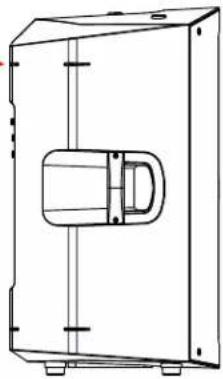
natural_image
Technical line drawing of a mechanical enclosure or enclosure with internal components and mounting holes (no text or symbols)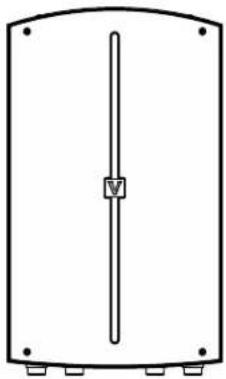
natural_image
Simple line drawing of a rectangular enclosure with a vertical rod and mounting holes (no text or symbols)natural_image
Close-up of a black mechanical ring with a metallic screw, enclosed in a red circular border (no text or symbols visible)
natural_image
Technical line drawing of a mechanical component with mounting holes and a central curved feature (no text or symbols)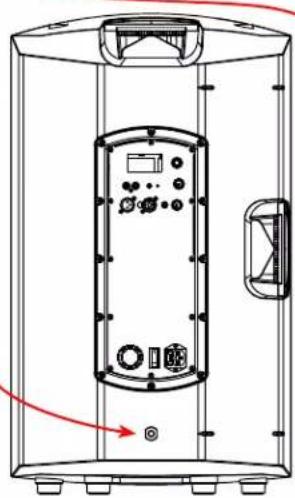
natural_image
Technical line drawing of a cylindrical industrial control unit with control panel and buttons (no text or symbols)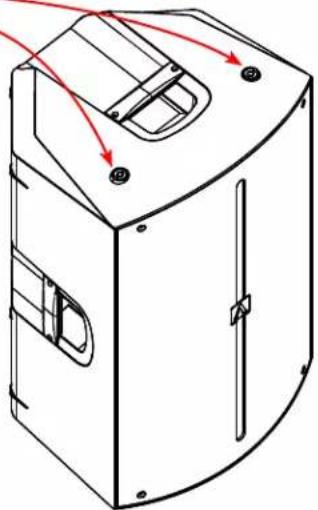
natural_image
Technical line drawing of a mechanical device with no visible text or symbols
natural_image
Line drawing of a cabinet or enclosure with vertical panels and mounting feet (no text or symbols)INSTALLATION
natural_image
Black audio amplifier with mesh grille and attached mechanical bracket (no visible text or symbols)INSTALLATION
text_image
25.8"(655mm)INSTALLATION
natural_image
Three views of a black rectangular device mounted on a pole, showing angular change from 0° to 7.5° (no text or symbols present)Icône Avante rotative
natural_image
Product display of a black audio amplifier with hexagonal mesh cover, showing front panel, side panel, and top speaker (no text or symbols visible)FONCTIONNEMENT DU DSP
text_image
To remote control Achromic X series App control On 1 Launch the phone's 'Settings' app and activate Bluetooth 2 Set the App control switch on the Achromic X Series to RemotePage d'accueil