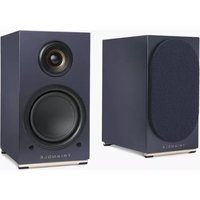
AIO TWIN - Speaker TRIANGLE - Free user manual and instructions
Find the device manual for free AIO TWIN TRIANGLE in PDF.


| Product type | Active speaker + passive speaker |
| Brand | Triangle |
| Model | AIO TWIN |
| Dimensions (W x D x H) | 65 x 304 x 235 mm (per speaker) |
| Total weight | 10.3 kg (pair) |
| Power supply | Mains 100-240V, 50/60 Hz (IEC plug) |
| Power consumption | 80 W (active speaker) |
| Output power | 2 x 50 W at 4 Ω |
| Wireless connectivity | Wi-Fi 2.4 GHz (802.11 b/g/n), Bluetooth 5.0 (aptX, aptX HD, aptX LL, SBC, AAC) |
| Wired connectivity | RCA input (line/phono), 3.5mm Mini-Jack input, TOSLINK optical input, USB input, Subwoofer output, Ethernet RJ45 |
| Supported audio formats | APE, FLAC, WAV, ALAC, AAC, MP3, and others |
| Main functions | Multiroom streaming (up to 5 on Wi-Fi, 10 via Ethernet), bass/treble equalizer, infrared remote control, mobile app |
| Speakers | 25 mm tweeter, 13 cm woofer |
| Care and cleaning | Clean with a soft, dry cloth. Do not use abrasive products. |
| Safety | Never open the speaker. Risk of electric shock. Disconnect before any maintenance. |
| Spare parts and repairability | Contact your authorized TRIANGLE dealer for any repairs. No user-serviceable parts. |
| Warranty | 2 years subject to online or coupon registration |
| Package contents | 1 active speaker, 1 passive speaker, 2 magnetic grilles, power cable, 3 m speaker cable, remote control with battery, user manual |
Frequently Asked Questions - AIO TWIN TRIANGLE
User questions about AIO TWIN TRIANGLE
0 question about this device. Answer the ones you know or ask your own.
Ask a new question about this device
Download the instructions for your Speaker in PDF format for free! Find your manual AIO TWIN - TRIANGLE and take your electronic device back in hand. On this page are published all the documents necessary for the use of your device. AIO TWIN by TRIANGLE.
USER MANUAL AIO TWIN TRIANGLE
MANUFACTURE ELECTROACOUSTIQUE

natural_image
Three geometric shapes: a triangle, a vertical line, and a circle with a vertical line (no text or symbols)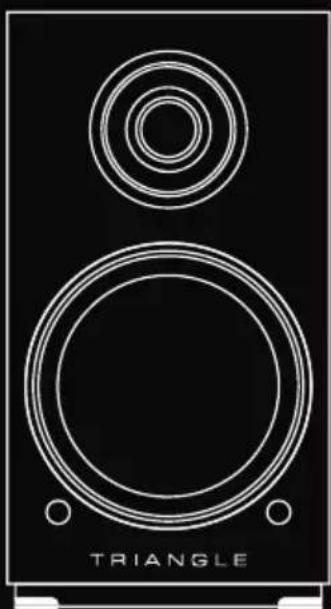
natural_image
Line drawing of a triangular speaker with concentric circles and base (no text or symbols)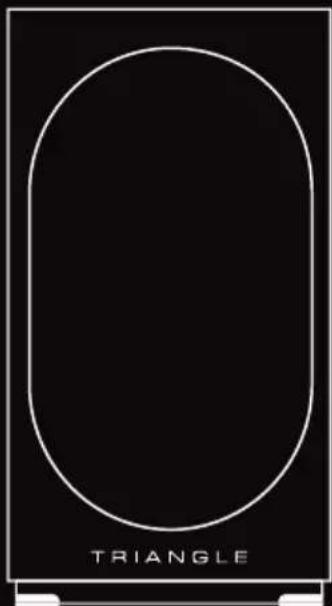
text_image
TRIANGLEMode d'emploi & Garantie Owner's manual & Warranty
SOMMAIRE / SUMMARY
MODE D'EMPLOI - FRANÇAIS 5
- Unpacking and contents 30
• Installation precautions and set up 31 - Connecting the speakers 32
- Speaker description 32
- Remote control description 35
- Deactivate front LED 35
• Network setup guide 36
- Getting started 37
- Wi-Fi configuration 37
- App overview 38
- Connecting sources 44
- Troubleshooting 49
• Frequently Asked Questions 50
• Technical informations 51
- Safety instructions 53
- Warranty 54
MODE D'EMPLOI
FRANÇAIS
DÉBALLAGE
natural_image
Two identical views of a triangular speaker with circular and rectangular design (no text or symbols)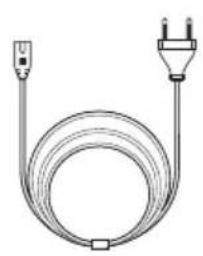
natural_image
Coiled electrical cable with two terminal plugs (no text or symbols)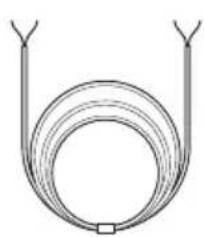
natural_image
Simple line drawing of a coiled tube or loop with two arms and a central rectangular component (no text or symbols)CR2032
text_image
TRANSILE Mode: Composite & Compose Densey: Model 2 of ComplexityPRÉCAUTIONS D'INSTALLATION
text_image
18:41 Wireless Wi-Fi Wi-Fi ✓ TRIANGLE AIO TAIN - XXX AUXES PUDUAL TRANGLE PUBUC TRANGLE SOUND2 Autre... Confirmer Facces Commander to confirmant non-confirmed conditions not applicable to the normal condition, or otherwise visible. We continue to confirmate direct detection from any data transmission. Analog/Video download accessible. Confirmer auto no portages Confirmertext_image
SELECT NETWORK Choose the network you want the device to safe. TRIANGLE AIO only supports 2.40 networks. TRANGLE_PUBLIC TRANGLE_SOUND Password Password: No? password Customizenatural_image
Pure electrical connector diagram showing two connected components (no text or symbols)text_image
Technical diagram showing two connected electronic devices labeled 'T Triangle' with ports, switches, and a power outlet.Open the box and take out the speakers.
If you notice any defects in one of the elements as you unpack, please get in touch with your reseller.
Your speaker is fragile and it is recommended to handle it carefully. Before disposing of the packaging, make sure there is nothing left inside.
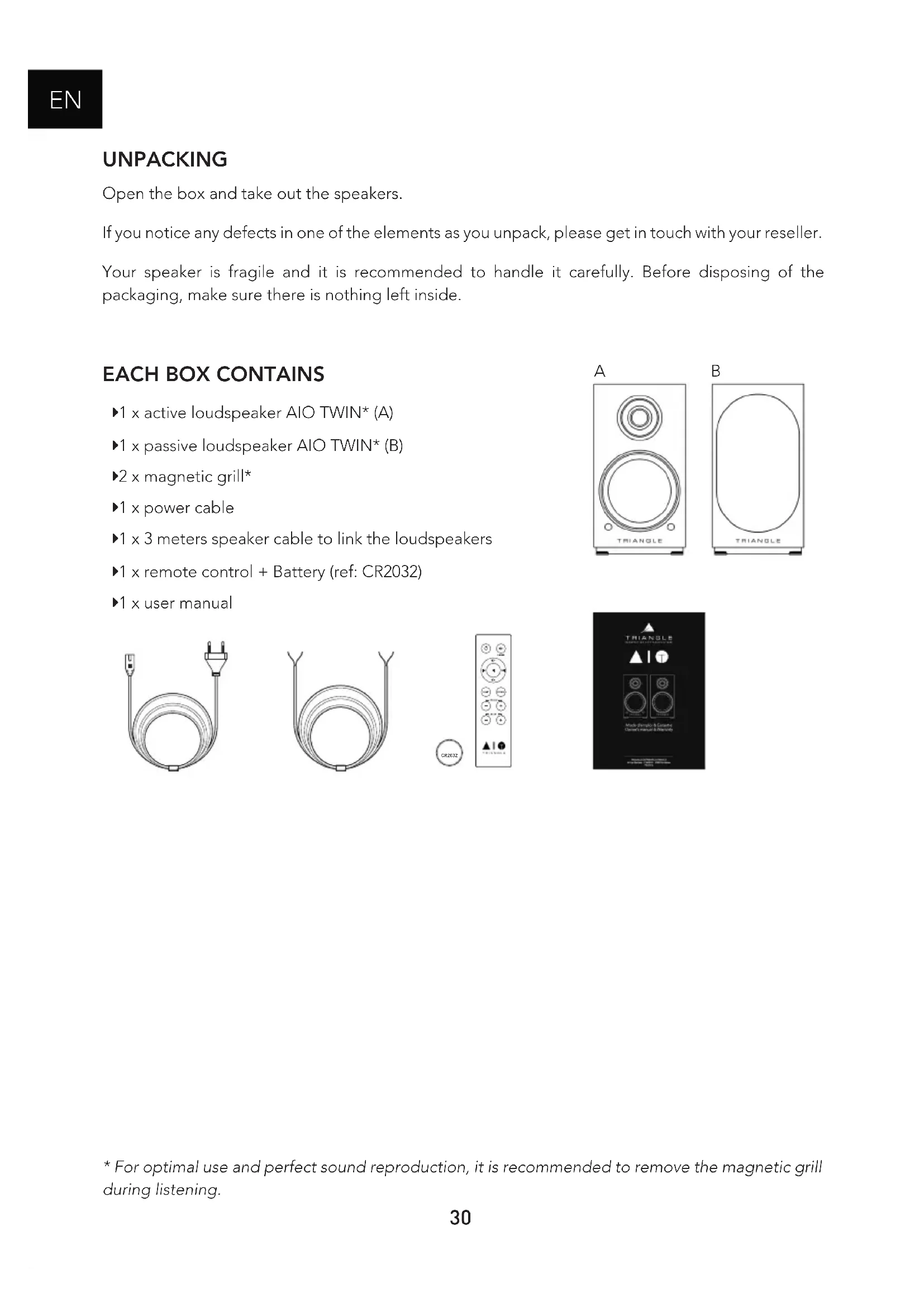
EACH BOX CONTAINS
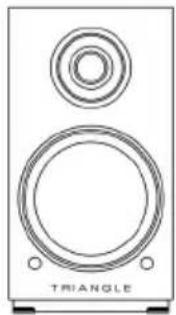
▶1 x active loudspeaker AIO TWIN* (A)
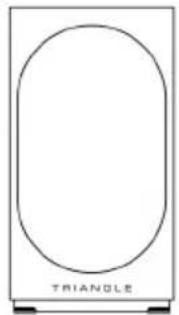
▶1 x passive loudspeaker AIO TWIN* (B)
▶2 x magnetic grill*
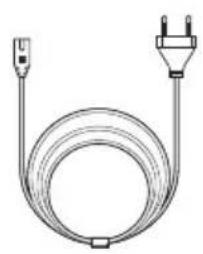
▶1 x power cable
▶1 x 3 meters speaker cable to link the loudspeakers
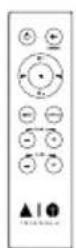
▶1 x remote control + Battery (ref: CR2032)
▶1 x user manual
natural_image
Simple line drawing of a cord with two terminal plugs (no text or symbols)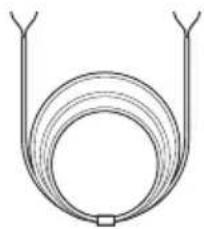
natural_image
Simple line drawing of a coiled tube or loop structure (no text or symbols)
A
natural_image
Line drawing of a double-tiered speaker with two circular plates and a top ring, labeled 'TRIANGLE' at the bottom (no other text or symbols)B
natural_image
Simple line drawing of a rectangular frame with an oval cutout and 'TRIANGLE' text at the bottom (no other symbols or text)
text_image
TRIANGLE Mach-Pinghry & Genetic Dental Design & MaterialsINSTALLATION PRECAUTIONS
Before the installation
Before connecting your AIO TWIN speakers, check the stability of the surface you want to install them on. Be sure to always set the active speaker switch to OFF before removing or plugging connection cables. Do not plug in the power cord before all connections are made.
Moving the device
Always remove the power cord and disconnect the cables between all audio components when moving the device. This will prevent a short-circuit or the damage to the plugs or connection cables.
Locations to avoid
Avoid humid locations or direct sunlight. It is preferable to install your speaker in a temperate place.
Recycling
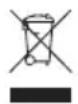
Protection of the environment: your products contain valuable materials which can be recovered or recycled. Take them to the appropriate collection points.
CONNECTING THE SPEAKERS
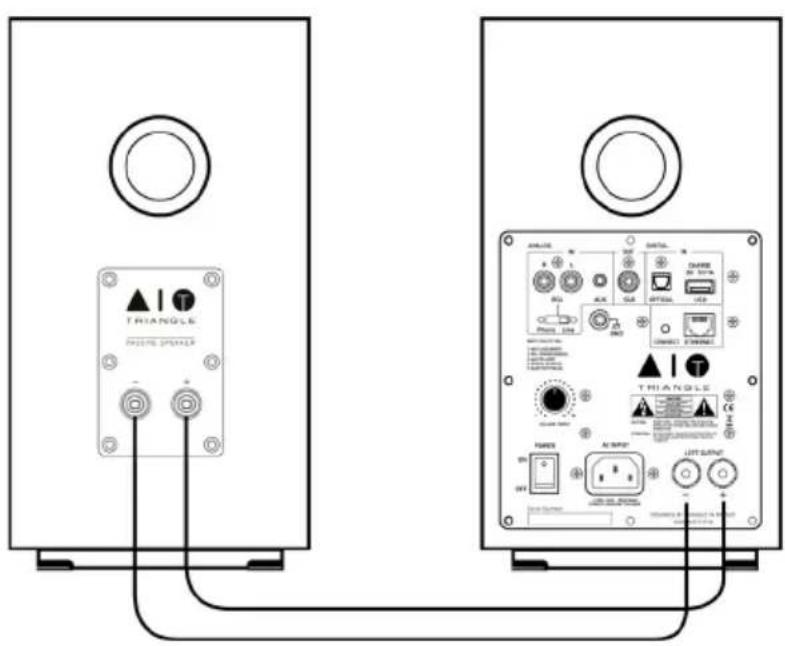
The speakers must be interconnected with the speaker cable provided. (Black cable mentioning "High performance OFC cable").
Ensure that the speaker connection polarity is correct: the red and black terminals on the passive and active speakers must be connected respectively to one another. To aid with the set-up, the connection cable indicates "TRIANGLE High performance OFC cable" and is dedicated to the red terminal (+).
text_image
△I △II △III △IV △V △VI △VII △VIII △VIV △VIII △VIV △VIII △VII △VIII △VII △VIII △VII △VIII △VII △VIII △VII △VIII △VII △VIII △VII △VIII △VII △VIII △VII △VIII △VII △VIII △VII △VIII △VII △VIII △VII △VII △VIII △VII △VIII △VII △VIII △VII △VIII △VII △VIII △VII △VIII △VII △VIII △VII △VIII △VII △VIII △VII △VIII △VII △VIII △VII △VIII △V2 △V3 △V4 △V5 △V6 △V7 △V8 △V9 △V10 △V11 △V12 △V13 △V14 △V15 △V16 △V17 △V18 △V19 △V20 △V21 △V22 △V23 △V24 △V25 △V26 △V27 △V28 △V29 △V30 △V31 △V32 △V33 △V34 △V35 △V36 △V37 △V38 △V39 △V40 △V41 △V42 △V43 △V44 △V45 △V46 △V47 △V48 △V49 △V50 △V51 △V52 △V53 △V54 △V55 △V56 △V57 △V58 △V59 △V60 △V61 △V62 △V63 △V64 △V65 △V66 △V67 △V68 △V69 △V70 △V71 △V72 △V73 △V74 △V75 △V76 △V77 △V78 △V79 △V80 △V81 △V82 △V83 △V84 △V85 △V86 △V87 △V88 △V89 △V90 △V91 △V92 △V93 △V94 △V95 △V96 △V97 △V98 △V99 △VIPowering on
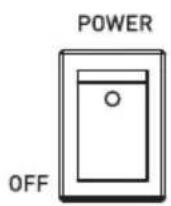
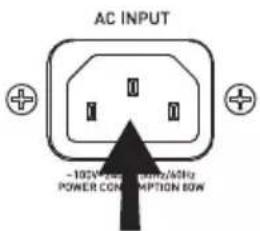
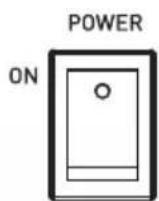
Once you have checked the amplifier on the active speaker is set to the "OFF" position, plug the power cord into the designated input and into an AC power outlet. Then turn "ON" the active speaker, your speakers are ready for use.
①23
text_image
AC INPUT -105V 20Hz 100Hz/6Hz POWER CONSUMPTION 80WO
O
DESCRIPTION OF THE SPEAKER (FRONT PANEL)
- Active speaker
- Passive speaker
- IR receiver
-
SOURCE indication:
Wi-Fi/USB: White LED
RCA/Phono: Green LED
Auxiliary: Yellow LED
LED optical: Purple LED
Bluetooth: Blue LED
Standby: Red LED -
Magnetic grill*
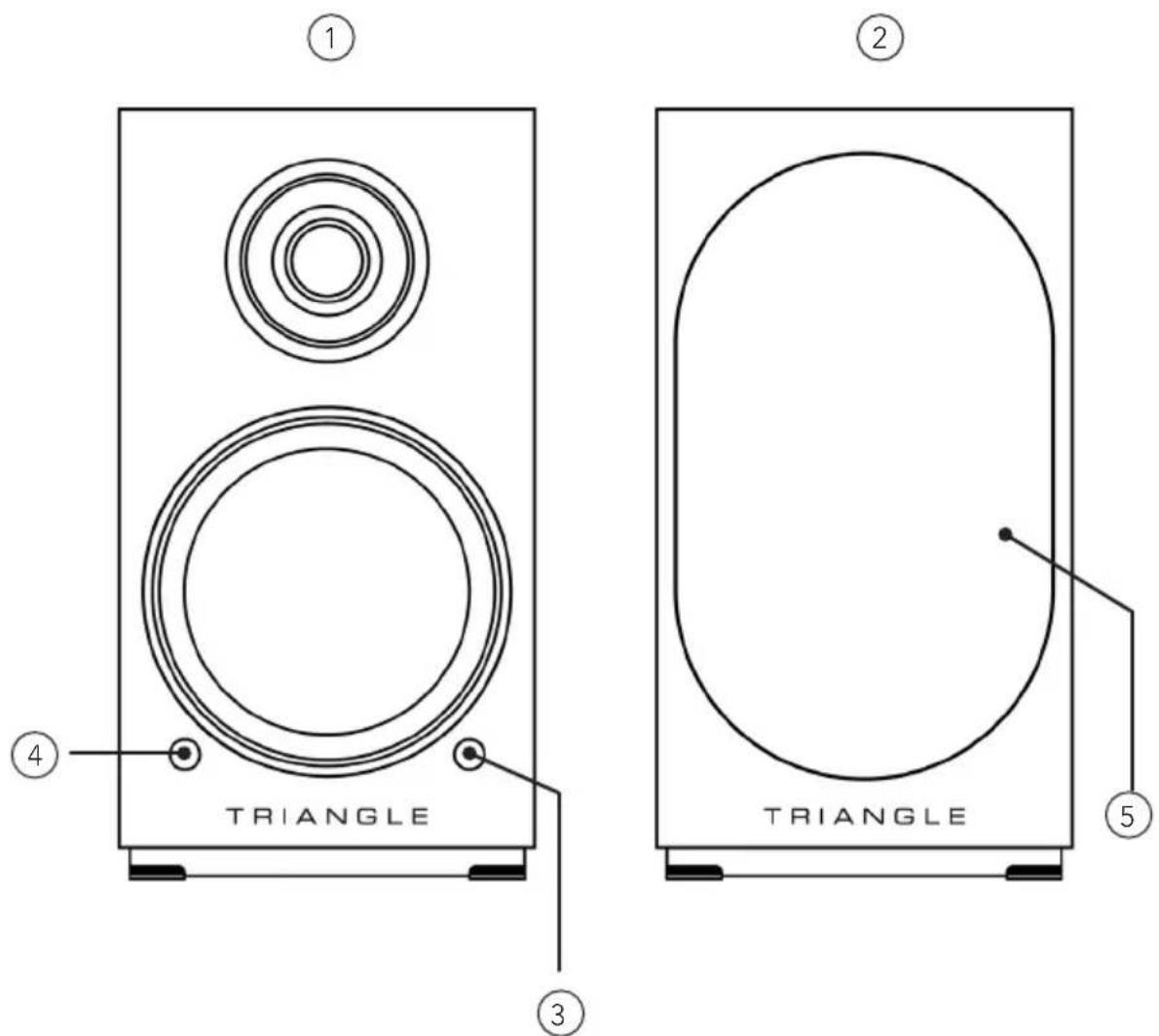
* For optimal use and perfect sound reproduction, it is recommended to remove the magnetic grill during listening.
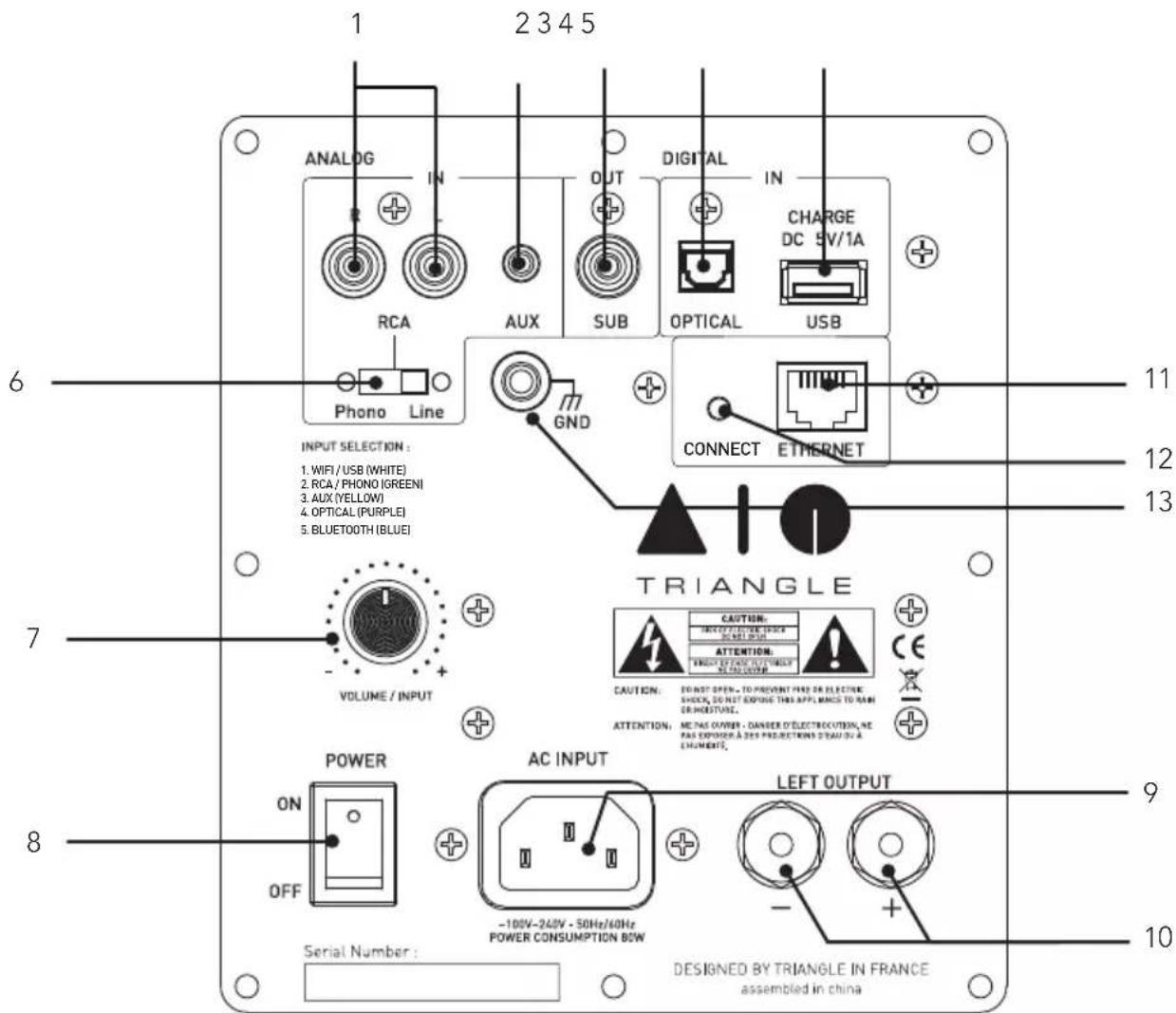
DESCRIPTION OF THE SPEAKER (REAR PANEL)
-
RCA input (line/phono (MM))
-
Auxiliary input (3.5mm Mini-Jack)
-
Subwoofer output
-
Optical input
-
Charge and USB Input
-
RCA switch (line/phono (MM))
-
-> Volume control
-> Push for source selection
-
Power switch
-
AC outlet
-
Terminal of the passive speaker
-
RJ45 socket for Ethernet cable
-
Wi-Fi pairing
-
Ground Connector/Phono input
text_image
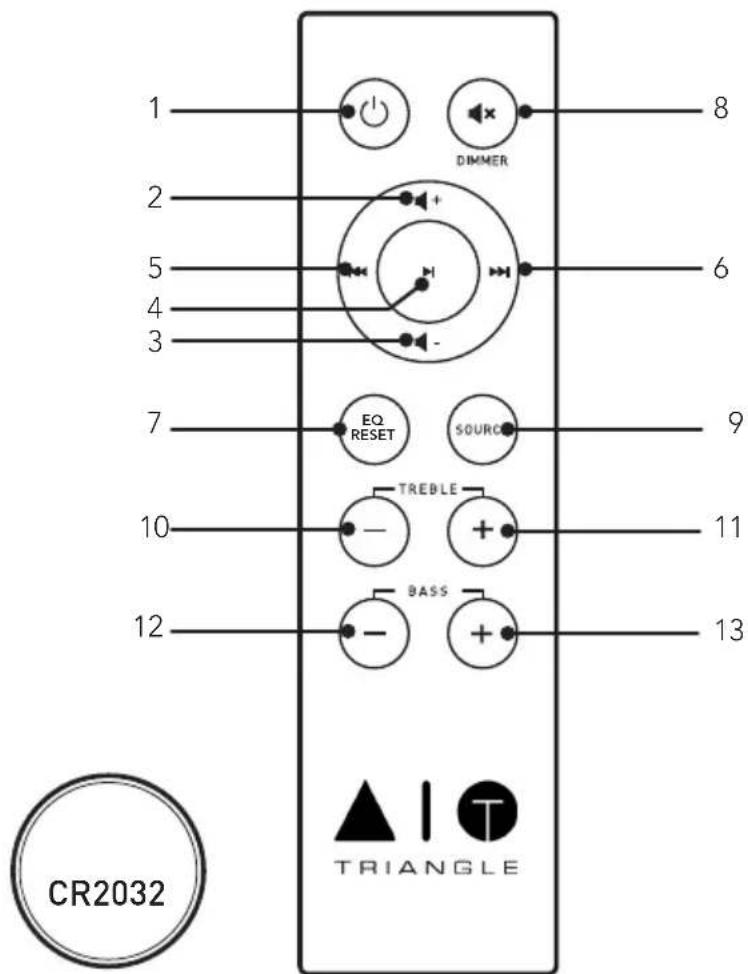
1 2 3 4 5 ANALOG IN RCA Phono Line AUX SUB DIGITAL IN CHARGE DC 5V/1A OPTICAL USB GND CONNECT ETHERNET INPUT SELECTION : 1. WIFI / USB (WHITE) 2. RCA / PHONO (GREEN) 3. AUX (YELLOW) 4. OPTICAL (PURPLE) 5. BLUETOOTH (BLUE) 7 VOLUME / INPUT TRIANGLE CAUTION: INVOICE ON ATTENTION: THINK OF CANCE TURRICULTURE CAUTION: ENST OPEN - TO PREVENT FIND OR ELECTRIC SHELL, DO NOT EXPOSE THIS APPLIANCE TO RAIN ER MOISTING. ATTENTION: ME PAS OVERT - CANVER D' ELECTRIC UITION, WE RAS EXPOPER À DES PROJECTIONS TRAVY BY A LEHUMENTS. POWER ON OFF AC INPUT -100V-240V - 50Hz/60Hz POWER CONSUMPTION BOW LEFT OUTPUT Serial Number : DESIGNED BY TRIANGLE IN FRANCE assembled in china 9 10DESCRIPTION OF THE REMOTE
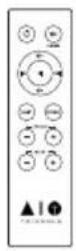
- Power ON/Standby
- Increasing the volume
- Decreasing the volume
- Play / Pause
- Track backward
- Track forward
- Reset bass and treble adjustment
- Mute mode
- Source selection
- Lowering treble
- Increasing treble
- Lowering bass
- Increasing bass
text_image
1 2 5 4 3 7 10 12 8 DIMMER 6 9 11 13 EQ RESET SOURCE TREBLE BASS CR2032 TRIANGLEWhen using the remote, direct it towards the receiver on the front of the active speaker. The LED on the front panel blinks when the remote is being used.
DEACTIVATE FRONT LED
To deactivate the front LED, make a long push of 6 seconds on the remote « Mute » button and release. The front LED will still work when using the remote
NETWORK SETUP GUIDE
Download the AIO TRIANGLE app from your app store (App Store for iOS or Google Play for Android). You must allow the app to play the musical content on your mobile device. You must have a router connected to broadband Internet in order to make the most of the streaming services.
The AIO TWIN speakers can be connected to your Internet network either:
- With an Ethernet cable (not supplied) between the router from your Internet service provider and the AIO TWIN active speaker, in this case go directly to p.38.
- With a wireless Wi-Fi connection between the router of your service provider and the AIO TWIN active speaker.
Remember to check the reception quality of your Wi-Fi network when setting up your product. A poor reception can affect the smoothness and the quality of your sound (see p.45 "Details of the device"). Your mobile device must be connected to the same Wi-Fi network as your AIO system.
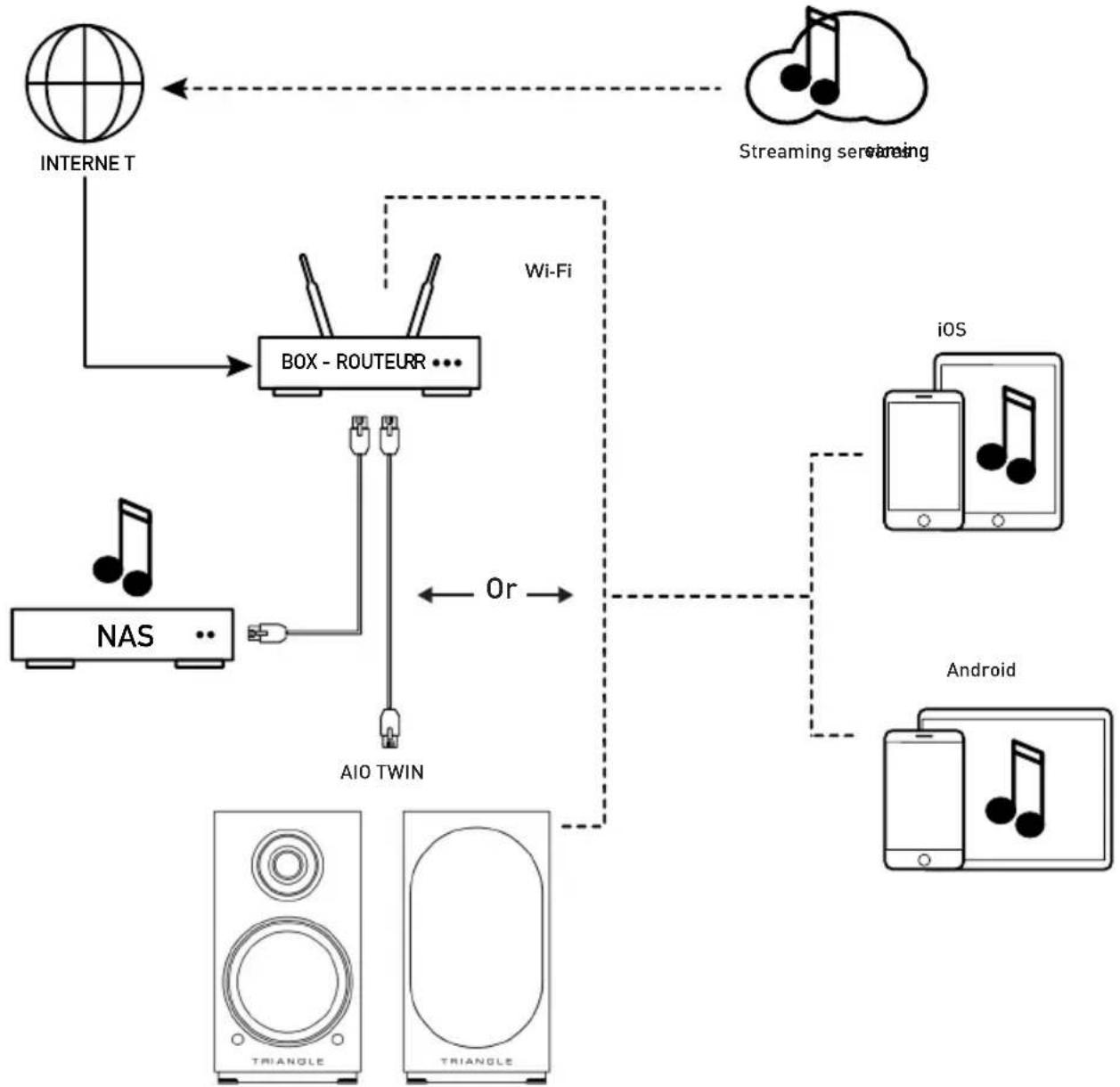
flowchart
graph TD
    A["INTERNET"] --> B["BOX - ROUTEUR ..."]
    C["Streaming services"] --> B
    D["NAS"] --> E["AIO TWIN"]
    F["iOS"] --> G["Android"]
    H["Android"] --> G
    B <-->|Wi-Fi| B
    B <-->|Or| B
    style B fill:#f9f,stroke:#333
    style A fill:#ccf,stroke:#333
    style C fill:#cfc,stroke:#333
    style D fill:#fcc,stroke:#333
    style F fill:#cff,stroke:#333
    style H fill:#ffc,stroke:#333
GETTING STARTED
EN
Insert the power cord into the active speaker. Press the Power button on the back panel. Once your speaker is starting, the white LED light up and you can hear 3 music notes.
DO NOT DO ANYTHING BEFORE THAT HAPPENS.
Wi-Fi CONFIGURATION
- Press the Connect button on the back of your AIO TWIN active speaker.
- Launch the app and follow the instructions:
For iOS products
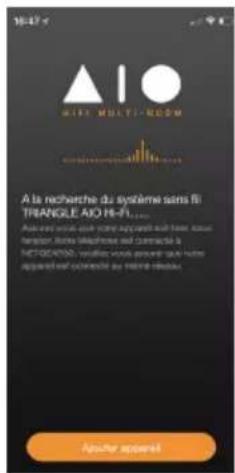
- The following window opens. Then go to the Wi-Fi setup window of your device.
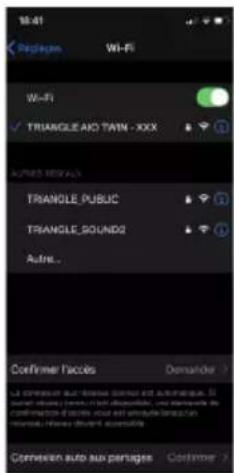
- Select the Wi-Fi network: "TRIANGLE AIO TWIN-xxx", then go back to the TRIANGLE AIO app.
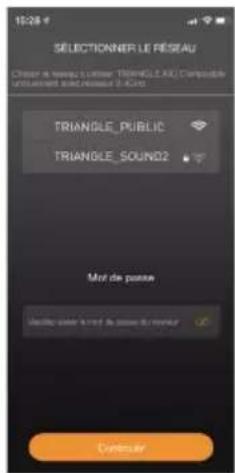
- Select your Wi-Fi network and enter the password.
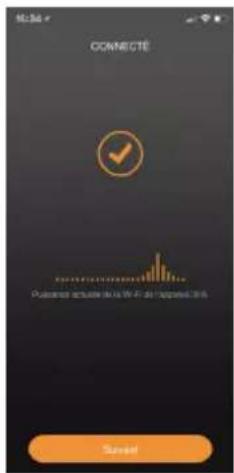
text_image
CONNECTÉ Pulsifier: ###### ###### ###### ###### Sustend- Your AIO TWIN are ready to operate.
For Android products
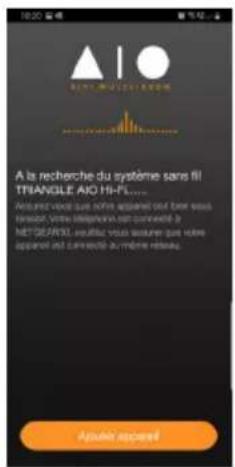
- The following window opens.
Click on Settings.
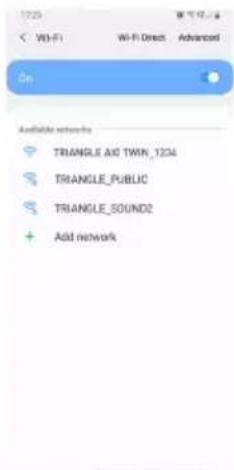
text_image
1729 W-F1 Wi-Fi Direct Advanced On Available networks TRIANGLE Auto TWIN_1204 TRIANGLE_PUBLIC TRIANGLE_SOUND2 Add network- Select the Wi-Fi network: "TRIANGLE AIO TWIN-xxx", then go back to the TRIANGLE AIO app.
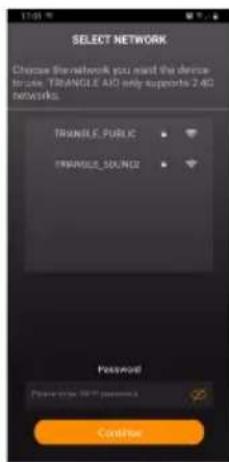
text_image
SELECT NETWORK Choose the network you need the device to access TRIANGLE AID only supports 2.4G networks. TRANGLE_PUBLIC TRANGLE_DXX/NS2 Password Please click HTTP account Confirm- Select your Wi-Fi network and enter the password.
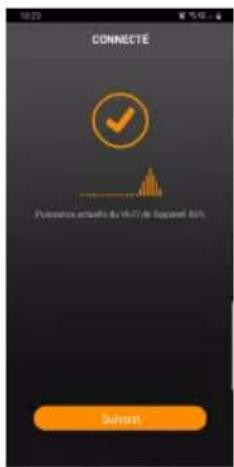
- Your AIO TWIN are ready to operate.
APP OVERVIEW
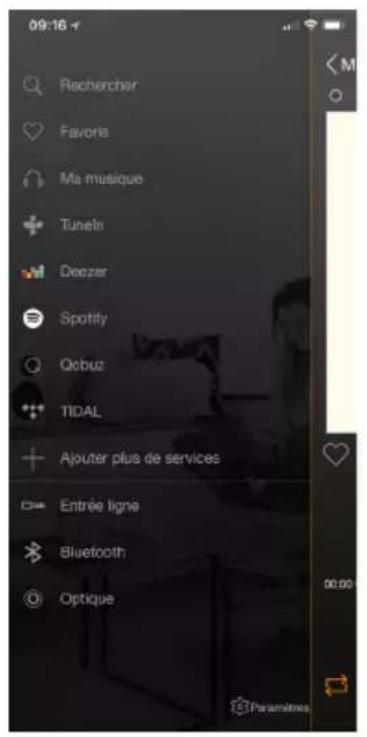
Sources Now Playing screen The AIO devices
available on your network
The navigation is in 3 panels. Just swipe the screen from left to right to make them appear.
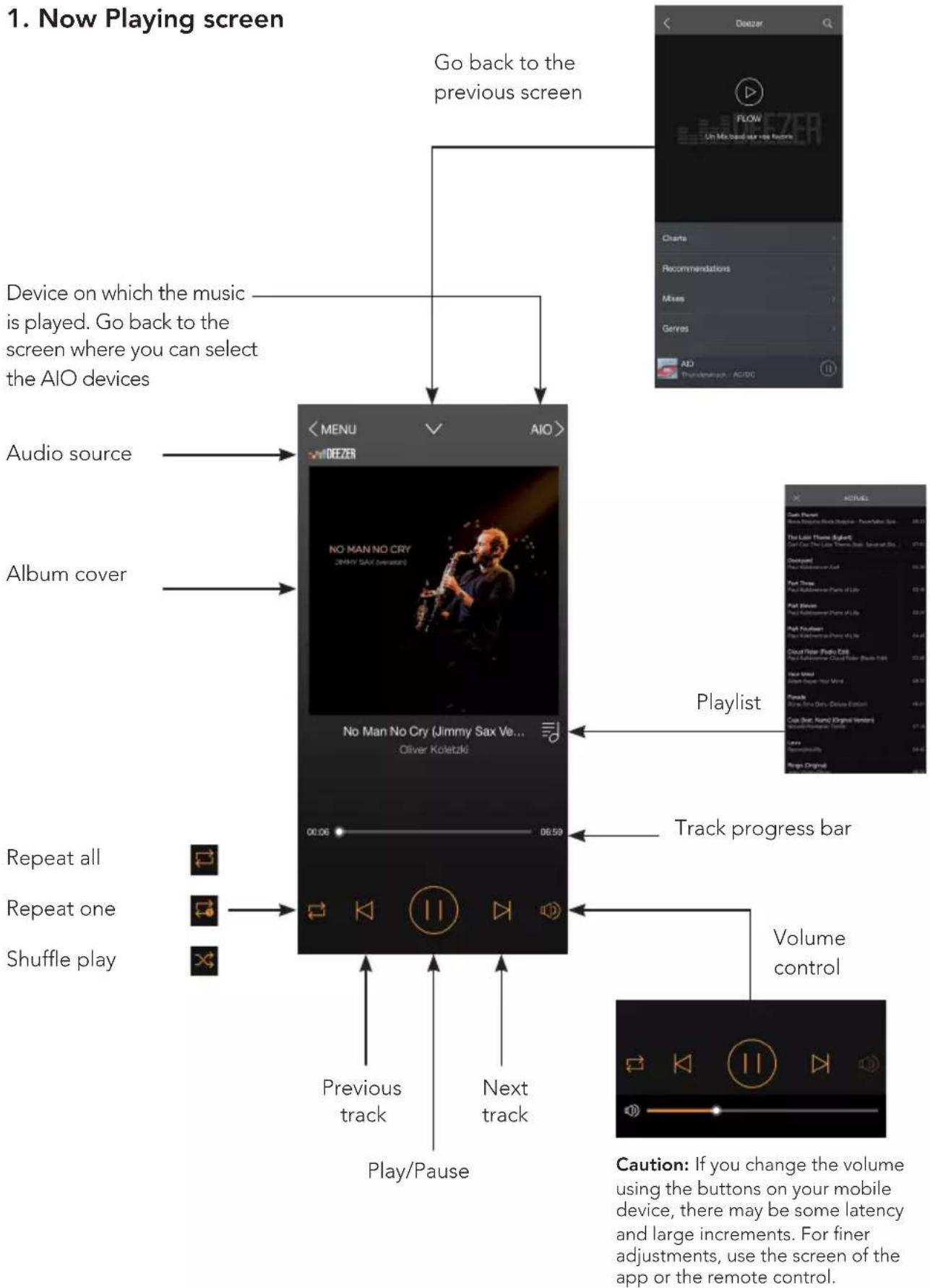
flowchart
graph TD
    A["Device on which the music is played. Go back to the screen where you can select the AIO devices"] --> B["Audio source"]
    A --> C["Album cover"]
    B --> D["No Man No Cry (Jimmy Sax Ve... Oliver Koletzki)"]
    C --> D
    D --> E["06:59"]
    E --> F["Play/Pause"]
    F --> G["Previous track"]
    F --> H["Next track"]
    G --> I["Track progress bar"]
    H --> I
    I --> J["Play/Pause"]
    J --> K["Volume control"]
    L["Go back to the previous screen"] --> M["Charts"]
    M --> N["Recommendations"]
    N --> O["Mixes"]
    O --> P["Genres"]
    P --> Q["AO"]
    Q --> R["Thailand/South - AC/DC"]
    S["Repeats all"] --> T["Play/Pause"]
    U["Repeat one"] --> V["Play/Pause"]
    W["Shuffle play"] --> X["Play/Pause"]
    Y["Timeline Original"] --> Z["Playlist"]
    AA["Caution: If you change the volume using the buttons on your mobile device, there may be some latency and large increments. For finer adjustments, use the screen of the app or the remote control."] --> AB["Playlist"]
2. The AIO devices available on your network
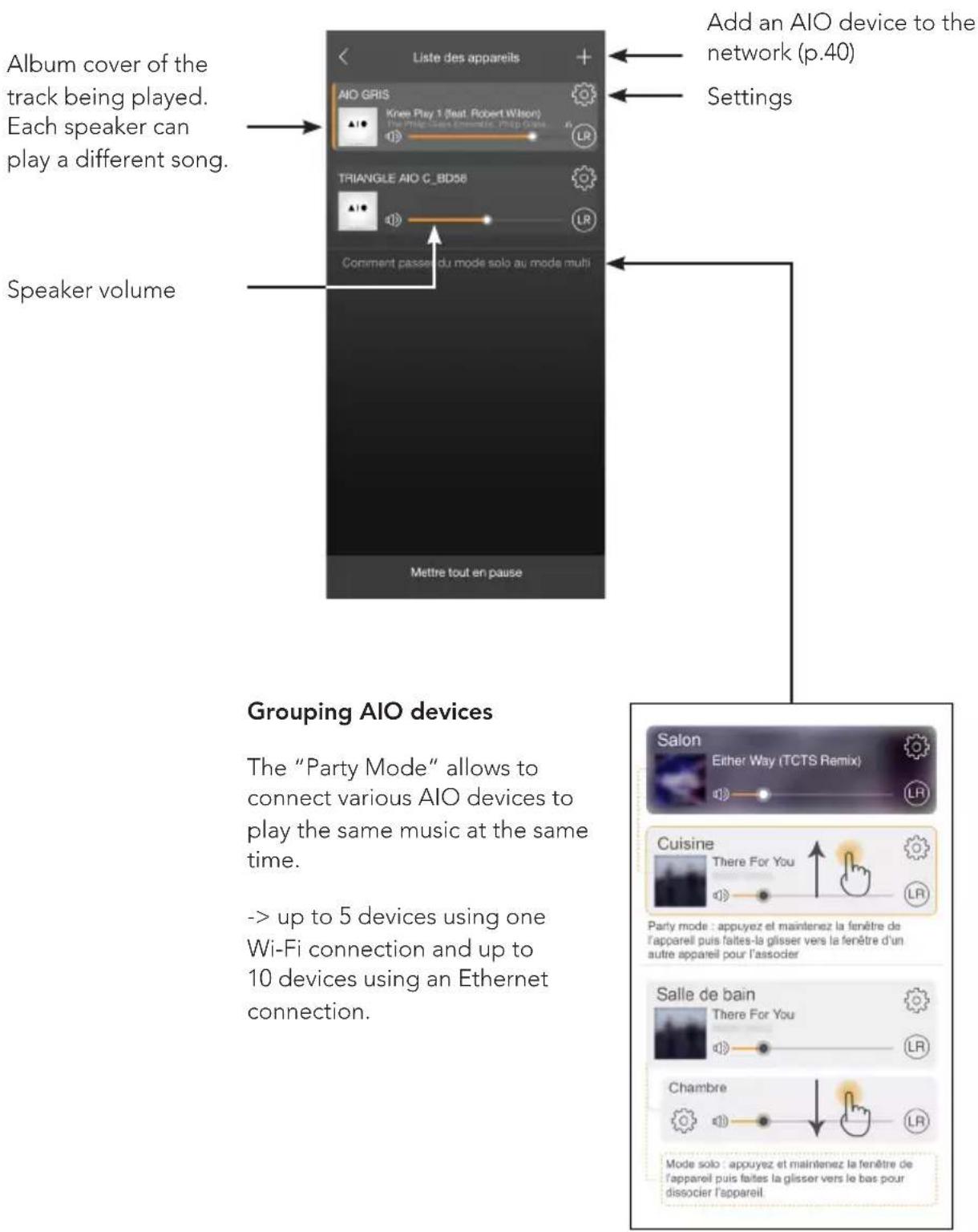
flowchart
graph TD
    A["Liste des appareils"] --> B["Rename the speaker"]
    B --> C["Favourites"]
    C --> D["Tone settings"]
    D --> E["Details of the AIO"]
    E --> F["Quality of the Wi-Fi signal"]
    F --> G["Choice of the music played by the wake-up alarm"]
    G --> H["Setting the alarm"]
    H --> I["In order to ensure that the alarm works,"]
Your AIO TWIN has a "Hot spot" feature and it can therefore manage its own Wi-Fi network.
You must be connected to your Internet network with an Ethernet cable.
You just need to enable this feature in the app on this button and to define a password.
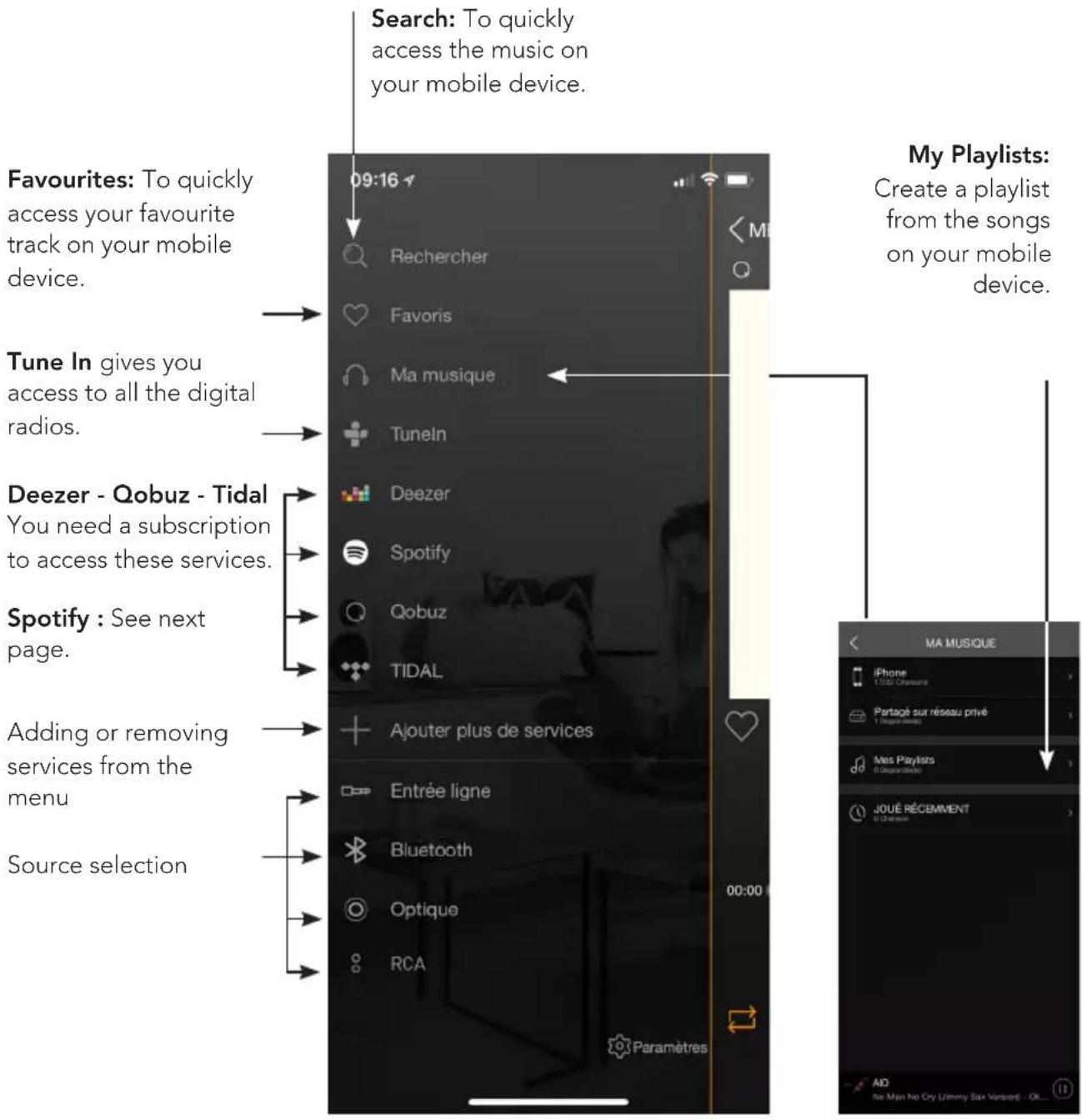
4. Sources
text_image
Search: To quickly access the music on your mobile device. Favourites: To quickly access your favourite track on your mobile device. Tune In gives you access to all the digital radios. Deezer - Qobuz - Tidal You need a subscription to access these services. Spotify : See next page. Adding or removing services from the menu Source selection My Playlists: Create a playlist from the songs on your mobile device. MA MUSIQUE iPhone 1/20 Chamaure Partagé sur réseau privé 1000000000 Mès Playlists 000000000 JOUÉ RÉCEMMENT 1000000000 AD No Man No Cry (Jimmy Box Version) - OI...My Music: The AIO speaker lets you play music you downloaded on your smartphone and access the music stored on a NAS drive on your network or on your USB drive connected on the back panel of the active speaker.
You must allow the app to read the musical content on your mobile device when you set-up the app (see Settings of the TRIANGLE AIO app in the general menu on your mobile device depending on your iOS or Android system).
Some tunes might be protected by DRM technology which will prevent you from playing them.
Spotify :
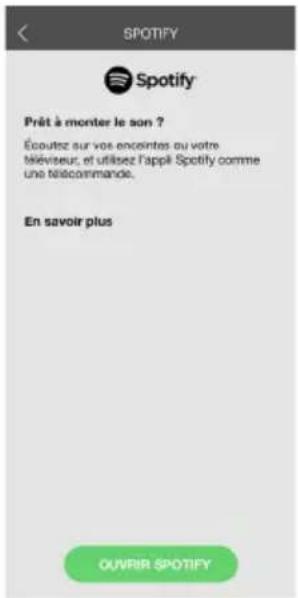
Listen to your music with Spotify Connect:
- Connect your TRIANGLE AIO device to your Internet network.
- Open the Spotify app on your phone, your tablet or your computer using the same Internet network as your AIO.
- Listen to a song and select the AIO device of your choice.
The Spotify software is subject to a third-party license available here: www.spotify.com/connect/third-party-licences
Listening to music in high definition:
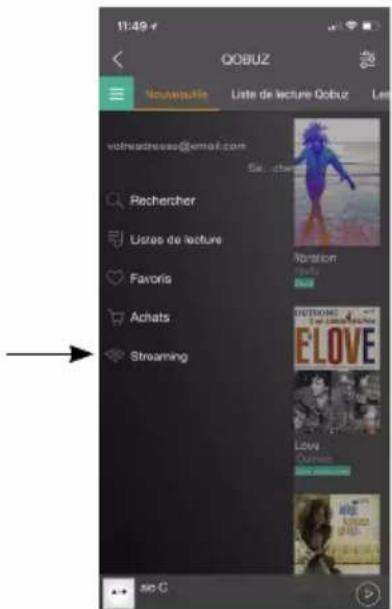
To listen to music in high definition, you must have a subscription with a provider and set up the dedicated app.
Example on the Qobuz app >>
text_image
11:49 e QOBUZ Nouwauille Liste de lecture QoBuz vollheadresses@email.com Rechercher Listes de lecture Favoris Achats Streaming So C
text_image
11:49 * STREAMING HiRes - 24 bits / up to 192 kHz HiRes - 24 bits / up to 96 kHz CD - 18 bits / 44.1 kHz MP3 - 300kbps + - + no CCONNECTION VIA BLUETOOTH
Thanks to the latest Bluetooth 5.0 aptX technology, enjoy the music with a sound quality close to CD. The range is approximately 10 meters, according to the environment and the obstacles met.
The AIO TWIN speakers let you play music from any Bluetooth-enabled sources: smartphone, tablet, computer...
To do so:
- Slide the power switch on the back to the ON position to activate your AIO TWIN speakers, or use the remote if your product was in Standby.
- Wait until the end of the start-up sequence indicated by 3 music notes and the white LED glowing solid white, before taking any action.
- Select the "Bluetooth" input using the "INPUT" button on the back of the speaker, the remote or the TRIANGLE AIO app. The blue LED indicates that the AIO is connected via "Bluetooth".
- When the LED is blinking blue, it indicates that the system is seeking to connect to a Bluetooth-enabled device (smartphone, tablet...).
- When you search on your Bluetooth source (refer to the source's user manual if needed), the speakers should appear under the name "TRIANGLE AIO TWIN", you can then connect to them. Your speakers are now linked to your Bluetooth source. The connection will be done automatically next time you switch ON your speakers if Bluetooth is selected and enabled on your device.
- If you want to connect another Bluetooth source while the previous one is still connected, turn off the Bluetooth of the first source. The LED will blink again to indicate the Bluetooth is available.
- Using the remote of your AIO TWIN, you can change tracks, play or pause them without going through your Bluetooth source.
- The AIO TWIN volume is independent of the Bluetooth source volume.

Bluetooth™
WIRED CONNECTION
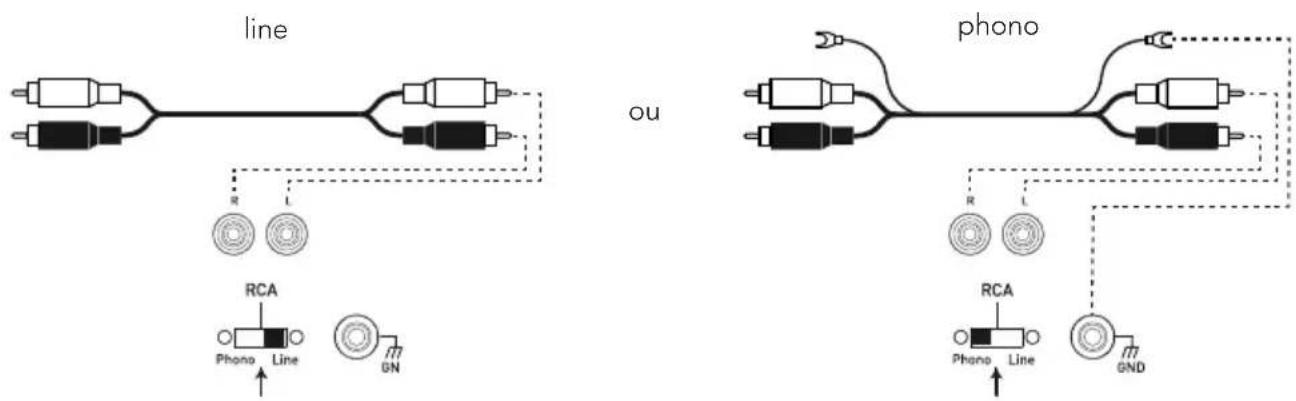
Connection via an RCA cable
text_image
line ou phono RCA Phono Line GN R L RCA Phono Line GNDThe RCA input enables you to connect your speakers to your television, CD player, turntable or other devices.
To do so:
- Plug the red and white connectors into "RCA INPUT" on the back of the active speaker, following the colours and do the same on the source.
- Check that the PHONO/LINE selector is on "LINE".
- Slide the power switch on the back to the ON position to activate your AIO TWIN speakers, or use the remote if your product was in Standby.
- Wait until the end of the start-up sequence indicated by 3 music notes and the white LED glowing solid white, before taking any action.
- Select the "RCA" input using the remote or the "INPUT" button (volume button) on the back of the active speaker (the order in which the sources need to be selected is indicated above the "INPUT" button) or directly via the mobile app. The green LED indicates that your AIO TWIN is connected to the "RCA" input. Your system is ready to operate.
Connecting a turntable
If you connect a turntable (without a built-in phono preamplifier), place the "PHONO/LINE" selector on PHONO to activate the phono preamplifier MM, built into your AIO TWIN speaker. Connect the ground cable connector to the designated terminal on the back of your active speaker and on your turntable.
Connection via a 1/8-inch (3.5mm) Mini-Jack cable

A 1/8-inch (3.5mm) jack cable enables you to connect your speakers to many devices: smartphone, audio player, tablet, computer, television...
To do so:
- Plug one end of the jack connector into the "ANALOG IN / AUX" terminal and the opposite end into your device.
- Slide the power switch on the back to the ON position to activate your AIO TWIN speakers, or use the remote if your product was in Standby.
- Wait until the end of the start-up sequence indicated by 3 music notes and the white LED glowing solid white, before taking any action.
- Select the "AUX" input using the remote or the "INPUT" button (volume button) on the back of the active speaker (the order in which the sources need to be selected is indicated above the "INPUT" button) or directly via the mobile app. The yellow LED indicates that your AIO TWIN is connected to the "AUX" input. Your system is ready to operate.
Connection via an optical cable

The optical input enables you to connect your speakers to any audio devices with an optical output: audio player, DVD player, television...
To do so:
- Plug one end of the optical cable into the back of the active speaker in the "DIGITAL IN / OPTICAL" and the opposite end into your device.
- Slide the power switch on the back to the ON position to activate your AIO TWIN speakers, or use the remote if your product was in Standby.
- Wait until the end of the start-up sequence indicated by 3 music notes and the white LED glowing solid white, before taking any action.
- Select the "OPTICAL" input using the remote or the "INPUT" button (volume button) on the back of the active speaker (the order in which the sources need to be selected is indicated above the "INPUT" button) or directly via the mobile app. The purple LED indicates that your AIO TWIN is connected to the "OPTICAL" input. Your system is ready to operate.
Connecting a USB drive
The USB input allows you to connect your USB storage devices, USB drive or portable hard drive.
To do so:
- Connect the storage device to the back of the active speaker in the "DIGITAL IN / USB".
- Slide the power switch on the back to the ON position to activate your AIO TWIN speakers, or use the remote if your product was in Standby.
- Wait until the end of the start-up sequence indicated by 3 music notes and the white LED glowing solid white, before taking any action.
- Select the "Wi-Fi" input using the remote or the "INPUT" button (volume button) on the back of the active speaker (the order in which the sources need to be selected is indicated above the "INPUT" button) or directly via the mobile app. The white LED indicates that your AIO TWIN is connected to the "USB" input. Your system is ready to operate.
- Using the TRIANGLE AIO app, select the tracks you want to listen to on your AIO TWIN speakers. (see page 42)
- Important: You can also use the USB plug to charge devices like your smartphone, portable audio player...
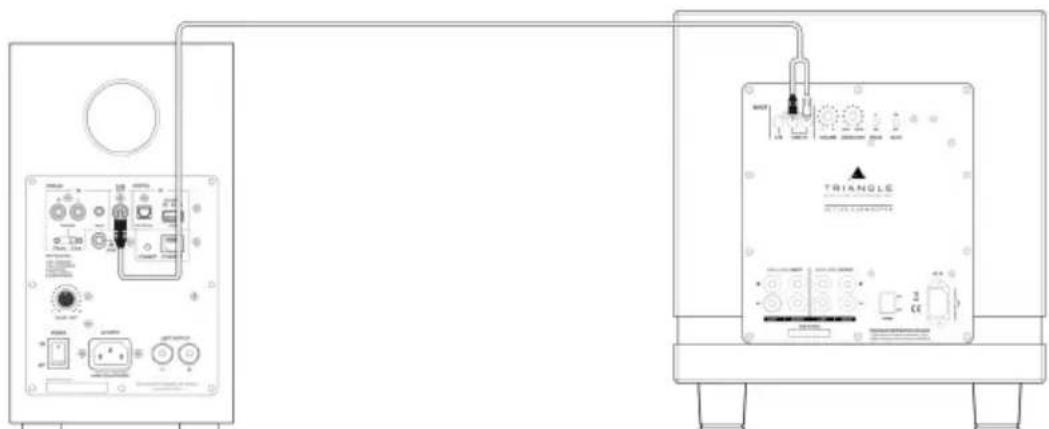
Connecting a subwoofer

natural_image
Pure electrical connector diagram showing two connected components (no text or symbols)The AIO TWIN speakers include a subwoofer output allowing the connection of a subwoofer.
A RCA to 2 RCA cable (Y cable) must connect the SUB output of the AIO TWIN to the 2 LINE IN of the subwoofer. Set the subwoofer volume and cut-off frequency (Crossover) so that you get a proper sound coherence between the AIO TWIN and the subwoofer. Subwoofer sound needs to be heard without being too powerful.
text_image
Technical diagram showing two connected electronic devices labeled 'TRIANGLE' with ports, switches, and indicators.LOW FREQUENCIES AND TREBLE ADJUSTMENT
Your AIO TWIN speakers have an equalizer that enables you to adjust the low and high frequencies as you like.
Bass adjustments (+/- 6db):
Increase the low-frequency output by pressing the "BASS +" button on the remote control; decrease it by pressing the "BASS -" button.
Treble adjustments (+/- 7db):
Increase the high-frequency output by pressing the "TREBLE +" button on the remote control; decrease it by pressing the "TREBLE -" button.
To restore adjustment to the factory presets, you just need to press the "RESET" button on the remote (page 39).
CAUTIONS
To avoid the risk of electric shock, do not open the speaker.
TROUBLESHOOTING
If the device does not work correctly, check the points listed below. If the problem persists, the device may not operate normally. Unplug the power cord immediately and get in touch with your reseller.
OBSERVATION SOLUTION
| I do not find my IOA product in the TRIANGLE AIO app. | Check that your mobile device is connected to the network on which you are trying to connect your AIO. |
| Place your AIO closer to the router. | |
| Connect an Ethernet cable between your router and the AIO. | |
| Check that your app is up to date or reinstall it. | |
| Restart your mobile phone and your network. Check the Internet connection. | |
| The music is cutting out or jerky. | Check the Internet connection. |
| Make sure your network or another device is not using a large part of your bandwidth. | |
| Check the Wi-Fi signal strength. | |
| Check that your app is up to date or reinstall it. | |
| Restart your mobile phone and your network. | |
| The volume of my turntable is very low. | Check that the PHONO/LINE selector is on PHONO. |
| No sound from the optical jack | Check on your optical source (TV, Set-Top Box, DVD player) that the output is set to «stereo» or «PCM». |
FREQUENTY ASKED QUESTIONS
| How many speakers can I group? | AIO can group up to 5 speakers in Wi-Fi, 10 via Ethernet, if the quality of the connection is good enough. |
| What happens when I get a call on my mobile phone while I use the app? | The music continues to play on your speaker without interruption. |
| Can the AIO play songs in high resolution (High Res)? | The AIO can play songs up to 24 bit/192 kHz, you must have a good Internet connection, your streaming app must be set-up correctly (page 43) and you need a subscription to access this streaming service. |
CAUTIONS
To avoid the risk of electric shock, do not open the speaker.
TRIANGLE AIO ECOSYSTEM
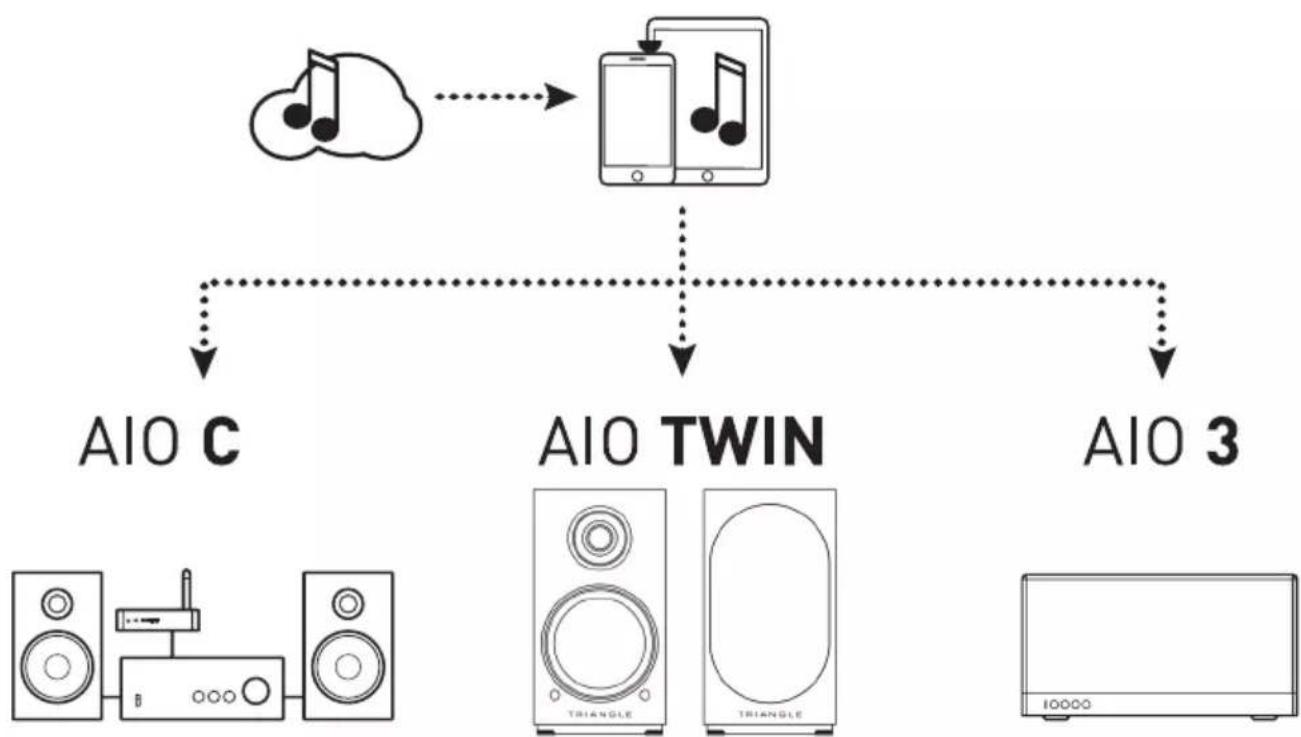
Your new speaker has Spotify Connect built in.
Spotify Connect lets you control the music playing on your device, using the Spotify app on your mobile, tablet or PC. Listening is seamless. You can take calls, play games, even switch your phone off – all without interrupting the music. Learn more at spotify.com/connect
The Spotify software is subject to third party licenses found here: www.spotify.com/connect/third-party-licenses
INSTRUCTIONS DE SÉCURITÉ
WARNING: Read carefully all the safety instructions before using the device.
- Keep these safety instructions for future reference.
- Do not use this apparatus near water or liquid.
- Only clean with a dry and soft cloth.
- Make sure the openings (vents) on the device are not blocked.
- Do not install near any heat sources such as radiators, stoves, or any other apparatus (including amplifiers) that produce heat.
- Only use accessories specified by the manufacturer.
- Be sure that the stand/table/furniture is strong enough to support the apparatus (stand, shelf, furniture...).
- Protect the power cord from being walked on or pinched, particularly at the plugs, and protect the connector where it exits from the apparatus.
- Unplug the apparatus during lightning storms or when it's unused for long periods of time.
- The plug of the apparatus must fit with the outlet. Never modify the plug in any way. The apparatus should be connected to a mains socket outlet with protective earthing connection.
- Refer to your authorized TRIANGLE dealer or qualified service personnel if the apparatus is damaged in any way. For example, if the power cord or the wall outlet is damaged, liquid has been spilled or objects have fallen on the apparatus, the apparatus has been exposed to rain or moisture, does not operate normally, or has been dropped.

text_image
CAUTION RISK OF ELECTRIC SHOCK DO NOT OPENGARANTIE / WARRANTY
Thanks for buying a TRIANGLE product.
We want you to enjoy your purchase to the fullest. The first step is an easy registration of your product. By doing this, you will benefit from helpful tips, products support, special offers and 2 years warranty.
1- Online registration
Register your product easily online at the following address: http://register.trianglehifi.com/
2- Warranty card
You can also register your product and validate your warranty by filling the warranty card and sending it to:
TRIANGLE Hi-Fi
475 Avenue Flandres Dunkerque
02200 Villeneuve-Saint-Germain
FRANCE
Note on the warranty
Your TRIANGLE loudspeakers are warranted for 2 years. This warranty takes effect from the date of purchase and covers any manufacturing defect or damage your loudspeakers could suffer as a result of these same defects. This warranty is granted solely to the first owner of the product and is not transmittable in the case of resale. To validate your warranty, you will need to register online or mail the warranty coupon to TRIANGLE. Please note, this warranty is voided if any fault arises from ill-treatment or careless handling of the product.
The following are excluded from this warranty:
- A burned voice-coil caused by overloading the loudspeaker
- Any fault occurring from professional usage (public sound systems, PA systems, etc.)
- Any fault resulting from storage in areas of high humidity
• A pierced or torn membrane - A torn suspension
- Any fault resulting from a mechanical shock (e.g. if dropped or handled roughly)
- Any fault arising from servicing by anyone other than an authorized TRIANGLE service technician
• Damaged cabinets due to mishandling
www.trianglehifi.com
facebook.com/trianglehifi

instagram.com/trianglehifi

twitter.com/trianglehifi