DO3101 - Climate control DOMO - Free user manual and instructions
Find the device manual for free DO3101 DOMO in PDF.


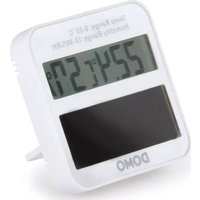
| Product type | Climate control (thermometer/hygrometer) |
| Brand | DOMO |
| Model | DO3101 |
| Display | LCD screen |
| Temperature | Range 0~50 °C (32~122 °F), accuracy ±1 °C (1.8 °F) |
| Humidity | Range 10%~99%, accuracy ±5% |
| Power supply | Built-in solar panel |
| Switch | °C/°F selection at back |
| Stand | Folding stand and magnet for mounting |
| Installation | Indoor, sufficient light (window or lamp) |
| Recommended conditions | 22~26 °C, humidity 40%~70% |
| Warranty | 2 years (accessories and wear: 6 months) |
| Maintenance | Clean with a soft or damp cloth; no solvents |
| Safety | Do not immerse; do not use outdoors; keep out of reach of children |
| Disposal | Recycling according to the WEEE directive; recyclable packaging |
| Spare parts and accessories | Available on the DOMO webshop |
Frequently Asked Questions - DO3101 DOMO
User questions about DO3101 DOMO
0 question about this device. Answer the ones you know or ask your own.
Ask a new question about this device
Download the instructions for your Climate control in PDF format for free! Find your manual DO3101 - DOMO and take your electronic device back in hand. On this page are published all the documents necessary for the use of your device. DO3101 by DOMO.
USER MANUAL DO3101 DOMO
PRODUCT OF LINEA 2000
| NL Nederlands 3 | |
| FR Français 6 | |
| DE Deutsch 9 | |
| EN English 12 | |
| ES Español 15 | |
| IT Italiano 18 | |
| CZ Čeština 21 | |
| SK Slovenčina 24 |
text_image
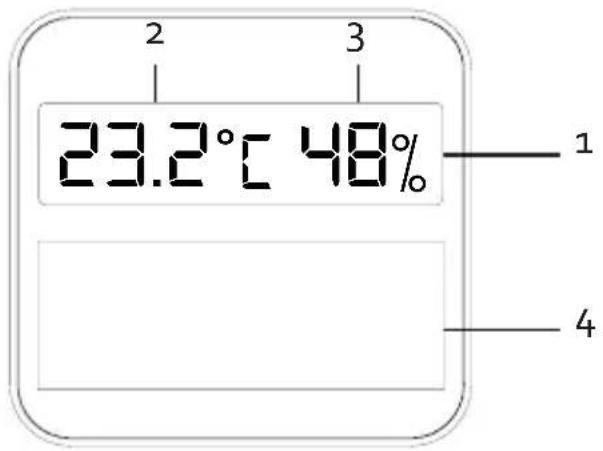
2 3 23.2°C 48% 1 4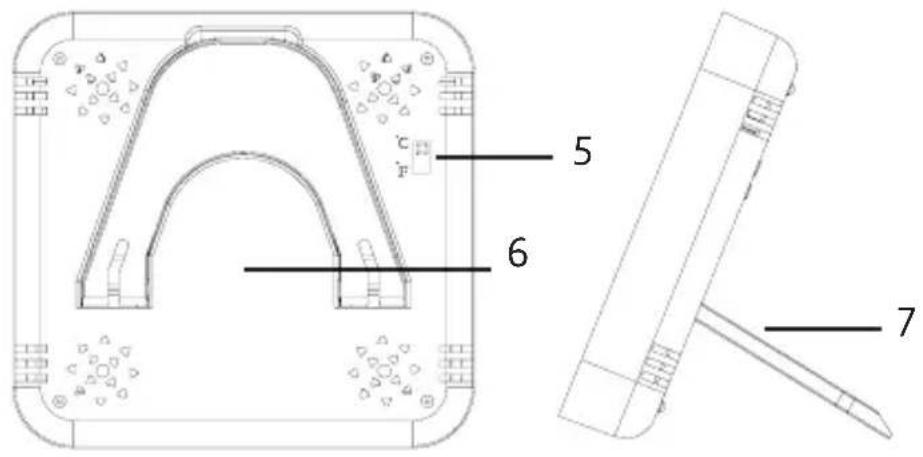
text_image
Technical diagram of a mechanical component with labeled parts 5, 6, and 7GARANTIE
PROBLEEM EN OPLOSSING
text_image
Prohibition sign with crossed-out trash bin and no text or symbolsnatural_image
Recycling symbol icon with three chasing arrows forming a triangle (no text or labels)natural_image
Symbol of a trash bin crossed out by two diagonal lines, with no text or numbers present.natural_image
Recycling symbol icon with three chasing arrows forming a triangle (no text or labels)text_image
Prohibition sign with crossed-out trash bin and no text or symbolsnatural_image
Recycling symbol icon with three chasing arrows forming a triangle (no text or labels)This appliance has a two year warranty period. During this period the manufacturer is responsible for any failures that are the direct result of construction failure. When these failures occur the appliance will be repaired or replaced if necessary. The warranty will not be valid when the damage to the appliance is caused by wrong use, not following the instructions or repairs executed by a third party. The guarantee is issued with the original till receipt. All parts, which are subject to wear, are excluded from the warranty.
If your device breaks down within the 2-year warranty period, you can return the device together with your receipt to the shop where you purchased it.
The guarantee on accessories and components that are liable to wear-and-tear is only 6 months.
The guarantee and responsibility of the supplier and manufacturer lapse automatically in the following cases:
- If the instructions in this manual have not been followed.
- In case of incorrect connection, e.g. electrical voltage that is too high.
- In case of incorrect, rough or abnormal use.
- In case of insufficient or incorrect maintenance.
- In case of repairs or alterations to the device by the consumer or non-authorised third parties.
- If the customer used parts or accessories that are not recommended or provided by the supplier / manufacturer.
SAFETY INSTRUCTIONS
When using electrical appliances, basic safety precautions should always be taken, including the following:
- Read all instructions carefully. Keep this manual for future reference.
- Make sure all packaging materials and promotional stickers have been removed before using the appliance for the first time. Make sure children cannot play with the packaging materials.
- Children shall not play with the appliance.
- Any injury or damage caused by failure to comply with these rules are at your own risk. Neither the manufacturer, importer, or the
supplier may be held liable.
- Do not use or store this appliance outdoors.
- Never place this appliance near a gas stove or electrical stove or in a place where it may come into contact with a warm appliance.
- To protect against electrical shock or burns, do not immerse unit, cord, or plug in water or other liquid.
PARTS
- Display screen
- Temperature display
Measuring range: 0\~50°C (32\~122°F), accuracy ±1°C (1.8°F) - Humidity display
Measuring range: 10%\~99%, accuracy ±5% - Solar panel
- Switch °C / °F
- Magnet
- Pop-out foot
USE
- The sensors are in sleep mode due to lack of energy and possible exposure to extreme circumstances during packaging and transportation. The values will be displayed correctly only after some time under normal use.
- The temperature can be displayed in both Celsius and Fahrenheit. You can set this using the switch on the back.
- Open the pop-out foot at the back and place the device in the desired position. Or use the magnet to hang the device on a ferrous surface.
- Place the device indoors in a location with sufficient light. Point the solar panels towards the light source, which can be a window or a lamp. You can move the device afterwards.
- Do not expose the device to direct sunlight or use it outdoors. Keep the device away from strong electromagnetic interference.
- After 10-30 seconds, the solar panels will have fully charged and the device displays the ambient temperature and humidity on the screen.
- The recommended ambient conditions are 22\~26°C and 40%\~70%.
CLEANING AND MAINTENANCE
- If necessary, clean the device using a soft or damp cloth.
- Do not clean any part of the product with benzene, thinner, solvents, or chemicals.
- Do not submerge the device in water.
PROBLEM AND SOLUTION
| PROBLEM SOLUTION | |
| The screen is flashing. The solar panel is not getting enough power.Make sure there is enough light. Check that the panel is not covered or dirty. If the problem still occurs, try rebooting the device.Block the solar panel for several hours by covering the device, for example. | |
| The screen displays:· LL.L· HH.H· -- | · If the temperature is outside the measuring range, 'LL.L' (<-19.9°C) or 'HH.H' (>69.9°C) is displayed.· If the humidity is outside the measuring range, '--' (<10%) or '99%' (>99%) is displayed. |
ENVIRONMENTAL GUIDELINES
Z
text_image
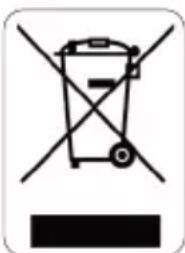
Prohibition sign with crossed-out trash bin and no text or symbolsThis symbol on the product or on its packaging indicates that this product may not be treated as household waste. Instead it must be brought to the applicable collection point for recycling of electrical and electronic equipment. By ensuring this product is disposed of correctly, you will help prevent potential negative consequences for the environment and human health, which could otherwise be caused by inappropriate waste handling of this product. For more detailed information about recycling of this product, please contact your local city office, your household waste disposal service or the shop where you purchased the product.
natural_image
Recycling symbol icon with three chasing arrows forming a triangle (no text or labels)The packaging is recyclable. Please treat the packaging ecologically.
GARANTIA
natural_image
Symbol of a trash bin crossed out by two crossed lines, with a blank rectangular base below (no text or numbers present)
natural_image
Recycling symbol icon with three chasing arrows forming a triangle (no text or labels)text_image
Prohibition sign with crossed-out trash bin and no text or symbolsnatural_image
Recycling symbol icon with three chasing arrows forming a triangle (no text or labels)OHLED NA ŽÍVOTNÍ PROSTŘEDÍ
natural_image
Symbol of a trash bin crossed with no text or numbers, indicating no waste or discharge (no text present)natural_image
Recycling symbol icon with three chasing arrows forming a triangle (no text or labels)natural_image
Symbol of a trash bin with no text or numbers presentnatural_image
Recycling symbol icon with three chasing arrows forming a triangle (no text or labels)Looking for extra accessories or you have a broken piece?
ORDER the original DOMO accessories and parts on our webshop

natural_image
Four different kitchen utensils and a clear teapot, displayed side by side without any text or symbols.