 ManualGo.com
DOP36M86DPS - Oven SAMSUNG - Free user manual and instructions
Find the device manual for free DOP36M86DPS SAMSUNG in PDF.



Download the instructions for your Oven in PDF format for free! Find your manual DOP36M86DPS - SAMSUNG and take your electronic device back in hand. On this page are published all the documents necessary for the use of your device. DOP36M86DPS by SAMSUNG.
USER MANUAL DOP36M86DPS SAMSUNG
DG68-01453A-01English2 WARNING Never Operate the Top Surface Cooking Section of this Appliance Unattended.
- Failure to follow this warning statement could result in re, explosion, or burn hazard that could cause property damage, personal injury, or death.
- If a re should occur, keep away from the appliance and immediately call your re department. DO NOT ATTEMPT TO EXTINGUISH AN OIL/GREASE FIRE WITH WATER.
WARNING: Failure to follow the instructions in this manual exactly may
cause a re or explosion, and, consequently, property damage, personal injury, or death.
- DO NOT keep or use gasoline or other ammable products near this appliance.
- IF YOU SMELL GAS: - DO NOT light any appliances. - DO NOT touch any electrical switches. - DO NOT use any phone in your building. - Immediately call your gas supplier from a neighbor’s phone, and follow the supplier’s instructions. (If you cannot reach your gas supplier, call the re department.)
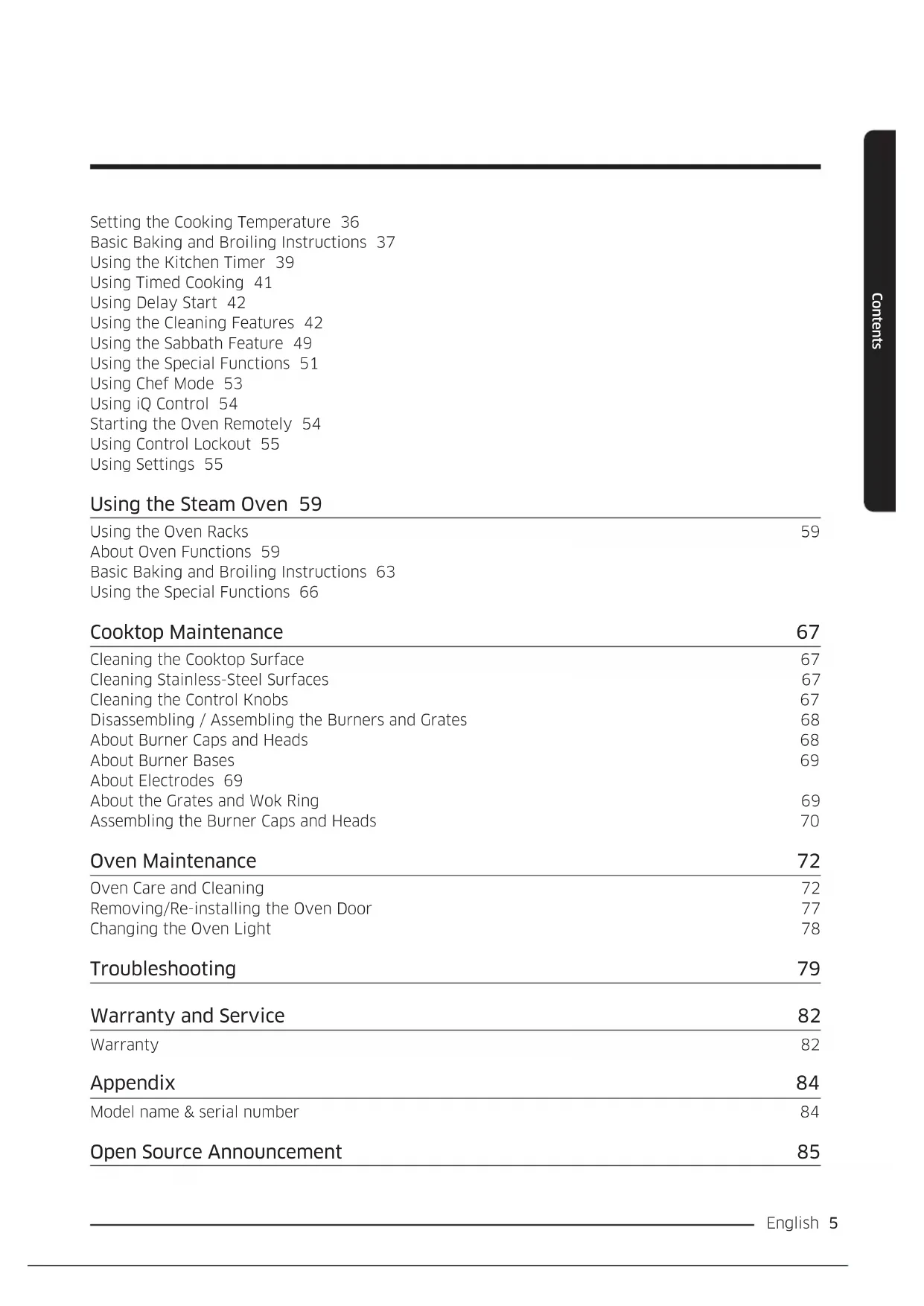
- Installation and service must be performed by a qualied installer, service agency, or the gas supplier. ANTI-TIP DEVICE WARNING To reduce the risk of tipping the range, the range must be secured by a properly installed Anti-Tip device. AFTER THE RANGE HAS BEEN INSTALLED, CONFIRM THAT THE ANTI-TIP DEVICE HAS BEEN PROPERLY INSTALLED AND VERIFY THAT THE ANTI-TIP DEVICE IS PROPERLY ENGAGED. Refer to the installation manual for instructions.English 3 a) If the anti-tip device is not installed, a child or adult can tip the range and be killed. b) Verify the anti-tip device has been properly installed and engaged at the rear right (or rear left) of the range bottom. c) If you move the range and then move it back into place, ensure the anti-tip device is re-engaged at the right or left rear of the range bottom. d) Do not operate the range without the anti-tip device in place and engaged. Failure to do so can result in death or serious burns to children or adults. WARNING Do not step, lean, or sit on the oven door of the range. You can cause the range to tip, resulting in burns or serious injuries. Conrm that the Anti-Tip device is installed properly. Then, to verify that the Anti-Tip device is engaged, grasp the top rear edge of the range and carefully attempt to tilt it forward. The Anti-Tip device should prevent the range from tilting forward more than a few inches. If you pull the range out from the wall for any reason, make sure the anti-tip device is properly engaged when you push the range back against the wall. If it is not, there is a risk of the range tipping over and causing injury if you or a child stand, sit or lean on an open door. Never completely remove the leveling legs. If you remove the leveling legs, the range will not be secured to the anti-tip device properly.Contents Before You Begin 7 Important Notes to the Owner 7 Energy-Saving Tips 7 Using the Water Reservoir 7 About the Oven Vent 9 Regulatory Notice 10 Important Safety Instructions 12 Read All Instructions Before Using This Appliance 12 Symbols In This Manual 12 California Proposition 65 Warning 12 Commonwealth of Massachusetts 12 General Safety 13 Fire Safety 13 Gas Safety 14 Electrical and Grounding Safety 14 Installation Safety 15 Location Safety 15 Cooktop Safety 16 Oven Safety 17 Self-Cleaning Safety 17 Overview 18 External Features 18 Control Panel (DOP48M86D**) 19 Control Panel (DOP36M86D**) 19 Display (DOP48M86D** Only) 20 Display (DOP36M86D** Only) 21 What is Included 22 Using the Cooktop 24 About the Burners 24 About Burner Ignition 25 Using the Proper Cookware 26 Special Cooktop Features 27 About the Grates 27 About the Wok Ring 28 Using the Basic Oven 29 Basic Settings: Clock, Date&Time, Language 29 Using the Oven Racks 29 Using the Gliding Rack 30 Using the Temp Probe 32 About Oven Functions 33 Setting the Cooking Mode 36 English4 ContentsEnglish 5 Contents Setting the Cooking Temperature 36 Basic Baking and Broiling Instructions 37 Using the Kitchen Timer 39 Using Timed Cooking 41 Using Delay Start 42 Using the Cleaning Features 42 Using the Sabbath Feature 49 Using the Special Functions 51 Using Chef Mode 53 Using iQ Control 54 Starting the Oven Remotely 54 Using Control Lockout 55 Using Settings 55 Using the Steam Oven 59 Using the Oven Racks 59 About Oven Functions 59 Basic Baking and Broiling Instructions 63 Using the Special Functions 66 Cooktop Maintenance 67 Cleaning the Cooktop Surface 67 Cleaning Stainless-Steel Surfaces 67 Cleaning the Control Knobs 67 Disassembling / Assembling the Burners and Grates 68 About Burner Caps and Heads 68 About Burner Bases 69 About Electrodes 69 About the Grates and Wok Ring 69 Assembling the Burner Caps and Heads 70 Oven Maintenance 72 Oven Care and Cleaning 72 Removing/Re-installing the Oven Door 77 Changing the Oven Light 78 Troubleshooting 79 Warranty and Service 82 Warranty 82
Model name & serial number 84 Open Source Announcement 85English6 To Our Valued Customer: Congratulations on your purchase of the very latest in Dacor products! Our unique combination of features, style, and performance make us a great addition to your home. To familiarize yourself with the controls, functions, and full potential of your new Dacor range, read this manual thoroughly, starting at the Before You Begin section (pg. 5). Dacor appliances are designed and manufactured with quality and pride, while working within the framework of our company values. Should you ever have an issue with your range, rst consult the Troubleshooting section (Pgs. 77 – 79), which gives suggestions and remedies that may pre-empt a call for service. Valuable customer input helps us continually improve our products and services, so feel free to contact our Customer Assurance Team for assistance with all your product-support needs. Dacor Customer Assurance
- USA Samsung Electronics America, Inc. 85 Challenger Road Ridgeeld Park, NJ 07660
- Canada Samsung Electronics Canada Inc. 2050 Derry Road West, Mississauga, Ontario L5N 0B9 Canada Telephone: 833-353-5483(USA), 844-509-4659(Canada) Hours of Operation: Mon – Fri, 8:00 a.m. to 8:00 p.m. Pacic Time Website: www.dacor.com Thanks for choosing Dacor for your home. We are a company built by families for families, and we are dedicated to serving yours. We are condent that your new Dacor range will deliver a top-level performance and enjoyment for decades to come. Sincerely,English 7 Before You Begin Before You Begin Important Notes to the Owner Installer
- For best results, read this manual thoroughly before starting the installation.
- Leave this manual with the user.
- Write the range’s model/serial numbers in this manual for service/maintenance use. User
- Keep this manual for personal/professional use. Clean the oven fully before its rst use. Then, ventilate the kitchen well, remove the accessories, and set the oven to Bake at 400 °F for 1 hour. There will be a distinct odor. This is normal. Energy-Saving Tips
- During cooking, the oven door should be closed except when you turn food. Leaving the door closed also maintains oven temperature, which saves energy.
- If cooking longer than 30 minutes, you can switch the oven off 5-10 minutes before the cooking is done. The residual heat nishes cooking the food.
- Plan oven use to avoid turning the oven off between cooking tasks.
- When possible, cook multiple items simultaneously. Using the Water Reservoir This feature is used with steam functions: Steam Bake, Steam Roast, GreenClean™, Steam, etc. It is also used for removing water scale from the oven walls, especially after using steam functions. Fill it with water before use.
1. Pull the water reservoir out. 48" range: the
reservoir is on the left side, above the oven. To remove this reservoir, grasp the handle, and pull. 36" range: the reservoir is on the right side, above the oven. To remove this reservoir, on the control panel, press OPEN/CLOSE RESERVOIR. Pull out the partially ejected reservoir. NOTE
- The reservoir may be hot from oven use. If so, grasp the reservoir with an oven mitt.
- The reservoir can be fully removed from the range. Check the water level, and add water as needed. (You may add water without removing the reservoir completely.English8 Before You Begin Before You Begin
2. Open the reservoir cap, and then ll the reservoir
with tap water. NOTE You can open the reservoir by removing the rubber cap or by removing the clear plastic top. To avoid spilling water, lling water through the hole after removing rubber cap is recommended.
3. Replace the cap or the clear plastic.
4. 48" range: Push the reservoir fully into the
opening; 36" range: Slide the reservoir into its slot, and touch OPEN/CLOSE RESERVOIR. CAUTION The reservoir and slot heat up during cooking. Wear oven mitts to handle the reservoir during and right after cooking.
5. Close the oven door.
1.0L Max 0.75L 0.5L NOTE Do not exceed the max line. Maximum reservoir capacity by model:
- DOP36M86**: 650 ml NOTE Close the cap and upper portion of the water reservoir before using the oven.English 9 Before You Begin About the Oven Vent The oven vent is under the oven door. Proper air circulation prevents burner combustion problems and ensures good performance. Do not block the vent or surrounding area. Be cautious near the vent. Steam can burn skin and melt certain items.English10 Regulatory Notice Regulatory Notice
1. FCC (Federal Communications Commission) Notice
CAUTION Any modications not expressly approved by the party responsible for compliance could void the user's authority to operate the equipment. This device complies with Part 15 of FCC Rules. Operation is subject to two conditions: 1) This device may not cause harmful interference; and 2) this device must accept any interference received, including that which causes undesired operation. For products available in the US/ Canadian markets, only Channels 1 – 11 are available. FCC STATEMENT This equipment was tested and found compliant within the limits for a Class B digital device, pursuant to Part 15 of FCC Rules. These limits are meant to reasonably protect against harmful interference in a residential installation. This equipment generates, uses, and can radiate radio-frequency energy, and, if not installed and used as instructed, may disrupt radio communications. However, interference may still occur in a given installation, which can be determined by turning the unit off and on. In case of disruption, the user should try to correct the interference by one or more of these measures:
- Reorienting or relocating the receiving antenna
- Increasing the separation between the equipment and receiver
- Connecting the equipment to an outlet on a different circuit than the radio/TV
- Consulting the dealer or an experienced radio/TV technician for help.
FCC RADIATION-EXPOSURE STATEMENT
This equipment complies with FCC radiation-exposure limits set forth for an uncontrolled environment and should be installed/operated with at least 8" (20 cm) between the radiator and your body. This device and its antenna(s) must not be co-located or operated in conjunction with any other antenna or transmitter.English 11 Regulatory Notice
2. IC (Industry Canada) Notice
“IC” before the radio certication number signies that Industry Canada technical specications were met. Operation is subject to two conditions: 1) This device may not cause interference; and 2) this device must accept any interference received, including that which causes undesired operation. This Class B digital apparatus complies with Canadian ICES-003. For products available in the US/Canadian markets, only Channels 1 – 11 are available.
IC RADIATION-EXPOSURE STATEMENT
The range complies with IC RSS-102 radiation-exposure limits set for an uncontrolled environment and should be installed/operated so there is at least 8" (20 cm) between the radiator and your body. This device and its antenna(s) must not be co-located or operated in conjunction with any other antenna or transmitter. General Safety Instructions Testing found the range compliant with limits for a Class B digital device, pursuant to Part 18 of FCC rules. These limits are meant to reasonably protect against harmful interference in a home installation. The range generates, uses, and can radiate radio-frequency energy and, if not installed and used as directed, may harmfully impede radio communications; however, interference may still occur in a given installation. In case of disruption, which can be determined by turning the unit off and on, the user should try to correct the condition via one or more of these measures:
- Reorienting or relocating the receiving antenna
- Increasing the separation between the unit and receiver
- Connecting the equipment to an outlet on a different circuit than the radio/TV.English12 Important safety instructions Important Safety Instructions Read All Instructions Before Using This Appliance
- All electrical and gas equipment with moving parts can be dangerous. Read the Important Safety Information, and follow the instructions carefully to minimize risk of property damage, personal injury, and death.
- Keep this manual in a handy place for personal and professional reference. Symbols In This Manual Follow these warning icons and symbols explicitly to prevent property damage and personal injury. WARNING Hazards or unsafe practices that may result in severe personal injury or death. CAUTION Hazards or unsafe practices that may result in electric shock, personal injury, or property damage. NOTE Useful tips and instructions. California Proposition 65 Warning WARNING Cancer and Reproductive Harm - www.P65Warnings.ca.gov Commonwealth of Massachusetts This product must be installed by a licensed plumber or gas tter qualied or licensed by the State of Massachusetts. When using ball-type gas shut-off valves, you must use the T-handle type. Multiple exible gas lines must not be connected in series.English 13 Important safety instructions General Safety WARNING To reduce risk of property damage, re, personal injury, and death:
- Do not touch any part of the range during or immediately after cooking.
- Learn where the gas-supply valve is and how to open/close it.
- When returning the range to its operating position, make sure it engages the anti-tip bracket.
- Do not leave children alone – Children should not be left alone or unattended in area where appliance is in use. They should never be allowed to sit or stand on any part of the appliance.
- Do not keep objects of interest to children on/above/around the range.
- Do not operate the range if it is damaged, if it malfunctions, or is missing parts.
- Do Not Heat Unopened Food Containers – Buildup of pressure may cause container to burst and result in injury.
- Do not use oven cleaners or liners in/around the oven.
- Use only dry pot holders – Moist or damp potholders on hot surfaces may result in burns from steam. Do not let potholder touch hot heating elements. Do not use a towel or other bulky cloth.
- Do not use the range to heat sealed containers.
- Do not repair/replace any part of the range except as instructed in this manual; all other service must be performed by a qualied technician.
- Do not strike the oven-door glass.
- In disposing of the range, remove the power cord and door to avoid a safety hazard.
- Cook meat to an internal temp of 160 °F (71 °C) and poultry to an internal temp of 180 °F (82 °C).
- Do not manually ignite the cooktop burners during a power outage.
- Keep combustible material (e.g., gasoline, alcohol, benzene) away from the range.
- An air curtain or range hood that blows air onto the range, shall not be used unless the hood and range comply with the Standard for Domestic Gas Ranges, ANSI Z21.1 • CSA1.1, and are listed by an independent testing lab for combination use. Fire Safety WARNING To reduce risk of property damage, re, personal injury, and death:
- Do not store/place/use combustible items (e.g., paper, plastic, fabrics, gasoline) near the range.
- Do not wear loose-tting or hanging garments or accessories while using the range.
- Keep ammable items away from the cooktop burners.
- Regularly clean the oven vents.
- Do not use a towel or other bulky cloth as a pot holder.
- Do not douse a grease re with water but turn off the burner, and if needed, use a multi-purpose, dry- chemical, or foam extinguisher.
- (Oven res) Keep the door closed, and turn off the oven. Do not open the door until the re is out. If needed, use a multipurpose, dry-chemical, or foam extinguisher.
- Do not heat sealed containers.Important safety instructions English14 Important safety instructions Gas Safety WARNING If you smell gas:
- close the range's gas-supply valve and evacuate the building
- do not use a ame or sparking device (e.g., match, butane lighter or clicker, arc lighter)
- do not turn on any gas or electric appliances
- do not plug in a power cord or touch an electrical switch
- do not use any phone in your building
- immediately call your gas supplier from a neighbor's home, and follow the supplier’s directions (if unable to reach the gas supplier, call the re department). Checking For Gas Leaks Do not use a ame to check for leaks. With a brush, spread a soap-and-water solution around the area in question. If there is a gas leak, small bubbles will appear in the solution. If unsure, call for professional help. Electrical and Grounding Safety WARNING To reduce risk of property damage, re, personal injury, and death:
- Plug the range into a grounded 3-prong outlet.
- Do not remove the ground prong.
- Do not use an adapter or an extension cord.
- Do not use a damaged plug, cord, or loose outlet or modify these components.
- Do not put a fuse in a neutral or ground circuit.
- Use a dedicated 240 Vac , 60 Hz, 50 Amp breaker for the 48" range and a 40 Amp breaker for the 36" range. A time-delay fuse or circuit breaker is recommended.
- Do not connect the ground wire to plastic plumbing lines, gas lines, or hot water pipes.
- The range must be grounded, which reduces risk of electric shock by giving the current a safe path. The range’s cord has a grounding plug, which must be rmly plugged into an outlet that is properly installed and grounded per local regulations. If you are unsure your outlet is properly grounded, have a licensed electrician check it.
- Electrical service to the range must conform to local codes, in the absence of which, it should meet the latest ANSI/NFPA No. 70 – Latest Revision (for the U.S.) or the Canadian Electrical Code CSA C22.1 – Latest Revisions.
- The owner shall ensure provision of proper electrical service.English 15 Important safety instructions Installation Safety WARNING To reduce risk of property damage, re, personal injury, and death:
- Have the range installed and grounded by a qualied installer per the Installation Instructions.
- Do not service/modify/replace any parts unless as instructed in this manual. A qualied technician should perform all other service.
- Use only new, exible connectors when installing the range.
- Ensure the anti-tip device is installed per the Installation Instructions.
- Use two or more people to move the range.
- After unpacking, remove all accessories from inside and around it. (Cautiously handle the heavy grate.
- Check for parts that loosened during shipping.
- Have the range installed/adjusted by a qualied technician for the supplied gas type (natural or
- LP). For LP gas, the installer must replace every burner orice with the provided LP orice, and reverse the GPR adapter per manufacturer instructions and local regulations. The agency doing this work shall be responsible for the conversion.
- Installation must comply with local codes or, in their absence, with the National Fuel Gas Code, ANSI Z223.1/ NFPA.54, latest edition. In Canada, installation must comply with the current Natural Gas Installation Code, CAN/CGA-B149.1, or the current Propane Installation Code, CAN/CGA-B149.2, and with local codes as applicable. This range was design-certied by ETL per ANSI Z21.1 (latest edition), and Canadian Gas Association per CAN/CGA-1.1 (latest edition). Location Safety WARNING To reduce risk of property damage, re, personal injury, and death:
- This range is for indoor, household use only, away from weather, water, strong drafts.
- The oor should be level and able to support the range’s weight (about 564lbs for a 48" range). Synthetic ooring must withstand 180 °F (82 °C) without shrinking, warping, or discoloring. Over carpet, place a sheet of ¼-in. plywood or similar insulator.
- Do not hang long curtains or paper blinds on any window next to the range.
- Range vents must be unimpeded and sufcient airow space provided all around the range.
- Wall coverings around the range must withstand heat up to 200 °F (93 °C).
- If overhead storage is needed, allow at least 30" (76.2 cm) between the cooking surface and the bottom of the cabinets, or install a range hood that projects at least 5" (12.7 cm) beyond the cabinetry face.Important safety instructions English16 Important safety instructions Cooktop Safety WARNING To reduce risk of property damage, re, personal injury, and death:
- Turn off all unused burners.
- Do not line any part of the range with aluminum foil.
- Do not leave burners unattended on medium or high heat settings.
- Before igniting, ensure all burner components are properly assembled.
- Use the LITE position to ignite a burner, and verify the burner ignites. If ignition fails, turn the knob to OFF, and wait for the gas to dissipate, then retry.
- When setting a burner to simmer, turn the knob slowly. Verify the burner stays lit.
- Place only cookware on the cooktop.
- The range is designed for use with a wok and wok ring.
- Always use a ventilation hood when aming food.
- When done cooking, turn off the burner, and immediately remove the cookware.
- Before disassembling a burner, ensure the range is off and completely cool.
- After cleaning the burner spreader, dry it completely before re-assembly.
- When assembled, the burner-spreader spark mark should be next to the electrode.
- Do not pour water into the cooktop.
- Select cookware that is designed for cooktop use and ts the cooktop grates. Burner ames should remain beneath the cookware.
- Turn cookware handles away from the burners and front of the cooktop.
- Stand at a safe distance while frying.
- Heat frying oils slowly. If frying foods at high heat, monitor the entire process.
- If combining fats or oils when frying, mix them before heating.
- Use a deep-fry thermometer if possible to avoid overheating the oil.
- Use minimal oil when frying; let oil/fat cool before moving the cookware.
- Do not fry frozen or icy food.
- Let hot liquids sit at least 20 seconds after turning off the burner so the temperature of the liquid can stabilize. In case of scalding, immerse the scalded area in cool water at least 10 minutes, then cover with a clean, dry cloth; do not apply creams, oils, or lotions.
- Center pots on the grates. Cookware on rear burners should be max. 9” dia. Oversized cookware may impede air ow, causing the ame sputter and burn inefciently.
- Do not wear loose or hanging garments when using the range.
- Always ensure the controls are OFF and the grates are cool before removing them.
- Stir sauces and similar liquids while warming.English 17 Important safety instructions Oven Safety WARNING To reduce risk of property damage, re, personal injury, and death:
- Use the oven for cooking only.
- Ensure oven racks are level.
- Do not remove or clean the door gasket.
- Do not spray water on hot oven-door glass.
- Do not line or cover any part of the range or oven chamber.
- Stand away if opening the door when the oven is on.
- Keep the oven free from grease buildup.
- Before repositioning the oven racks, ensure the oven is completely cool.
- Do not put plastic items in the oven.
- Always bake/roast with the oven door closed.
- Do not broil meat too close to the broil element.
- Trim excess fat from meat before cooking.
- When using cooking/roasting bags in the oven, follow the manufacturer’s directions. Self-Cleaning Safety WARNING To reduce risk of property damage, re, personal injury, and death:
- The self-cleaning feature operates the oven at temperatures high enough to burn away oven residue. Do not touch the range, and keep children away from the range during self-cleaning.
- Before self-cleaning, remove all accessories from the oven. Only porcelain-coated oven racks may be left in the oven.
- Before self-cleaning, wipe food residue from the oven.
- When opening the door self-cleaning cycle, stand to the side.
- If the self-cleaning cycle malfunctions, turn off the oven and circuit breaker, and contact a qualied service technician.English18 Overview Overview External Features
01 Grate 02 Surface burners 03 Removable oven door 04 Surface burner knobs (6) 05 Control panelEnglish 19 Overview Control Panel (DOP48M86D**) Tap the display with clean, bare ngers. Oven mitts and wet or dirty ngers block the electronic transfer between nger and panel. OFFOFFTIMER LOCK
1. LEFT, RIGHT: Displays left/right oven mode. Shows status; does not turn ovens on/off.
2. OFF: Cancels cooking in the respective oven.
5. OFF: Cancels cooking in right oven.
6. LOCK: Press-hold for 3 seconds to disable all oven functions.
7. LIFT PANEL: Touch to tilt or atten the panel.
8. Display: Swipe to navigate menus; tap to select a setting.
Control Panel (DOP36M86D**) Tap the display with clean, bare ngers. Oven mitts and wet or dirty ngers block the electronic transfer between nger and panel. OFF LIFT PANEL TIMER LIGHT OPEN/CLOSE RESERVOIR SETTINGS
2. LIGHT: Turn On/Off the oven light.
3. OPEN/CLOSE RESERVOIR: Opens/closes the water reservoir.
4. OFF: Cancels the oven's cooking mode.
5. SETTINGS / LOCK: Display the Settings screen. / Press-hold 3 second to disable all oven functions.
6. LIFT PANEL: Touch to tilt or atten the panel.
7. Display: Swipe to navigate menus; tap to select a setting.English20 Overview
Overview Display (DOP48M86D** Only) The display shown is for reference only and may differ somewhat from the actual display.LEFT4:35 PM Convection Bake
Faster, more even baking1. Indicator area• Timer (): When set, the T mer indicator appears. If 3 or more timers are set, the number of set timers appears.• Door lock (): Appears when the oven door is locked.• Wi-Fi (): Shows Wi-Fi signal strength in 4 levels. When Wi-Fi is disconnected, appears .• 12-hour energy saving (): Appears if 12-hour energy saving is on.• Current time: Shows the current time.
2. Page indicator: Shows the location (by page number) of the current mode.
3. Mode: The current/selected menu appears with a mode description.
4. Temperature: The current/selected temp appears; tap to display the Temp Adjustment screen.
- Temp Probe: The probe's set temperature appears; tap to show the Temp Probe screen.
- Cook Time: Shows the remaining cook time; tap to show the Cook Time screen.
- Delay Start: Shows the Delay Start time; tap to show the Delay Start screen.
- InstantHeat™: Shows that this feature is on/off; appears in Convection Bake or Convection Roast mode.
- Steam: Shows the steam level; tap to show the Steam Level screen; appears in Steam Bake and Steam Roast modes.6. START: Tap to start the oven using the chosen setting.7. View Summary: Tap to show cooking modes of left and right oven.8. OVEN MODE: Tap to display mode select menu.English 21 Overview Display (DOP36M86D** Only) Tap the display with clean, bare ngers. Oven mitts and wet or dirty ngers block the electronic transfer between nger and panel.4:35 PM Convection Bake
Faster, more even baking 1. Indicator area• Timer (): When set, the Timer indicator appears. If 3 or more timers are set, the number of set timers appears.• Lock (): Appears when the oven door is locked.• Wi-Fi (): Shows Wi-Fi signal strength in 4 levels.; when Wi-Fi is disconnected,appears.
- 12-hour energy saving (): Appears if 12-hour energy saving is on.• Current time: Shows the current time.
2. Page indicator: Shows the location (by page number) of the current mode.
3. Mode: The current/selected menu appears with a mode description.4. Temperature: The current/selected temp appears; tap to show the Temp Adjustment screen.5. Information area
- Temp Probe: The probe's set temperature appears; tap to show the Temp Probe screen.
- Cook Time: Shows the remaining cook time; tap to show the Cook Time screen.
- Delay Start: Shows Delay Start time; tap to show the Delay Start screen.
- InstantHeat™: Shows that this feature is on/off; appears in Convection Bake and Convection Roast modes.
- Steam: Shows the steam level; tap to show the Steam Level screen; appears in Steam Bake and Steam Roast modes.6. START: Tap to start oven using displayed settings.7. OVEN MODE: Tap to show the mode's select menu.English22 Overview Overview What is Included The range comes with brass and porcelain burner caps to suit customer preference. (The brass caps will discolor with use; however, the discoloration does not affect the caps' intended function.)
Grate (3) Burner heads (6) and Burner caps (7) Glide racks (2) Convection lter (3) Temp. Probe (2) Wok ring (1) Anti-tip bracket (1) Wire rack (1) Small rack (1) Steam tray (2) Half steam tray (2)English 23 Overview What is Included The range comes with brass and porcelain burner caps to suit customer preference. (The brass caps will discolor with use; however, the discoloration does not affect the caps' intended function.)
Grate (3) Burner heads (6) and Burner caps (7) Glide racks (2) Convection lter (2) Temp. Probe (1) Wok ring (1) Anti-tip bracket (1) Wire rack (1)English24 Using the Cooktop Using the Cooktop About the Burners The rangetop has four types of burners. (See below for heat output and location.) The rangetop generates a spark to light the burner when you turn the knob to HI. Gaskets under the burners keep spilled liquids from leaking into internal parts.
A, B Dual burner C, D Stack dual burner Each burner is designed for specic cooking purpose as below table. Burner Position Purpose Food type Dual burner Left Front (LF) Power heating/ Low simmering Boiling food, Tomato sauce Right Front (RF) Quick heating/ Low simmering General-purpose cooking Stack dual burner Left Rear (LR), Center Rear (CR), Center Front (CF), Right Rear (RR) General heating/ Low simmering General food, CasserolesEnglish 25 Using the Cooktop About Burner Ignition Each knob has an associated burner, the location of which appears next to the knob.
To light a burner:1. Push in the knob, and turn it counterclockwise to the ame symbol. The igniter sparks and clicks until the burner lights (about 4 seconds).2. Place the cookware on the grate.3. Adjust the ame as needed for proper cooking. NOTE
- The ame should burn evenly around the burner, except below each grate support, where ame height is reduced by Dacor’s Smart Flame feature. A normal ame is steady and blue. Foreign matter in the gas line, especially in new construction, may cause an orange color that disappears with use. Yellow-tipped ames are normal for LP gas. If a burner does not ignite, or the igniter keeps sparking, or the ame is uneven, see Troubleshooting, Pg. 77 - 79.
- The igniter sparks if the ame is affected by a draft or home ventilation. Eliminate drafts, and reduce the ventilation blower speed to minimize this condition.
- If no spark is produced, verify that electricity is available. If there is a power failure, see Manual Ignition (below).
- Food cooks as quickly at a gentle boil as it does at a rolling boil, which wastes energy and cooks moisture, avor, and nutrients out of food.
- Use a low/medium ame for cookware that conducts heat poorly (e.g., glass, ceramic, cast iron). Lower the ame until it covers about 1/3 of the cookware diameter to ensure even heating and minimize scorching.Manual IgnitionDuring a power failure, you can ignite the burner manually. Use caution when doing this.1. Hold a long gas grill lighter to the surface burner you want to light.
2. Push in the control knob for that burner, and then turn it to the Lite position. Turn on the grill lighter to
ignite the burner.3. After the burner is lit, turn the control knob to adjust the ame level.English26 Using the Cooktop Using the Cooktop Using the Proper Cookware WARNING
- Cookware with rough bottoms can permanently damage the coated surfaces.
- To avoid burns and scalding, turn handles away from the the front of the range and adjacent burners. Always center cookware on the grates for best balance.
- Always lift to reposition cookware. Do not drop cookware on a grate.
- To avoid burns or re, keep the ame beneath the cookware.
- Verify that glass cookware is designed for cooktop use.
- Never leave plastic items on the cooktop or in front of the range. Flames or hot air in these areas can melt/ ignite/explode such items.
- Hold a wok or small pot by its handle while cooking. For overall safety and best performance, select cookware suitable for the task so food cooks evenly and efciently. Use cookware that:
- has at, smooth bottoms
- has tight-tting lids to keep heat, odors, and steam in
- well-balanced with the handle weighing less than the main portion of the pot or pan.
- Aluminum: Excellent heat conductor. Some food may darken the aluminum. (Anodized aluminum resists staining and pitting.)
- Copper: Excellent heat conductor; discolors easily.
- Stainless steel: Slow heat conductor; cooks unevenly; durable, easy to clean, resists staining.
- Cast Iron: Poor conductor; retains heat very well.
- Enamelware: Heating traits depend on base material.
- Glass: Slow heat conductor; must be designed for cooktop or oven use. Size limitations
- 6 inches or less WARNING To avoid tipping and personal injury, do not place a pan/pot with bottom diameter of 6" or less on the large burner. Use the rear burners for this size of cookware.English 27 Using the Cooktop Special Cooktop Features Perma-Flame™ The Perma-Flame instant re-ignition feature automatically re-lights a burner quickly if it goes out. With Perma-Flame, your cooking experience is uninterrupted because the ame is re-ignited at the same level as when it went out. SimmerSear™ Dacor’s exclusive precision burner control system. It allows you to cook with a wide range of heat settings, from simmer to sear. About the Grates Check the underside of each grate for their proper position, then place the grates so their feet rest in the corresponding dimples. (Handle the heavy grates with care.)English28 Using the Cooktop Using the Cooktop About the Wok Ring Woks are often used for stir frying, pan frying, deep frying, and poaching. The provided Wok Ring supports 12” to 14” woks.
1. Turn off all burners, and let the grates cool fully.
2. Put the Wok Ring on the grate over the 'RF' dual
3. Set a wok on the Wok Ring.
4. Turn on the burner; adjust the ame as desired.
- Do not remove the Wok Ring until all heated surfaces cool completely.
- Do not use at-bottom cookware or that has a diameter under 12".
- Do not use an oversized wok. Burner ames may damage property and cause burns.
- Flame foods only under an active ventilation hood.English 29 Using the Basic Oven Using the Basic Oven Basic Settings: Clock, Date&Time, Language Clock Theme To change clock theme.
1. Tap SETTINGS > Display.
2. Tap Clock theme, swipt the display to view themems, and select a theme.
Date & Time To enable automatic date and time.
2. Tap SETTINGS > Date & Time > Automatic date and time, and in the right-hand screen, tap ON.
The date and time are set automatically. To manually input date and time
1. Tap SETTINGS > Date & Time > Automatic date and time, and in the right-hand screen, tap OFF.
Time zone, set date, and set time are activated.
2. Set the time zone, date, and time.
2. Select 12-hour clock or 24-hour clock.
Language Choose a display language.
1. Tap SETTINGS > Language, and tap the right-hand screen.
2. Select English, Spanish, or French.
Type of Food Level Broiling hamburgers 6 Broil meat, small, cuts of poultry, sh 3 - 5 Bundt/pound cake, frozen pie, casserole 4 or 3 Angel-food cake, small roast 2 Turkey, large roast, ham, fresh pizza 1Using the Basic Oven English30 Using the Basic Oven Rack and Pan Placement Single-rack baking: Use Level 3 or 4
Multi-rack baking: Use Level 3 or 5 For best results, center pans in the oven as much as possible. If using multiple pans, each should have at least 1" of space around it. Before Using the Racks Each rack has stops that must be placed correctly on the supports to keep the rack from accidentally being pulled completely out. (Adjust racks only when the oven is cool.) Removing the Racks Pull the rack straight out until it stops, then tilt the rack up, and pull it out. Installing the Racks Place the end of the rack on the support, then tilt the front up, and push the rack in. Using the Gliding Rack Two glide tracks let the rack extend fully out of the oven for easy removal and placement of cookware, especially heavier dishes. Rack Guides With the gliding rack slides retracted and the oven off, insert the rack between the guides until the rack reaches the back.English 31 Using the Basic Oven Grasp the handle to pull the gliding rack (left). Pulling by the frame may cause the rack to come off the guides, possibly harming the rack and the user. Wear oven mitts when handling the gliding rack during cooking. Closed Open NOTE Lock the lower part of gliding rack on the oven wall during use to keep the rack securely on the guides. The hook on the gliding rack is controlled via the upper part of the rack. The closed hook tilts up. (See left.) With the gliding rack closed, and the oven off and cool, grasp the rack, and frame and pull both forward to remove. CAUTION Keep at least one open rack level between a gliding rack and a wire rack (see left). NOTE You can install the gliding rack on any but the lowest rack level (available rack levels: 2-6).Using the Basic Oven English32 Using the Basic Oven Using the Temp Probe For many foods, especially roasts and poultry, measuring the internal temperature is the best way to determine proper doneness. This feature lets you cook meat to an exact internal temperature. Use it with Bake, Convection Bake, Convection Roast, Pure Conv.Sear, or Dual Four-Part Pure Convection. Once the meat's internal temperature reaches 100 °F, the current temperature appears on the probe display.
1. Push the temp probe tip into the center of the meat.
- Insert the probe as shown at left. Do not touch bone, fat, or gristle. If you do not fully insert the probe, it senses oven temp, not meat temp.
- Bone-in meat: Insert the probe in the center of the lowest, thickest portion.
- Whole poultry: Insert the probe in the thickest part of the inner thigh, parallel to the leg.
- If you activate Keep Warm to keep the meat warm after cooking it using the temp probe, the meat may cook beyond the desired temp.
- Temp probe socket location, by model: 48" range (left oven): left oven wall; (right oven): right oven wall; 36" range: left oven wall.
2. Insert the temp probe plug fully into the socket on the top side wall of the oven.
3. (48" range) Tap LEFT or RIGHT, and swipe to a cooking operation (Bake, Convection Bake, Convection Roast,
Pure Conv.Sear, or Dual Four-Part Pure Convection). (36" range) Select a cooking mode, and set the cooking temperature. (See Pg. 34)
4. Tap Temp Probe, and on the numeric pad, set an internal temp from 100 °F to 200 °F.
5. (Option) Set Cook Time/Delay Start.
6. Tap START. (When the set internal temp is reached, the probe turns off, and an alarm sounds.)
NOTE If you remove the temp probe without canceling the function or insert it without setting the function, cooking stops after 1 min.English 33 Using the Basic Oven CAUTION
- To protect the probe tip, defrost food fully, and do not let the tip poke out of the meat.
- The probe should only be in the oven if the probe is in use.
- Do not use tongs to insert/remove the probe.
- Use the Temp probe only as instructed. Type of Food Level Beef / Lamb Rare 140 °F Medium 160 °F Well done 170 °F Pork 170 °F Poultry 180 - 185 °F NOTE If you cover the cooked meat with foil and let it sit 10 minutes, the internal temp rises 5-10 degrees. After cooking, remove the probe from the socket, then the meat About Oven Functions Oven Oven functions (*36" model only) Basic oven Bake, Convection Bake, Convection Roast, Broil, Pure Convection Sear, Convection Broil, Dual 4-Part Pure Convection, Special Function, Chef Mode, Clean, Steam Bake*, Steam Roast* Steam oven (48" only) Bake, Convection Bake, Convection Roast, Broil, Convection Broil, 4-Part Pure Convection, Steam Bake, Steam Roast, Steam, Special Function, Special Steam Cook, Clean NOTE For descriptions of steam oven functions in the 48" range, see the chart on Pg. 31. Cooking Mode For 48" range, tap RIGHT, then swipe to select the cooking mode; for 36" product, select a cooking mode, then set a temperature. (See Setting the Temperature, Pg. 34 and Basic Baking and Broiling Instructions, Pg. 35) Mode Temperature range 48" Model 36" Model Temp probe Instant- Heat™ Left Right Bake 175 °F (80 °C) - 550 °F (285 °C) O O O O - Convection Bake / Roast 175 °F (80 °C) - 550 °F (285 °C) O O O O O Broil L0 / HI O O O - - Pure Conv. Sear 175 °F (80 °C) - 475 °F (245 °C) - O O O - Convection Broil 175 °F (80 °C) - 550 °F (285 °C) O O O - - Steam Bake, Steam Roast 230 °F (110 °C) - 550 °F (285 °C) O - O O - Dual 4-Part Pure Convection 175°F (80 °C) - 550 °F (285 °C) O O O O -Using the Basic Oven English34 Using the Basic Oven Oven Instruction Bake
- This mode is for baking cakes, cookies, casseroles. Always preheat the oven.
- Baking temps/times vary with ingredients and size/shape of the baking pan.
- Dark or nonstick coatings may cook faster with more browning.
- Convection fan may turn on/off during baking. Convection Bake
- This mode uses a fan to circulate oven heat evenly and continuously.
- Better heat distribution allows even cooking and top results with multiple racks.
- Breads/pastries brown more evenly.
- Oven temp must be manually adjusted in 25 °F increments. Convection Roast
- Good for cooking large tender cuts of meat uncovered; convection fan circulates heated air evenly all around the food.
- Meat/poultry brown on all sides as if rotisseried.
- Heated air traps juices for moistness/tenderness while creating a golden-brown exterior. Broil
- Cooks tender cuts of meat by direct heat under oven's broil element.
- High heat cooks quickly for a rich, brown exterior; best for meat/sh/poultry up to 1" thick.
- Always preheat the oven for 5 minutes.
- See Broiling Recommendation Guide, Pg. 33. Pure Conv. Sear Uses convection element and fan; oven cooks meat 75 °F (42 °C) higher than set temperature for rst 15 min.; browning process sears meat exterior to trap natural juices; best for game hens, chickens, turkeys (stuffed or not), turkey breasts, pork tenderloin, pork loins. Convection Broil
- Similar to Broil but with the air circulated by the convection fan.
- Broil element cycles on/off to maintain oven temp, while fan circulates hot air.
- For thicker cuts of meat, sh, poultry; gently browns exterior and traps juices.
- For best results, preheat broil element 5 minutes. Steam Bake
- Ideal for bread, pastries, desserts; raises moisture for improved texture, avor.
- See Steam Bake and Steam Roast Recommendation Guide, pg. 33. Steam Roast
- Ideal for roasted meat / poultry; maintains crispy surface while trapping juices for moistness / tenderness.
- See Steam Bake and Steam Roast Recommendation Guide, pg. 33. Dual Four-Part Pure Convection Uses convection element and fan to uniformly circulate air, allowing use of more oven space; good for single- / multi-rack baking, roasting, cooking full meals; food like pizza, cake, cookies, biscuits, frozen convenience foods can be cooked on 2 – 3 racks; also good for whole roasted duck, lamb shoulder, short leg of lamb.English 35 Using the Basic Oven Broiling Recommendation Guide The size, weight, thickness, starting temperature, and your doneness preference will affect broiling times. This guide is based on meats at refrigerator temperature. Always use a broiler pan and its grid when broiling. Always preheat the oven for 5 minutes. Food Doneness Size Thickness Level Rack positon Cooking time (min) 1st side 2nd side Hamburgers Medium 9 patties ¾" Hi 6 3:00 2:00 Medium 9 patties 1" Hi 6 3:20 2:20 Beef steaks Rare 1" Hi 5 5:00 4:00 Medium 1 - 1½" Hi 5 6:00 - 6:30 4:30 - 4:00 Well done 1 - 1½" Lo 4 7:00 - 8:00 4:00 - 5:00 Chicken pieces Well done 4.5 lbs. ½ - ¾" Lo 3 16:00 - 18:00 13:00 - 15:00 Well done 2 lbs. ½ - ¾" Lo 3 or 4 15:00 - 16:00 10:00 - 12:00 Pork chops Well done 1 lbs. 1" Lo 3 8:00 - 10:00 6:00 - 8:00 Fish llets Well done ¼ - ½" Lo 3 or 4 7:00 - 8:00 4:00 - 5:00 Steam Bake / Steam Roast Recommendation Guide Steam Mode Level Foods Steam Bake High Rye breads, Desserts (Flan caramel) Med Croissants, Pies, Reheats (Pizza, Casseroles) Low Pastries Steam Roast High - Med Meats, Poultry Low Turkey, Large meatsUsing the Basic Oven English36 Using the Basic Oven Setting the Cooking Mode
START Convection Bake Faster, more even baking
START Convection Bake Faster, more even baking
START Convection Bake Faster, more even baking
- Tap the temperature to show the numeric pad.• Tap the numeric pad to set the temperature.• Tap OK.English 37 Using the Basic Oven Basic Baking and Broiling Instructions
START 4:35 PMConvection BakeFaster, more even bakingRIGHT
1. (48" range) Tap RIGHT, and swipe to select a cook mode (36" range) Select a cook mode.
START 4:35 PMConvection BakeFaster, more even bakingRIGHT
InstantHeat™ Off Cook Time None Delay Start None OFF TIMER SETTINGS LEFT OFF LOCK LIFT PANEL RIGHT OVEN MODE 2. Set a temperature. (See Pg. 34)• Broil mode can be set only Hi or Lo. Keep Warm and• Bread Proof temp's cannot be adjusted. This step shows how to use InstantHeat™, Steam
START 4:35 PMConvection BakeFaster, more even bakingRIGHT
START 4:35 PMConvection BakeFaster, more even bakingRIGHT
- For best results, cook on one rack. (Baking on rack level 3 or 4; Roast on level 1 or 2.)
- When using InstantHeat™, do not preheat the oven.• Preheat the oven if baking rising products (cakes, puff pastries). START 4:35 PM OVEN MODE
TIMERSETTINGSOPEN/CLOSERESERVOIR OFF LIFT PANELLIGHTSETTINGS Steam Bake / Steam Roast (36” range) b. Tap Steam Bake or Steam Roast. (The display shows the steam-level info; default: Medium).c. Tap the Steam area to view the steam level screen,d. Set the level, and tap OK. (The steam level screen closes; the new level appears.) Fill the water reservoir before steam cooking. (See Pg. 5) Low High MediumCANCEL OKTIMEROPEN/CLOSERESERVOIR OFF LIFT PANELSETTINGSLIGHTUsing the Basic Oven English38 Using the Basic Oven START 4:35 PM OVEN MODE
min Steam High Steam Bake Steam baking
4. If you want to use Cook Time or Delay Start, set
the function now. (See Pgs. 39, 40 if needed.)
- Tap OFF when cooking is done or to cancel cooking. START 4:35 PM OVEN MODE
min Steam High Steam Bake Steam baking
- Place food in the preheated oven if the recipe calls for it. Preheating is crucial for good results if baking cakes, cookies, pastry, and breads. When the set temp is reached, the oven beeps 6 times. Bake
- The convection oven fan shuts off when the oven door is opened.
- DO NOT leave the door open for long periods of time while using convection cooking or you may shorten the life of the convection heating element. NOTE
- If the door is open on an operating oven, cooking stops automatically after 2 minutes.
- When cooking is done, the cooling fan runs until the oven cools down.
- Drain residual water after steam cooking. Do not interrupt the draining process.
- After steam cooking, empty the reservoir so residual water does not affect other cook modes.
- The temperature on an oven thermometer may differ from the set oven temperature.
- The convection fan normally cycles on and off during cooking. CAUTION Always broil with the oven door closed. Open the door carefully. Let hot air escape before removing food from or put food in the oven.English 39 Using the Basic Oven Using the Kitchen Timer This extra timer beeps when the set time elapses. It works with all oven modes but does not start or stop cooking functions.How to Set the Timer
START 4:35 PMConvection BakeFaster, more even bakingRIGHT
SETTINGS LIFT PANELRIGHTLEFT
4. Tap START. When the set time elapses, the oven
beeps; the display shows the Timer has nished.• Pause/reset/delete the timer anytime by touching the screen.• (48" range) The timer you set in the left oven can be used in the right oven, and vice versa.Timer 01
1. Tap the timer name area. (The keypad appears.)
2. Use the keyboard to set the timer name.
(The shows the new name.) Chicken
STARTDELETE RESETTimerOFFOFFTIMER LOCK SETTINGS LIFT PANELRIGHTLEFT+ AddEnglish 41 Using the Basic Oven Using Timed Cooking The oven turns on immediately, cooks for the set time period, then turns itself off when cooking is done. Timed Cooking only operates with another cooking operation (Bake, Convection Bake, Convection Roast, Pure Conv. Sear, Convection Broil, Steam Bake, Steam Roast, Dual Four-Part Pure Convection, Proof, Stone Bake Mode, Dehydrate). NOTE See Pgs. 31, 32 for the available modes for each oven.
START 4:35 PM Convection BakeFaster, more even bakingRIGHT
1. (48" range) Tap LEFT or RIGHT, then swipe to a
cooking operation. (36" range) Select a cooking mode. 4:35 PM
2. Tap Cook Time. (The display changes to the
cooking time screen.) 4:35 PM
3. Tap numbers on the numeric pad to set the
cooking time (from 1 min to 9 hrs 59 min's). 4:35 PM
START 4:35 PM Convection Bake Faster, more even baking RIGHT
4. The cooking time appears in the screen's Cook
Time area. (Cancel the set time anytime by setting it to 0 minutes.) CAUTION Use Timed Cooking and Delay Start to cook cured or frozen meats, and most fruits and vegetables. Foods that spoil easily (e.g., milk, eggs, sh, meat, poultry) should be chilled in the refrigerator rst. Even chilled food should not sit in the oven over 1 hour before cooking starts and should be removed promptly when cooking is done.Using the Basic Oven English42 Using the Basic Oven Using Delay Start In this mode, the oven timer turns the oven on according to the set time. You can have the oven turn itself off when a preset time elapses by setting Timed Cooking as well.
- Delay start can be used only with another cooking operation (Bake, Convection Bake, Convection Roast, Pure Conv.Sear, Steam Bake, Steam Roast, Dual Four Part Pure Convection, Proof, Stone Bake Mode, Dehydrate, Self clean).• You can set the oven for a delay start before setting other cooking operations.• The clock must be set to the current time.
START 4:35 PM Convection Bake Faster, more even baking RIGHT
1. Adjust the rack(s) and place the food in the oven.
2. (48" range) Tap LEFT or RIGHT, then swipe to a
cooking mode; (36" range) Select a cooking mode.3. Set a cook time if you want the oven to turn itself off at a set time. (See Using Timed Cooking, Pg. 39).
4. Tap Delay Start. (The current time appears as the
rst entry.)5. Use the numeric pad to set a cook start time. (The Delay Start screen closes; the start time, and, if set, the cook time, appear onscreen.) 4:35 PM
START 4:35 PMConvection BakeFaster, more even bakingRIGHT
InstantHeat™ Off Cook Time 1hr 45min Delay Start5:35 PM OFF TIMERSETTINGS LEFT OFF LOCK LIFT PANELRIGHT OVEN MODE Using the Cleaning Features The Clean feature has four selections: Self-Clean, GreenClean™, Descale, and Draining.Feature48" Pro Range36" Pro RangeSelf clean (48" right oven, 36" oven) Self-cleaning uses temperatures well above cooking temp's to burn off residual grease and food completely or reduce them to a ne ash you can wipe away with a damp cloth.Left RightSelf Clean - o oGreenClean™ o o oDescale o - oDraining o - oEnglish 43 Using the Basic Oven CAUTION
- During self-cleaning, the outside of the oven become very hot. Do not leave children unattended near the appliance.
- Fumes emitted during self-cleaning are harmful to pet birds, which should be moved temporarily to separate, well-ventilated room.
- Do not line any part of the oven with aluminum foil. Doing so impedes heat circulation, causes poor results, and can permanently damage the oven interior.
- Do not force the oven door open during self-cleaning or you risk damaging the auto-locking system. Stand aside when opening the oven door after self-cleaning to let hot air escape. Self-Cleaning This function heats the oven chamber to a very high temperature, incinerating residue to a ne ash that can be wiped up with a damp cloth. Don’t hand clean the oven door gasket. You may hand clean the door.
- Ventilate the kitchen well during self-cleaning.
- If you self-clean the chrome oven racks, they will darken, dull, and become hard to slide.
- Hand-clean residue on the oven's front frame and outside the door gasket with hot water, soap- lled steel-wool pads, or mild cleansers. Rinse with clean water and dry.
- Wipe debris from the oven oor.
- Ensure the oven light cover is in place and the light is off.
- Hand-clean residue on the oven's front frame and outside the door gasket with hot water, soap- lled steelwool pads, or mild cleansers. Rinse with clean water and dry.
- Do not clean the gasket. Its berglass material cannot withstand abrasion. The gasket must remain intact. If it becomes worn, replace it.
- Dacor recommends self-cleaning only once per year. If additional cleaning is needed throughout the year, use the green-cleaning function. (See Pg. 42) 4:35 PM Self clean Oven cleaning
1. Remove racks, fan lter, and accessories from the
2. Swipe the screen to Clean.
4:35 PM Self clean Oven cleaning
5. Tap the screen to set the clean time (2, 3, or 5 hrs
Self cleanOven cleaning
tap Delay Start, and go to Step 7. 4:35 PM
Set start time End at 12:38PM
7. Set the time you want self-cleaning to start, and
tap OK. 4:35 PM Self cleanOven cleaning
8. Tap START to begin self-cleaning. (Auto door lock
engages; both doors lock when you run self- cleaning on either oven.) 4:35 PM Finalizar en 07:48 AM Self cleanOven cleaning OFF Tiempo de limpieza 3hr 00min TIMER LIGHT OPEN/CLOSE RESERVOIR OFF SETTINGS LIFT PANEL OVEN MODE If you need to cancel self-cleaning, tap OFF. NOTE
- You cannot start self-cleaning if control lockout is active or if the oven is too hot.
- During self-cleaning, the oven doors lock automatically. The display shows the remaining cleaning time. The oven doors will not open until the oven has cooled fully.
- Self-cleaning can be used in only one oven at a time, and the idle oven cannot be used.
- Do not operate the cooktop during self-cleaning. After a Self-Cleaning Cycle
- Wipe up any ash with a damp cloth. (If white spots remain, remove them with a soap-lled steel-wool pad and rinse thoroughly with a vinegar and water mixture.)
- If the oven is not clean after one cycle, repeat the cycle.
- You cannot set the oven to cook until the door unlocks. GreenClean™ This function saves time and energy by heating the oven chamber enough to loosen cooking residue so it can be wiped away with a damp cloth. CAUTION The oven door locks during GreenClean™. Forcing the door open can harm the auto-lock system.English 45 Using the Basic Oven Before a GreenClean™ Cycle Don’t hand clean the oven door gasket. You may hand clean the door.
- Remove racks, rack supports, broil pan, broil pan insert, and all cookware.
- The silver-colored oven racks can be Green- Cleaned, but they will darken and become harder to slide.
- Do not clean the door gasket. Its material cannot
- withstand abrasion. The gasket must remain intact. If it becomes worn, have it replaced.
- Ensure the oven light cover is in place and the
- Residue on the front frame of the oven and outside the door gasket needs to be hand cleaned with hot water, soap-lled steel-wool pads, or cleansers such as Soft Scrub. Rinse well with clean water and dry. Running a GreenClean™ Cycle
4:35 PM Self cleanDescale GreenClean™Draining Clean OVEN MODE TIMERLIGHTOPEN/CLOSERESERVOIR OFF SETTINGS LIFT PANEL
1. Swipe the screen to Clean.
3. Tap START to begin GreenClean™, and follow the
- (Steam oven) Operates with the steam function. Add 33.8 oz (1,000 ml) of water to the reservoir.
- You cannot start GreenClean™ if Control Lockout is active or until the oven cools.
- The oven doors lock automatically. The display shows the cleaning time remaining. You cannot open the oven doors or set the oven to cook until the oven has cooled.
- GreenClean™ can be used in only one oven at a time. While one oven is in GreenClean™ mode, you cannot use the other oven for cooking. After a GreenClean™ Cycle
- Stand aside and carefully open the oven door to let hot air escape safely; residual water on the oven oor is hot enough to burn.
- Immediately remove residual water with a sponge.
- With a detergent-soaked sponge or soft brush, wipe the oven interior. Remove stubborn residue with a nylon scourer and limescale with a vinegar-soaked cloth.
- If the oven remains dirty, you can repeat the procedure once the oven has cooled.
- After wiping the interior clean and dry, leave the oven door ajar so the interior enamel surface can dry thoroughly. Descale (steam oven) If you use steam functions, you should descale regularly to remove minerals from the oven that may affect the taste or quality of your cooking. For a descaling cycle, use only descaling agents specic to steam ovens or coffee machines. NOTE If you use the steam functions for a specic time period, the Descale indicator turns on. You can use steam functions for a few hours without descaling; however, when those hours are exhausted, all steam functions are disabled until you run a descaling cycle.
1. Swipe the screen to Clean.
Descale Please descale Water Reservoir to improve quality.
Descale Pour 13.5oz (400ml) water and 1.7oz (50ml) descaling solution into Water Reservoir.
4. Follow the onscreen instructions. The cycle lasts
3 hours. Empty and clean the reservoir, then pour in water and descaling agent. (See the table for amounts.) Required amount Water Descaling solution Rinsing water oz. mL oz. mL oz. mL 36" Basic oven 13.5 400 1.7 50 22.0 650 48" Steam oven 29.6 875 4.2 125 50.7 1500 Descale Draining… Caution: Hot Water. Do not remove Water Reservoir while draining. 4:35 PM TIMER OPEN/CLOSE RESERVOIR OFF LIFT PANEL SETTINGS LIGHT
5. When descaling is done, the water drains
6. Use oven gloves to remove an empty the water
reservoir, and then rell it with tap water for rinsing refer to the above table. Descaling complete. Wipe oven interior. Clean Water Reservoir and Drip Tray.
7. Follow the on-screen instructions, and then tap
OK to start rinsing.
8. When rinsing is complete, use oven gloves to
empty and clean the water reservoir.Using the Basic Oven English48 Using the Basic Oven CAUTION
- While descaling, steam functions are disabled. If you cancel descaling, you must restart and complete the cycle within 3 hours to enable steam functions.
- To avoid accidents, keep children away from the oven.
- For the correct water-to-descaling agent ratio, use the manufacturer’s directions. If the ratio is not 8 to 1, use the descaling agent's ratio. NOTE Though the oven automatically starts descaling in 5 seconds without your conrmation, you should conrm your selection to keep descaling from starting by mistake. Draining When a steam function is complete, you must drain the remaining water to prevent the water from affecting other cooking modes. To drain the water, follow these steps:
4:35 PM Self cleanDescale GreenClean™DrainingClean OVEN MODE TIMER LIGHT OPEN/CLOSE RESERVOIR OFF SETTINGS LIFT PANEL
1. Swipe to the Clean screen, and tap Draining.
4:35 PM Draining Water is draining after Steam function use. Prior to draining, empty the water reservoir to prevent overflow. START
2. Tap START. The oven drains water from the steam
generator to the reservoir.
4:35 PM Draining is complete.
3. When draining is done, use oven mitts to remove
For further assistance, guidelines on proper usage, and a complete list of models with the Sabbath feature, visit http:\\www.star-k.org.You can use the Sabbath feature with baking only. You can adjust the oven temperature after you set the Sabbath feature. (Use oven-temp adjustment only during Jewish holidays.) The display, however, will not change and tones will not sound when a change occurs. Once the Sabbath feature is active and the oven properly set, the oven stays on until the Sabbath feature is cancelled. This overrides the factory preset 12-hr energy-saving feature. To use the oven light during the Sabbath, touch LIGHT before activating the Sabbath feature. Once the oven light is on and the Sabbath feature is active, the oven interior light stays on until the Sabbath feature is cancelled. If you will not use the oven light, turn it off before activating the Sabbath feature. Bake Thermal heat bakingTIP LEFT
1. Swipe the screen to Bake mode.2. Set the temperature and cook time you want.LEFT
4. Tap SETTINGS > Sabbath, then tap Sabbath to
start Sabbath mode. (The oven will not beep or show changes; you may change the oven temp once baking starts.) Sabbath - Temperature + Sabbath Mode Off (3 sec) 4:35 PM OFF TIMER SETTINGS LEFT OFF LOCK LIFT PANEL RIGHT OFF TIMER SETTINGS LEFT OFF LOCK LIFT PANEL RIGHT Double Oven Sabbath Mode Off (3 sec) Sabbath - Temperature + LEFT Sabbath - Temperature + RIGHTUsing the Basic Oven English50 Using the Basic Oven 4:35 PM OFF TIMERSETTINGS LEFT OFF LOCK LIFT PANELRIGHT Sabbath - Temperature + Sabbath Mode Off (3 sec) Single Oven
5. Turn the oven off anytime by tapping OFF.
(This does not cancel Sabbath mode.)
6. To turn Sabbath mode off, tap-hold
Sabbath Mode Off for 3 seconds. NOTE After you change the oven temperature while the unit is in Sabbath mode, there is a 15 second delay before the unit recognizes the change. NOTE You can set the Cook Time function before activating Sabbath mode. NOTE If there is a power failure or interruption, the oven shuts off. When power returns, Sabbath appears on the control display, but the oven is disabled. Food may be removed from the oven; however, the oven cannot be turned on until after the Jewish Holidays, CAUTION To let the oven reach the set temperature, do not open the oven door or change the oven temp for about 30 minutes after starting Sabbath mode.English 51 Using the Basic Oven Using the Special Functions There are four specialized cooking options. Mode Temperature range 48" Pro Range Basic Oven 36" Pro Range Keep Warm **None O O Proof 95 °F (35 °C) / 105 °F (40 °C) O O Stone Bake Mode 175 °F (80 °C) - 550 °F (285 °C) O O Dehydrate 105 °F (40 °C) - 225 °F (105 °C) O O ** Non-adjustable. A factory-set temperature is applied for the best performance. Mode Instruction Keep Warm
- Keeps cooked food warm for serving up to 3 hours after cooking is done.
- Use this mode by itself, or set it to activate after timed or delay timed cooking.
- Not for reheating food; 175 °F temperature is non-adjustable. Proof
- Provides optimal temperature for dough proong: - 48" product left oven – 85°F / 95°F; - 48" product right oven – 95°F / 105°F; - 36" product – 95°F / 105°F
- For the best results, start Proof with a cool oven. Stone Bake Mode
- Stone accessory required.
- Bake on a baking or pizza stone for pizza and bread.
- For best results, preheat with a stone. Dehydrate
- Removes moisture from food via heat circulation.
- Keep dehydrated food in a cool, dry place.
- Add lemon or pineapple juice, or sprinkle sugar on fruit to help retain sweetness.
1. Swipe to the Special Function screen, and tap a
2. Set the temperature, and tap START.
- If the oven temperature is above 125 °F, Proof will not work properly.
- Do not use Proof to warm food. The proong temp cannot keep food warm.
- Place dough in a heat-safe bowl on rack level 3 or 4, and cover it with cloth or plastic wrap. (Anchor the plastic wrap beneath the bowl so the oven fan does not blow away the plastic wrap.)
- To avoid lowering the oven temp and prolonging proong, leave the oven door closed. NOTE
- Preheating is unnecessary for special functions, except Stone Bake Mode.
- An error beeps if the temperature is set out of range. Rack position chart for special cooking options Mode Rack Position Keep Warm 5 Proof 3 Stone Bake Mode 1 or 2 Dehydrate 3 or 4 Common features:
- Setting the temperature
- Using the clean feature
- Using the Sabbath feature
- Using the iQ control feature
- To start the oven remotely
- SettingsEnglish 53 Using the Basic Oven Using Chef Mode Fifteen Chef Mode dishes simplify cooking for novice users, saving time or shortening the learning curve. Cook time and temperature are adjusted according to the selected recipe. You can download detailed recipes for each feature from the Dacor website. Chef ModeGarlic prime ribMustard Filetmignon steak Roasted lemon chicken thighsGarlic basilshrimpRoasted honey mustard chicken breasts Sweet banana nut bread Pre-programmed cooking temperature and time 4:35 PM RIGHT OFF TIMERSETTINGS LEFT OFF LOCK LIFT PANELRIGHT OVEN MODE
1. Swipe to the Chef Mode screen.
Garlic prime rib Mustard Filet mignon steak Roasted lemon chicken thighs Garlic basil shrimp Roasted honey mustard chicken breasts Sweet banana nut bread 4:35 PM Chef Mode Pre-programmed cooking temperature and time RIGHT OFF TIMER SETTINGS LEFT OFF LOCK LIFT PANEL RIGHT OVEN MODE
2. Scroll and tap a Chef Mode dish.
3. Follow the on-screen instructions.
4:35 PM Garlic prime rib Previous START
4. Tap START to start cooking.
Cooking Tips in Chef Mode OFF Garlic prime rib
1. Tap TIP on the display.
4:35 PM Garlic prime rib
Insert temperature probe into center of meat. Avoid touching bone, fat or gristle. OFF TIMERSETTINGS LEFT OFF LOCK LIFT PANELRIGHT
2. The tip appears with info relevant to the cooking
task. When nished, tap OK.Using the Basic Oven English54 Using the Basic Oven Using iQ Control To use this feature, download the SmartThings app to a mobile device. Functions operated via SmartThings may not work will if communication conditions are poor or if the Wi-Fi signal is weak at the oven location. See the table for the main functions that can be operated from the app. When iQ Control on the oven is off Monitoring (Oven, Probe), Oven off When iQ Control on the oven is on. Monitoring (Oven, Probe), Oven start, Oven off, Error check Connecting the Oven
1. Download and open the Samsung SmartThings app on your smart device.
2. Follow the app’s instructions to connect your oven.
The connected icon appears on the oven display, and the app conrms the connection. If the connection icon does not appear, follow the app's instructions to connect. Starting the Oven Remotely
4:35 PM iQ Control Start a cooking at your mobile.Turn the mode knob to release this mode. OFF TIMER SETTINGS LEFT OFF LOCK LIFT PANEL RIGHT Tap SETTINGS > Connections > iQ Control > ON (for the appropriate oven). When iQ Control is on you can remotely turn on/off the oven and change oven settings with your mobile device. NOTE
- Self-clean mode cannot be started remotely.
- Opening the oven door deactivates iQ Control, disabling remote operation.
- Even iff iQ Control is deactivated, you can monitor oven status and turn the oven off.
- When oven cooking is nished or cancelled, iQ Control deactivates itself.English 55 Using the Basic Oven Using Control Lockout This mode lets you disable touch pad functions. The oven doors also lock automatically. Control Lockout must be activated when the oven is in standby mode. Activating Control Lockout Convection BakeFaster, more even bakingRIGHT
1. Cancel or turn off all functions.
2. Touch-hold LOCK for 3 seconds.
RIGHTLEFT The Control Lock screen appears. NOTE Control Lockout is available only when the oven temperature is under 400 °F. Disabling Control Lockout OFFOFF TIMER LOCK
RIGHTLEFT Touch-hold LOCK for 3 seconds. The control lock conrmation and lock icon disappear. Using Settings Change default settings to your preference or diagnose network-connection issues.
4:35 PM Convection Bake Faster, more even baking RIGHT
1. Tap SETTINGS > Connections > Wi-Fi, then tap ON in the right screen.
(To disable Wi-Fi, follow the same path, and tap OFF.)
2. Tap Wi-Fi, then tap a network in the list that appears.
3. When prompted, provide a password.Using the Basic Oven
English56 Using the Basic Oven To manually input an IP address:
1. Tap SETTINGS > Connections > Wi-Fi, then tap ON in the right screen.
2. Tap Wi-Fi > Add Network.
3. Enter an IP manually, then tap CONNECT to apply your settings.
You can change the brightness of the display screen.
- Tap SETTINGS > Display > Brightness, and use the adjacent bar to adjust screen brightness.
If screen saver is off, the Clock theme and Timeout menu are disabled.
- Tap SETTINGS > Display > Screen saver, then tap OFF on the right screen.
- Tap SETTINGS > Display > Clock theme, then tap the right screen, and select a theme.
4. Setting the Clock Display to Always On
You can program the oven control to display the temperature in Fahrenheit or Celsius. The oven has been preset at the factory to display in Fahrenheit.
- Tap SETTINGS > Temp > Temp unit, then tap the right screen, and select °C or °F.
Oven temperature is factory calibrated. When rst using the oven, follow recipe times and temperatures. If the oven cooks too hot/cool, you can recalibrate the oven temp. Before doing so, test a recipe by using a higher/lower temp than the recipe stipulates. The results will help you to decide the degree of adjustment. (Oven temp can be adjusted ±35 °F (±19 °C). This adjustment will not affect broil or the self-clean temp's. The adjustment will be retained after a power failure.
- Tap SETTINGS > Temp > Temperature Adjust, then tap in the right screen, and adjust the temp.
- Temp can be increased/decreased by 35 °F (19 °C). Volume Adjust the volume level for beeps and melodies.
- Tap SETTINGS > Volume, then use the adjacent bar to adjust the volume.English 57 Using the Basic Oven Lighting Dacor's Pro range has two distinctive lighting features: "Shower lighting" shines on knobs from above; "Welcome lighting" is an array that appears when you lift the LCD panel.
- To adjust Shower lighting, tap SETTINGS > Lightings, and select On, Automatic, or Off.
- To adjust Welcome lighting, tap SETTINGS > Lightings, and select On or Off.
12- hour Energy Saving
This feature turns the oven off after 12 hours of baking or 3 hours of broiling.
1. Tap SETTINGS > 12 hour energy saving, then tap ON on the right screen.
2. The 12-hour energy saving icon appears in the indicator area.
Water Hardness (DOP48M86D** only) Adjust water hardness for the Steam oven. (The harder the water, the more you need to descale.)
- Tap SETTINGS > Water hardness, and select Soft, Medium, or Hard. iQ Control To start the oven remotely.
- Tap SETTINGS > Connections > iQ Control, then tap ON on the appropriate oven. (See Using iQ Control, Pg. 52) Easy Connection Easily congure network settings, including the authentication procedure.
- Tap SETTINGS > Connections > Easy connection, then tap CONNECT. Hood Connectivity By connecting to the hood, Hood is turned on/off automatically when you use the cooktop.
1. Tap SETTINGS > Connections > Hood connectivity.
2. Turn on Bluetooth on hood.
3. Tap CONNECT on LCD display to connect to the hood.
Hood-Control Range Model Hood Model
Help Help provides useful tips and explanations on a specic item that you select.
- Tap a checkpoint directly on the screen, and try the suggestions.
2. Guide for rst use
- Provides simple instructions on the basic use of the oven.Using the Basic Oven English58 Using the Basic Oven About Device You can see information about the oven and do a software update. To update the software:
1. Tap SETTINGS > About device > SW update, and then tap Update in the right screen.
2. Tap INSTALL. The software is updated and the system restarts automatically.
Sabbath You can set Sabbath mode. See Using the Sabbath Feature, Pg. 47. Demo Mode This mode is used retail display only. (The heating element does not operate.)
1. Tap SETTINGS > Demo mode, and then tap ON in the right screen.
2. The Demo mode indicator appears on screen.
Remote Management The call center will access your product remotely to check internal when you have some problems.
- Tap SETTINGS > Connections > Remote management, and then tap ACTIVATE.English 59 Using the Steam Oven Using the Steam Oven Using the Oven Racks DOP48M86D** Left Oven
Rack levels for certain cooking tasks (reference only) Type of Food Level Broiling hamburgers 4 Broiling meats or small cuts of poultry, sh 3 - 4 Bundt cakes, pound cakes, frozen pies, Angel food cakes, casseroles, small roasts
Large roasts, hams, fresh pizza 1 Each rack has stops that need to be placed correctly on the supports. These stops keep the rack from coming completely out.
1. Pull the rack straight out until it stops, then tilt up to release the catch, and pull the rack away from the oven.
2. Place the end of the rack on the support, tilt up to engage the catch, and push the rack in.
- Do not cover any part of the oven with aluminum foil. Doing so hinders baking results and may harm the oven.
- Arrange racks only when the oven is cool. About Oven Functions Oven Oven Functions Basic Oven Bake, Convection Bake, Convection Roast, Broil, Pure Convection Sear, Convection Broil, Dual Four Part Pure Convection, Special Function, Chef Mode, Clean, Steam Bake*, Steam Roast* (*36" range only). Steam oven (48" only) Bake, Convection Bake, Convection Roast, Broil, Convection Broil, 4 Part Pure Convection, Steam Bake, Steam Roast, Steam, Special Function, Special Steam Cook, Clean. (See Using the Steam Oven, starting Pg. 57)English60 Using the Steam Oven Using the Steam Oven Tap LEFT, swipe to select a cooking mode, and set a temperature. (See Setting the Temperature, Pg. 34 and Basic Baking and Broiling Instructions, Pg. 61) Mode Temperature range 48" Model 36" Model Temp probe Instant- Heat™ Left Right Bake 175 °F (80 °C) - 450 °F (230 °C) O O O O - Convection Bake / Roast 175 °F (80 °C) - 450 °F (230 °C) O O O O O Broil L0 / HI O O O - - Pure Conv. Sear 175 °F (80 °C) - 475 °F (245 °C) - O O O - Convection Broil 175 °F (80 °C) - 450 °F (230 °C) O O O - - Steam Bake / Roast 230 °F (110 °C) - 450 °F (230 °C) O - O - - 4-Part Pure Convection 175°F (80 °C) - 450 °F (230 °C) O O O O - Cooking Mode with Steam Function (48" range) On the display, tap LEFT, and select Steam or Special steam cook. Steam and Fine Steam temp's (215 °F/100 °C and 195 °F/90 °C respectively) are non-adjustable. For Guided Steam Cook and Steam Reheat, follow display directions. Be sure to ll the water reservoir. (See Steam Bake / Steam Roast Recommendation Guide, this page. Mode Instruction Steam A gentle cooking method using steam; steam vegetables, seafood, grain, eggs, and side dishes; suitable for all types of food, bottling, juicing, reheating. Special steam cook Consists of: Fine steam, Guided steam cook, Steam reheat. Fine Steam A very gentle cooking method suitable for seafood and chicken breast; food will be more tender and soft. Guided steam cook 20 pre-programmed dishes are available in 5 categories: poultry and meat, sh, vegetables, eggs, and grain; cook time/temp are adjusted per the selected menu. Steam Reheat Heat with steam, then use convection or steam bake to nish; cook time/temp are adjusted per the selected menu; 10 pre-programmed dishes are available. Steam Bake / Steam Roast Recommendation Guide Steam mode Level Foods Steam Bake High Rye breads, Desserts (Flan caramel) Med Croissants, Pies, Reheats (Pizza, Casseroles) Low Pastries Steam Roast High - Med Meats, Poultry Low Turkey, Large meatsEnglish 61 Using the Steam Oven Recommended Cook Times for Steam Mode
Put food in the perforated tray at rack Level 2 with the unperforated tray at rack Level 1 to catch drippings. Food Size Cook time Pork chop Sliced 15 - 25 min Sausage Whole 12 - 15 min Chicken breast .25 lbs 20 - 25 min Fish llet .25 lbs 12 - 15 min Whole sh 1 lb 20 - 25 min Shellsh - 10 - 15 min Shrimp - 8 - 10 min Tip: Fine Steam is ideal for all seafood and chicken breasts, providing moist, tender results; the cooking method is same as Steam cooking but with a somewhat longer cook time.English62 Using the Steam Oven Using the Steam Oven
3. Grain and side dish
Add water as the recipe instructs. Food Size Accessories Cooking mode Cook time Long grain rice 1 : 2 Unperforated steam tray Steam cook 20 - 30 min Brown rice 1 : 2 Unperforated steam tray Steam cook 30 - 40 min Basmati rice 1 : 1.5 Unperforated steam tray Steam cook 20 - 30 min Parboiled rice 1 : 1.5 Unperforated steam tray Steam cook 10 - 20 min Couscous 1 : 1 Unperforated steam tray Steam cook 5 - 10 min Lentils 1 : 2 Unperforated steam tray Steam cook 35 - 45 min Dumplings - Perforated + Unperforated Steam cook 20 - 25 min Eggs (soft-boiled) Large Perforated steam tray Steam cook 10 - 13 min Eggs (hard boiled) Large Perforated steam tray Steam cook 14 - 18 min
4. Dessert, Compotes
Compotes use pear, berries, cherry, apple, plum, or rhubarb. Weigh the fruit, add 1/3 cup water, and add sugar and sugar and spices to taste. Food Size Accessories Cooking mode Cook time Yeast dumplings - Perforated steam tray Steam cook 20 - 25 min Rice pudding - Perforated steam tray Steam cook 25 - 35 min Yogurt - Perforated steam tray Proof 95 °F 5 - 6 hrs Fruit compote* Perforated steam tray Steam cook 10 - 20 minEnglish 63 Using the Steam OvenBasic Baking and Broiling Instructions
START 4:35 PMConvection BakeFaster, more even bakingLEFT
1. Tap LEFT, and swipe to select a cook mode.
2. Set the temperature. (See Setting the Temperature, Pg. 34)• Broil mode can be set only Hi or Lo.• Keep Warm and Bread Proof temperatures are unchangeable.3. Follow the steps below to use InstantHeat™, Steam Bake, or Steam Roast. Otherwise, skip to Step 4.InstantHeat™With Convection Bake or Convection Roast, the display shows the InstantHeat™ info (default: OFF). Tap the InstantHeat™ area; the display shows the feature is ON.• When using InstantHeat™, place food in the oven before starting cooking.• For best results, preheat the oven to bake "rising" foods.
START 4:35 PMConvection BakeFaster, more even bakingLEFT
minSteamMediumSteam Bake Steam bakingLEFT
min Steam High Steam Bake Steam baking LEFT
4. The new steam level appears on the main
screen. Important: Fill the water reservoir before cooking. (See Using the Water reservoir, Pg. 5) START 4:35 PM LEFT OFF TIMER SETTINGS LEFT OFF LOCK LIFT PANEL RIGHT OVEN MODE
min Steam High Steam Bake Steam baking
min Steam High Steam Bake Preheating...
Ready at 5:17 PM OFF
6. Tap OFF when cooking is done or to cancel
cooking. Broiling Recommendation Guide The size, weight, thickness, start temperature, and your doneness preference affect broil times. This guide is based on meats at refrigerator temperature. Always use a broiler pan and its grid when broiling. Always preheat the oven for 5 minutes before broiling. Food Doneness Size Thickness Level Rack positon Cooking time (min) 1st side 2nd side Hamburgers Medium 6 patties ¾" Hi 4 4:00 - 5:00 3:00 - 4:00 Beef steaks Rare - 1" Hi 4 5:00 - 6:00 4:00 - 5:00 Medium - 1-1½" Hi 4 6:00 - 7:00 5:00 - 6:00 Chicken pieces Well done 2 lbs. ½-¾" Lo 3 18:00 - 20:00 15:00 - 16:00 Pork chops Well done 1 lbs. 1" Lo 3 10:00 - 12:00 8:00 - 10:00 Fish llets Well done - ¼-½" Lo 3 8:00 - 9:00 5:00 - 6:00English 65 Using the Steam Oven Adjusting the Oven Temperature While Cooking 4:35 PM Convection Bake LEFT 175°F 325°F OFF Bake
OFF 4:35 PM Preheating... LEFT Cook Time None OFF TIMER SETTINGS LEFT OFF LOCK LIFT PANEL RIGHT View Summary OVEN MODE CAUTION When opening/closing the door, stand aside to let hot air or steam escape safely before you remove food from or put food into the oven. CAUTION Preheating is important for good results when baking cakes, cookies, pastry, and breads. When the set temperature is reached, the oven beeps 6 times.
- The convection oven fan shuts off when the oven door is opened.
- Leaving the door open during convection cooking may shorten the life of the convection heating element. NOTE
- If the door is left open longer than 2 minutes when cooking, all heating elements shut off.
- When nished cooking, the cooling fan runs until the oven has cooled down.
- Drain residual water after steam cooking. Do not interrupt the draining cycle.
- After steam cooking, empty the reservoir so residual water does not affect other cook modes.
- If using an oven thermometer, its reading may differ from your set oven temperature.
- The convection fan normally cycles on/off during cooking.
- The oven door must be closed during broiling.English66 Using the Steam Oven Using the Steam Oven Using the Special Functions Special function provides 2 specialized cooking options. Mode Temperature range 48" Pro range Steam oven Keep Warm **None O Proof 85 °F (29 °C) / 95 °F (35 °C) O ** A non-adjustable, factoryset temperature is applied for best performance. Mode Instruction Keep Warm
- Keeps cooked food at serving temp up to 3 hours after cooking is done.
- Use this mode individually or set it for timed or delay-timed cooking.
- Keep Warm temperature is not high enough to reheat cold food. Proof
- Provides optimal temperature for proong bread dough. - 48" range (left oven): 85°F / 95°F; (right oven): 95°F / 105°F - 36" range: 95°F / 105°F
- For best results, start the Proof option with a cool oven. Keep WarmStone Bake ModeProofDehydrate
3. Set a temperature, and tap START.
NOTE Keep Warm mode's temp (175 °F) is non-adjustable. NOTE
- If the oven temperature is over 125 °F, Proof mode will not function properly.
- Do not use Proof for warming food. The temperature is insufcient to keep food warm.
- Place the dough in a heat-safe container on rack level 3 or 4, and cover it with a cloth or plastic wrap. (Ensure the oven fan cannot blow the plastic off.)
- To avoid prolonging proong time, do not open the oven door.
- Of the four special functions, only Stone Bake Mode requires preheating.
- An error beeps if the temperature is beyond the set range.
- For Keep Warm mode, use rack level 1 or 2; for Proof mode, use rack level 3 or 4.English 67 Cooktop Maintenance Cooktop Maintenance WARNING Turn off power, and let all surfaces cool before cleaning the cooktop. Wear rubber gloves, and be mindful of sharp edges. Cleaning the Cooktop Surface Clean up spills immediately.
1. Turn off all burners.
2. When the grates have cooled, remove them.
3. Clean the cooktop surface with a soft cloth. If
spills run into gaps in the burners, remove the burner caps and head, and wipe up the spills.
4. When nished, reassemble the burners, and
reposition the grates. Cleaning Stainless-Steel Surfaces Remove spills, spots, and grease stains with a soft, wet cloth.
1. Apply an approved stainless-steel cleanser to a cloth or paper towel.
2. Clean one small area then another, rubbing with the grain if applicable.
3. Dry the surface with a soft, dry cloth.
- Do not use steel wool, sharp scrapers, or abrasive cleaners that can damage the range.
- Do not remove the cooktop basin. Gas lines can be damaged, perhaps causing a re/malfunction.
- Do not pour water into the cooktop. The water could enter the mechanisms below, causing an electric-shock hazard or high levels of carbon monoxide from corroded gas valves/ports.
- Do not spray cleanser into the manifold holes. The ignition system inside them must remain dry. Cleaning the Control Knobs Spill protector (Do not remove) Knob
1. Pull the knobs off their valve stems.
2. Clean the knobs in warm, soapy water (not the
dishwasher), then rinse and dry them thoroughly.
3. Clean steel surfaces with stainless-steel cleaner.
4. Re-attach the knobs.
CAUTION Do not spray the control panel. The circuitry may be harmed and create an electric shock hazard.English68 Cooktop Maintenance Cooktop Maintenance Disassembling / Assembling the Burners and Grates Turn off burners, and wait for all surfaces to cool down. Grate Cap Head
1. Remove the burner grates.
2. Remove the burner caps and heads.
3. Clean the grates and burner parts in warm, soapy
water. (Do not use abrasive pads or cleaners.)
4. Rinse/dry grates and burner parts fully. (Ensure
the burner ports are dry.)
5. Reassemble the burner heads, ensuring a starter
electrode passes through the hole in each head.
6. Finish reassembly, ensuring each cap lies at on
7. Set the grates in their respective places.
8. Test all burners for proper function.
About Burner Caps and Heads Wash the caps and heads in hot, soapy water, then rinse them under the tap. You may scour with a plastic scouring pad to remove burned-on residue. Use a sewing needle or twist tie to unclog the small holes in the burner head, if needed. After cleaning, return all burner caps and heads to their original positions. CAUTION Burner parts are not dishwasher safe. Do not use steel wool or scouring powders to clean them. Brass burners
- The brass parts will discolor. However, this will not affect performance.
- After cleaning, check that all burner ports are unclogged.
- You may swap the original burner caps for porcelain caps.
- To remove burnt-on grease, soak the cap in a solution of 1 cup water and either 1 tbsp white vinegar or lemon juice. Do not clean with a metallic brush, which can damage the brass. Brass burner capEnglish 69 Cooktop Maintenance About Burner Bases CAUTION
- The burner bases are not removable.
- Allow no water in the burner bases and the brass gas orices.
- Wipe them clean with a damp cloth, being careful not to damage the bases. Dry the bases completely before using the cooktop. About Electrodes WARNING Do not turn on the valve while touching the electrode; do not try to remove the electrode. Clean the metal tip Do not clean ceramic portion with emery board
- Clean the electrode metal portion with a soft cloth.
- Clean/dry the white ceramic electrodes.
- Do not clean the igniters with water.
- Before reassembling the burners, push down gently on each electrode to verify it contacts the burner bases. About the Grates and Wok Ring CAUTION The grates are not dishwasher-safe. Wash them regularly and after spillovers. When the grates are safe to touch, remove and wash them in hot, soapy water, then rinse and dry them fully. Reposition the grates as instructed in this manual.English70 Cooktop Maintenance Cooktop Maintenance Assembling the Burner Caps and Heads Dual-Burner Head / Caps
1. Orient the burner head so the electrode opening
aligns with the electrode.
2. Install the burner head so the electrode passes
through its hole in the head. (Ensure the burner head lies at on the cooktop.)
3. Match the burner caps to the burners by size,
then install the caps on the burner heads. CAUTION Each cap ts a specic burner head. Verify that each cap is installed and lies at on the correct head. Round Burner Head / Caps
1. Put the burner heads on the burner bases as
shown at left. (The bottom of the head ts inside the top of the base.)
2. Twist each head back and forth slightly until it
3. Place the burner caps atop the burner rings. The
ridge around the bottom of each cap ts around the top of the ring.English 71 Cooktop Maintenance SimmerSear Burner Assembly Keyed hole Locating tab Burner head Burner base
1. With power off and all surfaces cool, place the
burner head so the locating tab goes into the keyed hole. Burner ring Tabs Slots
2. Put the burner rings on the burner heads. Match
the tabs on the ring bottom to the slots on the head. Twist each ring back and forth slightly until it drops into place. Ridge on bottom of burner cap
3. Put the burner caps on the burner rings. The
ridge around the bottom edge of the cap ts around the top of the ring. After assembling the burners, test for proper function. Improper assembled parts will cause poor ignition or uneven ames (see below). If the ame and excessively yellow, shut off the burner immediately and let it cool. Adjust the burner caps, and relight the burner. A good ame is blue and even all around the burner.English72 Oven Maintenance Oven Maintenance Oven Care and Cleaning WARNING Be sure electrical power is off and all surfaces are cool before cleaning any part of the appliance. Cleaning Painted Parts and Decorative Trim
- For general cleaning, use a cloth with hot, soapy water.
- For more difcult residue, apply liquid detergent directly on the area, and leave for 60 minutes. Wipe with a damp cloth, and dry. Do not use abrasive cleaners; they can scratch oven surfaces. Cleaning Stainless Steel
1. Shake a bottle of Stainless Steel Appliance Cleaner or Polish well.
2. Place a dab of stainless-steel-appliance cleaner on a damp cloth or paper towel.
3. Clean a small area, rubbing with the grain of the steel if applicable.
4. Dry and buff with a clean, dry paper towel or soft cloth.
NOTE Some paper towels tend to scratch stainless, test on a inconspicuous location before using.
5. Repeat as needed.
- Do not use a steel-wool pad. It will scratch the surface.
- If the range was last cleaned with a mineral-oil-based stainless-steel cleaner, wash the surface with dish soap and water before using the stainless-steel cleaner. About the Convection Filter The convection lter is in the back of each oven chamber. Clean the lter regularly. If it becomes clogged, the oven’s convection cooking modes will not work properly. Always remove the lter before self-cleaning. NOTE For best performance, re-install the convection lter before cooking. Not doing so will damage the blade and cookware, and potentially injure the user.English 73 Oven Maintenance Removing / Re-installing the Convection Filter When the oven is cool, grasp the edges of the lter, and gently push up. Cleaning the lter Put the lter on the top rack of a dishwasher, or soak the lter in hot, soapy water, then rinse it well. Dry the lter before re-installing it. Clips Centering the lter over the fan hole, carefully hook the metal clips (back of lter) over the metal bar across the hole. Do not scratch the oven's porcelain with the lter. Oven Racks
- If left in the oven during self-cleaning, the racks will discolor and will not slide as easily on their tracks. When the oven is cool, rub the rack sides with wax paper or a bit of oil to help the racks glide more easily on their tracks.
- Clean gliding racks by hand with an abrasive cleaner or steel wool. Do not let water or cleaner enter the rack slides. NOTE
- Do not clean the racks in a dishwasher.
- If the rack does not slide easily, it can be treated with an FDA-approved graphite lubricant. (Graphite lubricant can be purchased from many stores and online.)English74 Oven Maintenance Oven Maintenance Lubricating the Gliding-Rack Slides Do not lubricate the gliding rack with cooking spray or other such sprays.
1. Remove the rack from the oven. (See Using the
Gliding Rack, Pg. 28)
2. Fully extend the rack on a surface covered with
3. With paper towel, wipe debris from the slide
4. Shake the graphite lubricant before opening it.
Starting with the rack's left (front, back) slide mechanism, place 4 small drops of lubricant on the 2 bottom tracks of the slide close to the bearing carriers (see left).
5. Repeat for the right (front, back) slide
mechanism.English 75 Oven Maintenance Removing/Re-installing the Rack Supports Rack supports can be removed for cleaning. (Self-Cleaning, GreenClean™ and Manual cleaning).
1. Grasp the bottom-center of the support, and lift.
2. Swing the support bottom outward about 45°.
3. Pull the rack support from the mounting holes.English76
Oven Maintenance Oven Maintenance
4. Insert the rack-support prongs into the holes
near the top of the oven-chamber wall.
5. Swing the bottom of the rack support toward the
6. Pull the rack support down, making sure the two
humps on the support bar rest upon the nuts attached to the oven-chamber wall.English 77 Oven Maintenance Cleaning the Oven Door Don’t hand clean the oven door gasket. You may hand clean the door.
- Clean the oven door surfaces with soap and water, and rinse well. Clean the exterior door glass with glass cleaner. Do not immerse the door in water. Keep liquids out of the door vents. Do not use oven cleaners, cleansers, or abrasive cleaners on the outside of the door.
- DO NOT clean/rub/remove/damage the door gasket, which is made of a fragile material that is essential for a good seal. Removing/Re-installing the Oven Door Spread a blanket on a stable, at surface where you can lay the door once you have removed it. CAUTION The 30" oven door weighs 42 lbs (19 kg). Grasp the door with both hands. Do not lift by the handle. Locked Unlocked
1. Open the oven door fully.
2. In the bottom corners of the oven door, ip the
hinge locks toward you to unlock them. If the hinge locks are not fully forward (see left), you cannot remove the door.
3. Partially close the door to engage the hinge
locks. (The door stops at this point.)
4. Grasp the sides of the door below the handle, and
as you pull, gently jiggle the door side to side as needed to loosen it.
5. Set the door down without damaging the LED
cable at the door's bottom right corner.English78 Oven Maintenance Oven Maintenance Step 8 Step 6
6. Disconnect the cable's wire harness, and set the
door (handle-down), on the blanket you prepared.
7. When ready to re-install the door, stand at
the top of the door, grasp each side below the handles, and take the door to the oven.
8. Set the door down, and connect the wire harness.
9. Holding the door at a 45° angle, insert the hinges
in the slots. (A slight drops engages the hinges.)
10. Fully open the door. (If it does not open 90°,
repeat Steps 7 – 9.)
11. Flip the hinge locks forward to lock them, and
close the door. (The gap between door and control panel should be even; if not, the hinge on the wide end of the gap is not seated properly.)
12. Stuff the wire harness into its hole, and re-insert
the rubber seal. Changing the Oven Light The oven light is a standard 40-watt halogen appliance bulb. It comes on when the oven door is opened. When the door is closed, touch LIGHT to turn the light on/off. The light does not work during self-cleaning. Wear gloves to halogen bulbs. CAUTION Before starting, ensure all oven surfaces are cool, then turn off power to the oven at the circuit-breaker panel or fuse box.
1. Support the broil element, and turn the round nut
counterclockwise. The element loosens and tilts down. (The broil element is not removable; do not force it down or let it drop.)
2. Remove the glass cover, then the bulb cover.
3. Replace the halogen bulb, then the glass cover.
4. Lift the broil element into position, and turn the
nut clockwise to hold the element in place. 01English 79 Troubleshooting Troubleshooting If you experience an issue with your range, review the tables in this section to resolve it. If you cannot nd a solution, call Dacor Customer Assurance 833-353-5483(USA), 844-509-4659(Canada) for assistance. Gas Safety Problem Possible cause Action You smell gas. Burner is ON, but burner is not lit. Turn the burner knob to OFF. Gas leak.
- Evacuate the building.
- From a neighbor's home (your phone may cause a spark that ignites the gas), immediately call the gas supplier, and follow their directions. (If you cannot reach your gas supplier, call the re department.) Surface Burner Problem Possible causes Action No burners light Cooktop is unplugged. Ensure power cord is plugged into a live, grounded outlet. Blown fuse/tripped circuit breaker. Replace fuse/reset circuit breaker. Gas supply not on or improperly connected. See the Installation Instructions. Burner does not light Control knob not set properly. Push in knob and turn to Lite position. Burner caps not in place or burner base misaligned.
- Clean the electrodes.
- Put burner cap on burner head.
- Align burner base. Burner clicks during operation Control knob in ame position. After burner ignites, turn knob to desired setting; if burner still clicks, contact service technician. Burner not burning evenly Burner improperly assembled. See Pg. 68. Dirty burners. Clean the burner components, see Pg. 66. Very large or yellow burner ames Wrong burner orice installed. Check burner orice size; if you have wrong orice (LP gas instead of natural gas), call service technician. Control Display Problem Possible cause Solution Display goes blank Bad fuse/tripped circuit breaker. Replace fuse/reset circuit breaker. Control panel not responding Moisture/residue on panel; Control Lock enabled. Remove moisture/residue, retry; disable Control Lock.English80 Troubleshooting Troubleshooting Oven Problem Possible cause Solution Oven not turning on Oven not fully plugged in. Verify the range plug is properly inserted in its outlet. Bad fuse/tripped circuit breaker. Replace fuse/reset circuit breaker. Oven controls improperly set. See Using the Steam Oven, Pgs. 57. Oven too hot. Let oven cool. Incomplete service wiring. Call for service. Power outage. Check house lights. call utilities provider if needed. Oven light not turning
Light loose/defective. Tighten/replace lamp; call for service if door light stays off. Broken light switch. Call for service. Excessive smoke during broiling Oven controls improperly set. See Using the Steam Oven, Pgs. 57. Meat too close to broil element. Lower the rack one level. Meat not properly prepared. Trim excess fat from around meat. Grease buildup in oven. Clean oven more frequently. Food not baking/ roasting properly Oven controls incorrectly set. See Usingthe Steam Oven, Pg. 27. Mispositioned/unlevel rack. See Usingthe Oven Racks, Pg. 27. Oven temp improperly set. See Temp in Settings, Pg. 34. Food not broiling properly Serving size may be unsuitable. See Broiling Recommendation Guide, Pg. 32 and retry. Rack not well positioned. See Broiling Recommendation Guide, Pg. 32. Cookware not good for broiling. Use cookware suitable for broiling. Voltage may be insufcient. Preheat broiler 10 min's; see BroilingRecommendation Guide, Pg. 32. Cook temp too hot/ cold Adjust oven temperature. See Temp in Settings, Pg. 34. Water is dripping Type of food being cooked. Not a malfunction; let oven cool, then wipe with dry dish towel. Steam comes out seam between oven chassis and door Water stays in oven Boiling sounds when steam cooking Water being heated by steam heater. Not a malfunction. Oven will not self- clean Oven too hot for self-cleaning. Let oven cool, then reset controls. (See Pg. 41) Oven controls incorrectly set. See Self-Cleaning, Pg. 41. Control Lockout enabled. Disable control lockout (see Pg. 53). Excessive smoke while self-cleaning. Excessive residue in the oven. Press OFF; open windows to vent smoke; wait for self-cleaning to cancel, and wipe up excessive soil, then restart self-cleaning.English 81 Troubleshooting Problem Possible cause Solution Oven door not opening after self- cleaning. Oven too hot. Let oven cool. Oven still dirty after self-cleaning. Oven controls incorrectly set. See Self-Cleaning, Pg. 41. Oven too heavily soiled. Wipe up food residue, then start self-cleaning; very dirty ovens may need two self-cleaning cycles or longer cycles. Steam emitting from vent. When using convection, steam normally emits from oven vent. This is normal operation. Large quantity of food cooking. Burning or oily odor emitting from vent. New oven. To eliminate the smell faster, set self-cleaning 3+hrs. (See Self-Cleaning, Pg. 41) Strong odor. Insulation in new oven. Run oven empty on Bake at 400 °F for 1 hr. Fan noise. Convection fan cycling on/off. This is normal operation. Oven racks hard to slide. Chrome racks were left in oven during self-cleaning. Apply a dab of veg. oil to paper towel, and wipe oven-rack edges. Oven door is locked. Tripped circuit breaker or power outage while door was locked. Enable Control Lockout, then unlock the control. See Using Control Lockout, Pg. 53. Information Codes Displayed code Possible cause Solution C-d1 Occurs if door lock is mispositioned. Press OFF, and restart oven. If issue persists, disconnect power to oven for at least 30 sec's, then reconnect. If issue is not resolved, call for service. C-F0 Communication between Main and Sub PBA was interrupted. C-F2 Communication between Main and Touch was interrupted. C-20 Oven sensor is either open or short when oven is on. C-21 Occurs if internal temp is unusually high. Restart appliance. C-23 Temp probe sensor is short when oven is on. Press OFF, and restart oven. If issue persists, disconnect power to oven for at least 30 sec's, then reconnect. If issue is not resolved, call for service. C-30 PCB sensor is either open or short when oven is on. C-31 Occurs if PCB temp is unusually high. Call for service C-70 Steam sensor is either open or short when oven is on. Press OFF, and restart oven. If issue persists, disconnect power to oven for at least 30 sec's, then reconnect. If issue is not resolved, call for service. C-72 Problem with drain system. C-A2 Problem with cooling motor. Call for service.English82 Warranty and Service Warranty and Service Warranty What Is Covered CERTIFICATE OF WARRANTIES: DACOR RANGES WITHIN THE 50 STATES OF THE USA, THE DISTRICT OF COLUMBIA, AND CANADA:
FULL 2-YEAR WARRANTY
The warranty applies only to Dacor Contemporary Style appliances sold to the original purchaser, starting from the original retail purchase date or closing date for new construction, whichever period is longer. The warranty is valid on Contemporary Style products purchased new from a Dacor Authorized Dealer or other Dacor-authorized seller. If, within 2 years of the original purchase date, your Dacor Contemporary Style product malfunctions due to material or manufacturing defect, Dacor will restore the appliance to its proper function at no charge to you. All cosmetic damage (e.g., scratches on stainless steel, paint/porcelain blemishes) to the appliance or included accessories must be reported to Dacor within 60 days of the original purchase date to qualify for warranty coverage.
LIMITATIONS OF COVERAGE
Service will be provided by a Dacor-designated service company during regular business hours. These providers are independent entities and not Dacor agents. Dealer display and model-home- display products with a production date greater than 5 years, products sold “As Is,” and products installed for non-residential use (religious organizations, re stations, bed & breakfast, spas, etc.) carry a 1-year parts warranty only. All delivery, installation, labor costs, and other service fees are the purchaser's responsibility. The warranty is null and void:
- on any product whose serial numbers and tags have been altered/defaced/removed.
- if a non-ETL-/non-CUL-approved product is transported from the USA. The owner must provide proof of purchase or closing statement for new construction upon request. All Dacor products must be accessible for service. OUTSIDE THE 50 STATES OF THE USA, THE DISTRICT OF COLUMBIA, AND CANADA:
LIMITED FIRST-YEAR WARRANTY
If your Dacor product malfunctions within 1 year of the original purchase date due to a defect in material or workmanship, Dacor will furnish a new part, FOB factory to replace the defective part. Delivery, installation, labor costs, and other service fees are the purchaser's responsibility.English 83 Warranty and Service What Is Not Covered
- Slight color variations due to differences in painted parts, kitchen lighting, product location, and other factors.
- Service calls to educate the owner on product use and care.
- Service fees for travel to islands and remote areas (including but not limited to ferries, toll roads, and other travel expenses).
- Consequential or incidental damage (including but not limited to food or medicine loss, lost work time, or restaurant meals).
- Product failure under non-residential circumstances (e.g., commercial, industrial, b&b, religious organization).
- Product failure due to improper installation.
- Consumable parts (e.g., lters, light bulbs).
- Replacement of house fuses, fuse boxes, or resetting of circuit breakers.
- Damage due to so-called "acts of God" (e.g., re, ood, power outage/surge).
- Liability for damage to surrounding property (e.g., cabinetry, oors, ceilings, countertops).
- Breakage/discoloration/damage to glass, metal surfaces, plastic parts, trim, paint, or other cosmetic nish due to abuse, neglect, improper use/care. Out-of-Warranty Products Should you experience a service issue after the standard warranty period expires, contact us nonetheless. Dacor reviews each issue and customer concern to provide the best possible solution for the customer under the individual circumstances. THE REMEDIES IN THE ABOVE EXPRESS WARRANTIES ARE THE SOLE AND EXCLUSIVE REMEDIES; THUS, NO OTHER EXPRESS WARRANTIES ARE MADE, AND OUTSIDE THE 50 STATES OF THE UNITED STATES, THE DISTRICT OF COLUMBIA AND CANADA, ALL IMPLIED WARRANTIES, INCLUDING BUT NOT LIMITED TO, ANY IMPLIED WARRANTY OF MERCHANTABILITY OR FITNESS FOR A PARTICULAR USE OR PURPOSE, ARE LIMITED IN DURATION TO 1 YEAR FROM THE ORIGINAL PURCHASE DATE. DACOR SHALL NOT BE LIABLE FOR INCIDENTAL EXPENSE OR CONSEQUENTIAL DAMAGES. SHOULD DACOR PREVAIL IN ANY LAWSUIT, DACOR SHALL BE ENTITLED TO REIMBURSEMENT OF ALL COSTS AND EXPENSES, INCLUDING ATTORNEY’S FEES, FROM THE DACOR CUSTOMER. NO WARRANTIES, EXPRESS OR IMPLIED, ARE MADE TO ANY BUYER FOR RESALE. Some states do not allow limitations on how long an implied warranty lasts, or do not allow the exclusion or limitation of inconsequential damages; therefore, the above limitations or exclusions may not apply to you. This warranty gives you specic legal rights, and you may also have other rights that vary from state to state.English84 Appendix Appendix Model name & serial number Both the model name and the serial number are labeled on the left side of product. For later use, write down the information onto the current page. Model Name Serial NumberEnglish 85 Open Source Announcement Open Source Announcement The software included with this range contains open-source software. You may obtain the complete corresponding source code up to 3 years after the last shipment of this model by emailing: oss.request@samsung. com. You may also obtain the full corresponding source code in a physical medium (e.g., CD-ROM) at a minimal charge. This URL: http://opensource.samsung.com/opensource/OVEN_HKM_TZ/seq/0 leads to the source-code download page and open-source license information regarding this model.Dacor ∙ Phone: 833-353-5483(USA), 844-509-4659(CANADA). ∙ www.dacor.comManual del usuario Estufa Contemporary Style Pro