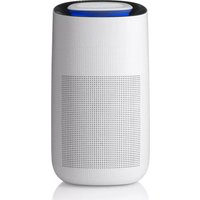
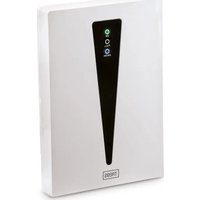
Smart Air Purifier 49200 - Climate control TREBS - Free user manual and instructions
Find the device manual for free Smart Air Purifier 49200 TREBS in PDF.

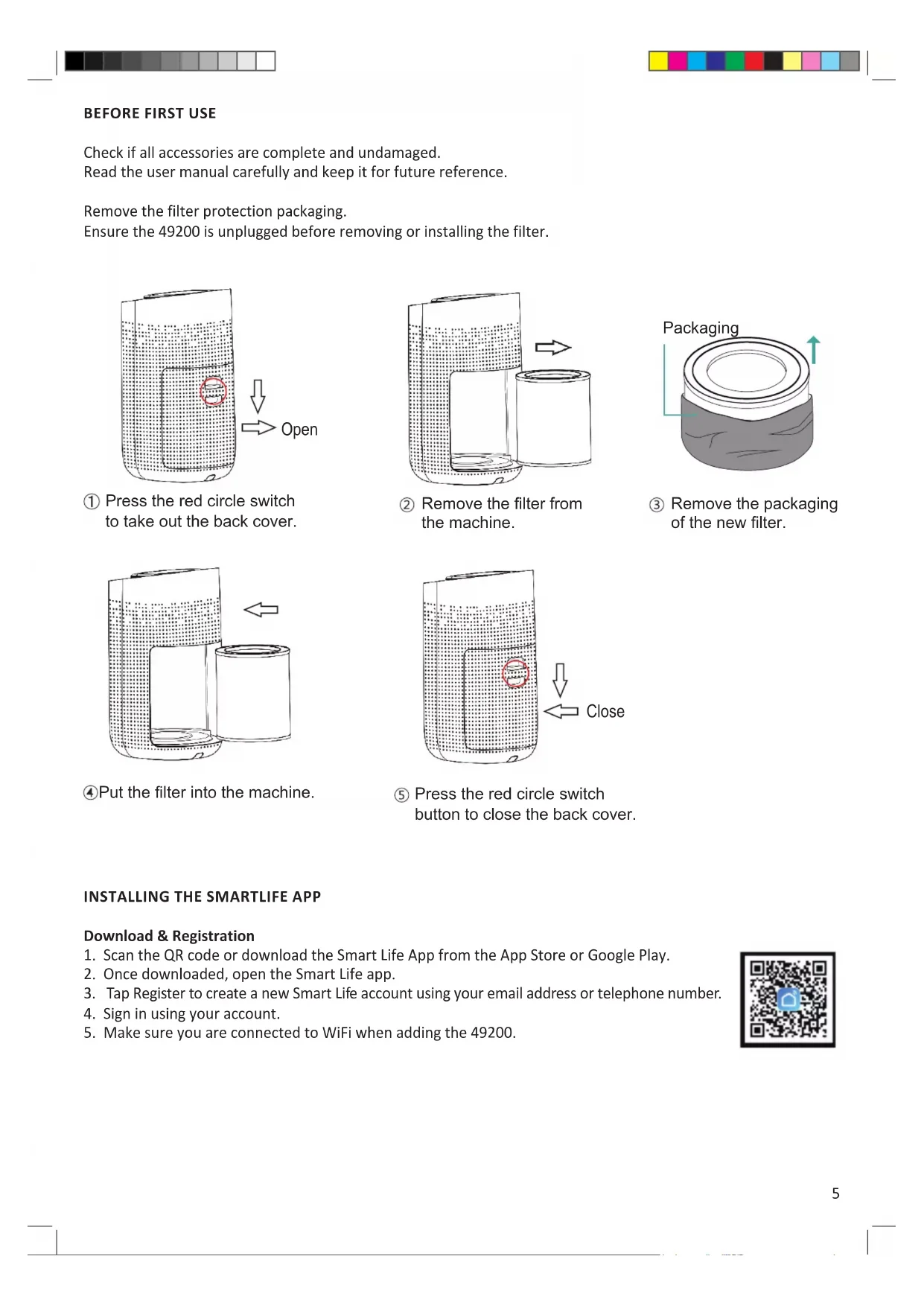


| Product type | Smart air purifier |
| Brand | Trebs |
| Model | Smart Air Purifier 49200 |
| Dimensions (W x D x H) | 270 x 303 x 497 mm |
| Weight | 4.6 kg |
| Power supply | 220 V - 240 V, 50 Hz |
| Power consumption | 50 W |
| Maximum coverage area | < 50 m² |
| Noise level | 32 dB |
| Filter type | HEPA H13 (SKU 49201) |
| Fan speeds | Sleep (low), Medium, High, Auto |
| Timer | 2 h, 4 h, 8 h |
| Connectivity | WiFi 2.4 GHz (802.11 b/g/n), Bluetooth |
| Compatible app | Smart Life (iOS & Android) |
| Additional features | UV lamp, child lock, adjustable lighting |
| Filter maintenance | Replace HEPA filter approximately every 2,200 hours |
| Safety | Do not immerse, do not use if damaged, child lock |
| Spare parts | HEPA filter (SKU 49201) user replaceable |
| Warranty | 24 months |
| Intended use | Domestic |
Frequently Asked Questions - Smart Air Purifier 49200 TREBS
User questions about Smart Air Purifier 49200 TREBS
0 question about this device. Answer the ones you know or ask your own.
Ask a new question about this device
Download the instructions for your Climate control in PDF format for free! Find your manual Smart Air Purifier 49200 - TREBS and take your electronic device back in hand. On this page are published all the documents necessary for the use of your device. Smart Air Purifier 49200 by TREBS.
USER MANUAL Smart Air Purifier 49200 TREBS
Smart air purifier Manual Handleiding intelligente luchtreiniger Bedienungsanleitung Smarter Luftreiniger Mode d'emploi du purificateur d'air intelligent Manual del purificador de aire inteligente Purificatore d'aria Smart: manuale d'uso Smart luftrenare – manual Akıllı hava temizleme cihazı kullanma kılavuzu
Index
English 3
Nederlands 9
Deutsch 15
Français 21
Español....27
Italiano 33
Svenska....39
Türkçe 45
English
IMPORTANT SAFETY REGULATIONS
Please read all safety regulations carefully before using the product.
- This appliance is intended for use in households and similar areas, any professional usage is considered to be
improper use and may result in personal injury or damage to property. Trebs is not liable for damage caused by improper use.
-
Never submerse the appliance in water or any other liquid.
-
Make sure your hands are dry when you touch an electrical appliance, a cord or a plug.
-
Do not open the 49200 while in motion.
-
Never touch any of the moving parts while the fan is in operation.
-
Check if the voltage indicated on the appliance corresponds to the local mains voltage before you connect the appliance.
-
Do not use the appliance if the plug, main cord or the appliance itself is damaged.
-
Regularly check the cable for any damage. If the cable is damaged, it must be replaced by the manufacturer or supplier. The cable may only be repaired by a qualified person to prevent dangerous situations.
-
No parts of this appliance may be replaced by the user.
-
This product is not suitable for children younger than 8 years old.
-
This product is not intended for use by persons (including children) with reduced physical, sensory or mental abilities, or with a lack of knowledge and experience, unless they're under the supervision of or have received instructions regarding the device from a person responsible for their safety.
-
Do not place the appliance on a hot surface and do not let the mains cord come into contact with hot surfaces.
-
Always make sure to unplug/turn off the appliance when problems occur and during cleaning.
-
Always make sure the appliance is positioned safely on a flat surface before operation.
-
Do not block the air inlet and outlet, by placing items either in front of the air inlet or on top of the air outlet.
-
Make sure that foreign objects do not fall into the appliance air outlet.
-
This appliance is not a substitute for proper ventilation, regular vacuum cleaning or the use of a cooking hood. Do not place the appliance directly under an air conditioning.
-
Make sure all filters are properly installed before turning on the appliance.
-
Do not insert your fingers or objects into the air inlet or outlet to prevent physical injury or malfunctioning of the appliance.
-
The appliance does not remove Carbon Monoxide (CO) or Radon (Rn). It cannot be used as a safety device in case of accidents with combustion processes and hazardous chemicals.
-
Works with standard WiFi interface based on 802.11b/g/n at 2.4GHz.
COMPONENTS
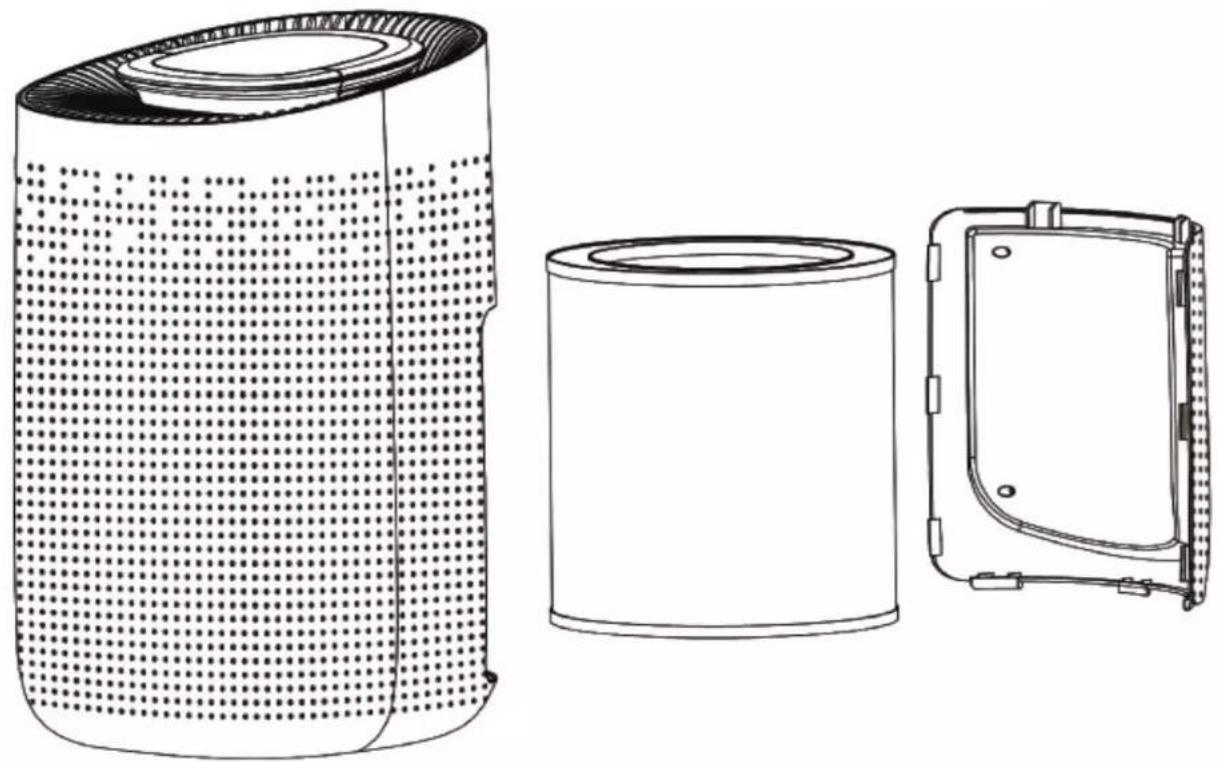
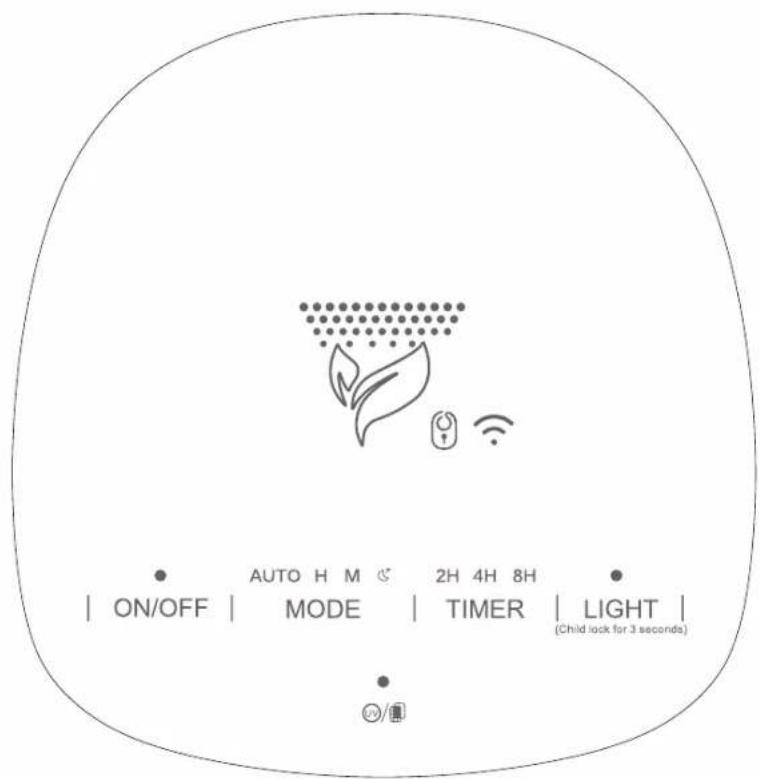
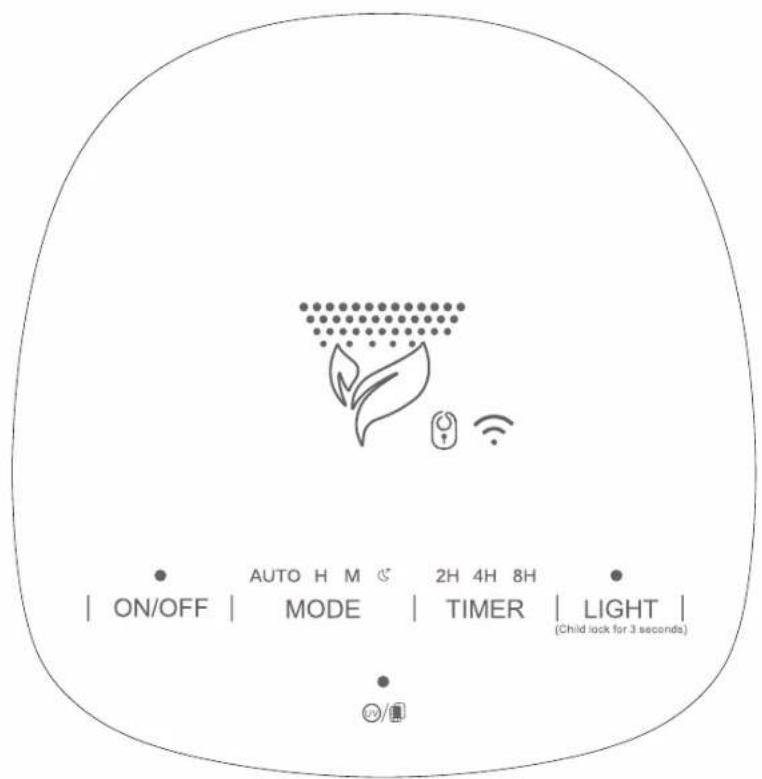
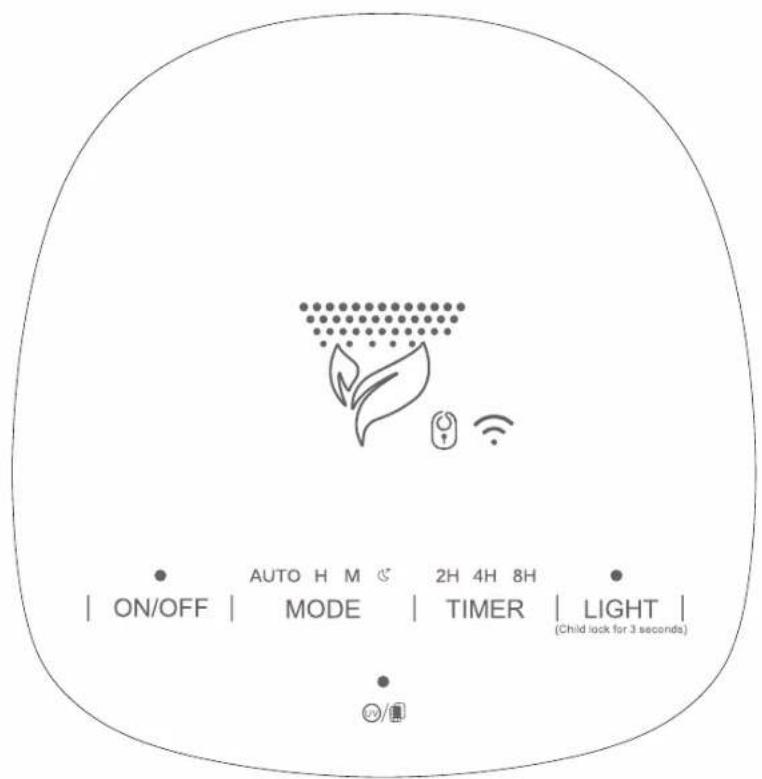
Control panel

BEFORE FIRST USE
Check if all accessories are complete and undamaged.
Read the user manual carefully and keep it for future reference.
Remove the filter protection packaging.
Ensure the 49200 is unplugged before removing or installing the filter.

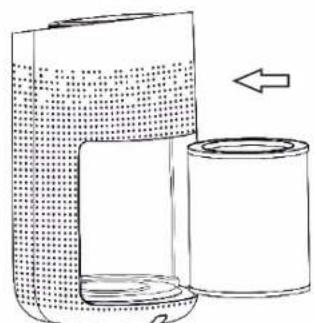
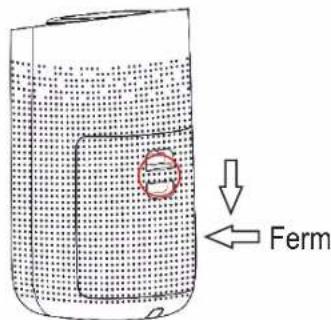
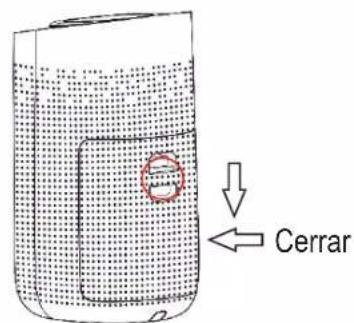
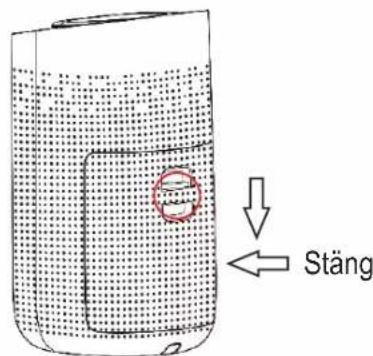
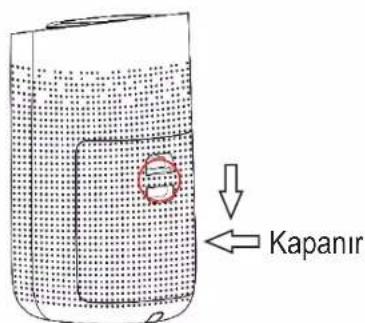
① Press the red circle switch to take out the back cover.
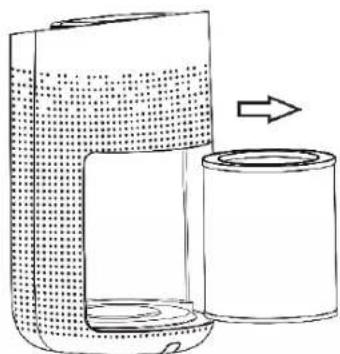
② Remove the filter from the machine.
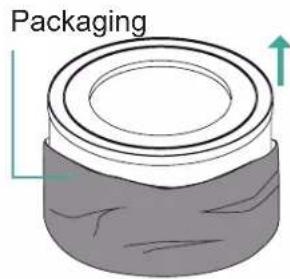
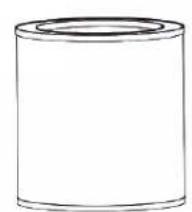
③ Remove the packaging of the new filter.
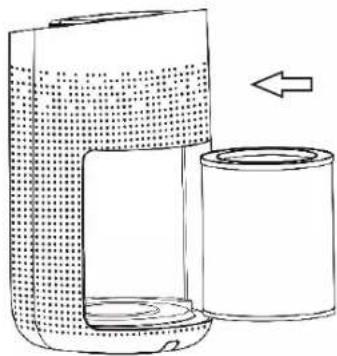
④Put the filter into the machine.
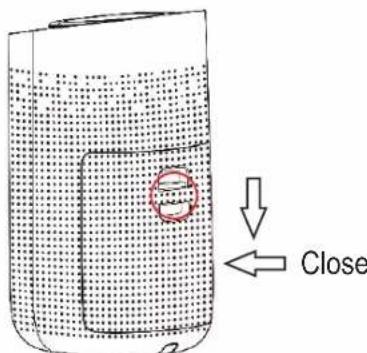
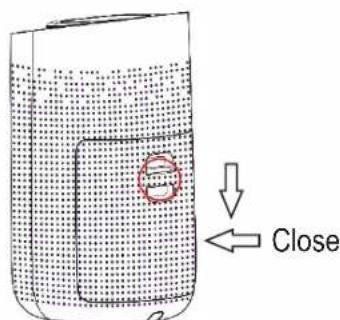
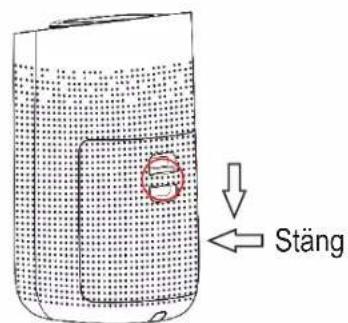
⑤ Press the red circle switch button to close the back cover.
INSTALLING THE SMARTLIFE APP
Download & Registration
- Scan the QR code or download the Smart Life App from the App Store or Google Play.
- Once downloaded, open the Smart Life app.
- Tap Register to create a new Smart Life account using your email address or telephone number.
- Sign in using your account.
- Make sure you are connected to WiFi when adding the 49200.

ADDING NEW DEVICES.
Open the Smart Life App, choose "add device" or "+" in the top right corner of the App home page. You can select one of two methods to connect with the 49200 (Max+Infrared sensor+UV).
- Auto Scan (Recommended)
- Add manually
Auto Scan
-
Make sure you are connected to WiFi and that Bluetooth is on.
-
Turn on the 49200 and activate the WiFi function by long pressing the Timer button for 5 seconds until a WiFi icons appears on the control panel.
-
In the app start screen, press "+" in the top right corner and select Auto Scan.
The app will scan the area for Smart life applicable devices.
All smart devices compatible with the Smart Life app will appear on screen.
-
Make sure only the Trebs 49200 device is checked, and press "+" WiFi device.
-
The app confirms the connection has been made and the 49200 has been added to your Smart Life account.
-
Press next to continue or change the name by tapping the pencil next to the Max+Infrared sensor+Uv.
-
Once finished, the Smart Life app will automatically open the Trebs 49200 control panel.
Add 49200 manually (AP mode)
- Make sure you are connected to WiFi and that Bluetooth is on.
- Turn on the 49200 and activate the WiFi function by long pressing the Timer button for 7 seconds until a WiFi icon is blinking slowly on the control panel.
- In the App start screen press "+" in the top right corner and select add device manually.
- Select "small household appliances" in the group list overview and select "Air purifier (BLE+WiFi)" in the product section.
- Confirm that the WLAN symbol is blinking slowly on the 49200.
- Confirm the WiFi internet connection which is being used by the Smart Life app
- The app now requests to change the internet connection to SmartLife-8C46. Go to WiFi settings and manually connect with SmartLife-8C46.
- Switch back to the Smart life App.
- The 49200 will auto register to your account.
- Press next to continue or change the name by tapping the pencil next to the "Max+Infrared sensor+Uv".
- Once finished, the Smart Life app will automatically open the Trebs 49200 control panel.
FUNCTION INSTRUCTIONS
Power
Through the power button the 49200 can be switched on and switched off without using the app.
An indicator sound will confirm every change.
Mode
By repeatedly pressing the Mode button it is possible to cycle through the different speed options.
The Trebs 49200 has 4 different speed settings: sleep (low), medium, high, automatic (default).
Timer (WiFi)
By pressing the timer shortly the timer function will be activated.
Choose between 2h,4h and 8h timer.
Long press (3sec) the Timer button to activate the WiFi function. The WiFi symbol will be visible when activated on the top control panel.
Light (Child Lock)
Shortly press the light button to change the light function from, high to low or off.
Long press (3sec) the Light button to activate the child lock. Once activated a lock will appear on the control panel. The 49200 settings can not be changed in Child lock setting.
UV (HEPA filter indicator light)
Press the UV button to activate or deactivate the UV light
CHANGING THE HEPA FILTER
The HEPA filter (SKU: 49201) requires to be replaced approximately every 2200 hours of operations.
When the HEPA filter (SKU: 49201) requires to be replaced the UV/HEPA filter indicator light will keep flashing red.
The HEPA filter for the Trebs 49200 can be bought separately through your Trebs dealer or the Trebs service line. Trebs 49200 HEPA filter SKU: 49201
Follow the below steps to successfully change the HEPA filter.
Always make sure the 49200 is unplugged before opening the device or changing the filter.

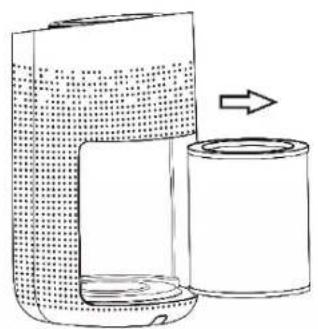

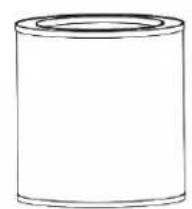
① Open the back cover Remove the
oR filter from the Trebs 49200
③ Dispose of the old filter according to local regulations

④ Carefully unpack the new Trebs HEPA H13 filter SKU: 49201
⑤ Insert the new HEPA filter into the 49200. Open side facing up
⑥ Close the back cover
After changing the filter, long press the UV/HEPA filter indicator button for 7 seconds to reset the HEPA filter timer. After the reset the red light will stop blinking.
Note: The device will operate normally, even if the HEPA filter indicator is signalling the HEPA filter to be replaced.
DISCARDING OLD EQUIPMENT
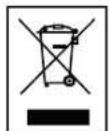
Old electric and electronic devices often contain valuable materials. However, they also contain harmful substances that were necessary for their functionality and safety. If these are placed with the non-recyclable waste or disposed of incorrectly, they can be harmful to human health and the environment. Never place your device with the non-recyclable waste.
REMARK
- Use the collection points available in your community and recycle old electric and electronic devices. Contact your town hall, the local waste disposal company or your dealer for more information.
- Make sure that your old device, until it's picked up, is safely stored out of reach of children.
WARRANTY
- We provide a warranty of 24 months for this product. The warranty starts on the date of purchase and is intended for faults due to production or the used materials.
- Your statutory warranty rights in accordance with § 439 ff. BGB-E will remain unaffected by this.
- The warranty does not apply to damages as a result of improper handling or use, nor to malfunctions that only have a minor effect on the functionality or value of the product. Normal wear and tear, transport damage, to the extent that we are not responsible for this, as well as damages caused by repairs not performed by us, are also excluded from the warrant.
- This device is designed for household use and has the right performance levels.
- Any use in commercial situations is only covered by the warranty if the device is not put under a heavier strain that in a household situation. The device is not intended for additional commercial use.
- In the case of well-founded complaints, we will repair the defective device at our discretion or replace it with a device that shows no problems.
All possible manufacturing faults must be reported within 14 days of delivery. All further claims are excluded. When invoking the warranty, please contact us first before sending us the product (you must always provide us with proof of purchase).
TECHNICAL DETAILS
- Model: 49200 - Smart Air Purifier
- Replacement HEPA filter: Trebs SKU: 49201
- Voltage: 220V-240V; 50Hz
- Power consumption: 50 W
- Work area: < 50m²
- Noise: 32Db
- Product dimensions: 270*303*497 mm
- Weight: 4.6 kg
SERVICE
If you have any further questions regarding the product after having read the user's manual, please contact the Trebs customer service:
CE Regulations
Hereby, Trebs B.V., Thermiekstraat 1a, 6361 HB Nuth, The Netherlands, declares that this product is in compliance with the essential EU directive requirements.
The declaration of conformity may be consulted via techdoc@commaxxgroup.com
HTTP://DOC.HESDO.COM/49200-DOC.PDF
CE
Nederlands
BELANGRIJKE VEILIGHEIDSVOORSCHRIFTEN
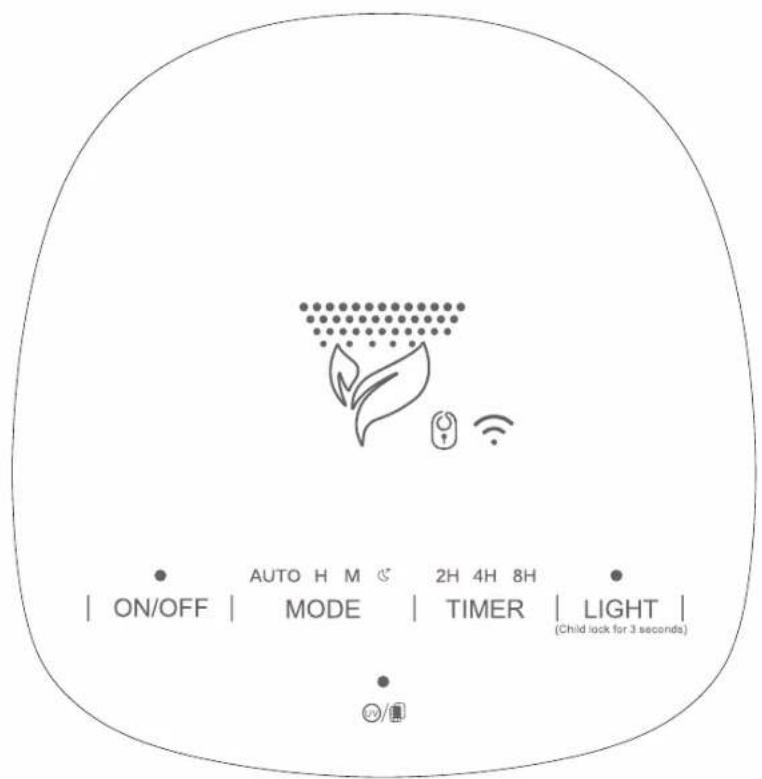
Bedieningspaneel


Bedienfeld
Panneau de commande
AVANT LA PREMIÈRE UTILISATION

Panel de control
OPERAZIONI PRELIMINARI
INSTALLAZIONE DELL'APP SMART LIFE
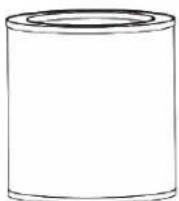
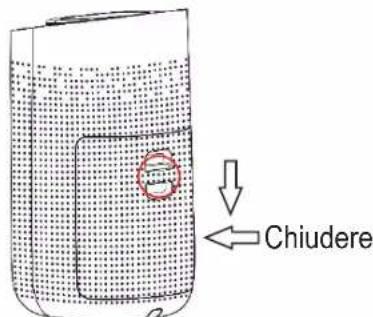
④ Estrarre con cautela il nuovo filtro Trebs HEPA H13 SKU: 49201
Kontrollpanel
FÖRE FÖRSTA ANVÄNDNING
④Placera filtret i maskinen.
Kumanda paneli

İLK KULLANIMDAN ÖNCE
- Add manually (Manuel Ekle)
Otomatik Tarama

- INDEX
- ENGLISH
- IMPORTANT SAFETY REGULATIONS
- BEFORE FIRST USE
- INSTALLING THE SMARTLIFE APP
- DOWNLOAD & REGISTRATION
- ADDING NEW DEVICES
- AUTO SCAN
- ADD 49200 MANUALLY (AP MODE)
- FUNCTION INSTRUCTIONS
- POWER
- MODE
- TIMER (WIFI)
- CHANGING THE HEPA FILTER
- DISCARDING OLD EQUIPMENT
- REMARK
- WARRANTY
- TECHNICAL DETAILS
- SERVICE
- CE REGULATIONS
- NEDERLANDS
- BELANGRIJKE VEILIGHEIDSVOORSCHRIFTEN
- AVANT LA PREMIÈRE UTILISATION
- OPERAZIONI PRELIMINARI
- INSTALLAZIONE DELL'APP SMART LIFE
- FÖRE FÖRSTA ANVÄNDNING
- İLK KULLANIMDAN ÖNCE
- OTOMATIK TARAMA
Brand : TREBS
Model : Smart Air Purifier 49200
Category : Climate control