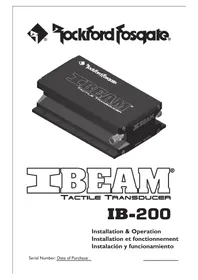
IBEAM IB-200 - Touch Transducer Rockford Fosgate - Free user manual and instructions
Find the device manual for free IBEAM IB-200 Rockford Fosgate in PDF.


| Product Type | Tactile Transducer (Shaker) |
| Brand | Rockford Fosgate |
| Model | IBEAM IB-200 |
| Dimensions (H × W × D) | 5.08 × 10.79 × 17.46 cm |
| Weight | 1.13 kg |
| Force per Watt | 11.1 Newtons/Watt |
| RMS Power Handling | 100 watts |
| Peak Power Handling | 250 watts |
| Impedance | 4 ohms |
| Frequency Response | 20 to 800 Hz |
| Overload Protection | Auto-resetting PTC Fuse |
| Power Requirement | Requires a 4 ohm stable amplifier, 100-250 watts RMS |
| Recommended Speaker Wire | 12 or 16 AWG speaker wire |
| Recommended Low-Pass Filter | Crossover frequency from 100 to 300 Hz |
| Vehicle Installation | Mounting under seat or center console |
| Home Theater Installation | Mounting under a cinema or gaming chair |
| Warranty | 1 year (original purchaser, USA) |
| After-Sales Service | Contact an authorized Rockford Fosgate dealer |
| Maintenance and Cleaning | No specific maintenance required; avoid moisture and impact |
| Safety | Secure mounting required; protect cables; follow installation instructions |
| Spare Parts and Repairability | Resettable PTC fuse; for internal damage, contact technical support |
Frequently Asked Questions - IBEAM IB-200 Rockford Fosgate
User questions about IBEAM IB-200 Rockford Fosgate
0 question about this device. Answer the ones you know or ask your own.
Ask a new question about this device
Download the instructions for your Touch Transducer in PDF format for free! Find your manual IBEAM IB-200 - Rockford Fosgate and take your electronic device back in hand. On this page are published all the documents necessary for the use of your device. IBEAM IB-200 by Rockford Fosgate.
USER MANUAL IBEAM IB-200 Rockford Fosgate
Tools needed for installation.... 2
IBeam Specifications 2
Recommended Amplifier Specifications .... 2
Introduction and Precautions .... 3
Vehicle Installation 4
Home Theater Installation ....5-6
Troubleshooting 7
Warranty 7
Tools needed for installation.
Drill
Drill bit for pilot holes. 1/8" (3mm)
2 Phillips head bit with extension OR #2 Phillips head screwdriver.
Wire cutters
Wire strippers (16/14 or 12AWG)
You will also need an adequate length of 16/14 or 12 AWG (American Wire Gauge) speaker wire for connection to your IBeam tactile transducer.
IBeam Tactile Transducer Specifications

Model Number: IB-200
Size (H × W × D): 2.0" × 4.25" × 6.875"
Weight: 2.5 lbs (1.13 Kg)
Force / Watt: 2.5 lbs/Watt (11.1 Newtons/Watt)
Continuous Power Handling: 100 Watts
Peek Power Handling: 250 Watts
Overload Protection: PPTC self reset fuse
Impedance: 4-ohms
Frequency Response: 20Hz – 800Hz
Recommended Amplifier Specifications
Minimum: Amplifiers producing 100 Watts @ 4-ohms is the minimum recommendation.
Optimum: Amplifiers producing 150 - 250 Watts @ 4-ohms offer the best experience.
INTRODUCTION AND PRECAUTIONS
IBEAM® Tactile Transducer® IB-200
Thank you for purchasing the IBeam IB-200 vibro tactile transducer. The IBeam tactile transducer is the new world standard in vibro tactile performance. It delivers powerful deep bass and accurate broadband sound output that will improve the sound quality of any music with your home theater system or in your vehicle.
Practice Safe Sound™
Continuous exposure to sound pressure levels over 100dB may cause permanent hearing loss. High powered auto sound systems may produce sound pressure levels well over 130dB. Use common sense and practice safe sound.

This symbol with “WARNING” is intended to alert the user to the presence of important instructions. Failure to heed the instructions will result in severe injury or death.

This symbol with “CAUTION” is intended to alert the user to the presence of important instructions. Failure to heed the instructions can result in injury or unit damage.

CAUTION: To prevent injury and damage to the unit, please read and follow the instructions in this manual. We want you to enjoy this system, not get a headache.

CAUTION: To prevent injury, damage to the unit and/or surrounding equipment, the IBeam tactile transducer must be securely mounted before use.

CAUTION: The IBeam tactile transducer contains a powerful magnetic motor. Never place tape media or video monitors in direct proximity to any large magnet.
For Home Theater Installation

CAUTION: If you feel unsure about installing this system yourself, have it installed by a qualified home theater technician.

CAUTION: Before installation, power off and unplug your equipment to prevent damage to the unit, fire and/or possible injury.
For Vehicle Installation

CAUTION: Due to the requirements of how the IBeam tactile transducer needs to be mounted in a vehicle, we strongly recommend it be installed by a qualified Rockford Fosgate technician.

CAUTION: Before installation, disconnect the battery negative (-) terminal to prevent damage to the unit, fire and/or possible injury.
VEHICLE INSTALLATION

CAUTION: Due to the requirements of how the lBeam tactile transducer needs to be mounted in a vehicle, we strongly recommend it be installed by a qualified Rockford Fosgate technician.
For best performance, the IBeam should be mounted to the underside frame of the seat.
If your seat does not allow for proper mounting, the IBeam can be mounted under the center console.
Where ever you end up mounting your IBeam, make sure all surrounding items are mounted firmly and tight. If not, these items will rattle when the IBeam is working.

Vehicle Connection

CAUTION: Before installation, disconnect the battery negative (-) terminal to prevent damage to the unit, fire and/or possible injury.
The IBeam can be powered by any 4 ohm stable amplifier that provides a minimum of 100 Watts RMS @ 4 ohms. Amplifiers with 150 – 250 Watts @ 4 ohms offer the best experience.
- Pre-route 16/14 or 12AWG speaker wires from the lBeam unit to the amplifier it will be connected to.

CAUTION: Be sure to route wires were they will not be damaged due to sharp edges or from the movement of the seat.
- Connect the speaker wires to the IBeam and mark them to maintain proper signal polarity when connecting to the amplifier.
- Follow the instructions provided with the amplifier being used to connect it to the vehicle system.
- Connect the speaker wires from the IBeam to the output on the amplifier. Be sure to maintain proper signal polarity for best performance.
- For best performance set the amplifier to low pass (LP) with a crossover setting of 100-300hz.
Speaker connection from amplifier.


HOME THEATER INSTALLATION
In many situations the IBeam tactile transducer can be mounted directly using the 10 built-in mounting holes.
Home Theater Seat Mounting
The contemporary Home Theater Seat will generally accept direct attachment of the IBeam unit. We suggest you contact your seat manufacturer to obtain their recommendations for vibro-tactile product mounting.
I. Carefully turn the seat upside down. Support it without the possibility of damage during the installation process. Always use caution when moving Home Theater Seating as these items can be heavy and somewhat awkward to maneuver. Get help if necessary.
2. Find a location on the seat bottom that allows solid attachment to wood structural members. The ideal spot is toward the center and rear of the seat bottom. If seat bottom mounting is not used choose a location on the seat frame near the rear and center. Check for proper clearance from motors and seat adjustment mechanisms. Allow for air space between your IBeam and floor when mounted. Never use the IBeam to support the seat.
3. Drill pilot holes and secure your IBeam in the desired location using the supplied screws. Check for free and complete seat motion. Find another location if the seat motion is impeded or if seat becomes difficult to move.
- Secure your IBeam with screws in all 10 mounting holes. Remember to drill pilot holes for all screws.


CAUTION: To prevent injury, damage to the unit and/or surrounding equipment, the IBeam tactile transducer must be securely mounted by a minimum of six (6) screws.
HOME THEATER INSTALLATION
Home Theater Connection

CAUTION: If you feel unsure about installing this system yourself, have it installed by a qualified home theater technician.

CAUTION: Before installation, power off and unplug your equipment to prevent damage to the unit, fire and/or possible injury.
The IBeam can be powered by any 4 ohm stable amplifier that provides a minimum of 100 Watts RMS @ 4 ohms. Amplifiers with 150 – 250 Watts @ 4 ohms offer the best experience.
- Pre-route 16/14 or 12AWG speaker wires from the IBeam unit to the home theater system it will be connected to.

CAUTION: Be sure to route wires were they will not be tripped over or become damaged due to sharp edges or from the movement of furniture or people.
- Connect the speaker wires to the IBeam and mark them to maintain proper signal polarity when connecting to the amplifier.
Connection to a system with a designated sub output.
- Follow the instructions provided with the amplifier being used to connect it to the sub output on your home theater system.
- Connect the speaker wires from the IBeam to the output on the amplifier. Be sure to maintain proper signal polarity for best performance.
Connection to a system with no sub output.
- When connecting to a system with no designated sub output, a crossover will be required. A crossover with settings of 100-300hz will offer the best performance.

TROUBLESHOOTING
SYMPTOM CAUSE SOLUTION
| Weak bass (vibrations) low settings increase the amp gain and/or raise source input level little bass in source many older recordings lack much deep bass sound | ||
| older recordings | ||
| No sound from unit wiresamp off turn on amp no line level signal to amp internal damage to unit | disconnected check speaker level wiring | |
| check line level wiring and signal | ||
| contact customer service | ||
| Sound too high pitched adjust lower as desired no crossover | crossover frequency to high set point to 150Hz | lower crossover |
| install in-line filter | ||
| Undesired vibrationsnon-home theater seating poor seat construction | improper mounting review mounting instructions and correct the mounting issues | |
| used purchase dedicated seating | ||
| isolate noise and apply sound damping material to seat | ||
| Stops operating | overload protection activated lower amp settings | allow fuse to reset (3-5min) |
LIMITED WARRANTY
The IBeam tactile transducer has a warranty of 1 Year. This warranty covers only the original purchaser of Rockford product purchased from an Authorized Rockford Fosgate Dealer in the United States. In order to receive service, the purchaser must provide Rockford with a copy of the receipt stating the customer name, dealer name, product purchased and date of purchase.
Products found to be defective during the warranty period will be repaired or replaced (with a product deemed to be equivalent) at Rockford's discretion.
What is Not Covered
I. Damage caused by accident, abuse, improper operations, water, theft, shipping
2. Any cost or expense related to the removal or reinstallation of product
3. Service performed by anyone other than Rockford or an Authorized Rockford Fosgate Service Center
4. Any product which has had the serial number defaced, altered, or removed
5. Subsequent damage to other components
Limit on Implied Warranties
Any implied warranties including warranties of fitness for use and merchantability are limited in duration to the period of the express warranty set forth above. Some states do not allow limitations on the length of an implied warranty, so this limitation may not apply. No person is authorized to assume for Rockford Fosgate any other liability in connection with the sale of the product.
How to Obtain Service
Contact the Authorized Rockford Fosgate Dealer you purchased this product from.
If you need further assistance, call 1-800-669-9899 for Rockford Customer Service.
SOMMAIRE
Practice Safe Sound™
www.rockfordfosgate.com/rftech
Rockford Fosgate
Rockford Corporation
600 South Rockford Drive
Tempe, Arizona 85281 U.S.A.
In U.S.A., 480-967-3565
Customer Service 1-800-669-9899
www.rockfordfosgate.com
- Phillips head bit with extension OR #2 Phillips head screwdriver.
- IBeam Tactile Transducer Specifications
- Recommended Amplifier Specifications
- INTRODUCTION AND PRECAUTIONS
- IBEAM® Tactile Transducer® IB-200
- Practice Safe Sound™
- For Home Theater Installation
- For Vehicle Installation
- VEHICLE INSTALLATION
- Vehicle Connection
- HOME THEATER INSTALLATION
- Home Theater Seat Mounting
- Home Theater Connection
- Connection to a system with a designated sub output.
- Connection to a system with no sub output.
- TROUBLESHOOTING
- LIMITED WARRANTY
- What is Not Covered
- Limit on Implied Warranties
- How to Obtain Service
- SOMMAIRE
- Rockford Fosgate
Brand : Rockford Fosgate
Model : IBEAM IB-200
Category : Touch Transducer