
Centrale Easy 80 - Cooker Airforce - Free user manual and instructions
Find the device manual for free Centrale Easy 80 Airforce in PDF.
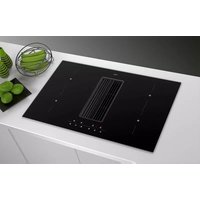


| Product Type | Induction cooktop with integrated hood |
| Brand | Airforce |
| Model | Centrale Easy 80 (compatible with Easy 83) |
| Number of cooking zones | 4 |
| Hob type | Induction |
| Booster function | Yes, duration 5 minutes per zone |
| Bridge function | Yes, for two adjacent zones |
| Child lock | Yes |
| Cooking zone timer | Yes, from 1 to 99 minutes |
| Countdown timer | Yes, from 1 to 99 minutes |
| Residual heat indicator | Yes (symbol H) |
| Integrated hood | Yes |
| Hood modes | Extraction and filtration |
| Hood speeds | 6 speeds including a timed intensive speed |
| Grease filter | Washable metallic, alarm at 30 h |
| Active carbon filter | Washable once then replacement, alarm at 120 h (filtration mode) |
| Liquid collection tray capacity | 0.7 L |
| Power supply | 230 V / 50 Hz (to be confirmed on the rating plate) |
| Cooktop maintenance | Specific products for ceramic glass, scraper for residues |
| Pan detection | Yes, automatic shutdown after 10 min without pan |
| Safety shutdown | Yes, operating time limitation per power level |
| Repairability | Original spare parts, intervention by authorized service |
| Manual | 128 pages, multilingual (FR, DE, EN, ES, IT, NL, etc.) |
Frequently Asked Questions - Centrale Easy 80 Airforce
User questions about Centrale Easy 80 Airforce
0 question about this device. Answer the ones you know or ask your own.
Ask a new question about this device
Download the instructions for your Cooker in PDF format for free! Find your manual Centrale Easy 80 - Airforce and take your electronic device back in hand. On this page are published all the documents necessary for the use of your device. Centrale Easy 80 by Airforce.
USER MANUAL Centrale Easy 80 Airforce
Aspira Centrale Easy 80 Aspira Centrale Easy 83
| D | MONTAGE- UND GEBRAUCHSANWEISUNG |
| GB | INSTRUCTIONS ON MOUNTING AND USE |
| F | PRESCRIPTIONS DE MONTAGE ET MODE D'EMPLOI |
| NL | MONTAGEVOORSCHRIFTEN EN GEBRUIKSAANWIIZING |
| ES | MONTAJE Y MODO DE EMPLEO |
| I | ISTRUZIONI DI MONTAGGIO E D'USO |
IT Per tutte le operazioni di installazione e manutenzione utilizzare guanti da lavoro EN Always wear work gloves for all installation and maintenance operations DE Bei allen Installations- und Instandhaltungsarbeiten immer Schutzhandschuhe tragen. FR Munissez-vous de gants de travail avant d'effectuer toute opération d'installation et d'entretien. NL Draag bij alle installatie- en onderhoudswerkzaamheden werkhandschoenen. ES Todas las operaciones de instalación y mantenimiento se deben realizar utilizando guantes de trabajo. PT Para todas as operações de instalação e manutenção, utilize luvas adequadas para este tipo de atividade GR Πάντοτε να φοράτε γάντια εργασίας για όλες τις επεμβάσεις εγκατάστασης και συντήρησης. SV Använd alltid skyddshandskar vid installation och underhåll. FI Käytä asennus- ja huoltotöissä suojakäsineitä. NO Ved alle installasjonsprosedyrer og alt vedlikehold av ventilatoren må man bruke arbeidshansker DA Ved alle installations- og vedligeholdelsesindgreb skal der bæres arbejdshandsker. PL Wszelkie czynności montażowe i konserwacyjne wykonywać w rękawicach ochronnych. CZ Při všech instalačních a údržbových pracích používejte pracovní rukavice SK Pri všetkých inštalačných a údržbárskych prácach používajte ochranné pracovné rukavice. HU Valamennyi üzembe helyezési és karbantartási müvelethez használjon védőkesztyűt BG за всички операции по инсталиране и техническо обслужване използвайте работни ръкавици. RO Pentru toate operațiile de instalare și întreținere utilizați mănuși de protecție. RU Для выполнения всех операций по установке и уходу используйте рабочие перчатки. ET Kasutage paigaldus- ja hooldustöödel kaitsekindaid.
Aspira Centrale Easy 80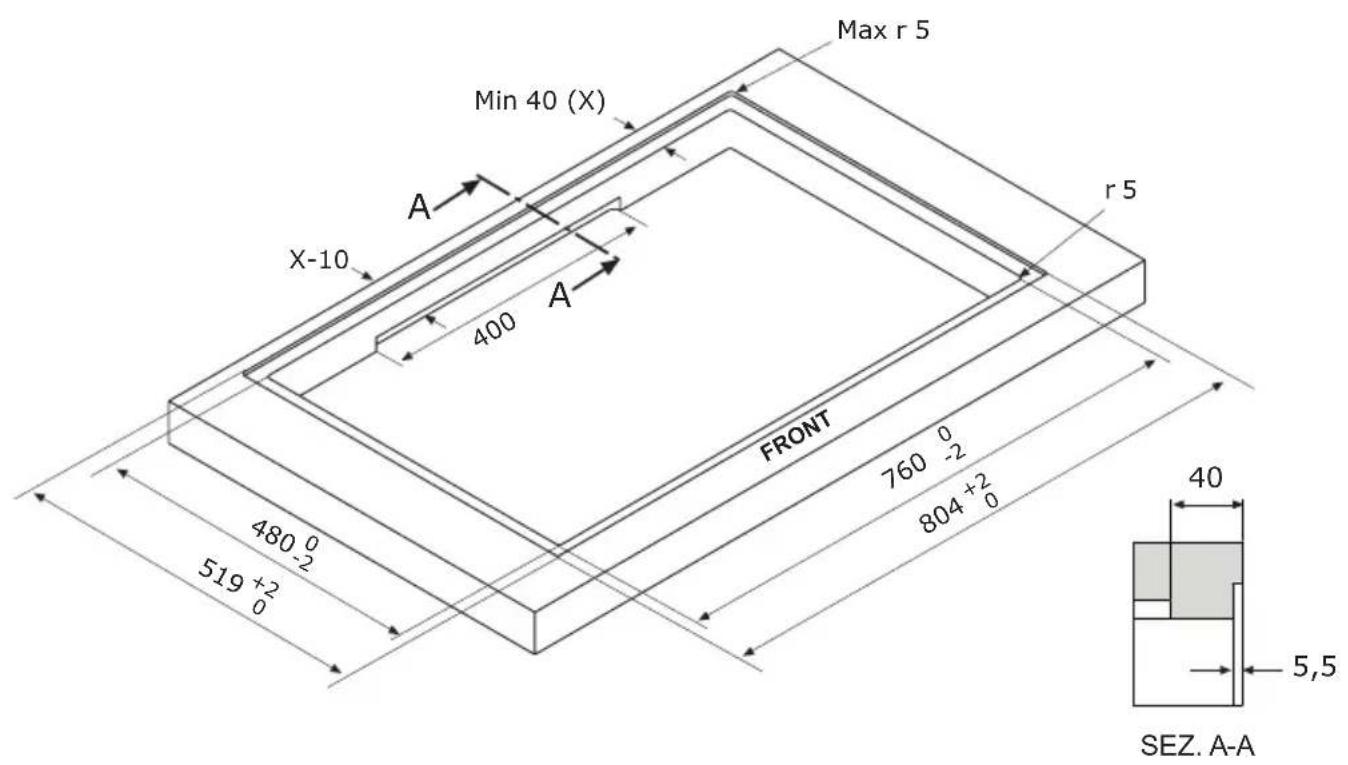
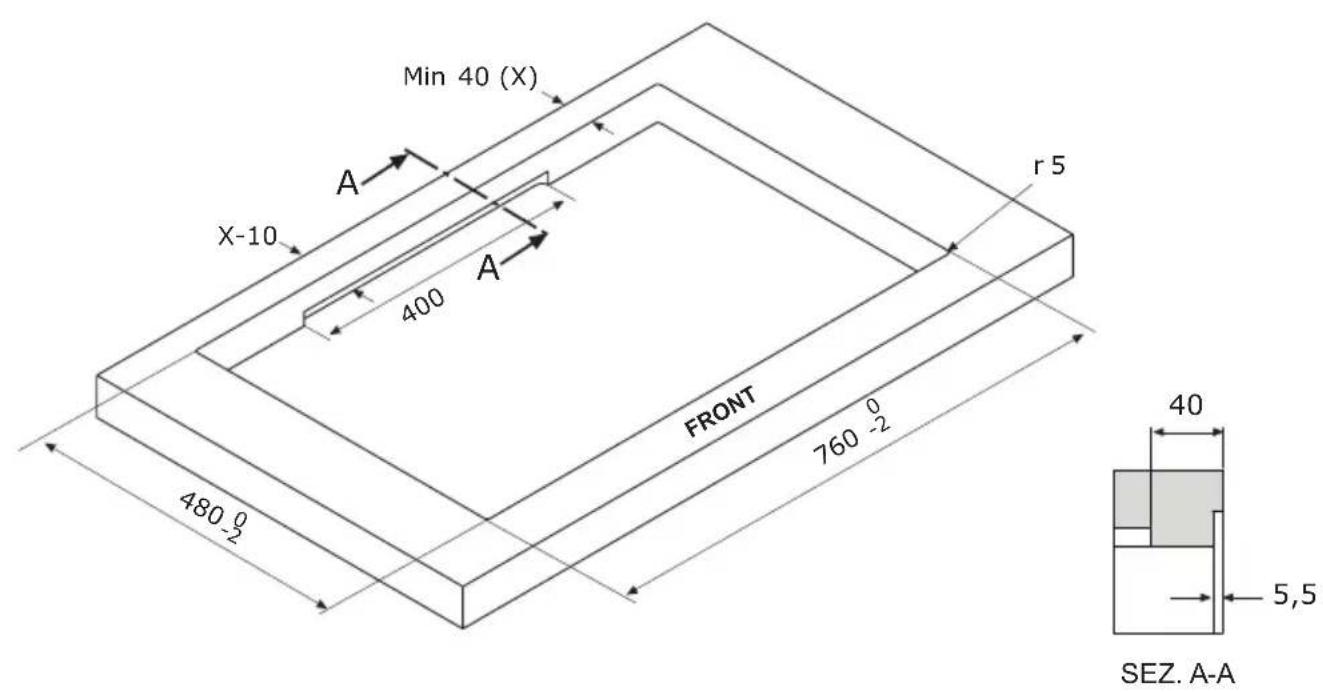
Aspira Centrale Easy 83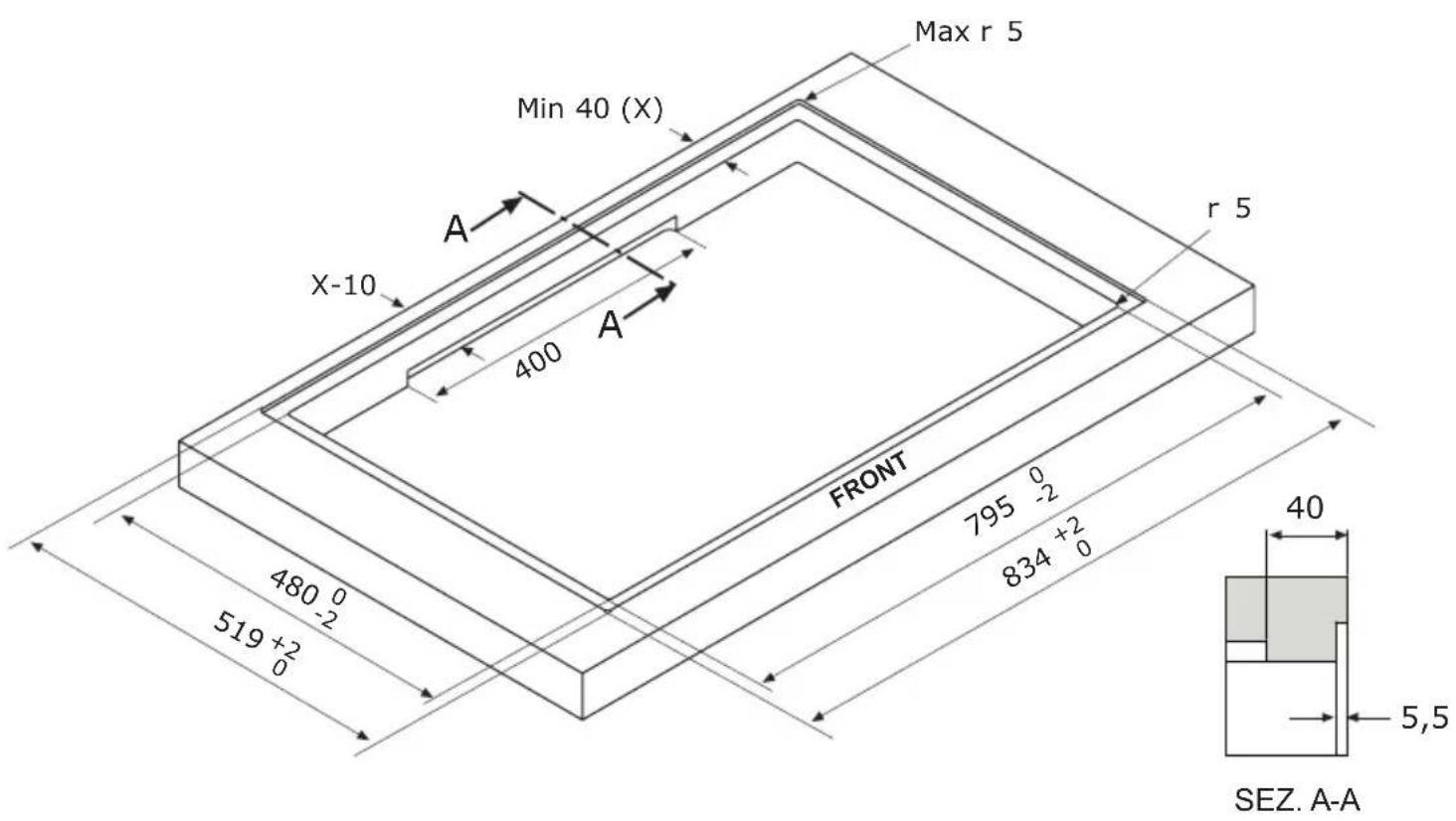
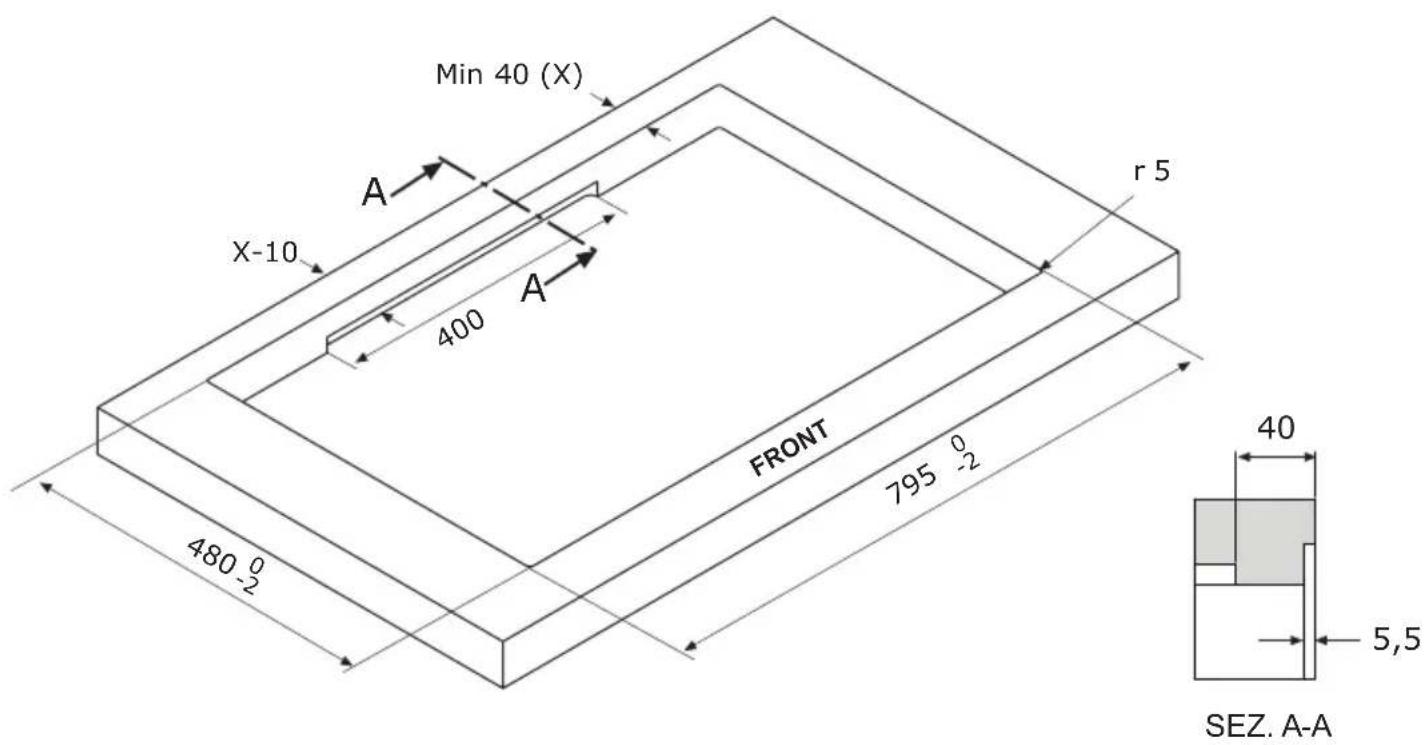
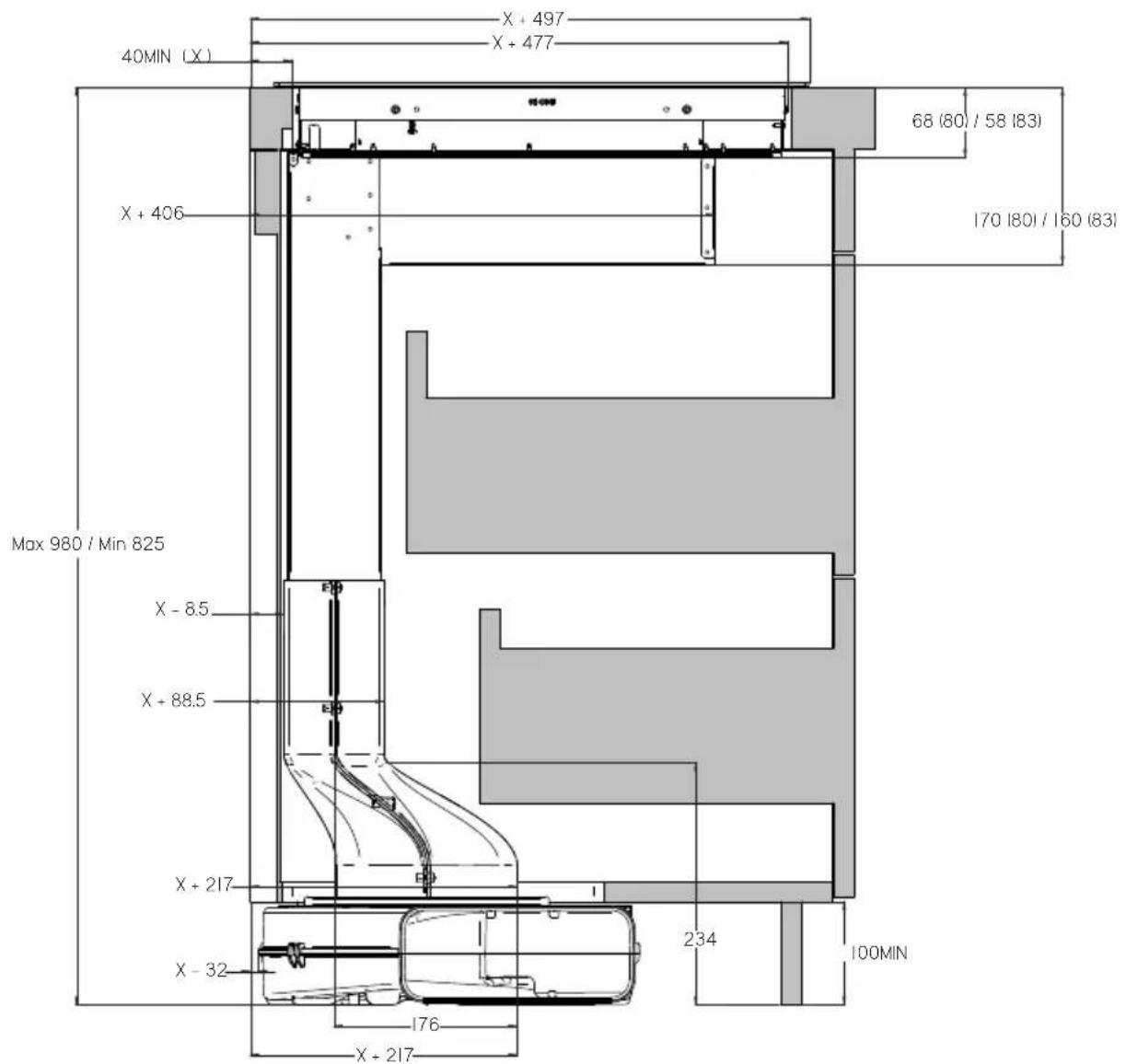
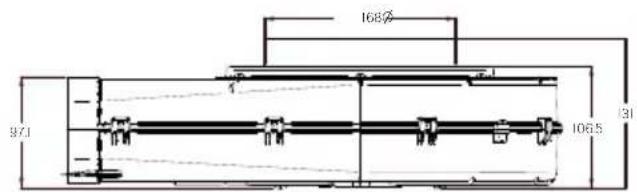
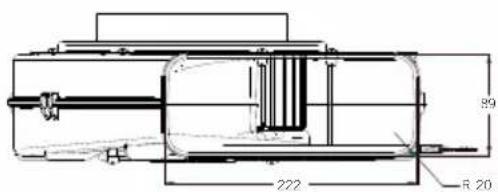
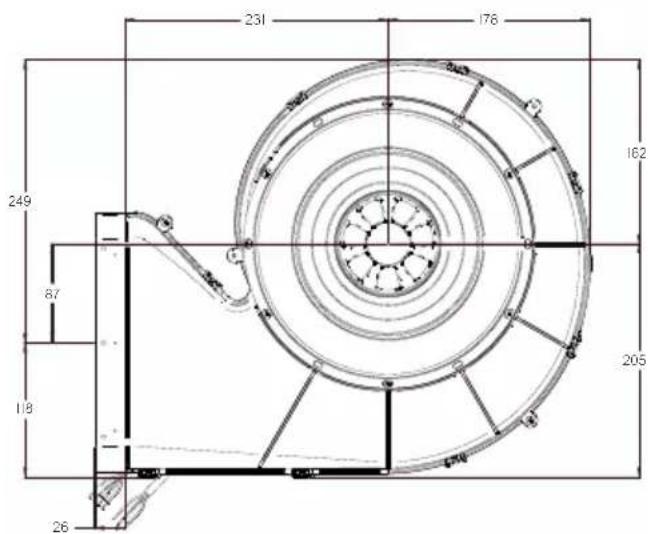
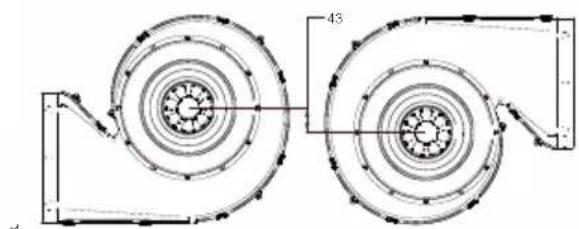
Centrale Easy 80, Centrale Easy 83 can be installed in 4 different modes to better suit the layout of every kitchen; choose the mounting type that is more suitable for your furniture.
Installation Version 1
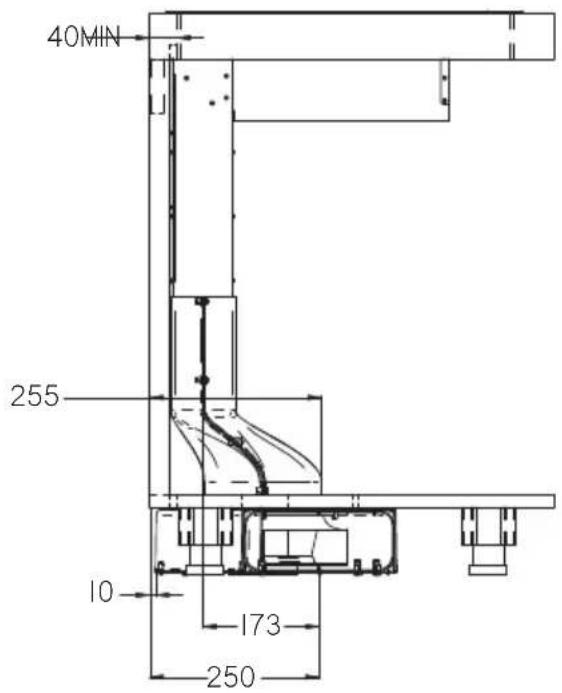
Installation Version 1
Installation Version 2
Installation Version 2
Installation Version 2
Installation Version 2
Installation Version 3
Installation Version 3
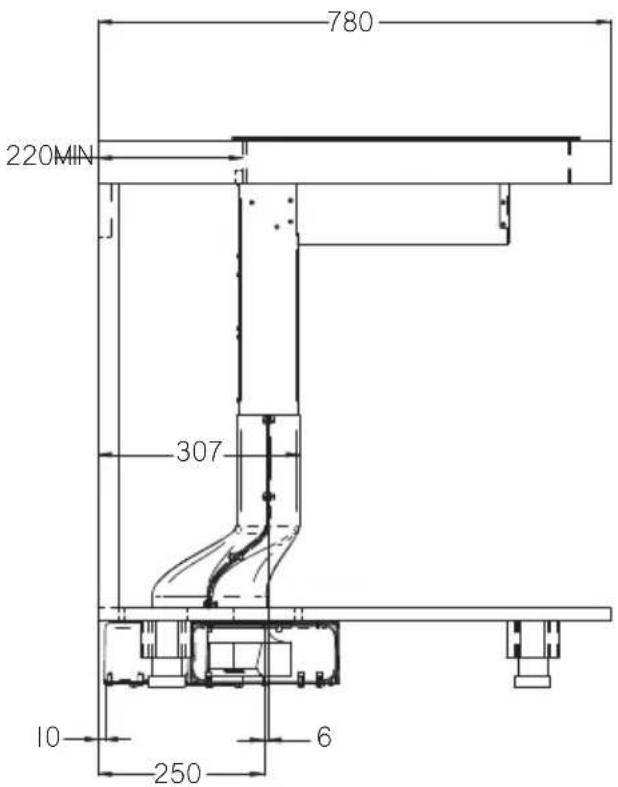
Installation Version 3
Installation Version 3
Installation version 3
Installation Version 4
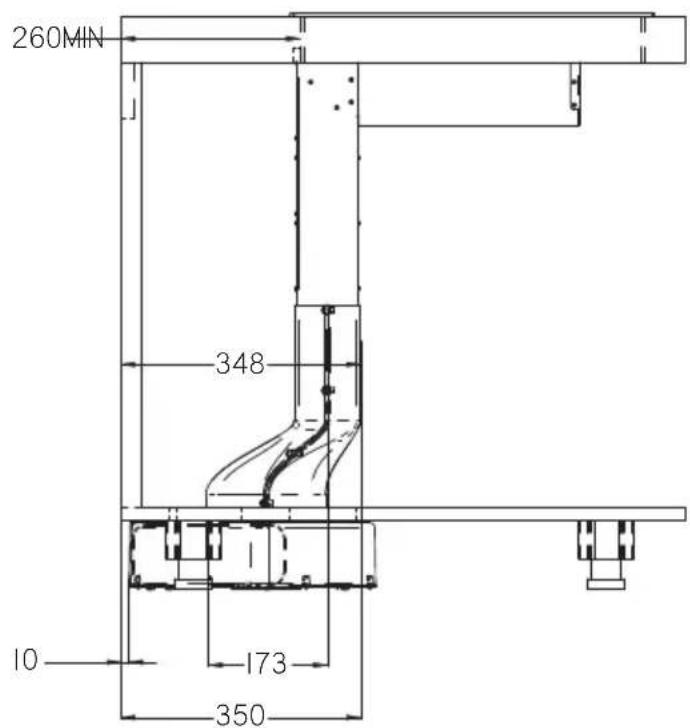
Installation Version 4
Installation version 4
Installation version 4
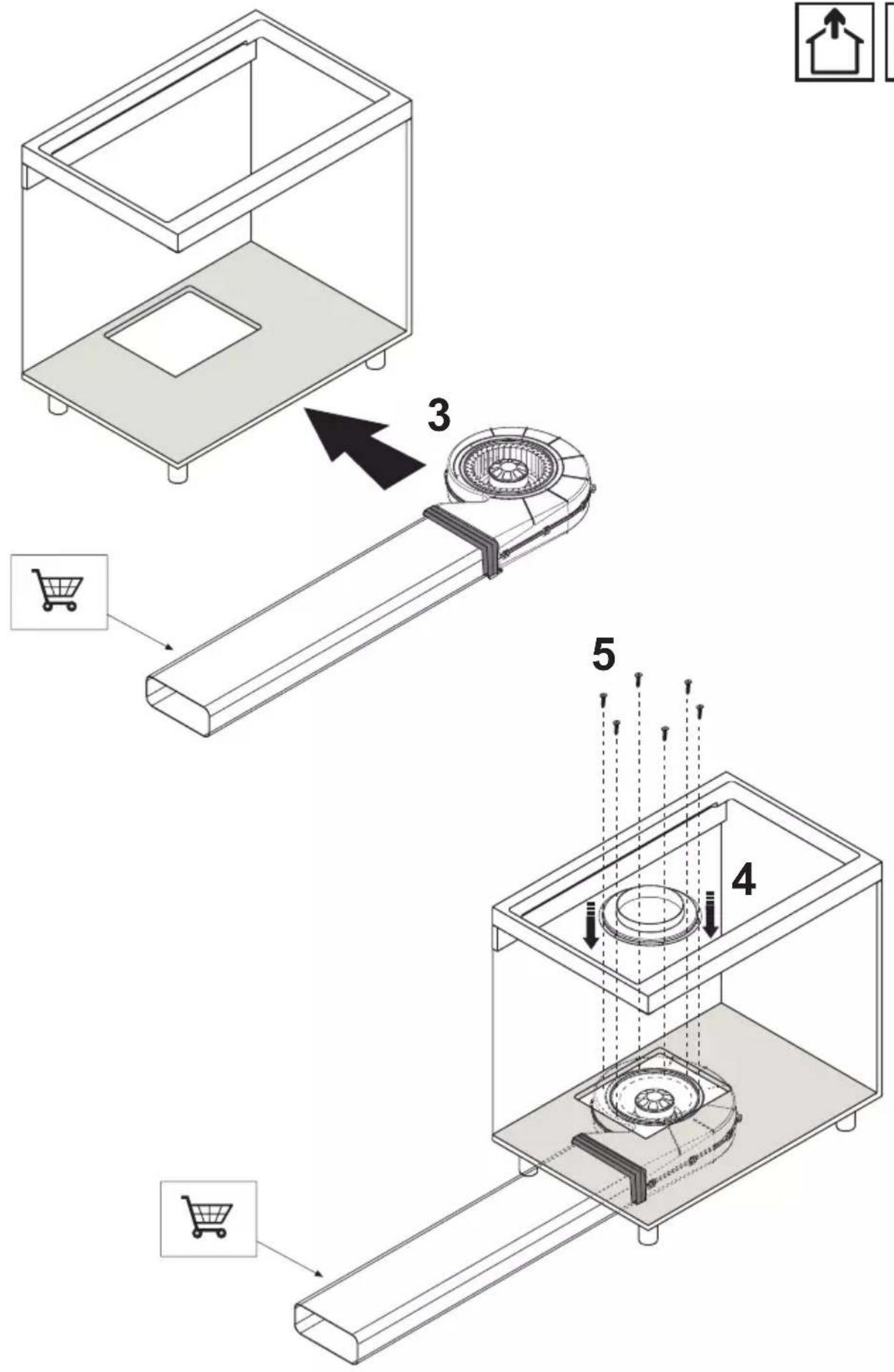
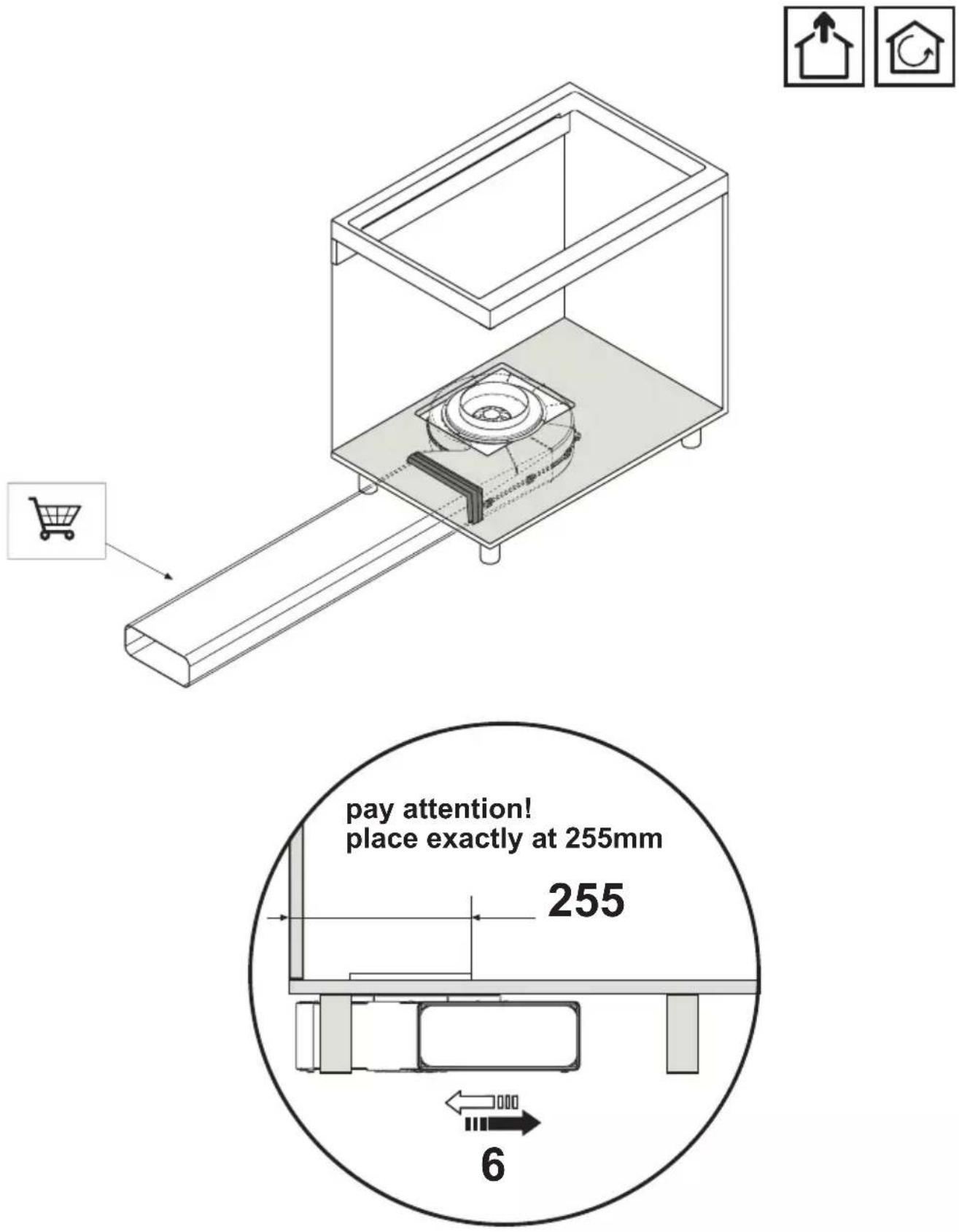
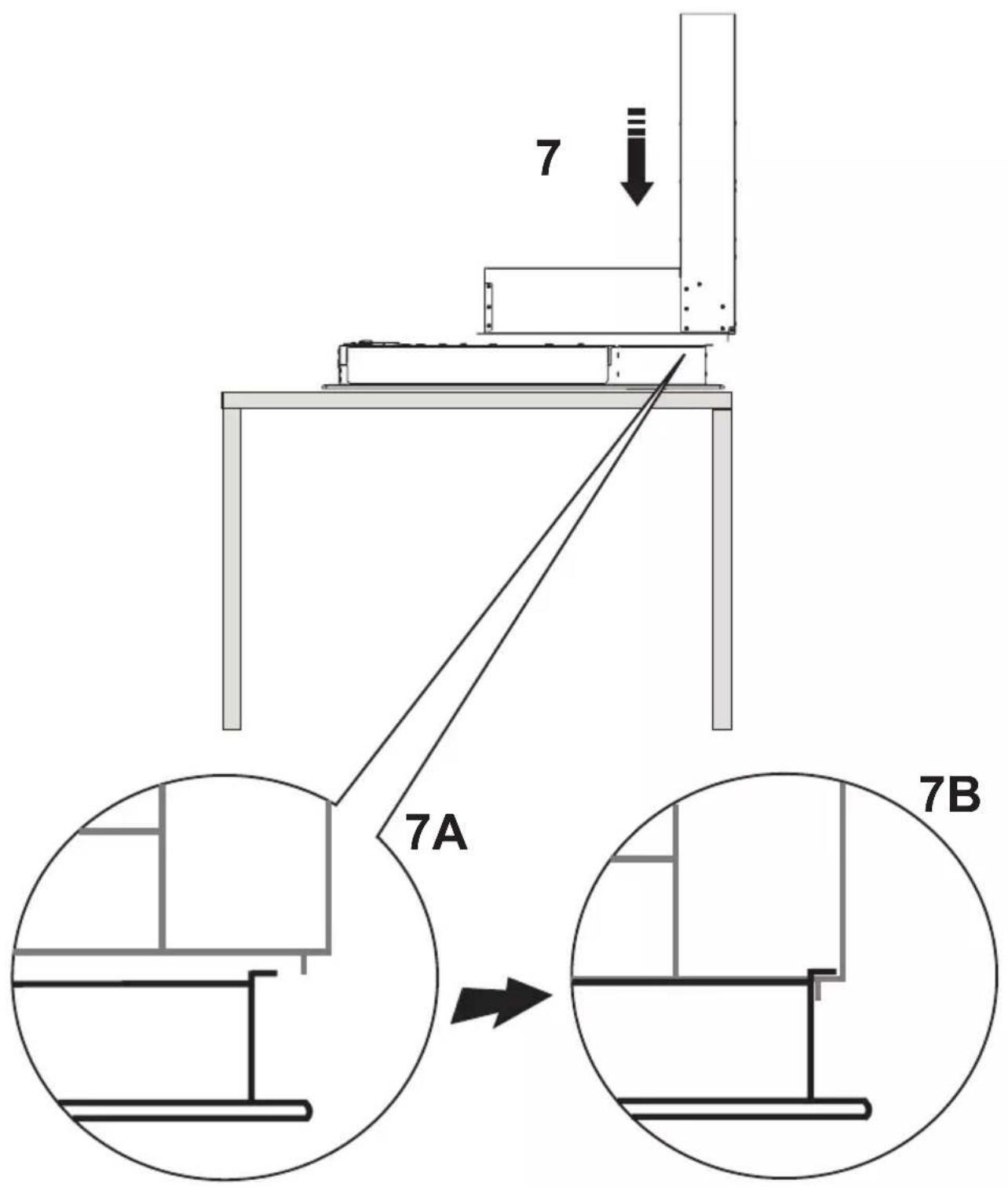
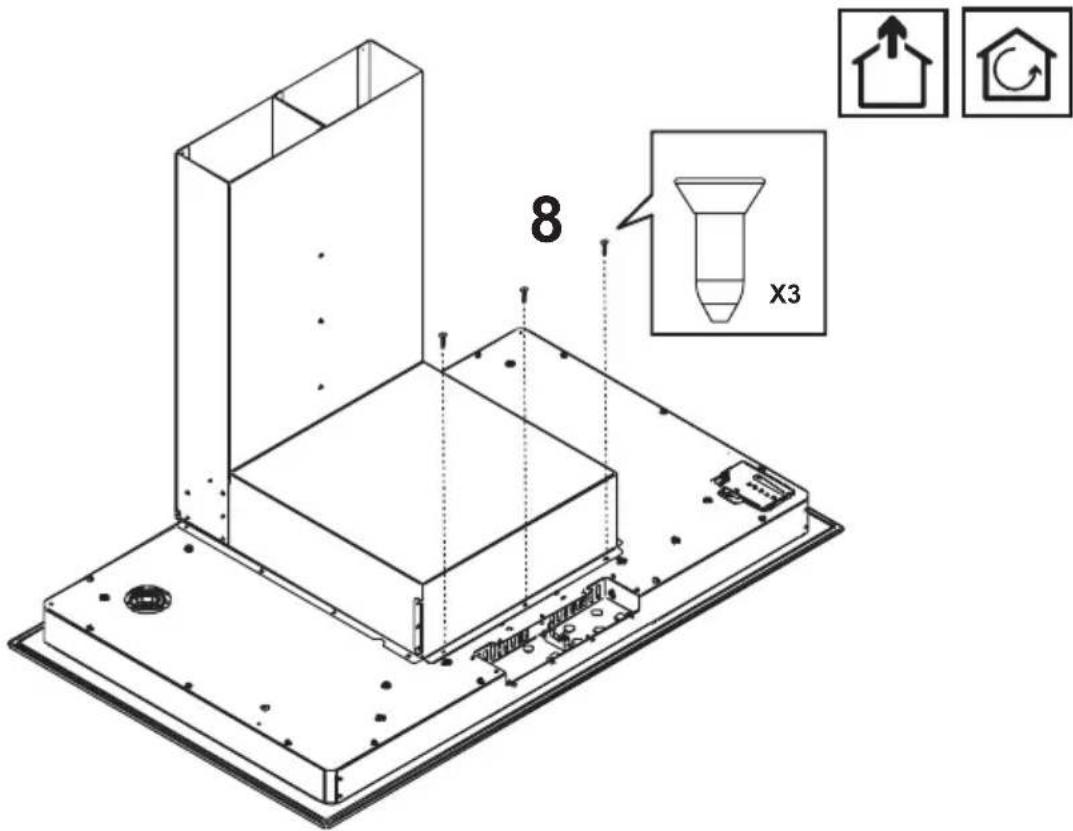
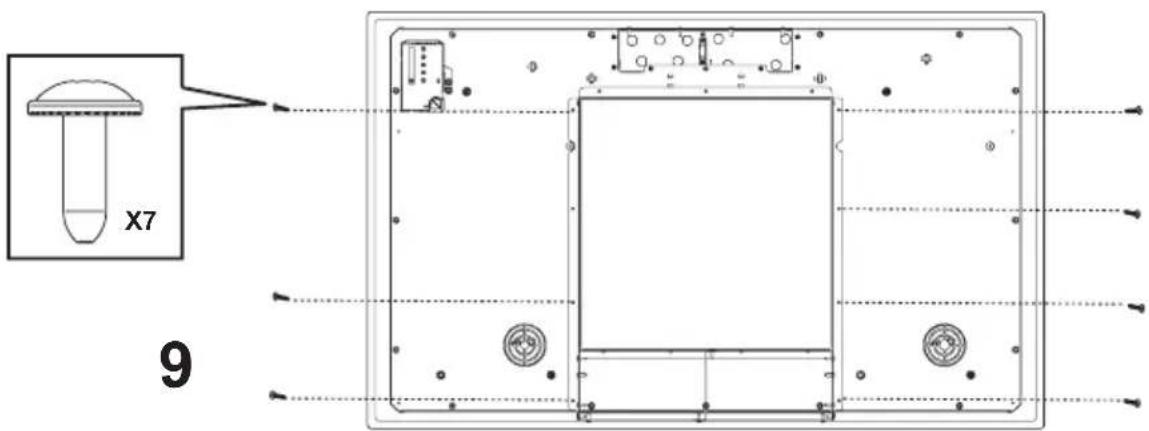
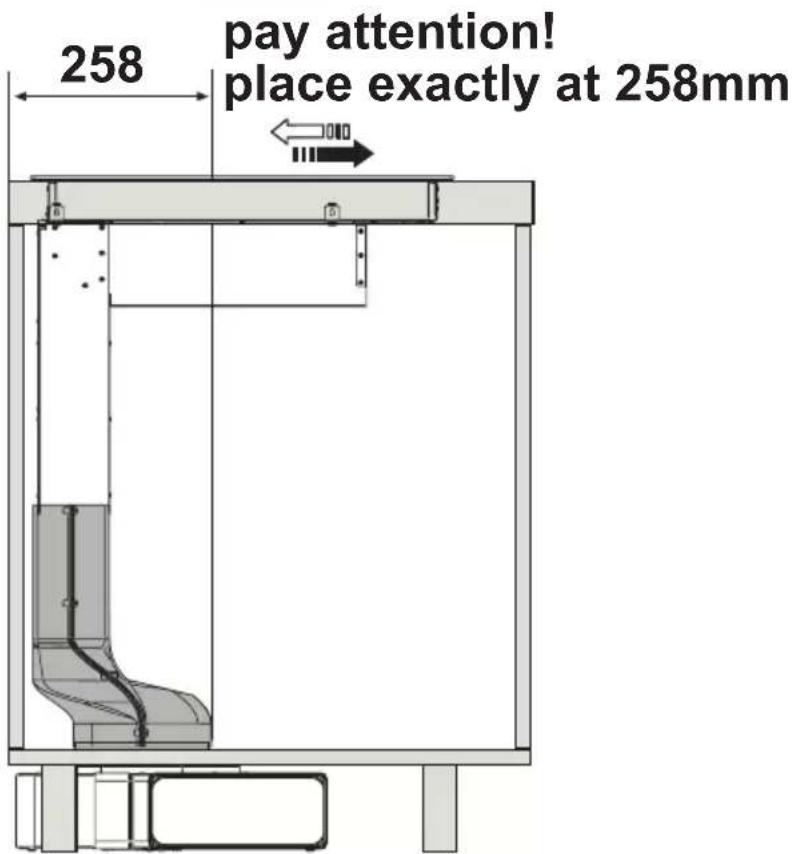
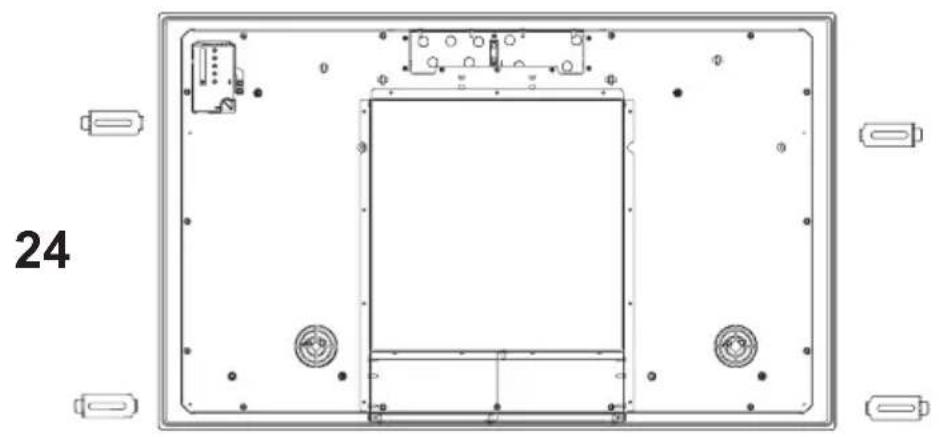
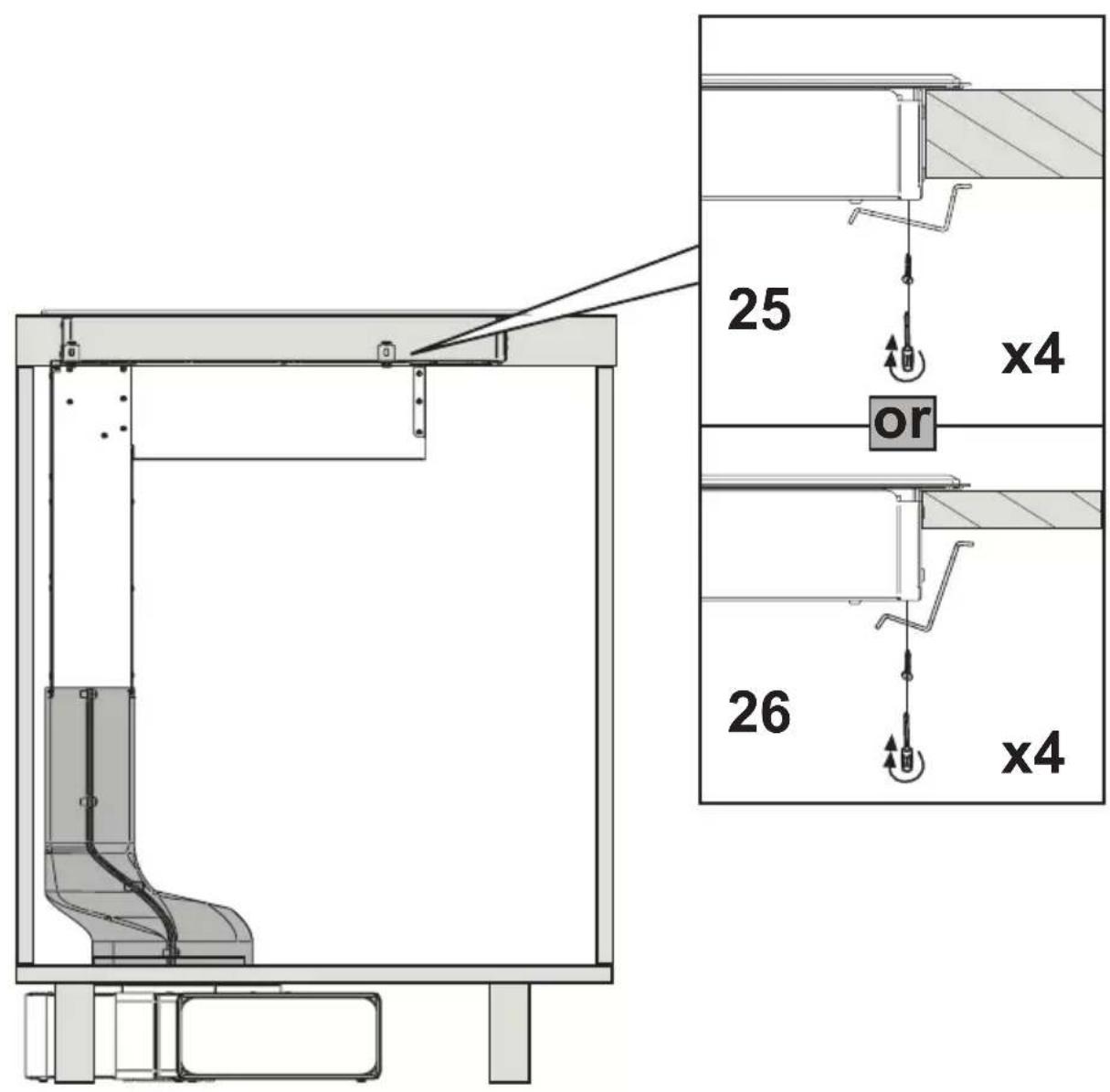
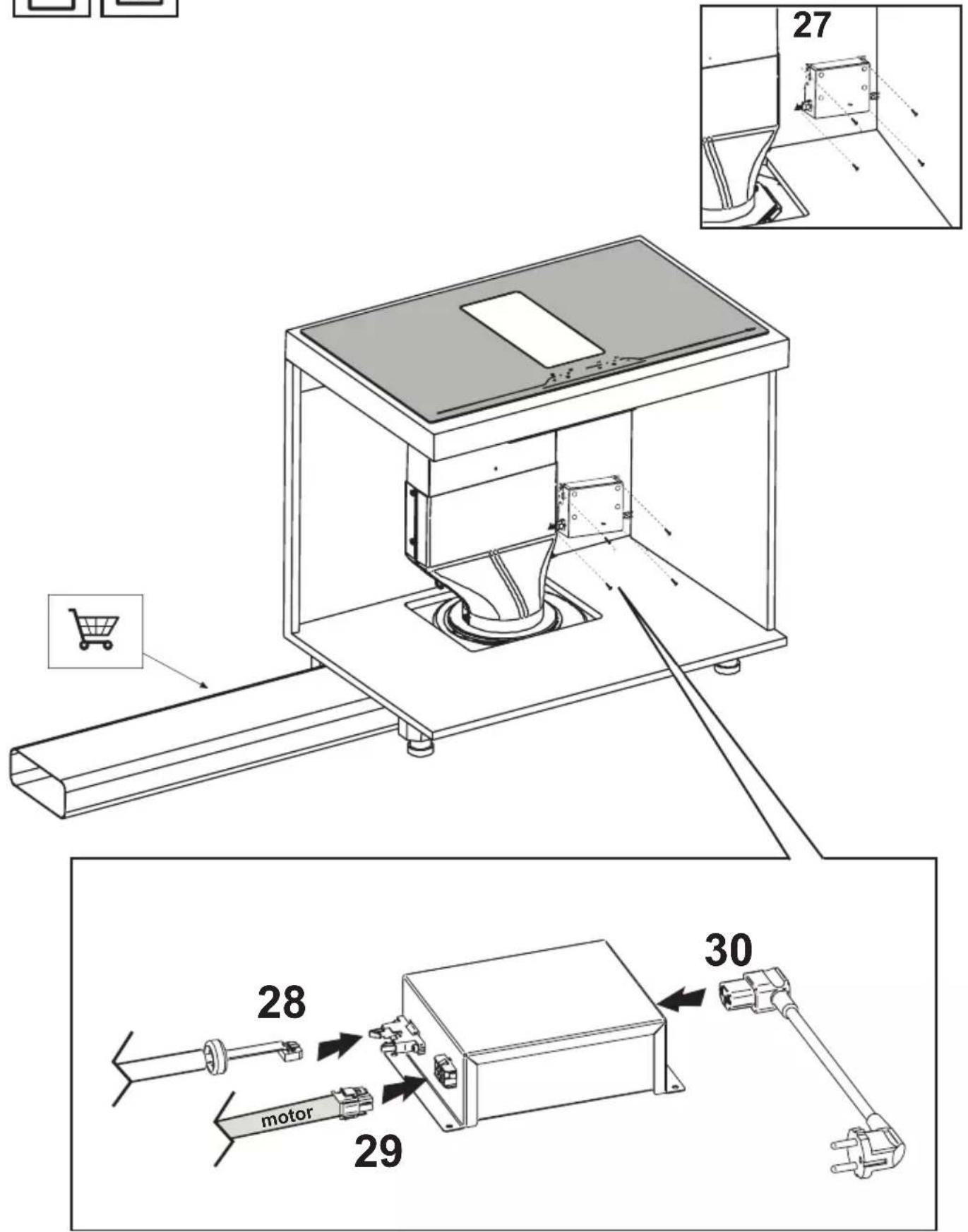
From this point on, the assembly instructions apply to each of the four setup modes; be careful to the position of the motor and the fitting, specific to the type of installation chosen.
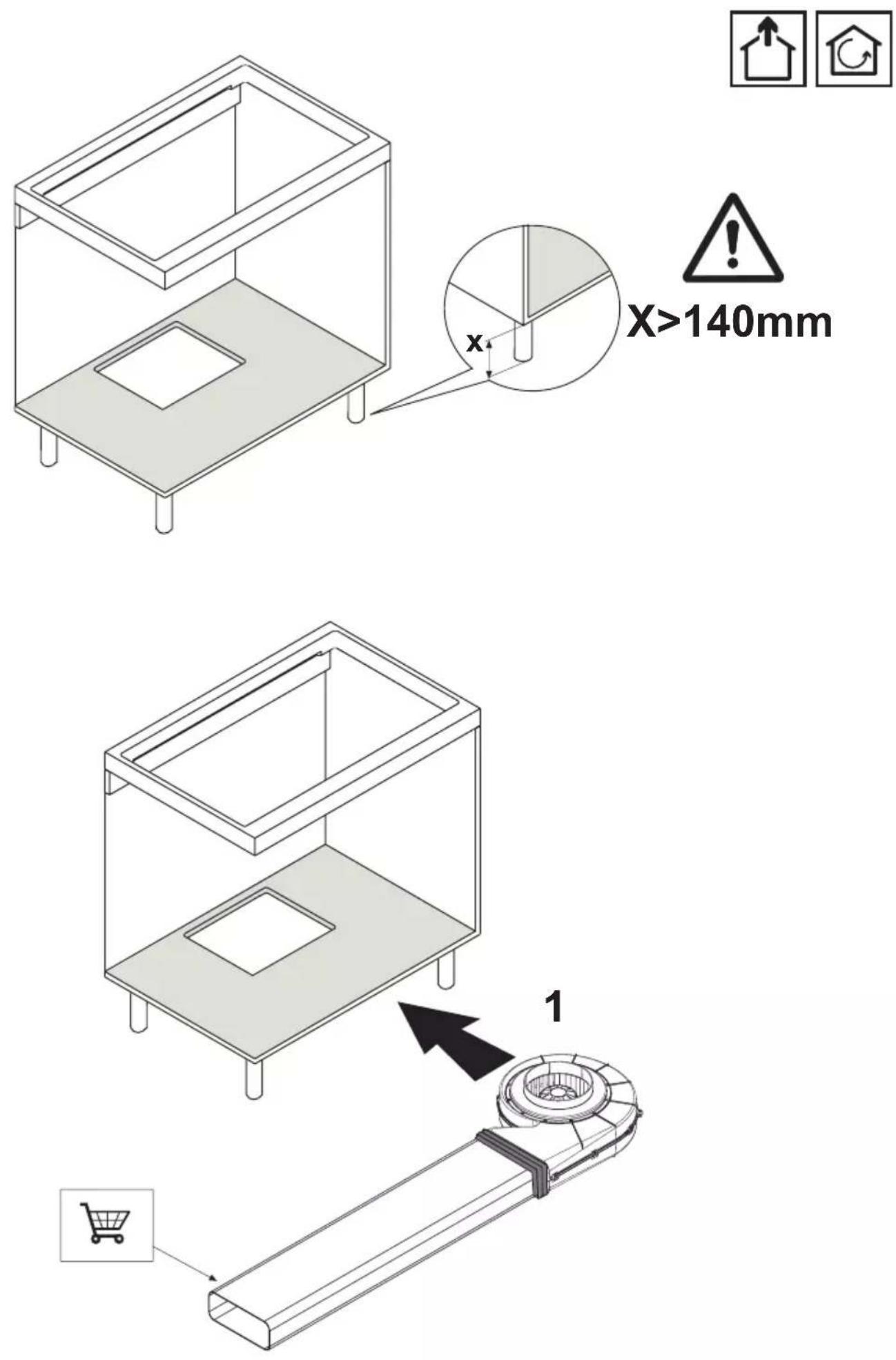
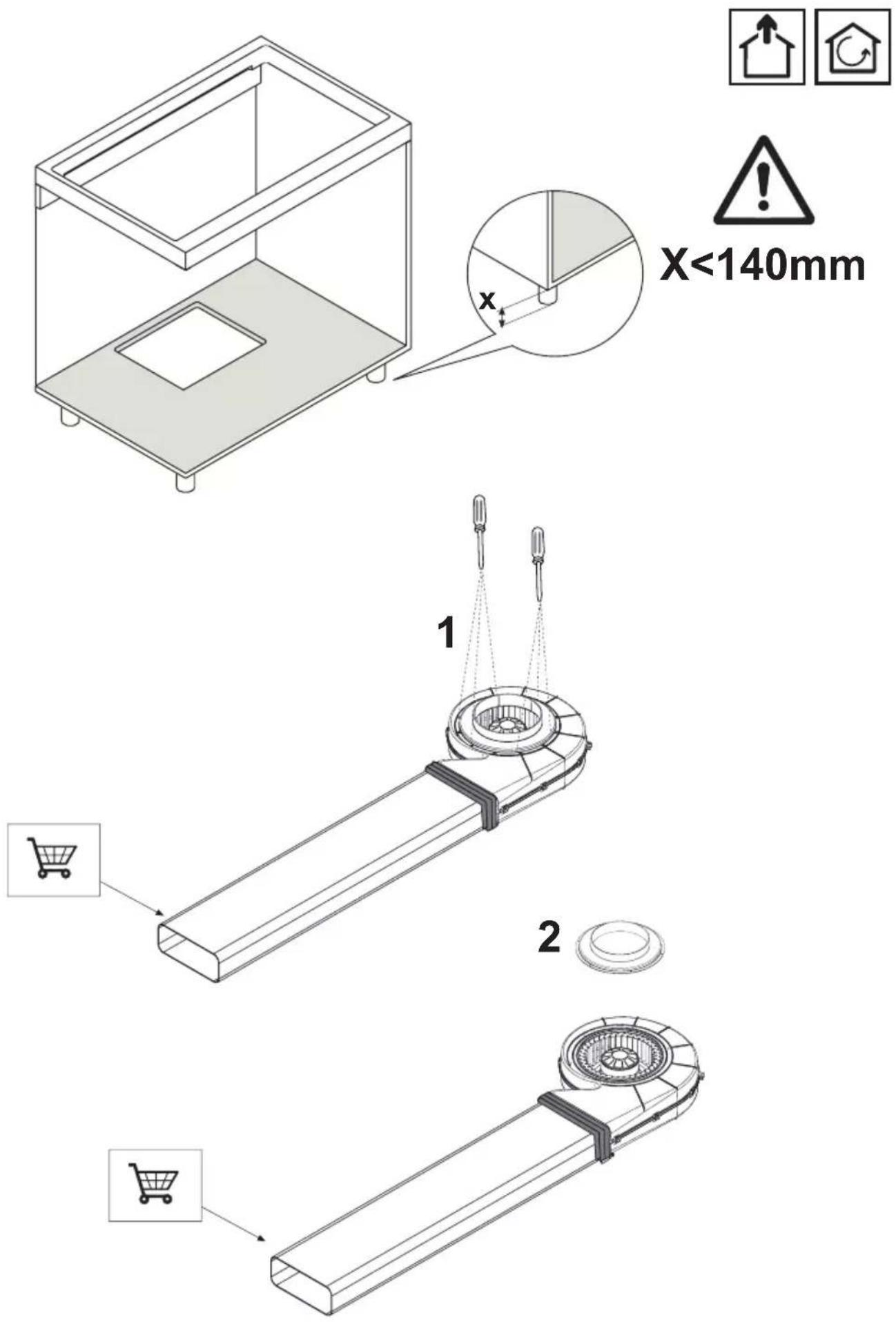
X<140mm



23


exhaustion mode![graph TD A["Device 1"] --> B["Device 2"] B --> C["Device 3"] C --> D["Device 4"] D --> E["Device 5"] style A fill:#f9f,stroke:#333 style E fill:#f9f,stroke:#333 style B fill:#ccf,stroke:#333 style C fill:#ccf,stroke:#333 style D fill:#ccf,stroke:#333 style F fill:#fff,stroke:#333](/content/2026/04/656469/images/405c2fe16f5db595099f6a2677e07f771d461d404f2a872b452cc69bdb853987.jpg)

exhaustion mode

recirculation mode![graph TD A["Component 1"] --> B["Central Device"] C["Component 2"] --> B B --> D["Output"] style A fill:#f9f,stroke:#333 style C fill:#f9f,stroke:#333](/content/2026/04/656469/images/1cf2a8bfcd0aaa0864bf4fc0a7ee793f740dcebb104a56f8d28274fa222dc8b8.jpg)

recirculation mode![graph TD A["4"] --> B["Device 1"] C["5"] --> D["Device 2"] B --> E["Central Device"] D --> E E --> F["Output Line"] style A fill:#f9f,stroke:#333 style C fill:#f9f,stroke:#333 style B fill:#ccf,stroke:#333 style D fill:#ccf,stroke:#333 style E fill:#dfd,stroke:#333](/content/2026/04/656469/images/d9cc13fbf015cfea6a0b53bae3e7eda774c6cb6683335ca6fce1d1cda5d01c10.jpg)
6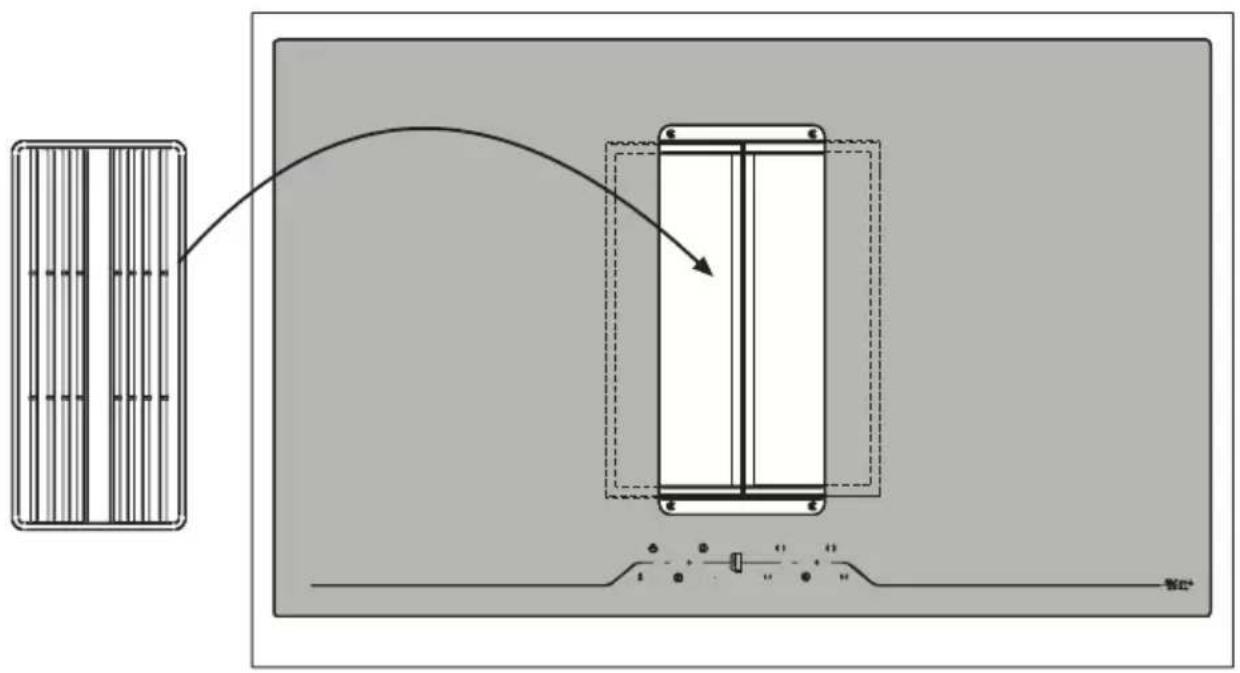

7
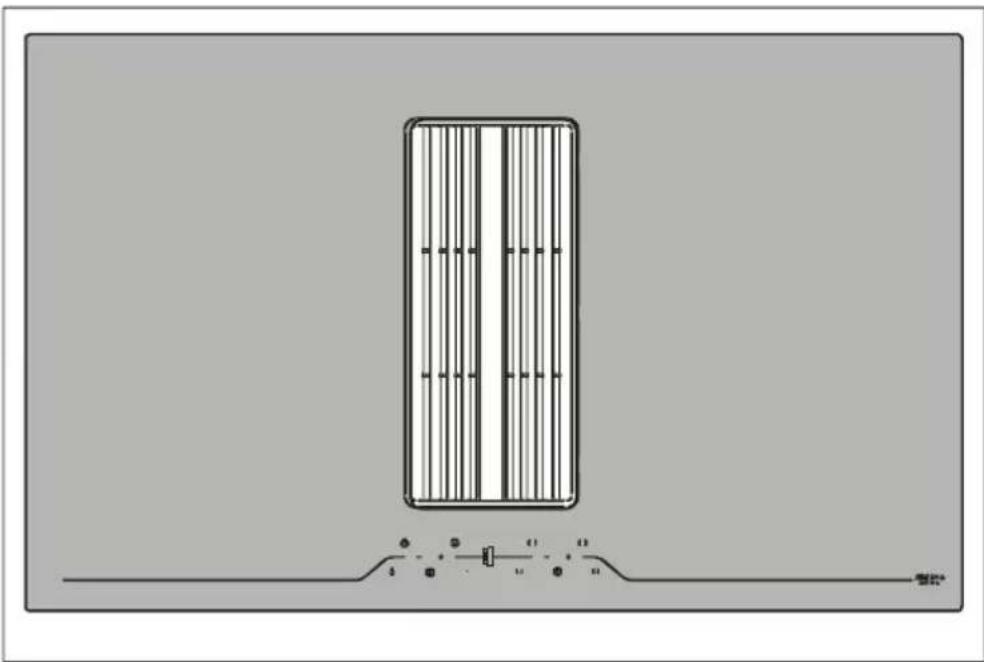
Fig.1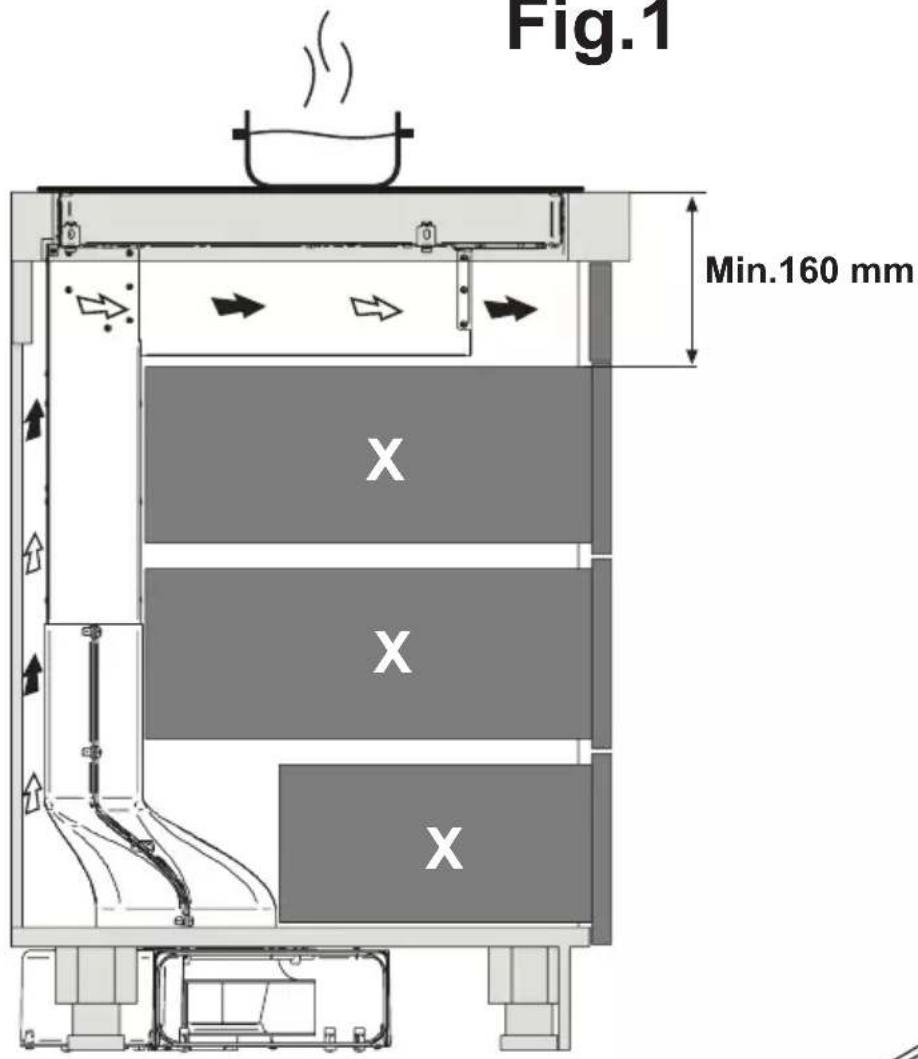
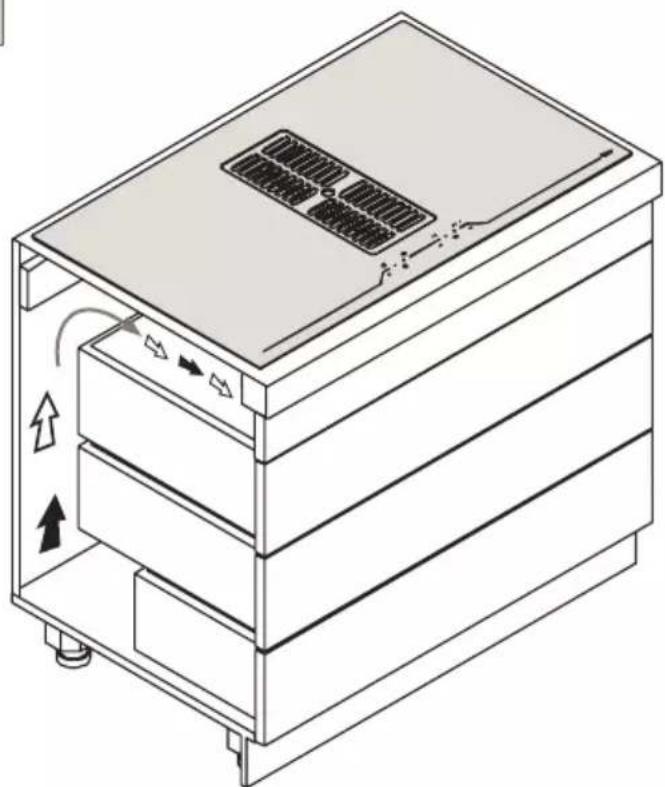
Accessories
AFC4043001 (1000mm)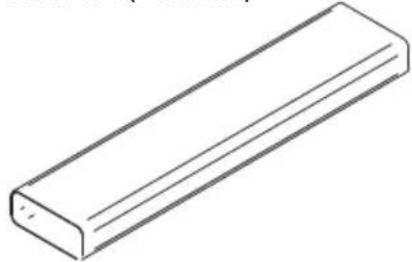
AFC4043005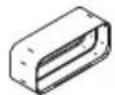
AFC4021003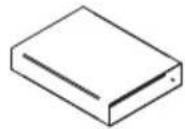
AFCRAC0120994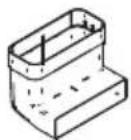
AFC4043004 (90°)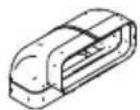
AFC4043003 (90°)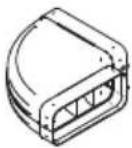
AFC4043007 (15°)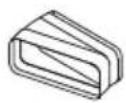
AFC4043006 AFC4043002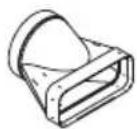
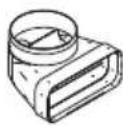
KRASP003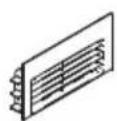
AFCONFRACFP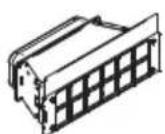
AFCFCARFP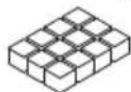
KRFH6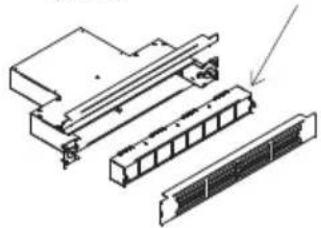
AFFCARFPH6
AFCFCAASPC78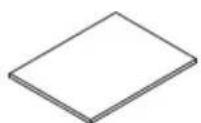
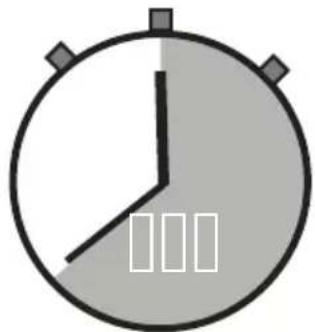
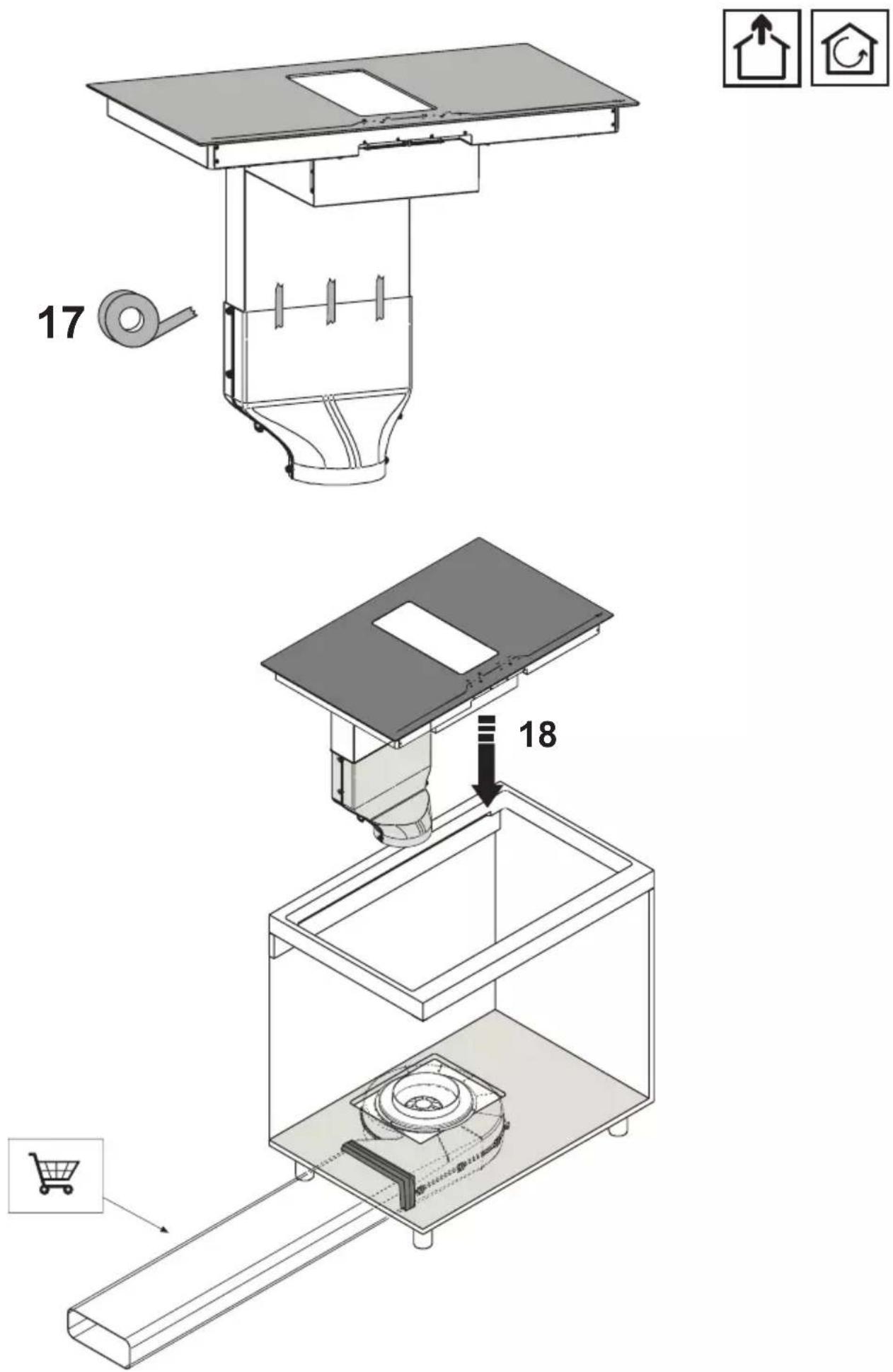
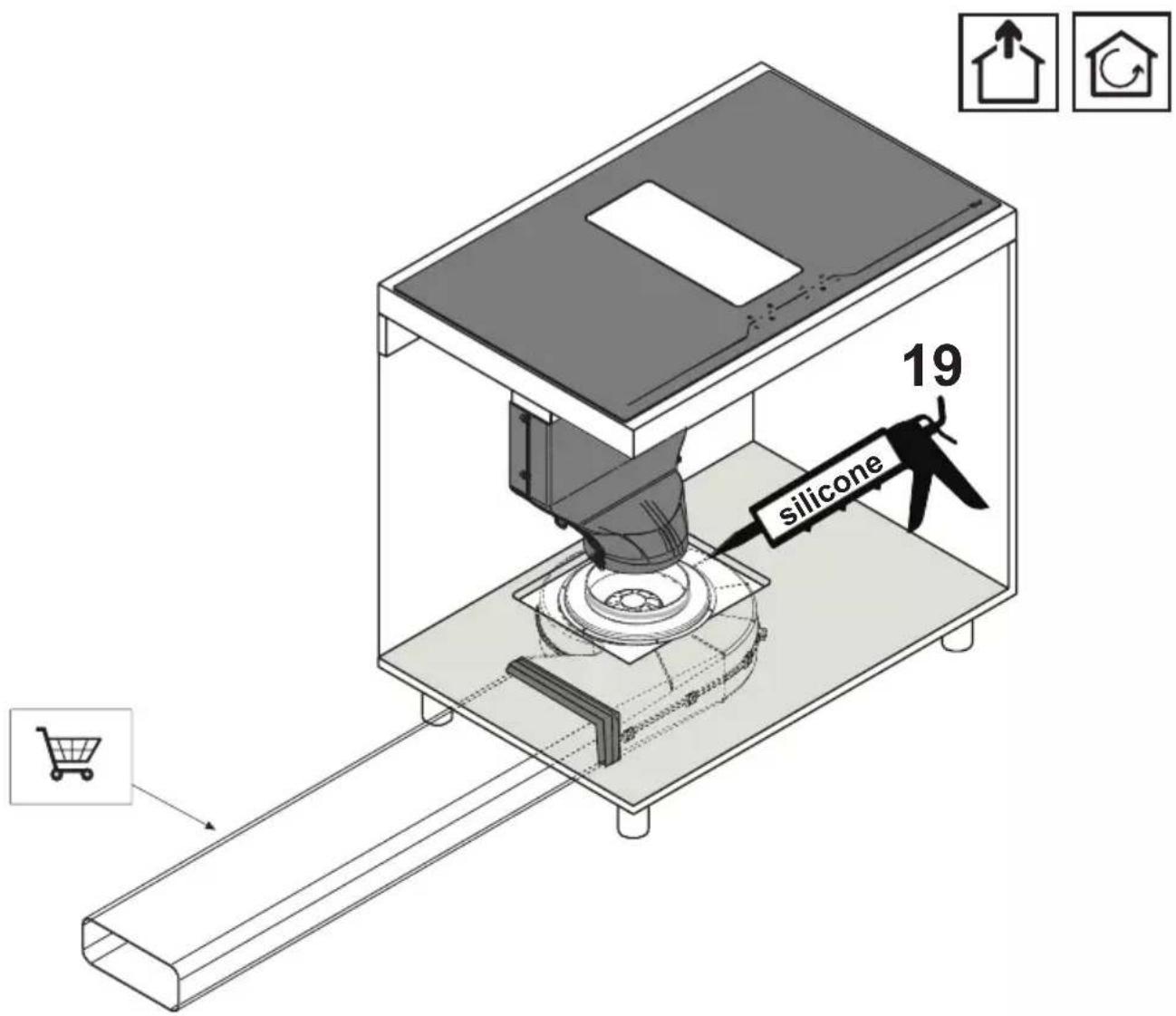
Once installation is complete, verify the correct functioning of the product, then wait 24 hours to allow the silicone to dry completely.
This instruction handbook is conserved together with the central unit for future consultation. If the equipment is sold or transferred to another person, make certain the instruction handbook is supplied together with it, so that the new user can become aware of the operation of the cooker hood and related warnings. These warnings have been compiled for your safety and the safety of others. Please take the time to read them carefully before installing and using the equipment. Be sure to also consult the drawings in the front pages, including the alphabetic and numeric references in the text descriptions. Closely follow the instructions in this manual. The manufacturer declines all responsibility for any inconveniences, damage or fires caused due to non-compliance with the instructions in this manual. The installation and electrical connection must be provided by a qualified service technician. The supplier is not liable for any warranty for damages caused by improper installation or improper use of the appliance. Do not modify or seek to modify the specifications of this appliance.
The cooking top must always be used within the limits of normal domestic use, not for professional use, but simply to prepare and keep dishes warm. Any other use is not allowed. The unit should not be left unsupervised during its operation.
This appliance can be used by children from the age of 8 onwards, and by persons with reduced physical, sensory or mental capabilities, or lack of experience and knowledge, provided they are properly monitored, or if they have been instructed in the safe use of the appliance and are aware of related dangers.
Children must not be allowed to play with the appliance.
Make use of the locking device to prevent children from accidentally turning on the device, or modifying its functions. The unit should not be left unsupervised during its operation.
Do not control the cooking top using a remote timer.
The unit should not be left unsupervised during its operation.
Make certain children at home are prevented from toppling hot pots and pans to the floor. Turn the handles and knobs of pots and pans to the side on the cooking top, so that they are above the cooking top, and to prevent the risk of burns.
For safety reasons, the cooking top must be used only after having been installed in its recessed housing.
Prior to proceeding with the installation, check to make sure there are no visible signs of damage to the cooking top. Never start up a damaged unit, as it may pose a safety risk.
Cleaning and maintenance must not be carried out by children without proper supervision.
If the power cord is damaged, it must be replaced by a qualified service centre or technician only.
CAUTION: The hob protection devices must be only those designed by the appliance manufacturer or those indicated as suitable in the manufacturer's instructions or the hob protection devices incorporated in the appliance.
The use of inappropriate protection devices may provoke accidents.
During installation, the equipment must be connected to a power source whose system impedance is matched to a value of 0.005+j0.005[Ohm].
Do not seal the area between the glass and the worktop with silicone, because should the cooktop need to be replaced, the glass could break during removal.
The unit's installation and electrical connection to the power grid must be carried out by qualified service technicians only. The device's electrical safety can be guaranteed solely if a regular ground connection is provided for the cooking top. If in doubt, have the electrical system checked by a qualified electrician. Do not connect the cooking top to the mains using extension cords or multiple sockets, since they will not guarantee the required safety (e.g. risk of overheating).
Prior to connecting the cooktop, compare the connection specifications (voltage and frequency) indicated on the unit's identification nameplate with those of the mains electricity supply.
These specifications must absolutely correspond, otherwise the unit may be subject to damage. Contact an electrician if in doubt.
Disconnect the unit from the mains when carrying out installation work, maintenance, or repairs.
Comply with all air discharge regulations.
CAUTION: If the surface is cracked, switch off the appliance to avoid the possibility of electric shock.
Never open the unit's outer casing. Any contact with live parts or the modification of electrical or mechanical parts can cause operating abnormalities.
The induction hob should not be used as a work surface. The rough underside of food containers can scratch the surface of the cooktop.
Always keep the cooking areas and the underside of food containers perfectly dry.
Fire hazard
Oil and grease that are too hot will catch fire quickly.
Do not leave overheated oil or grease unsupervised.
If oil or grease should catch fire, do not attempt to put out the flames with water. Extinguish the flames with a lid or plate, or with a fireproof blanket. Turn off the cooking zone. Never place flammable items on the hob.
WARNING: Fire hazard: do not leave objects on the cooking surface.
Burn hazard
CAUTION: This appliance and its accessible parts become very hot during use.
Pay attention to avoid touching the heating elements.
Keep children under 8 years of age away from the appliance, unless they are continually monitored.
Do not place objects such as knives, forks, spoons or lids on the induction top, as they may overheat.
Do not heat closed containers, such as tin receptacles, on the cooking top. The excess pressure generated could blow up the container.
Suitable food containers
Only ferromagnetic containers are suitable for induction cooking; the following receptacles, in particular, are suitable: enamelled steel, cast iron, special dishes for induction cooking in stainless steel.
Use only pots and pans with a smooth bottom. Do not introduce any objects between the bottom of the pot and the glass ceramic surface, such as adapters.
| Cooking zone Minimum diameter recommended diameter | ||
| OCTA (single) 110 mm 145 mm | ||
| OCTA (bridged mode) | 220 mm 245 mm | |
To find whether receptacles are suitable, check whether they are attracted by a magnet.
Another type of special receptacle exists for induction cooking, with a bottom that is not entirely ferromagnetic.
Non-suitable food containers
Never use recipients made of: normal fine-grained steel, glass, pottery, copper and aluminium. Do not place empty containers on the cooking zone, as they may cause damage.
Do not place hot recipients on the control panel, in the area of the pilot lights or on the edge of the cooking top, as they may cause damage.
Danger of mishaps
Pots from which liquids have completely evaporated can cause damage to the glass ceramic top, for which the manufacturer does not assume any responsibility.
The appliance is equipped with a cooling fan. If a drawer is set under the recessed hob, a suitable distance must be ensured between the contents of the drawer and the lower part of the unit, in order to avoid compromising ventilation.
The worktop should be flat and horizontal. The furniture should be cut to measure before installing the appliance. Remove any chips to avoid compromising the operation of electrical components.
Do not store small objects or sheets of paper in the drawer under the cooking hob, since such objects may be aspirated and could break the fan, thus hindering the unit's cooling; likewise, do not store metal or inflammable objects, which could become very hot or catch fire.
If the cooking hob is assembled behind a cabinet door, power it on only with the door left open. Close the cabinet door only if the appliance and residual heat indicator lights are off.
If the unit is assembled above an oven or an electric pyrolytic stovetop, it should not be operated while the pyrolytic process is ongoing, as it can trigger the cooktop's overheating protection.
The cooktop should not be installed above dishwashers because the steam released by the latter may lead to faulty operation of the electronic circuit of the cooktop.
Do not make use of any steam devices, as steam can reach the appliance's live parts and cause a short circuit.
Any interventions or repairs on the unit during the warranty period must be carried out solely by the manufacturer's authorised service centre; conversely, the warranty will be invalidated and terminated immediately. The manufacturer will not recognise any warranties under any circumstances for any problems subsequently encountered.
Replace any defective or damaged parts with original spare parts: only original spare parts can ensure compliance with safety standards.
Notice to persons with pacemakers: keep in mind that an electromagnetic field is generated in the immediate vicinity of the unit while it is in operation.
The possibility that the pacemaker's operation may be affected is very remote. If in doubt, contact the pacemaker manufacturer or your doctor.
Warning: do not pour any type of liquid into the suction slot of the hood.
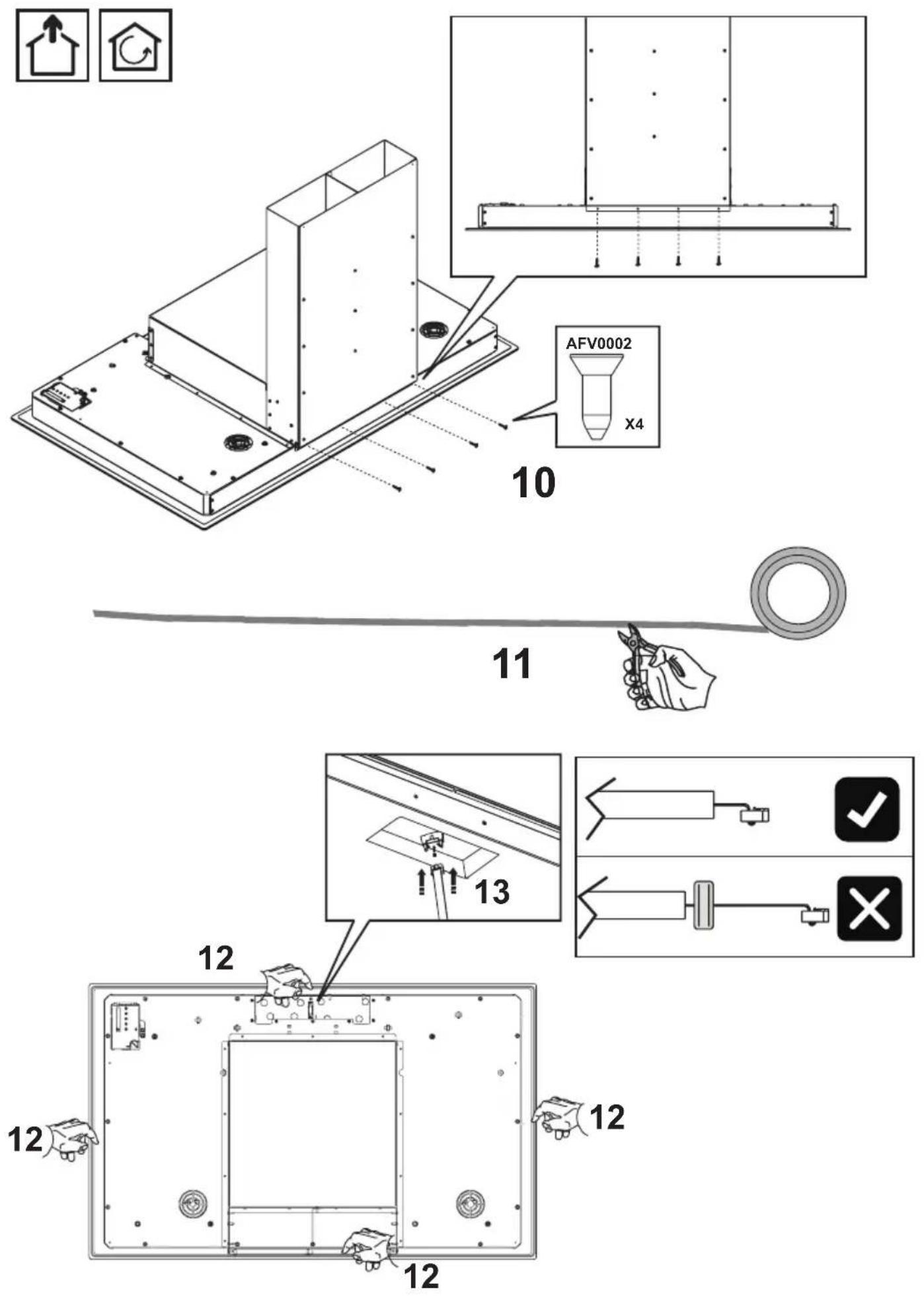
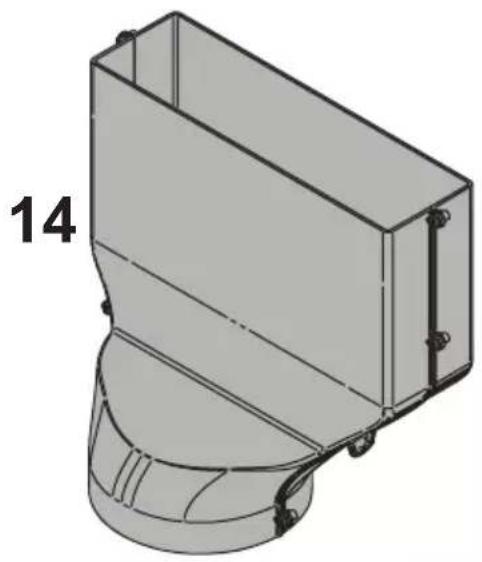
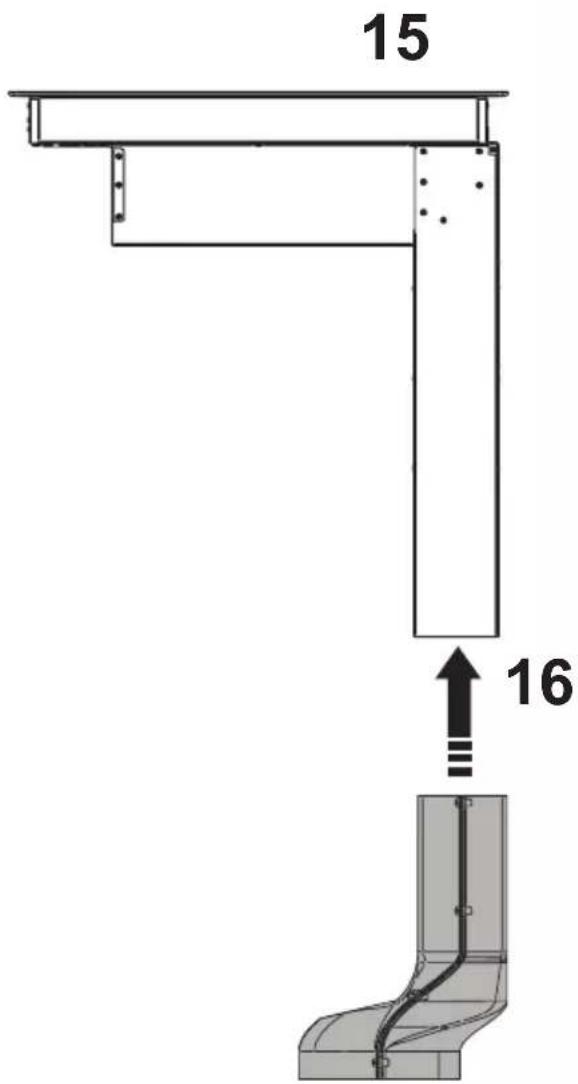
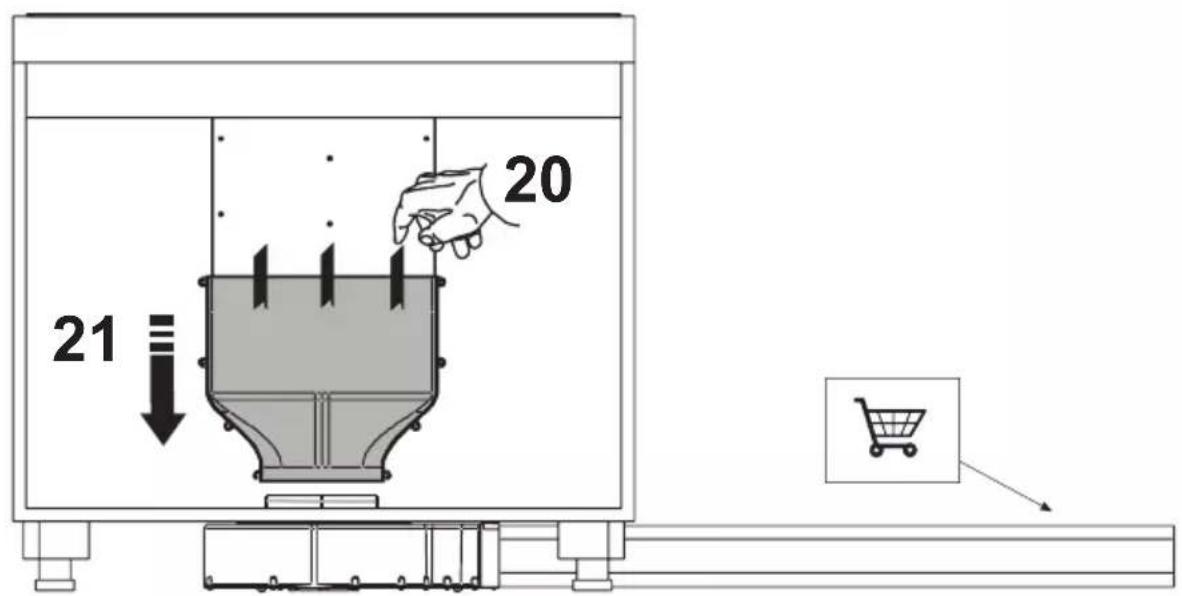
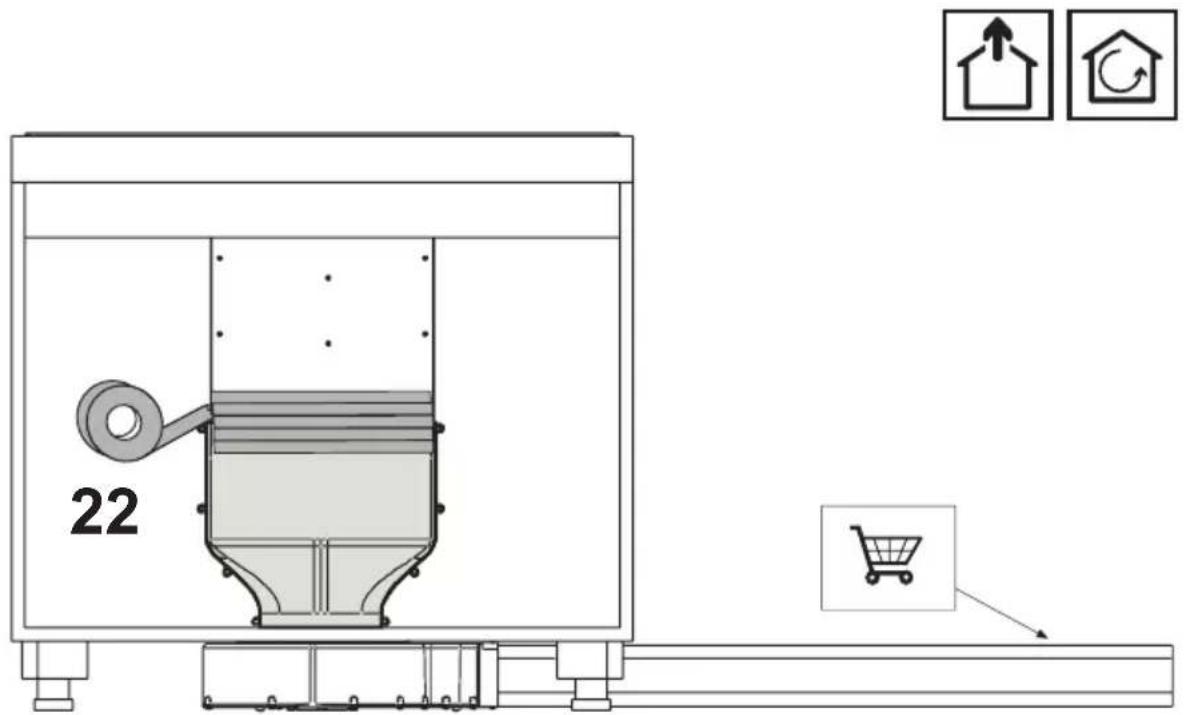
Warning: it is recommended to seal with silicone or adhesive tape all the joints of the pipes, both of the exhaust pipes and the fittings that join the various parts.
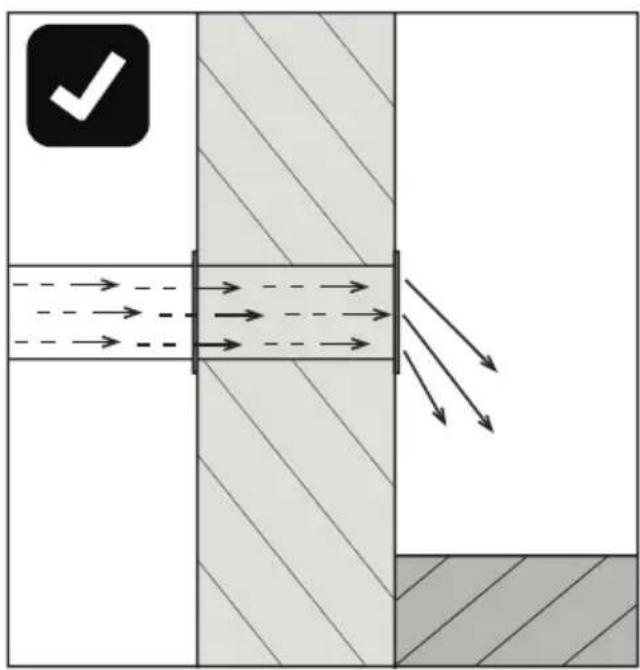
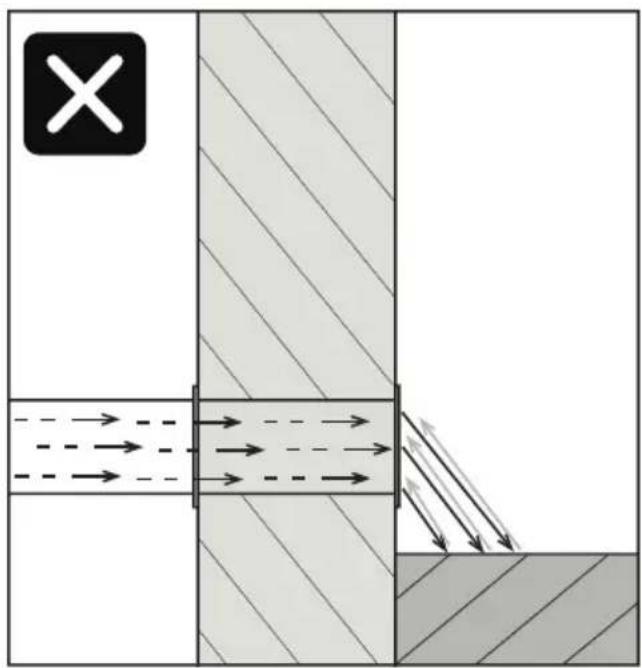
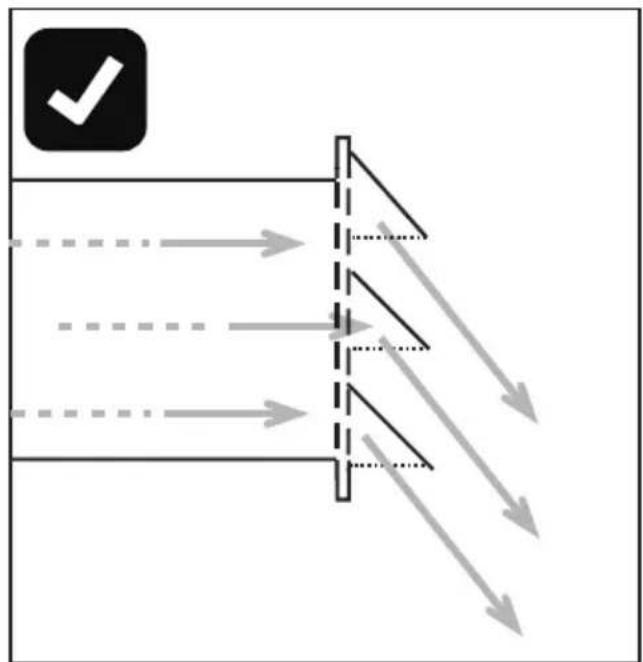
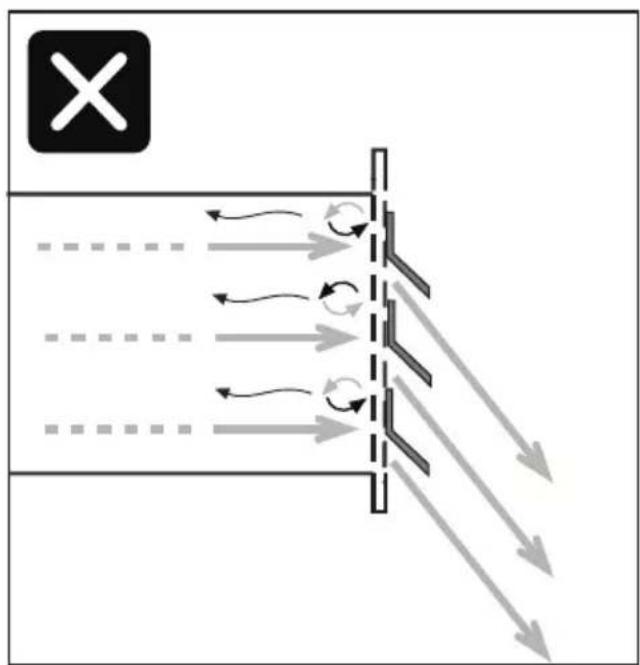
In the case of installation in filtration mode, pay particular attention to the positioning of the fume exhaust area to avoid possible turbulence, so as not to interfere either with the suction system or with the hob.
In the installations in filtration mode, place the pipes inside of the plinth of the furniture, ensuring air evacuation to the outside via a special grid, in order to prevent moisture from building up inside of the same.
The liquid collection tray must be emptied on a regular basis.
Such tray is designed to contain about 0.7 litre of water; in case of spillage or fall of fluids on the device, turn off the appliance immediately and empty the tray. If the liquid fallen on the floor is greater than the maximum capacity of the tray, turn off the device and contact the customer service immediately.
After use, turn off the cooking hob through its control device and do not rely on the cookware detector.
Noise emissions
Induction can generate slight noise emissions, which can vary depending on the material, type of pot and power setting selected.
When the cooktop is used frequently, the cooling fan turns itself on to protect the electronics, generating a buzzing sound: this is perfectly normal.
First usage
Use a damp cloth to clean and dry the cooktop before using it for the first time. It is recommended to dry the appliance after having cleaned it with a damp cloth, in order to prevent the build-up of limescale.
When the unit is powered on for the first time, odours or fumes may be generated. The odour will diminish with each subsequent use, until it disappears altogether. Odours and any fumes are not caused by a faulty connection or damage to the appliance, and are not hazardous to health.
Switching on the cooktop
Aspira is equipped with touch sensitive electronic sensor keys.
Switch on the cooktop first, and then select the desired cooking zone.
Activating the desired cooking zones
Press the power button

for at least 2 seconds.
All of the displays will light up. If no other inputs are provided, after a few seconds the cooktop will automatically shut itself off for safety reasons.
Touch the key button for the desired cooking zone.

The display will show "0"; press + or – to select the desired power setting, ranging from 1 to P. It is possible to activate plate warmer mode indicated by the symbol U by selecting the power level between 0 and 1.
P: indicates the Booster function, and is present on each of the cooking zones. To activate it, press the + key to get to power setting 9, then press the key once more. This function will remain active for 5 minutes, after which the system will reset itself to power setting 9. This function is recommended to bring water to the boil more quickly.
Pot Detection
If no pots or receptacles are placed or recognised on the various cooking zones, the pot detection function will indicate this condition with the symbol "u".
Set a pot or pan of a suitable diameter and material onto the cooking zones, as described in the section on suitable cooking containers.
The cooking zone will switch off automatically after 10 minutes if no pot is recognised.
Switching off the cooktop and residual heat indication
Touch the power button.

The main indicator light and cooking zone lights will switch off. The cooktop is now powered off. The residual heat indicator, displayed as a H on each cooking zone, will remain lit until these zones have not sufficiently cooled down.
Warning: risk of burns
Do not touch a cooking zone for which the indication (H) appears.
OPERATION
If a cooking zone remains lit for too long at the same power level, the appliance will automatically switch it off, and the residual heat indicator H will appear. Switch it back on to reset the cooking zone's operation.
The table below lists the maximum uninterrupted operating time for each power level:
| Powen | Operating limit in minutes |
| 1 520 | |
| 2 402 | |
| 3 318 | |
| 4 260 | |
| 5 212 | |
| 6 170 | |
| 7 139 | |
| 8 113 | |
| 9 90 | |
| P | 5 |
Timer
The timer function can be set from 1 to 99 minutes on each cooking zone.
To activate the timer: select a cooking zone and set the desired power level, then simultaneously press the + and - keys, and press + or – to set the desired minutes. A buzzer will sound for 2 minutes to indicate the end of the time setting, and the cooking zone will switch off automatically.
Countdown
The countdown function can be activated both with the cooktop off or on, ranging from 1 to 99 minutes; however, contrary to the timer, it does not have a built-in cooking zone switch off function.
With the cooktop switched off: simultaneously press the + and - keys, then press + or - to set the desired minutes; the display will switch off and two dots will flash at the bottom right.
A buzzer will sound to indicate the end of the time setting.
With the cooktop switched on: without selecting any cooking zone in particular, perform the same procedure as described for the cooktop switched off.
Child-Lock safety function
The cooktop is equipped with a safety-lock to ensure that it is not inadvertently switched on by children. It can be activated only if the cooking zones have not been selected. To enable the Child
Lock function: touch the power button, then simultaneously press the button that indicates the cooking zone at the lower right, followed by the – key; press the button that indicates the cooking zone at the lower right once again. Once the Child Lock function has been enabled, the symbol L will appear on the display. To disable the Child Lock function: touch the power button, then simultaneously press the button that indicates the cooking zone at the lower right, followed by the – key; press the – key once again.
Bridged mode
The Bridge function allows use of two cooking zones simultaneously as if they were one, allowing use of fairly big saucepans to cover two adjoining cooking zones.
To activate this function, simultaneously select two adjoining cooking zones; on one of the two the symbol (8) appears while on the other, the cooking power is displayed which must be set using the + and - keys.
To disable the Bridge function, simultaneously press a second time the keys in the two cooking zones.
ATTENTION: the Bridge function can only be activated on two zones on the left and/or on two zones on the right, while it cannot be activated on the two central zones.
If the bridge function is on, only one booster can be on, and only on the cooking zones that are not in Bridged mode.
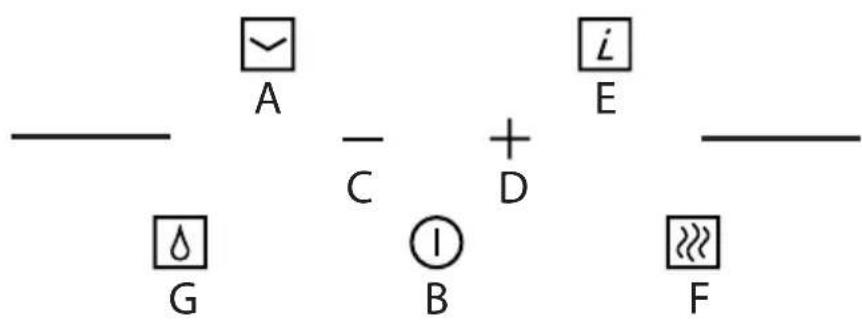
This device allows you to choose the operating mode (suction or filtration), depending on the installation.
Upon first start-up, the display shows which operating mode is enabled.
Filtration: the display shows the letters C and the filter reset button flashes quickly.
Suction: the display indicates the letter C and the filter reset button is off.
During this phase you can change the operating modes by pressing the key F
A beep confirms the program change.
Once the set time elapses, the program will exit this operating mode and goes to standby mode or by pressing the on/off button of the motor
To access the operating mode selection again, turn off power to the appliance and then power it again.
Note: in suction mode, when the device is turned off, suction still operates for 20 minutes at a minimum speed, to allow evaporating any possible condensation that has formed during the cooking phases.
B: Motor on/off key: when touched, this key enables the motors; if pressed, it shuts down the motor. By operating the keys "+" and "-" the user can modify the suction speed (power). In suction mode, the 6th are timed.
C: Suction speed (power) decrease key: when touched, this key decreases the suction speed of the hood.
D: Suction speed (power) increase key: when touched, this key increases the suction speed of the hood.
G: Filter reset key: when touched, this key will reset the warnings on anti-grease metal filter.
After 30 hours of hood operation, the symbol F, alternating with the symbol G, will flash indicating the need to clean the anti-grease metal filters; this alarm prevents the operation of the suction system until it is reset, to allow the condensate tray to empty (operation to be performed as needed, but however each time you reset the filters).
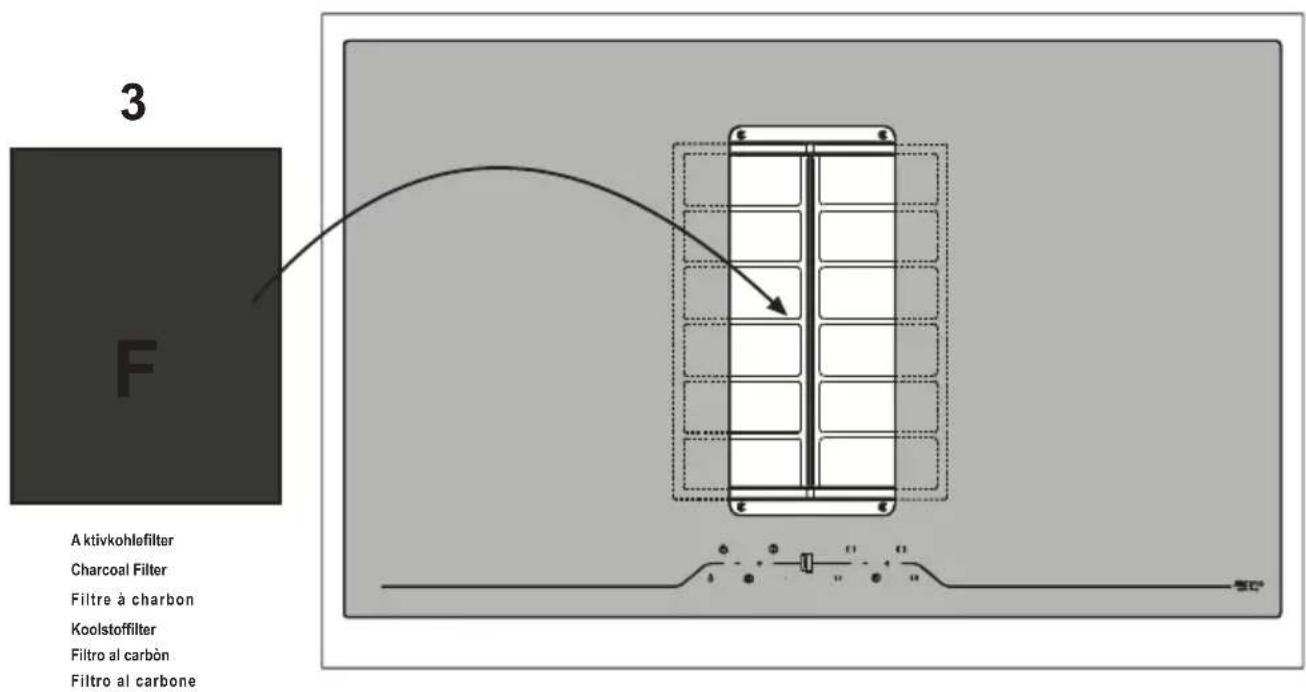
F: Filter reset key: Active only in filtration mode: After 120 hours of operation of the hood, the symbol F, alternating with the symbol C, will flash indicating the need to clean/replace the activated carbon filters; the carbon filters can be washed in the dishwasher once, and then they must be replaced.
In suction mode, the alarm of carbon filters is disabled.
A: Timer key: when touching the key, the timer will be enabled, regardless of the selected suction speed. Upon first touch, the time will be 5 minutes (shown by a flashing button on the key), the second touch corresponds to 10 minutes (double flashing time) and the third touch to 20 minutes (triple flashing time). The timer key will flash throughout the entire operation.
A fourth pressure of the button will disable the timer function.
E: Intensive key: At the contact of the button, the motor directly activates the intensive speed (6th speed, timed for about 8 minutes).
The timing of speed is active only in suction mode.
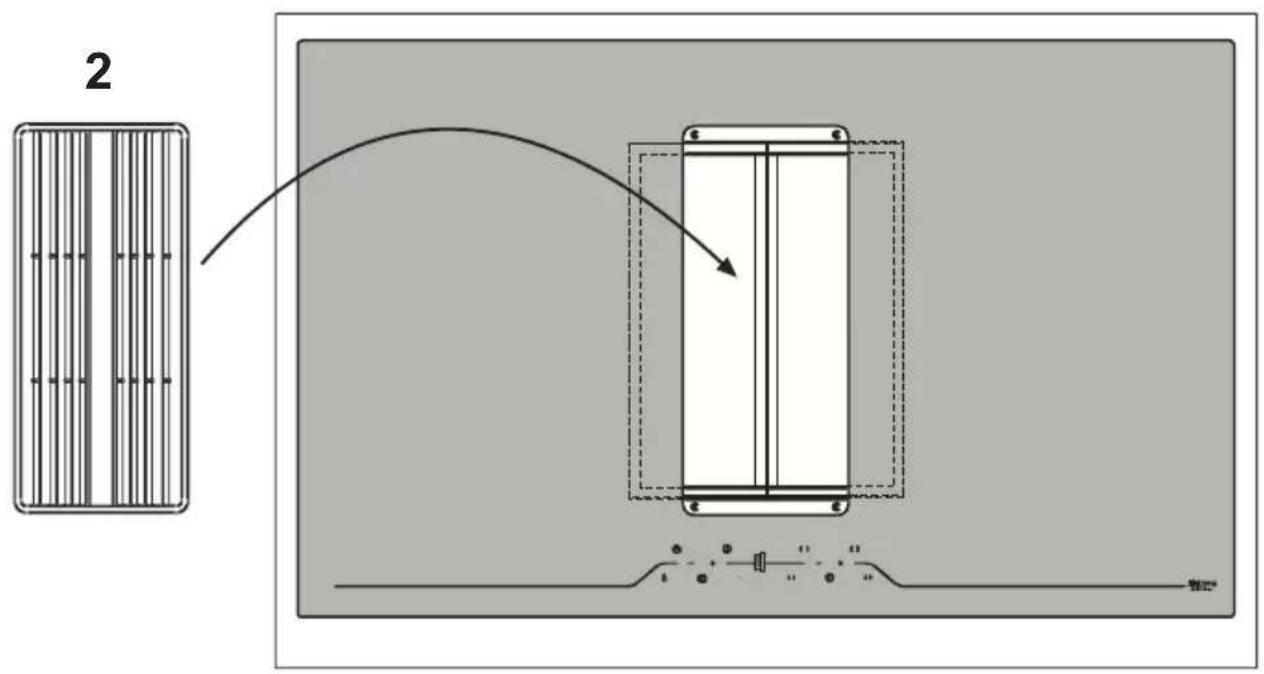
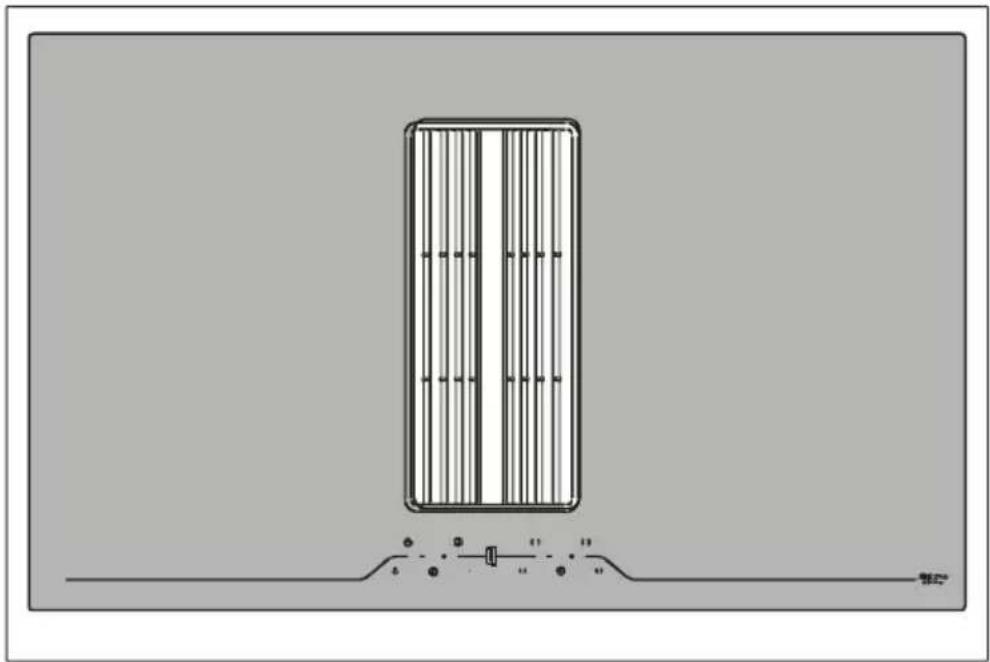
Anti-grease Filter
must be cleaned once a month, with non abrasive detergents, by hand or in dishwasher on low temperature and short cycle. When washed in a dishwasher, the grease filter may discolour slightly, but this does not affect its filtering capacity.
Cooking top
The cooking top must be cleaned after each use. Allow the appliance to cool before cleaning it.
Prior to cleaning the ceramic glass cooking hob, it is advisable to activate the Child Lock function, so that the cooking top is not switched on accidentally (see Child Lock function).
Use only cleaning products specially formulated for ceramic glass cooking tops. Respect all indications on the product packaging.
Do not use the following cleaning products, as they may cause damage to the surfaces of the ceramic glass cooking top:
softeners or products for eliminating stains and/or rust;
dishwashing and/or dishwasher detergents;
detergents for glass;
detergents containing soda, ammonium, acids or chlorides;
any abrasive detergent, sponge or brush;
solvents;
dirt removing rubber erasers;
pointed objects;
oven or grill cleaning products;
any steam device, as steam can reach the appliance's live parts and cause a short circuit.
To prevent damaging the cooking top frame, observe the following guidelines:
Use hot water only, with little soap;
Never use pointed utensils or abrasive products;
Do use a window scraping tool.
Any cooking or dirt residue should be removed with a window scraping tool. Be careful when using scraping tools to avoid injury.
If sugar or food preparations containing sugar, plastic or aluminium foil end up on the hot cooking top, it is advisable to switch it off. Remove these substances immediately from the cooking zone, even if the cooking top is still hot, using a scraper; otherwise these substances can damage the ceramic glass top when cooling down.
(Warning: burn hazard!!!) Lastly, clean the cooking zone when it has cooled.
The symbols on the cooking top can wear out as a result of using abrasive or aggressive detergents, steel wool, and the scraping of pots and pans. Avoid using these cleaning products. In any case, this will not in any way compromise the unit's correct operation.
Note: all of the problem issues described in this section are solely of an aesthetic nature and do not in any way affect the appliance's correct operation. They cannot be restored under the warranty.
HOB ERROR TABLE
These errors appear on the hob display.
| Error code Description Possible causes Solution | |||
| Er20, Er22, Er31, or display segments that light up in sequence | Touch control fault Error | detected in the touch control | Contact technical support specifying the error code. |
| Er 03 | Continuous activation of one of the buttons, the control switches off after 10 seconds. | Liquid or pot on the control area | Dry and clean the glass or remove the pot from the control area. |
| Er21 | Excessive temperature | Appliance overheating | Let the appliance cool down, if it does not solve the issue, contact technical support.* |
* If the error persists, contact the authorised technical support centre specifying the error code.
Attention
must be cleaned once a month, with non abrasive detergents, by hand or in dishwasher on low temperature and short cycle. When washed in a dishwasher, the grease filter may discolour slightly, but this does not affect its filtering capacity.
Made in Italy
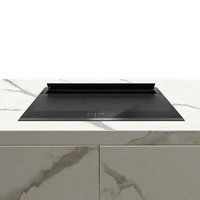
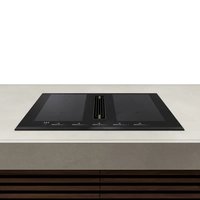
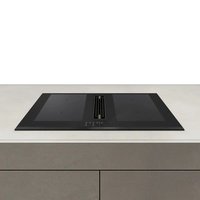


- ASPIRA CENTRALE EASY 80 ASPIRA CENTRALE EASY
- EXHAUSTION MODE
- ACCESSORIES
- FIRE HAZARD
- BURN HAZARD
- SUITABLE FOOD CONTAINERS
- NON-SUITABLE FOOD CONTAINERS
- DANGER OF MISHAPS
- NOISE EMISSIONS
- FIRST USAGE
- SWITCHING ON THE COOKTOP
- ACTIVATING THE DESIRED COOKING ZONES
- POT DETECTION
- SWITCHING OFF THE COOKTOP AND RESIDUAL HEAT INDICATION
- WARNING: RISK OF BURNS
- OPERATION
- TIMER
- COUNTDOWN
- CHILD-LOCK SAFETY FUNCTION
- BRIDGED MODE
- ANTI-GREASE FILTER
- COOKING TOP
- HOB ERROR TABLE
- ATTENTION
- MADE IN ITALY
Brand : Airforce
Model : Centrale Easy 80
Category : Cooker