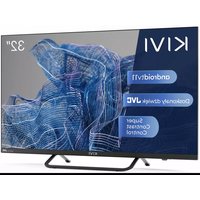
32F750NB - TV Kivi - Free user manual and instructions
Find the device manual for free 32F750NB Kivi in PDF.



User questions about 32F750NB Kivi
0 question about this device. Answer the ones you know or ask your own.
Ask a new question about this device
Download the instructions for your TV in PDF format for free! Find your manual 32F750NB - Kivi and take your electronic device back in hand. On this page are published all the documents necessary for the use of your device. 32F750NB by Kivi.
USER MANUAL 32F750NB Kivi
natural_image
Abstract blue textured pattern with white and dark regions, no visible text or symbolsEN
KIVI LED TV User manual
PL
Hello there! It's me, your KIVI color LED-TV, and I will tell you how to use me safely.
If you still have any questions about my settings, functionality, or have any complaints or suggestions, please contact the support service.
To chat, scan the QR-code or call by phone numbers.
text_image
QR code with central Facebook logo, likely linking to a digital resource or website
text_image
QR code with a central logo, likely linking to a digital resource or website.
text_image
QR code with central logo depicting a telephone handset and signal wavesCONTENTS
3 General information about me.
4 Attention!
5 Who am I? My features.
6-7 Remote control.
8 Connection ports.
9 When something goes wrong.
SPIS RTEŚCI
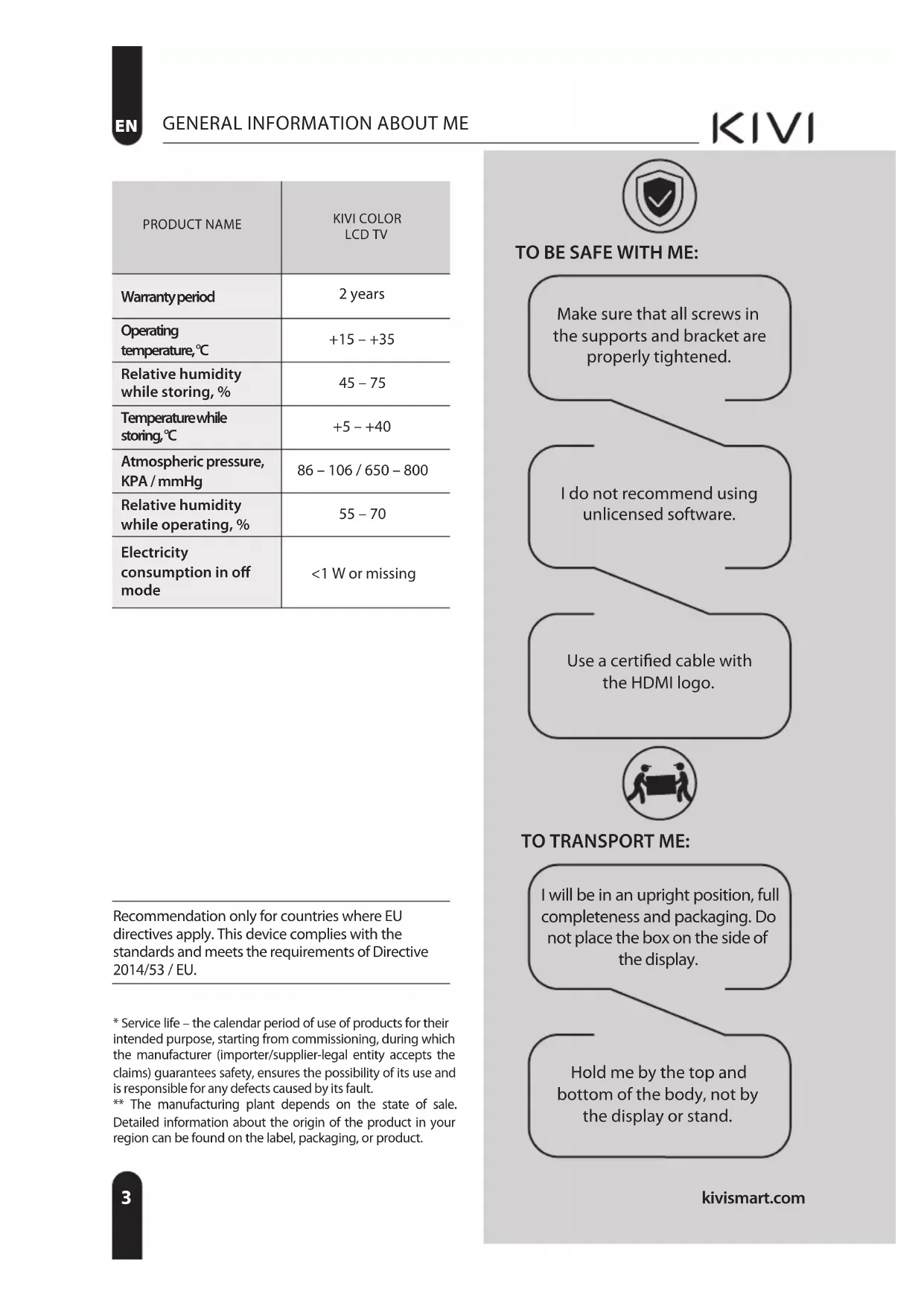
| PRODUCT NAME | KIVI COLOR LCD TV |
| Warranty period | 2 years |
| Operating temperature,°C | +15 - +35 |
| Relative humidity while storing, % | 45 - 75 |
| Temperaturewhile storing,°C | +5 - +40 |
| Atmospheric pressure, KPA / mmHg | 86 - 106 / 650 - 800 |
| Relative humidity while operating, % | 55 - 70 |
| Electricity consumption in off mode | <1 W or missing |
Recommendation only for countries where EU directives apply. This device complies with the standards and meets the requirements of Directive 2014/53 / EU.
* Service life – the calendar period of use of products for their intended purpose, starting from commissioning, during which the manufacturer (importer/supplier-legal entity accepts the claims) guarantees safety, ensures the possibility of its use and is responsible for any defects caused by its fault. ** The manufacturing plant depends on the state of sale. Detailed information about the origin of the product in your region can be found on the label, packaging, or product.

TO BE SAFE WITH ME:
Make sure that all screws in the supports and bracket are properly tightened.
I do not recommend using unlicensed software.
Use a certified cable with the HDMI logo.
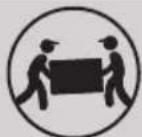
TO TRANSPORT ME:
I will be in an upright position, full completeness and packaging. Do not place the box on the side of the display.
Hold me by the top and bottom of the body, not by the display or stand.
DON'T USE ME IF:
• The power cord, plug, or screen is damaged.
• I fallen myself or your favorite cat fallen on me.

TO USE ME EFFECTIVELY AND SAFELLY:
- Read and follow all instructions and precautions.
- If your outlet doesn't fit, please, contact a specialist.
- Please connect me to power supply using a voltage stabilizer or relay only.
TO KEEP ME CLEAN:
- Wipe me with a cloth designed for the care and maintenance of the LCD screens.
- Do not spray liquids directly on me.
- If you touch me with greasy or sticky hands, turn me off, apply screen cleaner to a microfiber cloth, and wipe me down.

Tiny black or colored spots can appear on my liquid crystal panel while in operation.
Depending on the viewing location, brightness, and color of the panel can change. And it is absolutely Okay.
text_image
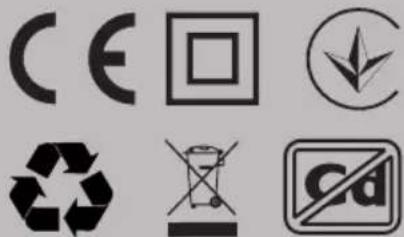
CE RECOCONSTITUTION CDThis symbol indicates that I have double isolation between the mains voltage and dangerous parts for you.
Friends, unfortunately, I am not eternal. Therefore, at the end of my term, I shall be handed over to the receiving point of electrical and electronic equipment. For more detailed information about receiving and disposal points, please contact local municipal authorities or a household waste disposal company.
FEATURES
| Model | 32H750NB32H750NW | 32F750NB32F750NW | 40F750NB | 43U750NB43U750NW | 50U750NB | 55U750NB55U750NW55U850NB | 65U740NB |
| Diagonal screen size, inches/cm | 32/81 32/81 40/102 43/109 50/127 55/140 65/165 | ||||||
| Resolution | HD1366x768 | FHD1920x1080 | UHD3840x2160 | ||||
| USB 2.0 | 2 | 2 | |||||
| HDMI | 3 | 4 | |||||
| HDMI | HDMI 1.4a HDMI 2.1 | ||||||
| Wi-Fi | a/b/g/n/ac | ||||||
| VESA standard, mm | 200x100 200x200 400x200 | ||||||
| VESA bolts | M4 M4 M6 M6 M6 M6 | ||||||
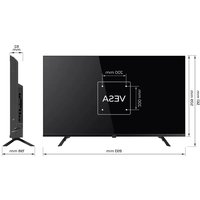
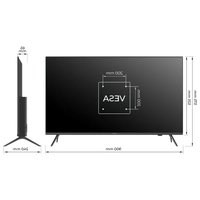
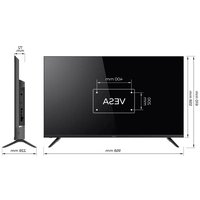
| Width, height, depth, mm | 720x425x62 | 720x425x62 | 901x511x64 | 960x556x64 | 1116x642x61 | 1229x710x63 | 1448x830x61 |
| Dimensions with stand, mm | 720x465x180 | 720x464x204 | 901x574x240 | 960x620x240 | 1116x705x240 | 1229x772x260 | 1448x899x300 |
| Net weight, kg | 4,2 4,2 6,4 7,4 | 10,5 13 | 17,3 | ||||
*Indicators of power supply, power consumption related to the operation of "Home" TV Mode, indicators mode "store" may differ upwards.
**The complete set, appearance and specifications of the product may differ or may be changed by the manufacturer without prior notice
INPUT IMPEDANCE: 75 Ω
For stable reception of digital TV channels, I recommend using an external antenna with an amplifier (the gain ratio of 30 dB or more).
NOTE:
The manufacturer, importer, or supplier are not responsible for damage to my components due to high voltage supply through the antenna port.

HIGH-DEFINITION MULTIMEDIA INTERFACE
The terms HDMI, HDMI High-definition Multimedia Interface, and the HDMI logo are trademarks or registered trademarks of HDMI and Microsoft Administrator, Inc.
Manufactured under DOLBY LABORATORIES license. The DOLBY, DOLBY AUDIO, and Double D symbols are trademarks of DOLBY and laboratories.
This product is manufactured, distributed, serviced and warranted exclusively by SHENZHEN MTC CO., LTD. "JVC" is a trademark of JVCKENWOOD Corporation, used by this company is under license. "Sound by JVC". Sound certificated by JVC.
REMOTE CONTROL (RC40) / POINTER (RC60)
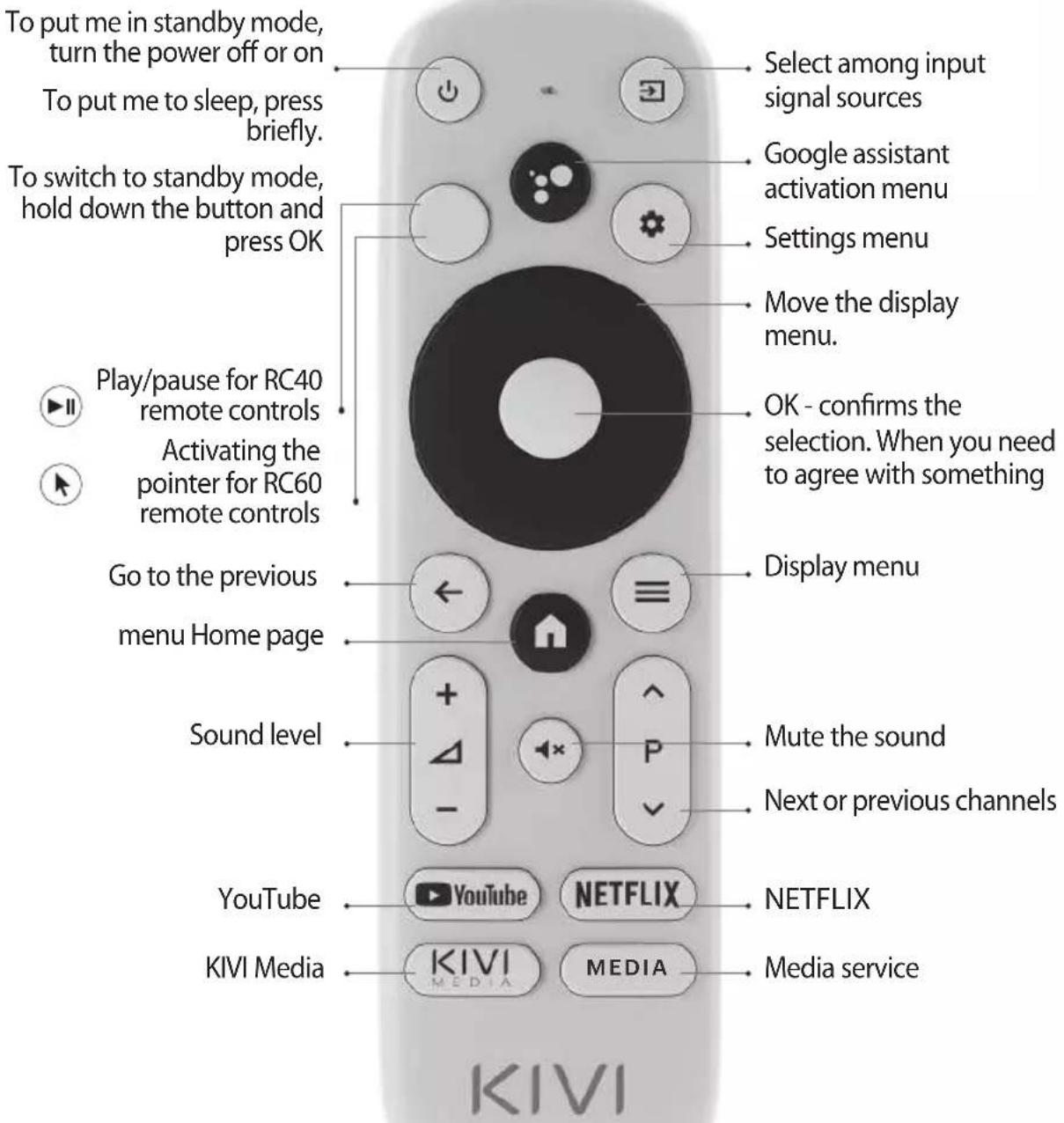
Assigning keys
text_image
To put me in standby mode, turn the power off or on To put me to sleep, press briefly. To switch to standby mode, hold down the button and press OK Play/pause for RC40 remote controls Activating the pointer for RC60 remote controls Go to the previous menu Home page Sound level YouTube KIVI Media Select among input signal sources Google assistant activation menu Settings menu Move the display menu. OK - confirms the selection. When you need to agree with something Display menu Mute the sound Next or previous channels NETFLIX MEDIA Media serviceNOTE:
1 The pointer control mode is completed with models 43U750NB, 43U750NW, 50U750NB, 55U750NB, 55U750NW, 50U850NB, 55U850NB, 65U850NB.
2 The voice search function is available in the RC40/60 remote controls.
3 The manufacturer may change The complete set and appearance may differ or may be changed by the manufacturer without prior notice.
4 Remote control has CE certification.

Remote control (RC) range — up to 10 meters..
To make it work - insert the alkaline batteries and point it at me.
Do not mix new batteries with old ones, and do not leave the remote control near a heat source.

If you don't use the remote control for more than one month, get the batteries out of there.
I HAVE TO APOLOGIZE FOR SOME INCONVENIENCES!
Unfortunately, the standard Google Gboard keyboard temporarily does not support the remote control-pointer.
THEREFORE:
Open Settings using the notification window that appears when you click on the pointer button on the remote control.
Connect the Wi-Fi, log in to Google Play, and install the necessary app for the pointer to work correctly.
After installing it, click on the pointer button on the remote contro
If you have already connected me to the Internet before - wait about 5-10 minutes, while the leanback app will appear in the general list of programs (the "+" icon in the main menu).
After that, press the pointer button on the remote control
IF ANYTHING:
When using a remote control pointer in applications, not all buttons and symbols are supported.
You can adjust the speed of the pointer by pressing the buttons simultaneously:
- Speed increase - pointer button ⏻ + right;
- Speed reduction - pointer button ⬆ + left.
Detailed instructions with images are also available on the website kivismart.com, in the "24/7 support" section
CONNECTING DEVICES
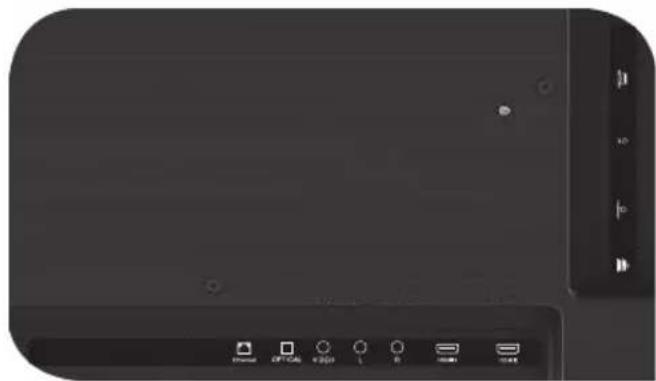
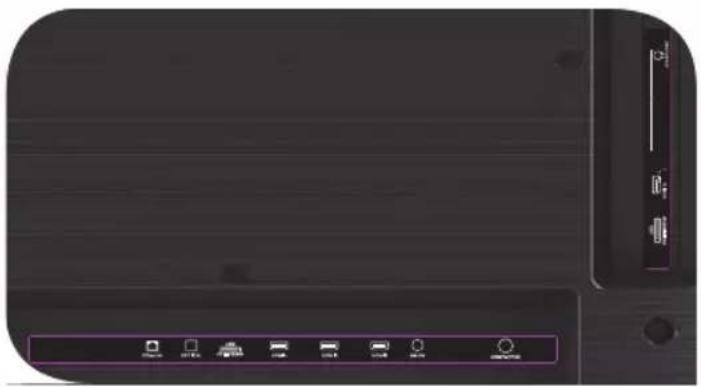
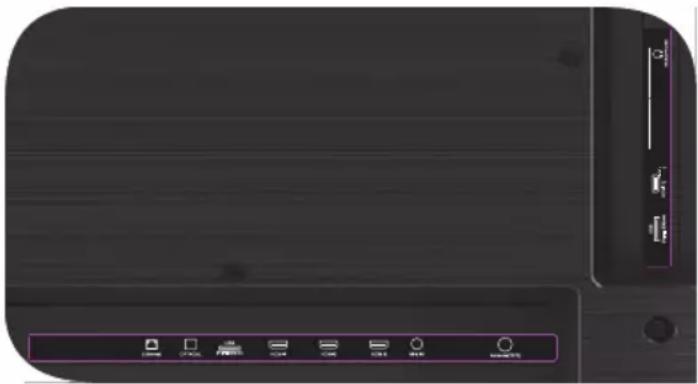
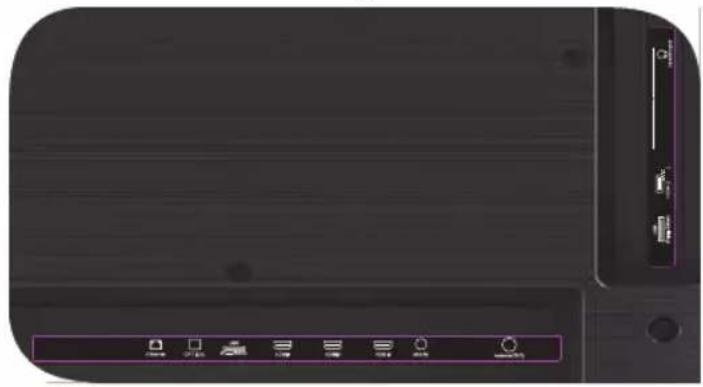
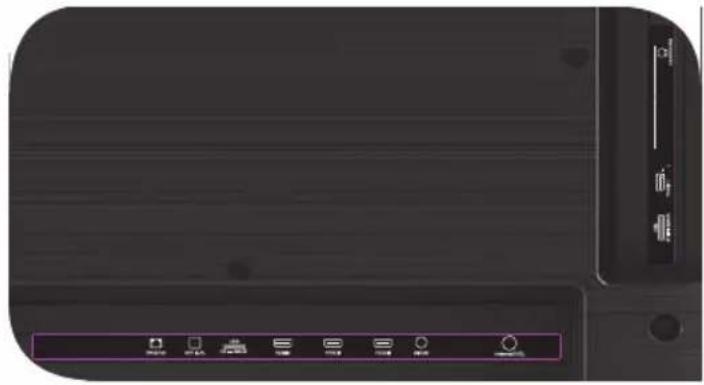
I am compatible with most devices for video and audio playback and can be connected to a Bluray, game console, stereo system, etc.
HD / FHD MODELS
natural_image
Front view of a black electronic device with ports and indicator lights (no readable text or symbols)UHD MODELS
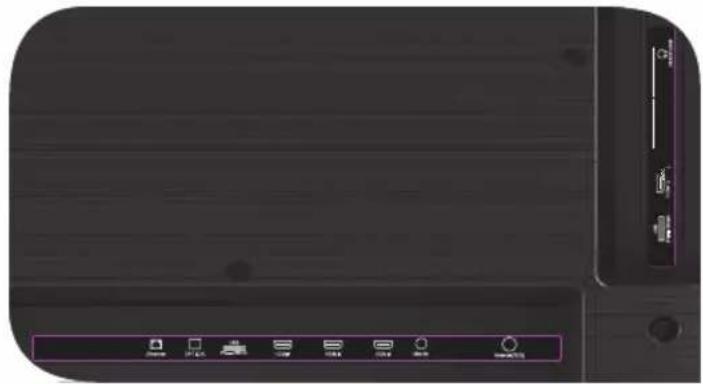
natural_image
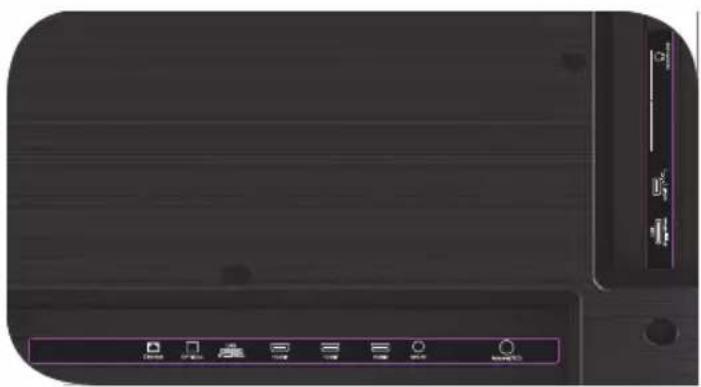
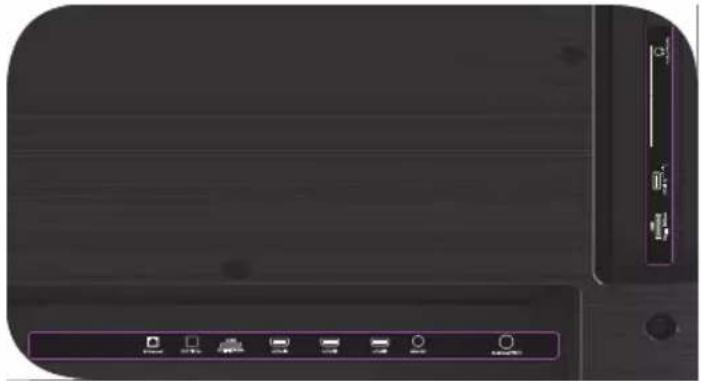
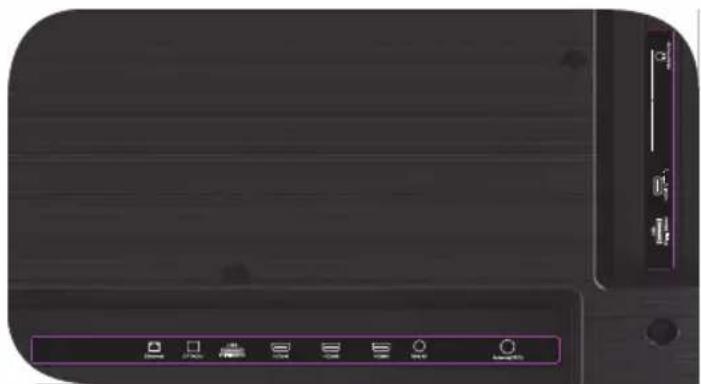
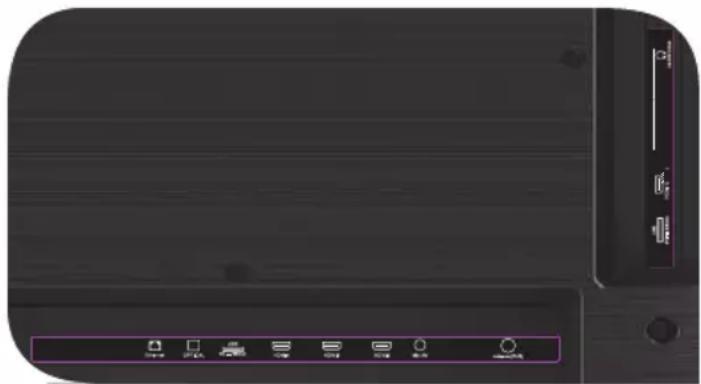
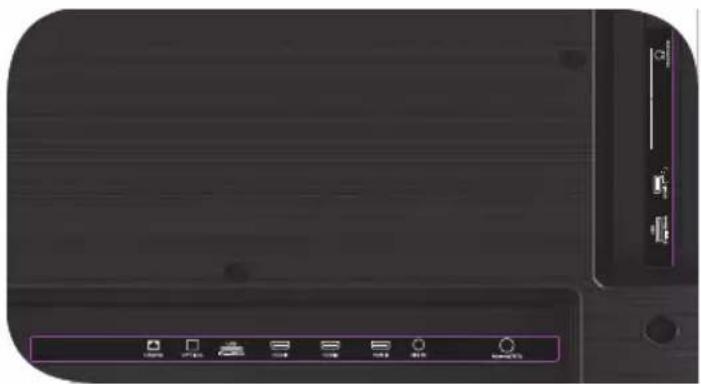
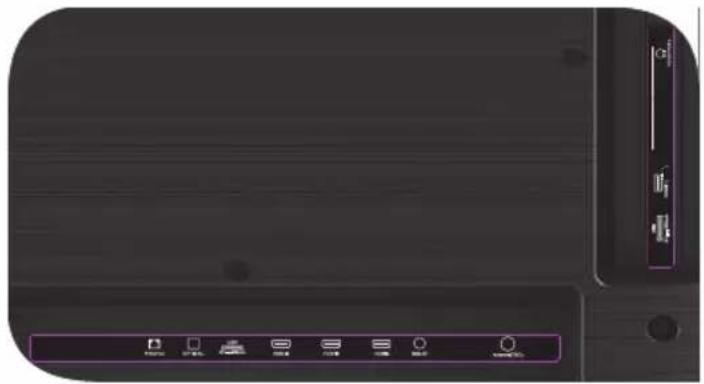
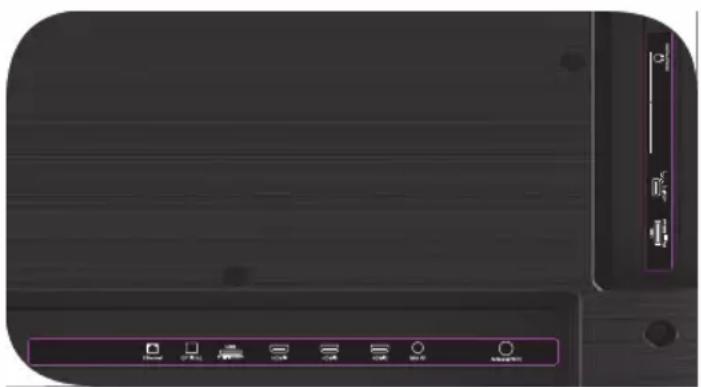
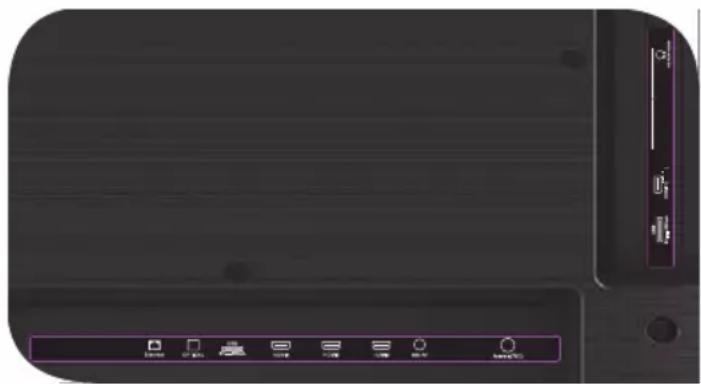
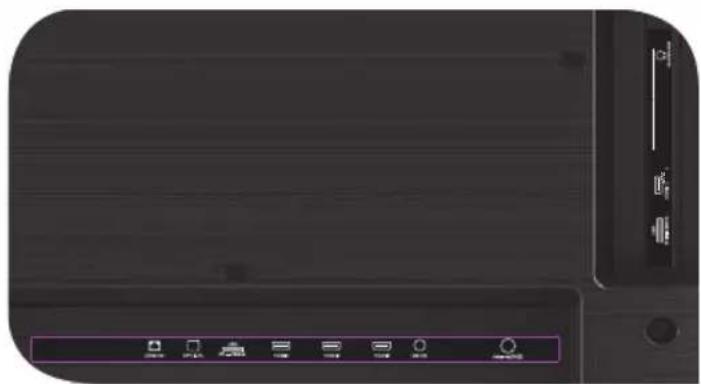
Front view of a black electronic device with control buttons and indicator lights (no readable text or symbols)USB Input for USB devices (500mA) HDMI HDMI input Antenna Antenna connection port CI CAM module connection port Mini AV IN Composite audio/video input
VIDEO Composite video input LAN Ethernet input HEADPHONE Headphone output (3.5 mm) OPTICAL OUT Optical output
NOTE:
- All external devices should not be connected after you turn me off.
- The maximum load on the USB port should not exceed 0.5 A.
- The TV supports ARC, CEC. 2K supports HDMI 1.4 a, 4K supports HDMI 2.1.
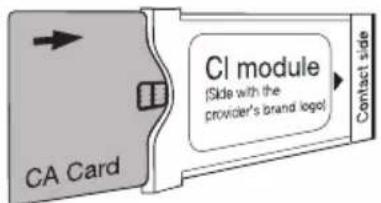
CONNECTING A CI CONDITIONAL ACCESS CARD
A CAM module with a CI conditional access card can be attached to a digital cable broadcasting service provider along with information for use.
The names of individual menu modes, the designations of some connectors and places of application, and the performance of individual ergonomic control functions may differ slightly from those described and depicted in this manual.
text_image
CA Card Cl module (Side with the provider's brand logo) Contact side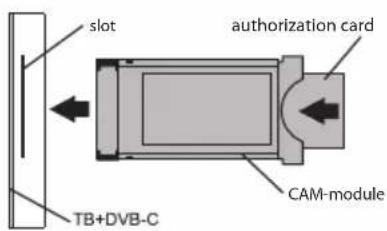
text_image
slot TB+DVB-C authorization card CAM-moduleIn addition to hardware-related malfunctions, if there are any non-standard operations, power me off for 30 seconds.
| Unstable or missing broadcast / cable TV signal | 1. I'm on the antenna, but I cannot find channels, and I broadcast channels with image distortion or audio interruptions. | 1. For stable reception of DVB-T2 (digital) and ATV (analog) signals, use an external antenna with an amplifier (gain 30 dB and more).Additional power to the antenna input is already transmitted and cannot be supplied via my USB ports.Point your antenna toward the nearest TV tower.If you are using a room antenna, raise it higher, rotate it around your own axle, and move it around the room.Make sure that you have selected an antenna in the settings ->Channel -> channel setup mode menu.Configure the channels manually.For a stable image and sound, the indicators shall be from 50% or higher.Check the integrity of the cable. |
| 2. I'm cable, but I don't find channels, and I broadcast channels with image distortion or audio interruptions. | 2. If you are using cable TV (DVB-C) or a common house antenna, I recommend connecting without a splitter. If possible, connect me to another antenna cable.Make sure that you have selected an antenna in the Settings -> Channel -> Channel setup mode menu.Configure the channels manually.Check the integrity of the cable.Use a signal amplifier. | |
| Sound is not played on external speakers | 1. Connecting speakers via Bluetooth | 1. Connect Bluetooth speakers via the Settings menu - Remote controls and accessories- Add a device. |
| 2. Connect speakers via HDMI | 2. Connect the speakers to me via the HDMI (ARC) Jack.In the Settings menu -> Sound -> Speakers — select "External audio system". In the Settings menu -> Device Settings -> Inputs -> HDMI EDID version- set the value to "EDID 1.4".In Settings menu -> Device Settings -> Sound -> digital output - select Auto, Skip, PCM, etc. | |
| 3. Connect speakers via AUX (3.5 mm headphone jack) | 3. Make sure that the audio cable is inserted all the way into the 3.5 jack. | |
| 4. Connecting speakers via optics | 4. Attach the speakers to the OPTICAL connector.In the Settings menu -> Device Settings -> Sound -> Digital output-> select Auto, Skip, PCM, etc.Use the VOL button on the remote control to turn down the sound volume until it is completely turned off. Use the remote control from the speakers to increase the sound to the desired level. |
IMPEDANCJA WEJŚCIOWA: 75 OM
natural_image
Front view of a black electronic device with control buttons and indicator lights (no readable text or symbols)MODELE UHD
natural_image
Front view of a black electronic device with control buttons and indicator lights (no readable text or symbols)text_image
CA Card CI module (Side with the provider's brand logo) Contact side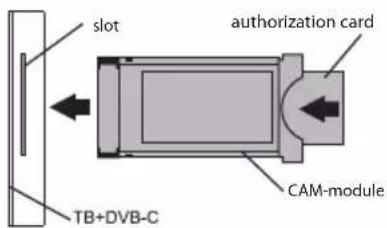
text_image
slot TB+DVB-C authorization card CAM-modulenatural_image
Close-up of a black electronic device with control buttons and indicator lights (no readable text or symbols)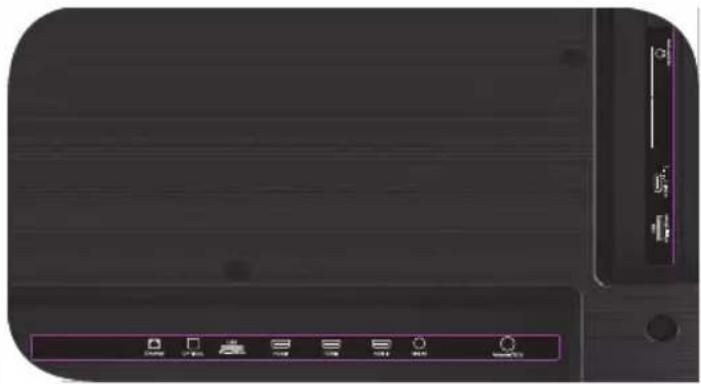
natural_image
Close-up of a black electronic device front panel with control buttons and indicator lights (no readable text or symbols)text_image
E CA Card CI module (Side with the Provider's brand logo) Contact side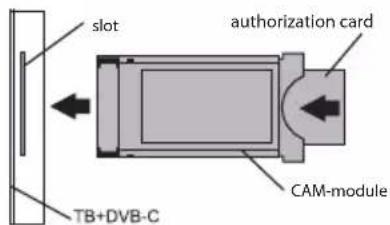
text_image
slot TB+DVB-C authorization card CAM-modulenatural_image
Front view of a black electronic device with control buttons and indicator lights (no readable text or symbols)MODÈLES
UHD
natural_image
Front view of a black electronic device with control buttons and indicator lights (no readable text or symbols)text_image
CA Card CI module (Side with the provider's brand logo) Contact side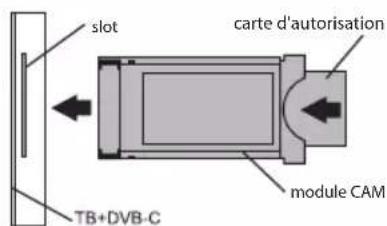
text_image
slot carte d'autorisation TB+DVB-C module CAMPENTRU CA SĂ FIU CURAT:
natural_image
Front view of a black electronic device with control buttons and indicator lights (no readable text or symbols)MODELE UHD
natural_image
Front view of a black electronic device with indicator lights and ports (no readable text or symbols)text_image
CA Card CI module (Side with the provider's brand logo) Contact side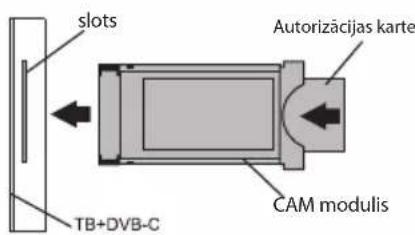
text_image
slots Autorizacijas karte TB+DVB-C CAM modulistext_image
CE RECOCONOMICS CD
natural_image
Close-up of a black electronic device front panel with control buttons and indicator lights (no readable text or symbols)МОДЕЛИ UND
natural_image
Front view of a black electronic device with control buttons and ports (no visible text or symbols)text_image
CA Card CI module (Side with the provider's brand logo) Contact side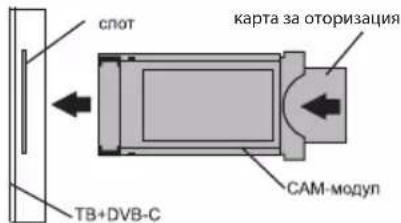
text_image
спот карта за оторизация TB+DVB-C CAM-модулnatural_image
Front view of a black electronic device with control buttons and indicator lights (no readable text or symbols)UHD
MODELLEK
natural_image
Front view of a black electronic device with control buttons and indicator lights (no readable text or symbols)text_image
CA Card CI module (Side with the provider's brand logo) Contact side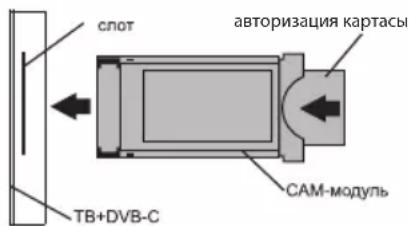
ABY SE MNOU BYLO BEZPEČNO:
text_image
CE RECOCONOMICS CDVSTUPNÍ IMPEDANCE: 75 Ω
natural_image
Front view of a black electronic device with control buttons and indicator lights (no readable text or symbols)MODELY UHD
natural_image
Close-up of a black electronic device front panel with control buttons and indicator lights (no readable text or symbols)text_image
CA Card CI module (Side with the provider's brand logo) Contact side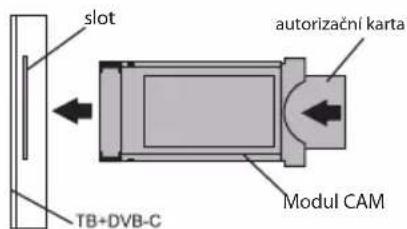
text_image
CE RECOCONOMICS CDCHARAKTERISTIKOS
| Modelis | 32H750NB32H750NW | 32F750NB32F750NW | 40F750NB | 43U750NB | 43U750NW | 50U750NB | 55U750NBU750NW55U850NB | 65U740NB |
| Ekrano jstrižalnés dydis, coliai/cm | 32/81 32/ | 81 40/102 43/ | 109 43/109 | 50/127 55/140 | 65/165 | |||
| Raiška | HD FHD1366x768 | 1920x1080 3840x2160 | UHD | |||||
| USB 2.0 2 | 2 | |||||||
| HDMI | 3 | 4 | ||||||
| HDMI | HDMI 1.4a | HDMI 2.1 | ||||||
| Wi-Fi | a/b/g/n/ac | |||||||
| Standartas VESA, mm | 200x100 200x200 400x200 | |||||||
| Varžtu tipas VESA | M4 | M4 | M6 | M6 | M6 | M6 | M6 | M6 |
| Plotis, aukštis, MM | 720x425x62 | 720x425x62 | 901x511x64 | 960x556x64 | 960x556x64 | 1116x642x61 | 1229x710x63 | 1448x830x61 |
| Dydis su stovu, mm | 720x465x180 | 720x464x204 | 901x574x240 | 960x620x240 | 960x620x240 | 1116x705x240 | 1229x772x260 | 1448x899x300 |
| Svoris neto, kg | 4,2 | 4,2 | 6,4 | 7,4 | 7,4 | 10,5 | 13 | 17,3 |
natural_image
Front view of a black electronic device with control buttons and indicator lights (no readable text or symbols)MODELIAI UHD
natural_image
Close-up of a black electronic device front panel with control buttons and indicator lights (no readable text or symbols)text_image
CA Card CI module (Side with the provider's brand logo) Contact side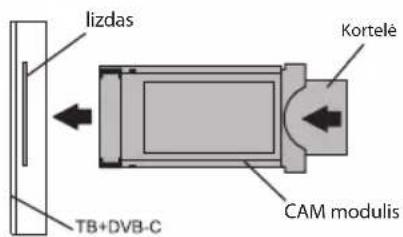
text_image
lizdas TB+DVB-C Kortelè CAM modulisnatural_image
Close-up of a black electronic device with indicator lights and ports (no readable text or symbols)MUDELID
UHD
natural_image
Front view of a black electronic device with control buttons and indicator lights (no readable text or symbols)USB USB-seadmete sisend (500mA)
text_image
CA Card Cl module (Size with the provider's brand logo) Contact side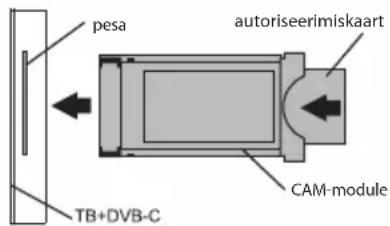
text_image
pesa autoriseerimiskaart TB+DVB-C CAM-moduletext_image
CE RECO © Recycle Bin No Dnatural_image
Front view of a black electronic device with control buttons and indicator lights (no readable text or symbols)UHD
MODELI
natural_image
Close-up of a black electronic device front panel with control buttons and indicator lights (no readable text or symbols)USB Ieeja USB iericēm (500mA) HDMI HDMI tipa ieeja Antenna Antenas savienojuma ports CI CAM moduļa savienojuma ports Mini AV IN Kompozīta audio/video ieeja
NEPOUŽÍVAJTE MA, AK:
natural_image
Front view of a black electronic device with control buttons and indicator lights (no readable text or symbols)MODELY UHD
natural_image
Front view of a black electronic device with control buttons and indicator lights (no readable text or symbols)USB Vstup pre USB zariadenia (500 mA) HDMI HDMI vstup Antenna Port na pripojenie antény CI Port na pripojenie CAM modulu Mini AV INKompozitný audio/video vstup
text_image
CA Card CI module (Side with the provider's brand logo) Contact side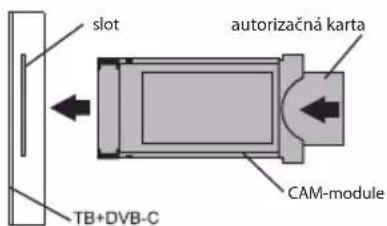
text_image
slot autorizačná karta TB+DVB-C CAM-moduletext_image
CE RECOCONOMICS CDTEXNIKA ΔΕΔΟΜΕΝΑ
| Μοντέλο | 32H750NB32H750NW | 32F750NB32F750NW | 40F750NB | 43U750NB | 43U750NW | 50U750NB | 55U750NBU750NW55U850NB | 65U740NB |
| Διαγώνιο μέγεθος της οθόνης, ίντσα / εκατ. | 32/81 32/ | 81 40/102 43/ | 109 43/109 | 50/127 55/140 | 65/165 | |||
| Ανάλυση | HD FHD1366x768 | 1920x1080 3840x2160 | UHD | |||||
| USB 2.0 2 | 2 | |||||||
| HDMI | 3 | 4 | ||||||
| HDMI | HDMI 1.4a | HDMI 2.1 | ||||||
| Wi-Fi | a/b/g/n/ac | |||||||
| Standard VESA mm | 200x100 200x200 400x200 | |||||||
| Τύπος μπουλονιών VESA | M4 | M4 | M6 | M6 | M6 | M6 | M6 | M6 |
| Szerokość, Wysokość, mm | 720x425 x62 | 720x425 x62 | 901x511 x64 | 960x556 x64 | 960x556 x64 | 1116x642 x61 | 1229x710 x63 | 1448x830 x61 |
| Μεγέθη με βάση, χιλ. | 720x465 x180 | 720x464 x204 | 901x574 x240 | 960x620 x240 | 960x620 x240 | 1116x705 x240 | 1229x772 x260 | 1448x899 x300 |
| Καθαρό βάρος, κιλό | 4,2 | 4,2 | 6,4 | 7,4 | 7,4 | 10,5 | 13 | 17,3 |
natural_image
Front view of a black electronic device with indicator lights and ports (no readable text or symbols)MONTELA
UHD
natural_image
Close-up of a black electronic device front panel with control buttons and indicator lights (no readable text or symbols)text_image
CA Card CI module (Side with the provider's brand logo) Contact side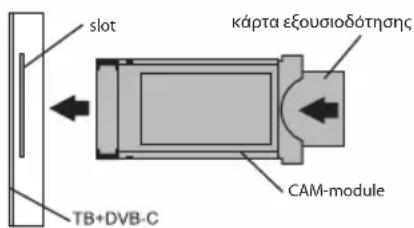
text_image
slot kárpta εξουσιοδότησης TB+DVB-C CAM-modulenatural_image
Front view of a black electronic device with control buttons and indicator lights (no readable text or symbols)MODELOS
UHD
natural_image
Close-up of a black electronic device front panel with control buttons and indicator lights (no readable text or symbols)text_image
CA Card CI module (Side with the provider's brand logo) Contact side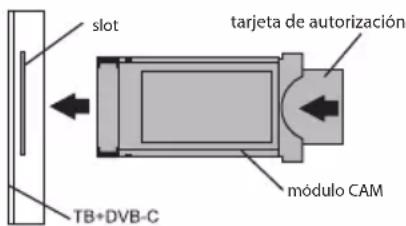
natural_image
Close-up of a black electronic device front panel with control buttons and indicator lights (no readable text or symbols)MODELOS UHD
natural_image
Close-up of a black electronic device front panel with control buttons and indicator lights (no readable text or symbols)text_image
CA Card CI module (Side with the provider's brand logo) Contact side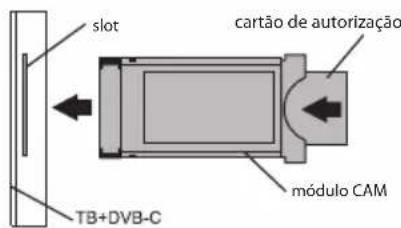
Full troubleshooting instructions are available via the QR code.
Scan the QR code using your smartphone or Viber camera.