EasyManual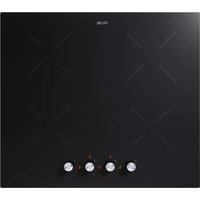
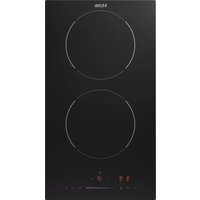
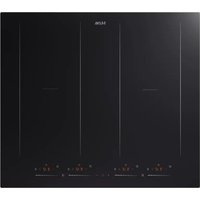
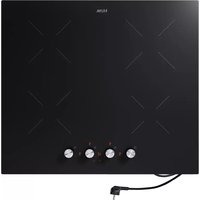
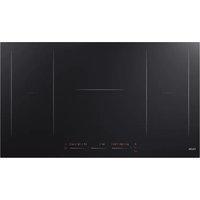
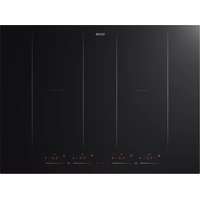
KI560KZT - Cooker ETNA - Free user manual and instructions
Find the device manual for free KI560KZT ETNA in PDF.


User questions about KI560KZT ETNA
0 question about this device. Answer the ones you know or ask your own.
Ask a new question about this device
Download the instructions for your Cooker in PDF format for free! Find your manual KI560KZT - ETNA and take your electronic device back in hand. On this page are published all the documents necessary for the use of your device. KI560KZT by ETNA.
USER MANUAL KI560KZT ETNA
CONTENTS Your induction hob Introduction 4 Description 5 Control panel 5 Safety Temperature safety 6 Cooking-time limiter 6 Before first use Use of the touch keys 7 Induction noises 7 Appropriate pans 7 Pan detection 8 Power level setting 8 Cooking settings 9 Operation Switching on and power setting 10 Boost function 10 Finish cooking 10 Pan detection symbol 11 Timer control 11 Lock function 12 Child safety lock 12 Power limiter Power limiter (only for KI560K
) 13 Maintenance Cleaning 14 Troubleshooting General 15 Troubleshooting table 15 Technical specifications Information according regulation (EU) 66/2014 18 Environmental aspects Disposal of packaging and appliance 19EN 4 Introduction Congratulations on your choice of this appliance. This product was designed with simple operation and optimum comfort in mind. This manual describes the best way to use this appliance. In addition to information on operation, you will also find background information that may come in handy when using the appliance. Please read the separate safety instructions carefully before using the appliance. Read this manual before using the appliance and keep it in a safe place for future use. This manual serves as reference material for the service department. Please, stick the appliance rating label in the rectangle on the back of the manual. The appliance rating label contains all the information that the service department will need in order to respond appropriately to your needs and questions. The installation instructions are included separate. Enjoy your cooking! You can find the most recent version of the instructions for use on our website.
1. Button for power control with display /
button for setting the time
Display Description Hob/cooking zone in standby
Power level cooking zone Boost Pan detection symbol Residual heat indicator Lock symbol Timer has been setEN 6 Before use, read the separate safety instructions first! Temperature safety A sensor continuously measures the temperature of certain parts of the hob. Every cooking zone is equipped with a sensor that measures the temperature of the bottom of the pan to avoid any risk of overheating when a pan boils dry. In case of temperatures rising too high, the power is reduced automatically or the hob switches off automatically. Cooking-time limiter The cooking-time limiter is a safety function of your cooking appliance. It will operate if you forget to switch off your hob. Depending on the cooking level you have chosen, the cooking time will be limited as follows: Cooking level Maximum operating time ( in hours)
- After 5 minutes, the power is reduced to setting 9. Power limiter With the KIS560K
the available power is distributed across all 4 zones. As soon as the maximum power is exceeded, the upstream or downstream zone is reduced in power or switched off. With the KI560K
the available power is divided over the 2 left and 2 right zones. As soon as the maximum power is exceeded, the front or rear zone is reduced in power. When using the boost function, the front/rear cooking zone can be set to a maximum of level 7. SAFETYEN 7
Use of the touch keys Place the tip of your finger flat on a key to achieve the best results. You do not have to apply any pressure. The touch keys only react to the light pressure of a fingertip. Do not operate the controls with any other objects. Induction noises A ticking sound
- This is caused by the capacity limiter on the left and right zones. Ticking can also occur at lower cooking levels. Pans are making noise
- Pans can make some noise during cooking. This is caused by the energy flowing from the hob to the saucepan. At high levels, this is perfectly normal for some pans. It will not damage either the pans or the hob. The fan is making noise
- To enlarge the lifespan of the electronics, the appliance is equipped with a fan. If you use the appliance intense, the fan is activated to cool down the appliance and you will hear abuzzing sound. The fan runs on for several minutes after the hob has been switched Off. Appropriate pans Induction cooking requires a pan with a thick flat bottom (minimum 2.25 mm). Use pans made of magnetic material or pans with a sandwich bottom. Other pans provide a lower performance. Pans made of copper, aluminium or ceramic material are not appropriate. Only use pans with a flat bottom. A hollow or rounded bottom can interfere with the operation of the empty cooking protection, causing the appliance to become too hot. This may lead to damages. Damage caused by using pans that are not appropriate or that boil dry is excluded from the guarantee. Pans that have been used on a gas hob cannot be used on an induction hob. Be careful with thin enamelled sheet-steel pans! The enamel may become damaged at high settings if the pan is too dry. High power level settings may cause the bottom of the pan to warp.EN 8
- The diameter of the bottom of the pan must be at least 140mm.
- You will achieve the best results by using a pan with the same diameter as the zone. If a pan is too small the cooking zone will not work. Attention Grains of sand may cause scratches which cannot be removed. Only put pans with a clean bottom on the hob. We recommend that you lift pans and not slide them over the hob. Pan detection
- If the hob does not detect a (ferrous) pan after a power level has been set, the pan detection symbol flashes in the display. After 1 minute the cooking zone switches off.
- If you remove a pan from the cooking zone during cooking, the pan detection symbol shows. The cooking zone switches off. The symbol disappears when you put the pan back. The cooking zone switches on again with the power level that was set before. Power level setting The cooking zones have 10 power levels (0-9) and a ‘boost’ level (P). Set the cooking level by turning the knob clockwise. The cooking zone starts to operate at the level set. Boost function You can use the boost function to cook at the highest power level during a short period of time (max. 5 minutes). After 5 minutes, the power is reduced to setting 9.EN 9
Cooking settings Because the settings depend on the quantity and composition of the contents of the pan, the table below is intended as a guideline only. Use setting ‘boost’ to:
- bring the food or liquid to the boil quickly; Use setting 9 to:
- fry boiled potatoes;
- deep fry foods. Use setting 7 and 8 to:
- fry thick slices of breaded meat;
- fry thin slices of (breaded) meat. Use setting 4-6 to:
- complete the cooking of large quantities;
- defrost hard vegetables;
- fry thick slices of breaded meat. Use settings 1-3 to:
Please read the chapter ‘Before first use’ very carefully before you start cooking. This prevents incorrect use of the hob. Switching on and power setting Make sure the bottom of the pan and the surface of the cooking zone are clean and dry.
1. Place a pan in the middle of a cooking zone.
2. Touch the on/off key until you hear an audio signal.
▷ On all cooking zone displays a ‘-’ appears.
3. For the zone required, turn the knob clockwise to set it to the desired power.
▷ The display of the selected cooking zone shows the level that has been set. ▷ The cooking zone starts automatically at the level that has been set. ▷ Turn the knob accordingly to adjust the power. The hob switches off if no setting is made or a function is selected within 1 minute. Boost function You can use the boost function to cook for max. 5 minutes at the highest cooking level.
1. Turn the knob of the relevant zone all the way clockwise until ‘P’ shows on the display.
▷ After 5 minutes, the power is reduced to setting 9. Turn back the knob of the corresponding zone to stop the boost function prematurely. Finish cooking
1. Turn the knob of the relevant zone all the way back until the display shows ‘0’.
2. Touch the on/off key for 1 second to switch off the induction hob.
Symbol H will appear in the display of the cooking zone which is too hot to touch. The symbol disappears when the surface has cooled down to a safe temperature. It can also be used as an energy saving function; if you want to heat other pans, use the cooking zone that is still hot. If all cooking zones are set to ‘0’ and no further operation is performed, the hob will switch off automatically after 1 minute. OPERATIONEN 11
Pan detection symbol When the pan detection symbol is blinking on the display:
- you have not placed a pan on the correct cooking zone;
- the pan you’re using is not suitable for induction cooking;
- the pan is too small or not properly centred on the cooking zone. ▷ The cooking zone does not work until a suitable pan is placed on the cooking zone. Timer control The cooking timer is connected to an active cooking zone. After the set time has elapsed, the cooking zone switches off automatically. The cooking timer can be set to a maximum of 99 minutes. Using the cooking timer
1. Switch on the desired cooking zone by turning the knob of the respective zone.
2. While the set power is flashing, touch the timer key to activate the timer.
▷ A red dot next to the display of the corresponding cooking zone lights up. ▷ The display will show the blinking ‘10’.
3. Set a cooking time by turning the knob of the respective zone.
Turn the knob of a cooking zone (with an active timer) one turn to set the time in steps of 1 minute. ▷ When the time is set, it will begin to countdown immediately. ▷ The red dot next to the display of the corresponding cooking zone starts blinking. ▷ The display will show the remaining time. ▷ The cooking zone will switch off automatically after the set time has passed. ▷ You will hear an audio signal. ▷ “--” appears on the timer’s display. Turn the knob of the relevant cooking zone one turn, then touch the timer key and turn the knob to adjust the time. Set the time to ‘00’ to switch of the timer. OPERATIONEN 12 Multiple cooking timers in use A cooking timer can be set for each active cooking zone. The time shown in the display is of the cooking zone that will be switched off first. The red dot of this cooking zone is blinking. Rotate the knob of a cooking zone (with an active timer) one turn, so the power level starts blinking. The red dot next to the display of the relevant cooking zone is static. The remaining time for this zone is now shown in the timer display. Now touch the timer key to change the set time for this cooking zone. Rotate the knob to adjust the time or set the time to ‘00’ to switch off the timer. Lock function By activating the lock function, you can lock the keys while using the hob. Only the on/off key and the lock key will be active. The hob is switched on and one or more cooking zones are in use.
1. Touch the lock key for about 3 seconds.
▷ You will hear an audio signal. ▷ ‘Lo’ is blinking in the timer display. ▷ The lock function is activated.
2. Touch the lock key again for about 3 seconds.
▷ You will hear an audio signal. ▷ ‘Lo’ disappears in the timer display. ▷ The lock function is deactivated. Child safety lock Use this function to prevent the hob from being switched on unintentionally. The hob is switched off.
1. Touch the lock key for about 3 seconds.
▷ You will hear an audio signal. ▷ ‘Lo’ is blinking in the timer display. ▷ The child safety lock is activated. ▷ When you switch on the hob again, the child safety lock is active.
2. Touch the lock key again for about 3 seconds.
▷ You will hear an audio signal. ▷ ‘Lo’ disappears in the timer display. ▷ The child safety lock is deactivated. OPERATIONEN 13
POWER LIMITER Power limiter (only for KI560K
Setting the power limiter should only be carried out by a registered and qualified installer. Please read the safety regulations and the installation instructions carefully. The hob is equipped with a power limiter. If the total power of operating cooking zones exceeds the maximum available amount of power, the power is automatically reduced. In the display of the cooking zone that is being reduced in power, the power and ‘r’ are shown alternately for a while; the level is then automatically reduced to the highest available power. The limiter is set at 7200 W by the factory, but it is possible to change it to 3500 W. Carry out the configuration in less than 2 minutes after connection to the electrical network. The hob needs to be unlocked and all zones switched off.
1. Connect the appliance to the mains.
2. Wait for 5 seconds.
3. Touch and hold the lock key for a long time until ‘Lo’ appears in the display.
4. Touch the lock key and the timer key simultaneously.
▷ ‘S’ appears in the display of the front left cooking zone.
5. Touch the lock key.
▷ ‘E’ appears in the display of the rear left cooking zone.
6. Touch the lock key and the timer key simultaneously.
▷ In the display of the rear right cooking zone, ‘t’ appears. ▷ The maximum power appears in the timer display; 7.2 or 3.5.
7. Touch the lock key to adjust the power level.
8. Touch the lock key and the timer key simultaneously to confirm the setting.
▷ When the power stops flashing, the setting has been saved.
9. Touch the timer key to exit the power limiter menu.
10. Touch and hold the lock key for a long time to unlock the hob.EN 14
Cleaning Daily cleaning
- Although food spills cannot burn into the glass, we nevertheless recommend you to clean the hob immediately after use.
- Best for daily cleaning is a damp cloth with a mild cleaning agent.
- Dry with kitchen paper or a dry towel. Stubborn stains
- Stubborn stains can also be removed with a mild cleaning agent such as washing-up liquid.
- Remove water marks and lime scale with vinegar.
- Metal marks (caused by sliding pans) can be difficult to remove. Special agents are available.
- Use a glass scraper to remove food spills. Melted plastic and sugar is also best removed with a glass scraper. Never use
- Never use abrasives. They leave scratches in which dirt and lime scale can accumulate.
- Never use anything sharp such as steel wool or scourers. MAINTENANCEEN 15
General If you notice a crack in the glass top (however small), switch the hob off immediately, unplug the hob or turn off the (automatic) fuse switch(es) in the meter cupboard or. In the event of a permanent connection, set the switch in the power supply lead to zero. Contact the service department. Troubleshooting table If the appliance does not work properly, this does not always mean that it is defective. Try to deal with the problem yourself first by checking the points mentioned below or check for more information the website. Symptom Possible cause Solution The display lights up when the hob is activated for the first time. This is the standard set- uproutine. Normal operation. The fan runs on for several minutes after the hob has been switched off. The hob is cooling. Normal operation. A slight smell is noticeable the first few times the hob isused. The new appliance is heatingup. This is normal and will disappear once it has been used a few times. Ventilate the kitchen. The pans make a noise while cooking. This is caused by the energy flowing from the hob to the saucepan. At high settings this is perfectly normal for some pans. It will not damage either the pans or the hob. You have switched on acooking zone, but the display shows
The pan you are using is not suitable for induction cooking, or has a diameter that is too small. Use a suitable pan. There is no suitable pan on the cooking zone. A cooking zone suddenly stops working and you hear a signal. The preset time has ended. Normal operation. The hob is not working and nothing appears in thedisplay. There is no power supply due to a defective cable or afaulty connection. Check the fuses or the electric switch (if there is noplug). A fuse blows as soon as the hob is switched on. The hob has been wrongly connected. Have the electrical connection checked. TROUBLESHOOTINGEN 16 Symptom Possible cause Solution Symbol Lo appears in the display. Lock function/child safety lock is activated. Deactivate the lock function/ child safety lock. The controls react badly. There may be a thin layer of water on the hob or on a finger that makes the controls unresponsive. Make sure the hob and/or finger is clean. Error codes appliance Error code Problem Solution E1 Temperature sensor failure - open circuit. Contact the service department.E2 Temperature sensor failure - short circuit. E7 Temperature sensor failure. C1 High temperature of the hob’s sensor. Allow the appliance to cool down. Then switch the hob on again. E3 Temperature sensor failure Contact the service department. E4 Temperature sensor failure C2 An internal temperature that is too high. Allow the appliance to cool down. Then switch on the hob again. EL Supply voltage is below the rated voltage. Please inspect whether power supply is normal. EH Supply voltage is above the rated voltage. EU Communication error in the hob. Reset the device by briefly disconnecting the electrical connection. If this does not help, please contact the service department. TROUBLESHOOTINGEN 17
Specific Failures & Solutions Failure Problem Solution A Solution B The LED does not come on when unit is plugged in. No power supplied. Check to see if plug is secured tightly in outlet and that outlet is working. Reset the device by briefly disconnecting the electrical connection. If this does not help, please contact the service department. Some buttons can’t work, or the LED display is not normal. The display board is damaged. Replace the display board. The Cooking Mode Indicator comes on, but heating does not start. High temperature of the hob. Ambient temperature may be too high. Air Intake or Air Vent may be blocked. There is something wrong with the fan. Check whether the fan runs smoothly. Heating stops suddenly during operation and on the display flashes the pan detection symbol
Cooker has overheated. Unit is overheated. Wait for temperature to return to normal. Push “ON/OFF” button to restart unit. In case of other problems, please contact the service department. TROUBLESHOOTINGEN 18 TECHNICAL SPECIFICATIONS Information according regulation (EU) 66/2014 Measurements according EN60350-2 Model identification KI560K
Type of hob Induction hob Number of electric cooking zones and/or areas 4 Heating technology Induction cooking zones and cooking areas For circular electric cooking zones: diameter of useful surface area per electric heated cooking zone
Energy consumption per cooking zone or area calculated perkg (EC electric hob ) in Wh/kg
Energy consumption for the hob calculated per kg (EC electric hob ) in Wh/kg 186.2 Information according regulation (EU) 2023/826
off mode: ≤ 0.5 W. The hob will automatically go to Off mode 1 minute after all functions are completed.EN 19
ENVIRONMENTAL ASPECTS Disposal of packaging and appliance In the manufacturing of this appliance durable materials were used. Make sure to dispose of this equipment responsibly at the end of its lifecycle. Ask the authorities for more information regarding this. The appliance packaging is recyclable. The following may have been used: