DS-2CD3556G2-IS - Surveillance Camera Hikvision - Free user manual and instructions
Find the device manual for free DS-2CD3556G2-IS Hikvision in PDF.



| Product type | IP surveillance camera |
| Brand | Hikvision |
| Model | DS-2CD3556G2-IS |
| Resolution | 5 Megapixels (2560 x 1920) |
| Lens type | 360° fisheye lens |
| Night vision | Yes, infrared up to 30 m |
| Audio | Two-way (built-in microphone and speaker) |
| Power supply | PoE (802.3af) or 12 V DC |
| Power consumption | Max 7 W |
| Protection rating | IP67 (outdoor) |
| Dimensions (diameter x height) | 105 mm x 80 mm |
| Weight | Approximately 400 g |
| Operating temperature | -30°C to 60°C |
| Operating humidity | 95% non-condensing |
| Storage | MicroSD up to 256 GB |
| Key functions | Motion detection, area of interest, audio alarm, multiple streams |
| Maintenance and cleaning | Soft dry cloth; do not use alkaline detergent |
| Security | Password protection, TLS encryption, TBTS compliance |
| Spare parts and repairability | Contact authorized service center; no unauthorized repair |
| General information | CE, RoHS compliant; install at least 20 cm from body |
Frequently Asked Questions - DS-2CD3556G2-IS Hikvision
User questions about DS-2CD3556G2-IS Hikvision
0 question about this device. Answer the ones you know or ask your own.
Ask a new question about this device
Download the instructions for your Surveillance Camera in PDF format for free! Find your manual DS-2CD3556G2-IS - Hikvision and take your electronic device back in hand. On this page are published all the documents necessary for the use of your device. DS-2CD3556G2-IS by Hikvision.
USER MANUAL DS-2CD3556G2-IS Hikvision
Acvate and Access Network Camera

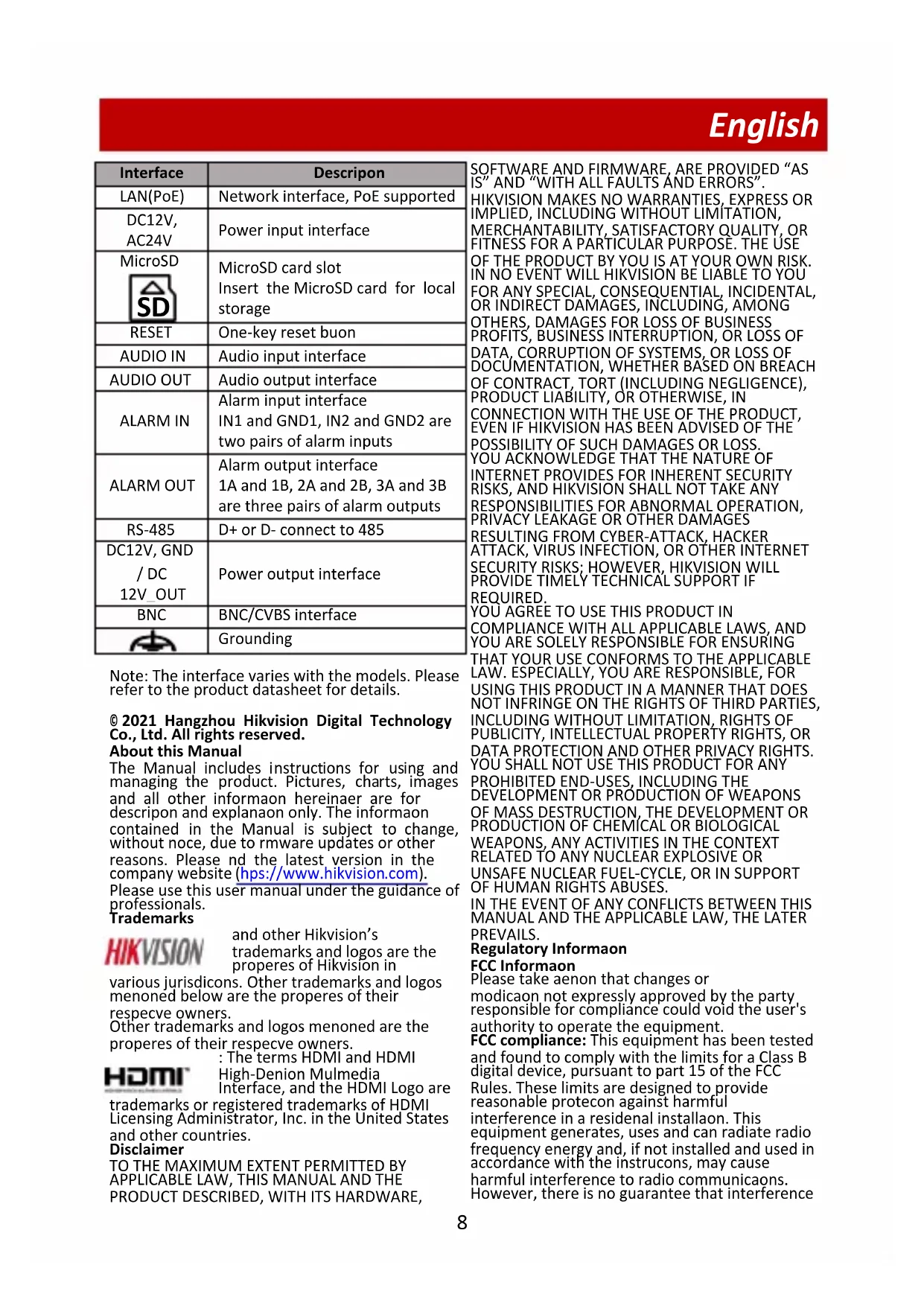
| Interface | Descripon |
| LAN(PoE) | Network interface, PoE supported |
| DC12V, AC24V | Power input interface |
| MicroSD SD | MicroSD card slot Insert the MicroSD card for local storage |
| RESET | One-key reset buon |
| AUDIO IN | Audio input interface |
| AUDIO OUT | Audio output interface |
| ALARM IN | Alarm input interface IN1 and GND1, IN2 and GND2 are two pairs of alarm inputs |
| ALARM OUT | Alarm output interface 1A and 1B, 2A and 2B, 3A and 3B are three pairs of alarm outputs |
| RS-485 | D+ or D- connect to 485 |
| DC12V, GND / DC 12V_OUT | Power output interface |
| BNC | BNC/CVBS interface |
| Grounding |
Note: The interface varies with the models. Please refer to the product datasheet for details.
© 2021 Hangzhou Hikvision Digital Technology Co., Ltd. All rights reserved. About this Manual
The Manual includes instructions for using and managing the product. Pictures, charts, images and all other informaon hereinaer are for descripon and explanaon only. The informaon contained in the Manual is subject to change, without noce, due to rmware updates or other reasons. Please nd the latest version in the company website (https://www.hikvision.com).
Please use this user manual under the guidance of professionals.
Trademarks
HIKVISION
and other Hikvision's trademarks and logos are the properes of Hikvision in
various jurisdictions. Other trademarks and logos menoned below are the properes of their respecve owners.
Other trademarks and logos menoned are the properes of their respecve owners.
: The terms HDMI and HDMI High-Denion Mulmedia Interface, and the HDMI Logo are
trademarks or registered trademarks of HDMI Licensing Administrator, Inc. in the United States and other countries.
Disclaimer
TO THE MAXIMUM EXTENT PERMITTED BY APPLICABLE LAW, THIS MANUAL AND THE PRODUCT DESCRIBED, WITH ITS HARDWARE,
SOFTWARE AND FIRMWARE, ARE PROVIDED "AS IS" AND "WITH ALL FAULTS AND ERRORS". HIKVISION MAKES NO WARRANTYES, EXPRESS OR IMPLIED, INCLUDING WITHOUT LIMITATION, MERCHANTABILITY, SATISFACTORY QUALITY, OR FITNESS FOR A PARTICULAR PURPOSE. THE USE OF THE PRODUCT BY YOU IS AT YOUR OWN RISK. IN NO EVENT WILL HIKVISION BE LIABLE TO YOU FOR ANY SPECIAL, CONSEQUENTIAL, INCIDENTAL, OR INDIRECT DAMAGES, INCLUDING, AMONG OTHERS, DAMAGES FOR LOSS OF BUSINESS PROFITS, BUSINESS INTERRUsION, OR LOSS OF DATA, CORRUPTION OF SYSTEMS, OR LOSS OF DOCUMENTATION, WHETHER BASED ON BREACH OF CONTRACT, TORT (INCLUDING NEGLIGENCE), PRODUCT LIABILITY, OR OTHERWISE, IN CONNECTION WITH THE USE OF THE PRODUCT, EVEN IF HIKVISION HAS BEEN ADVISED OF THE POSSIBILITY OF SUCH DAMAGES OR LOSS. YOU ACKNOWLEDGE THAT THE NATURE OF INTERNET PROVIDES FOR INHERENT SECURITY RISKS, AND HIKVISION SHALL NOT TAKE ANY RESPONSIBILITIES FOR ABNORMAL OPERATION, PRIVACY LEAKAGE OR OTHER DAMAGES RESULTING FROM CYBER-ATTACK, HACKER ATTACK, VIRUS INFECTION, OR OTHER INTERNET SECURITY RISKS: HOWEVER, HIKVISION WILL PROVIDE TIMELY TECHNICAL SUPPORT IF REQUIRED.
YOU AGREE TO USE THIS PRODUCT IN COMPLIANCE WITH ALL APPLICABLE LAWS, AND YOU ARE SOLELY RESPONSIBLE FOR ENSURING THAT YOUR USE CONFORMS TO THE APPLICABLE LAW. ESPECIALLY, YOU ARE RESPONSIBLE, FOR USING THIS PRODUCT IN A MANNER THAT DOES NOT INFRinge ON THE RIGHTS OF THIRD PARTIES, INCLUDING WITHOUT LIMITATION, RIGHTS OF PUBLICITY, INTELLECTUAL PROPERTY RIGHTS, OR DATA PROTECTION AND OTHER PRIVACY RIGHTS. YOU SHALL NOT USE THIS PRODUCT FOR ANY PROHIBITED END-USES, INCLUDING THE DEVELOPMENT OR PRODUCTION OF WEAPONS OF MASS DESTRUCTION, THE DEVELOPMENT OR PRODUCTION OF CHEMICAL OR BIOLOGICAL WEAPONS, ANY ACTIVITIES IN THE CONTEXT RELATED TO ANY NUCLEAR EXPLOSIVE OR UNSAFE NUCLEAR FUEL-CYCLE, OR IN SUPPORT OF HUMAN RIGHTS ABUSES. IN THE EVENT OF ANY CONFLICTS BETWEEN THIS MANUAL AND THE APPLICABLE LAW, THE LATER PREVAILS.
Regulatory Informaon
FCC Informaon
Please take aenon that changes or modicaon not expressly approved by the party responsible for compliance could void the user's authority to operate the equipment.
FCC compliance: This equipment has been tested and found to comply with the limits for a Class B digital device, pursuant to part 15 of the FCC Rules. These limits are designed to provide reasonable protecon against harmful interference in a residential installaon. This equipment generates, uses and can radiate radio frequency energy and, if not installed and used in accordance with the instrucons, may cause harmful interference to radio communicaons. However, there is no guarantee that interference
will not occur in a parcular installaon. If this equipment does cause harmful interference to radio or television recepon, which can be determined by turning the equipment o and on, the user is encouraged to try to correct the interference by one or more of the following measures:
Reorient or relocate the receiving antenna. Increase the separacon between the equipment and receiver.
Connect the equipment into an outlet on a circuit dierent from that to which the receiver is connected.
—Consult the dealer or an experienced radio/TV technician for help.
- Wi-Fi device:
This equipment should be installed and operated with a minimum distance 20cm between the radiator and your body.
FCC Conditions
This device complies with part 15 of the FCC Rules.
Operon is subject to the following two conditions:
-
This device may not cause harmful interference.
-
This device must accept any interference received, including interference that may cause undesired operaon
EU Conformity Statement

This product and - if applicable - the supplied accessories too are marked with "CE" and comply therefore with the applicable harmonized
European standards listed under the EMC Direcve 2014/30/EU, the LVD Direcve 2014/35/EU, the RoHS Direcve 2011/65/EU, Wi-Fi device: the RE Direcve 2014/53/EU
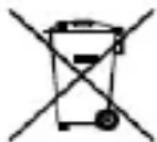
2012/19/EU (WEEE directive): Products marked with this symbol cannot be disposed of as unsorted municipal waste in the European Union. For proper recycling, return this product to your local supplier
upon the purchase of equivalent new equipment, or dispose of it at designated collecon points. For more informaon see: www-recyclethis.info
2006/56/EC (baery direcve): This product contains a baery that cannot be disposed of as unsorted municipal waste in the European Union. See the product documentaon for specic baery informaon.
The baery is marked with this symbol, which may include leering to indicate cadmium (Cd), lead (Pb), or mercury (Hg). For proper recycling, return the baery to your supplier or to a designated collecon point. For more informaon see: www.recyclethis.info
Industry Canada ICES-003 Compliance This device meets the CAN ICES-3 (B)/NMB-3(B) standards requirements.
- Wi-Fi device:
This device complies with Industry Canada licence-exempt RSS standard(s). Operaoon is subject to the following two conditions: (1) this device may not cause interference, and (2) this device must accept any interference, including interference that may cause undesired operaoon of the device.
Under Industry Canada regulaons, this radio transmitter may only operate using an antenna of a type and maximum (or lesser) gain approved for the transmitter by Industry Canada. To reduce potential radio interference to other users, the antenna type and its gain should be so chosen that the equivalent isotropically radiated power (e.i.r.p.) is not more than that necessary for successful communicaon.
This equipment should be installed and operated with a minimum distance 20cm between the radiator and your body.
Class B: This device is intended for mainly home use (Class B) and may be used in all areas.
Bngj:hi gni:n aengg(Bg)
JnApaeehaggiIro 1uRn aengseH sUaHsHn
iEe oOyio hao,bo nn jyoeepo sUaHsH
soohnu.
Safety Instrucon
These instrucons are intended to ensure that the user can use the product correctly to avoid danger or property loss.
Laws and Regulaons
The device should be used in compliance with local laws, electrical safety regulaons, and re prevenon regulaons.
Electricity
In the use of the product, you must be in strict compliance with the electrical safety regulaons of the naon and region. The equipment shall not be exposed to dripping or splashing and that no objects lled with liquids, such as vases, shall be placed on the equipment. Provide a surge suppressor at the inlet opening of the equipment under special conditions such as the mountain top, iron tower, and forest. CAUTION: To reduce the risk of re, replace only with the same type and rang of fuse.
Baery
Do not ingest baery. Chemical burn hazard! This product contains a coin/buon cell baery. If the coin/buon cell baery is swallowed, it can cause severe internal burns in just 2 hours and can lead to death. Keep new and used baeries away from children. If the baery compartment does not close securely, stop using the product and keep it
away from children. If you think baeries might have been swallowed or placed inside any part of the body, seek immediate medical aeton. CAUTION: Risk of explosion if the baery is replaced by an incorrect type. Dispose of used baeries according to the instrucons. Improper replacement of the baery with an incorrect type may defeat a safeguard (for example, in the case of some lithium baery types). Do not dispose of the baery into re or a hot oven, or mechanically crush or cut the baery, which may result in an explosion. Do not leave the baery in an extremely high temperature surrounding environment, which may result in an explosion or the leakage of ammable liquid or gas. Do not subject the baery to extremely low air pressure, which may result in an explosion or the leakage of ammable liquid or gas. + idenes the positive terminal(s) of equipment which is used with, or generates direct current. - idenes the negative terminal(s) of equipment which is used with, or generates direct current.
Fire Prevenon
No naked ame sources, such as lighted candles, should be placed on the equipment. The serial port of the equipment is used for debugging only. Hot Surface Prevenon
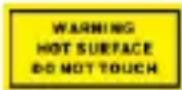
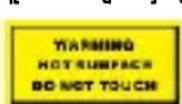
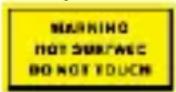
CAUTION: Hot parts! Burned ngers when handling the parts. Wait one-half hour aero switching o before handling
parts. This scker is to indicate that the marked item can be hot and should not be touched without taking care. For device with this scker, this device is intended for installaon in a restricted access locaon, access can only be gained by service persons or by users who have been instructed about the reasons for the restricons applied to the locaon and about any precauons that shall be taken.
Installaon
Install the equipment according to the instrucons in this manual.
Power Supply
Device powered by Safety Extra-Low Voltage(SELV): The power source should meet limited power source or PS2 requirements according to IEC 60950-1 or IEC 62368-1 standard. Device powered by AC mains supply voltage: The equipment must be connected to an earthed mains socket-outlet. An appropriate readily accessible disconnect device shall be incorporated external to the equipment. An appropriate overcurrent protecve device shall be
incorporated external to the equipment, not exceeding the specicaon of the building. An all-pole mains switch shall be incorporated in the electrical installaon of the building. Ensure correct wiring of the terminals for connec to an AC mains supply. The equipment has been designed, when required, modified for connec to an IT power distribuon system.
White Light Illuminator (If supported)
Possibly hazardous opcal radiaon emied from this product. DO NOT stare at operang light source. May be harmful to the eyes. Wear appropriate eye protecon or DO NOT turn on the white light when you assemble, install or maintain the camera.
Transportaon
Keep the device in original or similar packaging while transporng it.
System Security
The installer and user are responsible for password and security configaon.
Maintenance
If the product does not work properly, please contact your dealer or the nearest service center. We shall not assume any responsibility for problems caused by unauthorized repair or maintenance. A few device components (e.g., electrolyc capacitor) require regular replacement. The average lifespan varies, so periodic checking is recommended. Contact your dealer for details.
Cleaning
Please use a so and dry cloth when clean inside and outside surfaces of the product cover. Do not use alkaline detergents.
Using Environment
DO NOT place the camera in extremely hot, cold, dusty or damp locaons, and do not expose it to high electromagnec radiaon.
Emergency
If smoke, odor, or noise arises from the device, immediately turn o the power, unplug the power cable, and contact the service center.
Time Synchronizaon
Set up device me manually for the rst me access if the local me is not synchronized with that of the network. Visit the device via Web browse/client soware and go to me sengs interface.
Reecon
Make sure that no reecve surface is too close to the device lens. The IR light from the device may react back into the lens causing reecon.
Français
2012/19/UE (direcva RAEE, residuos de aparatos electricos y electromagnecos): En la Unión Europea, los productos marcados con este símbolo noSEOSEOSEOSEOSEOSEOSEOSEOSEOSEOSEOSEOSEOSEOSEOSEOSEOSEOSEOSEOSEOSEOSEOSEOSEOSEOSEOSEOSEOSEOSEOSEOSEOSEOSEOSEOSEOSEOSEOSEOSEOSEOSEOSEOSEOSEOSEOSEOSEOSEOSEOSEOSEOSEOSEOSEOSEOSEOSEOSEOSEOSEOSEOSEOSEOSEOSEOSEOSEOSEOSEOSEOSEOSEOSEOSEOSEOSEOSEOSEOSEOSEOSEOSEOSEOSEOSEOSEOSEOSEOSEOSEOSEOSEOSEOSEOSEOSEOSEOSEO SEOEEOSEEOSEEOSEEOSEEOSEEOSEEOSEEOSEEOSEEOSEEOSEEOSEEOSEEOSEEOSEEOSEEOSEEOSEEOSEEOSEEOSEEOSEEOSEEOSEEOSEEOSEEOSEEOSEEOSEEOSEEOSEEOSEEOSEEOSEEOSEEOSEEOSEEOSEEOSEEOSEEOSEEOSEEOSEEOSEEOSEEOSEEOSEEOSEEOSEEOSEEOS EOOOLOO OOOLOO OOOLOO OOOLOO OOOLOO OOOLOO OOOLOO OOOLOO OOOLOO OOOLOO OOOLOO OOOLOO OOOLOO OOOLOO OOOLOO OOOLOO OOOLOO OOOLOO OOOLOO OOOLOO OOOLOO OOOLOO OOOLOO OOOLOO OOOLOO OOOLOO Ooo
EU 06:06:06 06:06:06 06:06:06 06:06:06

000000 - 0000000
-3000:00:00:00
OGS:OgOgS:"CE"
3000000000000000000EMC
2014/30/EU LVD
2014/35/EU RoHS 2011/65/EU
Wi-Fi 2014/53/EU
000000000000000000
0000000000000000
2012/19/EU (WEEE)
200000
0000:000000000000
000008008:
0000000000000000000000000000
00000000000000000000
0000000000:0300000
085:32000000 0000000000
0gS:ep8:qoo 9o:ol oos
00000000:00000000:00000000
gppp:0o0001 0000000000000000000
www.recyclethis.info
2006/66/EC (ooos
88
0000000000
00003808: 000
00833g0833g:08g:0g
ooocogoo:doos
0000030000 00:00532q1s 320004p:0
00000000000000000000000000000000000000
0000000000000000 (Cd) (Pb)
8000g3: (Hg) 2g
0080808080808080808080808
yoosoo:oo:olooS1 00080
8000000000000000000
008s0s0g8:epg:qooo 96000
00040000:005 00008:000 699
0000000000000000000000000000
www/recyclethis.info
000:08:0100:88ep 23p:08
mssq: 05:05:05:05:05:
0000
000003
000088:300:300:90088
030008:9 000088ep 00008:0
05:95:324p:03g5300
000000000000000000000000
088m98:0wos
0000g:000:0p:0000s:0p:
y000000000000000000000000
0000000000000000000000000000
oo00gqp:0o o0:00gqip:83
000000000000000000000000000
safeguard
008:88oo (p000300:g 32g.oo
008008 00800832q113200:qp8:08)
oo0000 000000000000
8:3008:01 8w0208 8:30081 8w0208
0000:00000000
goooo8: g0ofool
3800s300E: 600000000
0080:00800000000000
8888888 8888888 8888888 888
000000000000000000000000
00000000 3800000000000000
888.8: 88001 885054 88888
80008:0008000000000000
008gc.4p 00000000001 +
000000000000000000000000000000000000000
00000000000000000000000000000
0000g 03208:08(qp):0g
000000000000000000000000000000000000000
0000000000000000000000000000000000000
0000300000(q)0 0000
8:00:00000000:00:
8:00:00:00:00:00:00:00:00:00
30000000000000000000000000000000000000000000
88ww88 88wwS
000000000000000000000000
300:
yooqgogc mgoos
000g-0000
3808388:4p:
380888:ep: 888888888
Oo0000000000000000000000000000000000000000000000000000000000000000000000000000000000000000000000000000 1
OoOoOoOoOoOoOoOoOoOoOoOoOoOoOoOoOoOoOoOoOoOoOoOoOoOoOoOoOoOoOoOoOoOoOoOoOoOoOoOoOoOoOoOoOoOoOoOoOoOoOoo
OOOOOOOOOOOOOOOOOOOOOOOOOOOOOOOOOOOOOOOOOOOOOOOOOOOOOOOOOOOOOOOOOOOOOOOOOOOOOOOOOOOOOOOOoo
OOOOOOoooooooooooooooooooooooooooooooooooooooooooooooooooo oo
OOOOooooooooooooooooooooooooooooooooooooooo oo
OOOOooooooooooooooooooooo oo
OOOOoooooooooooooooooo oo
OOOOooooooooooooooo oo
OOOOoooooooooooo oo
OOOOoooooooooooo oo
OOOOooooooooo oo
OOOOooooooooo oo
OOOOooooooooo oo
0000000000000000000000000000000000000000000000000000000000000000000000000000000000000000000000000000 111111111111111111111111111111111111111111111111111111111111111
000:0000000000000000000000000000000000000000000000000000000000000000000000000000000000000000000
0000000000000000000000000000000000000000000000000000000000000000000000000000000000000000000000
Türkç e
AB Uygunluk Beyani

Bu urun ve - varsa - saglanan aksesuarlar da "CE" ile isaretlenmistir ve bu nedenle EMC Direk 2014/30/EU, LVD Direk 2014/35/EU, RoHS
Direk 2011/65/EU, Wi-Fi cihazi: RE Direk 2014/53/EU alnda listelenen gelecerli uyumlasmilis Avrupa standartlarina uygundur.
CoOTBcTbNE cTaHapTaM EC

ETOT npOdyKT n (ecnn
npImeHMO) nOCTabIReMbIe
akceccyapbl NMeIOT
MapKnpOBky CE n
COOTBETCTBYHT npIMeHmMbIM
COrlaocOBaHHbIM eBpOneNcKm CTaHapTaM, nepeuNCHeHHbIM B DnpekTnBe nO
3JIeKTPomarHHTHOJ COBMeCTHMOCtH EMC 2014/30/EU, INpeKTnBE NO HN3KOBObTHOMy 6OpdyoBaHnIO LVD 2014/35/EU n INpeKTnBE no ORpaHnueHnIO nCNoIb3OBAHnA ONaChbIX BeIeCTB RoHS 2011/65/EU, a ycTpoIcTBo Wi-Fi COOTBeTCTByET INpeKTnBE no paDnOoo6OpdyoBaHnIO 2014/53/EU RE.
INPEKTNBA WEEE 2012/19/EU (no yTnIn3aunn OTXoOB 3JeKTPnueckoro n 3JeKTPoHHOn o6OpyDobAHnJ): npOdyKtbl, OTmeeHHbIe 3TmCnMBOJOM, 3aPpeuEHO yTnIn3nPoBaTb B Ebponeckom coIO3e B kaueCTbe
HecopTnpOBaHHbIX MyHnCunnaJIbHbIX OTXODOB.ДЯ HaIeJkaUeI nepepa6OtKN Bo3BpaNTte 3TOT NpOdyKT MeCTHOMY NOCTABuNKU NocLe NOKyTNK 3KBINBaJIeHTHO HOBOrO O6OpyIDOBAHNA IINI YTNIIN3NpyIte erO B INpeDiHa3NaYeHNbIX DIA 3TOFO NYHKtax c6opa OTXODOB.ДЯ NOJIyEHN DONOLNHTeJIbHOI INΦOpMaUcN CM.:
Диркпьа 2006/66/EC no obpaшени cбатаряMu:эТО пpoукт coideржнтбатapeю, KOTOPYU 3aNPeшeHo yTINHIMPOBaTB EБPoneiCKOM COIO3e B KaueCTBe HECOPTNPOBAHHbIX
MHNHnHnHbHbIX OTXoIOB.ДЯ NOJyehNn ToOHn HhOpMaun O batapee cm. DOKymeHTaUNK npOdykTy. MapKnipOBKa Batapeu MoKET BKIIOUaTb CmBOJI, KOTOpbl E ONpeJeIaOT ee XmNueckn COCTaB: KaDMn (CD),CBnHeu (Pb) nnn pTyTB (Hg).ДЯ NaJIeJaSeY yTNIN3aUNn OTnpaBbTe 6atapeo MeCTHOMY NoCTABUKNy nnn yTNIN3npynte ee B CNEuaJIbHbIX NYHKTx nPnEma OTxOIOB.ДЯ NOJyueHn DaONOLHNTbHOH INHΦOpMaun CM.: www-recyclethis.info
HCTpykunnoTexnke6e30nacnoctn
HactoIue Hnctpykun CnykaT nIy oBecneueHn npaBnIbHoro NcNoIb3ObaHn npOdyKaTo BO n36eKaHne ONaChbIX cNtYaauN MaTePnaJIbHOro yUep6a.
3aKHOdaTeIbHbIe aKTbI HOpMaTHBHbIe DOKyMeHTbl
Pn nncnoB3OBaHnn 3TOrO yCTpoNCTBa Heo6xoDnMo co6nDaTb MeCThoe 3aKHOdaTeNbCTBO, npaBnla 6e3OnaCHOI EKnLyaataun 3JeKTPoo6OpyDoBaHnI npaBnla npOTNBONOxapHOh 6e3OnaCHOCTn.
3NeKtpo06OpydoBaHne
3KcNlyataaJa aHHoro n3dEInn D0JXHa BbINOJIbTaBc BCTPOROM COOTBeTCTBUN C npabINlam6e3oNaChOn 3KcNlyataaIn 3JeKTPOOBOpyIDOBaHnI, DeiCTBYIOUIMn B BaWein CTpaHe nBaWem perNoHE. YcTPOiCTBO He DOJHXO NOBBePraTbCBA3DeIeCTBNU KaneIb N 6bp3r; He OJNYCKaETcraSTaBtB Ha Hero NpeDMeTbI, HAnOJIHeHHbIe XnIKoCTbIO, HApnPmEp, Ba3bl C cBetAmn. B Oco6bIX yCLOBnIX, TAKNX KaK rOpHbIe BEpHbI, MeTALNNueCKne BAuHNn I neChbIe MaccNBbl, YcTAHOBtNE OrpaHnUHTeB NepeHapJxKeHnHa BXOde oObOPyOBoAHn. IPDEyIPEXKJEHNE! IJNA cHnKeHn pNcKa BO3NHKOBEHn IOXapa NCNOJb3yIte JIa 3aMeHbI PpeOxpaHntTeN ToJIbKO COOTBeTCTByIOUeRO TINa N HOMHaJa.
BaTape
He nporlaTbIBaHTe 6batapeIO. Onachoctb
xHmueckoro OXora! YcTpoiCTBO coDEpKNT
nloockyIO kpyIyIO 6batapeIO. EcnBblCnyauHNO
nporlotne 3Ty 6batapeIO, 3TO MOKeT Bbl3BaTb
cepbe3hble OXoRn BHyTpEHnx OprAHOB n daJe
npNBecTN K IeTaIbHOMy NcXOy Upe3 2 yaca.
XpaHIne HObIe NcNoJIb3OBAHHbIe 6batape
BdaII NTDeTe. EcnOTceK dJa 6batapeN He
3aKpbIbAEtCA DoCTaTOUHO NNOTHO, PpeKpatNTe
3KcNlPyATAuINIO H3DeJIINr IN ORpaHNUbTe DOCTyn
dTeEN K HEmY. EcnBbl DymAeTe, 4TO 6batape
6bila nporloueHa IIIN KaKNM-lINO Bo pyrIM
0bp3OM npOHKnLA B OprAHN3M, HeMeJLeHNO
0bpatNTecB K BpaCy. PPEyIPPEKJDEHNE! Ppn
yctaHOBke 6batapeN HeOnyctTMOrO Tnna
cyuectByET pNCK B3PbIBa. YtININ3npyuTE
NCNoJIb3OBAHHbIE 6batapeN B COOTBeTCTBNI C
HNCTpykunMa. YcTAHOBka 6batapeN
HeOnyCTMOrO Tnna MoKeT CO3DaTb YrPo3y dJa
6eONaChOCtn (HanpImep, B clyuae HeKOToPbIX
TINOB IInTneBbIX 6batapeN). He 6pocaTe 6batapeIO
B OROh IIIN ropayUIO neyb, He cDaBlnBaIte N He
pa3pe3aIte 6batapeIO, NOckOJIbKy 3TO MOKeT
npNBecTN K B3PbIBy. HaxOxJdeHne 6batapeN B
CpeDe Cpe3BbUaHbBICOKoTEmnepaTPOJ MOKeT PnPBecTN K B3PbIBY NIN K YTeUKe TROPuee JNkIOCTN NIN Ra3a.HaxOxJeHne 6aTapen B CpeDe Cpe3BbUaHHO Hn3KIM DaBLeHnEM BO3DyXa MOKeT PnPBecTN K B3PbIBY NIN K YTeUKe ROPuee JNkIOCTN NIN Ra3a. + O6O3HaUaET NOLOXHTeJIbHbIKONTAKT O6OpUdoBaHnA, KOtOpBdOJKeH NODKIOUATcR K ICTOCHNY NOCTOAHOROToka.-OB03HaUaET OTPuTaTEhBHy KOHTAKT O6OpUdoBaHnA, KOtOpBdOJKe H NOKIOUATcR K ICTOCHNY NOCTOAHOROToka.
PpeodotbpaueHne noxapa
He cTaBbTe Ha yCTpOncBO nCTOuHNKn OTKpbIToro orHn, HanpImep rOpAune CBeyn. PocleDoBaTeIbHbI npT o6OpydoBaHn npEdHa3HaueH ToJIbKO IJRA OTJaDKN.
PpeodotbpaueHne oXora n3-3a ropaey
NOBepxHOCTN
PPEyPPEKDEHNE!Topaue HeTaln!OnachoctbOxKora paIbceB npuObaeHNc DeTaIaMn.PpeD.
npNKOCHOBEHnEM K DeTaNAM YCTPOIcTBa NOOJNTe NOUACA Nocle ero BbIKIOUeyHn. 3a NaKJIeNka YKa3bIBaET Ha To, YTO daHHbI KOMNOHeHT MOKeT 6bITb TropyIM, n erO HeJIb3r TpOraTb He npEiPnHnB COOTBeTCTBYIOUxMep PpeOcTOPOXHOCTN.YCTPOIcTBa C TaKOH NaKJIeNko IpeDHa3NaYeHbI Dlan pa3MeUeHnB 3aKpbIToN 3OHe, DOCTyIN B KOTOPYIOLOJXHbI IMeT ToIbKO OBCLyXNBaIOUne CneuAInCTbl INI NOLb3OBaTeIIN, 3HaIOUne O npuHax ORpaHnueHn IOCTyNA B 3Ty 3OHy IN OCBeDMLeHHbIE O Heo6XODMbIX Mepax PpeOcTOPOXHOCTN.
YCTaHOBka
YctaHOBnTe O6OpyDoBaHHe B COOTBeTCTBn C HnCTpyKzmaM, npNBeDeHHbIMN B HAcToIeM pyKOBoDCTBe. Bo n36eKaHne TpaBM yCTpoiCTBO Heo6xOJMo HaJeXHo 3aKePENITb Ha NOly NJI CTHe CoIlaCHO INCTpyKzmaM NO YCTaHOBKe. HnKOrJa He CTaBbTe yCTpoiCTBO Ha HeycToUByIO NobepxHocTb. NaJeHne yCTpOiCTBa Ha YeJIOBeKa MoXeT CTaTb PnUnHOI Cepbe3HbIX TpaBM IIN CMePTn.
3LeektponntaHne
Ecn nntaHne o60pyoobAHnO cUyecTBnreTc
6e30nacbIM CbepxHN3Km HnpanjxHeHem,
NCTOCHNK NITAHN DOJXeH COOTBeTCTBOBaTb
Tpe6oBAHnM K OOrpaHueHHOMy HnpanjxKeHIO
NITAHN IIN Tpe6oBAHnM PS2 corlaCHO
ctHaapTy IEC 60950-1 nn IEC 62368-1. Ecn
nNTaHne 60950-1 nn IEC 62368-1. Ecn
HnpanjxKeHnEM OT CeTN nepeMeHHORo TOKa,
OBopyoDBAHnE DOJXHO 6bITb NOkLIooHcO K
3a3eMLeHHo po3etke. ChapyxK Kopnyca
OBopyoDBAHNr Heo6xoDnmo YCTaHOBHTb
NOxOJaee NERKOIOCTynHOe yCTpoiCTBO
OTKlIOUeHHN. ChapyxK KopnyCa OBopyoDBAHNr
Heo6xoDnMo YCTaHOBHTb NOxOJaee
YCTPOICTBO 3aunTbI OT nepepy3Kn IO TOKy,
COOTBeTCTBYIOoee TexHnueCKM
XapAKTePepNCtIKam 3JeKTPocnCTEmbl 3dAnHra. B
3JeKTPocnCTeMe 3daHnA DOJXeH 6bITb
YCTaHOBLeh MHORONOLIOChbI CEteBOI
BbIKIOuateJI. PpOBepbTe npabInbHOCTb
NoKIIIOUeHHN KJIeMM K CeTN nepeMeHHORo TOKa.
OBopyoDBAHnE pa3pa6OtaHo TAKM O6pa3OM,
QTObbl pRn Heo6xoDnMOCTn erO MOxH O bIIO
ModiOnuropOBaTb DnI NOkLIOUeHHN K
INT-CnCTeMe pacnpdeJeHHN 3JeKTPo3Heprn.
YcPoIcTB NoDCBETKn 6eJoro CBeta (ecnn
noDdepeKnBaetc)
JaHHoe n3dJIne MoKet nCnyckaTb OnaCHOe ONTNueckoe n3JyueHne. 3APELAETCR cMOptb Ha pa6oTaIOUHn HCTOuHnK CBeta. 3TO MOxET 6bITb BpeHNO dIra Ira3. Bo Bpemc6opKn, UCTaHOBKn HII NO6cLyXnBaHn KamepbI Heo6XoDmO HocNTb COOTBeTCTByUOuNe CpeDCTBa 3aunTbI rna3 n 3APELAETCR BKlouHaTb 6elbl CBET.
TpaHcNoptnPOBka
NcnoB3yIe opnHaIbHyIO nI cxOxyUynakOBky dIraTpaHcnpTnpOBKn yCTpoiCTBa.
Be30NaCHOCTb CNTEmbl
YcTaHOBUnK INoJIb3OBATeJIb HecyT OTBeTCTBENHOCTb 3a 3aDaHne NaPOnI N HaCTpoNky 6e3OnaCHOCTn.
TexHnueeckoe 6cbnyKnBaHne
EcIn n3deJine He pa6oTaet dOJIxHbIM o6pa3OM,
obpatntecb K dIepy IIN K cneuaIaNCTam
6nJaWero cepBnCHoro ueHTpa.
KomnaHnra-n3rotOBuTeNb He Hecet
OTBeTCTBeHHocTn 3a HeNCnPpABHOCtN, BO3HnKwne
B pe3yIbTaTe HecaHKUHOHPOBaHHORo peMOHTa
IIIN TexHnueCKOrO 06cLyXnBaHN. HeKOTOpbIE
KOMNoHEtbl yCTpOJCTBa (HaNPmep,
3JeKTPoJIrTNueCKNe KOHeHCaTOpbI) Tpe6yIOt
peryIaRhoH 3aMeHbI. CpeHn CpOK cLyXbI 3TxN
KOMNoHEtOB MoKeT pa3JInuaTbC8, NO3TOMY
COBeTyEm nepNOJNuCeKn IN pPoBepaTb.
Iopnpo6Hocn yTOUHnTe y npOaBca. OuNCTka
IyOuHCTKN BHYTpEHHNX N BHeuHNX NOBepxHOCTe KpbIUsK N3DeJnN HCNoJIb3yIte MArKyIO cyXyIO TKaHb. 3aIpeUaETcN cNOJIb3OBaTb IeLoUHbIe MOUUne CpeDCTBa.
Tpe6obanna K pa6oey cpeDe
Itpn HcnoB3OBaHn IIObOro Ia3epHoro
obopyoBaanhy y6eHITcB, yTO B o6bekTnB
yCTPOICTBA He nonaAet Ia3epHbI Lyu, INaue OH
MOKET BblrOpeTB. 3APELUAETCR yCTAHABINBaTb
yCTPOICTBO B yCIOBnX BO3deJCTBnA CnIBHO
3JIeKTPOMarHTHO n3LyUeHn IIN B NblbHO
cpeDe. YCTPOICTBO, npEdHa3HaueHHe dJa
yCTAHOBKn BHyTpN NOMeUeHn, Heo6xoDIMO
pa3MeuATb B cyxOn HxopoWo npOBeTpnaE moi
cpeDe. He hAnpablanTe ObkTnB yCTPOICTBa Ha
coHNCe nn Dpyrne JRPKe ICTOCHNK CBeta.
y6eNTecB, yTO pa6Oua r cpeDa yDObJIeTBopraT
tpeBOBnMn HndLejkaSei pa6Ot b yCTPOICTBA.
3APELUAETCR yCTAHABINBaTb Kamepy B
ycNOBnX BO3dEChTBn EKCTpeMaJIbHO BbICOKnx
HInn Hn3KnX TempeaTp, BO BlaXHo CpeDe, a
Takke B yCIOBnX BO3deJCTBnA CnIBHO
3JIeKTPOMarHTHO n3LyuEHHa.
Khonka noaun 3kctpeHHoro cHrHaTpeBorEcn yCTPOIcTBO nCnYcKaeT dbIM, HENpNTHbI3anax nn Wym, He3aMeJNTeNbHO OTKJIouHTe3NeKtponNTaHHe, N3BLeKInTe WHyP NiTaHnI N6bpATntecb B cepBnchbI ceHTp.
CnHxpoHn3aunBpeMeHH
EcIn lokaIbHoe Bpem He 6blIO cnHXPOHN3nPOBaHO C ceTeBbIM BpeMeHem, BblONHTe pyHyIO HAcTPOKBy BpeMeHnyCTpoNCTBA npn nepBOM DoCTyne.3aINTe Ha yCTpoiCTBO uepe3 Be6-6pay3ep/nporpaMMHoe obecneueHne KIneHTa n NpeenDITE K
HInTePfoEnCy HAcTpoNkBpeMeHn. OtpaxKeHne
Y6eIInTeScb, yTO B HEnOcpeIcTBBeHHoB 6JIIN3OCTN OT OBeKTHBa YcTPOINCTBa Het OTPaKaIOUeI NOBepxHOCTn. INHpaKpachbI CBETOT YcTPOINCTBa MOKeT OTPa3HTbcra ObpaTHO B OBeKTHB, yTO npNBedeT K 3acBETke.
yKpaHcbKa
3aBa npo BiinobiHictb cTahdpTaM EC

UeBnpiTa-3a Heo6xHocTi -TakK KOMnIeKTyOuI, 0o NocTayAcTbCra, N03NaueHi 3HaKOM "CE", 0o O3NaueEix BiINOBiDiHicTb 3actOCOBHM
rapMOH3OBAHm EByPoneiCbKm CtAndapTaM, 0nepeiuehi y DnpektnbE MC 2014/30/EU,
DnpeKtNbi Ipo Hn3bKOBoJbThe O6laHaHHa 2014/35/EU, DnpeKtNbi RoHS 2011/65/EU,
npioctri Wi-Fi: y DnapeKtNbRE 2014/53/EU