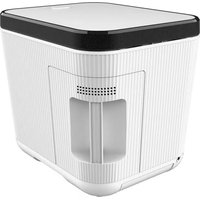
NCVK9112BWH - Deep fryer Nutrichef - Free user manual and instructions
Find the device manual for free NCVK9112BWH Nutrichef in PDF.


| Product Type | Food Waste Composter |
| Brand | Nutrichef |
| Model | NCVK9112BWH |
| Dimensions (L x W x H) | 28 x 34.3 x 31.8 cm |
| Net Weight | 6.8 kg |
| Power Supply | 110 V ~ 50 Hz, 420 W |
| Capacity | 3 liters |
| Materials | PP, ABS, ceramic |
| Main Functions | Drying, grinding, cooling |
| Filter | Activated carbon, lifespan 3 to 6 months |
| Reduction Rate | Greater than 90% |
| Display | Digital screen with indicators |
| Noise Level | Low |
| Maintenance | Automatic cleaning, tank and parts dishwasher safe |
| Safety | Auto shut-off, micro-switch, overheat protection |
| Spare Parts Available | Carbon filter, water tray, tank |
| Warranty | Manufacturer's warranty (see manual) |
Frequently Asked Questions - NCVK9112BWH Nutrichef
User questions about NCVK9112BWH Nutrichef
0 question about this device. Answer the ones you know or ask your own.
Ask a new question about this device
Download the instructions for your Deep fryer in PDF format for free! Find your manual NCVK9112BWH - Nutrichef and take your electronic device back in hand. On this page are published all the documents necessary for the use of your device. NCVK9112BWH by Nutrichef.
USER MANUAL NCVK9112BWH Nutrichef
nutrichefkitchen.com

USA

UK
nutrichef™
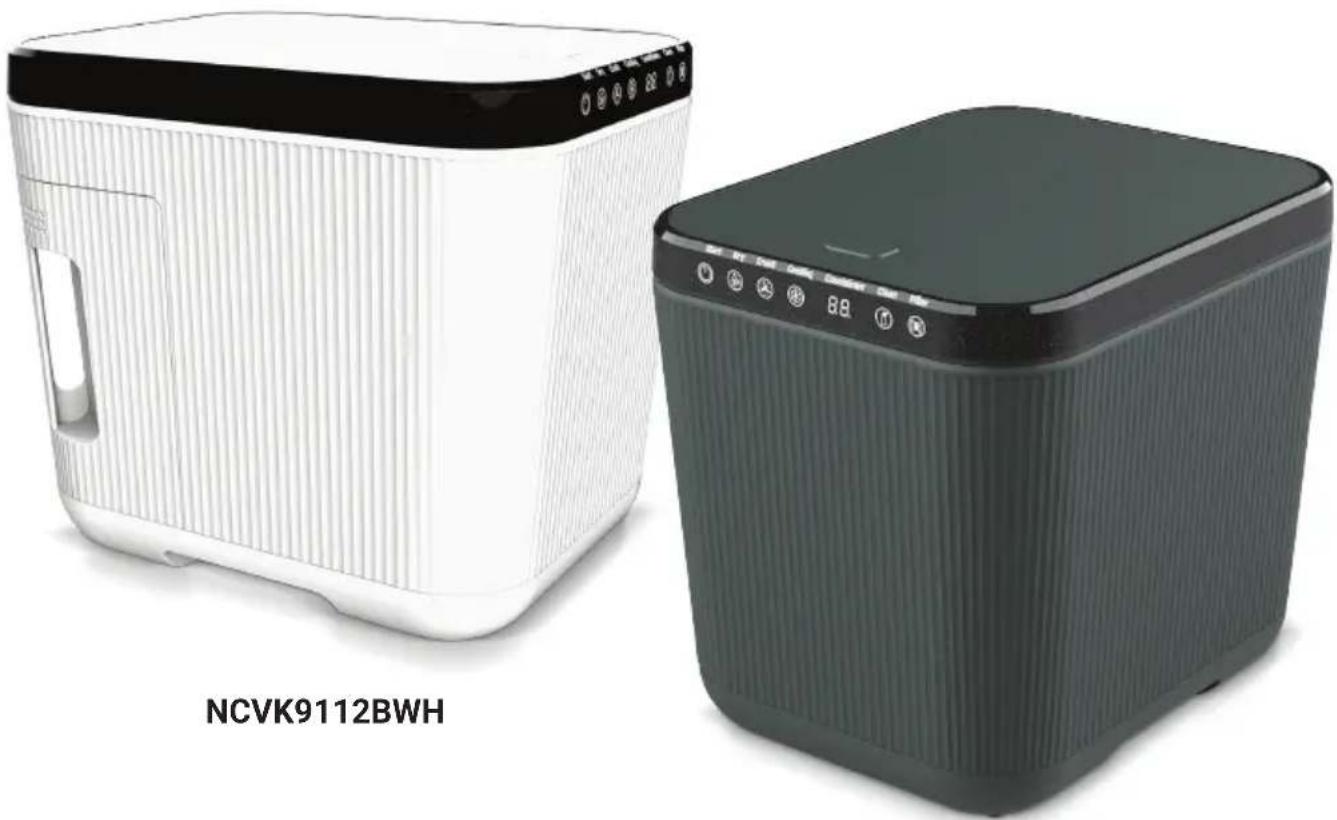
natural_image
Two compact electronic devices, one white and one dark green, displayed against a plain background (no visible text or symbols on the devices themselves)NCVK9112BGR
USER GUIDE
3 Liter Compost Machine/Countertop Garbage Bin Automatic Food Recycler
About NutriChef
A mission born out of need
NutriChef was created on the principle that healthy home cooking should be attainable to all, regardless of skill level and economic status. Starting in 2014, we noticed the disconnect in our lives and in the lives of those around us. We were so busy, always rushing forward, and our health and personal lives suffered. We needed to find some way to slow down and put our health first, all without sacrificing convenience or taste. Could we somehow create healthier versions of our favorite foods, easily in our own kitchens? The answer was a resounding yes, and NutriChef was born.
We create products that make life a little easier and a little healthier
Our brand was created out of a desire to provide an alternative to fast food convenience and reintroduce people to home cooking. A healthy home-cooked meal is what brings families and friends together. We believe strongly in the value of simple pleasures. An evening spent cooking and sharing a meal of wholesome, nourishing foods is a memory in the making.
We believe a moment shared is priceless
Today, we have built upon our original mission and now in addition offer products that make the art of entertaining a simpler one. Entertaining and hosting family and friends are one of the great joys of life. Why waste a moment stuck in the kitchen? We offer products that free you up to socialize, while never sacrificing quality or taste.
Please read and keep these instructions. Indoor use only
CONTENTS
FEATURES 2
SAFETY CAUTION 3
PRODUCT COMPOSITION 4
SPARE PARTS 5
SPECIFICATION 6
INTERFACE 6
HOW TO USE 8
AUTO CLEAN FUNCTION 9
CAUTIONS DURING USE 9
OTHERS 9
REPLACE THE FILTER 10
CAUTIONS WHEN REPLACING THE FILTER 10
REMOVE THE WATER TRAY 11
WHAT CAN BE DISPOSED? 12
INSTALLATION SITE 12
Features:
- Dry, Crush and Cooling Functions
• Efficiently Break Down Kitchen Waste to Pre-compost Material
• Hassle-free and Convenient to Store - Advanced Odorless Filtration System
- User Friendly and Easy to Operate
- Converts Kitchen Waste to Pre-compost Material
- Compact Design Ideal for Smaller Kitchens or Spaces
- Sustainable and Eco-friendly
• Built-in Safety Mechanisms During Use - Removable Components and Dishwasher-safe Parts for Easy Cleaning
- Tuning Range: One Button Operation
- Noise Free Operation
• Made with High-quality PP and ABS Plastic Material - Suitable for a Wide Range of Kitchen Waste, Including Fruit and Vegetable Scraps, Coffee Grounds, Eggshells, and More.
READ ALL INSTRUCTIONS BEFORE USE
Safety Caution
To prevent user safety accidents, property damage and other problems, please read the following content carefully before using.
- Do not install the product near heating appliances or in direct sunlight, which may cause a fire hazard.
- Do not put flammables in the unit for composting, which may cause a fire hazard.
- Do not put other foreign matters in the product except food waste, which may cause product deformation and fault.
- Do not disassemble or transform the product without permission, which may cause electric shock and fire.
- When the product is working, do not put your hand into the machine, which may cause scalding, injury and electric shock.
- The product shall be installed in a flat place to avoid tilting, falling, impact, etc.
- The product shall be installed in a place with good ventilation and exhaust.
- Do not cover within 23.62 inches above the product.
- Shut down and unplug the power cord when going out for a long time.
- Do not store the food waste for a long time, which will produce peculiar smell and decay if power off.
- Do not put too much food waste which exceed the max line.
- Do not touch the pot and handle directly while the product was forced stop to avoid scalding.
- When moving the pot, please pay attention to prevent it falling to avoid injury.
- When the pot falls or is impacted, the deformation of the body or handle will reduce the drying performance.
- Please turn off the power when taking out the pot.
- The maximum processing volume of the product at one time is 3L.
- This product shall not be connected to an external switch like a timer for power supply.
- The product shall not be connected to the circuit that will be opened/closed regularly.
- Do not allow people and children who are unable to take care of themselves to approach the machine.
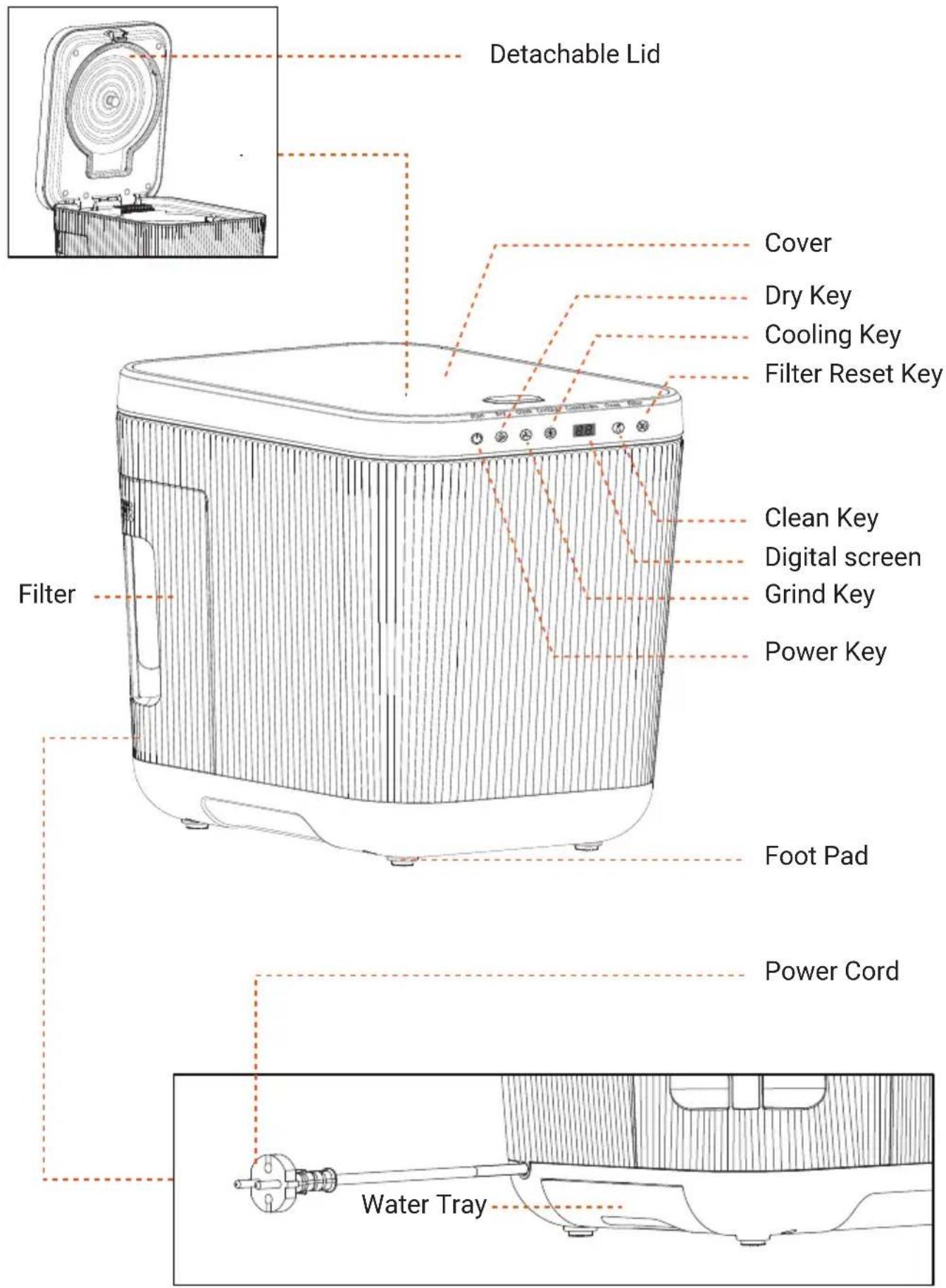
Product Composition
Spare Parts
natural_image
Technical line drawing of a mechanical component with internal structure and mounting bracket (no text or symbols)Filter Holder

natural_image
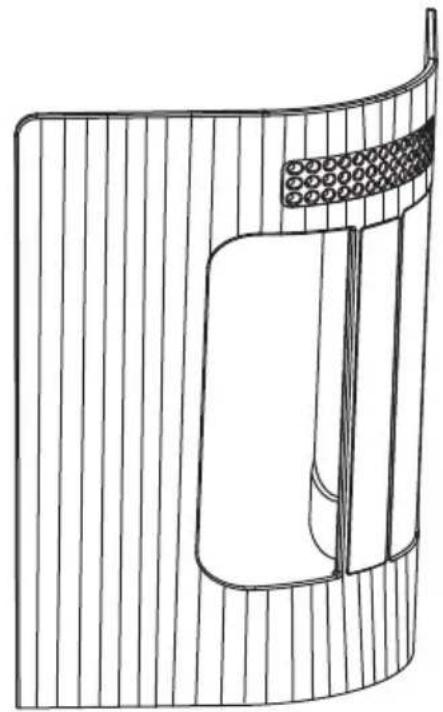
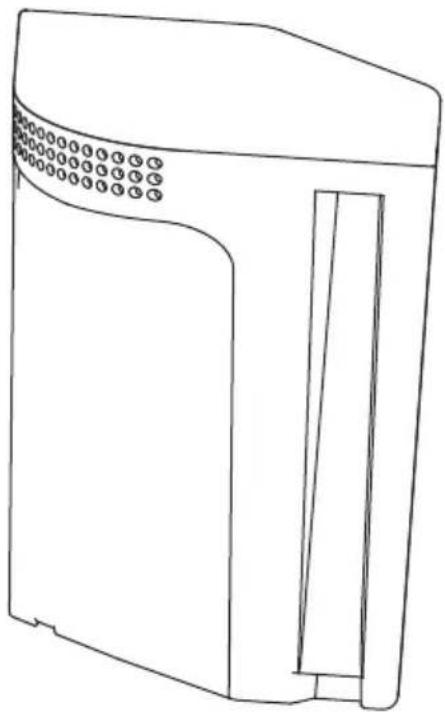
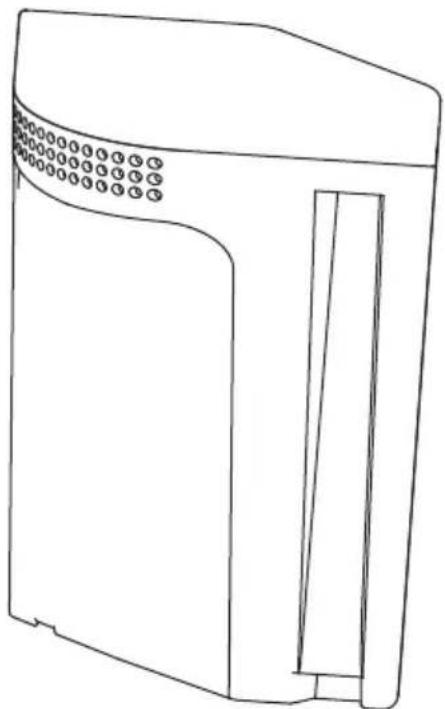
Line drawing of a rectangular electronic device with a lid and ventilation slots (no text or symbols)Filter

natural_image
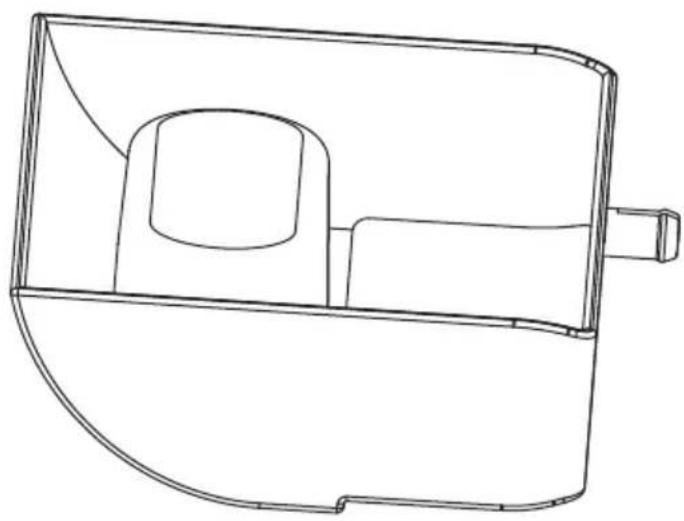
Technical line drawing of a mechanical housing or enclosure component (no text or symbols)Water Tray
natural_image
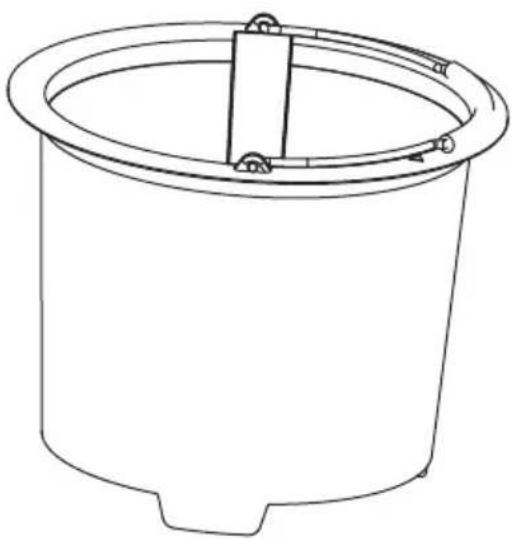
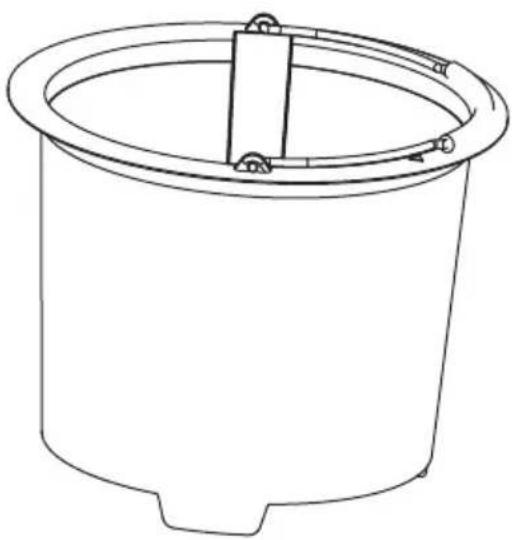
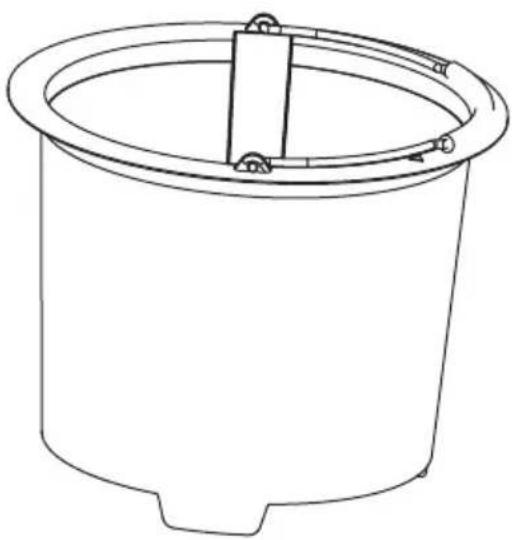
Line drawing of a cylindrical container with a central vertical slot and mounting feet (no text or symbols)Pot
natural_image
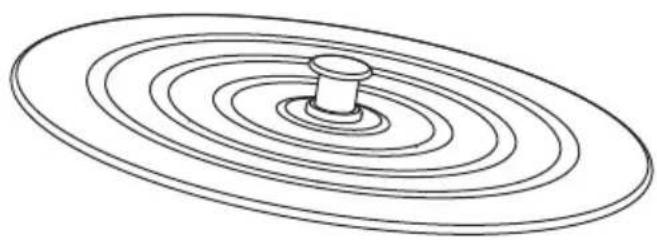
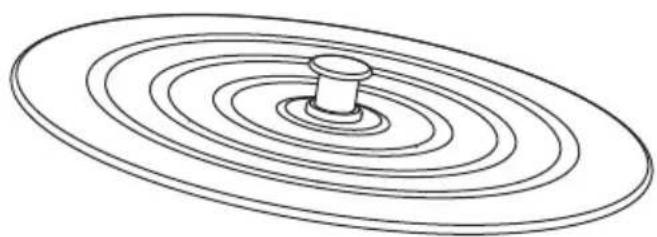
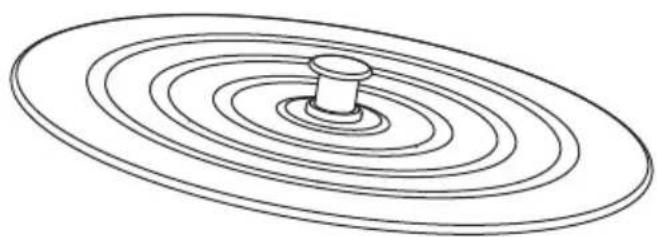
Diagram of concentric circular wavefronts with a central dot, no text or symbols presentDetachable Lid
Specification
• Product Name: Food Waste Disposer
• Model No. NCVK9112BWH - NCVK9112BGR
• Voltage: 110V \~50Hz
- Power: 420W
- Processing Mode: Drying, Crushing, Cooling
- Capacity: 3L
- Reduce Rate: >90%
- Filter: Activated Carbon
• N.W.: 15lb
- Construction Material: PP, ABS, Ceramics
• Response Time: About 6-10 hours
- Tuning Range: One Button Operation
• Total Item Length: 11.02" -inches
- Product Dimension (L x W x H): 11.02" x 13.5" x 12.5" -inches
Interface
Control Panel
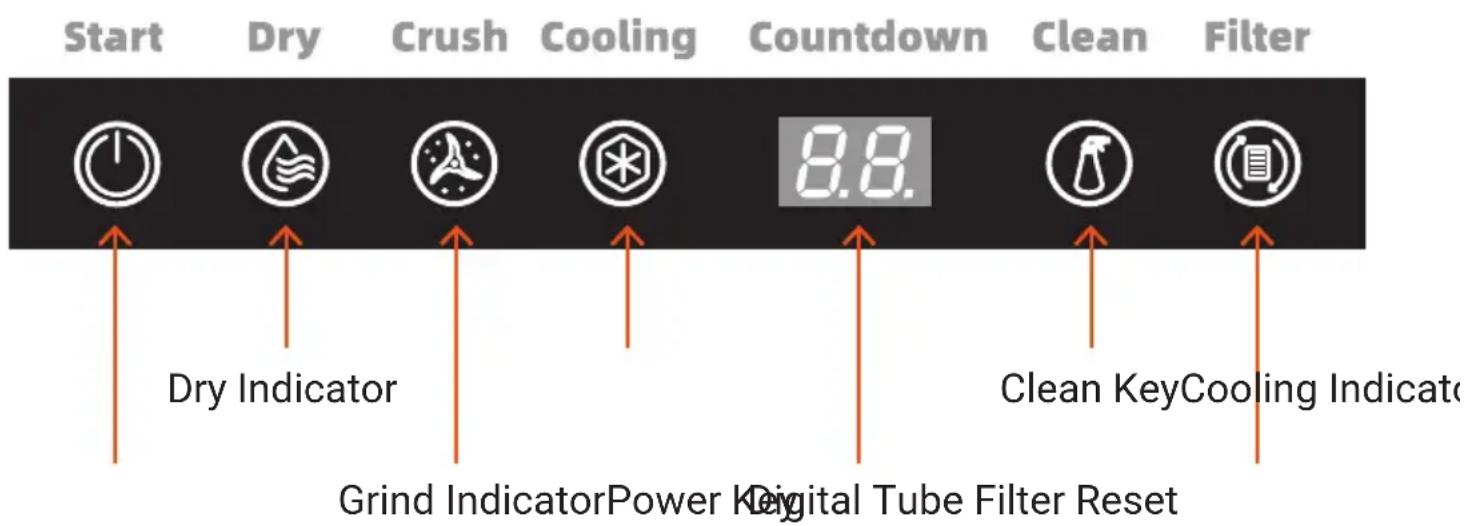
*Short press to start/stop, press and hold for 3 seconds to force shutdown
1. Plug In
- The buzzer will sound once, and all lights will flash 3 times to enter the standby state.
- The buzzer will sound twice if the micro switch and Hall switch is unusual.
2. Processing Mode
- Drying stage: short press power key to enter the drying stage, and the buzzer will sound once. The drying indicator light is on, the crushing and cooling indicator light is off.
- Crushing stage: the crushing indicator light is on, and the drying and cooling indicator light is off.
- Cooling stage: the cooling indicator light is on, and the drying and crushing indicator light is off, the heating and ozone function will turn off, and the fan will turn on.
• After the whole process is completed, the buzzer will sound three times and return to the standby state. - Short press the power key to stop/start the process, press and hold the power key for 3 seconds to force shut down.
3. Auto Clean Mode
- Short press clean key to start the auto clean, the machine will auto off after one hour, and the buzzer will sound three times to return to the standby mode.
- Press and hold the clean key for 3 seconds to shutdown the process.
4. Filter Reset
- The filter indicator light will be on while the filter service life is reached, normally 3\~6 months.
- Press and hold the reset key for 3 seconds after replacing the filter, the buzzer will sound once, and the filter indicator light will be off to recalculate the service time.
How to Use
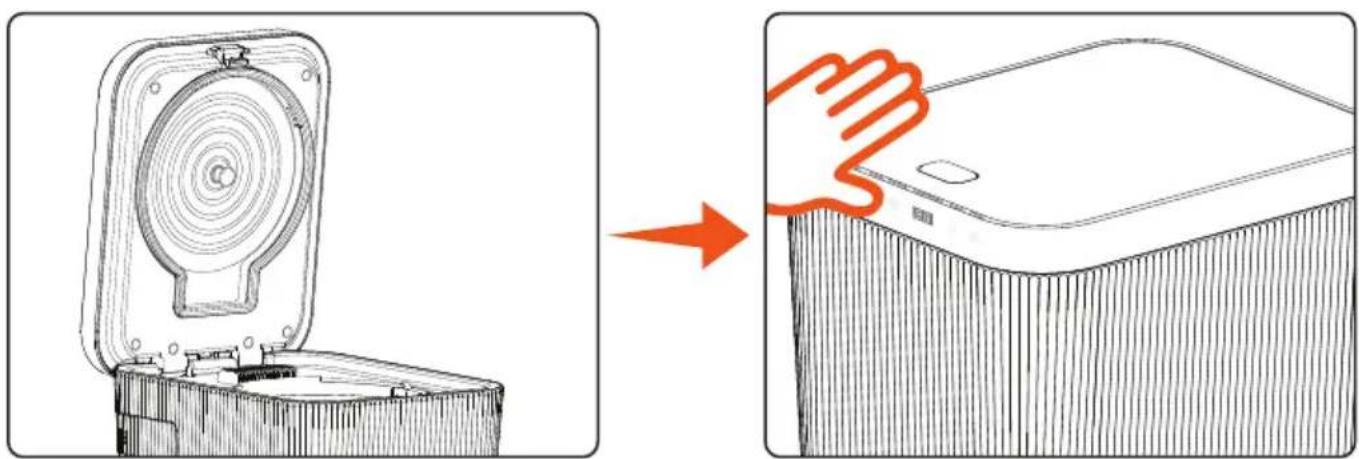
- Press the button to open the cover.
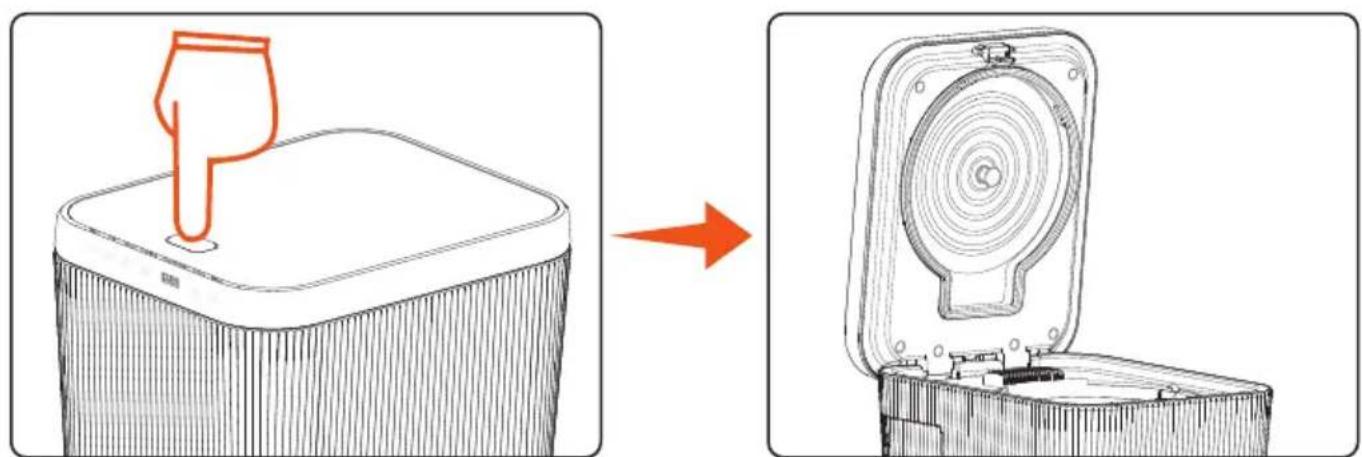
natural_image
Diagram showing a device with a handle and a circular component being processed into a closed base (no text or symbols)- Take out the pot and put in the food waste.
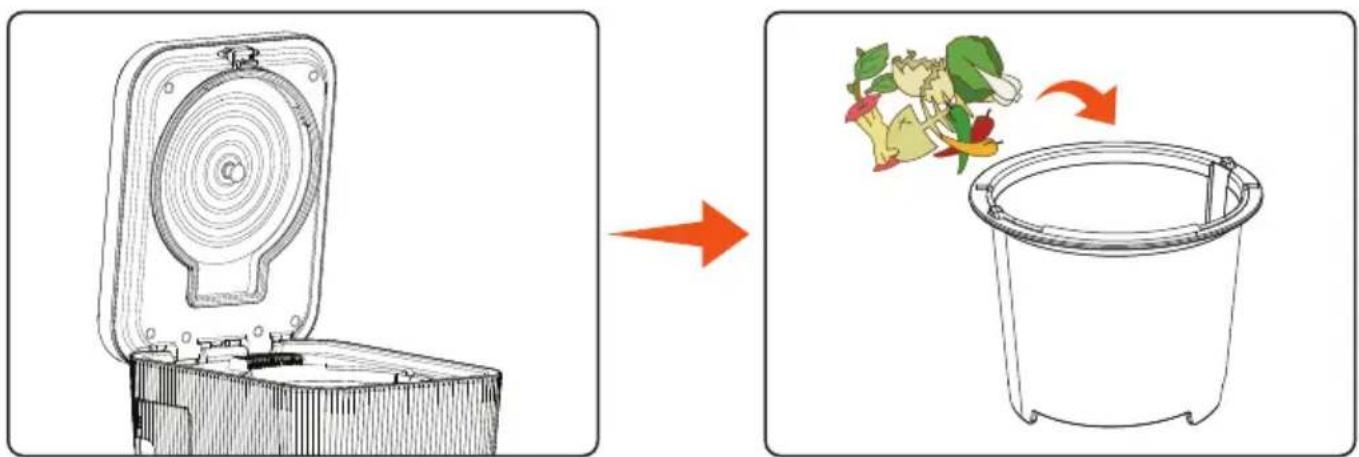
- Put the pot into the machine, then close the cover.
natural_image
Diagram showing a mechanical component being cut off into a base, with an arrow indicating the process (no text or symbols present)Reminder:
The packing materials of the product must be removed before using.
Auto Clean Function
• Take out the pot, add 1/2 water in the pot, then put the pot into machine, close the cover, and rotate the knob to lock the position.
- Press the clean key to start auto clean process.
- The machine will auto off after one hour.
- It is recommended to clean every 1-2 weeks.
- It doesn't need to be cleaned every time after use since the food waste was dried and sterilized at high temperature.
Cautions during Use
- Do not open the cover during operation, which may cause scalding.
- Do not put the starch or sugar and start the machine directly, they may need to be processed together with other food waste.
- Do not put hard non kitchen waste such as plastic, glass, big bones, shells, etc.
- Do not use this machine outdoor to avoid excessive temperature difference between outside and inside the product, resulting in water seepage of filter.
- Do not use it under the shelf or at a place with low ceiling since high temperature operation will produce water vapor.
- Do not put more than 1/2 volume of water into the pot and do not add water into the machine directly to avoid damage.
Others
- Auto power off: The product will be auto powered off and shut down after cooling.
- Processing: Different kinds of food have different shapes, and the results will be various. Please restart the processing if the food waste was not dry enough.
- Noise: During the processing, there will have some noise of internal food crushing and fan operation, which is a normal phenomenon.
- Smell: Different kinds of food have different odors, and there will be slight smell when processing the food waste, and it will also have odors if the filter is not replaced for a long time.
- Pot: Different food waste has different hardness, shape and size, the coating may fall off during treatment, but it is not affected the function.
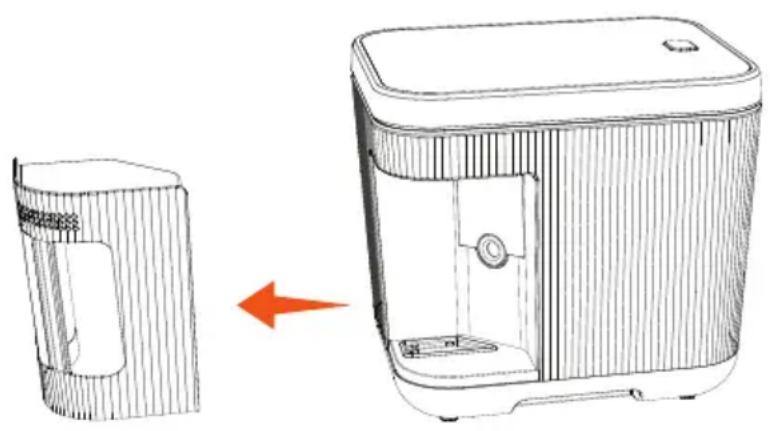
Replace the Filter
natural_image
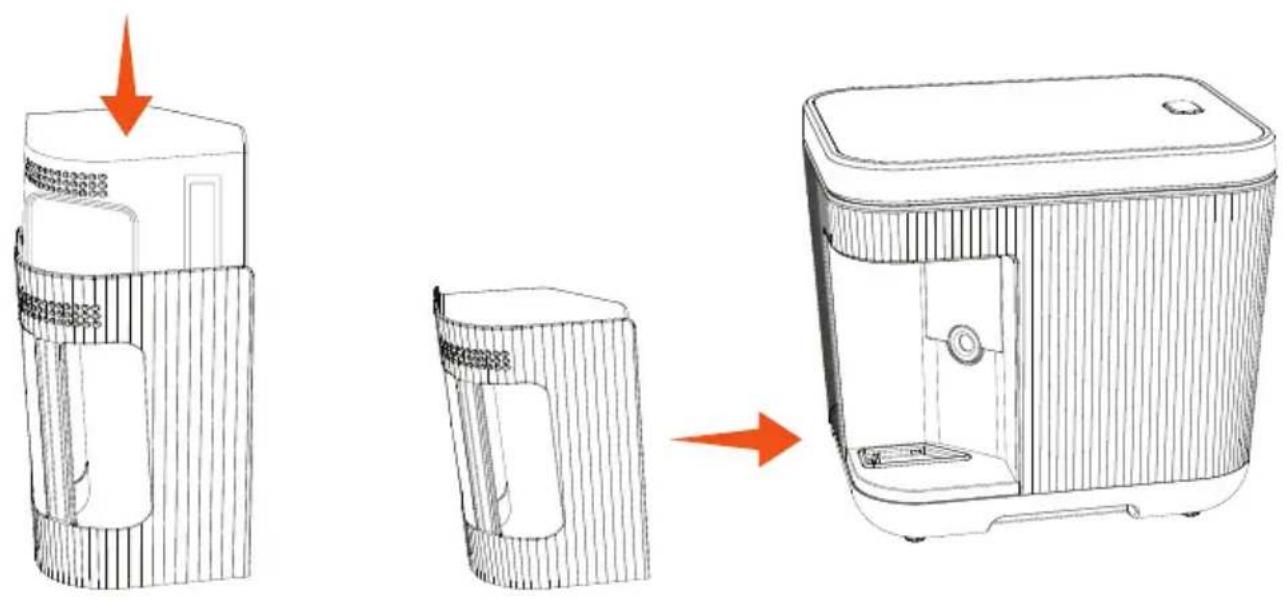
Line drawing of a device with a side view and a right-side arrow indicating transformation (no text or symbols)- Take out the filter assembly from the machine
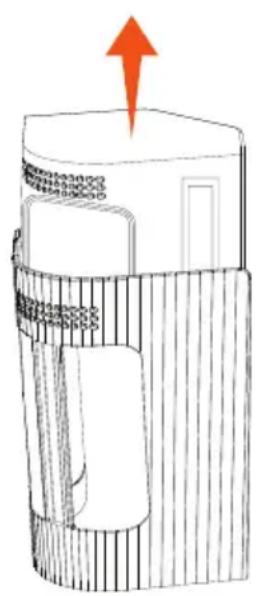
- Remove the filter from the filter holder
natural_image
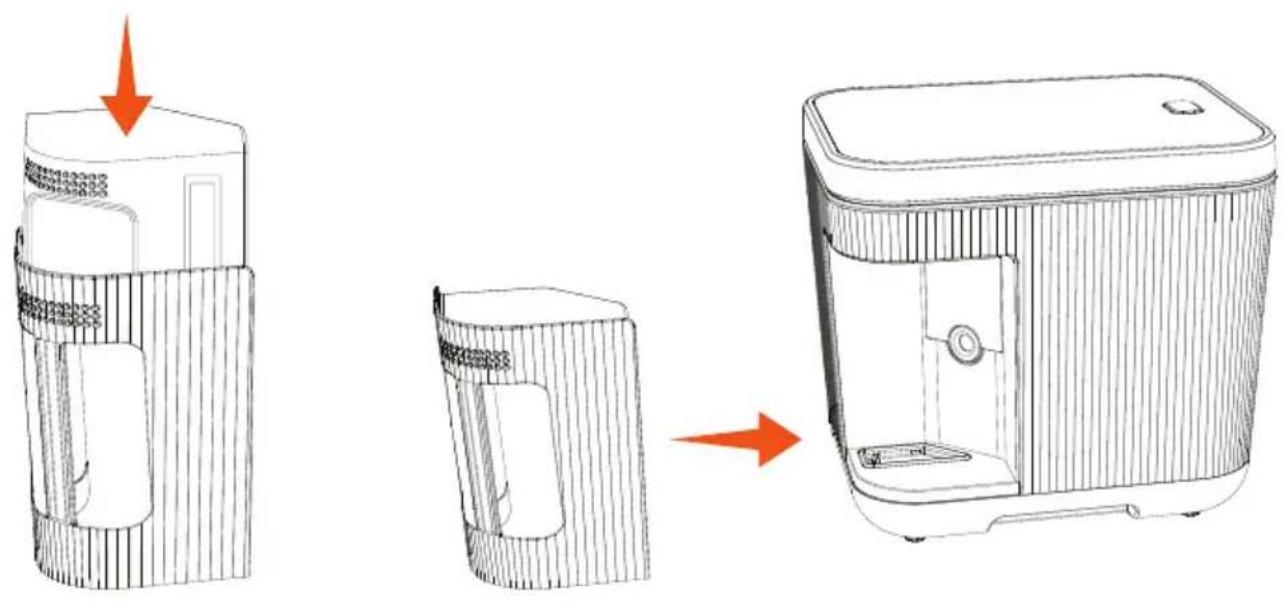
Line drawing of a device with three stages: before, after, and after assembly (no text or symbols)- Insert the new filter 4. Put the filter assembly into the machine
natural_image
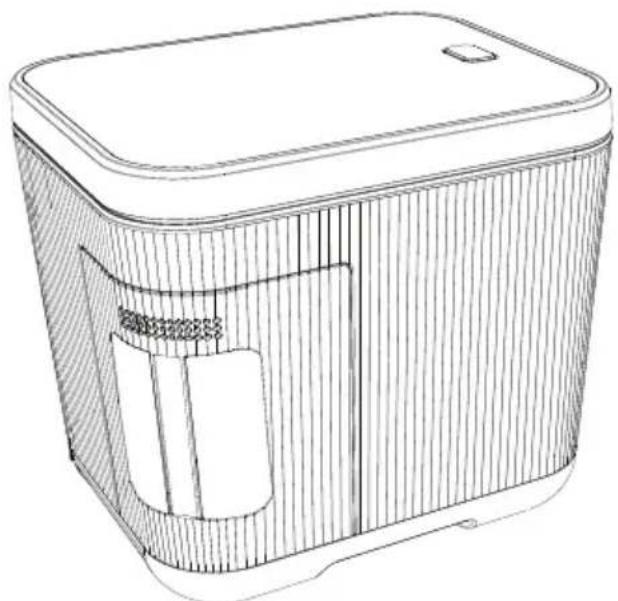
Line drawing of a rectangular electronic device with internal compartments and a lid (no text or symbols)- Complete the filter replacement
Cautions when Replacing the Filter
- Please unplug the power plug before replacing the filter.
- Please replace the filter in time after the filter indicator light is on.
- When taking out the filter, please pay attention to avoid losing the filter sealing rubber gasket.
- When replacing a new filter, please remove the filter package.
- Press and hold the reset key for 3 seconds to clear the accumulated time of the filter, the buzzer will sound once, and the filter indicator light will off.
Remove the Water Tray
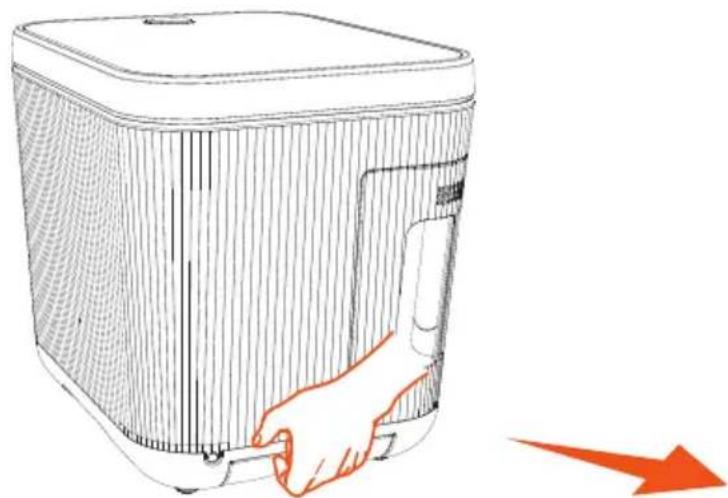
- Pull out the water tray on the back of the product and pour out the water.
natural_image
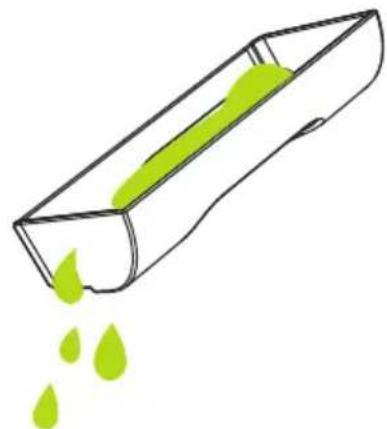
Line drawing of a hand inserting a plug into a device housing (no text or symbols)- Be cautious to prevent water splashing out while pulling out the water tray.
natural_image
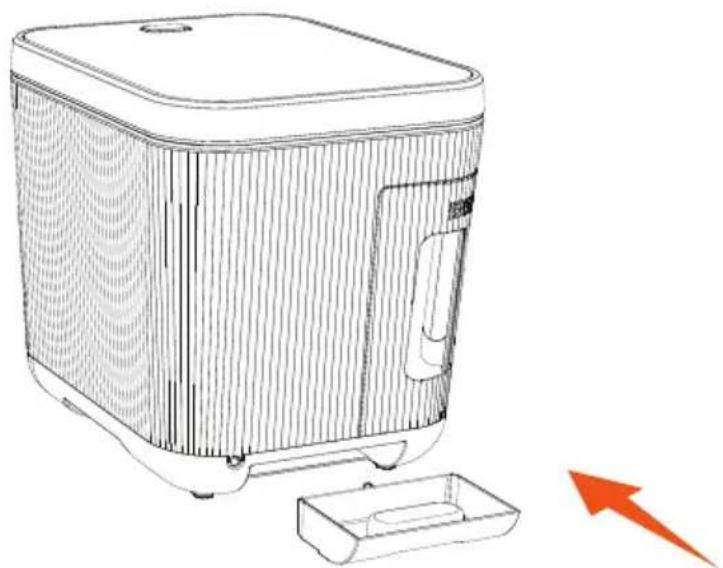
Simple line drawing of a rectangular container with green liquid and small droplets falling out (no text or symbols)- After pouring out the water, insert the water tray back into the product.
natural_image
Line drawing of a modern kitchen appliance with a handle and base, accompanied by a red arrow pointing to it (no text or symbols present)Reminder: Please remember to check the water tray every 2-3 weeks and clean it if necessary.
What Can be Disposed?
Yes
No





Fruits Vegetables Rice Big Bones Shell


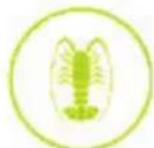
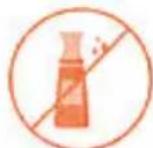
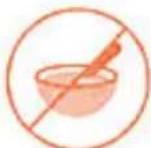
Meat Fish Lobster Oils & Fats Soup
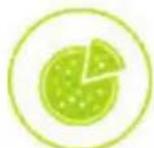




Pizza Bread & Cake Cheese Hard pits Candy & Gum



Eggshell Beans Coffee Grinds
& Teabags
Installation Site
Please put the machine on a place 7.87\~11.81 inches away from the wall and within 23.62 inches from the upper end of the machine (to prevent ponding due to steam).

FCC Statement
Changes or modifications not expressly approved by the party responsible for compliance could void the user's authority to operate the equipment.
This device complies with Part 15 of the FCC Rules.
Operation is subject to the following two conditions: (1) this device may not cause harmful interference, and (2) this device must accept any interference received, including interference that may cause undesired operation.
This equipment has been tested and found to comply with the limits for a Class B digital device, pursuant to Part 15 of the FCC Rules.
These limits are designed to provide reasonable protection against harmful interference in a residential installation.
This equipment generates, uses and can radiate radio frequency energy and, if not installed and used in accordance with the instructions, may cause harmful interference to radio communications.
However, there is no guarantee that interference will not occur in a particular installation.
If this equipment does cause harmful interference to radio or television reception, which can be determined by turning the equipment off and on, the user is encouraged to try to correct the interference by one or more of the following measures:
-- Reorient or r elocate the receiving antenna.
-- Increase the separation between the equipment and receiver.
-- Connect the equipment into an outlet on a circuit different form that witch the receiver is connected.
-- Consult the dealer or an experienced radio/TV technician for help.
California Prop 65 Warning
! WARNING:
This product can expose you to chemicals, which is known to the state of California to cause cancer birth defects and other reproductive harm. Do not ingest.
For more info go to: www.P65warnings.ca.gov
Register Product
Thank you for choosing Nutrichef. By registering your product, you ensure that you receive the full benefits of our exclusive warranty and personalized customer support.
Complete the form to access expert support and to keep your Nutrichef purchase in perfect condition.

nutrichefkitchen.com/ register
User Manuals available in Italian | German | Polish | Turkish | Dutch
nutrichef™

Questions or Comments?
We are here to help!
Phone: 1.718.535.1800
nutrichefkitchen.com/ContactUs
natural_image
Two compact electronic devices, one white and one dark gray, displayed against a plain background (no visible text or symbols on the devices themselves)NCVK9112BGR
MANUAL DEL USUARIO
natural_image
Technical line drawing of a mechanical component with internal structure and mounting bracket (no text or symbols)Portafiltro
natural_image
Line drawing of a rectangular electronic device with a lid and ventilation slots (no text or symbols)Filtro

natural_image
Technical line drawing of a mechanical housing or enclosure component (no text or symbols)Bandeja de agua
natural_image
Line drawing of a cylindrical container with a central vertical slot and mounting feet (no text or symbols)Olla
natural_image
Diagram of concentric circular wave patterns around a central object (no text or symbols)Tapa desmontable
Especificaciones
natural_image
Diagram showing a device with a handle and a circular component being processed into a closed base (no text or symbols)natural_image
Diagram showing a device with a lid removed and a recycling bin with food items, illustrating the process (no text or symbols)natural_image
Diagram showing a mechanical component being cut off into a base, with an arrow indicating the process (no text or symbols present)Recordatorio:
natural_image
Line drawing of a device with a side view and a right-side arrow indicating transformation (no text or symbols)natural_image
Line drawing of a device with three stages: top, side, and back, showing a red arrow indicating transformation (no text or symbols present)natural_image
Line drawing of a rectangular electronic device with lid and internal compartments (no text or symbols)natural_image
Line drawing of a hand inserting a plug into a device casing, with an orange arrow indicating direction (no text or symbols)natural_image
Simple line drawing of a rectangular object with green liquid and small droplets falling out (no text or symbols)natural_image
Line drawing of a modern kitchen appliance with a handle and base, accompanied by a red arrow pointing to it (no text or symbols present)nutrichefkitchen.com/ register
User Manuals available in Italian | German | Polish | Turkish | Dutch
nutrichef™

natural_image
Two compact electronic devices, one white and one dark gray, displayed against a plain background with no visible text or symbols on the devices themselves.NCVK9112BGR
GUIDE D'UTILISATION
natural_image
Simple line drawing of a cooking pot (no text or symbols)natural_image
Technical line drawing of a mechanical component with internal structure and mounting bracket (no text or symbols)Porte-filtre
natural_image
Line drawing of a rectangular electronic device with a side panel and top cover (no text or symbols)Filtre
natural_image
Technical line drawing of a mechanical housing or enclosure component (no text or symbols)Bac à eau
natural_image
Line drawing of a cylindrical container with a central vertical slot and mounting feet (no text or symbols)Cuve
natural_image
Diagram of concentric circular wave patterns around a central object (no text or symbols)Couvercle amovible
Spécification
natural_image
Diagram showing a device with a handle and a circular component being processed into a closed base (no text or symbols)natural_image
Diagram showing a mechanical component being cut off into a base, with an arrow indicating the process (no text or symbols present)Rappel:
natural_image
Line drawing of a device with a side view and a right-side arrow indicating transformation (no text or symbols)- Retirez le filtre de son support
natural_image
Line drawing of a device with three stages: top, side, and back, showing a red arrow indicating transformation (no text or symbols present)natural_image
Line drawing of a rectangular electronic device with lid and internal compartments (no text or symbols)natural_image
Line drawing of a hand inserting a plug into a device housing (no text or symbols)natural_image
Simple line drawing of a rectangular container with green liquid and small droplets falling out (no text or symbols)natural_image
Line drawing of a modern kitchen appliance with a handle and base, accompanied by a red arrow pointing to it (no text or symbols present)nutrichefkitchen.com/ register
User Manuals available in Italian | German | Polish | Turkish | Dutch
nutrichef™

nutrichefkitchen.com/ContactUs