iSound 48 5100 - Speaker BONTEMPI - Free user manual and instructions
Find the device manual for free iSound 48 5100 BONTEMPI in PDF.


User questions about iSound 48 5100 BONTEMPI
0 question about this device. Answer the ones you know or ask your own.
Ask a new question about this device
Download the instructions for your Speaker in PDF format for free! Find your manual iSound 48 5100 - BONTEMPI and take your electronic device back in hand. On this page are published all the documents necessary for the use of your device. iSound 48 5100 by BONTEMPI.
USER MANUAL iSound 48 5100 BONTEMPI
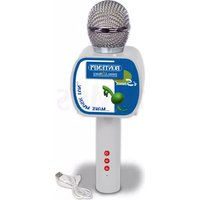
Wireless microphone speaker
natural_image
Close-up of a metallic spherical object with a textured surface, possibly a mesh or mesh structure (no visible text or symbols)GB - OWNER'S MANUAL ....5
F - MANUEL D'INSTRUCTIONS ......6
P - MANUAL DE INSTRUÇÕES......9
text_image
BONTEMPI Italian C Mpany iSound ...MAKE MUSIC FUN...
natural_image
Close-up of a white USB cable with a connector, no visible text or symbolsEnglish
Hereby, iCom S.p.A. declares that the radio equipment type Wireless "microphone speaker 48_5100" is in compliance with Directive 2014/53/EU. The full text of the EU declaration of conformity is available at the following internet address: http://www.icomtoys.it/CE-Declaration/DoC_485100.pdf
Français
http://www.icomtoys.it/CE-Declaration/DoC_485100.pdf
Suomi
text_image
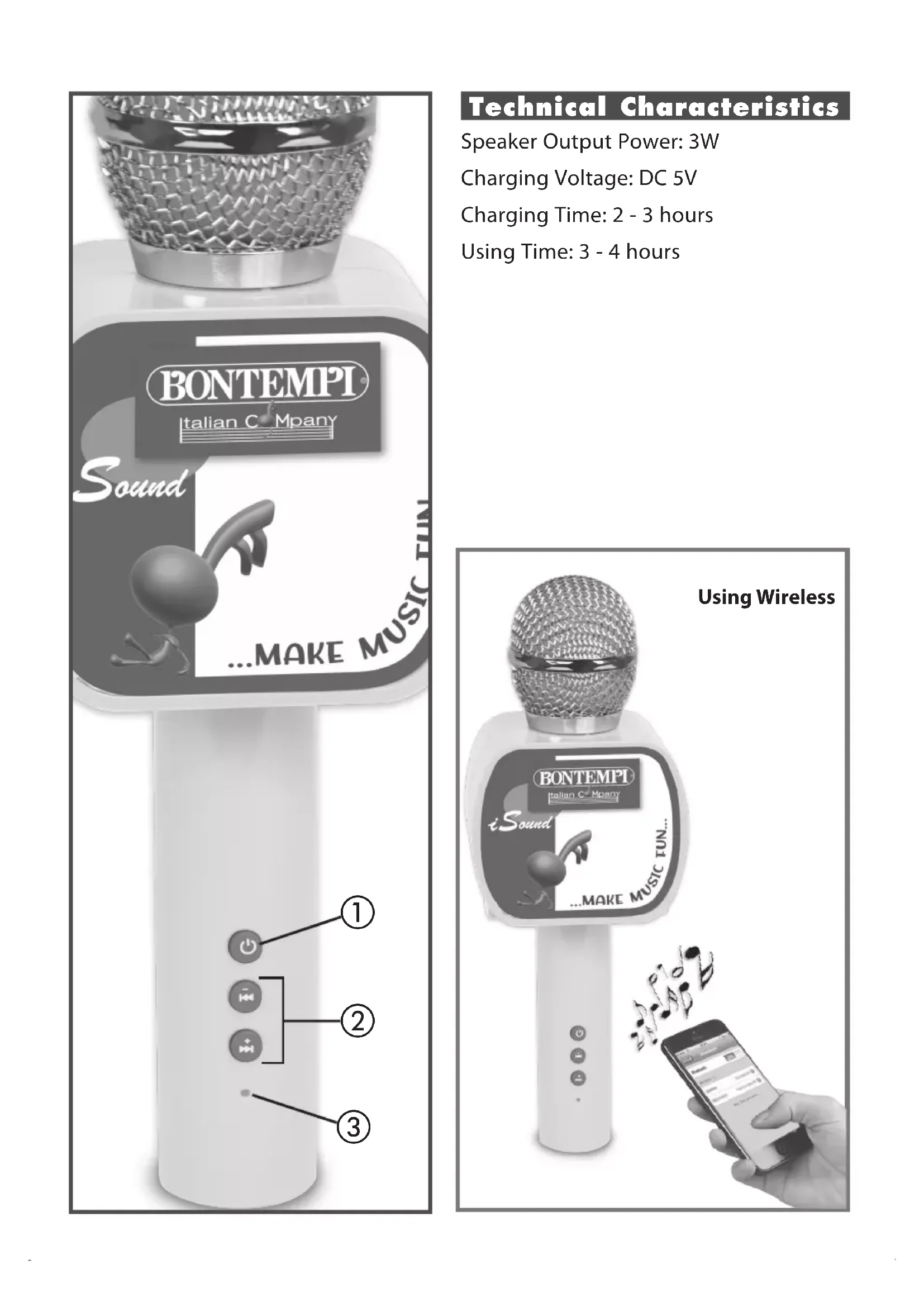
BONTEMPI Italian Company Sound ...MAKE MUSIC FUN ① ② ③Technical Characteristics
Speaker Output Power: 3W
Charging Voltage: DC 5V
Charging Time: 2 - 3 hours
Using Time: 3 - 4 hours
text_image
Using Wireless BONTEMPI Italian C® Mpery iSound ...MAKE MUSIC FUN... MusicPOWER SUPPLY
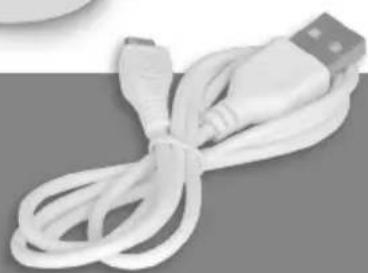
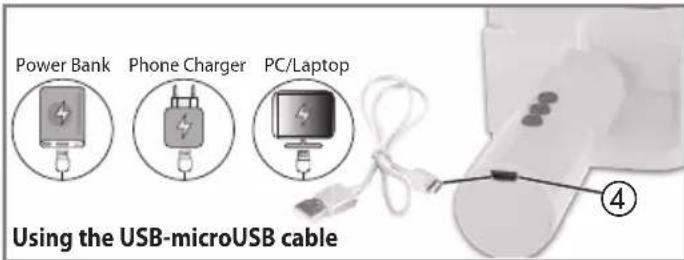
This product is powered by a built-in lithium battery that can be charged with the USB-microUSB cable included in the box. Charge it by plugging one end of the cable into the micro USB socket ④ and the other end into the USB socket on a PC, Power bank or 5V power supply to be connected to the mains. The charging time is about 2-3 hours whereas the product usage time is about 3-4 hours.
text_image
Power Bank Phone Charger PC/Laptop Using the USB-microUSB cable ④This toy is only to be connected to equipment bearing either of the following symbols:


WASTE DISPOSAL STANDARDS
For information regarding the disposal of the items mentioned here below, please refer to Council Administration office regarding specialised waste collection centres.
- BATTERY DISPOSAL: At the end of the service life of the product, the battery contained in it must be disposed of separate from general undifferentiated waste.

- PACKAGING DISPOSAL: Take the paper, cardboard and corrugated board to the appropriate waste collection centres. Plastic material must be placed in the relevant collection containers.

The symbols indicating the various types of plastic are:


Key for the different types of plastic materials:
PET= Polyethylene terephthalate · PE= Polyethylene, code 02 for PE-HD, 04 for PE-LD · PVC = Polyvinyl chloride · PP= Polypropylene · PS= Polystyrene, Polystyrene foam · O= Other polymers (ABS, Laminates, etc.)
- DISPOSING OF ELECTRICAL APPLIANCES: The wheelie bin symbol with a cross indicates that the product must not be disposed of in the domestic waste at the end of its useful life. Instead, it should be taken to your nearest designated collection
point or recycling facility. Alternatively, check with your retailer and return the product when buying a replacement, on a one-to-one basis or as free of charge in case the size is smaller than 25 cm. Appropriate disposal promotes the recycling of parts and materials, as well as helping to protect the environment and human health. Under current legislation, strict penalties are enforced against those disposing of products illegally. For more information about the collection of special waste, contact your Local Authority.
SWITCHING ON/OFF
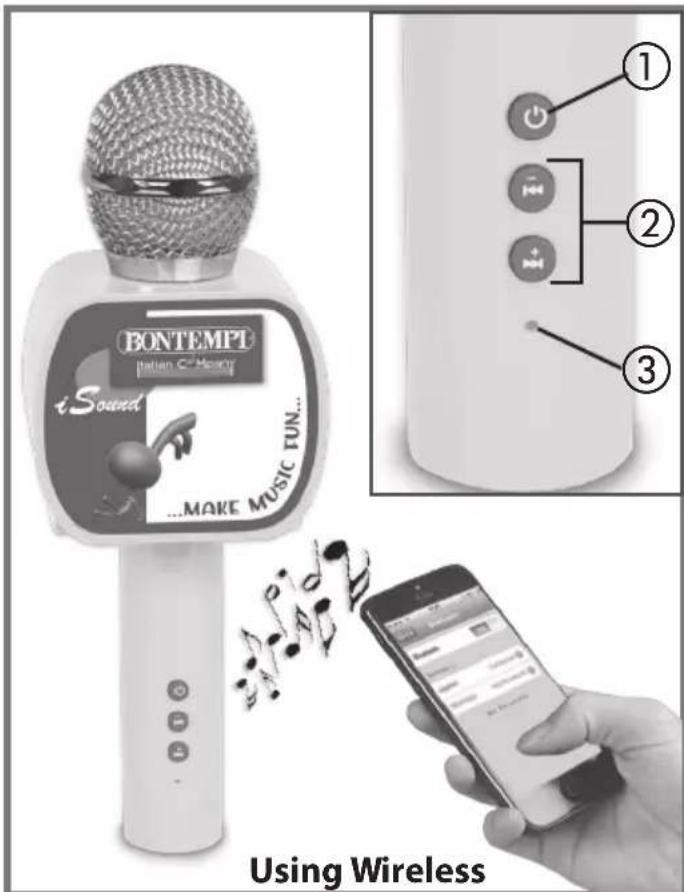
To switch on, press the key ①. The LED ③ stays on. To switch off, repeat the same operation.
WIRELESS CONNECTION
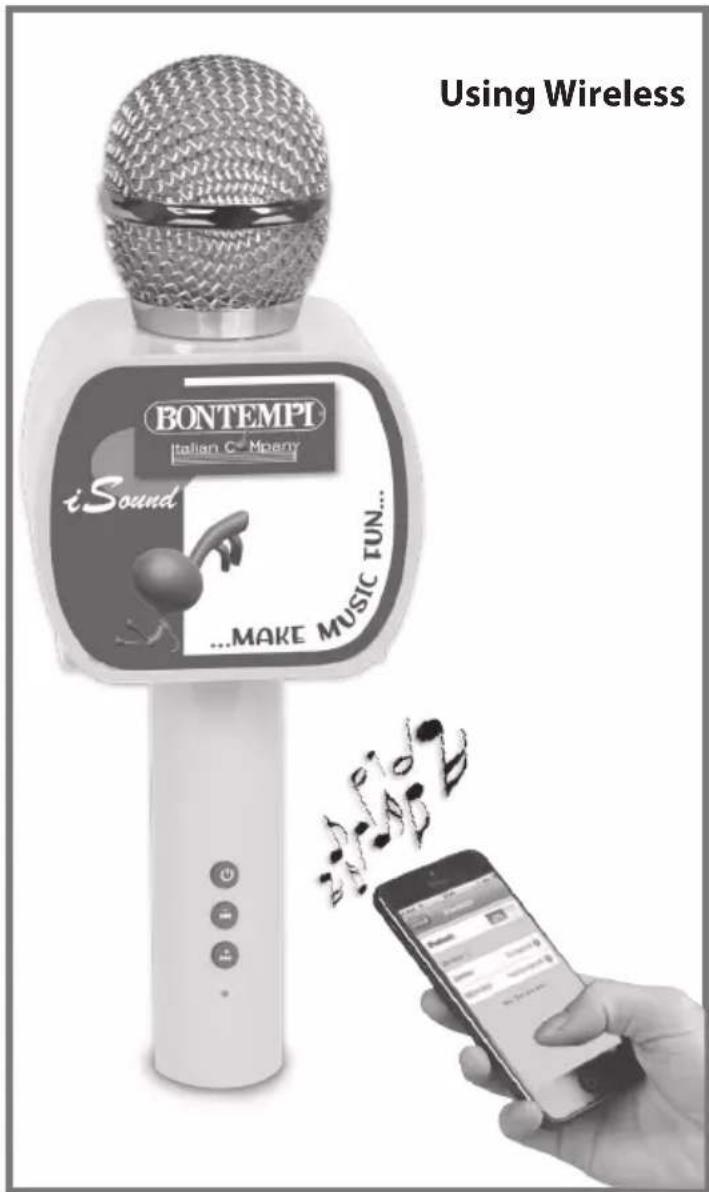
An external audio source can be connected (smartphone, tablet, PC, etc. - not supplied) as follows:
- Turn on Bluetooth on your smartphone, tablet, etc. and select "BT Microphone" to pair it with the microphone: an audible sound indicates that it is connected.
- Search through the playlist on your smartphone or computer for a song and play it. You can listen to the song through the speaker on your microphone.
PLAY/PAUSE
While playing music, press the ① key to pause / play the song.
PREVIOUS/NEXT SONG
To choose the previous or next song, press the ▶▶▶ ▶◀◀ ② keys.
VOLUME
To adjust the volume, hold down the - or + keys ② or press the "volume" keys on your device.
text_image
BONTEMPT iSound ...MAKE MUSIC TUN... ① ② ③ Using WirelessFRANÇAIS
ALIMENTATION
text_image
BONTEMPT iSound Italian C# Montry ...MAKE MUSIC FUN... ① ② ③ Using WirelessNEDERLANDS
STROOMVERZORGING
ANKSTESNIS / KITAS KÜRINYS
The Ground Truth image displays a single, solid horizontal line. According to Rule 2 (UNDERSCORE & LINE RULES), this is a stylistic or background line, not a placeholder underscore. Therefore, the OCR result must ignore it and output nothing or only meaningful text. The provided OCR content is "____", which consists of four underscores. This is an incorrect interpretation of the line as a placeholder, violating the rule that stylistic lines must be ignored. The OCR has hallucinated underscores where none should exist based on the GT's visual context. Hence, the OCR result is inconsistent with the Ground Truth.
| GB - TROUBLE SHOOTING GUIDE | |
| Problem Solution | |
| The power warning light does not turn on | Check the connection between the USB port and the charging cable. |
| The Wireless connection breaks down | Decrease the distance between mobile phone and microphone. Remove obstacles. |
| No sound can be heard from the external music source | Adjust the volume of the external music source. |
GB - ICOM S.p.A. reserves all rights to modify specifications of this product without notice.
Read and keep this manual for future reference.
ATTENTION: Do not use alcohol, solvents or similar chemical substances for cleaning. Use a soft cloth dampened in a bland solution of water and neutral detergent.