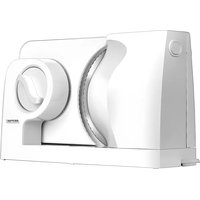
MKR-05 - Slicer MPM - Free user manual and instructions
Find the device manual for free MKR-05 MPM in PDF.



| Brand | MPM |
| Model | MKR-05 |
| Product type | Electric slicer |
| Use | Household |
| Power supply | 220-240 V ~ 50 Hz |
| Power cord length | 0,95 m |
| Cutting thickness adjustment | 0 to 15 mm |
| Maximum cutting capacity | 15 mm |
| Maximum continuous operation cycle | 3 minutes |
| Required rest time | 10 minutes minimum (30 min after 5 cycles) |
| Cutting disc | Rotary, removable, stainless steel |
| Safety | Double action safety button (requires simultaneous press) |
| Carriage | Included, with guide and pusher |
| Pusher | Included, for small pieces |
| Cleaning of detachable parts | Blade, carriage and pusher washable with soapy water |
| Cleaning of housing | Damp cloth, do not immerse |
| Dishwasher | No, do not wash in dishwasher |
| Blade material | Stainless steel |
| Spare parts | Available on request |
| Repairs | By authorized service center only |
Frequently Asked Questions - MKR-05 MPM
User questions about MKR-05 MPM
0 question about this device. Answer the ones you know or ask your own.
Ask a new question about this device
Download the instructions for your Slicer in PDF format for free! Find your manual MKR-05 - MPM and take your electronic device back in hand. On this page are published all the documents necessary for the use of your device. MKR-05 by MPM.
USER MANUAL MKR-05 MPM
natural_image
White MPM washing machine with side panel and control knob (no visible text or symbols)KRAJALNICA MKR-05
Allesschneider/Kráječ/Slicer/Rebanadora/Trancheuse/Macchina affettatrice/Pizálna машина/Krájač/Szeletelőgép/Snijmachine
DE

natural_image
White industrial machine with a circular dial and handle, labeled with number 10 (no text or symbols on the device itself)
natural_image
White industrial machine with a dial and handle, labeled with number 10 (no text or symbols on the device itself)Read the instructions carefully before use.
Do not immerse the device, cable or plug in water or other liquids!
Do not handle the device with wet hands.
Take special care when children are near the device!
Do not hang the cable on sharp edges or allow it to come into contact with hot surfaces.
Do not let the power cord hang off the edge of the table/countertop.
- Never use a damaged device, including one with a damaged cord or plug, in which case have it repaired at an authorised service centre.
Use of accessories not recommended by the manufacturer may cause damage to the device, fire or personal injury.
Do not leave the device unattended during operation.
Do not place the device on a hot surface.
Do not wind the power cord around the device!
The device is intended for domestic use only.
The device is designed for food slicing purposes.
Do not use the device for purposes other than those for which it was designed.
The device should be put on a dry, flat and stable surface.
▶Always ensure that all parts of the device are correctly fitted before starting work.
This device is not designed to operate using external timers or a separate remote control.
The device must be used with a trolley and presser, unless this is not possible due to the product size or shape.
The device may be used by people with reduced physical, sensory or mental abilities, as well as those without prior knowledge or experience in using such types of device, provided that they either are supervised or understand potential threats.
Children should be supervised to ensure that they do not play with the device.
Do not place the device near electric or gas cookers, burners, ovens, etc.
Do not use the device outdoors.
Do not pull the plug out of the power socket by pulling the cord.
Do not connect the plug to the power socket with wet hands.
For the safety of children, please do not leave freely accessible parts of the packaging (plastic bags, cardboard boxes, polystyrene, etc.).
The device must be kept away from children. Keep the device and cable out of the reach of children.
Disconnect the device from the power supply each time when the device is left unattended and before any assembling, disassembling, or cleaning works.
Cleaning of the device, parts being in direct contact with food in particular, should be carried out before first use, immediately after use, or after a long pause from using the device. The cleaning procedure is described in the “CLEANING AND MAINTENANCE” chapter.
Check that the power parameters on the device's rating plate correspond to the parameters of your power supply network.
WARNING! Do not allow children to play with the film. Danger of suffocation!
CAUTION! The blade disk is very sharp, an extra care should be maintained when carrying out activities that require physical contact with this component, such as cleaning.
Do not cut tough foods like frozen or bony meat in an excessively manner.
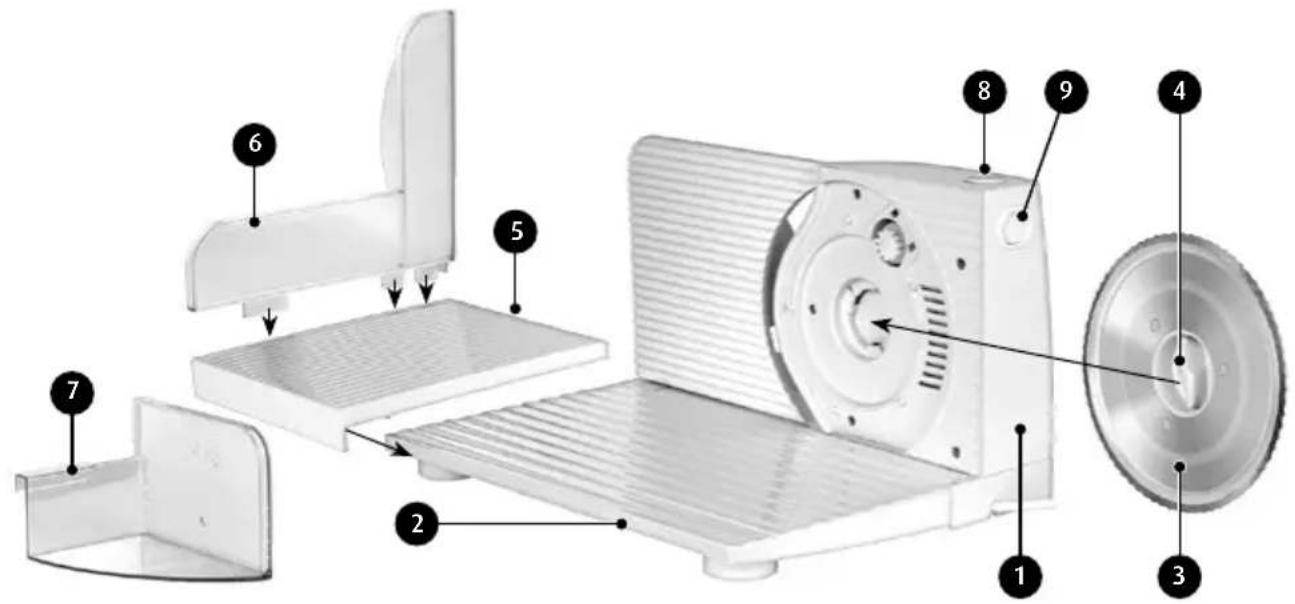
DEVICE DESCRIPTION
natural_image
White industrial device with a circular dial and labeled component (no readable text or symbols)- Slicer housing
- Slicer footer
- Blade disk
- Blade disk mounting knob
- Slicer trolley footer
-
Pusher bar
-
Pusher
- Slicer on/off switch
- Safety button
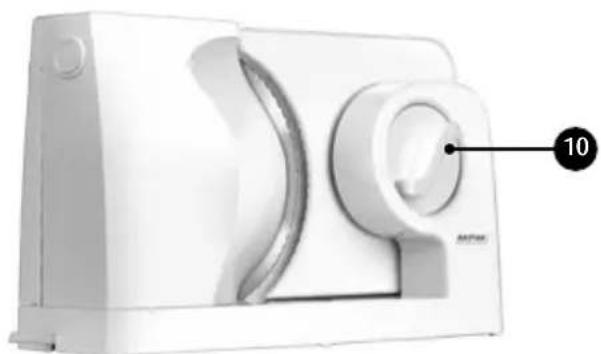
- Thickness adjustment knob (range: 0-15 mm)
BEFORE FIRST USE
- Remove the device from the packaging, remove all stickers, plastic bags, fillers and shipping safeguards.
- The device should be cleaned according to the instructions in the "CLEANING AND MAINTENANCE" chapter.
- Assemble the slicer trolley by connecting the pusher bar (6) to the slicer trolley footer (5), as shown in the photo above.
-
Unfold the slicer footer (2) and place the slicer trolley on it. Ensure that the catch on the lower part of the slicer trolley correctly engages with the mounting groove in the edge of the slicer footer (2).
-
Place the pusher (7) on the slicer trolley. Ensure that the pusher catch (7) slides freely over the edge of the pusher guide (6).
USING THE DEVICE
- Place the slicer on a dry, flat and stable surface. In order to ensure the freedom of movement, provide sufficient clearance around the device.
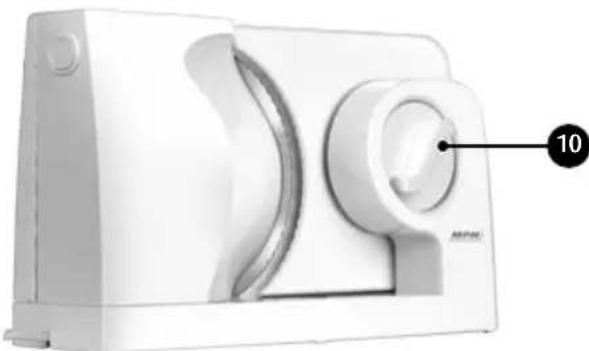
- Set the required slicing thickness using the knob (10).
- Treat the blade disk with a damp cloth in order to prevent food from sticking to the slicer - this will also make slicing process easier.
- Connect the device to the power supply network.
- Place the food on the slicer trolley.
- Start the slicer by pressing the safety button (9) and then the on/off switch (8).
- Using the slicer trolley, ensure successive forward and backward movements while pressing the food against the slicer housing (1).
CAUTION! The duration of the slicer's continuous operation should not exceed 3 min; the pause before the next use should not be shorter than 10 min. After five consecutive cycles of operation, the break should be extended to 30 min.
CAUTION! Always use the pusher (7) when slicing small pieces of food.
CAUTION! Fresh bread creates difficulties when slicing. Sliced bread should be removed from the device on a regular basis. Never slice warm bread.
CAUTION! The blade disk is very sharp. Handle with care.
CLEANING AND MAINTENANCE
- Always remove the plug from the mains socket before cleaning.
- The device can be cleaned with a soft damp cloth or paper towel.
- The device must not be immersed in water or other liquids or washed in dishwashers.
- The knife blade (3), the slicer trolley and the pusher (6) can be cleaned in water with detergent; always remember to remove these components from the slicer first.
- To remove the blade disk (3), turn the blade disk mounting knob (4) in the direction of the marking presented directly on the knob.
- Do not use sharp objects, abrasive polishes, solvents or other strong chemicals for cleaning since their use may cause damages to the device.
- Thoroughly dry all parts to be cleaned.
CAUTION! Pay special attention when handling the blade disk, especially when removing and washing it.
Technical data is given on the product nameplate.
Length of mains cable: 0.95 m

CAUTION! MPM agd S.A. reserves the right to technical changes.
PROPER DISPOSAL OF THE PRODUCT (waste electrical and electronic equipment)

Marking on the product indicates that after the service-life of the product expires, it should not be disposed with other type of municipal waste. Used equipment may have a negative impact on the environment and health of people due to potentially containing hazardous substances, mixtures and components. Mixing electric waste with other types of waste or disassembling those in an unprofessional manner may cause a release of substances that are hazardous to the environment and health. Used equipment should be handed-over to a point for collection of electric waste. In order to obtain detailed information regarding the electric waste collection points, the user should contact the municipal point of electric waste collection or used equipment processing department.

natural_image
White industrial device with a circular dial and labeled component (no text or symbols visible)
natural_image
White industrial device with a circular knob and labeled component (no readable text or symbols)
natural_image
White industrial pump unit with a dial and handle, labeled with number 10 (no text or symbols on the device itself)
natural_image
White industrial device with a circular dial and labeled component (no readable text or symbols)Legible signature of the buyer
3. GWARANCJA NIE SA OBJETE:

natural_image
White industrial device with a circular knob and labeled component (no readable text or symbols)
natural_image
White industrial pump unit with control knob and labeled part (no text or symbols beyond label)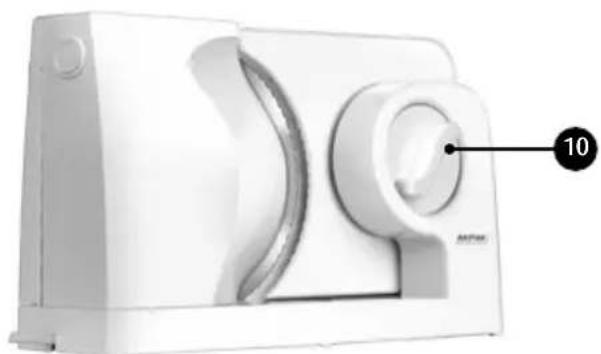
natural_image
White industrial device with a circular knob and labeled component (no readable text or symbols)BESCHRIJVING VAN HET APPARAAT

natural_image
White industrial machine with a circular dial and labeled component (no text or symbols visible)We wish you satisfaction from using the product and invite you to check a wide range of other MPM appliances
Brand : MPM
Model : MKR-05
Category : Slicer