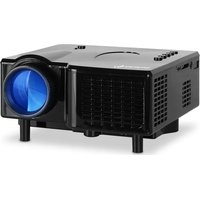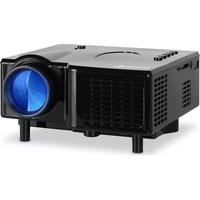
10007483 - Projector Auna - Free user manual and instructions
Find the device manual for free 10007483 Auna in PDF.



User questions about 10007483 Auna
0 question about this device. Answer the ones you know or ask your own.
Ask a new question about this device
Download the instructions for your Projector in PDF format for free! Find your manual 10007483 - Auna and take your electronic device back in hand. On this page are published all the documents necessary for the use of your device. 10007483 by Auna.
USER MANUAL 10007483 Auna
Congratulations on purchasing this equipment. Please read this manual carefully and take care of the following hints to avoid damages. Any failure caused by ignoring the mentioned items and cautions mentioned in the instruction manual are not covered by our warranty and any liability.
Technical Data
| Item number 10007483, 10007484 | |
| Power adapter 12 V / 2 A | |
| Native resolution 320*240 Pixel | |
| Aspect Ratio 16:9 / 4:3 | |
| Contrast 300:1 | |
| Projection 17-60 inch | |
| Weight 0.46 kg | |
| Machine size 12,7 cm x 12,6 cm x 6,9 cm | |
| Input port 12 V Strom, AV, VGA, HDMI | |
| Output port Speaker 1 W x 2, Headphone | |
| Multimedia player Image play, audio play, video play | |
| AV video play PAL and NTSC system | |
| Energy saving mode Listen sporately (only sound in this mode) | |
| Projector system LCD | |
| Brightness | 40 lumens |
| Power consumption | 24 W |
Packing Content
1 Projector
1 Powercable
- 1AV cable
1 VGA cable (optional)
- 1 Remote control (optional)
Safety Instructions
- Never look directly into the projector lens. The very bright lamp can permanently damage your eyes.
- To avoid electric shock, do not use the unit in damp locations.
- When you turn off the projector, the fan will still run for 90 seconds to cool down the unit and the projector lamp. Do not disassemble the appliance before the end of this cooling process, otherwise the lamp will be damaged.
Product Description
IMPORTANT: Do not block the air-out ventilation!
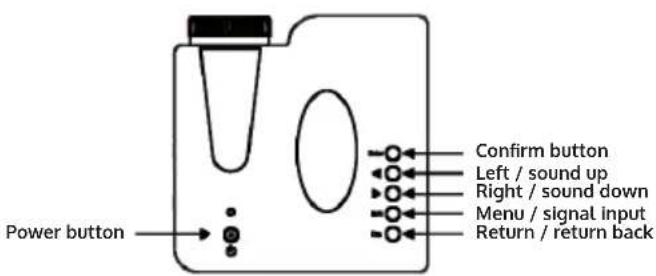
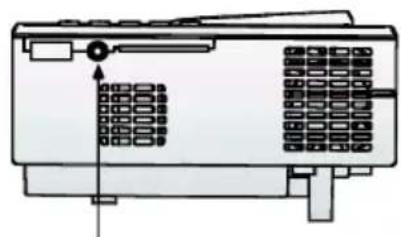
AV
VGA
Infrared-Transmitter
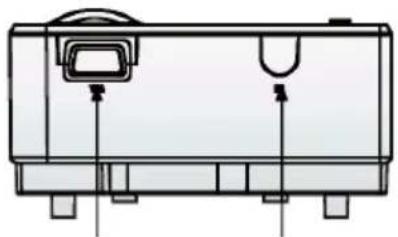
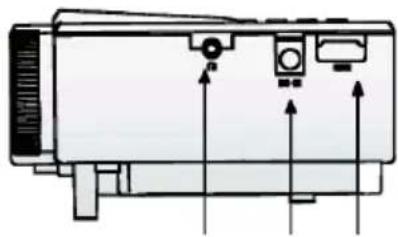
Headphone Power HDMI
Operation
Turn on or off Ready: When projector connect the Power via the AC adapter, the indicator light is red, the projector go into stand by situation. Press the "power" key one time, the indicator light is normal on. The projector turn on, no need to wait. Press the "power" key one time against the indicator light is off. The projector turn off, no need to wait.
Focus adjustment: The projector can throw 17-60 inch image size according to different distance between projector and screen. Put the projector toward to center of the screen. Turn on the focus of the lens till the image is clear.
Source selection: Press "S/M" key to enter the signal Input selection, press the "SI M" key to select the source selection (AV, PC-RGB, multimedia), press the "enter" key to enter the selected input signal.
Hints on Disposal
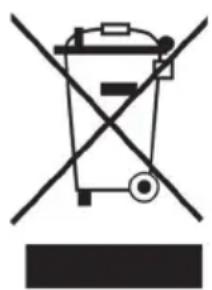
According to the European waste regulation 2012/19/EU this symbol on the product or on its packaging indicates that this product may not be treated as household waste. Instead it should be taken to the appropriate collection point for the recycling of electrical and electronic equipment. By ensuring this product is disposed of correctly, you will help prevent potential negative consequences for the environment and human health, which could otherwise be caused by inappropriate waste handling of this product. For more detailed information about recycling of this product, please contact your local council or your household waste disposal service.
Your product contains batteries covered by the European Directive. 2006/66/EC, which cannot be disposed of with normal household waste. Please check local rules on separate collection of batteries. The correct disposal of batteries helps prevent potentially negative consequences on the environment and human health.
Declaration of Conformity

Producer: Chal-Tec GmbH, Wallstraße 16, 10179 Berlin, Germany.
This product is conform to the following European Directives:
2014/30/EU (EMC)
2014/35/EU (LVD)
2011/65/EU (RoHS)