
Smart Smoke Detector - Wall socket Hombli - Free user manual and instructions
Find the device manual for free Smart Smoke Detector Hombli in PDF.


| Product type | Intelligent photoelectric smoke detector |
| Brand | Hombli |
| Model | Smart Smoke Detector |
| Power supply | Non-removable CR14505 3 V lithium battery |
| Battery life | 10 years |
| Alarm volume | ≥ 85 dB at 3 m |
| Working area | Up to 40 m² |
| Connectivity | Wi-Fi 802.11 b/g/n |
| Operating temperature | 0 °C to 40 °C |
| Operating humidity | ≤ 95 % RH non-condensing |
| Smoke sensitivity | 0.09 to 0.17 dB/m |
| Operating current (standby) | < 30 μA |
| Operating current (alarm) | < 70 μA |
| Silence mode duration | Approximately 10 minutes |
| Dimensions (approx.) | 10 cm diameter, 4 cm height |
| Weight (approx.) | 150 g |
| Intended use | Residential interior |
| Maintenance | Monthly cleaning with vacuum brush |
| Repairability | Not repairable; replace the device |
| Compliance | EU Directives 2011/65/EU and 2014/53/EU |
Frequently Asked Questions - Smart Smoke Detector Hombli
User questions about Smart Smoke Detector Hombli
0 question about this device. Answer the ones you know or ask your own.
Ask a new question about this device
Download the instructions for your Wall socket in PDF format for free! Find your manual Smart Smoke Detector - Hombli and take your electronic device back in hand. On this page are published all the documents necessary for the use of your device. Smart Smoke Detector by Hombli.
USER MANUAL Smart Smoke Detector Hombli
text_image
Powered by tuya Intelligence Inside


1008
1008-CRP-MC 69265247
2

@hombli @homblismart @homblismart
Hombli © 2022 is
a brand of Avanca
International B.V.
Maanweg 174
2516AB The Hague
The Netherlands
+31702210077
support@hombli.com
Thanks for your purchase!
Great choice to invest into the safety of yourself and your loved ones inside your home, with the Hombli Smart Smoke Detector. Getting a notification through the Hombli app, wherever you are, helps you to take action and prevent loss or damage. If you accidentally trigger the alarm while exploring your cooking skills, you don't have to rapidly try to reach for the ceiling. Instead you can just turn it off with your smartphone. Need extra help? Visit the support page on our website: hombli.com/support.
Follow the steps below in order to successfully install the Smart Smoke Detector. Some steps are optional.
- Power on
- Connect the Smart Smoke Detector to the app
- Testing the Smart Smoke Detector
- Mounting the Smart Smoke Detector
- Maintenance
- Beeps and LED indicators
- Troubleshooting
- Alarm goes off
- Silence the alarm
- Product specifications
- Compliance
Contenu

natural_image
Simple line drawing of a circular object with four internal cutouts and a numbered label (2) in the top-left corner.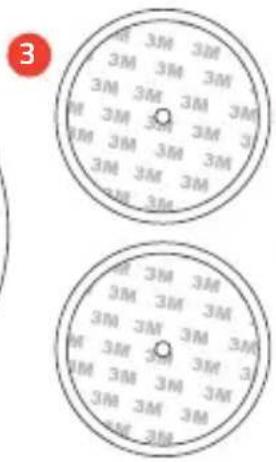
text_image
3 3M 3M 3M 3M 3M 3M 3M 3M 3M 3M 3M 3M 3M 3M 3M 3M 3M 3M 3M 3M 3M 3M 3M 3M 3M 3M 3M 3M 3M 3M 3M 3M 3M 3M 3M 3M 3M 3M 3M 3M 2M 2M 3M 3M 2M 2M4
5
What's in the box?
- Smart Smoke Detector
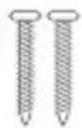
4.2x Screw - Bracket
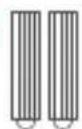
5.2x Plug - Magnetic mount
- Smart Smoke Detector
- Support
The product must be activated before use. Press the Hombli logo for 5 seconds until the red LED indicator blinks and you hear a beep.
2. Connect the Smart Smoke Detector to the app
Follow the steps below to connect the Smart Smoke Detector to the Hombli app
text_image
Search Hombli A smart home for everyone OPEN 1.2K RATINGS AGE CATEGORY DEVELOPE 4.5 4+ Years Old Utilities Hombli What's New Version History Version 1.5.0 7mo ago Thanks for using the Hombli app! We constantly improve the app to give you the best user experience. In this update: more2.1 Download the Hombli App
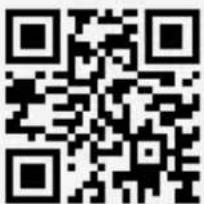
Télécharger l'application Hombli / Laden Sie die Hombli App herunter / Descargue la app Hombli / Scarica l'app Hombli / Download de Hombli app
text_image
QR code image containing encoded data, no visible human-readable text
text_image
GETTON Google Play Download on the App Store2.2 Create an account and log in
text_image
Log in Register Try new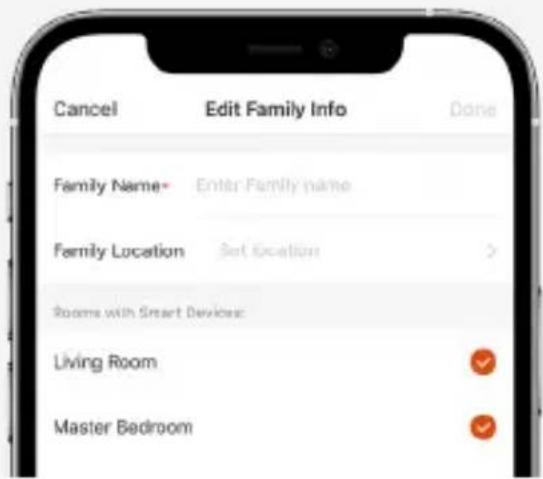
text_image
Cancel Edit Family Info Done Family Name* Enter Family name Family Location Set location > Rooms with Smart Devices: Living Room ✓ Master Bedroom ✓2.3 Create a family
2.4 Turn on the Bluetooth on your phone
text_image
Settings Bluetooth Bluetooth Now discoverable as "iPhone Hombre"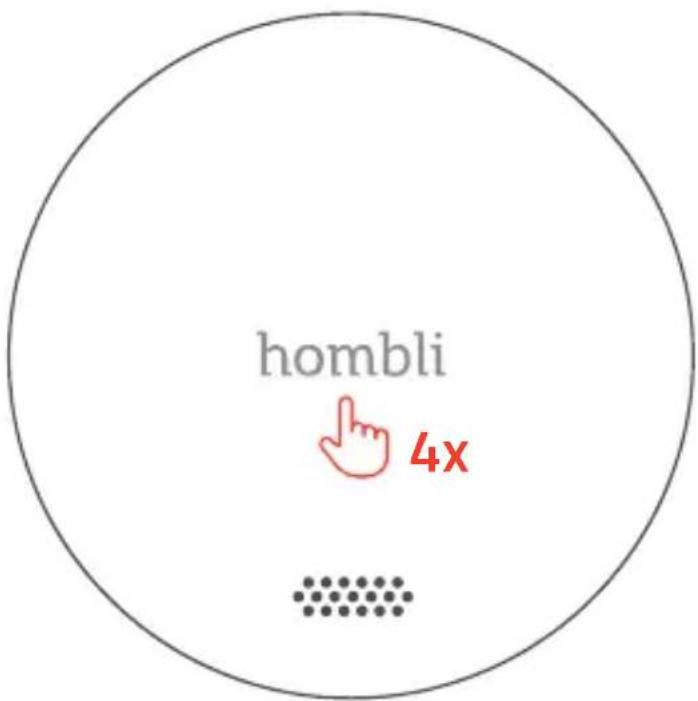
text_image
hombli 4x2.5 To pair the Smart Smoke Detector, press the Hombli logo on the front of the product 4 times. You will now see a fast flashing red light.
Pour coupler Smart Smoke Detector, appuyez 4 fois sur le logo Hombli situé à l'avant du produit. Vous verrez alors une lumière rouge clignoter rapidement / Drücken Sie viermal auf das Hombli-Logo auf der Vorderseite, um den Smart Smoke Detector zu verbinden. Anschließend sehen Sie ein rotes, blinkendes Licht / Para conectar el Smart Smoke Detector, pulse 4 veces el logotipo de Hombli ubicado en la parte anterior del dispositivo. Después, verà una luz roja que parpadea rápidamente / Per connettere lo Smart Smoke Detector, premi 4 volte il logo Hombli ubicato nella parte frontale del dispositivo. Vedrai una luce rosso che lampeggia rapidamente / Om de Smart Smoke Detector te koppelen drukt u 4 keer op het Hombli logo op de voorkant van het product. U zult nu een snel knipperend rood lampje zien.
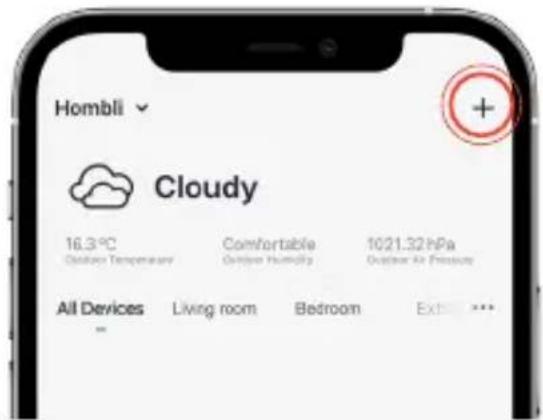
2.6 Add a new product
Ajouter un nouveau produit / Fügen Sie ein neues Produkt hinzu / Añada un nuevo producto / Aggiungi un nuovo prodotto / Voeg een nieuw product toe
text_image
Hombli Cloudy 16.3°C Outdoor Temperature Comfortable Outdoor Humidity 1021.32 hPa Outdoor Air Pressure All Devices Living room Bedroom Extra...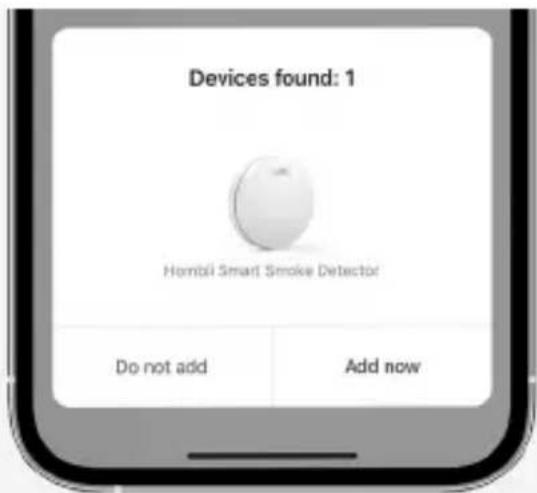
text_image
Devices found: 1 Hombii Smart Smoke Detector Do not add Add now2.7 Wait until a pop-up appears and follow the instructions in the app
Attendez qu'une pop-up apparaisse et suivez les instructions de l'application / Warten Sie, bis ein Pop-up-Fenster erscheint, und folgen Sie den Anweisungen in der App / Espere a que aparezca una ventana emergente y siga las instrucciones de la aplicación / Attendere la comparsa di un pop-up e seguire le istruzioni dell'applicazione / Wacht tot er een pop-up verschijnt en volg de instructies in de app
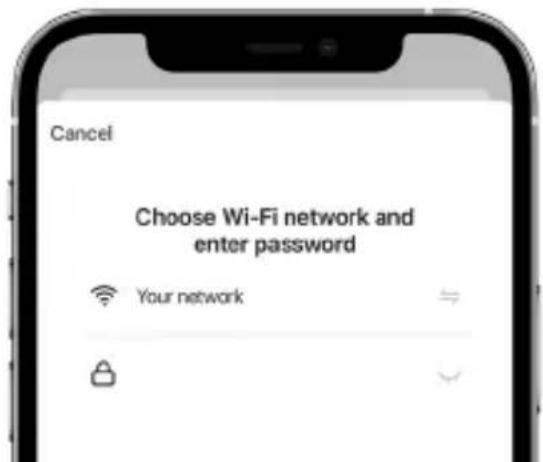
2.8 Follow the instructions in the app
Suivez les instructions de l'application. / Befolgen Sie die Anweisungen der App. / Siga los instrucciones en la app. / Segui le istruzioni nell'app. / Volg de instructies in de app
text_image
Cancel Choose Wi-Fi network and enter password Your network3. Testing the Smart Smoke Detector
Press and hold the Hombli logo on the Smart Smoke Detector to test the alarm. The alarm gets louder with every beep. The final beep, after 9 seconds, has the same volume as the alarm in case of an emergency. The device connects to the Wi-Fi network and send a test notification through the Hombli app. Conduct this manual test monthly.
Note: DO NOT test your alarm using an open flame. This may damage the smoke alarm and its sensor, or start a fire.
3. Test de Smart Smoke Detector
4. Mounting the Smart Smoke Detector
Follow the next steps to mount your Smart Smoke Detector
4. Montage de Smart Smoke Detector
Install multiple Smart Smoke Detectors in your home to ensure maximum protection.
Before installing this device, also check your local legislation.
Recommended locations
Required by law in most countries: At least one on every floor where people live
Highly recommended: All bedrooms, hallways and remote rooms
Extra protection: Living room, attic and basement
DO NOT place the Smoke Detector here:
■ Next to air vents, fans and central heating
- Dusty, dirty areas, areas with insects and easily polluted places (Garage)
- Places with difficult access (making it difficult to operate the test function)
■ Next to doors or windows
- Close to a fireplace or a wood-burning stove
■ Areas with high humidity or cooking fumes (Kitchens, bathrooms)
4.2 Placement advice
- In the middle of the ceiling (if that is not possible, install it at least 30cm away from corners)
■ If the length of the room or hall is more than 9m long, multiple Smart Smoke Detectors should be installed - If the wall or ceiling is slanted, the Smart Smoke Detector needs to be installed at least 50cm away from the highest wall or ceiling point in the room
- If the Smart Smoke Detector is installed on the wall, it should be at least 10cm away from the ceiling.
4.3 Check the Wi-Fi connection
After you have found a good position to mount your Smart Smoke Detector, check the Wi-Fi signal. When you are standing where you want to mount the Smart Smoke Detector, check the Wi-Fi connection of your smartphone or conduct a manual test of the Smart Smoke Detector, by pressing the logo to check if you get a notification. If the Wi-Fi connection is good, continue to the following paragraph 4.4. If the Wi-Fi signal is poor, try to find another position, or move your router closer to the preferred location, or use an access point or extender.
Before installing the Smart Smoke Detector, choose between three mounting options. We do not recommend using option 2 if the surface has a rough texture. For ease of maintenance, we recommend using option 1.
4.4 Installation de Smart Smoke Detector
Option 1 - Magnetic mount and a screw
text_image
Diagram illustrating a mechanical assembly with labeled components including a screw, nut, and base plate.Option 2 - Magnetic mount and 3M tape Note: Clean the surface before sticking the 3M tape to the ceiling.
text_image
Diagram illustrating a layered structure with a cloud above three circular layers, showing an upward arrow and a red rotation indicator.Option 3 - Screw based installation
text_image
Diagram illustrating screw installation process with labeled components and directional arrows5. Maintenance
Clean the Smart Smoke Detector at least once a month with a vacuum cleaner with the brush nozzle. While cleaning the device, also check the alarm function, like described in step 3. In the Hombli app, view the log to see if the daily automatic battery and sensor check is successful.
5. Entretien
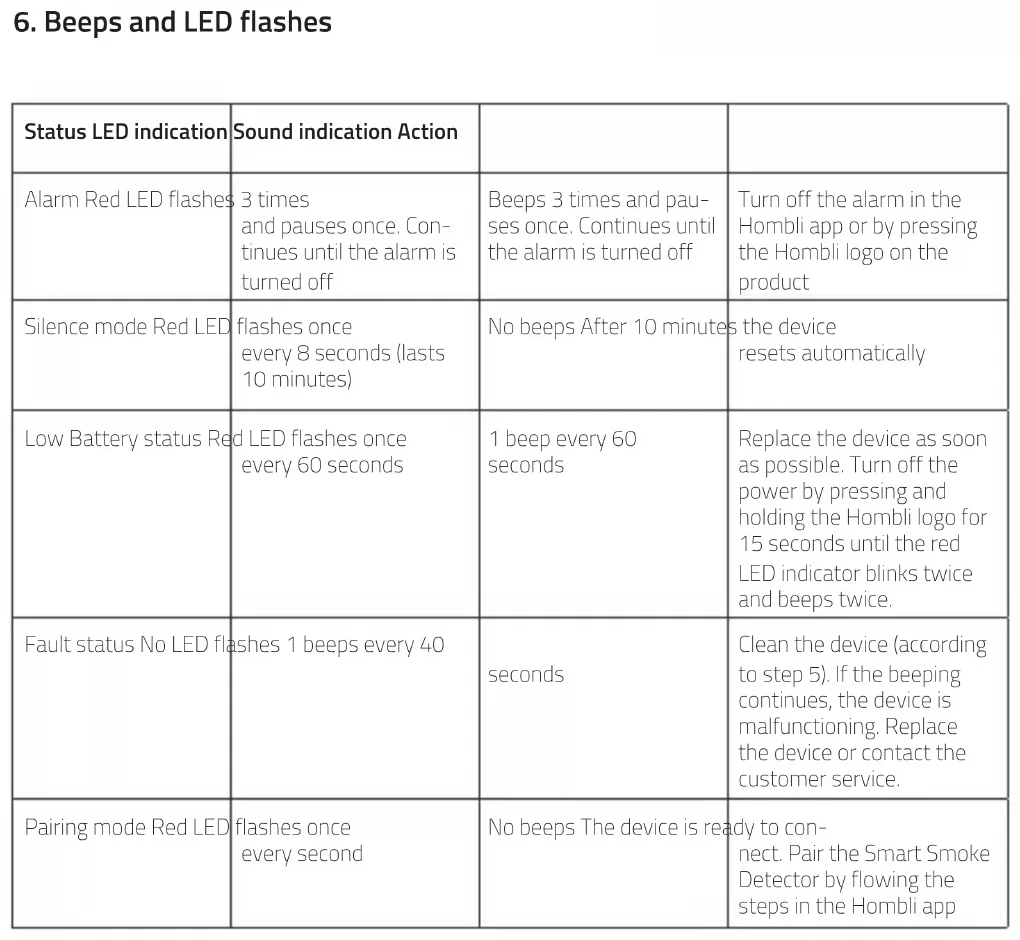
- Beeps and LED flashes
| Status LED indication | Sound indication Action | ||
| Alarm Red LED flashes | 3 times and pauses once. Continues until the alarm is turned off | Beeps 3 times and pauses once. Continues until the alarm is turned off | Turn off the alarm in the Hombli app or by pressing the Hombli logo on the product |
| Silence mode Red LED | flashes once every 8 seconds (lasts 10 minutes) | No beeps After 10 minutes | the device resets automatically |
| Low Battery status Red | LED flashes once every 60 seconds | 1 beep every 60 seconds | Replace the device as soon as possible. Turn off the power by pressing and holding the Hombli logo for 15 seconds until the red LED indicator blinks twice and beeps twice. |
| Fault status No LED | flashes 1 beeps every 40 | seconds | Clean the device (according to step 5). If the beeping continues, the device is malfunctioning. Replace the device or contact the customer service. |
| Pairing mode Red LED | flashes once every second | No beeps The device is ready to connect. Pair the Smart Smoke Detector by flowing the steps in the Hombli app | |
| Pairing Green LED flashes fast No beeps The device is connecting to | the Hombli app. Wait until the LED stops flashing and the Smart Smoke Detector is successfully added to your app. | ||
| Alarm test Red LED flashes a maximum of 9 times, while you keep pressing the Hombli logo | Maximum of 9 beeps, while you keep pressing the Hombli logo | Check if you get a notification through the Hombli app. Repeat this manual test every month. | |
When the alarm of the Smart Smoke Detector goes off, first make sure that you know the cause. In case of a fire, get yourself and others safely outside and call the emergency number. If you have made sure that you, and other members of the household are not in danger, turn off the alarm.
To turn off the alarm, use the Hombli app to turn it off or press on the Hombli logo on the device. The alarm of the Smart Smoke Detector will become inactive for 10 minutes. The red LED now flashes once every 8 seconds. After 10 minutes, the Smart Smoke Detector resets. If the device still detects smoke after 10 minutes, the alarm will go off again.
Type Photoelectric smoke alarm
Alarm volume ≥ 85 dB at 3m
Silencing time \~10 min
Dimensions 120*31.5mm
Working area Up to 40m ^2
Wireless connection Wi-Fi, 802.11 b/g/n
Battery Non-removeable CR14505, DC3V Lithium battery
Battery life 10 years
Operating current <30μA (standby); <70μmA (alarm)
Working temperature 0^ C\~ 40^ C
Working humidity ≤95%RH non-condensing
Smoke sensitivity M_mn=0.09 dB/m, M_max=0.17 dB/m
Important safety instructions
- Make sure you have read and understood the manual before installing and using this product. Only use this product in the ways described in this manual.
- Replace the device when the manufacturing date has been reached. This date can be found on the sticker on the product.
- The device is only suitable for residential use indoors.
- If the product is defective, do not attempt to repair the device but replace the device with a new one.
- Do NOT paint over or cover the product.
The notifications in the Hombli app requires a functional Wi-Fi connection. If the Smart Smoke Detector detects smoke, but has no connection to your Wi-Fi-network, the alarm will go off like normal. However, you will NOT get a notification on your phone. Therefore, you should never solely rely on these notifications.
All electronic devices, including this Smart Smoke Detector, have a chance of failing. There is a chance that, in case of a fire, the device will not warn you because the alarm did not go off, or because the alarm did not go off in time. Make sure you test your Smart Smoke Detector regularly to maximize the chance of being alerted in time by the device.
Dimensions 120*31.5mm
EU Declaration of Conformity and Performance
This device is in compliance with the essential requirements and other relevant provisions of the following EU Directives:
• Directive 2011/65/EU
• Directive 2014/53/EU
A copy of the EU Declaration of Conformity and the Declaration of Performance are available at www.hombli.com/compliance
Wireless RF mode frequency band: 2.412 to 2.484 GHz
Maximum transmitted power. 20 dBm
The WEEE symbol means that a device must be disposed of separately from general household waste. When a device reaches the end of its lifespan, it must be taken to a designated waste collection point for safe disposal or recycling. This conserves natural resources, protects human health and helps the environment. Details to this are defined by the national law of the respective country.
Hombli is a registered brand of
Avanca International BV.
Maanweg 174
2516 AB, The Hague
The Netherlands
A copy of the EU Declaration of Conformity and the Declaration of Performance are available at