DA-12203 - Headphones Digitus - Free user manual and instructions
Find the device manual for free DA-12203 Digitus in PDF.


| Brand | Digitus |
| Model | DA-12203 |
| Product type | On-ear office headset with noise reduction, USB |
| Connection | USB 2.0 (USB A) |
| Cable length | 195 cm |
| Microphone type | Unidirectional with noise reduction |
| Controls | Volume control, microphone and speaker mute |
| Speaker diameter | 30 mm |
| Ear cushion material | Foam |
| Speaker sensitivity | 115 dB ± 3 dB |
| Speaker impedance | 32 ohms |
| Speaker frequency response | 20 – 20000 Hz |
| Maximum power | 84 mW |
| Microphone sensitivity | -42 dB |
| Microphone impedance | ≤ 2.2 kOhms |
| Microphone frequency response | 50 – 15000 Hz |
| Compatible operating systems | Windows 10/8/7/XP, macOS 10.4 or later |
| Power supply | Via USB bus |
| Box contents | 1 x headset, 1 x quick installation guide |
| Maintenance and cleaning | Clean with a soft dry cloth. Avoid solvents. |
Frequently Asked Questions - DA-12203 Digitus
User questions about DA-12203 Digitus
0 question about this device. Answer the ones you know or ask your own.
Ask a new question about this device
Download the instructions for your Headphones in PDF format for free! Find your manual DA-12203 - Digitus and take your electronic device back in hand. On this page are published all the documents necessary for the use of your device. DA-12203 by Digitus.
USER MANUAL DA-12203 Digitus
On Ear Office Headset with Noise Reduction, USB
natural_image
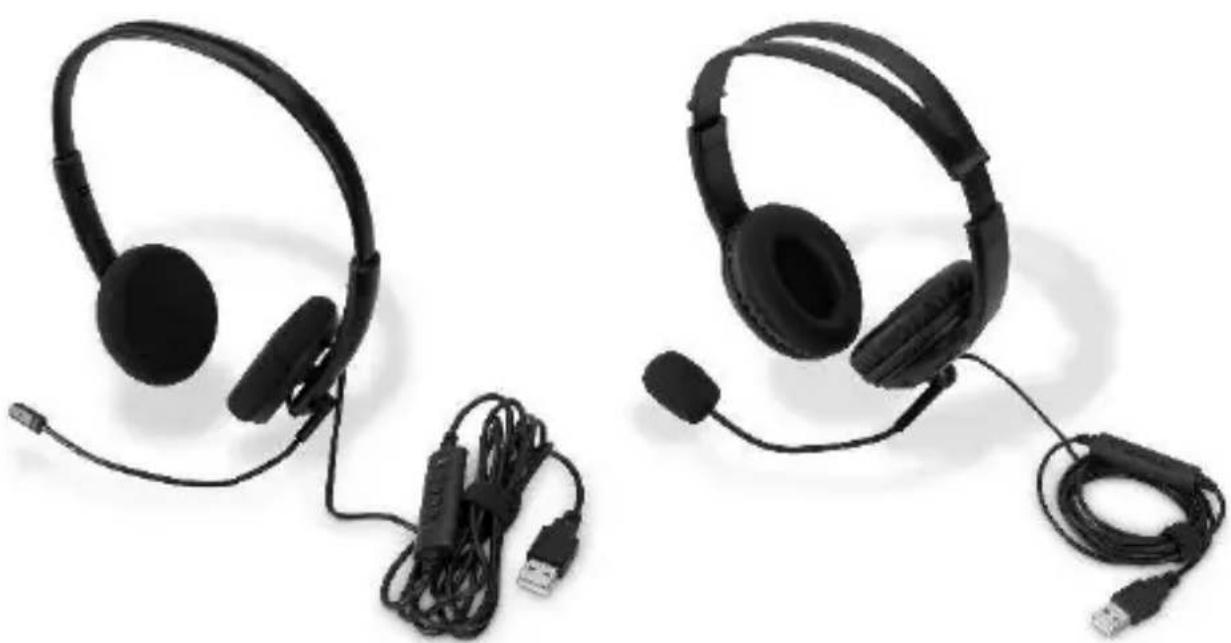
Two black headsets with earplands and USB connectors, shown against a white background (no text or symbols visible)Quick Installation Guide
DA-12003 • DA-12004
1. Specifications
| DA-12003 | DA-12004 | |
| Connection type | USB 2.0 (USB A) | |
| Connection cable length | 195 cm | |
| Features | Microphone noise reduction (one direction) | |
| Control module | Volume control & mute for microphone and speaker | |
| Earpiece diameter | 30 mm | 40 mm |
| Earpiece cushions | Foam | Synthetic leather |
| Headphone sensitivity | 115 dB ± 3dB | |
| Headphone impedance | 32 Ohm | |
| Headphone frequency | 20 – 20,000 Hz | |
| Max. power | 84 mW | |
| Microphone sensitivity | -42 dB | -52 dB |
| Microphone impedance | ≤ 2.2 kOhm | |
| Microphone frequency | 50 – 15,000 Hz | |
| Operating systems | Windows 10/8/7/XP, macOS 10.4 or higher | |
2. Packaging Content
- 1 x On-Ear Office Headset with Noise Reduction, USB
- 1 x QIG
3. Installation
To use the USB headset, simply connect it to an available USB port on your computer. Installation on both Windows and Mac operating systems will be automatic and completed shortly after connecting the headset. Once the installation is complete, you can verify that the headset is ready to use by following these steps:
Windows
Go to Control Panel > Sound and check that the USB PnP Sound Device is set as the default device in both the Playback and Recording tabs.
macOS
Go to System Preferences > Sound and check that USB PnP Sound Device is set as the default device in both the Input and Output tabs.
The USB headset can control the output volume of your computer using the volume up and down buttons and can completely mute audio output via the headphone mute button. It is possible to monitor the level that the computer is set to by hovering the mouse over the speaker icon in the system tray in Windows, whilst macOS will show the volume adjustment on screen with each button press. It is also possible to mute just the microphone by using the microphone mute button. A red LED will illuminate on the controller to signify that the microphone is muted.
Under normal operation the green LED will flash, if it is permanently lit please adjust the microphone level:
Windows > Control Panel > Sound > Recording > USB PnP Sound Device > Properties > Levels
macOS > System Preferences > Sound > Input > USB PnP Sound Device > Input Volume
4. Controls

Microphone Mute Button

Headphone Mute Button

Volume Up

Volume Down
Hereby Assmann Electronic GmbH declares that the Declaration of Conformity is part of the shipping content. If the Declaration of Conformity is missing, you can request it by post under the below mentioned manufacturer address.
www.assmann.com
Assmann Electronic GmbH
Auf dem Schüffel 3
58513 Lüdenscheid
Germany
CE
natural_image
Simple line drawing of a trash bin with crossed lines indicating no waste or plastic (no text or symbols)DIGITUS®
natural_image
Two black headsets with earplands and USB connectors, displayed against a white background (no text or symbols visible)Kurzanleitung
DA-12003 • DA-12004