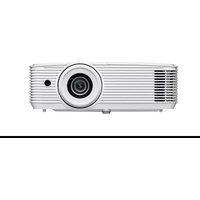
EH401 - Projector OPTOMA - Free user manual and instructions
Find the device manual for free EH401 OPTOMA in PDF.


User questions about EH401 OPTOMA
0 question about this device. Answer the ones you know or ask your own.
Ask a new question about this device
Download the instructions for your Projector in PDF format for free! Find your manual EH401 - OPTOMA and take your electronic device back in hand. On this page are published all the documents necessary for the use of your device. EH401 by OPTOMA.
USER MANUAL EH401 OPTOMA
natural_image
Line drawing of a projector with no visible text or symbols on the device itselfTABLE DES MATIÈRES
SÉCURITÉ .... 4
text_image
CAUTION ELECTRIC SHOCK Keep ground wire connectedThis Class B digital apparatus complies with Canadian ICES-003.
natural_image
Illustration of a bundle of cables with connectors (no text or symbols)
natural_image
Coiled cable with two connectors, labeled 'Câble HDMI' below (no other text or symbols)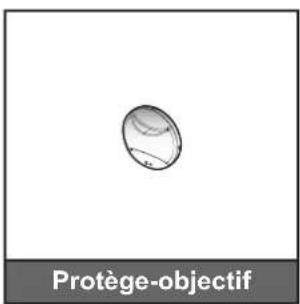
text_image
Diagram illustrating a mechanical or electrical component with labeled parts and directional arrows indicating motion or force.CONFIGURATION ET INSTALLATION
natural_image
Line drawing of a person sitting in a chair watching television, with no text or symbols present.oport de plafond
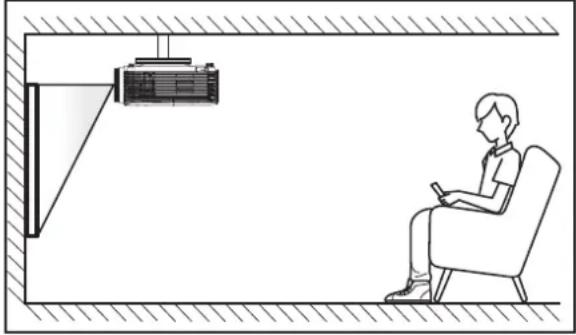
natural_image
Line drawing of a person sitting in a chair facing a projector mounted on a wall (no text or symbols)natural_image
Line drawing of a person sitting in a chair watching television, with a small screen and TV on a desk (no text or symbols)upport de plafond
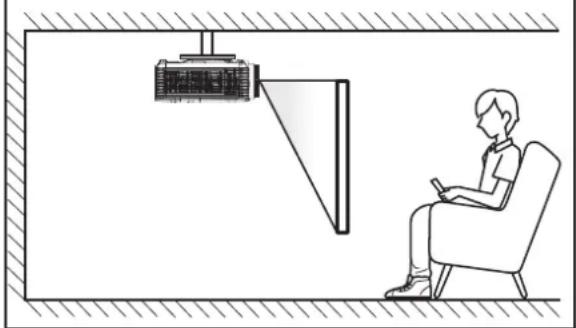
natural_image
Line drawing of a person sitting in a chair watching a projector mounted on a wall (no text or symbols)text_image
Diagram illustrating battery charge distribution and cathode insertion process, showing charge states on a battery and cathode tip.natural_image
Illustration of hands using a tool to adjust a component with red arrows indicating direction (no text or symbols)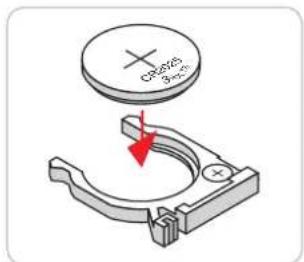
text_image
Cp-625 8-373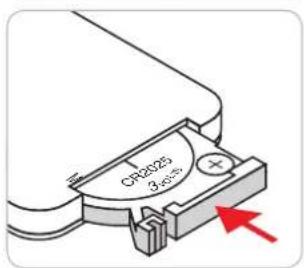
text_image
CR2025 3 secondstext_image
Open Environ ±30°UTILISER LE PROJECTEUR
text_image
Local Area Connection 2 Properties Networking Connect using: Atheros AR3151 PCI-E Gigabit Ethernet Controller (NDIS €) Configure... This connection uses the following items: Client for Microsoft Networks QoS Packet Scheduler File and Printer Sharing for Microsoft Networks Internet Protocol Version 6 (TCP/IPv5) Internet Protocol Version 4 (TCP/IPv4) Link-Layer Topology Discovery Mapper I/O Driver Link-Layer Topology Discovery Responder Install... Uninstall Properties Description Transmission Control Protocol/Internet Protocol. The default wide area network protocol that provides communication across diverse interconnected networks. Internet Protocol Version 4 (TCP/IPv4) Properties General You can get IP settings assigned automatically if your network supports this capability. Otherwise, you need to ask your network administrator for the appropriate IP settings. Obtain an IP address automatically Use the following IP address: IP address: 192 . 168 . 0 . 99 Subnet mask: 255 . 255 . 255 . 0 Default gateway: 192 . 168 . 0 . 254 Obtain DNS server address automatically Use the following DNS server addresses: Preferred DNS server: 192 . 168 . 0 . 1 Alternate DNS server: . Validate settings upon exit Advanced... OK Cancel OK Canceltext_image
Diagram showing connection between a projector and a laptop via RJ-45 port, with labeled ports and cable connections.text_image
Administrator Internet Internet Explorer E-mail Outlook Express My Documents My Recent Documents My Pictures My Music My Computers Control Panel Set Program Access and Defaults Connect To Printers and Planes Help and Support Search Run... All Programs > Log Off Turn Off Computer Starttext_image
Network Connections File Edit View Insert Tools Advanced Help Address Network Connections LAN or High-Special Internet Local Area Connection Connections, Monitored Broadcom Handwidth 870x Big... 3204 Connections Connected, Monitored 3204 Fact Adapter Windows Network Connection Net connected, Monitored Big Group Windows WiFi Link... Wizard New Connection Wizard Network Setup Wizard S objecttext_image
Network Connections File Edit View Favorites Tools Advanced Help Search Patterns Address Network Connections LAN or High-Speed Internet Local Area Connection Connected, Connected Connection NetSuite 571.0Kg Details Status Repair Bridge Connections Create Shortout Entry Restore Properties New Connection Wizard Wireless Network Connection The connections, Connected Data(D) switches with Link wire... SpreadUTILISER LE PROJECTEUR
text_image
Local Area Connection Properties General | Advanced | Connect using: Broadcom Network 57.8e Gridcel C: Configure This connection uses the following items: □ Out Packet Scheduler □ Network Manila Driver ■ Internal Protocol (CP/IP) Install... Edit... Properties Description Transmission Control Protocol/Internal Protocol. The default wide area network protocol that provides communication across diverse interconnected networks. □ Show con in notification area when connected □ Notify go when the connection has limited or no connectivity. OK Canceltext_image
Internet Protocol Version 4 (TCP/IPv4) Properties General You can get IP settings assigned automatically if your network supports the capability. Otherwise, you need to ask our network administrator for the appropriate IP settings. ○ Obtain an IP address automatically ● Use the following IP address: IP address: 182 . 160 . 0 . 99 Begined mask: 255 . 255 . 255 . 3 Default gateways: 182 . 160 . 0 . 254 ○ Obtain DNS server address automatically ● Use the following DNS server address: Preferred DNS server: 182 . 160 . 0 . 1 Alternate DNS server: - - - □ Relocate settings upon exit Advanced... OK Canceltext_image
Model: Optoma Tool Info Contact IT Help Optoma Projector Information Projector Status Projector Name: Optoma XGA Location Power Status: Power On Source: Video Display Mode: Presentation Projection: Front Firmware Version: A61 MAC Address: 80.50 GB 09.48 FF Resolution: 120W/00K 60HZ Lamp Hours: 105 Brightness Mode: Bright Assigned to: Optoma Projector Error Status: No Error exit CRESTRON connected Explain OptionsPage principale
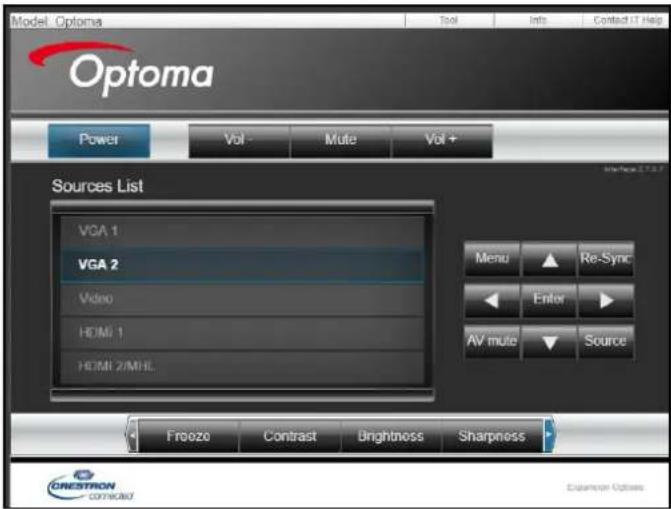
text_image
Model Optoma Optoma Power Vol Mute Vol+ Sources List VGA 1 VGA 2 Video HDMI 1 HDMI 2/MHL Menu Re-Sync Enter AV mute Source Freeze Contrast Brightness Sharpness CRESTON CONSOLID Explanation OptionsPage Outils
text_image
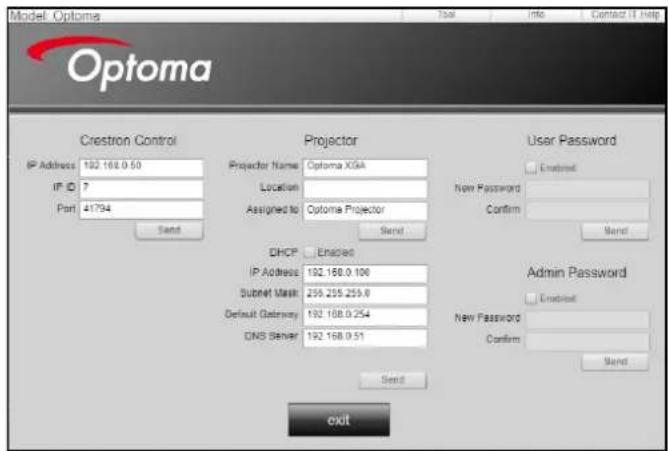
Model: Options Optoma Crestron Control IP Address 102.168.0.50 IP ID 7 Part 41794 Send Projector Projector Name Optoma XGIA Location Assigned to Optoma Projector Send User Password Enabled New Password Confirm Send DHCP Enabled IP Address 102.168.0.106 Subset Mask 259.255.255.0 Default Gateway 102.168.0.254 DNS Server 102.168.0.51 Send Admin Password Enabled New Password Confirm Send exittext_image
Title X SendUTILISER LE PROJECTEUR
text_image
Administrator Internet Internet Explorer E-mail Microsoft Office Outlook Windows Media Player OpenOfficov.org Writer See Program Access and Defaults MSN Explorer Outlook Express Windows Messenger All Programs > My Documents My Recent Documents > My Pictures My Music My Computer Control Panel Set Program Access and Defaults Printers and Files Help and Support Search Run... Log Off Turn Off Computer Starttext_image
Set Program Access and Defaults Windows Catalog Program Update New Office Document Open Office Document Program Updates Accessories Games Startup Internet Explorer MSN Explorer Outlook Express Remote Assistance Windows Media Player Windows Management Accessibility Entertainment System Tools Address Book Calculator Program Programs Desktop Paint Program Compositively Wizardnatural_image
Illustration of a projector with front panel and side view, showing internal components (no text or symbols)text_image
Diagram showing a projector with labeled parts and a hand holding a clip, illustrating the process of adding a slide to a screen.INFORMATIONS SUPPLÉMENTAIRES
text_image
ON OFF User1 User2 User3 Brightness Contrast Mode Keystone Aspect ratio DB 3D Mute Sleep Timer Volume+ Source Re-sync Menu Volume- HDMI1 HDMI2 VGA1 VGA2 Video YPbPr47697 Westinghouse Drive,
Fremont, CA 94539, USA
www.optomausa.com
888-289-6786
510-897-8601
services@optoma.com
Japon
東京都足立区綾瀬3-25-18
株式会社オーエス
info@os-worldwide.com
www.os-worldwide.com
Canada
47697 Westinghouse Drive,
Fremont, CA 94539, USA
www.optomausa.com
888-289-6786
510-897-8601
services@optoma.com
Taiwan
12F., No.213, Sec. 3, Beixin Rd.,
Xindian Dist., New Taipei City 231,
Taiwan, R.O.C.
€886-2-8911-8600
+886-2-8911-6550
services@optoma.com.tw
www.optoma.com.tw asia.optoma.com
Amérique Latine
47697 Westinghouse Drive,
Fremont, CA 94539, USA
www.optomausa.com
888-289-6786
510-897-8601
services@optoma.com
Chine
Room 2001, 20F, Building 4,
No.1398 Kaixuan Road, +86-21-62947376
Changning District, +86-21-62947375
Shanghai, 200052, China (Chine)
servicecn@optoma.com.cn
www.optoma.com.cn
Europe
Unit 1, Network 41, Bourne End Mills
Hemel Hempstead, Herts,
HP1 2UJ, United Kingdom
(Royaume-Uni)
www.optoma.eu
service@tsc-europe.com
Benelux BV
Randstad 22-123
1316 BW Almere +31 (0) 36 548 9052
Les Pays-Bas
www.optoma.nl
+31 (0) 36 820 0252
52
France
Bâtiment E
81-83 avenue Edouard Vaillant
92100 Boulogne Billancourt, France
+33 1 41 46 12 20
+33 1 41 46 94 35
savoptoma@optoma.fr
Espagne
C/ José Hierro,36 Of. 1C
28522 Rivas VaciaMadrid,
Espagne
+34 91 499 06 06
+34 91 670 08 32
Allemagne
Am Nordpark 3
41069 Mönchengladbach +49 (0) 2
Allemagne
+49 (0) 2161 68643 0
161 68643 99
info@optoma.de
Scandinavie
Lerpeveien 25
3040 Drammen
Norvège
( +47 32 98 89 90
+47 32 98 89 99
info@optoma.no
PO.BOX 9515
3038 Drammen
Norvège
Corée
WOOMI TECH.CO.,LTD.
4F, Minu Bldg.33-14, Kangnam-Ku,
Seoul,135-815, KOREA
korea.optoma.com
+82+2+34430004
+82+2+34430005