 EasyManual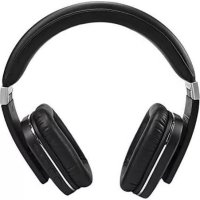
HP600 - Earphones Stereoboomm - Free user manual and instructions
Find the device manual for free HP600 Stereoboomm in PDF.


User questions about HP600 Stereoboomm
0 question about this device. Answer the ones you know or ask your own.
Ask a new question about this device
Download the instructions for your Earphones in PDF format for free! Find your manual HP600 - Stereoboomm and take your electronic device back in hand. On this page are published all the documents necessary for the use of your device. HP600 by Stereoboomm.
USER MANUAL HP600 Stereoboomm
DECLARATION OF CONFORMITY
Hereby, Company: TE-GROUP nv Address: Kapelsestraat 61, 2950 Kapellen - BELGIUM Declares that: Product Name: STEREOBOOMM HP600 Product Type: Bluetooth stereo over-ear headphone Is in compliance with the essential requirements and other relevant provisions of Directive 1999/5/EC, 2004/108/EC. The product has been tested against the followings standards and specications, applying versions valid on the date that it was issued:
ETSI EN 300 328 V1.8.1
ETSI EN 301 487-1 V1.9.2 (2011-09) ETSI EN 301 487-17 V2.2.1 (2012-09) Joseph van Oosterum, CEO TE Group NV, October 2015-4- HOW TO USE THE STEREOBOOMM HP600? The SB HP600 can be used in 2 ways: Wireless/Bluetooth® Stream your music wireless via Bluetooth® 4.0 from your smartphone, tablet or other Bluetooth® device. AUX-in cable With the AUX-in cable, you can use the headphone o When the battery is OFF o When you want to use the HP 600 with a non-Bluetooth® device o When you want to use the headphone without loss of battery o When you want to listen to music in Airline mode What is included in the box: Stereoboomm® HP600 Headphone Design Protective Case Micro USB charging cable (2m) AUX-in cable (2m) Airline plug TECHNICAL SPECIFICATIONS Frequency response 20 Hz ---- 20 KHz Impedance 21 Om Maximum audio power 15 mW Sensitivity 188+/-3DB Speaker diameter 40 mm Receiver range 10 m Standby time 540 h Working time (variable on volume) 12 h Bluetooth® Version 4.0 Codec aptX®
- Press once to PLAY or PAUSE your music.
- Press the button shortly to answer an incoming call or end your current call.
- Press the button long to reject an incoming call or press 2 times to redial the last number called.
3. Volume UP / Next track (*)
- Press the button shortly to increase the volume.
- Press the button 2-3 seconds for the next track. PARTS & BUTTONS ! Attention: The headphone does not need to be “ON” to work with the AUX-in cable. To minimize battery consumption we recommend to keep your device in the “OFF” status while using the AUX-in cable.
12. AUX-in cable with gold-plated socket
13. Airline plug: Combine this plug with your AUX-in cable (13) to use your
headphone on the airplane. LED STATUS POWER ON BLUE LED, ashes 2 times POWER OFF RED LED, ashes 2 times PAIRING BLUE & RED LED ash alternately STANDBY BLUE LED, ashes 3 times per 5 seconds LOW BATTERY RED LED, ashes 2 times per 2 seconds CHARGING RED LED, continuously CHARGING COMPLETED BLUE LED, continiously
ON/OFF Press the power button 3-5 seconds to turn your headphone on or off.
5. Volume DOWN / Previous track (*)
- Press the button shortly to decrease the volume.
- Press the button 2-3 seconds for the previous track.
Micro USB Charging slot Insert the Micro USB cable (11) into this slot to charge your headphone.
Insert the AUX-in cable (12) in your headphone and your non- Bluetooth® device to transfer sound. (*) Functions only applicable in Bluetooth®-mode-6-
CHARGING THE BATTERY
! Attention: We strongly recommend to fully charge the headphone before the rst use.
1. Plug the micro USB cable (11) into the micro USB charging slot (7).
Plug the other end of the micro USB cable into your computer or other USB charging dock.
2. The LED indicator (2) will light up RED and your headphone will be charging.
When the battery is fully charged the LED indicator will light up BLUE.
3. When the battery is low and in need of charging, the LED indicator will
light up RED, ashing 2 times every 2 seconds. The Stereoboomm
HP600 battery offers up to 12h of wireless music. Music time may vary from usage (volume). If your battery is empty you can still use the headphone with the AUX-in cable.
Push the ON / OFF button (4) to turn your headphone ON or OFF. PAIRING THE SB HP600 WITH A BLUETOOTH DEVICE When turned ON, the LED indicator (2) will ash BLUE and RED alternatively. This means that the headphone is ready to be paired. Let your Bluetooth
device scan for other Bluetooth
devices and select “SBoomm HP600” to pair your device with the headphone. When your devices are paired you will hear a beep notication. You can now listen to music from your device to the Stereoboomm
HP600 headphone. The headphone will automatically try to reconnect with the last paired device when it is turned on again. In case your Bluetooth
device does not reconnect automatically, you can restore it manually by pressing the Phone button (1) or in the menu of your device. When in doubt, consult the manual of your music device. If your smartphone or tablet supports Near Field Communication (NFC) you can pair your device by making sure your device is unlocked and NFC is switched ON. Hold your device close to the NFC area (6) side to pair. For further information on NFC, please consult the manual of your music device. USING THE SB HP600 WITH THE AUX-IN CABLE You can also play music from a non-Bluetooth
device. Non-Bluetooth
devices are equipped with a 3.5 mm AUX slot. ! Attention: The headphone does not need to be “ON” to work with the AUX-in cable. To minimize battery consumption we recommend to keep your device in the “OFF” status while using the AUX-in cable. Plug the AUX-in cable (12) into the AUX-in slot (9) on your headphones Plug the other side of the AUX-in cable into the AUX slot on your device ! Attention: When you are playing music from a non-Bluetooth
device through the AUX- in cable, the function buttons (1, 3, 5) will not have any effect and need to be controlled from your device. To use the SB HP600 during a ight, plug the other side of the AUX-in cable into the Airline plug (13).-7- HANDSFREE CALLING (only in Bluetooth
mode) To answer or end a call Press the Phone button (1) shortly to answer an incoming call or to end your current call. To reject an incoming call, press and hold the Phone button (1). To redial the last number you called, press the Phone button (1) shortly twice. To make a call Dial a number on your smartphone. The call is automatically transferred to the Stereoboomm
HP600. RESET To reset the HP600 press the UP (3) and DOWN (5) button simultaneously when the device is ON. Make sure that there is no active Bluetooth
connection while resetting the HP600. When the reset is complete, you will hear a double beep. ! Attention: The nal sound quality of the headphone is strongly inuenced by the recording quality of the music tracks on your music device. CUSTOMER SUPPORT For more information, technical questions and return requests concerning this product, you should contact support@stereoboomm.be. GUARANTEE Copyright® Stereoboomm
is a registered trademark of TE-Group NV. Stereoboomm
brand stands for superior quality products and excellent customer service. Therefore Stereoboomm
warrants this product to be free from defects in materials and workmanship for a period of two (2) years from the original purchase date of the product. The terms of this guarantee and the extent of responsibility of Stereoboomm