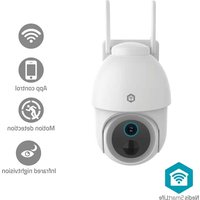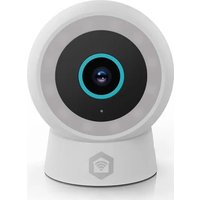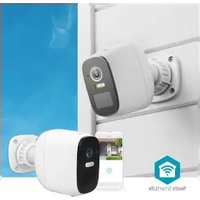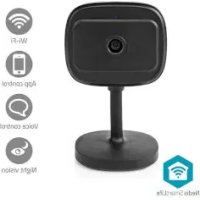
WIFICI07CBK - Surveillance Camera NEDIS - Free user manual and instructions
Find the device manual for free WIFICI07CBK NEDIS in PDF.



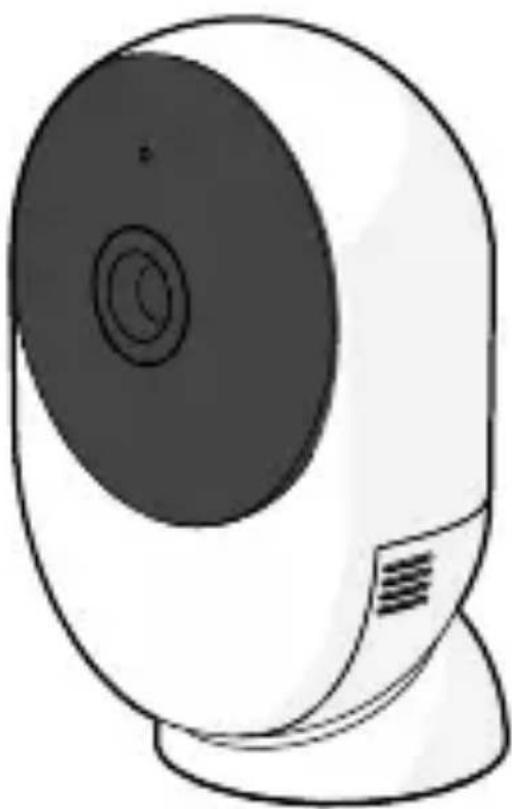
| Product type | Indoor Wi-Fi IP surveillance camera |
| Model | WIFICI07CBK |
| Brand | Nedis |
| Video resolution | Full HD 1080p |
| Viewing angle | 110° |
| Night vision | Yes, up to 10 metres |
| Two-way audio | Yes, built-in microphone and speaker |
| Motion detection | Yes, push notifications |
| Connectivity | Wi-Fi 2.4 GHz IEEE 802.11b/g/n |
| Power supply | 5 V DC power adapter (included) |
| Storage | microSD card (up to 128 GB) or Nedis SmartLife cloud |
| Compatible app | Nedis SmartLife (iOS/Android) |
| Voice assistant | Compatible with Alexa and Google Assistant |
| Dimensions (L × W × H) | 7.0 × 7.0 × 12.0 cm |
| Weight | 150 g |
| Operating temperature | -10 °C to 50 °C |
| Protection rating | IP65 (weather resistant) |
| Maintenance and cleaning | Clean with a soft dry cloth. Do not use chemicals. |
| Safety | Do not immerse. Use only the supplied adapter. Disconnect before cleaning. |
| Spare parts and repairability | Adapter, USB cable, mounting bracket. Device not user-serviceable. |
| Warranty | 2 years |
| General information | Detailed manual available at ned.is/wifici07cbk |
Frequently Asked Questions - WIFICI07CBK NEDIS
User questions about WIFICI07CBK NEDIS
0 question about this device. Answer the ones you know or ask your own.
Ask a new question about this device
Download the instructions for your Surveillance Camera in PDF format for free! Find your manual WIFICI07CBK - NEDIS and take your electronic device back in hand. On this page are published all the documents necessary for the use of your device. WIFICI07CBK by NEDIS.
USER MANUAL WIFICI07CBK NEDIS
Wi-Fi Full HD IP Camera
Safety instructions

natural_image
Icon of a house with Wi-Fi signal symbol inside a hexagon (no text or numbers)Nedis SmartLife
WIFICI12CWT
natural_image
Line drawing of a stylized white and black remote control device (no text or symbols)EN Safety instructions 3
DE Sicherheitshinweise 7
FR Consignes de sécurité 12
NL Veiligheidsvoorschriften 17
IT Istruzioni di sicurezza 22
ES Instrucciones de seguridad 27
PT Instruções de segurança 32
SV Säkerhetsanvisningar 37
FI Turvallisuusohjeet 42
NO Sikkerhetsinstruksjoner 46
DA Sikkerhedsinstruktioner 50
HU Biztonsági utasítások 55
PL Instrukcje bezpieczeństwa 60
EL Οδηγίες ασφάλειας 65
SK Bezpečnostné pokyny 70
CS Bezpečnostní pokyny 74
RO Instructiuni de siguranță
Wi-Fi Full HD IP Camera
WIFIC12CWT

For more information see the extended manual online: ned.is/wifici12cwt
Aboutthisdocument
This document is the user manual and contains all the information for correct, efficient and safe use of the product. Ensure you have fully read and understood the instructions in this document before you install or use the product. Keep the packaging and this document for future reference.
Symbolsused
WARNING! Signal word used to indicate a potentially hazardous situation which, if not avoided, could result in death or serious injury.
CAUTION! Signal word used to indicate a potentially hazardous situation which, if not avoided, could result in minor or moderate injury.
NOTICE Signal word used to address
practices not related to physical injury.
Intendeduse
This product is intended as a camera to see, hear, and speak to visitors.
This product is intended to be used with the Nedis SmartLife app.
Only use the product as described in this user manual.
Any modification of the product may have consequences for safety, warranty and proper functioning.
Safetyinstructions
Ensure you have fully read and understood the instructions in this document before you install or use the product. Keep the packaging and this document for future reference.
WARNING!
Electricalhazard:
- Only use the provided power cable.
- Only power the product with the voltage corresponding to the markings on the product.
- This product may only be serviced by a qualified technician for maintenance to reduce the risk of electric shock.
- Do not open the product. There are no user serviceable parts inside.
- Disconnect the product from the power source before cleaning.
- The product may not be used by persons (including children) whose physical, sensory or mental capabilities or lack of experience and knowledge prevents them from using the product safely without supervision or instruction.
- Cleaning and user maintenance shall not be done by children without supervision.
- Do not immerse the product in water or other liquids.
Firehazard:
- Do not use the product if a part is damaged or defective. Always replace a damaged or defective product immediately.
Chokinghazard:
- Do not let children play with the packaging material. Always keep the packaging material out of the reach of children.
Chemical burns hazard:
- Do not subject cells or batteries to mechanical shock.
CAUTION!
Trippinghazard:
- Always keep the power cable and the product away from usual walkways.
NOTICE
Risk of damaging the product:
- Only use the product as described in this document.
- Do not drop the product and avoid bumping.
- Do not use aggressive chemical cleaning agents when cleaning the product.
- Children should be supervised to ensure that they do not play with the product.
Disposal
The product is designated for separate collection at an appropriate collection point. Do not dispose of the product with household waste.
For more information, contact the retailer or the local authority responsible for the waste management.
DeclarationofConformity
We, Nedis B.V. declare as manufacturer that the product WIFICI12CWT from our brand Nedis ^® , produced in China, has
been tested according to all relevant CE standards and regulations and that all tests have been passed successfully. This includes, but is not limited to the RED 2014/53/EU regulation.
The complete Declaration of Conformity (and the safety datasheet if applicable) can be found and downloaded via: nedis.com/WIFICI12CWT#support

Sicherheitshinweise
Wi-Fi Full HD IP-Kamera
WIFIC12CWT

natural_image
Symbol of a trash bin crossed with a diagonal line and a circular mark, no text or numbers present.Telecamera IP Wi-Fi Full HD
WIFIC12CWT