 ManualGo.com
Commercial HushTone CH54115 - Vacuum Cleaner HOOVER - Free user manual and instructions
Find the device manual for free Commercial HushTone CH54115 HOOVER in PDF.



Download the instructions for your Vacuum Cleaner in PDF format for free! Find your manual Commercial HushTone CH54115 - HOOVER and take your electronic device back in hand. On this page are published all the documents necessary for the use of your device. Commercial HushTone CH54115 by HOOVER.
USER MANUAL Commercial HushTone CH54115 HOOVER
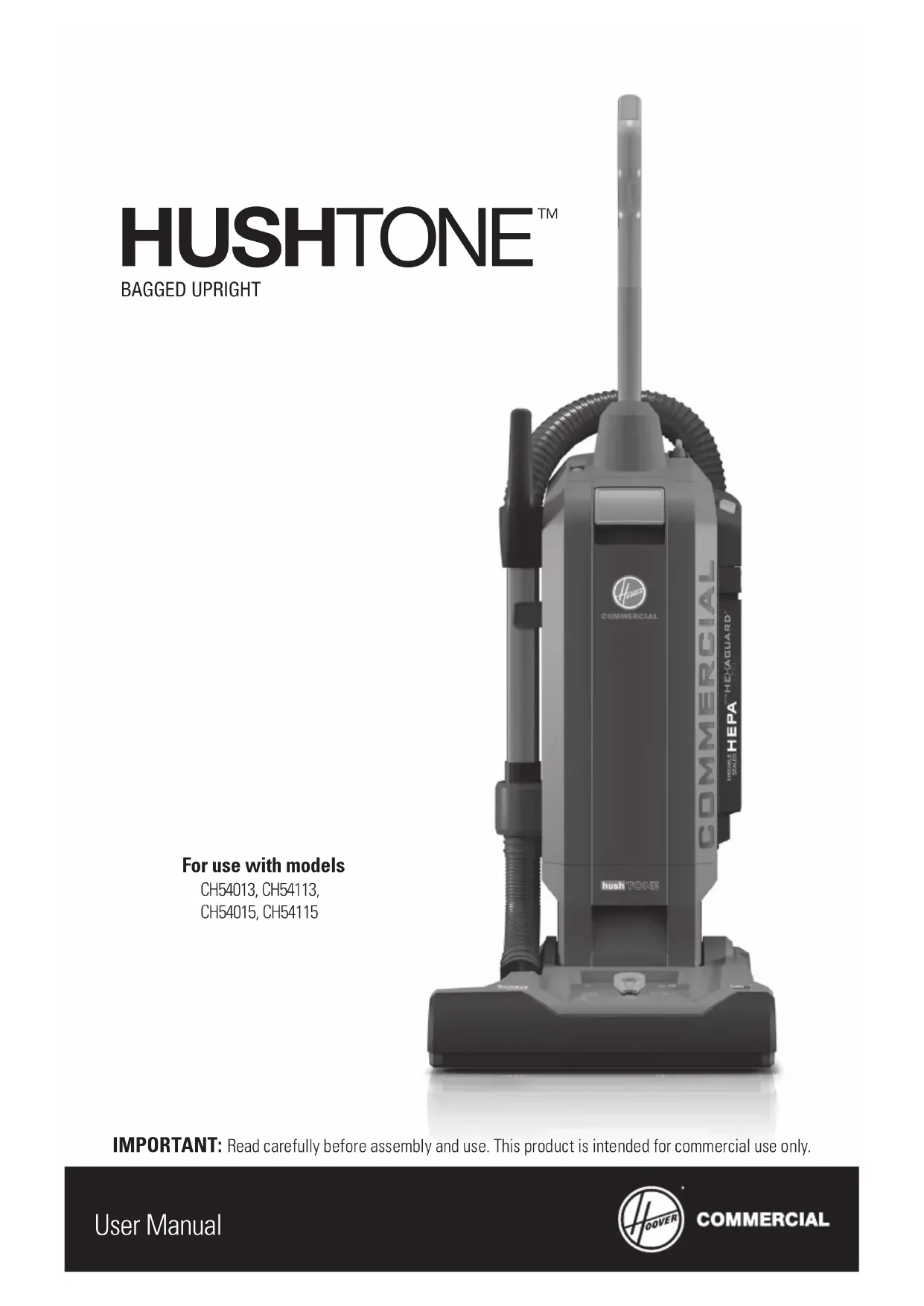
User Manual BAGGED UPRIGHTFor use with modelsCH54013, CH54113,CH54015, CH54115 IMPORTANT: Read carefully before assembly and use. This product is intended for commercial use only.2 Welcome. Thank you for choosing a HOOVER
IF YOU NEED ASSISTANCE
Please call 1-800-944-9200 to speak with a customer service representative; Mon-Fri 8am-7pm EST or visit our website at hoovercommerical.com.3 Table of Contents Safety Instructions 4 Product Features 8 Tools 10-11 Attaching the Tools 11 Getting Started 12 Maintenance 14 Performance Indicator 14 How to Replace the Filter Bag 15 How to Check for Clogs 16 Filters 17-19 HEPA Media Final Filter 17 HexaGuard Activated Carbon Filter 18 Inlet Filter 19 Removing Brushroll & Belt 20 Troubleshooting 22 Warranty 23 French 25 Spanish 494
IMPORTANT SAFETY INSTRUCTIONS
SAVE THESE INSTRUCTIONS! READ CAREFULLY BEFORE ASSEMBLY AND USE. When using an electrical appliance, basic precautions should always be followed, including the following: READ ALL INSTRUCTIONS BEFORE USING THIS APPLIANCE.
- Fully assemble before operating.
- Operate cleaner only at voltage specified on data plate on back of cleaner.
- Do not leave appliance when plugged in. Unplug from outlet when not in use and before cleaning or servicing.
- Do not use outdoors or on wet surfaces.
- Do not allow to be used as a toy. Not intended for use by children age 12 and under. Close supervision is necessary when used near children. To avoid injury or damage, keep children away from product, and do not allow children to place fingers or other objects into any openings.
- Use only as described in this manual. Use only manufacturer’s recommended attachments and products.
- Do not use with damaged cord or plug. If appliance is not working as it should, has been dropped, damaged, left outdoors, or dropped into water, take it to a service center prior to continuing use.
- Do not pull or carry by cord, use cord as handle, close a door on cord, or pull cord around sharp edges or corners. Do not run appliance over cord. Keep cord away from heated surfaces.
- Do not unplug by pulling on cord. To unplug, grasp the plug, not the cord.
- Do not handle plug or appliance with wet hands.
- Do not put any objects into openings. Do not use with any opening blocked; keep free of dust, lint, hair, and anything that may reduce air flow.
- Keep hair, loose clothing, fingers, and all parts of body away from openings and moving parts. Brushroll continues to rotate when in the upright position.
- Turn off all controls before unplugging.
- Use extra care when cleaning on stairs. To avoid personal injury or damage, and to prevent the cleaner from falling, always place cleaner at bottom of stairs or on floor. Do not place cleaner on stairs or furniture, as it may result in injury or damage.
- Do not use to pick up flammable or combustible liquids, such as gasoline, or fine wood sandings or use in areas where they may be present.
- Connect to a properly grounded outlet only. See Grounding instructions.
- Do not pick up anything that is burning or smoking, such as cigarettes, matches, or hot ashes.
- Do not use without Filter Bag and/or Filters in place.
WARNING: This product contains chemicals, known to the State of California to cause cancer and
birth defects or other reproductive harm. WASH HANDS AFTER USING.
- Make sure your extension cord is in good condition and is the correct size for your appliance. Table (A) shows the correct size to use depending on cord length and nameplate ampere rating. If in doubt, use the next heavier gauge. The smaller the gauge number, the heavier the cord. An undersized extension cord will cause a drop in line voltage resulting in loss of power and overheating.
- Use only three-wire SJ or SJT-type cords that have three-prong grounding plugs and grounding receptacles that accept the appliance’s plug.5 SAFETY INSTRUCTIONS
- To reduce the risk or personal injury due to a loose connection between the appliance’s plug and the extension cord, firmly and fully attach the appliance plug to the extension cord. Periodically check the connection while operating to ensure it is fully attached. Do not use an extension cord that provides a loose connection. A loose connection may result in overheating, fire and increase the risk of burning.
- To reduce the risk of disconnection of the appliance cord from the extension cord during operating: Make a knot as shown in Figure 1.
- Maintain Appliance With Care- Inspect extension cords periodically and replace if damaged. CAUTION: TO REDUCE THE RISK OF DAMAGE:
- Avoid picking up hard, sharp objects with this product, as they may cause damage.
- Store appropriately indoors in a dry place. Do not expose machine to freezing temperatures.
- Brushroll continues to turn while product is turned on and handle is in upright position. To avoid damage to carpet, rugs and flooring, avoid tipping cleaner or setting it on furniture, fringed area rugs, or carpeted stairs during tool use.• Do not use sharp objects to clean out hose as they can cause damage. Figure 1 (A) TIE CORD AS SHOWNCORD SET `V CORD(B) CONNECT PLUG AND RECEPTACLE6 GROUNDING INSTRUCTIONS This appliance must be grounded. If it should malfunction or breakdown, grounding provides a path of least resistance for electric current to reduce the risk of electric shock. This appliance is equipped with a cord having an equipment-grounding conductor (B) and grounding plug (A)(Fig.1). The plug must be inserted into an appropriate outlet (C) that is properly installed and grounded in accordance with all local codes and ordinances(Fig 1).
WARNING: Improper connection of the equipment-grounding conductor can result in
the risk of electric shock. Check with a qualified electrician or service person if you are in doubt as to whether the outlet is properly grounded. Do not modify the plug provided with the appliance - if it will not fit the outlet, have a proper outlet installed by a qualified electrician. This appliance is for use on a nominal 120-volt circuit and has a grounding plug that looks like the plug (A) illustrated in (Fig. 1). A temporary adapter (D) may be used to connect this plug to a 2-pole receptacle (E) if a properly grounded outlet is not available (Fig. 2). The temporary adapter should be used only until a properly grounded outlet (C) can be installed by a qualified electrician (Fig. 1). The green colored rigid ear, lug, or the like (F) extending from the adapter must be connected to a permanent ground (G) such as a properly grounded outlet box cover (Fig. 2). Whenever the adapter is used, it must be held in place by a metal screw. Note: In Canada, the use of a temporary adapter is not permitted by the Canadian Electrical Code. Figure 1 Figure 2
Do not use appliance with damaged cords or plugs. When servicing, refer to a qualified electrician or service person only. Use only identical replacement parts.
- Make sure your extension cord is in good condition and is the correct size for your appliance. Table (A) shows the correct size to use depending on cord length and nameplate ampere rating. If in doubt, use the next heavier gauge. The smaller the gauge number, the heavier the cord. An undersized extension cord will cause a drop in line voltage resulting in loss of power and overheating. Table A-Minimum Gauge Extension Cords Ampere Rating Volts Total length of cord
7.62 m (25 ft) 15.24 m (50ft) 30.48 m (100 ft) 45.72 m (150 ft)
More than A Not more than A 120 V
Extension Cord + User Manual + Quick Guide9 PRODUCT FEATURES
F10 Tools Upholstery Tool: For upholstered furniture, draperies, mattresses, clothing and carpeted stairs. Crevice Tool: For extended reach into tight spaces, corners, and along edges of dresser drawers, furniture, stairs and baseboards. Accessory tools can be used with the quick clean built-in wand or at the hose end. CAUTION NOT TO BE USED FOR GROOMING A PET.11 TOOLS
For extended reach, remove wand from holder by pulling straight up and out.
To use hose end, press release tab and pull from wand handle.
Push tools firmly into wand end. When finished, twist and pull to remove.
Check to ensure filter bag is secure in bag door.
Press tab to lock handle into place.
Rotate height adjust lever to desired level. If vacuum is difficult to push, turn knob to next higher setting.
To reduce the risk of disconnection of the appliance cord from the extension cord dur in g ope ra t ing, ma k e a knot as shown on page 5 in Figure 1.
Wrap cord around cord hooks for storage. Press forward to the BOOST position (
) when more power is desired, for cleaning entry rugs or high traffic areas. Turn off by locating switch in middle position (
Or place on upper hook for more convenient storage.
Push handle release pedal with foot and pull back on handle.
IF YOU NEED ASSISTANCE
Plug in quick change cord to extension cord.
Turn vacuum on by pressing switch forward or back to select desired power level. Press backward to the ON position (
) for normal cleaning and less disruption, with lower decibel noise levels.14
Check filter bag. Change, if full. Note: When using the vacuum to pick up very fine dust, such as sawdust or drywall dust, it will be necessary to replace the bag and clean the filters at more frequent intervals to maintain maximum pick-up power. Fine dust will clog bag pores and reduce suction, prior to bag becoming full. Maintenance Performance Indicator If color changes from green to red, check for the following conditions:
Check for clogs in nozzle, hose, and bag inlet. Clear any obstructions.
THERMAL PROTECTOR STATEMENT
A thermal protector has been designed into your cleaner to protect it from overheating. When the thermal protector activates the cleaner it will stop running. If this happens proceed as follows:
1. Turn cleaner OFF and unplug it from the electrical outlet.
2. Check fullness of bag, change if needed.
3. Inspect the air path for any obstructions. Clear obstructions if present.
4. When cleaner is unplugged and motor cools for 30 minutes, the thermal protector will deactivate
and cleaning may continue. If the thermal protector continues to activate after following the above steps, your cleaner needs servicing. WARNING TO REDUCE THE RISK OF PERSONAL INJURY–UNPLUG BEFORE CLEANING OR SERVICING. Any other servicing should be done by an authorized service representative. If appliance is not working as it should, has been dropped, damaged, left outdoors, or dropped into water, take it to a service center prior to continuing use. Alerts the user of a clog or full bag for optimal cleaning.15 MAINTENANCE & HOW TO REPLACE THE FILTER BAG How to Replace the Filter Bag
Pull orange release latch to open bag door.
Tuck bag inside lower tabs.
Press orange bag release for hands-free bag disposal.
Replace front cover and ensure latch clicks into place. Make sure bag does not interfere with door seal.
Slide cardboard sleeve into bag holder until bag is securely in place. WARNING TO REDUCE THE RISK OF PERSONAL INJURY–UNPLUG BEOFRE CLEANING OR SERVICING. IMPORTANT DO NOT CLEAN OLD FILTER BAG AND REUSE. DISCARD USED FILTER BAG. DO NOT VACUUM WITHOUT FILTER BAG IN PLACE. REPLACEMENT BAGS Standard Filtration 10 pack Part No. AH10143 Allergen Filtration 10 pack Part No. AH1024316 How to Check for Clogs
Remove flex hose by twisting lower cuff counter-clockwise then press orange tab on rear wand holder. Check hose inlet for obstructions.
Remove rear hose by twisting upper cuff counter-clockwise and pulling through lower holder. Straighten hose and check for obstructions. WARNING TO REDUCE THE RISK OF PERSONAL INJURY –UNPLUG BEFORE CLEANING OR SERVICING.17
To remove, push down on tab and pull out filter housing.
Lift out and hand rinse in cold water under low pressure. Rinse only with open side facing up. Allow to dry and reposition into filter housing, pushing firmly on tab to snap into place. Filters WARNING TO REDUCE THE RISK OF PERSONAL INJURY – UNPLUG BEFORE CLEANING OR SERVICING. DO NOT OPERATE VACUUM WITHOUT BOTH INLET FILTER AND FINAL FILTER IN PLACE. HEPA Media Final Filter The final filter assists in the filtration process to return cleaner air to the room. REPLACEMENT FILTER Rinse HEPA Media Final Filter every 2 months. Check for wear of media and replace if pleats are damaged. Change filter regularly to maintain maximum performance. Part No. 440007773 IMPORTANT ALLOW FILTER TO DRY COMPLETELY BEFORE REPLACING. DRY FILTER ON EDGE SO AIR CIRCULATES ON BOTH SIDES OF FILTER. THIS MAY TAKE UP TO 24 HOURS.18 Filters
To remove from filter housing, pull from top. Do not rinse.
To replace, align tabs into correct openings and rotate toward housing. Be sure to press firmly into place. HexaGuard
If the filter becomes dirty, pull off the grill and lift out the filter. Hand rinse in cold water under low pressure. Let filter dry for 24 hours. Reposition dry filter and snap grill into place. Inlet Filter The inlet filter protects the motor from damage. REPLACEMENT FILTER Replace Inlet filter every 6 months to keep vacuum running at peak performance. Part No. 440007774 WARNING TO REDUCE THE RISK OF PERSONAL INJURY, UNPLUG VACUUM BEFORE CLEANING OR SERVICING. DO NOT OPERATE VACUUM WITHOUT BOTH INLET FILTER AND FINAL FILTER IN PLACE.20 Removing Brushroll & Belt Lubrication The motor and brushroll are equipped with bearings which contain sufficient lubrication for their lifetime. The addition of lubricant could cause damage. Do not add lubricant to motor or brushroll.
Slide orange tabs toward center.
Slide rear tab back, into unlock position.
Pivot Brushroll out then remove worn or broken belt, and replace. Make sure belt is centered on motor shaft and sits properly within brushroll grooves before placing back into unit. CAUTION TO REDUCE THE RISK OF INJURY FROM MOVING PARTS, UNPLUG BEFORE SERVICING.REMOVING BRUSHROLL & BELT
Check brushroll for wear using a business card or credit card. If card does not touch bristles, replace brushroll. CAUTION TO REDUCE THE RISK OF INJURY FROM MOVING PARTS, UNPLUG BEFORE SERVICING. REPLACEMENT BRUSHROLL CH54013 Part No. 440007800 CH54015 Part No. 440007801 CH54113 (with intelliBelt) Part No. 44000802 CH54115 (with intelliBelt) Part No. 44000803 REPLACEMENT BELT CH54013/CH54015 Part No. 38528058 CH54113/CH54115 (with intelliBelt) Part No. 440007804 Any other servicing should be done by an authorized service representative. If appliance is not working as it should, has been dropped, damaged, left outdoors, or dropped into water, take it to a service center prior to continuing use.22 Troubleshooting WARNING TO REDUCE THE RISK OF PERSONAL INJURY–UNPLUG BEFORE CLEANING OR SERVICING. Problem Possible Cause Possible Solution Vacuum won’t run 1. Power cord not firmly plugged into outlet.
1. Plug unit in firmly.
3. Unplug and allow vacuum to cool for 30 min.
(This will reset the thermal protector). Bag Check Indicator has turned red OR Vacuum won’t pick up OR Low suction
1. Filter Bag full and/
4. Set Carpet Height Adjustment to
appropriate setting for carpet being cleaned - Pg. 12 Dust escaping from vacuum
1. Filter Bag full. 1. Empty Filter Bag - Pg. 15
2. Filter Bag not installed
2. Review Filter Bag removal &
replacement - Pg. 15
3. Hose not installed correctly. 3. Review Hose installation.
Vacuum is difficult to push or won’t move forward
1. Set Carpet Height Adjustment knob to
appropriate setting for carpet being cleaned - Pg. 12
2. Bottom plate is not
installed correctly.
1. Belt broken or stretched. 1. Replace brushroll belt - Pg. 20
2. Brushroll is clogged. 2. Clear/ remove debris from
brushroll - Pg. 20-21 Any other servicing should be done by an authorized service representative. If appliance is not working as it should, has been dropped, damaged, left outdoors, or dropped into water, take it to a service center prior to continuing use.23 TROUBLESHOOTING & WARRANTY
2 YEAR LIMITED WARRANTY
WHAT THIS WARRANTY COVERS
When used and maintained in normal Commercial use and in accordance with the User’s Manual, your HOOVER
Commercial product is warranted against original defects in material and workmanship for a full two years from date of purchase (the “Warranty Period”). During the Warranty Period, as described in this Warranty, HOOVER
will provide labor and parts, at no cost to you, to correct any such defect in products purchased in the United States, U.S. Military Exchanges and Canada.
HOW TO MAKE A WARRANTY CLAIM
If this product is not as warranted, take or send the product to a HOOVER
Authorized Warranty Service Dealer along with proof of purchase. For an automated referral to authorized service outlets, phone: 1-800-944-9200 OR visit HOOVER
Commercial online at www.hoovercommercial.com (U.S. Customers) or www.hoover.ca (Canadian Customers). For additional assistance or information concerning this Warranty or the availability of warranty service outlets, phone 1-800-944-9200, Mon-Fri 8am-7pm EST. In Canada, call 1-800-263-6376, Mon-Fri 8am-7pm EST.
WHAT THIS WARRANTY DOES NOT COVER
Certain parts for your HOOVER
Commercial product require replacement in the ordinary course of use due to normal wear. These items include belts, agitator roll sleeves, agitator bearings, brushes, bags, filters and bulbs. These parts are not covered by this Warranty. This Warranty also does not cover: improper maintenance of the product, damage due to misuse, acts of God, nature, vandalism or other acts beyond the control of HOOVER
, owner’s acts or omissions, use outside the country in which the product was initially purchased, resale of the product by the original owner, defects or damages caused by repair or alteration by anyone other than an Authorized HOOVER
Warranty Service Dealer. HOOVER
, Inc. reserves the right to inspect any alleged defective product and make final decisions on any warranty claim. This warranty does not cover pick up, delivery, transportation or house calls. However, if you mail your product to a HOOVER
Authorized Warranty Service Dealer for warranty service, cost of shipping will be paid one way.
OTHER IMPORTANT TERMS
This Warranty is not transferable and may not be assigned. This Warranty shall be governed and construed under the laws of the state of Ohio. The Warranty Period will not be extended by any replacement or repair performed under this Warranty. THIS WARRANTY IS THE EXCLUSIVE WARRANTY AND REMEDY PROVIDED BY HOOVER