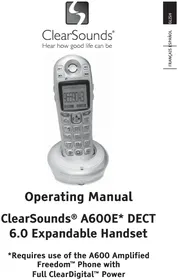
A600E - Phone Clear Sounds - Free user manual and instructions
Find the device manual for free A600E Clear Sounds in PDF.


| Product Type | Amplified Cordless Phone |
| Brand | Clear Sounds |
| Model | A600E |
| Amplification | Up to 50 dB (incoming) |
| Technology | DECT 6.0 with Full ClearDigital™ Power |
| Base Power Supply | AC adapter 7.5 V / 500 mA |
| Handset Power Supply | 3 Ni-MH AAA rechargeable batteries 1.2 V / 800 mAh |
| Charging Time | 15 hours (first charge) |
| Dimensions (base) | 8.9 x 9.5 x 5.1 cm (3.5 x 3.75 x 2 in) |
| Dimensions (handset) | 13.3 x 4.6 x 2.0 cm (5.24 x 1.8 x 0.77 in) |
| Weight (base) | 91 g (0.20 lb) |
| Weight (handset) | 118 g (0.26 lb) |
| Maximum Number of Handsets | 4 |
| Key Features | Amplification, intercom, three-way conferencing, call transfer, directory, out-of-range alert, visual ringer |
| Hearing Aid Compatible | Yes (FCC standard) |
| Headset Jack | 2.5 mm |
| Care and Cleaning | Unplug before cleaning; wipe with a damp cloth; do not use liquid or aerosol cleaners |
| Safety | Do not use near water, during a thunderstorm, or in case of gas leak; risk of hearing damage (high volume); do not overload outlets |
| Spare Parts / Repairability | Replaceable rechargeable batteries; optional belt clip; optional inductive neckloop CS-CLA7V2 and headset CS-900HS; repairs by an authorized center |
| Warranty | 1 year (parts and labor); keep your receipt |
| General Information | Complies with FCC Part 68 and ACTA standards; ringer equivalence number (REN) shown on label |
Frequently Asked Questions - A600E Clear Sounds
User questions about A600E Clear Sounds
0 question about this device. Answer the ones you know or ask your own.
Ask a new question about this device
Download the instructions for your Phone in PDF format for free! Find your manual A600E - Clear Sounds and take your electronic device back in hand. On this page are published all the documents necessary for the use of your device. A600E by Clear Sounds.
USER MANUAL A600E Clear Sounds
Hear how good life can be
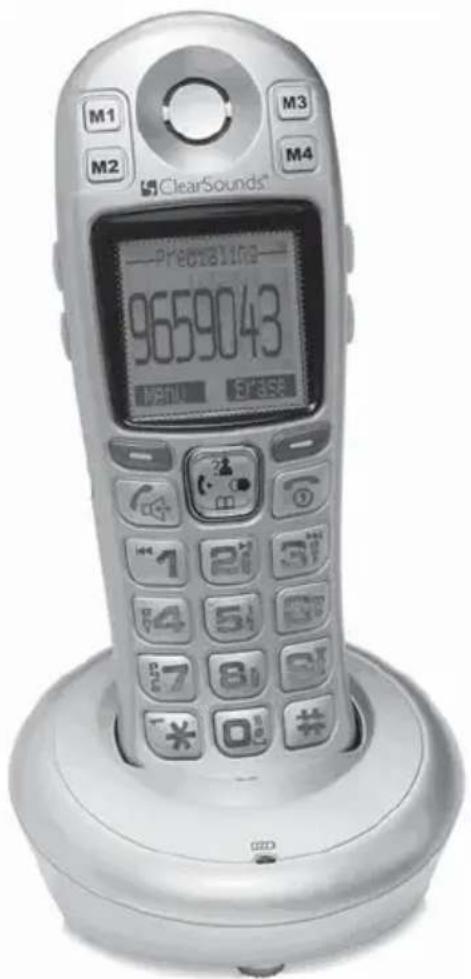
Operating Manual
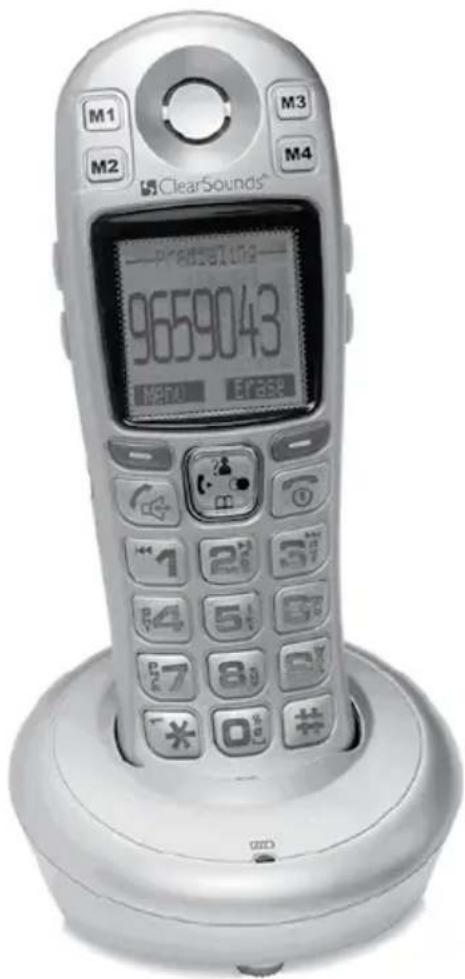
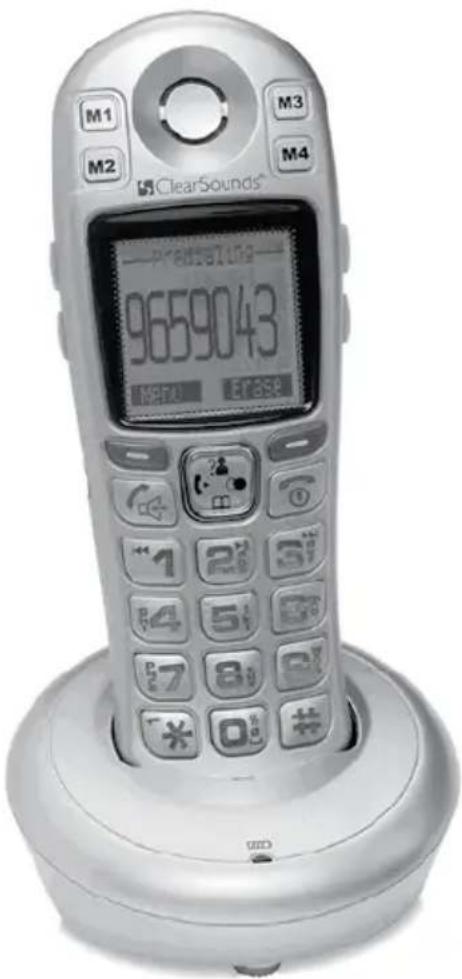
ClearSounds® A600E\* DECT
6.0 Expandable Handset
*Requires use of the A600 Amplified Freedom™ Phone with Full ClearDigital™ Power
This manual is intended to be a brief overview of key features. For complete operating instructions, please refer to the ClearSounds A600 Operating Manual.
PRIOR TO USE
Congratulations on your purchase of the A600E phone from ClearSounds Communications®. Please read this User Manual carefully in order to get the best use out of your new phone. This phone is designed for individuals with mild to severe hearing loss. Keep this manual near the phone for easy reference.
Please visit our website at www.clearsounds.com to register your product, download additional manuals and review trouble-shooting tips.
Be sure to save your sales receipt as your proof of purchase should you need warranty service. The serial number for this product is located on the underside of the base and looks like: A600E_SIL_XXX000XXX00.
Warranty Service – This product is designed to provide years of quality service. However, if there is a malfunction and the troubleshooting recommendations on page 14 do not resolve the problem, follow the warranty procedure on pages 18-19.
IMPORTANT SAFETY INSTRUCTIONS
Read and understand the Installation Guide and User Manual. When using your phone equipment, basic safety precautions should always be followed to reduce the risk of fire, electric shock and injury to person, including the following:
WARNING: The A600E phone is capable of amplifying sounds to a loud volume. It is important to instruct all potential users of
its proper operation. It is advised to adjust the volume control to the minimum level (Low) when not in use and alert other users that hearing damage can potentially result from misuse.
WARNING: Use only the power supply indicated in the User's Manual.
WARNING: To avoid the possibility of electrical shock, do not use this product near water (For example, near a bathtub, wash basin, kitchen sink or laundry tub, in a wet basement or near a swimming pool) while in the bathtub or shower or when you are wet. If the phone becomes submerged in water, do not attempt to retrieve it until after you have unplugged the AC adapter from the electrical outlet and the line cord from the modular wall jack. Do not plug the phone back in until it has dried completely.
WARNING: Avoid using the phone during electrical storms. There may be a remote risk of electric shock from lightning. If the electrical storm is present in your immediate area, possibility of electrical shock exists.
WARNING: Do not use the phone if you suspect a gas leak in the area. The phone's electrical contact could create a spark, which could ignite any heavy concentration of leaking gas.
WARNING: When cleaning, unplug the phone first, and then use a damp cloth to wipe. Do not use liquid cleaners or aerosol cleaners on the phone.
WARNING: No phone should ever be placed near an open radiator or heating register.
WARNING: Occasionally a power surge can occur on electrical lines without warning. With any electrical device that you plug into an outlet, it is suggested you use a surge protector. A surge protector will prevent power surges from damaging your phone. Surge protectors are simple devices available at your local hardware store.
WARNING: Do not overload wall outlets or extension cords as this can increase the risk of fire or electrical shock.
WARNING: Never push any object through the slots in the phone. They can touch dangerous voltage points or short out parts that could results in risk of fire or electrical shock.
WARNING: Do not cover slots and opening on the units, they are needed for ventilation and protection against overheating.
WARNING: Stop using the phone if dropped or if it becomes damaged.
WARNING: If you or a member of your household has a pacemaker or other medical devices, consult your physician or the manufacturer of the pacemaker or medical device before using this product. The product should be used in accordance with the guidelines provided by your physician or the manufacturer of the pacemaker or medical device.
WARNING: Ring volume is very loud and can damage your hearing. Never put your ear close to the ringer.
WARNING: Pay attention to the polarity of the batteries and insert the rechargeable batteries in accordance with the polarity symbols. Use only batteries identified as acceptable and never use alkaline batteries, which can cause personal injury as well as damage to the unit.
Hearing Aid Compatibility (HAC)
This phone meets the FCC standards for Hearing Aid Compatibility.
IMPORTANT: YOUR RECEIPT IS PART OF YOUR WARRANTY AND MUST BE RETAINED AND PRODUCED IN THE EVENT OF A WARRANTY CLAIM.
PLEASE SAVE THESE INSTRUCTIONS
INSTALLATION STEPS
Installation of your ClearSounds® A600E DECT 6.0 Amplified Cordless Phone with Full ClearDigital™ Power is easy. There are some basic steps you need to take when you set-up your phone for the first time.
If, at any time, you have questions about your phone after reading this manual, please contact the ClearSounds® Customer Service Department at 1-800-965-9043.
1. PARTS CHECKLIST
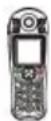
Check the contents of the box - The A600E should contain:
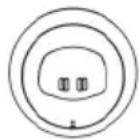
Phone base
Cordless Handset
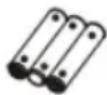
Batteries
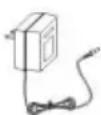
AC Adapter
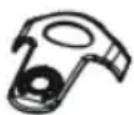
Carrying Clip
User Manual

2. PHONE INSTALLATION
The phone should be located in an area where it is easy to see the visual display and lighted ringer. Choose an area near a power outlet. To avoid potential interference, the phone should not be located near electronic equipment, such as personal computers, television or microwave ovens.
Begin by removing the clear plastic Caller ID protective tab. This film tab is only for display and to protect your Caller ID display during shipping.
Desk / Table Mounting
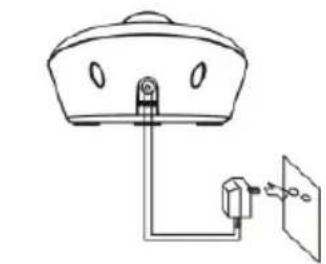
- Plug the AC power adapter into the jack on the back of the base, then plug the AC adapter into a standard electrical outlet or surge protector.
natural_image
Simple line drawing of a ceiling-mounted device with a mounted sensor and connection points (no text or symbols)REAR OF BASE
NOTE: The adapter is required for the phone to work.
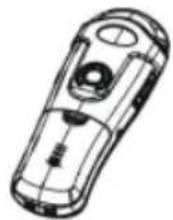
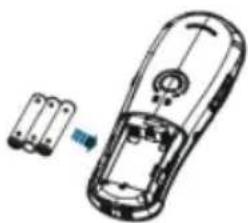
Installing Batteries Three AAA re-chargeable Ni-MH batteries come with your phone. You must install the batteries before using your phone.
- Remove the battery compartment cover by sliding it downwards.
- Insert the new batteries. Be sure to observe battery polarity as imprinted on the inside of the compartment.
natural_image
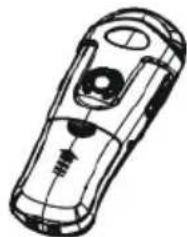
Technical line drawing of a mobile phone casing with internal components and a small blue component (no text or symbols)- Replace the battery compartment cover by sliding upward until it clicks into place.
natural_image
Line drawing of a handheld electronic device with no visible text or symbolsNOTE: The batteries need to be replaced if they do not recover their full storage capacity after recharging. Check the battery icon on the LCD to see the battery charge level.
When replacing the batteries, always use good quality Ni-MH AAA re-chargeable batteries.
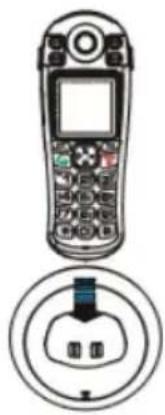
Charging the Handset
-
Place the handset into the base. The LCD screen will light up and you will hear a beep to indicate charging has begun.
-
Important: Before initial operation, you should fully charge the handset for at least 15 hours.
-
After the batteries are fully charged, begin the registration process as described on page 8.
natural_image
Illustration of a mobile phone with front panel and internal socket (no text or symbols)When battery power is very low and you place the handset on the base, the display will show Charging... . Check the battery icon on the LCD to see the battery charge level.
Using the Handset Carrying Clip
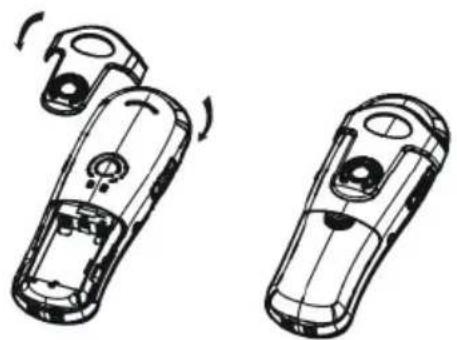
You may choose to use the optional belt clip provided with your handset.
-
To attach, slide the belt clip down onto the grooves. Press the tabs on the belt clip into the slots to attach.
-
To remove, insert a screwdriver along the edge of one of its "arms" and release the clip and then lift it off.
natural_image
Two identical line drawings of a car's front and side views, showing internal components and motion indicators (no text or symbols)MENU NAVIGATION
Screen Navigation
If you press the Back soft key from any menu, the phone returns to the previous screen. To return to the main screen at any time, press 📞. The phone will automatically return to the main screen from any menu if no key is pressed for 1 minute.
"Standby" can mean that you are at the main screen or can also mean that you are not on a live call and do not have dial tone engaged.
In standby mode, you can press 📞 to turn the LCD backlight on/off.
To Access a MENU Option
- To display the menu list, press the Menu soft key.
- To scroll through menu options, press up 📋 or down 📄 repeatedly. You will see an arrow to the left of the menu item that is currently selected.
- To select one of the menu options, Press the Select soft key when the desired menu item appears with the arrow to its left.
BASIC PHONE FUNCTIONS
Registering the Handset
Up to 4 additional A600E handsets can be registered to the base.
-
Before registering an additional handset to the base, you should press and hold the page key , which is located on the main base, for about 5 seconds and then release it.
-
Press the Menu soft key on the handset you are registering to display the main menu list.
-
Press up or down to scroll to Registration and then press the Select soft key.
-
Press up or down to scroll through the base list and select one of the bases and then press the Select soft key. The handset will search for the requested base.
-
If the base is found, and the handset is successfully registered, you will be prompted to enter the PIN code (the default PIN is 0000). Upon validation of the PIN, the Registration tone will sound and the base assigns a number to the handset. If the PIN entered is invalid, a warning tone will sound and the handset will return to the previous registration state.
-
If the base is not found, the handset will behave according to the Out of Range description found on page 12.
Turning the Handset "Power On/Off" Mode
The A600E handset can be turned to "Power Off" mode, which can be a convenient way to prevent the phone from ringing without having to change the ringer setting. When you turn the handset to "Power Off" mode, calls can't be made or received until you turn the power back "On".
In Standby Mode (not during a live call):
-
To turn the handset "Off", simply press and hold until the display turns off.
-
To turn the handset "On", you can either:
a. Place the handset back into the base and the handset will automatically power on.
b. Press and hold 📞 until the display turns on.
PHONE BASE SETTINGS
Delete/Terminate Handset
This function allows you to delete a handset that is registered to the base.
- Press the Menu soft key to display the main menu list.
- Press up or down to scroll to BS Settings and then press the Select soft key.
- Press the Select soft key to select Terminate HS. You will be prompted to enter the PIN.
- Enter the PIN (the default PIN is 0000) and then press the OK soft key. If the PIN is validated, you will see a list of registered handsets.
- Press up or down to scroll to the desired handset that you would like to delete and press the Select soft key. The selected handset will no longer be registered to the base.
NOTE: If you selected the current handset or a non-registered handset, a warning tone will be heard.
PHONE HANDSET SETTINGS
Handset Name
This feature allows you to give each registered handset a name in order to easily recognize each handset if you have more than one registered to the base. To set the handset name:
- Press the Menu soft key to display the main menu list.
- Press up 📋 or down 📄 to scroll to HS Settings and then press the Select soft key.
- Press up or down to scroll to HS Name and then press the Select soft key.
- Enter the handset name (up to 12 characters) by using the keypad and then press the Save soft key to confirm
and exit. The handset name will be displayed above your handset number in standby mode.
NOTE: If you make a mistake while entering the name, use the Erase soft key to correct it. Each time you press this key, the last character is deleted.
Handset Reset
This function allows you to reset the handset settings for Alarm, Audio Setup, Ring Setup, Tone Setup, Language, HS Name, Auto Answer and Date & Time to the initial factory settings. To reset the handset:
- Press the Menu soft key to display the main menu list.
- Press up 📋 or down 📄 to scroll to HS Settings and then press the Select soft key.
- Press up or down to scroll to HS Reset and then press the Select soft key. You will be prompted to enter the PIN.
- Enter the PIN (the default PIN is 0000) and then press the Reset soft key. If the PIN is validated, the handset settings will be reset to the initial factory settings, otherwise the settings will remain.
- After resetting, the handset will return to standby mode.
Base Selection
This function allows you to select a base from those already registered to the handset.
- Press the Menu soft key to display the main menu list.
- Press up 📋 or down 📄 to scroll to HS Settings and then press the Select soft key.
- Press up? or down to scroll to Select Base and then press the Select soft key.
-
Press up or down to select the base you want and then press the Select soft key. If you select a non-existent base, the handset will sound a warning tone.
-
The display will show Selected BS_X_ (Base 1-4). Press the Select soft key to confirm. The display will automatically return to the main screen.
Out of Range Alarm
This function allows you to know when the handset is out of range of the base, and a beep will sound. Your ClearSounds® A600E comes from the factory preset for Out of Range Alarm ON. To change this setting:
- Press the Menu soft key to display the main menu list.
- Press up 📋 or down 📄 to scroll to HS Settings and then press the Select soft key.
- Press up 📋 or down 📄 to scroll to Tone Setup and then press the Select soft key.
- Press down to select Range Alarm and then press the Select soft key.
- Press up or down to select On or Off and then press the Save soft key.
ADDITIONAL FUNCTIONS
Intercom/Conference Calls
If you have more than one handset registered to the same base, you can make internal calls and transfer an external call between the handsets.
Making an Internal Call
-
Press 📋 on the navigation key and the LCD will show — Intercom (:) — 1 2 3 4 5 . Enter the number of the handset you would like to call.
-
If the destination handset is not valid, the handset will return to standby mode. If the destination handset is valid, the called handset will ring and display HSX Calling. The destination handset user can press to answer the call.
-
At the end of the conversation, press
NOTE: During an internal call, if an external call comes in, the LCD will show the caller's phone number. Press to end the internal call first, then press to answer the external call.
Call Transfer between Handsets
You can transfer an external call between handsets that are registered to the base.
- During an external call, press 📋 on the navigation key and then the destination handset number that you would like to transfer to.
- If the destination handset can answer your call, that user can press 📞 to speak with you and you can let the user know who is on the line.
- To complete the transfer, press 🔒 or place the handset into the base.
3-Way Conference Calling
You can set up a 3-way conference call with an external call and a handset that is registered to the base.
- During an external call, press 📄 on the navigation key and then the destination handset number that you would like to join the 3-way conference call.
- The destination handset should press 📋 to answer.
- Press ☐ to start the 3-way conference call.
- Either of the two internal handsets can press 📞 to leave the conference call at any time. If one of the handsets drops the call, the remaining handsets will continue the conference.
TROUBLESHOOTING
No dial tone
- Check that all phone cord connections and AC adapter are securely plugged into the phone, wall jack and electric outlet of the main base.
- Check that the AC adapter is securely plugged into the A600E base and electric outlet.
- Check that the handset batteries are installed properly and are in full power (pages 6-7).
- Check that the handset has been properly registered to the main base (page 8).
- Check that the phone is in the correct dialing mode: tone or pulse.
- Plug another phone into the wall jack to make sure your phone service is working.
Nothing appears on the display
- Check that the handset batteries are installed properly and are in full power.
- Check that the handset has been turned on (page 9).
TECHNICAL SPECIFICATIONS
General Number: A600E
Amplification: Up to 50 dB incoming
Power Requirements
AC power Adapter:
Base Input: 7.5V, 500mA
Handset Input: Ni-MH 1.2V x 3, 800mAh
Charging Time: 15 hours
Weight (lb): Base: .20 Handset: .26
Dimensions (in.) Base: 3.5x3.75x2 Handset: 5.24x1.8x.77
Jack: 2.5mm headset
Features and Specifications subject to change without notice.
Purchase accessories for Your Clearsounds Phone:
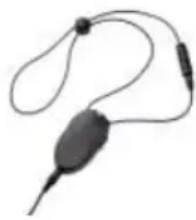
Optional Neckloop: CS-CLA7V2 (connects easily to your phone's 2.5mm Phone Headset jack for hands-free conversations). Requires hearing aid(s) or cochlear implant(s) with t-coil(s).
natural_image
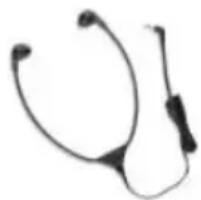
Close-up of a black handheld electronic device with earbuds and leads (no visible text or symbols)Optional Headset: CS-900HS (connects easily to your phone's 2.5mm Phone Headset jack for hands-free conversations).
natural_image
Two stethoscope devices, one with a black handle and the other with a black strap (no text or symbols visible)To learn more, call ClearSounds at 1-800-965-9043 or visit www.clearsounds.com
FCC WANTS YOU TO KNOW
- This equipment complies with Part 68 of the FCC rules and the requirements adopted by the ACTA. On the bottom of this equipment is a label that contains, among other information, a product identifier. If requested, this number must be provided to the phone company.
- If the ClearSound® A600E DECT 6.0 Amplified Freedom Phone™ with Full ClearDigital Power™ causes harm to the phone network, the phone company will notify you in advance that temporary discontinuance of service may be required. But if advance notice isn't practical, the phone company will notify the customer as soon as possible. Also, you will be advised of your right to file a complaint with the FCC if you believe it is necessary.
- The phone company may make changes in its facilities, equipment, operations or procedures that could affect the operation of the equipment. If this happens the phone company will provide advance notice in order for you to make necessary modification to maintain uninterrupted service.
-
If you experience trouble with this equipment, you should disconnect it from the network until the problem has been corrected or until you are sure that the equipment is not malfunctioning.
-
Please follow instructions for repairing if any (e.g. battery replacement section); otherwise do not alternate or repair any parts of device except as specified.
-
Connection to party line service is subject to state tariffs. Contact the state public utility commission, public service commission or corporation commission for information.
-
If the phone company requests information on what equipment is connected to their lines, inform them of:
a) The phone number that this unit is connected to,
b) The ringer equivalence number
c) The USOC jack required [RJ11C], and
d) The FCC Registration Number
Items (b) and (d) are indicated on the label. The ringer equivalence number (REN) is used to determine how many devices can be connected to your phone line. In most areas, the sum of the RENs of all devices on any one line should not exceed five (5.0). If too many devices are attached, they may not ring properly.
Service Requirements
In the event of equipment malfunction, all repairs should be performed by our Company or an authorized agent. It is the responsibility of users requiring service to report the need for service to our Company or to one of our authorized agents. Service can be facilitated through our office at:
ClearSounds Communications, Inc.
1743 Quincy Avenue, Suite 155
Naperville, IL 60540
INDUSTRY CANADA CS03 STATEMENT
This product meets the applicable Industry Canada technical specification. This is confirmed by the registration number. The abbreviation, IC before the registration number signifies that registration was performed based on a Declaration of Conformity indicating that Industry Canada technical specifications were met. It does not imply that Industry Canada approved the equipment.
Before installing this equipment, users should ensure that it is permissible to be connected to the facilities of the local telecommunications company. The equipment must also be installed using an acceptable method of connections. The customer should be aware that compliance with the above conditions may not prevent degradation of service in some situations.
Repairs to certified equipment should be made by an authorized Canadian maintenance facility designated by the supplier. Any repairs or alterations made by the user of this equipment, or equipment malfunctions, may give the telecommunication company cause to request the user to disconnect the equipment.
WARNING! Users should not attempt to make such connections themselves, but should contact the appropriate electric inspection authority, or an electrician, as appropriate.
CAUTION: The Ringer Equivalence Number (REN) assigned to each terminal device provides an indication of the maximum number of terminals allowed to be connected to a phone interface.
The termination on an interface may consist of any combination of devices subject only to the requirement that the sum of the Ringer Equivalence Numbers of all the devices does not exceed
- An alternative indication of the REN is the Load Number (LN); this number should be divided by 20 to approximate the equivalent REN. The REN Number of this unit is indicated on the bottom of your phone.
If your home has specially wired alarm equipment connected to the phone line, ensure the installation of the A600E does not disable alarm equipment. If you have questions about what will disable alarm equipment, consult your phone provider or a qualified installer.
This Class B digital apparatus complies with Canadian ICES-003.
LIMITED ONE-YEAR WARRANTY
The product is warranted by ClearSounds against manufacturing defect in material and workmanship under normal use for one (1) year from the date of purchase. Should you experience a problem, contact our customer service department or visit our website at www.clearsounds.com.
Be sure to save your sale receipt as the proof of purchase date should you need warranty service.
Your A600E Phone comes with a (1) year limited warranty from the date of purchase. This product is warranted by ClearSounds against manufacturing defect in material and workmanship under normal use. In the event that this product fails to function properly within one year of the original purchase due to defects in materials or workmanship, return the unit (freight prepaid) with proof of purchase (sales receipt or packing slip, no exceptions) to ClearSounds Communications. ClearSounds Communications will either repair or replace the unit (with a refurbished unit or unit of equal condition) and return it you (using UPS/USPS ground shipping) at no cost to you. The warranty replacement or repair will be warranted for a period of 90 days or the remainder of the original warranty period
(from original purchase date); whichever is longer.
The warranty does not cover accidents, negligence or breakage to any parts. This includes shipping damage, failure to follow instructions, misuse, fire, floods, use of incompatible accessories, Acts of God or failure in your phone service carrier's line service. The product must not be tampered with or taken apart by anyone who is not an authorized ClearSounds Communications® representative. Tampering with the phone will void any written or implied warranties.
If a defect covered by this warranty should occur, promptly contact a Customer Service Representative by phone or log onto www.clearsounds.com to obtain a Return Merchandise Authorization number and shipping instructions before shipping the product to us. Any shipment without a (RMA) Return Merchandise Authorization number will not be accepted and will be returned to you at your expense. All authorized returned products must be accompanied with proof of purchase and a brief explanation of the problem.
For out of warranty repairs and service, please contact our Customer Service Department for instructions. The repair shall be warranted for 90 days.
IMPORTANT: YOUR RECEIPT IS PART OF YOUR WARRANTY AND MUST BE RETAINED AND PRODUCED IN THE EVENT OF A WARRANTY CLAIM.
Service in United States and Canada, contact:
ClearSounds Communications
Attention: Repair Center
1743 Qunicy Avenue, Suite 155
Naperville, IL 60540
USA
800-965-9043
Check our website www.clearsounds.com for additional information and to
download additional manuals and information.

ClearSounds®
Hear how good life can be
Manual de uso
Auricular adicional
ClearSounds® A600E\* DECT 6.0
natural_image
Simple line drawing of a ceiling-mounted device with a mounted sensor and fan (no text or symbols)PARTE POSTERIOR DE LA BASE
natural_image
Diagram of a handheld electronic device with an attached battery (no text or symbols visible)natural_image
Line drawing of a handheld electronic device with no visible text or symbolsnatural_image
Illustration of a mobile phone with a circular base showing three connected devices (no text or symbols)natural_image
Two identical mechanical components with rotating arms, shown from top and side views (no text or symbols)natural_image
Close-up of a black electronic device with earbuds and leads (no visible text or symbols)natural_image
Simple line drawing of a stethoscope (no text or symbols)ClearSounds Communications, Inc.
1743 Quincy Avenue, Suite 155
Naperville, IL 60540
ClearSounds Communications
1743 Quincy Avenue, Suite 155
Naperville, IL 60540
USA
+1 800-965-9043
Hear how good life can be
natural_image
Simple line drawing of a ceiling-mounted device with a mounted sensor or sensor connected to a wall-mounted panel (no text or symbols)ARRIÈRE DE LA BASE
natural_image
Line drawing of a handheld electronic device with an attached component (no text or symbols)natural_image
Line drawing of a handheld electronic device with a circular button and handle (no text or symbols)natural_image
Illustration of a mobile phone with a screen and keypad, and a close-up of its internal socket (no text or symbols)natural_image
Technical line drawing of two mechanical components with rotational arrows indicating motion (no text or symbols)UTILISATION DES MENUS
natural_image
Close-up of a black handheld electronic device with earbuds and leads (no visible text or symbols)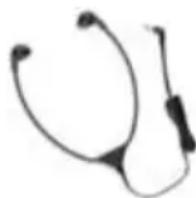
ClearSounds Communications, Inc.
1743 Quincy Avenue, Suite 155
Naperville, IL 60540
ÉNONCÉ CS03 D'INDUSTRIE CANADA
GARANTIE LIMITÉE D'UN AN
ClearSounds Communications
Attention: Repair Center
1743 Quincy Avenue, Suite 155
Naperville, IL 60540
USA
+1 800-965-9043