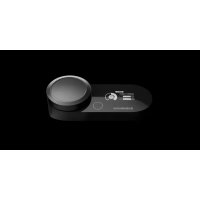
GameDAC Gen 2 - External sound card STEELSERIES - Free user manual and instructions
Find the device manual for free GameDAC Gen 2 STEELSERIES in PDF.



User questions about GameDAC Gen 2 STEELSERIES
0 question about this device. Answer the ones you know or ask your own.
Ask a new question about this device
Download the instructions for your External sound card in PDF format for free! Find your manual GameDAC Gen 2 - STEELSERIES and take your electronic device back in hand. On this page are published all the documents necessary for the use of your device. GameDAC Gen 2 by STEELSERIES.
USER MANUAL GameDAC Gen 2 STEELSERIES
PRODUCT INFORMATION GUIDE
TABLE OF CONTENTS
General 3
Product Overview 4
Setup 5
GameDAC Gen 2 Operation 6
Audio Options 7
Audio Output Settings 8
Translations 9
Deutsch 9
Espanol 11
Francais 13
Italiano 15
Polski 17
Portugues 19
Pycckn 21
日本語 23
简体中文 25
繁體中文 27
Hakcok 28
Regulatory 32
PACKAGE CONTENTS
GameDAC Gen2
USB-C to USB-A Cable
Product Information Guide
SYSTEMCOMPATIBILITY
Xbox Series XJS, Xbox One
PC
PlayStation 5, PlayStation 4
Nintendo Switch
Mobile
SOFTWARE
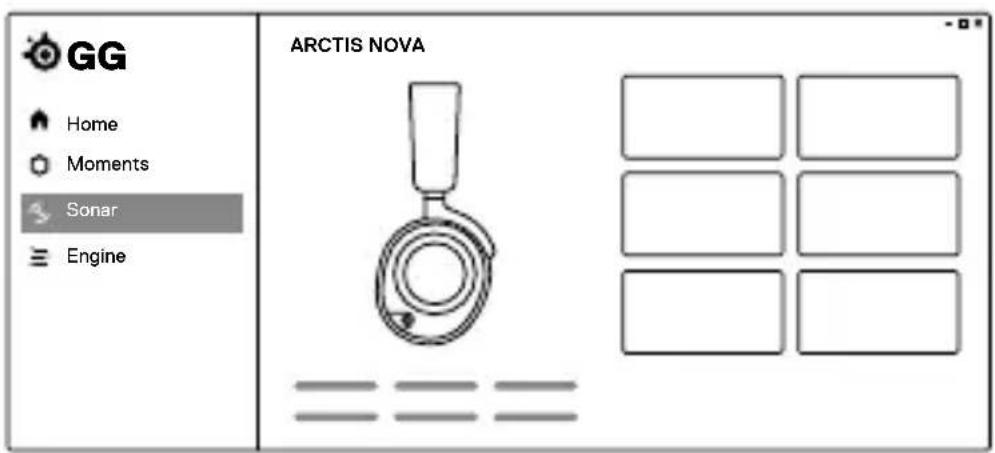
Use Engine inside SteelSeries GG to set custom equalizer settings and control your mic.
GG also has other amazing apps like Sonar, a breakthrough in gaming sound, that allows you to hear what matters most, through cutting-edge audio tools.

DOWNLOAD NOW
steelseri.es/gg
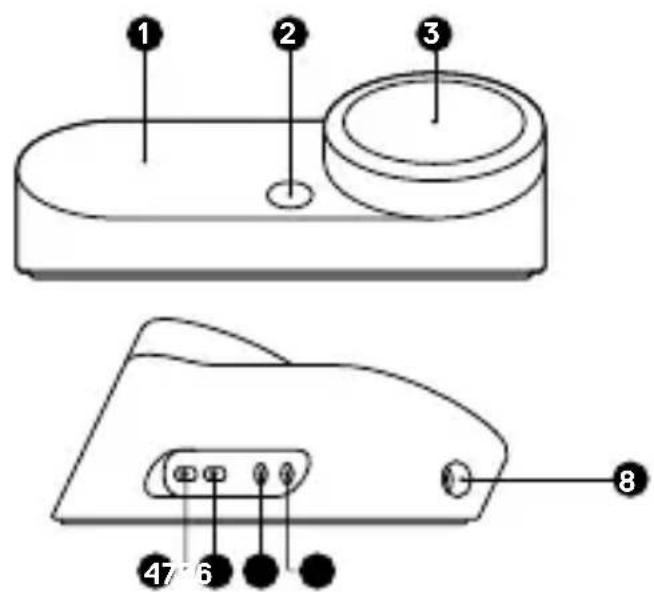
GAMEDAC GEN2
1 OLED Screen
2 Secondary Button
3 Control Wheel
4 Xbox Jack
5 USB Jack
6 Line Out Jack
7 Line-In Jack
8 Headset Jack
ACCESSIONS*
9 USB-C to USB-A Cable

- Find accessories and replacement parts at steelseries.com/gaming-accessories
CONNECTIONS
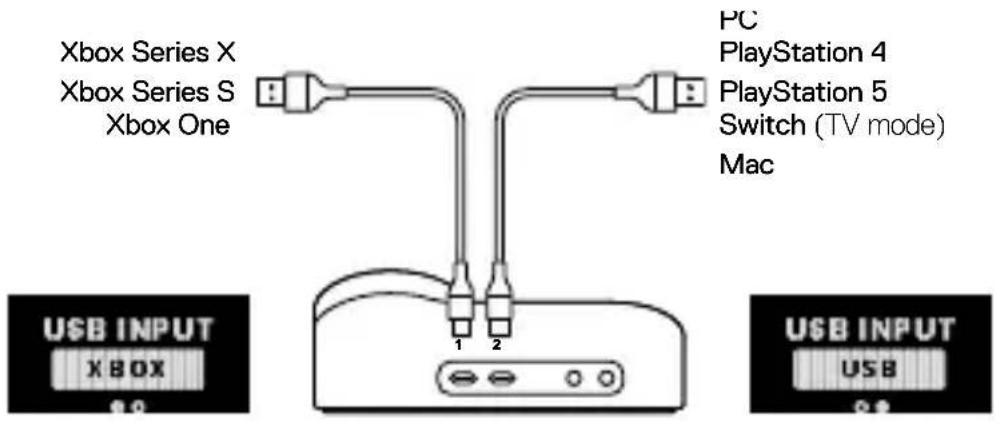
Plug the USB-C to USB-A Cable (9) into the Xbox Jack (4), and connect the other end to your Xbox. Optionally connect a second USB cable from the GameDAC's USB Jack (5) to a PC, PlayStation, or Switch. Change input sources via the OLED display menu.
HEADSET TO DAC
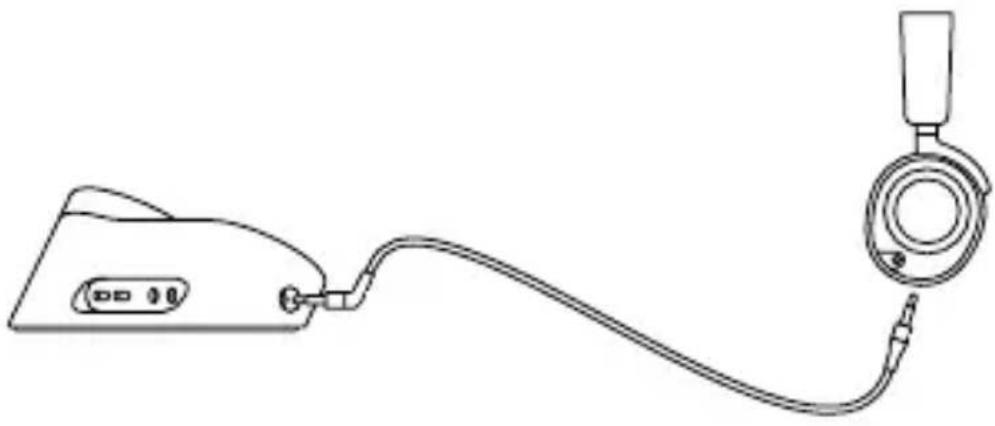
Plug your Headset's 3.5mm cable into the Headset Jack (8) on the left side of the GameDAC.
HOME SCREEN
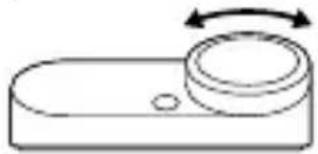
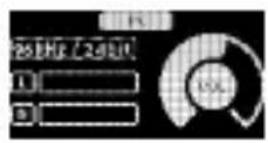
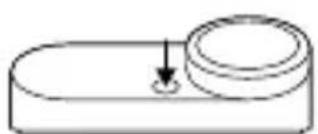
1 Press and release the Control Wheel (3) to toggle between Volume and ChatMix (*available on PC with software installed).
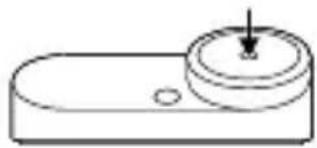
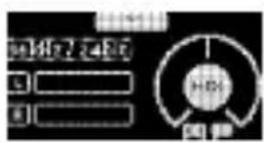
2 Rotate the Control Wheel (3) to adjust the selected parameter.
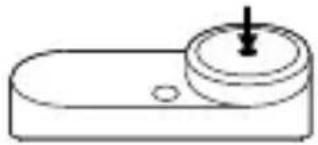
3 Press and hold the Control Wheel (3) to bring up the main menu.
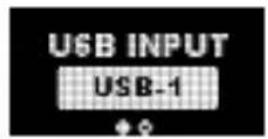
MAIN MENU
1 Rotate the Control Wheel (3) to cycle menu items.
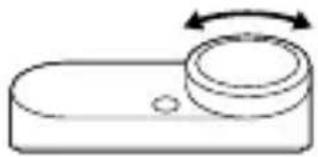
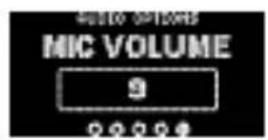
2 Press and release the Control Wheel (3) to select.
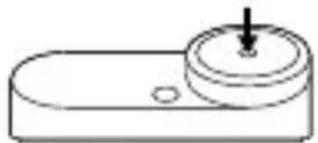
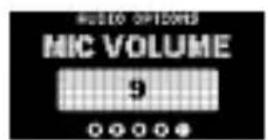
3 Press and release the Secondary Button (2) to move back in the menu.
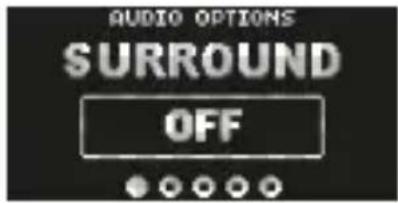
SURROUND
Toggle Software Surround Sound On/Off
(PC only, requires software install)
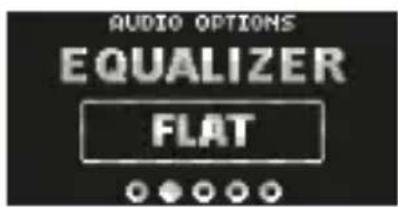
EQUALIZER
Customize your sound with included presets or fully adjustable 10-band EQ
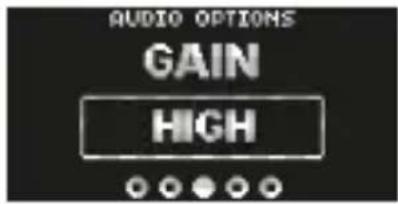
GAIN
Changes the maximum output level of the GameDAC
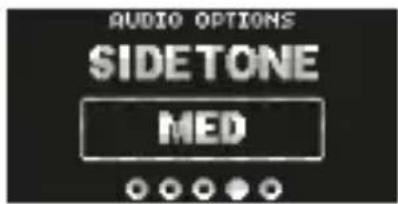
SIDETONE
Select the amount of your own voice you wish to hear in the headphones
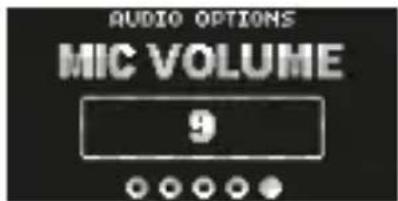
MIC VOLUME
Optimize the level of the microphone for your system
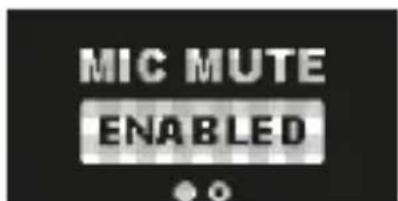
MIC MUTE
When enabled, the Secondary Button (2) toggles microphone mute
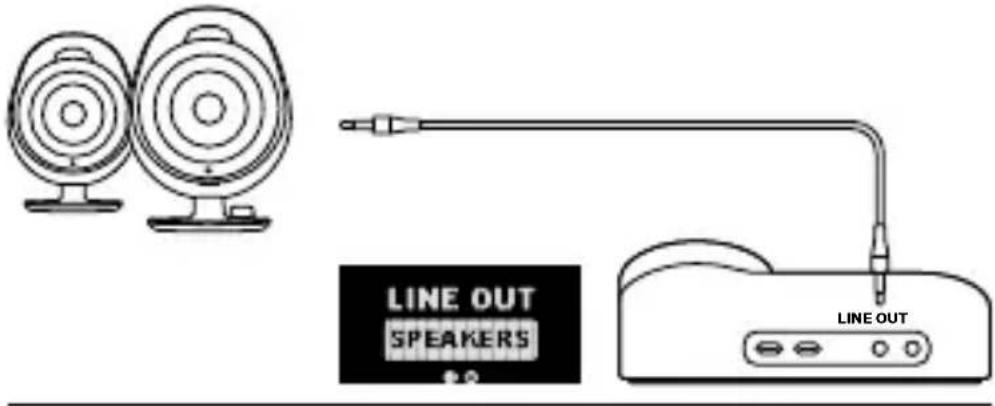
SPEAKERS
Play game and chat audio through a pair of external speakers.
1 Connect a 3.5 mm cable (not included) from the GameDAC Line Out Jack (6) to your speakers.
2 In the OLED menu set the Line Out option to 'Speakers'.
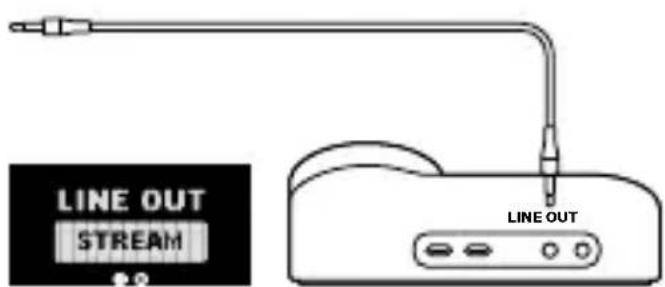
STREAM
Mix your Main, Aux, and Mic audio together to send to a PC for streaming.
1 Connect a 3.5 mm cable (not included) from the GameDAC Line Out Jack (6) to your stream PC's soundcard input.
2 In the OLED menu set the Line Out option to 'Stream'.
3 Adjust your custom mix via the Stream Mixer on the OLED screen.
DEUTSCH
ALLGEMEIN
LIEFERUMFANG
FONCTIONNEMENT DU GAMEDAC GEN 2
ÉCRAN D'ACCUEIL
SAMOSLYSZALNOsC (SIDETONE)
7JIiHeiHbIaHaIOrOBbI BxOJ Jack
3 PergyIop ynpaBneHn
8 TapHNTypa c pa3beMOM Jack
4 Xbox Jack
5 USB Jack
6JIInHeHbI aHaIIOROBbI
AKCECCYAPbl*
9 Ka6eJb USB-C K USB-A
- Akceccyapbl n DeTaN Ha 3aMeHy MOKHO NaHTN Ha caTe steelseries.com/gaming-accessories
YCTAHOBKA
ПОДКЛЮЧЕНЕ
ПОДКЛЮЧИТе Ka6eNB USB-C K USB-A (9) K Xbox Jack (4), a 3aTeM ПОДКЛЮЧИТe Другов erо KoHeц K Xbox. ДОпОЛНТeльно ПОДКЛЮCHIte BTOPOй Ka6eNB USB ot USB Jack (5) GameDAC K ПК, PlayStation Или Switch. ИзMeHNTe Источи К BXODа сИГнада сnomошью MeHIO ДИСПЕЯ OLED.
TAPHNTYPAKDAC
IopKnHouHtKe Ka6eB 3,5 MM raphNtypbK raphNtypa c pa3bemom Jack (8) Ha neBOi cTopoHe GameDAC.
PABOTA GAMEDAC GEN 2
TJABHbI 3KPAH
1 HaxmTe n OTnycTnTe PeryIaTOP ynpabEnna (3), TTo6blpeeklouaTbcMexdyrpoMKocTbHnChatMix (*doCTyInHOHa PIc cyctaHOBHeHHbIM nporpaMMbIM oecneueHnem).
2ПовернitePergyIaTOpynpaBLeHn(3),TO6bIOtpereyInpOBaTbBbI6paHHbInapaMeTp.
3 HaKmTe N ydePknBaIe PeryaTOp ynpablenna (3) Iy BbI3OBA rIaBHOrO MeHIO.
JIABHOEMEHIO
1 Повернite Perуларop уравlenna (3) Дя порктукп
ПУНКТОВ MEHЮ.
2 HaxmTe n OTnycTnte PeryJrTop ynpaBHeHna (3), TTo6bI cdeJaTb Bbl6op.
3 HaXMMTe y OTnycTnTe DOnoHnTeBHa Ra KhoNka (2), YTo6bI BepHyTbcR B rJaBHOe MeHIO.
ONUIN AYDINO
OKPYXIAOUI 3BYK
IpebeOHTe BbIKHouaTeIb OKpyKaIOUeRo 3ByKa nporpaMMHOro oBecneueHnB nOLOKeHnE Bk./BbIK. (ToJIbKO dIy IK, Heo6xOdHMo yCTaHOBuTb PO)
3KBAJIAH3EP
HactpoTe 3ByK C NOMOuB KJIuyeHHbIX PpeyctaHOBOK IINI NOHOCbIO peYnnpyemoro 10-NOLOCHOrO 3KBaJai3epa
YCNJIENHE
I3MeHЯET MaKcImaJIbHbI yPoBeHb BXoHOrO cHHaJa GameDAC
MECTHbI ΘΦΕKT
BbIbpaIte o6bem CBOero roIoca, KOTOpbI XOTITe CblIaTb B rapHnType
「POMKOCTb MUKPOΦOHA
Ottmnpyte ypoBHe MnkpofoHa Ira CBOe cnCTembl
BbIKJIIOUeHNE MUKPOΦOHA
Pn yCIOBn BkIIOueHn IOnOHHTeNbHa KHOJa (2)
aKTHBnpyeT 6e33ByuHbI peKIM MmKpOfoHa
HACTPOIKN AYDNIO BbIXODA
dHAMUKN
IrgaTe B ngpbl N o6uauTecb C nOmoU npbl BHeuHnx DnHaMKOB.
1 ПОДКЛЮЧИТе Кабель 3,5 MM (He BXODNT B KOMПЛЕKT) OT Линейнbi aHaIOrOвbl BbIXoJ Jack (6) GameDAC K CBOIM ДИНAMИКam.
2 B MeHIO OLED 3aJaTe OIuHIO JINHeHbI aHaIOrOBbI BXoJ DJIa «JINHAMKUN».
ПРЯМАТРАСЛЦИА
CoeHnHTe OCHOBHOn, DOnOHnTeIbHbI 3ByK n aydno MnkpofoHa, yTo6bl OTnpaBnTb npMyTO TpaHcIauNHO h PIK.
1 ПОДКЛЮЧИТе Кабель 3,5 MM (He BXODNTВ KOMПЛЕKT) OТ ЛINHEнь analorobвьи BbIXoJ Jack (6) GameDAC Ko BXOу 3ByKOBOй KapТы ПК.
2 B MeHIO OLED 3aDaIe OIcIIO IINHeHbI aHaIOrOBbI BXoD. JIy «IprMaTpaHcIaIaIaIaIaIaIaIaIaIaIaIaIaIaIaIaIaIaIaIaIaIaIaIaIaIaIaIaIaIaIaIaIaIaIaIaIaIaIaIaIaIaIaIaIaIaIaIaIaIaIaa
3 HactpoTe CBOI NOIb3OBAteJIbCKN MIKC C NOMOUI MKNWepa IJRA TpaHcIaIuHa 3KpaHe OLED.
日本語
概要
八味一内容
*在 steelseries.com/gaming-accessories 查找配件和替换件
设置
连接
*在 steelseries.com/gaming-accessories 查找配件和替换件
設定
連接
[1] 墨日, Aux与MaiKo OdiOoToHcne SttRlMng To WHe PCrBoNnD.
Europe - EU Declaration of Conformity
Hereby, SteelSeries ApS. declares that the equipment which is compliance with directive RoHS 2.0 (2015/863/EU), EMC Directive (2014/30/EU), and LVD (2014/35/EU) which are issued by the Commission of the European Community.
The full text of the EU declaration of conformity is available at the following internet address: https://support.steelseries.com/hc/en-us/categories/360001256111-Other-Stuff
SteelSeries ApS. hereby confirms, to date, based on the feedback from our suppliers indicates that our products shipping to the EU territory comply with REACH (Registration, Evaluation, Authorization, and Restriction of Chemicals - (EC) 1907/2006) compliance program. We are fully committed to offering REACH compliance on the products and posting accurate REACH compliance status for the all of products.
UK CA
UK Declaration of Conformity
Hereby, SteelSeries ApS. declares that the following equipment which is compliance with Electromagnetic Compatibility Regulations 2016, Electrical Equipment (Safety) Regulations 2016 and The Restriction of the Use of Certain Hazardous Substances in Electrical and Electronic Equipment Regulations 2012 issued by the Department for Business, Energy& Industrial Strategy.
The full text of the UK declaration of conformity is available at the following internet address: https://support.steelseries.com/hc/en-us/categories/360001256111-Other-Stuff

WEEE
This product must not be disposed of with your other household waste or treat them in compliance with the local regulations or contact your local city office, your household waste disposal service or the shop where you purchased the product.
Turkey RoHS Compliance
Republic of Turkey: In conformity with the EEE Regulation
Federal Communication Commission Interference Statement
This device complies with Part 15 of the FCC Rules. Operation is subject to the following two conditions:
- This device may not cause harmful interference, and
- this device must accept any interference received, including interference that may cause undesired operation.
This equipment has been tested and found to comply with the limits for a Class B digital device, pursuant to Part 15 of the FCC Rules. These limits are designed to provide reasonable protection against harmful interference in a residential installation. This equipment generates, uses and can radiate radio frequency energy and, if not installed and used in accordance with the instructions, may cause harmful interference to radio communications. However, there is no guarantee that interference will not occur in a particular installation. If this equipment does cause harmful interference to radio or television reception, which can be determined by turning the equipment off and on, the user is encouraged to try to correct the interference by one of the following measures:
- Reorient or relocate the receiving antenna.
- Increase the separation between the equipment and receiver.
- Connect the equipment into an outlet on a circuit different from that to which the receiver is connected.
- Consult the dealer or an experienced radio/TV technician for help.
Industry Canada Statement
This device complies with RSS standards of the Industry Canada Rules. Operation is subject to the following two conditions:
- This device may not cause harmful interference, and
- This device must accept any interference received, including interference that may cause undesired operation.
This Class B digital apparatus complies with Canadian ICES-003.
Restriction on Hazardous Substances statement (India)
This product complies with the "India E-waste Rule 2011" and prohibits use of lead, mercury, hexavalent chromium, polybrominated biphenyls or polybrominated diphenyl ethers in concentrations exceeding 0.1 weight % and 0.01 weight % for cadmium, except for the exemptions set in Schedule 2 of the Rule.
More information and support from steelseries.com

ACMA Compliance
(Australia/ New Zealand)

Direct Current
Model No. (型號/型号): SC-00008
Rated (規格/规格): 5 ~V = 500 ~mA