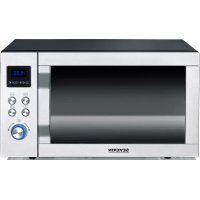
MW 7778 - Microwave SEVERIN - Free user manual and instructions
Find the device manual for free MW 7778 SEVERIN in PDF.



| Product type | Microwave oven combined with grill and convection |
| Brand | Severin |
| Model | MW 7778 |
| External dimensions (W x D x H) | 490 mm x 493 mm x 293 mm |
| Turntable diameter | 285 mm |
| Free height above turntable | 180 mm |
| Net weight | 17.1 kg |
| Supply voltage | 230 V ~ 50 Hz |
| Total consumption | 2150 W |
| Microwave power | 1400 W |
| Grill power | 1650 W |
| Convection power | 2150 W |
| Microwave power levels | 10 levels from 90 W to 900 W |
| Cooking functions | Microwave, grill (top, bottom, combo), convection, microwave+grill combo, microwave+convection combo |
| Automatic programs | 11 programs (fish, chicken, beef, pork, sausages, vegetables, potatoes, reheating, drinks, stew, pizza) |
| Defrost | By weight (100-1800 g) and by time |
| Child safety | Control lock by long press on a button |
| Clock and timer | Digital display with 12/24 h setting, integrated timer |
| Special functions | Favorite dish (3 memories), Pizza Express, quick start, multi program |
| Included accessories | Glass turntable, metal rack |
| Cleaning | Clean with a damp cloth and mild detergent; do not use steam cleaner; rack and turntable washable in soapy water (not dishwasher safe) |
| Safety instructions | Do not operate empty, use suitable utensils, monitor cooking, do not heat hard-boiled eggs or sealed containers |
Frequently Asked Questions - MW 7778 SEVERIN
User questions about MW 7778 SEVERIN
0 question about this device. Answer the ones you know or ask your own.
Ask a new question about this device
Download the instructions for your Microwave in PDF format for free! Find your manual MW 7778 - SEVERIN and take your electronic device back in hand. On this page are published all the documents necessary for the use of your device. MW 7778 by SEVERIN.
USER MANUAL MW 7778 SEVERIN
natural_image
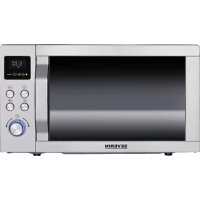
Exterior view of a SEVERIN microwave oven with control panel and digital display (no text or symbols on main body)ART.-NO. MW 7778
GB Instructions for use
FR Mode d'emploi
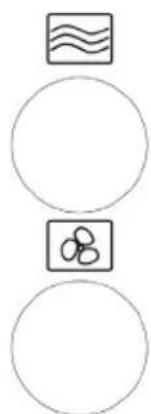
natural_image
Three circular diagrams with abstract symbols: a wavy square, a small figure with three circles, and a blank circle (no text or labels)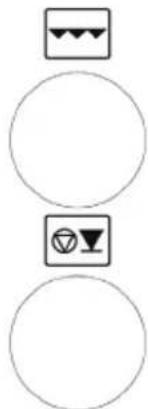
natural_image
Three circular icons with geometric symbols: three warning signs, one with a triangle and one with a circle, all without any text or labels.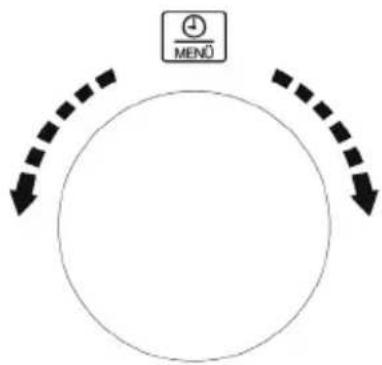
flowchart
graph TD
    A["+"] --> B["MENÜ"]
    B --> C["↓"]
    C --> D["↓"]
    D --> E["↓"]
    E --> F["↓"]
    F --> G["↓"]
    G --> H["↓"]
    H --> I["↓"]
    I --> J["↓"]
    J --> K["↓"]
    K --> L["↓"]
    L --> M["↓"]
    M --> N["↓"]
    N --> O["↓"]
    O --> P["↓"]
    P --> Q["↓"]
    Q --> R["↓"]
    R --> S["↓"]
    S --> T["↓"]
    T --> U["↓"]
    U --> V["↓"]
    V --> W["↓"]
    W --> X["↓"]
    X --> Y["↓"]
    Y --> Z["↓"]
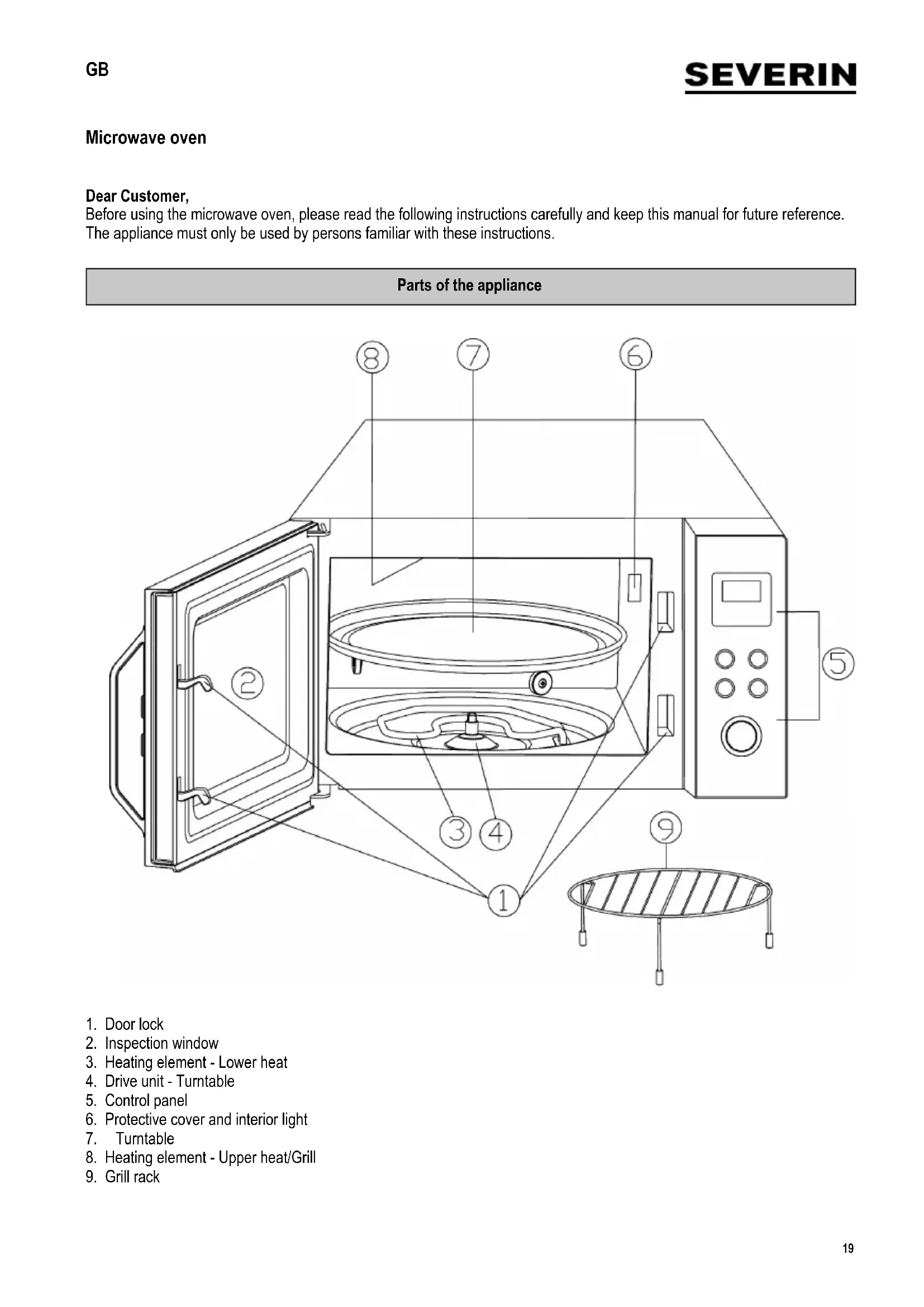
Before using the microwave oven, please read the following instructions carefully and keep this manual for future reference. The appliance must only be used by persons familiar with these instructions.
Parts of the appliance
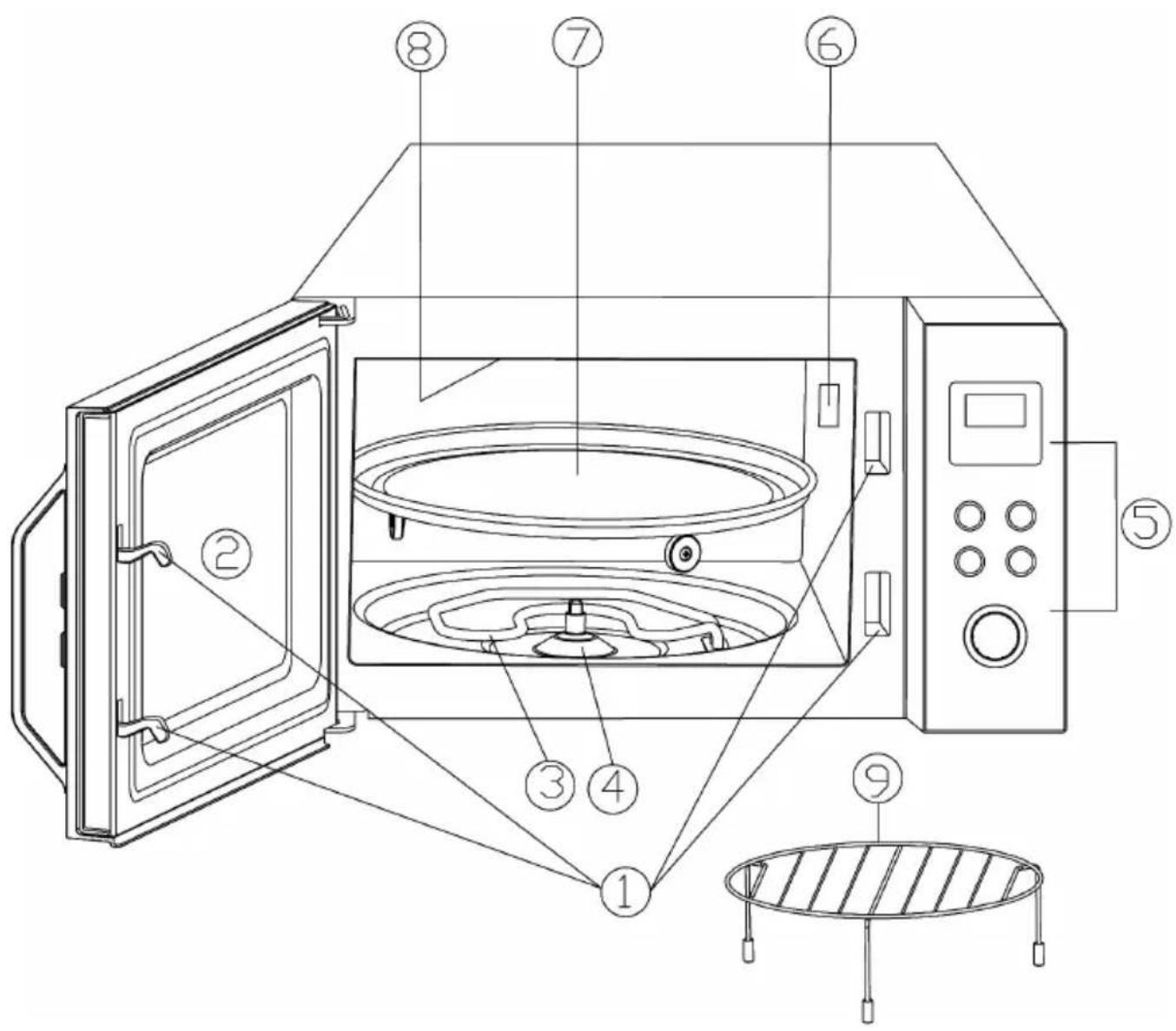
- Door lock
- Inspection window
- Heating element - Lower heat
- Drive unit - Turntable
- Control panel
- Protective cover and interior light
- Turntable
- Heating element - Upper heat/Grill
- Grill rack
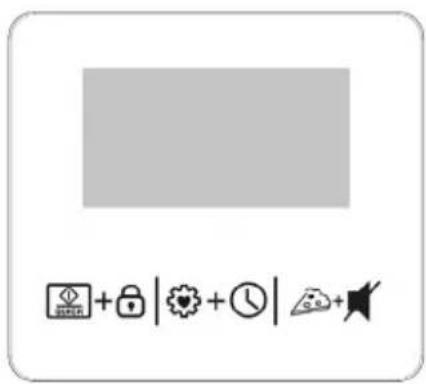
Control panel detail
natural_image
Three circular icons with abstract symbols: a wavy square, a small figure-eight icon, and a blank circle (no text or labels)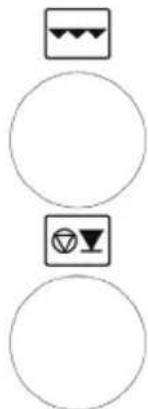
natural_image
Three circular icons with geometric symbols: three warning signs, one with a triangle and one with a circle, all without any text or labels.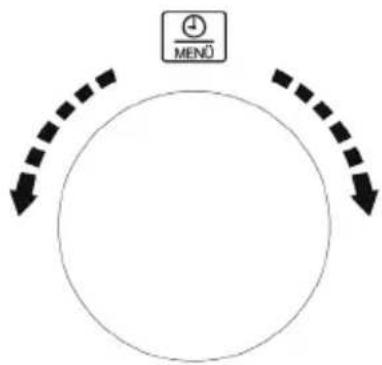
flowchart
graph TD
    A["+"] --> B["MENÜ"]
    B --> C["Downward Arrow"]
    C --> D["Downward Arrow"]
    D --> E["Downward Arrow"]
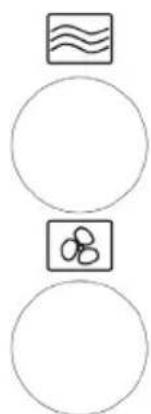
| Button Function | |
 | Quick-start and Childproof safety device |
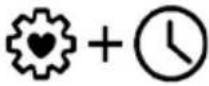 | Favourite dish & Clock |
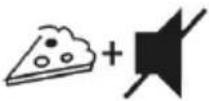 | Pizza programme and Button sounds |
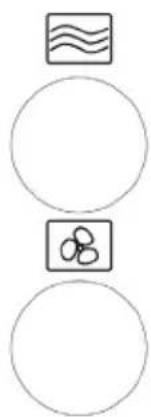
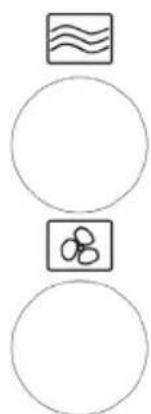
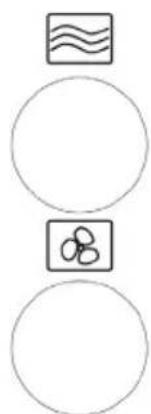
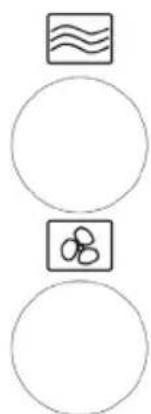
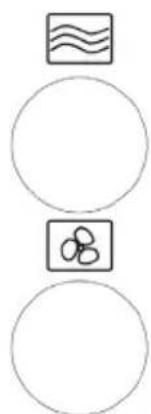
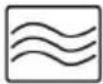 | Microwave selection |
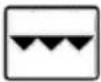 | Grill selection |
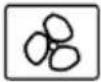 | Ultra-hot-air selection |
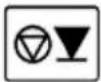 | Interrupt / Stop |
| Rotary control Function | |
| Press Start | |
 | Time / Automatic cooking programmes |
Display


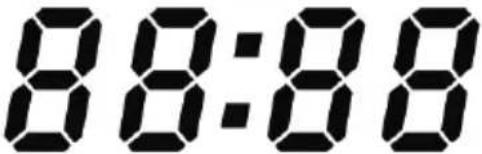


The display shows the current time of the day or, during operation, the running time programmed and functions selected.

Automatic programmes

First programme selection

Second programme selection

Defrosting according to weight

Childproof safety device

Temperature

Setting the clock

Weight

Ultra-hot-air function

Grill function

Microwave function

Automatic programmes

Defrosting according to time
Important safety instructions
Please read the following instructions carefully and keep this instruction manual for future reference
Connection to the mains supply
The appliance should only be connected to an earthed socket installed in accordance with the regulations. Make sure that the supply voltage corresponds with the voltage marked on the rating label. This product complies with all binding CE labelling directives.
Positioning the unit
- Always place the microwave oven on a stable, level and heat-resistant surface, ensuring that it is protected from any heat source or excessive humidity.
- Do not operate the appliance outdoors.
- The feet on the base of the unit must not be removed. Likewise, do not remove any spacers, if installed.
- Sufficient ventilation must be ensured at all times. Do not place any objects on the unit, and make sure that the following minimum distances from any wall or other object are maintained:
Sides: 7.5 cm
Rear: 7.5 cm
Top: 30.0 cm
- The unit must not be installed inside a cupboard; when positioning the unit, also ensure that it is not placed directly underneath a cupboard or any other similar object.
Important notes
- Warning: Certain types of food may tend to catch fire. Do not, under any circumstances, leave the appliance unattended when using the microwave, grill, hot-air or combination functions.
- This microwave oven is intended for the defrosting, heating and cooking of food only. Caution: Any attempt to dry food or clothing, to heat up warming pads, house slippers, sponges, wet cleaning cloths etc. may cause injuries, combustion or fire.
- No responsibility will be accepted if damage results from improper use, or if these instructions are not complied with.
- Only use utensils that are suitable for use in microwave ovens. Do not use any metal containers when heating up food or beverages using the microwave function.
For detailed information, please refer to section ‘Always use suitable kitchen utensils’.
- The appliance is not intended to be operated by means of an external timer or separate remote-control system.
- This appliance may be used by children (at least 8 years of age) and by persons with reduced physical, sensory or mental capabilities, or lacking experience and knowledge, provided they have been given supervision or instruction concerning the use of the appliance and fully understand all dangers and safety precautions involved.
• Children must not be permitted to play with the appliance.
- Children must not be permitted to carry out any cleaning or maintenance work on the appliance unless they are supervised and at least 8 years of age.
- The appliance and its power cord must be kept well away from children under 8 at all times.
- To avoid the risk of electric shock, do not clean the appliance with water and do not immerse it in water.
- Warning: Because of the high temperatures that occur during operation in the grill and/or hot-air functions, children must not use the appliance unless they are properly supervised by an adult.
- When using the combination, grill and/or hot-air functions, take extreme care not to touch the interior heating elements.
- Do not use any steam cleaning appliances for cleaning.
- Always switch the appliance off and remove the plug from the wall socket:
- before cleaning,
- in case of any malfunction,
- after each use.
- When removing the plug from the wall socket, never pull on the power cord; always grip the plug itself.
Warning
: The exterior surfaces of the appliance may become hot during. There is also a danger of steam being emitted through the with a consequent risk of scalding.
- Let the appliance cool down sufficiently before it is transported.
- Do not allow the appliance or its power cord to touch hot surfaces or come into contact with any heat sources. Do not let the power cord hang free, and keep it away from any hot parts.
- If the unit is not kept properly clean, deterioration in the quality of its surfaces may be caused, with possible subsequent shortening of its life-cycle, as well as potential risk to the user's safety. Any food residue should therefore be removed right away.
Wipe the door seals, the cooking chamber with its turntable and all adjacent parts with a damp cloth after each use. The grill rack and turntable are cleaned with warm soapy water. For detailed information on cleaning the appliance, please refer to the section Cleaning.
- This appliance is intended for domestic or similar applications, such as the
- staff kitchens in shops, offices and other similar working environments,
- agricultural working environments,
- by customers in hotels, motels etc. and similar accommodation,
- in bed-and breakfast type environments.
- Warning: Any maintenance or repair work requiring the removal of any microwave radiation protection cover represents a serious hazard to unqualified persons. This includes the replacement of the special power cord or an interior light bulb. The unit must not be opened, except by qualified personnel. If repairs are needed, please contact our customer service department by telephone or email (see appendix).
- When heating liquids in your microwave oven, the liquid may heat up beyond boiling-point without visible evidence of bubbling. It is therefore important to exercise extreme caution when handling any containers, e.g. when removing them from the oven.
The risk of such over-boiling may be reduced by placing a heat-resistant glass rod in the container during the heating process.
- Eggs in their shells or whole hard-boiled eggs must not be heated up in a microwave oven, since they may explode even after the microwave heating process has finished.
- Warning: It is also highly dangerous to heat up liquids or any kind of solid food items in closed containers in the unit, since there is a real danger of explosion.
- The contents of baby bottles or glass containers with baby food must be thoroughly stirred or shaken to ensure that the temperature is evenly distributed. Caution: To avoid painful and dangerous scalding, always check the temperature before feeding a child.
- When heating or cooking food contained or wrapped in combustible materials such as plastic or paper, there is a danger of those materials igniting. It is also possible that food will dry out or even ignite if the selected cooking time is excessive. Fat or oil are also inflammable substances. It is therefore important to supervise the appliance during operation. Highly volatile or inflammable liquids such as concentrated alcohol must of course not be heated up.
-
Should any smoke be noticed during operation, keep the door closed to inhibit or smother any flames. Switch the unit off immediately and remove the plug from the wall socket.
-
To prevent danger of burns, a suitable oven-cloth must always be used when removing food items from the oven, since the utensils and cooking containers heat up not only during use of the grill or hot-air functions, but also during microwave operation.
- Special food thermometers (as used in conventional baking ovens) are not suitable for use with microwave ovens.
Before using for the first time
- After unpacking and every time before connecting the unit to the power supply, check the unit and its power cord carefully for any signs of damage.
- Warning: Ensure that the door, including the inspection window, door seals and locks, are not damaged or bent and that it closes firmly against the support. This is important to ensure that no microwave energy is allowed to escape during operation. For the same reason, the entire casing as well as the inside of the oven must be carefully checked.
Should the unit show any signs of damage, it must not be used under any circumstances until it has been repaired by a qualified technician.
- Remove any exterior and interior packaging materials, and any promotional or other stickers found. All these materials are suitable for recycling.
- Do not remove the protective film covering the inside of the door, nor the turntable drive, turntable rollers or the grey-brown protective cover (6) next to the light on the right of the interior.
- Caution: Do not remove the rubber plugs from the grill rack.
- Caution: Keep any packaging materials well away from children – such materials are a potential source of danger, e.g. of suffocation.
- Before the appliance is used for the first time, or after extended periods of non-use, it should be thoroughly cleaned as described in the section Cleaning.
• Fit the turntable into the unit. - Do not operate the unit without the turntable and rollers fitted.
- Before the microwave appliance is used for the first time, let it heat up on the grill setting (without the microwave function activated) for approximately 10 minutes. This will remove the smell typically encountered when first switching on a grill. A little smoke may be emitted; this is quite normal, but ensure there is sufficient ventilation.
- Note: Do not switch the unit on unless the food to be heated or cooked has been placed inside the oven.
Operating the appliance empty could result in damage to the unit.
IMS device
This appliance is a group 2 class B ISM device. Group 2 contains all ISM devices (industrial, scientific, medical) generating radio frequency energy and/or using radio frequency energy in the form of electro-magnetic radiation to process materials; it also comprises spark erosion devices. Class B specifies devices designed for domestic use, or any similar devices integrated in the general power grid supplying domestic units.
The microwave function (Group II in compliance with EN 55011)
Electromagnetic energy is generated inside the unit, causing the molecules in the food (mainly water molecules) to oscillate and subsequently causing the food to become hot. Food with high water content will therefore heat up faster than relatively dry food. The heat is generated gradually inside the food. Any utensils, container or plates used are heated up only indirectly as a result of the food temperature.
Always use suitable kitchen utensils
- Place the food directly onto the turntable/grill rack. Make sure that the container does not protrude over the rim of the turntable.
- Metal objects are to be avoided since microwaves are reflected from metal surfaces and might not reach the food to be cooked. Any metal in the oven could also cause sparks, resulting in possible damage to the unit.
- As a general rule, cutlery or metal containers must not be used in the microwave oven. Some food wrappings contain aluminium foil or wires underneath a layer of paper and are therefore also unsuitable for use with microwave appliance. Should the use of aluminium foil be recommended in a recipe, ensure that the food is tightly wrapped in the aluminium (avoiding any air blisters). Ensure a minimum distance of 2.5 cm between the aluminium foil and the interior walls of the oven.
- Always make sure that the cooking container or plate used does not contain any metal decoration such as a gold rim of colour containing metal particles. Lead crystal objects are also not suitable. Always make sure that no parts of the cool containers used are hollow (e.g. the handles). Porous materials may have absorbed water during cleaning and are again not suitable. Cooking containers or utensils made of ‘Melamine’ plastic material absorb energy and are also unsuitable
Using the microwave function
- Containers made from heat-resistant glass or porcelain are particularly suitable for use in microwave appliances.
- Plastic is suitable only if it is heat-resistant.
- Plastic cooking containers especially designed for use with microwave ovens are available at most kitchenware dealer
- Cooking bags etc. should be punctured to be able to release any high pressure during cooking.
Using the grill or hot-air function
- With these functions, any heat-resistant containers or plates suitable for conventional ovens may be used, though not a plastic items.
Using the microwave/grill or microwave/hot-air combination
- When using the combination functions, the microwave and grill or hot-air functions are activated alternately. The containers or plates must therefore be suitable for use in a microwave appliance as well as being heat-resistant. Because of the relatively high temperatures, plastic items must not be used. Make sure that the container or plate used does not contain any metal parts.
Operation
Initial setting of the clock
- Once the unit has been connected to the power supply, the display shows ‘1:00’, the hour display flashes and an acoustic signal is heard.
- Turn the rotary control to set the correct hour.
- Press the ⏻ + ⓣ button briefly. The minute digits start flashing.
- Turn the rotary control to set the correct minutes.
- Press the ⚙ + ⏱ button briefly to finish setting the time. ‘:’ flashes in the display and the current time is shown.
- The time setting process can be cancelled or skipped by pressing the key.
• After a power failure, the clock must be re-set.
Changing the time
• To change the time, press the + button for 3 seconds. The display shows Hr 24 or Hr 12.
- Press the 🎋 + ⓣ button briefly to change between the 24- or 12 -hour formats.
- The hour display flashes; turn the rotary control to set the correct hour.
- Press the ⏻ + ⓣ button briefly. The minute digits start flashing.
• Turn the rotary control to set the correct minutes.
- Press the 🎨 + Ⓤ button briefly to finish setting the time. ‘:’ flashes in the display and the current time is shown.
Acoustic signal
- When any control button is pressed or the rotary control turned, a correct input is acknowledged by a beep signal.
• To cancel the signal, press the button for around 3 seconds.
Cancelling the beep signal in this way only affects the use of control buttons or rotary control; the signals indicating programme sequences will still be active. - To re-activate the signal, press the 🎨 button again for around 3 seconds.
Childproof safety device
- This safety device prevents children from operating the appliance without supervision.
• To activate the safety device, press 📄+ 🔒 for 3 seconds. The indicator 🔒 appears on the display. - To switch off the safety device, press 📋 + 🏠 again for 3 seconds. The indicator 🔒 goes out.
- Note: Should you experience a problem when switching the appliance on, first verify that the safety device is not activated.
Grill rack
- The grill rack is suitable for grilling, hot-air operation and combination functions.
- The food to be cooked is put directly on the grill rack, which is then placed on the turntable.
- To prevent damage to the turntable coating, do not remove the rubber plugs from the grill rack.
Turntable
- Do not operate the unit without the turntable fitted; it is suitable for microwave, hot-air and grill operation.
- The food can be placed onto the turntable, either directly or inside a suitable container.
- To prevent damage to the turntable surface, only wooden or other heat-resistant plastic implements should be used to place for remove food.
Hint!
The turntable is ideal for preparing home-made pizza. Simply put the dough on, cover with tomato sauce and the any desired toppings, and prepare as described in the section Automatic program A11. Using the turntable and the Pizza Express function, even deep-frozen pizza turns out perfect.
General operating sequence
- Place the food directly on the turntable/grill rack, or in a suitable container which is then placed inside the oven.
- When food is placed in the microwave, it should be covered to prevent it from drying out. Glass or plastic covers especially designed for use with microwave appliances are available at most kitchenware dealers.
- When using the grill, hot-air or any of the combination functions, do not cover the food to be cooked.
- Close the door and set the desired programme.
Note:
The following steps are used for setting the cooking time:
0 - 5 minutes : 10-second steps
5 – 10 minutes : 30-second steps
10 – 30 minutes : 1-minute steps
30 – 95 minutes : 5-minute steps
- Press the rotary control to start a programme.
- As the programme is started, the turntable starts to rotate. During operation, the interior light remains on.
- If, during operation, the door is opened or the ⏻ key is pressed (e.g. to stir or to turn the food in order to ensure that the temperature is evenly distributed), the timer and programme functions are automatically suspended. The programme will automatically resume only after the door is closed again and the rotary control is pressed.
- Press twice to interrupt the programme.
- Beep signals indicates that the pre-programmed cooking time has elapsed; at the same time, the interior lighting switches off and the display shows 'End'.
- Open the door and remove the container with the food.
• In order to achieve an even heat distribution through the food, the container should be set aside for several minutes. - If the door is not opened immediately after the pre-programmed operating time has elapsed, a number of beep signals are heard every 2 minutes.
Cooling-off function
This microwave oven has an automatic cooling feature.
If the device has been operated for more than two to three minutes, the cooling fan switches on and continues to run for several minutes after the program has ended.

Cooking/heating with microwaves
When cooking/heating with microwaves, the heating directly affects the inside of the food.
- Push the button ≈ repeatedly until the required power setting is shown (see the table below).
- Then use the rotary control to set the desired cooking time. The cooking time can be pre-set to a maximum of 95 minutes.
- Press the rotary control to start the cooking process.
• To ensure that the heat is evenly distributed, the food being cooked or heated should be occasionally stirred. - If the ≈ button is pressed during the cooking process, the display will show the selected power setting.
| Power (W) | Power (%) | Display Type Use | |||
| Press 1 x 9 | 00 W 100 P100 | High Heating | up liquids, cooking | ||
| 2 x 810 | W 90 P-90 | ||||
| 3 x 720 | W 80 P-80 | ||||
| 4 x | 630 W | 70 | P-70 | Medium high | Defrosting and heating up deep-frozen dishes |
| 5 x 540 | W 60 P-60 | ||||
| 6 x | 450 W | 50 | P-50 | Medium | Cooking delicate food |
| 7 x 360 | W 40 P-40 | ||||
| 8 x 270 | W 30 P-30 | Low | Defrosting food | ||
| 9 x 180 | W 20 P-20 | ||||
| 10 x | 90 W | 10 | P-10 | Very low | Defrosting sensitive food |

Quick-programme / Cooking with microwaves:
- Pressing the 📋 + 🔒 button briefly will activate the cooking process directly. Each press on the button adds 30 seconds to the cooking time.
• The microwave power setting is always 100 %.
• The maximum programmable cooking time is 95 minutes.
- If the button is pressed while a programme is running, each press adds 30 seconds to the cooking time. This function cannot be used with the automatic programs.
Rotary control / Cooking with microwaves
- The required cooking time is selected by turning the rotary control clockwise.
- Pressing the rotary control will start the cooking process directly.
• The microwave power setting is always 100 %. - The maximum programmable cooking time is 95 minutes.
Grill function
The grilling process uses radiation heat to cook the food. The programme is suitable for cooking ‘au gratin’ or for grilling thin pieces of meat.
- Pressthe button:
• 1 x: Grill function - Upper heat
• 2 x: Grill function - Lower heat
• 3 x: Grill function - Upper and lower heat
- Then use the rotary control to select the desired cooking time. The maximum programmable cooking time is 95 minutes.
- Start the cooking process by pressing the rotary control.
- As the meat needs to be turned after one side is sufficiently browned, and taken out once it is done on both sides, this process should be closely monitored.
Combination programme grill and microwave
These programmes are suitable for cooking poultry, fish or cooking 'au gratin'.
- Pressthe button repeatedly:
- 4 x: Co-1 → 60 % microwave power, 40 % grill power - Upper heat
- 5 x: Co-2 → 55 % microwave power, 45 % grill power- Lower heat
- 6 x: Co-3 → 45 % microwave power, 55 % grill power - Upper and lower heat
- Then use the rotary control to select the desired cooking time. The maximum programmable cooking time is 95 minutes.
- Start the cooking process by pressing the rotary control.
- As the food needs to be turned after one side is sufficiently browned, and taken out once it is done on both sides, this process should be closely monitored.
Ultra-hot-air function
With this function, hot air circulates inside the oven, achieving an even cooking and browning process. Hot-air cooking is especially suitable for cooking pizza or similar dishes.
- Press the button repeatedly to select a cooking temperature between 230° and 110 °C.
- Then use the rotary control to select the desired cooking time. The maximum programmable cooking time is 95 minutes.
- Start the cooking process by pressing the rotary control.
- As the food needs to be turned after one side is sufficiently browned, and taken out once it is done on both sides, this process should be closely monitored.
- If, during the cooking process, the 📋 button is pressed, the display will show the selected temperature.
Pre-heating:
If required, the appliance may also be pre-heated.
- Press the button repeatedly to select a cooking temperature between 230° and 110 °C.
- Start the heating process immediately by pressing the rotary control. The display shows 30.00 and the pre-heating process begins.
- Beep signals indicate that the pre-selected temperature has been reached. Open the door and put in the food.
- Press □ to start the process as described under 'Hot-air function'.
Combination programme microwave and Ultra-hot air
- The combination programme is suitable for casseroles and similar dishes.
- Press the button for around 3 seconds.
- Press the button repeatedly to select a temperature of 230, 200, 170 or 140 °C. Other temperatures cannot be selected.
- Then use the rotary control to select the desired cooking time. The maximum programmable cooking time is 95 minutes.
- Start the cooking process by pressing the rotary control.
- As the food needs to be turned after one side is sufficiently browned, and taken out once it is done on both sides, this process should be closely monitored.
- Rotate the food 180irc after half the cooking time.
- If, during the cooking process, the 📊 button is pressed, the display will show the selected temperature.
Setting multiple programmes
The microwave can be set for 2 separate programmes to run consecutively without having to restart the unit in-between; eg regular cooking with the microwave function first, followed by cooking 'au gratin' using the grill. This multiple-programme feature can be used with any of the microwave, hot-air, grill and combination functions. The automatic cooking programmes and the quick-programme are not suitable for multiple programming.
- Press the button for the particular programme repeatedly until the desired power setting/temperature is shown.
- Use the rotary control to select the desired cooking time.
- Now press the button for the next programme repeatedly until the desired power setting/temperature is shown.
• Use the rotary control to select the desired cooking time. - Use the rotary control to start the cooking process.
- The appliance starts the first programme. The display shows S1. As soon as the next programme is started, the display changes to S2.
Hint:
This function is especially helpful when using the microwave to cook food at different power settings. While a higher power setting is selected initially, the power can be reduced at a later stage in order to keep the food hot, and to ensure that the heat is evenly distributed when the food is already done.
Saving your favourite dish
The above described programmes and programme combinations can be saved as 'Favourite dishes' for future quick use. Three different dishes may be pre-stored. If a memory space is not occupied, its corresponding number flashes. But note that in this mode, the automatic cooking programmes and the quick-programme cannot be selected.
- Press the ⏻ + Ⓤ button briefly once, twice or three times. The number 1, 2 or 3 start flashing in the display.
- Press the button for the particular programme repeatedly until the power setting/temperature is shown.
- Use the rotary control to select the desired cooking time.
- Now press the button for the next programme repeatedly until the desired power setting/temperature is shown.
• Use the rotary control to select the desired cooking time. - Press the ⏻+ ⓣ button again briefly to save the favourite dish.
- The saved programme can be started by briefly pressing the ⏻+ ⏻ button first and then the rotary control.
• If the appliance has been disconnected from the mains, the programmes must be saved again. - If a memory space is already occupied, the corresponding number will not flash. However, the memory space can be simply over-written as described above.
Pizza-Express function
• For the quick preparation of frozen pizza.
- Place the frozen pizza on the turntable.
- Briefly press the button.
• The weight 350 (=350 g) is shown in the display.
- For a larger pizza, use the rotary control to change the weight to 450 g.
- Press the rotary control to confirm.
- The pre-set time (7 min for 350 g / 13 min 30 s for 450 g) is displayed.
• If desired, the cooking time can be changed using the rotary knob, or by briefly pressing
- Pressing the rotary control to start the cooking process.
• The cooking process starts.
- After processing, the light ring on the rotary control flashes for one minute. If the pizza does not yet show the desired degree of browning, use the rotary control, or briefly press the 📋 + 🔒 button, to add extra cooking time. Press the rotary control to re-start.
- After one minute, the light ring goes out and the current time is shown in the display. The light ring can also be switched off immediately by pressing the button.
Automatic cooking and defrosting programmes
These programmes are helpful when cooking or heating up food without having to select any particular settings, e.g. for power or cooking time.
- Turn the rotary control anti-clockwise until the display shows the required programme listed in the table below. Press the rotary control.
- Use the rotary control to select the appropriate weight (see table).
- Press the rotary control to start the programme.
• The display shows the selected programme running time.
| Menu Weight Display | ||
 A-1Fish A-1Fish | 200 g 200 | |
| 300 g 300 | ||
| 400 g 400 | ||
| 500 g 500 | ||
| 600 g 600 | ||
 A-2Roast chicken A-2Roast chicken | 800 g 800 | |
| 1000 g 1000 | ||
| 1200 g 1200 | ||
| 1400 g 1400 | ||
 A-3Beef A-3Beef | 200 g 200 | |
| 300 g 300 | ||
| 400 g 400 | ||
| 500 g 500 | ||
| 600 g 600 | ||
 A-4Pork A-4Pork | 200 g 200 | |
| 300 g 300 | ||
| 400 g 400 | ||
| 500 g 500 | ||
| 600 g 600 | ||
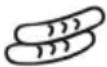 A-5Sausages / Hot-dogs A-5Sausages / Hot-dogs | 100 g 100 | |
| 200 g 200 | ||
| 300 g 300 | ||
| 400 g 400 | ||
| 500 g 500 | ||
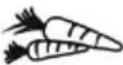 A-6Vegetables A-6Vegetables | 200 g 200 | |
| 300 g 300 | ||
| 400 g 400 | ||
| 500 g 500 | ||
| 600 g 600 | ||
 A-7Potatoes A-7Potatoes | 230 g 1 | |
| 460 g 2 | ||
| 690 g 3 | ||
 A-8Heating up A-8Heating up | 200 g 200 | |
| 300 g 300 | ||
| 400 g 400 | ||
| 500 g 500 | ||
| 600 g 600 | ||
| 700 g 700 | ||
| 800 g 800 | ||
 A-9Beverages A-9Beverages | 200 ml 1 | |
| 400 ml 2 | ||
| 600 ml 3 | ||
 A-10Stew A-10Stew | 250 g 250 | |
| 500 g 500 | ||
 A-11Pizza A-11Pizza | 5 °C / 20 °C | |
| 150 g 150 | ||
| 300 g 300 | ||
| 450 g 450 | ||
 d-1Defrosting according to time d-1Defrosting according to time | Time selectable 0:00 | |
 d-2Defrosting according to weight d-2Defrosting according to weight | Weight selectable | 100⋮⋮1800 |
General instructions
A-1 Fish:
Put the fish on a plate suitable for microwave-use, and place it in the centre of the oven.
Several beep signals indicate that 2/3 of the pre-programmed cooking time has elapsed, when cooking is interrupted. Turn the fish over and press the rotary control to restart the cooking process.
A-2 Roast chicken:
Put a whole chicken on a plate suitable for use with microwaves in the centre of the oven.
Several beep signals indicate that 2/3 of the pre-programmed cooking time has elapsed, when cooking is interrupted. Turn the chicken over and press the rotary control to restart the cooking process.
A-3 Beef:
Place the beef on a plate suitable for use with microwaves in the centre of the oven.
Several beep signals indicate that 2/3 of the pre-programmed cooking time has elapsed, when cooking is interrupted. Turn the food over and press the rotary control to restart the cooking process.
A-4 Pork:
Place the meat on a plate suitable for use with microwaves in the centre of the oven.
Several beep signals indicate that 2/3 of the pre-programmed cooking time has elapsed, when cooking is interrupted. Turn the food over and press the rotary control to restart the cooking process.
A-5 Sausages/Hot-dogs:
Place the sausages on the grill rack in the centre of the oven.
Several beep signals indicate that 2/3 of the pre-programmed cooking time has elapsed, when cooking is interrupted. Turn the sausages over and press the rotary control to continue the cooking process.
A-6 Vegetables:
Place the vegetables on a plate suitable for use with microwaves in the centre of the oven.
A-7 Baked potatoes:
Wash the raw, unpeeled potatoes, pierce them several times with a fork from all sides, and place them on a plate suitable for use with microwaves in the centre of the oven.
A-8 Heating up:
For heating up solid food in containers suitable for use with microwaves.
Hint: Arrange the food in a circular pattern to ensure optimal heat distribution.
A-9 Beverages:
To heat up beverages and hot water for tea or instant coffee.
A-10 Stew:
Place the stew on a plate suitable for use with microwaves in the centre of the oven.
A-11 Pizza:
To cook home-made pizza. Place the pizza on the turntable. Before selecting the weight, select the pizza temperature first (5irc = fridge temperature/ 20irc = room temperature), and press to confirm.
d-1 Defrosting according to time:
See section ‘Defrosting according to time’ below.
d-2 Defrosting according to weight:
See section 'Defrosting according to weight' below.
d-1 Defrosting according to time and d-2 Defrosting according to weight
The defrosting programmes allow for time- or weight-based defrosting.
Turn the rotary control anti-clockwise, until the display shows d-1 or d-2.
- Press the rotary control to confirm the programme selection.
- Turn the rotary control, until the display shows the desired defrosting time (for d-1) or the relevant weight (for d-2).
- Press the rotary control to start defrosting
Helpful notes:
- Several beep signals indicate that 2/3 of the programmed defrosting time has elapsed. Turn the food over, taking out any that is already defrosted.
- Press the rotary control to continue defrosting.
- Should the food not be completely defrosted after the pre-set defrosting time has elapsed, it is advisable to limit any further defrosting times to 1-minute periods until the food is fully defrosted.
- Food stored in plastic containers not suitable for use in microwave ovens should be left for a while after being taken from the freezer. Wait until the food can be easily detached from the plastic, before it is put into the oven inside a container suitable for use with microwave ovens.
Interior lighting
The interior light comes on when the door is opened; it also remains on during operation. It goes out once a programme has finished.
Cleaning
- The microwave should be cleaned regularly, removing any food residue right away after use.
• Before cleaning the appliance, ensure it is disconnected from the power supply and has cooled down completely. - Do not clean the unit with water: ensure that no water is allowed to enter the ventilation slots on the inside or outside of the unit. Do not use any steam cleaning appliances for cleaning.
- The entire unit may be wiped with a slightly damp lint-free cloth and a mild household detergent. Wipe thoroughly dry afterwards.
- Do not use abrasives or harsh cleaning solutions. Commercially available cleaning sprays for conventional baking ovens are not to be used.
- The interior surfaces must be cleaned thoroughly after each operation cycle. The inside of the door, the door frame, the rollers and the guiding track area underneath the turntable must be kept clean at all times.
- The grill rack and turntable may be cleaned with warm soapy water. Caution: Do not put any parts in a dishwasher.
Additional information
Technical specifications
Outside dimensions : 490 mm (W) x 493 mm (D) x 293 mm (H)
Inside dimensions
- turntable : ∅ 285 mm
- clearance above the turntable : 180 mm
Unit weight : 17.1 kg
Operating voltage : 230 V\~50 Hz
Total power consumption : 2150 W
- grill:1650W
- microwave:1400W
- hot-air function : 2150 W
Microwave output : 90 - 900 W
Disposal

Devices marked with this symbol must be disposed of separately from your household waste, as they contain valuable materials which can be recycled. Proper disposal protects the environment and human health. Your local authority or retailer can provide information on the matter.
Four à micro-ondes
Chère cliente, Cher client,
A-5 Saucisses/Hot-dogs :
natural_image
Three circular icons with abstract symbols: a wave, a stylized flower, and a wavy line, arranged vertically (no text or labels)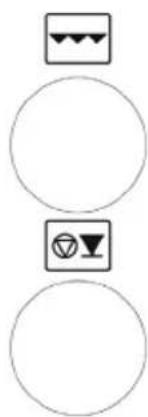
natural_image
Three circular icons with different symbols: three sunglasses and one wine glass, arranged vertically (no text or labels)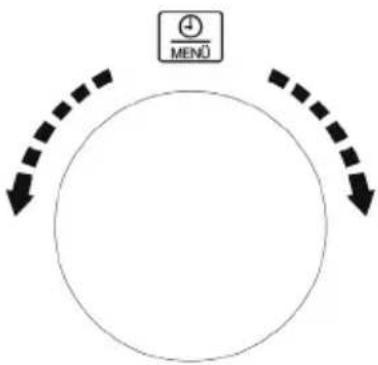
flowchart
graph TD
    A["+"] --> B["MENÜ"]
    B --> C["Downward Arrow"]
    C --> D["Downward Arrow"]
    D --> E["Downward Arrow"]
A-5 Worstjes/Hotdogs:
natural_image
Three circular shapes with abstract symbols: a wavy square, a small figure-eight icon, and a blank circle (no text or labels)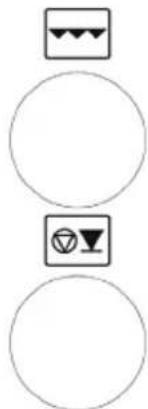
natural_image
Three circular shapes with abstract symbols: three square with crescent and triangle, two square with inverted triangle and circle, and one circle with inverted triangle and circle (no text or labels)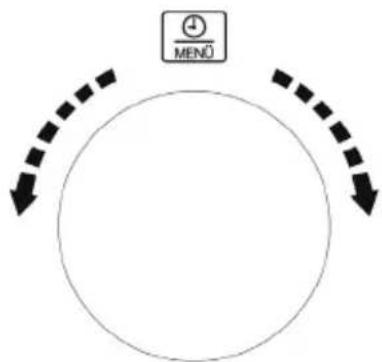
flowchart
graph TD
    A["+"] --> B["MENÜ"]
    B --> C["Downward Arrow"]
    C --> D["Downward Arrow"]
    D --> E["Downward Arrow"]
A-5 Pølser/Hot-dogs:
natural_image
Three circular shapes with abstract symbols: a wavy square, a small figure with three circles, and a blank circle (no text or labels)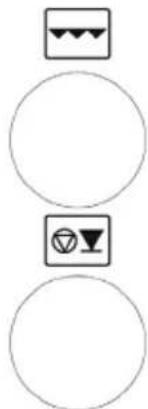
natural_image
Three vertically aligned circular shapes with abstract symbols: three black-and-white icons and one white triangle (no text or labels)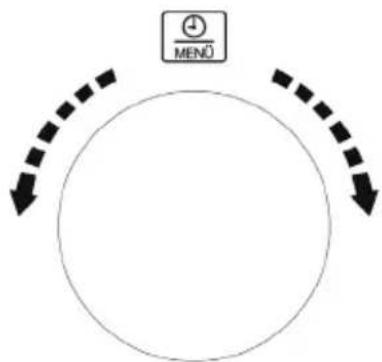
flowchart
graph TD
    A["+"] --> B["MENÜ"]
    B --> C["Downward Arrow"]
    C --> D["Downward Arrow"]
    D --> E["Downward Arrow"]
natural_image
Three circular icons with abstract symbols: a wave, a stylized flower, and a wavy line inside (no text or labels)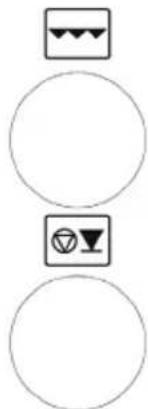
natural_image
Three circular shapes with icons: three square with sunglasses and one with a triangle (no text or symbols)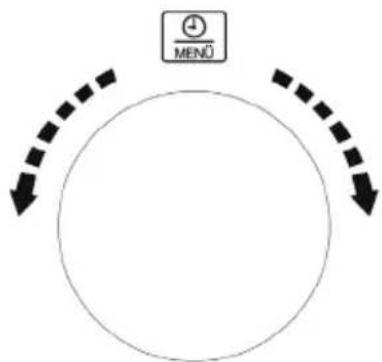
flowchart
graph TD
    A["+"] --> B["MENÜ"]
    B --> C["↓"]
    C --> D["↓"]
    D --> E["↓"]
    E --> F["↓"]
    F --> G["↓"]
    G --> H["↓"]
    H --> I["↓"]
    I --> J["↓"]
    J --> K["↓"]
    K --> L["↓"]
    L --> M["↓"]
    M --> N["↓"]
    N --> O["↓"]
    O --> P["↓"]
    P --> Q["↓"]
    Q --> R["↓"]
    R --> S["↓"]
    S --> T["↓"]
    T --> U["↓"]
    U --> V["↓"]
    V --> W["↓"]
    W --> X["↓"]
    X --> Y["↓"]
    Y --> Z["↓"]
A-5 Makkarat/hotdogit:


natural_image
Three circular shapes with abstract symbols: a wavy square, a small figure with three circles, and a blank circle (no text or labels)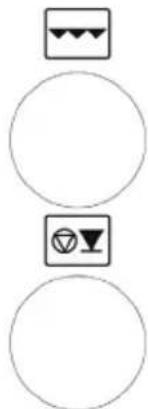
natural_image
Three vertically aligned circular icons with triangular and inverted symbols, no text or labels present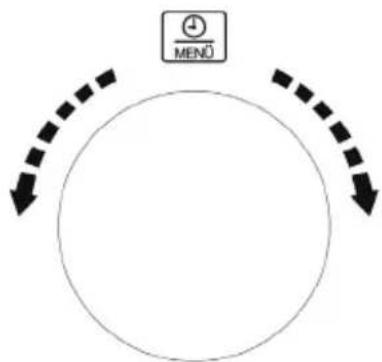
flowchart
graph TD
    A["+"] --> B["MENÜ"]
    B --> C["Downward Arrow"]
    C --> D["Downward Arrow"]
    D --> E["Downward Arrow"]


- ART.-NO. MW 7778
- Control panel detail
- Display
- Important safety instructions
- Please read the following instructions carefully and keep this instruction manual for future reference
- Connection to the mains supply
- Positioning the unit
- Important notes
- Warning
- Before using for the first time
- IMS device
- The microwave function (Group II in compliance with EN 55011)
- Always use suitable kitchen utensils
- Using the microwave function
- Using the grill or hot-air function
- Using the microwave/grill or microwave/hot-air combination
- Operation
- Initial setting of the clock
- Changing the time
- Acoustic signal
- Childproof safety device
- Grill rack
- Turntable
- Hint!
- General operating sequence
- Cooling-off function
- Cooking/heating with microwaves
- Quick-programme / Cooking with microwaves:
- Rotary control / Cooking with microwaves
- Grill function
- Combination programme grill and microwave
- Ultra-hot-air function
- Pre-heating:
- Combination programme microwave and Ultra-hot air
- Setting multiple programmes
- Saving your favourite dish
- Pizza-Express function
- Automatic cooking and defrosting programmes
- General instructions
- A-1 Fish:
- A-2 Roast chicken:
- A-3 Beef:
- A-4 Pork:
- A-5 Sausages/Hot-dogs:
- A-6 Vegetables:
- A-7 Baked potatoes:
- A-8 Heating up:
- A-9 Beverages:
- A-10 Stew:
- A-11 Pizza:
- d-1 Defrosting according to time:
- d-2 Defrosting according to weight:
- d-1 Defrosting according to time and d-2 Defrosting according to weight
- Helpful notes:
- Interior lighting
- Cleaning
- Additional information
- Technical specifications
- Disposal
- Four à micro-ondes
- Chère cliente, Cher client,
- A-5 Saucisses/Hot-dogs :
- A-5 Worstjes/Hotdogs:
- A-5 Pølser/Hot-dogs:
- A-5 Makkarat/hotdogit:
Brand : SEVERIN
Model : MW 7778
Category : Microwave