BN0265 - Watch BRAUN - Free user manual and instructions
Find the device manual for free BN0265 BRAUN in PDF.



User questions about BN0265 BRAUN
0 question about this device. Answer the ones you know or ask your own.
Ask a new question about this device
Download the instructions for your Watch in PDF format for free! Find your manual BN0265 - BRAUN and take your electronic device back in hand. On this page are published all the documents necessary for the use of your device. BN0265 by BRAUN.
USER MANUAL BN0265 BRAUN
natural_image
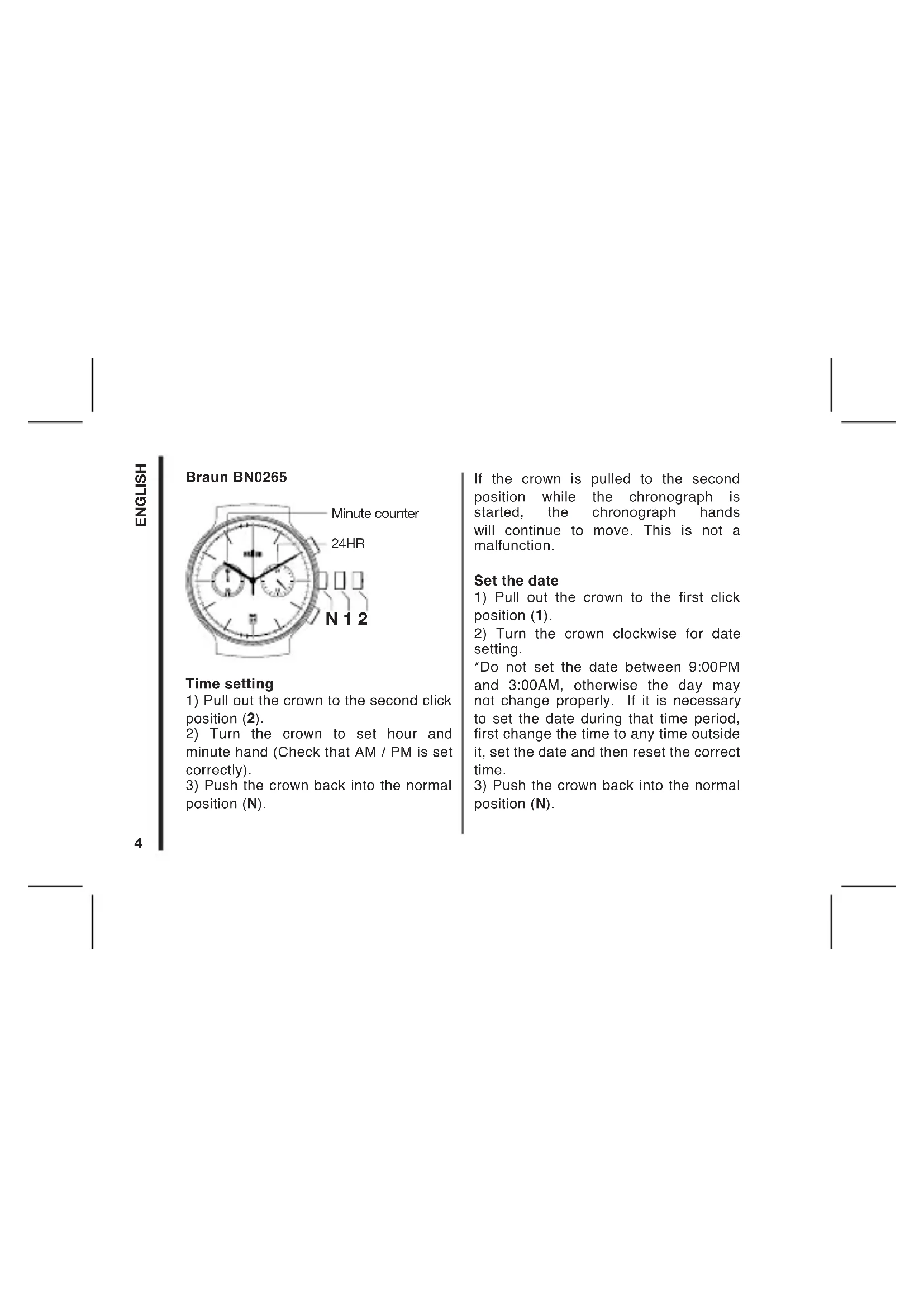
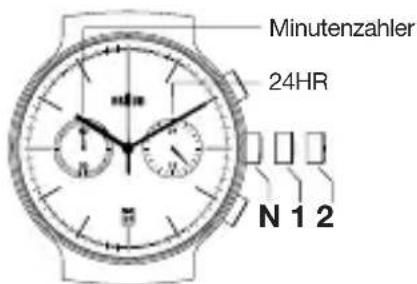
Solid black rectangle with thin white border and corner markers (no text or symbols)1) Pull out the crown to the second click position (2).
2) Turn the crown to set hour and minute hand (Check that AM / PM is set correctly).
3) Push the crown back into the normal position (N).
If the crown is pulled to the second position while the chronograph is started, the chronograph hands will continue to move. This is not a malfunction.
Set the date
1) Pull out the crown to the first click position (1).
2) Turn the crown clockwise for date setting.
*Do not set the date between 9:00PM and 3:00AM, otherwise the day may not change properly. If it is necessary to set the date during that time period, first change the time to any time outside it, set the date and then reset the correct time.
3) Push the crown back into the normal position (N).
How to reset (after battery change)
1) Pull out the crown to the second click position (2).
2) Press the button B for two seconds and release the button.
3) Push the crown back to the normal position (N)
*It is not necessary to set the chronograph hands after the battery is exchanged. If the chronograph hand positions are incorrect, following below procedure all the chronograph hands will be reset to "0" position.
How to use the chronograph
text_image
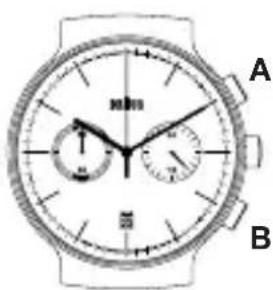
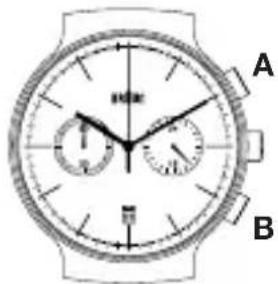
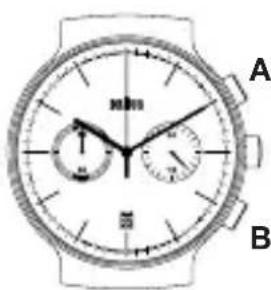
A B- Start: Press button A to start the chronograph. The chronograph hands will start moving.
text_image
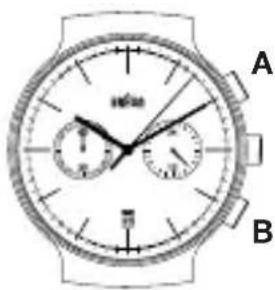
A B- Stop (Finish): Press button A again to stop the chronograph. The chronograph hands stop to indicate the elapsed time.
text_image
A B3. Reset:
Press button B to reset the chronograph. All the chronograph hands will be reset to "0" position.
The chronograph can measure up to 60 minutes and the chronograph stops after a measurement of 60 minutes.
To restart the chronograph function: Press button A.
During the chronograph operation, button B (reset) can be pushed. It will not cause any problem.
Guarantee
2 year guarantee against material and workmanship defects (except battery). The guarantee is valid in those countries where the watch is officially being sold. This guarantee does not include bracelet/straps and lenses. This guarantee does not cover damage caused by misuse or neglect.
Important: Please retain this instruction manual for future reference.
Braun helpline
Should you have a problem with your product, please check your local service centre at:
www.braun-clocks.com
www.braun-watches.com
or contact +44 208 208 1833
text_image
Image containing three crossed-out icons and a large 'C' symbol, likely representing a technical or regulatory symbol.WARNING! Do not dispose of electrical product and empty batteries in the household waste.
Certain trademarks used under license from The Procter & Gamble Company or its affiliates.
Braun BN0265
text_image
Minutenzahler 24HR N 1 2Einstellen der Zeit
natural_image
Close-up of a wristwatch face showing two dials and tachometer (no text or symbols visible)A
natural_image
Line drawing of a wristwatch face showing two dials and tachometer (no text or symbols)A
3. Zurückstellen:
text_image
Image containing three crossed-out icons and a large 'C' symbol, likely representing a technical or regulatory symbol.natural_image
Close-up of a wristwatch face showing two dials and tachometer (no text or symbols visible)A
2. Arrêt:
text_image
Diagram of a wristwatch with labeled dials and time markings, showing two dials and a 10-second dial.A
3. Réenclenchement:
text_image
Image containing three crossed-out icons and a large 'C' symbol, likely representing a technical or regulatory symbol.text_image
Image containing three crossed-out icons and a large 'C' symbol, likely representing a technical or regulatory symbol.How to use the chronograph
text_image
A Btext_image
Image containing three crossed-out icons and a large 'C' symbol, likely representing a technical or regulatory symbol.natural_image
Line drawing of a wristwatch with dual dials and headband (no text or symbols)A
3. Reset:
of bel +44 208 208 1833
text_image
Image containing three crossed-out icons and a large 'C' symbol, likely representing a technical or regulatory symbol.WAARSCHUWING! Electrische
natural_image
Close-up of a wristwatch face showing two dials and tachometer (no visible text or symbols)A
of bel +44 208 208 1833
text_image
Image containing three crossed-out icons and a large 'C' symbol, likely representing a technical or regulatory symbol.WAARSCHUWING! Electrische
natural_image
Close-up of a wristwatch face showing two dials and tachometer (no visible text or symbols)A
text_image
Image containing three crossed-out symbols: a trash can, a cross symbol, and a partial 'C' character.natural_image
Pure vertical black bar with horizontal lines on both sides (no text or symbols)$$
$$